 Ellivers
- Ellivers
- ellivers
- Europe/Stockholm
- Yes
- No
![[Mojang] Grum (Erik Broes)](../../../data/assets/gravatar/grum.png)
![[Mojang] Ulraf](../../../data/avatars/users/43122.png)
![[Mojang] Panda](../../../data/avatars/users/41658.png)
![[Mojang] Bartosz Bok](../../../data/avatars/users/10122.svg)
 MCPE-169547
![[Mojang] hawkan](../../../data/avatars/users/18941.svg)
 Normal
![[Mojang] Billy Sjöberg](../../../data/avatars/users/42806.png)
 MC-269957


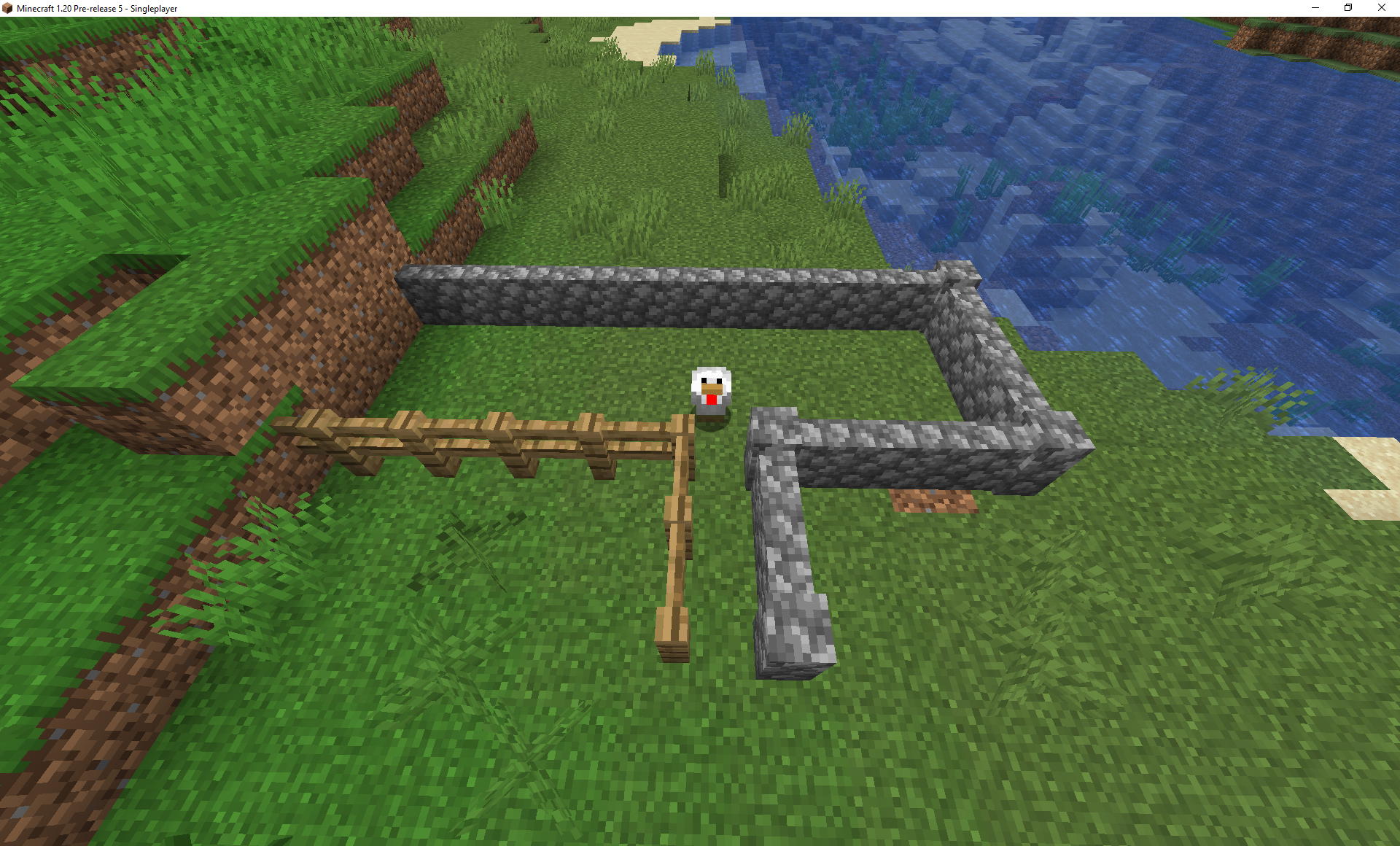





I had just started up a new world, that had some issues loading. I jumped into the water, discovered that you can drop down with sneak, and started underwater sprinting, then it crashed.
Crash report: crash-2018-02-15_16.45.49-server.txt

I had just started up a new world, that had some issues loading. I jumped into the water, discovered that you can drop down with sneak, and started underwater sprinting on the ocean floor, then it crashed.
Crash report: crash-2018-02-15_16.45.49-server.txt
I started Minecraft, and before I went into the world select screen I backed up all my save files. I created a new world, and the loading fr
eezedat: 'Preparing spawn area: 87%'. Nothing happened and I had to force quit the game. If I pressed the X (close window) button nothing happened, and it never said that the game stopped responding.I started Minecraft, and before I went into the world select screen I backed up all my save files. I created a new normal type world, and the loading froze at: 'Preparing spawn area: 87%'. Nothing happened and I had to force quit the game. If I pressed the X (close window) button nothing happened, and it never said that the game stopped responding. I loaded the world later and it worked as normal.
Affects versions 1.14+
Settings that are supposed to update (show a loading screen) after you change them and exit the video settings menu don't do this is you first toggle fullscreen mode before exiting the menu.
How to reproduce:
- Go into the video settings menu. Options>Video Settings
- Change the Mipmap Levels setting to something that it's currently not on
- Toggle the Fullscreen setting
- Press Done
The loading screen doesn't show up and the setting isn't changed properly.
As of 20w11a, you can set fire on top of soul sand.
The issue is, however, that
isfire becomes completely normal and not soul fire.As of 20w11a, you can set fire on top of soul sand.
The issue is, however, that the fire becomes completely normal and not soul fire.
In creative mode, powder snow is able to be made into a ghost block.
Steps to reproduce:
- Be in creative mode.
- Replace a block in the ground with powder snow.
- Stand so you're touching the space of the block above the powder snow.
- Place a bucket of lava on top of the powder snow, and quickly place a bucket of powder snow inside the lava.
Visually, the newly placed powder snow breaks. However, it often stays as a ghost block. This can be shown by the block space giving entities the freezing effect, or by trying to place a block where it was, and the block then turning into powder snow.
Attempting to join a LAN world while offline gives the message "Invalid signature for profile public key. Try restarting your game." This is the case even when the host of the LAN world is offline.
Nothing shows up in the log to indicate that the connection failed.
This behavior is not present in version 1.19.2.
When an item_display, block_display, or text_display entity mounts another entity, it does not change its position. Instead, it visually behaves as if it's not mounted.
How to reproduce:
Run the following commands in order.
summon minecraft:item_display ~ ~ ~ {item:{id:"minecraft:stick",Count:1b},billboard:"center",Tags:["test_passenger"]} summon minecraft:pig ~ ~ ~ {Tags:["test_vehicle"]} ride @e[type=minecraft:item_display,tag=test_passenger,limit=1] mount @e[type=minecraft:pig,tag=test_vehicle,limit=1]Observe how the item_display entity, which looks like a stick that is always facing the screen, does not follow the summoned pig's
movements as it walks around.According to the game, the item_display entity is riding the pig. This can be shown with the command
execute as @e[type=minecraft:pig,tag=test_vehicle,limit=1] on passengers run say hiwhich outputs the message "[Item Display] hi" in chat.
The expected behavior would be for the display entity to either mount the other entity as normal and follow its
movements, or for an error message to appear when attempting to make the display entity ride another entity.When an item_display, block_display, or text_display entity mounts another entity, it does not change its position. Instead, it visually behaves as if it's not mounted.
How to reproduce:
Run the following commands in order.
summon minecraft:item_display ~ ~ ~ {item:{id:"minecraft:stick",Count:1b},billboard:"center",Tags:["test_passenger"]} summon minecraft:pig ~1 ~ ~ {Tags:["test_vehicle"]} ride @e[type=minecraft:item_display,tag=test_passenger,limit=1] mount @e[type=minecraft:pig,tag=test_vehicle,limit=1]Observe how the item_display entity, which looks like a stick that is always facing the screen, does not follow the summoned pig's position.
According to the game, the item_display entity is riding the pig. This can be shown with the command
execute as @e[type=minecraft:pig,tag=test_vehicle,limit=1] on passengers run say hiwhich outputs the message "[Item Display] hi" in chat.
The expected behavior would be for the display entity to either mount the other entity as normal and follow its position, or for an error message to appear when attempting to make the display entity ride another entity.
Signs from worlds that have been opened in versions before 23w12a get the is_waxed value of 0b (false) when updated to 23w12a. This makes the newly loaded signs' behavior inconsistent with how they worked in previous versions, since they can now be edited by being right-clicked.
Worlds that depend on signs not being editable would have to change every single sign block in the world to be waxed, which could mean a lot of effort if the world, for example, uses signs as decorations in large quantities.
Signs from worlds that have been opened in versions before 23w12a get the is_waxed data value of 0b (false) when updated to 23w12a. This makes the newly loaded signs' behavior inconsistent with how they worked in previous versions, since they can now be edited by being right-clicked.
Worlds that depend on signs not being editable would have to change every single sign block in the world to be waxed, which could mean a lot of effort if the world, for example, uses signs as decorations in large quantities.
Signs from worlds that have been opened in versions before 23w12a get the is_waxed data value of 0b (false) when updated to 23w12a or higher. This makes the newly loaded signs' behavior inconsistent with how they worked in previous versions, since they can now be edited by being right-clicked.
Worlds that depend on signs not being editable would have to change every single sign block in the world to be waxed, which could mean a lot of effort if the world, for example, uses signs as decorations in large quantities.
2023-03-31 19-55-40.mkv
After spinning the camera really quickly left or right, you are not able to move (WASD) and your targeting (block highlighting, etc.) is locked to being directly underneath you.
Steps to reproduce:
- You need some way to lock your mouse to a corner of the screen. One way to do this, which I used, is to connect a drawing
tabletand hold the pen on tabletsuch that it keeps the mouse lockedtoone place.- Let the camera in Minecraft spin for about 10-20 seconds. With a drawing tablet, you may need to constantly move your pen slightly so the mouse pointer's position is consistently updated.
- Afterwards, you should not be able to move, and your targeting is stuck to being directly underneath your position.
This bug appears to be client-sided, since the server still knows the correct rotation. This can be shown using the command /tp ^ ^ ^5 to teleport 5 blocks in the direction you're facing.
After spinning the camera really quickly left or right, you are not able to move (WASD) and your targeting (block highlighting, etc.) is locked to being directly underneath you.
Steps to reproduce:
- You need some way to lock your mouse to a corner of the screen. One way to do this, which I used, is to connect a drawing pad and hold the pen on the pad such that it keeps the mouse locked in one place.
- Let the camera in Minecraft spin for about 10-20 seconds. With a drawing tablet, you may need to constantly move your pen slightly so the mouse pointer's position is consistently updated.
- Afterwards, you should not be able to move, and your targeting is stuck to being directly underneath your position.
This bug appears to be client-sided, since the server still knows the correct rotation. This can be shown using the command /tp ^ ^ ^5 to teleport 5 blocks in the direction you're facing.
After spinning the camera really quickly left or right, camera movements become jittery and snap instead of moving smoothly
Steps to reproduce:
- You need some way to lock your mouse to a corner of the screen. One way to do this, which I used, is to connect a drawing tablet and hold the pen on tablet such that it keeps the mouse locked to one place.
- Let the camera in Minecraft spin for about 30 seconds. With a drawing tablet, you may need to constantly move your pen slightly so the mouse pointer's position is consistently updated.
- Afterwards, moving your camera somewhat slowly should make the issue easy to notice.
This bug appears
maybebe caused by a floating point precision issue. If so, locking the value storing the horizontal client-sided rotation instead of letting it increase forever should solve theissue.After spinning the camera really quickly left or right, camera movements become jittery and snap instead of moving smoothly
Steps to reproduce:
- You need some way to lock your mouse to a corner of the screen. One way to do this, which I used, is to connect a drawing tablet and hold the pen on tablet such that it keeps the mouse locked to one place.
- Let the camera in Minecraft spin for about 30 seconds. With a drawing tablet, you may need to constantly move your pen slightly so the mouse pointer's position is consistently updated.
- Afterwards, moving your camera somewhat slowly should make the issue easy to notice.
This bug appears like it might be caused by a floating point precision issue. If so, locking the value storing the horizontal client-sided rotation instead of letting it increase forever should solve this issue.
After spinning the camera really quickly left or right, camera movements become jittery and snap instead of moving smoothly
Steps to reproduce:
- You need some way to lock your mouse to a corner of the screen. One way to do this, which I used, is to connect a drawing tablet and hold the pen on tablet such that it keeps the mouse locked to one place.
- Let the camera in Minecraft spin for about 30 seconds. With a drawing tablet, you may need to constantly move your pen slightly so the mouse pointer's position is consistently updated.
- Afterwards, moving your camera somewhat slowly should make the issue easy to notice.
This bug appears like it might be caused by a floating point precision issue. If so, l
ocking the value storing the horizontal client-sided rotation instead of letting it increase forever should solve this issue.After spinning the camera really quickly left or right, camera movements become jittery and snap instead of moving smoothly
Steps to reproduce:
- You need some way to lock your mouse to a corner of the screen. One way to do this, which I used, is to connect a drawing tablet and hold the pen on tablet such that it keeps the mouse locked to one place.
- Let the camera in Minecraft spin for about 30 seconds. With a drawing tablet, you may need to constantly move your pen slightly so the mouse pointer's position is consistently updated.
- Afterwards, moving your camera somewhat slowly should make the issue easy to notice.
This bug appears like it might be caused by a floating point precision issue. If so, limiting the value storing the horizontal client-sided rotation instead of letting it increase forever should solve this issue.
In Minecraft: Java Edition, the distance your in-game cursor moves depends on the speed at which you move your mouse. In Bedrock Edition, moving your mouse a certain distance always results in the same cursor movement, no matter how fast you're moving it.
This results in having to move your mouse more overall, there being less fine tune control, and gameplay feeling inconsistent between the two versions.
Bedrock movement example: https://cdn.discordapp.com/attachments/248183986814189568/1096142266126585937/cursor_movement_bedrock.mp4
Java movement example: https://cdn.discordapp.com/attachments/248183986814189568/109614226
6126585937/cursor_movement_bedrock.mp4In Minecraft: Java Edition, the distance your in-game cursor moves depends on the speed at which you move your mouse. In Bedrock Edition, moving your mouse a certain distance always results in the same cursor movement, no matter how fast you're moving it.
This results in having to move your mouse more overall, there being less fine tune control, and gameplay feeling inconsistent between the two versions.
Bedrock movement example: https://cdn.discordapp.com/attachments/248183986814189568/1096142266126585937/cursor_movement_bedrock.mp4
Java movement example: https://cdn.discordapp.com/attachments/248183986814189568/1096142268433436722/cursor_movement_java.mp4
The /spreadplayers command is able to position entities outside the world border.
How to reproduce:
Run the following commands in order:
- /worldborder center ~ ~
- /worldborder set 10
- /spreadplayers ~ ~ 0 100 false @s
You now most likely ended up outside the world border.For commands such as /teleport, you have to enter a specific position to be teleported to, so it seems intended that you can leave the world border using it. However, leaving the world border is probably not the intended behavior for /spreadplayers.
The /spreadplayers command is able to position entities outside the world border.
How to reproduce:
Run the following commands in order:
- /worldborder center ~ ~
- /worldborder set 10
- /spreadplayers ~ ~ 0 100 false @s
You now most likely ended up outside the world border.For commands such as /teleport, you have to enter a specific position to be teleported to, so it seems intended that you can leave the world border using it. However, leaving the world border is probably not the intended behavior for /spreadplayers, considering that it's supposed to spread entities to safe locations.
This also happens with the slowdown that water causes. It's very noticeable in mangrove swamps, due to mud next to water being common.
- Give yourself an item that with one of these components. For instance:
/give @s minecraft:diamond_pickaxe[minecraft:can_place_on=\{blocks:'minecraft:short_grass'}]- Hold the item, and make sure you're in creative mode.
- Give yourself an item that with one of these components. For instance:
/give @s minecraft:diamond_pickaxe[minecraft:can_place_on={blocks:'minecraft:short_grass'}]- Hold the item, and make sure you're in creative mode.
- Give yourself an item that with one of these components. For instance:
/give @s minecraft:diamond_pickaxe[minecraft:can_place_on={blocks:'minecraft:short_grass'}]- Hold the item, and make sure you're in creative mode.
- Give yourself an item with one of these components. For instance:
/give @s minecraft:diamond_pickaxe[minecraft:can_place_on={blocks:'minecraft:short_grass'}]
- Hold the item, and make sure you're in creative mode.
When upgrading an older world with a book that has more than 100 pages to version 24w09a+, any pages after #100 are deleted.
The expected behavior would be for the book to keep all its pages and be upgraded properly.
How to reproduce:
- Create a world in version 1.20.4.
- Type the following command in a command block, and power it to give yourself a written book with 105 pages:
/give @p minecraft:written_book{title:"105",author:"test",pages:["", "", "", "", "", "", "", "", "", "", "", "", "", "", "", "", "", "", "", "", "", "", "", "", "", "", "", "", "", "", "", "", "", "", "", "", "", "", "", "", "", "", "", "", "", "", "", "", "", "", "", "", "", "", "", "", "", "", "", "", "", "", "", "", "", "", "", "", "", "", "", "", "", "", "", "", "", "", "", "", "", "", "", "", "", "", "", "", "", "", "", "", "", "", "", "", "", "", "", "100", "101", "102", "103", "104", "105"]}- Upgrade the world to
24w10a.When upgrading an older world with a book that has more than 100 pages to version 24w09a+, any pages after #100 are deleted.
The expected behavior would be for the book to keep all its pages and be upgraded properly.
How to reproduce:
- Create a world in version 1.20.4.
- Type the following command in a command block, and power it to give yourself a written book with 105 pages:
/give @p minecraft:written_book{title:"105",author:"test",pages:["", "", "", "", "", "", "", "", "", "", "", "", "", "", "", "", "", "", "", "", "", "", "", "", "", "", "", "", "", "", "", "", "", "", "", "", "", "", "", "", "", "", "", "", "", "", "", "", "", "", "", "", "", "", "", "", "", "", "", "", "", "", "", "", "", "", "", "", "", "", "", "", "", "", "", "", "", "", "", "", "", "", "", "", "", "", "", "", "", "", "", "", "", "", "", "", "", "", "", "100", "101", "102", "103", "104", "105"]}
- Upgrade the world to the latest snapshot.
Unlike all other loot functions that feature a list, set_attributes does not accept an empty modifiers list.
This makes it more difficult to remove all attribute modifiers, as you can't simply use an empty list and set mode to replace_all.
How to reproduce:
- Hold an item
- Run the following command in chat
/item modify entity @s weapon {function:set_attributes,modifiers:[],mode:replace_all}- Notice the error message:
Failed to parse structure: Not a list: {function:"set_attributes",mode:"replace_all",modifiers:[]}; List must have contents ...place_all}<--[HERE]- Try the same thing but with set_lore, or any other item function:
/item modify entity @s weapon {function:set_lore,lore:[],mode:replace_all}- The command succeeds
Unlike all other loot functions that feature a list, set_attributes does not accept an empty modifiers list.
This makes it more difficult to remove all attribute modifiers, as you can't simply use an empty list and set mode to replace
_all.How to reproduce:
- Hold an item
- Run the following command in chat
/item modify entity @s weapon {function:set_attributes,modifiers:[],mode:replace_all}- Notice the error message:
Failed to parse structure: Not a list: {function:"set_attributes",mode:"replace_all",modifiers:[]}; List must have contents ...place_all}<--[HERE]- Try the same thing but with set_lore, or any other item function:
/item modify entity @s weapon {function:set_lore,lore:[],mode:replace_all}- The command succeeds
Unlike all other loot functions that feature a list, set_attributes does not accept an empty modifiers list.
This makes it more difficult to remove all attribute modifiers, as you can't simply use an empty list and set replace to true.
How to reproduce:
- Hold an item
- Run the following command in chat
/item modify entity @s weapon {function:set_attributes,modifiers:[],replace:true}- Notice the error message:
Failed to parse structure: Not a list: {function:"set_attributes",mode:"replace_all",modifiers:[]}; List must have contents ...place_all}<--[HERE]- Try the same thing but with set_lore, or any other item function:
/item modify entity @s weapon {function:set_lore,lore:[],mode:replace_all}- The command succeeds
Unlike all other loot functions that feature a list, set_attributes does not accept an empty modifiers list.
This makes it more difficult to remove all attribute modifiers, as you can't simply use an empty list
and setreplacetotrue.How to reproduce:
- Hold an item
- Run the following command in chat
/item modify entity @s weapon {function:set_attributes,modifiers:[],replace:true}- Notice the error message:
Failed to parse structure: Not a list: {function:"set_attributes",mode:"replace_all",modifiers:[]}; List must have contents ...place_all}<--[HERE]- Try the same thing but with set_lore, or any other item function
:/item modify entity @s weapon {function:set_lore,lore:[],mode:replace_all}- The command succeeds
Unlike all other loot functions that feature a list, set_attributes does not accept an empty modifiers list.
This makes it more difficult to remove all attribute modifiers, as you can't simply use an empty list with replace enabled.
How to reproduce:
- Hold an item
- Run the following command in chat
/item modify entity @s weapon {function:set_attributes,modifiers:[],replace:1b}- Notice the error message:
Failed to parse structure: Not a list: {function:"set_attributes",modifiers:[],replace:1b}; List must have contents ...eplace:1b}<--[HERE]- Try the same thing but with set_lore, or any other item function. In this case, mode is used since that is what set_lore uses.
/item modify entity @s weapon {function:set_lore,lore:[],mode:replace_all}- The command succeeds
Steps to reproduce
- Create a new sound in a resource pack's sounds.json file:
"small_xp": { "sounds": [ "mosurvival:small_xp" ], "subtitle": "subtitles.mosurvival.small_xp" }When specifying a sound event that is not part of Minecraft by default inside of a goat horn instrument JSON file, the instrument fails to load and the world cannot be opened:
Caused by: java.lang.IllegalStateException: Failed to get element ResourceKey[minecraft:sound_event / foo:bar]
Steps to reproduce
- Create a new sound in a resource pack's sounds.json file:
"small_xp": { "sounds": [ "mosurvival:small_xp" ], "subtitle": "subtitles.mosurvival.small_xp" }When specifying a sound event that is not part of Minecraft by default inside of a goat horn instrument JSON file, the instrument fails to load and the world cannot be opened:
Caused by: java.lang.IllegalStateException: Failed to get element ResourceKey[minecraft:sound_event / foo:bar]
When specifying a sound event that is not part of Minecraft by default inside of a goat horn instrument JSON file, the instrument fails to load and the world cannot be opened. This is likely due to that the server doesn't know what sound events have been added by resource packs.
Steps to reproduce
- Create a new sound in a resource pack's sounds.json file, which points to a sound file.
For example:"test_sound": { "sounds": [ "namespace:test_sound" ] }- In a data pack, create a goat horn instrument JSON file in the data/instrument folder. In the sound_event field, specify the sound even in the resource pack.
For example:{ "sound_event": "namespace:test_sound", "use_duration": 0.001, "description": "", "range": 16 }- Open the world.
Observed result
The world cannot be opened, as errors were found in the pack. The log contains something akin to this error message:Caused by: java.lang.IllegalStateException: Failed to get element ResourceKey[minecraft:sound_event / foo:bar]Expected result
No error appears and the custom goat horn instrument is able to be used.
When specifying a sound event that is not part of Minecraft by default inside of a goat horn instrument JSON file, the instrument fails to load and the world cannot be opened. This is likely due to that the server doesn't know what sound events have been added by resource packs.
Steps to reproduce
- Create a new sound in a resource pack's sounds.json file, which points to a sound file.
For example:"test_sound": { "sounds": [ "namespace:test_sound" ] }- In a data pack, create a goat horn instrument JSON file in the data/instrument folder. In the sound_event field, specify the sound even in the resource pack.
For example:{ "sound_event": "namespace:test_sound", "use_duration": 0.001, "description": "", "range": 16 }- Open the world.
Observed result
The world cannot be opened, as errors were found in the pack. The log contains something akin to this error message:Caused by: java.lang.IllegalStateException: Failed to get element ResourceKey[minecraft:sound_event /foo:bar]Expected result
No error appears and the custom goat horn instrument is able to be used.When specifying a sound event that is not part of Minecraft by default inside of a goat horn instrument JSON file, the instrument fails to load and the world cannot be opened. This is likely due to that the server doesn't know what sound events have been added by resource packs.
Steps to reproduce
- Create a new sound in a resource pack's sounds.json file, which points to a sound file.
For example:"test_sound": { "sounds": [ "namespace:test_sound" ] }- In a data pack, create a goat horn instrument JSON file in the data/instrument folder. In the sound_event field, specify the sound even in the resource pack.
For example:{ "sound_event": "namespace:test_sound", "use_duration": 0.001, "description": "", "range": 16 }- Open the world.
Observed result
The world cannot be opened, as errors were found in the pack. The log contains something akin to this error message:Caused by: java.lang.IllegalStateException: Failed to get element ResourceKey[minecraft:sound_event / namespace:test_sound]Expected result
No error appears and the custom goat horn instrument is able to be used.
Can confirm
They do drop, though they drop less than they should.
They are set to have a 33% drop chance in the loot table, so I would say this works as intended:
21w08b: 180 FPS
21w10a: 130 FPS
OS: Windows 10 Home 20H2 64 bit
CPU: Intel i5 7300HQ @ 2.50GHz
GPU: NVIDIA GeForce GTX 1050 461.92
Relates to
MC-261490Oops, fixed
Duplicate of MC-131146
It's at full resolution ("Current")
It takes up the whole monitor (1920x1200)
Manually setting it to said resolution instead of "Current" gives the same results.
Can confirm in 1.20 Pre-release 6.
Can confirm in 1.20 Pre-release 7. This bug is very noticeable in dripstone caves.
If this is the bug I'm thinking of, it can happen in singleplayer as well. Confirmed in 1.20.1.
Can confirm in 1.20.2 release candidate 1.
Can confirm in 1.20.2
Can confirm in 1.20.2 and 1.20.3 pre-release 2
I attached an image showing two different armor stands. One is in a chunk where the following command is being run every tick:
execute if block ~ ~ ~ air
The other one is outside that chunk. The armor stand on top of the command block is always loaded, but the other armor stand is not.
Jiingy yes, this issue can be closed.
MC-37839 does need to be updated with more info though.
Can confirm in 1.20.4.
This is most likely a duplicate of MC-156980
I can reproduce in 1.20.4 and 23w51b.
This seems to be a client-server desync.
Here are consistent steps to reproduce:
tp @e[type=minecraft:boat,sort=nearest,limit=1] ~ ~.6 ~
In this example, you can notice that even while the command block is teleporting the boat every tick, you can row it away from the command block and it won't teleport back when you exit the boat.
I can verify in both 1.20.4 and 23w51b that the seeds 8994765102493, 32896149644487, 45459229772041, 47874503654705, and 75387315386474 also cause this issue.
I have not tried the rest of the seeds.
Only English is handled by the Minecraft developers. Other translations are from the community driven Crowdin.
Here are the translations for "Carrot": https://crowdin.com/editor/minecraft/10038/enus-el?view=comfortable&filter=basic&value=0#q=carrot
This issue is invalid.
Can confirm.
Can confirm.
Can confirm.
Can confirm. The custom name of the block isn't copied either.
Can confirm.
My bad. Should be correct now.
Can confirm. It doesn't work with stationary fireballs, but it still works with moving fireballs.
Can confirm. This does not happen in creative mode.
Does
MC-271422describe your issue?Can't reproduce.
Duplicate of MC-104964
This seems to be working as intended. I looked into this a while ago, and the process on the Minecraft wiki describing the current behavior seems to line up perfectly with what appears to be intended looking at the code.
Can confirm. This is because there's no way to specify enchantability on an item, and only items with enchantability can be enchanted in an enchanting table.
Can confirm
Could you change the title to show that it is also caused by other types of tags?
Shields are intended to have a block delay of 0.25 seconds, as can be seen now in the default components of the item:
This seems like it should be marked as intended.