 G J Piper
- gregarios
- gregarios
- America/Los_Angeles
- Yes
- No
 MCPE-39924
 REALMS-1529

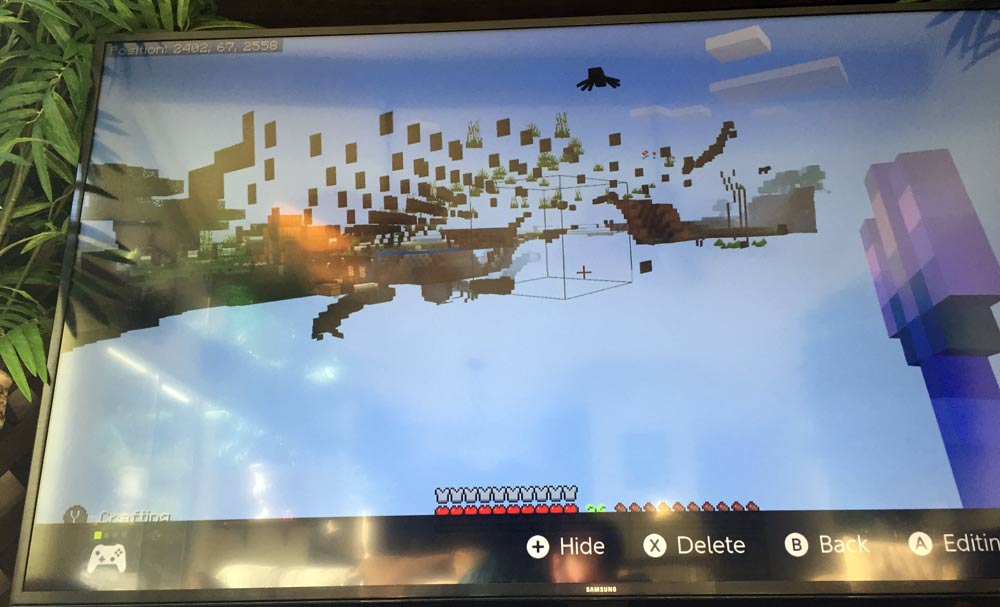


In my survival realm, I have several cats. They run around normally, and sit when told. However, they never ever turn their heads side to side. They do look up and/or straight ahead, but it is as if they are ironically pretending to be robots that cannot look side to side. They can't look at me it seems, and this makes them act very creepy. Attached is a screenshot showing how cats used to behave. Mine always look straight ahead as if in a trance. Please help my cats.
Added a screenshot of a cat in my realm from a Windows 10 bedrock edition (not looking at me) as well.
Quite often, like every minute or even less, the game entities will stall out, then after about 10 seconds all actions done during the stall are accomplished almost instantly. This can result in death from mobs attacking 20 times during the stall, mobs appearing to run at 1000x normal speed after stopping during the stall, etc. I am able to mine during the stall, but instead of blocks dropping they just disappear – then when the stall "catches up" all the blocks I mined drop at once in a loud "boom". If I am near mobs when this happens, they appear stopped in place while I am able to still move around and try and attack them... however... when the mechanics finally "catch up" it usually results in the mob being dead or me being dead instantly. During the stall, if I hit a mob, it seems like nothing has happened until it catches up again. Mining tunnels in the nether is especially dangerous during these events, obviously. I've learned to just stop and not do anything during the stalls, then resume when it has caught back up again, but it is tedious and annoying.
- The stalls happen whether or not I'm even doing anything, and when it happens the frame-rate drops to very low as well – sometimes around 4 or 5 fps it looks like.
- It happens during the day or night, no matter the chunk distance setting in video, and no matter if there are more than one player playing at the same time or just playing alone.
- It most often happens in my 10 player realm, no matter how many or few players are playing in it.
- The network has been checked and it happens whether in wired or wireless mode. We have Centurylink DSL at 7mb/s down 1mb/s up and it has never been a problem.
- It seems to happen more harshly while using the new beta texture pack (v1.03).
- Sometimes it results in "losing connection to the server" error when the stall has happened too long.
- Bug noes not appear to happen when using a Windows 10 version connecting to the same network and realm.
Quite often, like every minute or even less, the game entities will stall out, then after about 10 seconds all actions done during the stall are accomplished almost instantly. This can result in death from mobs attacking 20 times during the stall, mobs appearing to run at 1000x normal speed after stopping during the stall, etc. I am able to mine during the stall, but instead of blocks dropping they just disappear – then when the stall "catches up" all the blocks I mined drop at once in a loud "boom". If I am near mobs when this happens, they appear stopped in place while I am able to still move around and try and attack them... however... when the mechanics finally "catch up" it usually results in the mob being dead or me being dead instantly. During the stall, if I hit a mob, it seems like nothing has happened until it catches up again. Mining tunnels in the nether is especially dangerous during these events, obviously. I've learned to just stop and not do anything during the stalls, then resume when it has caught back up again, but it is tedious and annoying.
- The stalls happen whether or not I'm even doing anything, and when it happens the frame-rate drops to very low as well – sometimes around 4 or 5 fps it looks like.
- It happens during the day or night, no matter the chunk distance setting in video, and no matter if there are more than one player playing at the same time or just playing alone.
- It most often happens in my 10 player realm, no matter how many or few players are playing in it.
- The network has been checked and it happens whether in wired or wireless mode. We have Centurylink DSL at 7mb/s down 1mb/s up and it has never been a problem.
- It seems to happen more harshly while using the new beta texture pack (v1.03).
- Sometimes it results in "losing connection to the server" error when the stall has happened too long.
- Bug noes not appear to happen when using a Windows 10 version connecting to the same network and realm using the same login and character.
- Happens no matter what skin is being used on the character – even Steve default skin.
I'm using a Nintendo Switch with 256GB storage only 20% full. Quite often, like every minute or even less, the game entities will stall out, then after about 10 seconds all actions done during the stall are accomplished almost instantly. This can result in death from mobs attacking 20 times during the stall, mobs appearing to run at 1000x normal speed after stopping during the stall, etc. I am able to mine during the stall, but instead of blocks dropping they just disappear – then when the stall "catches up" all the blocks I mined drop at once in a loud "boom". If I am near mobs when this happens, they appear stopped in place while I am able to still move around and try and attack them... however... when the mechanics finally "catch up" it usually results in the mob being dead or me being dead instantly. During the stall, if I hit a mob, it seems like nothing has happened until it catches up again. Mining tunnels in the nether is especially dangerous during these events, obviously. I've learned to just stop and not do anything during the stalls, then resume when it has caught back up again, but it is tedious and annoying.
- The stalls happen whether or not I'm even doing anything, and when it happens the frame-rate drops to very low as well – sometimes around 4 or 5 fps it looks like.
- It happens during the day or night, no matter the chunk distance setting in video, and no matter if there are more than one player playing at the same time or just playing alone.
- It most often happens in my 10 player realm, no matter how many or few players are playing in it.
- The network has been checked and it happens whether in wired or wireless mode. We have Centurylink DSL at 7mb/s down 1mb/s up and it has never been a problem.
- It seems to happen more harshly while using the new beta texture pack (v1.03).
- Sometimes it results in "losing connection to the server" error when the stall has happened too long.
- Bug noes not appear to happen when using a Windows 10 version connecting to the same network and realm using the same login and character.
- Happens no matter what skin is being used on the character – even Steve default skin.
RandomeFreezing or Stalling, and Catching Back Up Speedily
I'm using a Nintendo Switch with 256GB storage only 20% full. Quite often, like every minute or even less, the game entities will stall out, then after about 10 seconds all actions done during the stall are accomplished almost instantly. This can result in death from mobs attacking 20 times during the stall, mobs appearing to run at 1000x normal speed after stopping during the stall, etc. I am able to mine during the stall, but instead of blocks dropping they just disappear – then when the stall "catches up" all the blocks I mined drop at once in a loud "boom". If I am near mobs when this happens, they appear stopped in place while I am able to still move around and try and attack them... however... when the mechanics finally "catch up" it usually results in the mob being dead or me being dead instantly. During the stall, if I hit a mob, it seems like nothing has happened until it catches up again. Mining tunnels in the nether is especially dangerous during these events, obviously. I've learned to just stop and not do anything during the stalls, then resume when it has caught back up again, but it is tedious and annoying.
- The stalls happen whether or not I'm even doing anything, and when it happens the frame-rate drops to very low as well – sometimes around 4 or 5 fps it looks like.
- It happens during the day or night, no matter the chunk distance setting in video, and no matter if there are more than one player playing at the same time or just playing alone.
- It most often happens in my 10 player realm, no matter how many or few players are playing in it.
- The network has been checked and it happens whether in wired or wireless mode. We have Centurylink DSL at 7mb/s down 1mb/s up and it has never been a problem.
- It seems to happen more harshly while using the new beta texture pack (v1.03).
- Sometimes it results in "losing connection to the server" error when the stall has happened too long.
- Bug noes not appear to happen when using a Windows 10 version connecting to the same network and realm using the same login and character.
- Happens no matter what skin is being used on the character – even Steve default skin.
- If observing a locator map during the event, the player's "arrow" marker also stalls even though movement is still going on – running, turning, etc.
I'm using a Nintendo Switch with 256GB storage only 20% full. Quite often, like every minute or even less, the game entities will stall out, then after about 10 seconds all actions done during the stall are accomplished almost instantly. This can result in death from mobs attacking 20 times during the stall, mobs appearing to run at 1000x normal speed after stopping during the stall, etc. I am able to mine during the stall, but instead of blocks dropping they just disappear – then when the stall "catches up" all the blocks I mined drop at once in a loud "boom". If I am near mobs when this happens, they appear stopped in place while I am able to still move around and try and attack them... however... when the mechanics finally "catch up" it usually results in the mob being dead or me being dead instantly. During the stall, if I hit a mob, it seems like nothing has happened until it catches up again. Mining tunnels in the nether is especially dangerous during these events, obviously. I've learned to just stop and not do anything during the stalls, then resume when it has caught back up again, but it is tedious and annoying.
- The stalls happen whether or not I'm even doing anything, and when it happens the frame-rate drops to very low as well – sometimes around 4 or 5 fps it looks like.
- It happens during the day or night, no matter the chunk distance setting in video, and no matter if there are more than one player playing at the same time or just playing alone.
- It most often happens in my 10 player realm, no matter how many or few players are playing in it.
- The network has been checked and it happens whether in wired or wireless mode. We have Centurylink DSL at 7mb/s down 1mb/s up and it has never been a problem.
- It seems to happen more harshly while using the new beta texture pack (v1.03).
- Sometimes it results in "losing connection to the server" error when the stall has happened too long.
- Bug noes not appear to happen when using a Windows 10 version connecting to the same network and realm using the same login and character.
Happens no matter what skin is being usedon thecharacter – even Steve default skin.If observing a locator map during the event, the player's "arrow" marker also stalls even though movement is still going on – running, turning, etc.I'm using a Nintendo Switch with 256GB storage only 20% full. Quite often, like every minute or even less, the game entities will stall out, then after about 10 seconds all actions done during the stall are accomplished almost instantly. This can result in death from mobs attacking 20 times during the stall, mobs appearing to run at 1000x normal speed after stopping during the stall, etc. I am able to mine during the stall, but instead of blocks dropping they just disappear – then when the stall "catches up" all the blocks I mined drop at once in a loud "boom". If I am near mobs when this happens, they appear stopped in place while I am able to still move around and try and attack them... however... when the mechanics finally "catch up" it usually results in the mob being dead or me being dead instantly. During the stall, if I hit a mob, it seems like nothing has happened until it catches up again. Mining tunnels in the nether is especially dangerous during these events, obviously. I've learned to just stop and not do anything during the stalls, then resume when it has caught back up again, but it is tedious and annoying.
- The stalls happen whether or not I'm even doing anything, and when it happens the frame-rate drops to very low as well – sometimes around 4 or 5 fps it looks like.
- It happens during the day or night, no matter the chunk distance setting in video, and no matter if there are more than one player playing at the same time or just playing alone.
- It most often happens in my 10 player realm, no matter how many or few players are playing in it.
- The network has been checked and it happens whether in wired or wireless mode. We have Centurylink DSL at 7mb/s down 1mb/s up and it has never been a problem.
- It seems to happen more harshly while using the new beta texture pack (v1.03).
- Sometimes it results in "losing connection to the server" error when the stall has happened too long.
- Bug noes not appear to happen when using a Windows 10 version connecting to the same network and realm using the same login and character.
- Glitch can be seen on iOS bedrock version – don't know if it is happening in the iOS version or if it is just being observed in the Switch users running in the same realm.
- Happens no matter what skin is being used on the character – even Steve default skin.
- If observing a locator map during the event, the player's "arrow" marker also stalls even though movement is still going on – running, turning, etc.
I'm using a Nintendo Switch with 256GB storage only 20% full. Quite often, like every minute or even less, the game entities will stall out, then after about 10 seconds all actions done during the stall are accomplished almost instantly. This can result in death from mobs attacking 20 times during the stall, mobs appearing to run at 1000x normal speed after stopping during the stall, etc. I am able to mine during the stall, but instead of blocks dropping they just disappear – then when the stall "catches up" all the blocks I mined drop at once in a loud "boom". If I am near mobs when this happens, they appear stopped in place while I am able to still move around and try and attack them... however... when the mechanics finally "catch up" it usually results in the mob being dead or me being dead instantly. During the stall, if I hit a mob, it seems like nothing has happened until it catches up again. Mining tunnels in the nether is especially dangerous during these events, obviously. I've learned to just stop and not do anything during the stalls, then resume when it has caught back up again, but it is tedious and annoying.
- The stalls happen whether or not I'm even doing anything, and when it happens the frame-rate drops to very low as well – sometimes around 4 or 5 fps it looks like.
- It happens during the day or night, no matter the chunk distance setting in video, and no matter if there are more than one player playing at the same time or just playing alone.
- It most often happens in my 10 player realm, no matter how many or few players are playing in it.
- The network has been checked and it happens whether in wired or wireless mode. We have Centurylink DSL at 7mb/s down 1mb/s up and it has never been a problem.
- It seems to happen more harshly while using the new beta texture pack (v1.03).
- Sometimes it results in "losing connection to the server" error when the stall has happened too long.
- Bug noes not appear to happen when using a Windows 10 version connecting to the same network and realm using the same login and character.
- Glitch can be seen on iOS bedrock version – don't know if it is happening in the iOS version or if it is just being observed in the Switch users running in the same realm.
- Happens no matter what skin is being used on the character – even Steve default skin.
- If observing a locator map during the event, the player's "arrow" marker also stalls even though movement is still going on – running, turning, etc.
- Taking a recording of the glitch using Nintendo's screen recording feature is problematic – it does seem to work, but even the playback of the glitch shows a huge jump in the recording's progress bar – as if the timestamps are messed up too.
I'm using a Nintendo Switch with 256GB storage only 20% full. Quite often, like every minute or even less, the game entities will stall out, then after about 10 seconds all actions done during the stall are accomplished almost instantly. This can result in death from mobs attacking 20 times during the stall, mobs appearing to run at 1000x normal speed after stopping during the stall, etc. I am able to mine during the stall, but instead of blocks dropping they just disappear – then when the stall "catches up" all the blocks I mined drop at once in a loud "boom". If I am near mobs when this happens, they appear stopped in place while I am able to still move around and try and attack them... however... when the mechanics finally "catch up" it usually results in the mob being dead or me being dead instantly. During the stall, if I hit a mob, it seems like nothing has happened until it catches up again. Mining tunnels in the nether is especially dangerous during these events, obviously. I've learned to just stop and not do anything during the stalls, then resume when it has caught back up again, but it is tedious and annoying.
- The stalls happen whether or not I'm even doing anything, and when it happens the frame-rate drops to very low as well – sometimes around 4 or 5 fps it looks like.
- It happens during the day or night, no matter the chunk distance setting in video, and no matter if there are more than one player playing at the same time or just playing alone.
- It most often happens in my 10 player realm, no matter how many or few players are playing in it.
- The network has been checked and it happens whether in wired or wireless mode. We have Centurylink DSL at 7mb/s down 1mb/s up and it has never been a problem.
- It seems to happen more harshly while using the new beta texture pack (v1.03).
- Sometimes it results in "losing connection to the server" error when the stall has happened too long.
- Bug noes not appear to happen when using a Windows 10 version connecting to the same network and realm using the same login and character.
- Glitch can be seen on iOS bedrock version – don't know if it is happening in the iOS version or if it is just being observed in the Switch users running in the same realm. It appears to possibly be a processing resource problem when running on the Switch that is shown to other players in multiplayer in the realm as well. ?
- Happens no matter what skin is being used on the character – even Steve default skin.
- If observing a locator map during the event, the player's "arrow" marker also stalls even though movement is still going on – running, turning, etc.
- Taking a recording of the glitch using Nintendo's screen recording feature is problematic – it does seem to work, but even the playback of the glitch shows a huge jump in the recording's progress bar – as if the timestamps are messed up too.
I'm using a Nintendo Switch with 256GB storage only 20% full. Quite often, like every minute or even less, the game entities will stall out, then after about 10 seconds all actions done during the stall are accomplished almost instantly. This can result in death from mobs attacking 20 times during the stall, mobs appearing to run at 1000x normal speed after stopping during the stall, etc. I am able to mine during the stall, but instead of blocks dropping they just disappear – then when the stall "catches up" all the blocks I mined drop at once in a loud "boom". If I am near mobs when this happens, they appear stopped in place while I am able to still move around and try and attack them... however... when the mechanics finally "catch up" it usually results in the mob being dead or me being dead instantly. During the stall, if I hit a mob, it seems like nothing has happened until it catches up again. Mining tunnels in the nether is especially dangerous during these events, obviously. I've learned to just stop and not do anything during the stalls, then resume when it has caught back up again, but it is tedious and annoying.
- The stalls happen whether or not I'm even doing anything, and when it happens the frame-rate drops to very low as well – sometimes around 4 or 5 fps it looks like.
- It happens during the day or night, no matter the chunk distance setting in video, and no matter if there are more than one player playing at the same time or just playing alone.
- It most often happens in my 10 player realm, no matter how many or few players are playing in it.
- The network has been checked and it happens whether in wired or wireless mode. We have Centurylink DSL at 7mb/s down 1mb/s up and it has never been a problem.
- It seems to happen more harshly while using the new beta texture pack (v1.03).
- Sometimes it results in "losing connection to the server" error when the stall has happened too long.
- Bug noes not appear to happen when using a Windows 10 version connecting to the same network and realm using the same login and character.
- Glitch can be seen on iOS bedrock version – don't know if it is happening in the iOS version or if it is just being observed in the Switch users running in the same realm. It appears to possibly be a processing resource problem when running on the Switch that is shown to other players in multiplayer in the realm as well. ?
- Happens no matter what skin is being used on the character – even Steve default skin.
- If observing a locator map during the event, the player's "arrow" marker also stalls even though movement is still going on – running, turning, etc.
- Taking a recording of the glitch using Nintendo's screen recording feature is problematic – it does seem to work, but even the playback of the glitch shows a huge jump in the recording's progress bar – as if the timestamps are messed up too. The videos below show an apparent stall, but they don't show that the character (filming?) is able to fully move unimpeded during the stalls – but the video just shows it all frozen. Even though the player can move, what happens in the video when the "speedy catch-up" occurs is what the player experiences.
- Verified that the glitch happens on multiple different Bedrock Minecraft Realms accessed using the Switch.
I'm using a Nintendo Switch with 256GB storage only 20% full. Quite often, like every minute or even less, the game entities will stall out, then after about 10 seconds all actions done during the stall are accomplished almost instantly. This can result in death from mobs attacking 20 times during the stall, mobs appearing to run at 1000x normal speed after stopping during the stall, etc. I am able to mine during the stall, but instead of blocks dropping they just disappear – then when the stall "catches up" all the blocks I mined drop at once in a loud "boom". If I am near mobs when this happens, they appear stopped in place while I am able to still move around and try and attack them... however... when the mechanics finally "catch up" it usually results in the mob being dead or me being dead instantly. During the stall, if I hit a mob, it seems like nothing has happened until it catches up again. Mining tunnels in the nether is especially dangerous during these events, obviously. I've learned to just stop and not do anything during the stalls, then resume when it has caught back up again, but it is tedious and annoying.
- The stalls happen whether or not I'm even doing anything, and when it happens the frame-rate drops to very low as well – sometimes around 4 or 5 fps it looks like.
- It happens during the day or night, no matter the chunk distance setting in video, and no matter if there are more than one player playing at the same time or just playing alone.
- It most often happens in my 10 player realm, no matter how many or few players are playing in it.
- The network has been checked and it happens whether in wired or wireless mode. We have Centurylink DSL at 7mb/s down 1mb/s up and it has never been a problem.
- It seems to happen more harshly while using the new beta texture pack (v1.03).
- Sometimes it results in "losing connection to the server" error when the stall has happened too long.
- Bug noes not appear to happen when using a Windows 10 version connecting to the same network and realm using the same login and character.
- Glitch can be seen on iOS bedrock version – don't know if it is happening in the iOS version or if it is just being observed in the Switch users running in the same realm. It appears to possibly be a processing resource problem when running on the Switch that is shown to other players in multiplayer in the realm as well. ?
- Happens no matter what skin is being used on the character – even Steve default skin.
- If observing a locator map during the event, the player's "arrow" marker also stalls even though movement is still going on – running, turning, etc.
- Taking a recording of the glitch using Nintendo's screen recording feature is problematic – it does seem to work, but even the playback of the glitch shows a huge jump in the recording's progress bar – as if the timestamps are messed up too. The videos below show an apparent stall, but they don't show that the character (filming?) is able to fully move unimpeded during the stalls – but the video just shows it all frozen. Even though the player can move, what happens in the video when the "speedy catch-up" occurs is what the player experiences.
- Verified that the glitch happens on multiple different Bedrock Minecraft Realms accessed using the Switch.
Nintendo had a Switch software update today to Switch operating system version 7.0.0 — no difference in this bug.
I'm using a Nintendo Switch with 256GB storage only 20% full.Quite often, like every minute or even less, the game entities will stall out, then after about 10 seconds all actions done during the stall are accomplished almost instantly. This can result in death from mobs attacking 20 times during the stall, mobs appearing to run at 1000x normal speed after stopping during the stall, etc. I am able to mine during the stall, but instead of blocks dropping they just disappear – then when the stall "catches up" all the blocks I mined drop at once in a loud "boom". If I am near mobs when this happens, they appear stopped in place while I am able to still move around and try and attack them... however... when the mechanics finally "catch up" it usually results in the mob being dead or me being dead instantly. During the stall, if I hit a mob, it seems like nothing has happened until it catches up again. Mining tunnels in the nether is especially dangerous during these events, obviously. I've learned to just stop and not do anything during the stalls, then resume when it has caught back up again, but it is tedious and annoying.
- The stalls happen whether or not I'm even doing anything, and when it happens the frame-rate drops to very low as well – sometimes around 4 or 5 fps it looks like.
- It happens during the day or night, no matter the chunk distance setting in video, and no matter if there are more than one player playing at the same time or just playing alone.
- It most often happens in my 10 player realm, no matter how many or few players are playing in it.
- The network has been checked and it happens whether in wired or wireless mode. We have Centurylink DSL at 7mb/s down 1mb/s up and it has never been a problem.
- It seems to happen more harshly while using the new beta texture pack (v1.03).
- Sometimes it results in "losing connection to the server" error when the stall has happened too long.
- Bug noes not appear to happen when using a Windows 10 version connecting to the same network and realm using the same login and character.
- Glitch can be seen on iOS bedrock version – don't know if it is happening in the iOS version or if it is just being observed in the Switch users running in the same realm. It appears to possibly be a processing resource problem when running on the Switch that is shown to other players in multiplayer in the realm as well. ?
- Happens no matter what skin is being used on the character – even Steve default skin.
- If observing a locator map during the event, the player's "arrow" marker also stalls even though movement is still going on – running, turning, etc.
- Taking a recording of the glitch using Nintendo's screen recording feature is problematic – it does seem to work, but even the playback of the glitch shows a huge jump in the recording's progress bar – as if the timestamps are messed up too. The videos below show an apparent stall, but they don't show that the character (filming?) is able to fully move unimpeded during the stalls – but the video just shows it all frozen. Even though the player can move, what happens in the video when the "speedy catch-up" occurs is what the player experiences.
- Verified that the glitch happens on multiple different Bedrock Minecraft Realms accessed using the Switch.
Nintendo had a Switch software update today to Switch operating system version 7.0.0 — no difference in this bug.
I'm using a Nintendo Switch with 256GB MicroSD card storage only 20% full (https://www.amazon.com/gp/product/B072HRDM55).
Quite often, like every minute or even less, the game entities will stall out, then after about 10 seconds all actions done during the stall are accomplished almost instantly. This can result in death from mobs attacking 20 times during the stall, mobs appearing to run at 1000x normal speed after stopping during the stall, etc. I am able to mine during the stall, but instead of blocks dropping they just disappear – then when the stall "catches up" all the blocks I mined drop at once in a loud "boom". If I am near mobs when this happens, they appear stopped in place while I am able to still move around and try and attack them... however... when the mechanics finally "catch up" it usually results in the mob being dead or me being dead instantly. During the stall, if I hit a mob, it seems like nothing has happened until it catches up again. Mining tunnels in the nether is especially dangerous during these events, obviously. I've learned to just stop and not do anything during the stalls, then resume when it has caught back up again, but it is tedious and annoying.
- The stalls happen whether or not I'm even doing anything, and when it happens the frame-rate drops to very low as well – sometimes around 4 or 5 fps it looks like.
- It happens during the day or night, no matter the chunk distance setting in video, and no matter if there are more than one player playing at the same time or just playing alone.
- It most often happens in my 10 player realm, no matter how many or few players are playing in it.
- The network has been checked and it happens whether in wired or wireless mode. We have Centurylink DSL at 7mb/s down 1mb/s up and it has never been a problem.
- It seems to happen more harshly while using the new beta texture pack (v1.03).
- Sometimes it results in "losing connection to the server" error when the stall has happened too long.
- Bug noes not appear to happen when using a Windows 10 version connecting to the same network and realm using the same login and character.
- Glitch can be seen on iOS bedrock version – don't know if it is happening in the iOS version or if it is just being observed in the Switch users running in the same realm. It appears to possibly be a processing resource problem when running on the Switch that is shown to other players in multiplayer in the realm as well. ?
- Happens no matter what skin is being used on the character – even Steve default skin.
- If observing a locator map during the event, the player's "arrow" marker also stalls even though movement is still going on – running, turning, etc.
- Taking a recording of the glitch using Nintendo's screen recording feature is problematic – it does seem to work, but even the playback of the glitch shows a huge jump in the recording's progress bar – as if the timestamps are messed up too. The videos below show an apparent stall, but they don't show that the character (filming?) is able to fully move unimpeded during the stalls – but the video just shows it all frozen. Even though the player can move, what happens in the video when the "speedy catch-up" occurs is what the player experiences.
- Verified that the glitch happens on multiple different Bedrock Minecraft Realms accessed using the Switch.
Nintendo had a Switch software update today to Switch operating system version 7.0.0 — no difference in this bug.
I'm using a Nintendo Switch with 256GB MicroSD card storage only 20% full (https://www.amazon.com/gp/product/B072HRDM55).
Quite often, like every minute or even less, the game entities and mobs will stall out, then after about 10 seconds all actions done during the stall are accomplished almost instantly. This can result in death from mobs attacking 20 times during the stall, mobs appearing to run at 1000x normal speed after stopping during the stall, etc. I am able to mine during the stall, but instead of blocks dropping they just disappear – then when the stall "catches up" all the blocks I mined drop at once in a loud "boom". If I am near mobs when this happens, they appear stopped in place while I am able to still move around and try and attack them... however... when the mechanics finally "catch up" it usually results in the mob being dead or me being dead instantly. During the stall, if I hit a mob, it seems like nothing has happened until it catches up again. Mining tunnels in the nether is especially dangerous during these events, obviously. I've learned to just stop and not do anything during the stalls, then resume when it has caught back up again, but it is tedious and annoying.
- The stalls happen whether or not I'm even doing anything, and when it happens the frame-rate drops to very low as well – sometimes around 4 or 5 fps it looks like.
- It happens during the day or night, no matter the chunk distance setting in video, and no matter if there are more than one player playing at the same time or just playing alone.
- It most often happens in my 10 player realm, no matter how many or few players are playing in it.
- The network has been checked and it happens whether in wired or wireless mode. We have Centurylink DSL at 7mb/s down 1mb/s up and it has never been a problem.
- It seems to happen more harshly while using the new beta texture pack (v1.03).
- Sometimes it results in "losing connection to the server" error when the stall has happened too long.
- Bug noes not appear to happen when using a Windows 10 version connecting to the same network and realm using the same login and character.
- Glitch can be seen on iOS bedrock version – don't know if it is happening in the iOS version or if it is just being observed in the Switch users running in the same realm. It appears to possibly be a processing resource problem when running on the Switch that is shown to other players in multiplayer in the realm as well. ?
- Happens no matter what skin is being used on the character – even Steve default skin.
- If observing a locator map during the event, the player's "arrow" marker also stalls even though movement is still going on – running, turning, etc.
- Taking a recording of the glitch using Nintendo's screen recording feature is problematic – it does seem to work, but even the playback of the glitch shows a huge jump in the recording's progress bar – as if the timestamps are messed up too. The videos below show an apparent stall, but they don't show that the character (filming?) is able to fully move unimpeded during the stalls – but the video just shows it all frozen. Even though the player can move, what happens in the video when the "speedy catch-up" occurs is what the player experiences.
- Verified that the glitch happens on multiple different Bedrock Minecraft Realms accessed using the Switch.
Nintendo had a Switch software update today to Switch operating system version 7.0.0 — no difference in this bug.
I'm using a Nintendo Switch with 256GB MicroSD card storage only 20% full (https://www.amazon.com/gp/product/B072HRDM55).
Quite often, like every minute or even less, the game entities and mobs will stall out, then after about 10 seconds all actions done during the stall are accomplished almost instantly. This can result in death from mobs attacking 20 times during the stall, mobs appearing to run at 1000x normal speed after stopping during the stall, etc. I am able to mine during the stall, but instead of blocks dropping they just disappear – then when the stall "catches up" all the blocks I mined drop at once in a loud "boom". If I am near mobs when this happens, they appear stopped in place while I am able to still move around and try and attack them... however... when the mechanics finally "catch up" it usually results in the mob being dead or me being dead instantly. During the stall, if I hit a mob, it seems like nothing has happened until it catches up again. Mining tunnels in the nether is especially dangerous during these events, obviously. I've learned to just stop and not do anything during the stalls, then resume when it has caught back up again, but it is tedious and annoying.
- The stalls happen whether or not I'm even doing anything, and when it happens the frame-rate drops to very low as well – sometimes around 4 or 5 fps it looks like.
- It happens during the day or night, no matter the chunk distance setting in video, and no matter if there are more than one player playing at the same time or just playing alone.
- It most often happens in my 10 player realm, no matter how many or few players are playing in it.
- The network has been checked and it happens whether in wired or wireless mode. We have Centurylink DSL at 7mb/s down 1mb/s up and it has never been a problem.
- It seems to happen more harshly while using the new beta texture pack (v1.03).
- Sometimes it results in "losing connection to the server" error when the stall has happened too long.
- Bug noes not appear to happen when using a Windows 10 version connecting to the same network and realm using the same login and character.
- Glitch can be seen on iOS bedrock version – don't know if it is happening in the iOS version or if it is just being observed in the Switch users running in the same realm. It appears to possibly be a processing resource problem when running on the Switch that is shown to other players in multiplayer in the realm as well. ?
- Happens no matter what skin is being used on the character – even Steve default skin.
- If observing a locator map during the event, the player's "arrow" marker also stalls even though movement is still going on – running, turning, etc.
- Taking a recording of the glitch using Nintendo's screen recording feature is problematic – it does seem to work, but even the playback of the glitch shows a huge jump in the recording's progress bar – as if the timestamps are messed up too. The videos below show an apparent stall, but they don't show that the character (filming?) is able to fully move unimpeded during the stalls – but the video just shows it all frozen. Even though the player can move, what happens in the video when the "speedy catch-up" occurs is what the player experiences.
- Verified that the glitch happens on multiple different Bedrock Minecraft Realms accessed using the Switch.
- The lag/slowdown happens even if alone on the Nintendo and in the Realm, standing still doing nothing — such as watching a potion brew: I observed the potion-brewing indicator stall, go really slow, then speed downward catching up to realtime in a second.
Nintendo had a Switch software update today to Switch operating system version 7.0.0 — no difference in this bug.
Nintendo Switch - 1.8.1, 1.9.0
I'm using a Nintendo Switch with 256GB MicroSD card storage only 20% full (https://www.amazon.com/gp/product/B072HRDM55).
Quite often, like every minute or even less, the game entities and mobs will stall out, then after about 10 seconds all actions done during the stall are accomplished almost instantly. This can result in death from mobs attacking 20 times during the stall, mobs appearing to run at 1000x normal speed after stopping during the stall, etc. I am able to mine during the stall, but instead of blocks dropping they just disappear – then when the stall "catches up" all the blocks I mined drop at once in a loud "boom". If I am near mobs when this happens, they appear stopped in place while I am able to still move around and try and attack them... however... when the mechanics finally "catch up" it usually results in the mob being dead or me being dead instantly. During the stall, if I hit a mob, it seems like nothing has happened until it catches up again. Mining tunnels in the nether is especially dangerous during these events, obviously. I've learned to just stop and not do anything during the stalls, then resume when it has caught back up again, but it is tedious and annoying.
- The stalls happen whether or not I'm even doing anything, and when it happens the frame-rate drops to very low as well – sometimes around 4 or 5 fps it looks like.
- It happens during the day or night, no matter the chunk distance setting in video, and no matter if there are more than one player playing at the same time or just playing alone.
- It most often happens in my 10 player realm, no matter how many or few players are playing in it.
- The network has been checked and it happens whether in wired or wireless mode. We have Centurylink DSL at 7mb/s down 1mb/s up and it has never been a problem.
- It seems to happen more harshly while using the new beta texture pack (v1.03).
- Sometimes it results in "losing connection to the server" error when the stall has happened too long.
- Bug noes not appear to happen when using a Windows 10 version connecting to the same network and realm using the same login and character.
- Glitch can be seen on iOS bedrock version – don't know if it is happening in the iOS version or if it is just being observed in the Switch users running in the same realm. It appears to possibly be a processing resource problem when running on the Switch that is shown to other players in multiplayer in the realm as well. ?
- Happens no matter what skin is being used on the character – even Steve default skin.
- If observing a locator map during the event, the player's "arrow" marker also stalls even though movement is still going on – running, turning, etc.
- Taking a recording of the glitch using Nintendo's screen recording feature is problematic – it does seem to work, but even the playback of the glitch shows a huge jump in the recording's progress bar – as if the timestamps are messed up too. The videos below show an apparent stall, but they don't show that the character (filming?) is able to fully move unimpeded during the stalls – but the video just shows it all frozen. Even though the player can move, what happens in the video when the "speedy catch-up" occurs is what the player experiences.
- Verified that the glitch happens on multiple different Bedrock Minecraft Realms accessed using the Switch.
- The lag/slowdown happens even if alone on the Nintendo and in the Realm, standing still doing nothing — such as watching a potion brew: I observed the potion-brewing indicator stall, go really slow, then speed downward catching up to realtime in a second.
Nintendo had a Switch software update today to Switch operating system version 7.0.0 — no difference in this bug. The screen recordings of the bug were not fully possible due to the disruptive nature of the glitch itself, so I took two much more revealing iPhone videos of the bug and have added them to this report.
Nintendo Switch (Bedrock Edition) - 1.8.1, 1.9.0
I'm using a Nintendo Switch with 256GB MicroSD card storage only 20% full (https://www.amazon.com/gp/product/B072HRDM55).
Quite often, like every minute or even less, the game entities and mobs will stall out, then after about 10 seconds all actions done during the stall are accomplished almost instantly. This can result in death from mobs attacking 20 times during the stall, mobs appearing to run at 1000x normal speed after stopping during the stall, etc. I am able to mine during the stall, but instead of blocks dropping they just disappear – then when the stall "catches up" all the blocks I mined drop at once in a loud "boom". If I am near mobs when this happens, they appear stopped in place while I am able to still move around and try and attack them... however... when the mechanics finally "catch up" it usually results in the mob being dead or me being dead instantly. During the stall, if I hit a mob, it seems like nothing has happened until it catches up again. Mining tunnels in the nether is especially dangerous during these events, obviously. I've learned to just stop and not do anything during the stalls, then resume when it has caught back up again, but it is tedious and annoying.
- The stalls happen whether or not I'm even doing anything, and when it happens the frame-rate drops to very low as well – sometimes around 4 or 5 fps it looks like.
- It happens during the day or night, no matter the chunk distance setting in video, and no matter if there are more than one player playing at the same time or just playing alone.
- It most often happens in my 10 player realm, no matter how many or few players are playing in it.
- The network has been checked and it happens whether in wired or wireless mode. We have Centurylink DSL at 7mb/s down 1mb/s up and it has never been a problem.
- It seems to happen more harshly while using the new beta texture pack (v1.03).
- Sometimes it results in "losing connection to the server" error when the stall has happened too long.
- Bug noes not appear to happen when using a Windows 10 version connecting to the same network and realm using the same login and character.
- Glitch can be seen on iOS bedrock version – don't know if it is happening in the iOS version or if it is just being observed in the Switch users running in the same realm. It appears to possibly be a processing resource problem when running on the Switch that is shown to other players in multiplayer in the realm as well. ?
- Happens no matter what skin is being used on the character – even Steve default skin.
- If observing a locator map during the event, the player's "arrow" marker also stalls even though movement is still going on – running, turning, etc.
- Taking a recording of the glitch using Nintendo's screen recording feature is problematic – it does seem to work, but even the playback of the glitch shows a huge jump in the recording's progress bar – as if the timestamps are messed up too. The videos below show an apparent stall, but they don't show that the character (filming?) is able to fully move unimpeded during the stalls – but the video just shows it all frozen. Even though the player can move, what happens in the video when the "speedy catch-up" occurs is what the player experiences.
- Verified that the glitch happens on multiple different Bedrock Minecraft Realms accessed using the Switch.
- The lag/slowdown happens even if alone on the Nintendo and in the Realm, standing still doing nothing — such as watching a potion brew: I observed the potion-brewing indicator stall, go really slow, then speed downward catching up to realtime in a second.
Nintendo had a Switch software update today to Switch operating system version 7.0.0 — no difference in this bug. The screen recordings of the bug were not fully possible due to the disruptive nature of the glitch itself, so I took two much more revealing iPhone videos of the bug and have added them to this report.
Update: A complete deletion of all saved game and account data from the Switch, and redo of the Minecraft login settings has resulted in a partial improvement to this issue. Now, instead of stalling for many seconds then catching back up, it stalls more often, for fewer seconds, before catching back up. At least it is a little more playable — but overall performance seems stuttering and unreliable at best, especially when breaking blocks. Nearly every block broken, dropped, or placed has about a 1/4 to 1 second delay it seems. On a side note, one and two-gigabyte saved game data blocks seems really excessive, no? In the data management center on the Switch, for Minecraft (no other games are like this) every saved game data block is listed either 577mb, 1-gig, or 2-gig in size. Even the newly deleted save game data begins at 577mb.
The End Island PortalsDon't Work Anymore Under WaterThe End Island Portals Cause Enless Loop of Death
Testing the fix in 1.11.0.3, it appears that the malfunctioning gateways are restored to proper operation. I'm unable to test whether a world that stalled while you were loading it will load correctly because I don't have an example world to test. However, the changelog does reference a fix that sounds like it might fix that issue as well.
G J Piper: I'm sorry the gateway portal block is broken. This is the first report of that happening. It may have been something that happened while you were trying various methods to escape the trap, and I suspect it's rather rare. If you defeat the dragon again and make another gateway, and it has the same problem, be sure to let us know.
G J Piper: Thank you for responding! The fix in 1.11.0.3 Beta should be included in the 1.11 release, so this problem should not happen when a new end gateway is generated. Unfortunately, the fix could not repair the damage to portals generated before 1.11, so they will need to be taken out of service.
If you still have this problem with a new end gateway portal, a copy of your world might be helpful, but as of now I think it would only show the problem that's already been fixed.
G J Piper: Again, I think the portals have already been repaired and it's the damage to the chunks they take you to that causes the symptoms reported in the last few days. I suspect Mojang can't repair that damage, but it's not up to me to say so I'll leave this ticket open and let them decide whether more work is needed on this fix.
I'm having this issue consistently. Tried downloading realm and entering it as a world on Windows 10 and Nintendo Switch — both fail the exact same way.
Also affects Nintendo Switch Bedrock version.
This, from the description of this bug: "Environment: Android, PC and Xbox"
Needs to be changed to include iOS and Nintendo Switch — all the Bedrock Edition platform it looks like.
I can't reliably place signs that aren't blank in the Nintendo Switch, but I can in Windows 10 – but the Windows 10 version will rewrite the entire sign completely, slowly, for each character changed if you type then delete some then type again – sometimes resulting in a jumbled-text sign or no text at all. So add Nintendo Switch (Bedrock Edition) to the list of affected machines.
Also affects Nintendo Switch (Bedrock Edition).
Also, sometimes saddles only show part of a right-side strap and nothing else.
Correct me if I'm wrong, but wouldn't the logical thing to do include creating a tiny little update for the rest of your platforms that does nothing but update the version numbers to maintain full compatibility?
There are no packs installed at all. This is a straight vanilla, survival realm with achievements intact, on easy mode. Oh wait I do have a "skin" for my character but that's it. Tried changing it back to "Steve" just to see if that helped and it didn't.
I've accessed the Realm through Nintendo Switch, Windows 10, and an iOS iPod, and they all show the trance-cats. However, single-player mode games on these devices show the cats acting appropriately, turning their heads at you and such.
Interestingly, if you download the realm and then change it to creative, single-player mode, the cats become normal (looking around) again – even the same cats that were in a trance in the realm.
Great! Thank you.
I've experienced the inability to travel past an invisible wall as well, but it happens even on well-known territory. I can see mobs and everything happening on the other side of the wall, but can't get past it unless I log out/in or go through a portal and back. It always seems to occur when sprinting along or riding on a horse.
Woo really nice to finally kill the Ender Dragon with my daughter for the first time ever in our Realm, on Nintendo Switch. Upon entering the "exit" portal, both of us suddenly fall from the sky to our deaths over zero-zero spawn point and lose both of our 90+ levels of experience together. Ugh!
Temporary Workaround:
I've found that to mitigate the damage you can dig a 3x3 hole 1-block deep at exactly your original spawn point and put water in it. You can then fall from any height without damage.
Oh I see Nicolas thought of that in a previous post too...
Nothing is ever 100% common knowledge.
So are we going to go through this every time there is a version number change, or is that bug gone for good?
This affects Nintendo Switch Bedrock version 1.8.1 as well... but usually only for a second-player who is playing at the same time as the first logged-in player, in the same world. Logging out and back in sometimes fixes it for a while. Other times the second player just has reduced underwater visibility – even when swimming with a conduit (or many) or using night-vision potions or water breathing potions or all the above.
I have experienced a long "black screen" duration right after startup as well. It takes up to 45 to 60 seconds to clear and go to the startup screen with the menu and rotating background. I'm running the Nintendo Switch bedrock version 1.8.1.
I'm having the same issue it appears: https://bugs.mojang.com/browse/MCPE-41088
Having this same issue in v1.8.0, v1.8.1: https://bugs.mojang.com/browse/MCPE-41088
Same issue here: https://bugs.mojang.com/browse/MCPE-41088
Isn't "Realms" the Java version? This is for the Bedrock Minecraft version of Realms on Nintendo Switch. Maybe I'm confused... are all "Realms" now lumped together?
I changed the Title to more accurately describe this situational bug in light of your comment, Scott. As for escaping using Pearls, yes it took about 20+ attempts as fast as I could throw them in all directions before it finally placed me just outside the portal in my water-room.
I can confirm the loss of framerate occurs in Bedrock version for Nintendo Switch as well, and has been affected since about Minecraft 1.8.0. The closer you are to the map wall, with it in your field of vision (even if behind walls and floors where you can't actually see it) the slower your framerate down to estimate of around 7fps sometimes. The slowdown happens even when you scan your field of view across the map wall from well over 60+ blocks away. A character looking in the general direction of the map wall experiences the framerate drop even if it is not visible due to obstructions or landscape.
I agree with the previous post. While it doesn't make the game unplayable with mine, it is difficult at times. The performance seems to vary greatly! When I first start up there is the usual slowness while the visible chunks load, then it becomes smooth as ice with framerates above perception even when running and looking around quickly. This lasts about 30 seconds to a minute, then the framerate drops to a visible chop of around 10 to 15 fps I'm estimating. After running like that for a while, it rises and lowers even further at seemingly random times every minute or two.
Ah ha! This is also my issue: https://bugs.mojang.com/browse/MCPE-41556
If two people open inventory on the Nintendo Switch in split-screen mode at the same time, the frame-rate drops to about 2 fps, and the dragging of inventories together becomes at times completely impossible — the pointer lagging or even stopping. At times the framerate will only drop a little, but the dragging is slowed to a crawl even while other things can be seen going on in the background at full FPS speed outside of the inventory.
I only play in a Realm, but almost always am the only player on board — from my Switch. However, the framerate will be smooth as ice for a while, then suddenly it will studder and drop to only about 6 fps and stay that way for about 20 seconds, then be mostly smooth again, then drop again — even if doing nothing but standing in the nether looking at an ender chest. (you can tell the fps drop when the little ender chest "snowflakes" begin to studder as they suck into it)
Adding local players on the Switch definitely makes it happen worse. Haven't noticed much difference when there are remote players logged in.
I'm also wanting to know whether this fix will restore the gateways that were malfunctioning, completely. In escaping with ender perls, my main (and only) gateway from the main island to the first outer island was actually destroyed on the outer-island side. It now still works but only one-way, allowing leaving the main island but not able to return through it. (except maybe through other gateways that will be found) The "stars" part of the broken gateway are actually gone.
I got stuck a couple of times, but instead of waiting for it to crash, or logging out, I force-closed the game using my Switch OS (in spite of it's warning about losing your save) so as to not keep my position. So upon re-launching the game it always restored me to my last point just before I'd entered the gateway. Might be something to remember about all buggy situations when using the Switch in Minecraft — you can force it to close and it will lose the last minute or two of game-play, even in a Realm.
I have also experienced this. Clearing the Nintendo Switch saved game data (2GB worth!) made the loading about half as long, for a week or so. Now it is beginning to take a long time again — and yes, you die if mobs get you. Other players see you show up and just stand there for about 30 seconds before you can see or move yourself.
Ok so it has been two full point releases and 3 months... cats (and the other mobs) still don't turn their heads.
Yes I can verify that under 1.10.1 this problem has been brought under control, and now only happens ever so rarely. Thank you!
I was able to mitigate the long load times by erasing all saved game data for a user as well. It doesn't seem to affect this framerate problem in this issue, but it does fix the slow load times for a time. I'm not sure why the switch reports saved game data to be in chunks of 512MB anyway. Minimum saved game data size is enormous. If I try to download my 450mb realm, saved game data size grows to well over 2GB and most times I am unable to complete to full download due to a "connection error" that occurs. It seems like when this connection error occurs, the downloaded data is not removed either, as starting over just adds to the huge saved game data size. Even removing individual saved data like textures or worlds does not change to overall size – only erasing the entire saved game data for a user can fix it. Even with a freshly erased saved game data, one login/logout makes it 512MB again. So yes erasing the entire saved game data for a user does restore quick load times for my Switch. It is a per-user scenario too... only users with small saved-game data sizes are helped. Note: Other games only ever have saved game data sizes of little over a few megabytes, ever, by the way.
I believe my long load times began right after I browsed through the available online skins — hundreds of them — then picked one and started my game. After that the load times were about 1+ minutes. After clicking in the Switch menu to start the game, it would stay totally black for a minute before it would even show the loading bar screen. After completely erasing the entire saved game data for that user, it returned to a quick startup time again. (of course I had to redo my xbox live login again)
I have to say, the framerate is much worse in 1.11.0 in Windows 10. I didn't have as much problem with this in previous versions either compared to what people on here were saying.
I play on Switch too primarily... and the problem is there but lesser. I have a report resolved because it is a duplicate of this one for Switch, in fact. Gimme a break. I'm just inputting that this may no longer just be a Switch issue, which I confirm.
I'm getting stuck in end portals that lead to the outer islands, without suffocating. Just stuck with no damage but all black. Throwing a loyalty trident causes it to never return.
This is in the Windows 10 Bedrock version (running new hotfix update from 2019-05-01 v1.11.102.0) of a downloaded Realm in survival mode with pre-1.9.0 generated portals.
Also happening in the Realm when using Nintendo Switch.
Devs: I can MailBigFile a zipped export of the world if you like. (Saved with my character stuck in the portal lol)
Since the old portals are stuck in space according to only the seed of the world, and they cannot be modified by any normal means, can't you just make an update to restore all the existing portals?
It would seem possible since it is exactly like you already do a restore to the big obsidian obelisks whenever a new ender dragon is spawned — just fix all the portals like you fix all the obelisks and main portal every time the ender dragon is born!?
Still not turning heads in version 1.11.2...
Most of my video performance problems started the day I decided to pick a custom skin. After that, frame rate was horrible and laggy and such.
The only way I was able to fix it was to go into the Switch settings and delete all the saved game data completely, then re-enter my login and password for the xbox acct and start fresh.
Starting fresh restored it completely. I've been afraid to look through skins ever since lol.
If your only world is a Realm, then your world data is not erased when your Switch saved game data is erased.
I can verify this on multiple platforms. I am experiencing this starting with 1.13.0 in Nintendo Switch and Windows 10 Bedrock edition when playing in a Realm.
It seems that when you "Save & Quit" it doesn't save, or if it does save, it is not used on the next login if nobody else is on the server.
It appears, when logging in, like the last "backup save" is used instead of the last "Save & Quit" save, which means the next time you log in, the Realm is back in time anywhere from 5 to 40 minutes of game time. It also spawns you in whatever spot you were in at the time of the last auto-save game backup. Once I spawned way oput oin the middle of nowhere where I had been travelling.
I tried this theory by waiting to log out until the game had just auto-saved seconds before. When I logged back in I was where I should be with the correct changes done. If I do a bunch of stuff before it auto-saves and "Save & Quit", the things I did after the auto-save are lost the next time I log in.
This may be a more sever symptom of this issue: https://bugs.mojang.com/browse/MCPE-55267
I can confirm this issue on Nintendo Switch as well. Sometimes makes it difficult to go through 2h x 1w entryways because blocks in the walls seem to make auto-jump kick in. Must precisely enter doorways or auto-jump will prevent you from "sliding" around a corner or hugging a wall while walking.
This is a duplicate report with more comments. Maybe admins can combine these:
https://bugs.mojang.com/browse/MCPE-55267
There is another post about this which I commented on as well. Affects Nintendo Switch also. Seems the gameplay is not saved when "Save & Quit" is done, but only auto-save backups: https://bugs.mojang.com/browse/MCPE-55267
The only temporary workaround I've found is that you must wait for an auto-save to occur before using "Save & Quit" from the game. So when you're done playing, just stay in one spot and keep checking the saved backups section every few minutes until you see one appear. After it appears, it seems you can log off and retain your current progress. (tedious I admit!)
This thread is resolved in that it is covered by another thread found here:
https://bugs.mojang.com/browse/MCPE-55267
You should go there and vote on that one.
Going to the instructed http://aka.ms/remoteconnect works... I can log in to my account there... then it says "Done! You've successfully logged in..." but the Bedrock Minecraft 1.14.1 on Nintendo Switch just sits there waiting to give me the "Successfully logged in" notice ...forever.
I agree... autosave runs far too often. It would be nice to have a setting that could be set by the user for minimum amount of time before autosaving.
I believe this is working now. Unlike real ones, Minecraft cats finally look at me instead of looking straight ahead as if I weren't there.
I get into my realm ok on my Switch and I can play for about 15 minutes then actions stop visually applying. After another 15 seconds of that I get "disconnected from server" or a completely black screen, or a large "Loading" window that never goes away. After logging back in after forcing the Switch app to quit I find my realm exactly like it was before I logged in – all 15 to 30 minutes of building and changes lost. This has happened about 8 times. Tired of building the same project over and over again then getting it lost.
EVEN if I stop building after about 15 minutes in anticipation of it disconnecting me, and "quitting and saving game" so as to make ure my progress is not lost. Quitting and coming back in a while later reveals that the "save" never applied and I'm back to the beginning again.
So... no matter if I am disconnected or "save and quit" to get out of the game, my realm doesn't seem to save the changes that are made.
The realm is a survival realm with default texture only.
Are these the symptoms you are seeing?
MCPE-115815Update on this. The exact same thing happens to me even in Windows 10 Minecraft Bedrock playing on my 10-player realm. (by myself).
I am experiencing these disconnects and reversions to older auto-saves too. After about 5 to 10 minutes of play, by myself, in a Bedrock 10-player realm, I get disconnected and everything reverts back to the beginning save. If I estimate that the time is coming when I will get disconnected, and I manually "save and quit" the game before it happens, upon re-entering the realm It will have been reverted back to the last auto-save again or it will continue where my "save & quit" saved but disconnect me again shortly thereafter and revert back to the auto-save before my manual save once more.
If I just keep redoing my build and re-entering the server every time I get disconnected, I sometimes get a little further into my build when an auto-save successfully saves it. I build over and over again, 5 steps forward 4 steps back... very frustrating. Sometimes the Switch won't connect at all to the realm, timing out before it connects several times before allowing me in.
It happens whether I'm playing with high or low video settings, default skin or custom, on my Nintendo Switch or my Windows 10 machine. It is a vanilla survival realm on normal mode with the default texture enforced. Running Minecraft Bedrock version 1.16.201 on the realm, Windows 10, and Nintendo Switch. Windows 10 and Switch are completely up to current updates as of 1/30/2021.
I'm connecting to the internet on 100mb down/10mb up Cable with steady bandwidth both ways.
Mine disconnects and reverts even if I'm the only player in the world and I have not been to the end or nether in quite a while (weeks). Just logging in to the overworld and standing there looking around it will within 15 minutes disconnect me. A random interval, mind you – anywhere from 2 to 15 minutes no matter where I am or what I'm doing.
I'm seeing some kind of pattern like Anders Jacobsson is noticing too. I have a large area of flowing water, and where it flows across a merge-area of two biomes it always disconnects me if I approach the border of the two biomes. No portals needed for me. It could also be the border between two chunks.
I am also not seeing the disconnects nearly as much, but have noted that my towns that had upwards of 50 villagers are now more than 75% babies and most of the adults are gone – perpetually. lol
Could be a duplicate of this possibly:
MCPE-111640