I can say this does not effect everyone. I also purchased the Windows version of the game and have had no issues running it at 1080p. It could be a driver related issue. I am running an AMD graphics card and processor as well, but I do know graphics programs from AMD and Nvidia both have independent graphics settings per game if desired.
I will say you can build towers on some rock and tree formations as well, I am curious if that would have the same effect. If so it could definitely be abused to prevent any melee units from hitting the towers.
This could be an issue regarding the USB port version and the keyboard port version. Plugging a USB 3.1 for example into a USB 2.0 port can cause issues even on computers. That could be related to your problem.
I have had a similar event happen on windows version on PC. I believe this to be a latency issue. Something along the lines of the server updating your position out of sync of your own system. I have outstanding internet and a great connection, I believe this to be on their end. There is also a massive latency issue with getting melee attacked by people who are lagging vs people who aren't with them following far behind you and still landing hits when they are very out of range.
I can confirm as a Deluxe Edition owner with the Mod. You need to go to the Marketplace and select the DLC that you own and then click the download option. Also if you purchase anything from the marketplace you need to click download after purchasing as well in order for it to show up in your inventory. It does not download automatically even if you just bought it.
I had a similar issue and made a new post for it where I died right before a cutscene started and respawned and was not able to do anything and was stuck in the same spot you were. Our issues are definitely linked somehow. Although luckily for me, mine did end up saving after the cutscene finished but the issue stayed until I Alt + F4'd.
Solution to the problem is probably a difference in your audio bitrate vs the bitrate of the game. I imagine most people may have their at 48000. Most things can't process any higher than that. Also if your rate is lower than 48000 I would suggest turning it up to that rate if available. Exterior programs such as Dolby Atmos or any sort of 3rd party sound engine could be causing related issues.
When you receive a blue screen from Windows it will almost always output an error code. If you have the error code you could google search it and it will tell you what the issue is. Then I would watch a youtube video to figure out how to fix the issue. Running the game won't necessarily cause your system to blue screen, but a system process required to run the game might. Be sure to make sure your windows is updated to the latest version as well in case they have already patched your issue.
I would recommend attempting to change your audio devices sample rate in windows settings to see if another setting fixes your issue. If you have a 3rd party program for your audio device it may have some settings present that if changed could fix your issue, and or could try reinstalling your audio drivers or making sure your audio drivers are up to date.
Not sure if you are an AMD user or not, but the AMD Adrenaline software has a feature called Virtual Super Resolution which allows your computer to choose resolutions that don't match your monitor in order to scale it to your desired resolution. If you have that software, disabling that feature may fix your issue.
 HenkanSha
 MCD-244
 MCLG-80
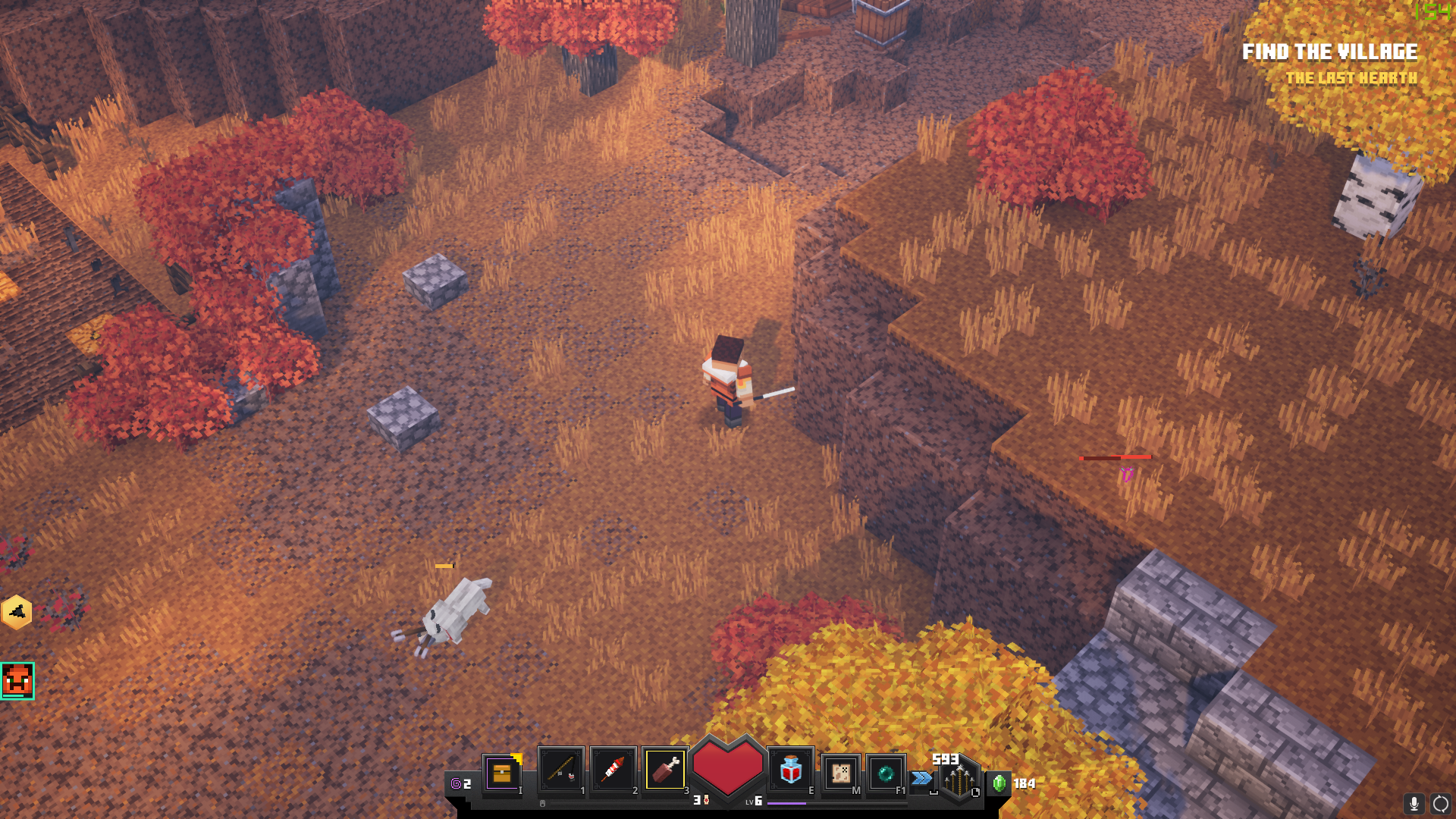

I have a video clip of the bug for a more visual reference. Video link: https://youtu.be/DVh1Bn-J7ak
I can say this does not effect everyone. I also purchased the Windows version of the game and have had no issues running it at 1080p. It could be a driver related issue. I am running an AMD graphics card and processor as well, but I do know graphics programs from AMD and Nvidia both have independent graphics settings per game if desired.
I will say you can build towers on some rock and tree formations as well, I am curious if that would have the same effect. If so it could definitely be abused to prevent any melee units from hitting the towers.
This could be an issue regarding the USB port version and the keyboard port version. Plugging a USB 3.1 for example into a USB 2.0 port can cause issues even on computers. That could be related to your problem.
I have had a similar event happen on windows version on PC. I believe this to be a latency issue. Something along the lines of the server updating your position out of sync of your own system. I have outstanding internet and a great connection, I believe this to be on their end. There is also a massive latency issue with getting melee attacked by people who are lagging vs people who aren't with them following far behind you and still landing hits when they are very out of range.
I can confirm as a Deluxe Edition owner with the Mod. You need to go to the Marketplace and select the DLC that you own and then click the download option. Also if you purchase anything from the marketplace you need to click download after purchasing as well in order for it to show up in your inventory. It does not download automatically even if you just bought it.
I had a similar issue and made a new post for it where I died right before a cutscene started and respawned and was not able to do anything and was stuck in the same spot you were. Our issues are definitely linked somehow. Although luckily for me, mine did end up saving after the cutscene finished but the issue stayed until I Alt + F4'd.
Solution to the problem is probably a difference in your audio bitrate vs the bitrate of the game. I imagine most people may have their at 48000. Most things can't process any higher than that. Also if your rate is lower than 48000 I would suggest turning it up to that rate if available. Exterior programs such as Dolby Atmos or any sort of 3rd party sound engine could be causing related issues.
When you receive a blue screen from Windows it will almost always output an error code. If you have the error code you could google search it and it will tell you what the issue is. Then I would watch a youtube video to figure out how to fix the issue. Running the game won't necessarily cause your system to blue screen, but a system process required to run the game might. Be sure to make sure your windows is updated to the latest version as well in case they have already patched your issue.
I would recommend attempting to change your audio devices sample rate in windows settings to see if another setting fixes your issue. If you have a 3rd party program for your audio device it may have some settings present that if changed could fix your issue, and or could try reinstalling your audio drivers or making sure your audio drivers are up to date.
Not sure if you are an AMD user or not, but the AMD Adrenaline software has a feature called Virtual Super Resolution which allows your computer to choose resolutions that don't match your monitor in order to scale it to your desired resolution. If you have that software, disabling that feature may fix your issue.