 Caleb Martin
- Herohtar
- herohtar
- America/Chicago
- Yes
- No
7 issues
Key
Summary
Status
Reporter
Assignee
Created
 MCPE-25487



Added Attachments:
Added Affects Versions: 1.2.0.31
Added Affects Versions: 1.2.1.1
Added Affects Versions: 1.2.3.6
Added Affects Versions: 1.2.5.12
Added Attachments:
Added Affects Versions: 1.2.0.81
Added Affects Versions: 1.2.1.1
Added Affects Versions: 1.2.2.3
Added Affects Versions: 1.2.3.6
Changed Summary:
Boats lose name after breakingRenamed boats lose name after breaking
Added Affects Versions: 1.2.5.12
Added Affects Versions: 1.2.3.6
Added Affects Versions: 1.2.5.12
This is still an issue in Windows 10 edition v1.1.3.
I've encountered this in 1.2.0.22 on Windows 10 as well. When the other player would get in their bed, I would get a message saying I had gone to bed, and if I got in bed, the other player would get a message saying they had gone to bed.
This is still happening in 1.2.0.25
Auldrick may be on to something with the pack spawning, as it seems the animals/mobs spawn in groups. With animals there will always be several, and often times adults with a baby – cow, horses, donkeys especially. I've taken to killing horses and donkeys for leather – something that I'd never do before because they were fairly rare-ish.
This is still an issue in 1.2.0.25, but it took three map placements to break this time in my test world. Placing the first two maps resulted in two markers, but placing the third map erased the other two. After that, placing new maps or removing and re-placing the existing maps erased other markers and showed only the most recently placed map marker.
Update: Also in 1.2.0.31
Have you tried Space/Jump? I don't remember, but I think Left Shift hasn't been exit boat for a while.
Confirmed in 1.2.0.25 for several crops that still have hitboxes that are too big – Carrots, Beetroot, Potato, Wheat, and Sugarcane.
On the other hand, Nether Wart hitboxes are too small – they have the newly planted size hitbox even at fully grown.
Update: Still in 1.2.0.31
Max render distance is 30 for me in 1.2.0.25, though I could have sworn it was higher in an earlier version.
I don't know about the details behind the message types, but at least in 1.2.0.25 on Windows 10 the sleeping in a bed message appears to be correct.
The issue I was experiencing was the game freezing, but staying open, not crashing to the desktop as described in the other issue, but I suppose it could be related. I'll try to test tonight and see if anything has changed.
I need to spend some more time in game to say for sure, but with my first quick tests it does appear to be fixed in 1.2.0.31.
This appears to be fixed in 1.2.0.31.
This still exists in 1.2.0.31.
I can confirm this exists in 1.2.0.31.
My thought was they fixed it when they messed with the other spawn caps. In any case, it definitely seems better now.
That sounds more like a feature request than a bug, since that was a console-only drop.
This was a feature specific to console edition, so I'm not sure this can be classified as a bug.
That is true, but legacy console edition had specific limitations that required some differences in features. The result of the update is that the limitations and different features no longer exist, therefore their lack of existence is working as intended and not a bug.
Confirmed for 1.2.0.31 on Windows 10.
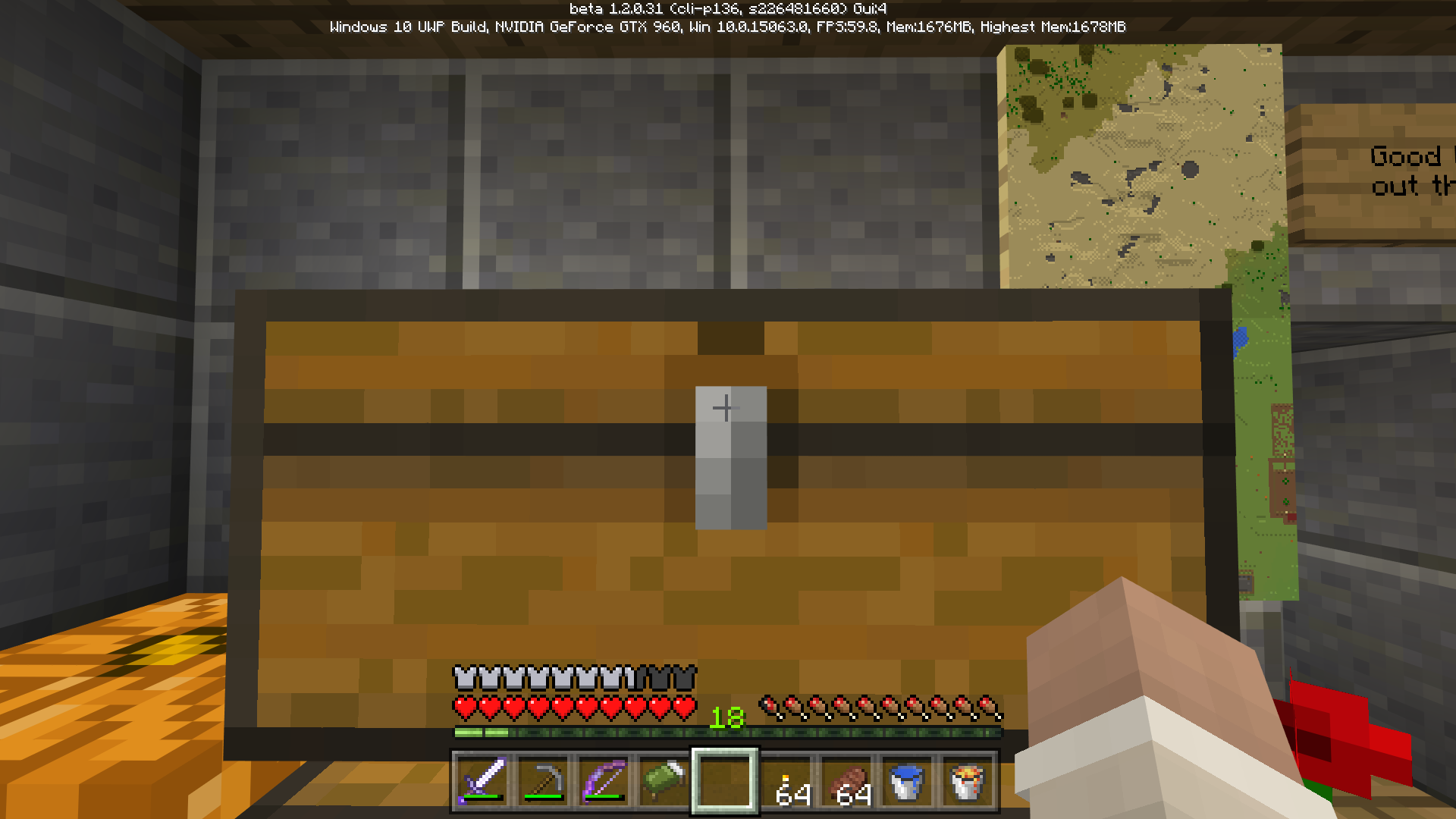
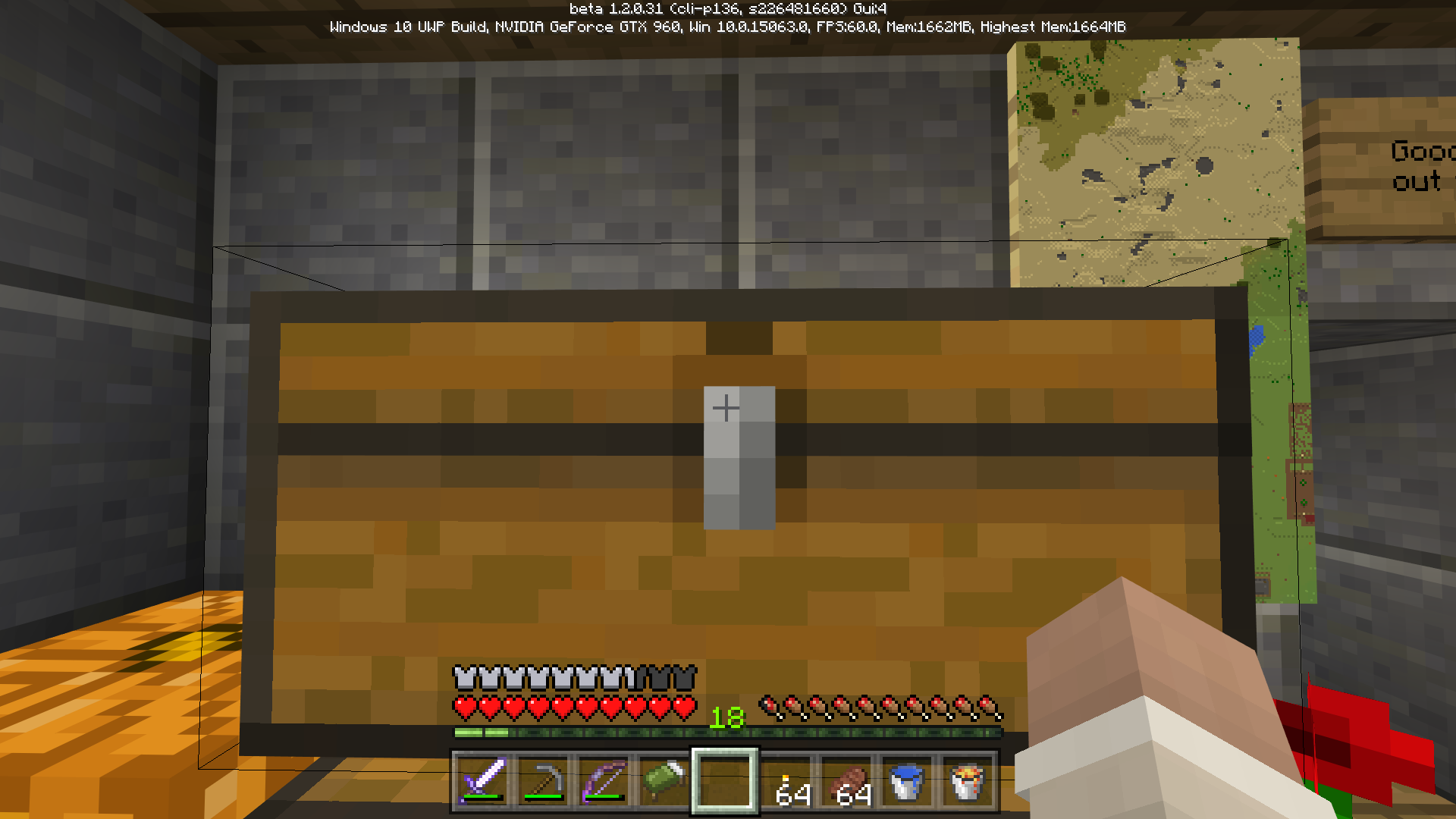
Note the visible hitboxes when the cursor is far enough to the left or right of center, but how it disappears around the middle.
Still exists in 1.2.0.81.
Edit: Also still in 1.2.1.1
It's on Windows 10 in 1.2.1.1 as well.
It's not specifically torches... click actions seem to happen repeatedly in certain cases. It looks like it might have to do with moving and/or pressing another key around the same time.
Brian Green has it right. I just encountered this in 1.2.1.1 on Windows 10 and came here to report it.
I don't know that I would call it game breaking, but it is definitely very noticeable and makes gameplay highly annoying. I'm not sure how that got past testing.
I'd be willing to bet it is caused by the block placement speed "tweak" that they mention in the release notes.
This is actually a duplicate of MCPE-26812 – the door is opening and closing multiple times because of the issue.
This is a duplicate of MCPE-26812.
From https://minecraft.net/en-us/article/you-made-better-together-better-ever:
They mention Console specifically, so I'm not sure what changes, if any, apply to MCPE though.
Duplicate of MCPE-26799.
There seem to be a number of blocks that act this way... slabs as you noticed, as well as stairs, and I think there is an issue with grass blocks too. I only noticed that they let light through visibly, but never checked to see if it affected spawns. It's kind of hard to test with the spawning issues that Bedrock currently has.
There are definitely still some issues with spawning. It seems lately outside has been okay, but I build a completely dark room that should be spawning things and haven't got more than a single spider.
I have yet to find a Nether Fortress that didn't have stairs, but seeing as the Nether is infinite, if you do find such a fortress, you simply need to explore further to find a different one that does. Once you find even a little, the crop yield is so high that you don't need to search for more.
The Minecraft wiki used to have a very detailed page of differences between the versions, but it looks like it is being restructured and the page for the Bedrock differences is still in progress.
Is this really working as intended? According to the wiki that Kumasasa linked to, slabs and stairs block light, except in PE. Now that we're on Bedrock, what is the actual intended behavior?
Duplicate of MCPE-26812.
It does seem that door open/close is working now, but block placement is definitely still broken in 1.2.2.3.
This still happens in 1.2.2.3
Still in 1.2.2.3
This is not a bug; 1 block in the Nether is 8 blocks in the Overworld, which means if you want to create a portal in the Overworld that links to a new portal in the Nether you have to travel far enough in the Overworld to get 128+ blocks away in the Nether. 128 blocks in the Nether is 128*8 = 1024 blocks in the Overworld.
Your 128, 500, and 750 block tests only got you 16, ~62, and ~93 blocks away.
Still exists in 1.2.2.3
I can confirm it is working in 1.2.2.3
The change log for 1.2.5 build 1, which is a beta build that is only on Android at the moment for some reason, lists this as fixed, but it has erroneously been marked as resolved in 1.2.2.3.
This still exists in 1.2.3.3, but I can't update it since the system thinks 1.2.5.0 is out for everyone.
I can't believe this is still broken in 1.2.3.6...
Also still in 1.2.3.6 even though the change notes say they fixed a bug with renamed items losing their name after they were mined.
Still exists in 1.2.3.6
This appears to be fixed in 1.2.3.6 on Windows 10.
This is still around in 1.2.3.6.
All the crop hitboxes that I noticed before seem to have been fixed in 1.2.3.6.
I'm experiencing a lot of lag in 1.2.3.6 as well, but on PC Windows 10. The framerate drops significantly and everything goes extremely slowly. I haven't had any trouble of this sort until this version.
This appears to have come back in the 1.2.3.6 update.
Did they bring this bug back? This looks like what was happening in MCPE-25514, but that screenshot is crazy.
I did notice that getting close to a village with villagers in it would reliably trigger it, but it would sometimes go away after a while and start again later.
I've played a bit more today and the lag seems to somehow be connected with night... I spent all day running around my base, farming, breeding animals, trading with my villagers, etc. Absolutely no lag. Then as soon as it started getting dark and the night music began playing – BAM – lag. The framerate dropped like crazy and everything started moving extremely slowly. I ran to my bed to sleep and as soon as the sleep completed the lag was gone, nothing. I again didn't have any problems until the next night began, then it was lag city all over again, but once again sleeping/daylight fixed it.
I haven't had any fallen trees "grow" in my tree farm lately, and I also tested growing a bunch with bonemeal, so it appears to be fixed, unless I've just been really lucky.
This still exists in 1.2.5.12
This seems to be affected by the changes to block placement speed in 1.2.5.12. Your hand only moves once instead of repeatedly waving.
Definitely still exists in 1.2.5.12.
As of 1.2.5.12 this is now... different. It seems their "adjustments" to block placement involve preventing placement entirely if you move really quickly while holding down the right mouse button, but you can still move in a line and place blocks relatively quickly as well as in some other cases. The crazy block placement is more or less fixed, but I'm not sure that the changes cover every case. I also can't say for certain that their solution is good; I'll have to spend more time with it and see how it behaves.
Mobs still aren't despawning in 1.2.5.13
Spawn rate still seems too high in 1.2.5.13
This still exists in 1.2.5.13. In my case, everything is fine during the day, game runs completely smooth at 60fps, but as soon as night begins the frame rate drops to 5fps and everything becomes incredibly slow. Once it's day again all the lag goes away.
Interestingly, I can also trigger lag during the day if I go to my village and hit one of the villagers to make the iron golems angry. In that case the frame rate drops to somewhere in the 20-40 range and things slow down, but not as bad as night lag. As soon as the golems lose their aggro the lag goes away.
@Mega_Spud did you read the title and description for this? It's about hostile mobs not despawning. Preventing spawns was a side effect, yes, but not the main problem that this ticket was about.
There are other tickets that only talk about mobs not despawning that were marked as a duplicate of this one. Are you saying mobs no longer despawning at all is WAI? Because as it is, hostile mobs will never despawn even when the player spends significant amounts of time extremely far away (I've tested at more than 1024 blocks) or in the Nether.
This still exists in 1.2.6.2
This issue only mentions hostile mobs, but the spawn rate of animals is higher than usual too.
@Shinyhelmet Java Edition is a completely different codebase and problems there aren't related. They should be reported under Java Edition issues.
The same thing happened to me; I have been opening Minecraft on my Android phone every day to claim the free gifts and when I load the game on Windows 10 the store correctly shows that I have claimed the gifts from previous days and I am able to wear the skins that were unlocked by the gifts, but the maps say that I don't own them and the game tells me I need to purchase coins to unlock them.