 ic22487
- ic22487
- ic22487
- America/Chicago
- Yes
- No
 MC-161741
 Low
Low![[Mojang] Bartosz Bok](../../../data/avatars/users/10122.svg)
![[Mojang] Jasper Boerstra](../../../data/avatars/users/18951.svg)
![[Mojang] Adrian Östergård](../../../data/assets/gravatar/nighter.jpeg)
![[Mojang] eowyn36](../../../data/avatars/users/18935.svg)












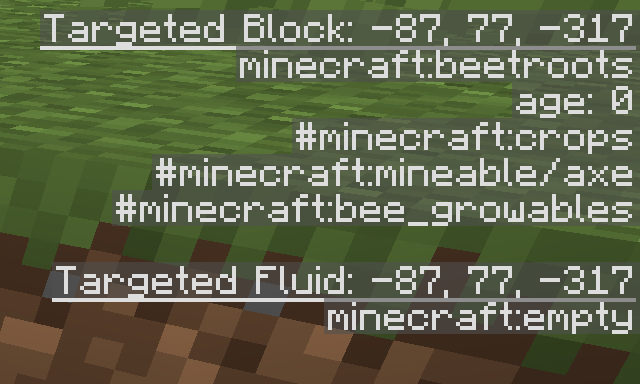


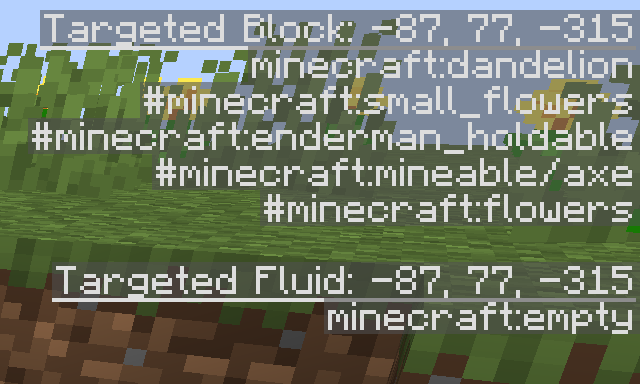
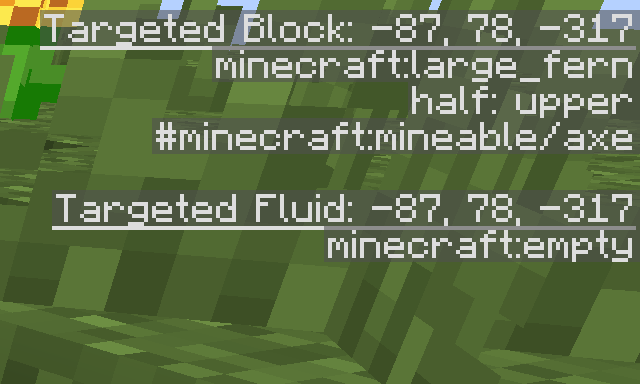







I have seen this glitch happen on both MacOS X and Windows 10 although they have slightly different things happen. on MacOS there is an icon but its labeled as just a java program with an execute file thumbnail. On windows, it is a blank spot on the taskbar and it only occurs when running 2 games at once (Can be 2 different accounts or the same account).
I tried to upload images but i kept getting this error message: Jira could not attach the file as there was a missing token. Please try attaching the file again. I'll try again once this post is uploaded and if it works there ill remove this.
I have seen this glitch happen on both MacOS X and Windows 10 although they have slightly different things happen. on MacOS there is an icon but its labeled as just a java program with an execute file thumbnail. On windows, it is a blank spot on the taskbar and it only occurs when running 2 games at once (Can be 2 different accounts or the same account).
edit: Image didnt want to be uploaded
MacOS X and Windows 10
MacOS X and Windows 10
Versions 1.13+
I have seen this glitch happen on both MacOS X and Windows 10 although they have slightly different things happen. on MacOS there is an icon but its labeled as just a java program with an execute file thumbnail. On windows, it is a blank spot on the taskbar and it only occurs when running 2 games at once (Can be 2 different accounts or the same account).
edit:Imagedidnt want to be uploadedI have seen this glitch happen on both MacOS X and Windows 10 although they have slightly different things happen. on MacOS there is an icon but its labeled as just a java program with an execute file thumbnail. On windows, it is a blank spot on the taskbar and it only occurs when running 2 games at once (Can be 2 different accounts or the same account).
Edit: Attachment didnt want to be uploaded
This also occurs with armor pieces
When holding an item in your hand and looking in your inventory your skin will become partially see through depending on where the opaque areas are
Steps to reproduce
1 - Put on a skin that has opaque bits on the second layer
2 - Hold an item
3 - look at yourself in the inventory
When holding an item in your hand and looking in your inventory your skin will become partially see through depending on where the opaque areas are
Edit: This happens with armor as well
Steps to reproduce
1 - Put on a skin that has opaque bits on the second layer
2 - Hold an item
3 - look at yourself in the inventory
When searching ba in the crafting table, netherite armor shows up, despite having neither a b or an a in the name.
Steps to Reproduce
Step 1 - Search ba in a crafting table
Step 2 - Observe the netherite armor
Edit: This also works with anc
When searching ba in the crafting table, netherite armor shows upNetherite Armor appears in unexpected crafting table searches
F3+B Facing Lines are rendered behind Chestsand Item Frames
F3+B Facing Lines are rendered behind Chests
and Item FramesHow To Replicate
1 - Place a chest
2 - Place an item frame on the chest
3 - Put an item in the item frame
4 - Do F3+B to show hitboxes
5 - Observe the bug
F3+B
FacingLines are rendered behind ChestsHow To Replicate
1 - Place a chest
2 - Place an item frame on the chest
3 - Put an item in the item frame
4 - Do F3+B to show hitboxes
5 - Observe the bug
F3+BFacingLines are rendered behind Chests
Bossbars dont update when mob hasan entity riding itBossbars dont update when mob has NoAI tag
How to Reproduce
1 - Summon a wither with
{an entity riding it
/summon wither ~ ~ ~{Passengers:[id:zoglin,IsBaby:1}],NoAI:1}
2 - Attack the wither3 - Observe the bug in action
How to Reproduce
1 - Summon a wither with NoAI
{NoAI:1}
/summon wither ~ ~ ~2 - Attack the wither
3 - Observe the bug in action
How to Reproduce
1 - Summon a wither with NoAI
{NoAI:1}
/summon wither ~ ~ ~2 - Attack the wither
3 - Observe the bug in action
How to Reproduce
1 - Summon a wither with NoAI
/summon wither ~ ~ ~ {NoAI:1}2 - Attack the wither
3 - Observe the bug in action
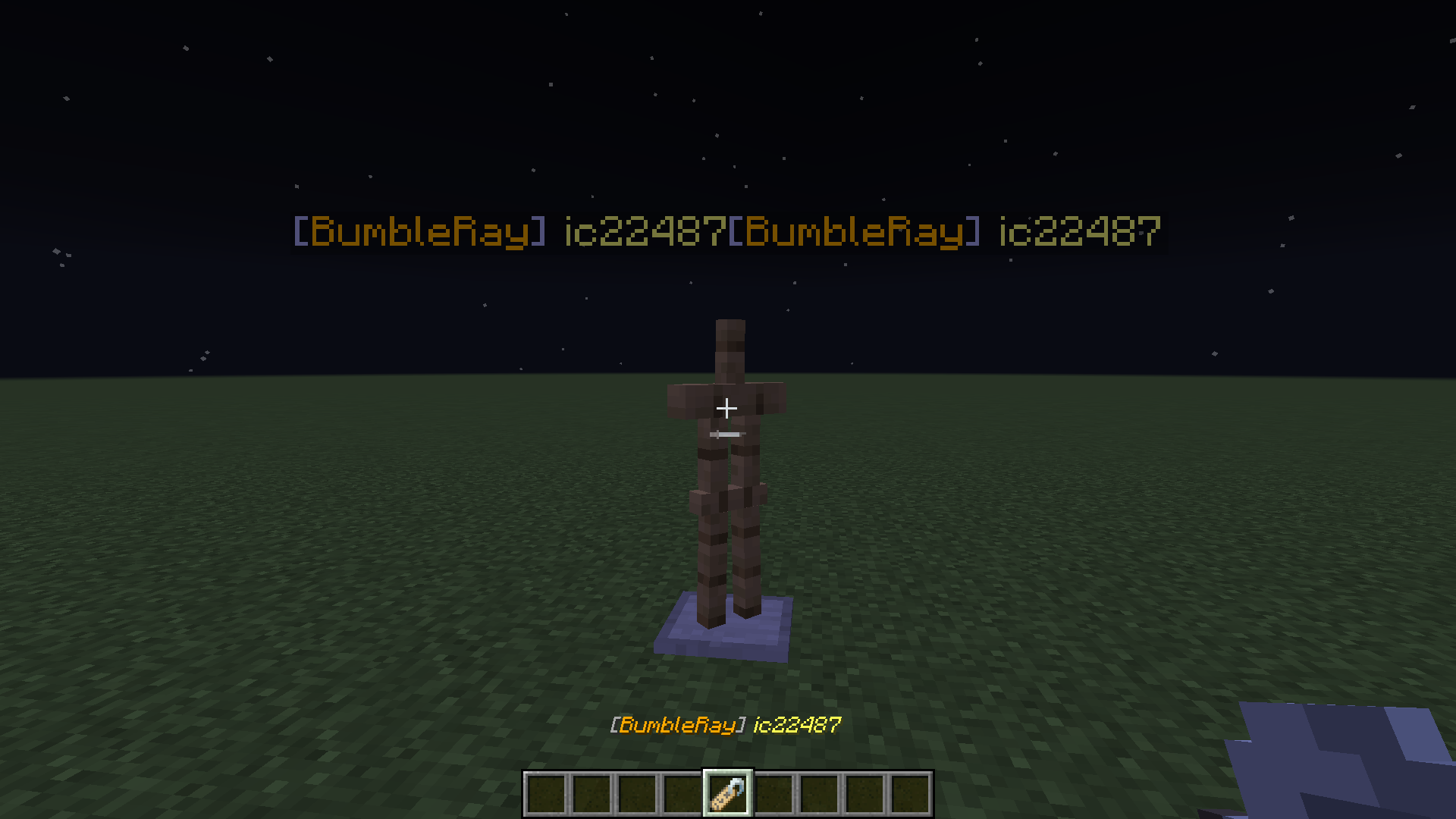
When naming a mob with a name tag, the name will sometimes show up twice
How to reproduce
1 - Give yourself this name tag -
/give @p minecraft:name_tag{display:{Name:'["",
{"text":"[","color":"gray"},{"text":"BumbleRay","color":"gold"},{"text":"] ","color":"gray"},{"text":"ic22487","color":"yellow"}]'}}
2 - Name a mob
3 - Observe the bug
[Video Attachment|https://www.youtube.com/watch?v=RBTsGSyBqU0&feature=youtu.be]Step 1 - import the world settings attached below
Step 2 - Generate the world
Step 3 - Witness the bug
Video Attachment - https://www.youtube.com/watch?v=RBTsGSyBqU0&feature=youtu.be
Step 1 - import the world settings attached below
Step 2 - Generate the world
Step 3 - Witness the bug
Video Attachment - https://www.youtube.com/watch?v=RBTsGSyBqU0&feature=youtu.be
Step 1 - import the world settings attached below
Step 2 - Generate the world
Step 3 - Witness the bug
If i relog into the world, the mobs start spinning violently and everything else stays the same
When you throw a shulker box at a cactus, the items dont pop out like they do in lava
How To Recreate
1 - Place a cactus
2 - Make a shulker box with items in it
3 - Throw shulker box at cactus
4 - Observe the bug
When you throw a shulker box at a cactus, the items dont pop out like they do in lava
How To Recreate
1 - Place a cactus
2 - Make a shulker box with items in it
3 - Throw shulker box at cactus
4 - Observe the bug
bug doesnt exist sorry :T
Cactus destroys shulker boxes instantlyPlease delete - bug doesnt exist
requesting ownership - im the original owner and have been on in way less than a year
Phantom Flapping sound plays when the mob has {Silent:1}
Steps to Reproduce
- Summon a Phantom with the n
et {Silent:1}- Notice the flapping sound
Phantom Flapping sound plays when the mob has {Silent:1}
Steps to Reproduce
- Summon a Phantom with the nbt {Silent:1}
- Notice the flapping sound

When viewing a skin with a transparent 2nd layer in the launcher, pixels below50%transparency will not be displayed.When viewing a skin with a transparent 2nd layer in the launcher, pixels below a certain transparency level will not be displayed.
When viewing a skin with a transparent 2nd layer in the launcher, pixels below
50%transparency will not be displayed.When viewing a skin with a transparent 2nd layer in the launcher, pixels below a certain transparency will not be displayed.
Screen Recording 2022-04-06 at 3.42.41 PM.mov
Particles that are affected by gravity no longer bounce on slime blocks
How to Reproduce:
- Place a Slime Block on the ground
- Place a Command Block 3 blocks above the slime block
- Enter the command: /particle minecraft:falling_lava ~ ~-1 ~
- Notice the lack of bounce{}
Hopper Minecarts do not evenly distribute items when going at high speeds
How to Reproduce:
1 - Set the minecartMaxSpeed gamerule to 1000
2 - Build the setup shown in the attached video
3 - Launch the minecart down the track
4 - Check thechestsHopper Minecarts do not evenly distribute items when going at high speeds
How to Reproduce:
1 - Set the minecartMaxSpeed gamerule to 1000
2 - Build the setup shown in the attached video
3 - Launch the minecart down the track
4 - Check the chestsObserved Results:
Items in chests are not evenly distributedExpected Results:
There should be one item in each chest
Resource Pack Details
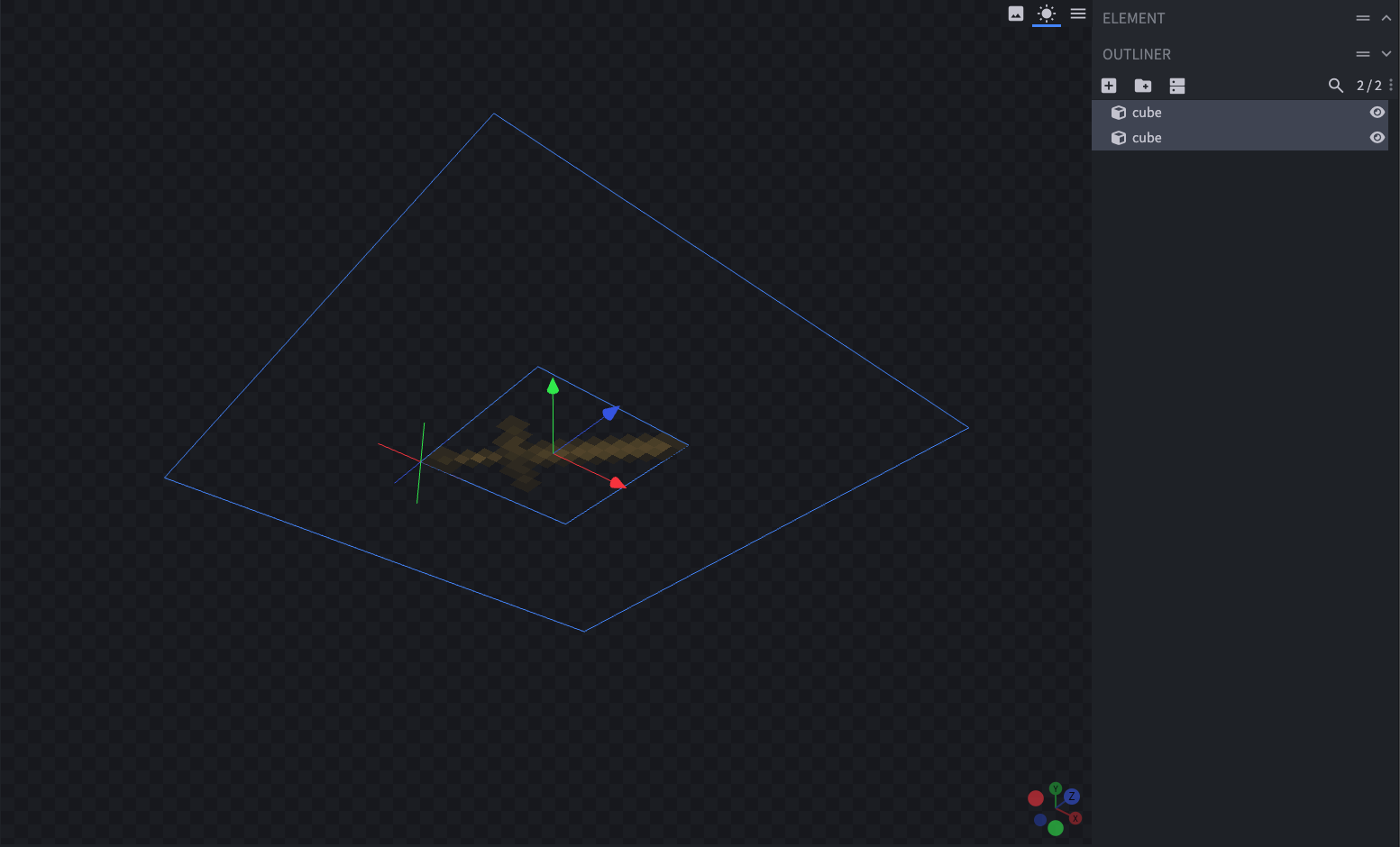
The attached Resource Pack remodels the Wooden and Stone Swords to be affected by this bug, and makes the Enchantment Glint a solid color so it is more obvious.
This is what the model looks like:
This bug only occurs on the areas where the models intersect in the UI{}Steps to Reproduce
1. Download and apply the attached Resource Pack
2. Place 9 Wooden Swords in a square pattern in a chest
3. Enchant the Wooden Sword in the center of the square
4. Notice the Enchantment Glint applying itself to adjacent items

Resource Pack Details
The attached Resource Pack remodels the Wooden and Stone Swords to be affected by this bug, and makes the Enchantment Glint a solid color so it is more obvious.
This is what the model looks like:
This bug only occurs on the areas where the models intersect in theUI{}Steps to Reproduce
1. Download and apply the attached Resource Pack
2. Place 9 Wooden Swords in a square pattern in a chest
3. Enchant the Wooden Sword in the center of the square
4. Notice the Enchantment Glint applying itself to adjacent itemsResource Pack Details
The attached Resource Pack remodels the Wooden and Stone Swords to be affected by this bug, and makes the Enchantment Glint a solid color so it is more obvious.
This is what the model looks like:
This bug only occurs on the areas where the models intersect in the uiSteps to Reproduce
1. Download and apply the attached Resource Pack
2. Place 9 Wooden Swords in a square pattern in a chest
3. Enchant the Wooden Sword in the center of the square
4. Notice the Enchantment Glint applying itself to adjacent items
Description:
Item model minecraft:component select property can't check individual values inside of the minecraft:custom_data componentExpected Result:
The following item model should change the model of a golden sword when minecraft:custom_data contains {id:"COOL_SWORD"}, regardless of other data inside of minecraft:custom_data
{ "model": { "type": "select", "property": "component", "component": "custom_data", "fallback": { "type": "model", "model": "item/golden_sword" }, "cases": [ { "when": "{id:\"COOL_SWORD\"}", "model": { "type": "model", "model": "item/cool_sword" } } ] } }Actual Result:
The entire component is checked instead of just the specified dataSteps to Reproduce:
**
- Enable the attached resource pack
- Run the following command:
/give @s minecraft:golden_sword[minecraft:custom_data={id:"COOL_SWORD"}]
- Notice the model is applied properly to the item
- Run the following command:
/give ic22487 minecraft:golden_sword[minecraft:custom_data={id:"COOL_SWORD",extra_data:"yes"}]
- Notice the model is not applied to the item
Description:
Item model minecraft:component select property can't check individual values inside of the minecraft:custom_data componentExpected Result:
The following item model should change the model of a golden sword when minecraft:custom_data contains {id:"COOL_SWORD"}, regardless of other data inside of minecraft:custom_data{ "model": { "type": "select", "property": "component", "component": "custom_data", "fallback": { "type": "model", "model": "item/golden_sword" }, "cases": [ { "when": "{id:\"COOL_SWORD\"}", "model": { "type": "model", "model": "item/cool_sword" } } ] } }Actual Result:
The entire component is checked instead of just the specified dataSteps to Reproduce:
1. Enable the attached resource pack
2. Run the following command:
/give @s minecraft:golden_sword[minecraft:custom_data={id:"COOL_SWORD"}]3. Notice the model is applied properly to the item
4. Run the following command:
/give ic22487 minecraft:golden_sword[minecraft:custom_data={id:"COOL_SWORD",extra_data:"yes"}]5. Notice the model is not applied to the item
Description:
Item model minecraft:component select property can't check individual values inside of the minecraft:custom_data componentExpected Result:
The following item model should change the model of a golden sword when minecraft:custom_data contains {id:"COOL_SWORD"}, regardless of other data inside of minecraft:custom_data. (Similar to how /execute if data works){ "model": { "type": "select", "property": "component", "component": "custom_data", "fallback": { "type": "model", "model": "item/golden_sword" }, "cases": [ { "when": "{id:\"COOL_SWORD\"}", "model": { "type": "model", "model": "item/cool_sword" } } ] } }Actual Result:
The entire component is checked instead of just the specified dataSteps to Reproduce:
1. Enable the attached resource pack
2. Run the following command:
/give @s minecraft:golden_sword[minecraft:custom_data={id:"COOL_SWORD"}]3. Notice the model is applied properly to the item
4. Run the following command:
/give ic22487 minecraft:golden_sword[minecraft:custom_data={id:"COOL_SWORD",extra_data:"yes"}]5. Notice the model is not applied to the item
6. Drop the item without the custom model on the ground
7. Run the following command:
/execute if data entity @n[type=minecraft:item] {Item:{components:{"minecraft:custom_data":{id:"COOL_SWORD"}}}}8. Notice the test passes
Description:
Item model minecraft:component select property can't check individual values inside of the minecraft:custom_data componentExpected Result:
The following item model should change the model of a golden sword when minecraft:custom_data contains {id:"COOL_SWORD"}, regardless of other data inside of minecraft:custom_data. (Similar to how /execute if data works){ "model": { "type": "select", "property": "component", "component": "custom_data", "fallback": { "type": "model", "model": "item/golden_sword" }, "cases": [ { "when": "{id:\"COOL_SWORD\"}", "model": { "type": "model", "model": "item/cool_sword" } } ] } }Actual Result:
The entire component is checked instead of just the specified dataSteps to Reproduce:
1. Enable the attached resource pack
2. Run the following command:
/give @s minecraft:golden_sword[minecraft:custom_data={id:"COOL_SWORD"}]3. Notice the model is applied properly to the item
4. Run the following command:
/give ic22487 minecraft:golden_sword[minecraft:custom_data={id:"COOL_SWORD",extra_data:"yes"}]5. Notice the model is not applied to the item
6. Drop the item without the custom model on the ground
7. Run the following command:
/execute if data entity @n[type=minecraft:item] {Item:{components:{"minecraft:custom_data":{id:"COOL_SWORD"}}}}8. Notice the test passes
Description:
Item model minecraft:component select property can't check individual values inside of the minecraft:custom_data componentExpected Result:
The following item model should change the model of a golden sword when minecraft:custom_data contains {id:"COOL_SWORD"}, regardless of other data inside of minecraft:custom_data. (Similar to how /execute if data works){ "model": { "type": "select", "property": "component", "component": "custom_data", "fallback": { "type": "model", "model": "item/golden_sword" }, "cases": [ { "when": "{id:\"COOL_SWORD\"}", "model": { "type": "model", "model": "item/cool_sword" } } ] } }Actual Result:
The entire component is checked instead of just the specified dataSteps to Reproduce:
1. Enable the attached resource pack
2. Run the following command:
/give @s minecraft:golden_sword[minecraft:custom_data={id:"COOL_SWORD"}]3. Notice the model is applied properly to the item
4. Run the following command:
/giveic22487minecraft:golden_sword[minecraft:custom_data={id:"COOL_SWORD",extra_data:"yes"}]5. Notice the model is not applied to the item
6. Drop the item without the custom model on the ground
7. Run the following command:
/execute if data entity @n[type=minecraft:item] {Item:{components:{"minecraft:custom_data":{id:"COOL_SWORD"}}}}8. Notice the test passes
Description:
Item model minecraft:component select property can't check individual values inside of the minecraft:custom_data componentExpected Result:
The following item model should change the model of a golden sword when minecraft:custom_data contains {id:"COOL_SWORD"}, regardless of other data inside of minecraft:custom_data. (Similar to how /execute if data works){ "model": { "type": "select", "property": "component", "component": "custom_data", "fallback": { "type": "model", "model": "item/golden_sword" }, "cases": [ { "when": "{id:\"COOL_SWORD\"}", "model": { "type": "model", "model": "item/cool_sword" } } ] } }Actual Result:
The entire component is checked instead of just the specified dataSteps to Reproduce:
1. Enable the attached resource pack
2. Run the following command:
/give @s minecraft:golden_sword[minecraft:custom_data={id:"COOL_SWORD"}]3. Notice the model is applied properly to the item
4. Run the following command:
/give @s minecraft:golden_sword[minecraft:custom_data={id:"COOL_SWORD",extra_data:"yes"}]5. Notice the model is not applied to the item
6. Drop the item without the custom model on the ground
7. Run the following command:
/execute if data entity @n[type=minecraft:item] {Item:{components:{"minecraft:custom_data":{id:"COOL_SWORD"}}}}8. Notice the test passes

![[Mod] violine1101](../../../data/avatars/users/92858.png)
i am aware of where they are saved but things like the end city ship are missing from it.
the only thing in that folder is what ive saved myself not any vanilla structures
Confirmed for 1.14.3 (i dont visit the snapshots very often but i havent seen it in the bugs fixed section so its probably still there) also the case here is the player heads have been placed down and are causing more lag than the 450+ item frames that they took the place of. Each one is different than the rest. Hope this gets resolved soon!
2 of my bees had this issue. heres their data
i tried to summon it at these locations and it did the same thing again. I believe it may be based on that
/summon minecraft:bee 19770.97 90.81 20187.44 {NoGravity: 1b, Brain: {memories: {}}, HurtByTimestamp: 0, FlowerPos: {X: 19737, Y: 68, Z: 20208}, HasStung: 0b, Attributes: [{Base: 10.0d, Name: "generic.maxHealth"}, {Base: 0.0d, Name: "generic.knockbackResistance"}, {Base: 0.30000001192092896d, Name: "generic.movementSpeed"}, {Base: 0.0d, Name: "generic.armor"}, {Base: 0.0d, Name: "generic.armorToughness"}, {Base: 16.0d, Modifiers: [{UUIDMost: -5094849852239887970L, UUIDLeast: -8046747775998917280L, Amount: -0.15949128254100747d, Operation: 1, Name: "Random spawn bonus"}], Name: "generic.followRange"}, {Base: 0.0d, Name: "generic.attackKnockback"}, {Base: 0.6000000238418579d, Name: "generic.flyingSpeed"}, {Base: 2.0d, Name: "generic.attackDamage"}], Invulnerable: 0b, FallFlying: 0b, ForcedAge: 0, LoveCauseLeast: -8562011397477746349L, PortalCooldown: 0, AbsorptionAmount: 0.0f, FallDistance: 0.0f, InLove: 0, DeathTime: 0s, HandDropChances: [0.085f, 0.085f], CannotEnterHiveTicks: 0, PersistenceRequired: 0b, Age: 0, TicksSincePollination: 1913, Anger: 0, Motion: [0.0d, 0.0d, 0.0d], Health: 10.0f, HurtBy: "", HasNectar: 1b, LeftHanded: 0b, Air: 300s, OnGround: 0b, LoveCauseMost: -6112541712436606294L, Rotation: [108.81909f, 0.0f], HandItems: [{}, {}], ArmorDropChances: [0.085f, 0.085f, 0.085f, 0.085f], Fire: -1s, ArmorItems: [{}, {}, {}, {}], CropsGrownSincePollination: 0, CanPickUpLoot: 0b, HurtTime: 0s, HivePos: {X: 19770, Y: 76, Z: 20187}}/summon minecraft:bee 19595.93 93.65 20452.34 {NoGravity: 1b, Brain: {memories: {}}, HurtByTimestamp: 0, FlowerPos: {X: 0, Y: 0, Z: 0}, HasStung: 0b, Attributes: [{Base: 10.0d, Name: "generic.maxHealth"}, {Base: 0.0d, Name: "generic.knockbackResistance"}, {Base: 0.30000001192092896d, Name: "generic.movementSpeed"}, {Base: 0.0d, Name: "generic.armor"}, {Base: 0.0d, Name: "generic.armorToughness"}, {Base: 16.0d, Name: "generic.followRange"}, {Base: 0.0d, Name: "generic.attackKnockback"}, {Base: 0.6000000238418579d, Name: "generic.flyingSpeed"}, {Base: 2.0d, Name: "generic.attackDamage"}], Invulnerable: 0b, FallFlying: 0b, ForcedAge: 0, PortalCooldown: 0, AbsorptionAmount: 0.0f, FallDistance: 0.0f, InLove: 0, DeathTime: 0s, HandDropChances: [0.085f, 0.085f], CannotEnterHiveTicks: 0, PersistenceRequired: 0b, Age: 0, TicksSincePollination: 48161, Anger: 0, Motion: [0.0d, 0.0d, 0.0d], Health: 10.0f, HurtBy: "", HasNectar: 0b, LeftHanded: 0b, Air: 300s, OnGround: 0b, Rotation: [286.20593f, 0.0f], HandItems: [{}, {}], ArmorDropChances: [0.085f, 0.085f, 0.085f, 0.085f], Fire: -1s, ArmorItems: [{}, {}, {}, {}], CropsGrownSincePollination: 0, CanPickUpLoot: 0b, HurtTime: 0s, HivePos: {X: 19678, Y: 71, Z: 20490}}I'd like to add that if you press shift you teleport to their location, but - if they cross dimensions you will be teleported to the coordinates in their previous dimension, not their current one
Confirmed 1.14.4
Didnt know plugins would affect it that much. sorry!
Sorry! I was using optifine >_>
not a bug
Still affects 1.15 Pre 2
fixed in 1.15 Pre2
DrownedZombie, wasnt this changed in pre4 or 5 to be any mob in the rain?
DrowedZombie it may have been a different prerelease, checking the changelogs
ok, sorry i got the changes mixed up :T
Couldve sworn it was a prerelease lol
The reason 1.15.1 is showing up and not 1.14.1 is because this part of the site is reporting for the Java Edition of minecraft. Since 1.14.1 is the latest version on Bedrock i assume thats what youre playing on and suggest you redo your post there.
Have you tried deleting the .minecraft folder in %AppData%?
Thats where all of the files for the game are stored, which would make it a complete uninstall
This might be intentional, I havent seen any spawn anywhere else in the nether
they may be waiting to add it since it may have some new functionality... like maybe they work on lava?
You sure youre not using a texture pack? Its not 3D in 1.15 and below
ah ok
After it freezes, the only way to close it is with task manager. Not Responding doesnt appear, and the X doesnt close it after multiple attempts.
Since the different dimensions dont share any biomes, it would be nice to have /execute in (world) run tp (coords).
Still in 20w07a, gets stuck on 1-2% instead of 0%
affects 20w09a
Can confirm for 20w09a
can confirm in 20w09a
this doesnt just happen with striders, it happens when you get killed at all
Duplicate of
MC-175988Duplicate of
MC-175988i think this is intentional since it has nowhere to point towards
can confirm - it is most noticeable on custom heads
i think this is intentional
affects 20w14a
if thats the case then why can you make one out of weeping_vines
Fixed in 1.16 Pre 1
Affects 1.16.20 - tried to renew a realm that shouldnt have expired in the first place and is still being paid for
Cant do the workaround since the file size is too big
Marty McFly yes it was - it was on Rays works's snapshot testing server
only thing on it was a few datapacks to track things
Its easier to notice with doImmediateRespawn as true
how do i remove this i didnt test it enough ;-;
it does work just didnt look like it
will test more next time
I can't seem to replicate this - maybe it happens when loading the snapshot for the first time?
generated it in 21w05b - 1.16.4 was a different world, sorry
just realized screenshot size varies depending on how many colors are present .-.
This is intended - if you name a fish and scoop it into a bucket it will name the bucket
Try Shift+Right Clicking
Can confirm in 1.17
Can confirm in 1.17
Can confirm - however it won't update no matter where I place the water bucket
can confirm in 21w37a
can confirm in 2.2.5518
Duplicate of MC-97216
@_Kukuruku_YT I have attached a photo of the system key binds I cannot change. I also tried resetting the Minecraft keybinds in game, but it didnt work since there is no keybind for the debug menu.
@Jess Edward no - i was able to do these things just fine before macOS Monterey came out a few days ago - thats a separate issue.
The reason the keys are inaccessible is i cannot remap the new system keybinds that have been put in place that use the function keys by default, and inside of Minecraft, remapping the Debug key is impossible
Confirmed in 2.2.7205
Can also confirm in 2.2.7205, but it wasn't a selectable option in the versions list
John Sullivan can I get the world seed?
This does not happen in 1.18.1 for me
Can confirm in 1.18.2
Relates to
MC-151793?I am still having issues with this in 2.3.136
M1 MacBook Pro running macOS Monterey 12.3.1
Probably relates to MC-227722
1.8.9 was the last major version this worked in, 15w31a was the last snapshot (I cannot load 15w31b-15w32b on my computer, they just whitescreen)
Can confirm in 1.19.4
Same issue here, when opening the launcher via terminal it appears to search for multiple possible file paths for Frameworks/Chromium Embedded Framework.framework/Chromium Embedded Framework before giving up and aborting
Can confirm in 23w42a
Apparently this is a spigot feature - messed with it for fun on quite a few servers and took it for granted that it was in the base game
Probably should've thoroughly tested more for which version this last worked in - but assumed it was that snapshot because of the changes to beacons made in it