 Steven Valenski
- kurai ookami
- kurai ookami
- Europe/Stockholm
- Yes
- No
 MC-8105
![[Mojang] Grum (Erik Broes)](../../../data/assets/gravatar/grum.png)
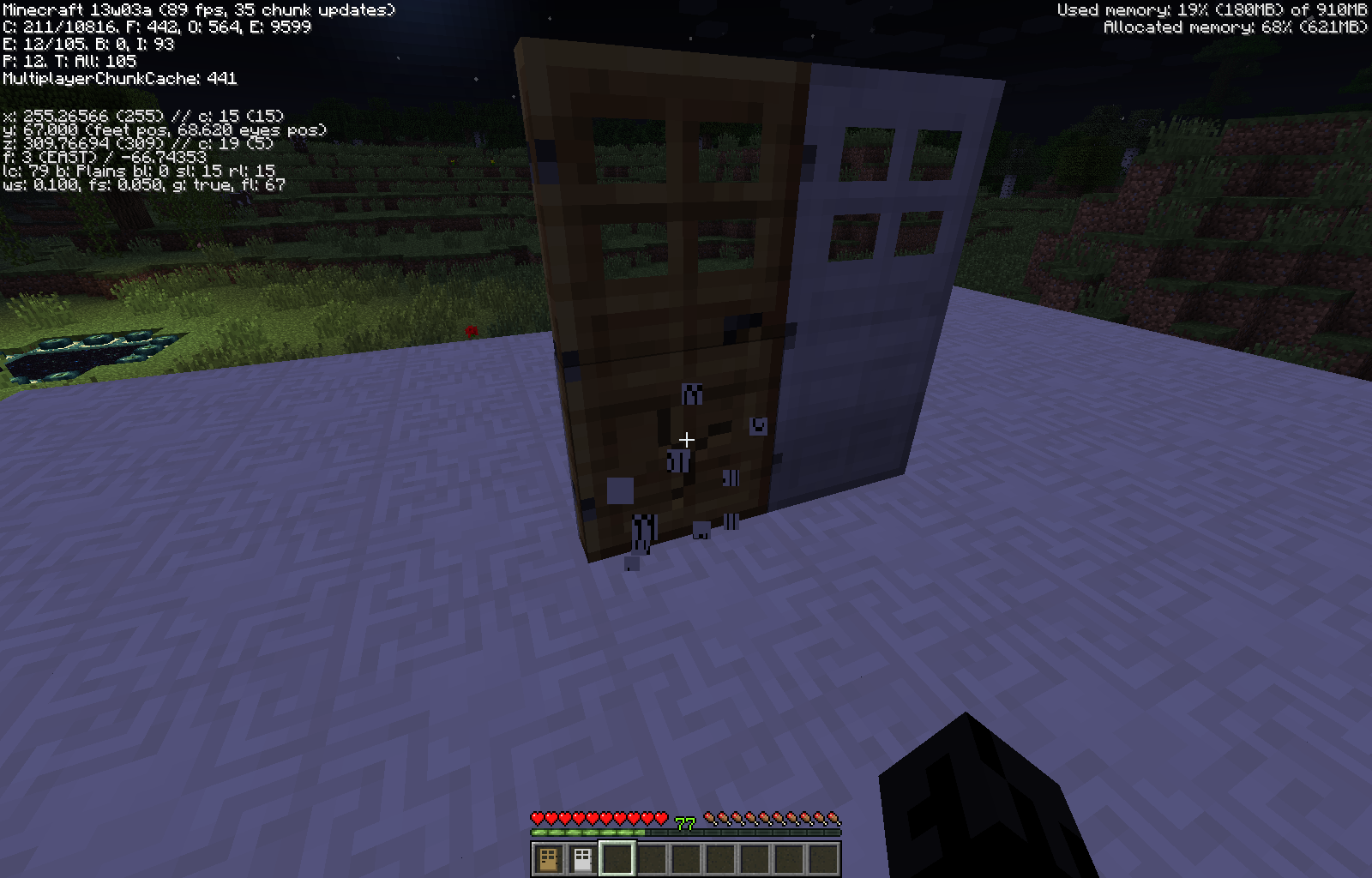
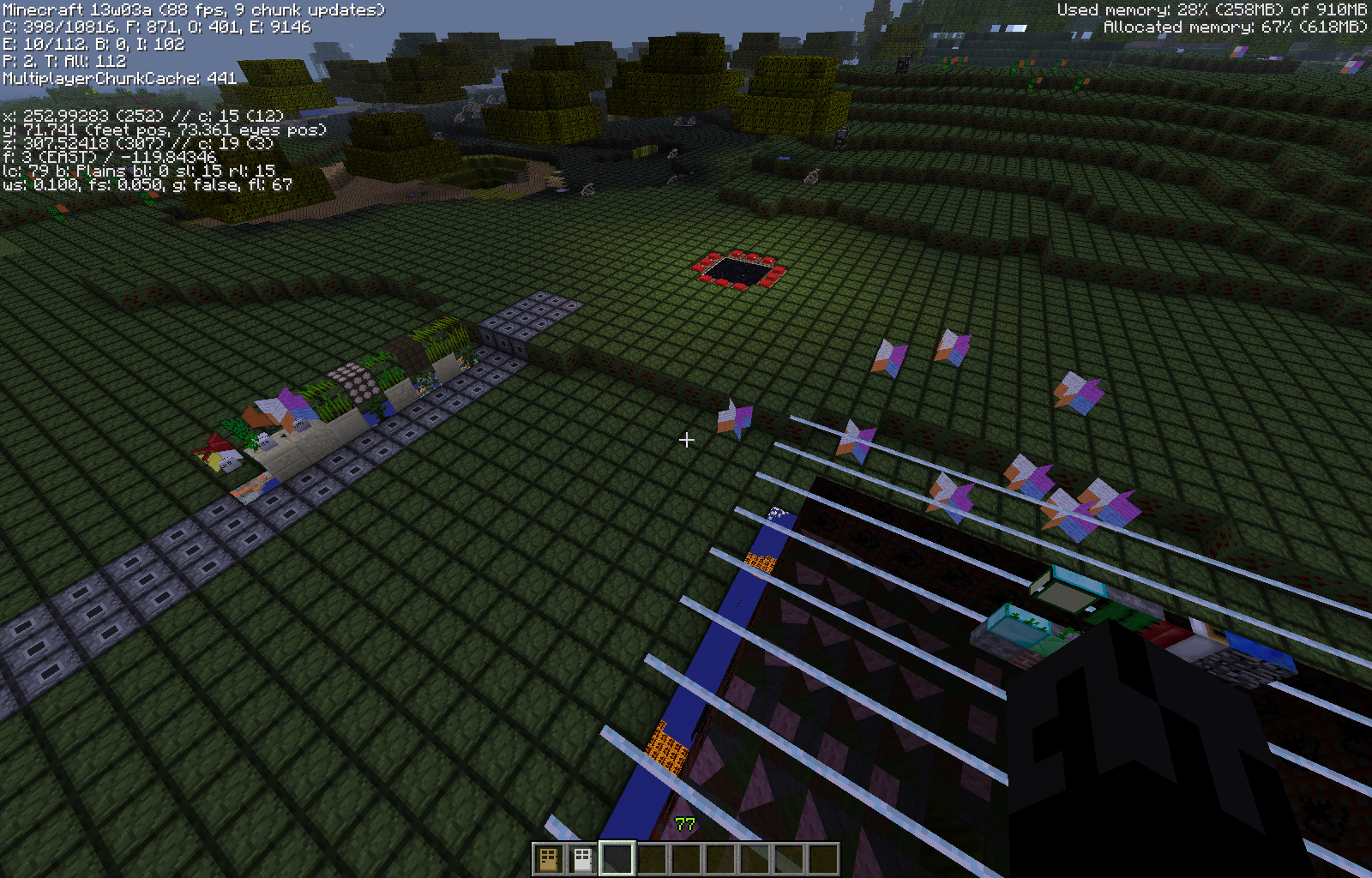






Changing between texture packs creates an odd scramble of textures. Reloading the file after changing texture packs does correct this though.
Edit: Upon taking a second look it appears this error is only for blocks existing prior to texture change in the world. Example: Even while all blocks appear scrambled as in the attached image, items pulled from the creative mode menu look as they should.
My most recent attempt (failed) to overwrite the old sounds
sounds.json
Come to think of it the original problem has been solved and it's simply a new one that has come up so I'll make a separate ticket for it.
I noticed that with an animated plant texture that reaches the full width of the texture itself, once you move a certain distance away the image slides left in it's frame and everything that overlaps is cut off and comes in from the right
to reproduce
1) download attached resource pack
2) plant a lilac
3) switch to attached resource
4) slowly move backwards away from lilac until clipping error occurs
I noticed that with an animated plant texture that reaches the full width of the texture itself, once you move a certain distance away the image slides left in it's frame and everything that overlaps is cut off and comes in from the right
to reproduce
1) download attached resource pack
2) plant a lilac
3) switch to attached resource pack
4) slowly move backwards away from lilac until clipping error occurs
When using testfor to target a player via command blocks the block it ended up targeting was next to the one I had set.
I used 3 slight variations to test this
testfor @p[-724,53,-115,1]
testfor @p[-724,53,-115,2]
testfor @p[-724,53,-115,3]
the results of where I had to stand to produce successful output are displayed in the attached imageto reproduce
1:Select and mark a location to test. (if possible use X and Z coordinates that are negative, it may somehow be related to the problem)
2: Make a command block connected to a pulse signal so that it will check frequently wether or not you are in the right area.
3:Connect a comparator to the command block to transmit a redstone signal, from the command block, into some sort of signal for when you are in the right area. (I used a redstone lamp)
4:Turn on your redstone pulse and mark the areas that trigger a successful execution of the testfor command
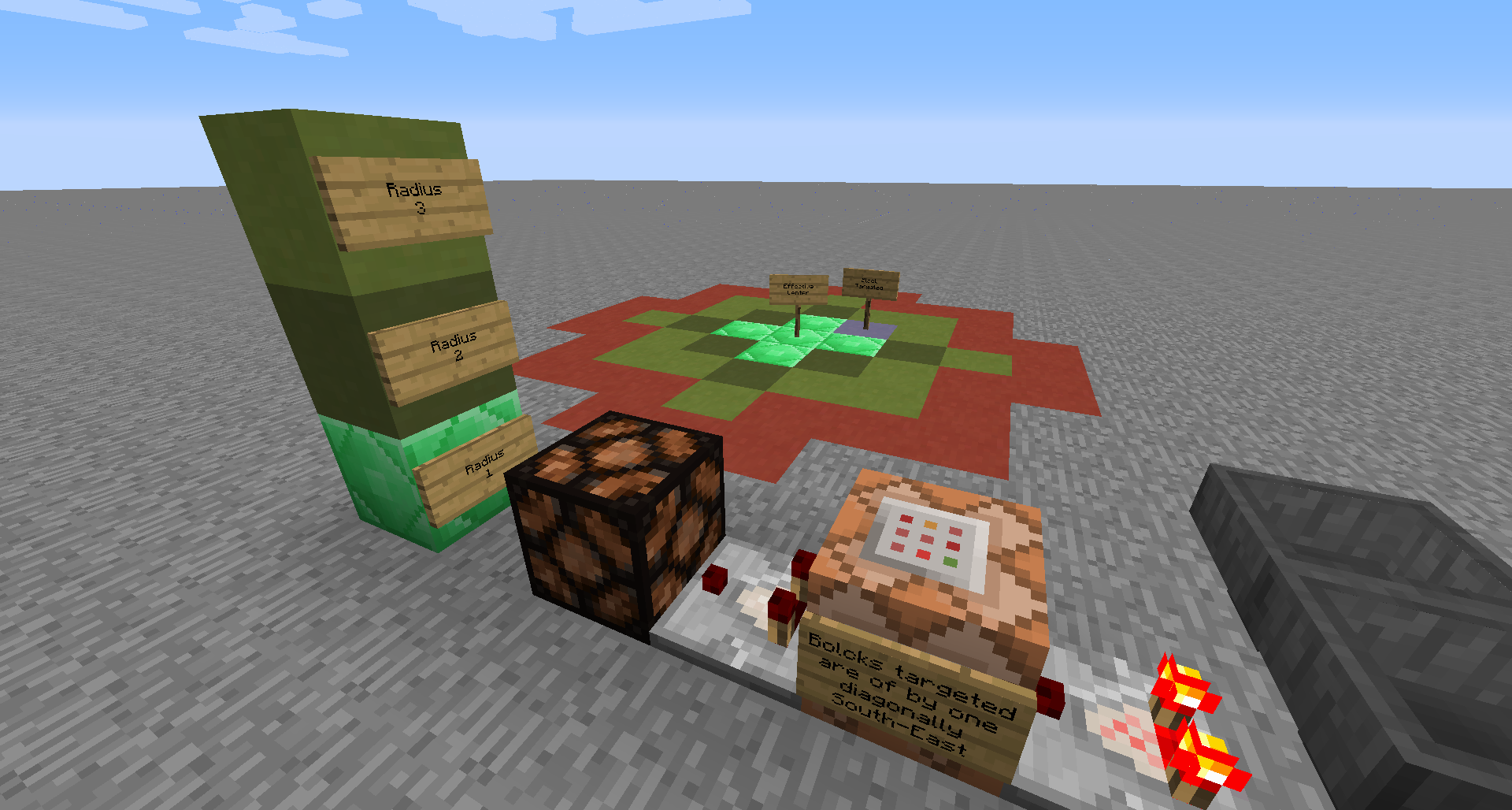
5:this is where I saw that all of the different radius settings were all off by one block to the south-east. (my results are shown in the attached screen capture)When using testfor to target a player via command blocks the block it ended up targeting was next to the one I had set.
I used 3 slight variations to test this
testfor @p[-724,53,-115,1]
testfor @p[-724,53,-115,2]
testfor @p[-724,53,-115,3]
the results of where I had to stand to produce successful output are displayed in the attached imageto reproduce
1:Select and mark a location to test. (if possible use X and Z coordinates that are negative, it may somehow be related to the problem)
2: Make a command block connected to a pulse signal so that it will check frequently wether or not you are in the right area.
3:Connect a comparator to the command block to transmit a redstone signal, from the command block, into some sort of signal for when you are in the right area. (I used a redstone lamp)
4:Turn on your redstone pulse and mark the areas that trigger a successful execution of the testfor command
5:this is where I saw that all of the different radius settings were all off by one block to the south-east. (my results are shown in the attached screen capture)
While attempting to set up several command block to alter custom model data for items put into item frames, I found that once /data had established it's first target in a session it would not fin another. I restarted game and targeted a distant item frame first and it broke the one I had working already as it kept targeting the one I manually located earlier.
The attached screenshot shows the command used to target the item frame behind the pointer, but the output shows that it's targeting an item frame numerous blocks away.
Addendum, when using an entity's unique identifier (73a1a4ba-7869-4fb9-92b4-ccce70ddda6a for example) the item frame can be targeted. But when new coordinates are used as an argument it continues to return the first target, even when it does not match the new arguments.
While attempting to set up several command block to alter custom model data for items put into item frames, I found that once /data had established it's first target in a session it would not fin another. I restarted game and targeted a distant item frame first and it broke the one I had working already as it kept targeting the one I manually located earlier.
The attached screenshot shows the command used to target the item frame behind the pointer, but the output shows that it's targeting an item frame numerous blocks away.
Addendum, when using an entity's unique identifier (73a1a4ba-7869-4fb9-92b4-ccce70ddda6a for example) the item frame can be targeted. But when new coordinates are used as an argument it continues to return the first target, even when it does not match the new arguments. This is the case for both player executed and command block executed commands.
yes I did
folder structure looks something like this
SMWResource Pack/
-assets/
--minecraft/
---sounds.json
---sounds/
----random/
-----MagicHit
MagicHit being the new sound file being used to replace the bowhit set
mine still doesn't >_>
My most recent attempt (failed) to overwrite the old sounds
@zombie hunter
don't know if you got an update but I was posting it most likely while you were typing
the reason I tried this method is because I had originally tried just giving them the same name, it wasn't working at all that way. this way I seem to at least get the sounds mixed in.
Edit: actually I haven't tried maintaining the name and putting an additional copy of sound.json into my resource pack.... I'll give that a try and post again
tried that and I still end up with original sounds mixed in for some reason. I even made 3 copies of the same sound effect and named them bowhit1, bowhit2 and bowhit3. Also a second issue arose while considering this as an option In my resource pack. With the new formatting I had intended to add a "game over" esque theme for when players die but this by default uses the same sound effect as getting hit. so renaming everything to mirror a default sound file wouldn't be a viable option anyway.
@Th3F4114n0n3
also to comment on your previous post, that isn't true, even all of the mob sounds that I haven't listed continue playing. I think my whole issue is coming up because of how the songs.json functions I think. Dinnerbone had said that for this file it's not replacing so much as stacking with the old file and that by default nothing is overwritten which is why I had also attempted to use "replace": true as well
updated because the problem persists in the new snapshot as well
yes I have, that was the results I spoke of 5 posts above here (2:37pm gmt-5)
also on a somewhat related note, doesn't the fact that someone posted the same issue (as noted by the "is duplicated by" above) mean that this has been confirmed?
Too large to post directly and I'm not ready to put up the whole resource pack yet but here's a link to it stripped down to everything to do with the new sounds. http://www.mediafire.com/download/7rc3p347gzyjlbz/SMW+Resource+Pack.zip
did you let the time of day triggered music play as well? that wasn't playing for me either.
also I can't just rename playerdown to hit1, 2 and 3 as I stated before they're also used for the sound effect when you get hit, which this sound is not intended to be for
that's why I've been staying away from simply duplicating existing names, this new format is intended to be a more precise way to edit sounds, not just a new way to do what we've already been able to. So resorting to renaming things to something that already exists kind of defeats the purpose. Though let me be perfectly clear that I am glad that you're trying to help me out, this one doesn't seem to be getting much attention aside from you and myself.
also testing out as you've set it up it still plays the old sounds just less frequently, so still not desired effect ._.
and the bat sound is working as well just as with the arrows it's choosing between default and new. changing the name doesn't seem to affect it. possibly because sounds are now to be treated as a stack rather than a replacement?
EDIT: although one of your previous comments gave me an idea, I'm going to check it out and report back
Okay nope it didn't work, so here was what I thought/tested I'm thinking some of what you said earlier is true and some isn't. I think what's happening is the weight of 100 might have been out of range so it wasn't adding any value to it, in fact it might have served the exact opposite effect and behaved as a 0, which brings me to my next thought you had said that setting the old sounds to 0 made them play constantly, I don't think that was the case I think the 100 was the problem. I tried using a weight of 0 to make my new sound play every time and it stopped playing completely. so I'm thinking the conclusion I'm coming to is you can't actually edit the old sounds any more, maybe you can only drastically outweigh them as it currently is?
the directory is the game.player.die, game.neutral.die and game.hostile.die (so that is the directory that is being cleared out and replaced) but after re-reading dinnerbone's post I think I know what the issue is. he said that "replace": true forces a replacement of all above res pack sounds. while I didn't get it at first, I think he's referring to the resource pack stack. Basically even if the resource pack is lower on the list it will cancel out any sounds from packs above it. If this is what he meant, then I think my previous conclusion may be correct, I don't think we can actually edit default sounds anymore right now.
I can agree with that, I guess we were saying the same thing in two different ways. So that being said, it seems while this new update is allowing us to add sounds it's also taking away from previous functionality.
can someone else take a look at this so we can either confirm it and get it some attention, or make a new report slightly more specific to the perceived issue?
I had notice this on my PC too, but thought it was just a driver I needed to update
oaks planted in swamps have never generated vines past the ones that were created by the seed
This most recent upload seems to be the best "workaround" for the issue at this time, the original sounds still play but only very rarely.
deleted old one for this one, I forgot a pile of commas XP
is there someone that can mark this as confirmed or have it dealt with properly if this is a "works as is" feature?
so how do we get these noticed if no one looks at or confirms them?
Probably related to this https://mojang.atlassian.net/browse/MC-36348
to be honest the replace doesn't do anything with the default sounds it only overwrites other resource packs put above it in the list of resource packs.
like I stated in the one I filed, if you change it to something like
{ "name": "11", "stream": true, "weight": 255 }yours should play most of the time, these seem to not overwrite the original but add another option to the same call, which was the whole point of mine as well. I want the option to completely replace a sound back.
EDIT: keeping in mind that json code written above still needs proper spacing
ah, how do you vote them?
ah okay, well I hope all of these get ironed out
it appears I cannot
honestly I'd be satisfied with someone who could label this as confirmed either marking as such or closing it and stating why
if you set up something to repeatedly play the same sound, say a dispenser loaded with arrows and hook it up so that it repeatedly fires, you may be able to see the issue that I'm running into. it's not that the new sounds aren't playing it's that the old sounds are still playing too. with the most recently posted sounds.json it's supposed to be something like one in every 256 times an arrow hits a solid surface it still plays the old sound, not bad but still not the desired effect. before the use of the sounds.json we were able to completely overwrite a default sound. is not being able to do that now an intended function?
if anyone can tell me a halfway decent program to record a video of my screen and sound I'd be more than happy to post it as an example
Edit: decided to use fraps
I'll have a link posted as soon as it uploads
please update to also include 1.7
Video recorded and uploaded http://www.youtube.com/watch?v=xJ7dLuT1wjI with notes popping up when the default sounds hit.
for the sake of being thorough, the dispenser set-up I used in my video to test the arrow landing sound.
or even something in your user profile before start up that allows you to limit the packs to a size you manually enter or not at all
edit: never mind didn't see the fixed tag
still persists in 1.7.1
file ending in 17.57.41 is how it is supposed to render (the plant with the heart over it) and 17.57.52 is how it renders once you move away from it.
the plant used to demonstrate this is the lilac
I've provided ample proof of the issue and other players have found the same issue can we get this re-opened?
no I always run it straight from the folder because of how much editing I do. Zipping it is really just for the convenience of others.
well my whole issue with that is up until the new update there was a way, putting a file in your resource pack would overwrite your original and they don't seem to work like that any more. it's kind of a neutral move if you ask me. yeah we have awesome new feature, but we got rid of a pre-existing awesome feature.
and 1.7.1 and 1.7.2
I have had similar issues as well but mine was looking for a person to TP for example
tp @a[70,64,-15,1] 60.5 68 -2.5
using this as my command it pulled everyone in my game not just everyone in that location, further testing also showed this is not the case when a specific player is called, for example
tp Kurai_ookami[70,64,-15,1] 60.5 68 -2.5
only work while within the radius, so it seems @p, @r, and @a are not simply being treated as a player name as they behave differently. Also playing around with different input structures
tp @a[x=70,y=64,z=-15,r=1] 60.5 68 -2.5
tp @a[x=70,y=64,z=-15,r=1,rm=0] 60.5 68 -2.5
tp @a[x=70,y=64,z=-15] 60.5 68 -2.5
has shown that none of the formats for writing arguments work with the @p, @r and @a calls but do work when referring to a specific player. Including the 3rd which does not list a radius (defaulting to both minimum and maximum radius being 0 A.K.A. the exact location called and nothing more) showing that a radius is NOT required.
Edit: to be more clear this was actually tested with an effect command, /tp still does not work
Just realized I have another couple command blocks with similar code but they do work.....
effect @a[60,69,4,1,score_MobKills_min=500] 5 3600 3
scoreboard players remove @a[60,69,4,1,score_MobKills_min=500] MobKills 500
not sure why one works and the other doesn't
New development: I moved the command blocks to a new location, didn't even change the commands in the slightest and now they work.
Edit: the TP command block still didn't work
Sorry for the delay Life was interrupting
I finally got using the same names to overwrite the originals, but it still leaves me with the issue of things like the sound for when a players dies and when a player gets hit coming from the same file, so when I want a sound unique to a player dying that doesn't play every time someone gets hit. I can't override the default with a new file. Which was a large portion of what made me post this in the first place. Not to mention with my time of day music for example, I have 8 files I want to use whereas the default is 12 files. So to overwrite the originals, 4 of them have to be duplicates. Effectively setting the weight of those 2 songs to 2 while all others are 1. This isn't a good thing when I want all songs to play pretty much evenly across the board and editing the sounds.json file doesn't let us affect the default settings in any way and just add new setting to them.
can someone update this to affects 1.7.2?
Also in the same right I have no idea why my new report was referred to here considering this was for 1.5 and I was reporting for 1.7.2
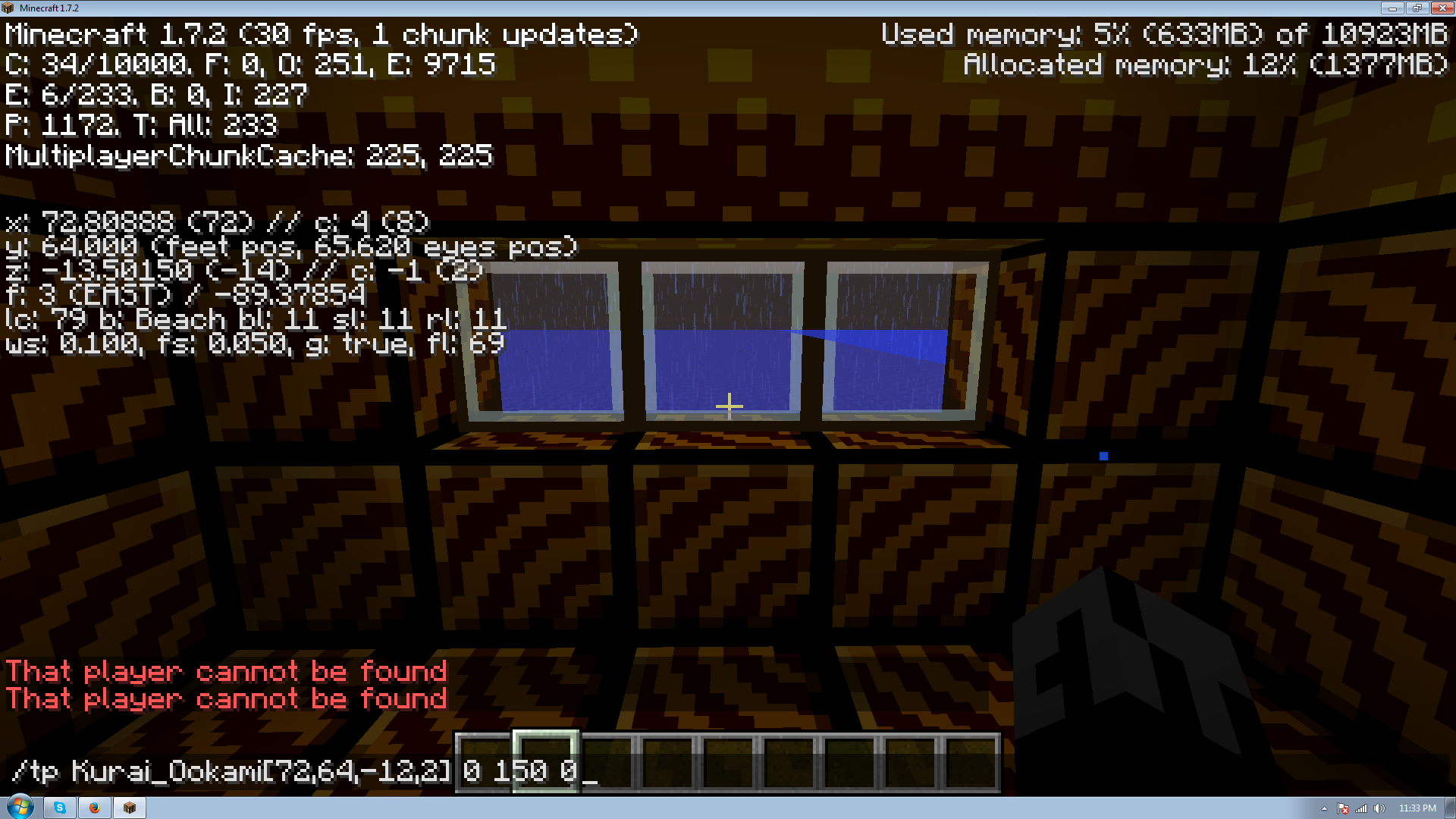
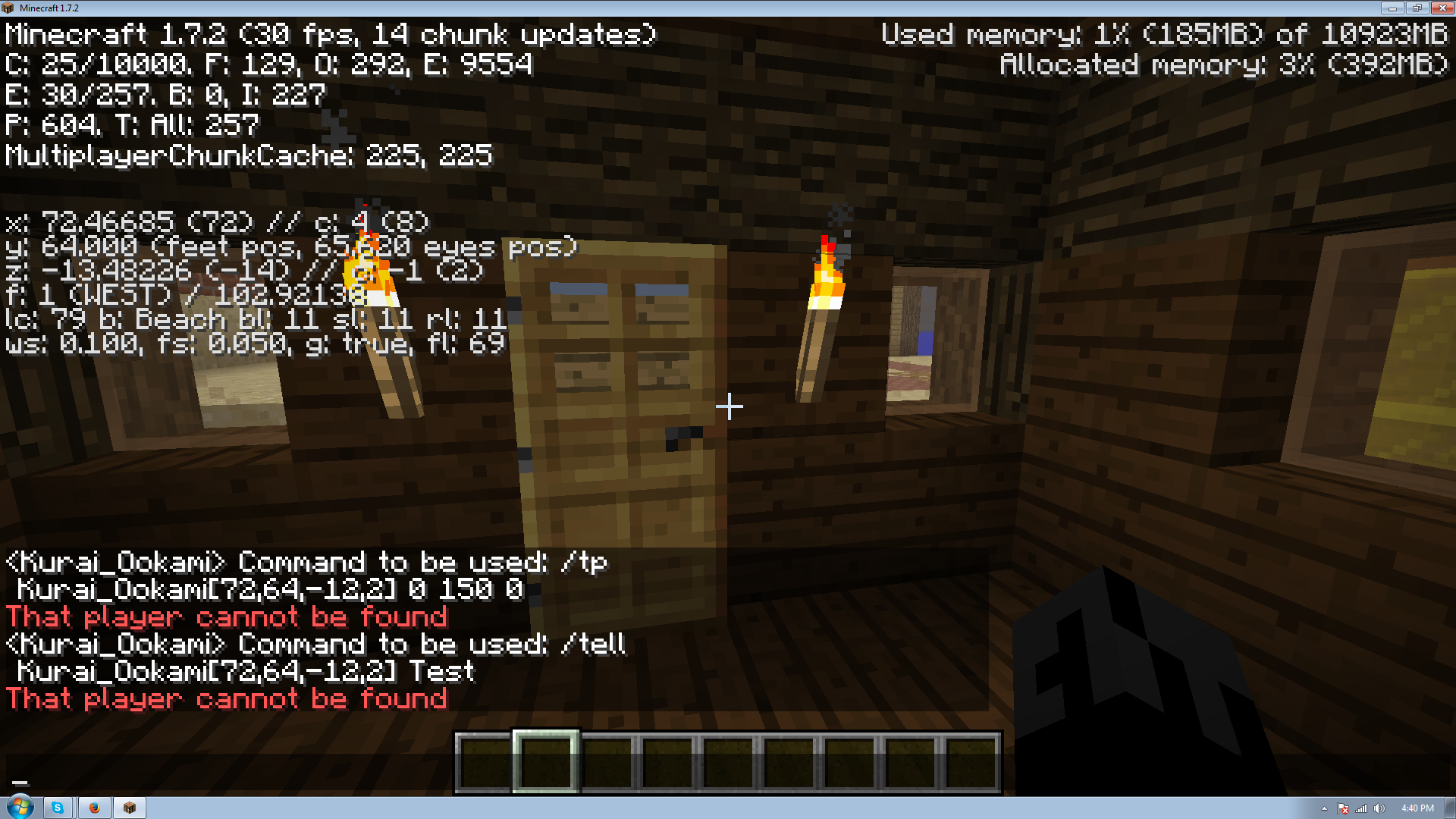
it appears I need to correct myself again. it seems that location restricting arguments are simply not working with the /tp command, whether or not it is executed via a command block. Though it is working with other commands like /give and /scoreboard
tested a couple more commands /tell and /testfor are also not responding to location arguments correctly
please update to include affects versions 1.7.2 and mark it as re-opened
this remains an issue unless this is something that is meant to work this way can someone either re-open or mark works as intended whichever the case may be
Edit: at worst it may need a slightly more accurate name along the lines of. New sounds.json does not offer the customization that the patch notes said it was meant to.
can someone please take the time to confirm this instead of just writing it off as someone else' syntax errors. This is NOT working as intended.
A screenshot of my location, the command used and the return I get when attempting to use it.
already noted by
MC-37106This be a duplicate
thank you Ferdinand B., I thought no one was going to notice this just because it's already been written off
mine was forced onto this and marked as resolved >_> so I'll probably just make a new one
Edit: new ticket
MC-38817Duplicate
MC-30537Me using Kurai_Ookami was supposed to be as an example, that and I've previously used my own tag in this exact format to trigger things only when I arrived. If that changed somewhere along the lines, that's my fault for not keeping up. But I had originally used @a and that didn't work either and I'll post a video of that not working as well.
http://www.youtube.com/watch?v=4BhCdNgsG4s&feature=youtu.be
A link to the video of the arguments not working even using @a instead of Kurai_Ookami
http://www.youtube.com/watch?v=4BhCdNgsG4s&feature=youtu.be
here be some confirmation for this one
did you do the exact same thing as was shown in the video where the command block is outside the targeted area and uses a location argument? because for some reason if the command block is inside the targeted area it does still work
also you never used a location argument only a radius argument, if those are your screenshots that is, which was the problem.
Edit: okay just noticed you can see the person who posted the screen shots. So yeah the problem is location arguments, so if you do something similar to the YouTube video I linked where the command block is targeting an area it's not in, but you are in the area being affected when it goes off, it won't find you.
again using my name was an example,watch the video in the comments above. (Edit: or in this post, same link)
I'm only using @a and a location argument, not looking for myself but all players in the area and it is not working.
leave out the Name= tags, I'm not looking for a way for that to work I'm looking to fix the problem of location arguments not working. the fact that you have to have a name for it to work completely ruins the need for @a, @r and @p unless your searching an area the command block is in.
so again
http://www.youtube.com/watch?v=4BhCdNgsG4s&feature=youtu.be
this is a video of the location arguments, in proper format, not working. If you can do exactly as I have in that video and and it works, I can assume something is wrong with my version. But as I stated the command is only working when the block executing the command is in the area being searched, not when it is outside the area being searched. like I said I know there are work arounds for very specific situations, I am trying to address the non-functioning portion.
it's hard to tell, what's the location of the command block in those posts?
I have no idea what's going on then, as you can see it's not working for me and it seems with at least the ones in the video it's in the appropriate format.... any ideas?
only other thing I can think of is if it has something to do with the world spawn area, which is where mine was built. I don't know ._.
I figured it out! it was a couple things working together that was giving me the problems.
1: Radius does not work the way the wiki describes it >_>. On the wiki a radius of 1 is described as being a 3x3 block area with the target being the middle block, in actuality it's more of a +. and 2 being a 5x5 and instead being a slightly more swollen +.
2:There has to be a radius now? as far as I can tell if you only add coordinates (giving no definition to radius) or set the radius to 0 it does not actually target one block but instead always outputs true and will target you no matter where you are.
3: The block you set as your target is not where the block checks, it is actually checking one block South-East. Making it so the edges of that nice + shape were just missing my targets.
So all of this being said I now know the problem and how to work around it, though I think I'll be submitting a ticket for the target being off. Thanks for your repeated feedback through this.
would anyone like to take a look at this for me?
the radius isn't what's the problem it's that when using testfor and targeting a negative coordinate the location it actually centers on is off by one. For example if you tell it to check for -15, 75, -15 it instead centers on -14 75 -14
or other such as
-15, 75, 15 -> -14, 75, 15
15, 75, -15 -> 15, 75, -14
15, 75, 15 -> 15, 75, 15
basically what I'm say is when using testfor negative coordinates are off by one
it's a little hard to read but in the picture I posted, the purple block on the ground represents the coordinates I used, where the different shades of green represent what was actually targeted at different radius. show that when x and z are negative it actually tests one block diagonally closer to x=0, z=0
Ah thanks. I had read that that was already inclusive. So that explains that
This is kind of odd, I just got my recipes up and running and I could move them onto the crafting table via the recipe book with a single exception I will be posting a bug report for. But maybe it's because mine is in a unique group and not one that shares space with vanilla?
Everything i could find regarding custom recipes though said that as long as the data portion of the item in question in the .json file was left empty it would use any item bearing the same ID, shouldn't the expected result be that it still pulls then? And if not the bigger issue would then be with it not pulling and not putting in the red faded item image players wouldn't know the recipe unless you have a reference somewhere else in or out of the game.
Hmmm marked as won't fix. Fair enough, well hopefully a small change that puts the silhouette in the crafting grid when this occurs then?
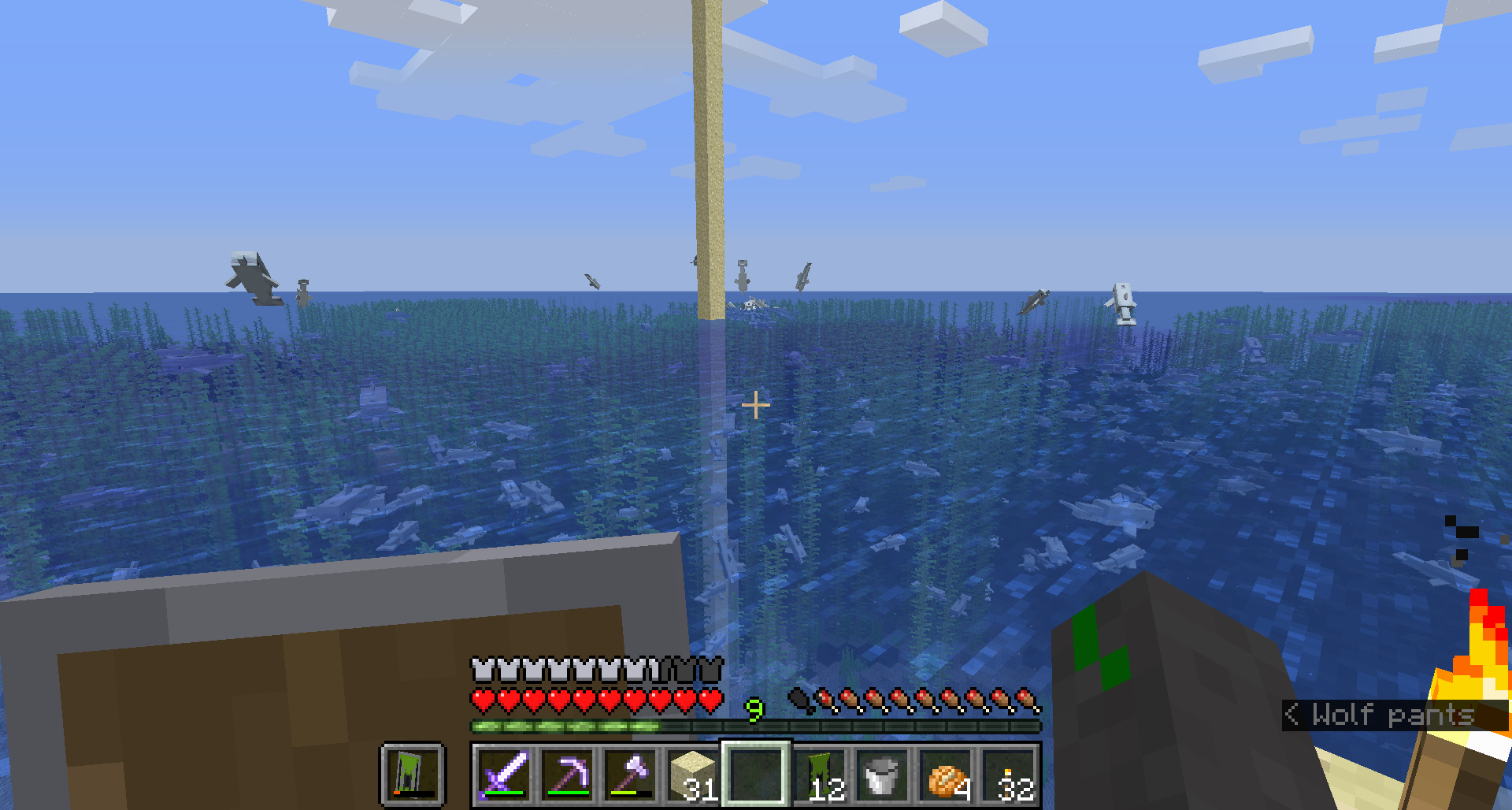
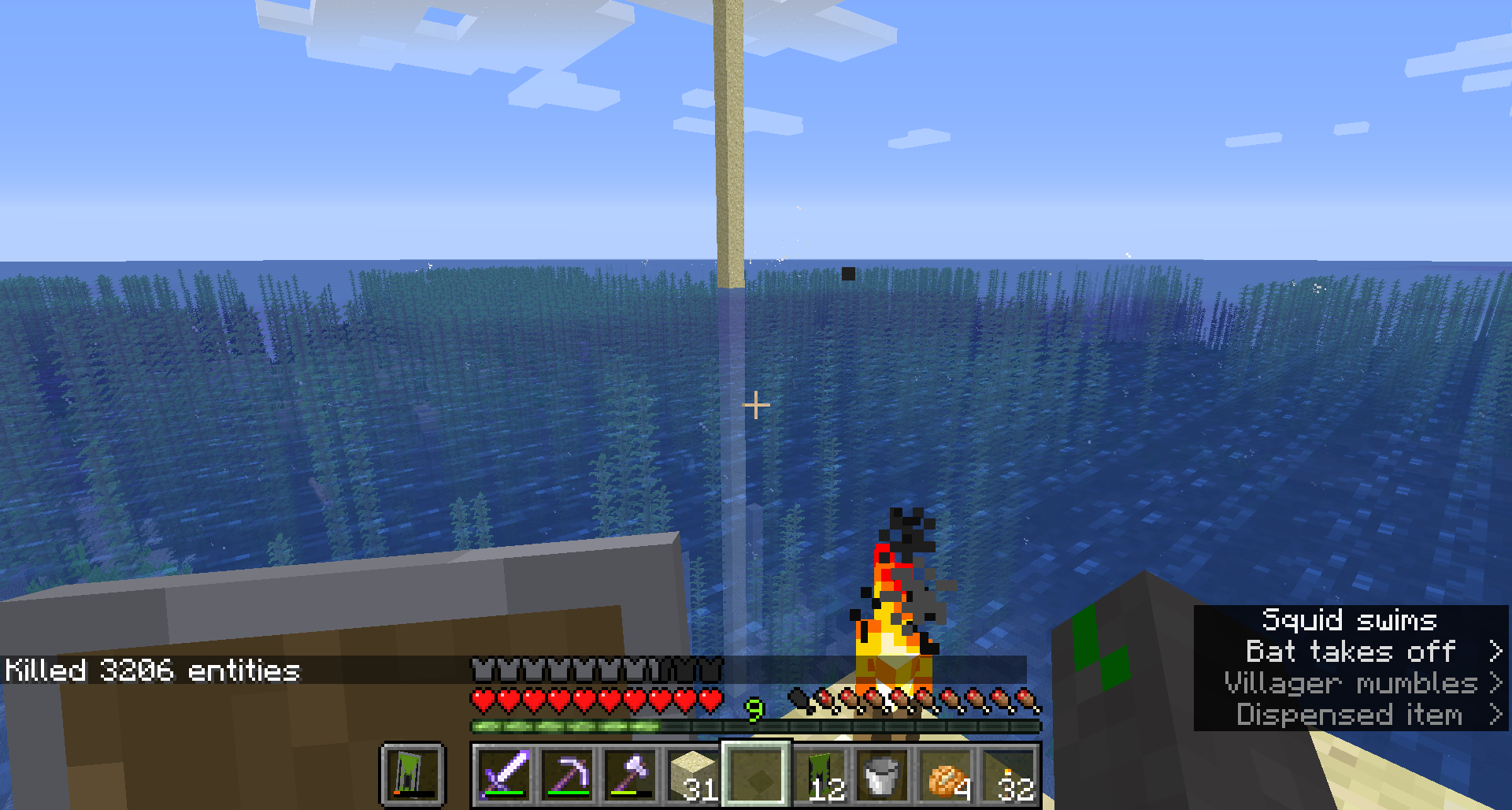
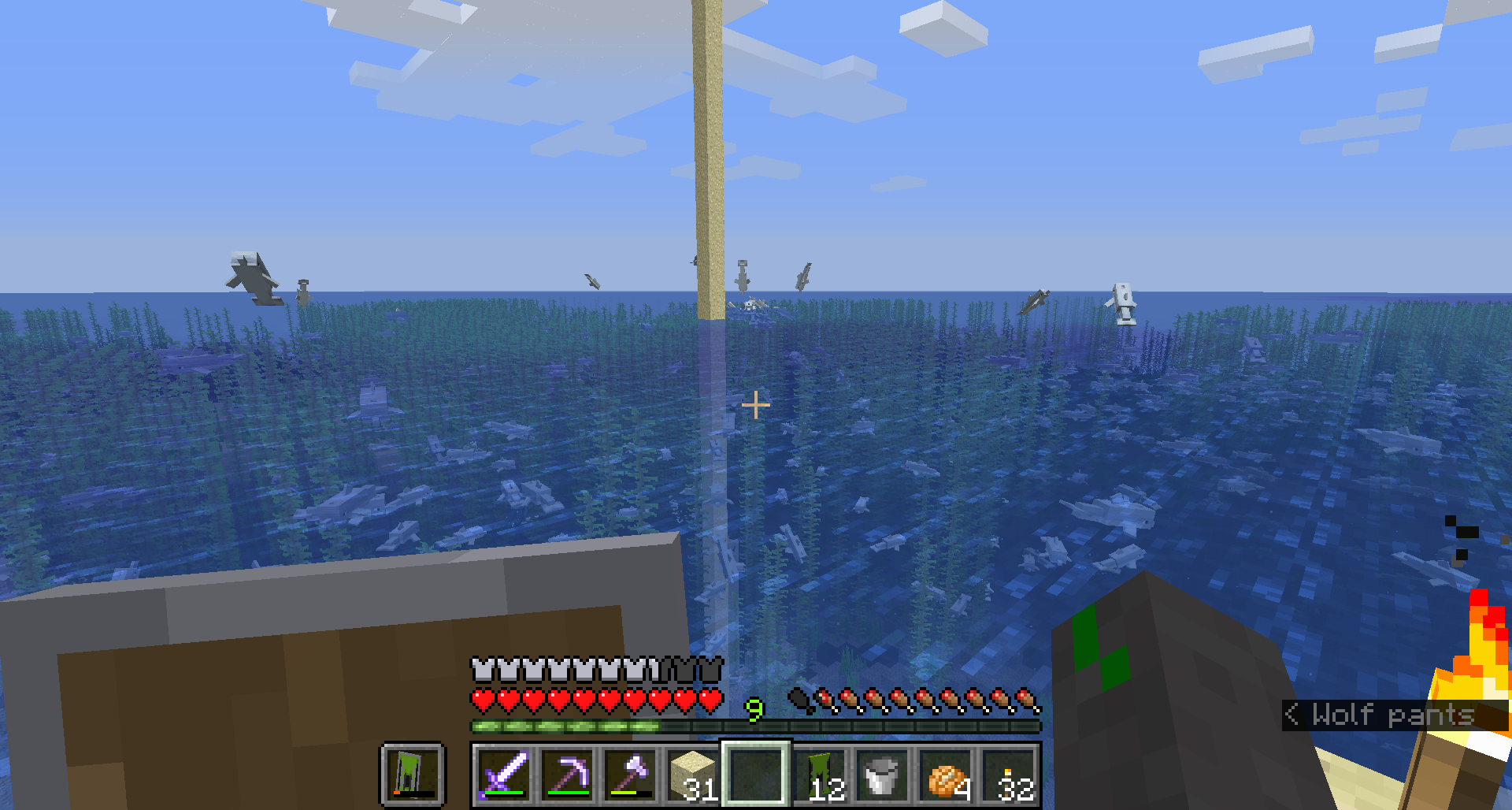
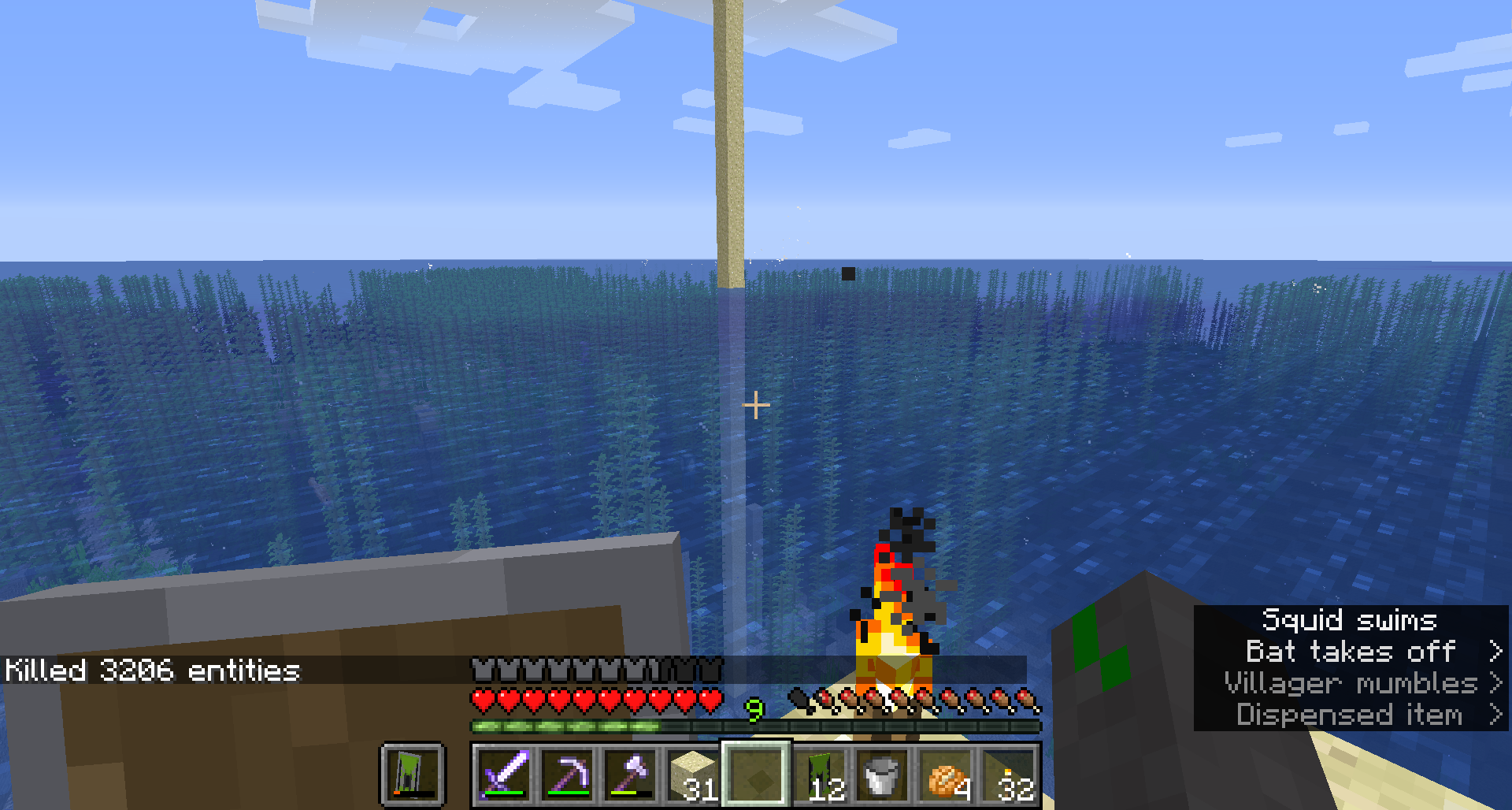
I just had the same issue and was no where near an ocean structure. I started building to max height to work on a mob grinder and my game started to chug. So I dropped back down and was greeted by hordes of dolphins below. Luckily I leave cheats active for just such situations, so I ran /kill @e[type=minecraft:dolphin] and it returned 3,206 dolphins were present.
Just discovered this trying to build a max height mob grinder, imagine my surprise when I dove back down in the most massive pod of dolphins. Added my screenshots as well.
confirmed in 18w22c, does not track arrow damage or thrown trident damage
Also I can't figure out how to update the versions affected, sorry
I just started a brand new world and was about to report this bug myself. I crit a sheep in one hit with a wooden axe, thought maybe it was a new mechanic for crits? So I tried normal attacks, multiple hits with an axe, sheep dropped cooked mutton, made a wooden sword, sheep dropped cooked mutton. I can confirm that I have had this issue as well.
[Edit:just went and found a cow, it dropped the cooked variant as well for me
I think I may have found something relevant? To b sure this was a game issue I made a copy of the offending save and opened it clean, animals dropped raw meats. Then I loaded my data packs until the problem occurred again. OP were you by any chance using the more mob heads data pack from Xisumavoid's site? If I had to guess, that's having issues with the snapshot. Not the snapshot itself.
I'm not certain exactly what is triggering it but when entering a cave if my particles are set any higher than minimal my game get a massive lag spike. any further in or out of the cave and it ceases. there are no mob farms or anything more advanced than 3 furnaces nearby. I'm hoping it's relevant in some way.
Wow, what a derp. Sorry, and thanks for the catch o7
This doesn't work, choosing to sort nearest sorts from closest to executing source, not by the location that is given. The fact that I have given an exact location and it's not checking that location but pulling the last result is the issue. This worked properly in previous snapshots.
I have also attempted distance=..1 and it failed to locate anything when I did this. Despite there being an item frame in the location identified. because it is trying to see what overlaps distance from execution and the x,y,z coords.
Again this functions for the first execution, every time after load. but after that it fails to locate another target until you close and reload the save.
For hahas I deleted the snapshot form my PC and re-downloaded it. I don't seem to be having the issue anymore, maybe it was just an error during my initial download? Anywho it's running fine for now, sorry for the headache.
Now to see if there's already an issue open for the other problem this had led me into where lore doesn't copy onto a new item properly >_>
I can confirm this on 1.18.2