 Lolo
Lolo
- Lolothepro29
- JIRAUSER534604
- Europe/Paris
- Yes
- No
 MC-216511
 MCPE-121292
 MCL-17401
 WEB-4658
![[Mojang] Web Team](../../../data/avatars/users/10122.svg)
![[Mojang] Panda](../../../data/avatars/users/41658.png)
 Low
Low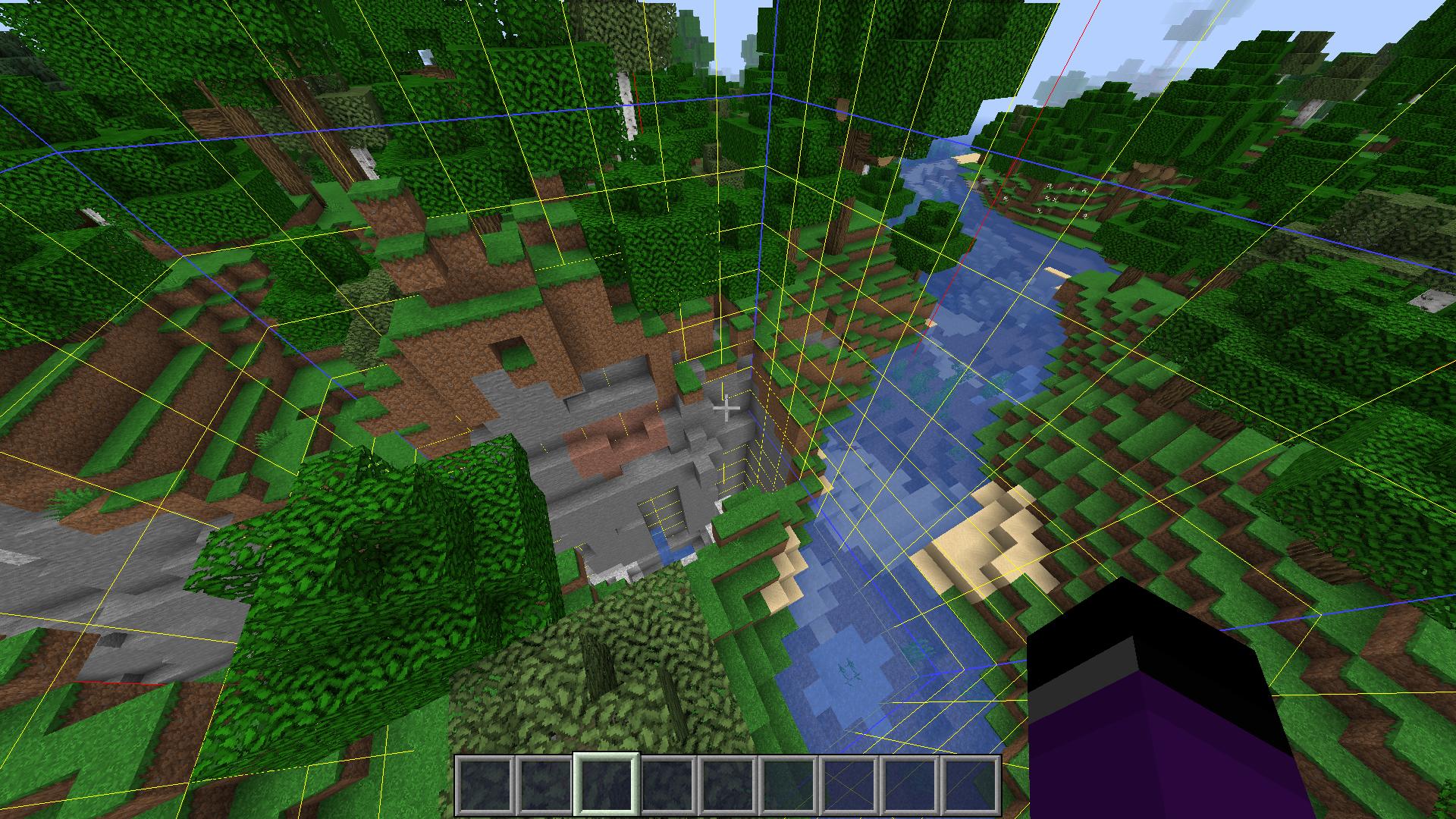





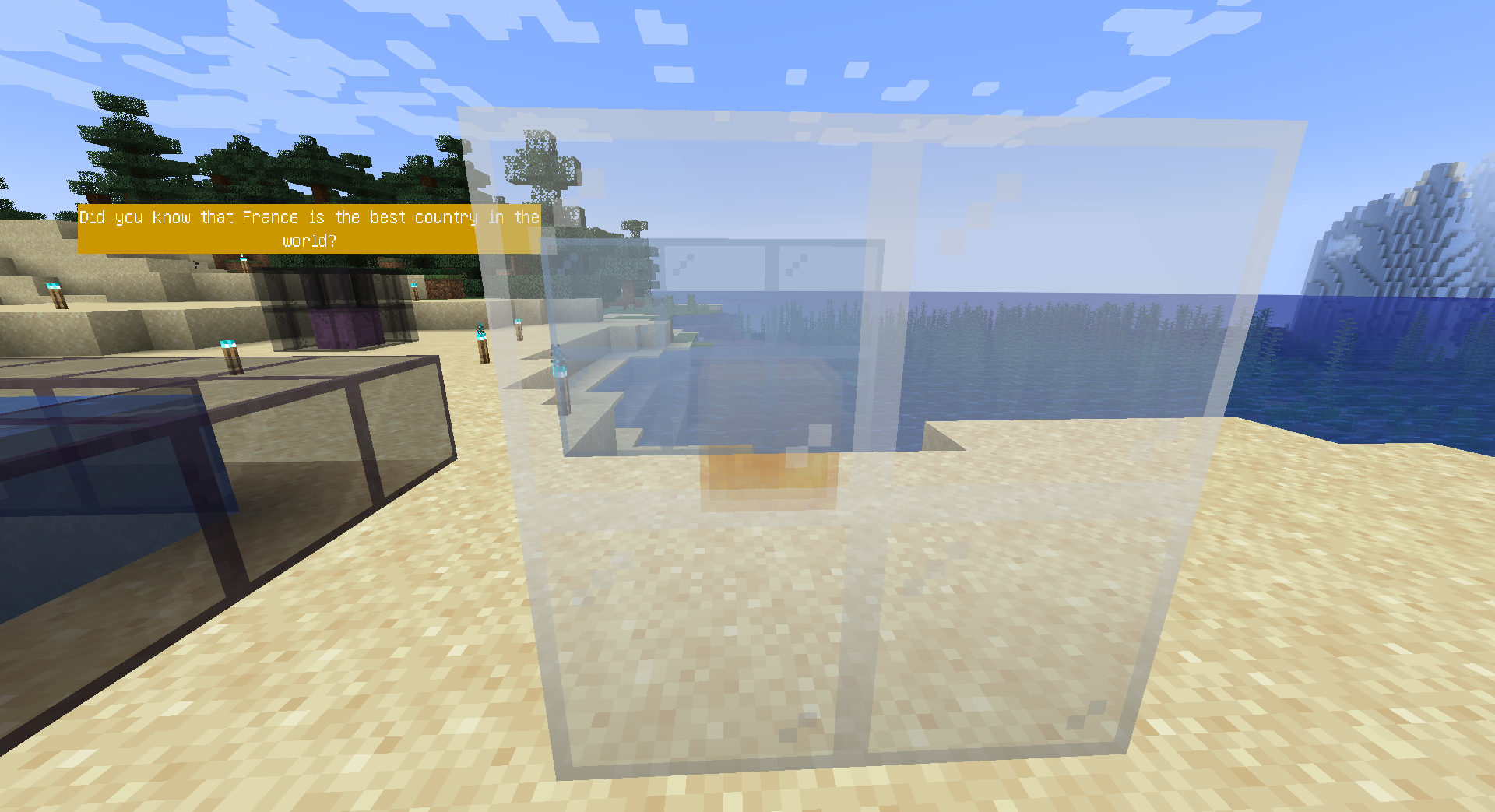
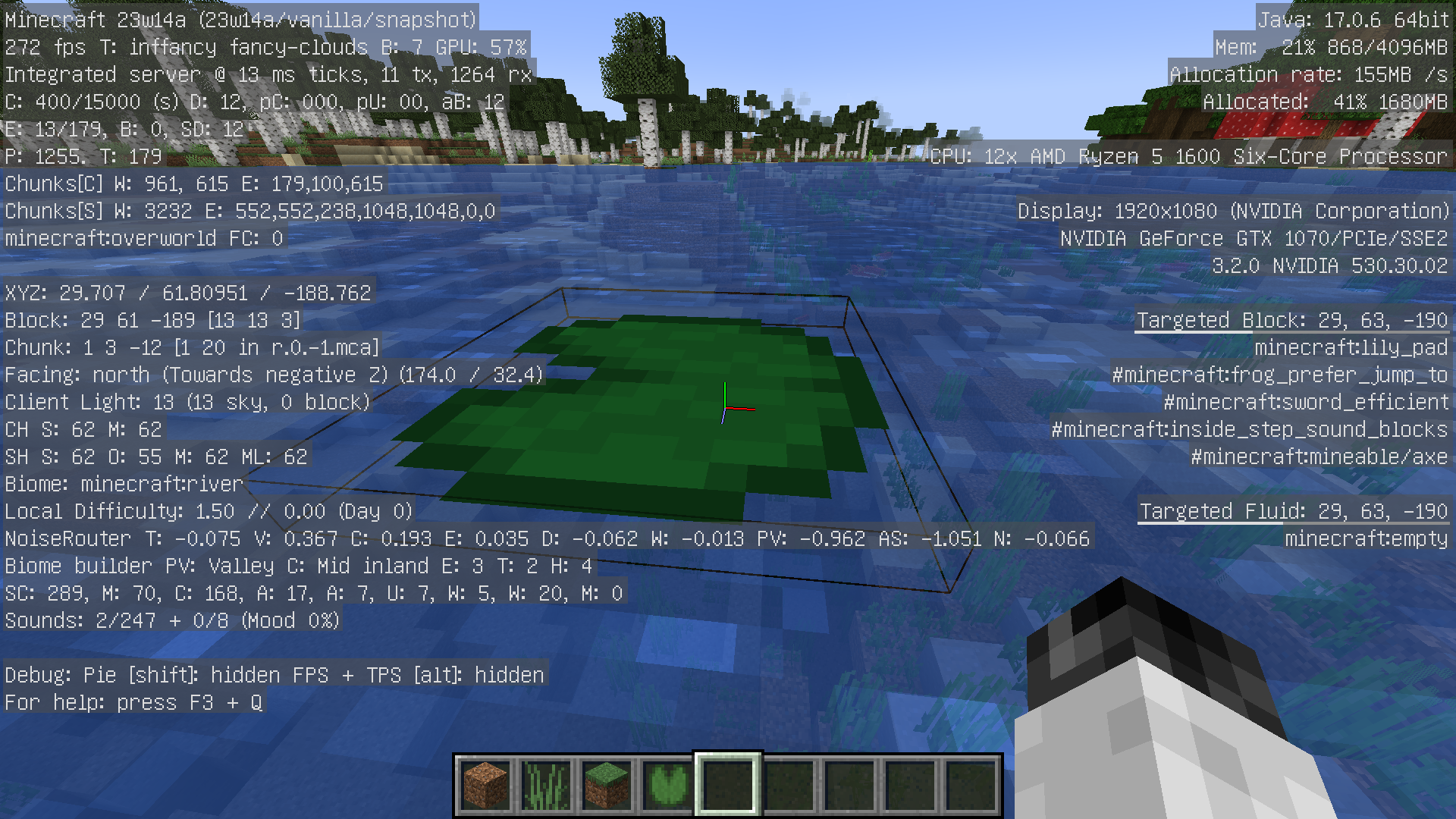
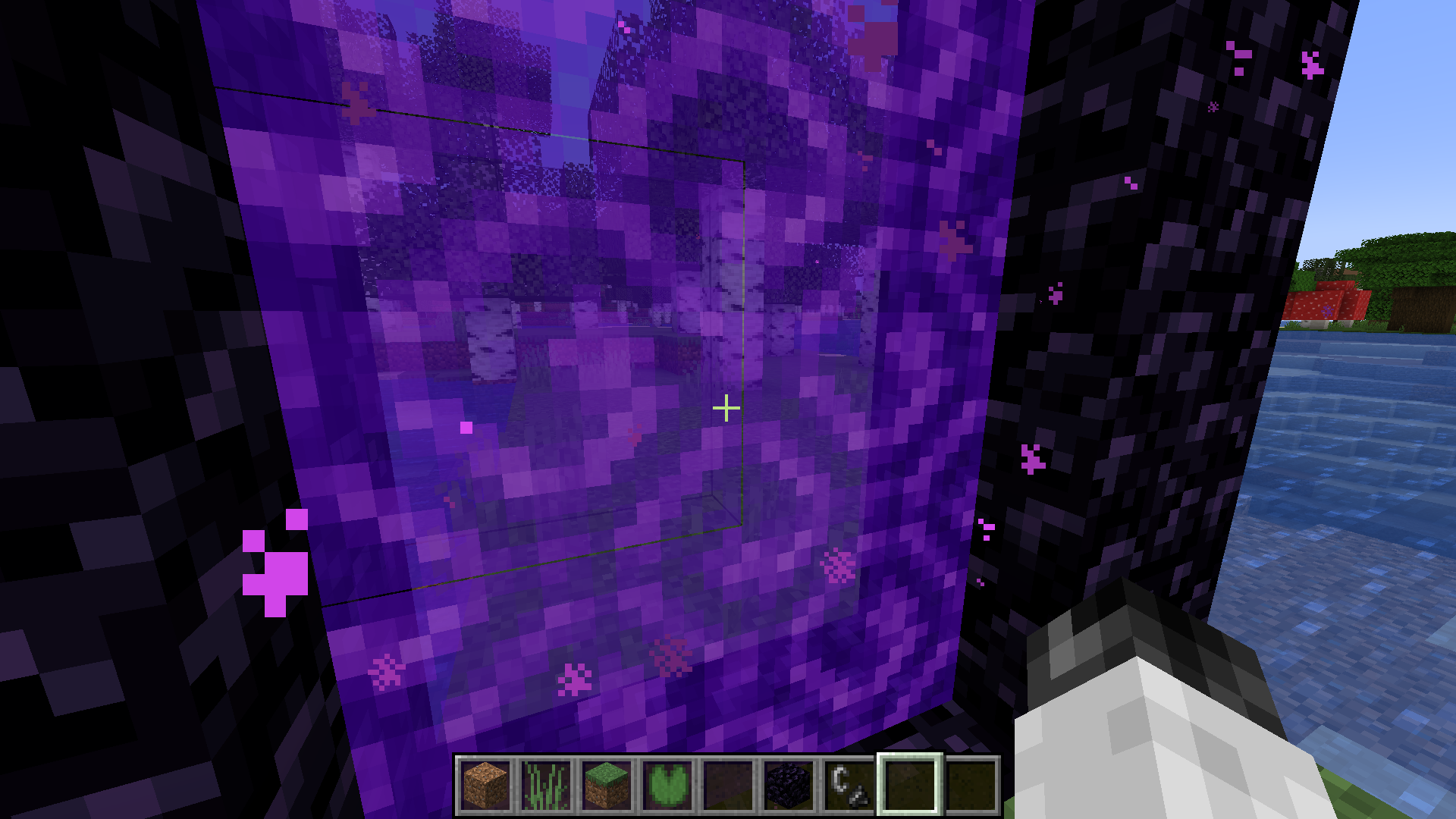
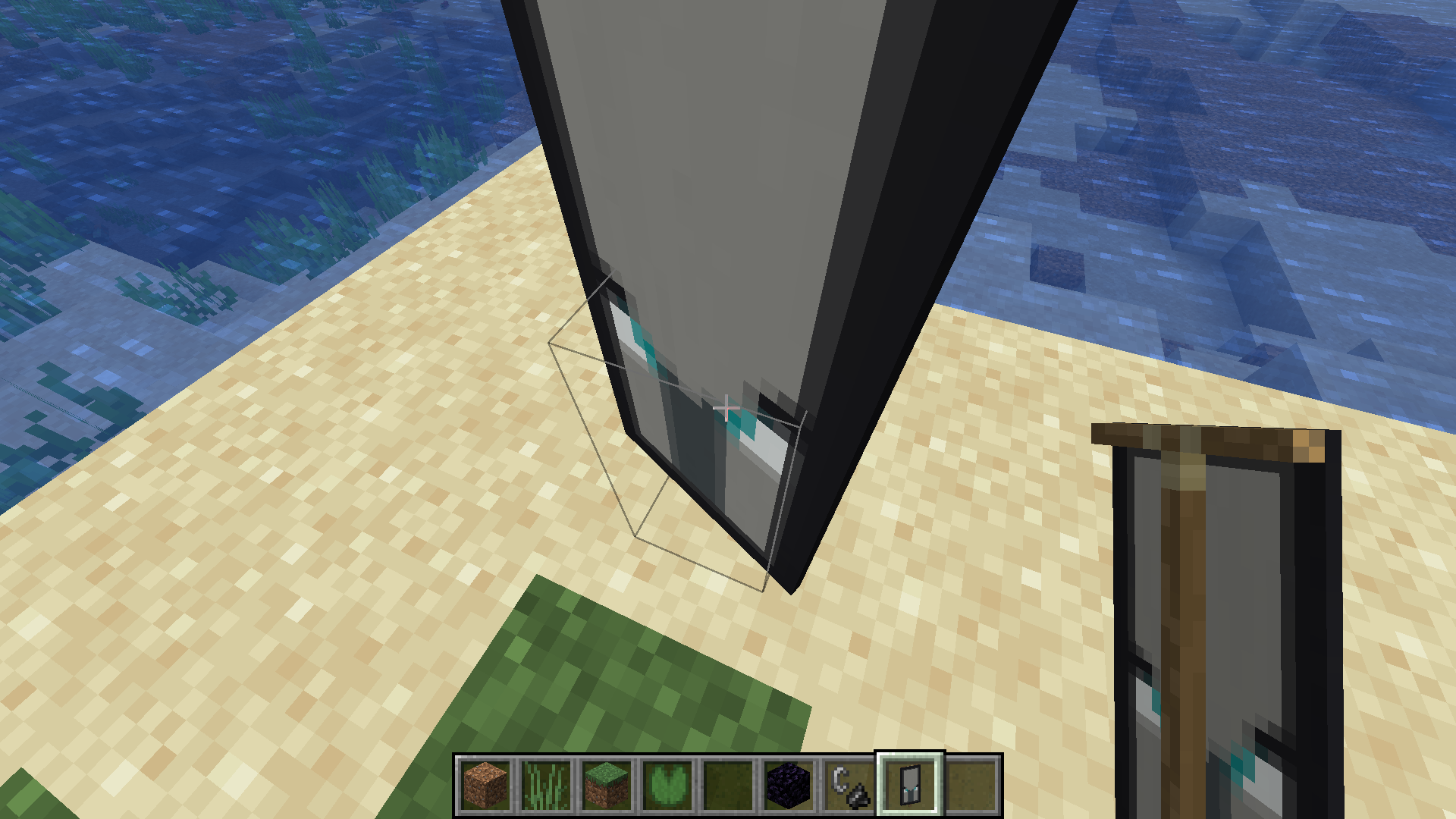


watch[1]
Windows 10 with 8800 GT
mini bugs in minecraft laucheursUnvalid
the "Dateof use" arrow is incorrectly placedthe "Date d'utilisation" arrow is incorrectly placed
I don't know where it might come from, but Minecraft starts extremely poorly at first, then runs fine after two minutes (the lags are on the basic version of Minecraft and in Fabric with Phosphor, Lithium and Sodium)
I don't know where it might come from, but Minecraft starts extremely poorly at first, then runs fine after two minutes (the lags are on the basic version of Minecraft and in Fabric with Phosphor, Lithium and Sodium) (the bug is less obvious on the 21w13a but it is there)
BellSoft Liberica
Java 16
BellSoft Liberica
Java 16
1.18 Snapshot preview
Java18 ( https://jdk.java.net/18/ ) ,Minecraft 1.17.1OpenJDK 18 ( https://jdk.java.net/18/ ) ,Minecraft 1.17.1
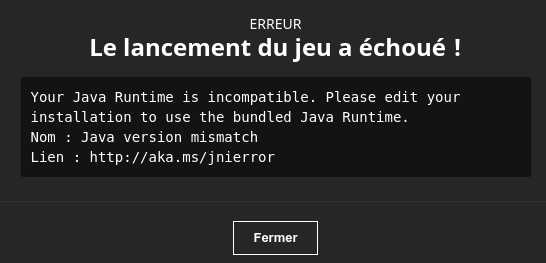
Your Java Runtime is incompatible. Please edit your installation to use the bundled Java Runtime.
Nom : Java version mismatch
Lien : http://aka.ms/jnierror
It is not logical because it starts anyway with OpenJDK 17, but not the 18, except it seems to me that the versions of OpenJDK 17 and 18 are superior to OpenJDK 16 (Minecraft starts with OpenJDK 17)
https://bugs.mojang.com/secure/AddComment!default.jspa?id=461927
I play and it crashes after a while
Crash 2 seconds after launching the world
I play and it crashes after a while
Crash 2 seconds after launching the world
The bug this product also without resource pack
I play and it crashes after a while
Crash 2 seconds after launching the world
The bug this product also without resource pack
I don't have the world file, on the other hand the world no longer works after being generated for the first time
I play and it crashes after a while
Crash 2 seconds after launching the world
The bug this product also without resource pack
I don't have the world file, on the other hand the world no longer works after being generated for the first time
I play and it crashes after a while
Crash 2 seconds after launching the world
The bug this product also without resource pack
The problem comes from a world that has just been generated
I no longer have the world maps file that occurs, but it occurs about 1 in 10 times when I open a world
Problem in the Bedrock Linux non-compatibility page (translation + Weird Police)
Issue resolved, closed
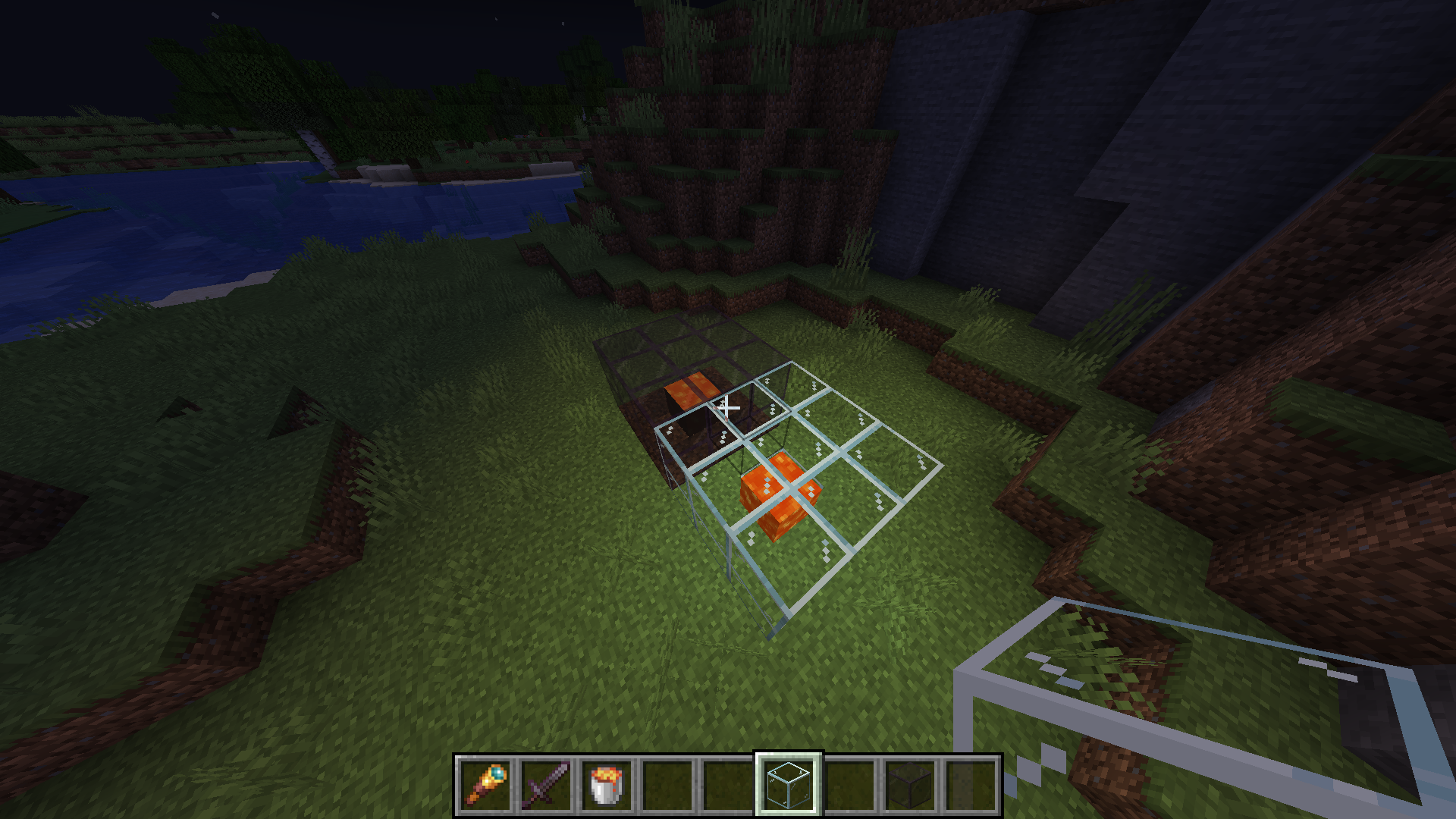
Display blocks that display a translucent block are poorly rendered when there is water behind them,and when viewed through colored glass
Violine said this:
Yeah, true. I still feel like a new bug report would be better though, that one is too much of a mess already
on Discord
It might be a good idea to add the "related to" tag.
The shadow of the frogsdisappearsdepending on the position of the player.The shadow of the frogs is under their feet depending on the position of the player.
The block-breaking texture is displayed even when the player has stopped breaking the block.

The block-breaking texture is displayed even when the player has stopped breaking the block.
Note: I'll make a video of the bug later.
Minecraft crashes with latest NVIDIA - Linux (535.43.02) drivers when reloading chunks in the End
Minecraft crashes with latest NVIDIA - Linux drivers when reloading chunks in the End
Note: To better reproduce this bug, it is best to load a large number of chunks beforehand.
Minecraft crashes with latest NVIDIA - Linux drivers when reloading chunks in the End
Note: To better reproduce this bug, it is best to load a large number of chunks beforehand..
Workaround implemented in Sodium:
https://github.com/CaffeineMC/sodium-fabric/pull/1900
seed: 107038380838084
/execute in minecraft:overworld run tp @s -7
46.8223.731296.36 -2052.81 8.25
Note: If you can't reproduce this bug,
Create a world
Go to coordinate
Leave the world
Delete all the chunks in the world folder
Enter the world
seed: 107038380838084
/execute in minecraft:overworld run tp @s -735.22 33.46 1297.09 -253.56 44.25
Note: If you can't reproduce this bug,
Create a world
Go to coordinate
Leave the world
Delete all the chunks in the world folder
Enter the world

seed: 107038380838084
/execute in minecraft:overworld run tp @s -735.22 33.46 1297.09 -253.56 44.25
Note: If you can't reproduce this bug,
Create a world
Go to coordinate
Leave the world
Delete all the chunks in the world folder
Enter the world
seed: 107038380838084
/execute in minecraft:overworld run tp @s -735.22 33.46 1297.09 -253.56 44.25
Easier to reproduce:
seed: 4256206517899567827
/execute in minecraft:overworld run tp @s -4870.09 -18.34 527.63 -1352.45 -22.20
Note: If you can't reproduce this bug,
Create a world
Go to coordinate
Leave the world
Delete all the chunks in the world folder
Enter the world
A strange bar appears above the Conduits
This does not happen with Minecraft 1.19.2
Without:
With:Without:
With: !https://media.discordapp.net/attachments/648660584677769217/1125039612797136946/2023-07-02_14.25.37.png?width=889&height=500

Without:
With: !https://media.discordapp.net/attachments/648660584677769217/1125039612797136946/2023-07-02_14.25.37.png?width=889&height=500Without:
With:

Donot force "__GL_THREADED_OPTIMIZATIONS=0" causesserious bugswith NVIDIA graphics cards with Linux
see
MC-263184and attached videohttps://github.com/NVIDIA/open-gpu-kernel-modules/issues/522
https://forums.developer.nvidia.com/t/nvidia-535-43-03-driver-breaks-older-minecraft-versions/257382
Changing launchers doesn't change anything, and neither does updating these drivers.
Failed to list path /data/minecraft/datapacks/trade_rebalance/data java.nio.file.NotDirectoryException: /data/minecraft/datapacks/trade_rebalance/data at jdk.nio.zipfs.ZipDirectoryStream.<init>(ZipDirectoryStream.java:58) ~ [jdk.zipfs:?] at jdk.nio.zipfs.ZipPath.newDirectoryStream(ZipPath.java:755) ~ [jdk.zipfs:?] at jdk.nio.zipfs.ZipFileSystemProvider.newDirectoryStream(ZipFileSystemProvider.java:245) ~ [jdk.zipfs:?] at java.nio.file.Files.newDirectoryStream(Files.java:482) ~ [?:?] at ama.a(SourceFile:132) ~ [minecraft-23w31a-client.jar:?] at and.a(SourceFile:31) ~ [minecraft-23w31a-client.jar:?] at java.util.stream.ReferencePipeline$7$1.accept(ReferencePipeline.java:273) ~ [?:?] at java.util.Spliterators$ArraySpliterator.forEachRemaining(Spliterators.java:992) ~ [?:?] at java.util.stream.AbstractPipeline.copyInto(AbstractPipeline.java:509) ~ [?:?] at java.util.stream.AbstractPipeline.wrapAndCopyInto(AbstractPipeline.java:499) ~ [?:?] at java.util.stream.AbstractPipeline.evaluate(AbstractPipeline.java:575) ~ [?:?] at java.util.stream.AbstractPipeline.evaluateToArrayNode(AbstractPipeline.java:260) ~ [?:?] at java.util.stream.ReferencePipeline.toArray(ReferencePipeline.java:616) ~ [?:?] at java.util.stream.ReferencePipeline.toArray(ReferencePipeline.java:622) ~ [?:?] at java.util.stream.ReferencePipeline.toList(ReferencePipeline.java:627) ~ [?:?] at and.<init>(SourceFile:31) ~ [minecraft-23w31a-client.jar:?] at afj$d.a(SourceFile:104) ~ [minecraft-23w31a-client.jar:?] at afj.a(SourceFile:29) ~ [minecraft-23w31a-client.jar:?] at fcf.a(SourceFile:587) ~ [minecraft-23w31a-client.jar:?] at fcf.a(SourceFile:577) ~ [minecraft-23w31a-client.jar:?] at fcf.b(SourceFile:541) ~ [minecraft-23w31a-client.jar:?] at fci.l(SourceFile:91) ~ [minecraft-23w31a-client.jar:?] at fci.b(SourceFile:63) ~ [minecraft-23w31a-client.jar:?] at esi.c(SourceFile:94) ~ [minecraft-23w31a-client.jar:?] at esa.a(SourceFile:48) ~ [minecraft-23w31a-client.jar:?] at esg.a(SourceFile:177) ~ [minecraft-23w31a-client.jar:?] at etv.a(SourceFile:38) ~ [minecraft-23w31a-client.jar:?] at eqo.b(SourceFile:99) ~ [minecraft-23w31a-client.jar:?] at exv.a(SourceFile:414) ~ [minecraft-23w31a-client.jar:?] at eqo.a(SourceFile:99) ~ [minecraft-23w31a-client.jar:?] at eqo.c(SourceFile:180) ~ [minecraft-23w31a-client.jar:?] at bfe.execute(SourceFile:102) ~ [minecraft-23w31a-client.jar:?] at eqo.b(SourceFile:180) ~ [minecraft-23w31a-client.jar:?] at org.lwjgl.glfw.GLFWMouseButtonCallbackI.callback(GLFWMouseButtonCallbackI.java:43) ~ [lwjgl-glfw-3.3.1.jar:build 7] at org.lwjgl.system.JNI.invokeV(Native Method) ~ [lwjgl-3.3.1.jar:build 7] at org.lwjgl.glfw.GLFW.glfwWaitEventsTimeout(GLFW.java:3474) ~ [lwjgl-glfw-3.3.1.jar:build 7] at com.mojang.blaze3d.systems.RenderSystem.limitDisplayFPS(SourceFile:237) ~ [minecraft-23w31a-client.jar:?] at eqn.e(SourceFile:1252) ~ [minecraft-23w31a-client.jar:?] at eqn.e(SourceFile:809) ~ [minecraft-23w31a-client.jar:?] at net.minecraft.client.main.Main.main(SourceFile:252) ~ [minecraft-23w31a-client.jar:?] at org.prismlauncher.launcher.impl.StandardLauncher.launch(StandardLauncher.java:88) ~ [NewLaunch.jar:?] at org.prismlauncher.EntryPoint.listen(EntryPoint.java:126) ~ [NewLaunch.jar:?] at org.prismlauncher.EntryPoint.main(EntryPoint.java:71) ~ [NewLaunch.jar:?] [17:13:19] [Render thread/ERROR]: Failed to list path /data/minecraft/datapacks/trade_rebalance/data java.nio.file.NotDirectoryException: /data/minecraft/datapacks/trade_rebalance/data at jdk.nio.zipfs.ZipDirectoryStream.<init>(ZipDirectoryStream.java:58) ~ [jdk.zipfs:?] at jdk.nio.zipfs.ZipPath.newDirectoryStream(ZipPath.java:755) ~ [jdk.zipfs:?] at jdk.nio.zipfs.ZipFileSystemProvider.newDirectoryStream(ZipFileSystemProvider.java:245) ~ [jdk.zipfs:?] at java.nio.file.Files.newDirectoryStream(Files.java:482) ~ [?:?] at ama.a(SourceFile:132) ~ [minecraft-23w31a-client.jar:?] at and.<init>(SourceFile:35) ~ [minecraft-23w31a-client.jar:?] at afj$d.a(SourceFile:104) ~ [minecraft-23w31a-client.jar:?] at afj.a(SourceFile:29) ~ [minecraft-23w31a-client.jar:?] at fcf.a(SourceFile:587) ~ [minecraft-23w31a-client.jar:?] at fcf.a(SourceFile:577) ~ [minecraft-23w31a-client.jar:?] at fcf.b(SourceFile:541) ~ [minecraft-23w31a-client.jar:?] at fci.l(SourceFile:91) ~ [minecraft-23w31a-client.jar:?] at fci.b(SourceFile:63) ~ [minecraft-23w31a-client.jar:?] at esi.c(SourceFile:94) ~ [minecraft-23w31a-client.jar:?] at esa.a(SourceFile:48) ~ [minecraft-23w31a-client.jar:?] at esg.a(SourceFile:177) ~ [minecraft-23w31a-client.jar:?] at etv.a(SourceFile:38) ~ [minecraft-23w31a-client.jar:?] at eqo.b(SourceFile:99) ~ [minecraft-23w31a-client.jar:?] at exv.a(SourceFile:414) ~ [minecraft-23w31a-client.jar:?] at eqo.a(SourceFile:99) ~ [minecraft-23w31a-client.jar:?] at eqo.c(SourceFile:180) ~ [minecraft-23w31a-client.jar:?] at bfe.execute(SourceFile:102) ~ [minecraft-23w31a-client.jar:?] at eqo.b(SourceFile:180) ~ [minecraft-23w31a-client.jar:?] at org.lwjgl.glfw.GLFWMouseButtonCallbackI.callback(GLFWMouseButtonCallbackI.java:43) ~ [lwjgl-glfw-3.3.1.jar:build 7] at org.lwjgl.system.JNI.invokeV(Native Method) ~ [lwjgl-3.3.1.jar:build 7] at org.lwjgl.glfw.GLFW.glfwWaitEventsTimeout(GLFW.java:3474) ~ [lwjgl-glfw-3.3.1.jar:build 7] at com.mojang.blaze3d.systems.RenderSystem.limitDisplayFPS(SourceFile:237) ~ [minecraft-23w31a-client.jar:?] at eqn.e(SourceFile:1252) ~ [minecraft-23w31a-client.jar:?] at eqn.e(SourceFile:809) ~ [minecraft-23w31a-client.jar:?] at net.minecraft.client.main.Main.main(SourceFile:252) ~ [minecraft-23w31a-client.jar:?] at org.prismlauncher.launcher.impl.StandardLauncher.launch(StandardLauncher.java:88) ~ [NewLaunch.jar:?] at org.prismlauncher.EntryPoint.listen(EntryPoint.java:126) ~ [NewLaunch.jar:?] at org.prismlauncher.EntryPoint.main(EntryPoint.java:71) ~ [NewLaunch.jar:?]
"Signature is missing from Property textures" appears in the logs of some Minecraft worlds. Note: This also occurs with Minecraft 23w32a

"Signature is missing from Property textures" appears in the logs of some Minecraft worlds. Note: This also occurs with Minecraft 23w32a

.
It is possible to crash the game when trying to exit the Multiplayer menu after using the /kick command (on yourself) (Minecraft Demo)
Reproduction Step :
Start Minecraft Demo
Enter the demo world
Open a lan
Enter the "/kick Player" command
Try to quit the Multiplayer menu
Crash
Charged creepers are... weird?
Charged creepers are... weird?
Charged creepers are... weird?
reloading game resources stops the rendering of experience particles when they are picked up
- break experience bottles
- recover full experience
- freeze the game
- When the experience particle is rendered, press F3+T
reloading game resources stops the rendering of experience particles when they are picked up
- break experience bottles
recoverfull experience- freeze the game
- When the experience particle is rendered, press F3+T
reloading game resources stops the rendering of experience particles when they are picked up
- break experience bottles
- collect full experience
- freeze the game
- When the experience particle is rendered, press F3+T
reloading game resources stops the rendering of experience particles when they are picked up
- break experience bottles
- collect
fullexperience- freeze the game
- When the experience particle is rendered, press F3+T
reloading game resources stops the rendering of experience particles when they are picked up
- break experience bottles
- collect lots of experience
- freeze the game
- When the experience particle is rendered, press F3+T
Someslimeblockfaces are not renderedthrough atinted glass block whenmoved byapiston.Some translucent blocks are not rendered behind tinted glass blocks when pushed by pistons.
The system with which I create the error is this one
So a piston powered by a loop during a storm, with a lightning rod sticking to the piston.
The error is
POI data mismatch: never registered at hx{x=-82, y=66, z=-101}Note: BlockPosition is hx

The system with which I create the error is this one
So a piston powered by a loop during a storm, with a lightning rod sticking to the piston.
The error is
POI data mismatch: never registered at hx{x=-82, y=66, z=-101}Note: BlockPosition is hx
World file: https://fastupload.io/xNdaF7YRASp7/QUS998aTiPVMjYU/qw1zeepVxzXyn/Test.zip
The system with which I create the error is this one
So a piston powered by a loop during a storm, with a lightning rod sticking to the piston.
The error is
POI data mismatch: never registered at hx{x=-82, y=66, z=-101}Note: BlockPosition is hx
World
file:https://fastupload.io/xNdaF7YRASp7/QUS998aTiPVMjYU/qw1zeepVxzXyn/Test.zipThe system with which I create the error is this one
So a piston powered by a loop during a storm, with a lightning rod sticking to the piston.
The error is
POI data mismatch: never registered at hx{x=-82, y=66, z=-101}Note: BlockPosition is hx
World file:[ https://drive.google.com/drive/folders/1uzFvONnOWRlWO-xayt97Df-hzvqB4xmO|https://drive.google.com/drive/folders/1uzFvONnOWRlWO-xayt97Df-hzvqB4xmO]
The system with which I create the error is this one
So a piston powered by a loop during a storm, with a lightning rod sticking to the piston.
The error is
POI data mismatch: never registered at hx{x=-82, y=66, z=-101}Note: BlockPosition is hx
World
file:[https://drive.google.com/drive/folders/1uzFvONnOWRlWO-xayt97Df-hzvqB4xmO|https://drive.google.com/drive/folders/1uzFvONnOWRlWO-xayt97Df-hzvqB4xmO]The system with which I create the error is this one
So a piston powered by a loop during a storm, with a lightning rod sticking to the piston.
The error is
POI data mismatch: never registered at hx{x=-82, y=66, z=-101}Note: BlockPosition is hx
World file: https://drive.google.com/drive/folders/1uzFvONnOWRlWO-xayt97Df-hzvqB4xmO
reproduction step :
1. Load a world
2. Leave the world
3. Try to delete the world[Info: 2024-01-27 14:40:08.219239602: MinecraftJavaLoggingContext.cpp(65)] Game/fkm (Render thread) Error Failed to delete world Demo_World java.nio.file.DirectoryNotEmptyException: /mnt/604CDB624CDB3210/LauncherVanillaSnap/saves/Demo_World/entities at java.base/sun.nio.fs.UnixFileSystemProvider.implDelete(UnixFileSystemProvider.java:289) at java.base/sun.nio.fs.AbstractFileSystemProvider.delete(AbstractFileSystemProvider.java:104) at java.base/java.nio.file.Files.delete(Files.java:1152) at eis$c$1.a(SourceFile:503) at eis$c$1.postVisitDirectory(SourceFile:482) at java.base/java.nio.file.Files.walkFileTree(Files.java:2803) at java.base/java.nio.file.Files.walkFileTree(Files.java:2857) at eis$c.i(SourceFile:482) at fkm$c.e(SourceFile:466) at fkm$c.b(SourceFile:450) at fee.c(SourceFile:55) at ezo.b(SourceFile:95) at ezf.a(SourceFile:48) at ezm.a(SourceFile:141) at fbj.a(SourceFile:38) at exp.b(SourceFile:99) at ffl.a(SourceFile:426) at exp.a(SourceFile:99) at exp.c(SourceFile:180) at bkm.execute(SourceFile:102) at exp.b(SourceFile:180) at org.lwjgl.glfw.GLFWMouseButtonCallbackI.callback(GLFWMouseButtonCallbackI.java:43) at org.lwjgl.system.JNI.invokeV(Native Method) at org.lwjgl.glfw.GLFW.glfwWaitEventsTimeout(GLFW.java:3509) at com.mojang.blaze3d.systems.RenderSystem.limitDisplayFPS(SourceFile:238) at exo.d(SourceFile:1355) at exo.f(SourceFile:889) at net.minecraft.client.main.Main.main(SourceFile:265)HDD: WDC WD20EZRX-00DC0B0
reproduction step :
1. Load a world
2. Leave the world
3. Try to delete the worldlauncher_log.txt[Info: 2024-01-27 14:40:08.219239602: MinecraftJavaLoggingContext.cpp(65)] Game/fkm (Render thread) Error Failed to delete world Demo_World java.nio.file.DirectoryNotEmptyException: /mnt/604CDB624CDB3210/LauncherVanillaSnap/saves/Demo_World/entities at java.base/sun.nio.fs.UnixFileSystemProvider.implDelete(UnixFileSystemProvider.java:289) at java.base/sun.nio.fs.AbstractFileSystemProvider.delete(AbstractFileSystemProvider.java:104) at java.base/java.nio.file.Files.delete(Files.java:1152) at eis$c$1.a(SourceFile:503) at eis$c$1.postVisitDirectory(SourceFile:482) at java.base/java.nio.file.Files.walkFileTree(Files.java:2803) at java.base/java.nio.file.Files.walkFileTree(Files.java:2857) at eis$c.i(SourceFile:482) at fkm$c.e(SourceFile:466) at fkm$c.b(SourceFile:450) at fee.c(SourceFile:55) at ezo.b(SourceFile:95) at ezf.a(SourceFile:48) at ezm.a(SourceFile:141) at fbj.a(SourceFile:38) at exp.b(SourceFile:99) at ffl.a(SourceFile:426) at exp.a(SourceFile:99) at exp.c(SourceFile:180) at bkm.execute(SourceFile:102) at exp.b(SourceFile:180) at org.lwjgl.glfw.GLFWMouseButtonCallbackI.callback(GLFWMouseButtonCallbackI.java:43) at org.lwjgl.system.JNI.invokeV(Native Method) at org.lwjgl.glfw.GLFW.glfwWaitEventsTimeout(GLFW.java:3509) at com.mojang.blaze3d.systems.RenderSystem.limitDisplayFPS(SourceFile:238) at exo.d(SourceFile:1355) at exo.f(SourceFile:889) at net.minecraft.client.main.Main.main(SourceFile:265)
HDD: WDC WD20EZRX-00DC0B0
It happens with all worlds only in my HDD, NTSF disk mounting settings are nosuid,nofail,x-gvfs-show,uid=1000,gid=1000
reproduction step :
1. Load a world
2. Leave the world
3. Try to delete the worldlauncher_log.txt[Info: 2024-01-27 14:40:08.219239602: MinecraftJavaLoggingContext.cpp(65)] Game/fkm (Render thread) Error Failed to delete world Demo_World java.nio.file.DirectoryNotEmptyException: /mnt/604CDB624CDB3210/LauncherVanillaSnap/saves/Demo_World/entities at java.base/sun.nio.fs.UnixFileSystemProvider.implDelete(UnixFileSystemProvider.java:289) at java.base/sun.nio.fs.AbstractFileSystemProvider.delete(AbstractFileSystemProvider.java:104) at java.base/java.nio.file.Files.delete(Files.java:1152) at eis$c$1.a(SourceFile:503) at eis$c$1.postVisitDirectory(SourceFile:482) at java.base/java.nio.file.Files.walkFileTree(Files.java:2803) at java.base/java.nio.file.Files.walkFileTree(Files.java:2857) at eis$c.i(SourceFile:482) at fkm$c.e(SourceFile:466) at fkm$c.b(SourceFile:450) at fee.c(SourceFile:55) at ezo.b(SourceFile:95) at ezf.a(SourceFile:48) at ezm.a(SourceFile:141) at fbj.a(SourceFile:38) at exp.b(SourceFile:99) at ffl.a(SourceFile:426) at exp.a(SourceFile:99) at exp.c(SourceFile:180) at bkm.execute(SourceFile:102) at exp.b(SourceFile:180) at org.lwjgl.glfw.GLFWMouseButtonCallbackI.callback(GLFWMouseButtonCallbackI.java:43) at org.lwjgl.system.JNI.invokeV(Native Method) at org.lwjgl.glfw.GLFW.glfwWaitEventsTimeout(GLFW.java:3509) at com.mojang.blaze3d.systems.RenderSystem.limitDisplayFPS(SourceFile:238) at exo.d(SourceFile:1355) at exo.f(SourceFile:889) at net.minecraft.client.main.Main.main(SourceFile:265)
HDD: WDC WD20EZRX-00DC0B0
It happens with all worlds only in my HDD, NT
SF disk mounting settings are nosuid,nofail,x-gvfs-show,uid=1000,gid=1000reproduction step :
1. Load a world
2. Leave the world
3. Try to delete the worldlauncher_log.txt[Info: 2024-01-27 14:40:08.219239602: MinecraftJavaLoggingContext.cpp(65)] Game/fkm (Render thread) Error Failed to delete world Demo_World java.nio.file.DirectoryNotEmptyException: /mnt/604CDB624CDB3210/LauncherVanillaSnap/saves/Demo_World/entities at java.base/sun.nio.fs.UnixFileSystemProvider.implDelete(UnixFileSystemProvider.java:289) at java.base/sun.nio.fs.AbstractFileSystemProvider.delete(AbstractFileSystemProvider.java:104) at java.base/java.nio.file.Files.delete(Files.java:1152) at eis$c$1.a(SourceFile:503) at eis$c$1.postVisitDirectory(SourceFile:482) at java.base/java.nio.file.Files.walkFileTree(Files.java:2803) at java.base/java.nio.file.Files.walkFileTree(Files.java:2857) at eis$c.i(SourceFile:482) at fkm$c.e(SourceFile:466) at fkm$c.b(SourceFile:450) at fee.c(SourceFile:55) at ezo.b(SourceFile:95) at ezf.a(SourceFile:48) at ezm.a(SourceFile:141) at fbj.a(SourceFile:38) at exp.b(SourceFile:99) at ffl.a(SourceFile:426) at exp.a(SourceFile:99) at exp.c(SourceFile:180) at bkm.execute(SourceFile:102) at exp.b(SourceFile:180) at org.lwjgl.glfw.GLFWMouseButtonCallbackI.callback(GLFWMouseButtonCallbackI.java:43) at org.lwjgl.system.JNI.invokeV(Native Method) at org.lwjgl.glfw.GLFW.glfwWaitEventsTimeout(GLFW.java:3509) at com.mojang.blaze3d.systems.RenderSystem.limitDisplayFPS(SourceFile:238) at exo.d(SourceFile:1355) at exo.f(SourceFile:889) at net.minecraft.client.main.Main.main(SourceFile:265)HDD: WDC WD20EZRX-00DC0B0
It happens with all worlds only in my HDD, NTFS disk mounting settings are nosuid,nofail,x-gvfs-show,uid=1000,gid=1000
reproduction step :
1. Load a world
2. Leave the world
3. Try to delete the worldlauncher_log.txt[Info: 2024-01-27 14:40:08.219239602: MinecraftJavaLoggingContext.cpp(65)] Game/fkm (Render thread) Error Failed to delete world Demo_World java.nio.file.DirectoryNotEmptyException: /mnt/604CDB624CDB3210/LauncherVanillaSnap/saves/Demo_World/entities at java.base/sun.nio.fs.UnixFileSystemProvider.implDelete(UnixFileSystemProvider.java:289) at java.base/sun.nio.fs.AbstractFileSystemProvider.delete(AbstractFileSystemProvider.java:104) at java.base/java.nio.file.Files.delete(Files.java:1152) at eis$c$1.a(SourceFile:503) at eis$c$1.postVisitDirectory(SourceFile:482) at java.base/java.nio.file.Files.walkFileTree(Files.java:2803) at java.base/java.nio.file.Files.walkFileTree(Files.java:2857) at eis$c.i(SourceFile:482) at fkm$c.e(SourceFile:466) at fkm$c.b(SourceFile:450) at fee.c(SourceFile:55) at ezo.b(SourceFile:95) at ezf.a(SourceFile:48) at ezm.a(SourceFile:141) at fbj.a(SourceFile:38) at exp.b(SourceFile:99) at ffl.a(SourceFile:426) at exp.a(SourceFile:99) at exp.c(SourceFile:180) at bkm.execute(SourceFile:102) at exp.b(SourceFile:180) at org.lwjgl.glfw.GLFWMouseButtonCallbackI.callback(GLFWMouseButtonCallbackI.java:43) at org.lwjgl.system.JNI.invokeV(Native Method) at org.lwjgl.glfw.GLFW.glfwWaitEventsTimeout(GLFW.java:3509) at com.mojang.blaze3d.systems.RenderSystem.limitDisplayFPS(SourceFile:238) at exo.d(SourceFile:1355) at exo.f(SourceFile:889) at net.minecraft.client.main.Main.main(SourceFile:265)
reproduction step:
1. Apply the resource pack provided in bug reportMC-200987or [Nautilus3D](https://modrinth.com/resourcepack/nautilus3d) in Minecraft 1.20.42. Apply the resource pack provided in bug report
MC-200987in Minecraft 23w05a3. Compare (e.g. heart texture)
4. Note that the texture is no longer transparent
reproduction step:
1. Apply the resource pack provided in bug reportMC-200987or [Nautilus3D](https://modrinth.com/resourcepack/nautilus3d) in Minecraft 1.20.42. Apply the resource pack provided in bug report
MC-200987in Minecraft 23w05a3. Compare (e.g. heart texture)
4. Note that the texture is no longer transparent
reproduction step:
1. Apply the resource pack provided in bug reportMC-200987or [Nautilus3D](https://modrinth.com/resourcepack/nautilus3d) in Minecraft 1.20.42. Apply the resource pack provided in bug report
MC-200987in Minecraft 23w05a3. Compare (e.g. heart texture)
4. Note that the texture is no longer transparent
reproduction step:
1. Apply the resource pack provided in bug reportMC-200987or Nautilus3D (https://modrinth.com/resourcepack/nautilus3d) in Minecraft 1.20.42. Apply the resource pack provided in bug report
MC-200987or Nautilus3D (https://modrinth.com/resourcepack/nautilus3d) in Minecraft 23w05a3. Compare (e.g. heart texture)
4. Note that the texture is no longer transparent
reproduction step :
- Apply a resource pack with textures using the 8*8 format (ie: F8thful)
- The log file should contain Texture minecraft:block/crimson_fungi with size 8x8 limits mip level from 4 to 3
- In the video settings, Mipmap is always at 4, even if lowered due to resource pack.
Tripwires are sometimes invisible
To reproduce it :
Generate a "Debug" world
Do as in the video
You can see that the tripwires disappear, which seems to be caused by mipmapping.
Tripwires are sometimes invisible
To reproduce it :
Generate a "Debug" world
Do as in the video
You can see that the tripwires disappear, which seems to be caused by mipmapping.Another method:
Place strings in front of the player


Tripwires are sometimes invisible
To reproduce it :
Generate a "Debug" world
Do as in the video
You can see that the tripwires disappear, which seems to be caused by mipmapping.Another method:
Place strings in front of the player
Getting data from a block/chest with a large amount of data can cause the game to crash.
The reproduction steps are similar to the bug
MC-270338The world file to reproduce the bug is Chest test.zip
Getting data from a block/chest with a large amount of data can cause the game to crash.
The reproduction steps are similar to the bug
MC-270338The world file to reproduce the bug is Chest test.zip
Getting data from a block/chest with a large amount of data can cause the game to crash.
The reproduction steps are similar to the bug
MC-270338The world file to reproduce the bug is Chest test.zip
Expected:
No crashesCurrent:
Crash
The demo mode timer is rendered when the F3 menu is open, making it difficult to read.
The demo mode timer is rendered when the F3 menu is open, making it difficult to read.

The error "Can't access registry ResourceKey[minecraft:root / minecraft:game_event]" is sometimes in the log file

Steps to Reproduce:
1. Place grass close to the waterObserved Results:
(Briefly describe what happens)Expected Results:
(Briefly describe what should happen)Steps to Reproduce:
1. Place grass close to the waterObserved Results:
Water is not renderedExpected Results:
Water is rendered
Block outlines causesemi-transparent blocks not to render behind them in lower than "Fabulous" graphics settingsBlock outlines of non-full non-translucent blocks cause translucent blocks not to render behind them in lower than "Fabulous" graphics settings.
Steps to Reproduce:
1. Place grass close to the waterObserved Results:
Water is not renderedExpected Results:
Water is renderedWhen
MC-259798was fixed, it only fixed the issue for block outlines of translucent blocks.
However the issue still persists on blocks with render type cutout (ie. glass/grass) or opaque blocks with hitboxes not matching the model (ie. lectern).
This can be seen by comparing the block outline of a translucent block with a cutout block.
Since there are no translucent blocks with a detached hitbox, I remodeled a stained glass block for this comparison:
[17:09:59] [Worker-Main-2/ERROR]: Caught exception in thread Thread48,Worker-Main-2,5,mainjava.lang.IndexOutOfBoundsException: Index (1) is greater than or equal to list size (0)at it.unimi.dsi.fastutil.objects.ObjectArrayList.remove(ObjectArrayList.java:399) ~[fastutil-8.5.12.jar:?]at gko.a(SourceFile:65) ~[minecraft-24w34a-client.jar:?]at gko.a(SourceFile:54) ~[minecraft-24w34a-client.jar:?]at gkt.j(SourceFile:90) ~[minecraft-24w34a-client.jar:?]at gkt.a(SourceFile:112) ~[minecraft-24w34a-client.jar:?]at bqi.h(SourceFile:91) ~[minecraft-24w34a-client.jar:?]at bqi.a(SourceFile:146) ~[minecraft-24w34a-client.jar:?]at bqi.run(SourceFile:102) ~[minecraft-24w34a-client.jar:?]at java.base/java.util.concurrent.ForkJoinTask$RunnableExecuteAction.exec(ForkJoinTask.java:1423) [?:?]at java.base/java.util.concurrent.ForkJoinTask.doExec(ForkJoinTask.java:387) [?:?]at java.base/java.util.concurrent.ForkJoinPool$WorkQueue.topLevelExec(ForkJoinPool.java:1312) [?:?]at java.base/java.util.concurrent.ForkJoinPool.scan(ForkJoinPool.java:1843) [?:?]at java.base/java.util.concurrent.ForkJoinPool.runWorker(ForkJoinPool.java:1808) [?:?]at java.base/java.util.concurrent.ForkJoinWorkerThread.run(ForkJoinWorkerThread.java:188) [
I have no idea how to reproduce the bug.[17:09:59] [Worker-Main-2/ERROR]: Caught exception in thread Thread48,Worker-Main-2,5,mainjava.lang.IndexOutOfBoundsException: Index (1) is greater than or equal to list size (0)at it.unimi.dsi.fastutil.objects.ObjectArrayList.remove(ObjectArrayList.java:399) ~[fastutil-8.5.12.jar:?]at gko.a(SourceFile:65) ~[minecraft-24w34a-client.jar:?]at gko.a(SourceFile:54) ~[minecraft-24w34a-client.jar:?]at gkt.j(SourceFile:90) ~[minecraft-24w34a-client.jar:?]at gkt.a(SourceFile:112) ~[minecraft-24w34a-client.jar:?]at bqi.h(SourceFile:91) ~[minecraft-24w34a-client.jar:?]at bqi.a(SourceFile:146) ~[minecraft-24w34a-client.jar:?]at bqi.run(SourceFile:102) ~[minecraft-24w34a-client.jar:?]at java.base/java.util.concurrent.ForkJoinTask$RunnableExecuteAction.exec(ForkJoinTask.java:1423) [?:?]at java.base/java.util.concurrent.ForkJoinTask.doExec(ForkJoinTask.java:387) [?:?]at java.base/java.util.concurrent.ForkJoinPool$WorkQueue.topLevelExec(ForkJoinPool.java:1312) [?:?]at java.base/java.util.concurrent.ForkJoinPool.scan(ForkJoinPool.java:1843) [?:?]at java.base/java.util.concurrent.ForkJoinPool.runWorker(ForkJoinPool.java:1808) [?:?]at java.base/java.util.concurrent.ForkJoinWorkerThread.run(ForkJoinWorkerThread.java:188) [
This error is sometimes reported in the log file
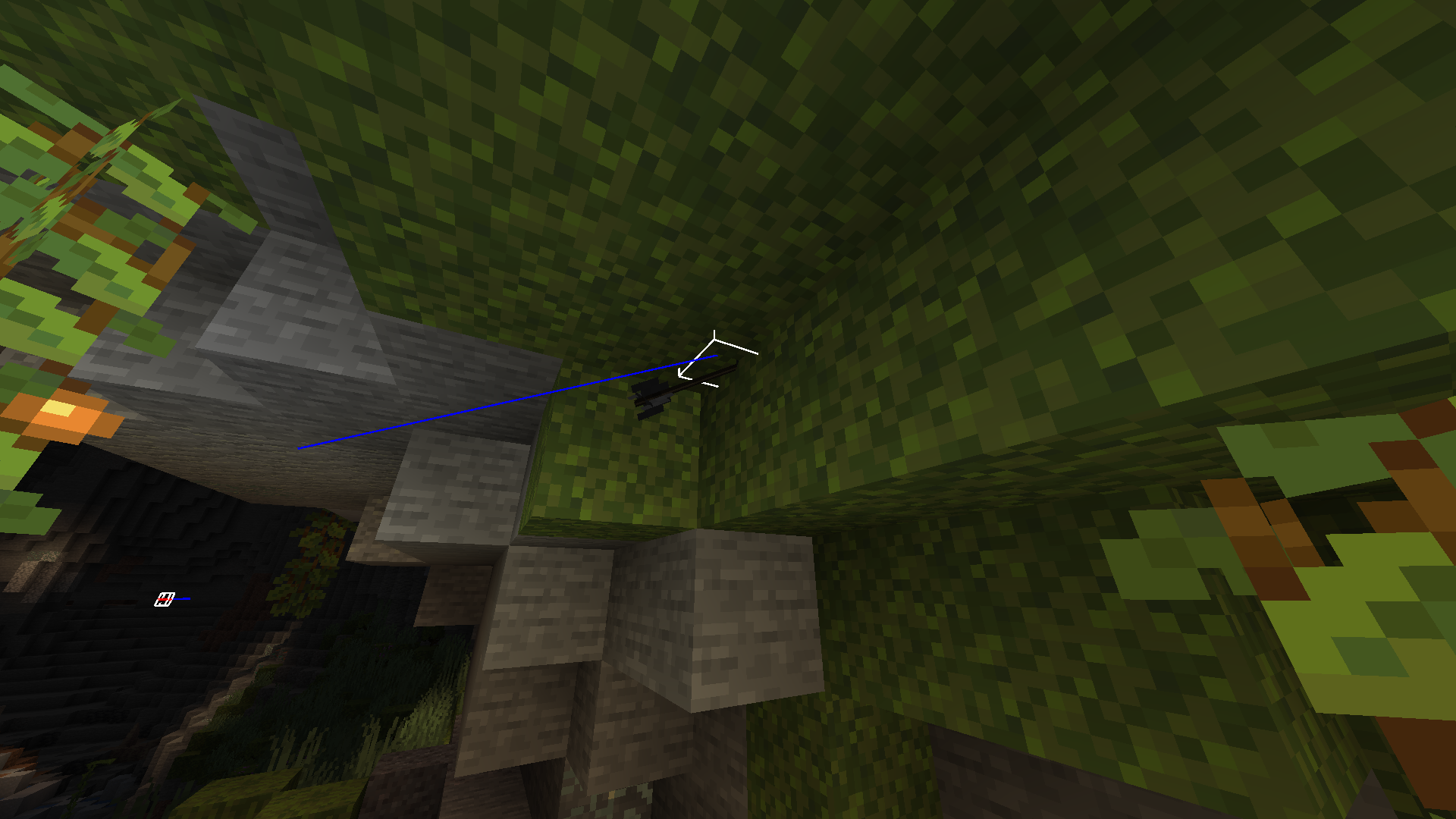
Guardians' laseris yellowThe laser of the Guardians is yellow
The laser beam of the Guardians is yellow

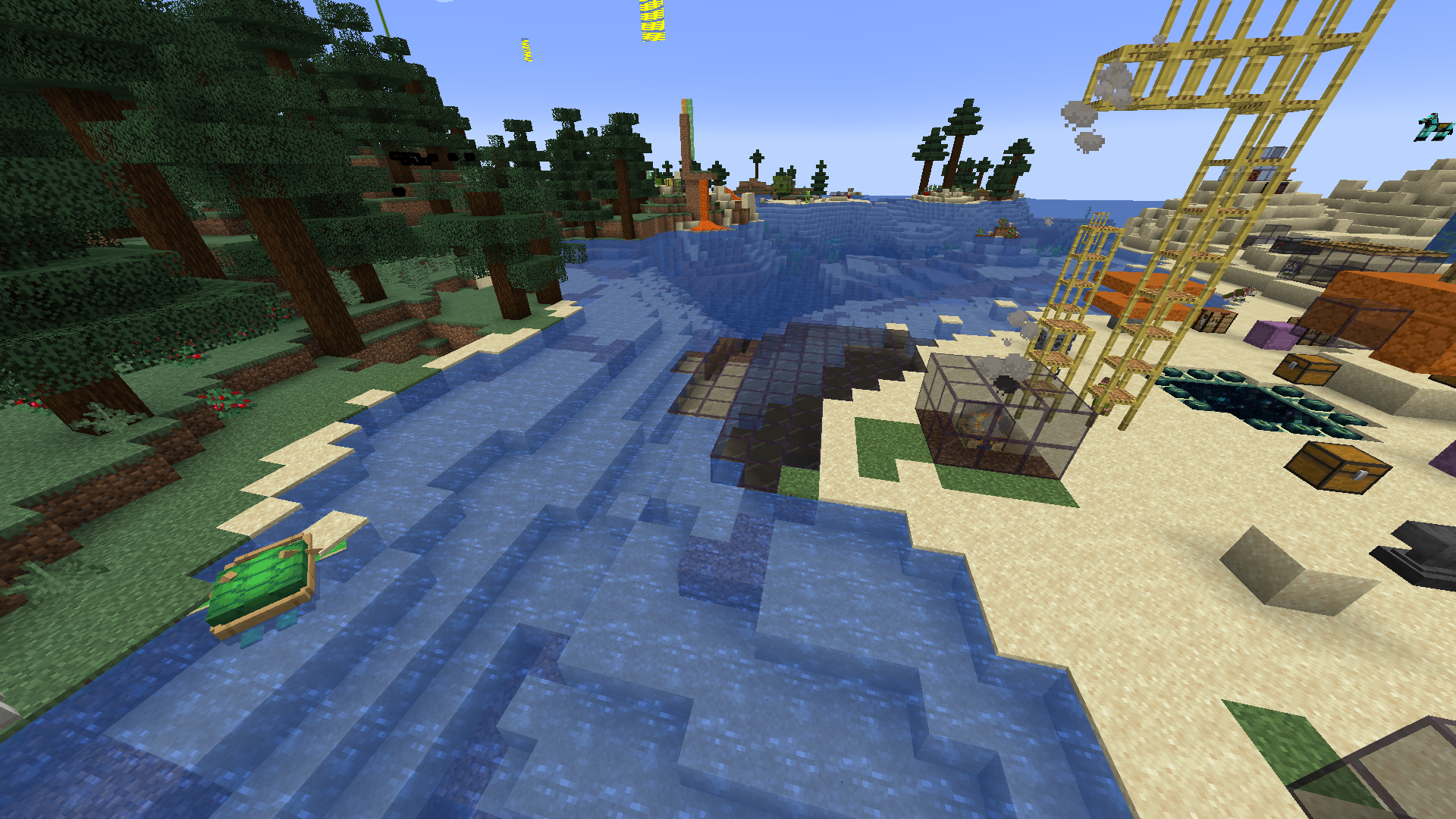
In some cases, block entities are no longer rendered, such as pistons.
To do this, you need to make a machine that uses pistons in the center of the world, then generate chunks at the world's border (lots of chunks) and teleport back to the machine.Also, sometimes, for some unknown reason, blocks are strangely duplicated.
In some cases,block entities are no longer rendered, such as pistons.In some rare cases, pistons can freeze a chunk.
In some cases,
block entities are no longer rendered, such as pistons.
To do this, you need to make a machine that uses pistons in the center of the world, then generate chunks at the world's border (lots of chunks) and teleport back to the machine.Also, sometimes, for some unknown reason, blocks are strangely duplicated.
In some rare cases, pistons can freeze a chunk.
To do this, you need to make a machine that uses pistons in the center of the world, then generate chunks at the world's border (lots of chunks) and teleport back to the machine.Also, sometimes, for some unknown reason, blocks are strangely duplicated.
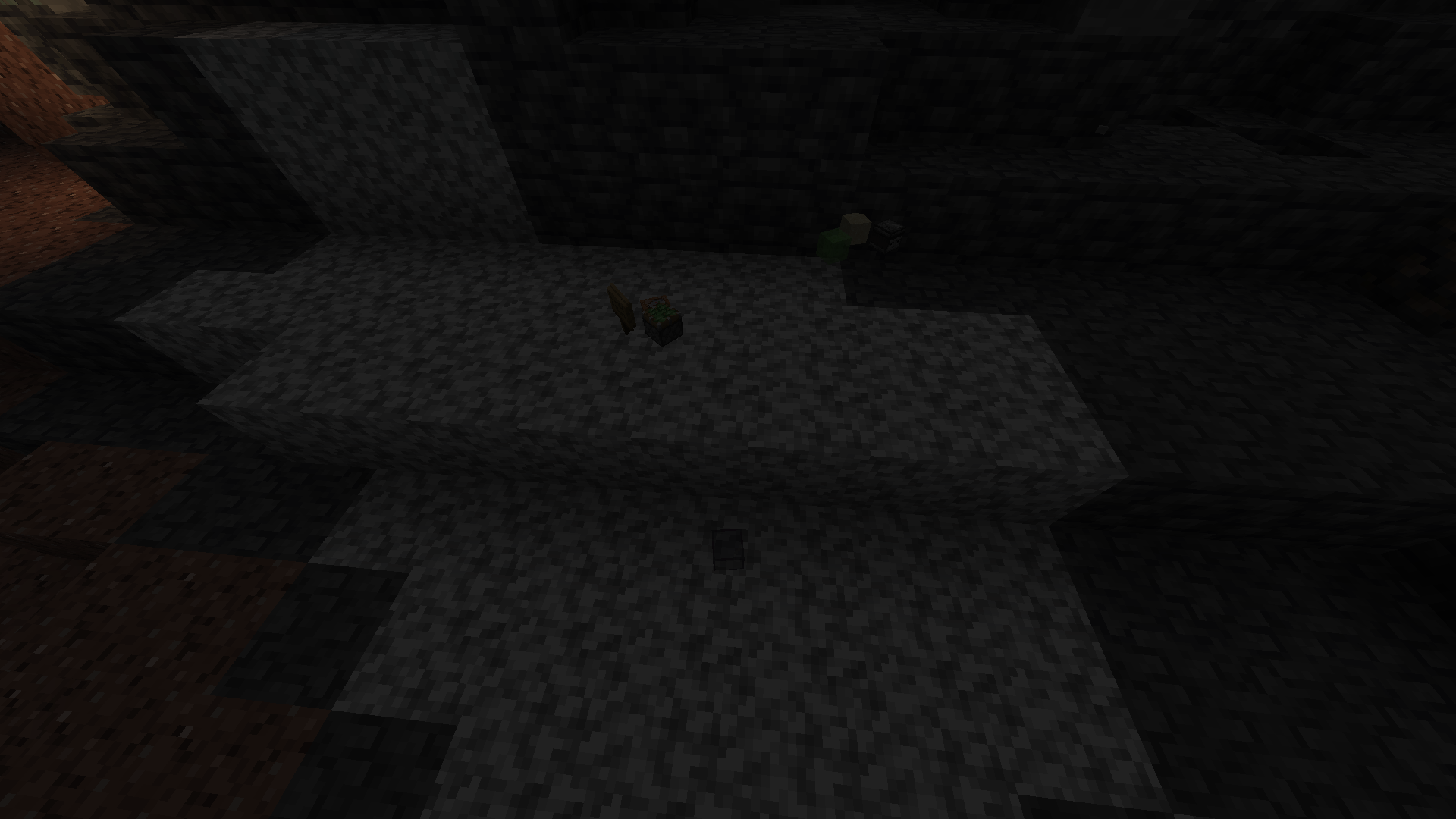
In some rare cases, pistons can freeze a chunk.
To do this, you need to make a machine that uses pistons in the center of the world, then generate chunks at the world's border (lots of chunks) and teleport back to the machine.Also, sometimes, for some unknown reason, blocks are strangely duplicated.
world file: https://drive.google.com/file/d/1-XuSUc_lFMx7P2S_RIlmz_cbAzG81KdK/view?usp=sharing
The emissive texture doesn't emit much light in the enderman's handEmissive textures don't emit much light in the enderman's hand
Unzip and apply this resource pack:
glowing-torchflowers.zip
and execute this command:https://www.planetminecraft.com/texture-pack/glowing-torchflowers/Unzip and apply this resource pack:
{Name:"minecraft:torchflower"}
https://www.planetminecraft.com/texture-pack/glowing-torchflowers/
and execute this command:
/summon enderman ~ ~ ~ {carriedBlockState:}
Unzip and apply this resource pack:
{Name:"minecraft:torchflower"}
https://www.planetminecraft.com/texture-pack/glowing-torchflowers/
and execute this command:
/summon enderman ~ ~ ~ {carriedBlockState:}
Unzip and apply this resource pack:
https://www.planetminecraft.com/texture-pack/glowing-torchflowers/
and execute this command:
{{ /summon enderman ~ ~ ~ {carriedBlockState:{Name:"minecraft:torchflower"}} }}
Unzip and apply this resource pack:
https://www.planetminecraft.com/texture-pack/glowing-torchflowers/
and execute this command:
{{ /summon enderman ~ ~ ~ {carriedBlockState:{Name:"minecraft:torchflower"}} }}Unzip and apply this resource pack:
glowing-torchflowers.zip
and execute this command:
{{ /summon enderman ~ ~ ~ {carriedBlockState:{Name:"minecraft:torchflower"}} }}
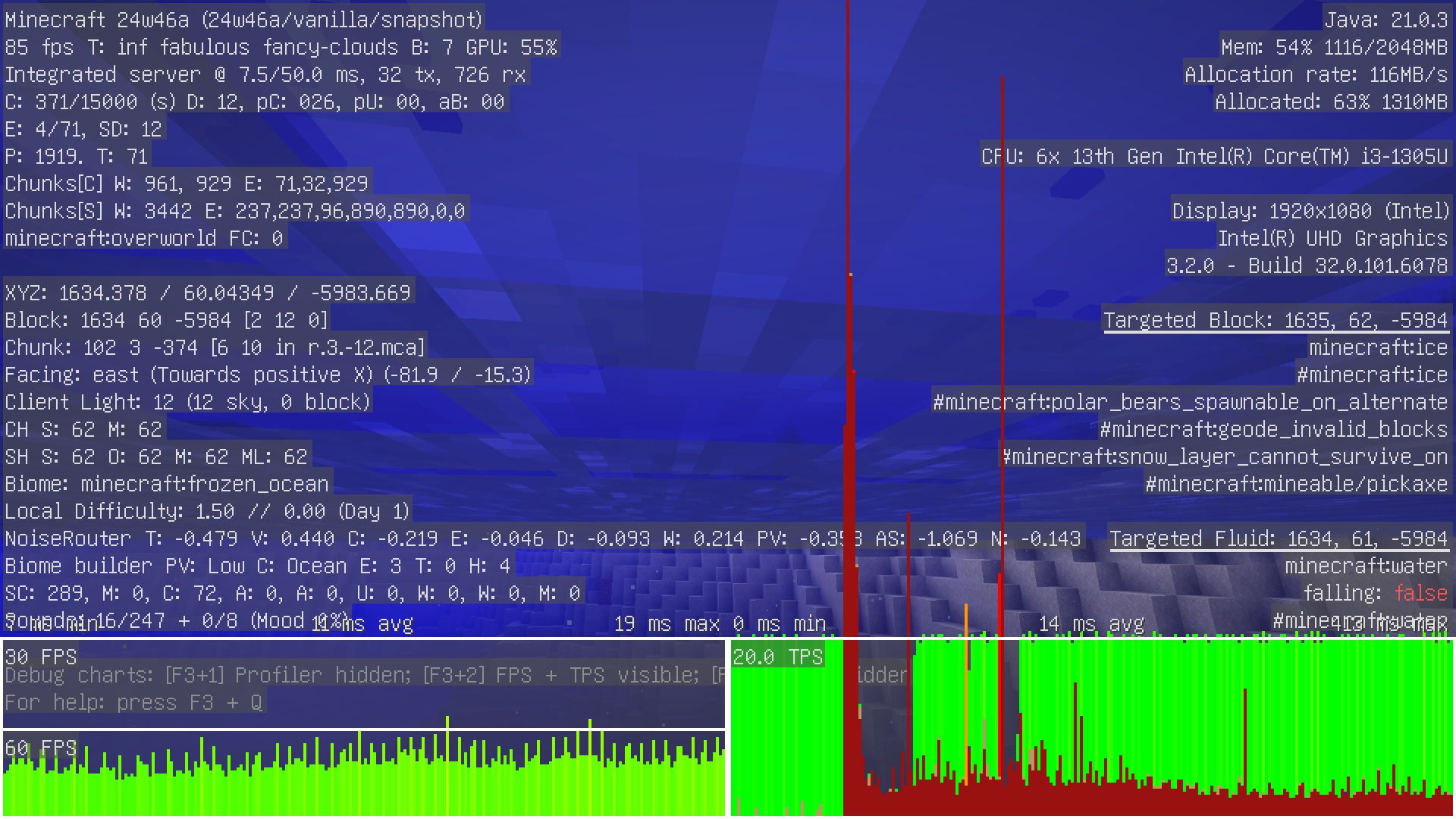

Someslimeblock faces are no longer rendered in waterSome translucent block faces are no longer rendered in water

@Lolo, could you please search for other existing reports and in case you do not find any, create a new report, including seed and coordinates (or the world attached as ZIP file). Please refer in the new report to this one so we can link them.
It is not logical because it starts anyway with OpenJDK 17, but not the 18, except it seems to me that the versions of OpenJDK 17 and 18 are superior to OpenJDK 16 (Minecraft starts with OpenJDK 17)
the bug occurs in 21w38a?
I confirm, and the problem is probably not with people, but must be internal to mojang I think
21w44a,
please fix this bug, it is frustrating
Cannot be reproduced in Bedrock version
The bug occurs only in 1.18 for me
I can confirm, the bug occurs in lower versions, and in 1.18.1
A fix is possible with this resource pack: https://www.planetminecraft.com/texture-pack/no-z-fighting/
Affects 22w03a
Issue to update
Affects version 1.18.2 RC-1
Affects version 1.18.2
This bug affects version 22w12a
This bug affects version 22w13a
This bug affects version 22w15a
But it happens in Solo? ((It's just impossible that this is a duplicate of this report, because on this report, it talks about server, but I'm solo))
The world load remains at 100%, and the game sends spams in the logs (see logs).
This bug affects version 1.19 rc 1
This bug affects version 1.19.1 Pre-release 5
I don't know, but I managed to reproduce the bug by changing the username in the demo version
fixed
This bug report has nothing to do with bug
MC-260533, as this bug occurs with the "Fabulous!" mode.Is this bug intentional or not?
This happens with all launchers. (with Linux, the version check seems to be different)
This happens under Linux, no workaround is possible, changing the launcher does nothing.
https://forums.developer.nvidia.com/t/nvidia-535-43-03-driver-breaks-older-minecraft-versions/257382
https://github.com/NVIDIA/open-gpu-kernel-modules/issues/522
It's not a duplicate, since the other bug report is only for Windows....
and the Windows bug has been fixed with the latest NVIDIA drivers, unlike Linux.
(unless you don't care about Linux users, and only want Windows users to be able to play all versions of Minecraft /j)
Affects Minecraft 23w32a and 23w33a (even in Minecraft Singleplayer)
NeoForge BG: https://github.com/neoforged/NeoForge/pull/26
Seems to be invalid, I can no longer reproduce it.
yeap
The world border is not freezable with /tick for this reason.
I've already checked, Fabulous! mode doesn't change anything.
yes it happens in a new world
In Minecraft 23w51b, we can see that the value of "entity_interaction_range" is 3.0, unlike the value of "block_interaction_range", which is 4.5.
confirmed, affect 1.20.4
Still broken for me
It happens with all worlds only in my HDD, NTSF disk mounting settings are nosuid,nofail,x-gvfs-show,uid=1000,gid=1000
HDD: WDC WD20EZRX-00DC0B0
I can confirm
I can confirm, affects Minecraft 24w06a
yeap, it's fixed
I've just uploaded a video showing how to reproduce the bug. (https://bugs.mojang.com/secure/attachment/567331/How-to-reproduce-the-bug.mp4)
can confirm
duplicate of
MC-271398, I guessCan confirm, affects Minecraft 24w19a
I'd noticed the same thing in my Minecraft world with MC 24w19a...
Confirmed in 24w21a
Still affects spiders, with generic.scale = 0.50
https://www.mediafire.com/file/6tnstegszmyegrm/World_file-_dark_chunk.zip/file
I uploaded a file to test the bug on Mediafire
MC-230902
yeap
Please give the world
I can reproduce the crash
This bug is probably caused by “
MC-192839”, and similar to “MC-275230”This bug is probably caused by “
MC-191431”, and similar to “MC-275566”I can confirm this bug
This causes magma blocks to be non emissive as an item.
Isn't this a driver bug?
It's fixed in Minecraft 24w39a
24w38a
it affects the “Singleplayer” mode, and it affects Minecraft 1.21.3
It's a visual bug
related to MC-277847
related to MC-277915 and MC-277847
The rendertype_armor_cutout_no_cull, rendertype_breeze_wind, rendertype_energy_swirl, rendertype_entity_cutout_no_cull_z_offset, rendertype_entity_cutout_no_cull, rendertype_entity_cutout, rendertype_entity_no_outline, rendertype_entity_smooth_cutout, rendertype_entity_solid, rendertype_entity_translucent_emissive, rendertype_entity_translucent and rendertype_eyes shaders now use the entity.fsh and entity.vsh programs, fyi
MC-1843?