 Neonturtle_2
- Magmischief1234
- JIRAUSER564171
- America/Phoenix
- Yes
- No
 MC-203125
![[Mojang] Matthew Gatland](../../../data/avatars/users/43046.png)
 Low
Low![[Mod] Jiingy](../../../data/avatars/users/91802.png)










When you use the /give command to give yourself a custom enchanted sword, you can give yourself two of the same enchantment.
How to Reproduce:
- Create a new world or use an existing world with cheats on
- Type in /give @p netherite_sword{Enchantments:[ {id:sharpness,lvl:32000}
,{id:sharpness,lvl:32000}]}
You should have a sword that has two sharpnesses on it.
When you use the /give command to give yourself a custom enchanted sword, you can give yourself two of the same enchantment.
How to Reproduce:
- Create a new world or use an existing world with cheats on
- Type in /give @p netherite_sword{Enchantments:[ {id:sharpness,lvl:32000}
,{id:sharpness,lvl:32000}]}
You should have a sword that has two sharpnesses on it. It also works on other enchantments, like fire aspect and knockback. To reproduce it with different enchantments, replace the sharpness in the command with an enchantment of your choice.
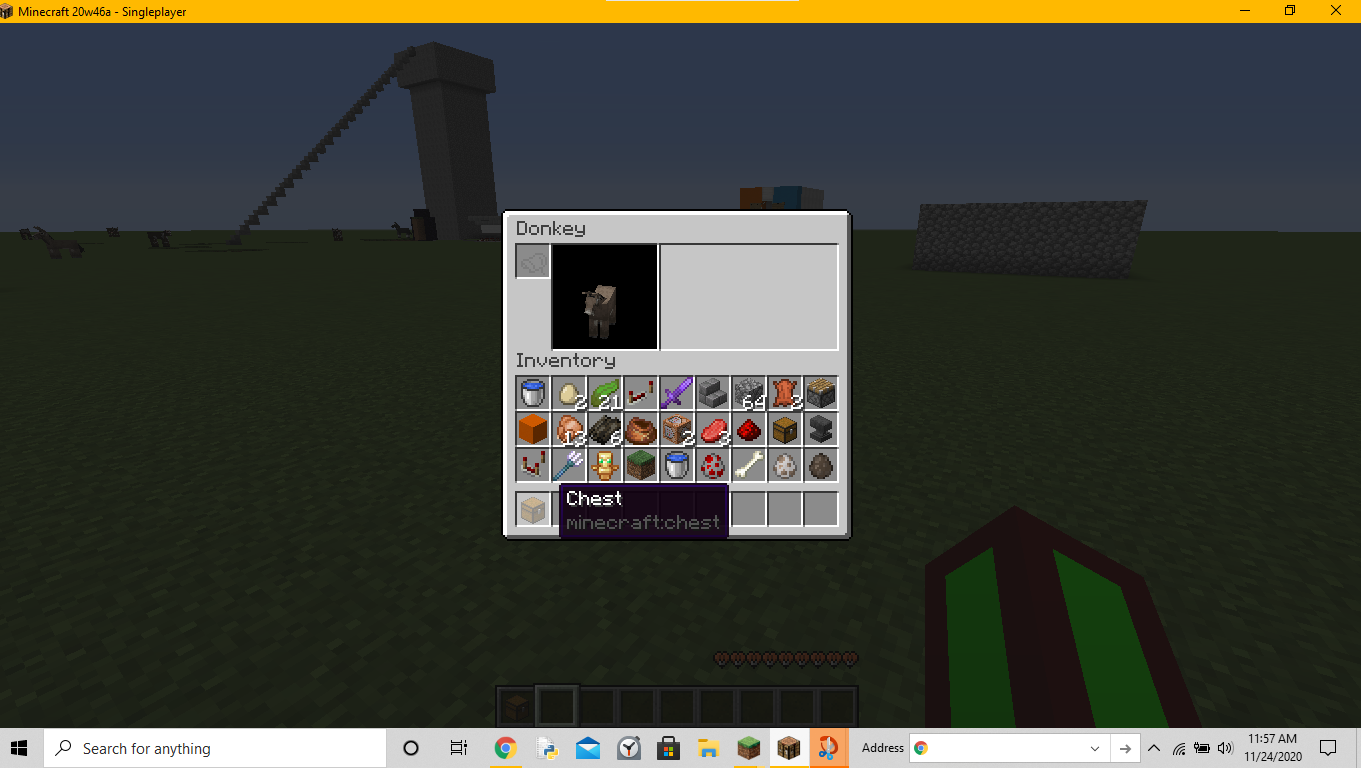
Game crashes when trying to shift-click aniteminto the inventory of a donkey whose chest has been removedGame crashes when trying to shift-click an a chest into the inventory of a donkey whose chest has been removed
Game crashes when trying to shift-clickana chest into the inventory of a donkey whose chesthas beenremovedGame crashes when trying to shift-click a chest into the inventory of a donkey whose chest is being removed
OS Build 19041.630
Windows Version 20H2
OS Build 1904
1.630
Windows Version 20H2OS Build 19042.630
Windows Version 20H2
The game crashes when you shift-click on a chest while you are looking at a donkey's inventory while a command block removes the chest from a donkey
To reproduce
- Summon and tame a donkey
- Put a chest onto the donkey
- Run
/data modify entity @e[type=minecraft:donkey,limit=1,sort=nearest] ChestedHorse set value 0bin order to remove the chest from the donkey
Fill your inventory completelyOpen the donkey's inventory- Shift-click on any item
→The game crashes
Stack trace
Description: Container click java.lang.IndexOutOfBoundsException: Index 44 out of bounds for length 38 at java.base/jdk.internal.util.Preconditions.outOfBounds(Preconditions.java:64) at java.base/jdk.internal.util.Preconditions.outOfBoundsCheckIndex(Preconditions.java:70) at java.base/jdk.internal.util.Preconditions.checkIndex(Preconditions.java:248) at java.base/java.util.Objects.checkIndex(Objects.java:373) at java.base/java.util.ArrayList.get(ArrayList.java:427) at gj.get(SourceFile:46) at bis.a(SourceFile:528) at bjp.b(SourceFile:108) at bis.b(SourceFile:267) at bis.a(SourceFile:172) at eaz.a(SourceFile:396) at dsz.a(SourceFile:562) at dsz.a(SourceFile:358) at dnj.b(SourceFile:92) at dsc.a(SourceFile:456) at dnj.a(SourceFile:92) at dnj.c(SourceFile:162) at aol.execute(SourceFile:94) at dnj.b(SourceFile:162) at org.lwjgl.glfw.GLFWMouseButtonCallbackI.callback(GLFWMouseButtonCallbackI.java:36) at org.lwjgl.system.JNI.invokeV(Native Method) at org.lwjgl.glfw.GLFW.glfwPollEvents(GLFW.java:3101) at com.mojang.blaze3d.systems.RenderSystem.flipFrame(SourceFile:115) at dig.e(SourceFile:308) at dni.e(SourceFile:1073) at dni.e(SourceFile:688) at net.minecraft.client.main.Main.main(SourceFile:215)The game crashes when you shift-click on a chest while you are looking at a donkey's inventory while a command block removes the chest from a donkey
To reproduce
- Summon and tame a donkey
- Put a chest onto the donkey
- Run
/data modify entity @e[type=minecraft:donkey,limit=1,sort=nearest] ChestedHorse set value 0bin a command block in order to remove the chest from the donkey
- Set the command block to Repeat, Unconditional, and Always Active
- Fill your inventory completely
- Open the donkey's inventory
- Shift-click on any item
→Stack trace
20w46a: crash-2020-11-25_14.32.08-client.txtDescription: Container click java.lang.IndexOutOfBoundsException: Index 44 out of bounds for length 38 at java.base/jdk.internal.util.Preconditions.outOfBounds(Preconditions.java:64) at java.base/jdk.internal.util.Preconditions.outOfBoundsCheckIndex(Preconditions.java:70) at java.base/jdk.internal.util.Preconditions.checkIndex(Preconditions.java:248) at java.base/java.util.Objects.checkIndex(Objects.java:373) at java.base/java.util.ArrayList.get(ArrayList.java:427) at gj.get(SourceFile:46) at bis.a(SourceFile:528) at bjp.b(SourceFile:108) at bis.b(SourceFile:267) at bis.a(SourceFile:172) at eaz.a(SourceFile:396) at dsz.a(SourceFile:562) at dsz.a(SourceFile:358) at dnj.b(SourceFile:92) at dsc.a(SourceFile:456) at dnj.a(SourceFile:92) at dnj.c(SourceFile:162) at aol.execute(SourceFile:94) at dnj.b(SourceFile:162) at org.lwjgl.glfw.GLFWMouseButtonCallbackI.callback(GLFWMouseButtonCallbackI.java:36) at org.lwjgl.system.JNI.invokeV(Native Method) at org.lwjgl.glfw.GLFW.glfwPollEvents(GLFW.java:3101) at com.mojang.blaze3d.systems.RenderSystem.flipFrame(SourceFile:115) at dig.e(SourceFile:308) at dni.e(SourceFile:1073) at dni.e(SourceFile:688) at net.minecraft.client.main.Main.main(SourceFile:215)

The game crashes when you shift-click on a chest while you are looking at a donkey's inventory while a command block removes the chest from a donkey
To reproduce
- Summon and tame a donkey
- Put a chest onto the donkey
- Run
/data modify entity @e[type=minecraft:donkey,limit=1,sort=nearest] ChestedHorse set value 0bin a command block in order to remove the chest from the donkey
- Set the command block to Repeat, Unconditional, and Always Active
- Fill your inventory completely
- Open the donkey's inventory
- Shift-click on any item
→Stack trace
20w46a: crash-2020-11-25_14.32.08-client.txtDescription: Container click java.lang.IndexOutOfBoundsException: Index 44 out of bounds for length 38 at java.base/jdk.internal.util.Preconditions.outOfBounds(Preconditions.java:64) at java.base/jdk.internal.util.Preconditions.outOfBoundsCheckIndex(Preconditions.java:70) at java.base/jdk.internal.util.Preconditions.checkIndex(Preconditions.java:248) at java.base/java.util.Objects.checkIndex(Objects.java:373) at java.base/java.util.ArrayList.get(ArrayList.java:427) at gj.get(SourceFile:46) at bis.a(SourceFile:528) at bjp.b(SourceFile:108) at bis.b(SourceFile:267) at bis.a(SourceFile:172) at eaz.a(SourceFile:396) at dsz.a(SourceFile:562) at dsz.a(SourceFile:358) at dnj.b(SourceFile:92) at dsc.a(SourceFile:456) at dnj.a(SourceFile:92) at dnj.c(SourceFile:162) at aol.execute(SourceFile:94) at dnj.b(SourceFile:162) at org.lwjgl.glfw.GLFWMouseButtonCallbackI.callback(GLFWMouseButtonCallbackI.java:36) at org.lwjgl.system.JNI.invokeV(Native Method) at org.lwjgl.glfw.GLFW.glfwPollEvents(GLFW.java:3101) at com.mojang.blaze3d.systems.RenderSystem.flipFrame(SourceFile:115) at dig.e(SourceFile:308) at dni.e(SourceFile:1073) at dni.e(SourceFile:688) at net.minecraft.client.main.Main.main(SourceFile:215)The game crashes when you shift-click on a chest while you are looking at a donkey's inventory while a command block removes the chest from a donkey
To reproduce
- Summon and tame a donkey
- Put a chest onto the donkey
- Run
/data modify entity @e[type=minecraft:donkey,limit=1,sort=nearest] ChestedHorse set value 0bin a command block in order to remove the chest from the donkey
4. Set the command block to Repeat, Unconditional, and Always Active
5.Fill your inventory completely
6.Open the donkey's inventory
- Shift-click on any item
→Stack trace
20w46a: crash-2020-11-25_14.32.08-client.txtDescription: Container click java.lang.IndexOutOfBoundsException: Index 44 out of bounds for length 38 at java.base/jdk.internal.util.Preconditions.outOfBounds(Preconditions.java:64) at java.base/jdk.internal.util.Preconditions.outOfBoundsCheckIndex(Preconditions.java:70) at java.base/jdk.internal.util.Preconditions.checkIndex(Preconditions.java:248) at java.base/java.util.Objects.checkIndex(Objects.java:373) at java.base/java.util.ArrayList.get(ArrayList.java:427) at gj.get(SourceFile:46) at bis.a(SourceFile:528) at bjp.b(SourceFile:108) at bis.b(SourceFile:267) at bis.a(SourceFile:172) at eaz.a(SourceFile:396) at dsz.a(SourceFile:562) at dsz.a(SourceFile:358) at dnj.b(SourceFile:92) at dsc.a(SourceFile:456) at dnj.a(SourceFile:92) at dnj.c(SourceFile:162) at aol.execute(SourceFile:94) at dnj.b(SourceFile:162) at org.lwjgl.glfw.GLFWMouseButtonCallbackI.callback(GLFWMouseButtonCallbackI.java:36) at org.lwjgl.system.JNI.invokeV(Native Method) at org.lwjgl.glfw.GLFW.glfwPollEvents(GLFW.java:3101) at com.mojang.blaze3d.systems.RenderSystem.flipFrame(SourceFile:115) at dig.e(SourceFile:308) at dni.e(SourceFile:1073) at dni.e(SourceFile:688) at net.minecraft.client.main.Main.main(SourceFile:215)
The game crashes when you shift-click on a chest while you are looking at a donkey's inventory while a command block removes the chest from a donkey
To reproduce
- Summon and tame a donkey
- Put a chest onto the donkey
- Run
/data modify entity @e[type=minecraft:donkey,limit=1,sort=nearest] ChestedHorse set value 0bin a command block in order to remove the chest from the donkey
4.
Set the command block to Repeat, Unconditional, and Always Active5.Fill your inventory completely
6.Open the donkey's inventory
- Shift-click on any item
→Stack trace
20w46a: crash-2020-11-25_14.32.08-client.txtDescription: Container click java.lang.IndexOutOfBoundsException: Index 44 out of bounds for length 38 at java.base/jdk.internal.util.Preconditions.outOfBounds(Preconditions.java:64) at java.base/jdk.internal.util.Preconditions.outOfBoundsCheckIndex(Preconditions.java:70) at java.base/jdk.internal.util.Preconditions.checkIndex(Preconditions.java:248) at java.base/java.util.Objects.checkIndex(Objects.java:373) at java.base/java.util.ArrayList.get(ArrayList.java:427) at gj.get(SourceFile:46) at bis.a(SourceFile:528) at bjp.b(SourceFile:108) at bis.b(SourceFile:267) at bis.a(SourceFile:172) at eaz.a(SourceFile:396) at dsz.a(SourceFile:562) at dsz.a(SourceFile:358) at dnj.b(SourceFile:92) at dsc.a(SourceFile:456) at dnj.a(SourceFile:92) at dnj.c(SourceFile:162) at aol.execute(SourceFile:94) at dnj.b(SourceFile:162) at org.lwjgl.glfw.GLFWMouseButtonCallbackI.callback(GLFWMouseButtonCallbackI.java:36) at org.lwjgl.system.JNI.invokeV(Native Method) at org.lwjgl.glfw.GLFW.glfwPollEvents(GLFW.java:3101) at com.mojang.blaze3d.systems.RenderSystem.flipFrame(SourceFile:115) at dig.e(SourceFile:308) at dni.e(SourceFile:1073) at dni.e(SourceFile:688) at net.minecraft.client.main.Main.main(SourceFile:215)The game crashes when you shift-click on a chest while you are looking at a donkey's inventory while a command block removes the chest from a donkey
To reproduce
- Summon and tame a donkey
- Put a chest onto the donkey
- Run
/data modify entity @e[type=minecraft:donkey,limit=1,sort=nearest] ChestedHorse set value 0bin a command block in order to remove the chest from the donkey
4. Set the command block to Repeat, Unconditional, and Always Active
5.Fill your inventory completely
6. Open the donkey's inventory
7.Shift-click on any item
→Stack trace
20w46a: crash-2020-11-25_14.32.08-client.txtDescription: Container click java.lang.IndexOutOfBoundsException: Index 44 out of bounds for length 38 at java.base/jdk.internal.util.Preconditions.outOfBounds(Preconditions.java:64) at java.base/jdk.internal.util.Preconditions.outOfBoundsCheckIndex(Preconditions.java:70) at java.base/jdk.internal.util.Preconditions.checkIndex(Preconditions.java:248) at java.base/java.util.Objects.checkIndex(Objects.java:373) at java.base/java.util.ArrayList.get(ArrayList.java:427) at gj.get(SourceFile:46) at bis.a(SourceFile:528) at bjp.b(SourceFile:108) at bis.b(SourceFile:267) at bis.a(SourceFile:172) at eaz.a(SourceFile:396) at dsz.a(SourceFile:562) at dsz.a(SourceFile:358) at dnj.b(SourceFile:92) at dsc.a(SourceFile:456) at dnj.a(SourceFile:92) at dnj.c(SourceFile:162) at aol.execute(SourceFile:94) at dnj.b(SourceFile:162) at org.lwjgl.glfw.GLFWMouseButtonCallbackI.callback(GLFWMouseButtonCallbackI.java:36) at org.lwjgl.system.JNI.invokeV(Native Method) at org.lwjgl.glfw.GLFW.glfwPollEvents(GLFW.java:3101) at com.mojang.blaze3d.systems.RenderSystem.flipFrame(SourceFile:115) at dig.e(SourceFile:308) at dni.e(SourceFile:1073) at dni.e(SourceFile:688) at net.minecraft.client.main.Main.main(SourceFile:215)
The game crashes when you shift-click on a chest while you are looking at a donkey's inventory while a command block removes the chest from a donkey.
To reproduce
- Summon and tame a donkey
- Put a chest onto the donkey
- Run
/data modify entity @e[type=minecraft:donkey,limit=1,sort=nearest] ChestedHorse set value 0bin a command block in order to remove the chest from the donkey
4. Set the command block to Repeat, Unconditional, and Always Active
5.Fill your inventory completely
6. Open the donkey's inventory
7.Shift-click on any item
→Stack trace
20w46a: crash-2020-11-25_14.32.08-client.txtDescription: Container click java.lang.IndexOutOfBoundsException: Index 44 out of bounds for length 38 at java.base/jdk.internal.util.Preconditions.outOfBounds(Preconditions.java:64) at java.base/jdk.internal.util.Preconditions.outOfBoundsCheckIndex(Preconditions.java:70) at java.base/jdk.internal.util.Preconditions.checkIndex(Preconditions.java:248) at java.base/java.util.Objects.checkIndex(Objects.java:373) at java.base/java.util.ArrayList.get(ArrayList.java:427) at gj.get(SourceFile:46) at bis.a(SourceFile:528) at bjp.b(SourceFile:108) at bis.b(SourceFile:267) at bis.a(SourceFile:172) at eaz.a(SourceFile:396) at dsz.a(SourceFile:562) at dsz.a(SourceFile:358) at dnj.b(SourceFile:92) at dsc.a(SourceFile:456) at dnj.a(SourceFile:92) at dnj.c(SourceFile:162) at aol.execute(SourceFile:94) at dnj.b(SourceFile:162) at org.lwjgl.glfw.GLFWMouseButtonCallbackI.callback(GLFWMouseButtonCallbackI.java:36) at org.lwjgl.system.JNI.invokeV(Native Method) at org.lwjgl.glfw.GLFW.glfwPollEvents(GLFW.java:3101) at com.mojang.blaze3d.systems.RenderSystem.flipFrame(SourceFile:115) at dig.e(SourceFile:308) at dni.e(SourceFile:1073) at dni.e(SourceFile:688) at net.minecraft.client.main.Main.main(SourceFile:215)
The game crashes when you shift-click on a chest while you are looking at a donkey's inventory while a command block removes the chest from a donkey.
To reproduce
- Summon and tame a donkey
- Put a chest onto the donkey
- Run
/data modify entity @e[type=minecraft:donkey,limit=1,sort=nearest] ChestedHorse set value 0bin a command block in order to remove the chest from the donkey
4. Set the command block to Repeat, Unconditional,
and Always Active5.Fill your inventory completely
6. Open the donkey's inventory
7.Shift-click on any item
→Stack trace
20w46a: crash-2020-11-25_14.32.08-client.txtDescription: Container click java.lang.IndexOutOfBoundsException: Index 44 out of bounds for length 38 at java.base/jdk.internal.util.Preconditions.outOfBounds(Preconditions.java:64) at java.base/jdk.internal.util.Preconditions.outOfBoundsCheckIndex(Preconditions.java:70) at java.base/jdk.internal.util.Preconditions.checkIndex(Preconditions.java:248) at java.base/java.util.Objects.checkIndex(Objects.java:373) at java.base/java.util.ArrayList.get(ArrayList.java:427) at gj.get(SourceFile:46) at bis.a(SourceFile:528) at bjp.b(SourceFile:108) at bis.b(SourceFile:267) at bis.a(SourceFile:172) at eaz.a(SourceFile:396) at dsz.a(SourceFile:562) at dsz.a(SourceFile:358) at dnj.b(SourceFile:92) at dsc.a(SourceFile:456) at dnj.a(SourceFile:92) at dnj.c(SourceFile:162) at aol.execute(SourceFile:94) at dnj.b(SourceFile:162) at org.lwjgl.glfw.GLFWMouseButtonCallbackI.callback(GLFWMouseButtonCallbackI.java:36) at org.lwjgl.system.JNI.invokeV(Native Method) at org.lwjgl.glfw.GLFW.glfwPollEvents(GLFW.java:3101) at com.mojang.blaze3d.systems.RenderSystem.flipFrame(SourceFile:115) at dig.e(SourceFile:308) at dni.e(SourceFile:1073) at dni.e(SourceFile:688) at net.minecraft.client.main.Main.main(SourceFile:215)The game crashes when you shift-click on a chest while you are looking at a donkey's inventory and while a command block removes the chest from a donkey.
To reproduce
- Summon and tame a donkey
- Put a chest onto the donkey
- Run
/data modify entity @e[type=minecraft:donkey,limit=1,sort=nearest] ChestedHorse set value 0bin a command block in order to remove the chest from the donkey
4. Set the command block to Repeat, Unconditional, and Always Active
5. Fill your inventory completely
6. Open the donkey's inventory
7. Shift-click on any item
→Stack trace
20w46a: crash-2020-11-25_14.32.08-client.txtDescription: Container click java.lang.IndexOutOfBoundsException: Index 44 out of bounds for length 38 at java.base/jdk.internal.util.Preconditions.outOfBounds(Preconditions.java:64) at java.base/jdk.internal.util.Preconditions.outOfBoundsCheckIndex(Preconditions.java:70) at java.base/jdk.internal.util.Preconditions.checkIndex(Preconditions.java:248) at java.base/java.util.Objects.checkIndex(Objects.java:373) at java.base/java.util.ArrayList.get(ArrayList.java:427) at gj.get(SourceFile:46) at bis.a(SourceFile:528) at bjp.b(SourceFile:108) at bis.b(SourceFile:267) at bis.a(SourceFile:172) at eaz.a(SourceFile:396) at dsz.a(SourceFile:562) at dsz.a(SourceFile:358) at dnj.b(SourceFile:92) at dsc.a(SourceFile:456) at dnj.a(SourceFile:92) at dnj.c(SourceFile:162) at aol.execute(SourceFile:94) at dnj.b(SourceFile:162) at org.lwjgl.glfw.GLFWMouseButtonCallbackI.callback(GLFWMouseButtonCallbackI.java:36) at org.lwjgl.system.JNI.invokeV(Native Method) at org.lwjgl.glfw.GLFW.glfwPollEvents(GLFW.java:3101) at com.mojang.blaze3d.systems.RenderSystem.flipFrame(SourceFile:115) at dig.e(SourceFile:308) at dni.e(SourceFile:1073) at dni.e(SourceFile:688) at net.minecraft.client.main.Main.main(SourceFile:215)
The game crashes when you shift-click on a chest while you are looking at a donkey's inventory and while a command block removes the chest from a donkey.
To reproduce
- Summon and tame a donkey
- Put a chest onto the donkey
- Run
/data modify entity @e[type=minecraft:donkey,limit=1,sort=nearest] ChestedHorse set value 0bin a command block in order to remove the chest from the donkey.
4. Set the command block to Repeat, Unconditional, and Always Active
5. Fill your inventory completely
6. Open the donkey's inventory
7. Shift-click on any item
→Stack trace
20w46a: crash-2020-11-25_14.32.08-client.txtDescription: Container click java.lang.IndexOutOfBoundsException: Index 44 out of bounds for length 38 at java.base/jdk.internal.util.Preconditions.outOfBounds(Preconditions.java:64) at java.base/jdk.internal.util.Preconditions.outOfBoundsCheckIndex(Preconditions.java:70) at java.base/jdk.internal.util.Preconditions.checkIndex(Preconditions.java:248) at java.base/java.util.Objects.checkIndex(Objects.java:373) at java.base/java.util.ArrayList.get(ArrayList.java:427) at gj.get(SourceFile:46) at bis.a(SourceFile:528) at bjp.b(SourceFile:108) at bis.b(SourceFile:267) at bis.a(SourceFile:172) at eaz.a(SourceFile:396) at dsz.a(SourceFile:562) at dsz.a(SourceFile:358) at dnj.b(SourceFile:92) at dsc.a(SourceFile:456) at dnj.a(SourceFile:92) at dnj.c(SourceFile:162) at aol.execute(SourceFile:94) at dnj.b(SourceFile:162) at org.lwjgl.glfw.GLFWMouseButtonCallbackI.callback(GLFWMouseButtonCallbackI.java:36) at org.lwjgl.system.JNI.invokeV(Native Method) at org.lwjgl.glfw.GLFW.glfwPollEvents(GLFW.java:3101) at com.mojang.blaze3d.systems.RenderSystem.flipFrame(SourceFile:115) at dig.e(SourceFile:308) at dni.e(SourceFile:1073) at dni.e(SourceFile:688) at net.minecraft.client.main.Main.main(SourceFile:215)
OS Build 19042.630
Windows Version 20H2
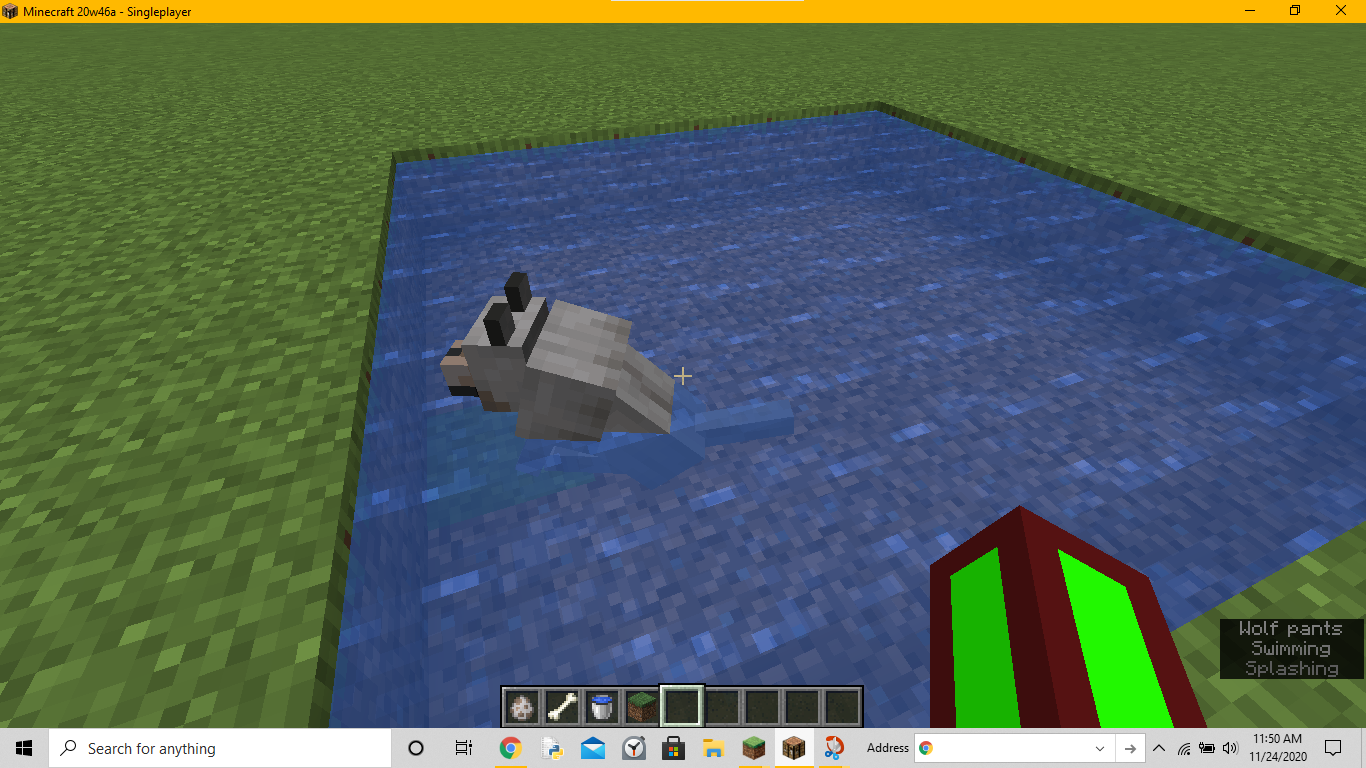
Dogs can swim if they are sitting and
arepushed into some water.How to Reproduce:
- Get a wolf and tame it or use an existing dog
- Make it sit by right-clicking on it
- Find some water nearby and push the dog in the water or create a small body of water
- The dog should now stand.
- Save the game and go back into the world
- The wolf should be sitting, and it can still move.
Dogs can "swim" if they are sitting and pushed into some water. Once you save and reopen the game, they can swim while sitting.
To Reproduce:
- Get a wolf and tame it or use an existing dog
- Make it sit by right-clicking on it
- Find some water nearby and push the dog in the water or create a small body of water
- The dog should now stand.
- Save the game and go back into the world.
- The wolf should be sitting, and it can still move.
test.txt
Glad to hear it was fixed for you!
You can actually put CanPickUpLoot on other mobs for some reason as well.
To accomplish it, you have to sneak on the very edge of a block.
Note that sneaking on magma blocks stops you from taking damage.
Maybe you could try limiting the distance that you sneak to where you still get the effect but you don't limit it so much that you can't see what's under you

@Neonturtle_2, if you are still experiencing this issue in the latest versions (1.16.4 / 20w48a), please search and create a new report and refer to this one. And make sure you are not experiencing MC-150810.
Confirmed in 1.16.3 and 1.16.4 Release Candidate 1
In the 1.16.4 Release Candidate, if you click fast enough, you can create multiple ghost blocks.
Confirmed in Snapshot 20w45a.
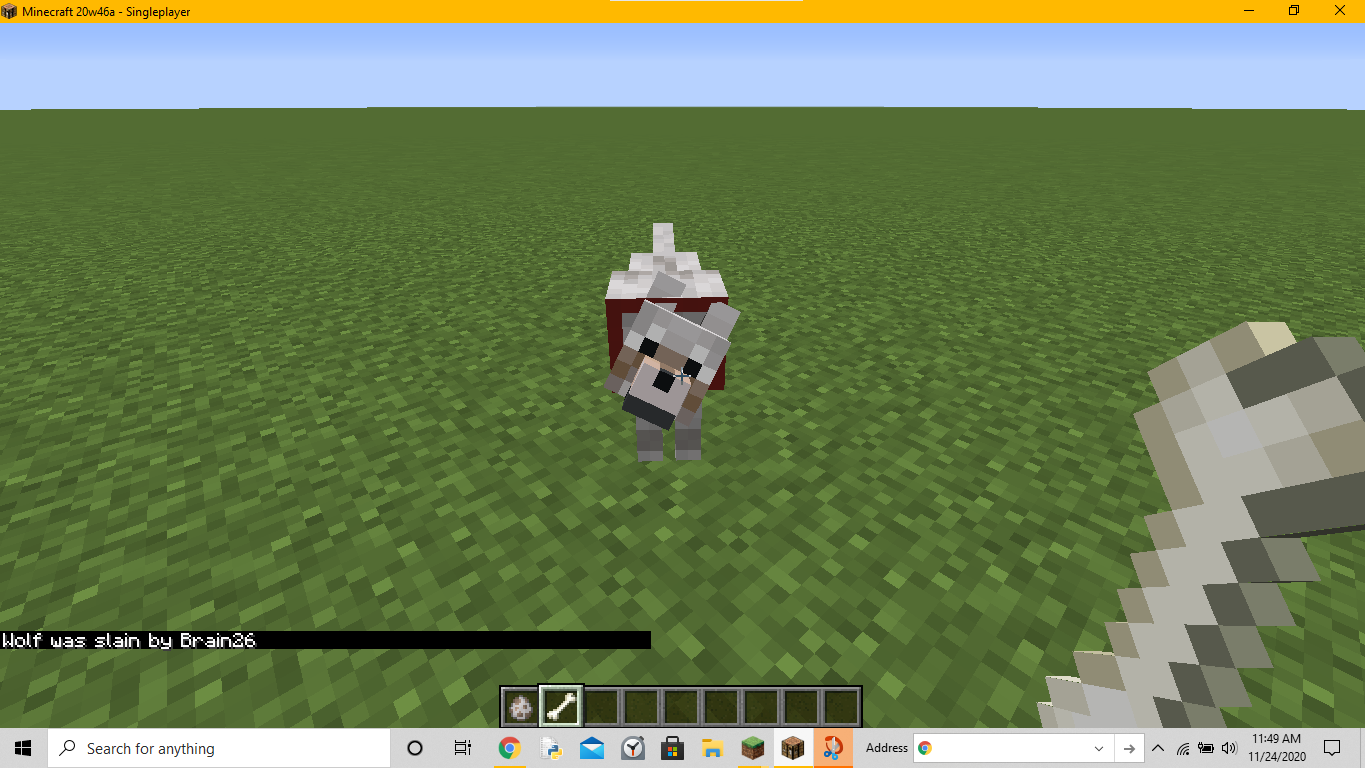
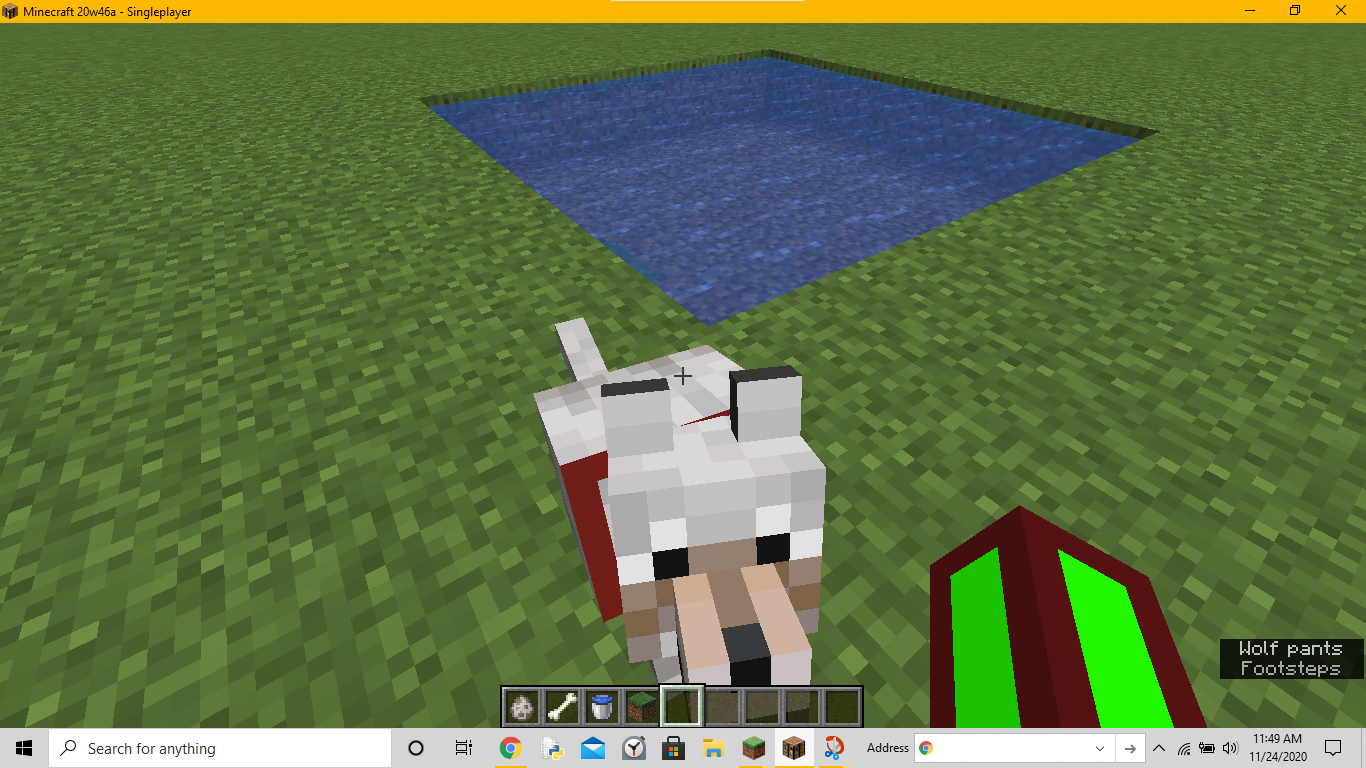
Confirmed in 20w46a
This has happened for a while now
All zombies and zombie villagers have an NBT tag called CanPickUpLoot. If it is 1, the zombie can pick up dropped items and armor. If it is 0, it can't pick up anything. If you really want to put armor on a zombie try using a dispenser to dispense armor on it.
Sometimes that happens to me in my hardcore world but I just wait until it eventually loads
The chat does become black in the overworld when you're in the void as well.
Where is this file located?
Maybe its because the piston is retracting the slime block, which is trying to pull the blocks next to it. If the slime block cannot move the blocks surrounding it, it will not retract with the piston.
Yes, this bug has been fixed in 20w48a.
Yes, if a tool/weapon/armor has mending and it is being repaired by xp, it will not count toward your xp bar.
Is the barrier not allowing anything to pass?
Try setting the volume in the /playsound command. If you set it really high, you can hear it from very far away.
Either what happened was that the torch really went through, or that when the slime blocks were being pulled, there was a "gap" which you put the torch through.
Same bug as MC-206637
Same bug as MC-206634
Maybe it's because your health is low, and because of the fireworks boosting you towards a wall, you take enough damage to kill you.
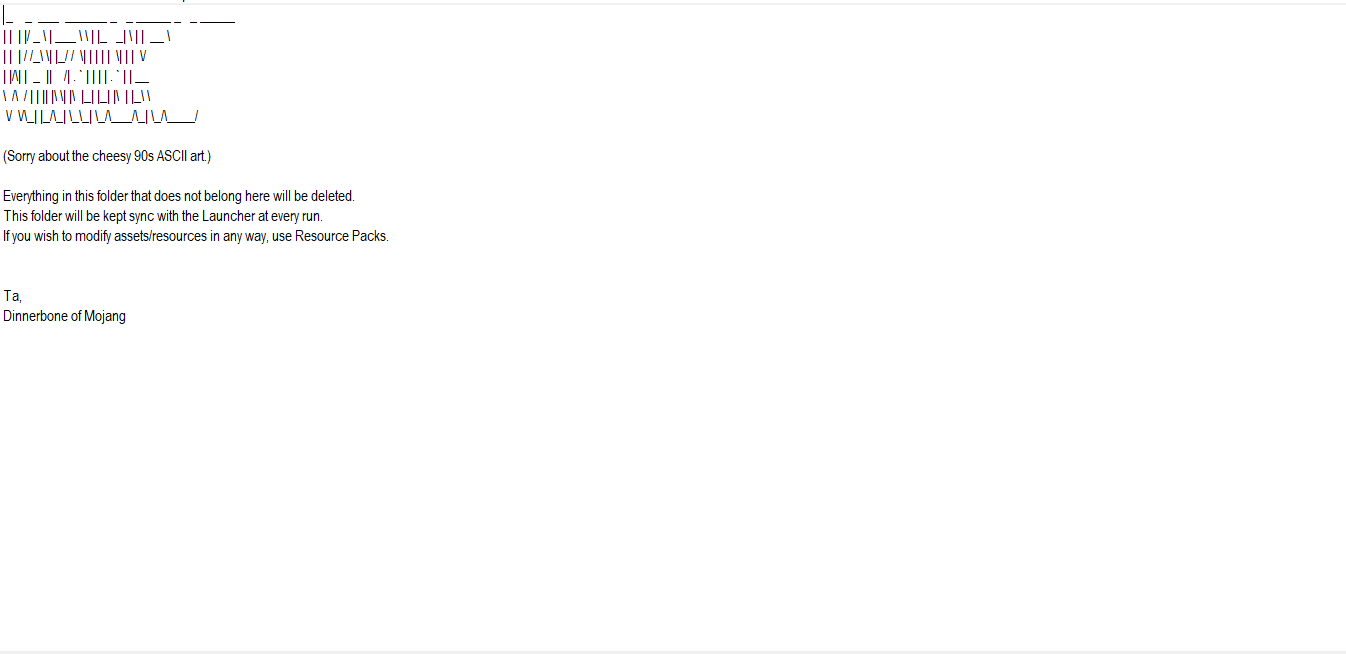
I can confirm, but for some reason, the WARNING written in ASCII is broken.
What he means is that if you hit the mob and Looting activates first, you get more items and Fire Aspect doesn't activate. But if Fire Aspect activates first, Looting won't activate and you won't get more items, only cooked ones.
If the heads are Steve, that means nobody has that Minecraft name.
It could be because the items are going too fast in because of the ice or the hopper cannot pick up the items because items are already going in it.
Hello!
There is not enough information in this report, can you please add more?
This is true, and they permanently stay black until you log off the game.
I think that has happened to me before. Have you tried setting a zombie with CanPickUpLoot set to1 via a command?
You get a zombie, name it anything, and type in this command.
I suggest either trying to make the hitbox the player's shape so its a bit more accurate or to limit the distance that you can sneak.
Try making the max speed of picking up water less.
I did notice that if you push a dog in water while it is sitting, it will swim back to its spot as if it wasn't sitting, and when it reaches land, it will sit normally.
I do notice that if you set it to 3 or less, your arm swings faster, so maybe the arm is having to swing so fast that the game can't keep up.
Is the bug that you are showing me also affecting enchanting, not just potion effects? Because the bug shows that its only for potion effects, and it didn't say anything about enchanting.
That happens to me, but the wolf permanently stays dark until I reload the game.
Can you startup the game before the crash?
What does the error say?
I have noticed this on Minecraft: Education Edition as well, but it just makes it faster to build when you fall so for the "Block Placing Without Crouching", it isn't a bug for me.