 Unknown
- MariusTanghal03
- mariustanghal03
- Europe/Stockholm
- Yes
- No
 MCPE-32433MCPE-32529MCPE-33781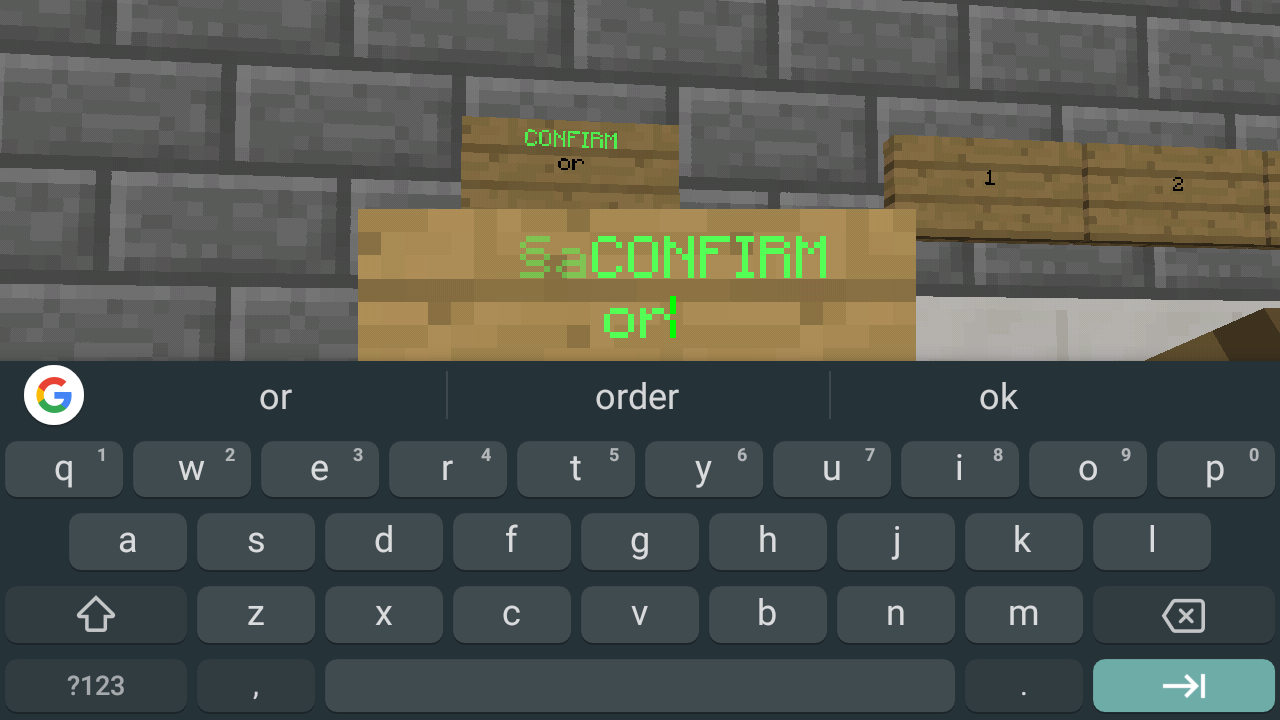










If we place a sign, sign UI will pop-up and allows you to type but the problem is while typing on UI a letters in ui how arrange is different from I've place sign. For example I type "§aMinecraft" then it will turn to light green colors because of §a and then tap the next then type another text again that text that I tap will turn into green too but if I exit the text is correct, text on below will not turn green. And aslo if I typed text in one line the UI sign will automatically bring text on below even I didn't tap next but if exit it the text should be in one line only. Please fix this it's too hard to type in sign if we can't see what we're typing if we based on ui we got incorrect. See the screenshot on UI ois different from place sign
If we place a sign, sign UI will pop-up and allows you to type but the problem is while typing on UI a letters in ui how arrange is different from I've place sign. For example I type "§aMinecraft" then it will turn to light green colors because of §a and then tap the next then type another text again that text that I tap will turn into green too but if I exit the text is correct, text on below will not turn green. And aslo if I typed text in one line the UI sign will automatically bring text on below even I didn't tap next but if exit it the text should be in one line only. Please fix this it's too hard to type in sign if we can't see what we're typing if we based on ui we got incorrect. See the screenshot on UI
ois different from place signIf we place a sign, sign UI will pop-up and allows you to type but the problem is while typing on UI a letters in ui how arrange is different from I've place sign. For example I type "§aMinecraft" then it will turn to light green colors because of §a and then tap the next then type another text again that text that I tap will turn into green too but if I exit the text is correct, text on below will not turn green. And aslo if I typed text in one line the UI sign will automatically bring text on below even I didn't tap next but if exit it the text should be in one line only. Please fix this it's too hard to type in sign if we can't see what we're typing if we based on ui we got incorrect. See the screenshot, on UI is different from place sign
If we place a sign, sign UI will pop-up and allows you to type but the problem is while typing on UI a letters in ui how
arrangeis different fromI'veplacesign. For example I type "§aMinecraft" then it will turn to light green colors because of §a and then tap the next then type another text again that text that I tap will turn into green too but if I exit the text is correct, text on below will not turn green. And aslo if I typed text in one line the UI sign will automatically bring text on below even I didn't tap next but if exit it the text should be in one line only. Please fix this it's too hard to type in sign if we can't see what we're typing if we based on ui we got incorrect. See the screenshot, on UI is different from place signIf we place a sign, sign UI will pop-up and allows you to type but the problem is while typing on UI a letters in ui how is shown is different from sign that you place. For example I type "§aMinecraft" then it will turn to light green colors because of §a and then tap the next then type another text again that text that I tap will turn into green too but if I exit the text is correct, text on below will not turn green. And aslo if I typed text in one line the UI sign will automatically bring text on below even I didn't tap next but if exit it the text should be in one line only. Please fix this it's too hard to type in sign if we can't see what we're typing if we based on ui we got incorrect. See the screenshot, on UI is different from place sign
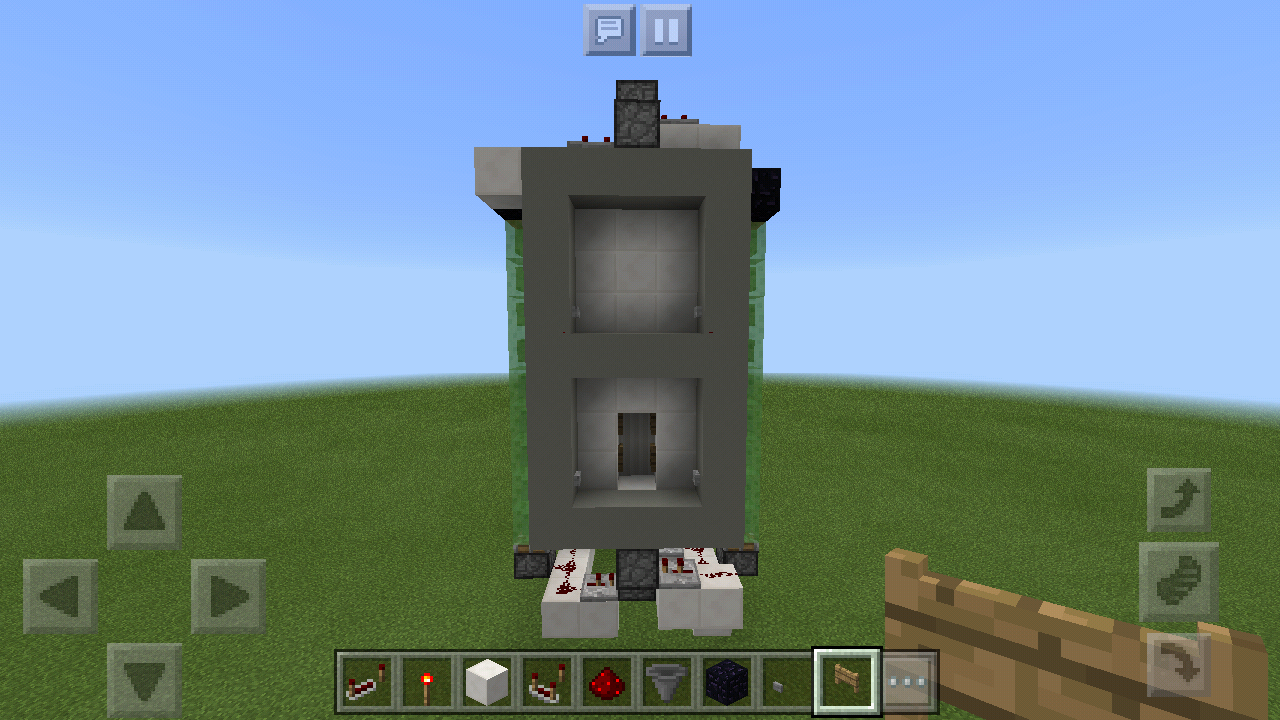
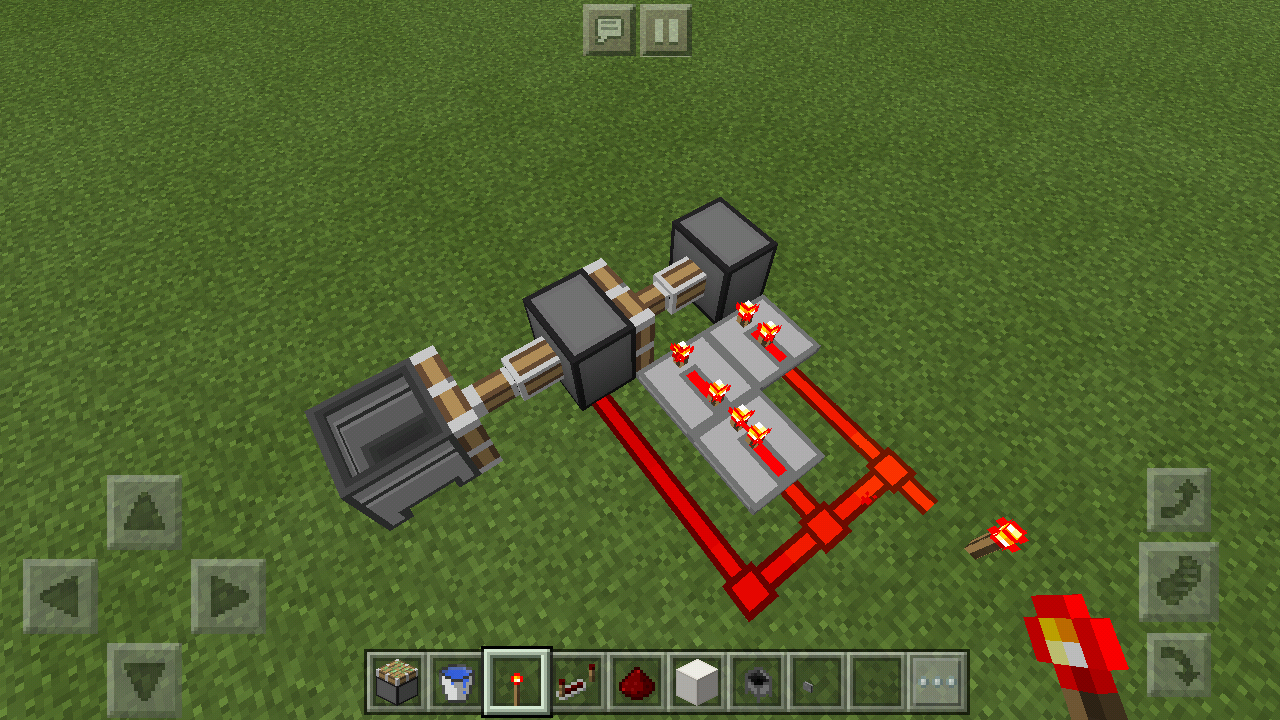
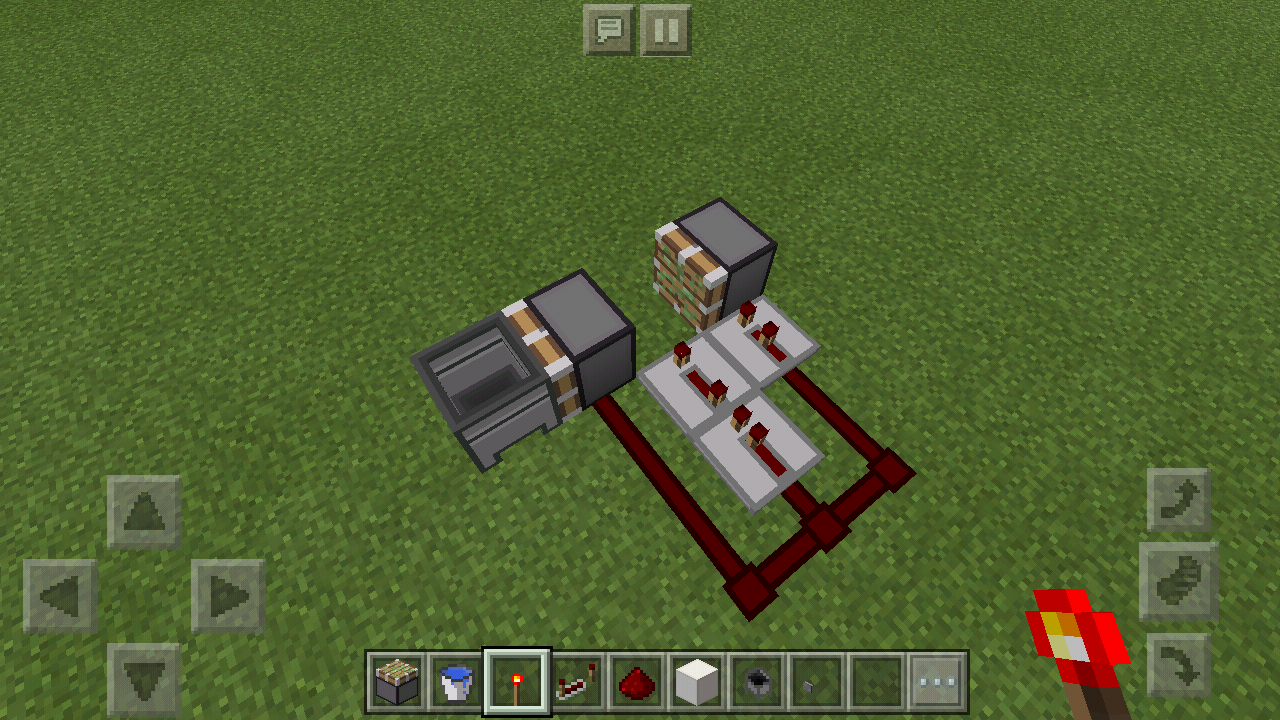
I build an elevator with a piston, that piston will keep pushing up a block for going up. On top of that block has 2 open gate fence which will work as your place for going up or down from elevator. If I'm going up the piston will push up, it's need to goes me up too because that block will carry me up but it will not carry me up I glitch at a block where I standing, So I need to jump & jump to goes up because it doesn't carry me up.
I can't upload a screen shot. This elevator is like Mr. Crayfish elevator if you want to know.
Cherry mobile flare S4 max.
Minecraft is playing well on my device. If I sign in on xbox and didn't play for an hour then play it again it will not start, it's hang you on loading screen. I need to clear the data of the app so I can play it again.Cherry mobile flare S4 max.
I edit this bug report because I discovered the real problem why it really hanging on start loading screen. The real problem is why it's hanging on start loading screen at second open of minecraft because of existing file in my devices. For example there is files for mcpe data in device before you install minecraft. If you open minecraft then switch storage into external then only your world will appear resources pack can't you view in the game and also the settings that are recorded on option.txt files like your gamertag then if you exit it then if you play it again it will hang on start loading screen because the files in games/com.mojang/MinecraftPE/option.txt (not only option.txt files also all included in this folder) are different data that are recorded from it than you save in last play. So to fix it delete all files in MinecraftPE folders then you can play it well. So the problem you need to fix is if there is existing files data for the game before your minecraft was installed on your phone then open the game and change storage into external, all settings recorded in the files were applied too not only showing your world but also all (include settings are applied in existing data for example gamertag that are recorded in files and activated resources pack in the game that was recorded in the files, skin packs, resources pack, behavior packs etc.) So the game will run at second play. If people doesn't have knowledge about that they will not know the problem and if this will fix no need to delete Minecraft PE files on it to start the game and also if this will fix we don't need to change our currently recorded settings on the game. Please fix this.
UpMcpe hang on start loading screen.
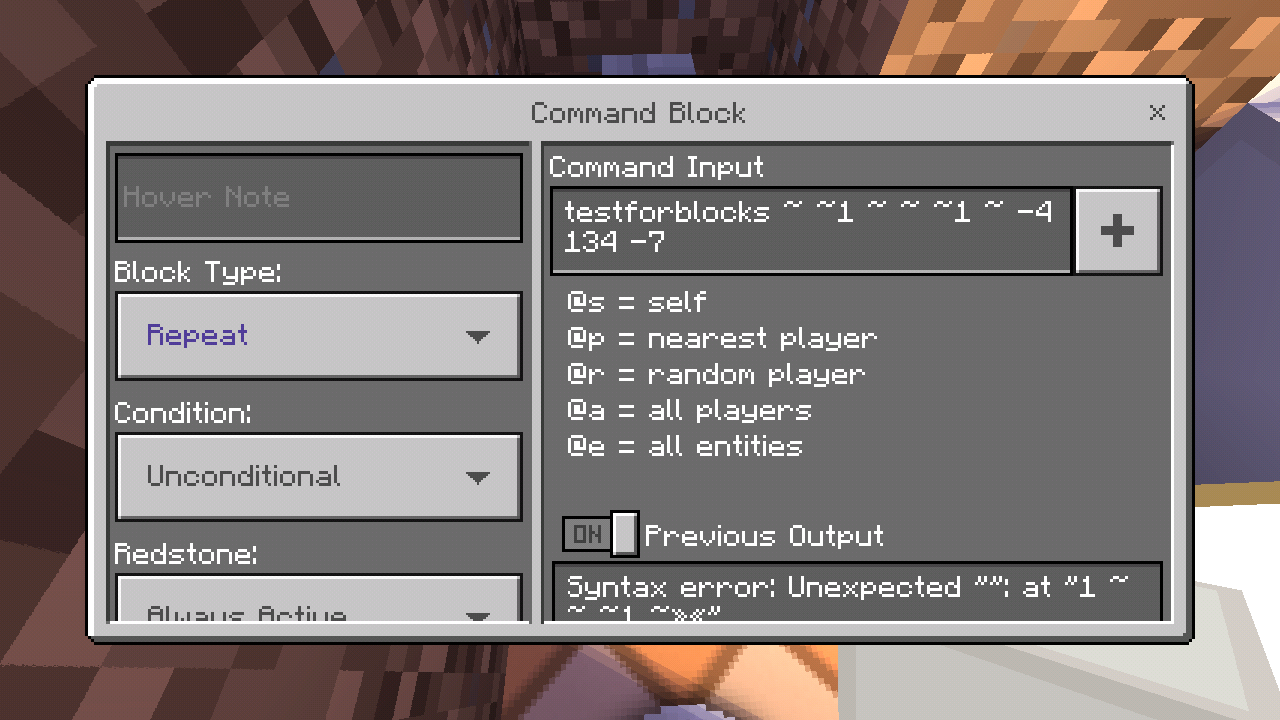
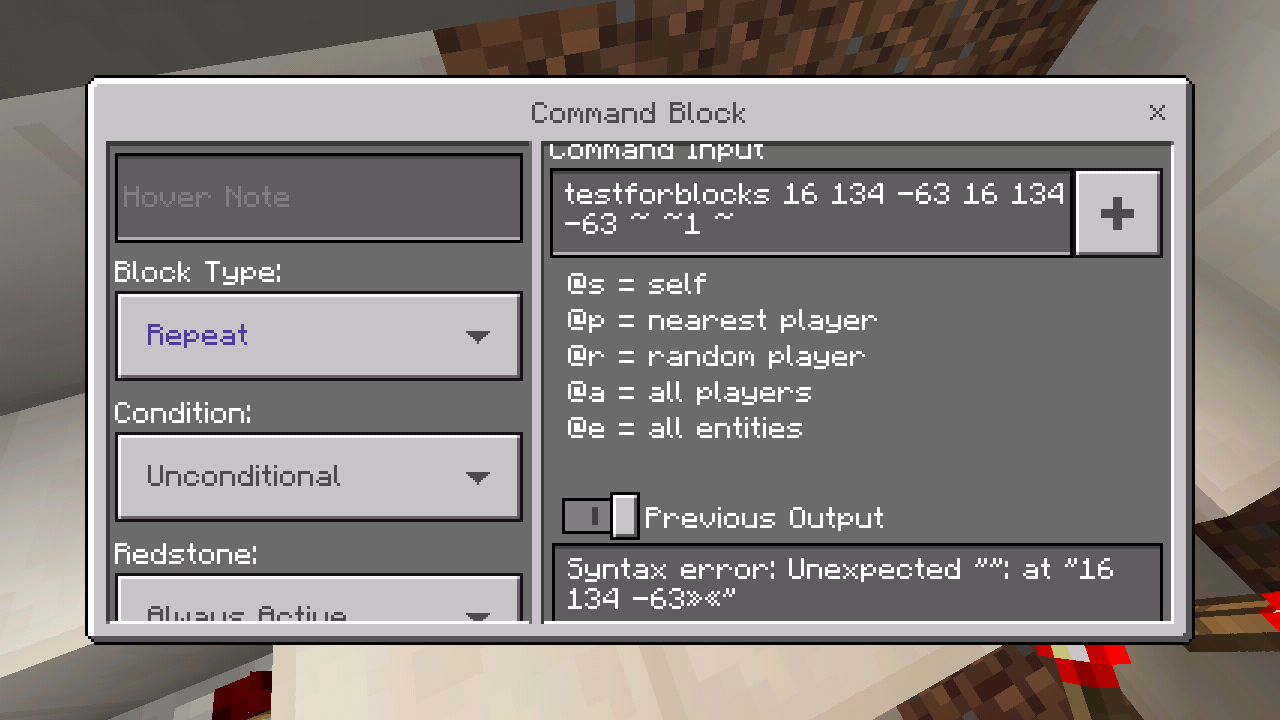
The command block doesn't work properly and doesn't execute command properly. I place a command block then input a command then activate ot using some redstone but it doesn't work it's not even have a text in previous output so even the command is wrong, you see it in previous outpu, but none so meaning the command really doesn't work and didn't execute a command. And also even the command is right the command block keep say syntax error. I'm that there's no wrong with it. Look at some screenshots with tesforblocks command nothing wrong with those but it's say syntax error. And the screenshot below that set to repeat and always active I already save the command and open it again but previous output is empty meaning the command doesn't execute.
The command block doesn't work properly and doesn't execute command properly. I place a command block then input a command then activate
ot using some redstone but it doesn't work it's not even have a text in previous output so even the command is wrong, you see it in previous outpu, but noneso meaning the command really doesn't work and didn't execute a command. And also even the command is right the command block keep say syntax error. I'mthat there's no wrong with it. Look at some screenshots with tesforblocks command nothing wrong with those but it's say syntax error. And the screenshot below that set to repeat and always active I already save the command and open it again but previous output is empty meaning the command doesn't execute.Cherry Mobile Flare S4 Max. The command block doesn't work properly and doesn't execute command properly. I place a command block then input a command then activate it using some redstone but it doesn't work it's not even have a text in previous output so even the command is wrong, you see it in previous output and saying syntax errorbut nothing, so meaning the command is really doesn't work and didn't execute a command. And also even the command is right the command block keep say syntax error look a screenshot with command. I'm sure that there's no wrong with it. Look at some screenshots with tesforblocks command nothing wrong with those but it's say syntax error. And the screenshot below that set to repeat and always active I already save the command and open it again but previous output is empty meaning the command doesn't execute. And information below is wrong, the information about what type of command block is that. Chain command also don't work properly.
Version will jump again to 1.5.0.0 and still isn't fixed, I have no hope that this will fixed and because when new updates arrived a lots of bugs will arrive too but no bugs will fixed
It crashes the game when I try to get the turtle eggs in my inventory played on creative mode. If I move a turtle egg to my inventory it will crash the game. Effects version 1.5.0.4 when I create this ticket its
isays that ther is no 1.5.0.4 so I make it 1.5.0.1It crashes the game when I try to get the turtle eggs in my inventory played on creative mode. If I move a turtle egg to my inventory it will crash the game. Effects version 1.5.0.4 when I create this ticket it's says that there is no 1.5.0.4 so I make it 1.5.0.1
Cherry Mobile Flare S4 Max
Mali 400mp
1 GB RAM
In all chemistry equipment if you open them it doesn't show your selected item's description within in it. (I'm on classic UI) Also affects 1.4.1.0 but no 1.4.1.0 in this site.
Please back the old classic ui style where a selected items will float and item description is on it's side not on bottom, because that's stylecaneasily spread out the item or split the item, and can easily drop and drag. No one was like new classic UI style so please back to old classic UI style.Cherry Mobile Flare S4 Max
Mali 400mp
1 GB RAM
In all chemistry equipment if you open them it doesn't show your selected item's description within in it. (I'm on classic UI) Also affects 1.4.1.0 but no 1.4.1.0 in this site. For example you open Lab table and you select some item that item doesn't shown it's description
When you see the world some blocks has an outline on each of block, some blocks have white outline on each block light gray concrete has blue otline etc.
What I expect:
When you load or create a world
with education edition enabled everything will looks normal just like in world without education edition enabled.
What actually happen:
Almost all blocks has a blinking outline on every blocks some of line is dotted line
.
Step to reproduce:
- Create or load a world
with education edition settings enabled.- Look at some blocks' edge (e.g block of quartz, concrete blocks)
When you see the world some blocks has an outline on each of block, some blocks have white outline on each block, light gray concrete has blue outline etc. More seeable when education edition is enabled and more blocks have it.
What I expect:
When you load or create a world everything will looks normal.
What actually happen:
Almost all blocks has a blinking outline on every blocks some of line is dotted line, some line has a color
Step to reproduce:
- Create or load any world.
- Look at some blocks' edge (e.g block of quartz, concrete blocks)
My Device:
Cherry Mobile Flare S4 Max
Mali 400 mp
1 GB RAM
Android 6.0
Has a blinking outline for each of block whenEducation edition enabledHas a blinking outline for each of block (more seeable when education edition enabled)
Silverfish do not attacked if player destroyed Infested stone. It also don't attacked whenever you summon it via command, it will just stay on ground then later walk around, it ignore players.
Steps to reproduce:
- Open survival world and destroy infested block
- Summon silver fish via spawn egg or command in survival mode
Expected result:
- Once infested block is destroyed it will immediately attack player and do not ignore player or standby for a long time
Actual result:
- Silver fish ignore players if infested block is destroyed or were summon via spawn egg and command even a player mode is survival
Silverfish do not attacked if player destroyed Infested stone. It also don't attacked whenever you summon it via command, it will just stay on ground then later walk around, it ignore players.
Steps to reproduce:
- Open survival world and destroy infested block
- Summon silver fish via spawn egg or command in survival mode
Expectedresult:
- Once infested block is destroyed it will immediately attack player and do not ignore player or standby for a long time
Actualresult:
- Silver fish ignore players if infested block is destroyed or were summon via spawn egg and command even a player mode is survival
Silverfish do not attacked if player destroyed Infested stone. It also don't attacked whenever you summon it via command, it will just stay on ground then later walk around, it ignore players.
Steps to reproduce:
- Open survival world and destroy infested block
- Summon silver fish via spawn egg or command in survival mode
Observe result:
- Once infested block is destroyed it will immediately attack player and do not ignore player or standby for a long time
Expected result:
- Silver fish ignore players if infested block is destroyed or were summon via spawn egg and command even a player mode is survival
set_block and set_block_at_pos cannot still support custom states, and in content log error a message will appear that custom block states is not supported.
Add a custom boolean property and configure the block to replace itself with any block (itself or others) that have this same property and set this property via the states node in the block_type definition of an event.
Expected Behavior:
The property is updated the same as any other blockstate property.Actual Behavior:
the following error is received on loading any world with this add-on installed:invalid state during block parsing. block name test:custom_block_1 state "test:testprop" state type 5
and attempting to interact with the block crashes Minecraft.
Steps to recreate:
- Install the attached add-on.
- Load a world with the behavior and resource packs applied and receive the above error.
- Give yourself the block using /give @s test:custom_block_1 and place it into the world.
- Right click interact with the custom block.
Minecraft crashes.
If custom item is subscribed to
{{onUse}}it automatically starts to cooldown with no overlay indicating the item is in cooldown, it's on cooldown in background without visually seeing it. But it will have an overlay if ItemCooldownComponent.startCooldown is called in this event. Because of this behavior we cannot conditionally make the item to start to cooldown, hence it automatically starts to cooldown without calling startCooldown.Additionally, this event cannot be trigger while item is on cooldown, preventing us to do something while it's on cooldown. It limits us to create a complex behavior.
Expectable Behavior:
- It won't automatically start to cooldown.
- The item will only start to cooldown when startCooldown is called.
- The onUse event can be triggered even the item is currently on cooldown. As long as the player use it, it will call this function.
The pack below is the sample to test the said behavior, it includes comments in the script. I programmed this to display the cooldown time remaining in player's hotbar of the player's item in mainhand to visually see item is actually on cooldown.
If custom item is subscribed to onUse it automatically starts to cooldown with no overlay indicating the item is in cooldown, it's on cooldown in background without visually seeing it. But it will have an overlay if ItemCooldownComponent.startCooldown is called in this event. Because of this behavior we cannot conditionally make the item to start to cooldown, hence it automatically starts to cooldown without calling startCooldown.
Additionally, this event cannot be trigger while item is on cooldown, preventing us to do something while it's on cooldown. It limits us to create a complex behavior.
Expectable Behavior:
- It won't automatically start to cooldown.
- The item will only start to cooldown when startCooldown is called.
- The onUse event can be triggered even the item is currently on cooldown. As long as the player use it, it will call this function.
The pack below is the sample to test the said behavior, it includes comments in the script. I programmed this to display the cooldown time remaining in player's hotbar of the player's item in mainhand to visually see item is actually on cooldown.
If custom item is
subscribed to onUse it automatically starts to cooldown with no overlay indicating the item is in cooldown, it's on cooldown in background without visually seeing it. But it will have an overlay if ItemCooldownComponent.startCooldown is called in this event. Because of this behavior we cannot conditionally make the item to start to cooldown, hence it automatically starts to cooldown without calling startCooldown.Additionally, this event cannot be trigger while item is on cooldown, preventing us to do something while it's on cooldown. It limits us to create a complex behavior.
Expectable Behavior:
- It won't automatically start to cooldown.
- The item will only start to cooldown when startCooldown is called.
- The onUse event can be triggered even the item is currently on cooldown. As long as the player use it, it will call this function.
The pack below is the sample to test the said behavior, it includes comments in the script. I programmed this to display the cooldown time remaining in player's hotbar of the player's item in mainhand to visually see item is actually on cooldown.
If custom item is registered to onUse it automatically starts to cooldown with no overlay indicating the item is in cooldown, it's on cooldown in background without visually seeing it. But it will have an overlay if ItemCooldownComponent.startCooldown is called in this event. Because of this behavior we cannot conditionally make the item to start to cooldown, hence it automatically starts to cooldown without calling startCooldown.
Additionally, this event cannot be trigger while item is on cooldown, preventing us to do something while it's on cooldown. It limits us to create a complex behavior.
Expectable Behavior:
- It won't automatically start to cooldown.
- The item will only start to cooldown when startCooldown is called.
- The onUse event can be triggered even the item is currently on cooldown. As long as the player use it, it will call this function.
The pack below is the sample to test the said behavior, it includes comments in the script. I programmed this to display the cooldown time remaining in player's hotbar of the player's item in mainhand to visually see item is actually on cooldown.
![[Mojang] Mega_Spud (Jay Wells)](../../../data/avatars/users/92696.png)
Unknown, I think that is likely to be a separate bug, can you please make a new ticket for it, and add a test world please?
@Unknown: The cause of this bug was found and fixed. Although it looks similar and might be related, the problem you're describing for 1.5.0.1 is a different bug which we're tracking as MCPE-33072. Please add your vote to that ticket.
… which has already been duplicated dozens of times. PLEASE SEARCH BEFORE CREATING A NEW REPORT, PEOPLE!
Unknown: I apologize for not realizing this issue is different from the other one. Partly it happened because your English is a bit hard to understand. I think part of what you're reporting is covered by the other report, but I see now that part of it is not.
The two screenshots that display a "syntax error" in the Previous Output can be explained. The testforblocks command expects your first and second positions to be opposite corners of a rectangular volume. However, you have specified the same coordinates for both, which means that there are no blocks in your volume. For this command, these coordinates must always be different by at least 1 in each of the X, Y, and Z values, else you're asking it to compare 0 blocks. It's not technically a "syntax" error (which is why the message says at "" instead of showing the incorrect text), but the game probably calls it a syntax error because that's the only kind of error it knows how to make a message for.
The third screenshot doesn't show anything in the Previous Output, but I noticed that it's a Repeat command block. That's what the other report (the one I think this is partly a duplicate of) is about. It's hard to understand, because your description goes back and forth between the different problems. Could you please try to describe the issue shown in the third screenshot in a new comment, and also say what the command you entered into it was?
Unknown: That was my mistake. I have reopened MCPE-32429 and responded there. Please resume working with us on that ticket.
I was obtain super fuel before. But my problem can't I obtain it immediately. But I obtain it lately
But why it's not been fixed yet?
It's not been fixed yet but you mark it as resolved
Still not fixed it on the latest version please fix this annoying bug
How do we know if some of you already seen our report?
In 1.2.20.1 is not yet good, cause it's only show item description if you tap on item even if you only scrolling down item you've tap is showing item description. Please make it as like as before that if you select an item the selected item will float and can able to drag anywhere and drop to anywhere, it's seem this function make it worse.
If you do /clear command with a certain value you want to clear, it's also clear item even though the certain value you chose is lower. Fo example you do /clear @p emerald 10 and you have more than 10 emerald it will only less 10 to your item but if you only have 2 and you want to clear is 10 ot should also work it will clear your 2 emerald. Not a bug
I actually research before I make this report but nothing I see so I report it, I think you need to improve tagging for researching. I really don't see a report about this problem.
On some devices 32×32 or higher resolution will make your world blur, that's why I make a 16×16 textures for Elements because Elements have a 32×32 resolution, it's still blur even it's applied. I only waste my time to make a texture for that. I create a new world without enabling education edition with applied texture of a texture pack that I was made, after create the world, it still blur everything are still blur then I unapplied the texture then load that world again then the world are not blur anymore. In short if education edition texture is applied it will make your world blur just like enabling it in settings because enabling education edition will applied the default texture of education edition.
Still affects 1.2.20.1
This is what I made on 1.2.20.1 clicked the button game will crashe but if theres no water on top it should not crash the game. It is auto refiller cauldron
When this bug will fixed?
The /testforblocks command almost always doesn't work properly a hopper with item inside I test that block to the another place, a hopper also with same item on it also same direction where hopper is connected but it's say "destination are not identical" something like that I don't what exactly it's says but it really doesn't work correctly. Then I try to clone that 1st hopper to second hopper and it work, but now it doesn't work again when I play that world again. Please fix these all bugs, even there's no new items or features in next update at least all bugs has been fixed. When 1.2.13 starts to come it's also start to ruin the game because of bug and annoying number versions
Item's description will cover items in hotbars that can't able to see items in hotbar make so ver very annoying please back the older class UI we don't like this worse feature back the class ui just like the UI before the 1.2.13 and also some UI ruin the game just like the create new world UI, oldest UI is better
This bug is live again in newest beta 1.5.0.1 I use only single piston and when activate it crushes the game.
Why did you make it resolved again?? This bug is on 1.5.0.1 again, try to place a single poston with any block on front of it then powered the piston the the game will crush but if piston has noting to push it will not crush the game but if have it will crush the game, please reopened it again this bug is still have on latest beta. Please fix it
Hey developer of mojang please reopened this report this bug is on 1.5.0.1 again, I can't use piston.
@simon that's why mojang tell us to buckup you world first before joining the beta.
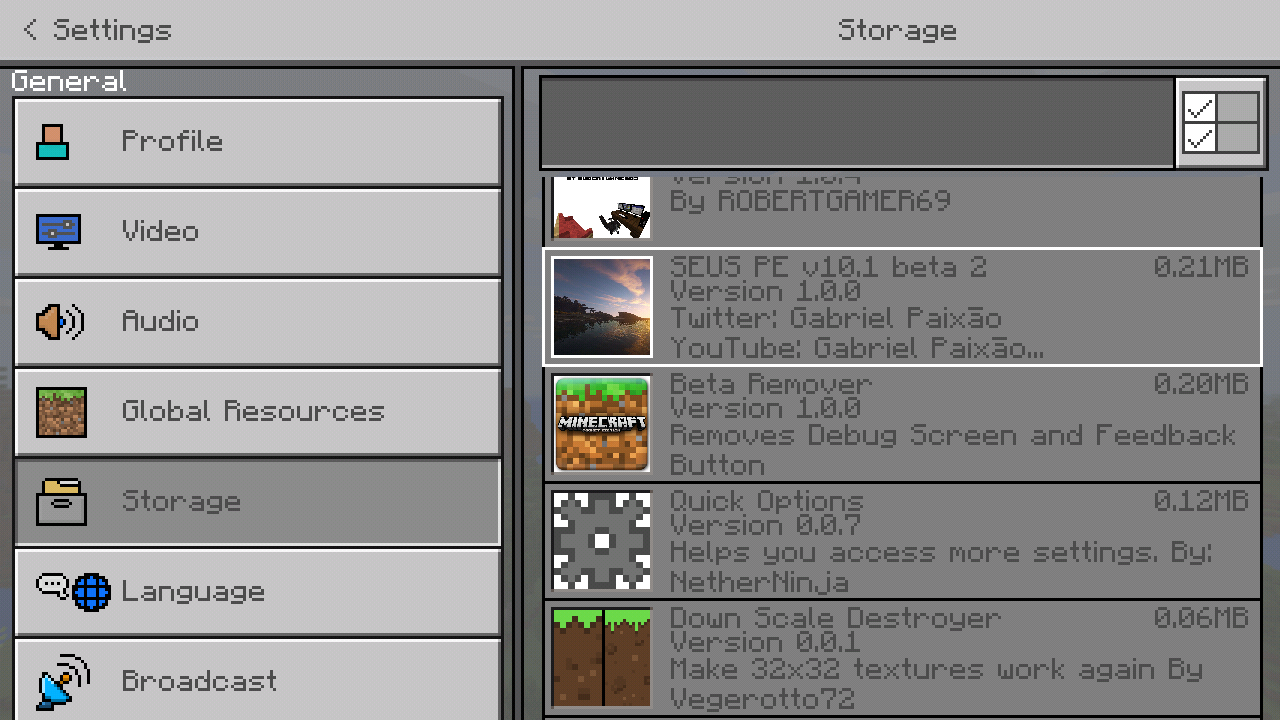
There is an add-on Creator that was fixed this issue, a 32×32 was not blurred anymore when you applied his texture pack. He only modify is terrain_texture.json files. Search it mcpedl the name is down scale destroyer
The bug isn't reproducible as I observation I think it's happen very rare. And it's produce in every map. Because other maps isn't like that. But on this map when there is active repeating command block the game isn't updating. If you want to try this out in my world I will upload it.
Davi Ridho. Yeah that's right why structure block doesn't work on mobile but the mod creator can make it fine. But they closed it as working intended so meaning they are working for it.
That's was happen again I actually search before creating new ticket. But I don't see anything so I create new one. I search the words "Turtle eggs" only.
Affects version 1.4.0.5, fixed at 1.5.0.1 and 1.5.0.4
I noticed that you also hear the walking sounds even you already go down and go up again. (Version 1.4.0.5)
My world in 1.2.13.60 doesn't happen like this but when update it to 1.4.0.5 it's happen like this. That is official version so I didn't buckup that world but it's destroy my world. I have so many blocks placed and command block is this also the reason why it happen?
32×32, 64×64 or higher texture pack can applied on my phone without blur if only some blocks has 32×32 resolution or higher. If all textures or almost all, textures are blur.
Also affects 1.4.1
There was an add-on creator that was fix this issue. Search on mcpedl.com "Down Scale Destroyer". And applied his pack to your world (not on Global Resources) and then it's done, your texture aren't blur anymore.
the problem is no items description on chemistry equipment
Why it's now fixed? The only version that fixed is 1.5.0.4 but the official one is not, so it should be still open just like the texture door bug issue still open because only beta version is fixed not the official one.
Automatically logged? What does it mean??
It crashes on me too. (Version 1.5.0.7)
Cherry Mobile Flare S4 Max
Mali 400 mp
1 GB RAM
Android 6.0
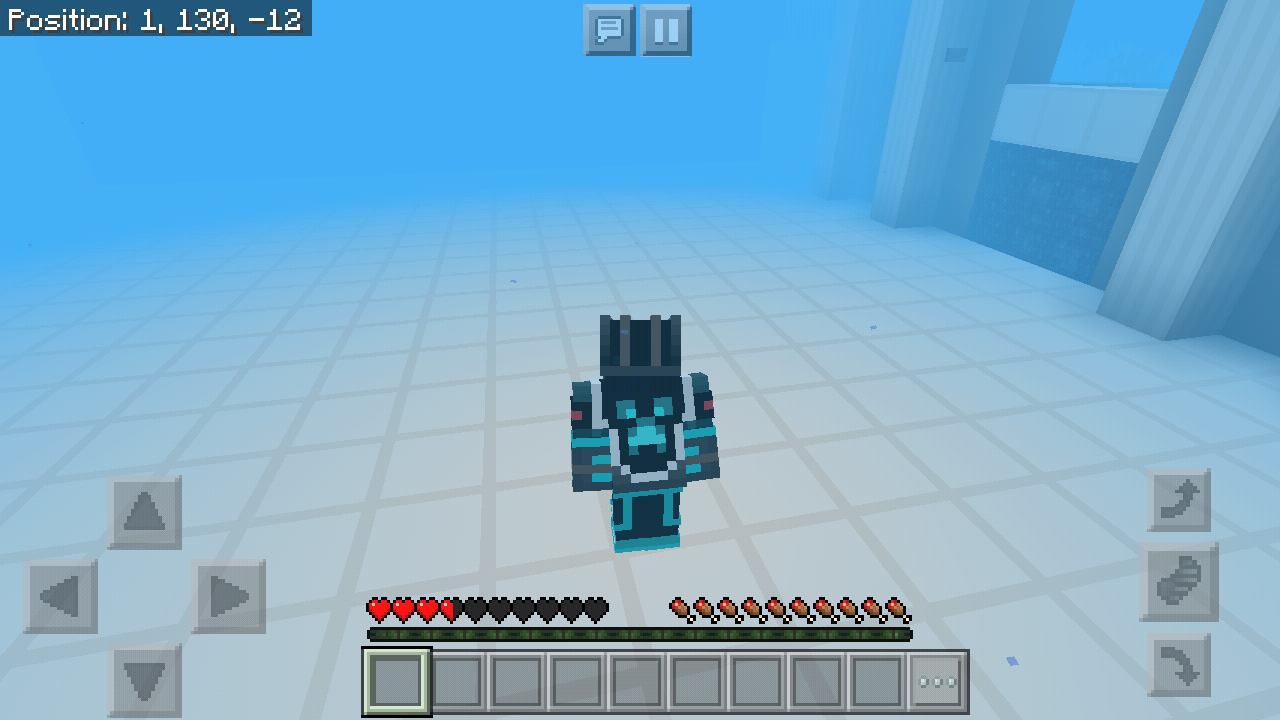
As I observation even your not flying when you save and quit and load the world I still hear the walking sounds when flying, and also when you go up sometimes you can heard it. Around 4 & below blocks high from the ground it can hear and also sometimes when you're flying with no blocks on ground but you're flying near the wall (e.g wall is made out of wood and no blocks on ground) you will hear the sounds of walking in wood.
I thought only on a world with education edition affect it but it's also on normal world but it's not more noticeable on normal world, and the line is thicker in education edition enabled. That's why I edit it
My issue is command is won't work, and it's not only affect repeating command block sometimes it doesn't execute the command in it. It doesn't matter if screen animation on or off. But you resolve my issue as duplicated in this issue. Why?
I think it's a new feature. When you are on water you can swim up and swim down without looking up to swim up or looking down to swim down. But the problem before is you can't go up when you reach surface but now it's fixed.
Make sure that the number of elements are correct. Example. Making a water you need to combine exactly two hydrogen and one oxygen only. In material reducer need to place one item only.
Wolf didn't affect
To fix this, bring back the old features on classic ui (1.2.10) that the selected item would float instead selected by a square and it's description is on it's side.
Both stable version and beta version is affected
The best update for this year is bring back the old features on classic like in 1.2.10 which make selected items will float and it's description is on its side. I'd rather you did that first than releasing Pillage and Village update
When this will be fixed????
Affects 1
1.16
It's been a year and this bug still can't able to fixed, one of the most annoying bug.
I think you should improve your search feature I try to search first and didn't find anything same issue, try to find different term but still nothing, try to reconstructing sentence still nothing. I think search feature could also search the description not only the title of ticket that way we could easily search
I actually search before making a bug ticket report I think you should improve the search engine. i search like "on_player_destroyed", "on player destroy", "on player destroy event" and all I see is result from java bug report.
This is not yet fixed, although written in latest changelog it was fixed, but actually it's not yet. Here's the log after I use set_block_at_pos event with custom states:
SetBlockAtPos cannot accept custom block states.
block:block_test has a custom block state property:sample which is not allowed.
Please reopen this issue!
I test also the fille attached in this ticket same error it says in content log. Hey Mojang, reopen it and do something.
Any update?
Really no more care for bugs huh? What now?
I can't play in latest stable version (1.16.210) in Android 11, samsung S20 FE. Game is completely unplayable. Reinstalling can solve the problem but at second launching the game cannot able to open. Loading will not stop.
So everytime you want to play Minecraft you need to reinstall again.
I have Genshin Impact and LifeAfter games in my phone and I can play them well without any problem and this is just minecraft so don't tell us it's because of my phone.
Please atleast once, try to listen in our feedback and try care to those bugs have been reported atleast. Atleast make this site have uses, or we're talking to ourselves again?
Hey still not working in 1.16.210 and in latest beta 1.16.230.50 why set as resolved? It's not yet resolved
Ok if bug is not known by many, no more care about it?
Still no response from dev? Developers nowadays are too lazy to fixed bugs, but rather always go for implementing new features in which they will gain more money and attention.
This why having no competition is worst. This site is useless if most bugs reported are completely ignored.
Yes, it's not yet fixed. Tested on latest stable version (1.17)
Yes, the latest version still affected. (1.17)
But this ticket is not made by me.
Yes it still the bugged in 1.17, refer to this ticket this was the original. Sorry for duplicating but our comments has been completely ignored
MCPE-104747This is still an issue, please read comments.
isOp() working fine in local world for me. But in realms, it's not.
Also affect ItemComponentUseEvent in script API
The report lacks information regarding this bug. This is for script API, technically the typeId of effect should not supposed to be translated, but the typeId of effect are being translated too when you change the language in the game. As a result, reading the typeId of an effect is language dependent, only displayName is supposed to be translated not the typeId.