 Matti Ruohonen
- masa
- masa
- Europe/Helsinki
- Yes
- No
![[Mojang] Jeb (Jens Bergensten)](../../../data/assets/gravatar/jeb.jpeg)
![[Mojang] Nathan Adams](../../../data/assets/gravatar/dinnerbone.png)
 MCL-1705
 MC-49688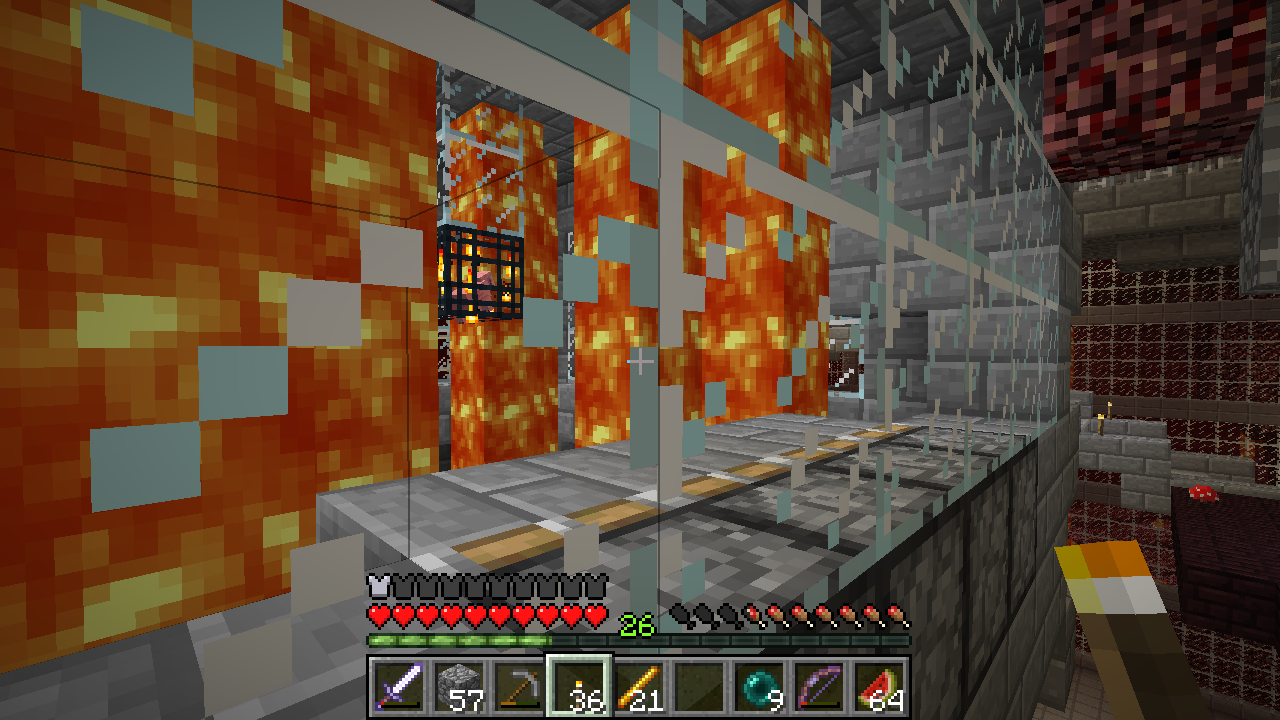
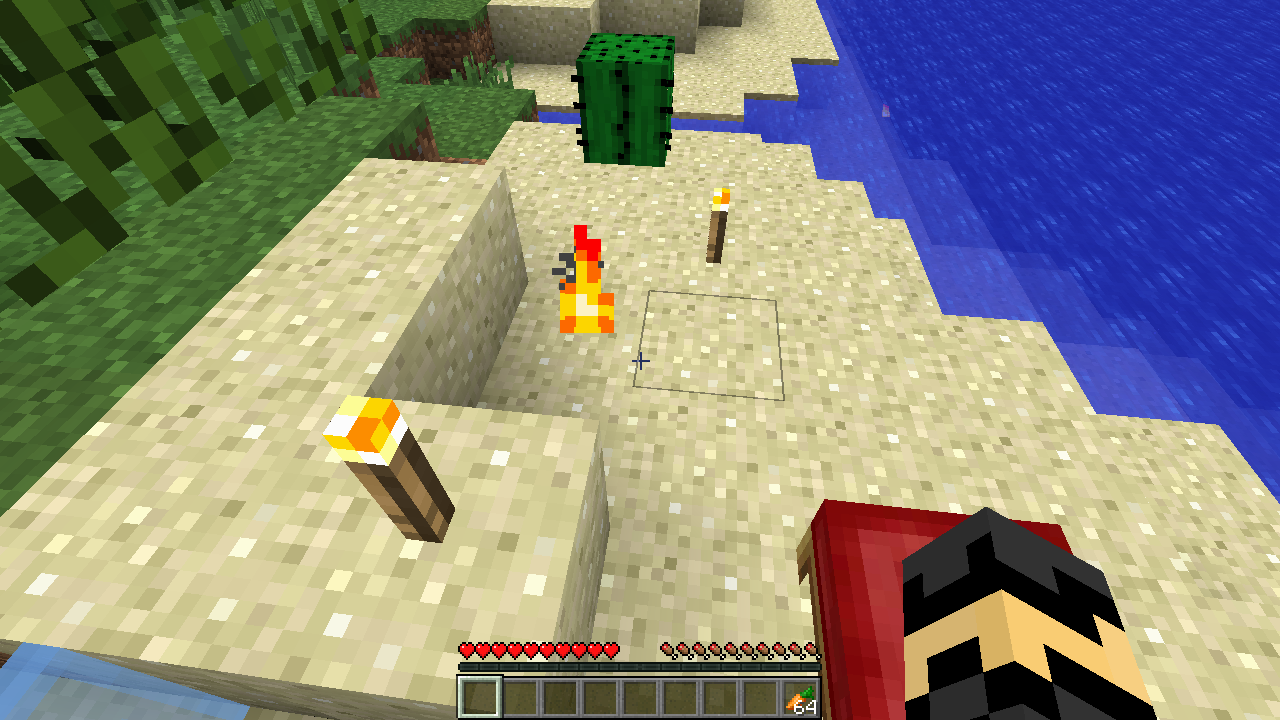

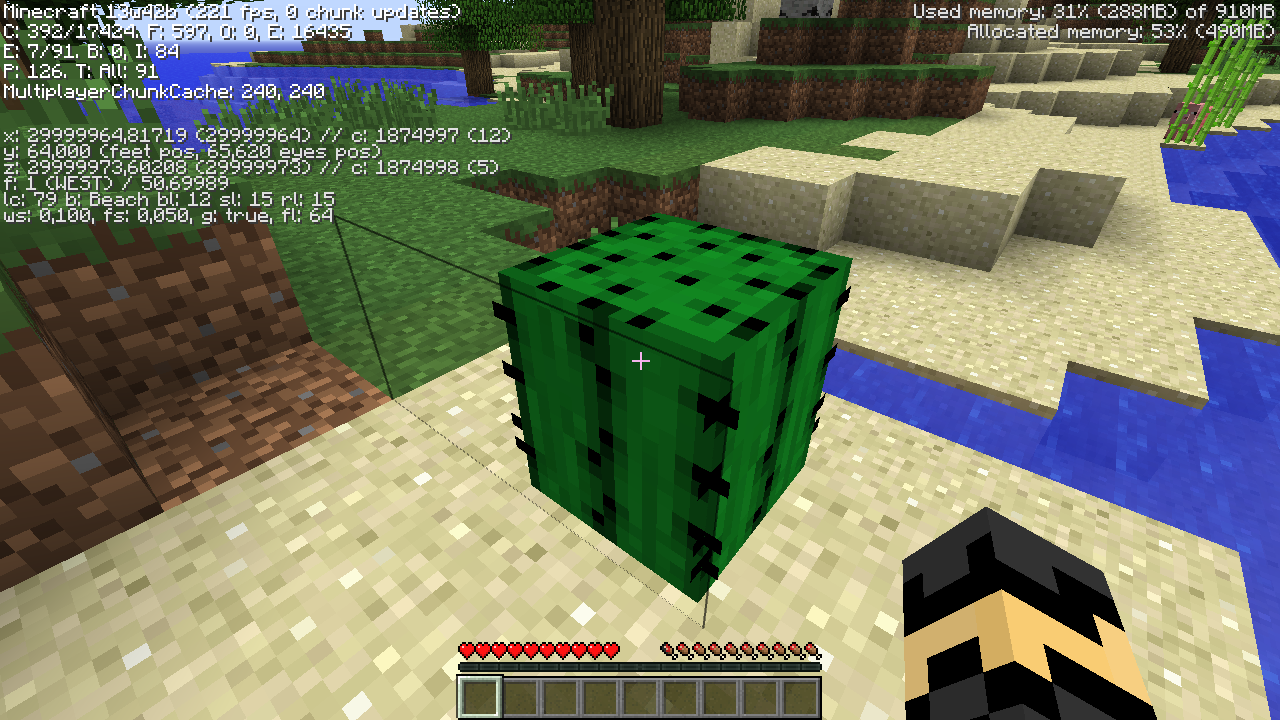
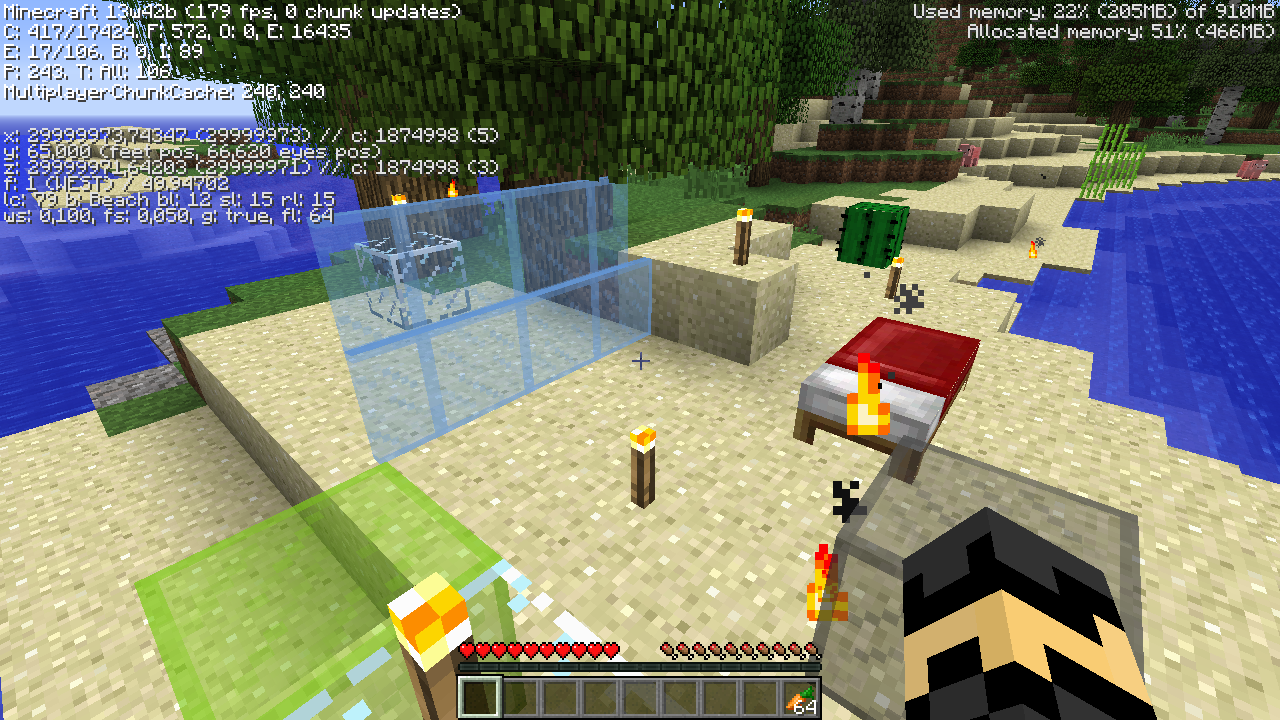
Fire extinguish sound doesn't work in survival, but it works in creative mode.
1. Light some netherrack on fire and then punch it to extinguish it. In survival you hear the punching a block sound for the block type behind the fire (netherrack in this example)
2. do /gamemode creative
3. Punch some more fire, the correct extinguish sound plays.
4. do /gamemode survival
5. Try again. Fire extinguish sound will not play.Edit: When another player punches fire to extinguish it, the sound plays. It just doesn't work when the player himself does it.
Fire extinguish sound doesn't work in survival, but it works in creative mode.
1. Light some netherrack on fire and then punch it to extinguish it. In survival you hear the punching a block sound for the block type behind the fire (netherrack in this example)
2. do /gamemode creative
3. Punch some more fire, the correct extinguish sound plays.
4. do /gamemode survival
5. Try again. Fire extinguish sound will not play.Edit: When another player punches fire to extinguish it, the sound plays. It just doesn't work when the player himself does it.
Fire extinguish sound doesn't work in survival, but it works in creative mode.
1. Light some netherrack (or anything else) on fire and then punch it to extinguish it. In survival you hear the punching a block sound for the block type behind the fire (netherrack in this example)
2. do /gamemode creative
3. Punch some more fire, the correct extinguish sound plays.
4. do /gamemode survival
5. Try again. Fire extinguish sound will not play.Edit: When another player punches fire to extinguish it, the sound plays. It just doesn't work when the player himself does it.
And it appears that the extinguish sound might play twice while in creative mode

The player's head orientation (or wearable item/helmet orientation, other than the armor) seems to get stuck to the one it was at when drinking a potion of invisibility. It resets when the potion effect runs out. This can be seen by wearing a pumpkin while invisible and using F5. The head/pumpkin does not move in relation to the body while looking around. Also, the weapon and tool use/hit animations don't work while invisible. (Sword block animation does work though.)
Edit: The sword block isn't identical to normal either. The sword is in a weird downward angle.

Matti Ruohonen's explanation makes sense, but I cannot confirm it for other keys (1.8.4)
See also http://minecraft.gamepedia.com/Key_codes
Relates to:
![[Mod] Torabi](../../../data/assets/gravatar/torabi.png)
Matti Ruohonen, MC-16009 is probably our oldest issue that describes that problem, but it contained little information and was never maintained. MC-108469 describes one possible way that entities may be lost on chunk unload. I'm not sure it covers duplication or all possible causes, however.
Are you talking about not being able to hit the large slimes with a sword? Then the real issue is that the slimes sometimes have the wrong size hitboxes. (tiny slimes have the hitbox from large slimes, large slimes have the hitbox from medium or tiny slimes etc.) I was just about to post a bug about that, but I guess I won't do it as long as this stays open.
It does work for me. How long did you wait? It can take a few minutes for them to convert.
I wonder if this is related to the strange behavior that I have seen a couple of times while testing the snapshots in creative mode: items on the ground despawning after just 1-2 minutes instead of the usual 5 minutes.
I don't know the exact conditions for this, but this is how it happened the last time: Yesterday I was testing mobs picking up stuff. I had a platform high up in the air. I threw a set of armor and a sword on the ground and then spawned mobs on top of the items and hit them with a Knockback II sword to get rid of the ones that couldn't pick up stuff, until I got a mob that could pick up items (or that was the intention). However, after about 30-60 seconds from throwing the items on the ground, they despawned with about a second between each, meaning with intervals about that long as it took me to grab them from the inventory and then throw them on the ground. So it seems that in some rare cases the despawn timer has some constant offset in it
Dinnerbone: Oh, really? I didn't know that... But why does that then happen only sometimes? I did some tests by throwing grass in several spots and they all despawned after 5 minutes.
I have also seen the iron golems kill a zombie and then get stuck swinging the air over the place where the zombie died until I relogged (=reloaded the chunk). So it seems to be a bug where the iron golem somehow does not 'get notified' that the mob actually died already.
I just had the same problem trying to get some mooshrooms to go to the Nether (for transporting). After some time and much frustration I threw an ender pearl to the portal just to see what would happen. When I entered the Nether one of the mooshrooms was actually there and out of the portal. Then I got some snow balls and managed to get the rest of the mooshrooms to stay in the nether by throwing some of the snow balls after each mooshroom, so that they would get pushed away from the portal. Or that was my reasoning why it works anyway. Just a tip/workaround until they hopefully fix this issue.
I posted a possible workaround in the comments of
MC-54, until this issue hopefully gets fixed.Can't the client-side physics be disabled completely if the chunk the player is in hasn't been loaded yet? Or does that cause some other problems? I have the impression that the chunks closest to the player are loaded first, so the chunk the player is in should be among the first ones to load. Wouldn't it then make sense to enable the player physics on the client only after he is actually in a loaded world where the interactions mean something (or exist, in contrast to falling through the unloaded world)? Just my useless thoughts though...
I have also seen a boat that had sunken to the bottom of a 1 or 2 block deep river. When I entered the boat, it rose back to the surface (I was under water for a second or two).
The boats have been bopping up and down and splashing on the surface before 1.4 (at least in SMP), but after 1.4 they have also started to levitate or sink every now and then.
I don't know atm. I haven't been around spawners much lately, and it does or did happen quite rarely. It most likely requires either going far away from the spawner to unload the chunk and then go back to it, or log out and back in to sometime trigger the bug. Or that is what I would assume anyway. I might try to reproduce it on my SMP server (running the released versions, so 1.4.4) soon-ish.
I have also been waiting for an online stats solutions, as such a thing was in the past mentioned to be planned sometime.
Also, as has been stated many times in the comments here, I believe that the best solution would be to have per-world (and maybe even per-gamemode?) stats. I know I don't want to get my creative mode stuff mixed with my main survival mode world stats. Probably the creative mode usually goes with the world, meaning that survival worlds usually should not experience much if any changes made in creative mode, so saving the stats and achievements per world would probably be the best and a sufficient solution.
It would probably be best if they were saved in the server side and then synced to the client when the player is viewing them. That would also allow nice server side web-based stats to be displayed for every player (with external tools, even in case of a vanilla server). Also, if the stats would be per-world, it would prevent them from being messed up while trying out snapshots, since it is usually not a good idea to load any world with an older version anyway. And maybe the stats tracking could be modified in such a way that if there are unrecognized entries, they are just ignored and not updated or reset. That would probably even allow the stats to persist across downgrades (upward from the point that feature was introduced in).
In addition to the per-world server-side stats, global per-account stats on Mojang servers would be a nice addition.
Just a quick addition: I really love keeping statistics and logs in general. In case of Minecraft, I am more concerned about the stats than the achievements. It is just really nice to know how many blocks of stone you have mined during the years, how long you have walked or how much damage you have taken.
So, if the stats would in some point be improved and moved to the server, it would be nice if the newer gameplay elements are considered to be added as well, such as repairing items in the crafting slots or with an anvil, how many levels have been spent enchanting/repairing with an anvil, how many animals have been bred, how many "extra" items have been gotten with Fortune tools and so on. And maybe categorize for example the damage taken by different damage sources as well, such as mobs, falling, drowning, fire etc. I realize that is a bunch of work, but when Mojang runs out of useful things to add to the game and considers it more or less a finished product, maybe then these kind of additional nice features could be added. Of course by then, loads of interesting statistics will have been missed already :S
Anyway, just my two or maybe three cents. -masa
Confirmed. Affects (= tested on) at least chickens, sheep, zombies, skeletons and creepers, but not spiders (since they climb differently?). They can't climb or descend blocks, they just get stuck spinning on the edge. They also spin when they reach their destination on flat ground. Works correctly in 12w50a, so this broke in 12w50b.
Well, that brakes some custom maps that have Efficiency sticks/signs/shears etc. :<
I think this is very confusing and inconsistent behaviour, that almost half of all the endermen in the End are shaking and "mad", although they have not been looked at or attacked. It is sometimes really difficult to quickly see which of them, if any, really are aggressive. Or to notice when you accidentally looked at one, since they are already shaking. This was on a SMP server, and tried to quickly disconnect and relog, and after it they were NOT shaking anymore. So is this a sync issue between the server and client, or does reloading the world also fix it? (I was alone in the End)
I think they should only be shaking when they are actually aggressive toward some entity (player or other mobs), not when they are just roaming around. When it comes to environmental damage, I think they should just teleport and not start shaking, since they are not actually aggressive toward anyone.
I haven't seen it since I took this screenshot. But like I said earlier, it did or does happen very rarely, so I really don't know if it still exists. Maybe someone at Mojang knows if they have fixed or changed something (related?) that could cause this? Or if someone else has seen this recently. I guess they haven't directly fixed this issue since it has not been closed as "fixed"?
I hope this issue can be resolved as soon as possible. Currently it causes one of the "2013-07-18 02:13:35 [SEVERE] Reached end of stream for /xxx.xxx.xxx.xxx" line in my server console and server.log file every time someone with my server address saved in their multiplayer menu opens their multiplayer menu (so every time my server gets pinged).
(I also noticed that the ping response behaviour using the old ping packets with the 1.6.x servers differs from earlier versions (for example 1.5.2). I have a PHP (and a Python, for a different purpose) script that pings my servers and prints the information on my website. The earlier server versions respond (and close the connection?) very quickly, where as the 1.6.x versions take a lot longer to ping. If I have a timeout value in my PHP script that is <= 1.5s, then the connection times out and does not return any data. I'm guessing this is a result of the new ping packet format that was introduced in 1.6? The new ping packet responds immediately.)
Still, using any one of the three ping packets ("\xFE", "\xFE\x01", \xFE\x01\xFA ...") always prints the SEVERE line in the console and the log. This has to be a bug, and I hope it gets fixed as soon as possible.
Forgive me if I'm getting this completely wrong, but I would assume that the 1.6.3 saves all the structures that the 1.6.3 world/biome generator considers to be structures, into a separate structures file, that the future versions will use to decide what areas are structures. So it can't know about any previous versions' structures, before the biome generation code in the 1.6.2/1.6.3 version.
TL;DR; Only the structures that would be generated (= are in the same place) in the 1.6.2 world gen (and are visited/loaded in 1.6.3) will be preserved in 1.7 and forwards.
But what I would also like to know, is that will 1.6.3 also mark all the loaded chunks into some kind of "structures marked" list, or maybe 13w37b and beyond will not add the structures from already generated chunks into the structures list anymore? The latter would still allow to mark the newly generated structures, but not add structures to old areas where those weren't previously present, but the new 1.7+ biome generation would place for example a witch hut. What I mean, is that I hope that none of the old areas suddenly become structures in 1.7+. I would hate if our stone brick and glass nether tunnels would start spawning blazes and wither skeletons inside them...
My findings regarding this issue: when there are any items with the glow effect showing in the inventory or picked up with the cursor, there are rendering glitches on several places. These glitches include the potion effect indicators missing/rendered incorrectly, inventory titles and the item name in the anvil changing colors/glitching out. Some of these, such as the name in the anvil, is glitched while holding an item with the glow effect. The inventory title color on the other hand seems to change depending on what slots are hovered over, or if there are any items on the hotbar Pretty weird all in all...
Still an issue in 1.7.1-pre.
There is a Bukkit plugin that is supposed to do it, see http://forums.bukkit.org/threads/psa-minecraft-1-7-update-possibly-losing-structures.186617
Oh? How come it has been somehow magically fixed in/before launcher version 1.3.1 then? Well, anyway, as stated, it now works as I had hoped it would, where the old and new launchers don't affect each other anymore.
I know that it isn't a direct fix, more of a workaround, using 3rd party products, but personally I have switched over to using MultiMC5. It is still considered pre-release, but it does work perfectly fine for me.
So basically if you are playing FTB for example, you can import the packs into MultiMC5, which uses the new login system. (and imo, is nicer to use than the vanilla launcher in some other aspects as well) That way you are not using the old login system anymore, (except when downloading a new version of the pack with the FTB launcher, and then import that into MultiMC again) and thus shouldn't run into this issue that often.
Yes, the number of people doesn't really matter, it also happens with just one user. Recently it has mostly been just one user playing on the server anyway. The number of region files touched per play session is usually around 5-10, and it has recently been that all of those have been written to up until the point the server is shut down.
And yes, this server is pure vanilla, so the minecraft_server.jar provided by Mojang. This isn't such a huge issue for me that it would need any workarounds, mostly just annoying and tickles my "OCD" of minimizing server resource usage, and obviously not how the server is supposed to work. I didn't quite understand what you were saying about loaders
In case it helps, here is my current server startup commandline:
OPTIONS='nogui'
JVM_OPTS="-XX:+UseConcMarkSweepGC"
JVM_MEM_OPTS="-Xms128M -Xmx1024M"
INVOCATION="java $JVM_MEM_OPTS $JVM_OPTS -Dlog4j.configurationFile=log4j2.xml -jar $SERVICE $OPTIONS"
I just hope that this gets looked at and fixed soon, it might also help other servers that are struggling with server load or memory usage issues, but I haven't had any real problems with those with this small a server.
I was really hoping this would have gotten fixed in 1.7 still, because I will be playing 1.7.x for a long time to come because of mods.
I just tried it in the 1.7.10-pre2, and it is still present :/
The problem based on in-game experiences is, that sounds play an extra time when the player opens his inventory while a sound is still playing, and then closes the inventory again pretty quickly. This often happens when browsing chests and opening and closing the inventory/chests a lot, and it gets really confusing and annoying quickly.
I recorded a short video demonstration in the just released 1.7.10-pre2: http://youtu.be/7f6X4cuPRGA
This is still an issue in 14w30c.
This happens when chickens or baby cows (at least) jump up from non-full blocks such as carpets, redstone repeaters, daylight sensors and a few sheets thick snow into a one block high gap. They take suffocation damage from the ceiling. It might be because their eye level seems to be just above their collision box (F3+B). It doesn't affect baby pigs, probably since their eye level is noticeably lower. Here is an example of an automatic chicken suicide booth: http://imgur.com/zvTBnje
Seems to be working pretty good in 1.7.10, don't know about 1.8.x yet, since I haven't updated my servers yet because of other issues in them. I'll report back if the issue returns in 1.8.x once I feel comfortable updating, but for now it can remain as resolved from my part, based on 1.7.10.
Confirmed for 1.8.2-pre1.
I have just a few days ago finally updated my server from 1.7.10 to 1.8.1. For this update, I made a custom Python program to convert the stats files from 1.7.10 format to 1.8.x format. I know this might be too late for anyone else at this point, but in any case, it is available at: https://github.com/maruohon/mcstatsconverter
Do note that the stats need to be from 1.7[.10], if you have already loaded the world in 1.8, then the stats are gone from that file. Then you would need to get the old stats from a backup and convert them. And if you already had played in 1.8 also, then you would have to manually merge them, or make another program to do it automatically...
Could the reporter or a mod edit the description, because this bug affects ALL sounds (afaik). It is not just the jukebox.
For example block breaking and placing and walking sounds and chest sounds loop when you quickly open and close your inventory after the sound started playing. It gets really confusing at times.
From my understanding, this bug occurs due to the following change in the client Minecraft class:
In 1.7.10 the keyboard input is read like so (using MCP names):
public void func_152348_aa()
{
int i = Keyboard.getEventKey();
...
}
Whereas in 1.8 it is read like:
public void dispatchKeypresses()
{
int i = Keyboard.getEventKey() == 0 ? Keyboard.getEventCharacter() : Keyboard.getEventKey();
...
}
This means that if the result from getEventKey() is 0, then the result from getEventCharacter() is used instead.
From a simple debug print (using a FI (= SWE?) keyboard/layout):
When pressing (and releasing) F2:
[06:12:57] [Client thread/INFO] [STDOUT]: eventCharacter: eventKey: 60 state: true
[06:12:57] [Client thread/INFO] [STDOUT]: eventCharacter: eventKey: 60 state: false
When pressing (and releasing) '<':
[06:13:19] [Client thread/INFO] [STDOUT]: eventCharacter: < eventKey: 0 state: true
[06:13:19] [Client thread/INFO] [STDOUT]: eventCharacter: eventKey: 0 state: false
So this means that when a user is pressing '<', the value of getEventKey() is zero, so the result of getEventCharacter() is used instead.
Now if you look at the ASCII table (for example at http://www.asciitable.com), you can see that the ASCII code for '<' is 60, which is the getEventKey() value for F2.
There may also be other collisions, where a "missing" getEventKey() value results in using the getEventCharacter() value of another key.
So the problem here is that the getEventKey() and getEventCharacter() values are not aligned, they should not be used in the same context like this.
This is still in 1.9-pre2. I can't get a minecart to pick up any entities from a level surface. The only way I could make it pick up entities is if it's moving down a slope at the time that it collides with the entity (even going up doesn't seem to work).
Here is a short video demonstrating this (and another minecart/mobs related issue), watch from about midway onwards: https://youtu.be/d0EQvFNb9bQ
Aww crap. I didn't realize this is (intended?) behaviour on Peaceful mode... I was testing something else in a superflat world, and to get rid of the annoying slime invasion I turned the difficulty to Peaceful. It seems I can't close the issue myself, so could a mod close this as invalid please? And sorry about creating an invalid issue :/
I'm using MCP names from a Forge modding environment for 1.9 in this explanation.
This bug seems to occur because Village#worldObj is null when the Village#readVillageDataFromNBT() is called.
The readVillageDataFromNBT() method then tries to do this.worldObj.getMinecraftServer().getPlayerProfileCache() which is where the NPE comes from.
The problem is that VillageCollection#readFromNBT() creates a new instance of Village by doing "new Village();" ie. a constructor without the World argument.
But then again that VillageCollection itself is also created without a reference to World in MapStorage#loadData() by getting a constructor with just a String argument.
So to get the GameProfile for a player this way, the Village object would need to have a reference to world at this point.
Edit: So the real question then might be, why is the player reputation in the Village class even stored using the player's name as a key, why not just use the UUID directly? Is this just another example of legacy code not properly updated? It is stored as UUID in NBT already, so changing this run-time storage to also use UUID shouldn't cause any issues that I can see.
I just tested it, yes it still happens in 1.9.3-pre3.
An easy way to test this (and how I've been testing it), is to create a superflat world and find a village. Then punch any villager even once so that you get a reputation in that village, maybe wait a little bit and then save and quit the world, and then load it again. Upon loading the world, you should see a NullPointerException in the console.
Also, confirmed for 1.9.4 still.
Yep this is because of a lazy non-fix for the issue
MC-101325.Instead of changing the Village class to use the player's UUID as a key in the playerReputation map, they made a lazy non-fix by just adding null checks for the world reference to the readVillageFromNBT() method to fix the crash that
MC-101325was about. Which means that due to the reasons I explained in a comment in that issue, the game still won't read the player reputation from NBT by the actual player name because that part of the code now doesn't run because of the null checks, and the world still being null at that point. So the player reputation is instead read from a tag called "Name" which doesn't exist. Which then leads to the GameProfile being created for a player called "" (empty string), and thus this exception and console spam.Please fix this issue by using the player UUID instead of the player name as a key when storing player reputation in a village and get rid of the currently broken GameProfile stuff, which would need a world reference in the NBT read/write methods, which currently is not available at those times when the methods are called. Using the name also means that the reputation for a player (account) in a village will be lost if they change their username.
I have only recently updated my vanilla server from 1.8.9 to 1.10.2. During this update I ran the world in a modded instance and used a mod I made to remove all the duplicate entities from the world. The first times running the actual vanilla server after this, everything was fine and I got no warnings in the server console.
However I just now looked at the server log, and at the moment there are 4334 lines of this warning message, 4331 of those lines are for Sheep entities. (There are small sheep farms near our server spawn). I started the server and immeadiately got a few warnings of duplicate sheep entities (so they must be in the spawn chunks). This seems to become a real nuisance because of the warning messages constantly polluting the server log...
But the real issue that should be fixed is the fact that entity saving is currently, and has been for a long time, broken. Sometimes when entities cross chunk boundaries (probably near to a time when the chunk unloads?), they can either duplicate or vanish. I saw a youtube video recently where the person said that the entity may get saved to both chunks, or neither, which would make sense. My Mojira-search-fu is failing me, does someone know if there is an open issue for this entity saving bug (vanishing/duplicating entities)? In my opinion it is the most serious and game breaking bug currently in the game, and it has existed from personal experience AT LEAST since 1.7.10, probably even a lot longer (always?).
I don't know if it matters in any way, but this can properly be marked as resolved. I haven't seen this issue at all probably since somewhere around 1.8. At least in 1.10 and 1.11 things seem to work perfectly fine regarding this issue.
This is still an issue even in the latest 1.12 snapshot, 17w06a.
But I think this issue is exclusive to chickens (or any other mobs that have their eye height right at the top of their bounding box).
I think this happens because when they jump up against the ceiling, since their eye height is at the top of their hitbox, their head is then considered to be inside the ceiling block and thus they take suffocation damage. You can achieve the same for example by pushing them against a ceiling with a piston or a shulker box.
http://i.imgur.com/qcJWbmU.png
@Takuto Lehr, If you want to fix the current continuous log spam (ie. clean up the current state of the world), there is a Forge mod that allows you to do it with relative ease, here: https://minecraft.curseforge.com/projects/world-utils. I have done the clean-up operation twice thus far for my vanilla server's world.
The problem here is, that because of the entity handling issues that are currently in Minecraft, the entities can over time duplicate again and then the log spam can start to happen again. So unfortunately you might have to do the clean-up/duplicate removal operation periodically, until hopefuly some day the entity handling issue itself gets fixed. This issue report is just a symptom of that entity handling bug.
One way to mitigate the problem, is to modify things like animal farms (which often have large numbers on entities) so that the animals can't move across chunk boundaries (F3 + G helps with that). Because afaik, the entity duplicating issue happens when entities move from one chunk to another in the same tick (or very close) to when a chunk unloads or becomes a non-entity-processing chunk (ie. when a player moves away from the area).
@Takuto Lehr, It doesn't do a /kill per-se, because it does the removal directly from the chunk NBT data. The end result is essentially the same - only one entity of each UUID will be left. Since UUIDs are supposed to be extremely unique, a case where two different entities would have the same UUID is almost non-existing, so removing all but one entity of each UUID should always result in leaving one copy of each what is supposed to be one entity. But there is no control over which one is left. Thats should really only make a difference with things like villagers, if they duplicate before all the trades are unlocked, or with mules that contain items in their inventories etc. But the same issue also exist while normally in-game - depending on in which chunks the entities are and in which order the chunks load, the entity that will "exist in the world" is also non-deterministic in a way (because only the first one can be spawned in the world, the rest print out that console warning and won't be spawned in the world, but they will still exist in the chunk data, and thus they won't disappear on their own). But that is what you end up with when dealing with a result of a bug that duplicates data...
While you need to have Forge installed to use the mod, you can still keep the world entirely vanilla. All this particular command does, is remove the NBT tags containing the duplicated entities from the chunk's entity list. So to use the mod, you can either temporarily install Forge and the mod to run the command on the server (which is more or less how I did it), and then remove Forge again, or you could have a local Minecraft instance with Forge and the mod, and copy over the world from the server, and then copy it back after. There is also a MCEdit filter to do the same operation (I think it was linked earlier in the comments here?), but I haven't personally used that, so I can't comment on how that one works.
If you need more help with the mod, I'd suggest we take the conversation to the CurseForge comments of the mod (or some other place like Discord), to not ping everyone else in this issue.
I just thought about this very briefly (for a few minutes), ie. how I could implement the chunk saving, before fully reading your comments. And I came up with basically what you have in your latest comment.
So in short:
Now, the critical place is to always use a common synchronization/lock object when the queue map is accessed from the server thread to see if a chunk is there, and when the write I/O thread takes a chunk from the queue map, and moves it to the write map, before starting to write it to the disk, and finally when the write i/o thread is done writing the chunk data, and removes the chunk from the write map. That lock shouldn't cause much slow-downs, as the synchronized code section would only be the time it takes to check and grab the chunk from the queue map in the server thread, or the time it takes to grab the chunk from the queue map and put it into the write map in the write thread. The write thread's actual write operation would obviously be outside that synchronized block.
So basically when a Chunk gets unloaded, a reference to it (or its data) would move like so: queue -> writemap -> file
So when unloading a chunk, it would be safe to freely override a chunk reference in the queue map, as there is never any newer version of the chunk anywhere else, and the write thread grabbing chunks from that queue map would be synchronized. Even if the write thread is currently writing a chunk, and it gets modified and put to the queue again, it's no problem, it will just get written again later. And if a chunk needs to re-load before getting written, the latest version of it would be waiting in that queue map. If it's not there yet, then check the write map in case it's currently being written, and if it's not there either, then it can be read from the file again.
Anyway, this is my current thinking of this issue, after a very short amount of time thinking about it.