 Jaqi Hegland
- puzzlemage
- puzzlemage
- America/Chicago
- Yes
- No
 MC-3804
 MCL-1100

 MCPE-209


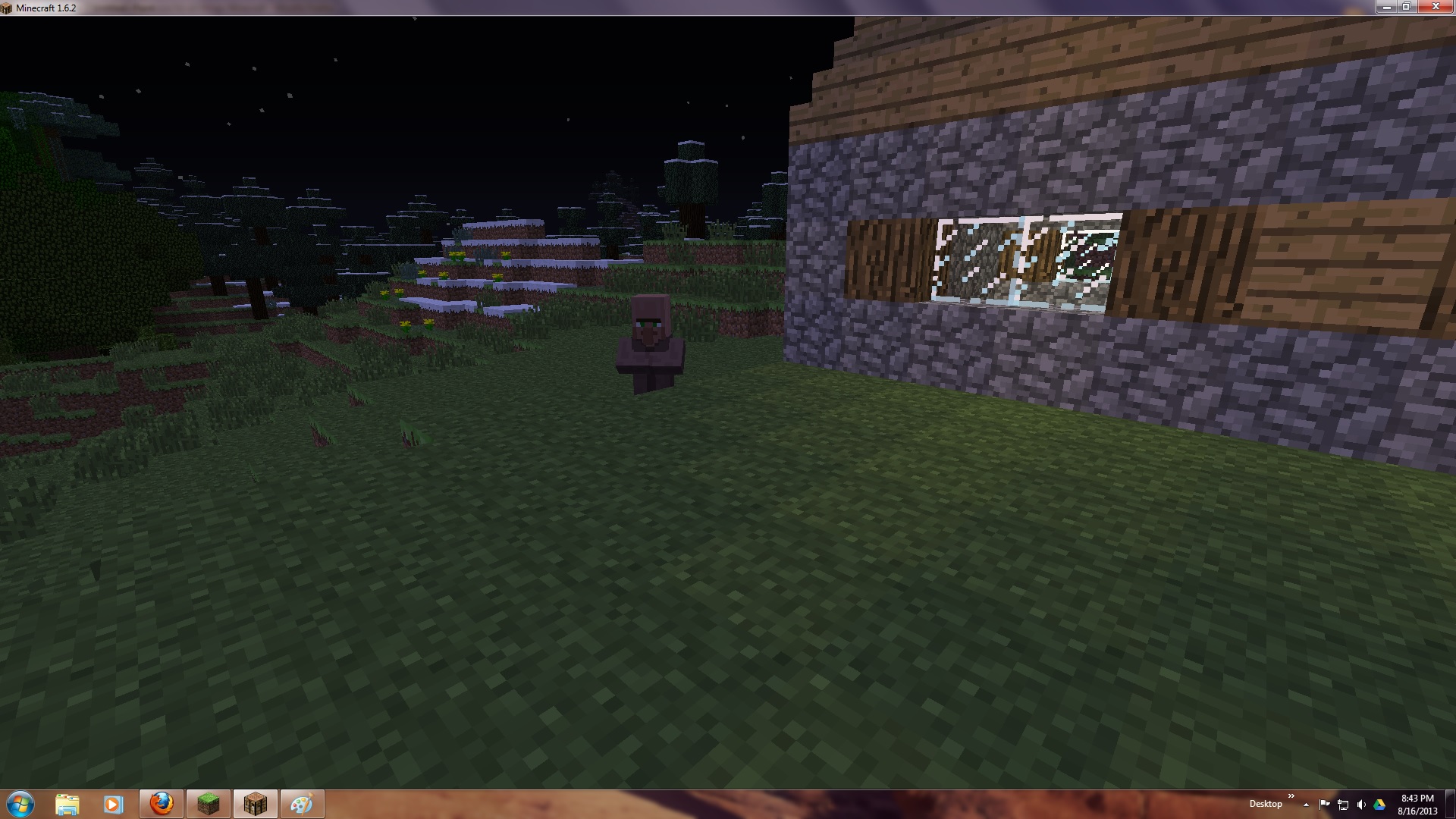
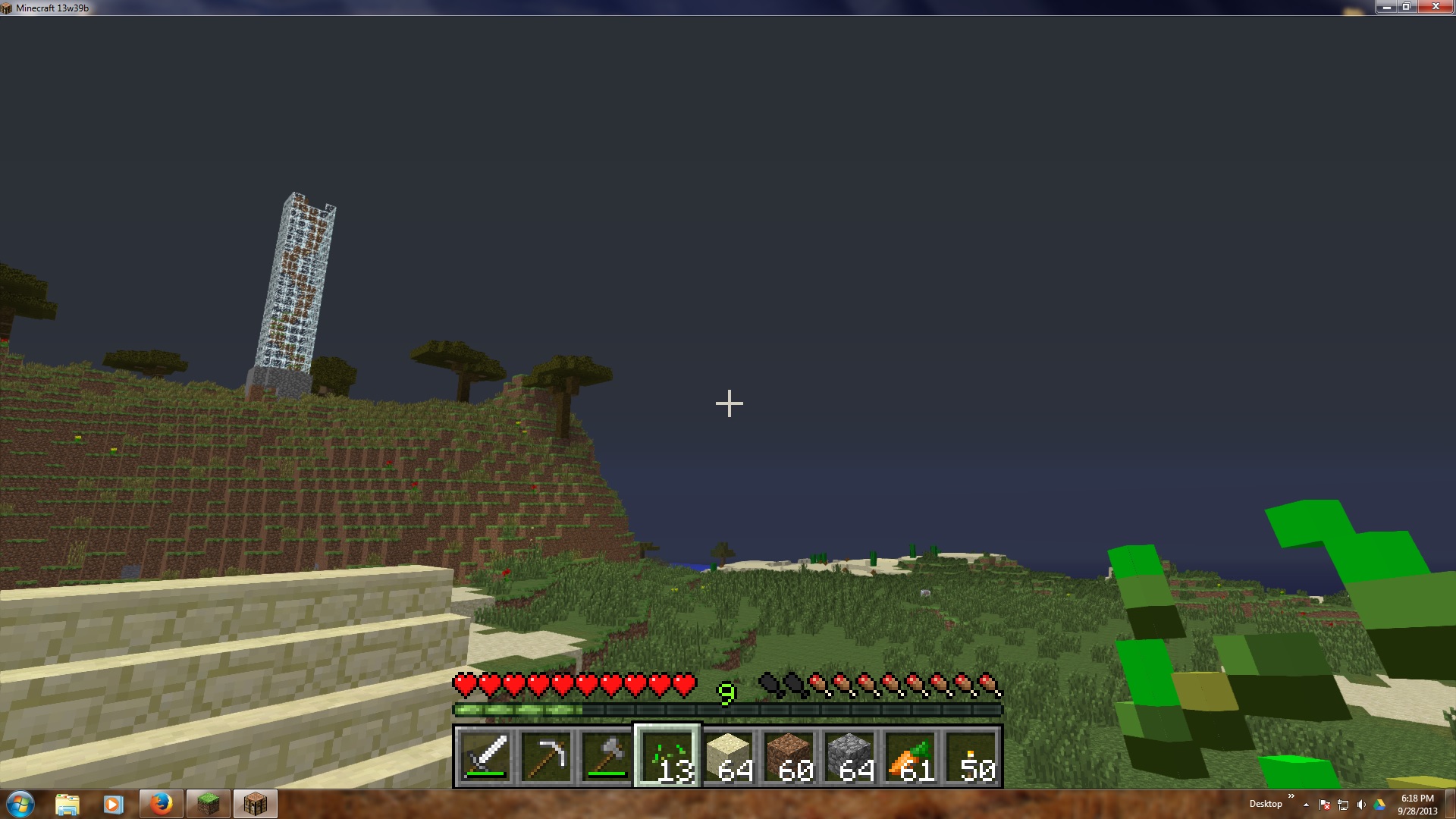

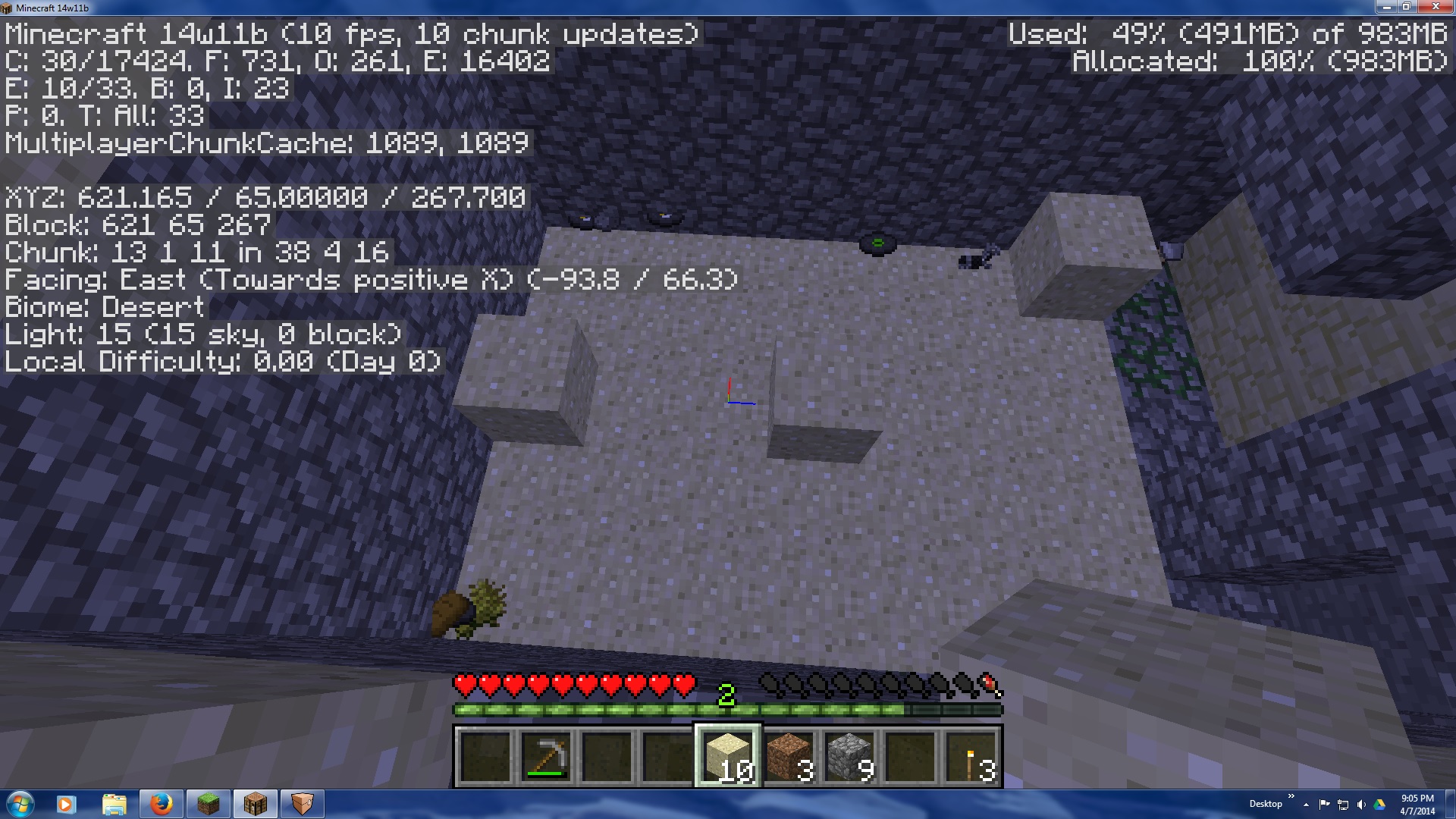


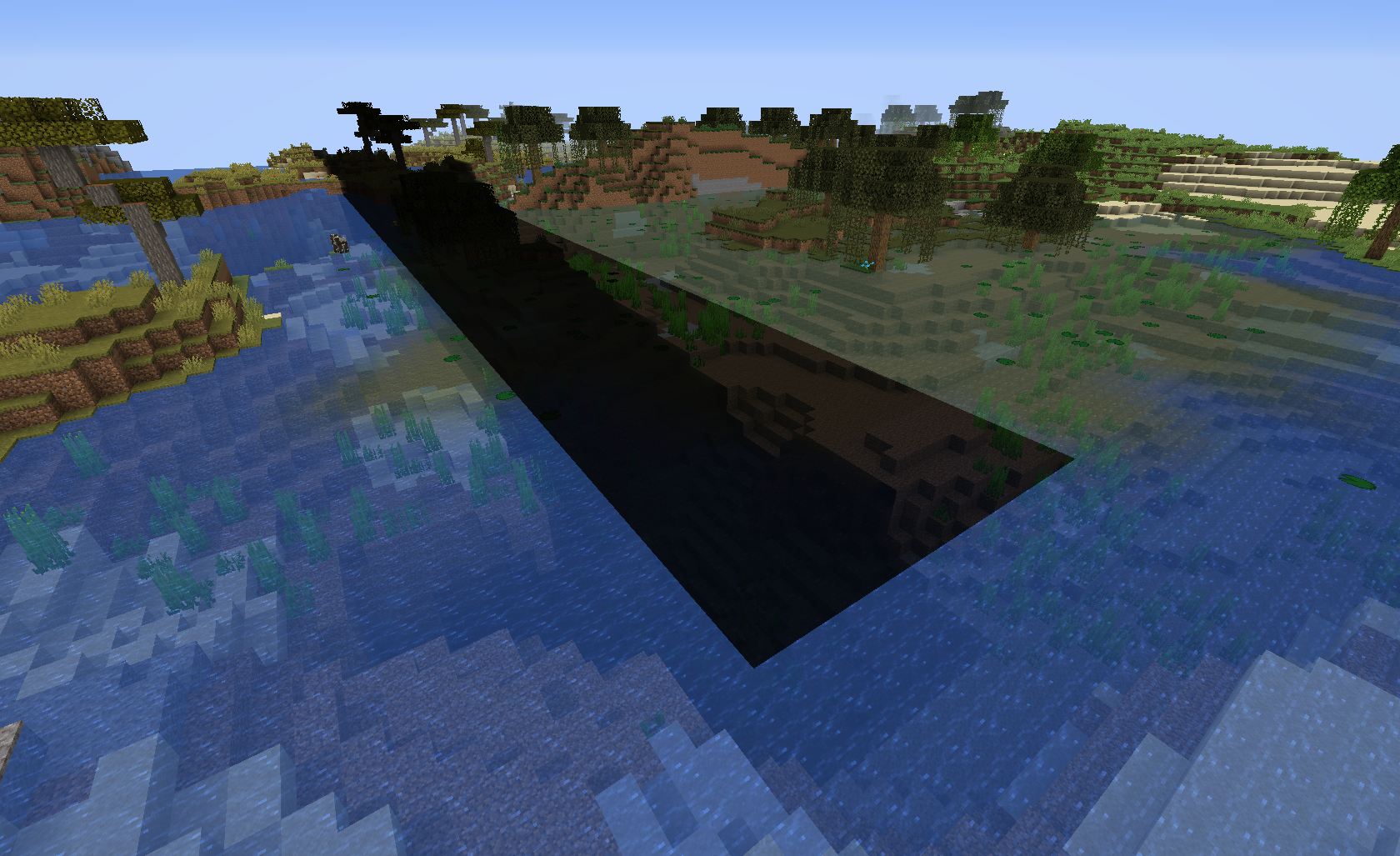
It feels like my sleeve caught on the wall or something - there's a jerky movement as if he's trying to move forward, but is caught on something. I have to back up or move sideways before I can continue. I can't reproduce it on purpose, so didn't report it before, but it's been happening through
2updates now.I've been unable to move forward or jump, and it's occasionally happened while moving sideways as well.
Happens a couple times a day, when I play for a couple hours at a time.
It feels like my sleeve caught on the wall or something - there's a jerky movement as if he's trying to move forward, but is caught on something. I have to back up or move sideways before I can continue. I can't reproduce it on purpose, so didn't report it before, but it's been happening through several updates now.
I've been unable to move forward or jump, and it's occasionally happened while moving sideways as well.
Happens a couple times a day, when I play for a couple hours at a time.
[12:32:49 INFO]: Launcher 1.2.8 (through bootstrap 4) started on windows...
[12:32:49 INFO]: Current time is Oct 26, 2013 12:32:49 PM
[12:32:49 INFO]: System.getProperty('os.name') == 'Windows 7'
[12:32:49 INFO]: System.getProperty('os.version') == '6.1'
[12:32:49 INFO]: System.getProperty('os.arch') == 'amd64'
[12:32:49 INFO]: System.getProperty('java.version') == '1.7.0_21'
[12:32:49 INFO]: System.getProperty('java.vendor') == 'Oracle Corporation'
[12:32:49 INFO]: System.getProperty('sun.arch.data.model') == '64'
[12:32:49 INFO]: Refreshing local version list...
[12:32:49 INFO]: Refreshing remote version list...
[12:32:50 INFO]: Refresh complete.
[12:32:50 INFO]: Loaded 2 profile(s); selected 'Original'
[12:32:50 INFO]: Refreshing auth...
[12:32:50 INFO]: Logging in with access token
[12:33:03 ERROR]: Couldn't download resources
org.xml.sax.SAXParseException: XML document structures must start and end within the same entity.
at com.sun.org.apache.xerces.internal.parsers.DOMParser.parse(Unknown Source) ~[?:1.7.0_21]
at com.sun.org.apache.xerces.internal.jaxp.DocumentBuilderImpl.parse(Unknown Source) ~[?:1.7.0_21]
at javax.xml.parsers.DocumentBuilder.parse(Unknown Source) ~[?:1.7.0_21]
at net.minecraft.launcher.updater.VersionManager.getResourceFiles(VersionManager.java:255) [launcher.jar:?]
at net.minecraft.launcher.updater.VersionManager.downloadResources(VersionManager.java:237) [launcher.jar:?]
at net.minecraft.launcher.Launcher$1.run(Launcher.java:165) [launcher.jar:?]
at java.util.concurrent.Executors$RunnableAdapter.call(Unknown Source) [?:1.7.0_21]
at java.util.concurrent.FutureTask$Sync.innerRun(Unknown Source) [?:1.7.0_21]
at java.util.concurrent.FutureTask.run(Unknown Source) [?:1.7.0_21]
at java.util.concurrent.ThreadPoolExecutor.runWorker(Unknown Source) [?:1.7.0_21]
at java.util.concurrent.ThreadPoolExecutor$Worker.run(Unknown Source) [?:1.7.0_21]
at java.lang.Thread.run(Unknown Source) [?:1.7.0_21]
[12:33:03 INFO]: Download job 'Resources' skipped as there are no files to download
[12:33:03 INFO]: Job 'Resources' finished successfully
[12:38:36 INFO]: Getting syncinfo for selected version
[12:38:36 INFO]: Queueing library & version downloads
[12:38:36 INFO]: Download job 'Version & Libraries' started (8 threads, 24 files)
[12:38:36 INFO]: Finished downloading C:\Users\Jaqi\AppData\Roaming\.minecraft\libraries\org\lwjgl\lwjgl\lwjgl-platform\2.9.0\lwjgl-platform-2.9.0-natives-windows.jar for job 'Version & Libraries': Used own copy as it matched etag
[12:38:37 INFO]: Finished downloading C:\Users\Jaqi\AppData\Roaming\.minecraft\libraries\com\google\code\gson\gson\2.2.4\gson-2.2.4.jar for job 'Version & Libraries': Used own copy as it matched etag
[12:38:37 INFO]: Finished downloading C:\Users\Jaqi\AppData\Roaming\.minecraft\libraries\net\sf\trove4j\trove4j\3.0.3\trove4j-3.0.3.jar for job 'Version & Libraries': Used own copy as it matched etag
[12:38:37 INFO]: Finished downloading C:\Users\Jaqi\AppData\Roaming\.minecraft\libraries\java3d\vecmath\1.3.1\vecmath-1.3.1.jar for job 'Version & Libraries': Used own copy as it matched etag
[12:38:37 INFO]: Finished downloading C:\Users\Jaqi\AppData\Roaming\.minecraft\libraries\com\paulscode\codecjorbis\20101023\codecjorbis-20101023.jar for job 'Version & Libraries': Used own copy as it matched etag
[12:38:37 INFO]: Finished downloading C:\Users\Jaqi\AppData\Roaming\.minecraft\libraries\org\apache\commons\commons-lang3\3.1\commons-lang3-3.1.jar for job 'Version & Libraries': Used own copy as it matched etag
[12:38:37 INFO]: Finished downloading C:\Users\Jaqi\AppData\Roaming\.minecraft\libraries\net\java\jinput\jinput\2.0.5\jinput-2.0.5.jar for job 'Version & Libraries': Used own copy as it matched etag
[12:38:37 INFO]: Finished downloading C:\Users\Jaqi\AppData\Roaming\.minecraft\libraries\net\sf\jopt-simple\jopt-simple\4.5\jopt-simple-4.5.jar for job 'Version & Libraries': Used own copy as it matched etag
[12:38:37 INFO]: Finished downloading C:\Users\Jaqi\AppData\Roaming\.minecraft\libraries\com\paulscode\librarylwjglopenal\20100824\librarylwjglopenal-20100824.jar for job 'Version & Libraries': Used own copy as it matched etag
[12:38:37 INFO]: Finished downloading C:\Users\Jaqi\AppData\Roaming\.minecraft\libraries\com\mojang\authlib\1.3\authlib-1.3.jar for job 'Version & Libraries': Used own copy as it matched etag
[12:38:37 INFO]: Finished downloading C:\Users\Jaqi\AppData\Roaming\.minecraft\libraries\com\paulscode\soundsystem\20120107\soundsystem-20120107.jar for job 'Version & Libraries': Used own copy as it matched etag
[12:38:37 INFO]: Finished downloading C:\Users\Jaqi\AppData\Roaming\.minecraft\libraries\com\google\guava\guava\15.0\guava-15.0.jar for job 'Version & Libraries': Used own copy as it matched etag
[12:38:37 INFO]: Finished downloading C:\Users\Jaqi\AppData\Roaming\.minecraft\libraries\net\java\jutils\jutils\1.0.0\jutils-1.0.0.jar for job 'Version & Libraries': Used own copy as it matched etag
[12:38:37 INFO]: Finished downloading C:\Users\Jaqi\AppData\Roaming\.minecraft\libraries\com\ibm\icu\icu4j-core-mojang\51.2\icu4j-core-mojang-51.2.jar for job 'Version & Libraries': Used own copy as it matched etag
[12:38:37 INFO]: Finished downloading C:\Users\Jaqi\AppData\Roaming\.minecraft\libraries\net\java\jinput\jinput-platform\2.0.5\jinput-platform-2.0.5-natives-windows.jar for job 'Version & Libraries': Used own copy as it matched etag
[12:38:37 INFO]: Finished downloading C:\Users\Jaqi\AppData\Roaming\.minecraft\libraries\commons-io\commons-io\2.4\commons-io-2.4.jar for job 'Version & Libraries': Used own copy as it matched etag
[12:38:37 INFO]: Finished downloading C:\Users\Jaqi\AppData\Roaming\.minecraft\libraries\com\paulscode\codecwav\20101023\codecwav-20101023.jar for job 'Version & Libraries': Used own copy as it matched etag
[12:38:37 INFO]: Finished downloading C:\Users\Jaqi\AppData\Roaming\.minecraft\libraries\com\paulscode\libraryjavasound\20101123\libraryjavasound-20101123.jar for job 'Version & Libraries': Used own copy as it matched etag
[12:38:37 INFO]: Finished downloading C:\Users\Jaqi\AppData\Roaming\.minecraft\libraries\org\apache\logging\log4j\log4j-api\2.0-beta9\log4j-api-2.0-beta9.jar for job 'Version & Libraries': Used own copy as it matched etag
[12:38:37 INFO]: Finished downloading C:\Users\Jaqi\AppData\Roaming\.minecraft\libraries\org\lwjgl\lwjgl\lwjgl_util\2.9.0\lwjgl_util-2.9.0.jar for job 'Version & Libraries': Used own copy as it matched etag
[12:38:37 INFO]: Finished downloading C:\Users\Jaqi\AppData\Roaming\.minecraft\libraries\org\apache\logging\log4j\log4j-core\2.0-beta9\log4j-core-2.0-beta9.jar for job 'Version & Libraries': Used own copy as it matched etag
[12:38:37 INFO]: Finished downloading C:\Users\Jaqi\AppData\Roaming\.minecraft\libraries\org\lwjgl\lwjgl\lwjgl\2.9.0\lwjgl-2.9.0.jar for job 'Version & Libraries': Used own copy as it matched etag
[12:38:37 INFO]: Finished downloading C:\Users\Jaqi\AppData\Roaming\.minecraft\libraries\io\netty\netty-all\4.0.10.Final\netty-all-4.0.10.Final.jar for job 'Version & Libraries': Used own copy as it matched etag
[12:38:38 INFO]: Finished downloading C:\Users\Jaqi\AppData\Roaming\.minecraft\versions\1.7.2\1.7.2.jar for job 'Version & Libraries': Used own copy as it matched etag
[12:38:38 INFO]: Job 'Version & Libraries' finished successfully
[12:38:38 INFO]: Launching game
[12:38:38 INFO]: Looking for old natives to clean up...
[12:38:38 INFO]: Unpacking natives to C:\Users\Jaqi\AppData\Roaming\.minecraft\versions\1.7.2\1.7.2-natives-17699031650410
[12:38:39 INFO]: Launching in C:\Users\Jaqi\AppData\Roaming\.minecraft
[12:38:43 INFO]: Client> [12:38:43] [main/INFO]: Setting user: PuzzleMage
[12:38:43 INFO]: Client> [12:38:43] [main/INFO]: (Session ID is token:1d5b3d24969d40538a1b1a7b8d493e3e:d0fa4258804e42569de759fed8d652df)
[12:38:44 INFO]: Client> [12:38:44] [Client thread/INFO]: LWJGL Version: 2.9.0
[12:38:46 INFO]: Client> [12:38:46] [Client thread/INFO]: Reloading ResourceManager: Default
[12:38:46 INFO]: Client>
[12:38:46 INFO]: Client> Starting up SoundSystem...
[12:38:46 INFO]: Client> Initializing LWJGL OpenAL
[12:38:46 INFO]: Client> (The LWJGL binding of OpenAL. For more information, see http://www.lwjgl.org)
[12:38:46 INFO]: Client> OpenAL initialized.
[12:38:46 INFO]: Client>
[12:38:46 INFO]: Client> [12:38:46] [Sound Library Loader/INFO]: Sound engine started
[12:39:02 INFO]: Client> [12:39:02] [Client thread/INFO]: Created: 512x256 textures/blocks-atlas
[12:39:03 INFO]: Client> [12:39:03] [Client thread/INFO]: Created: 256x256 textures/items-atlas
[12:39:13 INFO]: Client> [12:39:13] [Client thread/INFO]: Stopping!
[12:39:13 INFO]: Client>
[12:39:13 INFO]: Client> SoundSystem shutting down...
[12:39:13 INFO]: Client> Author: Paul Lamb, www.paulscode.com
[12:39:13 INFO]: Client>
[12:39:14 INFO]: Game ended with no troubles detected (exit code 0)
[12:39:14 INFO]: Deleting C:\Users\Jaqi\AppData\Roaming\.minecraft\versions\1.7.2\1.7.2-natives-17699031650410
[12:39:14 WARN]: Couldn't delete C:\Users\Jaqi\AppData\Roaming\.minecraft\versions\1.7.2\1.7.2-natives-17699031650410 - scheduling for deletion upon exit
[12:40:33 INFO]: Deleting C:\Users\Jaqi\AppData\Roaming\.minecraft\versions\1.7.2\1.7.2-natives-17699031650410
[12:40:33 INFO]: Getting syncinfo for selected version
[12:40:33 INFO]: Queueing library & version downloads
[12:40:34 INFO]: Download job 'Version & Libraries' started (8 threads, 19 files)
[12:40:34 INFO]: Finished downloading C:\Users\Jaqi\AppData\Roaming\.minecraft\libraries\org\apache\commons\commons-lang3\3.1\commons-lang3-3.1.jar for job 'Version & Libraries': Used own copy as it matched etag
[12:40:34 INFO]: Finished downloading C:\Users\Jaqi\AppData\Roaming\.minecraft\libraries\com\paulscode\soundsystem\20120107\soundsystem-20120107.jar for job 'Version & Libraries': Used own copy as it matched etag
[12:40:34 INFO]: Finished downloading C:\Users\Jaqi\AppData\Roaming\.minecraft\libraries\org\lwjgl\lwjgl\lwjgl_util\2.9.0\lwjgl_util-2.9.0.jar for job 'Version & Libraries': Used own copy as it matched etag
[12:40:34 INFO]: Finished downloading C:\Users\Jaqi\AppData\Roaming\.minecraft\libraries\com\paulscode\codecjorbis\20101023\codecjorbis-20101023.jar for job 'Version & Libraries': Used own copy as it matched etag
[12:40:34 INFO]: Finished downloading C:\Users\Jaqi\AppData\Roaming\.minecraft\libraries\org\lwjgl\lwjgl\lwjgl\2.9.0\lwjgl-2.9.0.jar for job 'Version & Libraries': Used own copy as it matched etag
[12:40:34 INFO]: Finished downloading C:\Users\Jaqi\AppData\Roaming\.minecraft\libraries\net\java\jinput\jinput\2.0.5\jinput-2.0.5.jar for job 'Version & Libraries': Used own copy as it matched etag
[12:40:34 INFO]: Finished downloading C:\Users\Jaqi\AppData\Roaming\.minecraft\libraries\net\java\jinput\jinput-platform\2.0.5\jinput-platform-2.0.5-natives-windows.jar for job 'Version & Libraries': Used own copy as it matched etag
[12:40:34 INFO]: Finished downloading C:\Users\Jaqi\AppData\Roaming\.minecraft\libraries\com\google\guava\guava\14.0\guava-14.0.jar for job 'Version & Libraries': Used own copy as it matched etag
[12:40:34 INFO]: Finished downloading C:\Users\Jaqi\AppData\Roaming\.minecraft\libraries\com\paulscode\libraryjavasound\20101123\libraryjavasound-20101123.jar for job 'Version & Libraries': Used own copy as it matched etag
[12:40:34 INFO]: Finished downloading C:\Users\Jaqi\AppData\Roaming\.minecraft\libraries\net\sf\jopt-simple\jopt-simple\4.5\jopt-simple-4.5.jar for job 'Version & Libraries': Used own copy as it matched etag
[12:40:34 INFO]: Finished downloading C:\Users\Jaqi\AppData\Roaming\.minecraft\libraries\com\paulscode\codecwav\20101023\codecwav-20101023.jar for job 'Version & Libraries': Used own copy as it matched etag
[12:40:34 INFO]: Finished downloading C:\Users\Jaqi\AppData\Roaming\.minecraft\libraries\com\paulscode\librarylwjglopenal\20100824\librarylwjglopenal-20100824.jar for job 'Version & Libraries': Used own copy as it matched etag
[12:40:34 INFO]: Finished downloading C:\Users\Jaqi\AppData\Roaming\.minecraft\libraries\org\lwjgl\lwjgl\lwjgl-platform\2.9.0\lwjgl-platform-2.9.0-natives-windows.jar for job 'Version & Libraries': Used own copy as it matched etag
[12:40:34 INFO]: Finished downloading C:\Users\Jaqi\AppData\Roaming\.minecraft\libraries\commons-io\commons-io\2.4\commons-io-2.4.jar for job 'Version & Libraries': Used own copy as it matched etag
[12:40:34 INFO]: Finished downloading C:\Users\Jaqi\AppData\Roaming\.minecraft\libraries\org\bouncycastle\bcprov-jdk15on\1.47\bcprov-jdk15on-1.47.jar for job 'Version & Libraries': Used own copy as it matched etag
[12:40:34 INFO]: Finished downloading C:\Users\Jaqi\AppData\Roaming\.minecraft\libraries\net\java\jutils\jutils\1.0.0\jutils-1.0.0.jar for job 'Version & Libraries': Used own copy as it matched etag
[12:40:34 INFO]: Finished downloading C:\Users\Jaqi\AppData\Roaming\.minecraft\libraries\argo\argo\2.25_fixed\argo-2.25_fixed.jar for job 'Version & Libraries': Used own copy as it matched etag
[12:40:34 INFO]: Finished downloading C:\Users\Jaqi\AppData\Roaming\.minecraft\libraries\com\google\code\gson\gson\2.2.2\gson-2.2.2.jar for job 'Version & Libraries': Used own copy as it matched etag
[12:40:34 INFO]: Finished downloading C:\Users\Jaqi\AppData\Roaming\.minecraft\versions\1.6.4\1.6.4.jar for job 'Version & Libraries': Used own copy as it matched etag
[12:40:34 INFO]: Job 'Version & Libraries' finished successfully
[12:40:34 INFO]: Launching game
[12:40:34 INFO]: Looking for old natives to clean up...
[12:40:34 INFO]: Unpacking natives to C:\Users\Jaqi\AppData\Roaming\.minecraft\versions\1.6.4\1.6.4-natives-17815476182034
[12:40:35 INFO]: Launching in C:\Users\Jaqi\AppData\Roaming\.minecraft
[12:40:37 INFO]: Client> 2013-10-26 12:40:37 [CLIENT] [INFO] Setting user: PuzzleMage
[12:40:37 INFO]: Client> 2013-10-26 12:40:37 [CLIENT] [INFO] (Session ID is token:1d5b3d24969d40538a1b1a7b8d493e3e:d0fa4258804e42569de759fed8d652df)
[12:40:39 INFO]: Client> 2013-10-26 12:40:39 [CLIENT] [INFO] LWJGL Version: 2.9.0
[12:40:40 INFO]: Client> 2013-10-26 12:40:40 [CLIENT] [INFO] Reloading ResourceManager: Default
[12:40:41 INFO]: Client>
[12:40:41 INFO]: Client> Starting up SoundSystem...
[12:40:41 INFO]: Client> Initializing LWJGL OpenAL
[12:40:41 INFO]: Client> (The LWJGL binding of OpenAL. For more information, see http://www.lwjgl.org)
[12:40:42 INFO]: Client> OpenAL initialized.
[12:40:42 INFO]: Client>
[12:40:52 INFO]: Client> 2013-10-26 12:40:52 [CLIENT] [INFO] Stopping!
[12:40:52 INFO]: Client>
[12:40:52 INFO]: Client> SoundSystem shutting down...
[12:40:53 INFO]: Client> Author: Paul Lamb, www.paulscode.com
[12:40:53 INFO]: Client>
[12:40:54 INFO]: Game ended with no troubles detected (exit code 0)
[12:40:54 INFO]: Deleting C:\Users\Jaqi\AppData\Roaming\.minecraft\versions\1.6.4\1.6.4-natives-17815476182034
[12:40:54 WARN]: Couldn't delete C:\Users\Jaqi\AppData\Roaming\.minecraft\versions\1.6.4\1.6.4-natives-17815476182034 - scheduling for deletion upon exit
[12:47:13 INFO]: Deleting C:\Users\Jaqi\AppData\Roaming\.minecraft\versions\1.6.4\1.6.4-natives-17815476182034
[12:47:13 INFO]: Getting syncinfo for selected version
[12:47:13 INFO]: Queueing library & version downloads
[12:47:13 INFO]: Download job 'Version & Libraries' started (8 threads, 24 files)
[12:47:13 INFO]: Finished downloading C:\Users\Jaqi\AppData\Roaming\.minecraft\libraries\net\sf\trove4j\trove4j\3.0.3\trove4j-3.0.3.jar for job 'Version & Libraries': Used own copy as it matched etag
[12:47:13 INFO]: Finished downloading C:\Users\Jaqi\AppData\Roaming\.minecraft\libraries\org\apache\logging\log4j\log4j-api\2.0-beta9\log4j-api-2.0-beta9.jar for job 'Version & Libraries': Used own copy as it matched etag
[12:47:13 INFO]: Finished downloading C:\Users\Jaqi\AppData\Roaming\.minecraft\libraries\org\lwjgl\lwjgl\lwjgl_util\2.9.0\lwjgl_util-2.9.0.jar for job 'Version & Libraries': Used own copy as it matched etag
[12:47:13 INFO]: Finished downloading C:\Users\Jaqi\AppData\Roaming\.minecraft\libraries\net\java\jinput\jinput\2.0.5\jinput-2.0.5.jar for job 'Version & Libraries': Used own copy as it matched etag
[12:47:13 INFO]: Finished downloading C:\Users\Jaqi\AppData\Roaming\.minecraft\libraries\commons-io\commons-io\2.4\commons-io-2.4.jar for job 'Version & Libraries': Used own copy as it matched etag
[12:47:13 INFO]: Finished downloading C:\Users\Jaqi\AppData\Roaming\.minecraft\libraries\com\paulscode\codecwav\20101023\codecwav-20101023.jar for job 'Version & Libraries': Used own copy as it matched etag
[12:47:13 INFO]: Finished downloading C:\Users\Jaqi\AppData\Roaming\.minecraft\libraries\org\apache\logging\log4j\log4j-core\2.0-beta9\log4j-core-2.0-beta9.jar for job 'Version & Libraries': Used own copy as it matched etag
[12:47:13 INFO]: Finished downloading C:\Users\Jaqi\AppData\Roaming\.minecraft\libraries\com\mojang\authlib\1.3\authlib-1.3.jar for job 'Version & Libraries': Used own copy as it matched etag
[12:47:13 INFO]: Finished downloading C:\Users\Jaqi\AppData\Roaming\.minecraft\libraries\com\google\code\gson\gson\2.2.4\gson-2.2.4.jar for job 'Version & Libraries': Used own copy as it matched etag
[12:47:13 INFO]: Finished downloading C:\Users\Jaqi\AppData\Roaming\.minecraft\libraries\com\paulscode\libraryjavasound\20101123\libraryjavasound-20101123.jar for job 'Version & Libraries': Used own copy as it matched etag
[12:47:13 INFO]: Finished downloading C:\Users\Jaqi\AppData\Roaming\.minecraft\libraries\com\ibm\icu\icu4j-core-mojang\51.2\icu4j-core-mojang-51.2.jar for job 'Version & Libraries': Used own copy as it matched etag
[12:47:13 INFO]: Finished downloading C:\Users\Jaqi\AppData\Roaming\.minecraft\libraries\org\apache\commons\commons-lang3\3.1\commons-lang3-3.1.jar for job 'Version & Libraries': Used own copy as it matched etag
[12:47:13 INFO]: Finished downloading C:\Users\Jaqi\AppData\Roaming\.minecraft\libraries\org\lwjgl\lwjgl\lwjgl-platform\2.9.0\lwjgl-platform-2.9.0-natives-windows.jar for job 'Version & Libraries': Used own copy as it matched etag
[12:47:13 INFO]: Finished downloading C:\Users\Jaqi\AppData\Roaming\.minecraft\libraries\io\netty\netty-all\4.0.10.Final\netty-all-4.0.10.Final.jar for job 'Version & Libraries': Used own copy as it matched etag
[12:47:13 INFO]: Finished downloading C:\Users\Jaqi\AppData\Roaming\.minecraft\libraries\java3d\vecmath\1.3.1\vecmath-1.3.1.jar for job 'Version & Libraries': Used own copy as it matched etag
[12:47:13 INFO]: Finished downloading C:\Users\Jaqi\AppData\Roaming\.minecraft\libraries\net\java\jinput\jinput-platform\2.0.5\jinput-platform-2.0.5-natives-windows.jar for job 'Version & Libraries': Used own copy as it matched etag
[12:47:13 INFO]: Finished downloading C:\Users\Jaqi\AppData\Roaming\.minecraft\libraries\net\sf\jopt-simple\jopt-simple\4.5\jopt-simple-4.5.jar for job 'Version & Libraries': Used own copy as it matched etag
[12:47:13 INFO]: Finished downloading C:\Users\Jaqi\AppData\Roaming\.minecraft\libraries\com\paulscode\soundsystem\20120107\soundsystem-20120107.jar for job 'Version & Libraries': Used own copy as it matched etag
[12:47:13 INFO]: Finished downloading C:\Users\Jaqi\AppData\Roaming\.minecraft\libraries\com\paulscode\librarylwjglopenal\20100824\librarylwjglopenal-20100824.jar for job 'Version & Libraries': Used own copy as it matched etag
[12:47:13 INFO]: Finished downloading C:\Users\Jaqi\AppData\Roaming\.minecraft\libraries\com\paulscode\codecjorbis\20101023\codecjorbis-20101023.jar for job 'Version & Libraries': Used own copy as it matched etag
[12:47:13 INFO]: Finished downloading C:\Users\Jaqi\AppData\Roaming\.minecraft\libraries\net\java\jutils\jutils\1.0.0\jutils-1.0.0.jar for job 'Version & Libraries': Used own copy as it matched etag
[12:47:13 INFO]: Finished downloading C:\Users\Jaqi\AppData\Roaming\.minecraft\libraries\org\lwjgl\lwjgl\lwjgl\2.9.0\lwjgl-2.9.0.jar for job 'Version & Libraries': Used own copy as it matched etag
[12:47:13 INFO]: Finished downloading C:\Users\Jaqi\AppData\Roaming\.minecraft\libraries\com\google\guava\guava\15.0\guava-15.0.jar for job 'Version & Libraries': Used own copy as it matched etag
[12:47:13 INFO]: Finished downloading C:\Users\Jaqi\AppData\Roaming\.minecraft\versions\1.7.2\1.7.2.jar for job 'Version & Libraries': Used own copy as it matched etag
[12:47:13 INFO]: Job 'Version & Libraries' finished successfully
[12:47:13 INFO]: Launching game
[12:47:13 INFO]: Looking for old natives to clean up...
[12:47:13 INFO]: Unpacking natives to C:\Users\Jaqi\AppData\Roaming\.minecraft\versions\1.7.2\1.7.2-natives-18214500377270
[12:47:14 INFO]: Launching in C:\Users\Jaqi\AppData\Roaming\.minecraft
[12:47:18 INFO]: Client> [12:47:18] [main/INFO]: Setting user: PuzzleMage
[12:47:18 INFO]: Client> [12:47:18] [main/INFO]: (Session ID is token:1d5b3d24969d40538a1b1a7b8d493e3e:d0fa4258804e42569de759fed8d652df)
[12:47:20 INFO]: Client> [12:47:20] [Client thread/INFO]: LWJGL Version: 2.9.0
[12:47:21 INFO]: Client> [12:47:21] [Client thread/INFO]: Reloading ResourceManager: Default
[12:47:21 INFO]: Client>
[12:47:21 INFO]: Client> Starting up SoundSystem...
[12:47:21 INFO]: Client> Initializing LWJGL OpenAL
[12:47:21 INFO]: Client> (The LWJGL binding of OpenAL. For more information, see http://www.lwjgl.org)
[12:47:22 INFO]: Client> OpenAL initialized.
[12:47:22 INFO]: Client>
[12:47:22 INFO]: Client> [12:47:22] [Sound Library Loader/INFO]: Sound engine started
[12:47:24 INFO]: Client> [12:47:24] [Client thread/INFO]: Created: 512x256 textures/blocks-atlas
[12:47:25 INFO]: Client> [12:47:25] [Client thread/INFO]: Created: 256x256 textures/items-atlas
[12:47:34 INFO]: Client> [12:47:34] [Client thread/WARN]: Unable to play empty soundEvent: minecraft:music.menu
[12:47:39 INFO]: Client> [12:47:39] [Server thread/INFO]: Starting integrated minecraft server version 1.7.2
[12:47:39 INFO]: Client> [12:47:39] [Server thread/INFO]: Generating keypair
[12:47:40 INFO]: Client> [12:47:40] [Server thread/INFO]: Preparing start region for level 0
[12:47:41 INFO]: Client> [12:47:41] [Server thread/INFO]: Preparing spawn area: 10%
[12:47:42 INFO]: Client> [12:47:42] [Server thread/INFO]: Preparing spawn area: 75%
[12:47:43 INFO]: Client> [12:47:43] [Server thread/INFO]: PuzzleMage[local:E:46fcb9d2] logged in with entity id 197 at (-52.5, 85.02159847259522, -224.5)
[12:47:43 INFO]: Client> [12:47:43] [Server thread/INFO]: PuzzleMage joined the game
[12:47:48 INFO]: Client> [12:47:48] [Server thread/WARN]: Can't keep up! Did the system time change, or is the server overloaded? Running 3732ms behind, skipping 74 tick(s)
[12:47:55 INFO]: Client> [12:47:55] [Server thread/INFO]: Saving and pausing game...
[12:47:55 INFO]: Client> [12:47:55] [Server thread/INFO]: Saving chunks for level 'Whimsy'/Overworld
[12:47:55 INFO]: Client> [12:47:55] [Server thread/INFO]: Saving chunks for level 'Whimsy'/Nether
[12:47:55 INFO]: Client> [12:47:55] [Server thread/INFO]: Saving chunks for level 'Whimsy'/The End

It's occurred when moving down hallways or even exploring outdoors, where I have not placed any blocks. I'm exploring now to try to reproduce it for that crash report thing, but I think I've gone out and come in again to still be stuck, so it doesn't seem like the invisible block thing. Once I backed up, placed a block where I'd been getting stuck, dug it out, and could walk through the spot without trouble, but that spot was a consistent problem, where other times it hasn't been.
Nothing like trying to find a problem to make it not happen. I've finally gotten it happening again, but F3+C doesn't seem to do anything. I'm running vanilla, survival mode, on a PC, I've changed some of the controls but F3 isn't one you can change. Why do I always get the problems that make techies say, "That shouldn't happen!"
This time, I was tunneling down a stairway into the deeps. Turned around to climb up again, and I can't jump. Moving forward made me jiggle forward and back instead of the not moving forward and maybe sliding sideways that I should do when walking forward with a block in front of me. I turned and went back, then came past the spot again with no problem. It doesn't stick anymore. There are no blocks I've placed here, just natural stone.
Manually crashed at a spot where glitch happened. This was outdoors, next to a grass block. Well away from anything I'd built. After crashing I went back in and was still stuck there. No new blocks, so no invisible block. The jiggling is somewhat like what you used to get if you tried jumping with something right overhead.
I've had a problem for several versions now, and other similar problems are reported. It's kind of hard to search for "I can't pick that thing up" because none of the words are rare enough. I have a screenshot that shows a sapling. I've had other things, ores, monster drops, etc. I saw a ticket for someone unable to pick up a witch's drops, and there used to be one for things on transparent blocks, but I'm guessing all of these are one problem. Sometimes the game doesn't recognize that you should get that item in your inventory. Sometimes if you dig out blocks under the thing it moves enough that you can get it. Sometimes not. The one in the screenshot, I dug out the block under it and it dropped, I replaced the block and it moved towards me, and I walked back and forth several times. When I quit and restarted the game, it picked up immediately. Inventory is not full. Item is not too far away.
Version 1.4.6, I'm playing vanilla on a PC, windows 7
Sorry, this one looked the closest. Can you tell me which issue I should look under if
MCPE-209isn't the right one?I don't see how this is the same.
If it wasn't really there, it would not have popped into my inventory when I quit the game and reentered.
This was linked to an issue where cats and dogs stop following their owners when in multiplayer, but I've never played anything but single player and it happens to me, too. In fact, I had two tamed cats following me in a tunnel, one of them came out the other end, I went back and found the other sitting in the tunnel, unable to stand up. It can, however, be bred while sitting. I have logged out and back in several times.
If you want to reproduce it more easily, use watermelon. It doesn't fill up your food bar as fast, so he still has room for more. He can even eat the extra piece while sprinting, It's really annoying when it happens with something like cooked meat, and you've eaten to 1/2 or 1 food down, then you eat another whole piece. Does Steve have a eating disorder? He just can't seem to stop eating unless I take it away from him...
I tamed two cats in the same session. One of them stopped while I was walking, one did not. Maybe one got further behind and my internet dropped out briefly? I went in offline and it worked, so that seems to be it.
Happens still in 1.5
This is my building that a zombie spawned in. the unfinished part is walled off with a row of dirt, unless zombies are now 1 square tall, it didn't come in there. It's also broad daylight out there and I didn't hear burning. I've checked the ceiling for holes, etc.
Outside view of house
Went outside for 2 minutes to cut wood for more doors, came back and there's another one.
No. Directly below is my work room. I pulled up a mapping program called Chunky to check further. The nearest dungeon is 20 blocks south, 12 blocks lower, and spawns skeletons. I was in the workroom directly under the floor of this room when a zombie spawned there. During broad daylight. There's not a visible lighting glitch, but I'm wondering if this is one of those times when the lighting is miscalculated, but only for the purposes of spawning stuff?
Still in 1.5.1
Yeah, walking outside on grass, walking in a tunnel carved into stone, all kinds of places.
Light levels at my head were all 9 or better. At my feet it would be 8. Also, this only started happening a couple days ago. I've never had this trouble before, and I use this design a lot. Also, the zombie appeared in the room directly over the one I was in, I was definitely within 24 blocks.
(My report,
MC-13468, was duped to this one. See it for my specifics.)I've seen an oddity with spiders that I think may be the same thing. When they're bobbing up and down a vertical wall, sometimes they'll stop in one position and sit there, but when I try to hit them they aren't hit, and even though I'm in range for an attack, they don't hit me, but sit on the ground looking down as if I'm below them or something, and then after a few seconds they look at me and hit me simultaneously. If I keep swinging at them, they eventually get hit, but it seems like they're not in the spot where I'm seeing them for a while.
I'm a bit out on a limb here, because I don't know much about how the client/server relationship works, but that might not be the problem. I was having this issue occur when our internet was out for three days, so my desktop was the only machine involved. As I understand it, my desktop is the client and the server is whatever machine I connect to when I log in online, so perhaps this has a different cause than has been assumed.
My village had one door that was easily accessible, the library, and all villagers ignored it. Several of them stood staring at the church which had spawned too high to be entered, others stood between the library and the house next door (also inaccessible). I added blocks to access the church and house, and some of the villagers went inside but others stayed out, even when I pushed them until they moved, they would wander elsewhere without going inside. Two of them stood to either side of the block of dirt staring at the door as if they still couldn't figure out how to get inside. The monster AI has been able to follow me through much trickier paths than that.
I had heard before that villagers would gain a negative reaction to the player if villagers were killed by zombies, but I don't see how I'm expected to help if they can't even go inside at night. I really hope they don't implement that one.
Also, why would they need a door not taken by other villagers? They can go into buildings together. They do it all the time.
My village is in seed: PuzzleMage at -458, 64, 115. I have seen similar behavior elsewhere.
They say "huh" the same way cows say "moo". Way too often and way to monotonously. Their AI isn't complex enough to be less repetitive. Frankly I'd rather see the developers work on Villagers avoiding danger than the noises, but that "huh" sure is annoying.
Affects 1.6.2
In 1.6.2, I was not even near lily pads. My boat has broken under me 3 or 4 times the past few days, and only once did I find the materials, they were 10 - 15 meters away next to the coastline. I think they computer is showing the boat in a different location than I am and breaking against shoreline when I am well away from the shore. This doesn't seem to be the lily pad issue, but several complaints of boats breaking for no reason have been redirected here, so I put it here. You may have two separate issues.
1) Yes, this is the current version, I couldn't find the version number on the launcher, so I left the default.
2) Do you mean the file in my downloads folder? I assumed that was the installer.
I assume that it's the lag thing, but normally when I have trouble with lag, (landscape not rendering faster than I can get to it, for instance) I pause the game for a bit and wait for it to catch up. Once the server is caught up, it should have the boat in the corrected place, but does not. I know it's lag because the launcher development console says, "Client> 2013-08-04 18:47:11 [SERVER] [WARNING] Can't keep up! Did the system time change, or is the server overloaded?". Somewhere in there when it's caught back up again, it needs to put the boat in the correct place.
As a work around for those who have this problem, if you hold a stack of something you don't mind wasting (cobblestone? zombie flesh?) and throw it (Q) you will see it coming from where your boat actually is. Just keep that 'ghost boat' from hitting anything. It's not a great solution, but it's helpful.
Still happens in 1.6.2
Mine does this too, I think it's because you go so fast on a horse, the computer can't generate and draw in the new terrain fast enough. I have a very small weak computer, so I get the same thing while running sometimes and while flying in creative.
Do you know it takes several minutes after feeding the zombie the apple before it will change? During that time it will still try to kill you, so you have to confine it.
good for them!
Still in 1.6.2. Seed: WindowTravel coordinates (124, 78, 263) the first night. See attachment.
for previous comment
What would help with both this issue and the "can't pick up item" issue would be a re-sync trigger. Various things get off between the client and server (drops end up in different places between the client and server and so you go to pick up the drop and it's not there) but if you could hit a function key that would re-sync the client to the server it could fix any issue that ensues. You might have to pause the game briefly - in fact, you could make a re-sync occur automatically when paused to prevent problems before the user notices them.
Currently, when my boat gets near land, I exit the game and re-enter. This puts me back where the boat actually is, but takes too long.
Affects 13w36a, but only slightly. I've gone for several minutes and been off by only a meter - this is much better. Whatever you've done, good work.
I didn't realize the sky would get dark in the desert during a T-storm, but I went to the edge of the plains to verify it is raining. Now I have a new problem. This T-storm has lasted at least 3 days, possibly longer. The "toggledownfall" and "weather clear" commands both showed their acknowledgement, but did not change the weather. Should I build an ark? Or should I create a new ticket?
Still storming
Hey! All fixed. Thanks
still in 13w41b
I only took damage coming back to the Overworld from the Nether, I sometimes took 1/2 heart, sometimes 1 heart, and I heard the damage sound while in the 'loading terrain' screen.
I searched for 'portals' in the comments. Your search functions aren't very well set up. If you made it easier to search for issues, you'd get a lot fewer duplicates.
Development console log:
What does that mean? I need to name the world differently or something?
Still in 1.7.2
The thing, since marked resolved, that this claims to duplicate sounds a lot like a occasional hiccup, but I've had this happening consistently since the snapshots leading up to the 1.7 release. Since then, It always takes Minecraft much longer to load that it previously did. I'd like to know if this has happened to everyone and it's just the extra computation power needed for all the new biomes, or if it's just my machine.
@sealbudsman, I think the difference between 'fixed' and 'incomplete' would be whether a programmer said, 'Oh, this is why that happened. I'll make and test something to correct it.' If we don't know why it started happening, and don't know why it stopped happening, it might start again. That's incomplete, not fixed.
I haven't seen it in a while, I've been playing snapshots (up to 14w11b now) and deliberately left the food in my hand and it didn't happen. If it isn't fixed, it's become rare.
excuse me, this somehow updated on the wrong ticket. I will move it.
Still in 14w11b. Today it was all librarians, where as yesterday's village was full of priests. Different world, so I don't know if it's the world seed, the village, or the day that chooses. Their trades are all similar, too. They're buying Paper in the first slot, selling Enchanted Books in the second. The books had different enchantments, but the trades are definitely set. There were no libraries for a librarian to come from. Yesterday's had no church. I could see including a rare generation of villager types that had no building, just for variety, but not so many with few if any farmer types.
I've been finding these, too. Just for the last couple days. I went back and found one after respawning the world to make sure it wasn't from a creeper or something. I attached the picture. When I dug out the sand that appears to be where the chests and spawner would be, there's mossy floor under it. When I dug out the rest of the sand, there was no floor under that.The sand seems to have replaced the uppermost layer of the dungeon. Yesterday, my starting chest was exploded.
Happens in 14w11b.
still here in 14w11b
I'm in a brand new world, and there are getting to be a lot of potatoes floating around. If the villagers were unable to pick them up, I'd think they'd be unable to throw them. Also, I can't pick them up. I thought they were somehow being uprooted at ground level and being actually on the ground but showing in the wrong place, (I'm underground), but I went up above and can't get them there, either. Also, they're not just under the farms. I've only seen potatoes, but I don't know how often the villagers throw stuff around.
Thank you. I'd been having trouble with java saying it had an update for me, then when I went to download it, being told I already had the most up to date version. I saw a 'uninstall old version' and figured I must have an outdated version that was triggering the need to get upgrade, and used it. That's probably why my java started working weird. I must have uninstalled the 64 bit version since the 32 bit version was newer.
Also, villagers don't pick up the items either. I've got potatoes, and there's lots of them, and they just float about. I'm attaching a screenshot.
@James, this is the reason I have cheat codes on. I don't use them much, but when the boat location dissync came up, I decided that if the glitch broke my boat, I was justified in just giving myself a new one. I used that when the horse thing happened, and wound up with superhorse. Apparently, if you summon one, you get maxed stats. Also a workaround, for those who don't know to dismount.
I also have the leaves of "Fast Graphics" near me, and "Fancy Graphics" farther away. I do not have a texture pack, or minmapping. The thing that looks like vines is, Fast graphics. My graphics are on Fast (my computer is Slowwwww) and the leaves change from Fast (opaque) to Fancy (transparent) when I get farther from trees, and ones I come close to change from Fancy to Fast. When I changed the graphics to Fancy on the menu, they all went to the proper transparent.
Possibly related, when I logged into the new snapshot for the first time, the clouds were turned on, which I think I left turned off. Something about the graphics settings could cause both, maybe?
screenshot
Not fixed in 14w25b. Trees nearby show Fast graphics texture, trees far away show Fancy texture. On a unlikely, but possibly related item, the clouds were turned on when I thought I'd left them turned off. When I turned them off, they stayed off, but the leaves have stayed messed up. When I changed to Fancy, all the leaves were Fancy. When I changed back to Fast, the nearby leaves rendered Fast, and the distant ones Fancy. At a distance of about 50 meters away they change from Fancy to Fast as I approach.
Here's a beautiful example - the bottom of the tree is close enough to be fast graphics, the top of the tree is fancy graphics.
And now, at about the same distance, they're blue. I'm not using any mods or texture packs, If I get close they go back to their normal color, and when I move away, they go blue again. At first I thought there were some blue flowers behind the tree, but nothing of the sort. The leaves turn blue.
I see. Thanks. I hope they fix it soon, as my wussy little computer can't render at a playable speed with a lot of leaves to do - I had to quit the world when I was in a jungle. I really need fast graphics to be low intensity. It would actually be better if the leaves were fancy up close and fast at a distance. That would look better, and be fewer hi-res objects to render.
A different issue listed a workaround of turning off OpenGL, and since I did that, my trees render correctly. rendering has become much faster and I've had less trouble with many things.
(from
MC-56897Chucks Don't Render)Disabling Advanced OpenGL solves this issue (Options -> Video Settings -> Advanced OpenGL -> Off)
If you don't have that option in your video settings, please check your .minecraft/options.txt for the entry
advancedOpengl:false
If it's true, change it to false (Quit Minecraft, edit this file, restart Minecraft)
Happened to me today. I was in some solid block, pitch black and unable to place a torch, and when I died, my screen said, "Puzzlemage fell out of the world".
When I respawned and went through the same portal again, I was back in the netherrack, but I could see it this time. I could NOT break the netherrack, there was no hitting animation, and with no portal I could do nothing. I died again. When I was there the second time, my equipment was not present.
Baby zombies have never burned in daylight. They're also fast moving and hard to hit. Apparently, now they can ride chickens. So can baby zombie pigmen in the nether.
This isn't just "the game runs a bit slower", this is "the game is pretty much unplayable". My computer may be slow, but I've already turned the graphics all the way down. When I place blocks, I can't see them for 10 - 20 seconds. Much of the landscape doesn't render, some of it for several minutes. When I place a torch, I can see the flame, but the torch doesn't appear and there is no light. The lag is so great that I have difficulty walking around because of things that have not yet rendered. This is a game breaker.
@PaulSmith, when this first was reported, the ticket was created based on what was observed at that time. It sounds like in your recent observation, the problem is mostly fixed, if you're getting appropriate villagers in most buildings and just fewer farmers than you expect in the farm houses, this might now be working as intended. I can't say, because I haven't found a village in my recent worlds. But the fact that what you're observing now doesn't match what the ticket made six months ago says doesn't mean the ticket is wrong. It might mean that they've been working on it. Just because something "just sounds ridiculous" doesn't mean it's not true. I could give you endless real world examples of that. Politics, science, psychology...
It does happen on single player, if your computer is not strong enough to handle having the server and the client running at the same time. It's the same reason boats get so far off that they run into things you're nowhere near. They seem to have done something about it in the most recent snapshot (14w32d), but it's kinda weird. I haven't played with it enough to be sure whether it's a good fix or not.
What I meant about the ticket being based on what was observed at the time was it was made by an individual based on that person's experience, which was that someone saw clerics everywhere and made a ticket based on that. You don't need to accuse the makers of the ticket of doing it wrong when they hadn't seen every possible outcome and based the ticket on only what they'd encountered. I just found a village (finally, some worlds they're not common) and it's got no farmers, but very many smiths - even in the small house made inaccessible by terrain. People can only report what they see, so tickets don't always explain the extent of the problem. This is a problem for the programmers, too, as they don't know where to look for the cause when they only have part of the results. This ticket started with someone who found a village with all clerics, someone else made one with librarians because they weren't looking for clerics and didn't see this ticket. It goes like that. Give people some credit.
I don't know who decided to add "Easy Fix to reduce the lag: Turn down the graphical settings.", but I'm very annoyed. Nearly everyone who's commented has stated that they turned graphic settings down already. It's like when you call tech support and say, "it's been doing this for weeks, when I reboot the computer it's just as bad, and I've uninstalled and reinstalled it twice," and they tell you to shut down and reboot your computer, and that will fix the problem.
Graphics are all the way down. The lag is better in 1.8pre then it was a month ago when I last commented, but it's still very laggy. If I'd just started playing this game, I would have dropped it because it was so clumsy. As it is, I'm already hooked, so I put up with it. But this lag is bad. I might go back to 1.7 for a while.
Thank you, Matthew. One of the draws of Minecraft is that it doesn't have those high-res graphics that make games unplayable on a modest machine. You shouldn't have to get a new computer every couple years, when your computational needs are fairly basic.
I wish they hadn't made the single-player have to use the client-server model, I think that's behind a lot of bugs.
I ended up underwater, but in a boat and reached the surface before starting to drown. I'll take it. When I tried it with a horse, I was still mounted and everything when I came back. It's good enough for now.
Well, it works better for me now in 1.8 than it was for a while in the snapshots. It's as good as 1.7 was for me, so what lag I have left I'm content to blame on my hardware. It's no longer dysfunctional. Of course, that's my system, and it seems like everyone's is taking it differently.
@Daniel, my advice is don't go back to 1.7 unless you backed up your world. All of your inventory and possessions disappear. Not backwards compatible. The changes in the way the game keeps track of stuff will help sometimes and be more complicated sometimes. They're still working on it, you can tell. Every tweak and some people say it's better and some worse.
Just thought I'd jump back in and reassure the frustrated and angry that Mojong IS working on it. I have noticed things getting somewhat worse and somewhat better from time to time, and now it's working great - on MY system. Performance tweaks vary in effectiveness depending on a lot of things about your own computer setup - which is NOT the same as saying your computer is terrible, it's saying different brands of processors and different OS settings all work out to a different environment for the game to run in, and optimizing the game for ALL systems is a pretty huge task. They really do seem to be working on it.
Happened earlier this week in 1.8, wasn't in the test environment. I'll check this weekend. I'm on a new computer, too, which has helped some issues.
Mine got better a while ago, but when I'm exploring new territory it gets worse, to the point where I was running into blocks that hadn't rendered yet a couple of times. I wish I'd taken a screenshot, but I was so annoyed that I just shut off the computer. There were small holes where you could see through to the underground, and even a place where you could see a house that must have been a reused image from where I'd just come from because there was not a village in the middle of the roofed forest. I checked afterwards.
This is not lag. Stuff is moving in its normal way, I just get snagged.
@Tiya, where do you find the Launcher to download? Minecraft Wiki says that 1.5.3 is the most recent, and all I can find on the Minecraft site is who to download the whole game.
The link did get me the new launcher, and my game worked well at first, but developed lag as I traveled. Not as badly as some worlds I've spawned in, but bad enough.
I've noticed that extreme hills and ocean monuments seem to induce severe lag.
Abby, this is why I always play with "Allow Cheats" turned on. You can summon a new horse. I mostly use it when my boat breaks for now good reason. That's much better now, but still happens occasionally. And new problems come up. When I found the bug where you use a portal and wind up in the nether and not at a nice safe portal but underground or in lava, I recreated most of my equipment. Whenever some bug destroys my stuff or kills me, I use "cheats" to recover what I lost.
That's really the only thing I use cheats for, but it comes up often enough that I keep using that setting.
Still in 1.8.5. This has been going on through the last 4 computers I've owned. Timing of releasing the button is the key, and I'd learned to hold the button down a little longer, so it stopped happening. Today I was careless and it happened again. If you're trying to replicate, listen to the rhythm of Steve's eating. It sounds like "crunch, crunch, crunch, crunch, crunch, gulp". If you call the time between each crunch a "bite", you release the button 1 "bite" after the "gulp". After another "bite", there will be another "gulp" and a second food will be consumed.
I've been getting hungry faster than I thought I should all day, but it was only when i climbed up a tree to wait for morning and halfway through the night was starving even though I'd been standing still, that I realized it was actually a bug. There are monsters down below, but none within a block of me like the original report showed, but I saw other "not moving" bugs redirected here, so here I am.
I came here because of a Skeleton that doesn't react, and I'm pretty sure that spawned outdoors at night. I hit it once, then could not affect it again. I dug all the dirt out from underneath it and it didn't fall. Seems like the same issue.
I have found, fought, killed and been hurt by other monsters near here. It's not all the monsters in the world, but it has been a couple.
WOW! I've been playing with the new boats on the latest snapshot, and they're great! The "rowing" took me a bit to get used to, until I realized I can just hold down both buttons and go. I'm still getting used to the steering, but they don't seem to catch and jump like they used to, they can be pushed but don't shoot away when you get out, and they don't break when you run into things. I ran full speed into a squid, and it wound up in my boat. It's still there, after I've gotten in and out, and slept a night. It's adorable.
I'm happy.
In 15w45a I was riding and my chunks stopped loading, so I closed the game and reopened the game. I was standing next to the horse I had been riding, and then was on it, and bobbled back and forth a couple times before everything finished loading. I ended up on my horse when things stabilized.
Since then, I've found that getting off the horse and back on again frees up whatever is hanging up the chunk loading process.
Tom, if this was intentional, it would have been closed as "works as intended" ages ago. Also, it makes no sense. Given that you have to stop holding the button with just the right timing, it is rather hard to do on purpose. My theory that Steve has an eating disorder makes more sense, and I only said that to be silly.
I've got this too. It gave me co-ordinates very far away, passing several known mines, and when I got to the given co-ordinates, there was no mine in that location. I use a map program, so I can see mines in the area I've mapped, and there are plenty closer than this location, and none here.
For this world, I used "Hypothetical" as the seed, "locate Mineshaft" produced the co-ordinates "-648 (y?) 2056". I am at those co-ordinates, and there is no Mineshaft here. From the location I started at, the nearest Mineshaft is at approximately -67 81.
81.
I also had gravel on a flat ground that I can't pick up. I mined out the blocks under them, they fell and jumped back up again. I filled in the blocks I'd mined out from under them, and they went back to sitting on the ground, but would not go into my inventory. When I read that you logged out and back in again, I tried that and they immediately picked up into my inventory.
Man, I woke up on the wrong side of the bed this morning, and boy did it make me grouchy!
I've seen this is several places in this world, both above ground and underground.
Generation seed "Mandatory" XYZ 416/112/233.