 Elayne Terry
- WaxxyOne
- waxxyone
- America/Los_Angeles
- Yes
- No
 MC-46653
 MCPE-46909







When trying to create a new world using Custom
options, the Lava Oceans setting does not stay set and you cannot generate a world with lava oceans as a result. After toggling the setting to Yes, if you leave that page of options by any means and then return, it will be set to No. Going to the Presets screen and manually changing the setting from False to True does not work either, and the preset world type "Good Luck" which should have lava oceans does not set the value either.When trying to create a new world using the Customized world type, the Lava Oceans setting does not stay set and you cannot generate a world with lava oceans as a result. After toggling the setting to Yes, if you leave that page of options by any means and then return, it will be set to No. Going to the Presets screen and manually changing the setting from False to True does not work either, and the preset world type "Good Luck" which should have lava oceans does not set the value either.
Lava Oceans setting does not work in Customized world type
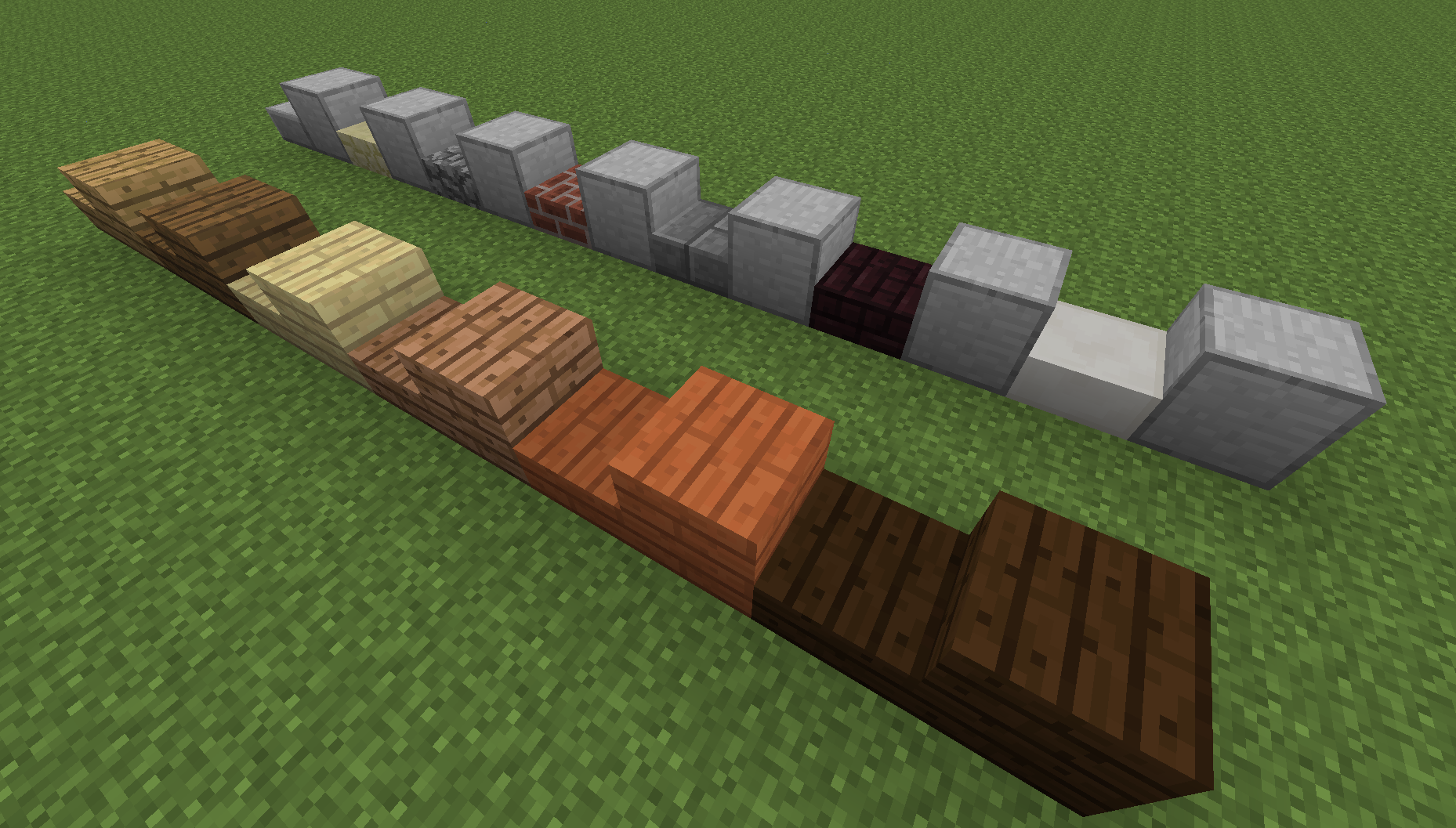
Placing two slab blocks together normally results in the appearance of a single full block that drops the two slabs when broken. As of 14w17a, all slabs placed this way, with the exception of wooden slabs, result in a block that is generic in appearance. (See 1st image; I am not familiar with this type of block and could not find it in creative or the wiki)
Note that the double slab still behaves correctly other than its appearance. Breaking it will still drop the two slabs you originally placed.
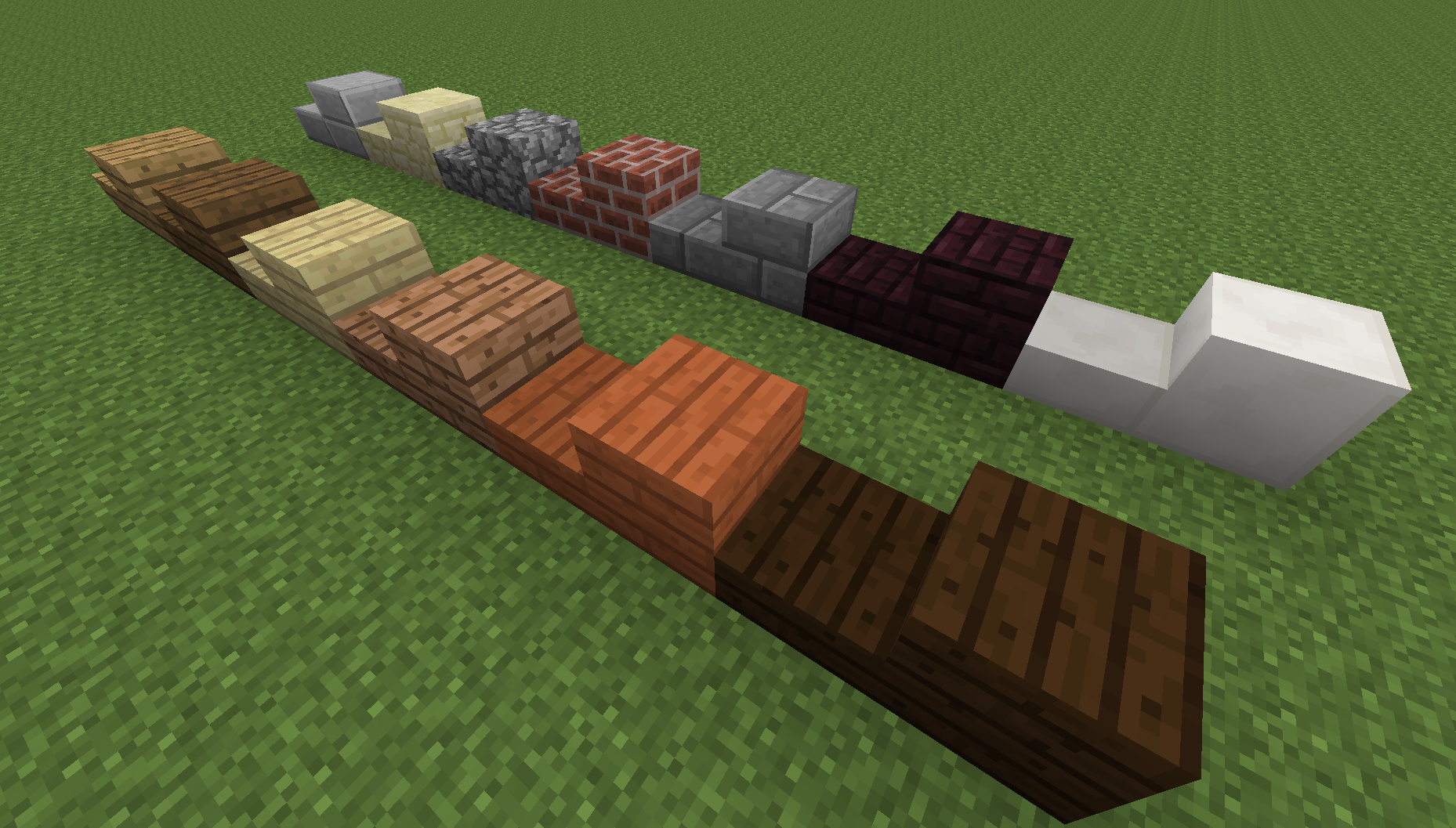
Wooden slabs are unaffected by the bug. I've confirmed the bug was not present in the previous snapshot, 14w11b.
The images below show a single slab, then the corresponding double slab for every slab type in the game. The first image is from 14w17a, the second is 14w11b.
This is still an issue in the latest beta. Verified in 1.16.0.57.
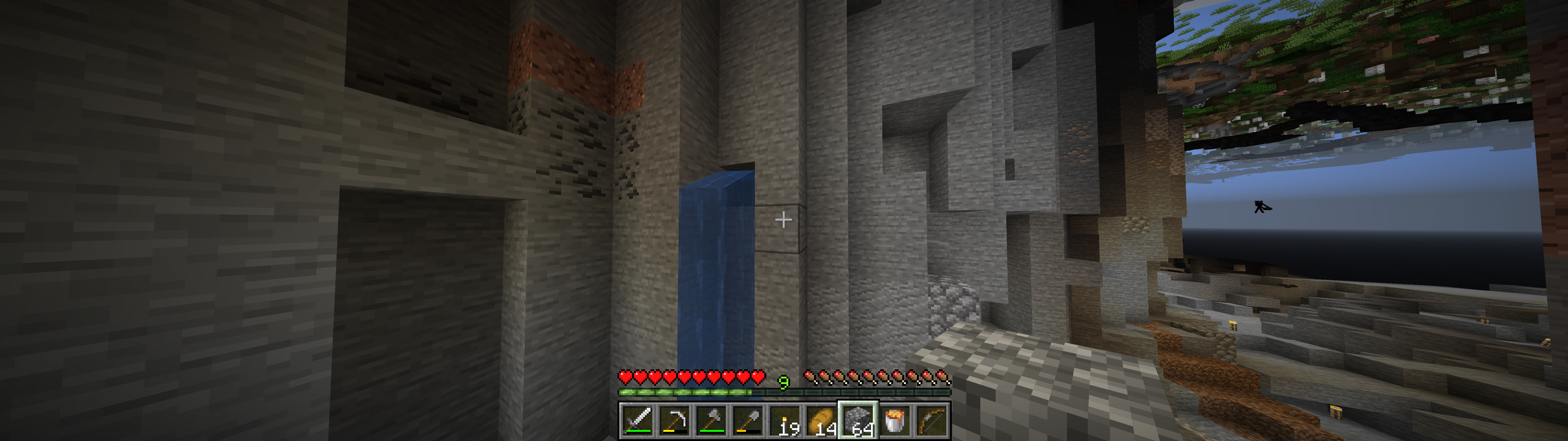
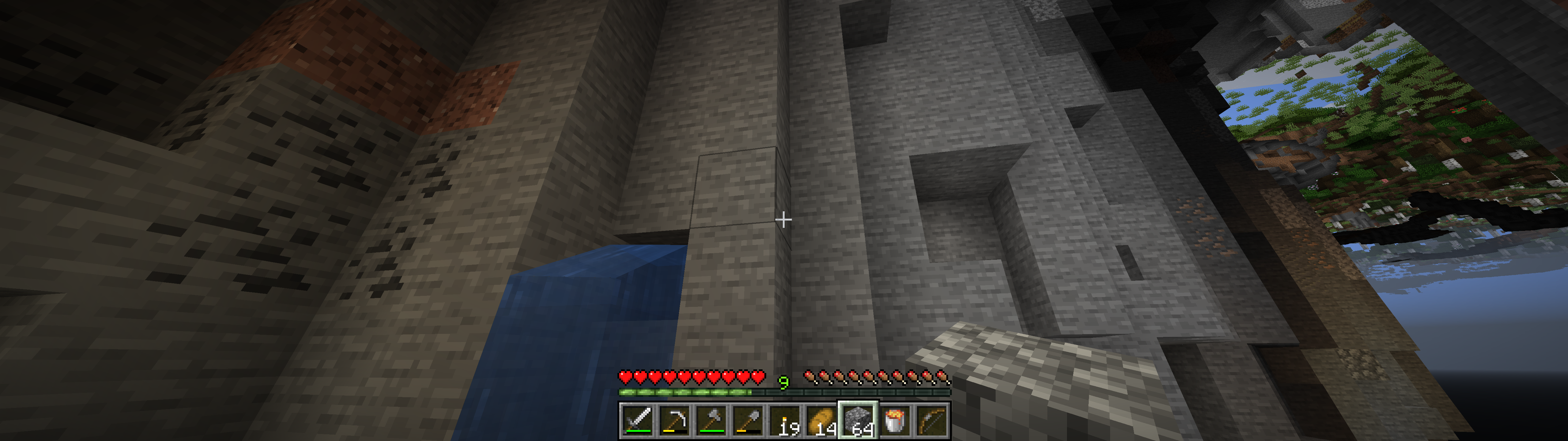
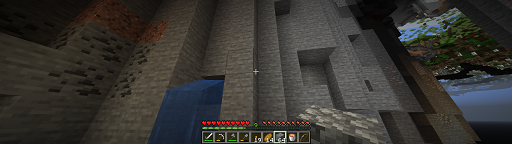
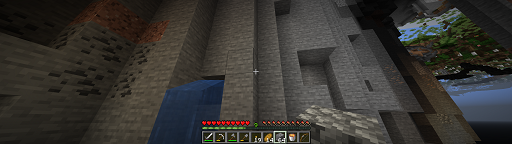
I have what I believe to be a frustum culling issue related to this. Since this one is resolved, I don't know whether to create a new report or just add to this one. My issue is specifically related to playing Minecraft Java on an ultra-widescreen (32:9) monitor, at which point chunks start disappearing once they are being displayed outside the usual 16:9 screen area. This seems to be independent of the FOV setting.
(edit: temporarily removed images to shrink them)
I have what I believe to be a frustum culling issue related to this. Since this one is resolved, I don't know whether to create a new report or just add to this one. My issue is specifically related to playing Minecraft Java on an ultra-widescreen (32:9) monitor, at which point chunks start disappearing once they are being displayed outside the usual 16:9 screen area. This seems to be independent of the FOV setting, in that the culling begins at roughly the same point on the screen.
Normal FOV:
Corrected view by turning slightly right:
Quake Pro FOV:
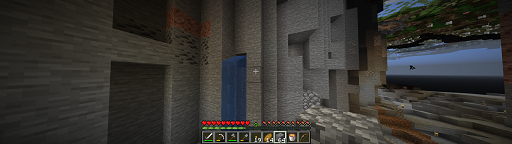
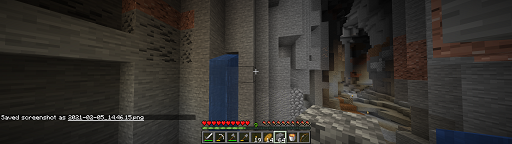
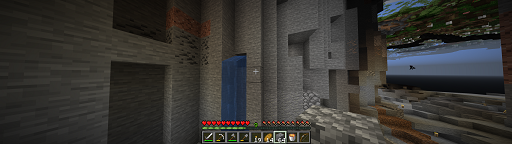
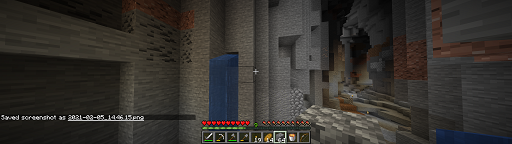
I have what I believe to be a frustum culling issue when playing Minecraft Java on an ultra-widescreen (32:9) monitor. The issue is that chunks seem to disappear once they are being displayed outside the usual 16:9 screen area.
Possibly related to link MC-63020.
May be the same issue as
linkMC-8684.Normal FOV:
Quake Pro FOV:
Issue goes away when turning slightly to the right:
I have what I believe to be a frustum culling issue when playing Minecraft Java on an ultra-widescreen (32:9) monitor. The issue is that chunks seem to disappear once they are being displayed outside the usual 16:9 screen area.
Possibly related to
MC-63020.May be the same issue as MC-8684.
Normal FOV:
Quake Pro FOV:
Issue goes away when turning slightly to the right:
I have what I believe to be a frustum culling issue when playing Minecraft Java on an ultra-widescreen (32:9) monitor. The issue is that chunks seem to disappear once they are being displayed outside the usual 16:9 screen area.
Possibly related to
MC-63020.May be the same issue as MC-8684.
Tested seed:
Near coords -1033 20 -902Normal FOV:
Quake Pro FOV:
Issue goes away when turning slightly to the right:
I have what I believe to be a frustum culling issue when playing Minecraft Java on an ultra-widescreen (32:9) monitor. The issue is that chunks seem to disappear once they are being displayed outside the usual 16:9 screen area.
Possibly related to
MC-63020.May be the same issue as MC-8684.
Tested seed:
Near coords -1033 20 -902Normal FOV:
Quake Pro FOV:
Issue goes away when turning slightly to the right:
I have what I believe to be a frustum culling issue when playing Minecraft Java on an ultra-widescreen (32:9) monitor. The issue is that chunks seem to disappear once they are being displayed outside the usual 16:9 screen area.
Possibly related to
MC-63020.May be the same issue as MC-8684.
Tested seed: -2323201294763458300
Near coords -1033 20 -902Normal FOV:
Quake Pro FOV:
Issue goes away when turning slightly to the right:
I have what I believe to be a frustum culling issue when playing Minecraft Java on an ultra-widescreen (32:9) monitor. The issue is that chunks seem to disappear once they are being displayed outside the usual 16:9 screen area.
Possibly related to
MC-63020.May be the same issue as MC-8684.
Tested seed: -2323201294763458300
Near coords -1033 20 -902Normal FOV:
Quake Pro FOV:
Issue goes away when turning slightly to the right:
Left-side example:
Upon generating a new single player world in creative and flying around for a bit, I noticed these large strips of black unlit areas on the surface. No idea what's causing it. Fixed upon saving and reloading world.
Seed: -2392248831625166061
Coords: 1264 180 684
![[Mojang] Mega_Spud (Jay Wells)](../../../data/avatars/users/92696.png)
Elayne Terry - Thanks for the world copy. Can you give an approximate location of the world that was causing an issue?

@Elayne Terry, could you please create a new report for that and refer to this one?
It looks like what you are describing might be related to MC-8684, but that is not about chunks missing, but only about some blocks not being rendered.
@Elayne Terry could you please check if you are still experiencing this issue in 21w11a or a newer version? The fix for MC-70850 might have solved this.
However, due to world generation changes the provided seed and coordinates do not have the same terrain anymore.
Still happening for me in 14w05b. The issue is very sporadic and only affects some mobs. Also the facing is not necessarily East as I reported, but does seem to be a cardinal direction. I've spent some time testing but can't find a reason only some mobs are affected while others work fine.
Thank you. Here are the search terms I used to attempt to identify an existing report before posting:
double slab wrong block
brick slabs become iron block
placing two slabs together creates incorrect block
slabs create incorrect block
This bug is fixed in 14w18a. Whether using the Good Luck preset or manually selecting the option, water in rivers and oceans is now replaced by lava.
@Theo: Note that there will still be water in water lakes using the Good Luck preset, and that the ocean level is set lower than normal so you have to find an actual ocean to see the lava since rivers aren't deep enough. This is probably to prevent every forest in the game from starting on fire the moment you spawn into the world, which is what happens when you generate a normal world with just the Lava Oceans setting turned on.
Running v1.11.4 and have this issue, except for me the sounds seem to come out of the Left Surround and Right Surround channels, rather than the front channels. Turning off surround sound in the Logitech app does NOT fix the problem.
Just got this issue. Had nothing to do with a nether portal. My wife and I were exploring a decent distance away from our home area and reached a point where the game refused to generate further terrain. To fix it, we tried logging off and back on, but we're unable to rejoin the realm and it's stuck at "Building terrain." I downloaded the world file but I can't attach it here because it's half a gig in size.
Had the issue while exploring, not related to a portal. We simply reached an area that wouldn't continue building terrain, so we tried logging out and back in, but we became stuck at "Building Terrain." After about 10 minutes, my wife tried logging in again and it seemed to work for a few minutes and then hard-locked her entire PC, forcing a hard reboot. Link to downloaded realm:
https://drive.google.com/open?id=1u3gEVY9G270PfIVYz0b5helXtCXpeNRa
Confirmed to still be an issue in 1.16.0.57 and the RTX beta 1.15.0.8.
Still an issue in 1.16.0.63.
I have what I believe to be a frustum culling issue related to this. Since this one is resolved, I don't know whether to create a new report or just add to this one. My issue is specifically related to playing Minecraft Java on an ultra-widescreen (32:9) monitor, at which point chunks start disappearing once they are being displayed outside the usual 16:9 screen area.
Normal FOV;
Quake Pro FOV:
Corrected view by turning slightly right:
Done: MC-214270
Thank you.