 CharlesC
- yaugzebul
- yaugzebul
- Europe/Stockholm
- Yes
- No
 MC-10121






 MC-10120
It is related to
MC-6785
When you actiavte a dispenser, any hopper attached is stopped.
InMC-6785it is stated that if you want it to work (ie dispenser firing while hopper filling it), you'llahve just to power teh dispenser through a block which doesn't work (second screenshot)What I expected to happen was...:
Having the dispenser firing anything I put inside teh connected hopperWhat actually happened was...:
The hopper stopped as soon as the dispenser is poweredSteps to Reproduce:
1. put a dispenser and a dropper attached to it
2. power the dispenser (any ways)
3. try to put things inside the hopper and see that they are not grabbed by the dispenser as soon as the dipsenser is poweredIt is related to
MC-6785
When you activate a dispenser, any hopper attached is stopped.
InMC-6785it is stated that if you want it to work (ie dispenser firing while hopper filling it), you'll have just to power the dispenser through a block which doesn't work (second screenshot)What I expected to happen was...:
Having the dispenser firing anything I put inside teh connected hopperWhat actually happened was...:
The hopper stopped as soon as the dispenser is poweredSteps to Reproduce:
1. put a dispenser and a dropper attached to it
2. power the dispenser (any ways)
3. try to put things inside the hopper and see that they are not grabbed by the dispenser as soon as the dipsenser is powered
What I expected to happen was...:
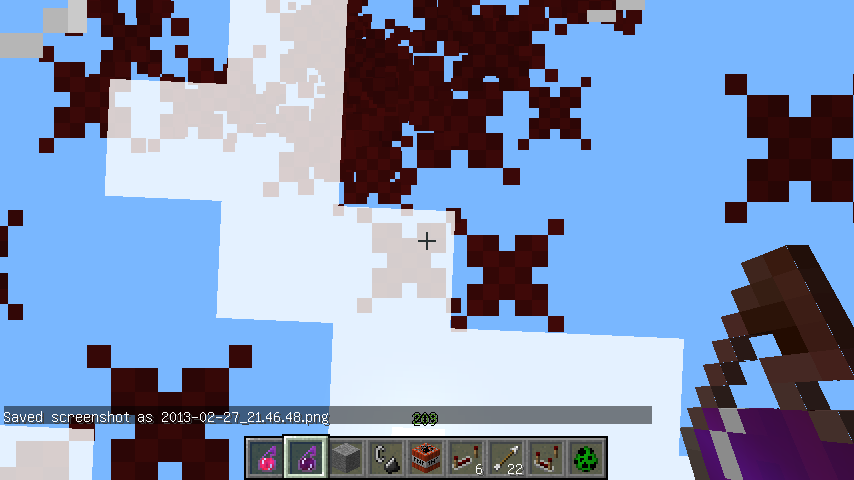
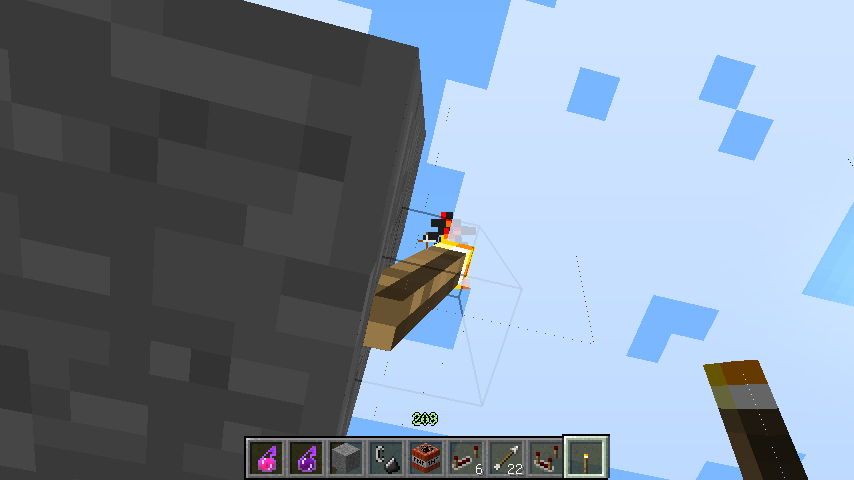
As soon as I am on teh ground and so far below clouds, particles effects to be same eitehr I look up or notWhat actually happened was...:
If you look at clouds particles effects faded as if tehy were above the cloudsSteps to Reproduce:
1. Be under the clouds with something creating particle effects
2. look from above ->OK
3. look from below and see that when clouds are there, the particle colors fadedHoping this is note a duplicate and I am on low/no fancy graphics
What I expected to happen was...:
As soon as I am on teh ground and so far below clouds, particles effects to be same eitehr I look up or notWhat actually happened was...:
If you look at clouds particles effects faded as if tehy were above the cloudsSteps to Reproduce:
1. Be under the clouds with something creating particle effects
2. look from above ->OK
3. look from below and see that when clouds are there, the particle colors fadedHoping this is note a duplicate and I am on low/no fancy graphics
What I expected to happen was...:
As soon as I am on the ground and so, far below clouds, particles effects to be same eitehr I look up or notWhat actually happened was...:
If you look at clouds particles effects faded as if tehy were above the cloudsSteps to Reproduce:
1. Be under the clouds with something creating particle effects
2. look from above ->OK
3. look from below and see that when clouds are there, the particle colors fadedHoping this is note a duplicate and I am on low/no fancy graphics
What I expected to happen was...:
As soon as I am on the ground and so, far below clouds, particles effects to be same eitehr I look up or notWhat actually happened was...:
If you look at clouds particles effects faded as if tehy were above the cloudsSteps to Reproduce:
1. Be under the clouds with something creating particle effects
2. look from above ->OK
3. look from below and see that when clouds are there, the particle colors fadedHoping this is note a duplicate and I am on low/no fancy graphics
What I expected to happen was...:
As soon as I am on the ground and so, far below clouds, particles effects to be same either I look up or notWhat actually happened was...:
If you look at clouds particles effects faded as if tehy were above the cloudsSteps to Reproduce:
1. Be under the clouds with something creating particle effects
2. look from above ->OK
3. look from below and see that when clouds are there, the particle colors fadedHoping this is note a duplicate and I am on low/no fancy graphics
What I expected to happen was...:
As soon as I am on the ground and so, far below clouds, particles effects to be same either I look up or notWhat actually happened was...:
If you look at clouds particles effects fadedas if tehy were above the cloudsSteps to Reproduce:
1. Be under the clouds with something creating particle effects
2. look from above ->OK
3. look from below and see that when clouds are there, the particle colors fadedHoping this is note a duplicate and I am on low/no fancy graphics
What I expected to happen was...:
As soon as I am on the ground and so, far below clouds, particles effects to be same either I look up or notWhat actually happened was...:
If you look at clouds, particles effects fades as if they were above the cloudsSteps to Reproduce:
1. Be under the clouds with something creating particle effects
2. look from above ->OK
3. look from below and see that when clouds are there, the particle colors fadedHoping this is note a duplicate and I am on low/no fancy graphics
Another particle example
Bug with particles.jpg
[Creative]Lilypad strange placement on/in water
What I expected to happen was...:
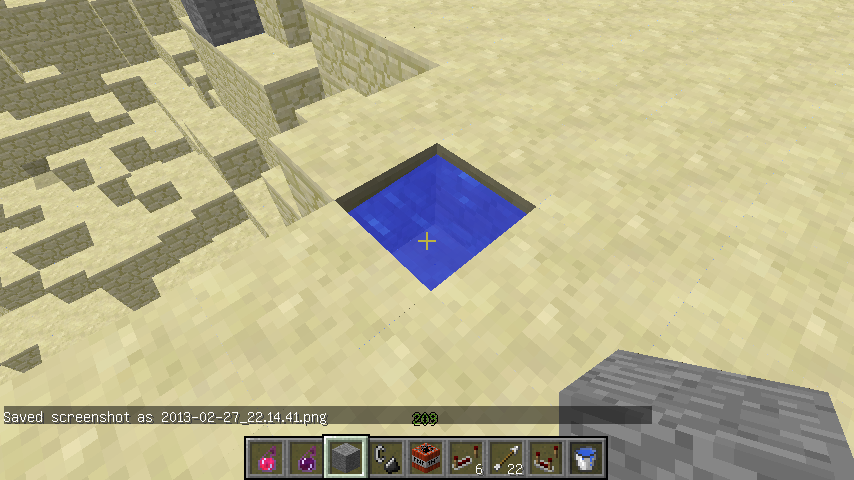
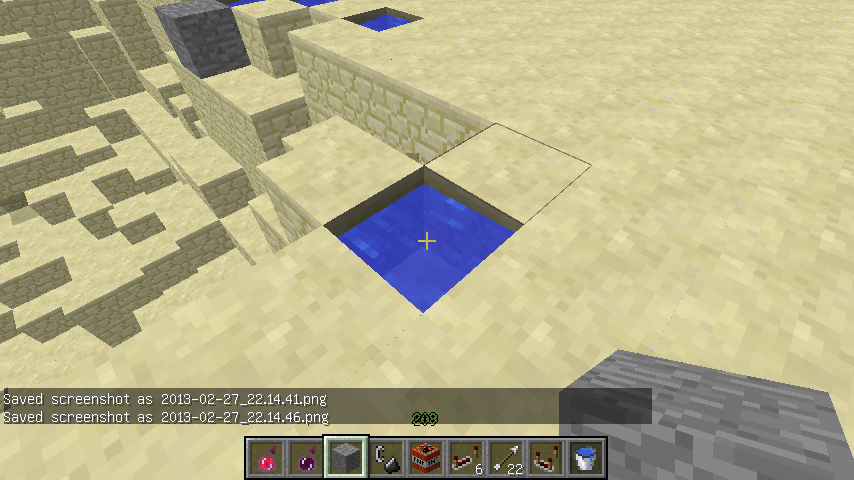
I place lilyPad over the water (2 block deep)What actually happened was...:
I manage to place lilypad on the water level below, and then the water fills the hole and make the lilypad pop out.Steps to Reproduce:
1. Create a water area 2 blocks deep
2. Point at a block near the edge of the water area with a lilypad in hand
->if you point and click on the half of the block nearest the center of the water area: the lilypad will be put correctly
->if you point and click on the half of the block nearest the edge : the lilypad will be put on the water below and then pops out by the water filling the holeI have a poor english (you can correct my phrasing)
A last picture : if you put your lilypad (after having removed this one) above purple line->strange behaviour, below->normal beha
rviour.
Hi,
I have the same problem (lever above a piston and wanted to not power it directly by the lever but by a complex redstone circuit), really annoying one for compact lever/piston/redstone system.
Regards
To make it fire it continuously, you can put a comparator but it doesn't change anything : the hopper is stopped.
If someone has a solution, don't hesitate
Regards
The problem here come not from the dispenser but from the hopper :S
Do really I have to open a new one with a comparator ? for you to take this into account ? (comparator=clock)
I fou have read a bit my comment and what I say, you might have seen that the problem is not (I power badly the dispenser) but more that the blocked hopper is annoying.
Ok sorry in this case
MC-6077fixed :S i would have liked not too.As stated in
MC-10123, it seems that this is more of suggestion than bug fixing. Sorry for duplicating and thanks for your time.It would be useful if reliable (ie possibility to put power on/off). Here the problem is that it isn't reliable (piston extended and remains until you create an update of it) above the fact that it is not linked to the "normal way" redstone power is provided.
I have this bug too.
yep i can confirm this one, failing in 13w09b too
I have a ATI Mobility Radeon HD3650 (Windows Vista SP2)
To see it easily : use a bow, charge it and you'll see those dots around the parts of the bow. Other way is to look at the ground on a flat map with rising sun (light passes through those holes)
Sorry didn't find this one (search for particle + cloud) :S
Particles fade when see from below clouds. I added 2 screenshots to it. Really easy to reproduce. Seems happening through water too.
I added screenshots to it, thanks
Hi another example with multiple screenshots, happens in 13w09b too
Edited with "another_example" names
Sorry as non english speaker didn't know "lilypad" can be written "lily pad" and so search didn't show it to me (neither tags)
Added a screenshot. If, after having removed the lilypad on the screenshot, you put the lilypad above purple line->water breaks, below purple line->lilypad correctly placed. Only works on edge water blocks if the water is at least 2 block deep.
If you use blindness+night vision effect, it happens the same (very reliable way to reproduce)
I have seen this one too.
EDIT:Comments removed as link to MC-11193
Verified as fixed in 13w10a, thanks Jeb.
I can confirm it using blindness+night vision in 13w10a. I don't know for the original way put in the post
I experienced it in 13w10a too
I confirm taht as my PC on Windows is quite old, no AA is activated and the lighting is in the most basic settings.
Still in 13w10b ->can one Mojang DEV take care of this one ? or at least explain why my strange_behaviour.png is normal (though I doubt it)
I think this one is more here than in
MC-108. (strange_behaviour.png)In my map, if you activate upper or lower lever->the left piston is activated first and the other one after.
I you activate the lever in the middle, it makes the right piston to be activated first.
As the OP said, it is really strange. I would understand if the nearer the lever is to the second piston, the more it is prone to activate it, but here, it is random.
If you want this map, just ask, I'll be glad to give it.
Still happening in 1.5 pre-release.
Confirmed with Vista 32 bits, java 7 (and classic windows looking)
Every time I try to launch the game with the new launcher it crashes.
Confirmed in 13w16
Still in 13w16a
Some love from a developer ? (Jeb ? dinnerbone ?)
Still in 13w21a
Remember 2 glitches that people wanted to keep :
->water glitch : making boat faster and some server had water highway using this : was fixed and no replacement
->minecart glitch : two minecarts near each other accelerate : was fixed and replaced with booster rail
Here we have 2 solutions :
->Mojang thinks this is bug (my point of view because messing up with contracted designed and hiding things (like in pure rock)) and they will fix it with a replacement or none
->Mojang thinks this is feature : they just have to put this one as "working as intended" and that's all (and people just have to know this when building with piston)
Arguing is pointless because there are always people who want "nothing changes" and other "everything changes". Only Mojang will do (or no)t things related to this.
Hi,
http://minecraft.gamepedia.com/Mule#Equipment
Did you use a chest on the mule/donkey ? It is only with it that you'll have "chest slot".
Still in 14w04a :
seed 1082326624105029725
positions: X=34, y=58 z=-2356
X=-275 Y=74 Z=-2357
For latest snapshots (at least last 2), the white dot is back when looking at the water (like seas)
Can someone else confirm ?
Still there in 14w05b. I find it less noticeable but I might be mistaken. I can attach new screenshot if needed.