 esoij
esoij
- yomommabois
- JIRAUSER567036
- Europe/Stockholm
- Yes
- No
 MC-204235
 Important
 MCL-21551
 Low
Low


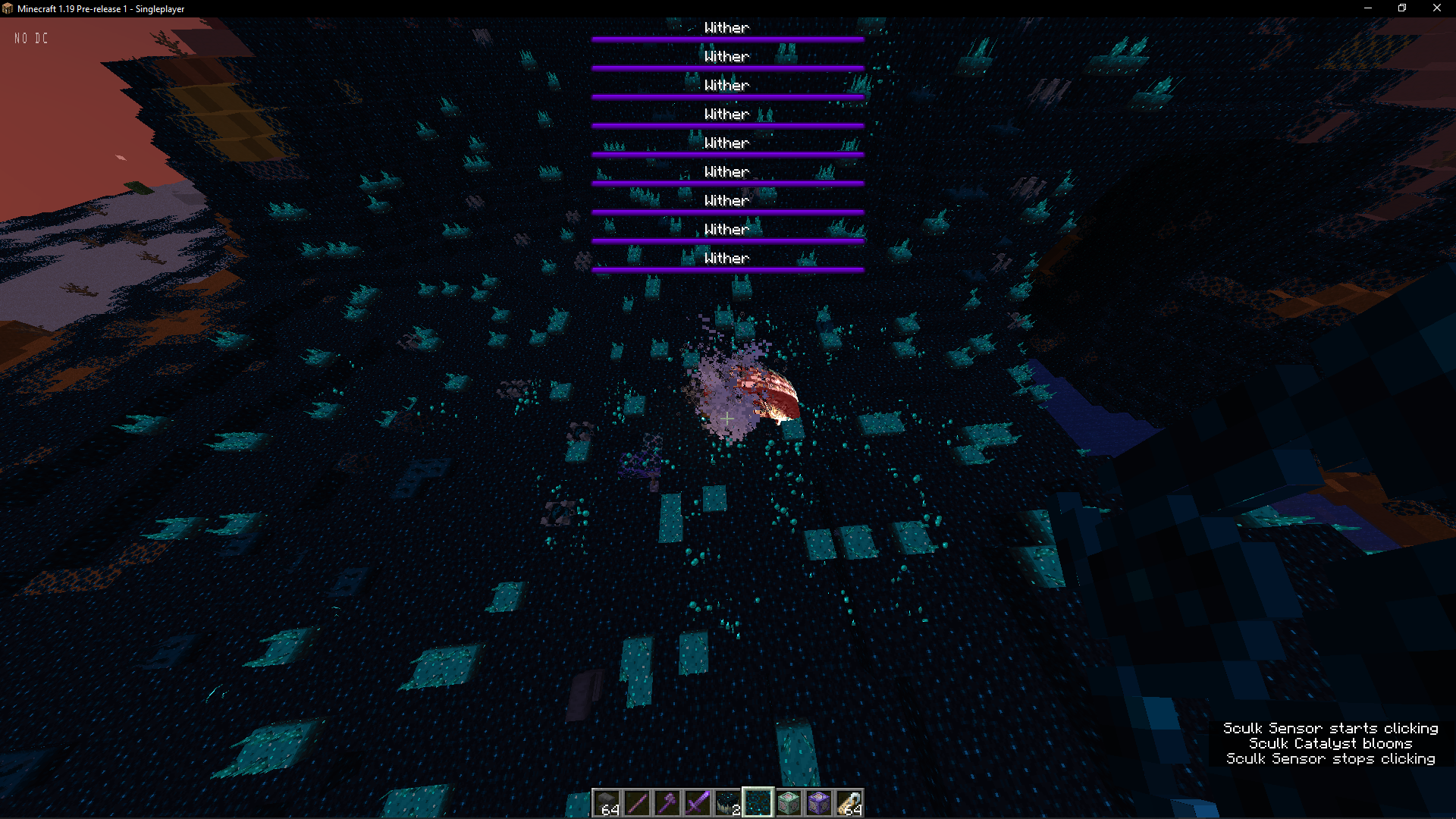

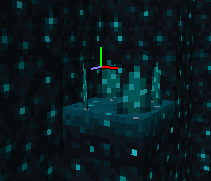

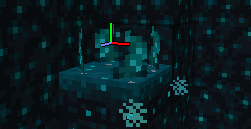


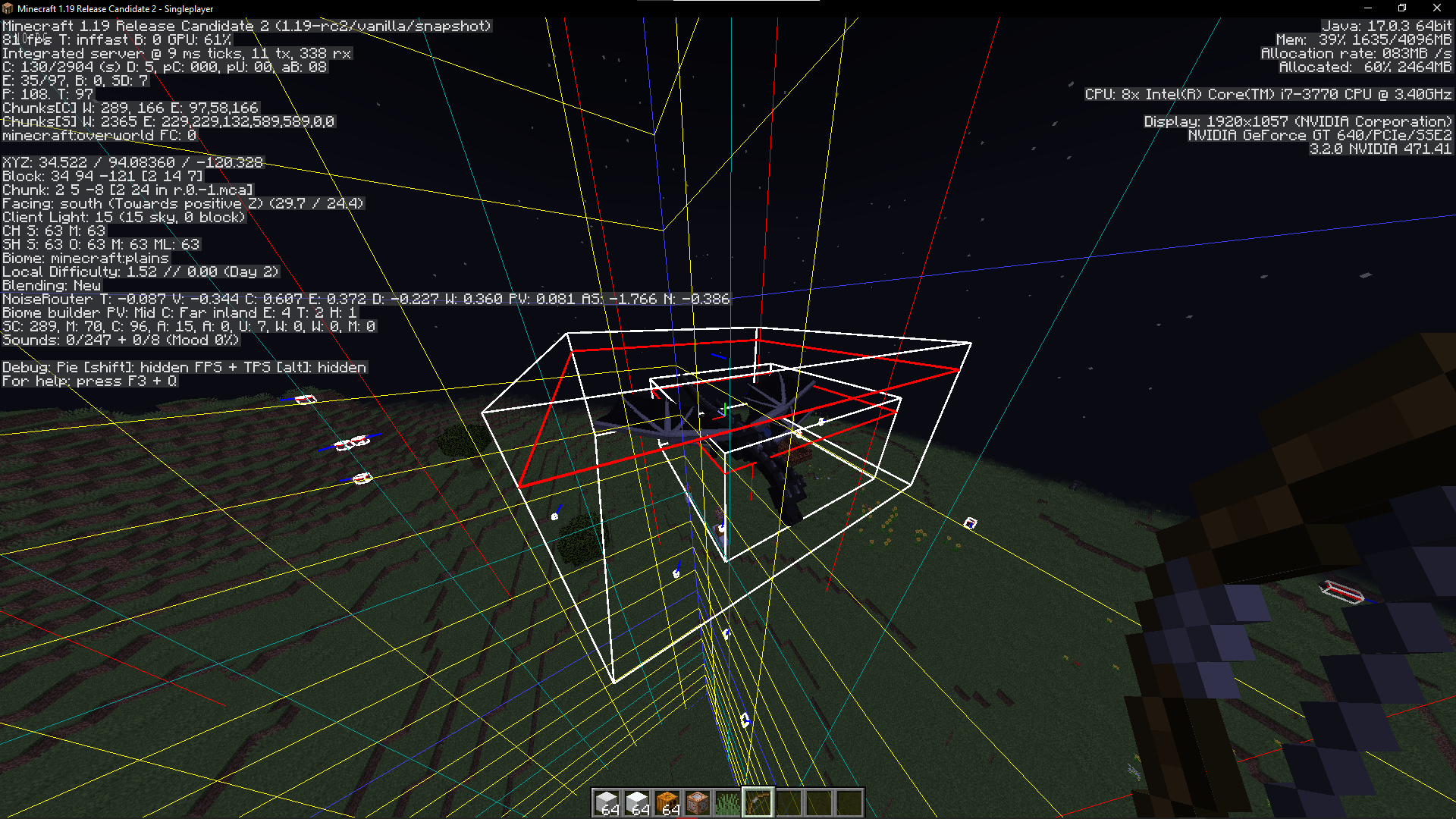


image_2022-04-19_210354560.png
if you do something like
/spreadplayers ~ ~ 1 1000000 true @e[type=!player]an error occurs and the game crashes
expected outcome:
error appears in command chat saying "too big of number idiot make it smaller" or something like that
actual outcome:
the error appears but a second after the game crashesand you have to wait ~7 minutes just to get back onto the worldif you do something like
/spreadplayers ~ ~ 1 1000000 true @e[type=!player]an error occurs and the game crashes
expected outcome:
error appears in command chat saying "too big of number idiot make it smaller" or something like that
actual outcome:
the error appears but a second after the game crashesand you have to wait ~7 minutes just to get back onto the world(thats just my pc)\it wasn't a memory issue for me, i have like 16 gigs allocated even tho i only have 8 gigs on this pc and if something tried to use more memory than i have my pc would almost certainly crash
if you do something like
/spreadplayers ~ ~ 1 1000000 true @e[type=!player]an error occurs and the game crashes
expected outcome:
error appears in command chat saying "too big of number idiot make it smaller" or something like that
actual outcome:
the error appears but a second after the game crashesand you have to wait ~7 minutes just to get back onto the world(thats just my pc)\it wasn't a memory issue for me, i have like 16 gigs allocated even tho i only have 8 gigs on this pc and if something tried to use more memory than i have my pc would almost certainly crash
if you do something like
/spreadplayers ~ ~ 1 1000000 true @e[type=!player]an error occurs and the game crashes
expected outcome:
error appears in command chat saying "too big of number idiot make it smaller" or something like that
actual outcome:
the error appears but a second after the game crashesand you have to wait ~7 minutes just to get back onto the world(thats just my pc)could somebody with more coding knowledge think of a fix please?
if you do something like
/spreadplayers ~ ~ 1 1000000 true @e[type=!player]an error occurs and the game crashes
expected outcome:
error appears in command chat saying "too big of number idiot make it smaller" or something like that
actual outcome:
the error appears but a second after the game crashesand you have to wait ~7 minutes just to get back onto the world(thats just my pc)could somebody with more coding knowledge think of a fix please?
Seems to be semi-fixed in 22w18a. Doesn't crash, just lingers around for a very long amount of time.
if you do something like
/spreadplayers ~ ~ 1 1000000 true @e[type=!player]an error occurs and the game crashes
expected outcome:
error appears in command chat saying "too big of number idiot make it smaller" or something like that
actual outcome:
the error appears but a second after the game crashesand you have to wait ~7 minutes just to get back onto the world(thats just my pc)could somebody with more coding knowledge think of a fix please?
Seems to be semi-fixed in 22w18a. Doesn't crash, just lingers around for a very long amount of time.
It seems to be completely fixed in 1.20.2
if you do something like
/spreadplayers ~ ~ 1 1000000 true @e[type=!player]an error occurs and the game crashes
expected outcome:
error appears in command chat saying "too big of number idiot make it smaller" or something like that
actual outcome:
the error appears but a second after the game crashesand you have to wait ~7 minutes just to get back onto the world(thats just my pc)could somebody with more coding knowledge think of a fix please?
Seems to be semi-fixed in 22w18a. Doesn't crash, just lingers around for a very long amount of time.
It seems to be completely fixed in 1.20.2
if you do something like
/spreadplayers ~ ~ 1 1000000 true @e[type=!player]an error occurs and the game crashes
expected outcome:
error appears in command chat saying "too big of number idiot make it smaller" or something like that
actual outcome:
the error appears but a second after the game crashesand you have to wait ~7 minutes just to get back onto the world(thats just my pc)could somebody with more coding knowledge think of a fix please?
Seems to be semi-fixed in 22w18a. Doesn't crash, just lingers around for a very long amount of time.
It seems to be completely fixed in 1.20.2
I had 64 warden spawn eggs in my first slot, nothing else in my inventory, the items had no NBT, then I picked up a sculk catalyst and it over
rided (overrid? overid? overided? how do you spell that?)the warden spawn eggs. The catalysts had no NBT either. Don't have any proof as I wasn't recording or anything (im making a resource pack and if i record my game will lag a bunch if i open a recording software cuz my pc is shit)I had 64 warden spawn eggs in my first slot, nothing else in my inventory, the items had no NBT, then I picked up a sculk catalyst and it overwrote the warden spawn eggs. The catalysts had no NBT either. Don't have any proof as I wasn't recording or anything (im making a resource pack and if i record my game will lag a bunch if i open a recording software cuz my pc is shit)
i cant get videos because my pc is so bad when a video is being ruecordedd so i only have screenshots but i dunno
how to reproduce:
mess around with a sculk sensor
there were no entities in the area. there was a warden, it doesn't activate sensors though, doMobSpawning was disabled, and in spectator there were no mobs. to confirm there were no mobs, i did /kill @e[type=!player,type=!warden] and it turned no results.
Steps to reproduce:
Make a datapack (It's possible to be done without a datapack, but a datapack is the best way to do it) (im too tired to make one for this, somebody make one for this. i might make a datapack for this bug later.)
Go to the MC wiki for info on how to make a datapack.After you made the pack.mcmeta, add the folders: assets/minecraft/tags/game_events then add a file called "vibrations.json"
In sed file paste this in:
{
"replace": true,
"values": [
"minecraft:flap",
"minecraft:block_attach",
"minecraft:block_change",
"minecraft:block_close",
"minecraft:block_destroy",
"minecraft:block_detach",
"minecraft:block_open",
"minecraft:block_place",
"minecraft:block_activate",
"minecraft:block_deactivate",
"minecraft:container_close",
"minecraft:container_open",
"minecraft:dispense_fail",
"minecraft:drink",
"minecraft:eat",
"minecraft:elytra_glide",
"minecraft:entity_damage",
"minecraft:entity_die",
"minecraft:entity_interact",
"minecraft:entity_place",
"minecraft:entity_roar",
"minecraft:entity_shake",
"minecraft:equip",
"minecraft:explode",
"minecraft:entity_die",
"minecraft:fluid_pickup",
"minecraft:fluid_place",
"minecraft:hit_ground",
"minecraft:instrument_play",
"minecraft:item_interact_finish",
"minecraft:item_interact_start",
"minecraft:lightning_strike",
"minecraft:sculk_sensor_tendrils_clicking",
"minecraft:note_block_play",
"minecraft:piston_contract",
"minecraft:piston_extend",
"minecraft:prime_fuse",
"minecraft:projectile_land",
"minecraft:projectile_shoot",
"minecraft:shear",
"minecraft:note_block_play",
"minecraft:splash",
"minecraft:step",
"minecraft:swim",
"minecraft:flap",
"minecraft:shriek"
]
}Now place a bunch of sensors next to each other and just everywhere and make as much sound as possible (put the datapack into a world btw)
Expected the: behavior sculk sensors will just lag out the game
Acutalbehavior:sculk sensorsstop activating at a certain point
I wrote this all from memory btw, its been a long day, im really tried, sorry for the mistakes, ill fix iot later.Steps to reproduce:
Download the datapack (It's possible to be done without a datapack, but a datapack is the best way to do it)
Now place a bunch of sensors everywhere and make as much sound as possible
Expected the: behavior sculk sensors will just lag out the game
Actual behavior: sculk sensors stop activating at a certain point
This is not fixed, I'm getting the same issue with my custom biome.
heres the logs:
[13:05:48] [Render thread/INFO]: Environment: authHost='https://authserver.mojang.com', accountsHost='https://api.mojang.com', sessionHost='https://sessionserver.mojang.com', servicesHost='https://api.minecraftservices.com', name='PROD'
[13:05:48] [Render thread/INFO]: Setting user: [REDACTED]
[13:05:49] [Render thread/INFO]: Backend library: LWJGL version 3.2.2 build 10
no idea what happened
ive tried everything from deleting the version to (effectively) deleting the whole directory (i just made the directrory for a launch profile a new folder)
Ender dragonhas no hitbox without AIEnder dragon without AI has only main hitbox
I found this bug while testing to see if MC-85910 still affected 1.19-rc2.
How to reproduce:
Run the command: /summon ender_dragon ~ ~ ~ {NoAI:1b}
Expected behaviour: the dragon's body part have hitboxes
Actual behaviour: the dragon has only one hitbox covering the whole thing, but that hitbox can't be hit or anything, it's intangible
I found this bug while testing to see if MC-85910 still affected 1.19-rc2.
How to reproduce:
Run the command: /summon ender_dragon ~ ~ ~ {NoAI:1b}
Expected behaviour: the dragon's body part have hitboxes
Actual behaviour: the dragon has only one hitbox covering the whole thing, but that hitbox can't be hit or anything, it's intangible
(in the image there's 2 ender dragons, thats why there's 2 hitboxes. the second is covered by the first)
just a mild annoyance seeing "Missing sound for event: minecraft:item.goat_horn.play" in the console. entity.goat.screaming.horn_break is also
not used.just a mild annoyance seeing "Missing sound for event: minecraft:item.goat_horn.play" in the console. entity.goat.screaming.horn_break is also used, but not defined.
![[Mod] Anthony Cicinelli](../../../data/avatars/users/10122.svg)

okay, didn't know somebody reported this already
Can confirm in Deep Dark Experimental Snapshot 1
i honestly think this shouldn't be fixed. please don't fix it.
Works as intended.
Works as intended.
Works as intendesd.
Actually, I'm on Windows 10 with the latest version of Java and I have this same issue..=
Affects 22w17a (sometimes, but more often than it should be to be fixed)
Affects 22w16a
Can confirm 22w17a, 22w16a, and 22w15a.
isnt this intended?
in default world too
Affects 22w18a
Seems to be semi-fixed in 22w18a. It doesn't seem to crash, it just seems to linger around for a while.
ty
Uhh... This is intended? I don't know why you put it here..
Can confirm in literally every single version.
Crash report file?
@pulpetti no. kinda. sometimes. its confusing. it kinda semi-freezes and semi-crashes, it has most of the things that a crash gives and most of the things that a freeze gives but not all of them. it's weird.
This was the first time it has happened to me. I don't know how it happened. I am unsure if I will be able to ever record a video of the bug.
Can confirm in 1.19 pre-1
@Dhranios yes. the sculk sensors stop activating interely
Which splashes are you talking about?
could you attach a video of it
That happened due to lag.
I don't know how it happened.
i didnt intend to mark unreleased i didnt realize i even did im sorry
No. It was only naturally generated blocks. It was in a deep dark biome. The only sound making blocks were other sculk blocks, but sculk doesn't activate sculk.
WHY IS THIS LOW PRIORITY??? FIX IT PLEASE ITS SO ANNOYING I DONT KNOW WHAT TO DO
Affects all versions from 22w17a to 1.19-rc2
This also makes the allay sometimes never ever drop items. Rare bug, but it happens.
Affects 1.19-rc2
Can confirm in 1.19-rc2
Can confirm in 1.19-rc2
Affects 1.19-rc2 if you use small mobs such as silverfish.
Can confirm in 1.19-rc2
Can confirm in 1.19-rc2
Can confirm in 1.19-rc2
Does not appear to affect 1.19-rc2
Can confirm in 1.19-rc2
Can confirm in 1.19-rc2. Also produces the arrow subtitle.
Can confirm in 1.19-rc2
Can confirm in 1.19-rc2
Can confirm in 1.19-rc2
PLEASE PLEASE JUST FIX THIS BUG ALREADY
Beta
Latest beta version as of now, no idea how to check the launcher version. I'm not using the windows store version of the launcher. Not using bedrock edition, using the superior edition.
No
No
No
No
Yes
No
Yes
No
No
No
No, my pc is shit
No
No, it freezes before it could make any log files and all the logs in the console are already posted.
I can't use microsoft store due to a windows bug that makes it crash as soon as I open it.
No
How the hell do I take away the feature cycles????
I cannot record a video due to the fact that microsoft store and any apps related to microsoft store crash immediately. I have no idea how to use OBS.
Maybe you could get in contact with the mod developer of cyanide to see if you could possibly borrow the cold? thet mod fixeds this issue and a bunch of thother annoying datpakca issues
I am not having the same issue described in that link. It crashes immediately after opening without any pop-up text.
Are you using texture packs?
1.13-1.18 versions crash. im on the latest beta for the launcher on windows 10, not the windows store edition of the launcher.
i haven't read it because tl;dr, but i have a datapack with accurate folder structure to the new one and i have a biome that has no issues and the nether folder has no issues and i copied the soul sand valley thing for it and pasted it but renamed the soul sand valley to my biome name and it won't generate.
Works as intended.
Sorry, I'm pretty sure this website only allows English.
I can confirm this bug exists. Do not mark it as invalid for using a modified version. The version I used was just plain vanilla 1.19.1
This is intended behavior.
Mojangs authentication servers may be down. If this happens, check https://downdetector.com/status/minecraft/