Blindness + Night-vision Effects Create Complete Blindness
I was messing around with the effects and I found that the blindness effect and the night vision effect cause you to see nothing but the sun and the light in the sky.
Commands to test:
/effect @p minecraft:night_vision 1000000 0
/effect @p minecraft:blindness 1000000 0
Code analysis by Ben Staddon in this comment.
Linked Issues
is duplicated by7
 MC-10574Total blindness 13w09bDuplicateMC-25619Night Vision + Blindness turns screen pitch black.DuplicateMC-51396When you have the night vision and blindness effects at the same time, you can't see anything.DuplicateMC-83446Night Vision + BlindnessDuplicateMC-92076Night Vision and Blindness Turns Screen Pitch BlackDuplicateMC-100181White screen glitchDuplicateMC-123635Blindness - Night Vision Graphical BugDuplicate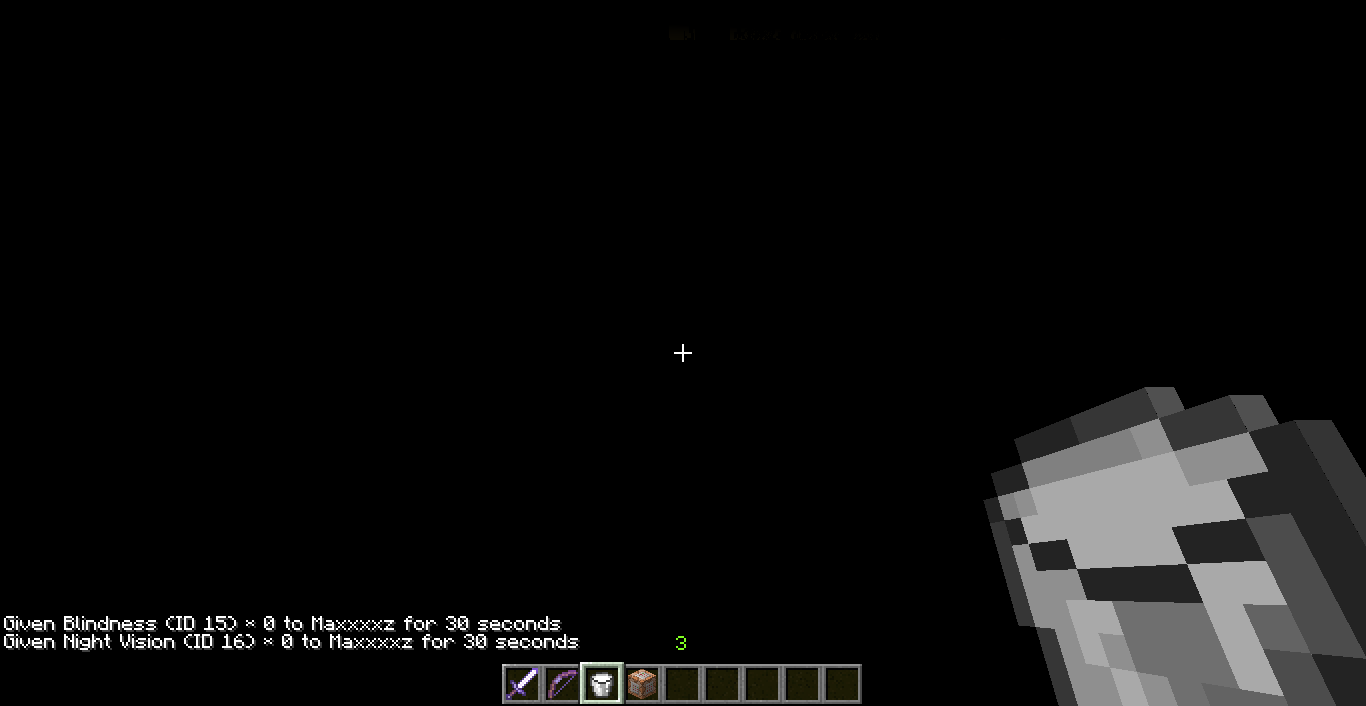


![[Mod] Sonicwave](../../../data/avatars/users/94627.png)

Created Issue:
Blindness + Night-vision Effects Create Complete Blindness
I was messing around with the effects and I found that the blindness effect and the night vision effect cause you to see nothing but the sun and the light in the sky.
If you need to test this, do: /effect [player name] 15
Along with: /effect [player name] 16
Attachments2
I was messing around with the effects and I found that the blindness effect and the night vision effect cause you to see nothing but the sun and the light in the sky.
If you need to test this, do: /effect [player name] 15
Along with: /effect [player name] 16I was messing around with the effects and I found that the blindness effect and the night vision effect cause you to see nothing but the sun and the light in the sky.
If you need to test this, do: /effect (player name) 15
Along with: /effect (player name) 16


is duplicated by

![[Mojang] Grum (Erik Broes)](../../../data/assets/gravatar/grum.png)
is duplicated by
is duplicated by
Blindness + Night Vision.png
![[Mod] Torabi](../../../data/assets/gravatar/torabi.png)
is duplicated by
I was messing around with the effects and I found that the blindness effect and the night vision effect cause you to see nothing but the sun and the light in the sky.
If you need to test this, do: /effect (player name) 15
Along with: /effect (player name) 16I was messing around with the effects and I found that the blindness effect and the night vision effect cause you to see nothing but the sun and the light in the sky.
Commands to test:/effect @p minecraft:night_vision 1000000 0 /effect @p minecraft:blindness 1000000 0
relates to
is duplicated by
is duplicated by
![[Mod] Pokechu22](../../../data/avatars/users/92931.png)
I was messing around with the effects and I found that the blindness effect and the night vision effect cause you to see nothing but the sun and the light in the sky.
Commands to test:/effect @p minecraft:night_vision 1000000 0 /effect @p minecraft:blindness 1000000 0
Code analysis by Ben Staddon in this comment.
relates to
![[Mod] Neko](../../../data/avatars/users/92901.png)
is duplicated by
relates to
![[Mojang] Adrian Östergård](../../../data/assets/gravatar/nighter.jpeg)
 Thommy SivermanThommy Siverman
![[Mojang] slicedlime](../../../data/assets/gravatar/slicedlime.jpeg)
Duplicate of MC-10480, please use the search function to see if your bug has already been submitted. Currently over 52% of tickets are being closed as duplicate.
Duplicate of MC-10480, please use the search function to see if your bug has already been submitted. Currently over 58% of tickets are being closed as duplicate.

WAI MC-10480
Duplicate of MC-10480 which is resolved as intended
Wait, first MC-10480 was intended, and now this is intended, I'm confused...
MC-10480 appears to be caused by the same issue, although that was resolved as intended for some reason. Both seem to only occur on non-NVIDIA graphics cards as described in this report.
[Mod] Michael Wobst Thanks for the reassignment. Would it be possible to get MC-10480 reopened or have the devs look at it again, since it seems to have the same behavior as this bug?
![[Mod] Michael Wobst](../../../data/avatars/users/37868.png)
[~ericz1], MC-10480 is already marked to be reviewed.
Having had a chance to look at this earlier, here's an explanation of the bug.
The issue is in EntityRenderer.updateFogColor() and is the cause of both MC-4647 and MC-10480.
Looking at the relevant section of code there (based on MC 1.12.1):
double d1 = (entity.lastTickPosY + (entity.posY - entity.lastTickPosY) * (double)partialTicks) * world.provider.getVoidFogYFactor();

if (entity instanceof EntityLivingBase && ((EntityLivingBase)entity).isPotionActive(MobEffects.BLINDNESS))
{
	int i = ((EntityLivingBase)entity).getActivePotionEffect(MobEffects.BLINDNESS).getDuration();

	if (i < 20)
	{
		d1 *= (double)(1.0F - (float)i / 20.0F);
	}
	else
	{
		d1 = 0.0D;
	}
}

if (d1 < 1.0D)
{
	if (d1 < 0.0D)
	{
		d1 = 0.0D;
	}

	d1 = d1 * d1;
	this.fogColorRed = (float)((double)this.fogColorRed * d1);
	this.fogColorGreen = (float)((double)this.fogColorGreen * d1);
	this.fogColorBlue = (float)((double)this.fogColorBlue * d1);
}

if (this.bossColorModifier > 0.0F)
{
	float f14 = this.bossColorModifierPrev + (this.bossColorModifier - this.bossColorModifierPrev) * partialTicks;
	this.fogColorRed = this.fogColorRed * (1.0F - f14) + this.fogColorRed * 0.7F * f14;
	this.fogColorGreen = this.fogColorGreen * (1.0F - f14) + this.fogColorGreen * 0.6F * f14;
	this.fogColorBlue = this.fogColorBlue * (1.0F - f14) + this.fogColorBlue * 0.6F * f14;
}

if (entity instanceof EntityLivingBase && ((EntityLivingBase)entity).isPotionActive(MobEffects.NIGHT_VISION))
{
	float f15 = this.getNightVisionBrightness((EntityLivingBase)entity, partialTicks);
	float f6 = 1.0F / this.fogColorRed;

	if (f6 > 1.0F / this.fogColorGreen)
	{
		f6 = 1.0F / this.fogColorGreen;
	}

	if (f6 > 1.0F / this.fogColorBlue)
	{
		f6 = 1.0F / this.fogColorBlue;
	}

	this.fogColorRed = this.fogColorRed * (1.0F - f15) + this.fogColorRed * f6 * f15;
	this.fogColorGreen = this.fogColorGreen * (1.0F - f15) + this.fogColorGreen * f6 * f15;
	this.fogColorBlue = this.fogColorBlue * (1.0F - f15) + this.fogColorBlue * f6 * f15;
}
After some calculations, the fog colour values are multiplied by the value d1. If this value is zero, which can occur both due to being subject to the blindness effect and also a negative y position, then all three colour components of the fog will be zero upon entering the block of code applying the night-vision effect. This is what triggers the bug.
Within the night-vision code, the value f6 is calculated as the minimum of the reciprocal of the red, green, blue colour values. For the case where these are all 0, this value will be infinity.
The colour values are then linearly interpolated (based on the night-vision intensity value, f15) between their original values, and the value multiplied by the calculated factor f6. In the case described above, this multiplication will be 0 * infinity, which has no defined value, and will evaluate to NaN (Not a Number). The NaN value will propagate here, leading to a final NaN value being assigned as the fog colours.
These invalid values are then passed to various OpenGL fog functions, which is what seems to be causing the effects described. As NVidia cards do have alternative fog rendering methods (that are used by Minecraft - the optional "GL_NV_fog_distance" extension) it's likely that the implementation used handling this differently is the reason why it's hardware dependent.
The night-vision code needs to handle this edge case, to avoid passing invalid values here. If the developers do intend on having the end result, it should be coded specifically, rather than relying on implementation quirks.
Notes:
See the OpenGL spec (section 2.3.4.1: Floating-Point Computation) for some info about how various floating-point values are to be handled.

The latest stance on this is that it was a bug, it was fixed in 1.15.2 - see here: MC-10480
For suggestions, please visit Minecraft Suggestions on Reddit or visit the Feedback website.
![[MCPE Mod] Dr.Awesome4333](../../../data/assets/gravatar/drawesome4333.png)
Thank you for your report!
However, this issue is Working as Intended.
The report you have submitted is working as intended: The fact that you were totally blind with these two effects was a bug, which was fixed. Please see MC-10480.
Please note, that mechanics of the game may change between updates.
Things such as graphics, sounds, world creation, biomes, redstone, villagers, and animals may not work the same in current versions.
Full Version History – Snapshot Version History – Feature Requests and Suggestions
Quick Links:
📓 Bug Tracker Guidelines – 💬 Community Support – 📧 Mojang Support
📓 Project Summary – ✍️ Feedback and Suggestions – 📖 Game Wiki
Confirmed.
Still in the game as of 13w09c.
and as of the 1.5 pre-release
AND as of 13w25b
Not really sure what the issue is, this works as intended.
'nightvision' doesn't override blindness and removes its effect.
You can also still see the floor beneath you without any issues.
The issue is stacking Night Vision and Blindness creates a super blindness that makes it impossible to see anything. Not even the floor! Just pure darkness! Whereas before, it would give you the visual limitations of blindness but change the appearance of the block light level for what you could still see(i.e. the floor) to 15.
Now I don't see anything wrong with this, as much as I like how the two effects stacked previously I can certainly use this new behavior for other things as well, but I want you to understand what the community here is pointing out.
In short...this is what we've come to expect:
http://www.youtube.com/watch?v=FlKK9k5g7zw&t=1m56s
This is what we're getting now:
http://www.youtube.com/watch?v=6ANrnQlcPc8&t=3m20s
Is this really working "as intended"?
I've heard it's a problem with some graphics cards. Here's my specs:
Is this really intended? Shouldn't Night Vision and Blindness reduce the player's vision to a few blocks, but still give them Night Vision (as in the videos linked by Aifer Gettisnem)? After all, that is how blindness behaves around other light sources (sunlight, block light etc).
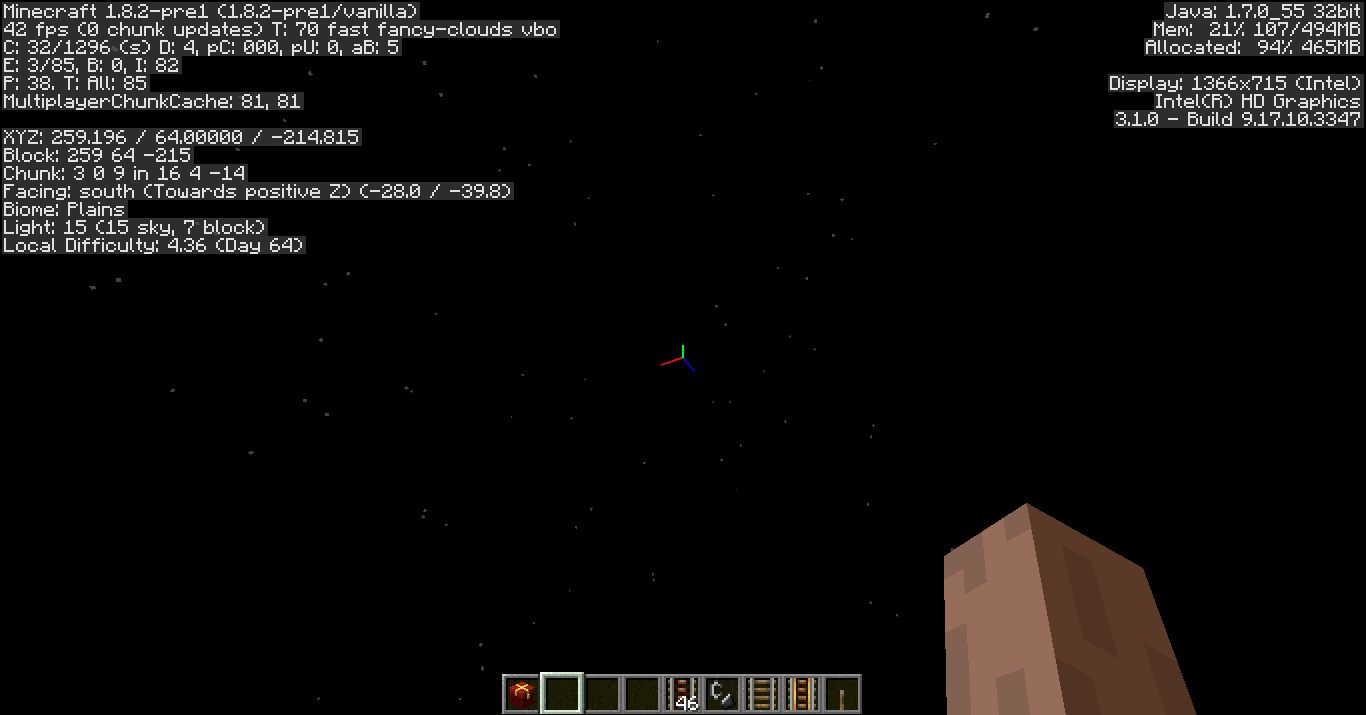
This still affects 1.8.2-pre1 and could be related to
MC-107.Confirmed for 1.8.6, see above comments for why it's still an issue.
MC-83446confirms it for 15w31a.Wait, heres a good question: why consider this a bug?
This could be used for map makers (like me, ive used this idea for fnaf 1 2 and 3 mc, without this bug my maps are useless)
Why cant we bring this back? Like for real, why would we need blindness and night vision, your technically still blinded, but with lighted vision, its useless now.
Please bring the complete blindness back
Fixed in 15w31b. What makes regular blindness + Moody brightness not enough?
no it's not, also this is resolved as intended
and I agree with Martin, it's very usefull for map makers
It is breaking one of my maps though. I want to limit a players ability to see (distance wise) but light up he area around said player i.e. Holding a torch. It makes no sense that a torch could light up areas 160 m away. Instead, they are completely blinded. Bug still in 1.9
Possible fix:
Blindness has 256 levels, but only one effect. Why not allow blindness II create complete blindness and blindness I created normal blindness. Night vision + blindness 1 creates the lighted limited area. Blindness II under any circumstances is complete darkness.
Everybody wins.
Based on [Mojang] Grum (Erik Broes)'s comment, I actually think that he misunderstood this issue since he said that you can see the floor without issues, while this bug is describing the exact opposite. There are discussions on Reddit about this issue here and here.
In any case, this behavior is inconsistent between computers: it didn't occur to me in 17w17b or 1.11.2 on a Windows 10 with NVIDIA (seen in attachment 2017-04-27_16.13.25.png), but when I tested it on another computer in the same versions it did occur (will get screenshots/specs when I get access to that computer again).
Edit: This seems to have the same cause as
MC-4647, which describes blackness when in the Void with Night Vision.Having had a chance to look at this earlier, here's an explanation of the bug.
The issue is in EntityRenderer.updateFogColor() and is the cause of both
MC-4647andMC-10480.Looking at the relevant section of code there (based on MC 1.12.1):
After some calculations, the fog colour values are multiplied by the value d1. If this value is zero, which can occur both due to being subject to the blindness effect and also a negative y position, then all three colour components of the fog will be zero upon entering the block of code applying the night-vision effect. This is what triggers the bug.
Within the night-vision code, the value f6 is calculated as the minimum of the reciprocal of the red, green, blue colour values. For the case where these are all 0, this value will be infinity.
The colour values are then linearly interpolated (based on the night-vision intensity value, f15) between their original values, and the value multiplied by the calculated factor f6. In the case described above, this multiplication will be 0 * infinity, which has no defined value, and will evaluate to NaN (Not a Number). The NaN value will propagate here, leading to a final NaN value being assigned as the fog colours.
These invalid values are then passed to various OpenGL fog functions, which is what seems to be causing the effects described. As NVidia cards do have alternative fog rendering methods (that are used by Minecraft - the optional "GL_NV_fog_distance" extension) it's likely that the implementation used handling this differently is the reason why it's hardware dependent.
The night-vision code needs to handle this edge case, to avoid passing invalid values here. If the developers do intend on having the end result, it should be coded specifically, rather than relying on implementation quirks.
Notes:
See the OpenGL spec (section 2.3.4.1: Floating-Point Computation) for some info about how various floating-point values are to be handled.