 MC-2167
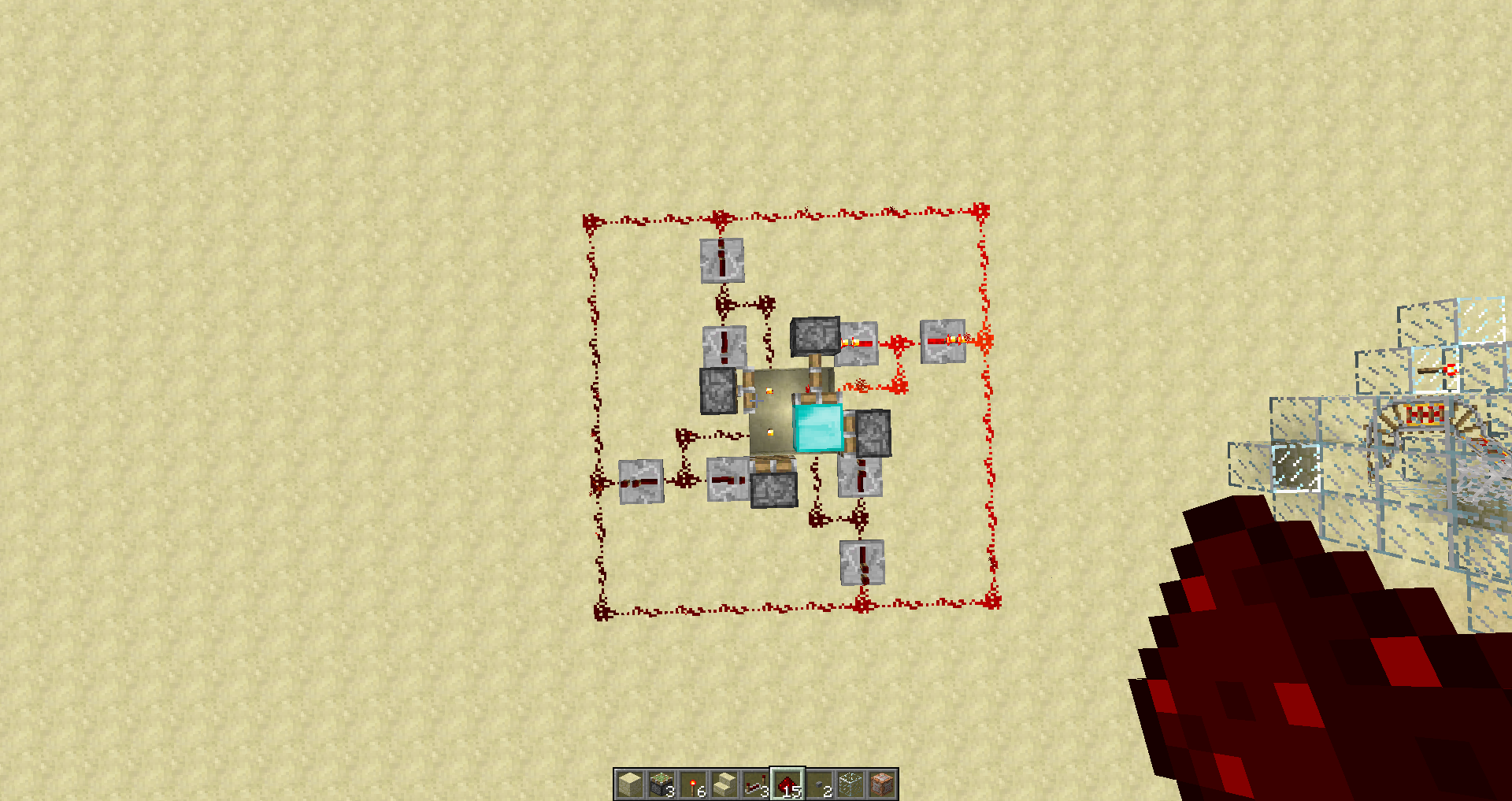
The Following Setup Makes Block A Indestructable
The Following Setup Makes Block A(In My Case Diamond Block) Indestructible, You Can Destroy It But It Instantaneously Reappears Even In Creative. Only Workaround Is To Disable The Circuit.
Environment
(Does Not Matter)
Linked Issues
Attachments1

Created Issue:
The Following Setup Makes Block A Indestructable
The Following Setup Makes Block A(In My Case Diamond Block) Indestructible, You Can Destroy It But It Instantaneously Reappears Even In Creative. Only Workaround Is To Disable The Circuit.
Environment
(Does Not Matter)


is duplicated by
I was building a piston-based mob farm (in the Nether), and I found that three of the blocks that I had in front of sticky pistons had disappeared. When I investigated more closely, they were still there, only they were invisible and indestructible by any normal means. I think these are block 36, and when I right-click them, they disappear.
I've seen other bugs talking about this (MC-2167), but I think they are talking about blocks in an active circuit. These blocks remain even if the circuit is disabled.
I do not have a recipe for reproducing this.
This is with a mostly vanilla Minecraft, I'm not running any "mods" and the ONLY thing I've changed is the LWJGL library (to v2.9.0 to avoid sticky key problems). I'll try to make a copy of my world downloadable, but it's more than 10M, so I can't just make it a normal attachment.
Please Ignore The Redstone Line Around The Circuit, It Is Not Required And Is There For Looks
This is somewhat accurate. After recreating your setup, and attempting to destroy the block, the behaviour was not consistent. Sometimes, if I tried destroying the block, it would show the destruction animation, but still exist. Other times, the block would end up being destroyed.
Whilst being moved, the diamond block is transformed into "Block 36", which is not breakable. Read http://www.minecraftwiki.net/wiki/Technical_blocks#Piston_Moving
That's true. The diamond block is present only for a very short amount of time before it is pushed again, even too short for breaking it in creative mode.
I close this now as Working as Intended, since this behavior is by design.
Maybe the upcoming 1.5 "Redstone Update" may change there something.