 fuj1n (Arthur Uzulin)
- fuj1n
- fuj1n
- Australia/Sydney
- Yes
- No
 MC-2049






is duplicated by
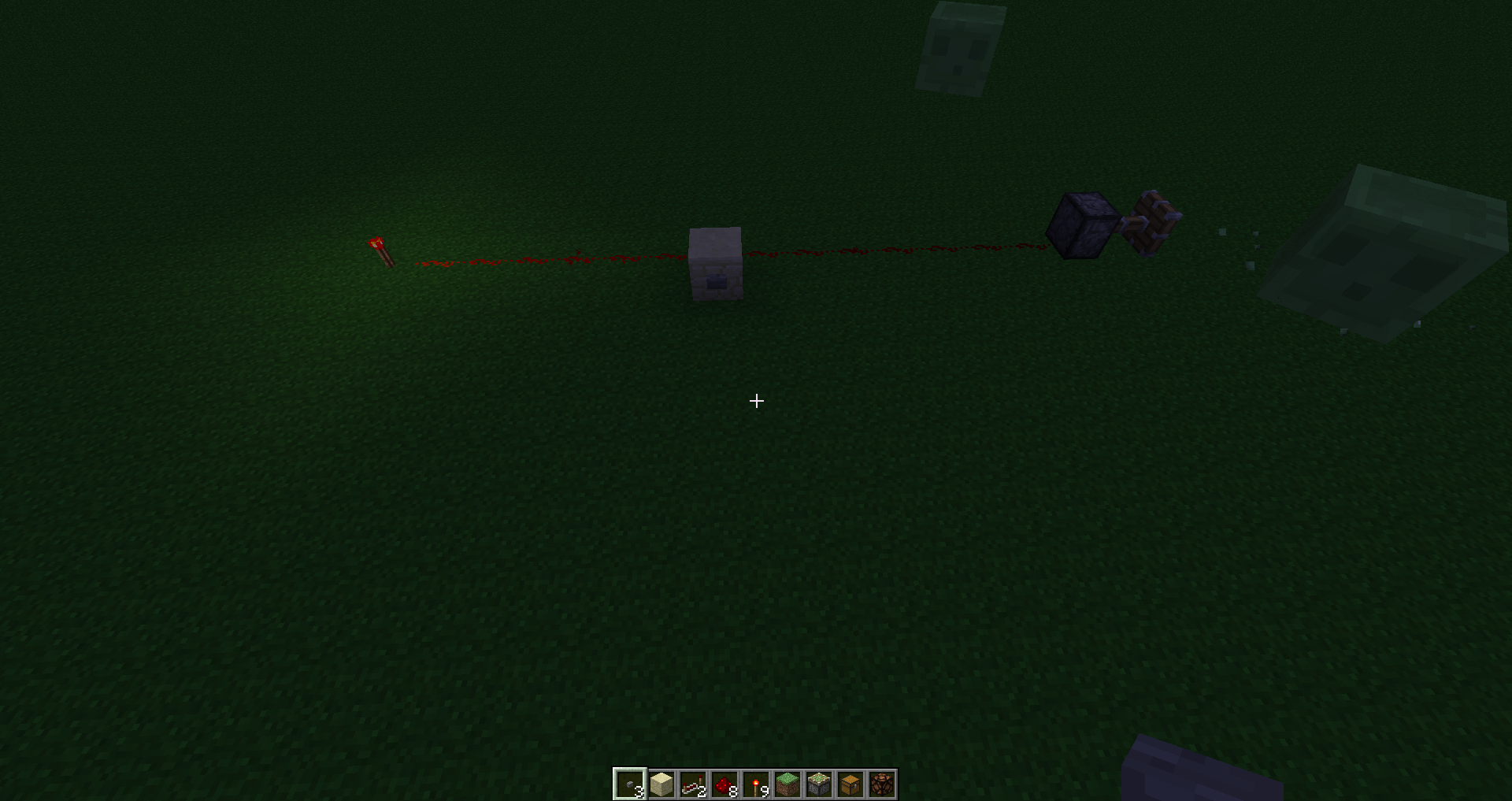
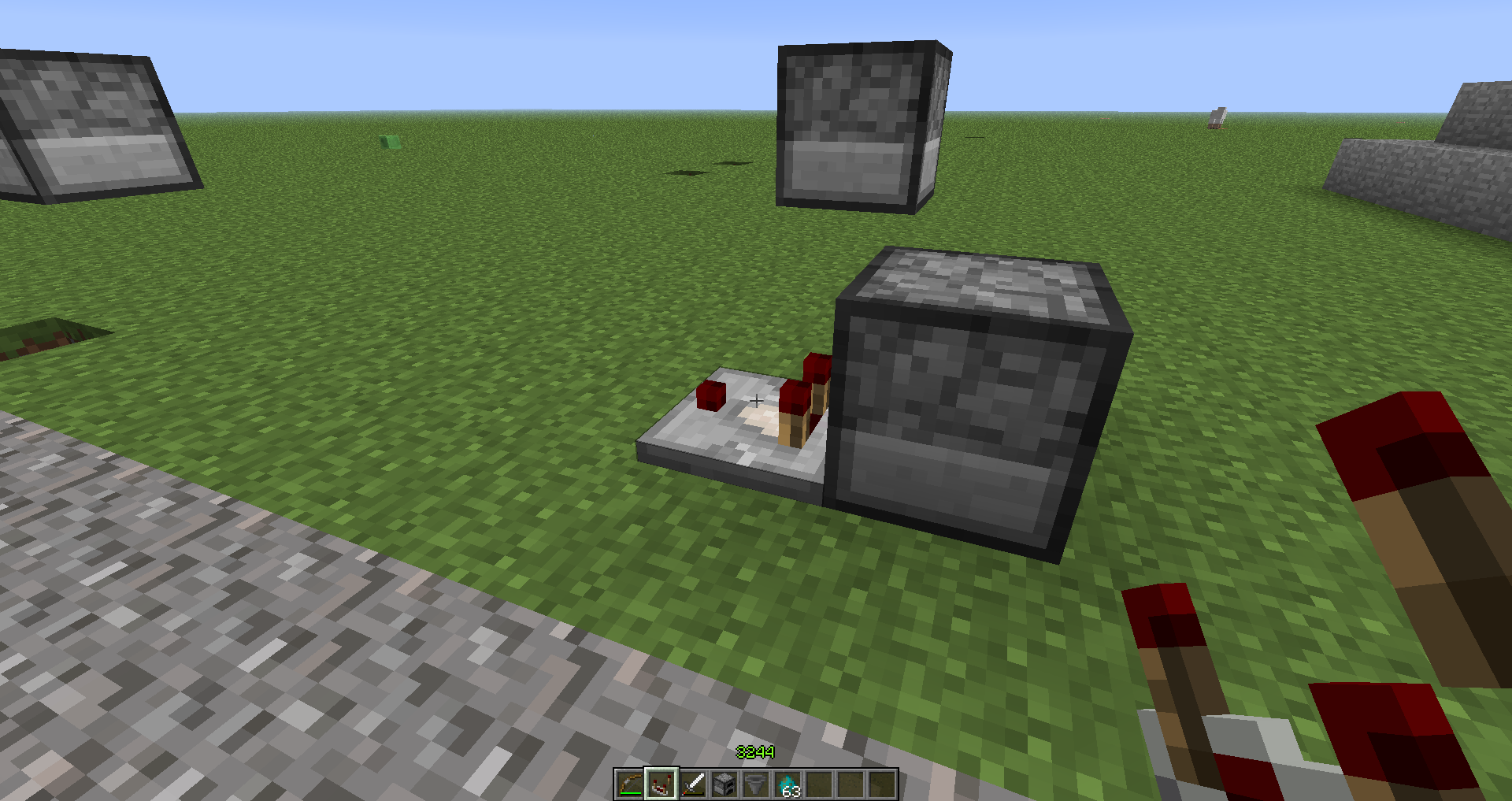
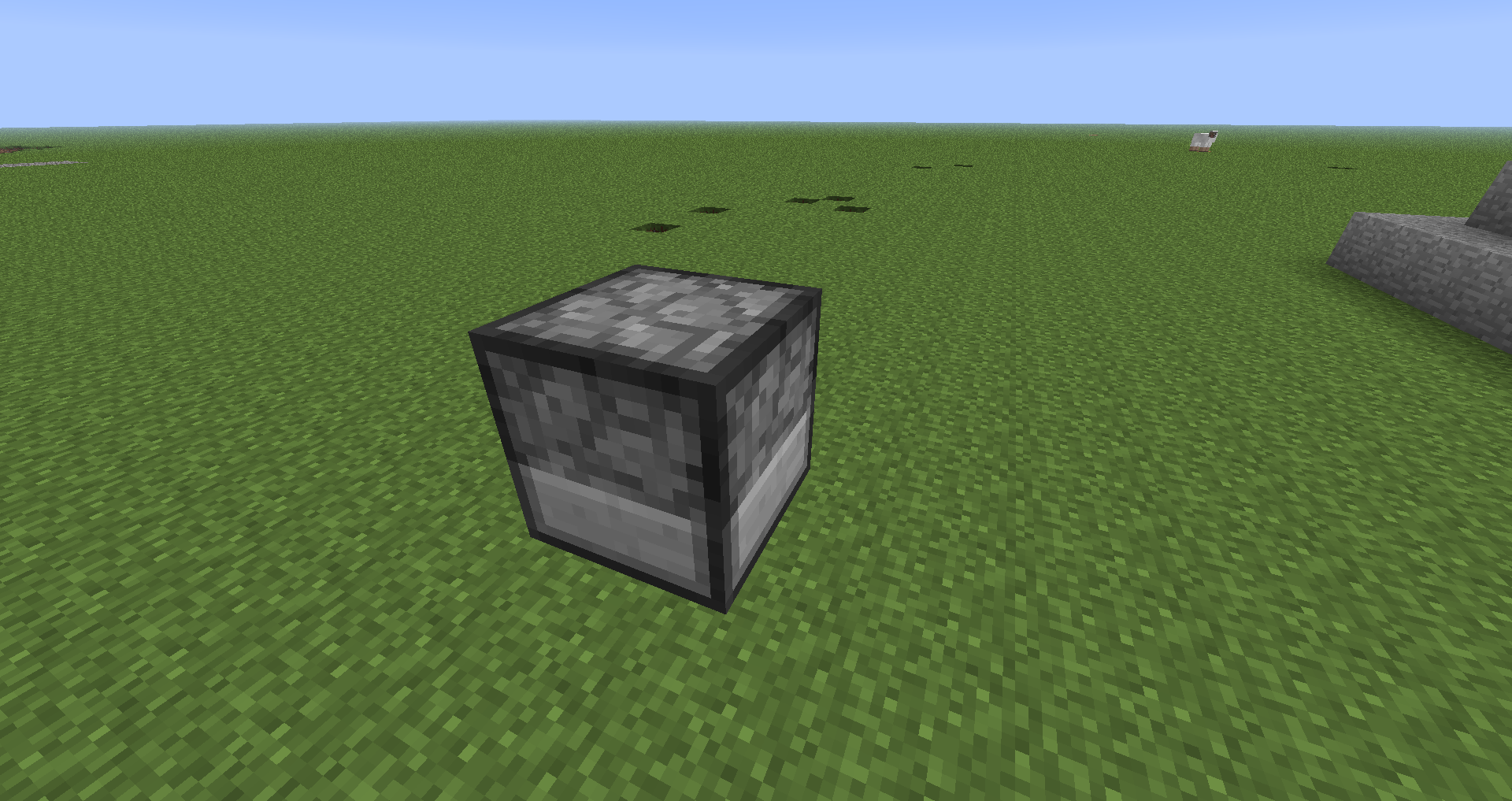
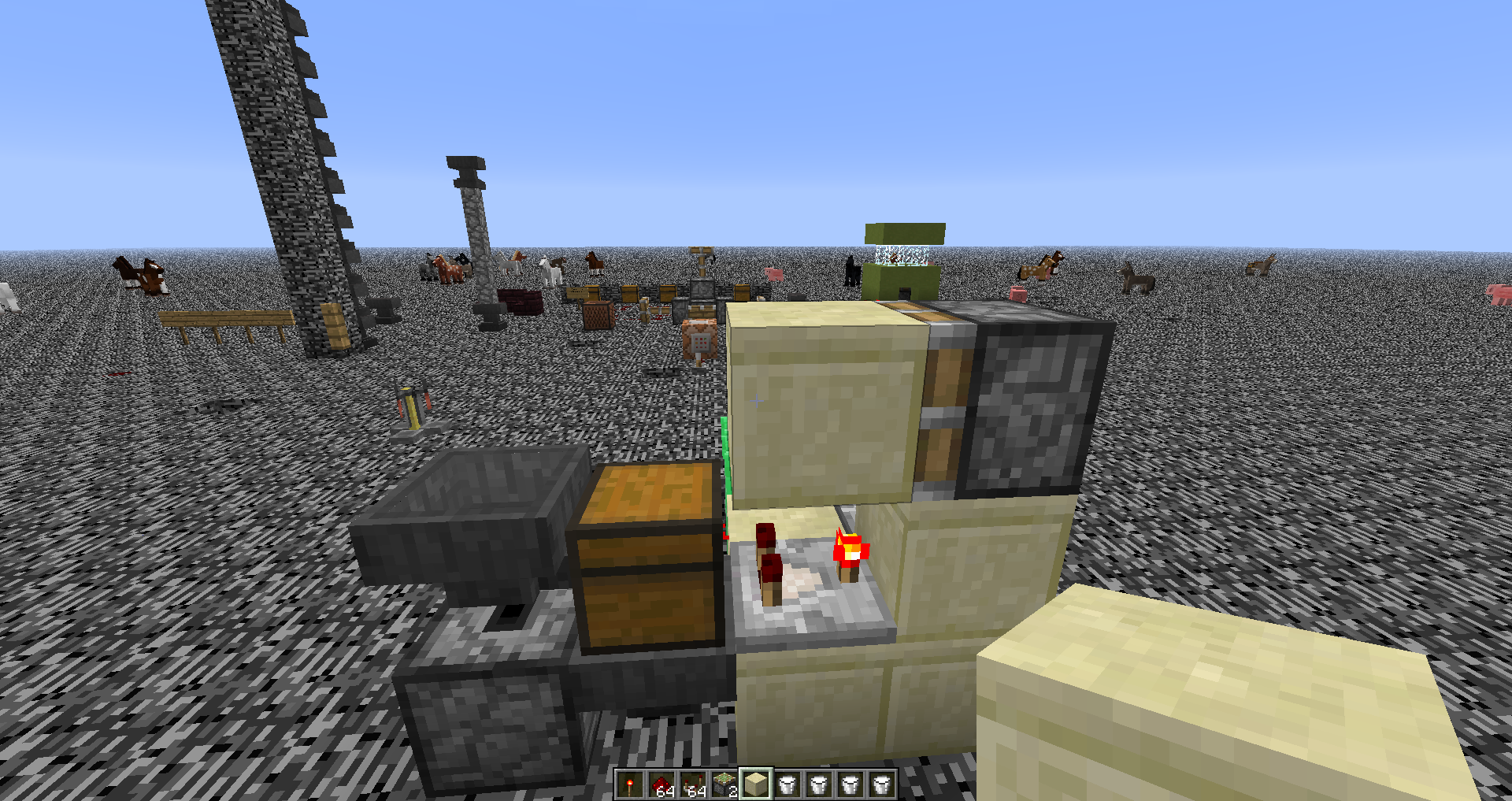
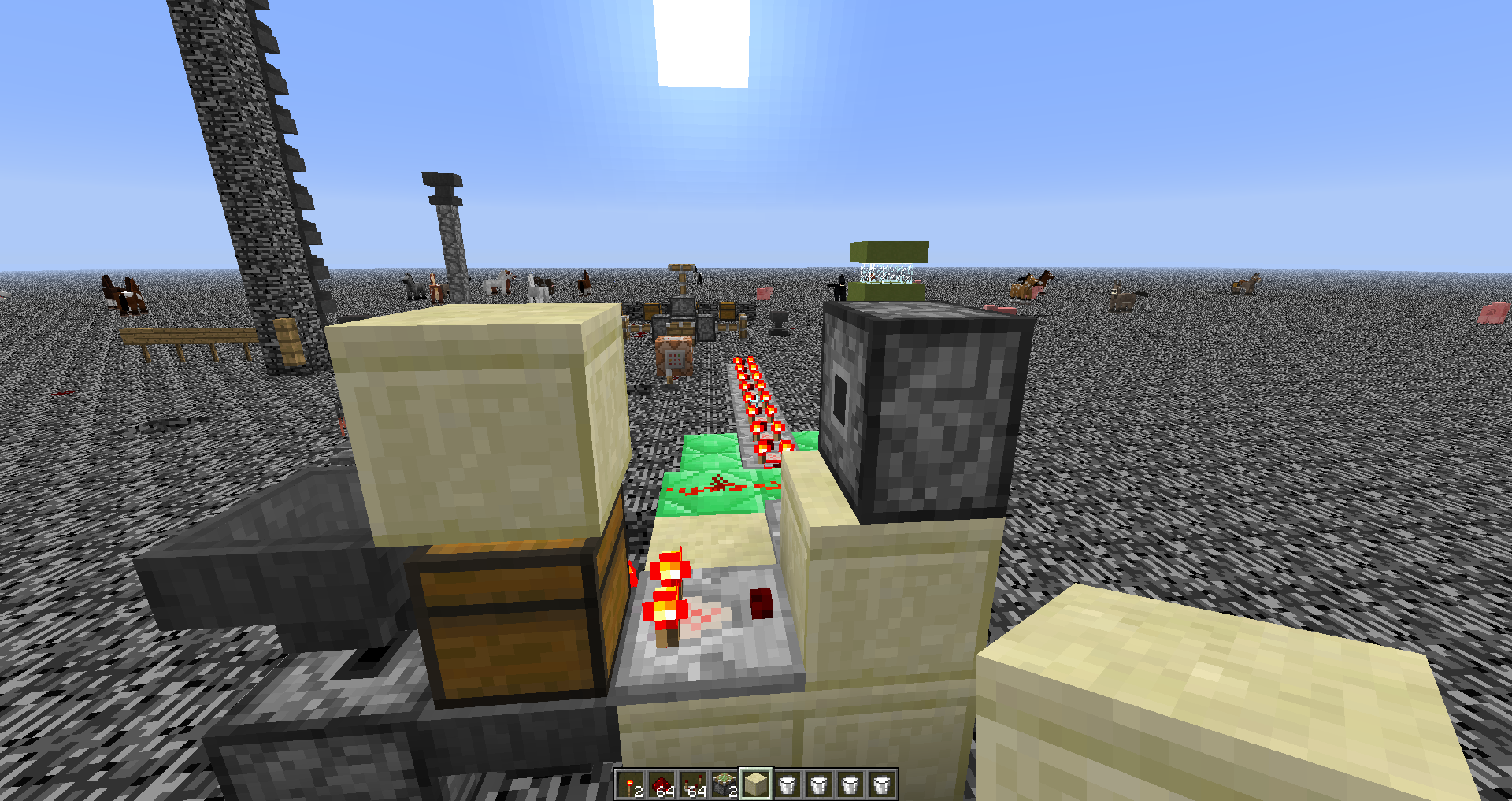
If You Have A Powered Piston (Powered Through A Redstone Line) Then Any Update Of Conductivity(How Far The Redstone Source Is From The Piston) To The Redstone Line Powering The Piston Would Cause The Piston To Retract And During The Same Tick, Extend (Both When Source Gets Further Away Or Closer In.
EXAMPLE SETUP
P = Piston, R = Redstone, T = Redstone Torch, B = Block, Bu = Button
P R R R R R R R R R R R R R R T
^ Just A Regular Line Powering The Piston
But If We Do This:
P R R R R R R R R R R R R R R T
------B
------BuWhenever we Push The Button, The Piston Will Rapidly Toggle When The Button Is Pushed And When A Button Gets Depressed.
If You Have A Powered Piston (Powered Through A Redstone Line) Then Any Update Of Conductivity(How Far The Redstone Source Is From The Piston) To The Redstone Line Powering The Piston Would Cause The Piston To Retract And During The Same Tick, Extend (Both When Source Gets Further Away Or Closer In.
EXAMPLE SETUP
P = Piston, R = Redstone, T = Redstone Torch, B = Block, Bu = Button
P R R R R R R R R R R R R R R T
^ Just A Regular Line Powering The Piston
But If We Do This:
P R R R R R R R R R R R R R R T
------B
------Bu
Whenever we Push The Button, The Piston Will Rapidly Toggle When The Button Is Pushed And When A Button Gets Depressed.If You Have A Powered Piston (Powered Through A Redstone Line) Then Any Update Of Conductivity(How Far The Redstone Source Is From The Piston) To The Redstone Line Powering The Piston Would Cause The Piston To Retract And During The Same Tick, Extend (Both When Source Gets Further Away Or Closer In).
EXAMPLE SETUP
P = Piston, R = Redstone, T = Redstone Torch, B = Block, Bu = Button
P R R R R R R R R R R R R R R T
^ Just A Regular Line Powering The Piston
But If We Do This:
P R R R R R R R R R R R R R R T
------B
------Bu(Had To Add Dashes As Space Did Not Work The Way It Was Supposed To)
Whenever we Push The Button, The Piston Will Rapidly Toggle When The Button Is Pushed And When A Button Gets Depressed.
If You Have A Powered Piston (Powered Through A Redstone Line) Then Any Update Of Conductivity(How Far The Redstone Source Is From The Piston) To The Redstone Line Powering The Piston Would Cause The Piston To Retract And During The Same Tick, Extend (Both When Source Gets Further Away Or Closer In).
EXAMPLE SETUP
P = Piston, R = Redstone, T = Redstone Torch, B = Block, Bu = Button
P R R R R R R R R R R R R R R T
^ Just A Regular Line Powering The Piston
But If We Do This:
P R R R R R R R R R R R R R R T
------B
------Bu(Had To Add Dashes As Space Did Not Work The Way It Was Supposed To)
Whenever we Push The Button, The Piston Will Rapidly Toggle When The Button Is Pushed And When A Button Gets Depressed.
If You Have A Powered Piston (Powered Through A Redstone Line) Then Any Update Of Conductivity(How Far The Redstone Source Is From The Piston) To The Redstone Line Powering The Piston Would Cause The Piston To Retract And During The Same Tick, Extend (Both When Source Gets Further Away Or Closer In).
EXAMPLE SETUP
P = Piston, R = Redstone, T = Redstone Torch, B = Block, Bu = Button
P R R R R R R R R R R R R R R T
^ Just A Regular Line Powering The Piston
But If We Do This:
P R R R R R R R R R R R R R R T
------B
------Bu(Had To Add Dashes As Space Did Not Work The Way It Was Supposed To)
Whenever we Push The Button, The Piston Will Rapidly Toggle When A Button Gets Depressed.
I Found That If The "Additional Source(Source Causing The Piston To Do This)" Is Too Close To The Source, This Does Not Behave This Way.
clones
When attempting to join a multiplayer server I host on my home LAN on a separate machine (Server 2008 R2) I am immediately sent to the main menu and am unable to connect to the server until I close the client and relaunch it. After relaunching the client I have no issues connecting. There is no error message posted or log created. Checking the Server log I only see the usual server disconnect message that you would see when you typically disconnect from a server
Original text by Justin Pine:
When attempting to join a multiplayer server I host on my home LAN on a separate machine (Server 2008 R2) I am immediately sent to the main menu and am unable to connect to the server until I close the client and relaunch it. After relaunching the client I have no issues connecting. There is no error message posted or log created. Checking the Server log I only see the usual server disconnect message that you would see when you typically disconnect from a serverAddition from me:
Nature of bug: Occurs in some servers when the client attempts to connect by double-clicking the server instead of using the "Join Server" button.What happens afterwards:
After the error occurs, if you do not re-launch the client, the server MOTD will display a red message saying Communication Error, and if you try to join the server, it will give you End of Stream.
Original text by Justin Pine:
When attempting to join a multiplayer server I host on my home LAN on a separate machine (Server 2008 R2) I am immediately sent to the main menu and am unable to connect to the server until I close the client and relaunch it. After relaunching the client I have no issues connecting. There is no error message posted or log created. Checking the Server log I only see the usual server disconnect message that you would see when you typically disconnect from a serverAddition from me:
Nature of bug: Occurs in some servers when the client attempts to connect by double-clicking the server instead of using the "Join Server" button, does not always happen, it seems that the bug is very random, and from time to time the servers this happens with will change.What happens afterwards:
After the error occurs, if you do not re-launch the client, the server MOTD will display a red message saying Communication Error, and if you try to join the server, it will give you End of Stream.
Happens on Windows 7 Ultiamte 64 Bit with Java 7 (64)
Edit: Confirmed with any OS.
is cloned by
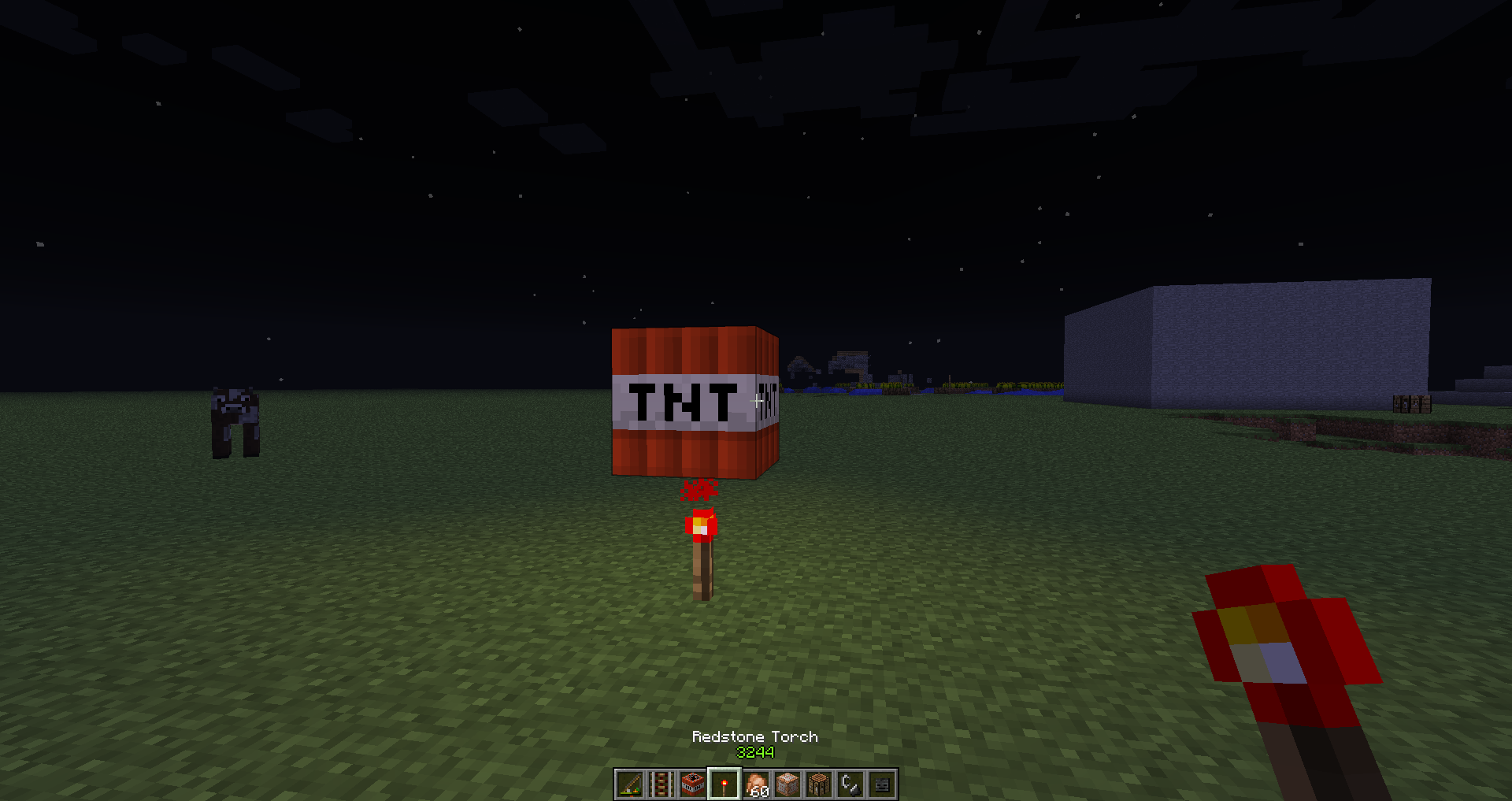
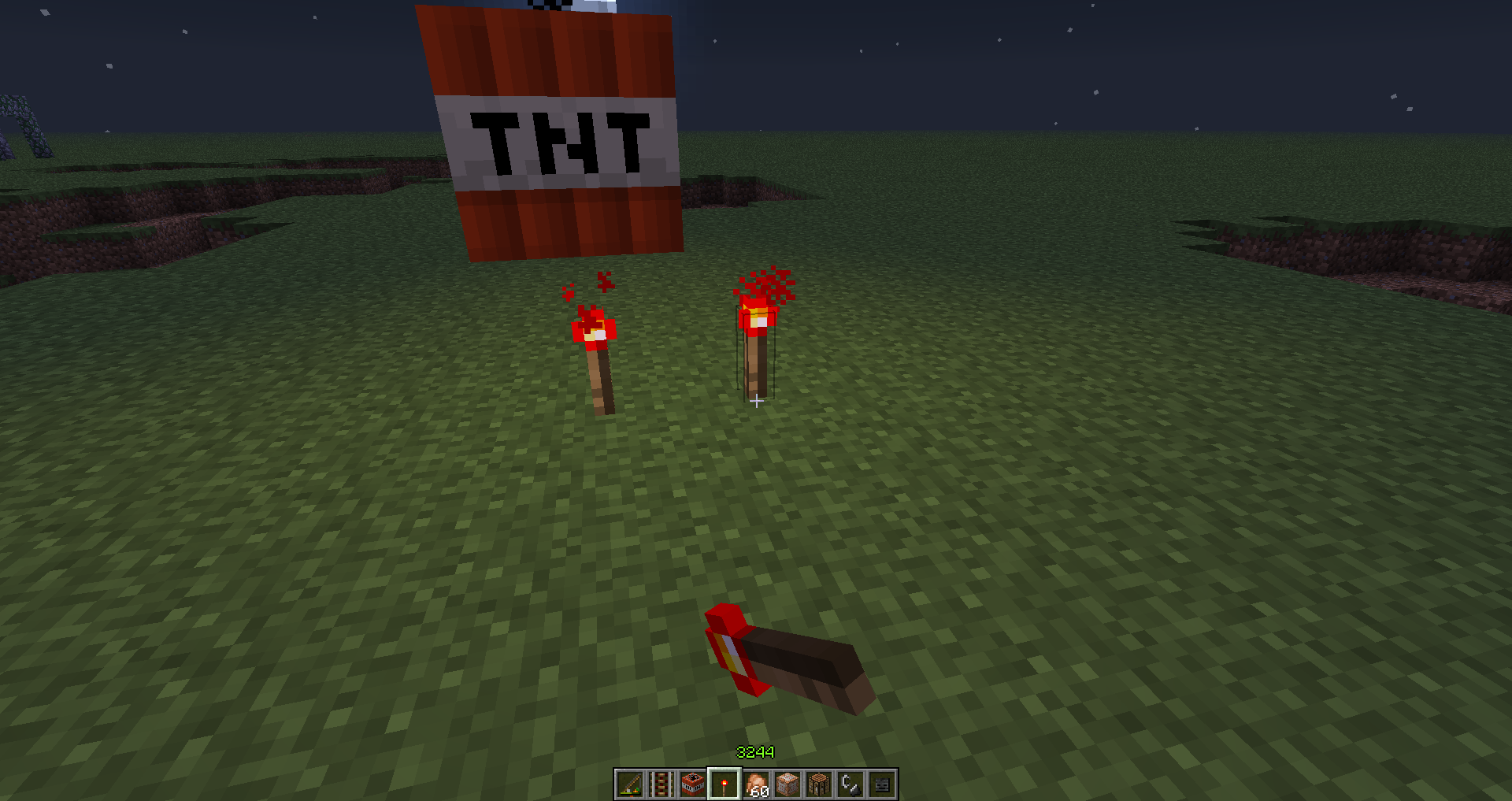
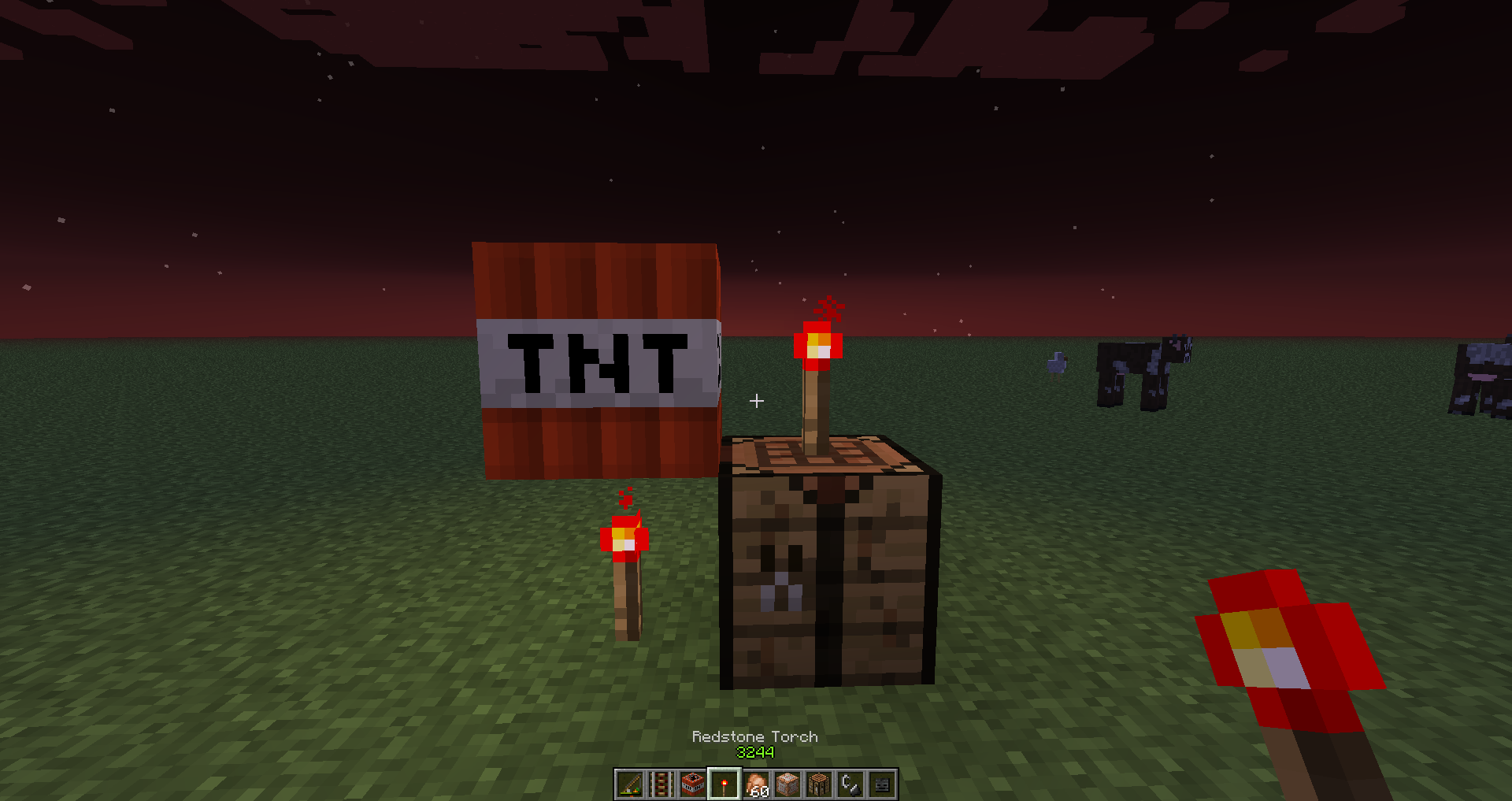
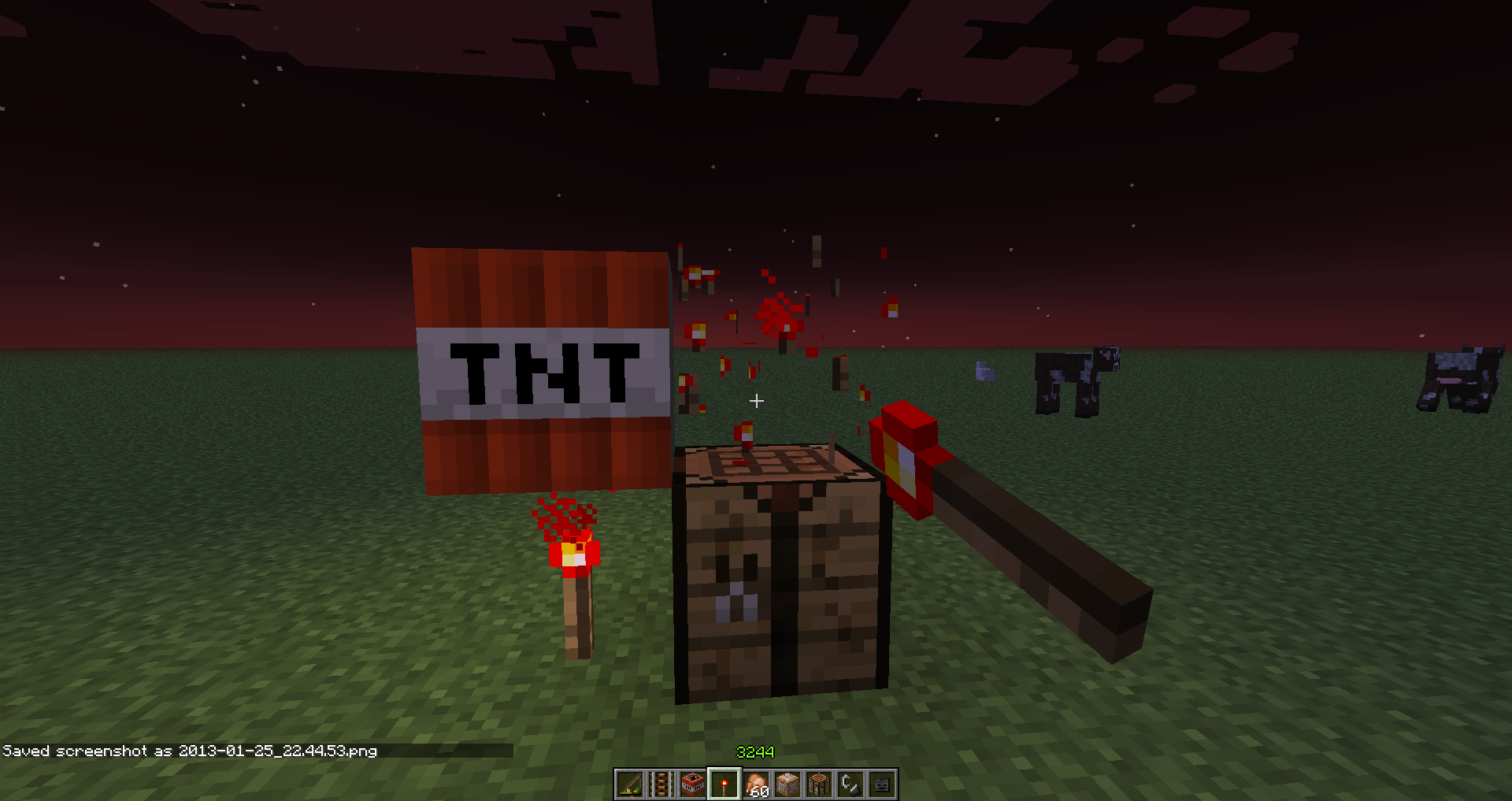
If you place a Redstone Torch anywhere next to TNT, it will not prime, but if you place another Redstone Torch next to it, and destroy either of the Torches, then it triggers.
It also triggers if you send a Redstone Update to the Torch which is meant to ignite it, by for example placing another Redstone Torch next to it.
Also, if the Torch is already placed and you place TNT next to it, it triggers as intended.
Lever works fine.
NOTE: May be somehow related to
MC-266.Screenshots:
2013-01-25_22.46.53 - TNT not triggering.2013-01-25_22.44.40 - TNT triggered as soon as the Torch diagonal of TNT got placed.
2013-01-25_22.44.53 - TNT still not triggering.
2013-01-25_22.44.54 - TNT triggers as soon as that Redstone Torch got removed.
If you place a Redstone Torch anywhere next to TNT, it will not prime, but if you place another Redstone Torch next to it, and destroy either of the Torches, then it triggers.
It also triggers if you send a Redstone Update to the Torch which is meant to ignite it, by for example placing another Redstone Torch next to it.
Also, if the Torch is already placed and you place TNT next to it, it triggers as intended.
Lever works fine.
NOTE: May be somehow related to
MC-266.Screenshots:
2013-01-25_22.46.53 - TNT not triggering.
2013-01-25_22.44.40 - TNT triggered as soon as the Torch diagonal of TNT got placed.
2013-01-25_22.44.53 - TNT still not triggering.
2013-01-25_22.44.54 - TNT triggers as soon as that Redstone Torch got removed.
duplicates
is duplicated by
is duplicated by
 MCPE-1926
is duplicated by
MCPE-1927
is duplicated by
Duplicate of
MCPE-1217, please use the search function to see if your bug has already been submitted. Currently over 50% of tickets are being closed as duplicate.
duplicates
is duplicated by
is duplicated by
is duplicated by
is duplicated by
is duplicated by
is duplicated by
is duplicated by
is duplicated by
is duplicated by
is duplicated by
duplicates
is duplicated by
is duplicated by
duplicates
is duplicated by
is duplicated by
duplicates
This ticket is incomplete, please open a new ticket and provide details about the issue you are experiencing using the Bug Report Guidelines Here.
relates to
duplicates
relates to
relates to
is duplicated by
relates to
is duplicated by
duplicates
duplicates
is duplicated by
is duplicated by
is duplicated by
duplicates
is duplicated by
Stuffdisappearingfrom chestsChests disappearing
Every time I put something in a chest and quit out of the game and open up the world again all the chests I have placed are gone
and so are the items inside them and also when I look around the world all the items that were in the chests and had disappeared were back in there original places.
duplicates
duplicates
is duplicated by
is duplicated by
duplicates
duplicates
duplicates
duplicates
duplicates
duplicates
is duplicated by
is duplicated by
duplicates
duplicates
duplicates
is duplicated by
2013-02-01_02.40.24.png
duplicates
duplicates
is duplicated by
is duplicated by
is duplicated by
duplicates
duplicates
duplicates
is duplicated by
Read itWorld not saving
duplicates
duplicates
is duplicated by
is duplicated by
is duplicated by
is duplicated by
is duplicated by
is duplicated by
is duplicated by
duplicates
is cloned by
duplicates
is duplicated by
duplicates
duplicates
duplicates
is duplicated by
is duplicated by
is duplicated by
duplicates
is duplicated by
is duplicated by
Redstone signal can travel upwards, but not downwards when placed on upside-down half slabs.
duplicates
is duplicated by
duplicates
I found a bug in the furnace. If it is connected to the comparator and load ore with hoppers,
ore thendisappears.I found a bug in the furnace. If it is connected to the comparator and load ore with hoppers, the ore disappears and when trying to open the GUI, it closes instantly.
The ore does not wind up in the bottom hopper, it just vanishes.
testing discovered
discovered while testing
testing discovered
testing discovered
discovered while testing
discovered while testing
testing discovered
discovered while testing
discovered while testing
testing discovered
testing discovered
testing discovered
Duplicate of
MC-7771, please use the search function to see if your bug has already been submitted. Currently over 51% of tickets are being closed as duplicate.
discovered while testing
discovered while testing
is cloned by
duplicates
duplicates
duplicates
is duplicated by
is duplicated by
duplicates
duplicates
is duplicated by
duplicates
is duplicated by
duplicates
duplicates
duplicates
is duplicated by
Win 7-64
Java 7U15Win 8-64
Java 1.7.0_09
duplicates
is duplicated by
duplicates
is duplicated by
duplicates
duplicates
is duplicated by
duplicates
is cloned by
duplicates
is duplicated by
duplicates
is duplicated by
is duplicated by
duplicates
duplicates
is duplicated by
is duplicated by
duplicates
duplicates
is duplicated by
duplicates
duplicates
is duplicated by
duplicates
is duplicated by
duplicates
is duplicated by
duplicates
is duplicated by
is duplicated by
is duplicated by
is duplicated by
is duplicated by
is duplicated by
is duplicated by
is duplicated by
is duplicated by
TRAPPED CHEST HAS WRONG ITEM TEXTURETrapped chest has wrong item texture
it happens with 1.4 and snapshots
(dosnt happen with tekkit modpack)it happens with 1.4 and snapshots, any version prior to 1.4 works.
it happens with 1.4 and snapshots, any version prior to 1.4 works.
when ever i join a server about 10 seconds later i get disconnected from the server like when you get kicked but instead of saying i got kicked i get this error thing: internal exception: java.net.socketexception: software caused connection abort: recv failed
I have tried reinstalling minecraft java and removing hamachi and other stuff but none of it worked. I know its not my internet thing because when i went to my friends house it still happened (i brought my laptop there)
I can still join lan worlds without this happeningit happens with 1.4 and snapshots, any version prior to 1.4 works.
duplicates
is duplicated by
This ticket is invalid as it relates to a modded or 3rd party client/server.
- Any non-standard client/server build needs to be taken up with the appropriate team, not Mojang.
- Any plugin issues need to be addressed to the plugin creator.
- This site is for addressing issues related to the base unmodded MineCraft.
Well iam using mods, but thatdoesnt make sense, if i break glass and than look to another block it still looks broken, also with ice glowstone and redstonelamps
Mod Edit:
Steps to Reproduce:
1. Go to adventure mode.
2. Start breaking glass without finishing or releasing your mouse and move it to another block.
Well iam using mods, but thatdoesnt make sense, if i break glass and than look to another block it still looks broken, also with ice glowstone and redstonelamps
Mod Edit:
Steps to Reproduce:
1. Go to adventure mode.
2. Start breaking glass without finishing or releasing your mouse and move it to another block.Well iam using mods, but thatdoesnt make sense, if i break glass and than look to another block it still looks broken, also with ice glowstone and redstonelamps
*Mod Edit:*
Steps to Reproduce:
1. Go to adventure mode.
2. Start breaking glass without finishing or releasing your mouse and move it to another block.
Well iam using mods, but thatdoesnt make sense, if i break glass and than look to another block it still looks broken, also with ice glowstone and redstonelamps
*Mod Edit:*
Steps to Reproduce:
1. Go to adventure mode.
2. Start breaking glass without finishing or releasing your mouse and move it to another block.Well iam using mods, but thatdoesnt make sense, if i break glass and than look to another block it still looks broken, also with ice glowstone and redstonelamps
Mod Edit:
Steps to Reproduce:
1. Go to adventure mode.
2. Start breaking glass without finishing or releasing your mouse and move it to another block.

@fuj1n (Arthur Uzulin) Creative would be likely intended.
Confirmed, All Of The Following Jukeboxes Apply To That Issue:
1. Empty
2. Empty But Had A Music Disk Inside Before
3. Jukebox With Non-Renamed Music Disk
4. Jukebox With An Anvil-Renamed Music Disk Inside
In My Test, It Appears That After The Player Reloads The World(Including After Crash) All The Jukeboxes Seem To Get Fixed.
I Believe That The Problem Is Related To The Recent Change To Jukeboxes Which Makes Them Keep The Custom Title Of The Contained Disk, A Null Pointer Exception Is Caused When The Jukebox Tries To Find A Value For The Disk's Custom Name To Drop But It Returns Null As The Variable Either Does Not Exist Or Is Undefined.
I Knew About This Snow For A Long Time, And Would Love To See It In Game Naturally, However This Is Not A Bug, It Is An Unimplemented 'Feature'.
Confirmed, A Very Old 'Bug'.
This Might Somehow Be Related To Mojang Fixing The Fall Damage Bug, As I Say: "Programming Is Easy, The Hard Part Is Debugging, As One Bug Fixed Could Potentially Cause Ten New Ones."
Confirmed: This Zombie Egg Turned White After Picked Up By Zombies.
Tried It, Did Not Do It, Whenever The Tool Is Switched, The 'Break Level' Is Reset.
@Joël That Is Not True, Rain Is Not A Solid Block, It Is A Form Particles, Which Are Mainly Used As Special Effects And Can Be Rendered Anywhere, Confirmed, The Game Checks If There Is A Block Below The Rain, But It Does Not Check The Blocks Boundaries And Solidity, Meaning That Any Block Would Block Rain Unless It's Hard-Coded To Go Through A Certain Block.
Confirmed, Instead Of Watching, Please Vote Up.
Not A Bug, A Feature Rather, It Is A Bug That It Turns Itself On Though. The Feature Is Called Shift-Lock And Is Activated By Pressing Left And Right Shift At The Same Time, To Deactivate Press The Right Shift Button.
There Is A Possibility That This Is Not A Bug, But A New Feature To Prevent Player From Falling Into The Void, Although It Is Very Unstable, For Example When Flying, Holding Shift Allows You To Descend Down The Void, And The Depth You Fall Is Kind Of Unpredictable.
This Is Indeed A Bug, But It Is Most Likely Paul's Sound Engine Sided And There Is Probably Not Much Mojang Can Do, But Instead Of Clicking Menu Items ∞ Times, Go To Option And In A Lot Of Cases Changing The Volume Does The Trick (When The Sound Engine Fails To Start Up, Which Is What Might Have Happened To You, Your Volume Will Likely Be Turned Off.)
Duplicate -
MC-583This Is A Long Standing Bug, If You Want To Remove That Horrible Effect, Place A Torch Above The Slab/Have No Blocks Above The Unlit Slabs
This Is Not A Minecraft Bug, And Unfortunately There Is Not Much Mojang Can Do About It, The HS_ERR_PID####.log File Is Generated When Java Crashes, Please Make Sure That You Have The Latest Version Of Java Installed.
Just As A Note, Please Do Not Mark A Bug As Affecting One Of The Future Versions(As Of Now 1.4.4 And 1.5) As They Are Not Out To Public Yet, And There Is No Way You Could Have Possibly Tried It.
Cause Of Your Crash: pi"["'Iron Golem'/249, l='MpServer', x=799.52, y=4.00, z=27.03"]"
I Would Think That Naming A Book And Quill Is For Some Reason Acting As Signing It, But After Testing Found It Wasn't The Case
Bug Confirmed For Brewing Stand Ingredient Slot.
Bug Confirmed For Brewing Stand Ingredient Slot.
Splitting Bug Confirmed. Shift Clicking Not Adding To Existing Stacks But Instead Creating New Stacks Could Just Be A Way Mojang Implemented Protection For Illicitly Stacking Potions.
Can Confirm, Correction Though, There Is No Way One Can See Their Skin Using The Menu Screen Alone, So I Would Assume You Mean Inventory Screen.
Your Problem:
– Entity being ticked –
Details:
Entity Type: VillagerGolem (pi)
Entity ID: 524
Name: Iron Golem
Exact location: -336.90, 61.00, 83.35
Block location: World: (-337,61,83), Chunk: (at 15,3,3 in -22,5; contains blocks -352,0,80 to -337,255,95), Region: (-1,0; contains chunks -32,0 to -1,31, blocks -512,0,0 to -1,255,511)
Momentum: -0.02, -0.02, 0.02
Stacktrace:
at xv.h(SourceFile:1194)
Oh Wow, You Have Five Iron Golems In Your World:
pi"["'Iron Golem'/524, l='MpServer', x=-336.90, y=61.00, z=83.35"]"
pi"["'Iron Golem'/525, l='MpServer', x=-344.22, y=66.00, z=120.03"]"
pi"["'Iron Golem'/522, l='MpServer', x=-340.84, y=62.00, z=89.28"]"
pi"["'Iron Golem'/523, l='MpServer', x=-338.59, y=61.00, z=83.94"]"
pi"["'Iron Golem'/531, l='MpServer', x=-331.97, y=62.00, z=102.94"]"
Turn Your Particles To Minimal Just As A Temporary Fix Before The Next Update.
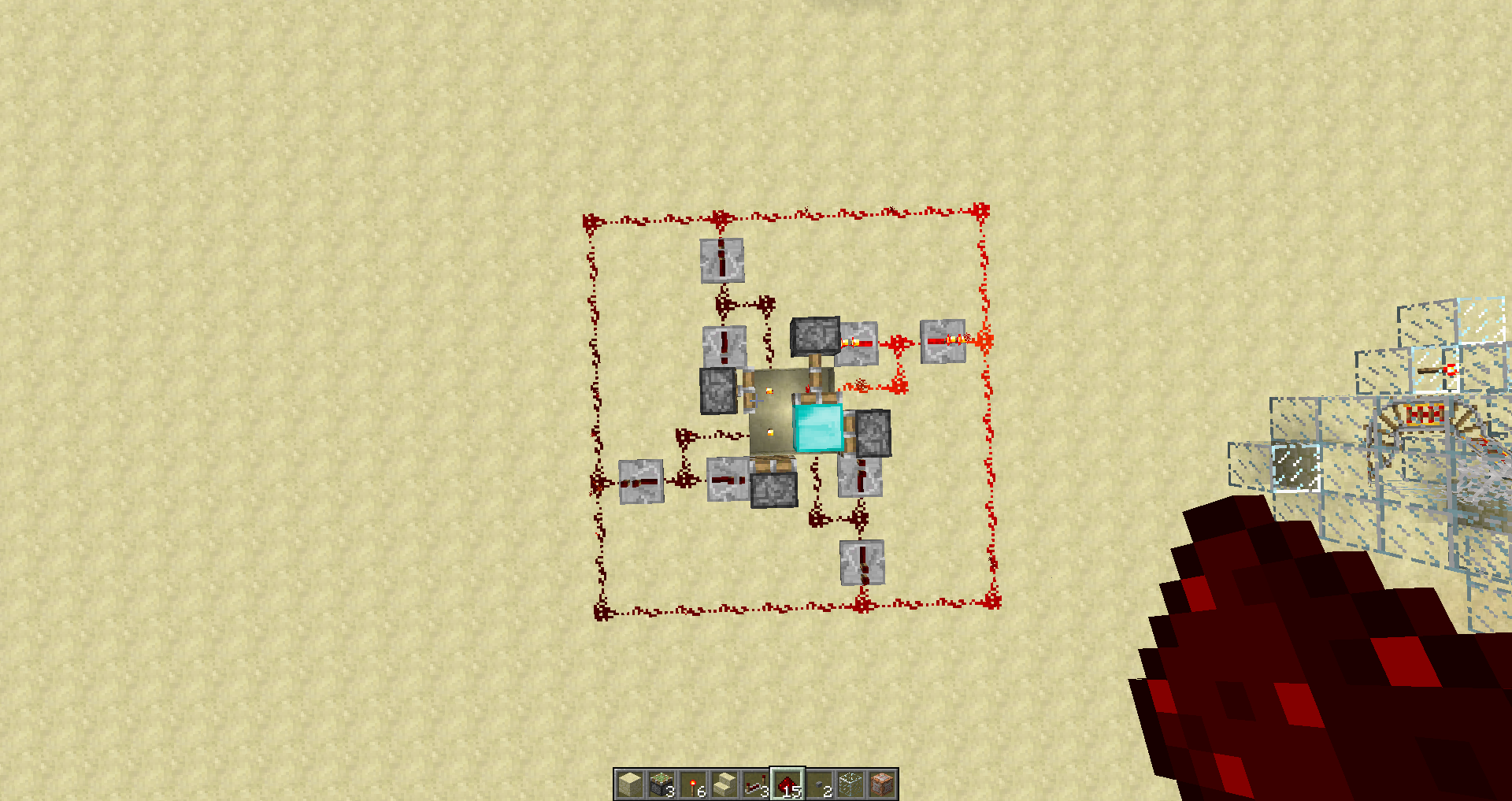
Not A Bug, It Is Intentional And Was In The Game Ever Since Pistons Came Out, If You Want To Power Only The Top One Then Have The Redstone Torch Be Two Blocks Above The Top Piston, Attached A Screenshot To Show You What I Mean.
This Is Intended, Enderman Have Became Peaceful In Daylight Since Minecraft 1.0.0
Please Ignore The Redstone Line Around The Circuit, It Is Not Required And Is There For Looks
That Is Intentional, The Preset Allows Ores
Works Perfect For Me, Just Another Coincidence With An Iron Golem Walking Again? Maybe?
Are The Drops Falling Onto Transparent Blocks?
Does Not Happen To Me, Happens Around Every Minute? Every Three Minutes The World "Auto-Saves" So Your Troubles Might Be Closely Related To World Saving.
Confirmed, Causes A Stack Overflow, I Know The Reason: The Pressure Plates Are Not Meant To Be On Top Of TNT, So When You Update Them, They Pop Off, And There Are So Many Of Them That The Game Has To Update That It Causes A Stack Overflow. Also The TNT Has Not Much To Do With The Problem, It Would Happen With Pressure Plates Being Atop Any Transparent Block.
Yeah, I know, sorry, this 'habit' annoys me too.
This Is A Bug Related To The SSP-SMP Integration, It Has Nothing To Do With Your Computer's Performance, These Are Loaded But Are Not Rendered, To Re-Render The Entire Visible Area, Press F3+A At A Relatively Same Time.
All Stairs Gave Such Hitboxes, It Is Just When You Are Starring At The Gap, You Should Be Able To Access Whatever Is Behind It, Which Is Impossible As You Can't Use A Corner Stair In That Occasion Anyway.
I Would Not Call That A Bugfix, And Please Do Not Request Features On This Bug Report Environment.
This Is Related With Jukeboxes Replacing Each Others Sound, What Disk Is Played Is Prioritized By The Contents Of What Jukebox Were Updated Last. I Don't Know If There Is A Way To Fix Without Rewriting The Entire Jukebox Code, But May Be Possible.
Could It Possibly Be The Stronghold Generating But Then Getting Overwritten By A Cave?
Uproot For No Reason Is Called Growing And Then Noticing That The Conditions Are Not Met And Uprooting.
Would Be Intentional As Flower Pots Are Only Used For Decoration.
Anvils Taking Fall Damage And Breaking?
Yes, And The Reason Above Sky's Velocity Feels "Gummy" Is Because Of The Bug Which Is Added By Mojang's Feature Where It Is No Longer Possible To Fall Down The Void. See
MC-2059Well, Don't Place A Fence Then.
Nope, It Is Nothing To Do With Lag And The Internal Server As The Client Completely Controls Players Movement. But What Could Happen Is You Press Alt, Which By Default Tries Opening A JMenu Up, Which Minecraft Does Not Use.
The World Does Get Completely Deleted, But Is Kept In Memory, Restart Minecraft Every Time You Generate A New World With The Same Name?
1. This Is Not A Bug
2. The Arrow Had A Purple Handle As The Game Didn't Support The Colors Required For The Handle Back Then.
Not A Bug
1. Check That Generate Structures Is On.
2. Don't Be Lazy And Explore The Nether Until You Find One, They Are Pretty Common, But Not As Common As Some People Think.
Not A Bug / Has Been In The Game Since First Ice Came Out.
Is Your PC Laggy(Low FPS) Because Such Events Require Calculations Which Rarely Work With Low FPS.
@Tyron That And It Also Spawn The Jungle Over The Mobs A Lot Of Times During World Generation
The recolor to any color idea is not the wisest as the game currently does not have nearly enough data spaces to use such advanced coloring techniques.
Also, I find this post more like a feature request instead of a bug report.
Intentional, Explosions Have A Low Chance(Don't Remember Exact Statistic) Of Destroying An Item.
I would think intentional.
I thought water bottles don't stack, please ensure you have filled them with water prior to putting them into the Brewing Stand.
Intentional?
Seed does not matter, there is a massive lighting bug there, try force relight by placing/destroying blocks
For the case when the chunks are unloaded and entities leave minecarts, ensure that the minecart is on a rail, for player, this is intentional. (Entities dismounting could also be intentional, but before, they used to stay in the minecarts so long as it is on a rail.)
That is because the corner fence's collision box is a solid rectangle instead of following the shape of the fence.
The only thing that crash report says is that there is a null variable in relation to inputstream
@Haedgehog Please test before making a final statement, as this bug was fixed in 1.4.3
Without smooth lighting, the engine is more buggy than with smooth lighting, which could potentially be your issue.
Marek is right about the block breaking particles, they stay on any block they touch.
It is easy to test by breaking a(for example) tree down, the particles should fall to the ground and then disappear(if the tree is close enough to the ground.
Yeah, the pumpkin cannot get damaged, and I don't think it's really possible to program damage values for a block, unless you want it to break in 16 hits.
Wouldn't that cause all blocks being retrievable by a hand?
Sounds like a Creeper hitbox is either misplaced or missized.
This is such an old bug, been there as far as I remember Minecraft.
I believe it's intended, as they are one block thick, and the door hinge is blocking their path.
Working as intended.
That is a problem caused by the falling anvil being an entity.
A problem caused by the falling anvil being an entity.
Fence gates, when they are open do not have a collision box.
Edit: Cows and Sheep are fat.
Oh, that's what you mean, sorry for misunderstanding, and thank you for clarification.
The fire tick is very random, so it may be a coincidence that the side logs burn quicker, I don't even see that possible without being intentionally added as the side-log is the same class as a regular log.
Seems like you go slightly inside of an anvil, so problem with collision box, confirmed!
Bug tracker is not a place for suggestions, please use the forums.
Bug tracker is not a place for suggestions, please use the forums.
Please test in vanilla, as this crash was caused by the Too Many Items mod.
This looks like you have a class missing in your minecraft.jar.
Cannot confirm, please attach a crash report, because the problem may be a stack overflow from portals updating and realising they are not meant to be there.
Can confirm, some servers will send you to main menu when you double click to join instead of using the button, and then you get the communication error between client and server as said in red text instead of MOTD, and whenever you try to connect to that server, you get end of stream.
Smooth lighting being off usually causes this, also, a bad graphics card does too, I know this because that occurs on some of my computers with older graphics cards, and some with smooth lighting off, very sensitive to which environment you run it in.
Seems intended, as maps are now aligned to a grid, since 1.4
If it failed to bind port, just use the close button on the top right corner on Windows and Linux or top left for Mac, as the error occurs because the server is not really running when it fails to bind it.
Pretty old bug, the repeater does not have to be facing a redstone torch either, it can be beside it, also, please remove environment info as this applies to any environment.
Definitely try force-updating, as the crash log indicates classes missing.
Seems to be working as intended.
Try editing options.txt in your %appdata%\.minecraft
Not as easy as it is to say, but I think I managed to stop doing so
Can confirm, the situation is caused by the texture of redstone in the terrain.png being grey and having a hard-coded color for it.
Nether has always been laggy due to it's lighting.
You are causing a stack overflow, levers have to be attached to a surface, so a bunch of levers popping off is exactly what is causing it, and by a bunch, I mean near infinity. I would not really call that a bug, but instead something that would happen naturally in a game at such an occasion.
Looks like your problem here, the arguments, if you did not use them by yourself, I don't know why your java would start up with such arguments, and seems like you are running the latest java, so I don't see what is causing this.
This is because all the resources nowadays download as you play, which means that you have to keep playing, and eventually all the sounds will be downloaded, even sound3 is not downloaded during the update process.
It does have that different rule, a beacon in overworld will only activate when it has air blocks all the way up to max height, in the Nether, it has to have direct view of the bedrock that is on top of the Nether.
Are you sure you are using gunpowder and firework stars in the recipe?
Works as Intended
This is a feature, in creative you can't really take damage, the ender pearls were programmed to serve damage to the player when they are used, this behavior prevents all sorts of exploits.
The exploits do not really include quick travel, Dinnerbone has once mentioned that he is working on an alternative of ender pearls for creative.
Works as intended, I would think.
Works as intended - there is virtually an infinite amount of available combinations for fireworks
This is not related to the game itself, what version of LWJGL are you using? If it is 2.8.5, please downgrade to 2.8.4.
Works as intended.
Could be a problem with your internet or the server, does not happen to me.
"java.lang.NoClassDefFoundError: cpw/mods/fml/common/network/IGuiHandler"
Modded client.
Can't confirm, skeleton started shooting my wolf after my wolf attacked him.
Can confirm, but happens extremely rarely, like very rarely, relogging works.
Were the fireworks going through lava?
If you want to change gamemode/turn cheats off try NBTedit, that's what map makers use.
Are your sound drivers intact(installed, updated, e.t.c.)?
Did you purchase minecraft, this issue is known for people using cracked clients.
This could be an issue where the map pointer is hiding below the map.
In creative mode, mobs don't attack you by themselves, they need to be provoked.
Works as intended, pigs, as any passive mob is scared of pain, try riding a pig on fire in real life :-D.
This is called a chunk error, it is when the client fails to receive the chunk info from the server, to fix, re-log.
Are you sure that power-saver makes it better? Because if that is the case, the problem may be with your graphics card.
A bit of a feature request, but I agree. Also, it does not really relate to the game itself.
@Kumasasa Yeah, sorry about that, I found out shortly after I posted this, I searched for it, but couldn't find it, so I posted this issue.
It seems that a block update fixes the problem.
In the nether lava is meant to spread like water(8 blocks), in the overworld it is only meant to spread half that distance(4 blocks).
The issue with the occurance in the screenshot 2013-01-18_11.58.42.png is a bug where lava tried to spread 1 extra block but then realised it was not meant to do that.
Falling gravel entity crashing the game under certain conditions?
I could not reproduce your problem.
Works as intended.
Mojang is not responsible for the removal of any unofficial blocks.
Also the bug tracker is not for feature suggestions, please post those on minecraft forums.
Why did your java crash?
First of all, this is not a bug.
What anti-virus are you using(if you know) try making it "ignore" the file, as minecraft cannot run without lwjgl or any of its natives.
Somehow you have managed to update the game without updating the language files within minecraft.jar
Works as intended, that was Notch's solution when he added pistons.
The bug tracker is not for feature requests. Please post those on the MinecraftForums
This is a regression for items getting stuck inside transparent blocks, when items are inside those, they fly out, and when items are on top, they bounce, even if nothing occupies the way for the item to fall into the hopper, you can occasionally see the item bouncing away from the hopper before disappearing.
Do you have any block at all obstructing your spawn point (even pressure plates obstruct it).
Do you have any block at all obstructing your spawn point (even pressure plates obstruct it), and also, the /spawnpoint <player> in the command block sets your spawn to the location you are standing on unless you specify coordinates.
[Mod] Anon Ymus added a comment - 21/Nov/12 2:36 PM
Compasses have always pointed to 0,0. Have you tried "/spawnpoint @a"?
Compasses don't point to 0, 0 they point to your original spawn point, which is the first found location that matches spawn conditions around 0, 0 and it is stored as a general spawn point in case of something like the bed being obstructed.
Works as Intended.
@Rolf Redford
Disabling transparency for any block is not desired, but the idea of getting the blocks around The Players face to render makes sense.
This is working as intended, there are certain rules a game follows for the Nether Portals, if you are interested, you can read on about them on: http://www.minecraftwiki.net/wiki/Nether_Portal#Linkage_between_Overworld_and_Nether.
Cannot reproduce, can you please force a crash by holding F3 + C for 10 seconds, and then upload the report here?
Make sure that you double check your inventory.
Try it with vanilla texture pack, if it still occurs, then comment back.
Works as intended, the Redstone Block is powering the piston.
May be related to
MC-2176.Works as intended, the Redstone Block is powering the piston.
Works as intended, the Redstone Block is powering the piston. And duplicate of
MC-108.Related to
MC-8298.Duplicate of
MC-8184.Works as intended.
Can't reproduce, can you please provide a crash report?
I am not sure if the Bug Tracker covers the bugs in Minecraft Launcher.
Works as intended, the Chunk Error is not meant to be there on the first place.
This seems like it is all lighting errors.
Bug Tracker is not for feature suggestions, please use Minecraft Forums for those: http://www.minecraftforum.net/forum/1-suggestions/
Can reproduce.
Is that in Singleplayer, or Multiplayer? As in Singleplayer the tab menu is only meant to appear if you have objectives attached to it.
Works as intended, the Hopper must first dispose of it's first slot before moving on to the next.
Can't reproduce, the Redstone is still limited to 15, and there would not be a way to have a Redstone signal higher than that as it uses Metadata.
Unable to reproduce.
I am sorry to say this, but it seems to be your internet connection, unless you are running a localhost server, in which case I do not know the cause.
The same happens if you try to do it yourself, try to light the side of the netherrack for the instance, so Works as intended.
It does not look modded to me, more like incorrect installation of a snapshot, instead of just overwriting minecraft.jar, he seems to have installed the snapshot as one would install a mod, which involves invalidating the jar signatures, but if he is using Magic Launcher, then he probably used that to install the snapshot, which installs it as if it was a mod.
The thing is that redstone signal travels two blocks down, and it was always that way.
Duplicate of:
MC-8184- Please use the search function to see if your bug has already been submitted.Currently over 45% of tickets are being closed as duplicate.
Please add more details, the crash report, and please clarify what PkgInfo file is for.
Thanks for the correction.
The block is actually powered, and this is useful for a whole bunch of memory-latch designs.
Can reproduce in SMP.
Duplicate of:
MC-2416- Please use the search function to see if your bug has already been submitted.Currently over 50% of tickets are being closed as duplicate.
Did you try to re-log? Could be a server-client issue, if re-log does not fix it, can you please force a crash by holding F3 + C for 10 seconds and submit the report?
Duplicate of:
MC-108- Please use the search function to see if your bug has already been submitted.Currently over 50% of tickets are being closed as duplicate.
If anybody wants to stop the BUD behavior, Dinnerbone has added a small feature where if the Comparator is facing a piston for example, the piston would not behave as a BUD.
No problems, now if only I could mark bugs as duplicates.
I am pretty sure Dinnerbone stated this is intended behavior.
"It would be nice to see Mojang take translations a little more seriously."
Please remember that this is only a snapshot, and please do not blame Mojang for missing something, reporting is a good thing however. Also, from what I believe, Mojang are not doing the translations, the community is.
The bot is correct, because the bug is that when right-clicking with certain items on the wall, the game crashes.
Cannot confirm.
Duplicate of
MC-791, please use the search function to see if your bug has already been submitted. Currently over 50% of tickets are being closed as duplicate.This ticket is a language translation change/add request and is currently not supported on this JIRA.
Please use the Crowdin MineCraft Translation Project for all translation change/add requests.
This ticket is invalid as it relates to a modded or 3rd party client/server.
Please do not assume that the difference between behaviors between PC and PE editions of Minecraft are a Bug.
Please do not assume that the difference between behaviors between PC and PE editions of Minecraft are a Bug.
Try to push the enter key.
Simply load the world without mods(back it up first so that you do not loose anything), and if this issue still persists, please re-open the issue with a crash log of the unmodded Minecraft.
This site is for bug reports only. For feature suggestions/changes please use the MineCraft Forums: Suggestions.
Duplicate of
MCPE-1217, please use the search function to see if your bug has already been submitted.Duplicate of
MCPE-1379, please use the search function to see if your bug has already been submitted.Note:
Anybody here with the issue has Ice Cream Sandwich(4.0.x)
Duplicate of
MCPE-131, please use the search function to see if your bug has already been submitted.Is this still a concern in the current Minecraft PE version? If so, please update the affected versions in order to best aid Mojang ensuring bugs are still valid in the latest releases.
Duplicate of
MCPE-1217, please use the search function to see if your bug has already been submitted.Please provide additional information, so we can better help with your problem:
You may also want to review the guidelines for writing helpful bug reports.
More Actions -> Add Vote
Duplicate of
MCPE-1214, please use the search function to see if your bug has already been submitted. Currently over 50% of tickets are being closed as duplicate.Duplicate of
MCPE-1214, please use the search function to see if your bug has already been submitted.Duplicate of
MCPE-1219, please use the search function to see if your bug has already been submitted.Duplicate of
MCPE-1249, please use the search function to see if your bug has already been submitted.Please provide additional information, so we can better help with your problem:
You may also want to review the guidelines for writing helpful bug reports.
I am pretty sure 0.6.1 is on the way, that should fix the error, the wait is for the updates getting verified by Apple for iTunes and Google for Play.
Duplicate of
MCPE-1217, please use the search function to see if your bug has already been submitted. Currently over 50% of tickets are being closed as duplicate.Updated issue to make it seem less confusing.
Duplicate of
MCPE-1219, please use the search function to see if your bug has already been submitted.Duplicate of
MCPE-1217, please use the search function to see if your bug has already been submitted.Please provide additional information, so we can better help with your problem:
You may also want to review the guidelines for writing helpful bug reports.
By the screen, I would say works as intended as redstone powers pistons diagonally.
By your description it seems that your device is not powerful enough to run MCPE, however This is a technical support issue; this site is for bug reports only. For technical support please use the Mojang Support Center.
I would still recommend you to check out the Mojang Support Center.