 MC-249039
"Half" armor bar icon texture is incorrect
The bug
The icon used to indicate a half-filled armor bar unit has a misplaced pixel. On a full icon, a lighter pixel can be seen at the very top left, but in the half icon's case it appears one pixel to the right instead.
I believe this is due to changes to the armor bar made in Beta 1.8: since that version moved it to the left and made it fill from left to right, the existing half icon was also flipped, which resulted in this brighter pixel being moved to the wrong position, which was not fixed at the time and continues to the present day.
How to reproduce
- Equip any combination of armor which results in an odd total value (preferably 3 or greater so a full icon appears for comparison)
- Observe the armor bar very, very closely
Expected results
The bright pixel on the half icon would be at the very top left.
Actual results
It appears one pixel too far to the right.
How to fix
This could be very, very easily fixed by simply swapping the two pixels on the half armor icon to be consistent with the full icon again.
Linked Issues
 MCPE-155035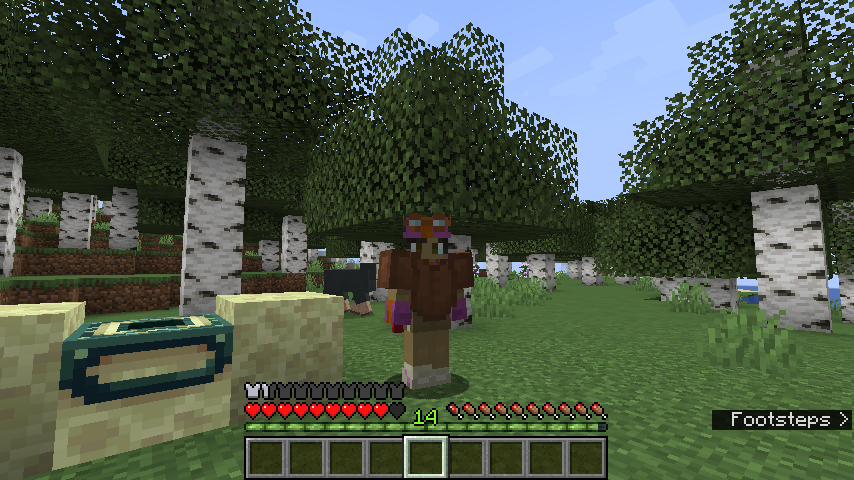


Created Issue:
"Half" armor bar icon texture is incorrect
The bug
The icon used to indicate a half-filled armor bar unit has a misplaced pixel. On a full icon, a lighter pixel can be seen at the very top left, but in the half icon's case it appears one pixel to the right instead.
I believe this is due to changes to the armor bar made in Beta 1.8: since that version moved it to the left and made it fill from left to right, the existing half icon was also flipped, which resulted in this brighter pixel being moved to the wrong position, which was not fixed at the time and continues to the present day.
How to reproduce
- Equip any combination of armor which results in an odd total value (preferably 3 or greater so a full icon appears for comparison)
- Observe the armor bar very, very closely
Expected results
The bright pixel on the half icon would be at the very top left.
Actual results
It appears one pixel too far to the right.
How to fix
This could be very, very easily fixed by simply swapping the two pixels on the half armor icon to be consistent with the full icon again.
Attachments4
![[Mod] Michael Wobst](../../../data/avatars/users/37868.png)
![[Mod] tryashtar](../../../data/avatars/users/41963.png)
relates to
 Low
Low![[Mojang] Chi Wong](../../../data/avatars/users/18941.svg) [Mojang] Chi Wong
[Mojang] Chi Wong![[Bot] Piston](../../../data/avatars/users/31202.png)
![[Mod] OcelotOnesie](../../../data/avatars/users/43220.png)
relates to
![[Helper] lillybeacon](../../../data/avatars/users/93893.png)
Related to MC-249039
The "half" armor bar icon texture is incorrect, if you look closely, the icon used to indicate a half-filled armor bar unit has a misplaced pixel. On a full icon, a lighter pixel can be seen at the very top left, but in the half icon's case, it appears one pixel to the right instead.
How to reproduce
- Equip any combination of armor which results in an odd total value (preferably 3 or greater so a full icon appears for comparison)
- Observe the armor bar very, very closely (preferably change your GUI scale to maximum)
Observed results
It appears one pixel too far to the right.
Expected results
The bright pixel on the half icon would be at the very top left.