Launcher black screen - ERROR:gl_surface_egl.cc(711)] eglCreateWindowSurface failed with error EGL_BAD_ALLOC
Please try to use Community Support if you are experiencing this issue, and if you do, please give the helpers the link to this report.
1.12.2 was running well with forge. In launcher I switched to 1.7.10 to have some old mods running. Now there is empty launcher window (first white, later black). Error found in C:\Users\Marcin\AppData\Roaming\.minecraft\launcher_log.txt :
[1223/185242:INFO:LauncherAppBrowser.cpp(24)] Work dir is C:\Users\Marcin\AppData\Roaming\.minecraft

[1223/185243:INFO:ClientHandler.cpp(182)] Creating launcher window.

[1223/185303:ERROR:gl_surface_egl.cc(711)] eglCreateWindowSurface failed with error EGL_BAD_ALLOC
[1223/185303:ERROR:gl_surface_egl.cc(711)] eglCreateWindowSurface failed with error EGL_BAD_ALLOC
[1223/185303:ERROR:gl_surface_egl.cc(711)] eglCreateWindowSurface failed with error EGL_BAD_ALLOC
[1223/185303:ERROR:gl_surface_egl.cc(711)] eglCreateWindowSurface failed with error EGL_BAD_ALLOC
[1223/185303:ERROR:gl_surface_egl.cc(711)] eglCreateWindowSurface failed with error EGL_BAD_ALLOC
[1223/185315:INFO:LauncherAppRenderer.cpp(110)] Javascript bridge extended.

[1223/185351:INFO:ClientHandler.cpp(859)] Preferences / startup: Read preferences

[1223/185351:INFO:ClientHandler.cpp(859)] Preferences: Wrote preferences

[1223/185351:INFO:ClientHandler.cpp(859)] Configurations: Loading profiles

[1223/185351:INFO:ClientHandler.cpp(859)] Configurations: Loading settings

[1223/185351:INFO:ClientHandler.cpp(859)] Session: Read authDB

[1223/185351:INFO:ClientHandler.cpp(859)] Updating server status

[1223/185351:INFO:GameController.cpp(222)] Reinstancing game callbacks...

[1223/185352:INFO:ClientHandler.cpp(859)] GameStarter: Previous instance(s) found

[1223/185353:INFO:ClientHandler.cpp(859)] Preferences: Wrote preferences

[1223/185851:INFO:ClientHandler.cpp(859)] Updating server status

[1223/190351:INFO:ClientHandler.cpp(859)] Updating server status
I tried to uninstall Minecraft, deleted directory C:\Users\Marcin\AppData\Roaming\.minecraft\ (together with mods) installed again but it didn't help. It is possible to click something in launcher window because mouse cursor changes its icon while moving through it. I couldn't google for any workaround to fix this situation.
Environment
Minecraft 1.12.2 (Java edition) on Windows 10 with forge - went back to 1.7.10
Linked Issues
is duplicated by20
 MC-121475LoginDuplicateMC-123034Launcher only loads black windowDuplicateMC-123412My minecraft launcher whenever i try to play it the launcher seems to not load properly either turning white or blaclDuplicateMC-123502The screen of Minecraft launcher shows as black screenDuplicateMC-156091Invisible Minecraft LauncherDuplicate
 MCL-6870Launcher is blackDuplicateMCL-6998The launcher is just blackDuplicateMCL-8096Minecraft launcher stays black after startup/window graphics are not loadingDuplicateMCL-8642After updating my pcDuplicateMCL-8657My launcher appears black when i open itDuplicateMCL-8675Launcher goes either black or white and I can not use itDuplicateMCL-8723luncher won't start, black screen, no errorsDuplicateMCL-8785Cant open Minecraft !DuplicateMCL-8859Launcher gives me a black screenDuplicateMCL-8961Black ScreenDuplicateMCL-9696black screenDuplicateMCL-10044If I try to open my launcher then it's black I can't see somethingDuplicateMCL-10400Black screen on Minecraft LanucherDuplicateMCL-10412My launcher is All Black is normalDuplicateMCL-10494Minecraft Luncher dosent open.Duplicate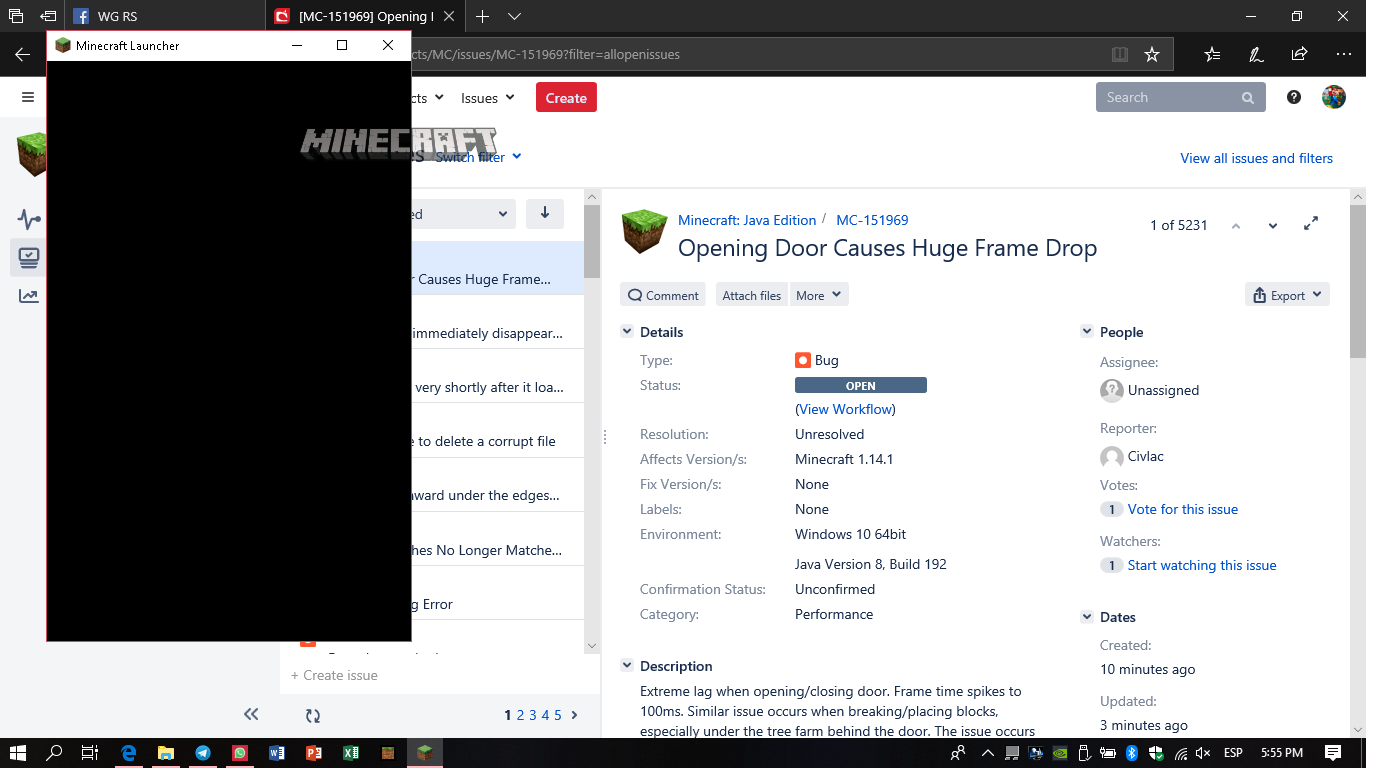


Created Issue:
Launcher black screen - ERROR:gl_surface_egl.cc(711)] eglCreateWindowSurface failed with error EGL_BAD_ALLOC
1.12.2 was running well with forge. In launcher I switched to 1.7.10 to have some old mods running. Now there is empty launcher window (first white, later black). Error found in C:\Users\Marcin\AppData\Roaming\.minecraft\launcher_log.txt :
[1223/185242:INFO:LauncherAppBrowser.cpp(24)] Work dir is C:\Users\Marcin\AppData\Roaming\.minecraft [1223/185243:INFO:ClientHandler.cpp(182)] Creating launcher window. [1223/185303:ERROR:gl_surface_egl.cc(711)] eglCreateWindowSurface failed with error EGL_BAD_ALLOC [1223/185303:ERROR:gl_surface_egl.cc(711)] eglCreateWindowSurface failed with error EGL_BAD_ALLOC [1223/185303:ERROR:gl_surface_egl.cc(711)] eglCreateWindowSurface failed with error EGL_BAD_ALLOC [1223/185303:ERROR:gl_surface_egl.cc(711)] eglCreateWindowSurface failed with error EGL_BAD_ALLOC [1223/185303:ERROR:gl_surface_egl.cc(711)] eglCreateWindowSurface failed with error EGL_BAD_ALLOC [1223/185315:INFO:LauncherAppRenderer.cpp(110)] Javascript bridge extended. [1223/185351:INFO:ClientHandler.cpp(859)] Preferences / startup: Read preferences [1223/185351:INFO:ClientHandler.cpp(859)] Preferences: Wrote preferences [1223/185351:INFO:ClientHandler.cpp(859)] Configurations: Loading profiles [1223/185351:INFO:ClientHandler.cpp(859)] Configurations: Loading settings [1223/185351:INFO:ClientHandler.cpp(859)] Session: Read authDB [1223/185351:INFO:ClientHandler.cpp(859)] Updating server status [1223/185351:INFO:GameController.cpp(222)] Reinstancing game callbacks... [1223/185352:INFO:ClientHandler.cpp(859)] GameStarter: Previous instance(s) found [1223/185353:INFO:ClientHandler.cpp(859)] Preferences: Wrote preferences [1223/185851:INFO:ClientHandler.cpp(859)] Updating server status [1223/190351:INFO:ClientHandler.cpp(859)] Updating server statusI tried to uninstall Minecraft, deleted directory C:\Users\Marcin\AppData\Roaming\.minecraft\ (together with mods) installed again but it didn't help. It is possible to click something in launcher window because mouse cursor changes its icon while moving through it. I couldn't google for any workaround to fix this situation.
Environment
Minecraft 1.12.2 (Java edition) on Windows 10 with forge - went back to 1.7.10
Attachments1
![[Mod] violine1101](../../../data/avatars/users/92858.png) MC-123520 → MCL-8702
MC-123520 → MCL-8702clones
I updated Java from
java version "1.8.0_144" Java(TM) SE Runtime Environment (build 1.8.0_144-b01) Java HotSpot(TM) 64-Bit Server VM (build 25.144-b01, mixed mode)to
java version "1.8.0_151" Java(TM) SE Runtime Environment (build 1.8.0_151-b12) Java HotSpot(TM) Client VM (build 25.151-b12, mixed mode, sharing)but it didn't help
is duplicated by
is duplicated by
is duplicated by
![[Mod] bemoty](../../../data/avatars/users/50554.png)
is duplicated by

Moderator NotePlease try to use Community Support, and if you do, please give the helpers the link to this report.
1.12.2 was running well with forge. In launcher I switched to 1.7.10 to have some old mods running. Now there is empty launcher window (first white, later black). Error found in C:\Users\Marcin\AppData\Roaming\.minecraft\launcher_log.txt :
[1223/185242:INFO:LauncherAppBrowser.cpp(24)] Work dir is C:\Users\Marcin\AppData\Roaming\.minecraft [1223/185243:INFO:ClientHandler.cpp(182)] Creating launcher window. [1223/185303:ERROR:gl_surface_egl.cc(711)] eglCreateWindowSurface failed with error EGL_BAD_ALLOC [1223/185303:ERROR:gl_surface_egl.cc(711)] eglCreateWindowSurface failed with error EGL_BAD_ALLOC [1223/185303:ERROR:gl_surface_egl.cc(711)] eglCreateWindowSurface failed with error EGL_BAD_ALLOC [1223/185303:ERROR:gl_surface_egl.cc(711)] eglCreateWindowSurface failed with error EGL_BAD_ALLOC [1223/185303:ERROR:gl_surface_egl.cc(711)] eglCreateWindowSurface failed with error EGL_BAD_ALLOC [1223/185315:INFO:LauncherAppRenderer.cpp(110)] Javascript bridge extended. [1223/185351:INFO:ClientHandler.cpp(859)] Preferences / startup: Read preferences [1223/185351:INFO:ClientHandler.cpp(859)] Preferences: Wrote preferences [1223/185351:INFO:ClientHandler.cpp(859)] Configurations: Loading profiles [1223/185351:INFO:ClientHandler.cpp(859)] Configurations: Loading settings [1223/185351:INFO:ClientHandler.cpp(859)] Session: Read authDB [1223/185351:INFO:ClientHandler.cpp(859)] Updating server status [1223/185351:INFO:GameController.cpp(222)] Reinstancing game callbacks... [1223/185352:INFO:ClientHandler.cpp(859)] GameStarter: Previous instance(s) found [1223/185353:INFO:ClientHandler.cpp(859)] Preferences: Wrote preferences [1223/185851:INFO:ClientHandler.cpp(859)] Updating server status [1223/190351:INFO:ClientHandler.cpp(859)] Updating server statusI tried to uninstall Minecraft, deleted directory C:\Users\Marcin\AppData\Roaming\.minecraft\ (together with mods) installed again but it didn't help. It is possible to click something in launcher window because mouse cursor changes its icon while moving through it. I couldn't google for any workaround to fix this situation.
Moderator NotePlease try to use Community Support if you are experiencing this issue, and if you do, please give the helpers the link to this report.
1.12.2 was running well with forge. In launcher I switched to 1.7.10 to have some old mods running. Now there is empty launcher window (first white, later black). Error found in C:\Users\Marcin\AppData\Roaming\.minecraft\launcher_log.txt :
[1223/185242:INFO:LauncherAppBrowser.cpp(24)] Work dir is C:\Users\Marcin\AppData\Roaming\.minecraft [1223/185243:INFO:ClientHandler.cpp(182)] Creating launcher window. [1223/185303:ERROR:gl_surface_egl.cc(711)] eglCreateWindowSurface failed with error EGL_BAD_ALLOC [1223/185303:ERROR:gl_surface_egl.cc(711)] eglCreateWindowSurface failed with error EGL_BAD_ALLOC [1223/185303:ERROR:gl_surface_egl.cc(711)] eglCreateWindowSurface failed with error EGL_BAD_ALLOC [1223/185303:ERROR:gl_surface_egl.cc(711)] eglCreateWindowSurface failed with error EGL_BAD_ALLOC [1223/185303:ERROR:gl_surface_egl.cc(711)] eglCreateWindowSurface failed with error EGL_BAD_ALLOC [1223/185315:INFO:LauncherAppRenderer.cpp(110)] Javascript bridge extended. [1223/185351:INFO:ClientHandler.cpp(859)] Preferences / startup: Read preferences [1223/185351:INFO:ClientHandler.cpp(859)] Preferences: Wrote preferences [1223/185351:INFO:ClientHandler.cpp(859)] Configurations: Loading profiles [1223/185351:INFO:ClientHandler.cpp(859)] Configurations: Loading settings [1223/185351:INFO:ClientHandler.cpp(859)] Session: Read authDB [1223/185351:INFO:ClientHandler.cpp(859)] Updating server status [1223/185351:INFO:GameController.cpp(222)] Reinstancing game callbacks... [1223/185352:INFO:ClientHandler.cpp(859)] GameStarter: Previous instance(s) found [1223/185353:INFO:ClientHandler.cpp(859)] Preferences: Wrote preferences [1223/185851:INFO:ClientHandler.cpp(859)] Updating server status [1223/190351:INFO:ClientHandler.cpp(859)] Updating server statusI tried to uninstall Minecraft, deleted directory C:\Users\Marcin\AppData\Roaming\.minecraft\ (together with mods) installed again but it didn't help. It is possible to click something in launcher window because mouse cursor changes its icon while moving through it. I couldn't google for any workaround to fix this situation.

is duplicated by
clones
is duplicated by
![[Mod] Neko](../../../data/avatars/users/92901.png)
is duplicated by
![[Mod] Pokechu22](../../../data/avatars/users/92931.png)
is duplicated by
is duplicated by
is duplicated by
![[Mojang] slicedlime](../../../data/assets/gravatar/slicedlime.jpeg)
Forward-resolved to MCL-8702, because that report includes a launcher log.
Yes, I didn't say otherwise. This issue is tracked over at MCL-8702.
Yes, I didn't say otherwise. This issue is now being tracked over at MCL-8702.
Thank you for your report!
However, this issue is a Duplicate of MCL-8702.
It has been linked to this report. If you have additional information, please add it to that report.
Please search before reporting, as it's likely that one exists already.
Quick Links:
📓 Issue Guidelines – 💬 Community Support – 📧 Customer Support – 📖 Game Wiki
Thank you for your report!
However, this issue is a Duplicate of MCL-8702.
It has been linked to this report. If you have additional information, please add it to that report.
Please search before reporting, as it's likely that one exists already.
Quick Links:
📓 Issue Guidelines – 💬 Community Support – 📧 Customer Support – 📖 Game Wiki
Thank you for your report!
However, this issue is a Duplicate of MCL-8702.
If you have additional information, please add it to that report.
Please search before reporting, as it's likely that one exists already.
Quick Links:
📓 Issue Guidelines – 💬 Community Support – 📧 Customer Support – 📖 Game Wiki

Duplicate of MCL-8702.
Also, please review the Issue Guidelines, linked below if you make another report as this one isn't really a detailed one.
Quick Links:
📓 Issue Guidelines – 💬 Community Support – 📧 Customer Support – 📖 Game Wiki
Just to clarify, this issue is about the launcher, and not the actual game?
Yes, it is about launcher but it blocks playing, I can't run Minecraft
This has been reported before, but you're the first one to include the launcher log. Thank you very much!
Moved to MCL (Minecraft Launcher).
I read tickets for the same issue and I've found interesting comment by @Jens Bollenbacher:
I wasn't thinking about it in this way but my windows 10 was updated few days ago. It could be correlated somehow. I blamed changing Minecraft version but I might have been wrong.
Now you have a log telling you that the allocation is not working properly ... but since I suppose Marcin and I are both using Java 64 bit and have more then enough RAM to allocate enough space for Minecraft launcher I do not see how this is going to help you in any way.
@Marcin Kowalczyk if you just want to play Minecraft, you can use the workaround with compatibility (e.g. windows 8) to play vanilla minecraft. If you want to start the game through a modding platform like curse or technic launcher, this workaround does not help you in this regard.
Another possible source for this error could be the most recent version of Java, since a friend of mine is using an older one and does not have the problem.
Another one could be the difference in how you access your system (Microsoft account or private account). Again ... please fix this issue or at least give us a heads up if you are on it or not.
Merry christmas to all of you.
I updated Java from
to
Behavior is the same. 1.8.0_144 was installed for quite a long time.
The launcher does not need Java at all, so changing the Java version does not change anything.
Workaround suggested by Jens Bollenbacher helped !

I downloaded ATLauncher and I created Vanilla Minecraft instance. It works for me. Thanks Jens.
Anyone interested in details for configuring this workaround have a look at the video https://www.youtube.com/watch?v=gTf7rRCwMcI
Obligatory notice that third-party launchers like ATLauncher are not supported by Mojang. You give them your login credentials, use them at your own risk.
@Marcin Kowalczyk Sure thing. No problem. Did you find a way to get modded Minecraft running through the atlauncher?
@vioIine1101 This obligatory notice is not helpful at all. No offense intended but this issue is known since November and there is no real solution to it.
This tracker is neither a help or support forum, nor a chat.
@Jens Bollenbacher not yet. There is an option in GUI to add/enable mods but it has no effect. I guess first forge or some other modding platform must be installed with vanilla minecraft.
@vioIine1101 is there any official workaround for this issue? Is there a way to run minecraft using command line parameters so that launcher GUI is not needed? (I've found some solution at stackoverflow but it didn't work for me)
No, unfortunately not. This is a bug with the launcher that needs to be fixed by Mojang. Unfortunately, the Launcher does not have that high priority at the moment, as the dev team is currently focusing on 1.13 and 1.14. I'll ping one of the responsible devs once their vacation ended. This appears to be a fairly common problem after all.
Edit: You can still use the old official Java launcher as a workaround of course.
Is this anything the Mods have worked on? We have this same problem.
How should we be working on this? We manage this bug tracker and don't code the game or the launcher.
I apologize for saying mod and not dev but you stated, "I'll ping one of the responsible devs once their vacation ended. This appears to be a fairly common problem after all." so there was a general assumption someone might still look into this.
Check what is your Graphics Card and update your drivers. I solved this issue doing that, is an OpenGL error.
I´m angry because I bought Minecraft and I cant play it because this bug. The time passes and I still don´t see a solution. Please Mojang, do something.
PD: I already try to remove Minecraft and also repair the app with the option of the launcher.
@Ricardo_Stryki
Yes, it finally solved this issue at my PC ! Thanks a lot.
I updated GeForce GT 540M from 376.54 to the newest driver 391.35 and now I again (after 5 months) have working Minecraft launcher.