 Oval
Oval
- Oval
- oval
- Europe/Amsterdam
- Yes
- No
 MC-135508
 MCPE-38107
![[Mojang] Cory Scheviak](../../../data/avatars/users/92893.png)

 MCL-10239
![[Mojang] Grum (Erik Broes)](../../../data/assets/gravatar/grum.png)
![[Mojang] Agnes Larsson](../../../data/avatars/users/10122.svg)

![[Mojang] Chi Wong](../../../data/avatars/users/18941.svg)
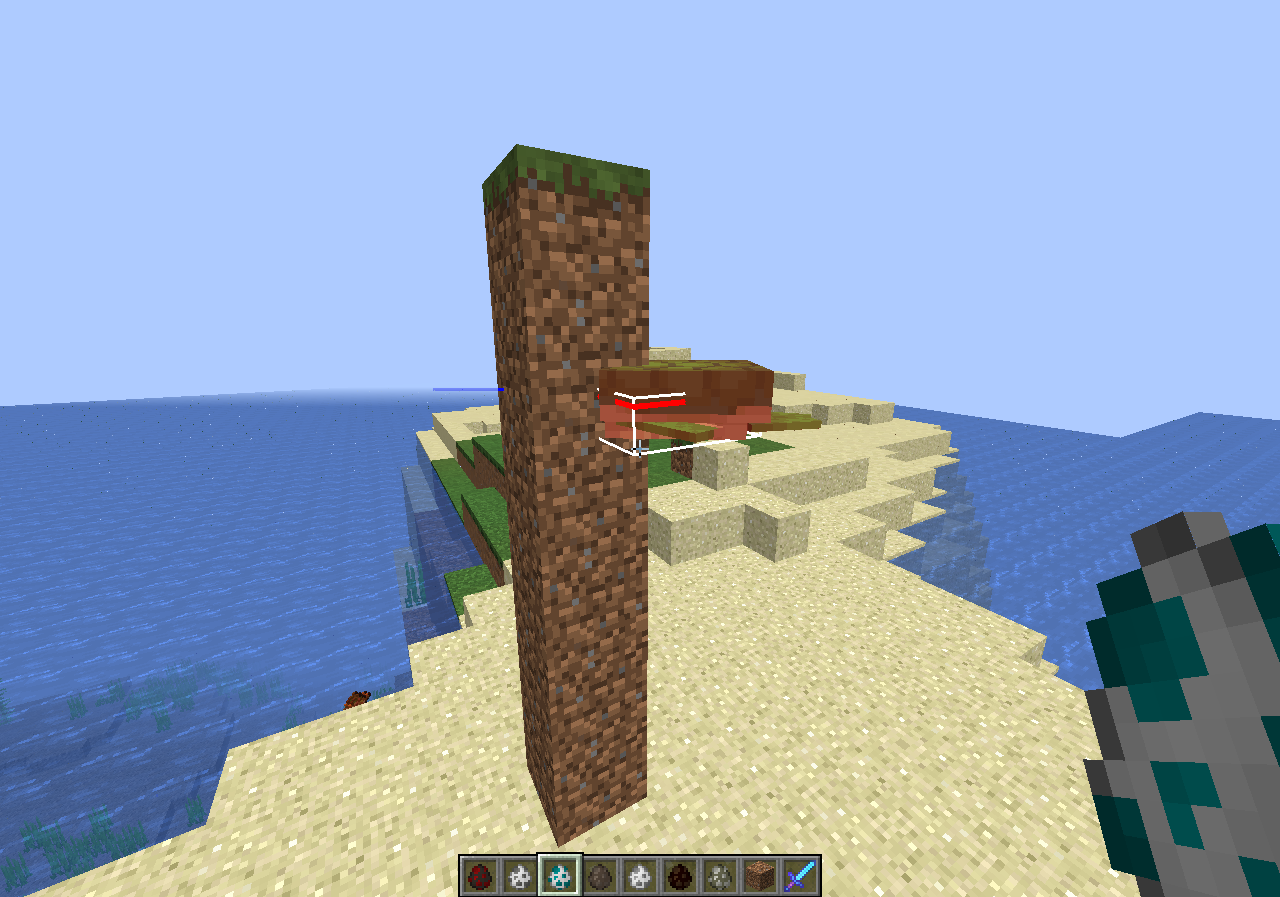




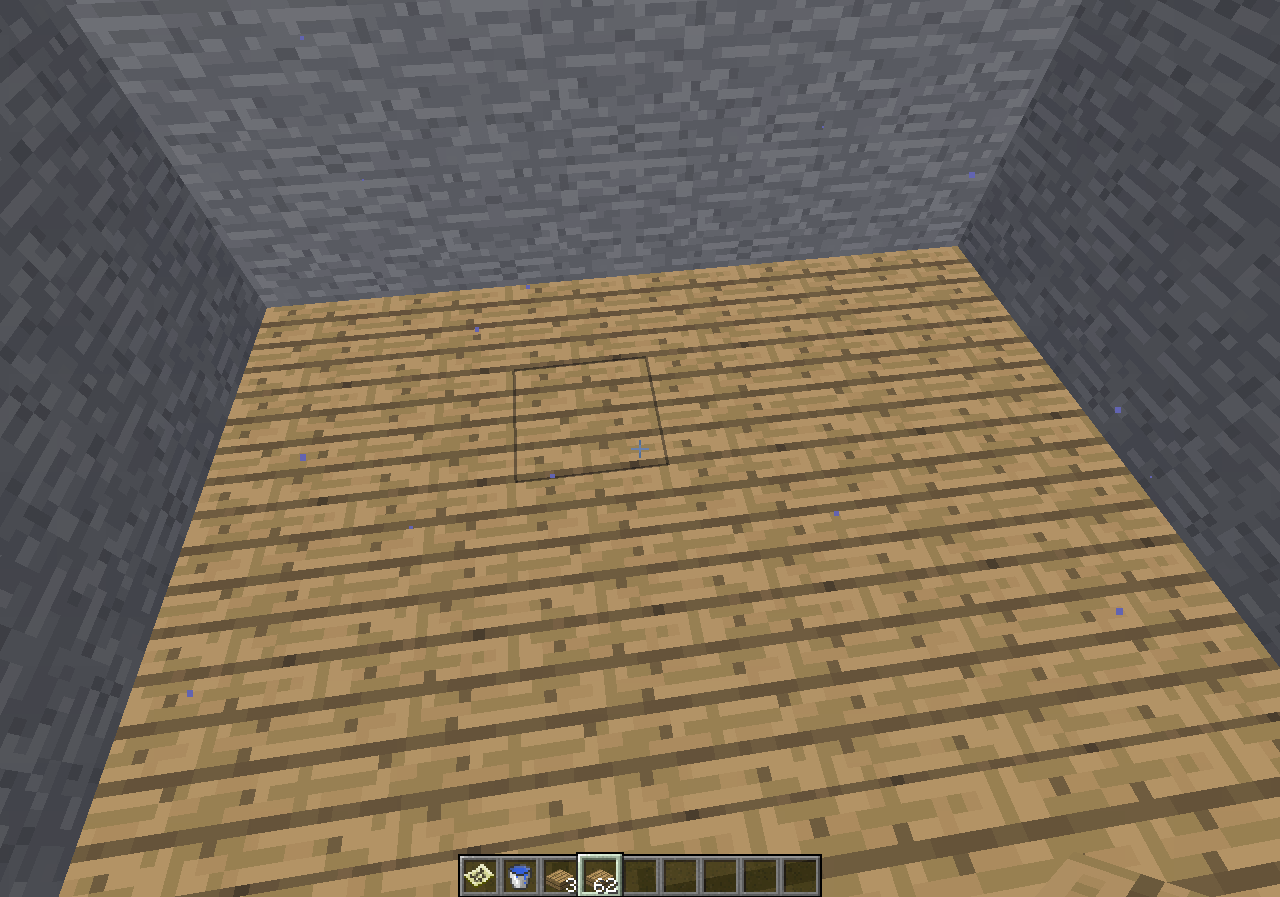
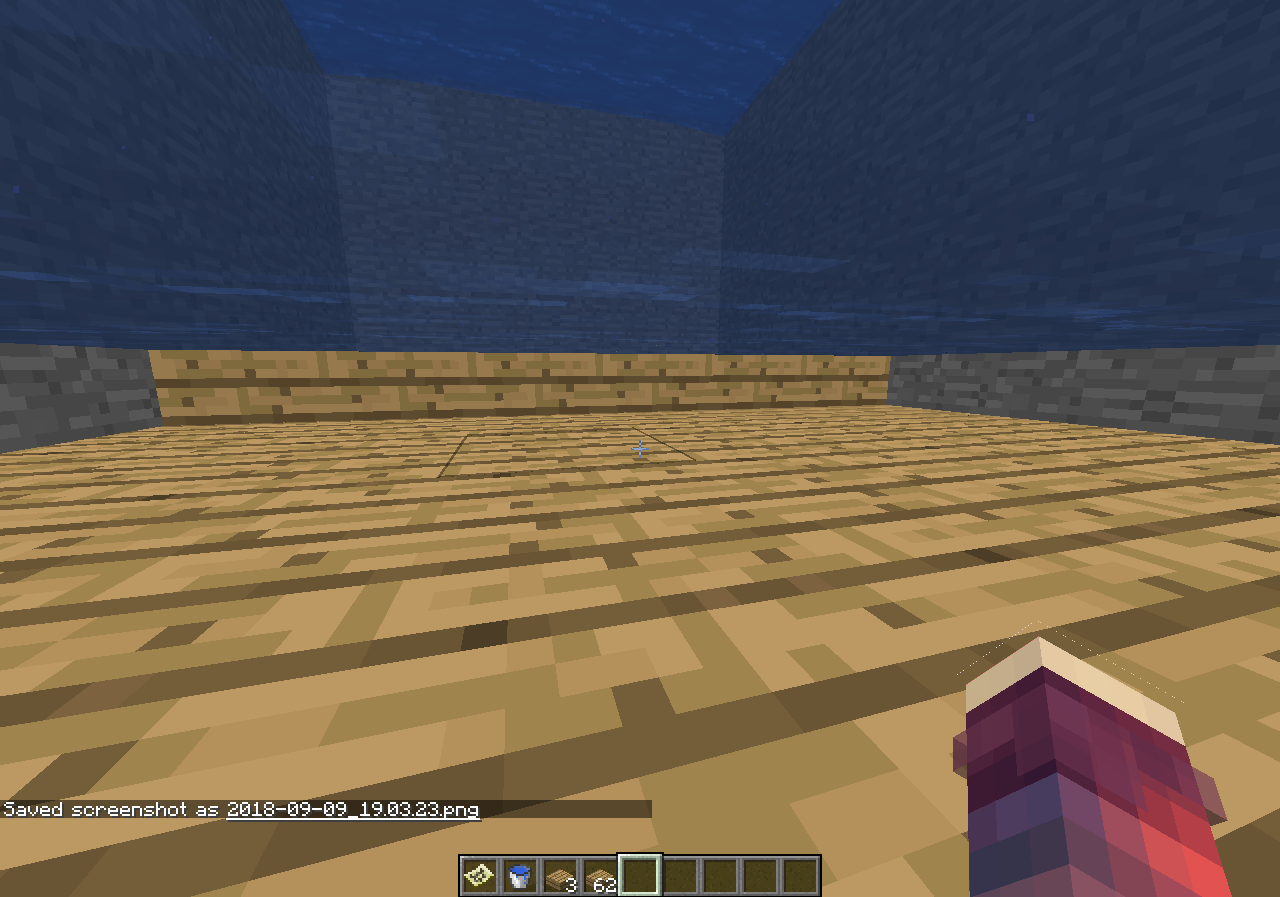

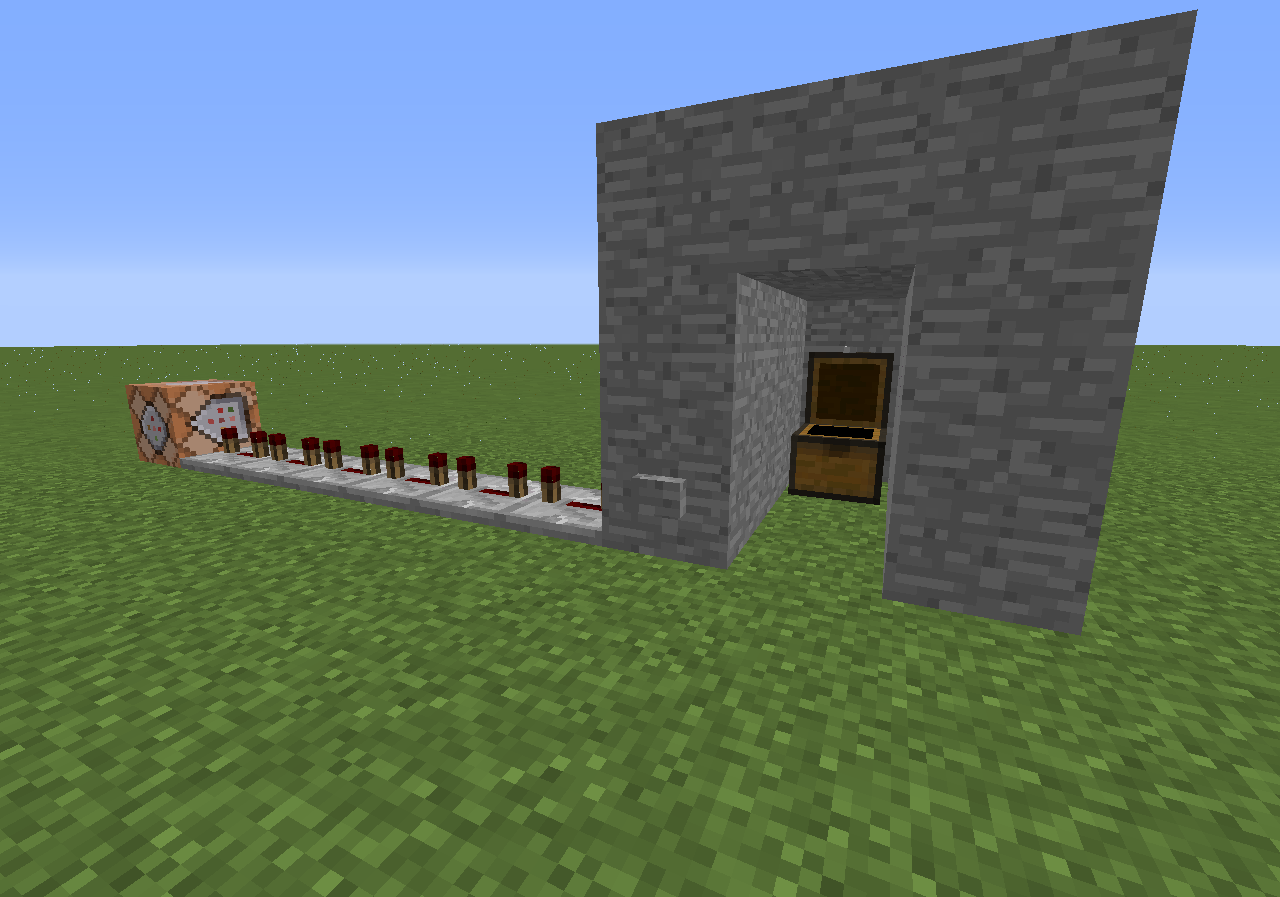


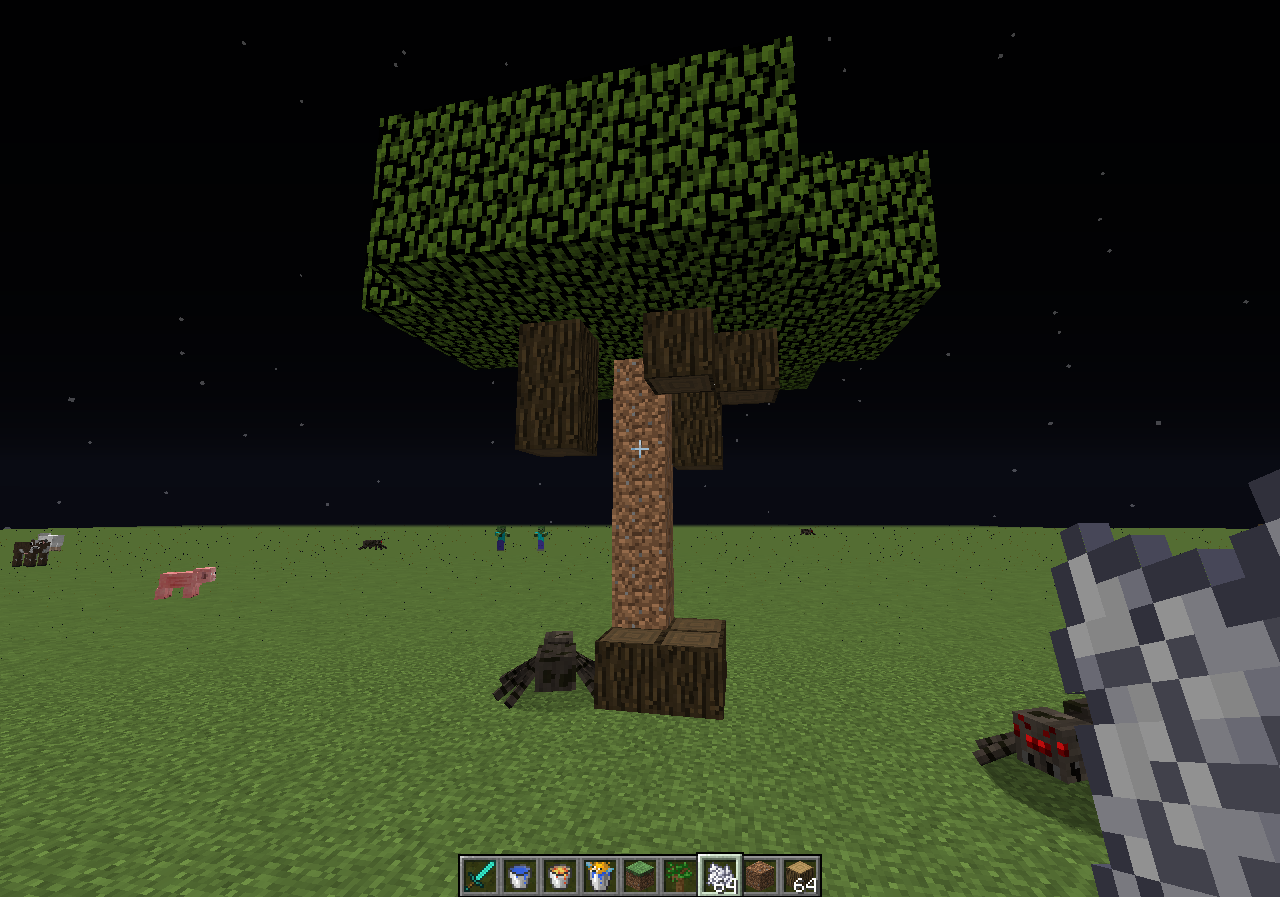




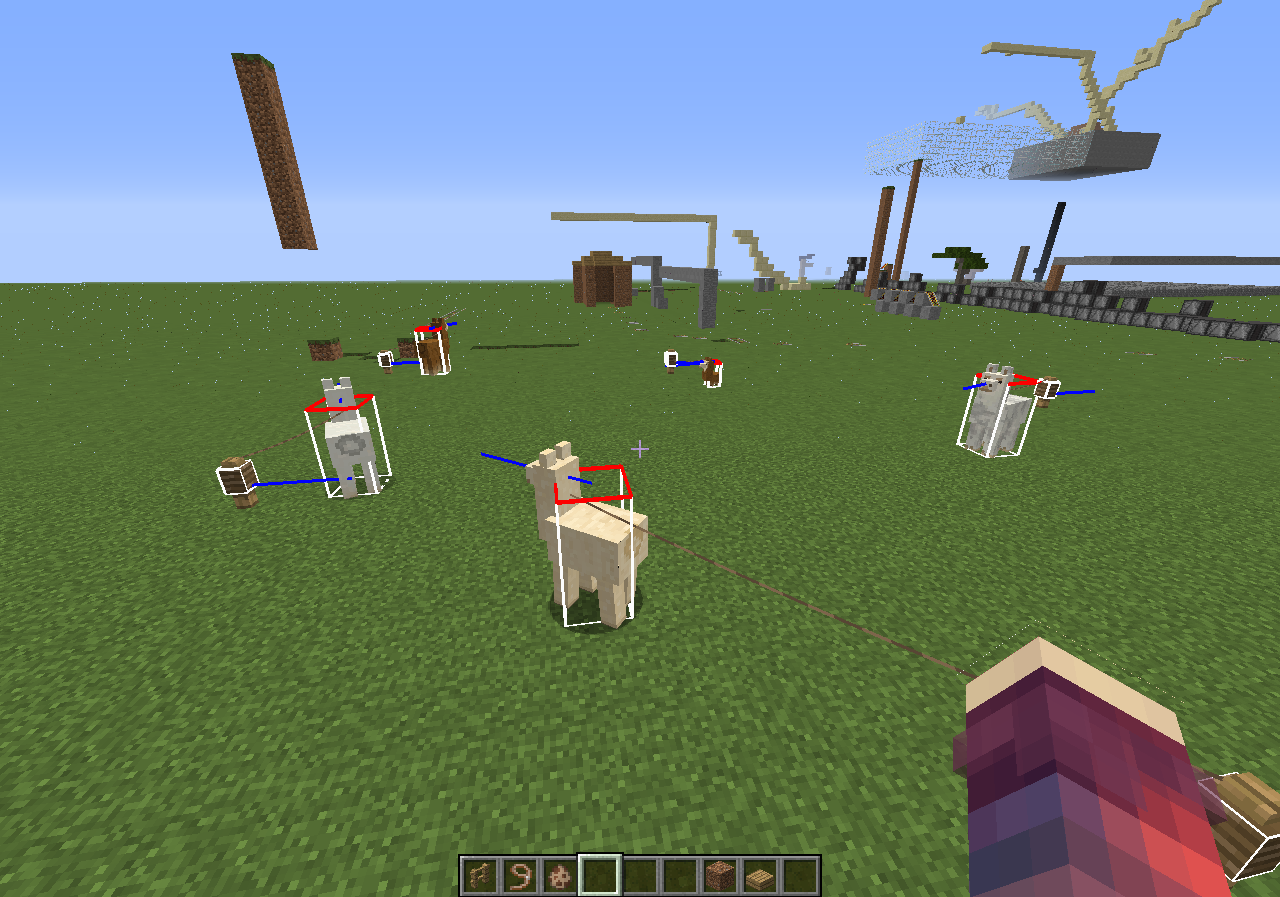


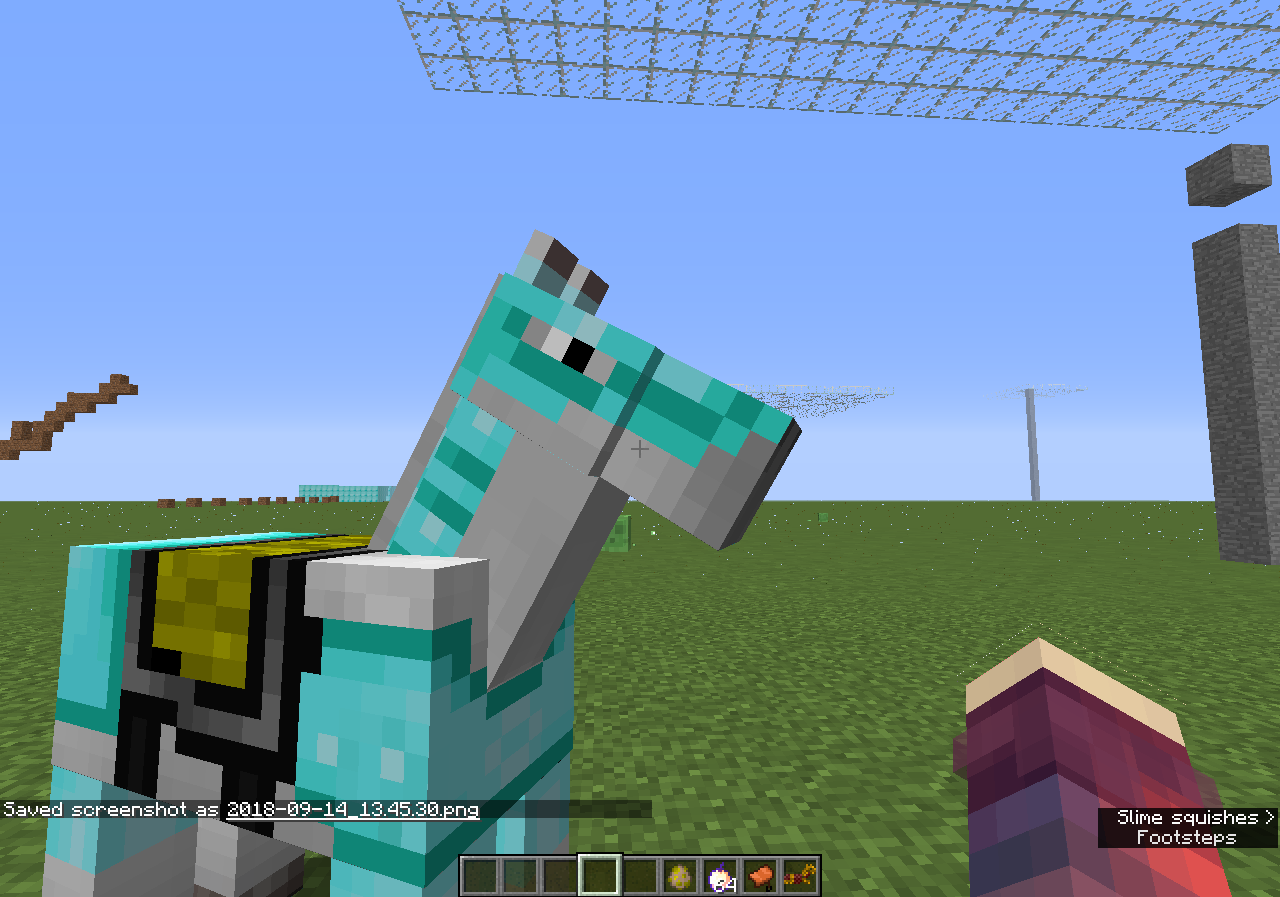


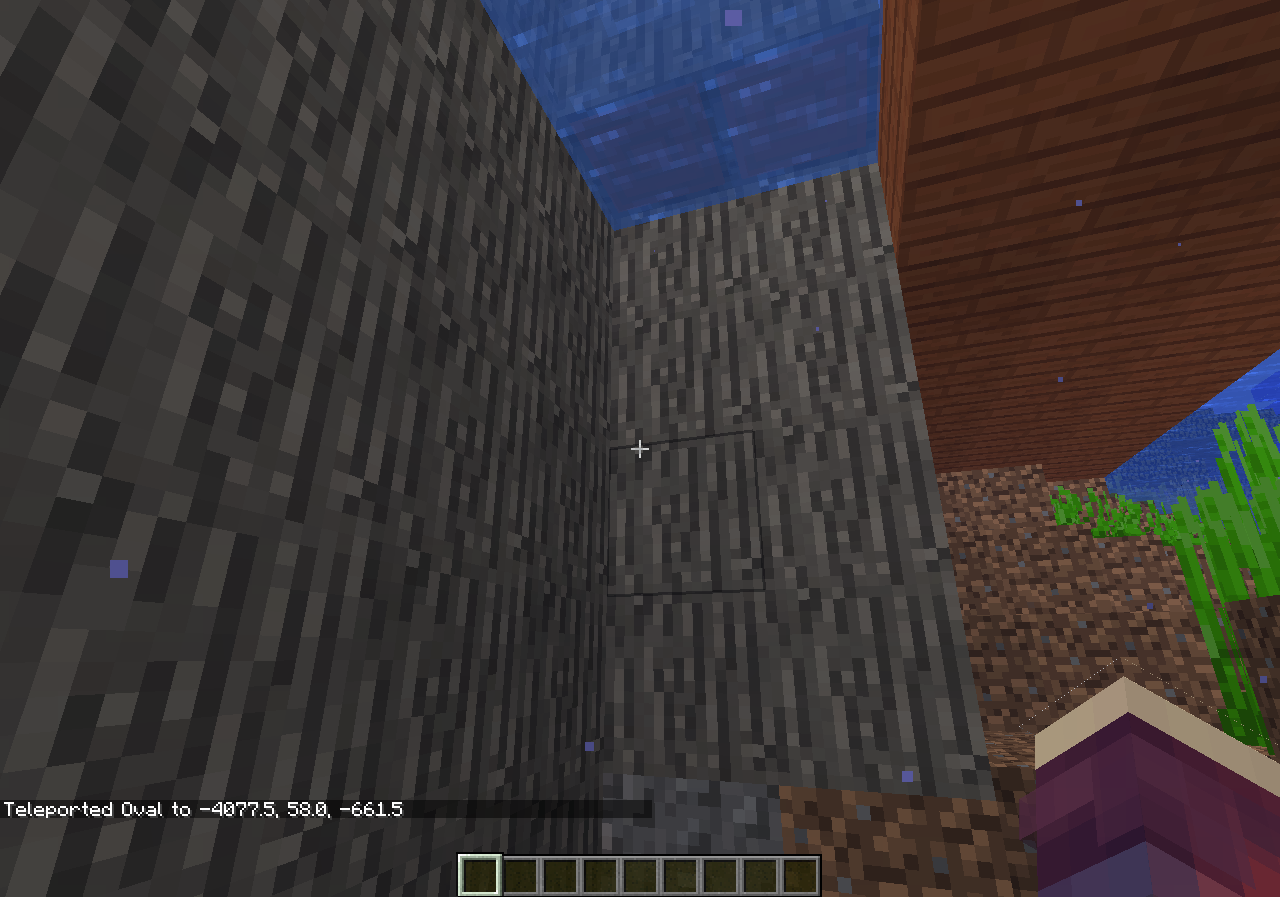
Being inside of a block causes you to glitch trough the world untill you die of void damage.
EDIT: If you are below a cave that will stop you from falling trough blocks. (tested it abit, needs to be 3 blocks height atleast to stop falling)
If you break a door in 1.13 & 18w31a, they break twice, at the top & bottom, this makes it so the break sound plays twice & alot more particles.
Tested this in 1.12, there it doesn't seem to occurs.
If you break a door in 1.13 & 18w31a, they break twice, at the top & bottom
, this makes it so the break sound plays twice & alot more particles.Tested this in 1.12, there it doesn't seem to occurs.
The bug:
Spawning mobs*** against a wall will cause them to get stuck or suffocate.
*See 'affected mobs' for list.
Affected mobs:
- Spider
- Polar Bear
- Turtle
- Donkey
- Ghast
- Mule
- Skeleton Horse
- Zombie Horse
Steps to reproduce:
1) Make a wall (can be any size)
2) Grab a spawn egg of one of the mobs listed in 'affected mobs'.
3) Use the spawn egg on the wall.
Conclusion:
Hitboxes of entitys are too big causing them to glitch into the block.
See the video I attached for more information.
https://streamable.com/vrzah (video file was too big)
The bug:
Spawning mobs*** against a wall will cause them to get stuck or suffocate.
*See 'affected mobs' for list.
Affected mobs:
- Spider
- Polar Bear
- Turtle
- Donkey
- Ghast
- Mule
- Skeleton Horse
- Zombie Horse
Steps to reproduce:
1) Make a wall (can be any size)
2) Grab a spawn egg of one of the mobs listed in 'affected mobs'.
3) Use the spawn egg on the wall.
Conclusion:
Hitboxes of entitys are too big causing them to glitch into the block.
See the
videoI attached for more information.https://streamable.com/vrzah (video file was too big)
The bug:
Spawning mobs*** against a wall will cause them to get stuck or suffocate.
*See 'affected mobs' for list.
Affected mobs:
- Spider
- Polar Bear
- Turtle
- Donkey
- Ghast
- Mule
- Skeleton Horse
- Zombie Horse
Steps to reproduce:
1) Make a wall (can be any size)
2) Grab a spawn egg of one of the mobs listed in 'affected mobs'.
3) Use the spawn egg on the wall.
Conclusion:
Hitboxes of entitys are too big causing them to glitch into the block.
See the screenshots I attached for more information.
Video: https://streamable.com/vrzah (video file was too big)
The bug
This bug causes alot of light updates, dropping your FPS to 0 and most likely crashing your game.
This has been used
on serveral serversfor around a year now.How to reproduce
- Create a new world (superflat, cheats on)
- Execute command: /fill ~20 ~200 ~-20 ~-20 ~200 ~20 stone
- Teleport yourself up to the platform. (/tp @a ~ ~205 ~)
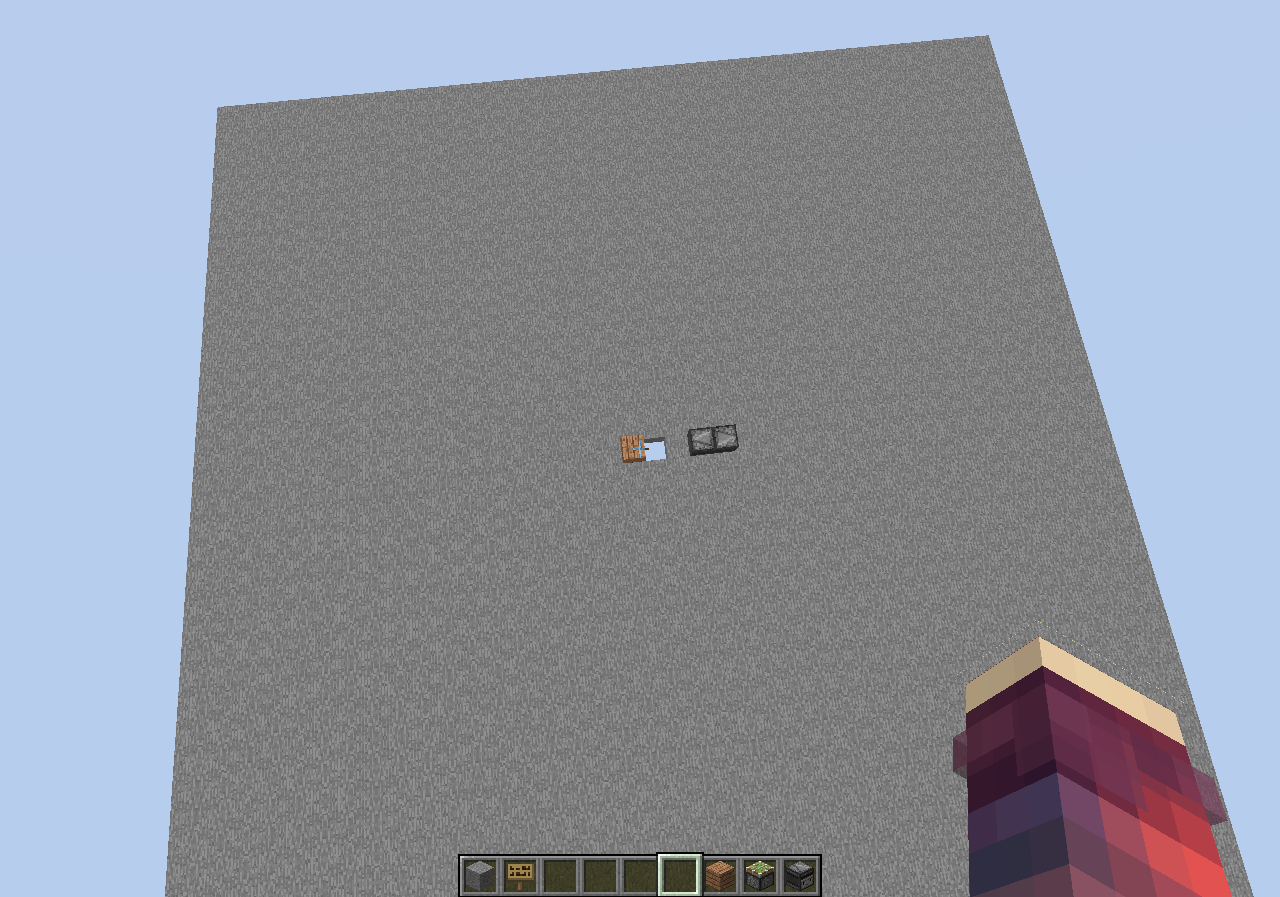
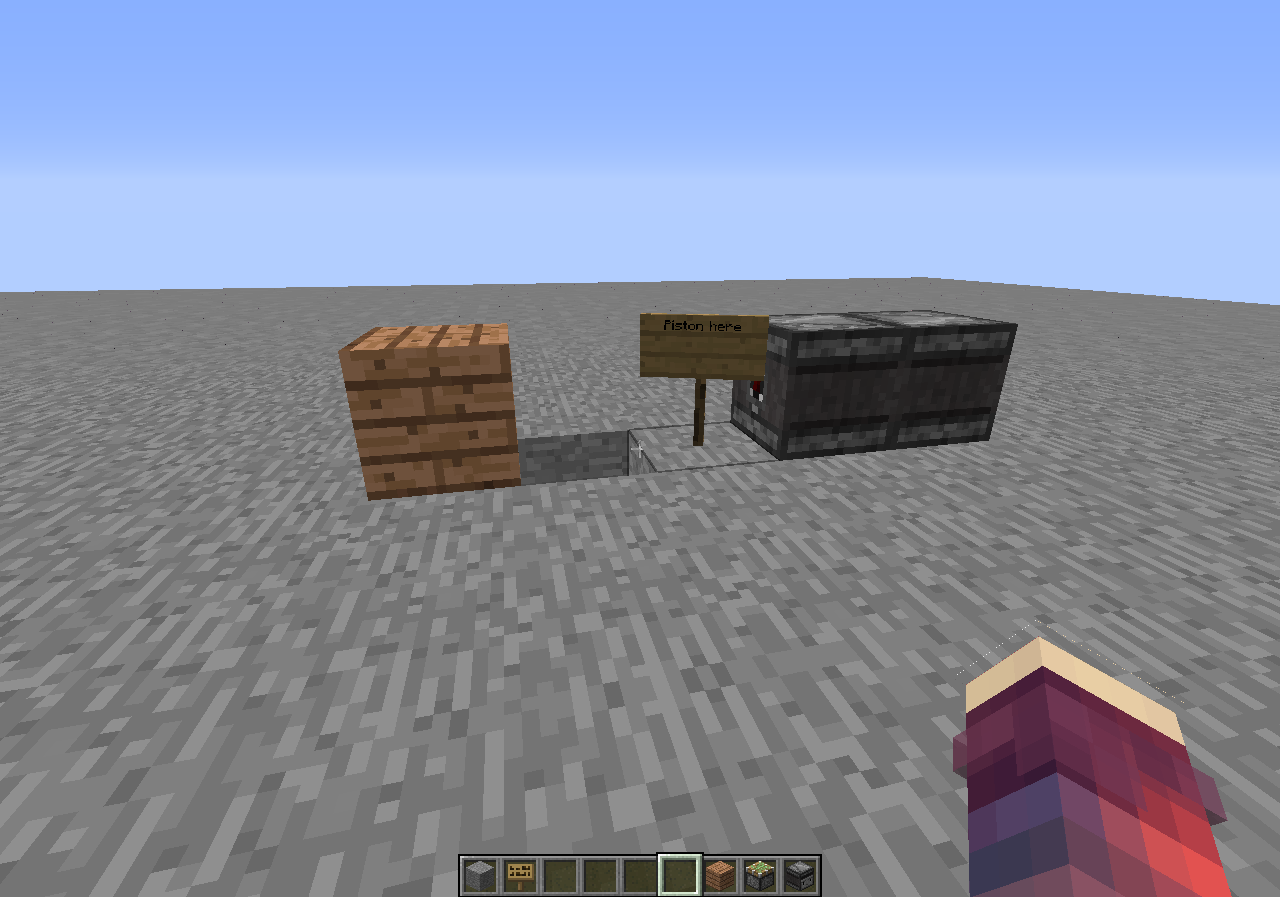
- Place 2 observers facing into each other, make a hole 1 block away from the observer. (See screenshot for setup. the observers is to make a repeating redstone clock)
- Just place the piston so it pulls the block over the hole.
- Prepare yourself to see your FPS drop to 0.
- IF YOU DONT HAVE A GOOD PC, YOUR GAME WILL CRASH ***
Code analysis
The following is based on a decompiled version of Minecraft 1.12 using MCP940.
The reason for this is that in the method
net.minecraft.world.chunk.setBlockState(BlockPos, IBlockState),
In this method you have this piece of code: this.relightBlock(i, j + 1, k);
If you remove the '+ 1' the issue is fixed. (line: 657)
^ I'll attach a video with the '+ 1' and without the '+ 1'.
The bug
This bug causes alot of light updates, dropping your FPS to 0 and most likely crashing your game.
This has been used for around a year now on several servers, this causes players to crash their game.
How to reproduce
- Create a new world (superflat, cheats on)
- Execute command: /fill ~20 ~200 ~-20 ~-20 ~200 ~20 stone
- Teleport yourself up to the platform. (/tp @a ~ ~205 ~)
- Place 2 observers facing into each other, make a hole 1 block away from the observer. (See screenshot for setup. the observers is to make a repeating redstone clock)
- Just place the piston so it pulls the block over the hole.
- Prepare yourself to see your FPS drop to 0.
- IF YOU DONT HAVE A GOOD PC, YOUR GAME WILL CRASH ***
Code analysis
The following is based on a decompiled version of Minecraft 1.12 using MCP940.
The reason for this is that in the method
net.minecraft.world.chunk.setBlockState(BlockPos, IBlockState),
In this method you have this piece of code: this.relightBlock(i, j + 1, k);
If you remove the '+ 1' the issue is fixed. (line: 657)
^ I'll attach a video with the '+ 1' and without the '+ 1'.
When making a Creative world with bedrock at the bottom, air for most, and bedrock at the top, when you break the bedrock the game lags for about 7 seconds.Example superflat preset: 3;minecraft:bedrock,250*minecraft:air,minecraft:bedrock;1;
I made a program that will take the "Something's taking too long!" messages and put it in a list. In the attached list, you can see that root.tick.level.connection is taking a VERY long time.
I hope this gets fixed soon, because it can be a huge exploit on servers.
The bug
This bug causes alot of light updates, dropping your FPS to 0 and most likely crashing your game.
This has been used for around a year now on several servers, this causes players to crash their game.
How to reproduce
- Create a new world (superflat, cheats on)
- Execute command: /fill ~20 ~200 ~-20 ~-20 ~200 ~20 stone
- Teleport yourself up to the platform. (/tp @a ~ ~205 ~)
- Place 2 observers facing into each other, make a hole 1 block away from the observer. (See screenshot for setup. the observers is to make a repeating redstone clock)
- Just place the piston so it pulls the block over the hole.
- Prepare yourself to see your FPS drop to 0.
- IF YOU DONT HAVE A GOOD PC, YOUR GAME WILL CRASH ***
Code analysis
The following is based on a decompiled version of Minecraft 1.12 using MCP940.
The reason for this is that in the method
net.minecraft.world.chunk.setBlockState(BlockPos, IBlockState),
In this method you have this piece of code: this.relightBlock(i, j + 1, k);
If you remove the '+ 1' the issue is fixed. (line: 657)
^ I'll attach a video with the '+ 1' and without the '+ 1'.
----------------------------------------------------------------------
When making a Creative world with bedrock at the bottom, air for most, and bedrock at the top, when you break the bedrock the game lags for about 7 seconds.
Example superflat preset: 3;minecraft:bedrock,250*minecraft:air,minecraft:bedrock;1;
I made a program that will take the "Something's taking too long!" messages and put it in a list. In the attached list, you can see that root.tick.level.connection is taking a VERY long time.
I hope this gets fixed soon, because it can be a huge exploit on servers.
^ original report
The bug
This bug causes alot of light updates, dropping your FPS to 0 and most likely crashing your game.
This has been used for around a year now on several servers, this causes players to crash their game.
How to reproduce
- Create a new world (superflat, cheats on)
- Execute command: /fill ~20 ~200 ~-20 ~-20 ~200 ~20 stone
- Teleport yourself up to the platform. (/tp @a ~ ~205 ~)
- Place 2 observers facing into each other, make a hole 1 block away from the observer. (See screenshot for setup. the observers is to make a repeating redstone clock)
- Just place the piston so it pulls the block over the hole.
- Prepare yourself to see your FPS drop to 0.
- IF YOU DONT HAVE A GOOD PC, YOUR GAME WILL CRASH ***
Code analysis
The following is based on a decompiled version of Minecraft 1.12 using MCP940.
The reason for this is that in the method
net.minecraft.world.chunk.setBlockState(BlockPos, IBlockState),
In this method you have this piece of code: this.relightBlock(i, j + 1, k);
If you remove the '+ 1' the issue is fixed. (line: 657)
^ I'll attach a video with the '+ 1' and without the '+ 1'.
----------------------------------------------------------------------
When making a Creative world with bedrock at the bottom, air for most, and bedrock at the top, when you break the bedrock the game lags for about 7 seconds.
Example superflat preset: 3;minecraft:bedrock,250*minecraft:air,minecraft:bedrock;1;
I made a program that will take the "Something's taking too long!" messages and put it in a list. In the attached list, you can see that root.tick.level.connection is taking a VERY long time.
I hope this gets fixed soon, because it can be a huge exploit on servers.
^ original report
The bug
This bug causes alot of light updates, dropping your FPS to 0 and most likely crashing your game.
This has been used for around a year now on several servers, this causes players to crash their game.
How to reproduce
- Create a new world (superflat, cheats on)
- Execute command: /fill ~20 ~200 ~-20 ~-20 ~200 ~20 stone
- Teleport yourself up to the platform. (/tp @a ~ ~205 ~)
- Place 2 observers facing into each other, make a hole 1 block away from the observer. (See screenshot for setup. the observers is to make a repeating redstone clock)
- Just place the piston so it pulls the block over the hole.
- Prepare yourself to see your FPS drop to 0.
- IF YOU DONT HAVE A GOOD PC, YOUR GAME WILL CRASH ***
Code analysis
The following is based on a decompiled version of Minecraft 1.12 using MCP940.
The reason for this is that in the method
net.minecraft.world.chunk.setBlockState(BlockPos, IBlockState),
In this method you have this piece of code: this.relightBlock(i, j + 1, k);
If you remove the '+ 1' the issue is fixed. (line: 657)
^ I'll attach a video with the '+ 1' and without the '+ 1'.
----------------------------------------------------------------------
When making a Creative world with bedrock at the bottom, air for most, and bedrock at the top, when you break the bedrock the game lags for about 7 seconds.
Example superflat preset: 3;minecraft:bedrock,250*minecraft:air,minecraft:bedrock;1;
I made a program that will take the "Something's taking too long!" messages and put it in a list. In the attached list, you can see that root.tick.level.connection is taking a VERY long time.
I hope this gets fixed soon, because it can be a huge exploit on servers.
^ original report
The bug
This bug causes alot of light updates, dropping your FPS to 0 and most likely crashing your game.
This has been used for around a year now on several servers, this causes players to crash their game.
How to reproduce
- Create a new world (superflat, cheats on)
- Execute command: /fill ~20 ~200 ~-20 ~-20 ~200 ~20 stone
- Teleport yourself up to the platform. (/tp @a ~ ~205 ~)
- Place 2 observers facing into each other, make a hole 1 block away from the observer. (See screenshot for setup. the observers is to make a repeating redstone clock)
- Just place the piston so it pulls the block over the hole.
- Prepare yourself to see your FPS drop to 0.
- IF YOU DONT HAVE A GOOD PC, YOUR GAME WILL CRASH ***
Code analysis
The following is based on a decompiled version of Minecraft 1.12 using MCP940.
The reason for this is that in the method
net.minecraft.world.chunk.setBlockState(BlockPos, IBlockState),
In this method you have this piece of code: this.relightBlock(i, j + 1, k);
If you remove the '+ 1' the issue is fixed. (line: 657)
^ I'll attach a video with the '+ 1' and without the '+ 1'.
----------------------------------------------------------------------
When making a Creative world with bedrock at the bottom, air for most, and bedrock at the top, when you break the bedrock the game lags for about 7 seconds.
Example superflat preset: 3;minecraft:bedrock,250*minecraft:air,minecraft:bedrock;1;
I made a program that will take the "Something's taking too long!" messages and put it in a list. In the attached list, you can see that root.tick.level.connection is taking a VERY long time.
I hope this gets fixed soon, because it can be a huge exploit on servers.
^ original report
The bug
This bug causes alot of light updates, dropping your FPS to 0 and most likely crashing your game.
This has been used for around a year now on several servers, this causes players to crash their game.
How to reproduce
- Create a new world (superflat, cheats on)
- Execute command: /fill ~20 ~200 ~-20 ~-20 ~200 ~20 stone
- Teleport yourself up to the platform. (/tp @a ~ ~205 ~)
- Place 2 observers facing into each other, make a hole 1 block away from the observer. (See screenshot for setup. the observers is to make a repeating redstone clock)
- Just place the piston so it pulls the block over the hole.
- Prepare yourself to see your FPS drop to 0.
Code analysis
The following is based on a decompiled version of Minecraft 1.12 using MCP940.
In the method net.minecraft.world.chunk.setBlockState() you have this~~
if (j >= i1) { this.relightBlock(i, j + 1, k); }which relight blocks, but this is causing the massive FPS drops. What this does is, if j (posY) is bigger then i1, it will relight the block on the X, Y + 1, Z the player is.
If you remove the '+ 1' this issue will be fixed. idk why though.
if (j >= i1) { this.relightBlock(i, j, k); }----------------------------------------------------------------------
When making a Creative world with bedrock at the bottom, air for most, and bedrock at the top, when you break the bedrock the game lags for about 7 seconds.
Example superflat preset: 3;minecraft:bedrock,250*minecraft:air,minecraft:bedrock;1;
I made a program that will take the "Something's taking too long!" messages and put it in a list. In the attached list, you can see that root.tick.level.connection is taking a VERY long time.
I hope this gets fixed soon, because it can be a huge exploit on servers.
^ original report
If a player is given blindness while they are currently sprinting, they continue sprinting. I assume this is a bug, because if a player has blindness but is walking they cannot start sprinting.
Easily reproducible, use the command
effect give @a blindness
in a command block and trigger it while a player is sprinting (you can use a button while you are sprinting past it).
The bug
If a player is given blindness while they are currently sprinting, they continue sprinting. I assume this is a bug, because if a player has blindness but is walking they cannot start sprinting.
How to reproduce
effect give @a blindness
in a command block and trigger it while a player is sprinting (you can use a button while you are sprinting past it).
2018-08-31_16.34.40.png
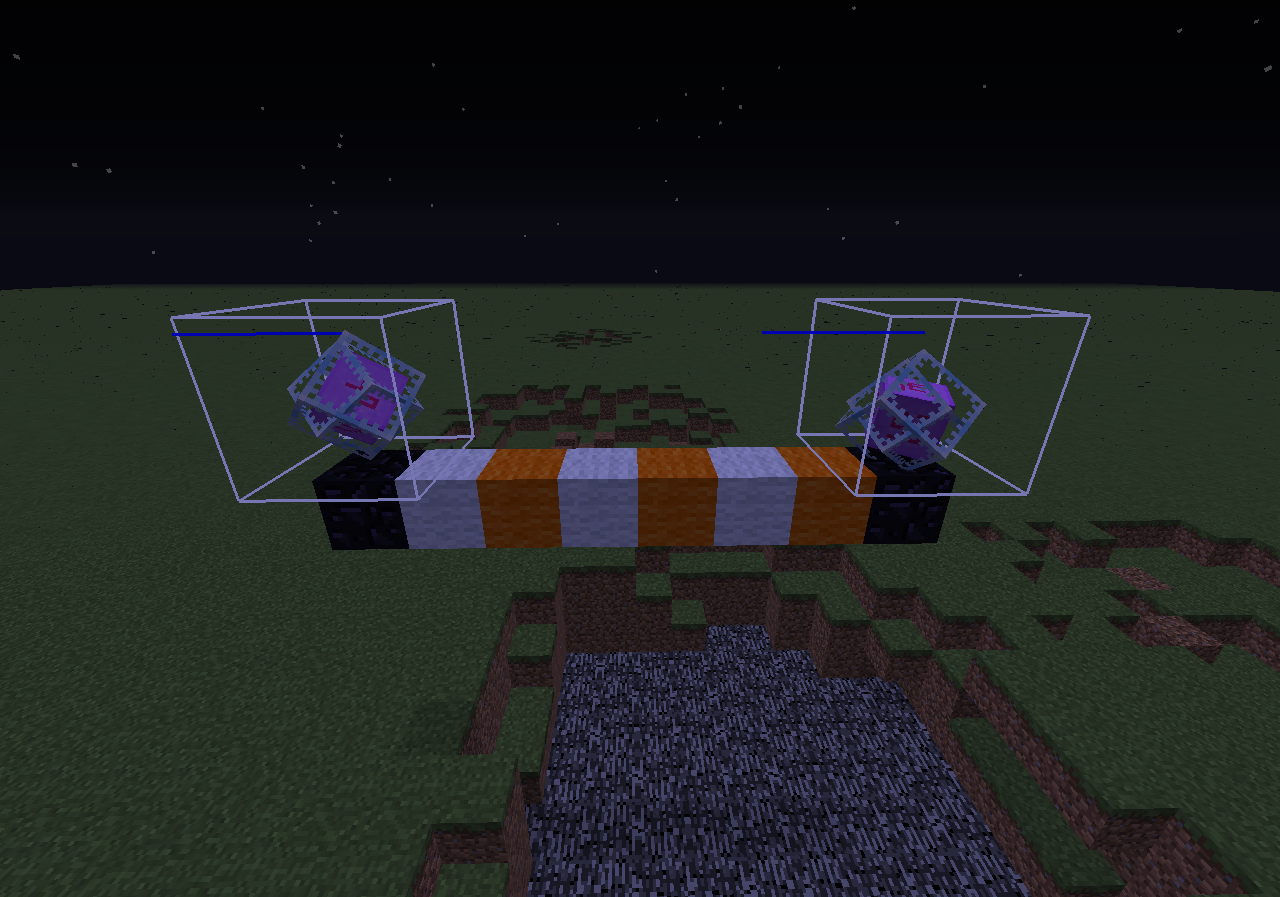
End crystal explosion kills other crystals but doesn't exposedEnd crystal explosion kills other crystals but doesn't explode
If you are teleported from a chest or trapped chest while the chest GUI is still open, via command block or other player, the chest will get stuck open. This is purely graphical and opening the chest again will play the sound of a chest opening. Exiting the GUI from there will close the chest.
If you die and respawn, this sometimes fixes itself.
The bug
If you are teleported from a chest or trapped chest while the chest GUI is still open, via command block or other player, the chest will get stuck open. This is purely graphical and opening the chest again will play the sound of a chest opening. Exiting the GUI from there will close the chest.
Latest version of Java
OS X 10.9.1 Mavericks
The bug
The exit portal in the end generates at the highest block at 0 0 after opening a pre 1.9 world in 1.9 or newer versions. This can cause the portal to be incomplete. Additionally you might end up with end crystals from old end pillars inside it.
How to reproduce
- Create a world in 1.8 or previous versions
- Go to the End
/setblock ~ ~ ~ end_portalRemove for example all blocks at 0 0 in a radius of 5 blocks/fill -5 0 -5 5 255 5 air- Open the world in
aversion with the new dragon fight
→ The portal generated at the highest block at 0 0. With this example it generated incomplete, see End portal generating at highest block (17w06a).png.
The bug
The exit portal in the end generates at the highest block at 0 0 after opening a pre 1.9 world in 1.9 or newer versions. This can cause the portal to be incomplete. Additionally you might end up with end crystals from old end pillars inside it.
How to reproduce
- Download MC-93185.zip
Set your Render Distance to 11 or above, due
MC-137467.- Open the world in the latest version (with the new dragon fight).
→ The portal generated at the highest block at 0 0. With this example it generated incomplete, see End portal generating at highest block (17w06a).png

When using transparent background texture in resource pack, the world selection in singleplayer is not shown right.
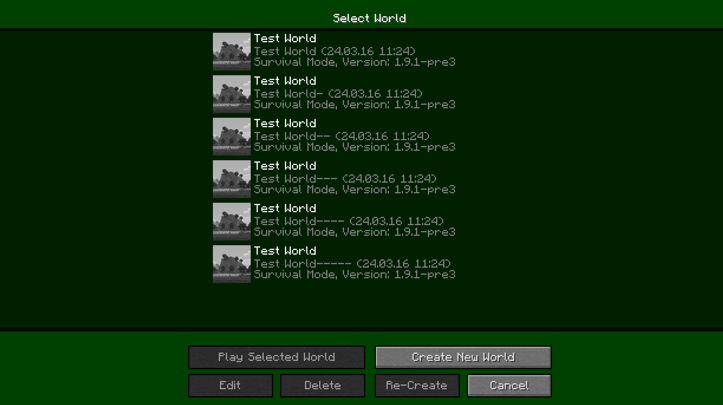
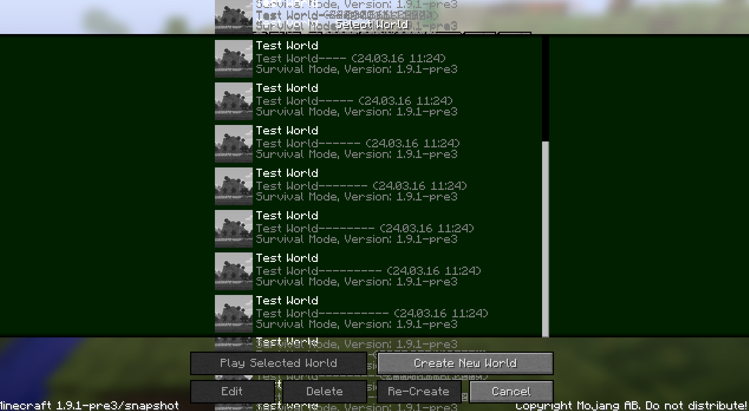
When not many worlds are shown, the upper and bottom bar are sometimes opaque. 1.PNG
When there are more worlds the bars are transparent. 2.PNG
And If there are too many worlds to fit on the screen at once and scrolling around the text will overlap. 3.PNGThe bug
When using transparent background texture in a resource pack, the world selection in singleplayer is not shown correctly. When not many worlds are shown, the upper and bottom bar are sometimes opaque. When there are more worlds the bars are transparent, and If there are too many worlds to fit on the screen at once and scrolling around the text will stack. See screenshots for more information.
How to reproduce
- Use this
- Go into singleplayer menu.

Singleplayer world selection notrenderingcorrectSingleplayer world selection is not shown correctly
The bug
If you put
someanimals(cows and sheep should work)on a lead, and tie them high enough that they barely are able to touch the floor, and put slime blocks under them, they can sometimes jump very high.Usually they would not be able to jump to height of the leach, but now they can jump even above it!
While extending, Block 36 will render in front of the white/blue/red lines that make up the box that visualizes an Entity's hitbox while in F3+B mode.
1. Set up this:
http://i.imgur.com/bWPPSaa.png2. Place a button: http://i.imgur.com/QCPgk1v.png
3. Press the button, and quickly take a screenshot: http://i.imgur.com/Q3Xk6jm.png
You can see it a bit clearer if you zoom in: http://i.imgur.com/eICj8z4.png
The bug
While extending, Block 36 will render in front of the white/blue/red lines that make up the box that visualizes an Entity's hitbox while in F3 + B mode.
How to reproduce
- Set up this: http://i.imgur.com/bWPPSaa.png
- Place a button: http://i.imgur.com/QCPgk1v.png
- Press the button, and quickly take a screenshot: http://i.imgur.com/Q3Xk6jm.png
You can see it a bit clearer if you zoom in: http://i.imgur.com/eICj8z4.png
Windows 8.1
Java 1.8_25 64bit
F3+B HitboxNotRenderingInFront ofBlock 36F3+B Hitbox not rendering in front of block 36





The bug
When you try to upgrade a world from 1.7.10 to 1.13.1 and the chunk has already been generated in 1.7.10, it will not generate a ocean monument but will still 'say' there is one if you use /locate Monument.
This does not happen when upgrading from 1.7.10 to 1.8 the monument will generate, See the
screenshot 'upgrading from 1.7.10 to 1.8'How to reproduce
- Start Minecraft 1.7.10 (or any version when ocean monuments were not a thing).
- Create a world with the seed given and teleport to the coords given
Seed: -1984749456 /tp -3920 70 10768- Generate some chunks
- Quit and save the game, start 1.13.1.
- Upgrade and load the world.
- Observe how the ocean monument didn't generate, but if you type /locate Monument it will still give you coords to the monument that didn't generate.
- Create the world in 1.13.1 with same seed.
- Teleport to same coords and there will be a ocean monument.
Relates/can relate to
MC-126161.The bug
When you try to upgrade a world from 1.7.10 to 1.13.1 and the chunk has already been generated in 1.7.10, it will not generate a ocean monument but will still 'say' there is one if you use /locate Monument.
This does not happen when upgrading from 1.7.10 to 1.8 the monument will generate, See the
How to reproduce
- Start Minecraft 1.7.10 (or any version when ocean monuments were not a thing).
- Create a world with the seed given and teleport to the coords given
Seed: -1984749456 /tp -3920 70 10768
- Generate some chunks
- Quit and save the game, start 1.13.1.
- Upgrade and load the world.
- Observe how the ocean monument didn't generate, but if you type /locate Monument it will still give you coords to the monument that didn't generate.
- Create the world in 1.13.1 with same seed.
- Teleport to same coords and there will be a ocean monument.
Relates/can relate to
MC-126161.
The bug
When you try to upgrade a world from 1.7.10 to 1.13.1 and the chunk has already been generated in 1.7.10, it will not generate a ocean monument but will still 'say' there is one if you use /locate Monument.
This does not happen when upgrading from 1.7.10 to 1.8 the monument will generate, See the
How to reproduce
- Start Minecraft 1.7.10 (or any version when ocean monuments were not a thing).
- Create a world with the seed given and teleport to the coords given
Seed: -1984749456 /tp -3920 70 10768
- Generate some chunks
- Quit and save the game, start 1.13.1.
- Upgrade and load the world.
- Observe how the ocean monument didn't generate, but if you type /locate Monument it will still give you coords to the monument that didn't generate.
- Create the world in 1.13.1 with same seed.
- Teleport to same coords and there will be a ocean monument.
Relates/can relate to
MC-126161.The bug
When you try to upgrade a world from 1.7.10 to 1.13.1 and the chunk has already been generated in 1.7.10, it will not generate a ocean monument but will still 'say' there is one if you use /locate Monument.
This does not happen when upgrading from 1.7.10 to 1.8 the monument will generate, See upgrading from 1.7.10 to 1.8.png
How to reproduce
- Start Minecraft 1.7.10 (or any version when ocean monuments were not a thing).
- Create a world with the seed given and teleport to the coords given
Seed: -1984749456 /tp -3920 70 10768
- Generate some chunks
- Quit and save the game, start 1.13.1.
- Upgrade and load the world.
- Observe how the ocean monument didn't generate, but if you type /locate Monument it will still give you coords to the monument that didn't generate.
- Create the world in 1.13.1 with same seed.
- Teleport to same coords and there will be a ocean monument, See v.
Relates/can relate to
MC-126161.

The bug
When you try to upgrade a world from 1.7.10 to 1.13.1 and the chunk has already been generated in 1.7.10, it will not generate a ocean monument but will still 'say' there is one if you use /locate Monument.
This does not happen when upgrading from 1.7.10 to 1.8 the monument will generate, See upgrading from 1.7.10 to 1.8.png
How to reproduce
- Start Minecraft 1.7.10 (or any version when ocean monuments were not a thing).
- Create a world with the seed given and teleport to the coords given
Seed: -1984749456 /tp -3920 70 10768
- Generate some chunks
- Quit and save the game, start 1.13.1.
- Upgrade and load the world.
- Observe how the ocean monument didn't generate, but if you type /locate Monument it will still give you coords to the monument that didn't generate.
- Create the world in 1.13.1 with same seed.
- Teleport to same coords and there will be a ocean monument, See v.
Relates/can relate to
MC-126161.The bug
When you try to upgrade a world from 1.7.10 to 1.13.1 and the chunk has already been generated in 1.7.10 where the ocean monument should generate, it will not generate a ocean monument but will still 'say' there is one if you use /locate Monument.
This does not happen when upgrading from 1.7.10 to 1.8 the monument will generate, See upgrading from 1.7.10 to 1.8.png
How to reproduce
- Start Minecraft 1.7.10 (or any version when ocean monuments were not a thing).
- Create a world with the seed given and teleport to the coords given
Seed: -1984749456 /tp -3920 70 10768
- Generate some chunks
- Quit and save the game, start 1.13.1.
- Upgrade and load the world.
- Observe how the ocean monument didn't generate, but if you type /locate Monument it will still give you coords to the monument that didn't generate.
- Create the world in 1.13.1 with same seed.
- Teleport to same coords and there will be a ocean monument, See when created in 1.13.1, same coords.png
Relates/can relate to
MC-126161.


Issue is fixed in 1.13.1, see [^MC-107113.mp4]
When we use Spectator mode to spectate a player, and that player is teleported, we stay behind, leaving the spectator view of the player.
With mobs, on the other hand, the spectator teleports with the mob.
The bug
When we use Spectator mode to spectate a player, and that player is teleported, we stay behind, leaving the spectator view of the player. With mobs, on the other hand, the spectator teleports with the mob.
How to reproduce
- Start a server or LAN world.
- Spectate a player, and teleport 1000 blocks away.
→You don't teleport with the player
Minecraft server

This is my first reported issue, so there may be a few mistakes.
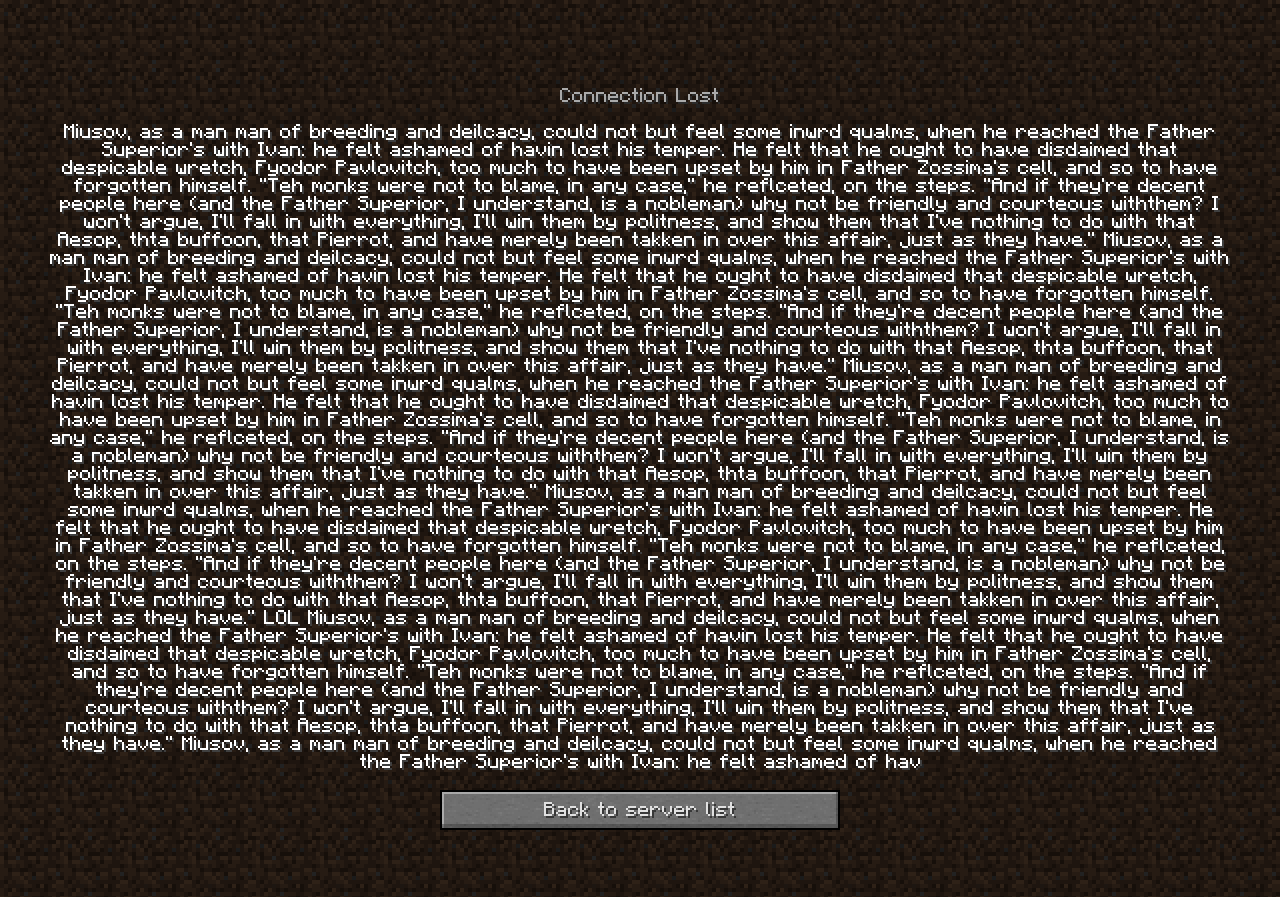
In short, this bug is simply that the 'back' button on the multiplayer kick message screen overlaps the kick message itself, if the message is approximately 9 lines or more. (Attached is a screenshot which shows this better).
I found this bug whilst creating a plugin which sends a fake ban message to players using a command, with a picture of a sandwich and a text saying 'You were ban sandwich-ed by [player]!'. This plugin prevents my plugin from working usefully, as an admin 'toy'.
This bug has been found both in 1.7.9 and 1.7.2 Bukkit - I cannot however test this with Vanilla, but this is more than likely also found in Vanilla due to most code being Copy, Paste, Modified for Bukkit.
Thanks.
EDIT:
Please can this bug be re-opened? This is a client issue, and not Bukkit's fault. Bukkit cannot make changes to GUIs on the user's end. Secondly, I have reproduced the bug in Vanilla, using the Vanilla server console and typing the kick command with a (very) large amount of characters. The screenshots of proof in Vanilla have been attached,The bug
In short, this bug is simply that the 'back' button on the multiplayer kick message screen overlaps the kick message itself, if the message is approximately 9 lines or more. (Attached is a screenshot which shows this better).
How to reproduce
- Start a server.
- Set your GUI Scale to 3/auto.
- Go into the console and run:
/kick @s 541f451f541f451ff154f1f541ffff541f451f541f451ff154f1f541ffff541f451f541f451ff154f1f541ffff541f451f541f451ff154f1f541ffff541f451f541f451ff154f1f541ffff541f451f541f451ff154f1f541ffff541f451f541f451ff154f1f541ffff541f451f541f451ff154f1f541ffff541f451f541f451ff154f1f541ffff541f451f541f451ff154f1f541ffff541f451f541f451ff154f1f541ffff541f451f541f451ff154f1f541ffff541f451f541f451ff154f1f541ffff541f451f541f451ff154f1f541ffff541f451f541f451ff154f1f541ffff541f451f541f451ff154f1f541ffff541f451f541f451ff154f1f541ffff541f451f541f451ff154f1f541ffff541f451f541f451ff154f1f541ffff541f451f541f451ff154f1f541ffff541f451f541f451ff154f1f541ffff541f451f541f451ff154f1f541ffff541f451f541f451ff154f1f541ffff541f451f541f451ff154f1f541ffff541f451f541f451ff154f1f541ffff541f451f541f451ff154f1f541ffff541f451f541f451ff154f1f541ffff541f451f541f451ff154f1f541ffff541f451f541f451ff154f1f541ffff541f451f541f451ff154f1f541ffff541f451f541f451ff154f1f541ffff541f451f541f451ff154f1f541ffff541f451f541f451ff154f1f541ffff541f451f541f451ff154f1f541ffff541f451f541f451ff154f1f541ffff541f451f541f451ff154f1f541ffff541f451f541f451ff154f1f541ffff541f451f541f451ff154f1f541ffff541f451f541f451ff154f1f541ffff541f451f541f451ff154f1f541ffff541f451f541f451ff154f1f541ffff541f451f541f451ff154f1f541ffff541f451f541f451ff154f1f541ffff541f451f541f451ff154f1f541ffff541f451f541f451ff154f1f541ffff541f451f541f451ff154f1f541ffff541f451f541f451ff154f1f541fffff451f541f451ff154f1f541ffff541f451f541f451ff154f1f541ffff541f451f541f451ff154f1f541ffff541f451f541f451ff154f1f541ffff541f451f541f451ff154f1f541ffff541f451f541f451ff154f1f541ffff541f451f541f451ff154f1f541ffff541f451f541f451ff154f1f541ffff541f451f541f451ff154f1f541ffff541f451f541f451ff154f1f541ffff541f451f541f451ff154f1f541ffff541f451f541f451ff154f1f541ffff541f451f541f451ff154f1f541ffff541f451f541f451ff154f1f541ffff541f451f541f451ff154f1f541ffff541f451f541f451ff154f1f541ffff541f451f541f451ff154f1f541ffff541f451f541f451ff154f1f541ffff541f451f541f451ff154f1f541ffff→
os.name = Windows 8
os.version = 6.2
os.arch = amd64
java.version = 1.7.0_51
java.vendor = Oracle Corporation
sun.arch.data.model = 64
I am in the end, and when the enderdragon goes to perch
i break apart the pokey bit of the portal
so instead of perching on air he perches on the same coordinated block
but on a bifferent Y scale!
even under the end in the void!The bug
If the exit portal is removed and the enderdragon tries to perch, it will fly to y: 0
Doesn't matter if it's a hole or not, it will go through blocks tho.
How to reproduce
- Enter the end.
/execute in minecraft:the_end run tp @s 0 100 0
- Remove the exit portal (Make sure the enderdragon is alive)
Stand on top of the exit portal and execute: /fill ~-10 ~ ~10 ~10 ~-60 ~-10 air
- Observe how the enderdragon flies to y: 0, if it wants tries to perch.
The bug
If the exit portal is removed and the ender dragon tries to perch, it will fly to y=0. Doesn't matter if it's a hole or not, it will go through blocks tho.
How to reproduce
- Enter the end
/execute in minecraft:the_end run tp @s 0 100 0- Remove the exit portal (
Make sure the enderdragon is alive)Stand on top of the exit portal andexecute: /fill ~-10 ~ ~10 ~10 ~-60 ~-10 air- Observe how the ender dragon flies to y=0, if it wants tries to perch.
The bug
If the exit portal is removed and the ender dragon tries to perch, it will fly to y=0. Doesn't matter if it's a hole or not, it will go through blocks tho.
How to reproduce
- Enter the end.
/execute in minecraft:the_end run tp @s 0 100 0- Remove the exit portal (make sure the enderdragon is alive).
Stand on top of the exit portal and run: /fill ~-10 ~ ~10 ~10 ~-60 ~-10 air→
The bug
Cactuses can spawn on villages path.
How to reproduce
- Make a world with this seed: 888005577202285872
- Teleport to 4372 65 273 (/tp @s 4372 65 273 30 20)
- See that there are two cactuses on the villages path.
Relates to
MC-127124.
Cactus can generate on villagespathCactus can generate on village paths
Found this bug happen to a church. ([^2018-09-20_22.37.17.png])
Seed: 715346460 Coords: /tp @s -179 65 -25852 130 10
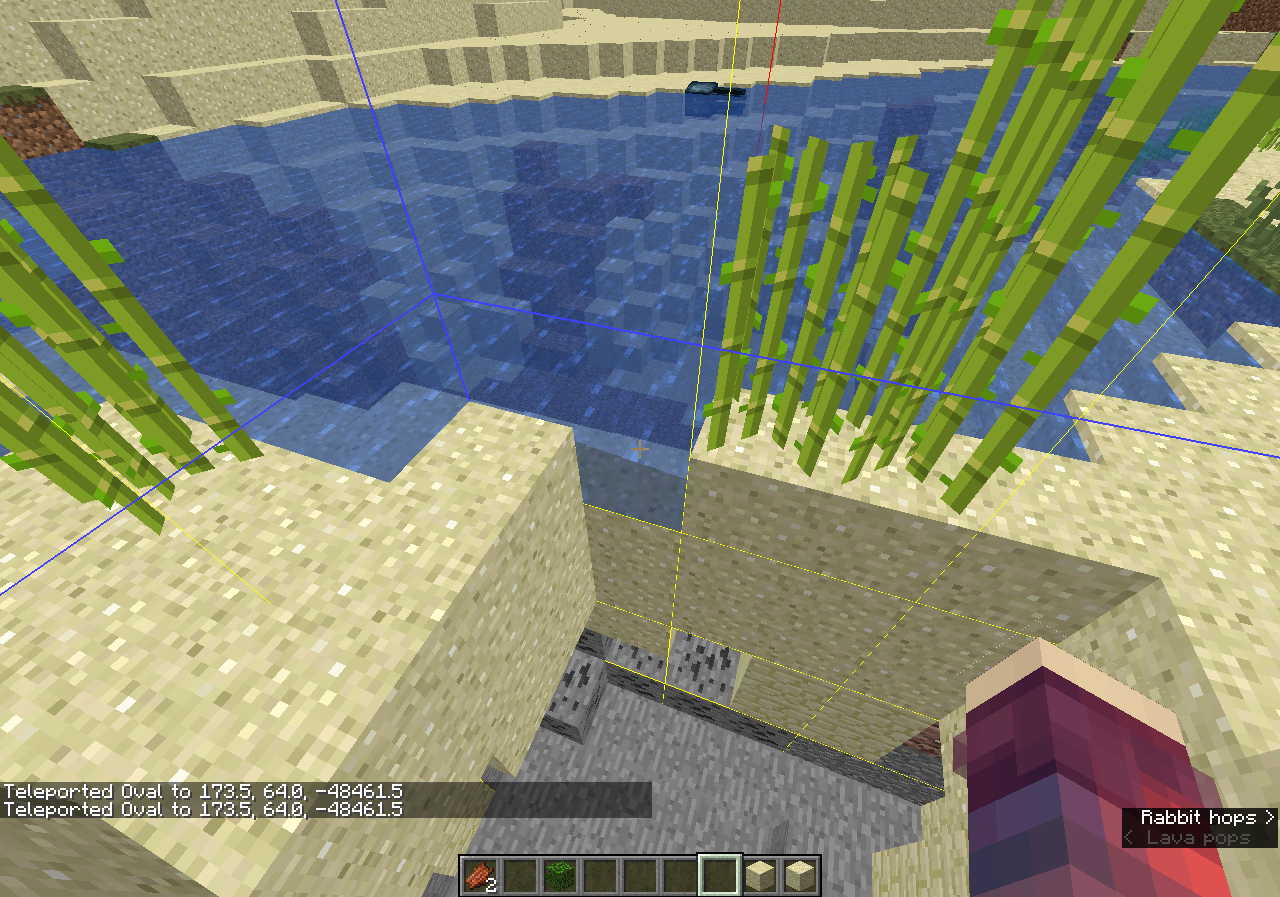
Confirmed for 1.13.1. Face up to go/swim on the ladder, this issue isnt really blocked by
MC-133188.
It is impossible for a block in the game to be fully white. The brightest color it can have is 0xFCFCFC.
To reproduce: Set glowstone's texture to be completely white, place it in the world, and take a screenshot. Get the color of the the glowstone block, you'll notice that it is 0xFCFCFC rather than 0xFFFFFF.
Disabling ambient occlusion or shading on the block model doesn't fix this. I need to make a fully-white block to my mod, but can't due to this bug.This is caused by lines 911-913 and 984-986 of the EntityRenderer (MCP name) class:f8 = f8 * 0.96F + 0.03F; f9 = f9 * 0.96F + 0.03F; f10 = f10 * 0.96F + 0.03F;
which sets red, green, and blue to 0.99 (0xFCFCFC) even if they were 1.The bug
It is impossible for a block in the game to be fully white, the brightest color is 0xFCFCFC.
Disabling ambient occlusion or shading on the block model doesn't fix this.How to reproduce
- Load MC-123703(unzip).zip
- Take a screenshot, and get the color of the the glowstone block.
→Code analysis / Fix
This is caused by lines 911-913 and 984-986 of the EntityRenderer (MCP name) class:
f8 = f8 * 0.96F + 0.03F; f9 = f9 * 0.96F + 0.03F; f10 = f10 * 0.96F + 0.03F;Which sets red, green, and blue to 0.99 (0xFCFCFC) even if they were 1.

Bone meal can be usedon iceBone meal can be used against blocks in water
The bug
You are able to use bone meal on
iceblocksas if it were grass.How to reproduce
- Execute all these commands
/fill ~5 ~-1 ~-5 ~-5 ~10 ~5 stone hollow /fill ~4 ~ ~-4 ~-4 ~10 ~4 water /setblock ~ ~10 ~ minecraft:packed_ice /give @p bone_meal 64 /gamemode survival- Right click the
ice, bone meal will be used as of it weredirtThe bug
You are able to use bone meal on every block (if its in water) as if it were grass.
How to reproduce
- Execute all these commands
/fill ~5 ~-1 ~-5 ~-5 ~10 ~5 stone hollow /fill ~4 ~ ~-4 ~-4 ~10 ~4 water /setblock ~ ~10 ~ <Any block> /give @p bone_meal 64 /gamemode survival
- Right click the bone meal on the block, bone meal will be used as of it were grass
The bug
You are able to use bone meal on every block (if its in water) as if it were grass.
How to reproduce
- Execute all these commands:
/fill ~5 ~-1 ~-5 ~-5 ~10 ~5 stone hollow /fill ~4 ~ ~-4 ~-4 ~10 ~4 water /setblock ~ ~10 ~<Any block>/give @p bone_meal 64 /gamemode survival- Right click the block with bone meal
→The bug
You are able to use bone meal on every block (if its in water) as if it were grass.
How to reproduce
- Execute all these commands:
/fill ~5 ~-1 ~-5 ~-5 ~10 ~5 stone hollow /fill ~4 ~ ~-4 ~-4 ~10 ~4 water /setblock ~ ~10 ~ stone /give @p bone_meal 64 /gamemode survival- Right click the block with bone meal
→
The bug
You are able to use bone meal on every block (if its in water) as if it were grass.
How to reproduce
- Execute all these commands:
/fill ~5 ~-1 ~-5 ~-5 ~10 ~5 stone hollow /fill ~4 ~ ~-4 ~-4 ~10 ~4 water /setblock ~ ~10 ~ stone /give @p bone_meal 64 /gamemode survival- Right click the block with bone meal
→The bug
You are able to use bone meal on every block (if its in water) as if it were grass.
How to reproduce
- Run:
/fill ~5 ~-1 ~-5 ~-5 ~10 ~5 stone hollow /fill ~4 ~ ~-4 ~-4 ~10 ~4 water /setblock ~ ~10 ~ stone /give @p bone_meal 64 /gamemode survival- Right click the block with bone meal
→

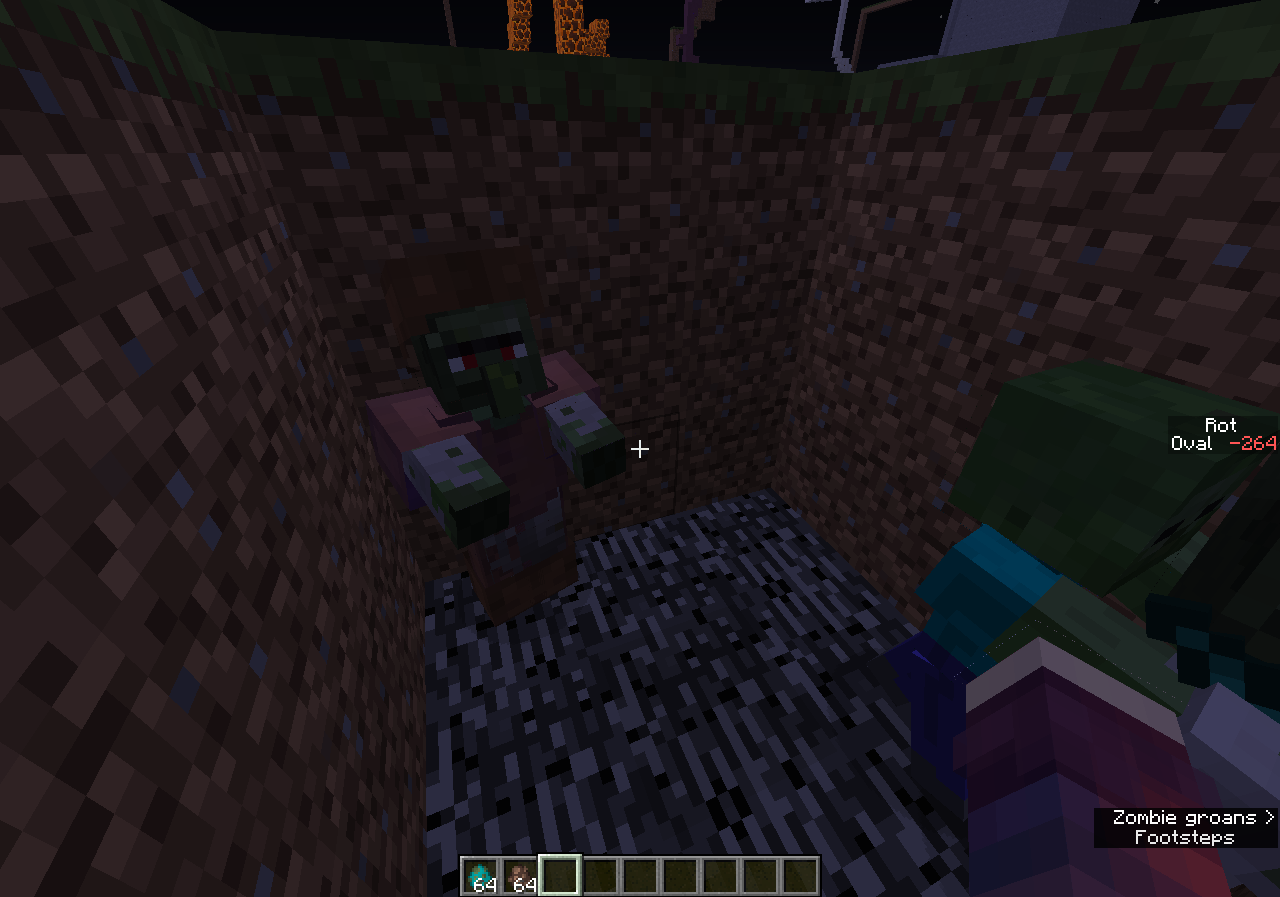
Double slabs turn intootherblocksDouble slabs turn into glitched blocks
Village large house and butcher house misses somecobblestonesupport blocksLarge house and butcher house misses some support blocks
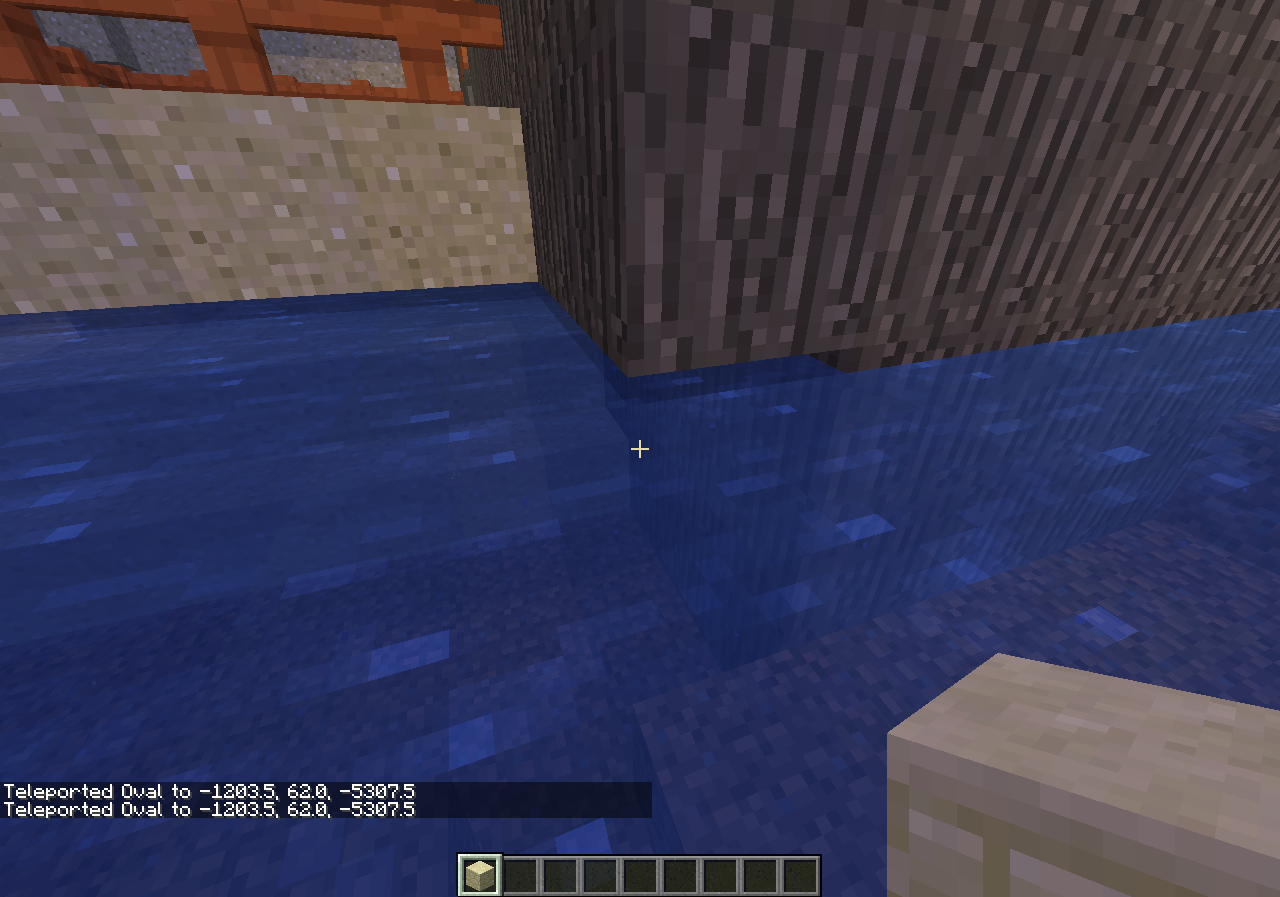
Windows 7 Professional 64 bit; Java 1.8.0_45-b15
The bug
In the server list, after I edit the address of an existing server, the server is not re-polled until I exit to the main menu and return to the server list.
How to reproduce
Video demonstrating the issue: https://www.youtube.com/watch?v=-_hGOuUxaJ4
Code Analysis
Code analysis by Oval can be found in this comment.
![[Mod] Asteraoth](../../../data/avatars/users/92886.png)
The bug
During a thunderstorm, the volume level of the thunder was drowning out other noises (like the music I play in the background), so I opened the volume controls to adjust it down to a tolerable level.
Adjusting weather volume to OFF is the only way to make it change volume. Adjusting weather volume from 0% to 100% had no noticeable effect on the volume of the thunder.
Code Analysis
Code analysis by Oval can be found in this comment
The bug
When the /kill command is performed on an ender dragon, it does not show the death animation or drop XP. It simply disappears.
Code analysis
Code analysis by Oval can be found in this comment.
The bug
When lighting strucks a baby pig, it turns to an adult zombie pigman.
How to reproduce
- Spawn a baby pig.
- Run /summon lightning_bolt
→ Baby pig turns into an adult zombie pigman
Code analysis
Code analysis / fix can be found in this comment by Oval.
The bug
The chorus fruit is edible and restores hunger, yet it is located in the "Miscellaneous" tab of the creative inventory.
Code Analysis
Code analysis by Oval can be found in this comment.
See attached screenshot.
Code analysis
The following is based on a decompiled version of MC 1.12 using mcp940.
Please link this in the description of the report.
In the method net.minecraft.world.gen.feature.WorldGenSpikes.generate() where it calculates the Y level of the spikes, it's set to 0. Which means they are gonna start from Y level 0.
for (BlockPos.MutableBlockPos blockpos$mutableblockpos : BlockPos.getAllInBoxMutable(new BlockPos(position.getX() - i, 0, position.getZ() - i), new BlockPos(position.getX() + i, this.spike.getHeight() + 10, position.getZ() + i)))
Code analysis by Oval in this comment.
![[Mod] Les3awe](../../../data/avatars/users/79847.png)
The bug
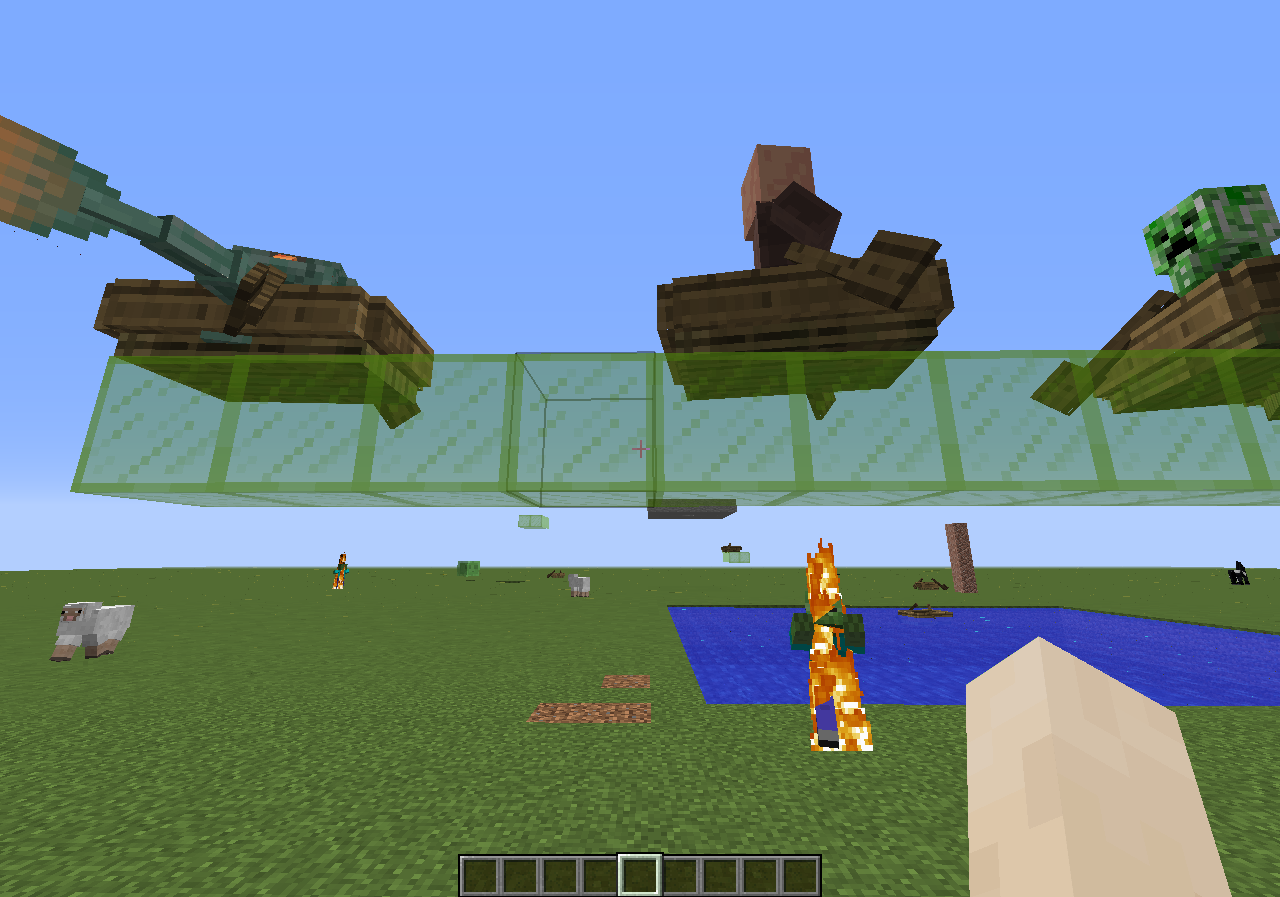
When sitting in boats and boats with chest mobs legs penetrate the hull.
Does not affect the bamboo raft or bamboo raft with chest.
Reproduce steps
Use the following command:
/summon boat ~ ~1 ~ {NoGravity:1b,Passengers:[{id:zombie_villager}]}
After the version 1.9-pre4:
- Wither skeleton
- Guardian
- Elder guardian
- Zombie villager
- Husk
- Cave spider
- Spider
- Evoker
- Illusioner
- Salmon
- Phantom
- Drowned
- Dolphin
- Pillager
- Axolotl
- Camel(when sitting)
- Sniffer
- Cat(tail)
- Fox(tail)
- Ghast
- Glow squid
- Ocelot(tail)
- Ravager
- Squid
- Turtle
CreeperFixed in 23w31aSlimeFixed in 23w31aMagma cubeFixed in 23w31aSkeletonFixed in 23w31aZombieFixed in 23w31aEndermanFixed in 23w31aVillagerFixed in 23w31aWitchFixed in 23w31aPolar bearFixed in 23w31aVindicatorFixed in 23w31aCodFixed in 23w31aPufferfishFixed in 23w31aTropical fishFixed in 23w31aPandaFixed in 23w31aWandering traderFixed in 23w31aPiglinFixed in 23w31aPiglin bruteFixed in 23w31aIron golemFixed in 23w31aSnow golemFixed in 23w31aWardenFixed in 23w31aBatFixed in 23w31aMule(tail)Fixed in 23w31aStrayFixed in 23w31aTadpoleFixed in 23w31aZoglinFixed in 23w31aZombie horse(tail)Fixed in 23w31aZombified piglinFixed in 23w31aShulkerFixedAllayFixed
Code Analysis / Potential Fix
Code analysis and fix by Oval can be found in this comment.
![[Helper] Jack McKalling](../../../data/avatars/users/92859.png)
The bug
While gliding into a body of water or lava, your player continues to glide instead of swim.
This means you can still use fireworks in order to accelerate and get out of the water or lava.
It also means that when you reach the surface of the water, it is impossible to get the player model back in upright position until you touch the surface of a block.
![[Mod] Avoma](../../../data/avatars/users/86198.png)
The Bug:
Sprinting isn't canceled upon receiving the blindness effect.
The player cannot begin sprinting while having the blindness effect, but their sprinting state isn't canceled when initially receiving the blindess effect.
Steps to Reproduce:
- Summon a command block that will give you the blindness effect along with a pressure plate to activate it by using the commands provided below.
/setblock ~2 ~-1 ~ minecraft:command_block{Command:"effect give @p minecraft:blindness"}/setblock ~2 ~ ~ minecraft:oak_pressure_plate
- Begin sprinting and activate the command block by running on top of the pressure plate.
- Observe the speed at which you are moving once you are given the blindness effect.
Observed Behavior:
Sprinting isn't canceled.
Expected Behavior:
Sprinting would be canceled.
Code Analysis:
Code analysis by Oval can be found in this comment.
The bug
I can ride a boat from so high up and fall down and take no fall damage. The 1.8 boat would make you take fall damage. This needs to be fixed.
Code Analysis / Fix
Code analysis and fix by Oval can be found in this comment.
The bug
In 1.10, Mojang made it such that, if a Skeleton holds a tipped arrow in its offhand, it will shoot that tipped arrow when attacking. This no longer works in 16w32a and 16w32b.
How to reproduce
- Use the command:
/summon minecraft:wither_skeleton ~ ~ ~ {HandItems:[{id:"minecraft:bow",Count:1b},{id:"minecraft:tipped_arrow",Count:1b,tag:{CustomPotionEffects:[{Id:18,Duration:100}]}}]} - Get shot by it.
→ Notice that you don't get Weakness.
Code Analysis / Fix
Code analysis and fix by Oval can be found in this comment.

Steps to Reproduce
1. Put in Survival or Creative Mode and build a portal for Nether and enter it
2. Look for some places that pour lava. Looking some times you will find one of these more lava will not drain
Update by Oval: Still affects latest beta, 1.9.0.0.
To reproduce
- Create a world and teleport to coordinates given.
Seed: 1602560007 /tp -44 63 74 235 20
From MCPE-30784

I used a firework rocket with a flight duration of 127 to demonstrate the bug, but it also occurs in survival mode without any cheats and with a flight duration of 3 (or less).
What I expected to happen:
The boost of a firework rocket vanishes after landing
What actually happened:
After landing, particles still come out of my body. When I launch myself up again, I am immediately boosted
How to reproduce
- Equip an elytra and give yourself a long duration rocket.
/give @s minecraft:firework_rocket{Fireworks:{Flight:127b}} - Active the elytra and shoot a firework rocket.
- Land on the ground and active the elytra again.
→ You are being boosted again
Code analysis
Code analysis by Oval can be found in this comment
Update by Oval:
Since the new swimming animation, you can clip through the lily pads by sprinting, so you aren't getting stuck anymore. To reproduce: place some lily pads on water, and swim through the lily pads.
When you swim in water and rise back to the surface while a lily pad is on top of you, you can pass through the lily pad and stay on the level between air and the water. However, you are not able to go on the surface of the lily pad. Instead, you need to go next to it and jump onto it.
If this description is not clear enough, please edit it.
![[Mod] Michael Wobst](../../../data/avatars/users/37868.png)
The Bug:
"minecraft.custom:minecraft.walk_under_water_one_cm" doesn't increase when walking through lava.
The diving statistic only counts diving in water and not lava. This can be an annoyance for adventure maps, and also means that hunger will never decrease while the player is diving in lava. Ideally, a new statistic should be created to track walking through lava.
Steps to Reproduce:
- Create a scoreboard objective for tracking when you when walk underwater and set it to display on the sidebar by using the commands provided below.
/scoreboard objectives add WalkUnderwaterOneCm minecraft.custom:minecraft.walk_under_water_one_cm
/scoreboard objectives setdisplay sidebar WalkUnderwaterOneCm
- Summon a pool of lava by using the command provided below.
/fill ~1 ~ ~1 ~15 ~4 ~15 minecraft:stone
/fill ~2 ~1 ~2 ~14 ~4 ~14 minecraft:lava
- Switch to creative mode and begin walking around in the lava.
- Take note as to whether or not "minecraft.custom:minecraft.walk_under_water_one_cm" doesn't increase when walking through lava.
Observed Behavior:
The scoreboard doesn't increase.
Expected Behavior:
The scoreboard would increase.
Code Analysis:
Code analysis by Oval can be found in this comment.

I have my settings for village island on survival easy with a bonus chest. I have remade this game several times with the bonus chest not appearing. I am not too familiar with Minecraft to know if this is because of the settings?
thanks!
From Oval:
To reproduce:
- Create a world:
Seed: -1060246543 Bonus Chest: ON

Update by Oval:
The bug
When you drain water, some water 'stickies' to strings, this is only a visual glitch.
How to reproduce
- Place some strings on the ground.
- Place water, so water floats into the strings.
- Remove the water source.
→ Some water will 'sticky' to the strings til you update the block.
Original description
see picture
Oval, block with the shield then you will see that the inside of the handle is black.

Oval,
/tellraw @p {"text":"null"}
is something completely different than
/tellraw @p {"text":null}
Nevertheless, it's no longer possible to enter
{"text":null}
![[Mod] Skylinerw](../../../data/assets/gravatar/skylinerw.png)
@Oval Cannot confirm. Can replicate it in 1.13.1 using the commands provided in the report.
EDIT: Oh, I see the issue. /say will output no matter what, even if the message is empty. Your message in the image is empty, meaning it did not select the villager while in its dying state.

I name my maps relative to the spawn map, so "N1" for the map one north of spawn, etc. All of them would have been created in version 1.4.x. Survival world, playing single-player, never been in the beta program.
In my Ender Chest, they all show up as "Unknown Map". When I pull them out, the name is restored and all explored areas show as normal, so this is a minor bug.
Updated by Oval: To reproduce:
- Load a map, put it in an enderchest.
- Reload the world.
- Open the enderchest and hover over the map.
→ Map displays as 'Unknown Map'
Oval, there's a reason why I have removed the empty line before the #. It breaks numeration if there's an extra newline/empty line.

Update by Oval:
If you are above the clouds (posY), some blocks won't render correctly.
Affected blocks (may be incomplete)
- Glass
- Glass Panes
- Ice
- Water
- Rails
- Slime
Original description:
I cannot see the railway through the clouds. I don't know why. Is it a bedrock server bug or bedrock engine bug.

Oval Those particles look like the middle of an item frame to me. If you look closely, you can tell that they are different from the Acacia Planks particles.
Changed reporter to Oval since they wanted the ticket.
Issue: Breaking a bed that you set your spawnpoint in,does not reset your spawnpoint.
How to reproduce: Sleep in a bed (to set your spawnpoint). Break that bed. Then either die, or go through the end exit portal. (You will see your spawnpoint is still set to the bed you broke.)
How it should work: When you break a bed you slept in, your spawnpoint should be reset to the worldspawnpoint.
Update by Oval:
How to reproduce:
- Set your bed 400~ blocks away from worldspawn.
- Set an end portal at your bed.
/setblock ~ ~ ~2 end_portal
- Sleep in your bed.
/time set night
- After you wake up, go to the end and through the end portal (skip end credits).
/kill @e[type=!player]
→
 You respawn at your bed as expected.
 - Break your bed, and go back to the end and trough the end portal.
→ You respawn at your bed although you destroyed your bed.
From MCPE-40681
White text should be used only from dark oak sign.
Note from Oval
This issue is work as intended, as told by [Mojang] Nathan Adams on twitter (tweet).
I think so
I made all the signs white text (actually white), and I think it looks great!
The bug
When you equip a horse with any type of horse armor, the horse becomes invisible.
How to reproduce
- Equip a horse with any type of horse armor.
→ Horse becomes invisible.
Couldn't render entity h: Registering texture at dha.a(SourceFile:76) at dcm.a(SourceFile:28) at dcm.a(SourceFile:13) at dcb.d(SourceFile:90) at dcy.a(SourceFile:225) at dcy.a(SourceFile:166) at ddd.a(SourceFile:41) at ddd.a(SourceFile:16) at dca.a(SourceFile:390) at cpf.a(SourceFile:153) at cpe.a(SourceFile:62) at coo.a(SourceFile:79) at cpe.a(SourceFile:71) at cxp.a(SourceFile:795) at cjj.c(SourceFile:817) at cjj.a(SourceFile:380) at net.minecraft.client.main.Main.main(SourceFile:144) Caused by: java.lang.IllegalArgumentException: (65, 0) outside of image bounds (64, 64) at dgl.a(SourceFile:177) at dgl.b(SourceFile:253) at dgs.a(SourceFile:50) at dha.a(SourceFile:60) ... 16 more
Note from Oval: If this happens to you, don't attack the horse. It will either make your screen black or another (transparent) color (for example: transparent red happened to [Mod] tryashtar).

Oval Thanks for the link, I just commented on there and upvoted it
Oval I always search, I just really suck at it
Thanks for the link!
PS: As those bugposts don't have any tags/labels is probably why I couldn't find them.. so it's not really my fault 

Update by Oval:
The bug
Seems like the second head layer of the zombie pigman glitches, it's rotation is not working correctly.
Original description:
wrong texture zombie pigman

Update by Oval:
How to reproduce
Seed: -1995991747 Coordinates: /tp -418 73 39197 -60 20
The new villages are generating with trapdoors everywhere as you can see in the pictures
Update by Oval:
Occasionally bubble columns don't start in Ocean Ruins; they do not miss any source blocks because if you replace the magma block, they will work normally.
To reproduce;
Seed: 505904091 Coordinates: /tp 1195 48 1948
There are no bubbles in the ruins of magma.
![[Mod] violine1101](../../../data/avatars/users/92858.png)
Update by Oval;
Items hold by other players show the item's default value. For example; Spruce Wood will look like Oak Wood as that's the default value; 0.
When holding the end stone brick walls, they seem fine. However, when another player is looking at you holding them, it looks like a cobblestone wall instead.
After I reconnected to the Realm, the texture seems fixed now. I had no texture packs enabled but after my friend switched items and back, the texture broke again.
Update by Oval:
When placing, for example: a crossbow and unbreaking II book into an anvil; and then taking out the crossbow, the output will remain, it should be cleared.
Hey! When I move items to inventory then it's broken.  #PleaseNoBrokeIt
Entities becomes white from certain angles when it has glowing and invisible effects.
How to reproduce
(Provided by Oval. This appears to be reproducable for only certain players)
- Get glowing and invisibility effect
/effect give @s minecraft:glowing 100 1 true /effect give @s minecraft:invisibility 100 1 true
- Press F5 once and run /tp @s ~ ~ ~ -395 -54
→ Your character becomes fully masked

Oval Can you please revert your last edit? The point of this report is that the anvil allows names that overflow the chest's name field. Commands allow arbitrarily long names anyway. The current reproduction steps are WAI.
Oval From 49% to 36% is a drop of 26.531%. Alternatively 13 percentage points, not 13 percent.
Did you generate the world in 1.15 or was it an older world? Also, can you confirm that the end city that Oval found is the one you are talking about?
Closing this as a tech support issue – as Oval said, feel free to come back here if community support was not able to find the issue.
![[Mod] Sonicwave](../../../data/avatars/users/94627.png)
Changed the reporter to Oval since he requested for it on Discord, and the original reporter has been inactive since November 2018.


Oval, the quick links are managed by Mojang. You might get banned.
Confirmed for 18w31a, this bug is caused because of view Bobbing.
Didn't found that report, sorry for the duplicate
If you spawn a turtle above the water with NoGravity:1b, it will also go into the water after some time, if you spawn any fish type in the water, it will just go and swim with NoGravity:1b.
Ctrl shortcuts do not work for me either, i'm using Belgian AZERTY.
Wiki: https://en.wikipedia.org/wiki/AZERTY
OS: Windows 10 pro (x86)
This is most likely a issue on your end.
Do you have discord? I'll help you fix it
Can confirm for 1.13.1.
This relates to MC-121278
Can confirm for 1.13.1
See MC-121278.
Can confirm for 1.13.1
Can confirm for 1.13.1
Can confirm for 1.13.1
This relates to
MC-14398.Confirmed for 1.13.1, issue seems to be back. (according to Galaxy_2Alex it was fixed in 1.8.1 Pre3)
Duplicate of
MC-11571, please resolve and copy my description there. thanksConfirmed for 1.13.1.
The potion holding is actually from the player in third person.
(ItemCameraTransforms.TransformType.THIRD_PERSON_RIGHT_HAND)
Confirmed for 1.13.1, please link this comment in the description
The reason for this happening is because it does not set the players sprinting to false when receiving blindness / there are no checks for it.
This could be easily fixed by adding a check in method onLivingUpdate. so if blindness is active and the player is sprinting it would set sprinting to false.
Confirmed for 1.13.1.
Seems to be fixed in 1.13.1.
Confirmed for 1.13.1.
Seems to be fixed in 1.13.1.
EDIT: My bad didn't know you had to block the shield.
Confirmed for 1.13.1
Confirmed for 1.13.1.
Confirmed for 1.13.1.
Confirmed for 1.13.1.
Confirmed for 1.13.1.
(This issue is caused by skylight)
Confirmed for 1.13.1.
Confirmed for 1.13.1.
Confirmed for 1.13.1.
Confirmed for 1.13.1.
Confirmed for 1.13.1.
Confirmed for 1.13.1
Confirmed for 1.13.1.
Confirmed for 1.13.1.
Confirmed for 1.13.1
Confirmed for 1.13.1.
This is easy to explain why its happening;
The nether portal sound is around four seconds long, if you break the portal while the file has played only one second, it will continue playing the file untill its stops.
You can test this yourself by doing the following:
If the timeing is good you'll hear the sounds stop at the same moment.
Confirmed for 1.13.1.
Confirmed for 1.13.1.
Confirmed for 1.13.1.
Cannot reproduce in 1.13.1. Issue seems to be fixed.
Confirmed for 1.13.1.
Confirmed for 1.13.1.
Confirmed for 1.13.1.
Seems to be fixed in 1.13.1, tried it by five different villages.
Confirmed for 1.13.1.
Confirmed for 1.13.1.
Confirmed for 1.13.1.
Confirmed for 1.13.1.
Confirmed for 1.13.1.
Confirmed for 1.13.1.
Confirmed for 1.13.1.
Confirmed for 1.13.1.
Confirmed for 1.13.1.
Confirmed for 1.13.1.
Can confirm for 1.13.1.
Confirmed for 1.13.1. This issue is same as MC-117311.
Confirmed for 1.13.1.
Confirmed for 1.13.1.
Confirmed for 1.13.1.
Confirmed for 1.13.1.
Confirmed for 1.13.1.
Confirmed for 1.13.1.
Confirmed for 1.13.1.
Confirmed for 1.13.1.
Confirmed for 1.13.1.
Confirmed for 1.13.1.
Confirmed for 1.13.1.
Confirmed for 1.13.1.
Confirmed for 1.13.1.
Confirmed for 1.13.1.
But gotta agree with [Mod] Michael Wobst, this is most likely intended.
Confirmed for 1.13.1.
Confirmed for 1.13.1.
Confirmed for 1.13.1.
This issue has been fixed in 1.13.1.
Confirmed for 1.13.1.
Issue seems to be fixed for 1.13.1.
Issue is fixed in 1.13.1.
Confirmed for 1.13.1.
Confirmed for 1.13.1.
Confirmed for 1.13.1.
Confirmed for 1.13.1.
Confirmed for 1.13.1.
Confirmed for 1.13.1.
Confirmed for 1.13.1.
Confirmed for 1.13.1.
Confirmed for 1.13.1, but most likely intended. See this comment
Confirmed for 1.13.1.
Issue has been fixed in 1.13.1.
Tested this with 5 pigs, 5 sheeps, 5 llamas and 5 cows, after 15 minuts none died.
Confirmed for 1.13.1.
Confirmed for 1.13.1.
Confirmed for 1.13.1.
But im pretty sure this is intended, please assign this to a mojang developer (to know).
Confirmed for 1.13.1.
Confirmed for 1.13.1.
Confirmed for 1.13.1.
Confirmed for 1.13.1.
Confirmed for 1.13.1.
Confirmed for 1.13.1.
Confirmed for 1.13.1.
Confirmed for 1.13.1.
Confirmed for 1.13.1.
Confirmed for 1.13.1.
Confirmed for 1.13.1.
Confirmed for 1.13.1.
This has been fixed in 1.13.1 due the change of the messages itself.
Confirmed for 1.13.1.
Confirmed for 1.13.1.
Confirmed for 1.13.1.
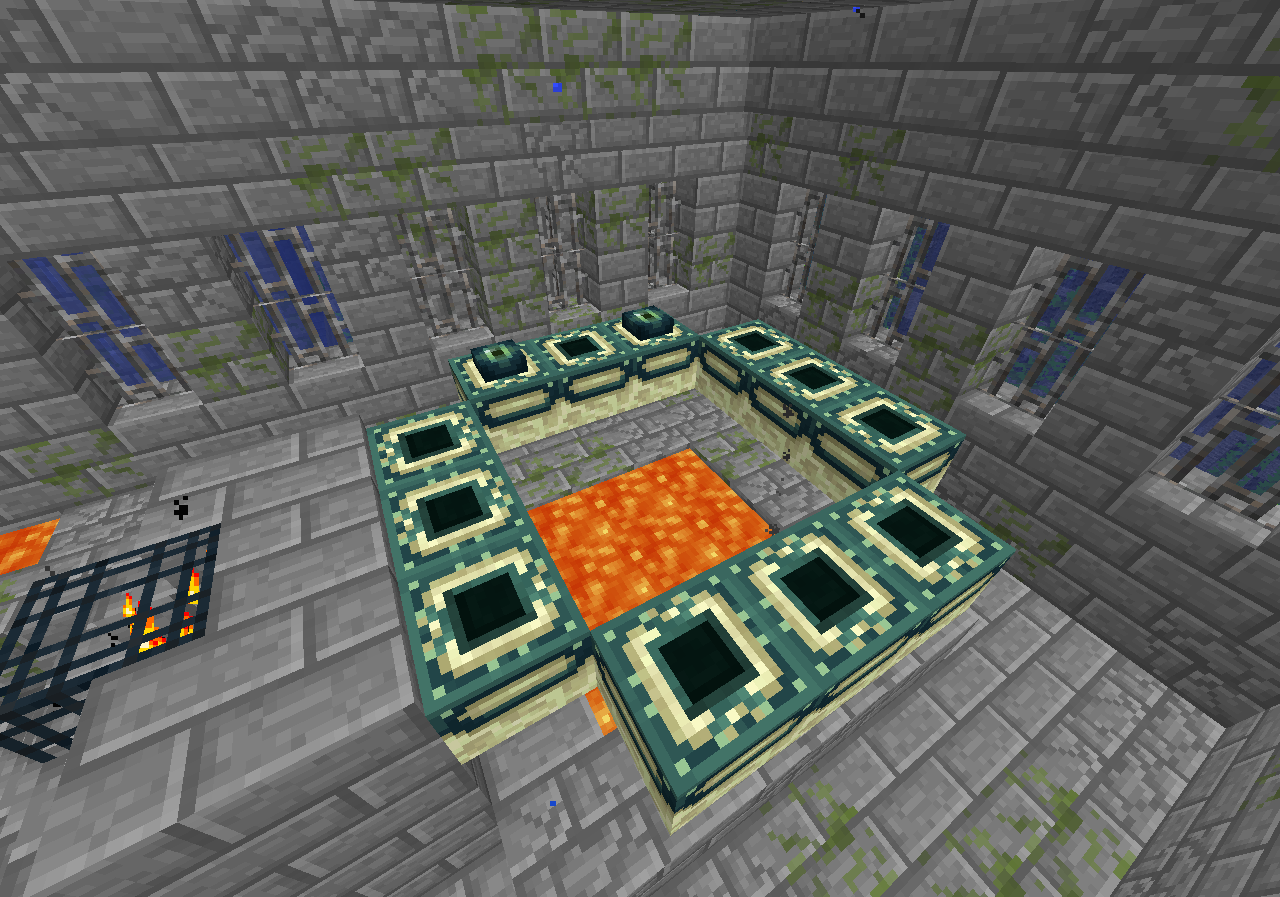
End portal for the seed;
/tp @p 404 31 -1830
Confirmed for 1.13.1.
Confirmed for 1.13.1.
This is caused because the slabs look like they are waterlogged, but they aren't water logged. (so they are just in air, not water. see screenshots)
(Although, sometimes if the slab is top the items will still float up)
Confirmed for 1.13.1.
The following is based on a decompiled version of MC 1.12 using mcp940.
Please link this in the description of the report.
In the method net.minecraft.entity.monster.EntityWitherSkeleton.func_190726_a()
are no checks for effects on arrows.
This can be easily fixed by replacing the code with, the code from net.minecraft.entity.monster.EntitySkeleton.func_190726_a()
and ofcourse, adding the setFire like this:
protected EntityArrow func_190726_a(float p_190726_1_){ ItemStack itemstack = this.getItemStackFromSlot(EntityEquipmentSlot.OFFHAND); if (itemstack.getItem() == Items.SPECTRAL_ARROW){ EntitySpectralArrow entityspectralarrow = new EntitySpectralArrow(this.world, this); entityspectralarrow.func_190547_a(this, p_190726_1_); entityspectralarrow.setFire(100); return entityspectralarrow; } else { EntityArrow entityarrow = super.func_190726_a(p_190726_1_); if (itemstack.getItem() == Items.TIPPED_ARROW && entityarrow instanceof EntityTippedArrow) { ((EntityTippedArrow)entityarrow).setPotionEffect(itemstack); } entityarrow.setFire(100); return entityarrow; } }Hope this helps
This is caused because the particle will spawn you break the block when it it just spawned but it will still finish the particle and then it stops. (not a big deal. this is just how particles work)
The following is based on a decompiled version of MC 1.12 using mcp940. Please link this in the description of the report.
In the method net.minecraft.entity.EntityLivingBase.isElytraFlying() are no checks for if the player is in water or lava.
To fix this you'll need to add a check or the player is in water or lava, as seen here;
This should stop every property from an elytra when in water or lava.
Hope this helps
The following is based on a decompiled version of MC 1.12 using mcp940.
Please link this in the description of the report.
In the class net.minecraft.item.Item.java on line 1051, you have the registerItem for ChorusFruit.
As you can see ChorusFruit is set as 'MATERIALS' in the creative tab.
In order to display it by 'Foodstuffs', you'll need to change 'MATERIALS' to 'FOOD'
Now it will display in 'Foodstuffs' as seen in this screenshot: 2018-09-10_11.30.33.png .
.
Hope this helps!
Confirmed for 1.13.1.
Confirmed for 1.13.1.
Confirmed for 1.13.1.
Confirmed for 1.13.1.
EDIT: Cannot reproduce for 1.13.1. my bad!
Confirmed for 1.13.1.
Press the button, open the chest. when you are teleported, fly back and the chest will be glitched.
Confirmed for 1.13.1.
Confirmed for 1.13.1.
Confirmed for 1.13.1.
Issue has been fixed for 1.13.1 since the command updates.
1.13.1: /tellraw @p [{"text":"null"}]Confirmed for 1.13.1.
Confirmed for 1.13.1.
Confirmed for 1.13.1.
1.13 command: /data merge entity @e[type=minecraft:painting,limit=1] {Motive:"Kebab"}Confirmed for 1.13.1.
Confirmed for 1.13.1, but as [Mod] bemoty said, might be WAI.
Confirmed for 1.13.1.
Although, this is most likely intended.
Confirmed for 1.13.1.
Confirmed for 1.13.1.
Confirmed for 1.13.1.
Confirmed for 1.13.1.
Confirmed for 1.13.1.
Confirmed for 1.13.1.
Confirmed for 1.13.1.
Confirmed for 1.13.1.
Confirmed for 1.13.1. (It's indeed, very slight jitter)
Confirmed for 1.13.1.
Confirmed for 1.13.1.
The following is based on a decompiled version of MC 1.12 using mcp940.
Please link this in the description of the report.
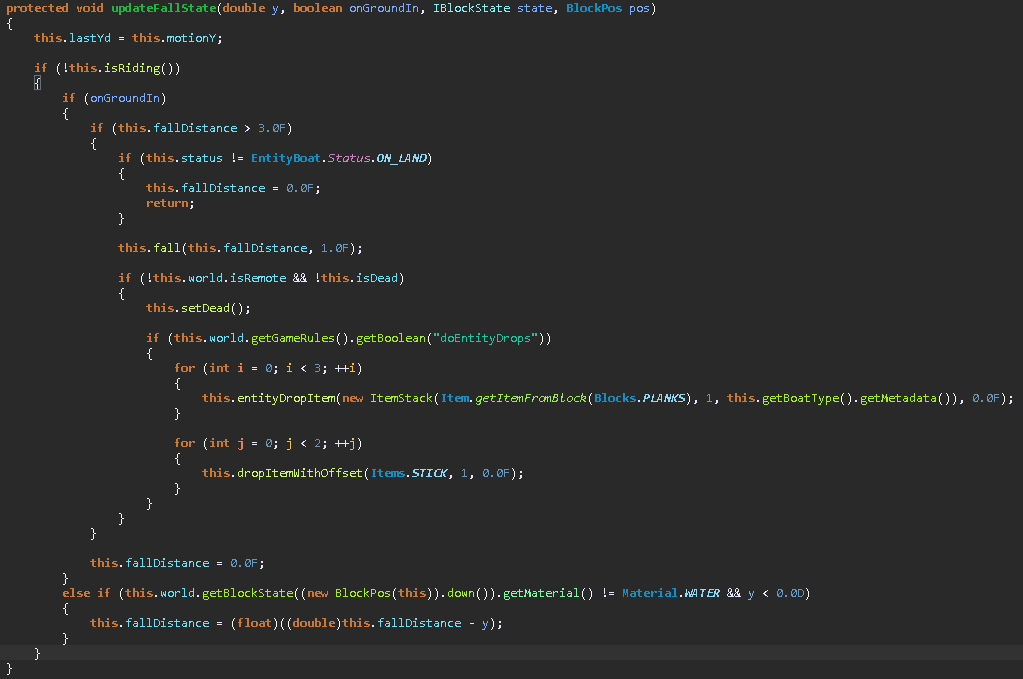
In the method net.minecraft.entity.item.EntityBoat.updateFallState() you have a piece of code that will always set the fall distance to 0 if the boat is not on land, its actually just wrong placed in the method.
Method with wrong placed: MC-105103-1.png
Method with right placed: image-2018-09-11-21-48-35-190.png
If this is fixed,
MC-98160will be fixed too.Hope this kinda helps
RedCMD It literally doesn't matter. you still drop frames on Y: 200
Cannot reproduce for 1.13.1.
Confirmed for 1.13.1.
Confirmed for 1.13.1.
1.13.1 command: /setblock ~ ~1 ~ minecraft:spawner{SpawnData:{id:"minecraft:armor_stand",Rotation:[180f,0f]},MinSpawnDelay:10s,MaxSpawnDelay:10s,SpawnCount:1,SpawnRange:5}This has been fixed in 1.13.1 since the formatting changed.
See this 2018-09-12_00.20.10.png .
.
Confirmed for 1.13.1.
Confirmed for 1.13.1.
Confirmed for 1.13.1.
The following is based on a decompiled version of MC 1.12 using mcp940.
Please link this in the description of the report.
In the method net.minecraft.world.gen.feature.WorldGenSpikes.generate() where it calculates the Y level of the spikes, it's set to 0. Which means they are gonna start from Y level 0.
Confirmed for 1.13.1.
Confirmed for 1.13.1.
Confirmed for 1.13.1.
Confirmed for 1.13.1 partly, if you hit him and try to run away from it, it will stay following you even with speed two. if there are alot of mobs around you, he will attack them and then you can escape him. If you go back to him after, he will not follow you, only fire towards you, but if you hit him again he will follow you.
Confirmed for 1.13.1.
I also agree with Ali M and [Mod] bemoty, this is most likely intended, if not setting the value of Math.clamp() to something higher than 0.0F like [Mod] bemoty said above, would be a good solution for this.
Confirmed for 1.13.1.
Confirmed for 1.13.1.
Confirmed for 1.13.1.
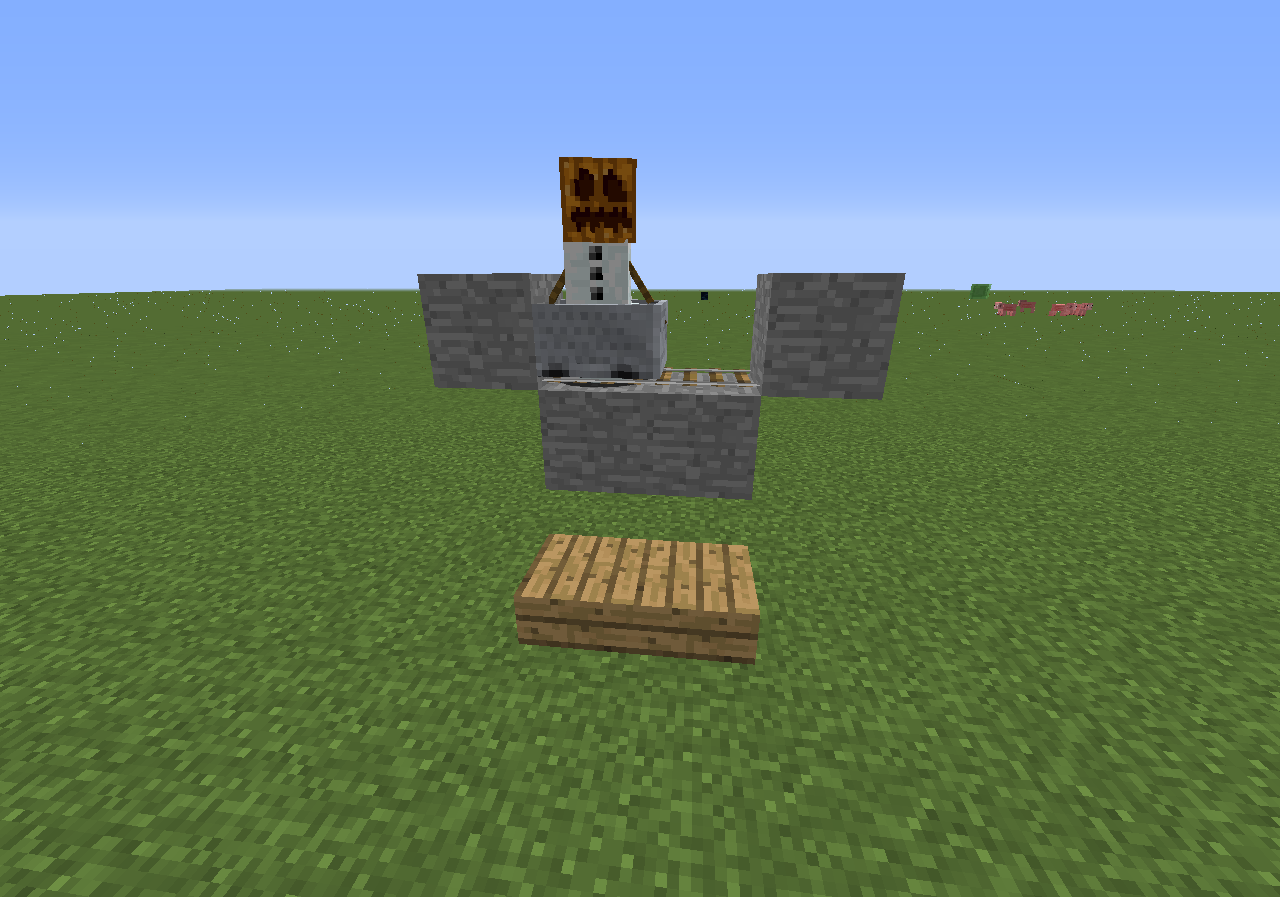
Command: /summon minecraft:minecart ~ ~ ~ {Passengers:[{id:"minecraft:snow_golem"}]}Cannot reproduce for 1.13.1.
Tried this on a multiplayer server for 1.13.1, my ping to the server was 95ms.
I only glitched in a block with this 2018-09-12_18.22.55.png ; which isn't a bug since it has no space around the bed.
Confirmed for 1.13.1.
Confirmed for 1.13.1.
Confirmed for 1.13.1.
Confirmed for 1.13.1.
Confirmed for 1.13.1, but this is most likely intended.
Confirmed for 1.13.1.
Cannot reproduce in 1.13.1.
Confirmed for 1.13.1.
Confirmed for 1.13.1.
Confirmed for 1.13.1.
Issue has been fixed for 1.13.1. See 2018-09-12_20.19.03.png
Confirmed for 1.13.1. If you load it in, restart your game it won't be selected / loaded anymore.
Confirmed for 1.13.1.
Confirmed for 1.13.1.
Please copy/paste this in the description or link my comment.
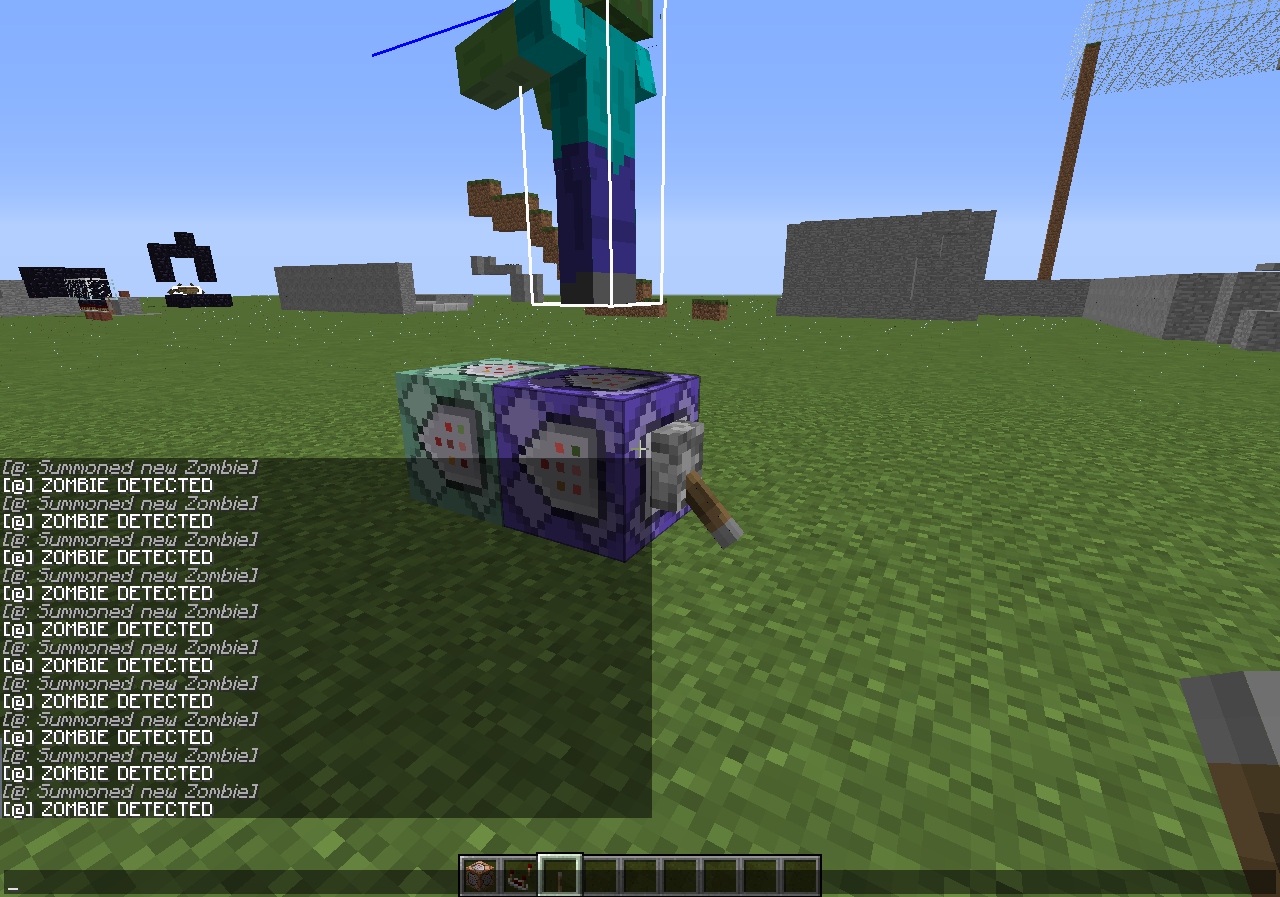
Spawner 1: /setblock 98 6 229 spawner{SpawnData:{id:slime},SpawnCount:2,MaxNearbyEntities:100,Delay:300,MaxSpawnDelay:500,RequiredPlayerRange:16} replaceSpawner 2: /setblock 64 6 229 spawner{SpawnData:{id:slime},SpawnCount:2,MaxNearbyEntities:100,Delay:300,MaxSpawnDelay:500,RequiredPlayerRange:16} replaceConfirmed for 1.13.1. Since /testfor is gone, i'll comment a updated version on how to test it, please copy/paste or link this in the description.
How to reproduce
Confirmed for 1.13.1.
Confirmed for 1.13.1.
This also relates to
MC-125774, if you shift now you don't get damage.Confirmed for 1.13.1.
How to reproduce
Confirmed for 1.13.1.
Confirmed for 1.13.1.
Confirmed for 1.13.1.
Confirmed for 1.13.1.
Confirmed for 1.13.1 partly, server closed is fixed, only if you loggin to a server it will be placed under the button with GUI scale small (1).
Confirmed for 1.13.1.
Confirmed for 1.13.1.
Confirmed for 1.13.1.
Confirmed for 1.13.1.
Confirmed for 1.13.1.
Confirmed for 1.13.1, but is not blocked if you aim higher.
Confirmed for 1.13.1.
Confirmed for 1.13.1.
Confirmed for 1.13.1.
Confirmed for 1.13.1, since command updates i'll leave a updated version on how to reproduce.
How to reproduce
/execute as @e[type=cow] run data merge entity @s {NoAI:1}Confirmed for 1.13.1.
Confirmed for 1.13.1.
Confirmed for 1.13.1.
Confirmed for 1.13.1.
Confirmed for 1.13.1, but this is most likely intended.
The sign is empty so if you copy it, and place it would be WAI to actually open the edit gui, so you could write on it.
Confirmed for 1.13.1, although if there's a solid block under the slabs, they will spawn.
Confirmed for 1.13.1.
Confirmed for 1.13.1.
Confirmed for 1.13.1.