 MCPE-178701
New death screen does not show new layout buttons when using add-ons/resource packs
If you die in the game with resource packs applied, the new death screen appears but with the old UI layout.
Steps to reproduce:
- Create/open a new world with add-ons/resource packs applied
- Die
Observed result:
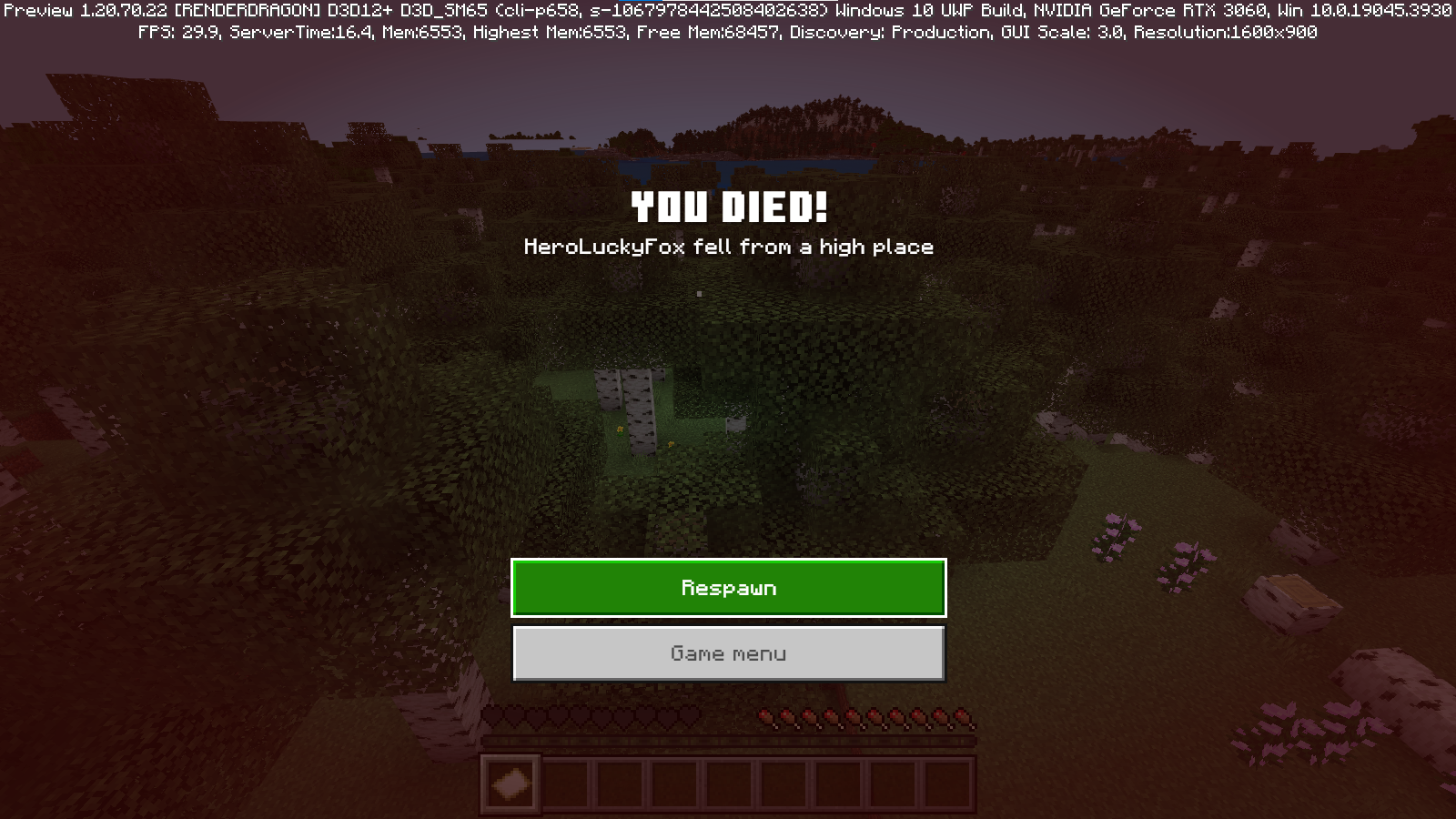
Expected result:

Linked Issues




- Fixed
 Hero Fox
- 3
- 6
- Confirmed
- 1193161
- Survival
- Multiple
- Windows 10 Pro, Version 22H2
- OreUI death-screen
- 1.21.50.26 Preview 1.21.50
Created Issue:
New death screen does not show new layout buttons.
Ever since Minecraft added the new death screen on experimental on the previous previews it looked fantastic with the new layout and buttons, but on the latest preview of Minecraft it was mentioned on the update change log, that the new death screen was set by default. however, if you die in the game the new death screen appears but with the old UI layout.
here is the current layout.
if you look at the image above you can see it has the old UI buttons, it doesn't match with the new UI or layout. and it also looks very ugly.
Steps to reproduce this bug.
- go to Minecraft preview.
- 2. create a new world.
- once loaded into a world, find a way to die in the game.
- you will see the new death screen.
here is what the new death screen is expected to look like.
this is how it is supposed to look like. it looks clean and good.
Attachments3
image-2024-02-08-13-05-29-675.png
- Unresolved
- Open
- Unconfirmed
- Multiple
- Windows 10 Pro, Version 22H2
- 1.20.70.22 Preview 1.20.70.21 Preview

![[Mod] Umija5895M](../../../data/avatars/users/10122.svg)
![[Mod] OcelotOnesie](../../../data/avatars/users/43220.png)
![[Bot] Arisa](../../../data/avatars/users/43007.png)
Ever since Minecraft added the new death screen on experimental on the previous previews it looked fantastic with the new layout and buttons, but on the latest preview of Minecraft it was mentioned on the update change log, that the new death screen was set by default. however, if you die in the game the new death screen appears but with the old UI layout.
here is the current layout.
if you look at the image above you can see it has the old UI buttons, it doesn't match with the new UI or layout. and it also looks very ugly.
Steps to reproduce this bug.
- go to Minecraft preview.
- 2. create a new world.
- once loaded into a world, find a way to die in the game.
- you will see the new death screen.
here is what the new death screen is expected to look like.
this is how it is supposed to look like. it looks clean and good.
Ever since Minecraft added the new death screen on experimental on the previous previews it looked fantastic with the new layout and buttons, but on the latest preview of Minecraft it was mentioned on the update change log, that the new death screen was set by default. however, if you die in the game the new death screen appears but with the old UI layout.
here is the current layout.
if you look at the image above you can see it has the old UI buttons, it doesn't match with the new UI or layout. and it also looks very ugly.
Steps to reproduce this bug.
- go to Minecraft preview.
- 2. create a new world.
- once loaded into a world, find a way to die in the game.
- you will see the new death screen.
here is what the new death screen is expected to look like.
this is how it is supposed to look like. it looks clean and good.
![[MCQA] Bartłomiej Słodkowski](../../../data/avatars/users/18941.svg)
![[MCQA] v-magwar](../../../data/avatars/users/18935.svg)
is duplicated by
![[Mod] Jarl-Penguin](../../../data/avatars/users/92849.png)
relates to
New death screen does not show new layout buttons when using resource packs
Ever since Minecraft added the new death screen on experimental on the previous previews it looked fantastic with the new layout and buttons, but on the latest preview of Minecraft it was mentioned on the update change log, that the new death screen was set by default. however, if you die in the game the new death screen appears but with the old UI layout.
here is the current layout.
if you look at the image above you can see it has the old UI buttons, it doesn't match with the new UI or layout. and it also looks very ugly.
Steps to reproduce this bug.
go to Minecraft preview.- 2. create a new world.
- once loaded into a world, find a way to die in the game.
- you will see the new death screen.
here is what the new death screen is expected to look like.
this is how it is supposed to look like. it looks clean and good.
If you die in the game with resource packs applied, the new death screen appears but with the old UI layout.
Steps to reproduce:
- Apply any resource pack
- Create/open a new world
- Die
Observed result:
Expected result:
New death screen does not show new layout buttons when using add-ons/resource packs
If you die in the game with resource packs applied, the new death screen appears but with the old UI layout.
Steps to reproduce:
Apply anyresource pack- Create/open a new world
- Die
Observed result:
Expected result:
If you die in the game with resource packs applied, the new death screen appears but with the old UI layout.
Steps to reproduce:
- Create/open a new world with add-ons/resource packs applied
- Die
Observed result:
Expected result:
![[Mod] tryashtar](../../../data/avatars/users/41963.png)
Duplicate of MCPE-178701
Duplicate of MCPE-178701.
Thank you for your report!
We're tracking this issue in MCPE-178701, so this ticket is being resolved and linked as a duplicate.
If you would like to add a vote and any extra information to the main ticket it would be appreciated.
If you haven't already, you might like to make use of the search feature to see if the issue has already been mentioned.
Quick Links:
📓 Bug Tracker Guidelines – 💬 Community Support – 📧 Mojang Support (Technical Issues) – 📧 Microsoft Support (Account Issues)
📓 Project Summary – ✍️ Feedback and Suggestions – 📖 Game Wiki
– I am a bot. This action was performed automatically! The ticket was resolved by one of our moderators, and I left this message to give more information to you.

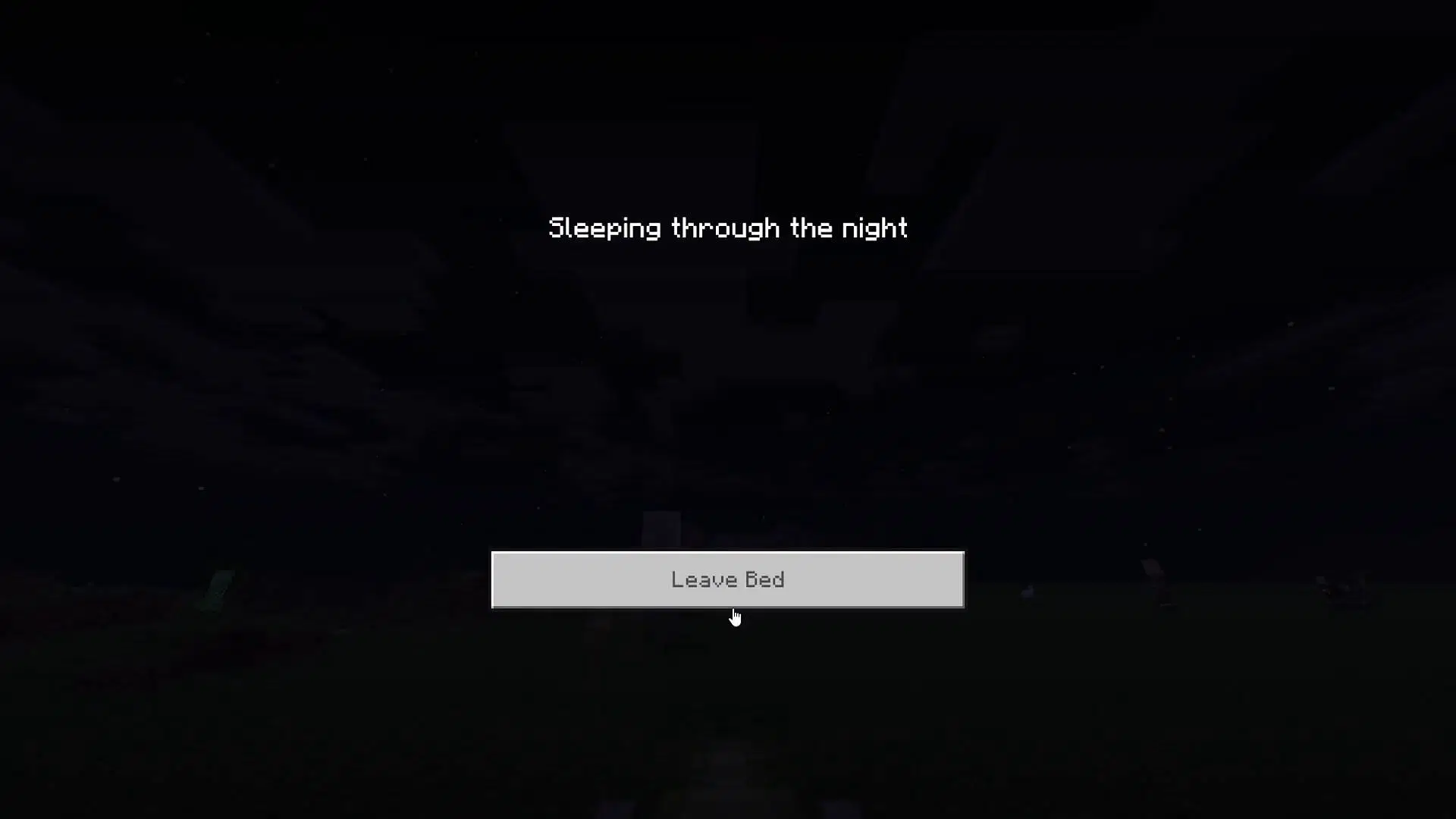
When you enabled New Bed Screen (Experimental) toggle, and then enabled any resource packs, it will cause the screen to uses the old button textures even though the resource packs didn't modifying any button textures, relates to MCPE-178701
Steps to reproduce:
- Download the resource packs attached in this report, or just simply use any resource packs you've own and then enable it
- Enable the New Bed Screen (Experimental)
- Enter any world, then go sleep
Expected results:
The button uses the new textures

Observed results:
The button uses the old textures

Thank you for your report!
However, this issue has been temporarily closed as Awaiting Response
Do you have any resource packs applied?
This ticket will automatically reopen when you reply.
Quick Links:
📓 Bug Tracker Guidelines – 📧 Mojang Support (Technical Issues) – 📧 Microsoft Support (Account Issues) – 📓 Project Summary – ✍️ Feedback and Suggestions – 📖 Game Wiki
There is currently no resources applied
Can confirm, Only occurs with addons enabled.
I couldn't reproduce this without a resource pack enabled, either. Ran my tests in 1.20.70.25.
Could you please attach an example addon with which the issue can be observed?
This ticket will automatically reopen when you reply.
I used for example with World export addon, Which found reproduce
mobileexport.mcpack
Sorry for not sharing the pack, I reproduced the issue using the Minecraft Classic Textures Pack.
Fixed in 1.21.50.26 Preview.
Well, this happens to almost every in-game OreUI screens like death screen, sleep screen,...
This is still not fixed and the resolution mark as "fixed"??