 BlazingBeam
- BlazingBeam
- blazingbeam
- Europe/Stockholm
- Yes
- No
 MCPE-24321MCPE-25128MCPE-25129MCPE-25131MCPE-25299MCPE-26072MCPE-26728MCPE-30144MCPE-30506MCPE-30537MCPE-30546MCPE-30610

















Off-handslot pose is equipped when nothing is in itOff Hand Renders as If It's Holding an Item
Mojang,
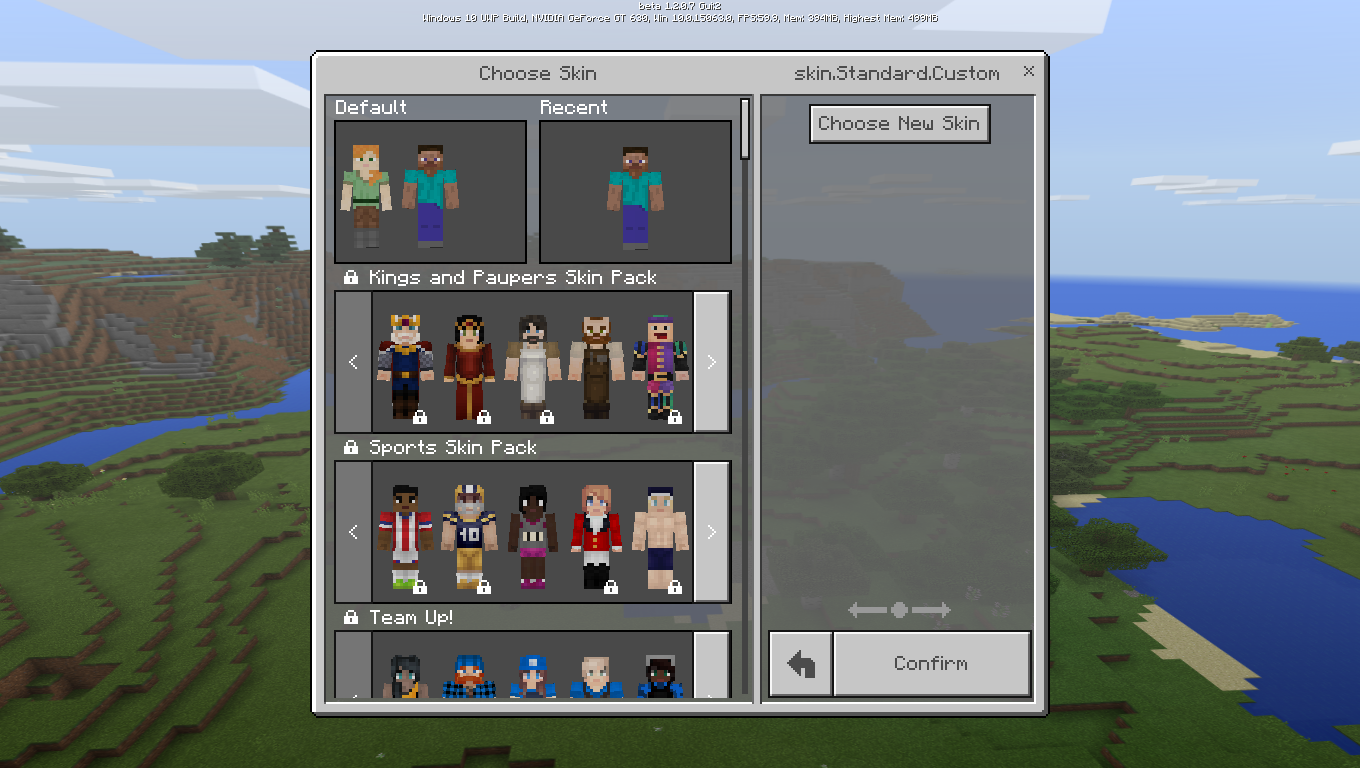
In the beta, whenever I try to choose a custom skin, it just shows me a black skin, in every online server, such as the InPvP beta: beta.inpvp.net , every player using a custom skin is inviisible. Please fix it because many players want their own original ideas and want to use custom skins. Please fix. I tried to choose the other custom skins but all of them have the same problem. However, this is not affecting the in-game skin, packs.I hope this is taken into your notice.
Regards,
TayyabIn the beta, whenever I try to choose a custom skin, it just shows me a black skin, in every online server, such as the InPvP beta: beta.inpvp.net , every player using a custom skin is inviisible. Please fix it because many players want their own original ideas and want to use custom skins. Please fix. I tried to choose the other custom skins but all of them have the same problem. However, this is not affecting the in-game skin, packs.
I hope this is taken into your notice.
I know my letter writing skills are, newbie . Just think of it as a professional one
Also affects 1.2.0.18,
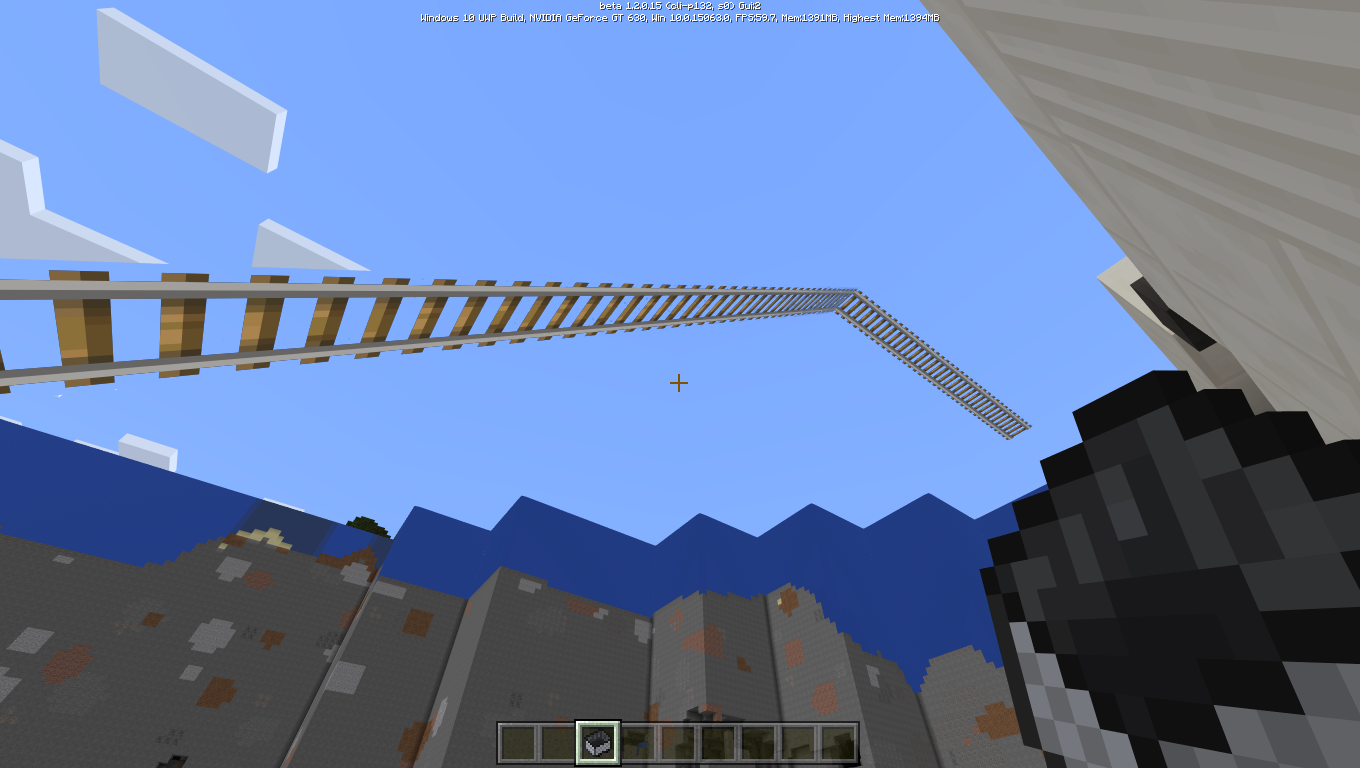
Yeah, from the beginning of time, first mosquito's flew, then dinosaurs, then birds and so on. And from that evolution, finally, rails could fly too. It's really surprising in an annoying manner.
Steps to reproduce:
1. build a small wall
2. Place rails
3. Destroy that wall,
4. You can even ride that flying rail,
5. How much worse can it get?
6. I can even ride them! Wow!
Flying Rails? Are youserious?Flying Rails? Are you kidding me?
During when the message appears on the bottom-left side: Signing into xboxlive.when going to ga,e, there is a message: Please wait while we sign you into Xbox Live then it goes back to the menu and after that, no join button works. I have to restartDuring when the message appears on the bottom-left side: Signing into xboxlive.when going to game, there is a message: Please wait while we sign you into Xbox Live then it goes back to the menu and after that, no join button works. I have to restart
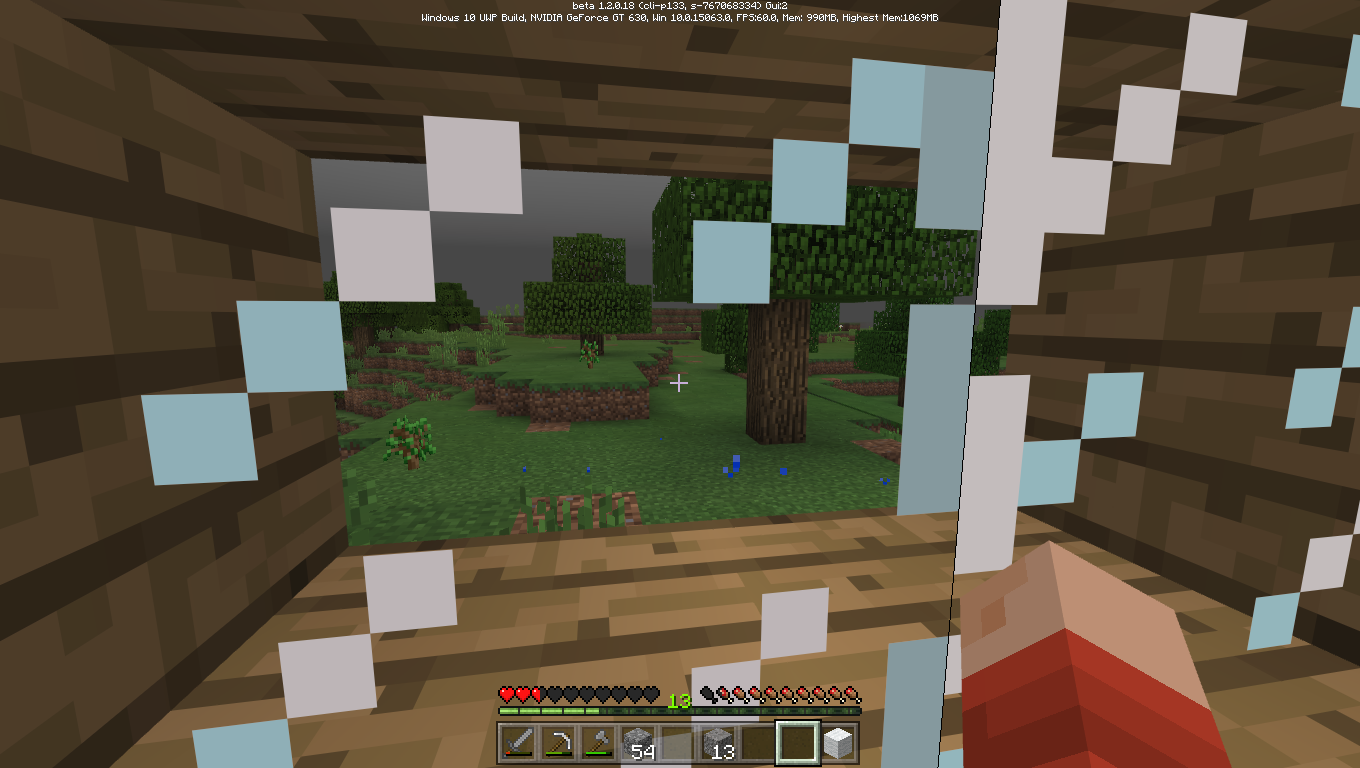
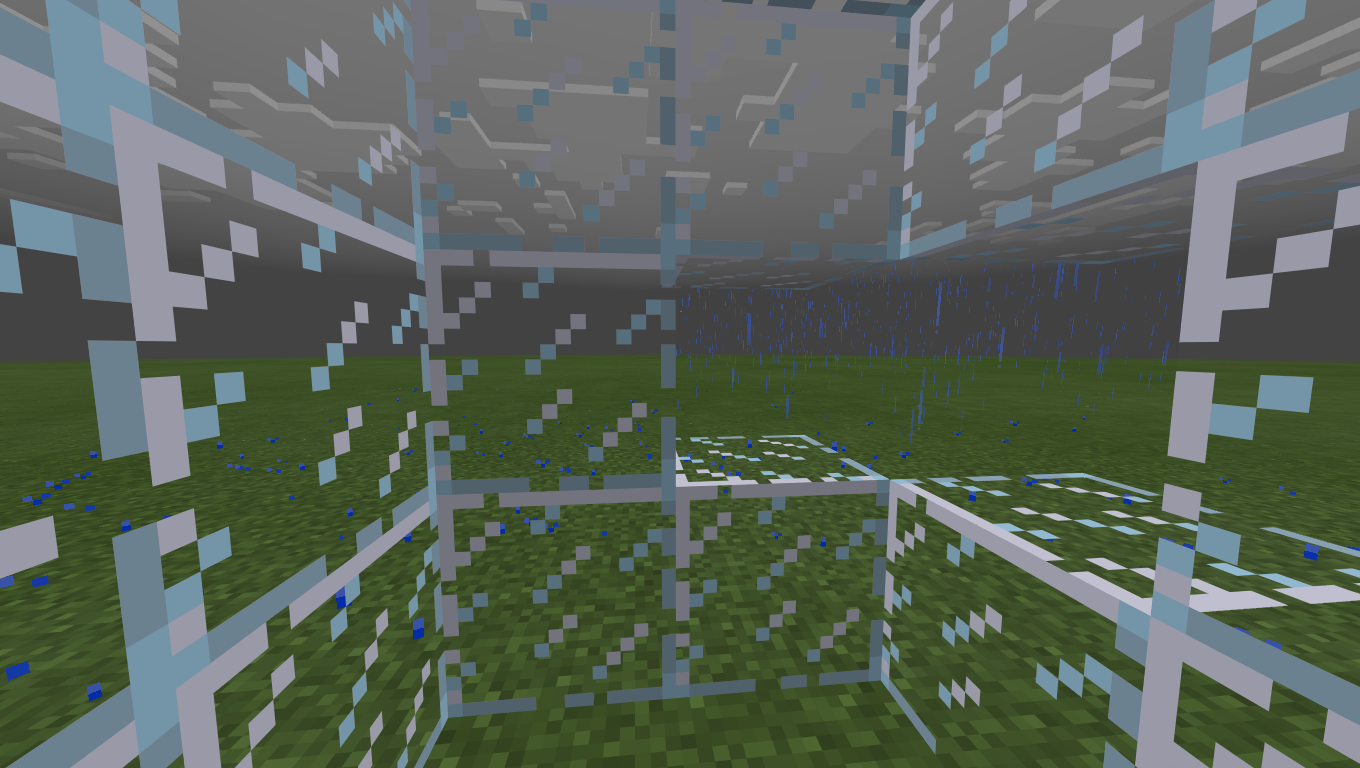
Rain or snow doesn't render through any glass, be it normal or stained.
Currently, there is no curse of vanishing in MINECRAFT BEDROCK EDITION. Please refer this case to the appropriate section as this is the section for bedrock edition bug reporting
Tho moving mah fingers is hard
3.png
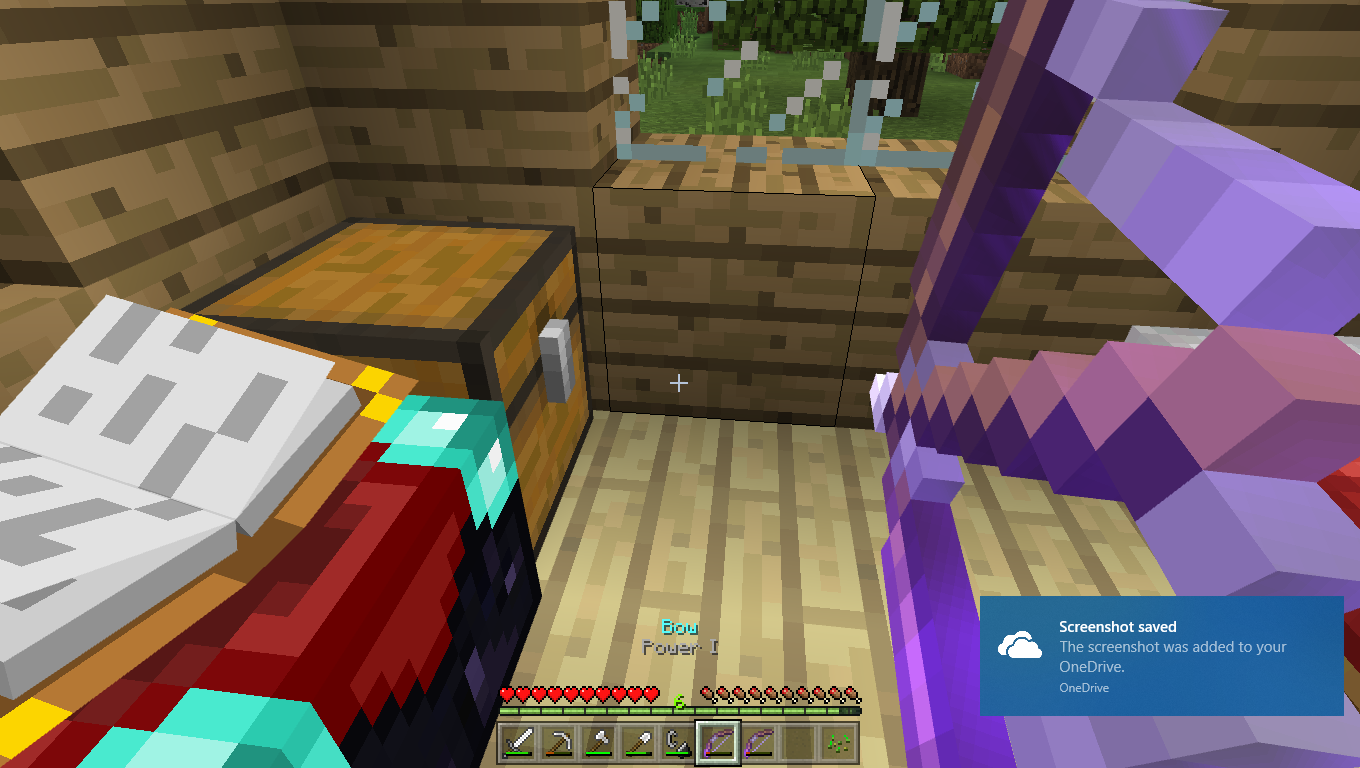
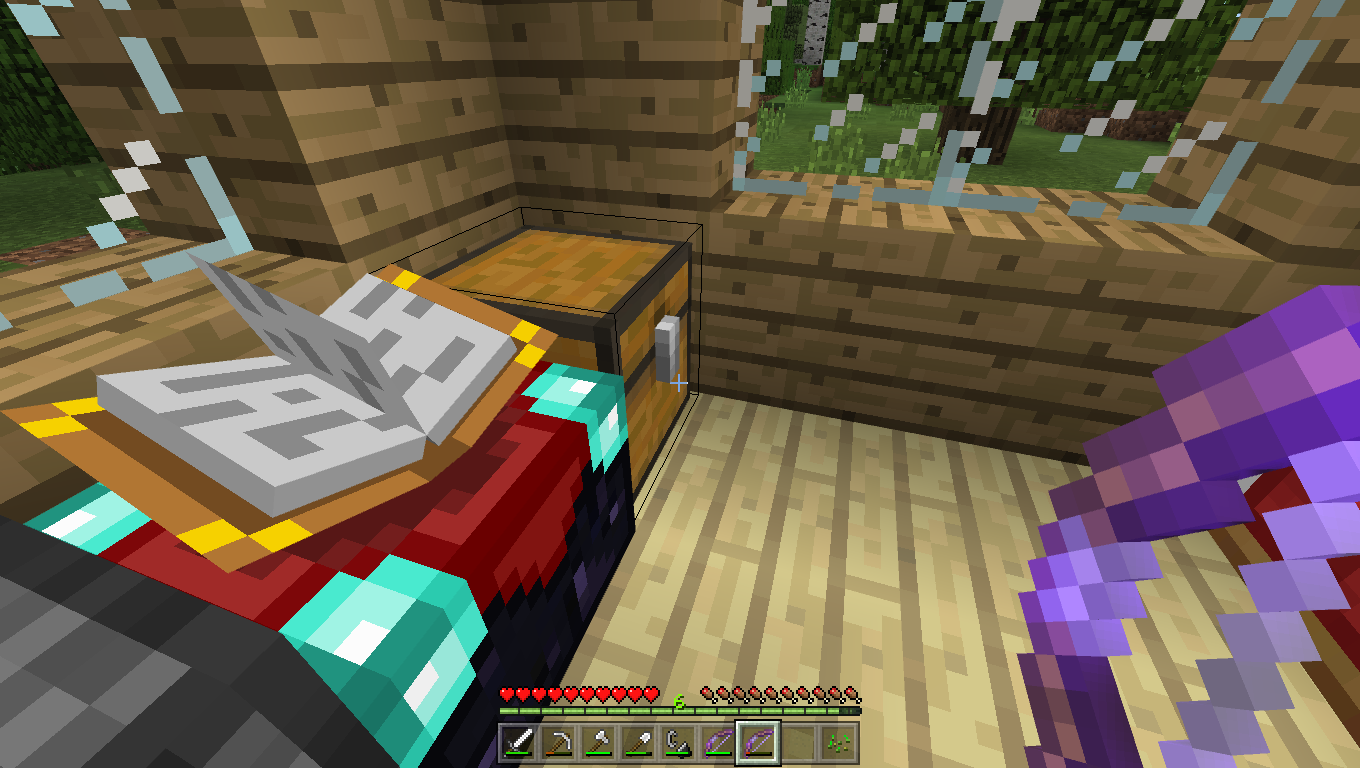
If you switch from a low durability bow(lets name it bow 1) to a full durability bow(lets name it bow 2),while aiming an arrow, the bow 2's durability will switch from full to the durability of bow 1 and if switch from bow 2 to 1, vice versa.
To Reproduce
1. Open any world
2. Get two bows
3. Manage to get one of the bows quite damaged
4. Aim an arrow with the bow with full durability and don't let go
5. Switch to the damaged bow
6. ObserveThis is currently only tested on windows 10 minecraft.
For example,
I kill my friend
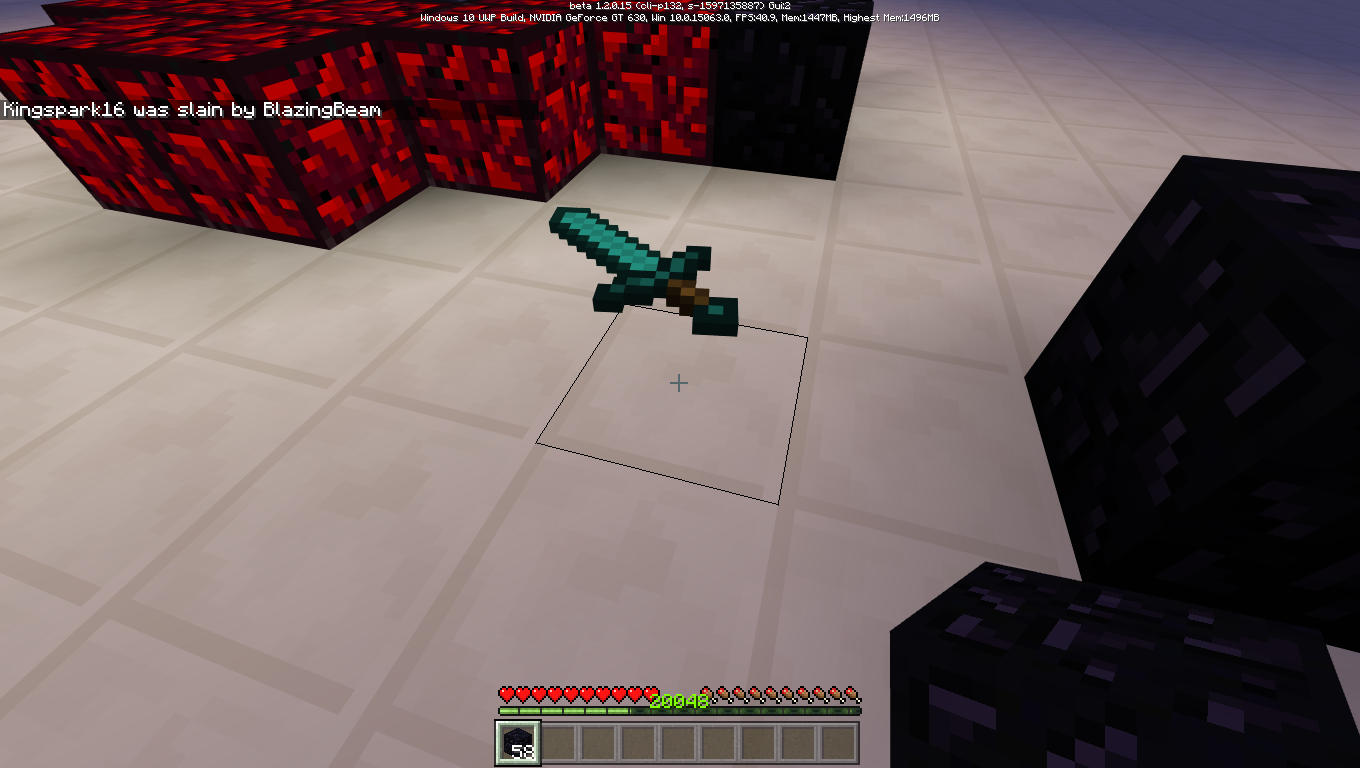
Untill he clicks the respawn button at the death screen, his held item is visible to me
When he has clicked it then it vanishes.Steps to Reproduce
1. Get a friend to come to your game
2. tell him to hold any item
3. Tell him to not press respawn when he died
4. Kill him
5. If you look below where he died, his held item will be still visible.
here i have screenshots, belowFor example,
I kill my friend
Untill he clicks the respawn button at the death screen, his held item is visible to me
When he has clicked it then it vanishes.Steps to Reproduce
1. Get a friend to come to your game
2. tell him to hold any item
3. Tell him to not press respawn when he died
4. Kill him
5. If you look below where he died, his held item will be still visible.Here i have screenshots, below.
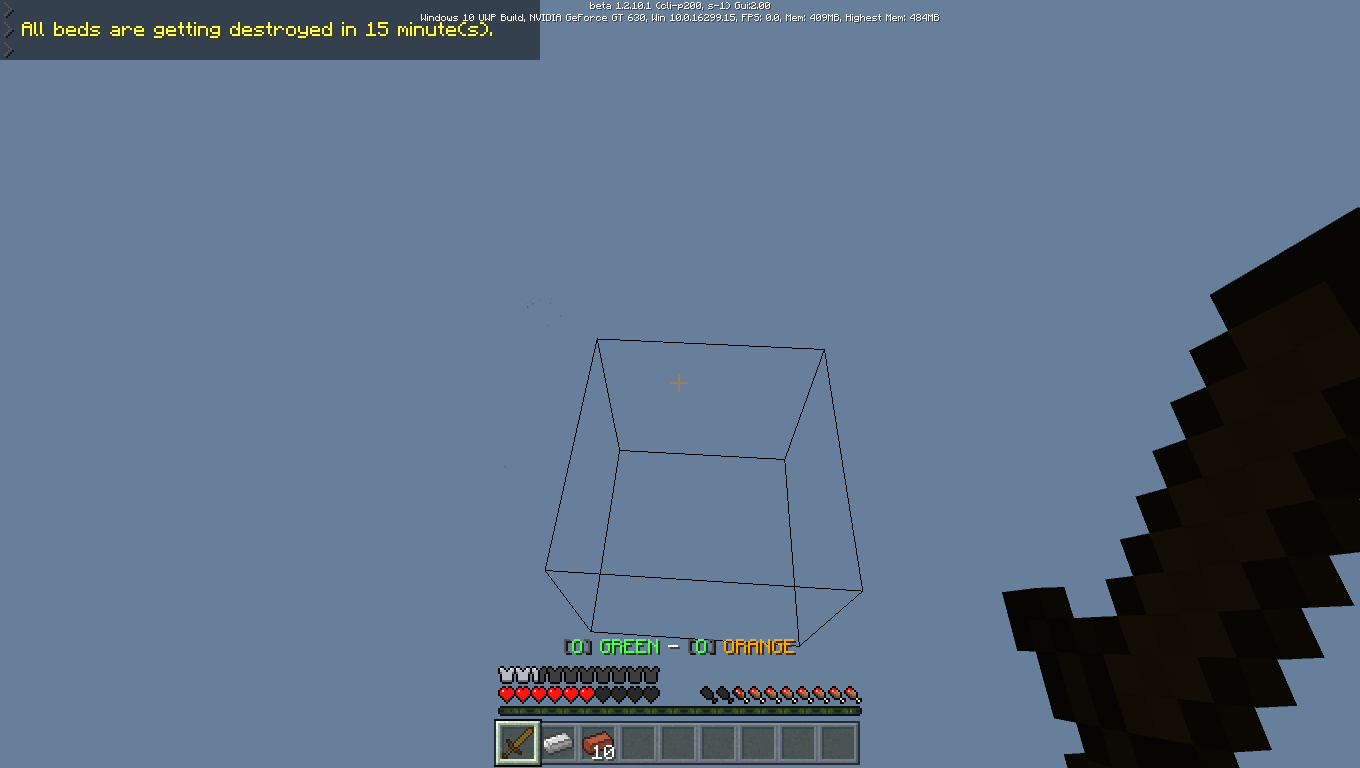
In 1.2.10 beta, (because it only appears in the betas)
The fps says 0.0, throughout the whole game.
Look
where my cursor pointsin the screenshot.please fix.
In 1.2.10 beta, (because it only appears in the betas)
The fps says 0.0, throughout the whole game.
Look at the top in the screenshot.
please fix.
In 1.2.10 beta, (because it only appears in the betas)
The fps says 0.0, throughout the whole game.
Look at the top in the screenshot.
please fix.
In 1.2.10 beta, (because it only appears in the betas)
The fps says 0.0, throughout the whole game.
Look at the top in the screenshot.
relates to
MCPE-30534please fix.
Affects 1.2.10
The bug occurs in the main menu, the rest aren't tested.
MCPE Helper Auldrick
Affects 1.2.10
The bug occurs in the main menu, the rest aren't tested.
MCPE Helper Auldrick
Affects 1.2.10
The bug occurs in the main menu, the rest aren't tested.
MCPE Helper Auldrick
Where clicks do occur, the click sound is delayed until after the next screen is shown. This is a trivial matter for most buttons because the next screen is shown quickly. However, for a few, such as Settings > Storage, Settings > Video > Fancy Leaves, and Settings > Video > Texel Anti-Aliasing, there is a noticeable delay before the screen is updated, and then the click happens afterward. This defeats the presumed intention of providing audible click confirmation.Affects:
Main menu page: All buttonsPlay page (worlds list): All buttons except the Import button (next to Create New)
Create... dialog: All buttons
Create New World page:
Game settings: Seed picker button (next to Seed text box)
Settings page: All Default Settings buttons, as well as the Continue and Go Back buttons on the confirmation dialog they open.Profile Settings: "Manage who can send you invites", "Attribution", and "Licensed Content" buttons
Store main page: Skin Packs, Texture Packs, Worlds, and Mash-up Packs buttons. In the frame, the "+" button for purchasing Minecoins.
Pack details page: Ratings, "See more by", and unlock buttons.
Note: Most pack thumbnail buttons do not click, but I'm not sure if they're supposed to. The only thumbnail buttons I found that click are those at the top left of the Store main page.
Affects 1.2.10
The bug occurs in the main menu, the rest aren't tested.
MCPE Helper Auldrick
Where clicks do occur, the click sound is delayed until after the next screen is shown. This is a trivial matter for most buttons because the next screen is shown quickly. However, for a few, such as Settings > Storage, Settings > Video > Fancy Leaves, and Settings > Video > Texel Anti-Aliasing, there is a noticeable delay before the screen is updated, and then the click happens afterward. This defeats the presumed intention of providing audible click confirmation.Affects:
Main menu page: All buttonsPlay page (worlds list): All buttons except the Import button (next to Create New)
Create... dialog: All buttons
Create New World page:
Game settings: Seed picker button (next to Seed text box)
Settings page: All Default Settings buttons, as well as the Continue and Go Back buttons on the confirmation dialog they open.Profile Settings: "Manage who can send you invites", "Attribution", and "Licensed Content" buttons
Store main page: Skin Packs, Texture Packs, Worlds, and Mash-up Packs buttons. In the frame, the "+" button for purchasing Minecoins.
Pack details page: Ratings, "See more by", and unlock buttons.
Note: Most pack thumbnail buttons do not click, but I'm not sure if they're supposed to. The only thumbnail buttons I found that click are those at the top left of the Store main page.
Affects 1.2.10
The bug occurs in the main menu, the rest aren't tested.
By MCPE Helper Auldrick:
Where clicks do occur, the click sound is delayed until after the next screen is shown. This is a trivial matter for most buttons because the next screen is shown quickly. However, for a few, such as Settings > Storage, Settings > Video > Fancy Leaves, and Settings > Video > Texel Anti-Aliasing, there is a noticeable delay before the screen is updated, and then the click happens afterward. This defeats the presumed intention of providing audible click confirmation.Affects:
Main menu page: All buttonsPlay page (worlds list): All buttons except the Import button (next to Create New)
Create... dialog: All buttons
Create New World page:
Game settings: Seed picker button (next to Seed text box)
Settings page: All Default Settings buttons, as well as the Continue and Go Back buttons on the confirmation dialog they open.Profile Settings: "Manage who can send you invites", "Attribution", and "Licensed Content" buttons
Store main page: Skin Packs, Texture Packs, Worlds, and Mash-up Packs buttons. In the frame, the "+" button for purchasing Minecoins.
Pack details page: Ratings, "See more by", and unlock buttons.
Note: Most pack thumbnail buttons do not click, but I'm not sure if they're supposed to. The only thumbnail buttons I found that click are those at the top left of the Store main page.
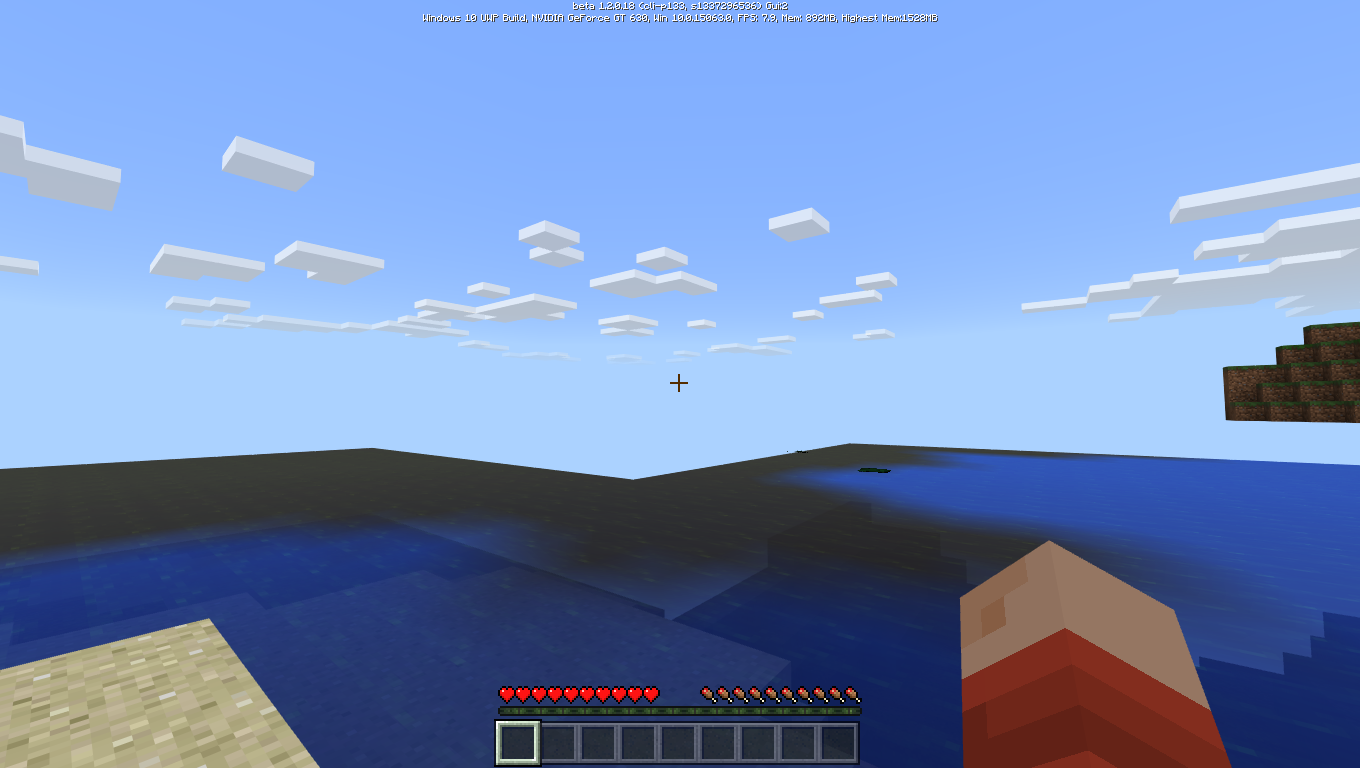
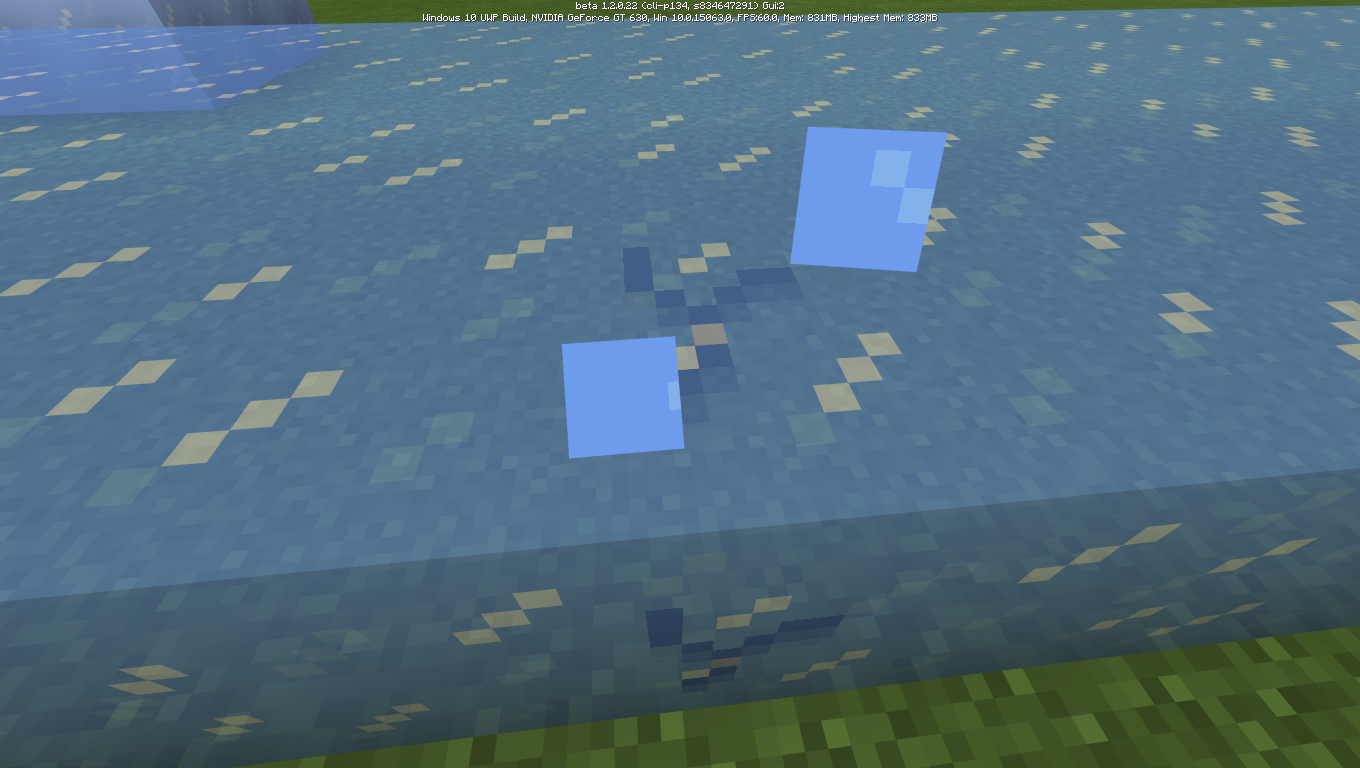
The water appears to be filled even above the water source block height/sea level.
The water appears to be filled even above the water source block height/sea level. If you focus, the same terrain seems to be filled with water, even though there was no water source block or water block placed over there. And if you swim right a little above the water, the upper terrain seems to be filled but you can see the water line below you.
The water appears to be filled even above the water source block height/sea level. If you focus, the same terrain seems to be filled with water, even though there was no water source block or water block placed over there. And if you swim right a little above the water, the upper terrain seems to be filled but you can see the water line below you.
The water appears to be filled even above the water source block height/sea level. If you focus, the same terrain seems to be filled with water, even though there was actually no water source block or water block placed over there. And if you swim right a little above the water, the upper terrain seems to be filled but you can see the water line below you.
Appears that the whole area is filled with water even above the real water source block height.
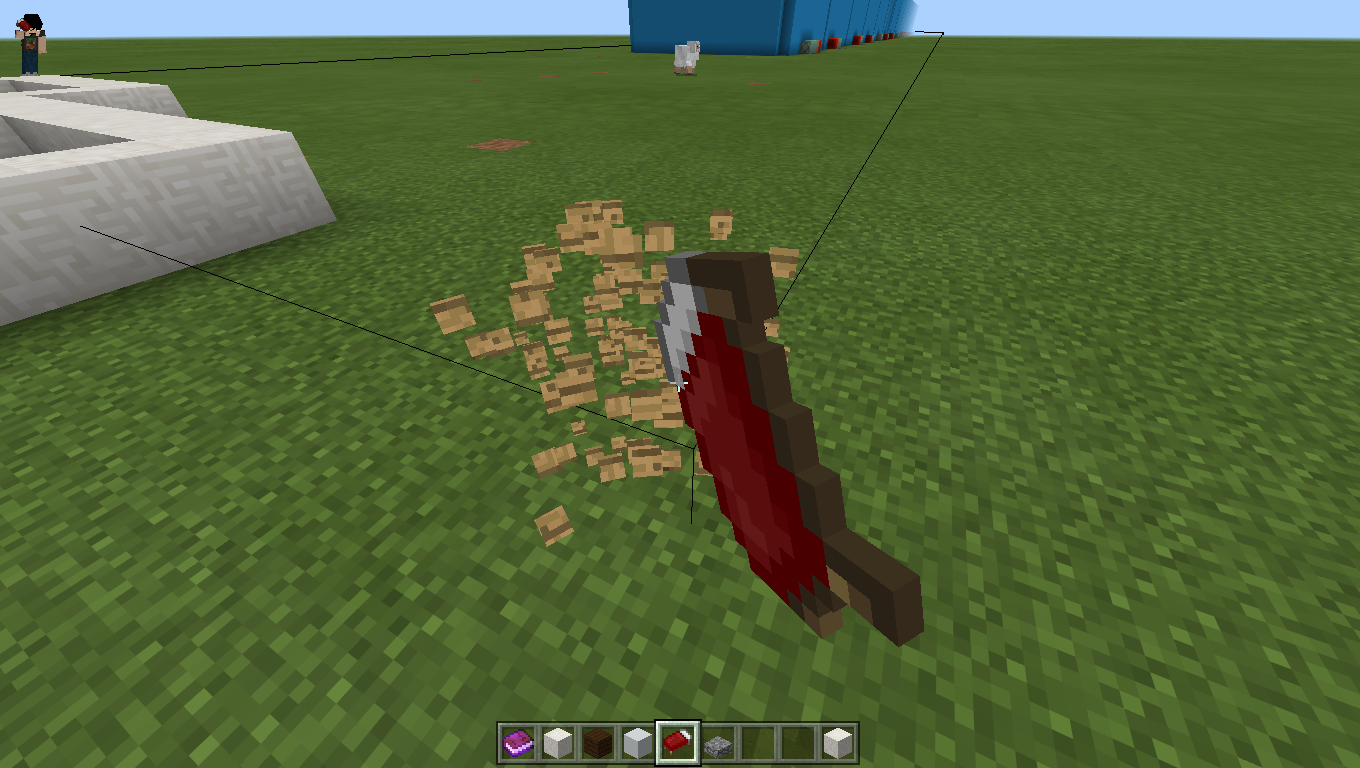
If you place beds, their border line or selection box is bugged and seems to be widespread specifically along the x and -z axis. This happens only in split seconds. It can be observed better if you break and place a bed again and again.
If you place beds, the borderline is bugged for split milliseconds.
Dropped rotating Items seem laggish on Minecraft.
What is Expected
Dropped items are dropped and spin smoothly and normally.What happens
Dropped items drop with lag and still lag for upto 1-4 seconds, then go back to spinning smoothly.Would be nice if fixed.
When items are dropped such as grass blocks or sand blocks, they rotatelag-illyDropped rotating Items seem lag-ish
If you go to a world and then type a fill command to a specific area, and then there are 3 options after the block id and type,[hollow,destroy,keep,outline]
The outline sub-command doesnt work instead it does the same as hollow.
To reproduce,
1. Go on a world and have cheats on
2. Copy paste the following command
3. '/fill ~10 ~ ~10 ~-10 ~10 ~-10 planks 1 outline
4. observe
5. now copy this other command
6. '/fill ~10 ~ ~10 ~-10 ~10 ~-10 planks 1 hollow
7. Move some blocks away from the generated structure
8. Enter the new copied command
9. Observe, the end result will be sameI will provide screenshots to show what is supposed to happen
If you go to a world and then type a fill command to a specific area, and then there are 3 options after the block id and type,[hollow,destroy,keep,outline]
The outline sub-command doesnt work instead it does the same as hollow.
To reproduce,
1. Go on a world and have cheats on
2. Copy paste the following command
3. '/fill ~10 ~ ~10 ~-10 ~10 ~-10 planks 1 outline
4. observe
5. now copy this other command
6. '/fill ~10 ~ ~10 ~-10 ~10 ~-10 planks 1 hollow
7. Move some blocks away from the generated structure
8. Enter the new copied command
9. Observe, the end result will be same
I will provide screenshots to show what is supposed to happenIf you go to a world and then type a fill command to a specific area, and then there are 3 options after the block id and type,[hollow,destroy,keep,outline]
The outline sub-command doesnt work instead it does the same as hollow.
To reproduce,
1. Go on a world and have cheats on
2. Copy paste the following command
3. '/fill ~10 ~ ~10 ~-10 ~10 ~-10 planks 1 outline
4. observe
5. now copy this other command
6. '/fill ~10 ~ ~10 ~-10 ~10 ~-10 planks 1 hollow
7. Move some blocks away from the generated structure
8. Enter the new copied command
9. Observe, the end result will be sameProvided are screenshots to show what is supposed to happen.
Click to view better
Changing view mode(third person-first person) while sitting bugs the hand position.
Smooth Lighting Glitchy Underwater.
Smooth Lighting is Glitchy Underwater.
If you right click on any block,
Suppose you have a grass block or a command block at y level 25
6or the height limit
and you are above the world height limit, if you right click it from above it will say cannot place blocks error or something like that even if you are empty handedIf you right click on any block,
Suppose you have a grass block or a command block at y level 255 or the height limit
and you are above the world height limit, if you right click it from above it will say cannot place blocks error or something like that even if you are empty handed
rightclicking at a block from above at height limit causes errorRightclicking at a block from above at height limit causes error
The block hit-block space is the thing that keeps the blocks from being placed or not. The game detects if the player touches the hit-box for the placement of the item. According to my knowledge.
Texture flickers when a falling tile falls on anotherfall-able tileTexture flickers when a falling tile falls on another block
The back sides(from your perspective) of leaves is visible in the Bedrock edition, while it is invisible in the Java edition. This has an effect on the performance. Please fix.
Screenshots provided,
left:Bedrock Edition
Right:Java Edition
The back sides(from your perspective) of leaves is visible in the Bedrock edition, while it is invisible in the Java edition. This has an effect on the performance. Please fix.
Screenshots provided,
left:Bedrock Edition
Right:Java Edition.
Ladders act like vines, you cannot stand on the top of them, and you start to slide down.Ladders act like vines, you cannot stand on the top of their hitbox, and you start to slide down.
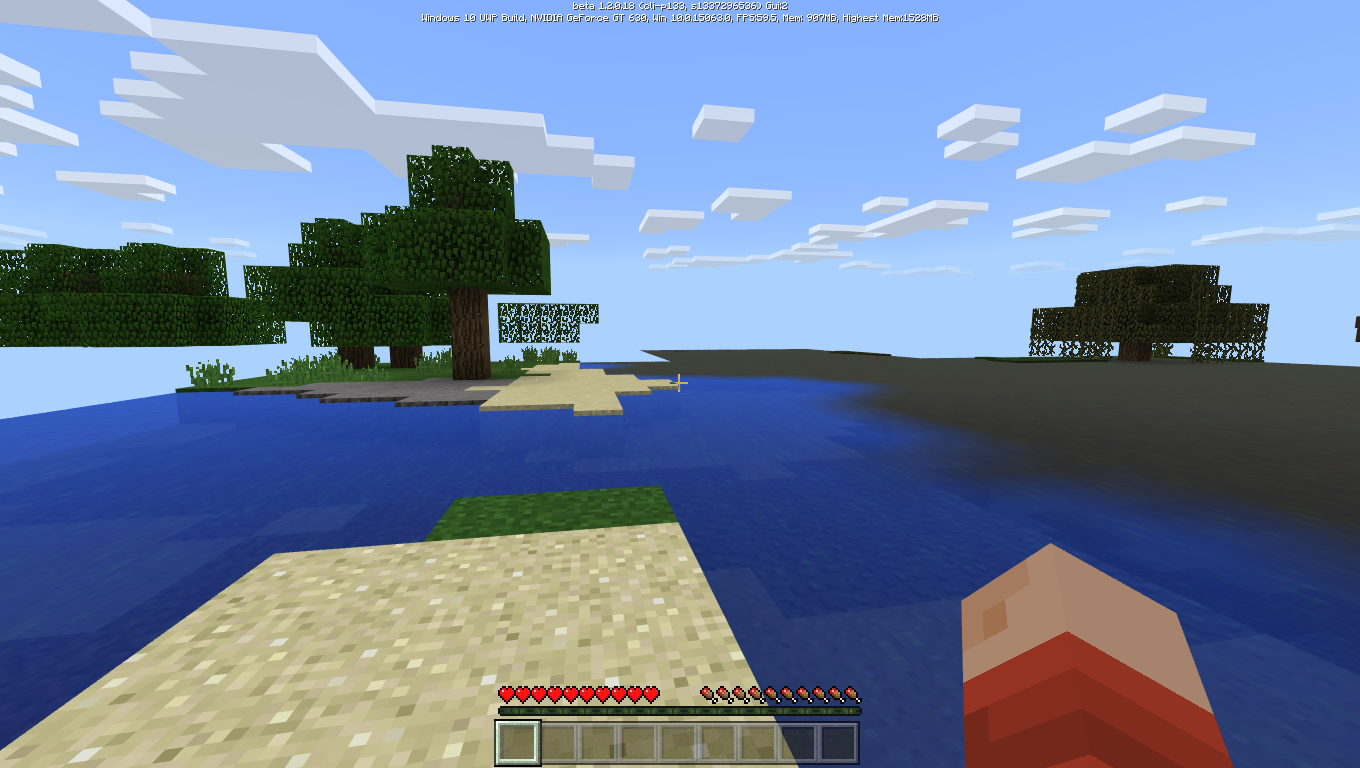
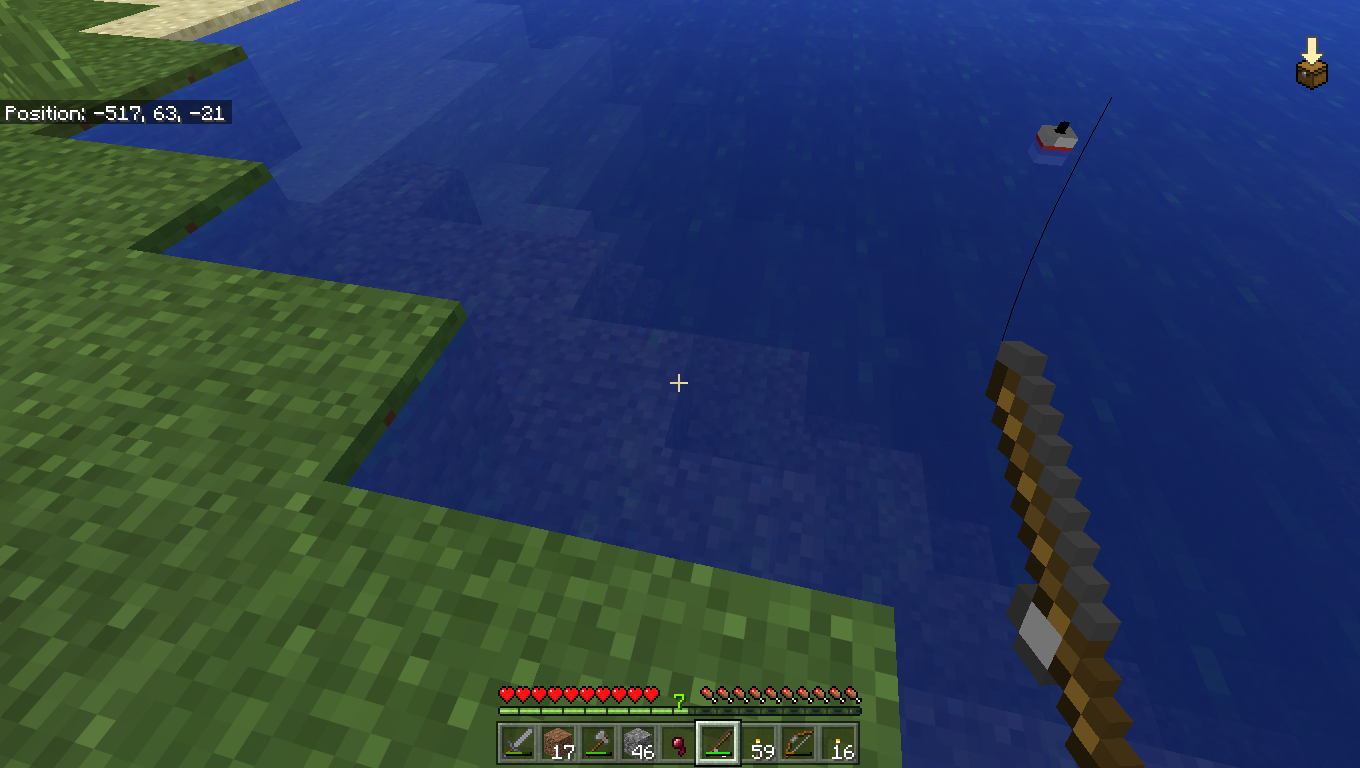
Main-hand bugged after swimming in water, and either is positioned 180* than normal or at another angle more that 180*.
To Reproduce:
1. Go in a game with experimental features turned to [On]
2. Go underwater
3. Sprint in first person
4. Observe the main handPlease fix
Main-hand bugged after swimming in water, and either is positioned 180* than normal or at another angle more that 180*.
To Reproduce:
1. Go in a game with experimental features turned to [On]
2. Go underwater
3. Sprint in first person
4. Observe the main handPlease fix
It can be observed in 1.2.13.8 but there was no option for it
If you select classic gui in mcbe, and left-hold click, a green bar will appear indicating the transfer of that item from one inventory to another storage slot. This being very annoying.
Note: Happens in 1.2.13 only
Yep, i take that as an advantage though, but it should be fixed to make minecraft more close to real life physics. Yep, thats not reality!
This is true, I agree with you. It's taking time for us to gather resources to craft something. Please fix
You just copied my thread and issue >
What do u mean
Yay! Fixed in 1.2.0.18 thank u mojang and microsoft!
Yeah, but i think its nice, however make an option to enable it and disable it
Can confirm! Happens to me too that often when I set the world to multiplayer, players on lan and xbox live can still join somehow. Please fix, gets annoying and getting on my nerves.
Happens almost every time i open the game,
Realms already has lots of bugs and issues and for fixing, it has been disabled in 1.2 beta. In the official release of the 1.2, it's most likely to be fixed. Patience.
If this is added as an add-on. It might not work. If this has been given to you at MineCon , then you are right, It will be fixed before 1.2's official release.
You are likely to face bugs and issues in the beta. Stay patient and now that you have reported the bug, it's most likely to be fixed before the official release of 1.2
Yes, rendring is a very heavy process for most devices. I'll confirm this issue, however please check if all of your device is up-to-date to the newest version.
Can confirm, it's a major issue and can be fixed by restarting the app/game. I hope gets fixed.
Yes, please make hitboxes for windows 10 users a lot smaller however dont make hitboxes for the pe players too small as it is an issue of handibility and control
Can you be more specific and give a little more detail?
affects 1.2.0.7,11,18 too.
Can confirm, it's also often that many layers in the banner go invisible. Pls fix
Make it confirmed, I can assure you this is a real bug, when we do example, "/effect @a jump_boost 1000 5 true", the true is meant to hide the particles. However the particles still appear in black to all in-game players. Fix pls.
This message may appear in certain conditions where:
-your internet might be weak
-your internet might not be connected at all
I'm pretty sure it's not a bug, it was designed this way, the wiki clearly states that falling blocks will turn to dropped items as soon as they fall into non-solid blocks/transparent blocks. For example cake, it does not cover a whole box. That's why it is known as a non-solid block/entity or a transparent block/entity.
It is affecting all of the 1.2, all the builds, so far i'm using 1.2.0.22
Realms are confirmed to not work in the 1.2 beta, however a future fix is planned. This is also a duplicate.
Yes, this is already an issue, I am positive it is a dupticate of earlier posts, please search before posting a bug
I made a new world, played, made a huge house, got loads of iron. Then I clicked save and quit. Then came back to play for 2 hours next day then went away(Save and quit).
After a while after doing this, my spawn position reset and it switched to the last place where I saved the game, so did the inventory.
My 2 stacks of iron were gone, my diamond sword and pickaxe were gone, and it totally reset to the previous save. I lost MOST of my progress.
Even though the world stayed saved, the place where I had mined iron were exactly like that, but the player spawn and inventory totally reset to previous save.
VERY ANNOYING. PLEASE FIX.
However, this bug seems to be effecting ALL of my worlds in 1.2.8
Can confirm!
Really annoying bug! If you are a fast type person, you would know about this bug. If you type any sentence at a fast pace, it's mostly that half of the sentence takes about 5-10 more seconds to type. For eg, if you type, "Hello, my name is BlazingBeam and I love playing Minecraft.", and by the time you are done with the sentence and have finished typing, the game will show it being still typed at a really slow pace and will show you that you are at, "Hello, my name is Blaz..." and so on. Please fix. Because sometimes, commands need to be quick and because of the chat lag, things go wrong often.( Like my cousin blew up my whole house because I wasn't able to tell him in time to stop, because we would stay there 2 more nights.)
Can assure!
I usually play in hardmode, and it often, alot, feels like peaceful. I don't notice any mobs spawning except the usual sheep and cow and pig, which makes it pretty boring. Make Minecraft challenging again.
This is a real issue, I can assure you this occurs, as this has occured for both me and my cousin. It's quite often that after I do my usual surviving thing, and save and quit . Then when I return, the world has been saved, all of my house and mines are exact, but my inventory empty, and me, stranded at the spawnpoint. It seems the game isn't opening the last save for the character but it is opening the first save for the character. Please fix. I've lost countless valuables cause of this bug.
I totally agree with you, what reason is there to play if there is nothing that stays there as a reward in the end? It makes it utterly boring. All my 5 hours for gathering iron resulted in my inventory being the way it was, and the iron gone from the mines.
Wow! Didn't notice but yes! It's still a bug and needs to be fixed though.
Very true. Has occured to me as well, especially when there is a network problem during the time minecraft is being started.
Actually, this bug is useful. Or it works as intended.
People who dont use the "E" key for inventory use the mouse and if they accidentally open the inventory, they can just click, they wont have to move their mouse all the way to the cross. Especially in games like bedwars and skywars. You need to get to the chests adn quickly get stuff.
Can you, reproduce the bug? It's extremely helpful if the bug is reproducable. So the devs can fix it.
oh, the whole time, k thank you
Glitch occurring on the xbox live at some point too, might be something to do with the microsoft company.. It occurs on Windows 10 devices, android, and xbox one. Idk about IOS
pls delete this issue
Also noticable on windows 10 version for minecraft
I think this is also affecting in windows 10 edition
It appears that some of the chunks haven't been rendered completely( loaded completely) though the things are still there, but you cannot see them. It is a common glitch/bug. Reloading the game or placing/destroying a block over that chunk fixes it for me.
True, but I kind of find it useful.
duplicate
Health regeneration is normal on peaceful mode, 1.2.9..... I don't see why this is a bug... it seems to work as intended
Yes, this happens on every world, and I have no texture packs applied. And yes, the air blocks seem to be water . This is not so widespread as it gives the same visibility as if you were in water. Same for the sky question
Yes, I agree, confirmed on W10 Edition, relates to chunk remaining invisible until it recieves a block update.
This bug is not related to the lifeboat, inpvp or mineplex servers as it also occurs in 1.2.9
It seems you have to hold the backspace or press the backspace a number of times before you can delete the text.
I'm waiting for 3 sheep and a horse for 5 days, they STILL HAVEN't SPAWNED.
_Confirmed on W10 Edition
Confirmed on W10, bugged pistons stop working or get stuck in one state as well and will either disconnect you from your world or crash the game
This is true, it appears that the there was an inventory rollback, luckily I had an external copy of my world
Good observation but duplicate of
MCPE-25034, please search before posting a bug.I think it works as intended. Wood can be set on fire in any biome except if there is water near or on it.
This issue is not graphics related but minecraft physics related
its not a mod, its called a mob with a "-b" . Mods are entirely different stuff, they are modifications in the game.
This website is for bug reports ONLY, report all suggestions to
http://feedback.minecraft.net/
I agree that the dog moves in some occasions. Others, I'm not sure, minecraft isnt supposed to be realistic. But pls fix the dog moving while sitting bug. You can refer a dog to as a tamed wolf
True, very annoying, can be observed specifically during mining if you break blocks and suddenly place torches.
Confirmed on w10
Did you try to turn on coordinates while playing the game or did you try to turn it on in the game settings?
Currently, you can only turn coordinates on without turning on cheats through the game settings, if you want to toggle the setting while playing the game, you will have to turn on cheats.
Please try to be more specific, oh and parrots will make mob sounds if they are nearby, check under the ground or behind trees or under water or over a roof.
Confimed on W10 and Pe 1.2.10.2
Some textures are slightly offset such as glass, iron bars and other.
I think it works as intended as Mojang never implemented armor showing up on sleeves on hands in first person view, if you focus, they haven't implemented the body as well because if you click you can see that the hand has litrally no connection.
Please surf the wiki for how things work before posting something as a bug.
Confirmed Minecraft w10 1.2.10.2
can Reproduce by given instructions.
Vote to get the bug more priority and giving it attention so it is fixed.
It has stopped occuring, though this occured after I used and took off the energy shaders
Confirmed on W10, if you make a dog sit while it is moving, it will keep sliding on the ground and looking at you until it looses momentum.
Auldrick, what I mean that we can pick them up via cursor, but if we hold the left click at them, there shows a green bar which is supposedly for the pocket gui, indicating bulk transfer of that item.
place a tower 4 blocks high,
place ladders to height of y level 1,2,3 respectively according to the tower
You will not be able to stand on y level 4 respectively according to the tower.
i dont think it supposed to be like that
Confirmed on w10 1.2.10.2, parrots' feet are visible through
their backs, not quite noticeable but its a bug.
This was partially fixed in the 1.2.10.1 beta, but didn't make it to the official 1.2.10.2. However, I think it is partially fixed in the 1.2.13.5 beta
No it hasn't .-.
fixed in 1.2.11
I think this works as intended as those chunks are chunks assigned with guardian spawnable. And they will spawn on the highest layer of blocks possible, relatively the lava blocks, because there is no block above it but air. I might be wrong.
It doesnt matter which blocks, i affects the bed if you re-log or restart the game on w10! Please fix! i cannot interact with it as well! Affects 1.2.11
Confirmed on w10, trident position in the mainhand is incorrect visually and appears to be already flying
confirmed on w10
This is more of a suggestion than a bug as it hasn't been implemented yet.
Please post your suggestions at [feedback.minecraft.net]
This place is for bug reports only.
Confirmed on Mcpe 1.2.14.2, gets stuck on the Minecraft logo screen and then later asks to close the app.
However, the beta works PERFECTLY on win10.
fix for it soon?