 Jiogo18
- Jiogo18
- jiogo18
- Europe/Stockholm
- Yes
- No
 MC-161286
![[Mojang] Chi Wong](../../../data/avatars/users/18941.svg)
![[Mojang] slicedlime](../../../data/assets/gravatar/slicedlime.jpeg)
 Low
Low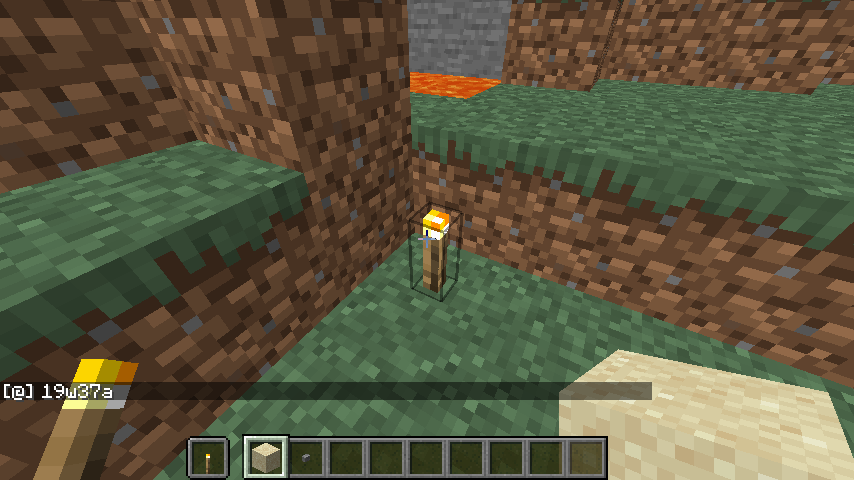
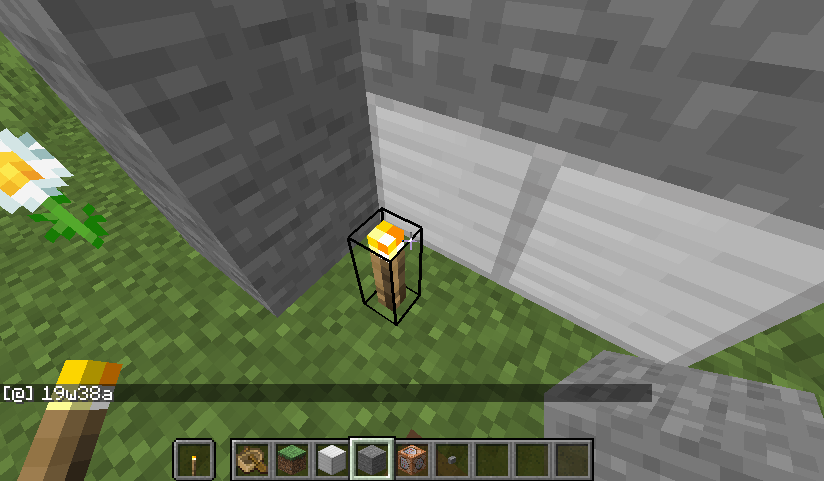
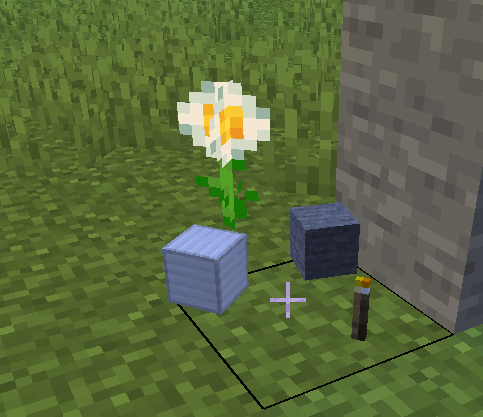


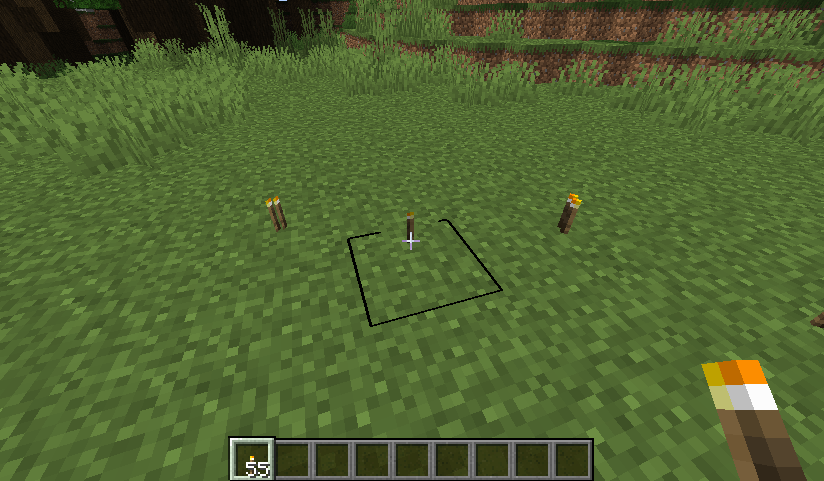

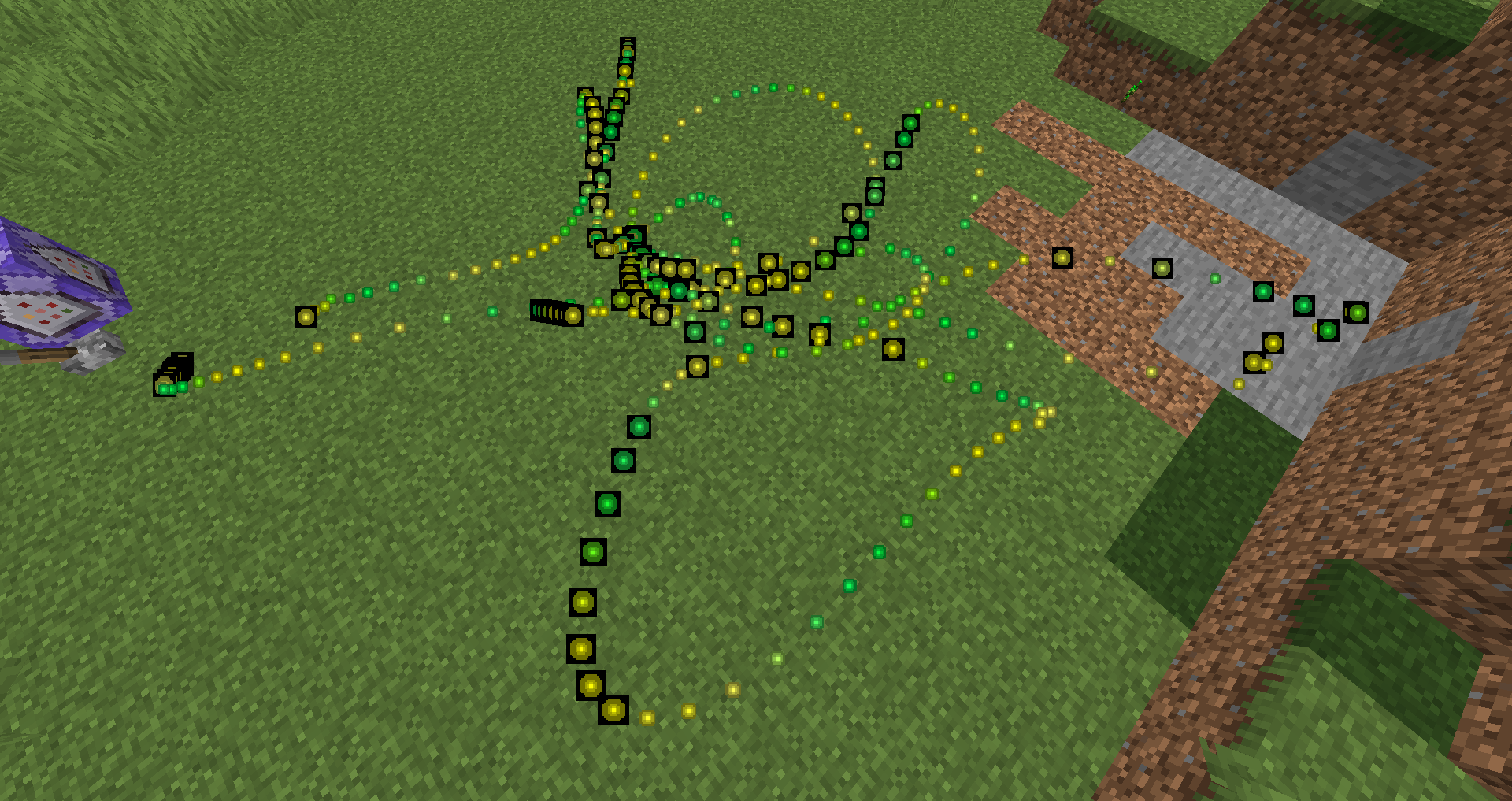

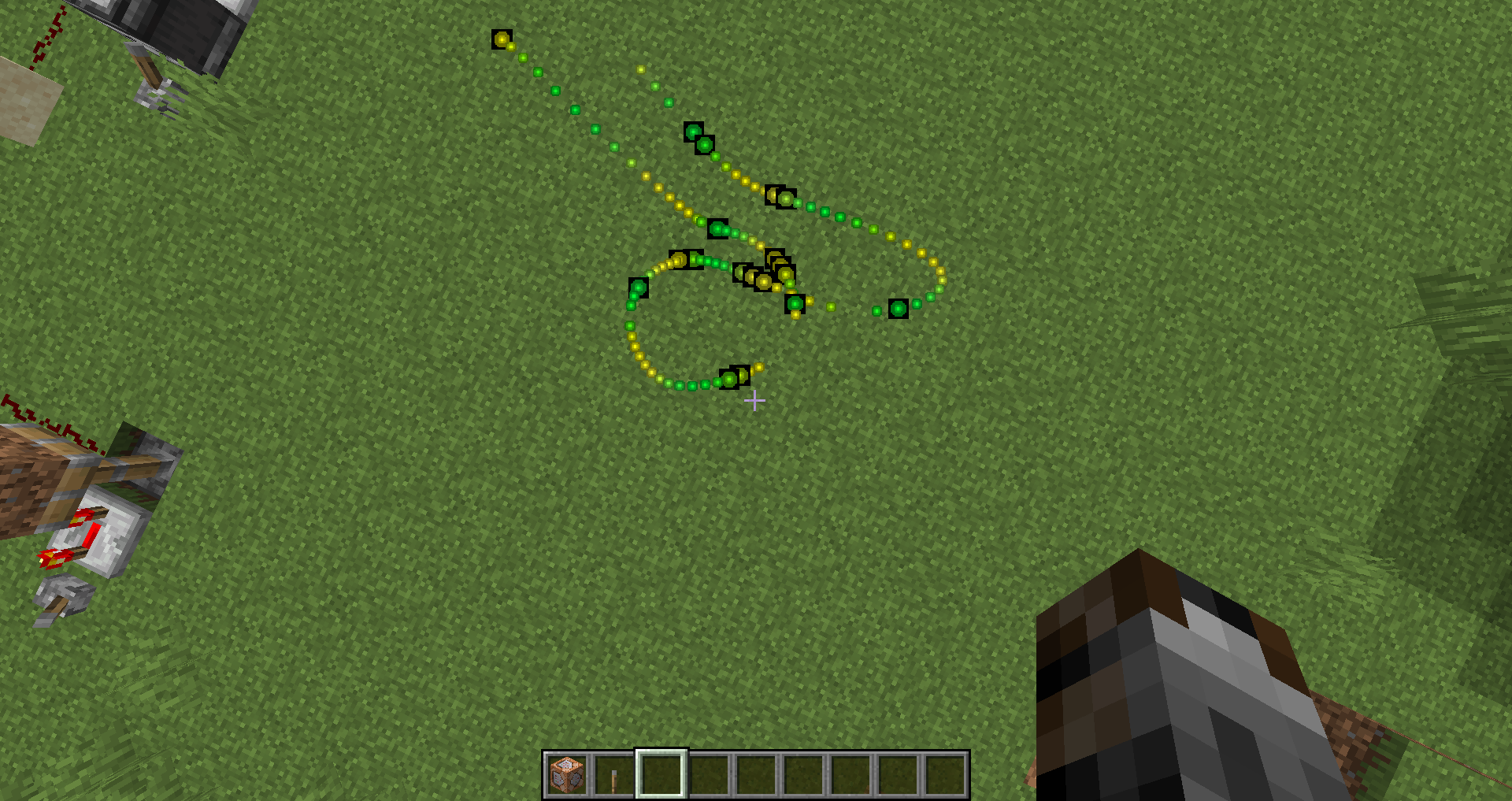
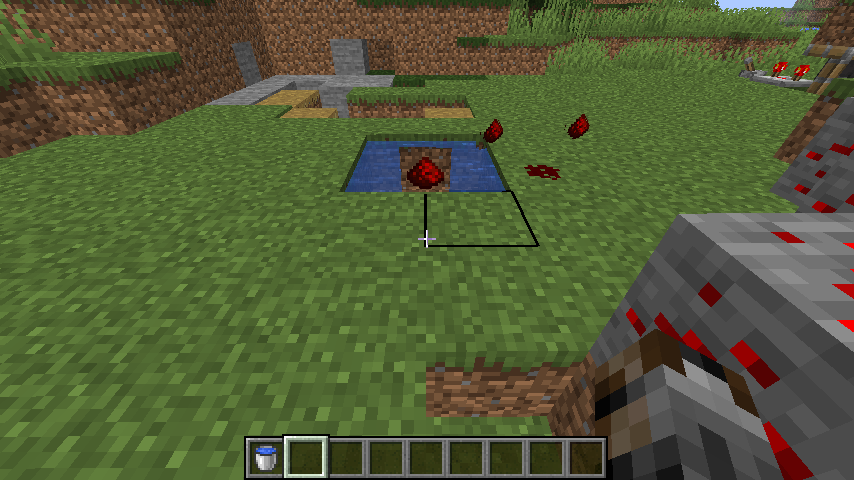



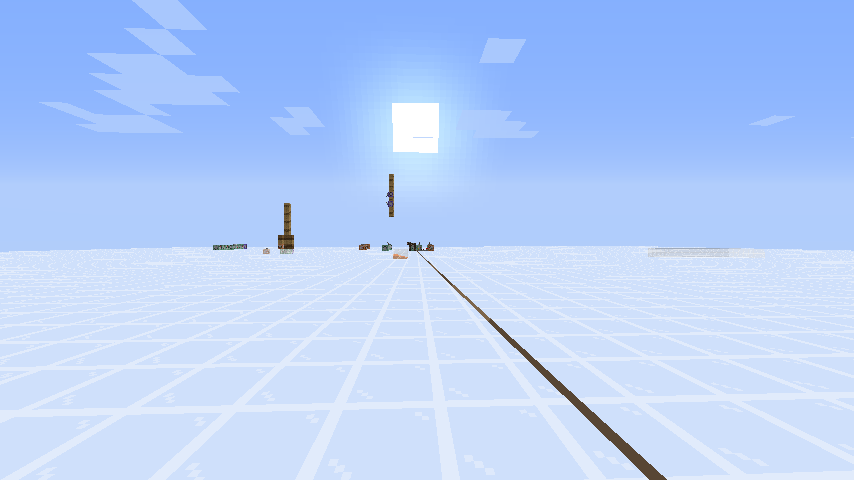


Items (2d items) have a strange rendering
(but not before 19w38a)
1) sometimes a 2d items is not rendered in 3d (depth), so it is flat
2) a ghost will turn with the item and the selection border disappears3) It seems that we have a ghost with some redstone, it's really strange (it's a stack of 3 redstone)
Items (2d items) have a strange rendering
an item is flat and we see a ghost (a square), (the selection border or water disappears)
the bug appear only when you change your "z" orientation
for exemple
/tp @s ~ ~ ~ 0 0work (screenshot with the bucket)
Strange render with itemsand xp orb
Items (2d items) have a strange rendering
an item is flat and we see a ghost (a square), (the selection border or water disappears)
the bug appear only when you change your "z" orientation
for exemple
/tp @s ~ ~ ~ 0 0work (screenshot with the bucket)
(same as https://bugs.mojang.com/browse/MC-161285)
When i press f3 + g, nothing do i can't see the chunk limit
(in 19w37a i see the border limit)
(note : hitbox are visible)
Java 8 update 221 (64 bits)
With a slime block and snow of 3 to 8 layers on (in 1.14.4), entities glide much more than on other blocks (the motion is reduced slowly).
But in 19w45b, we glide with a slime block and snow from 3 to 5 layers only
The bug
In 1.14.4 and above, entities slide more than on other blocks on slime block with 3 to 8 layers of snow.
But in 19w45b, entities slide more with a slime block and 3 to 5 layers of snow.
Edit 1.16 pre-release 6: an armor stand on a slime block and 2 layers of snow is at the same level than with a slime block (contrary to 19w45b when it travel only 3 blocks)
The bug
In 1.14.4 and above, entities slide more than on other blocks on slime block with 3 to 8 layers of snow.
But in 19w45b, entities slide more with a slime block and 3 to 5 layers of snow.
Edit 1.16 pre-release 6: an armor stand on a slime block and 2 layers of snow is at the same level than with a slime block (contrary to 19w45b when it travel only 3 blocks)
The bug
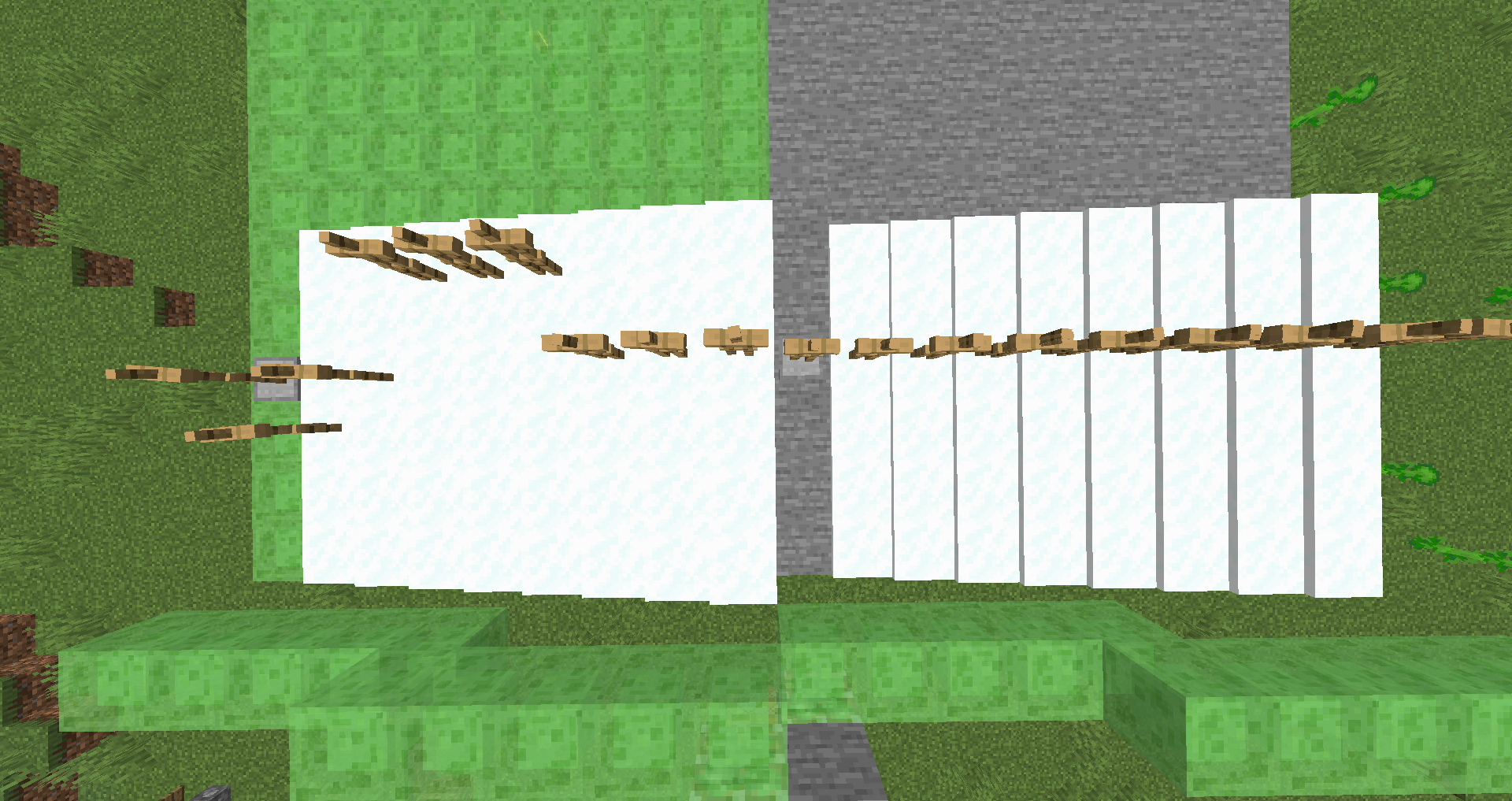
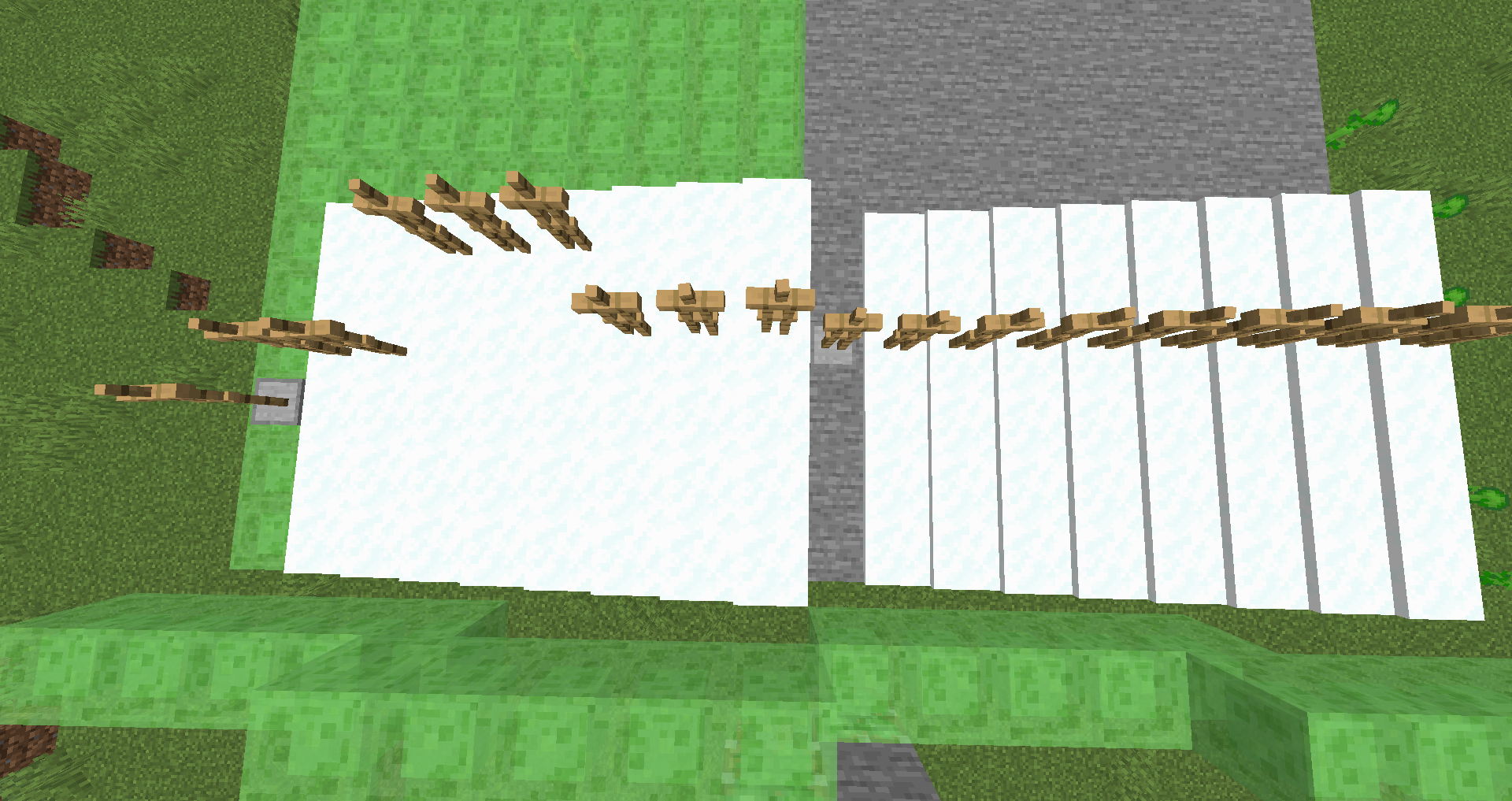
Usually, entities slide for 4 blocks by pushing them with slime block.
In 1.14.4 and above, entities slide for 5 blocks on slime block with 3 to 8 layers of snow.
But in 19w45b, entities slide on 5 blocks on a slime block and 3 to 5 layers of snow.
Edit 1.16 pre-release 6: an armor stand on a slime block and 2 layers of snow is at the same level than with a slime block (contrary to 19w45b when it travel only 3 blocks)
The bug
Usually, entities slide for 4 blocks by pushing them with slime block.
.
Edit 1.16 pre-release 6:an armor stand on a slime block and 2 layers of snow is at the same level than with a slime block (contrary to 19w45b when it travel only 3 blocks)
Usually, entities slide for 4 blocks by pushing them with slime block.
What I expected to happen was...:
What actually happened was...:
Steps to Reproduce:
- Place an armor stand on a line of slime block (5-6) with snow layers (or not)
- Push the armor stand with slime block
- The distance traveled depend on the layers of snow and on the version
Edit 1.16 pre-release 5: an armor stand on a slime block and 2 layers of snow is at the same level than with a slime block (contrary to 19w45b when it travel only 3 blocks)
Edit 1.16 pre-release 6: with 1 or 2 layers of snow, the armor stand travel one block less than default and with 3 to 5 it travel 1 more.
Entities glideon snow and slime blockbut with limitsEntity sliding on snow and slime block is inconsistent
By pushing a falling sand with a piston to honey block, sandslide to a block (like entities)but instead turning it into a solid block, it drop
What I expected to happen was...:
In both situation, sand will return to a solid block
What actually happened was...:
only the falling block with a non-air under it will turn into solid blockSteps to Reproduce:
summon/place a falling block with something like 3/4 in air and 1/4 above a solid block
and if next to the solid block there is :
-block (torch, full block...) : sand turn it into solid block
-air : sand stay as a falling block and it drop
Falling sand drop with honey blockbecause of the idboxFalling sand drop with half in the air because of the idbox
What I expected to happen was...:
In both situation, sand will return to a solid block
What actually happened was...:
only the falling block with a non-air under it will turn into solid blockSteps to Reproduce:
summon/place a falling block with something like 3/4 in air and 1/4 above a solid block
and if next to the solid block there is :
-block (torch, full block...) : sand turn it into solid block
-air : sand stay as a falling block and it drop
What I expected to happen was...:
In both situation, sand will return to a solid block
What actually happened was...:
only the falling block with a non-air under it will turn into solid blockSteps to Reproduce:
summon/place a falling block with something like 3/4 in air and 1/4 above a solid block (with a command block it's : )
summon minecraft:falling_block ~ ~3 ~0.75 {Time:1}and if next to the solid block there is :
-block (torch, full block...) : sand turn it into solid block
-air : sand stay as a falling block and it drop
(note : I used the same setup as
MC-165728but it's only because I had found with this bugreport)
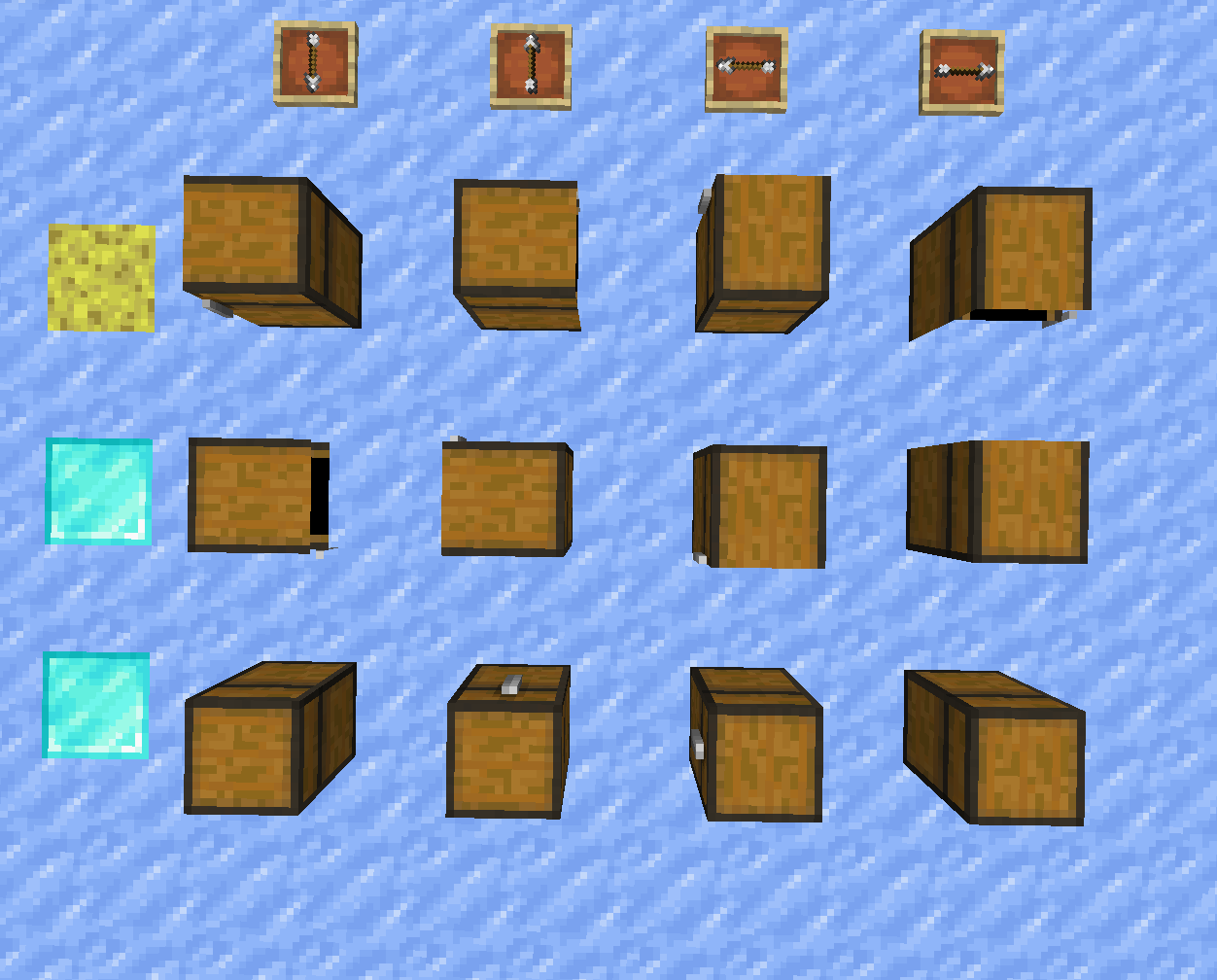
Place a left-double chest with a debug stick/command
/setblock ~ ~ ~ minecraft:chest[type=left]
this chest (without update) plays any sound
(type=right play the sound)
nb: trapped_chest with type left tooin the picture, only chest in diamond lines plays sound
Place a left-double chest with a debug stick/command
/setblock ~ ~ ~ minecraft:chest[type=left]this chest (without update) plays any sound
(type=right play the sound)
nb: trapped_chest with type left tooin the picture, only chest in diamond lines plays sound
Place a left-double chest with a debug stick/
command(removed before 1.16.1)/setblock ~ ~ ~ minecraft:chest[type=left]this chest (without update) plays any sound
(type=right play the sound)
nb: trapped_chest with type left tooin the picture, only chest in diamond lines plays sound
Place a left-double chest with a debug stick/
command(removed before 1.16.1)/setblock ~ ~ ~ minecraft:chest[type=left]this chest (without update) plays any sound
(type=right play the sound)
nb: trapped_chest with type left tooin the picture, only chest in diamond lines plays sound
What I expected to happen was...:
A type "left" chest check if it is alone and then play the sound
What actually happened was...:
Only type "single" chest and type "right" chest plays sound(trapped_chest with type left too)
in the picture, only chest in diamond lines plays sound
Steps to Reproduce:
Place a left-double chest with a debug stick on a single chest /
with the following command(removed before 1.16.1)–
/setblock ~ ~ ~ minecraft:chest[type=left]
image-2020-12-18-13-14-43-236.png
By adding a lead to a mob (with item or with command) a leash appears but when i remove it with the following command it is always here
add the leash:
execute as @e[type=!player,distance=..10] at @s run data modify entity @s Leash.UUIDLeast set from entity @p[distance=..40] UUIDLeast execute as @e[type=!player] at @s run data modify entity @s Leash.UUIDMost set from entity @p[distance=..40] UUIDMostremove the leash:
execute as @e[type=!player] run data modify entity @s Leash set value {}Then if I have to go to 100 blocks or to reload the world to update the leash (the mob is not affected, it's free by removing the leash)
Moreover I can right click on a mob which has a visual leash
By adding a lead to a mob (with item or with command) a leash appears
but when i remove it with the following command it is always hereadd the leash:
execute as @e[type=!player,distance=..10] at @s run data modify entity @s Leash.UUIDLeast set from entity @p[distance=..40] UUIDLeast execute as @e[type=!player] at @s run data modify entity @s Leash.UUIDMost set from entity @p[distance=..40] UUIDMostremove the leash:
execute as @e[type=!player] run data modify entity @s Leash set value {}Then if I have to go to 100 blocks or to reload the world to update the leash (the mob is not affected, it's free by removing the leash)
Moreover I can right click on a mob which has a visual leashBy adding a lead to a mob (with item or with command) a leash appears.
What I expected to happen was...:
By removing the leash with data, The leash is removed
What actually happened was...:
But when I remove it with the following command the leash is always here (in data of the entity and visually)Steps to Reproduce:
execute as @e[type=!player,distance=..10] at @s run data modify entity @s Leash.UUID set from entity @p[distance=..40] UUID
execute as @e[type=!player,distance=..10] run data modify entity @s Leash set value {}
Update 1.16: the UUID system has changed in 1.16
Data command remove leash from a mobbut still here visuallyData command doesn't remove leash from a mob
Data command doesn't remove leash from a mobData command does not behave properly when modifying or removing tag
By adding a lead to a mob (with item or with command) a leash appears.
What I expected to happen was...:
By removing the leash with data, The leash is removed
What actually happened was...:
But when I remove it with the following command the leash is always here (in data of the entity and visually)
Steps to Reproduce:
execute as @e[type=!player,distance=..10] at @s run data modify entity @s Leash.UUID set from entity @p[distance=..40] UUID
execute as @e[type=!player,distance=..10] run data remove entity @s Leash
Update 1.16: the UUID system has changed in 1.16
By adding a lead to a mob (with item or with command) a leash appears.
What I expected to happen was...:
By removing the leash with data, The leash is removed
What actually happened was...:
But when I remove it with the following command the leash is always here (in data of the entity and visually)What is affected:
- Removing leash (adding a lead works)
- Editing an entity's inventory (removing or modifying an item)
Steps to Reproduce:
execute as @e[type=!player,distance=..10] at @s run data modify entity @s Leash.UUID set from entity @p[distance=..40] UUID
execute as @e[type=!player,distance=..10] run data remove entity @s Leash
Update 1.16: the UUID system has changed in 1.16
By adding a lead to a mob (with item or with command) a leash appears.
What I expected to happen was...:
By removing the leash with data, The leash is removed
What actually happened was...:
But when I remove it with the following command the leash is always here (in data of the entity and visually)What is affected:
- Removing leash (adding a lead works)
- Editing an entity's inventory (removing or modifying an item)
Steps to Reproduce:
add the leash(or with item):execute as @e[type=!player,distance=..10] at @s run data modify entity @s Leash.UUID set from entity @p[distance=..40] UUID
remove the leash:execute as @e[type=!player,distance=..10] run data remove entity @s Leash
Update 1.16: the UUID system has changed in 1.16
By adding a lead to a mob (with item or with command) a leash appears.
What I expected to happen was...:
The data command can be used to modify or remove tags of entities, or at least returns an error
For instance, by removing a leash with /data remove ..., the leash is removedWhat actually happened was...:
The data command returns "Modified entity data of ..." but didn't behave properly
If I remove the leash with the following command, nothing changesWhat is affected:
- Removing leash (adding a lead works)
- Editing an entity's inventory (removing or modifying an item, and can duplicate items for no reason)
Steps to Reproduce:
execute as @e[type=!player,distance=..10] at @s run data modify entity @s Leash.UUID set from entity @p[distance=..40] UUID
execute as @e[type=!player,distance=..10] run data remove entity @s Leash
summon villager ~ ~ ~ {Inventory:[{id:"minecraft:potato",Count:7b}],NoAI:1b}
data merge entity @e[type=villager,limit=1,sort=nearest] {Inventory:[{id:"minecraft:stone",Count:2b}]}
data get entity @e[type=villager,limit=1,sort=nearest] Inventory
data modify entity @e[type=villager,limit=1,sort=nearest] Inventory[0].Count set value 1b data get entity @e[type=villager,limit=1,sort=nearest] InventoryUpdate 1.16: the UUID system has changed in 1.16
By adding a lead to a mob (with item or with command) a leash appears.
What I expected to happen was...:
The data command can be used to modify or remove tags of entities, or at least returns an error
For instance, by removing a leash with /data remove ..., the leash is removedWhat actually happened was...:
The data command returns "Modified entity data of ..." but didn't behave properly
If I remove the leash with the following command, nothing changes
What is affected:
- Removing leash (adding a lead works)
- Editing an entity's inventory (removing or modifying an item, and can duplicate items for no reason)
Steps to Reproduce:
execute as @e[type=!player,distance=..10] at @s run data modify entity @s Leash.UUID set from entity @p[distance=..40] UUID
execute as @e[type=!player,distance=..10] run data remove entity @s Leash
summon villager ~ ~ ~ {Inventory:[{id:"minecraft:potato",Count:7b}],NoAI:1b}
data merge entity @e[type=villager,limit=1,sort=nearest] {Inventory:[{id:"minecraft:stone",Count:2b}]}
data get entity @e[type=villager,limit=1,sort=nearest] Inventory
data modify entity@e[type=villager,limit=1,sort=nearest] Inventory[0].Count set value 1b data get entity @e[type=villager,limit=1,sort=nearest] InventoryUpdate 1.16: the UUID system has changed in 1.16
By adding a lead to a mob (with item or with command) a leash appears.
What I expected to happen was...:
By removing the leash with data, The leash is removed
What actually happened was...:
But when I remove it with the following command the leash is always here (in data of the entity and visually)Steps to Reproduce:
execute as @e[type=!player,distance=..10] at @s run data modify entity @s Leash.UUID set from entity @p[distance=..40] UUID
execute as @e[type=!player,distance=..10] run data remove entity @s LeashUpdate 1.16: the UUID system has changed in 1.16
Data command doesnot behave properly when modifying or removing tagData command doesn't remove leash from a mob
Leashdrop from entities unleashed with/dataUnleashed entities drop a lead using /data
What I expected to happen was...:
By
removing the leash with data on an entity without leash,it doesn'tdropWhat actually happened was...:
But when Iremove itwith the following commandtheleashis always dropped (from mobs)Steps to Reproduce:
As
MC-179815remove the leash with:execute as @e[type=!player,distance=..40] run data modify entity @s Leash set value {}
This can be solved with
MC-179817What I expected to happen was...:
By modifying the leash with /data modify on an entity without leash, no lead drops.
What actually happened was...:
When I modify the leash with the following command, a lead is always dropped (from mobs)Steps to Reproduce:
As
MC-179815remove the leash with:execute as @e[type=!player,distance=..40] run data modify entity @s Leash set value {}
This can be solved with
MC-179817

Jiogo18 Can you clarify this report and provide a video or repro steps? When i try to reproduce, the sand is behaving as intended and slides down the honey without popping after being pushed with a piston.
I can't reproduce this on multiple tries. As soon as an offset sandblock connects to an ordinary properly aligned block, the sandblock will pop. See the "Falling sand" video attached.
Jiogo18 Can you still reproduce this behavior on the latest pre release?
again in 19w37a,
I have some details:
In a command block, you can summon a boat
summon minecraft:boat ~ ~y ~
where y = 12.5, 13.5, 49.5, 51.5, 111.5, 114.5, 198.5 or 202.5 (work with a tower)
(0.5 because a command block summon in the middle of a block)
Or you can run /data modify entity @e[type=boat,sort=nearest,limit=1] Motion[1] set value 1.0
(1.0 corresponds to 13 blocks, and 0.9 to 12)
It only affects the shadow of other, decorative and redstone (creative)
Other common inventory gui seems good
It happen with a lot of blocks
For my par i can break a redstone ore with a diamond pickaxe but every grass/dirt/stone can'ot be broken with a tool or an empty hand
I have see a strange stray when i have break a redstone block, i will try to reproduce it
edit : in a chunk i can break redstone ore but when i go in an other, it's not possible
Confirmed in 1.14.4 but resolved in 19w35a:
duplicated with
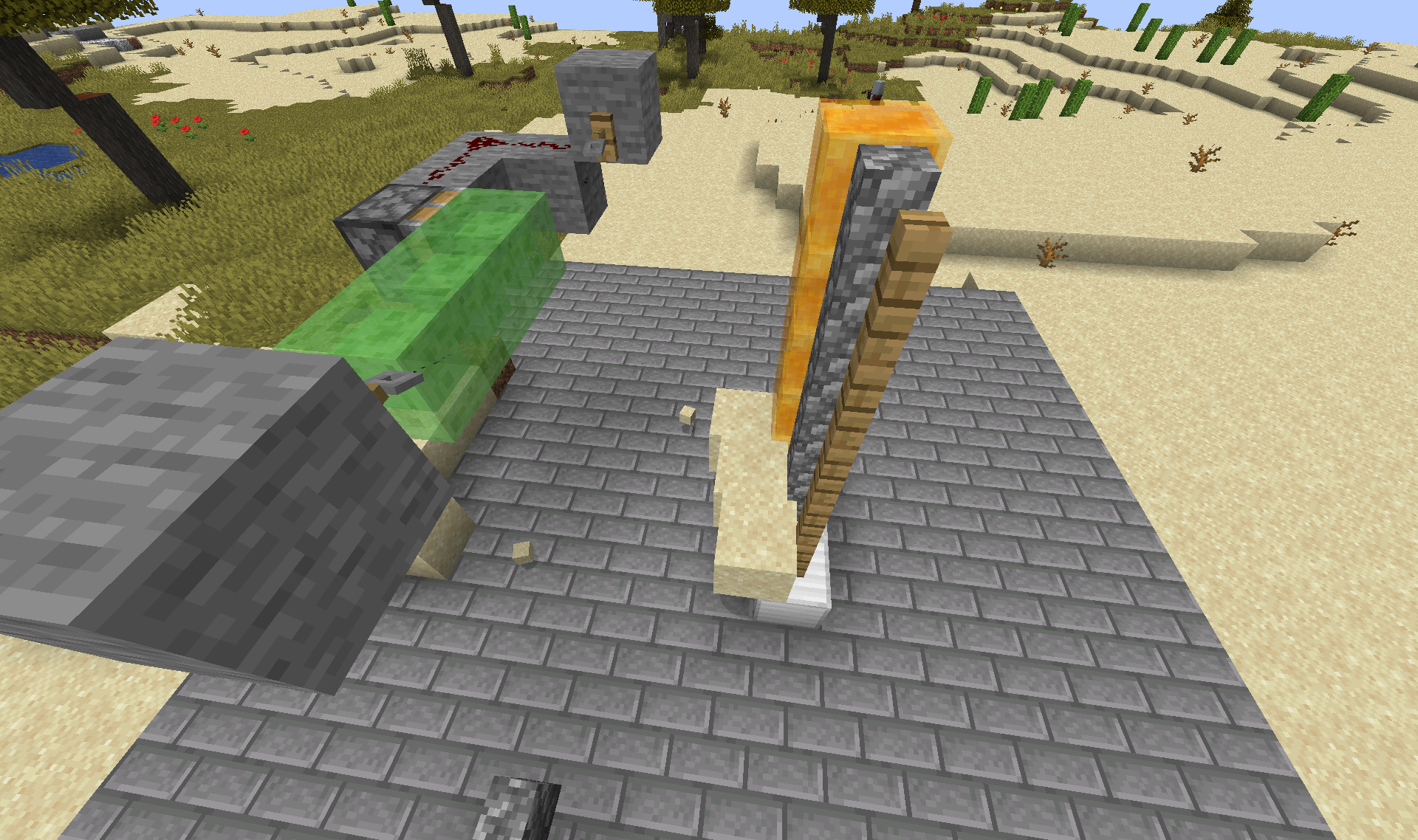
MC-159429(video),MC-159462andMC-849probablyBug of idbox for falling sand and slab (work for non-naturally generated slabs)
If slab has no block bellow (air, water, entity...), the falling block stay as entity when it is on the slab
(and pop after 25s)
can be usefull:
brewing stand has the same idbox (0.875 of high) but the entities are not dark on it (19w46b)
Sorry, it's a little bit a suggestion but it's logical that bears have a large attack range because slime, iron golem, dragon and other "big" entities have it.
(in fact, ravager hasn't this attack radius too)
Oops sorry, it's not because of honey, i had placed a block under the honey, the sand stay in air.
(replace honey by fence and it doesn't change anything, we need just to create a falling block how isn't on a single block)
It's a little bit confused in my head, I had seen something strange but i don't know how to describe it.
Yes it's fixed, tanks (1.15 pre2 too)
I can't reproduce (in 1.15), entities have a portal cool-down of 300 ticks (15 seconds) so it can take a long time before a new teleportation
Also works with Left-handed Piglin: they don't look at the golden item, they look at their weapon instead
/summon minecraft:piglin ~ ~ ~ {LeftHanded: 1b, HandItems: [{id: "minecraft:wooden_sword", Count: 1b, tag: {Damage: 0}}, {}], CanPickUpLoot: 1b}Well, this is mayme related to
MC-137470for pillagers but I've found another circumstances:In 20w22a, when Piglins attack Wither skeleton / Hoglin, they keep agro at the death location of their target for a short times.
(also if their isn't any loot from the wither/hoglin)
piglin vs wither.mp4
For hoglin ilmango illustrated it (no it's not the piglins dance...) https://youtu.be/dBu4PZ7qT7k?t=317
In fact I see only 3 ways to solve this issue:
1) Set a "texture priority" on painting
2) Only in this case, put the painting above
3) It works as expected because there is no way to fix it because it is "logical"
Of course I prefer the first solution because it's common with custom textures/mod...
It seems fixed between 1.15.2 and 1.16.1
It also happens randomly with too many entities:
summon 50 armor stand, and the run
/spreadplayers ~4.5 ~4.5 1 4.5 false @e[type=minecraft:armor_stand]half the time the game freeze (server and sometimes client) (and every time with more than 100 armor stand)
The command set a chest "single", but with the debug stick it's still possible to place a chest "left" in 20w51a
Also, the sculk sensor detect the action even if the sound is not played.
Yes indeed it's no longer possible without the debug stick... (won't fix).
The entity distance depends on the render distance, but not for the entity particles. the distance for entities is lower
 the distance for particles stay the same (as having 32 chunks and 50 %)
With an entity distance of 50 % and a render distance of 32 chunks, the distance for entities and particles entity is the same (5 chunks)
And with a lower render distance,
→
→
Can confirm in 1.19.1.
Can confirm in 1.19.2.
If a player is in the boat, it doesn't break for 12 and 13 blocks. I have tested 49 blocks and the boat break (the player die too).
For 12 or 13 blocks, the boat break when (no player in the boat) :
Fixed in 24w06a not 23w06a, see 2024-11-09 00-40-36.mp4
For more details, it fixes: