 Ju_mao
- Ju_mao
- JIRAUSER736251
- Europe/Stockholm
- Yes
- No
 MCPE-162817
 MC-265026



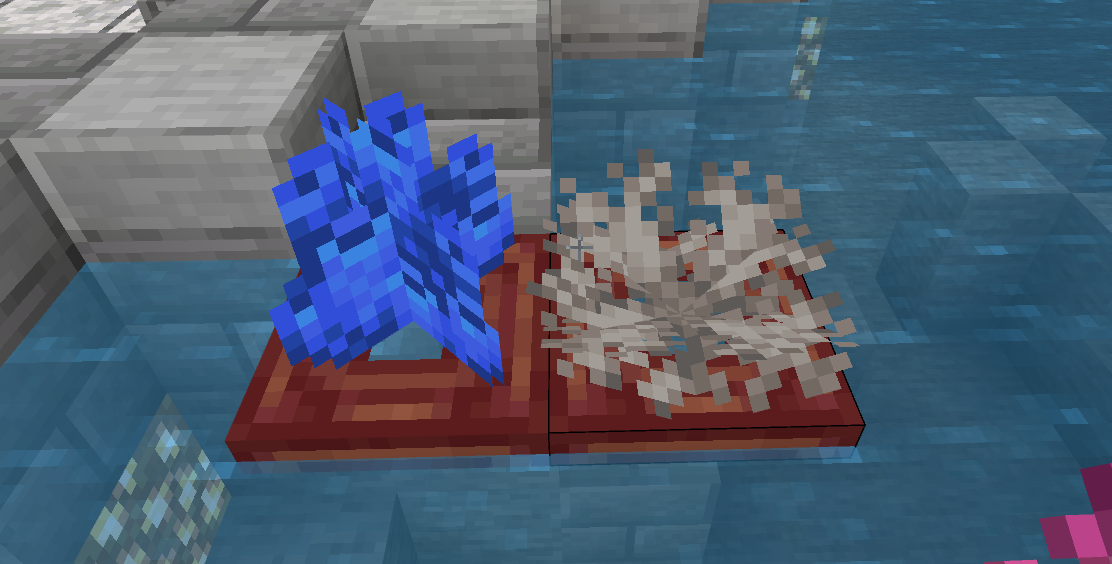


The coral fan will die on the watery block in BE, but not in JE

Corals in Java-1.png
It is still happen in 1.19.50.23
Affects 1.19.50.24
It is still happening in 1.20.20.20
It is still happening in 1.19.40. Coral fans cannot survive on water-logged blocks
After the render Dragon update, some blocks have bad performance in the distance
The translucent squares were offset in the wrong direction, causing the flicker
Sunflowers and top snow flicker, grass and leaves drift in the wrong direction
How to reproduce:
1.Look for sunflower plains or snow-covered woods
2.Use a telescope to look far away
After the render Dragon update, some blocks have bad performance in the distance
The translucent squares were offset in the wrong direction, causing the flicker
Sunflowers and top snow flicker, grass and leaves drift in the wrong direction
How to reproduce:
1.Look for sunflower plains or snow-covered woods
2.Use a telescope to look far away
After the render Dragon update, some blocks have bad performance in the distance
The translucent squares were offset in the wrong direction, causing the flicker
Sunflowers and top snow flicker, grass and leaves drift in the wrong direction
How to reproduce:
1.Look for sunflower plains or snow-covered woods
2.Use a telescope to look far away
I'm sure the render dragon did this
One possible solution is to eliminate the offset and confirm the relationship between the overlapping layers
After the render Dragon update, some blocks have bad performance in the distance
The translucent squares were offset in the wrong direction, causing the flicker
Sunflowers and top snow flicker, grass and leaves drift in the wrong direction
How to reproduce:
1.Look for sunflower plains or snow-covered woods
2.Use a telescope to look far away
I'm sure the render dragon did this
One possible solution is to eliminate the offset and confirm the relationship between the overlapping layersIf the two layers are in the same position, a strange flicker will occur
After the render Dragon update, some blocks have bad performance in the distance
The translucent squares were offset in the wrong direction, causing the flicker
Sunflowers and top snow flicker, grass and leaves drift in the wrong directionHow to reproduce:
1.Look for sunflower plains or snow-covered woods
2.Use a telescope to look far away
I'm sure the render dragon did this
One possible solution is to eliminate the offset and confirm the relationship between the overlapping layers
If the two layers are in the same position, a strange flicker will occurAfter the render Dragon update, some blocks have bad performance in the distance
This causes the framerate to drop as the player moves
The translucent squares were offset in the wrong direction, causing the flicker
Sunflowers and top snow flicker, grass and leaves drift in the wrong direction
How to reproduce:
1.Look for sunflower plains or snow-covered woods
2.Use a telescope to look far away
I'm sure the render dragon did this
One possible solution is to eliminate the offset and confirm the relationship between the overlapping layersIf the two layers are in the same position, a strange flicker will occur
Testing showed that the translucent material was skewed towards the player
Still effect 1.20.0.24
Using bone meal on underwater dirt, sand, sand, red sand or gravel has a probability of producing coral, but this feature no longer happens in 1.20.0 or 1.20.10.
Bone meal is consumed, but nothing happens, which is inconsistent with the Java edition.
Bone meal should product coals in warm ocean. (java parity)
The coal fan should also attach to water-logged blocks in the air to survive.


Top inside texture of Cherry Blossom leavesis allbrightTop inside texture of Cherry Blossom leaves too bright
Top inside texture of Cherry Blossomleaves too brightCherry leaves lose their ambient occlusion and the top side of leaves too bright
This bug still affect 1.21.40.21
Cherry leaves lose their ambientocclusionand the top side of leaves too brightThe Top of All Leaves Blocks Lose Ambient Occlusion
Bone meal can make bamboo once grow 1 or 2 blocks in java edition, but bone meal can only make bamboo grow 1 block in bedrock edition.
骨粉在java版中可以使竹子长出1或2块,但在基岩版中骨粉只能使竹子长出1块。
骨粉在java版中可以使竹子长出1或2块,但在基岩版中骨粉只能使竹子长出1块。
In Java version bone meal can make bamboo grow 1 or 2 blocks, but bedrock version of bamboo once can only grow one block.
Single use ofBone Meal on Bamboo can't grow it two blocksUse Bone Meal on Bamboo once can't grow it two blocks
Java version 23w31a changed the spawn time of Iron Golem to every
600gt(gt=gametime), but the bedrock version of spawn time in the code is700gtper Iron Golem, which caused version inconsistency.I know that the Java
Iron Golem can spawn when three villagers are scared, andeachvillagecan have multiple structures, but theBedrockIron Golem spawnsrequire at least 10 villagers and 20 beds, which is obviously not balanced.The Java version of the village can use multiple structures to spawn iron golems, but the generation of the bedrock version of the iron Golems is limited by the village, which is not reasonable.
Java version 23w31a changed the spawn time of Iron Golem to every 30s(600ticks), but the bedrock version of spawn time in the code is 35s(700ticks) per Iron Golem, which caused version inconsistency.
I know that the Java version of the village only needs 5 villagers or 3 panicked villagers to produce iron golems, and the villagers do not need to work for a day. But the bedrock version to produce the iron golem requires at least 10 villagers and 20 beds, and the villagers must work through every day, which is obviously not balanced.
The Java version of the village can use multiple structures to spawn iron golems, but the generation of the bedrock version of the iron Golems is limited by the village, which is not reasonable.
Healthchangeanimation lostin bedrock editionHealth HP bar flashing animation lost
please don't destory my report!
height is 1.75, pivot is at coordinates (0,1,0), but the hitbox is calculated around pivot, so 1.75/2=0.875 < 1, you can't hit the hoglin by throwing a projectile from the bottom of its foot.
I created a behavior pack and change the pivot, it can fix the bug.
How to reproduce:
Use a projectile to shoot hoglin's feet
Observed Results:
Sometimes you can't hit hoglinExpected Results:
projectile should hit hoglin
height is 1.75, pivot
isat coordinates (0,1,0), but the hitbox is calculated around pivot,so1.75/2=0.875 < 1, you can't hit the hoglin by throwing a projectile from the bottom of its foot.I created a behavior pack and change the pivot, it can fix the bug.
How to reproduce:
Use a projectile to shoot hoglin's feet
Observed Results:
Sometimes you can't hit hoglinExpected Results:
projectile should hit hoglin
Hoglin's height is 1.75, pivot at coordinates (0,1,0), but the hitbox is calculated around pivot, then you can calculate 1.75/2=0.875 < 1, so you can't hit the hoglin by throwing a projectile from the bottom of its foot.
I created a behavior pack and change the pivot, it can fix the bug.
How to reproduce:
Use a projectile to shoot hoglin's feet.
Observed Results:
Sometimes you can't hit hoglin.Expected Results:
All projectiles should hit hoglin.
I found that sometimes I couldn't see the side texture of the obsidian, so I enabled a texture pack to check the problem. To my surprise, the original textures of all the blocks were darker in the X-axis direction than the others.
I found a similar problem in the Y-axis direction. When we look at the leaves from the bottom side, we can see that the leaves on the Y axis are too bright, and the texture on the X axis is darker than that on the Z axisI found that sometimes I couldn't see the side texture of the obsidian, so I enabled a texture pack to check the problem. To my surprise, the original textures of all the blocks were darker in the X-axis direction than the others.
I found a similar problem in the Y+axis direction. When we look at the leaves from the bottom side, we can see that the leaves on the Y axis are too bright, and the texture on the X axis is darker than that on the Z axis.I reported the bug about Y+axis issue in MCPE-170856 Top inside texture of Cherry Blossom leaves is all bright - Jira (mojang.com)
However, texture issue is more
I found that sometimes I couldn't see the side texture of the obsidian, so I enabled a texture pack to check the problem. To my surprise, the original textures of all the blocks were darker in the X-axis direction than the others.
I found a similar problem in the Y+axis direction. When we look at the leaves from the bottom side, we can see that the leaves on the Y axis are too bright, and the texture on the X axis is darker than that on the Z axis.I reported the bug about Y+axis issue in MCPE-170856 Top inside texture of Cherry Blossom leaves is all bright - Jira (mojang.com)
However, texture issue is more
I found that sometimes I couldn't see the side texture of the obsidian, so I enabled a texture pack to check the problem. To my surprise, the original textures of all the blocks were darker in the X-axis direction than the others.
I found a similar problem in the Y+axis direction. When we look at the leaves from the bottom side, we can see that the leaves on the Y axis are too bright, and the texture on the X axis is darker than that on the Z axis.I reported the bug about Y+axis issue in MCPE-170856 Top inside texture of Cherry Blossom leaves is all bright - Jira (mojang.com)
However, the texture problem is much more serious than I've found before, and all blocks have the same problem.
Texture in X axis too drak and Y+axis too brightAll texture in X axis too drak and Y axis too bright
All texture in X axis too drak and Y axis too brightAll texture in X axis too dark and Y axis too bright
Armadillos can'tgrowon dyed terracottaArmadillos can't spawn on dyed terracotta
In Java, armadillo's generation is determined by the tag
{"values": ["#minecraft:animals_spawnable_on","#minecraft:terracotta","minecraft:red_sand","minecraft:coarse_dirt"]}The terracotta contains the dyed terracotta in java, but not in the bedrock.
"
{ "sand_type": "red" }conditions": [
{
"minecraft:spawns_on_surface": {},
"minecraft:spawns_on_block_filter": [
{ "name": "minecraft:grass_block" },
{ "name": "minecraft:hardened_clay" },
{ "name": "minecraft:sand", "states":},
{ "dirt_type": "coarse" }
{ "name": "minecraft:dirt", "states":}
],It should be contained the { "name": "minecraft:stained_hardened_clay" }
In Java, armadillo's generation is determined by the tag
{ "values": [ "#minecraft:animals_spawnable_on", "#minecraft:terracotta", "minecraft:red_sand", "minecraft:coarse_dirt" ] }The terracotta contains all the dyed terracotta in java, but not in the bedrock.
"minecraft:spawns_on_block_filter": [
{ "sand_type": "red" }
{ "name": "minecraft:grass" },
// Badland Terracotta Blocks
{ "name": "minecraft:brown_terracotta" },
{ "name": "minecraft:hardened_clay" },
{ "name": "minecraft:orange_terracotta" },
{ "name": "minecraft:light_gray_terracotta" },
{ "name": "minecraft:red_terracotta" },
{ "name": "minecraft:white_terracotta" },
{ "name": "minecraft:yellow_terracotta" },
{ "name": "minecraft:sand", "states":},
{ "dirt_type": "coarse" }
{ "name": "minecraft:dirt", "states":}
],
still affect 1.20.70.21

ancient_debris in bedrock distribution is uniform. It generate between Y=8 to Y=23.
However it in java distribution is triangle and it generate between Y=8 to Y=24.
ancient_debris even don't have data-driven features in bedrock edition.
Note: Core::Random distribution as uniform.
Steps to Reproduce:
1. Create a new world and load thousand of chunks.
2. Count the amount of ancient debris
ancient_debris in bedrock distribution is uniform. It generate between Y=8 to Y=23.
However it in java distribution is triangle and it generate between Y=8 to Y=24.
ancient_debris even don't have data-driven features in bedrock edition.
Note: Core::Random distribution as uniform.
Steps to Reproduce:
1. Create a new world and load thousand of chunks.
2. Count the amount of ancient debrisancient_debris in bedrock distribution is uniform. It generate between Y=8 to Y=23.
However it in java distribution is triangle and it generate between Y=8 to Y=24.
ancient_debris even don't have data-driven features in bedrock edition.
Note: Core::Random distribution as uniform.
Steps to Reproduce:
1. Create a new world and load thousand of chunks.
2. Count the amount of ancient debris
Observed Results:
The distribution of ancient debris is uniformExpected Results:
The ancient debris should triangle distribution like Java edition.
ancient_debris in bedrock distribution is uniform. It generate between Y=8 to Y=23.
However it in java distribution is triangle and it generate between Y=8 to Y=24.
ancient_debris even don't have data-driven features in bedrock edition.
Note: Core::Random distribution as uniform.
Steps to Reproduce:
1. Create a new world and load thousand of chunks.
2. Count the amount of ancient debris
Observed Results:
The distribution of ancient debris is uniformExpected Results:
The ancient debris should triangle distribution like Java edition.
ancient_debris in bedrock distribution is uniform. It generate between Y=8 to Y=23.
However it in java distribution is triangle and it generate between Y=8 to Y=24.
ancient_debris even don't have data-driven features in bedrock edition.
Note: Core::Random distribution as uniform.
Steps to Reproduce:
- Create a new world and load thousand of chunks.
- use the command /placefeature minecraft:nether_netherite_deep_feature in development edition
- Count the distibution and the amount of ancient debris
Observed Results:
The distribution of ancient debris is uniformExpected Results:
The ancient debris should triangle distribution like Java edition.
ancient_debris in bedrock distribution is uniform. It generate between Y=8 to Y=23.However it in java distribution is triangle and it generate between Y=8 to Y=24.
ancient_debris even don't have data-driven features in bedrock edition.Note: Core::Random distribution as uniform.
Steps to Reproduce:
- Create a new world and load thousand of chunks.
use the command /placefeature minecraft:nether_netherite_deep_feature in development edition- Count the distibution and the amount of ancient debris
Observed Results:
The distribution of ancient debris is uniformExpected Results:
The ancient debris should triangle distribution like Java edition.
Ancient debris in bedrock distribution is uniform. It generate between Y=8 to Y=23.
However it in java distribution is triangle and it generate between Y=8 to Y=24.
Ancient_debris even don't have data-driven features in bedrock edition.
Note: Core::Random distribution as uniform.
Steps to Reproduce:
- Create a new world and load thousand of chunks in Nether.
- Count the distibution and the amount of ancient debris
Observed Results:
The distribution of ancient debris is uniformExpected Results:
The ancient debris should triangle distribution like Java edition.
Dropswillbe destroyed when explosion power over 1Drops can be destroyed when explosion power over 1
Drops can be destroyed whenexplosion power over 1Not 100% dropping blasted blocks when only 1 TNT explosion power over 1
Not 100% dropping blasted blocks when only 1 TNT explodes and explosion power over 1
I noticed that when only 1 TNT destroys blocks, dropping 100% of blasted blocks in Java edition. However, in bedrock edition, the component of "minecraft:explode" contorl the explosion power ,for example:
"minecraft:explode":
{"fuse_length": 1.5,"fuse_lit": true,"power": 3,"causes_fire": false,"destroy_affected_by_griefing": true}Can't dropping 100% of blasted blocks when the "power" is higher than "1".
I think it's a bug because explosion should not destroy drops when only 1 TNT explosed.
I noticed that when only 1 TNT destroys blocks, dropping 100% of blasted blocks in Java edition. However, in bedrock edition, the component of "minecraft:explode" contorl the explosion power ,for example:
"minecraft:explode":
{ "fuse_length": 1.5, "fuse_lit": true, "power": 3, "causes_fire": false, "destroy_affected_by_griefing": true },
Can't dropping 100% of blasted blocks when the "power" is higher than "1".
I think it's a bug because explosion should not destroy drops when only 1 TNT explosed.
When mobs head in the water, mobs should leave the boat like Java edition.
How to reproduce:
1. Put the campfire on the block
2. Put a boat on the campfire
3. Get the creeper on board
4. Use water bucket to create one block water to cover the mobs' head
5. observe if the mob can leave the boatWhen mobs head in the water, mobs should leave the boat like Java edition.
How to reproduce:
1. Put the campfire on the block
2. Put a boat on the campfire
3. Get the creeper on board
4. Use water bucket to create one block water to cover the mobs' head
5. observe if the mob can leave the boat
Observed Results:
The mobs can't leave the boat in bedrock.Expected Results:
The mobs should leave the boat like java edition.
When mobs head in the water, mobs should leave the boat like Java edition.
How to reproduce:
1. Put the campfire on the block
2. Put a boat on the campfire
3. Get the creeper on board
4. Use water bucket to create one block water to cover the mobs' head
5. observe if the mob can leave the boat
Observed Results:
The mobs can't leave the boat in bedrock.Expected Results:
The mobs should leave the boat like java edition.
Note:
When you save your world and open it again, mobs can leave the boat, so it's a bug
In bedrock edition, zombies and their variants want to stomp the turtle egg. The horizontal range is 10 and vertical height is 2.
However, in java edition, the range of detection is a 47×7×47 box centered on the block the mob is standing on.
Howtoreproduce:
- Place a zombie
- Place a turtle egg 23 blocks away
In bedrock edition, zombies and their variants want to stomp the turtle egg. The horizontal range is 10 and vertical height is 2.
However, in java edition, the range of detection is a 47×7×47 box centered on the block the mob is standing on.
Steps to Reproduce:
- Place a zombie
- Place a turtle egg 23 blocks away
Observed Results:
Zombie can't stomp the turtle eggExpected Results:
Zombie stomp the egg like Java edition.
In bedrock edition, zombies and their variants want to stomp the turtle egg. The horizontal range is 10 and vertical height is 2.
However, in java edition, the range of detection is a 47×7×47 box centered on the block the mob is standing on.
Note:
This change happens after 1.15, so it's not a valid bug
Steps to Reproduce:
- Place a zombie
- Place a turtle egg 23 blocks away
Observed Results:
Zombie can't stomp the turtle eggExpected Results:
Zombie stomp the egg like Java edition.
In bedrock edition, zombies and their variants want to stomp the turtle egg. The horizontal range is 10 and vertical height is 2.
However, in java edition, the range of detection is a 47×7×47 box centered on the block the mob is standing on.
Note:
This c
hange happens after 1.15, so it's not a valid bugSteps to Reproduce:
- Place a zombie
- Place a turtle egg 23 blocks away
Observed Results:
Zombie can't stomp the turtle eggExpected Results:
Zombie stomp the egg like Java edition.
In bedrock edition, zombies and their variants want to stomp the turtle egg. The horizontal range is 10 and vertical height is 2.
However, in java edition, the range of detection is a 47×7×47 box centered on the block the mob is standing on.
Note:
This code happens changed after 1.15, so it's not a valid bug
Steps to Reproduce:
- Place a zombie
- Place a turtle egg 23 blocks away
Observed Results:
Zombie can't stomp the turtle eggExpected Results:
Zombie stomp the egg like Java edition.
In bedrock edition, zombies and their variants want to stomp the turtle egg. The horizontal range is 10 and vertical height is 2.
However, in java edition, the range of detection is a 47×7×47 box centered on the block the mob is standing on.
Note:
This code ha
ppenschanged after 1.15, so it's not a valid bugSteps to Reproduce:
- Place a zombie
- Place a turtle egg 23 blocks away
Observed Results:
Zombie can't stomp the turtle eggExpected Results:
Zombie stomp the egg like Java edition.
In bedrock edition, zombies and their variants want to stomp the turtle egg. The horizontal range is 10 and vertical height is 2.
However, in java edition, the range of detection is a 47×7×47 box centered on the block the mob is standing on.
Note:
This code had been changed after 1.15, so it's not a valid bug
Steps to Reproduce:
- Place a zombie
- Place a turtle egg 23 blocks away
Observed Results:
Zombie can't stomp the turtle eggExpected Results:
Zombie stomp the egg like Java edition.
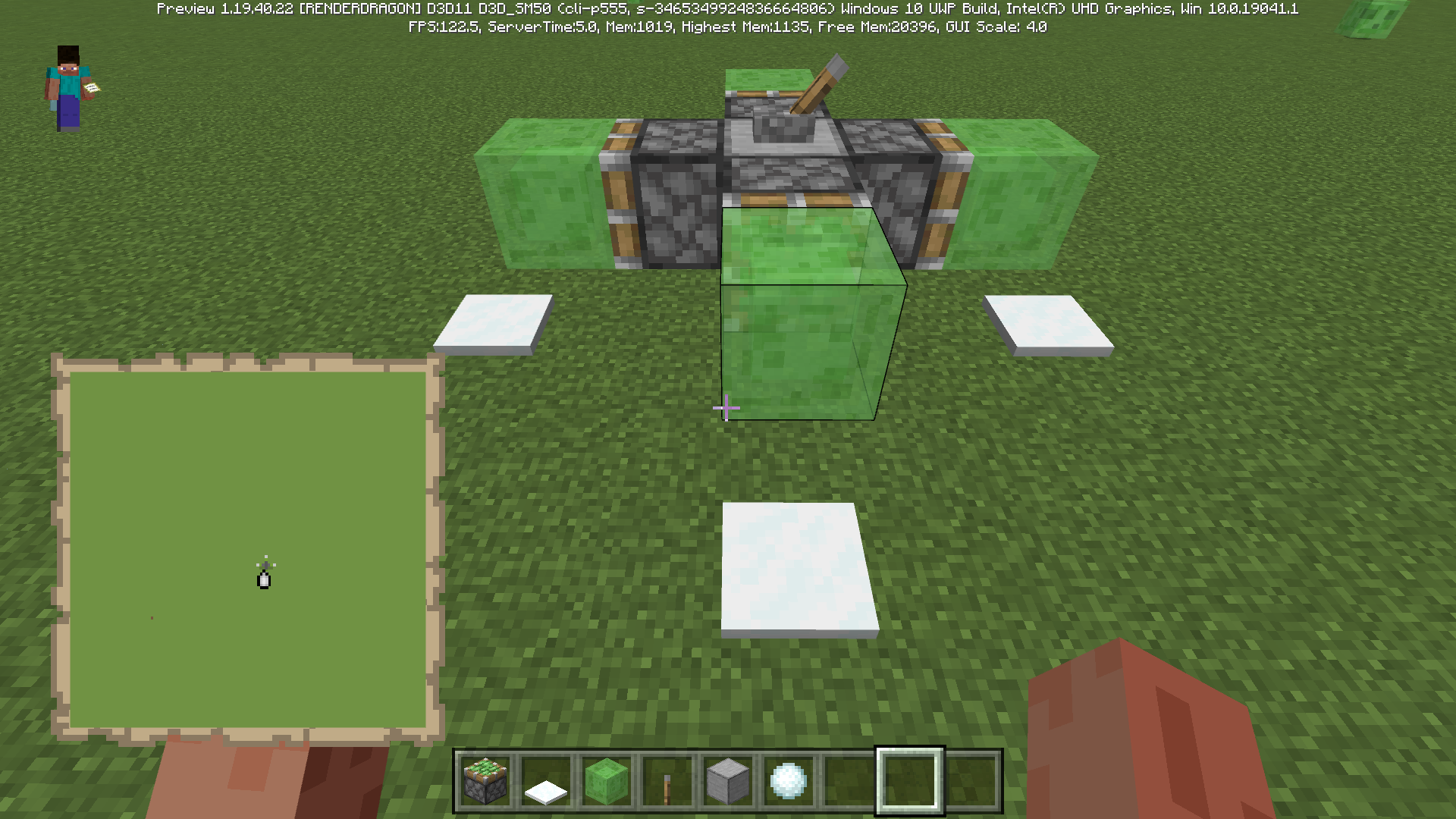
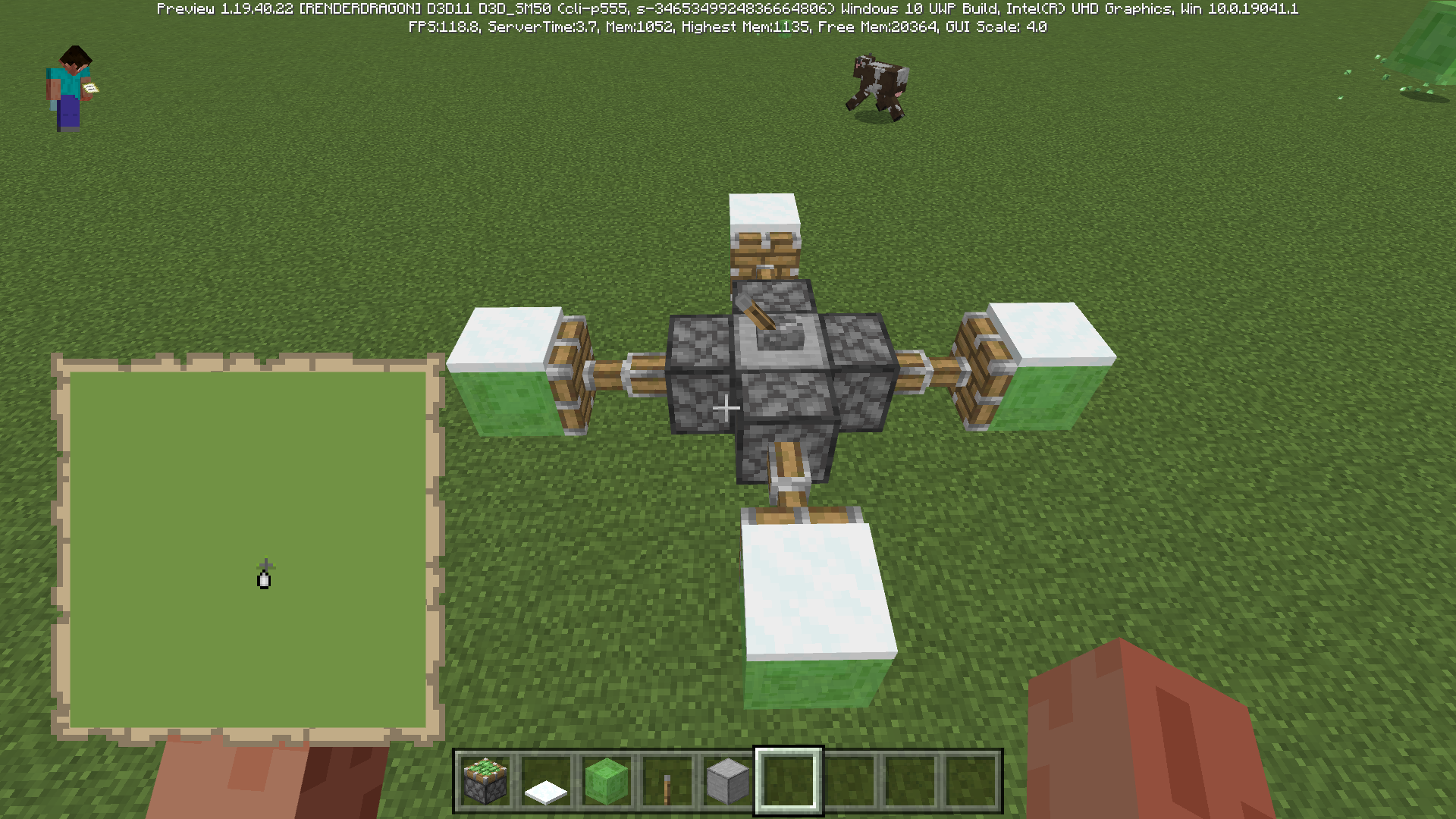
Top snow reacts inconsistently to moving the block below it with pistonsSnow_layer on the slime block will be destroyed in some direction
1.18.30+
top snowwas mistakenly destroyed or retracted
Top snow does not have the correct collision box like sand or concrete powdermaybe this change cause bugs (1.18.30)
- Top Snow no longer clips with the block beneath when falling
1.18.30+ Snow_layer was mistakenly destroyed or retracted
In some direction snow layer will be destroyed unlike the sand or concrete powder
How to reproduce:
- Place sticky pistons in different direction and control them by lever
- Active the lever, then put the snow_layer on the slime blocks
- Deactive the lever and observe if the snow be destroyed
Maybe this change cause bugs (1.18.30)
- Top Snow no longer clips with the block beneath when falling
Player cannot give piglin a golden ingot using mouse right click.
Player cannot give piglin a golden ingot using mouse right click. It's not a feature request!
Player cannot give piglin a golden ingot using mouse right click. It's not a feature request!
Player cannot give piglin a golden ingot using mouse right click. It's not a feature request!
Player cannot give piglin a golden ingot using mouse right click. It's not a feature request!
Already fixed in 1.21.0.23
It seems that the wither spawn animation had been broken after 1.12 bedrock.
Wither can
go someplaceand the animation not been shown,It seems that the wither spawn animation had been broken after 1.12 bedrock.
Wither can fly when they spawn and the spawn animation not been shown correctly.
It seems that the wither spawn animation had been broken after 1.12 bedrock.
Wither can fly when they spawn and the spawn animation not been shown correctly.
The reason of the animation broken is query.overlay_alpha is deprecated and will be removed.
It seems that the wither spawn animation had been broken after 1.12 bedrock.
Wither can fly when they spawn and the spawn animation not been shown correctly.
The reason of the animation broken is query.overlay_alpha is deprecated and will be removed.
It seems that the wither spawn animation had been broken after 1.12 bedrock.
Wither can fly when they spawn and the spawn animation not been shown correctly.
The reason of the animation broken is query.overlay_alpha is deprecated and will be removed.
Mojang need change the wither_boss.render_controllers.json files.
"overlay_color":
{ "r": "variable.is_invulnerable ? 1.0 : this", "g": "variable.is_invulnerable ? 1.0 : this", "b": "variable.is_invulnerable ? 1.0 : this", "a": "variable.is_invulnerable ? *query.overlay_alpha* : this" }
It seems that the wither spawn animation had been broken after 1.12 bedrock.
Wither can fly when they spawn and the spawn animation not been shown correctly.
The reason of the animation broken is query.overlay_alpha is deprecated and will be removed.
Mojang need change the wither_boss.render_controllers.json files.
"overlay_color":
{"r": "variable.is_invulnerable ? 1.0 : this","g": "variable.is_invulnerable ? 1.0 : this","b": "variable.is_invulnerable ? 1.0 : this","a": "variable.is_invulnerable ? *query.overlay_alpha* : this"}It seems that the wither spawn animation had been broken after 1.12 bedrock.
Wither can fly when they spawn and the spawn animation not been shown correctly.
The reason of the animation broken is query.overlay_alpha is deprecated and will be removed.
Mojang need change the wither_boss.render_controllers.json files.
"overlay_color":
{ "r": "variable.is_invulnerable ? 1.0 : this", "g": "variable.is_invulnerable ? 1.0 : this", "b": "variable.is_invulnerable ? 1.0 : this", "a": "variable.is_invulnerable ? *query.overlay_alpha* : this" }
A possible solution is change the alpha like this:
"a": "variable.is_invulnerable ? Math.max(1.0 - query.anim_time * 0.2, 0) : this"
Zombies, spiders, creepers and skeletons spawn in river biomes in java, but in Bedrock Edition they don't spawn in water depths, they have not spawn weights, this is an old issue, please fix it
Note that these mobs spawn in shallow water, but not deep water, which requires Java parity.
Mojang can add "monster": {}, tags in the biome files for river biome to solve the problem
Player cann't plant trees and block by block
Player cann't plant trees and ripen them block by block
Player cann't directly place coral block or dead coral block on the top of water
After attacking an Enderman trapped on a boat several times, the attack has a certain probability of failure, and then you will not be able to attack the Enderman unless you destroy the boat, at which point the Enderman will immediately teleport.
Using hands to attack an Enderman full of blood will easily reproduce the problem.
Endermendesync after attacked inboatAfter attacking an enderman in a boat it teleports away server-side but visually remains in the boat
Two issues happens here:
After unloading chunks or reload the world, pillagers cannot be spawned at the pillager outpost watchtower.Pillagers can spawn in other structures such as cage, targets or tent.
Maybe pillagers spawn in targets and tents are new features, but they shouldn't spawn in the cage.
Two issues happens here:
After unloading chunks or reload the world, pillagers cannot be spawned at the pillager outpost watchtower.Pillagers can spawn in other structures such as cage, targets or tent.
Maybe pillagers spawn in targets and tents are new features, but they shouldn't spawn in the cage.

Two issues happens here:
After unloading chunks or reload the world, pillagers cannot be spawned at the pillager outpost watchtower.Pillagers can spawn in other structures such as cage, targets or tent.
Maybe pillagers spawn in targets and tents are new features, but they shouldn't spawn in the cage.
Two issues happens here:
After unloading chunks or reload the world, pillagers cannot be spawned at the pillager outpost watchtower.Pillagers can spawn in other structures such as cage, targets or tent.
Maybe pillagers spawn in targets and tents are new features, but they shouldn't spawn in the cage.
Steps to Reproduce:
- Open a new world and find a pillager outpost
- Use glass pane to find some places pillager can spawn
- Use some blocks to mark these place
- Teleport to other place for unload the pillager outpost
- Exit the world and reopen it
- Teleport to the pillager outpost
- Determine if the outpost can spawn pillagers in marked points.
Observed Results:
- Pillager will spawn in the watchtower, cage and tent when you finished to find some places pillager can spawn
- When you reopen the world, pillagers cann't spawn anymore in these points.
Expected Results:
- Hard-coded spawn area don't lost when you unload the chunks or exit the world.
- Piallagers can spawn when you reload the pillager outpost.
Two issues happens here:
After unloading chunks or reload the world, pillagers cannot be spawned at the pillager outpost watchtower.Pillagers can spawn in other structures such as cage, targets or tent.
Maybe pillagers spawn in targets and tents are new features, but they shouldn't spawn in the cage.
Steps to Reproduce:
- Open a new world and find a pillager outpost
- Use glass pane to find some places pillager can spawn
- Use some blocks to mark these place
- Teleport to other place for unload the pillager outpost
- Exit the world and reopen it
- Teleport to the pillager outpost
- Determine if the outpost can spawn pillagers in marked points.
Observed Results:
- Pillager will spawn in the watchtower, cage and tent when you finished to find some places pillager can spawn
- When you reopen the world, pillagers cann't spawn anymore in these points.
Expected Results:
- Hard-coded spawn area don't lost when you unload the chunks or exit the world.
- Piallagers
canspawnwhen you reload the pillager outpost.Pillagers can spawn in other structures such as cage and tent.
Maybe pillagers spawn in tent are new features, but they shouldn't spawn in the cage.
Steps to Reproduce:
- Open a new world and find a pillager outpost
- Use glass pane to find some places pillager can spawn
- Use some blocks to mark these places.
Observed Results:
Pillager will spawn in the watchtower, cage and tent when you finished to find some places pillager can spawn.
Expected Results:
- Piallagers don't spawn in the cage.
Pillagers cannotbe spawnedcorrectlyPillagers can be spawned in the cage
Pillagers can spawn in other structures such as cage and tent.
M
aybe pillagers spawn in tent are new features, but they shouldn't spawn in the cage.Steps to Reproduce:
- Open a new world and find a pillager outpost
- Use glass pane to find some places pillager can spawn
- Use some blocks to mark these places.
Observed Results:
Pillager will spawn in the watchtower, cage and tent when you finished to find some places pillager can spawn.
Expected Results:
- Piallagers don't spawn in the cage.
Pillagers can spawn in other structures such as cage and tent.
Mojang should fix this after they change the pillager spawn area to match Java edition.
Steps to Reproduce:
- Open a new world and find a pillager outpost
- Use glass pane to find some places pillager can spawn
- Use some blocks to mark these places.
Observed Results:
Pillager will spawn in the watchtower, cage and tent when you finished to find some places pillager can spawn.
Expected Results:
- Piallagers don't spawn in the cage.
Seems like small magma cube's collision box isn't right.
Seems like small magma cube's collision box isn't right.
Seems like small magma cube's collision box isn't right.
Use the crosshairs to target the magma, and you will find that the collision box of the small magma has a collision error, and the same as the medium magma.
Seems like small magma cube's collision box isn't right.
Use the crosshairs to
targetthe magma, and you will find that the collision box of the small magma has a collision error, and the same as the medium magma.Seems like small magma cube's collision box isn't right.
Use the crosshairs to attack the magma, and you will find that the collision box of the small magma has a collision error, and the same as the medium magma.
Seems like small magma cube's collision box isn't right.
Use the crosshairs to attack the magma, and you will find that the collision box of the small magma has a collision error, and the same as the medium magma.
/summon magma_cube ~ ~ ~ ~ ~ spawn_baby
The end obsidian platform resets every time players go through the end portal, which can cause blocks to be deleted.
Steps to Reproduce:
- Enter the end by using an end portal.
- Place some blocks on top of and around the obsidian platform that you spawn on.
- Take note of the blocks that you've just placed.
- Back to the overworld.
- Enter the end once again and attempt to locate the blocks you just previously placed.
- Take note as to whether or not the end obsidian platform resets every time players go through the end portal, which can cause blocks to be deleted.
Observed Results:
The end obsidian platform resets every time players go through the end portal, which can cause blocks to be deleted.
Expected Results:
Blocks on the end obsidian platform would not be deleted every time an entity goes through the end portal. Blocks should be destroyed like Java edition.
The trident moving horizontally will disappear after 1 minute, while the trident moving vertically will not.
Dead armor stands can spawn slime when you kill the armor stands
How to reproduce:
- Place some armor stands on the ground
- Dispense the ozzing potion to effect the armor stands
- Dispense the harming potion to kill the armor stands
- Observe if the slime will be spawned
Expected results:
Armor stands should not be affected by some potion effects like oozing or leaping.
Thrown Ender Pearls now can load and tick chunks in Java snapshot 24w37a, but this feature not add to bedrock edtion.
How to reproduce:
- Throw a ender pearl in nether and keep it in fixed location
- Throw some drops in the same chunks with the ender pearl
- Back to overworld
- Use /kill command to kill the ender pearl
Expected Results:
All entities in the end pearls' chunk should be killed
Observed Results:
End pearls and other entities couldn't be killed
Allays naturally regenerate 2
!https://minecraft.wiki/images/Heart_%28icon%29.png?faf83|width=9,height=9! per second in Java Edtion if damaged, or 1.83!https://minecraft.wiki/images/Heart_%28icon%29.png?faf83|width=9,height=9! × 0.915per second in Bedrock Edition.It's a vanilla parity issue.
How to reproduce:
- Create a allay cage
- Put a allay into it.
- Observe if the allay will die.
Expect results:
Allay will not die.
Observed results:
Allay will die after 200-240 times damage.
Allays naturally regenerate 2 point heart per second in Java Edtion if damaged, or 1.83 point heart per second in Bedrock Edition.
It's a vanilla parity issue.
How to reproduce:
- Create a allay cage
- Put a allay into it.
- Observe if the allay will die.
Expect results:
Allay will not die.
Observed results:
Allay will die after 200-240 times damage.

The render controller of wither had used the deprecated function over 6 years.
In the wither_boss.render_controllers.json here's a function called query.overlay_alpha which not working after 1.12.
I think mojang should use some new function for alpha channel like this:
{ "r": "variable.is_invulnerable ? 1.0 : this", "g": "variable.is_invulnerable ? 1.0 : this", "b": "variable.is_invulnerable ? 1.0 : this", "a": "variable.is_invulnerable ? Math.max(1.0 - query.anim_time * 0.2, 0) : this" }
"overlay_color":Use this function you can easily fix the animation problem.
The render controller of wither had used the deprecated function over 6 years.
In the wither_boss.render_controllers.json here's a function called query.overlay_alpha which not working after 1.12.
1.21.50 Mojang fix wither's render but they still use deprecated funtions.
The render controller of wither had used the deprecated function over 6 years.
In the wither_boss.render_controllers.json here's a function called
query.overlay_alpha which not working after 1.12.1.21.50 Mojang fix wither's render but they still use deprecated funtions.
The render controller of wither had used the deprecated function over 6 years.
In the wither_boss.render_controllers.json here's a function called query.overlay_alpha which not working after 1.12.
1.21.50 Mojang fix wither's render but wither still use deprecated funtions.
Crouching animation while flying is broken, please fix it.
This ticket had been wrong
Crouching animation while flying is broken, please fix it.
This ticket had been
wrongCrouching animation while flying is broken, please fix it.
This ticket had been closed by mistake
Crouching animation while flying is broken, please fix it.
This ticket had been closed by mistake.
How to Reproduce:
Crouching animation while flying is broken, please fix it.
This ticket had been closed by mistake.
How to Reproduce:
Crouching animation while flying is broken, please fix it.
This ticket had been closed by mistake.
How to Reproduce:
- Press SHIFT and SPACE in the same time.
- Change to the fly mode and press SHIFT untill you land the ground.
Except Results:
Flying state don't play squatanimationFlying state don't play sneaking animation
Crouching animation while flying is broken, please fix it.
This ticket had been closed by mistake.
How to Reproduce:
- Press SHIFT and SPACE in the same time.
- Change to the fly mode and press SHIFT untill you land the ground.
Except Results:
Crouching animation while flying is broken, please fix it.
This ticket had been closed by mistake. It's not the same bug as
MC-148428.How to Reproduce:
- Press SHIFT and SPACE in the same time.
- Change to the fly mode and press SHIFT untill you land the ground.
Except Results:
Sneaking should be played like Java edition.
Crouching animation while flying is broken, please fix it.
This ticket had been closed by mistake. It's not the same bug as
MC-148428.How to Reproduce:
- Press SHIFT and SPACE in the same time.
- Change to the fly mode and press SHIFT untill you land the ground.
Except Results:
Sneaking should be played like Java edition.
Crouching animation while flying is broken, please fix it.
This ticket had been closed by mistake. It's not the same bug as
MC-148428.How to Reproduce:
- Change to the fly mode and
- Change to the fly mode and press SHIFT untill you land the ground.
Except Results:
Sneaking should be played like Java edition.
Crouching animation while flying is broken, please fix it.
This ticket had been closed by mistake. It's not the same bug as
MC-148428.How to Reproduce:
- Change to the fly mode and
- Change to the fly mode and press SHIFT untill you land the ground.
Except Results:
Sneaking should be played like Java edition.
Crouching animation while flying is broken, please fix it.
This ticket had been closed by mistake. It's not the same bug as
MC-148428.How to Reproduce:
- Change to the fly mode and fly to the sky.
- Press SHIFT untill you land the ground.
Except Results:
Sneaking should be played like Java edition.
In bedrock 1.21.40.22 mojang updated the rules under which Bats spawn in the world:
- Bats can now spawn at any height, provided the area is covered and sufficiently dark
- Bats may now happen to spawn above the surface
However, it doesn't work well.
- They use the ambient population pool, which only has 2 max mobs underground density in 9*9 chunks and 0 mob density on the surface.
- The density limit on the surface is 5 which higher than ambient pool.
- The herd size of animals is 8 which higher than ambient pool and density limit.
- There's no spawns_on_surface condition
In bedrock 1.21.40.22 mojang updated the rules under which Bats spawn in the world:
- Bats can now spawn at any height, provided the area is covered and sufficiently dark
- Bats may now happen to spawn above the surface
However, it doesn't work well.
- They use the ambient population pool, which only has 2 max mobs underground density in 9*9 chunks and 0 mob density on the surface.
- The density limit on the surface is 5 which higher than ambient pool.
- The herd size of animals is 8 which higher than ambient pool and density limit.
- There's no spawns_on_surface condition
Expected results:
- The bat should happen to spawn above the surface.\
- Every time bat should spawn 8
In bedrock 1.21.40.22 mojang updated the rules under which Bats spawn in the world:
- Bats can now spawn at any height, provided the area is covered and sufficiently dark
- Bats may now happen to spawn above the surface
However, it doesn't work well.
- They use the ambient population pool, which only has 2 max mobs underground density in 9*9 chunks and 0 mob density on the surface.
- The density limit on the surface is 5 which higher than ambient pool.
- The herd size of animals is 8 which higher than ambient pool and density limit.
- There's no spawns_on_surface condition
Expected results:
- The bat should happen to spawn above the surface.\
- Every time bat should spawn 8
In bedrock 1.21.40.22 mojang updated the rules under which Bats spawn in the world:
- Bats can now spawn at any height, provided the area is covered and sufficiently dark
- Bats may now happen to spawn above the surface
However, it doesn't work well.
- They use the ambient population pool, which only has 2 max mobs underground density in 9*9 chunks and 0 mob density on the surface.
- The density limit on the surface is 5 which higher than ambient pool.
- The herd size of animals is 8 which higher than ambient pool and density limit.
- There's no spawns_on_surface condition
Expected results:
- The bat should happen to spawn above the surface.
\- Every time bat should spawn 8
In bedrock 1.21.40.22 mojang updated the rules under which Bats spawn in the world:
- Bats can now spawn at any height, provided the area is covered and sufficiently dark
- Bats may now happen to spawn above the surface
However, it doesn't work well.
- They use the ambient population pool, which only has 2 max mobs underground density in 9*9 chunks and 0 mob density on the surface.
- The density limit on the surface is 5 which higher than ambient pool.
- The herd size of animals is 8 which higher than ambient pool and density limit.
- There's no spawns_on_surface condition
Expected results:
- The bat should happen to spawn above the surface.
- Every time bat should spawn 8 instead of 2,
- The total amount of bat in loaded chunks should be parity as Java edition.
In bedrock 1.21.40.22 mojang updated the rules under which Bats spawn in the world:
- Bats can now spawn at any height, provided the area is covered and sufficiently dark
- Bats may now happen to spawn above the surface
However, it doesn't work well.
- They use the ambient population pool, which only has 2 max mobs underground density in 9*9 chunks and 0 mob density on the surface.
- The density limit on the surface is 5 which higher than ambient pool.
- The herd size of animals is 8 which higher than ambient pool and density limit.
- There's no spawns_on_surface condition
Expected results:
- The bat should happen to spawn above the surface because they add density limit for surface.
- Every time bat should spawn 8 instead of 2,
- The total amount of bat in loaded chunks should be parity as Java edition.
You can swim when your head in the water, but if you can run in the water it will cause wrong animations flickers.
You can swim when your head in the water, but if you run in the water it will cause wrong animations flickers.
Saplings can't be grown to trees on the pale moss blocks like Java Edition.
All kind of saplings should be grown on it.
Only cherry sapling can be grown on the pale moss blocks because cherry_tree_feature use tag 'dirt' like this:
"may_grow_through": [ { "tags": "query.any_tag('dirt')" } ]So other trees feature should have parity consistency with the cherry sapling.
Saplings can't be grown to trees on the pale moss blocks like Java Edition.
All kind of saplings should be grown on it.
Only cherry sapling can be grown on the pale moss blocks because cherry_tree_feature use tag 'dirt' like this:
"may_grow_on": [ { "tags": "query.any_tag('dirt')" } ]So other trees feature should have parity consistency with the cherry sapling.
Trees cannot grow throughlogs and someleaves like Java editionTrees cannot grow through pale oak leaves like Java edition
Saplings can't be grown t
o trees through some blocks like Java Edition.All kind of saplings should be grown on all kind of leaves and logs.
However, most of saplings cannot grow through cherry leaves and pale oak leaves.
All of saplings cannot grow through any kind of logs like Java edition.
Saplings can't be grown through pale oak leaves like Java Edition.

According to the Bedrock changelogs for preview 1.21.50.26, cherry leaves should prevent cherry saplings from growing.
However, in Java Edition, this behavior is not expected; Java Edition developers have marked this interaction as "working as intended" in bug report
MC-277990, meaning cherry leaves do not prevent cherry saplings from growing. This discrepancy between editions suggests that the Bedrock version's prevention of cherry sapling growth by cherry leaves might be an unintended parity issue.Steps to Reproduce:
- Place a cherry sapling on the ground.
- Place a cherry leaves above the cherry sapling.
- Use bone meal on the sapling to attempt to grow it.
- Observe whether the cherry sapling is able to grow into a tree with the cherry leaves above it.
Expected Result (Java): The cherry sapling should grow, regardless of cherry leaves being placed directly above it.
Observed Result (Bedrock): The cherry sapling does not grow when there are cherry leaves placed above it.
According to the Bedrock changelogs for preview 1.21.50.26, cherry leaves should prevent cherry saplings from growing. MCPE-168029
However, in Java Edition, this behavior is not expected; Java Edition developers have marked this interaction as "working as intended" in bug report
MC-277990, meaning cherry leaves do not prevent cherry saplings from growing. This discrepancy between editions suggests that the Bedrock version's prevention of cherry sapling growth by cherry leaves might be an unintended parity issue.Steps to Reproduce:
- Place a cherry sapling on the ground.
- Place a cherry leaves above the cherry sapling.
- Use bone meal on the sapling to attempt to grow it.
- Observe whether the cherry sapling is able to grow into a tree with the cherry leaves above it.
Expected Result (Java): The cherry sapling should grow, regardless of cherry leaves being placed directly above it.
Observed Result (Bedrock): The cherry sapling does not grow when there are cherry leaves placed above it.

@Ju_mao: provide code analysis here doesn't violate DMCA. Without code analysis, the difference between Java Edition and Bedrock Edition cannot be reflected.
The problem is similar to MCPE-157364, but the piston arm also has the wrong animation
it is still happening in 1.19.50
Different numbers of sources cause different results
affect 1.19.40
affect 1.19.40
affect 1.19.40+
The experience ball actually passes through an incomplete block, its texture remains in place but the entity moves normally
You can still absorb xp bottle 's "ghost" entity ,and its texture will disappear.
slime has same problem
village range 65*25*65
village detect range ≤97blocks
Affects 1.19.80.24
After the render Dragon update, some blocks have bad performance in the distance
This causes the framerate to drop as the player moves
The translucent squares were offset in the wrong direction, causing the flicker
Sunflowers and top snow flicker, grass and leaves drift in the wrong direction
How to reproduce:
1.Look for sunflower plains or snow-covered woods
2.Use a telescope to look far away
I'm sure the render dragon did this
One possible solution is to eliminate the offset and confirm the relationship between the overlapping layers
If the two layers are in the same position, a strange flicker will occur
Testing showed that the translucent material was skewed towards the player
Affect 1.19.70
java edition change the teleport range from 1024 to 128 in overworld in 1.16.1
but bedrock don't change it.
Zombies, spiders, creepers and skeletons spawn in river biomes in java, but in Bedrock Edition they don't spawn in water depths, they have not spawn weights, this is an old issue, please fix it
Note that these mobs spawn in shallow water, but not deep water, which requires Java parity
Affected 1.19.51
The new Minecraft uses distance to adjust them. Telescopes can't find this bug, but this bug still happen in remote rendering
It still happen in 1.20.40.23 preview
Particles are always rendered in front of translucent blocks, which obviously doesn't make sense
Game crashes when you put end crystal on bedrock or obsidian in the end biome
All mobs now spawn range are 0.6*1.8*0.6 caused huge problems that I think mojang needs to roll back the design
It is necessary to keep the version consistent
In Java edition, the harvester can be destroyed by amethyst, or the magma pot can destroy the harvester without causing the faller to be burned by the magma
Using bone meal on underwater dirt, sand, sand, red sand or gravel has a probability of producing coral, but this feature no longer happens in 1.20.0 or 1.20.10.
Bone meal is consumed, but nothing happens, which is inconsistent with the Java edition.
Bone meal should product coals in warm ocean. (java parity)
The coal fan should also attach to water-logged blocks in the air to survive.
Using bone meal on underwater dirt, sand, sand, red sand or gravel has a probability of producing coral, but this feature no longer happens in 1.20.0 or 1.20.10.
Bone meal is consumed, but nothing happens, which is inconsistent with the Java edition.
Bone meal should product coals in warm ocean. (java parity)
The coal fan should also attach to water-logged blocks in the air to survive.
I think mojang should allow people to explore world by transporting horses by ship
It still happen in 1.20.10.23. I think it is a graphic performance problem caused by shader
Affect 1.20.20.20 preview
Still affect 1.20.20.20
Affect 1.20.30
Affect 1.20.30.20
It doesn't work as Java edition, why you say it has been resolved?
yes, the HP bar flashing white animation is wrong
I think MCPE-165424 describes a situation:
In the Java version, if you fall from 17 bars you will recover all health first, but in the bedrock version you will use up saturation first and can't recover all health value, which should be different from this article.
I don't think the issue working as intended. Maybe you should see these video?
OK, I will
Water from the barrier will flow out of the block (MCPE-174583)
MC-25410023w31a changed the spawn time of iron golem from 700 to 600
MC-254100- Iron golem spawn rate decreasedsorry, I can't provide code analysis because of DMCA
It's not my texture pack problem, the light issue of texture happened in all packs.
I upload the distribution chart by testing thousand of chunks
It happens in survival mode
It's not duplicate with
MCPE-182541, I had report the issue of pillagers spawn in some unexpected areas.This bug happens since 1.20.10
Affect 1.21.50.26
Java developers think cherry leaves shouldn't prevent saplings growing.
MC-277990Mojang fix the wither's render but they still use deprecated funtions
{
{ "piston.out" : \{"sound": "tile.piston.out", "volume" : 0.5, "pitch" : [0.6, 0.85] }"individual_event_sounds": {
"events":
,
"piston.in" : {"sound": "tile.piston.in", "volume" : 0.5, "pitch" : [0.6, 0.8] }
}
}
}