 KopperXP
- KopperGames
- koppergames
- America/Belem
- Yes
- No
 MC-120759
 MCPE-31887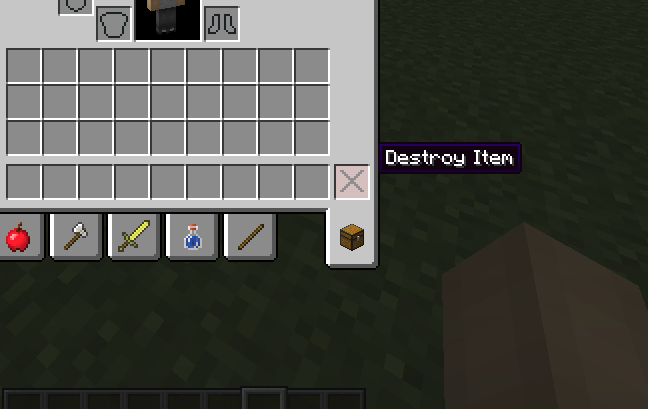




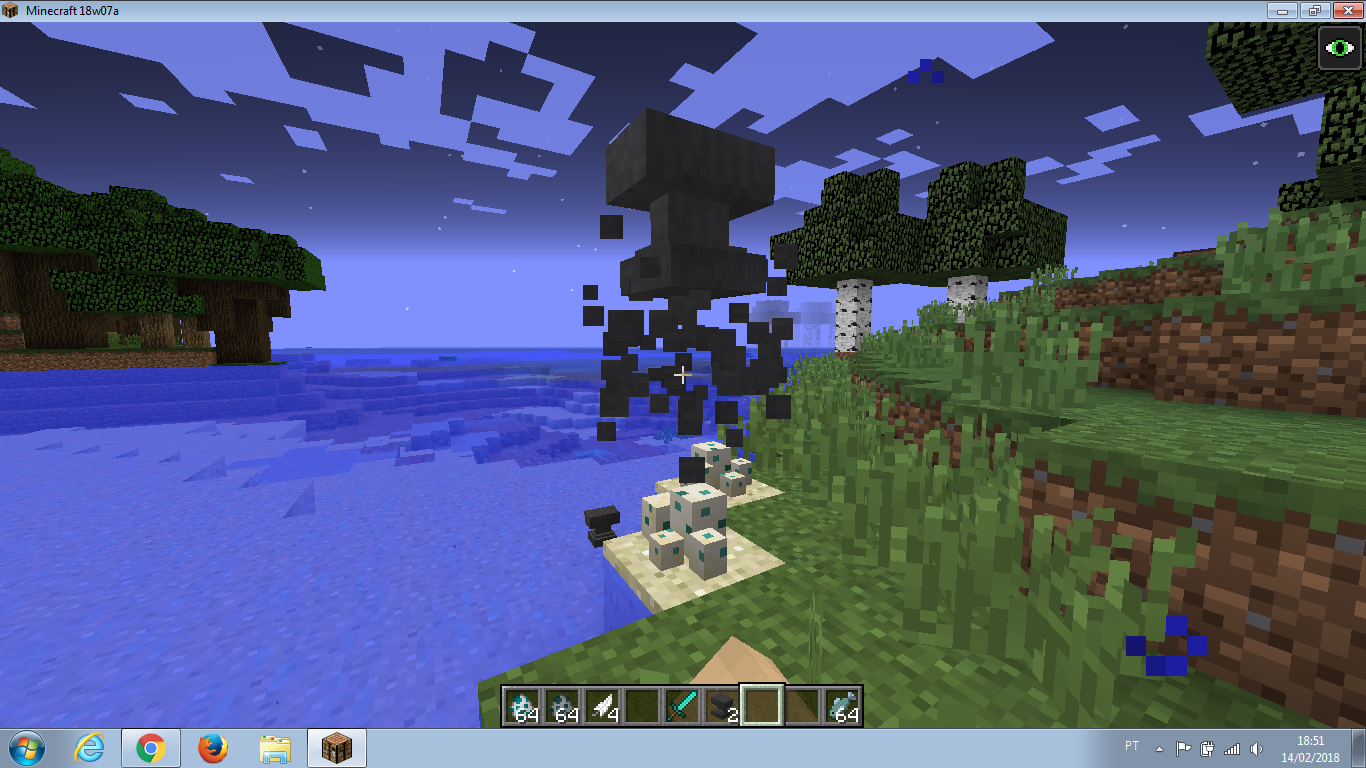







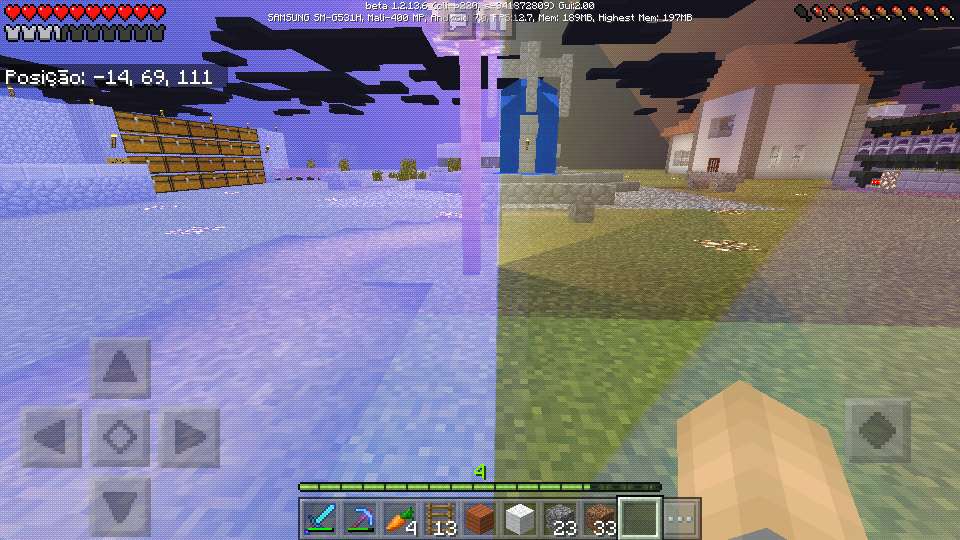


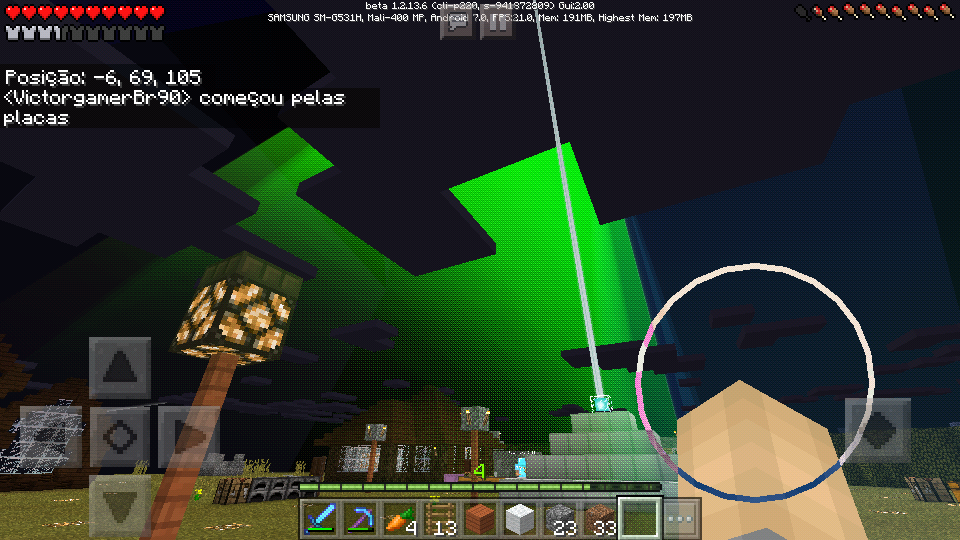
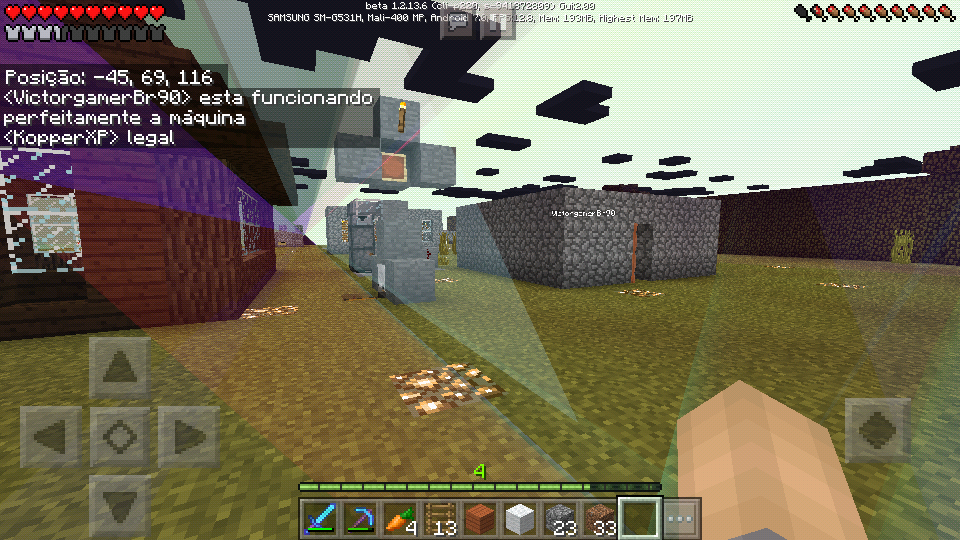





There is an error in Guast audio that has never been fixed:
When it opens its mouth to release the fireball, it executes its sound repeatedly, the normal one is that it only reproduces once (Minecraft PC).My device: Phone - Android - Samsung Galaxy Grand Duos 4.2.2
There is an error in Guast audio that has never been fixed:
When it opens its mouth to release the fireball, it executes its sound repeatedly, the normal one is that it only reproduces once (Minecraft PC).My device: Phone - Android - Samsung Galaxy Grand Duos 4.2.2
Mojang <3
There is an error in Guast audio that has never been fixed:
When it opens its mouth to release the fireball, it executes its sound repeatedly, the normal one is that it only reproduces once (Minecraft PC).
OBS: The error started at 0.15 and persists until then.My device: Phone - Android - Samsung Galaxy Grand Duos 4.2.2
Mojang <3
There is an error in Guast audio that has never been fixed:
When it opens its mouth to release the fireball, it executes its sound repeatedly, the normal one is that it only reproduces once (Minecraft PC).
OBS: The error started at 0.15 and persists until then.My device: Phone - Android - Samsung Galaxy Grand Duos 4.2.2
Mojang <3
- There is an error in Guast audio that has never been fixed:
When it opens its mouth to release the fireball, it executes its sound repeatedly, the normal one is that it only reproduces once (Minecraft PC).- Take the test: Add a Ghast and approach him in survival mode. The mistake is remarkable.
OBS: The error started at 0.15 and persists until then.My device: Phone - Android - Samsung Galaxy Grand Duos 4.2.2
Mojang <3
- There is an error in Guast audio that has never been fixed:
When it opens its mouth to release the fireball, it executes its sound repeatedly, the normal one is that it only reproduces once (Minecraft PC).- Take the test: Add a Ghast and approach him in survival mode. The mistake is remarkable.
OBS: The error started at 0.15 and persists until then.My device: Phone - Android - Samsung Galaxy Grand Duos 4.2.2
Mojang <3
There is an error in Guast audio that has never been fixed:
When it opens its mouth to release the fireball, it executes its sound repeatedly, the normal one is that it only reproduces once (Minecraft PC).
- Take the test: Add a Ghast and approach him in survival mode. The mistake is remarkable.
OBS: The error started at 0.15 and persists until then.My device: Phone - Android - Samsung Galaxy Grand Duos 4.2.2
Mojang <3
There is an error in Guast audio that has never been fixed:
When it opens its mouth to release the fireball, it executes its sound repeatedly, the normal one is that it only reproduces once (Minecraft PC).
- Take the test: Add a Ghast and approach him in survival mode. The mistake is remarkable.
OBS: The error started at 0.15 and persists until then.My device: Phone - Android - Samsung Galaxy Grand Duos 4.2.2
Mojang <3
There is an error in Guast audio that has never been fixed:
- When it opens its mouth to release the fireball, it executes its sound repeatedly, the normal one is that it only reproduces once (Minecraft PC).
- Take the test: Add a Ghast and approach him in survival mode. The mistake is remarkable.
OBS: The error started at 0.15 and persists until then.My device: Phone - Android - Samsung Galaxy Grand Duos 4.2.2
Mojang <3
There is an error in Guast audio that has never been fixed:
- When it opens its mouth to release the fireball, it executes its sound repeatedly, the normal one is that it only reproduces once (Minecraft PC).
- Take the test: Add a Ghast and approach him in survival mode. The mistake is remarkable.
OBS: The error started at 0.15 and persists until then.My device: Phone - Android - Samsung Galaxy Grand Duos 4.2.2
Mojang <3
There is an error in Guast audio that has never been fixed:
- When it opens its mouth to release the fireball, it executes its sound repeatedly, the normal one is that it only reproduces once (Minecraft PC).
Take the test: Add a Ghast and approach him in survival mode. The mistake is remarkable.OBS: The error started at 0.15 and persists until then.
My device: Phone - Android - Samsung Galaxy Grand Duos 4.2.2
Mojang <3
Two errors found in the flags:
First the animation of the event moves it slightly is bugged or there is no animation.
Second, when we break flags in the creative, they end up being dropped.
My device: Phone - Android - Sansung Grand Duos 4.2.2 - Jelly BeanMojang <3
Two errors found in the flags:
First the animation of the event moves it slightly is bugged or there is no animation.
Second, when we break flags in the creative, they end up being dropped.
OBS:I could not find anything related to the flags. Sorry if it's duplicating again ...
My device: Phone - Android - Sansung Grand Duos 4.2.2 - Jelly Bean
Mojang <3
Two errors found in the flags:
First the animation of the event moves it slightly is bugged or there is no animation.
Second, when we break flags in the creative, they end up being dropped.
OBS:I could not find anything related to the flags. Sorry if it's duplicating again ...
My device: Phone - Android - Sansung Grand Duos 4.2.2 - Jelly Bean
Mojang <3
Two errors found in the flags:
- First the animation of the event moves it slightly is bugged or there is no animation.
- Second, when we break flags in the creative, they end up being dropped.
OBS:I could not find anything related to the flags. Sorry if it's duplicating again ...My device: Phone - Android - Sansung Grand Duos 4.2.2 - Jelly Bean
Mojang <3
Two errors found in the flags:
- First the animation of the event moves it slightly is bugged or there is no animation.
- Second, when we break flags in the creative, they end up being dropped.
OBS:I could not find anything related to the flags. Sorry if it's duplicating again ...My device: Phone - Android - Sansung Grand Duos 4.2.2 - Jelly Bean
Mojang <3
Two errors found in the flags:
- First the animation of the event moves it slightly is bugged or there is no animation.
- Second, when we break flags in the creative, they end up being dropped.
OBS:I could not find anything related to the flags. Sorry if it's duplicating again ...
My device: Phone - Android - Sansung Grand Duos 4.2.2 - Jelly Bean
Mojang <3
Two errors found in the flags:
- First the animation of the event moves it slightly is bugged or there is no animation.
- Second, when we break flags in the creative, they end up being dropped.
OBS:I could not find anything related to the flags. Sorry if it's duplicating again ...
My device: Phone - Android - Sansung Grand Duos - 4.2.2 - Jelly Bean
Mojang <3
Two errors found in the flags:
- First the animation of the event moves it slightly is bugged or there is no animation.
- Second, when we break flags in the creative, they end up being dropped.
OBS:I could not find anything related to the flags. Sorry if it's duplicating again ...
My device: Phone - Android - Sansung Grand Duos - 4.2.2 - Jelly Bean
Mojang <3
Two errors found in the flags:
- First the animation of the event moves it slightly is bugged or there is no animation.
- Second, when we break flags in the creative, they end up being dropped.
OBS:I could not find anything related to the flags. Sorry if it's duplicating again ...
My device: Phone - Android - Sansung Grand Duos - 4.2.2 - Jelly Bean
Mojang

Minecraft 1.2 - Suggestion about inventory (Bug)
Hello, I would like to make a small suggestion about Minecraft Pocket Edition:
Inside the inventory I'm missing a Slot meant to delete items (in creative mode). Usually my hotbar gets polluted and I confuse, so the request.
OBS:I also consider this a small design error, therefore, and I would like you to at least think about it.
Minecraft 1.2 - Suggestion about inventory (Bug)
Hello, I would like to make a small suggestion about Minecraft Pocket Edition:
Inside the inventory I'm missing a Slot meant to delete items (in creative mode). Usually my hotbar gets polluted and I confuse, so the request.
OBS:I also consider this a small design error, therefore, and I would like you to at least think about it.
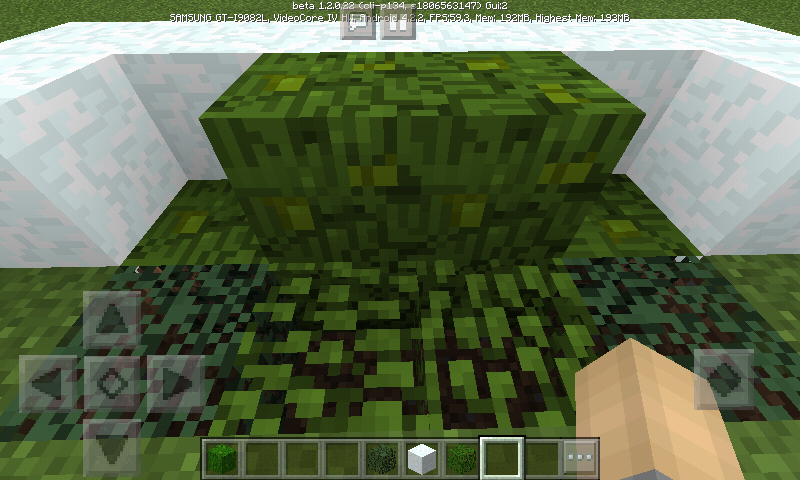
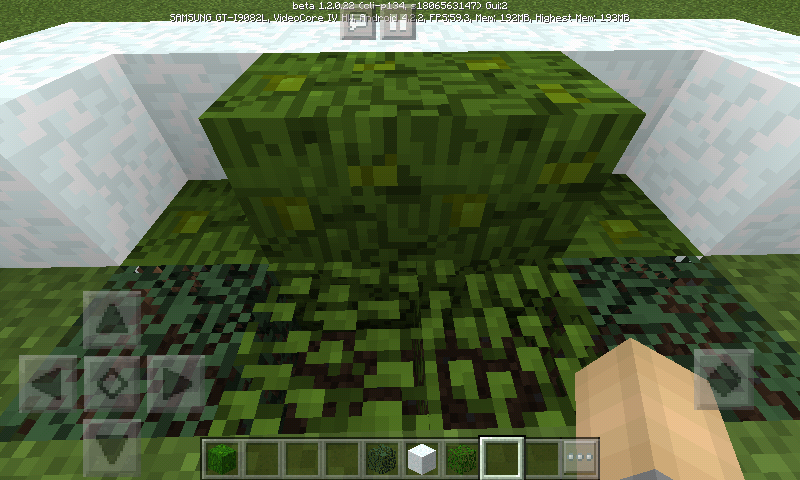
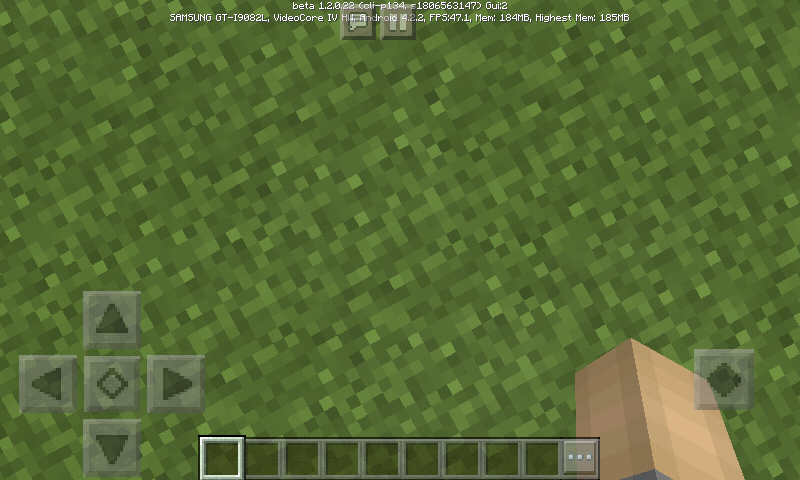
The leaves in the jungle remain without transparency on my device, even with the "Beautiful Graphics" feature active.
Device:
Below a photo:
The leaves in the jungle remain without transparency on my device, even with the "Beautiful Graphics" feature active.
Device:
Below a photo:
The leaves in the jungle remain without transparency on my device, even with the "Beautiful Graphics" feature active.
Device: Sansung - Android Galaxy Gran Duos - Jelly Bean - 4.2.2
Below a photo:
@gatharian
@gathariam
Fatal error in execution of Plutonium Mode
There is an error with my minecraft when using Plutonium Mode:
- Follow the steps:
1- Open the options and activate Plutonium Mode.
2 - Enter any world, exit and close your minecraft.
3- When entering the game again, the same hangs and closes.
4- And when we try to enter again the option is disabled.
Summary: Correct this fault that makes the game close, please. I do not know if it's just with my device.Fatal error in execution of Plutonium Mode
There is an error with my minecraft when using Plutonium Mode:
- Follow the steps:
1- Open the options and activate Plutonium Mode.
2 - Enter any world, exit and close your minecraft.
3- When entering the game again, the same hangs and closes.
4- And when we try to enter again the option is disabled.Device: Sansung - Galaxy Gran Duos - Jelly Bean - 4.2.2
Summary: Correct this fault that makes the game close, please. I do not know if it's just with my device.
Fatal error in execution of Plutonium Mode
There is an error with my minecraft when using Plutonium Mode:
- Follow the steps:
1- Open the options and activate Plutonium Mode.
2 - Enter any world, exit and close your minecraft.
3- When entering the game again, the same hangs and closes.
4- And when we try to enter again the option is disabled.Device: Sansung - Galaxy Gran Duos - Jelly Bean - 4.2.2
Summary: Correct this fault that makes the game close, please. I do not know if it's just with my device.
Mojang <3
Inventory Selection Bug
- There is an error in the MCPE inventory:
When we select an item and move to the 'Hotbar', there is no change.
For it to work we need to select a Slot from the 'Hotbar', then select the item. Please correct this.
- How to make:
1- Open the inventory.
2- Select any to menu item.
3 - Play to any 'Slot' of the 'Hotbar'.
4- You will notice that there is no exchange of items.
- How we must do to succeed:
1- Select a 'Slot' from the 'Hotbar'.
2- Select any menu item.
3- You may notice that it only works this way.OBS: Please, if the case is considered 'Invalid', please verify and try to resolve the error, thank you.
Inventory Selection Bug
- There is an error in the MCPE inventory:
When we select an item and move to the 'Hotbar', there is no change.
For it to work we need to select a Slot from the 'Hotbar', then select the item. Please correct this.
- How to make:
1- Open the inventory in creative mode.
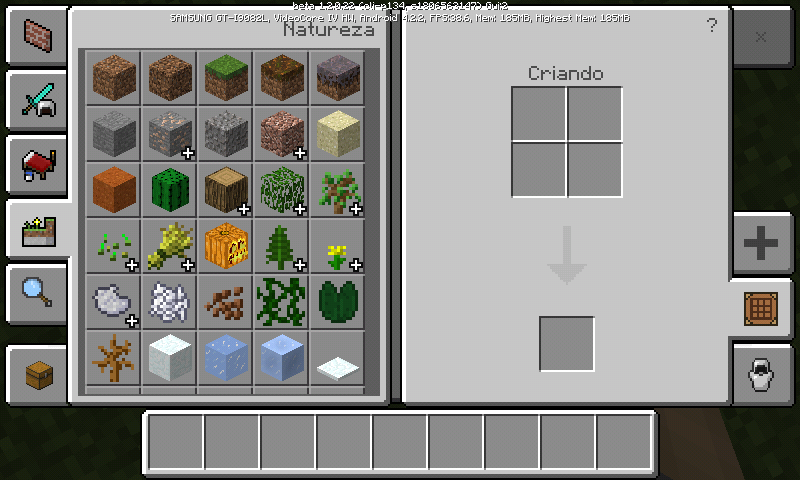
2- Select any to menu item.
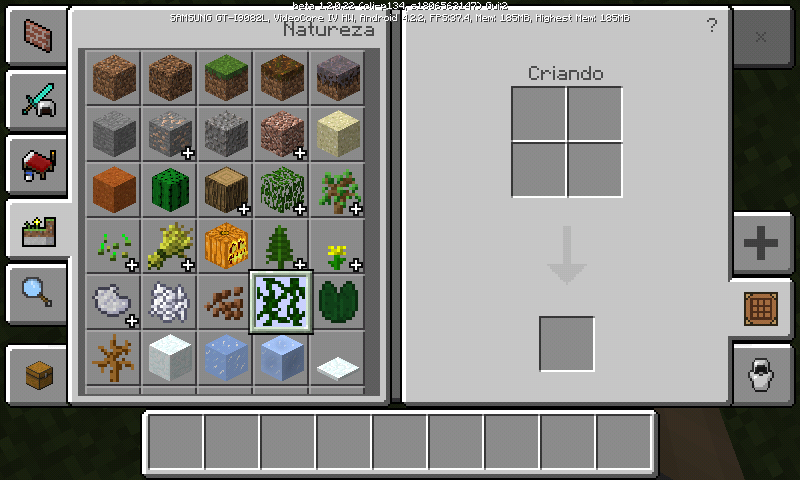
3 - Play to any 'Slot' of the 'Hotbar'.
You will notice that there is no exchange of items.
- How we must do to succeed:
1- Select a 'Slot' from the 'Hotbar'.
2- Select any menu item.
3- You may notice that it only works this way.OBS: Please, if the case is considered 'Invalid', please verify and try to resolve the error, thank you.
Inventory Selection Bug
- There is an error in the MCPE inventory:
When we select an item and move to the 'Hotbar', there is no change.
For it to work we need to select a Slot from the 'Hotbar', then select the item. Please correct this.
- How to make:
1- Open the inventory in creative mode.
2- Select any to menu item.
3 - Play to any 'Slot' of the 'Hotbar'.
You will notice that there is no exchange of items.
- How we must do to succeed:
1- Select a 'Slot' from the 'Hotbar'.
2- Select any menu item.
3- You may notice that it only works this way.OBS: Please, if the case is considered 'Invalid', please verify and try to resolve the error, thank you.
Inventory Selection Bug
- There is an error in the MCPE inventory:
When we select an item and move to the 'Hotbar', there is no change.
For it to work we need to select a Slot from the 'Hotbar', then select the item. Please correct this.
- How to make:
1- Open the inventory in creative mode.
2- Select any to menu item.
3 - Play to any 'Slot' of the 'Hotbar'.
You will notice that there is no exchange of items.
- How we must do to succeed:
1- Select a 'Slot' from the 'Hotbar'.
2- Select any menu item.
3- You may notice that it only works this way.My Device: Sansung - Galaxy Gran Duos - 4.2.2 - Jelly Bean
OBS: Please, if the case is considered 'Invalid', please verify and try to resolve the error. He is very uncomfortable! Thank you...
Inventory Selection Bug
- There is an error in the MCPE inventory:
When we select an item and move to the 'Hotbar', there is no change.
For it to work we need to select a Slot from the 'Hotbar', then select the item. Please correct this.
- How to make:
1- Open the inventory in creative mode.
2- Select any to menu item.
3 - Play to any 'Slot' of the 'Hotbar'.
You will notice that there is no exchange of items.
- How we must do to succeed:
1- Select a 'Slot' from the 'Hotbar'.
2- Select any menu item.
3-You may notice that it only works this way.My Device: Sansung - Galaxy Gran Duos - 4.2.2 - Jelly Bean
OBS: Please, if the case is considered 'Invalid', please verify and try to resolve the error. He is very uncomfortable! Thank you...Inventory Selection Bug
- There is an error in the MCPE inventory:
When we select an item and move to the 'Hotbar', there is no change.
For it to work we need to select a Slot from the 'Hotbar', then select the item. Please correct this.
- How to make:
1- Open the inventory in creative mode.
2- Select any to menu item.
3 - Play to any 'Slot' of the 'Hotbar'.
You will notice that there is no exchange of items.
- How we must do to succeed:
1- Select a 'Slot' from the 'Hotbar'.
2- Select any menu item.You may notice that it only works this way.
My Device: Sansung - Galaxy Gran Duos - 4.2.2 - Jelly Bean
OBS: Please, if the case is considered 'Invalid', please verify and try to resolve the error. He is very uncomfortable! Thank you...
Inventory Selection Bug
- There is an error in the MCPE inventory:
When we select an item and move to the 'Hotbar', there is no change.
For it to work we need to select a Slot from the 'Hotbar', then select the item. Please correct this.
- How to make:
1- Open the inventory in creative mode.
2- Select any to menu item.
3 - Play to any 'Slot' of the 'Hotbar'.
You will notice that there is no exchange of items.
- How we must do to succeed:
1- Select a 'Slot' from the 'Hotbar'.
2- Select any menu item.You may notice that it only works this way.
My Device: Sansung - Galaxy Gran Duos - 4.2.2 - Jelly Bean
OBS: Please, if the case is considered 'Invalid', please verify and try to resolve the error. He is very uncomfortable! Thank you...Inventory Selection Bug
- There is an error in the MCPE inventory:
When we select an item and move to the 'Hotbar', there is no change.
For it to work we need to select a Slot from the 'Hotbar', then select the item. Please correct this.
- How to make:
1- Open the inventory in creative mode.
2- Select any to menu item.
3 - Play to any 'Slot' of the 'Hotbar'.
You will notice that there is no exchange of items.
- How we must do to succeed:
1- Select a 'Slot' from the 'Hotbar'.
2- Select any menu item.
You may notice that it only works this way.My Device: Sansung - Galaxy Gran Duos - 4.2.2 - Jelly Bean
OBS: Please, if the case is considered 'Invalid', please verify and try to resolve the error. He is very uncomfortable! Thank you...
Inventory selection bug!
Inventory Selection Bug
- There is an error in the MCPE inventory:
When we select an item and move to the 'Hotbar', there is no change.
For it to work we need to select a Slot from the 'Hotbar', then select the item. Please correct this.
- How to make:
1- Open the inventory in creative mode.
2- Select any to menu item.
3 - Play to any 'Slot' of the 'Hotbar'.
You will notice that there is no exchange of items.
- How we must do to succeed:
1- Select a 'Slot' from the 'Hotbar'.
2- Select any menu item.
You may notice that it only works this way.My Device: Sansung - Galaxy Gran Duos - 4.2.2 - Jelly Bean
OBS: Please, if the case is considered 'Invalid', please verify and try to resolve the error. He is very uncomfortable! Thank you...Inventory Selection Bug
- There is an error in the MCPE inventory:
When we select an item and move to the 'Hotbar', there is no change.
For it to work we need to select a Slot from the 'Hotbar', then select the item. Please correct this.
- How to make:
1- Open the inventory in creative mode.
2- Select any to menu item.
3 - Play to any 'Slot' of the 'Hotbar'.
You will notice that there is no exchange of items.
- How we must do to succeed:
1- Select a 'Slot' from the 'Hotbar'.
2- Select any menu item.
You may notice that it only works this way.
My Device: Sansung - Galaxy Gran Duos - 4.2.2 - Jelly Bean
OBS: Please, if the case is considered 'Invalid', please verify and try to resolve the error. He is very uncomfortable! Thank you...
Inventory Selection Bug
- There is an error in the MCPE inventory:
When we select an item and move to the 'Hotbar', there is no change.
For it to work we need to select a Slot from the 'Hotbar', then select the item. Please correct this.
- How to make:
1- Open the inventory in creative mode.
2- Select any to menu item.
3 - Play to any 'Slot' of the 'Hotbar'.
You will notice that there is no exchange of items.
- How we must do to succeed:
1- Select a 'Slot' from the 'Hotbar'.
2- Select any menu item.
You may notice that it only works this way.
My Device: Sansung - Galaxy Gran Duos - 4.2.2 - Jelly Bean
OBS: Please, if the case is considered 'Invalid', please verify and try to resolve the error. He is very uncomfortable! Thank you....
When we use the Creation box or crafttable in creative mode, the game closes.
*How to make:
*
1- Open a world in the creative mode.
2- Select any item from any of the creative tabs (except the own inventory) and launch it in the creative box.
*3- *You may observe that the game locks and closes.My device: Android - Sansung Galaxy Grand Duos - 4.2.2 - Jelly Bean
When we use the Creation box or crafttable in creative mode, the game closes.
- How to make:
1- Open a world in the creative mode.
2- Select any item from any of the creative tabs (except the own inventory) and launch it in the creative box.
*3- *You may observe that the game locks and closes.My device: Android - Sansung Galaxy Grand Duos - 4.2.2 - Jelly Bean
When we use the Creation box or crafttable in creative mode, the game closes.
- How to make:
1- Open a world in the creative mode.
2- Select any item from any of the creative tabs (except the own inventory) and launch it in the creative box.*3- *You may observe that the game locks and closes.My device: Android - Sansung Galaxy Grand Duos - 4.2.2 - Jelly Bean
When we use the Creation box or crafttable in creative mode, the game closes.
- How to make:
1- Open a world in the creative mode.
2- Select any item from any of the creative tabs (except the own inventory) and launch it in the creative box.
3- You may observe that the game locks and closes.My device: Android - Sansung Galaxy Grand Duos - 4.2.2 - Jelly Bean
When we use the Creation box or crafttable in creative mode, the game closes.
- How to make:
1- Open a world in the creative mode.
2- Select any item from any of the creative tabs (except the own inventory or hotbar) and launch it in the creative box.
3- You may observe that the game locks and closes.My device: Android - Sansung Galaxy Grand Duos - 4.2.2 - Jelly Bean
When we use the Creation box or crafttable in creative mode, the game closes.
- How to make:
1- Open a world in the creative mode.
2- Select any item from any of the creative tabs (except the own inventory or hotbar) and launch it in the creative box.
3- You may observe that the game locks and closes.My device: Android - Sansung Galaxy Grand Duos - 4.2.2 - Jelly Bean
Another error in which I still hope to you answer: [Clique]
When we use the Creation box or crafttable in creative mode, the game closes.
- How to make:
1- Open a world in the creative mode.
2- Select any item from any of the creative tabs (except the own inventory or hotbar) and launch it in the creative box.
3- You may observe that the game locks and closes.My device: Android - Sansung Galaxy Grand Duos - 4.2.2 - Jelly Bean
Another error in which I still hope to you answer: [Clique]
When we use the Creation box or crafttable in creative mode, the game closes.
- How to make:
1- Open a world in the creative mode.
2- Select any item from any of the creative tabs (except the own inventory or hotbar) and launch it in the creative box.
3- You may observe that the game locks and closes.My device: Android - Sansung Galaxy Grand Duos - 4.2.2 - Jelly Bean
Another error in which I still hope to you answer:
[Clique]When we use the Creation box or crafttable in creative mode, the game closes.
- How to make:
1- Open a world in the creative mode.
2- Select any item from any of the creative tabs (except the own inventory or hotbar) and launch it in the creative box.
3- You may observe that the game locks and closes.My device: Android - Sansung Galaxy Grand Duos - 4.2.2 - Jelly Bean
Another error in which I still hope to you answer: https://bugs.mojang.com/browse/MCPE-25270
When we use the Creation box or crafttable in creative mode, the game closes.
- How to make:
1- Open a world in the creative mode.
2- Select any item from any of the creative tabs (except the own inventory or hotbar) and launch it in the creative box.
3- You may observe that the game locks and closes.My device: Android - Sansung Galaxy Grand Duos - 4.2.2 - Jelly Bean
Another error in which I still hope to you answer: https://bugs.mojang.com/browse/MCPE-25270
https://bugs.mojang.com/browse/MCPE-25271
When we use the Creation box or crafttable in creative mode, the game closes.
- How to make:
1- Open a world in the creative mode.
2-Select any item from any ofthecreative tabs(exceptthe owninventory orhotbar)and launch it in the creative box.
3- You may observe that the game locks and closes.My device: Android - Sansung Galaxy Grand Duos - 4.2.2 - Jelly Bean
Another error in which I still hope to you answer: https://bugs.mojang.com/browse/MCPE-25270
https://bugs.mojang.com/browse/MCPE-25271When we use the Creation box or crafttable in creative mode, the game closes.
- How to make:
1- Open a world in the creative mode.
2- Click on a Slot in the Creation Box and select any item (Except for what is in your inventory or Hotbar).
3- You may observe that the game locks and closes.My device: Android - Sansung Galaxy Grand Duos - 4.2.2 - Jelly Bean
Another error in which I still hope to you answer: https://bugs.mojang.com/browse/MCPE-25270
https://bugs.mojang.com/browse/MCPE-25271
When we use the Creation box or crafttable in creative mode, the game closes.
- How to make:
1- Open a world in the creative mode.
2- Click on a Slot in the Creation Box and select any item (Except for what is in your inventory or Hotbar).
3- You may observe that the game locks and closes.My device: Android - Sansung Galaxy Grand Duos - 4.2.2 - Jelly Bean
Another error in which I still hope to you answer: https://bugs.mojang.com/browse/MCPE-25270
https://bugs.mojang.com/browse/MCPE-25271When we use the Creation box or crafttable in creative mode, the game closes.
- How to make:
1- Open a world in the creative mode.
2- Click on a Slot in the Creation Box and select any item (Except for what is in your inventory or Hotbar).3- You may observe that the game locks and closes.
My device: Android - Sansung Galaxy Grand Duos - 4.2.2 - Jelly Bean
Another error in which I still hope to you answer: https://bugs.mojang.com/browse/MCPE-25270
https://bugs.mojang.com/browse/MCPE-25271
When we use the Creation box or crafttable in creative mode, the game closes.
- How to make:
1- Open a world in the creative mode.
2- Click on a Slot in the Creation Box and select any item (Except for what is in your inventory or Hotbar).3- You may observe that the game locks and closes.
My device: Android - Sansung Galaxy Grand Duos - 4.2.2 - Jelly Bean
Another error in which I still hope to you answer: https://bugs.mojang.com/browse/MCPE-25270
https://bugs.mojang.com/browse/MCPE-25271When we use the Creation box or crafttable in creative mode, the game closes.
- How to make:
1- Open a world in the creative mode.
2- Click on a Slot in the Creation Box and select any item (Except for what is in your inventory or Hotbar).
3- You may observe that the game locks and closes.My device: Android - Sansung Galaxy Grand Duos - 4.2.2 - Jelly Bean
Another error in which I still hope to you answer: https://bugs.mojang.com/browse/MCPE-25270
https://bugs.mojang.com/browse/MCPE-25271
- The fireworks display totally different format, compared to the Minecraft PC.
- The simple fireworks that we find in the inventory, should have a spherical format of radius equal to 2 blocks.
- Fireworks have strange particles in their midst, in addition to the sphere shape.
- Fireworks that use Diamonds provoke a visibly laced visual bug!
- Particles created by Fireworks should be '' Solid '', equal to Minecraft PC, as they end up crossing the block if showing '' Phantom ''.
My device: Android - Sansung Galaxy Gran Duos - Jelly Bean - 4.2.2
- The fireworks display totally different format, compared to the Minecraft PC.
- The simple fireworks that we find in the inventory, should have a spherical format of radius equal to 2 blocks.
- Fireworks have strange particles in their midst, in addition to the sphere shape.
- Fireworks that use Diamonds provoke a visibly laced visual bug!
- Particles created by Fireworks should be '' Solid '', equal to Minecraft PC, as they end up crossing the block if showing '' Phantom ''.
My device: Android - Sansung Galaxy Gran Duos - Jelly Bean - 4.2.2
- The fireworks display totally different format, compared to the Minecraft PC.
- The simple fireworks that we find in the inventory, should have a spherical format of radius equal to 2 blocks.
- Fireworks have strange particles in their midst, in addition to the sphere shape.
- Fireworks that use Diamonds provoke a visibly laced visual bug!
- Particles created by Fireworks should be '' Solid '', equal to Minecraft PC, as they end up crossing the block if showing '' Phantom ''.
Make comparisons with the item on both platforms and you will see big differences and errors.My device: Android - Sansung Galaxy Gran Duos - Jelly Bean - 4.2.2
Bug - Scoreboard 'friendlyfire' rule does not work
Lately I have created a minigame of doubles. And I use the following command to remove PvP between teams:
/ scoreboard teams option Game friendlyfire false
This way the players can not be hit or suffer fire damage.
But around 1.11, the rule has stopped working and players continue to take damage. I tested it on 1.8, 1.9, 1.10, and from 1.11 the error happened.
I do not know what might be causing the problem. But it made me very annoyed! Please correct this soon!Bug - Scoreboard 'friendlyfire' rule does not work
Lately I have created a minigame of doubles. And I use the following command to remove PvP between teams:
/ scoreboard teams option Game friendlyfire false
This way the players can not be hit or suffer fire damage.
But around 1.11, the rule has stopped working and players continue to take damage. I tested it on 1.8, 1.9, 1.10, and from 1.11 the error happened.
I do not know what might be causing the problem. But it made me very annoyed! Please correct this soon!Do the following test:
1) Create a world (Can be flat).
2) Create a team using: / scoreboard teams add [Name]
3) Disable PvP: / scoreboard teams option [Name] friendlyfire false
4) Then have all players join the team: / scoreboard teams join [Name] @a
5) Try to kill yourself (: D).You can easily notice the bug.
Creative Flight Mode Error
I do not know if it's just me, but when I try to land holding the arrow down we do not stop flying ... Even in a super low altitude.
The normal thing would be that when we went down with the arrow, we would walk again.My Device: Android - Sansung Galaxy Gran Duos - Jelly Bean - 4.2.2
Note: In addition ... My Minecraft has closed by itself quite often when opening the store, logging in to servers, joining Xbox Live or playing for a long time ... This is just an additional note, ie I will not create another ticket.
Creative Flight Mode Error
I do not know if it's just me, but when I try to land holding the arrow down we do not stop flying ... Even in a super low altitude.
The normal thing would be that when we went down with the arrow, we would walk again.My Device: Android - Sansung Galaxy Gran Duos - Jelly Bean - 4.2.2
Note: In addition ... My Minecraft has closed by itself quite often when opening the store, logging in to servers, joining Xbox Live or playing for a long time ... This is just an additional note, ie I will not create another ticket.
Creative Flight Mode Error
I do not know if it's just me, but when I try to land holding the arrow down we do not stop flying ... Even in a super low altitude.
The normal thing would be that when we went down with the arrow, we would walk again.My Device: Android - Sansung Galaxy Gran Duos - Jelly Bean - 4.2.2
Note: In addition ... My Minecraft has closed by itself quite often when opening the store, logging in to servers, joining Xbox Live or playing for a long time ... This error can be caused by the simple fact that every time I enter the game the Plutonium Mode is active.
This is just an additional note, ie I will not create another ticket.
Texture error when using Blindness and Night Vision at the same time:
I do not know if it's just on my device, but when I give myself the effects of night vision along with blindness, the screen turns white and black like a bug.
For what I play, in Minecraft Java Edition, when using both potions at the same time, the screen should be completely black.My device: Phone - Android - Sansung Galaxy Gran Duos - Jelly Bean - 4.2.2 - 800MB RAM
See the attachment:
When we rename a sheep spawn egg, for example, when we put the mob in the world this does not present the gamertag, even passing a hand over it.
Please correct this problem.
Ejectors andEjectors only work with one loadEjectors and Droppers only work with one load
When for example we put two
alacancasnext to a dropper, the normal would be that the two levers activated the block, regardless of whether it is connected or not, that is how it works in Minecraft PC, so please correct it.When for example we put two level next to a dropper, the normal would be that the two levers activated the block, regardless of whether it is connected or not, that is how it works in Minecraft PC, so please correct it.
When for example we put two leve
lnext to a dropper, the normal would be that the two levers activated the block, regardless of whether it is connected or not, that is how it works in Minecraft PC, so please correct it.When for example we put two levers next to a dropper, the normal would be that the two levers activated the block, regardless of whether it is connected or not, that is how it works in Minecraft PC, so please correct it.
When we enter a world and open the summary screen the buttons are further to the left, like a bug.
However, when we activate Classic Mode, it returns to being centered.My device: Sansung Galaxy Gran Prime 5.1 - Lolly Pop.
When we enter a world and open the summary screen the buttons are further to the left, like a bug.
However, when we activate Classic Mode, it returns to being centered.My device: Sansung Galaxy Gran Prime 5.1 - Loll
y Pop.When we enter a world and open the summary screen the buttons are further to the left, like a bug.
However, when we activate Classic Mode, it returns to being centered.My device: Sansung Galaxy Gran Prime 5.1.1 - Lollipop
For some reason, the conversation of the characters turns into several #, like a bug in the filter. I can not tell where this started, but we can only communicate using the / me ... Please correct this.
Note: I believe this failure is a result of the "Xbox Live Authentication" bug that requires us to re-enter our in-game
account.
My device: Sansung - Galaxy Gran Prime Duos -JellyBeanFor some reason, the conversation of the characters turns into several #, like a bug in the filter. I can not tell where this started, but we can only communicate using the / me ... Please correct this.
Note: I believe this failure is a result of the "Xbox Live Authentication" bug that requires us to re-enter our in-game
account.
My device: Sansung - Galaxy Gran Prime Duos - Lolly Pop
For some reason, the conversation of the characters turns into several #, like a bug in the filter. I can not tell where this started, but we can only communicate using the / me ... Please correct this.
Note: I believe this failure is a result of the "Xbox Live Authentication" bug that requires us to re-enter our in-game
account.
My device: Sansung - Galaxy Gran Prime Duos - Lolly PopFor some reason, the conversation of the characters turns into several #, like a bug in the filter. I can not tell where this started, but we can only communicate using the / me ... Please correct this.
Note: I believe this failure is a result of the "Xbox Live Authentication" bug that requires us to re-enter our in-game
account.
My device: Sansung - Galaxy Gran Prime Duos - Lollipop
For some reason, the conversation of the characters turns into several #, like a bug in the filter. I can not tell where this started, but we can only communicate using the / me ... Please correct this.
Note: I believe this failure is a result of the "Xbox Live Authentication" bug that requires us to re-enter our in-game
account.
My device: Sansung - Galaxy Gran Prime Duos - LollipopFor some reason, the conversation of the characters turns into several #, like a bug in the filter. I can not tell where this started, but we can only communicate using the / me ... Please correct this.
Note: I believe this failure is a result of the "Xbox Live Authentication" bug that requires us to re-enter our in-game
account.Gamertags:
KopperXP
LucasCoelho90My device: Sansung - Galaxy Gran Prime Duos - Lollipop
For some reason, the conversation of the characters turns into several #, like a bug in the filter. I can not tell where this started, but we can only communicate using the / me ... Please correct this.
Note: I believe this failure is a result of the "Xbox Live Authentication" bug that requires us to re-enter our in-game
account.Gamertags:
KopperXP
LucasCoelho90
TailoredTie5750
OneNeto GomesMy device: Sansung - Galaxy Gran Prime Duos - Lollipop
Every time we hit the central button of the device and we return to the game, video errors begin to appear, and the more times we do that, the worse it gets! Check the images below:
My device: Samsung Galaxy Gran Prime - 1GB RAM - Lolly pop - Root actived
Note: Interestingly the version mainly affects version 1.2.13 .

I usually fill chests with certain items and use the 'middle mouse button + ctrl' to get it with the NBT tag.
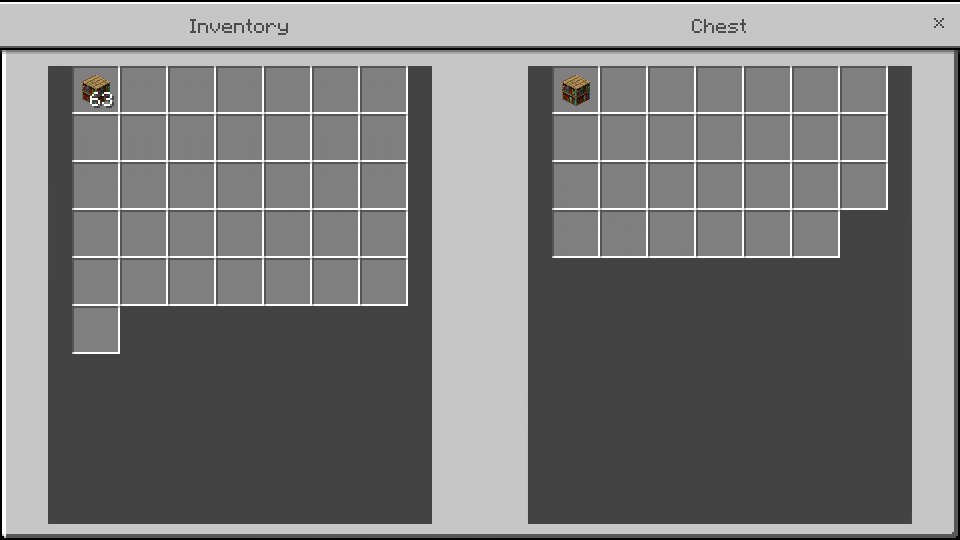
The problem is that if I do this with another item for example, even if I am not holding the modified chest, the slot that is replaced is the previous chest. And in that, I can not hold several chests with different NBT tags.
In Minecraft Java this does not occur then, I hope to see it fixed.I usually fill chests with certain items and use the 'middle mouse button + ctrl' to get it with the NBT tag.

The problem is that if I do this with another item for example, even if I am not holding the modified chest, the slot that is replaced is the previous chest. And in that, I can not hold several chests with different NBT tags.
In Minecraft Java this does not occur then, I hope to see it fixed.
I usually fill chests with certain items and use the 'middle mouse button + ctrl' to get it with the NBT tag.
The problem is that if I do this with another item for example, even if I am not holding the modified chest, the slot that is replaced is the previous chest. And in that, I can not hold several chests with different NBT tags.
In Minecraft Java this does not occur then, I hope to see it fixed.I usually fill chests with certain items and use the 'middle mouse button + ctrl' to get it with the NBT tag.

The problem is that if I do this with another item for example, even if I am not holding the modified chest, the slot that is replaced is the previous chest. And in that, I can not hold several chests with different NBT tags.
In Minecraft Java this does not occur then, I hope to see it fixed.
I usually fill chests with certain items and use the 'middle mouse button + ctrl' to get it with the NBT tag.
The problem is that if I do this with another item for example, even if I am not holding the modified chest, the slot that is replaced is the previous chest. And in that, I can not hold several chests with different NBT tags.
In Minecraft Java this does not occur then, I hope to see it fixed.I usually fill chests with certain items and use the 'middle mouse button + ctrl' to get it with the NBT tag.
The problem is that if I do this with another item for example, even if I am not holding the modified chest, the slot that is replaced is the previous chest. And in that, I can not hold several chests with different NBT tags.


In Minecraft Java this does not occur then, I hope to see it fixed.
I usually fill chests with certain items and use the 'middle mouse button + ctrl' to get it with the NBT tag.
The problem is that if I do this with another item for example, even if I am not holding the modified chest, the slot that is replaced is the previous chest. And in that, I can not hold several chests with different NBT tags.
In Minecraft Java this does not occur then, I hope to see it fixed.I usually fill chests with certain items and use the 'middle mouse button + ctrl' to get it with the NBT tag.
The problem is that if I do this with another item for example, even if I am not holding the modified chest, the slot that is replaced is the previous chest. And in that, I can not hold several chests with different NBT tags.

In Minecraft Java this does not occur then, I hope to see it fixed.
I usually fill chests with certain items and use the 'middle mouse button + ctrl' to get it with the NBT tag.
The problem is that if I do this with another item for example, even if I am not holding the modified chest, the slot that is replaced is the previous chest. And in that, I can not hold several chests with different NBT tags.
In Minecraft Java this does not occur then, I hope to see it fixed.
Another very annoying problem is that I am not being able to use the 'middle mouse button' inside the inventory itself.
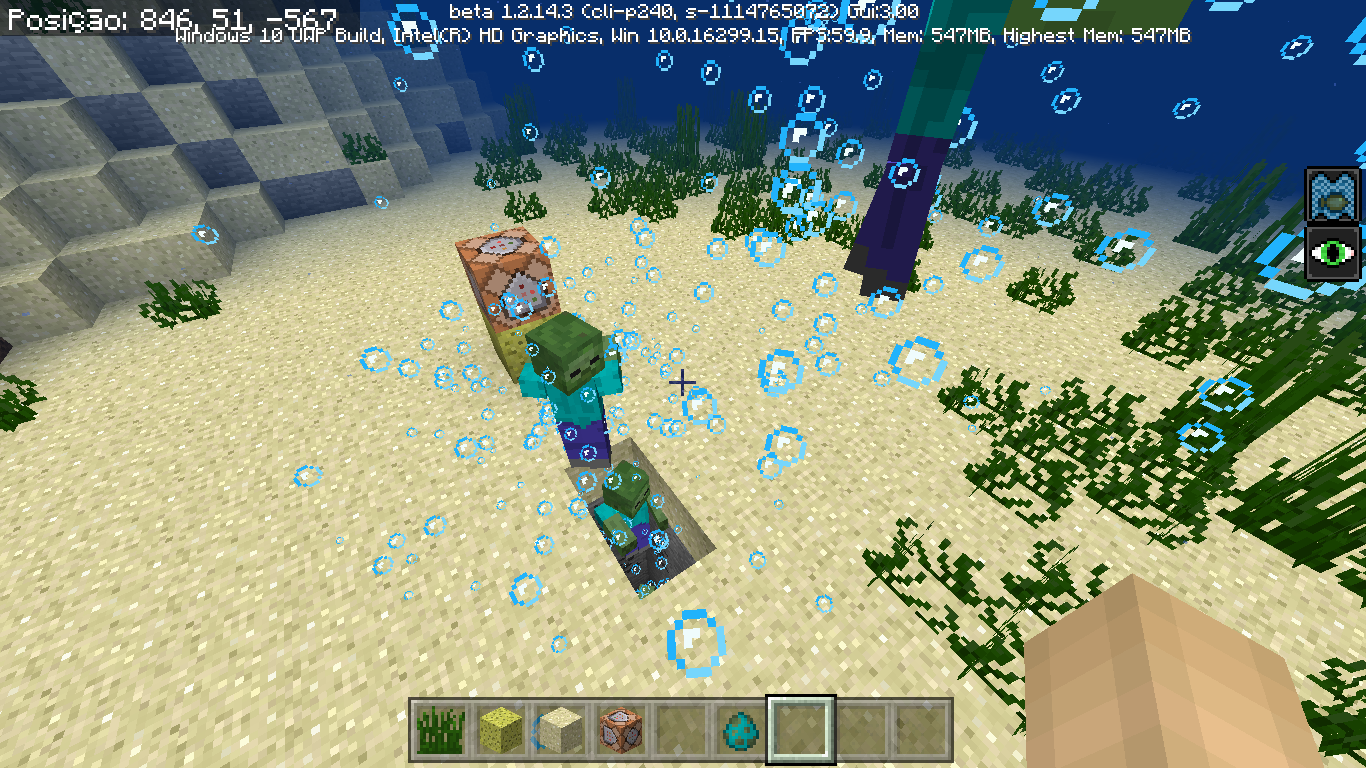
When we click the middle mouse button on a button or pressure plate of the new update, we get a default button. Note the attached image.
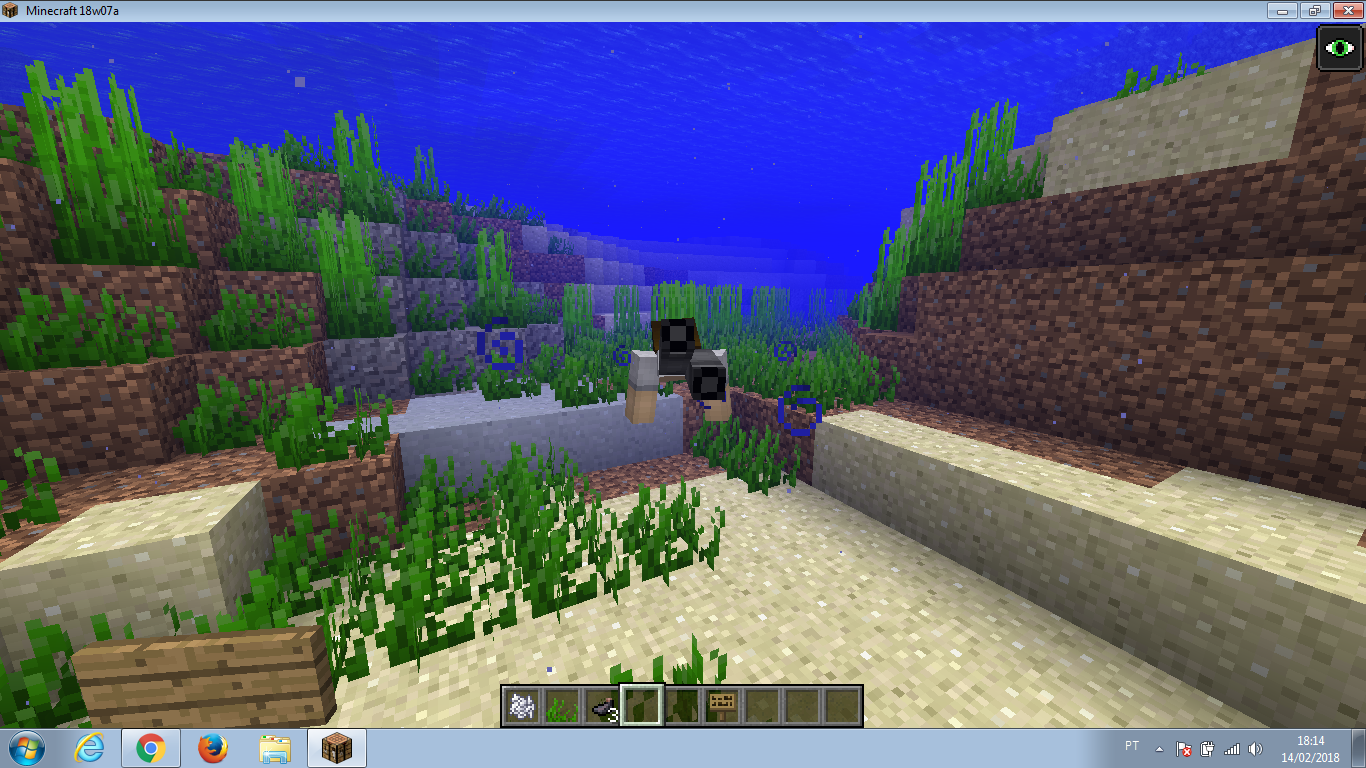
In short ... By using a command like / fill to remove water from a particular location, blocks other than just water are not cleaned and remain as water sources. Here is an example:
In short ... By using a command like / fill to remove water from a particular location, blocks other than just water are not cleaned and remain as water sources. Here is an example:
1) I will empty all the water of this structure, keeping only the construction itself.

2) This is the command I'm going to use.
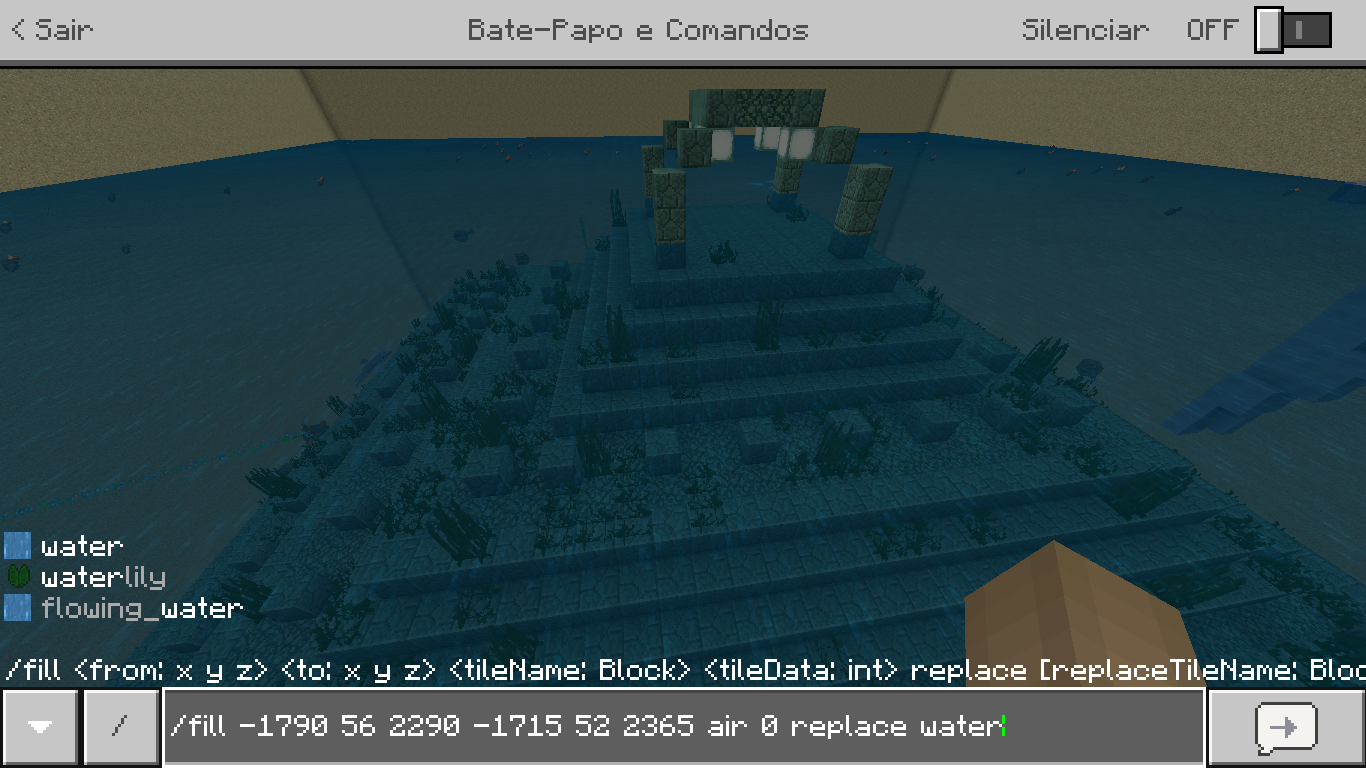
3) After executing the command, I noticed that there were still blocks of water.

4) Looking closer I could see that it was the blocks of grass that made the bug.

The mistake made me a bit stressed because I'll have to take the grams manually ... Correct this, please.
Failure to remove waterfrom blocks with water by commandsFailed to remove water using / fill in some blocks
In short ... By using a command like / fill to remove water from a particular location, blocks other than just water are not cleaned and remain as water sources. Here is an example:
1) I will empty all the water of this structure, keeping only the construction itself.
2) This is the command I'm going to use.
3) After executing the command, I noticed that there were still blocks of water.
4) Looking closer I could see that it was the blocks of grass that made the bug.
The
mistake made me a bit stressed because I'll have to take the grams manually ... Correct this, please.In short ... By using a command like / fill to remove water from a particular location, blocks other than just water are not cleaned and remain as water sources. Here is an example:
1) I will empty all the water of this structure, keeping only the construction itself.
2) This is the command I'm going to use.
3) After executing the command, I noticed that there were still blocks of water.
4) Looking closer I could see that it was the blocks of grass that made the bug.
------
The error also happens when we give the command:
"/ fill xa ya za xb and b zb air"The grass blocks disappear, but the water continues ...
In short ... By using a command like / fill to remove water from a particular location, blocks other than just water are not cleaned and remain as water sources. Here is an example:
1) I will empty all the water of this structure, keeping only the construction itself.
2) This is the command I'm going to use.
3) After executing the command, I noticed that there were still blocks of water.
4) Looking closer I could see that it was the blocks of grass that made the bug.
------
The error also happens when we give the command:
"/ fill xa ya za xb and b zb air"The seagrass blocks disappear, but the water continues ...
In short ... By using a command like / fill to remove water from a particular location, blocks other than just water are not cleaned and remain as water sources. Here is an example:
1) I will empty all the water of this structure, keeping only the construction itself.
2) This is the command I'm going to use.
3) After executing the command, I noticed that there were still blocks of water.
4) Looking closer I could see that it was the blocks of grass that made the bug.
------
The error also happens when we give the command:
"/ fill xa ya za xbandb zb air"The seagrass blocks disappear, but the water continues ...
In short ... By using a command like / fill to remove water from a particular location, blocks other than just water are not cleaned and remain as water sources. Here is an example:
1) I will empty all the water of this structure, keeping only the construction itself.
2) This is the command I'm going to use.
3) After executing the command, I noticed that there were still blocks of water.
4) Looking closer I could see that it was the blocks of grass that made the bug.
------
The error also happens when we give the command:
"/ fill xa ya za xb yb zb air 0"The seagrass blocks disappear, but the water continues ...
Failed to remove water using /fill in some blocks
Failed toremove water using /fill in someblocksFailed to use / fill to remove water from blocks with water (other than just it)
In short ... By using a command like / fill to remove water from a particular location, blocks other than just water are not cleaned and remain as water sources. Here is an example:
1) I will empty all the water of this structure, keeping only the construction itself.
2) This is the command I'm going to use.
3) After executing the command, I noticed that there were still blocks of water.
4) Looking closer I could see that it was the blocks of grass that made the bug.
------
The error also happens when we give the command:
"/ fill xa ya za xb yb zb air 0"The seagrass blocks disappear, but the water continues ...
In short ... By using a command like / fill to remove water from a particular location, blocks other than just water are not cleaned and remain as water sources. Here is an example:
1) I will empty all the water of this structure, keeping only the construction itself.
2) This is the command I'm going to use.
(It means that I will replace all air blocks with water.)
3) After executing the command, I noticed that there were still blocks of water.
4) Looking closer I could see that it was the blocks of grass that made the bug.
------
The error also happens when we give the command:
"/ fill xa ya za xb yb zb air 0"The seagrass blocks disappear, but the water continues ...
In short ... By using a command like / fill to remove water from a particular location, blocks other than just water are not cleaned and remain as water sources. Here is an example:
1) I will empty all the water of this structure, keeping only the construction itself.
2) This is the command I'm going to use.
(It means that I will replace allair blocks withwater.)
3) After executing the command, I noticed that there were still blocks of water.
4) Looking closer I could see that it was the blocks of grass that made the bug.
------
The error also happens when we give the command:
"/ fill xa ya za xb yb zb air 0"The seagrass blocks disappear, but the water continues ...
In short ... By using a command like / fill to remove water from a particular location, blocks other than just water are not cleaned and remain as water sources. Here is an example:
1) I will empty all the water of this structure, keeping only the construction itself.
2) This is the command I'm going to use.
(It means that I will replace all water blocks with air.)
3) After executing the command, I noticed that there were still blocks of water.
4) Looking closer I could see that it was the blocks of grass that made the bug.
------
The error also happens when we give the command:
"/ fill xa ya za xb yb zb air 0 replace water"The seagrass blocks disappear, but the water continues ...
In short ... By using a command like / fill to remove water from a particular location, blocks other than just water are not cleaned and remain as water sources. Here is an example:
1) I will empty all the water of this structure, keeping only the construction itself.
2) This is the command I'm going to use.
(It means that I will replace all water blocks with air.)
3) After executing the command, I noticed that there were still blocks of water.
4) Looking closer I could see that it was the blocks of grass that made the bug.
------
The
error also happens when we give the command:
"/ fill xa ya za xb yb zb air 0 replace water"
The seagrass blocks disappear, but the water continues ...In short ... By using a command like / fill to remove water from a particular location, blocks other than just water are not cleaned and remain as water sources. Here is an example:
1) I will empty all the water of this structure, keeping only the construction itself.
2) This is the command I'm going to use.
(It means that I will replace all water blocks with air.)
3) After executing the command, I noticed that there were still blocks of water.
4) Looking closer I could see that it was the blocks of grass that made the bug.
------
The summary of the command used is as follows:
"/ fill xa ya za xb yb zb air 0 replace water"In the example, the water is not gone because there is something besides the water itself.
In short ... By using a command like / fill to remove water from a particular location, blocks other than just water are not cleaned and remain as water sources. Here is an example:
1) I will empty
allthe waterof thisstructure, keeping only theconstruction itself.
2) This is the command I
'm going touse.
(It means that I will replace all water blocks with air.)
3) After executing the command, I noticed that there were still blocks of water.
4) Looking closer I could see that it was the blocks of grass that made the bug.
------
The summary of the command used is as follows:
"/ fill xa ya za xb yb zb air 0 replace water"In the example, the water is not gone because there is something besides the water itself.
In short ... By using a command like / fill to remove water from a particular location, blocks other than just water are not cleaned and remain as water sources. Here is an example:
1) I will empty some of the water from this building, preserving only the structure.
2) This is the command I will use:
(It means that I will replace all water blocks with air.)
3) After executing the command, I noticed that there were still blocks of water.
4) Looking closer I could see that it was the blocks of grass that made the bug.
------
The summary of the command used is as follows:
"/ fill xa ya za xb yb zb air 0 replace water"In the example, the water is not gone because there is something besides the water itself.
Holding the SHIFT button while running underwater does not make us crouch;
However,whenholdingthe shift, we run andreleasethe shift button, we remain crouched, even if we also stop running.
The mistake just to press SHIFT again.Holding the SHIFT button while running underwater does not make us crouch;
However, by holding SHIFT, running and then releasing the shift button, we remain crouched, even if we also stop running.
The mistake just to press SHIFT again.
Holding the SHIFT button while running underwater does not make us crouch;
However, by holding SHIFT, running and then releasing the shift button, we remain crouched, even if we also stop running.
The mistake just to press SHIFT again.
Please, fix. ;-;
Holding the SHIFT button while running underwater does not make us crouch;
However, by holding SHIFT, running and then releasing the shift button, we remain crouched, even if we also stop running.
The mistake just to press SHIFT again.
Please, fix. ;-;Video examples:
1) In this video I activate the swim mode and try to hold SHIFT, but there is no result.
Desktop_1.mp4
2) In this video initially I hold SHIFT and then activate the swim mode, getting result. But when I release the shift and stop running, I keep crouched.
Desktop_2.mp4
I'll attach a video, let's see if you understand ... D:
Failure to use BoneFlourin the oceanFailure to use Bone Meal in the ocean
Failure to use Bone Meal in the oceanFailed to use Bone Meal in the ocean
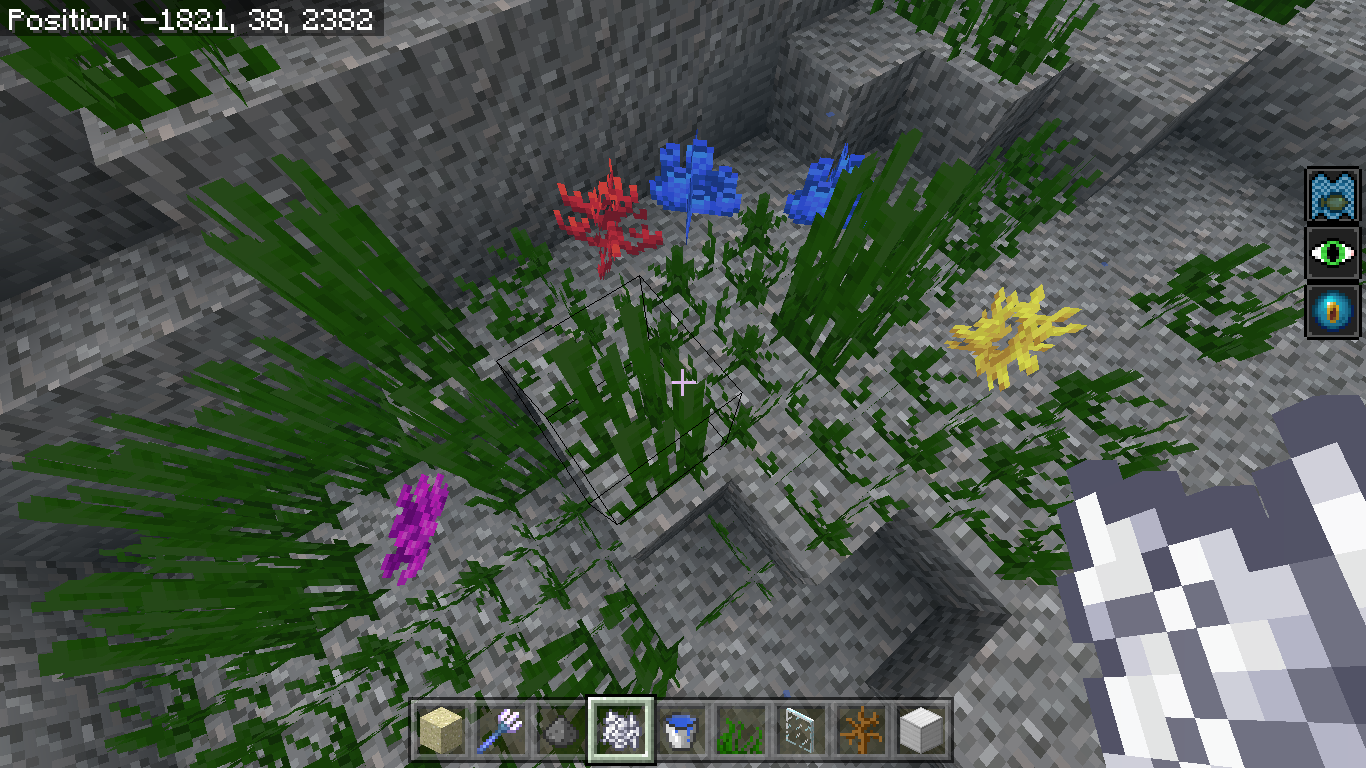
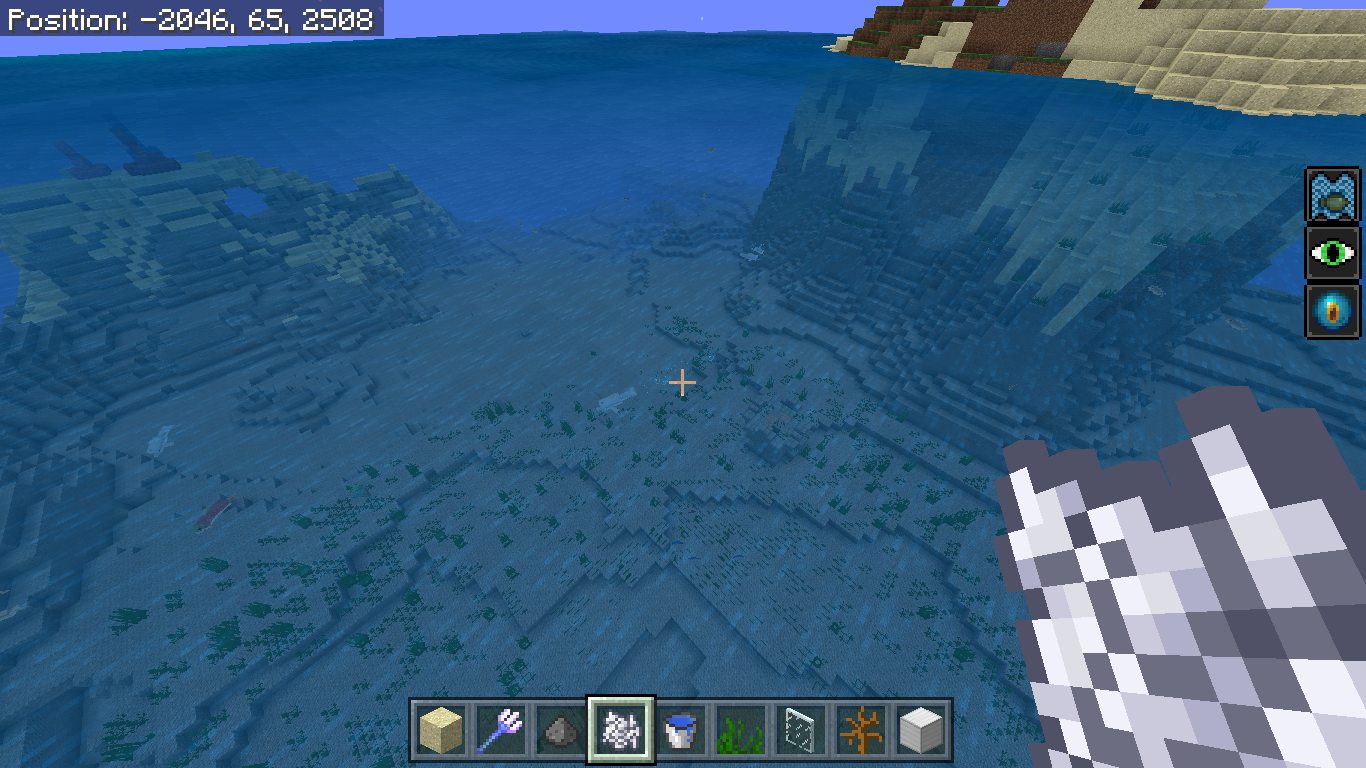
In Minecraft Java, when using Bone Flour in a biome (other than tropical) only sea grasses are born.
But in Bedrock Minecraft, using bone meal also generates coral 'plants' (not just tropical biomes).
I did a test in several biomes (it's a recent world) and the bug is real.Some examples:
In Minecraft Java, when using Bone Flour in a biome (other than tropical) only sea grasses are born.
But in Bedrock Minecraft, using bone meal also generates coral 'plants' (not just tropical biomes).
I did a test in several biomes (it's a recent world) and the bug is real.Some examples:
In the ice biome:

In another biome that I can not remember the name:

In the translation mode into Brazilian Portuguese, some things get a bit wrong:
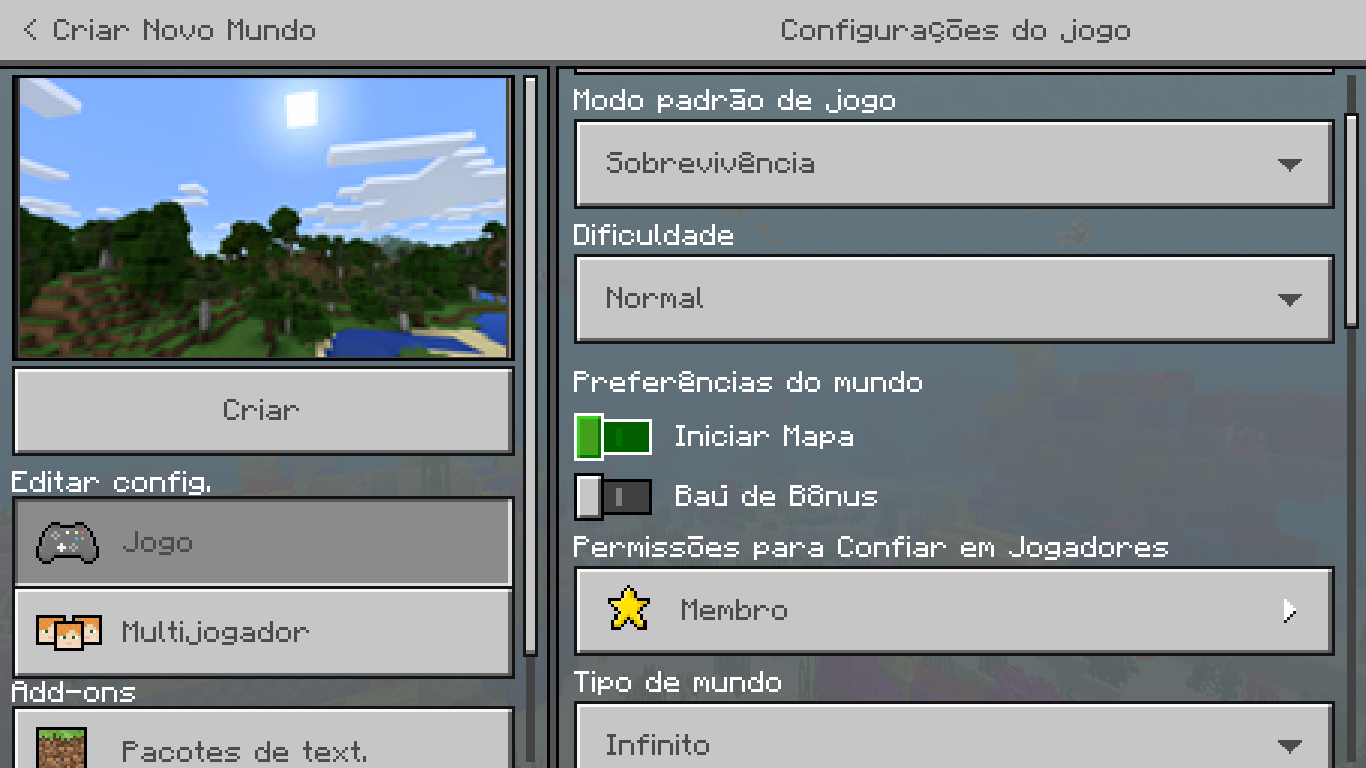
''Iniciar com mapa''
In the translation mode into Brazilian Portuguese, some things get a bit wrong:
''Iniciar com mapa''

"PvP"

"Ativar trapaças"

"Jogabilidade Experimental"
In the translation mode into Brazilian Portuguese, some things get a bit wrong:
''Iniciar com mapa''
"PvP"
"Ativar trapaças"
"Jogabilidade Experimental"
image-2018-07-29-16-18-25-217.png
When we try to invoke an armor_stand (using the / summon command) within a block to create some decoration, the entity is moved to some empty place because the space is already occupied.
How to make:1) My goal is to invoke an armor_stand within these blocks.
2) This is the command I will use.
3) When you press the button, the Armor Stand is moved out of the block automatically, like a bug.
x1) In a second demonstration, changing height Y to +1
2) The block is moved upwards, and ends up not staying in the desired place.
When we try to invoke an armor_stand (using the / summon command) within a block to create some decoration, the entity is moved to some empty place because the space is already occupied.
How to make:1) My goal is to invoke an armor_stand within these blocks.
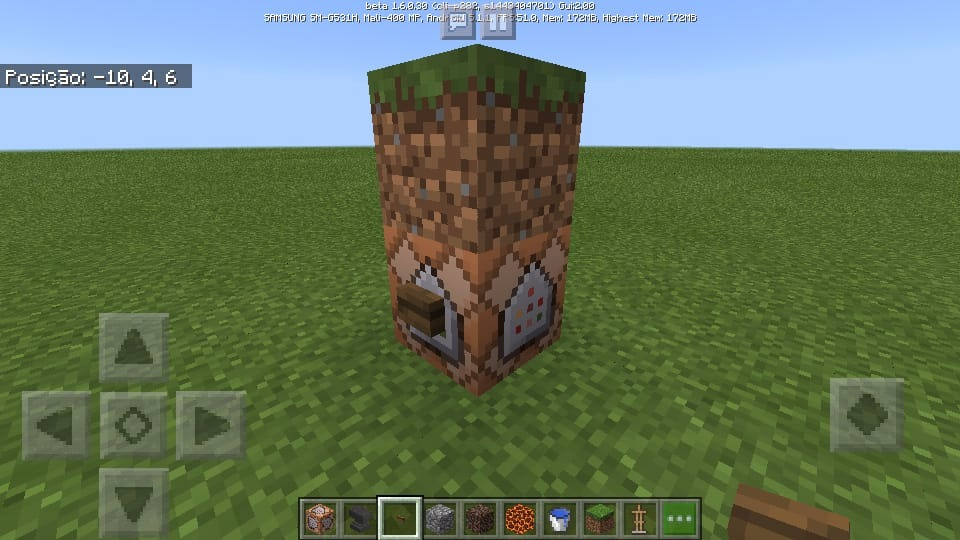
2) This is the command I will use.
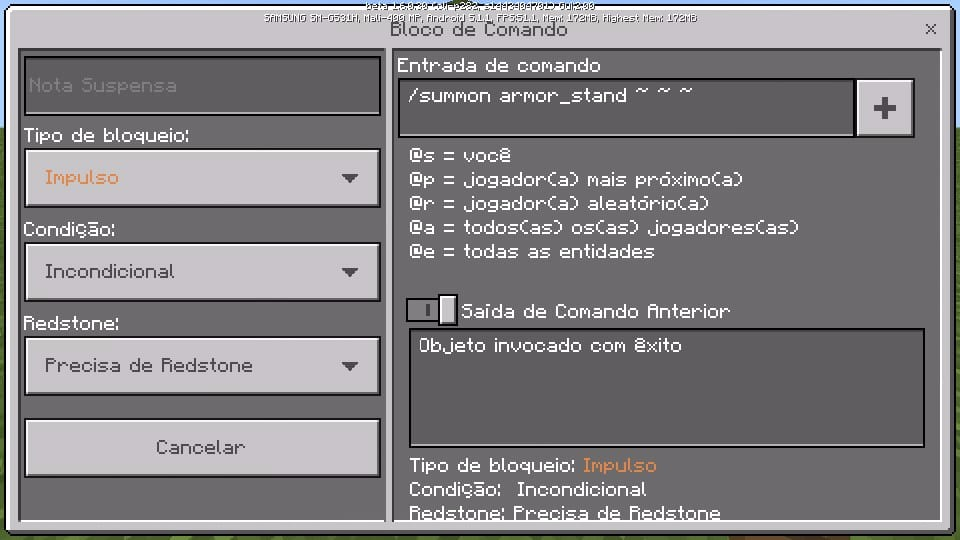
3) When you press the button, the Armor Stand is moved out of the block automatically, like a bug.
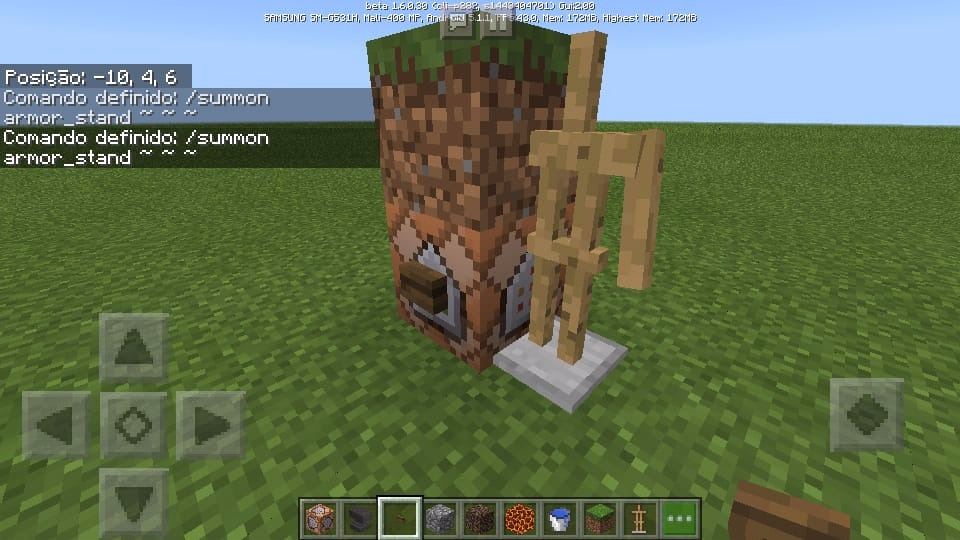
x1) In a second demonstration, changing height Y to +1
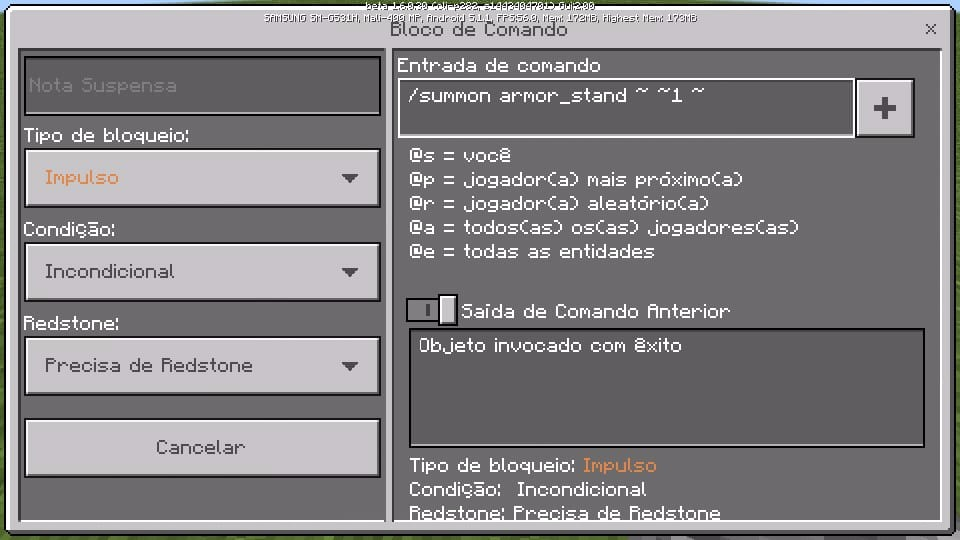
2) The block is moved upwards, and ends up not staying in the desired place.
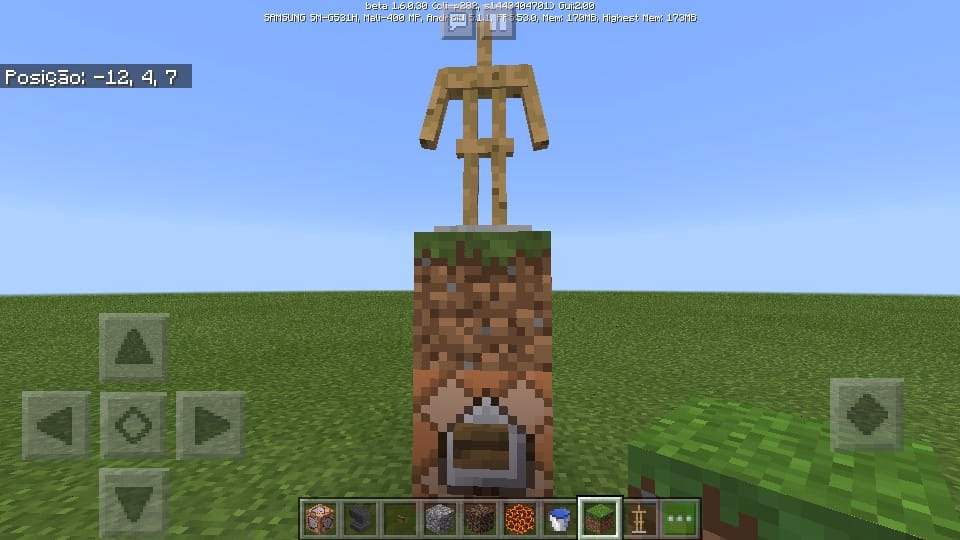
When we try to invoke an armor_stand (using the / summon command) within a block to create some decoration, the entity is moved to some empty place because the space is already occupied.
How to make:1) My goal is to invoke an armor_stand within these blocks.
2) This is the command I will use.
3) When you press the button, the Armor Stand is moved out of the block automatically, like a bug.
x1) In a second demonstration, changing height Y to +1
2) The block is moved upwards, and ends up not staying in the desired place.
My Device: Samsung Galaxy Gran Prime - 5.1.1 - Lolly Pop - 1 GB ROM.
When we try to invoke an armor_stand (using the / summon command) within a block to create some decoration, the entity is moved to some empty place because the space is already occupied.
How to make:1) My goal is to invoke an armor_stand within these blocks.
2) This is the command I will use.
3) When you press the button, the Armor Stand is moved out of the block automatically, like a bug.
x1) In a second demonstration, changing height Y to +1
2) The block is moved upwards, and ends up not staying in the desired place.
My Device: Samsung Galaxy Gran Prime - 5.1.1 - Lolly Pop - 1 GB ROM.
When we try to invoke an armor_stand (using the / summon command) within a block to create some decoration, the entity is moved to some empty place because the space is already occupied.
How to make:1) My goal is to invoke an armor_stand within these blocks.
2) This is the command I will use.
3) When you press the button, the Armor Stand is moved out of the block automatically, like a bug.
x1) In a second demonstration, changing height Y to +1
2) The block is moved upwards, and ends up not staying in the desired place.
When we kill a mob, its drop is in a different position from where the animal actually died.
When we kill a mob, its drop is in a different position from where the animal actually died.
The only thing that gets in the correct position is XP, which is only released after the smoke comes up.
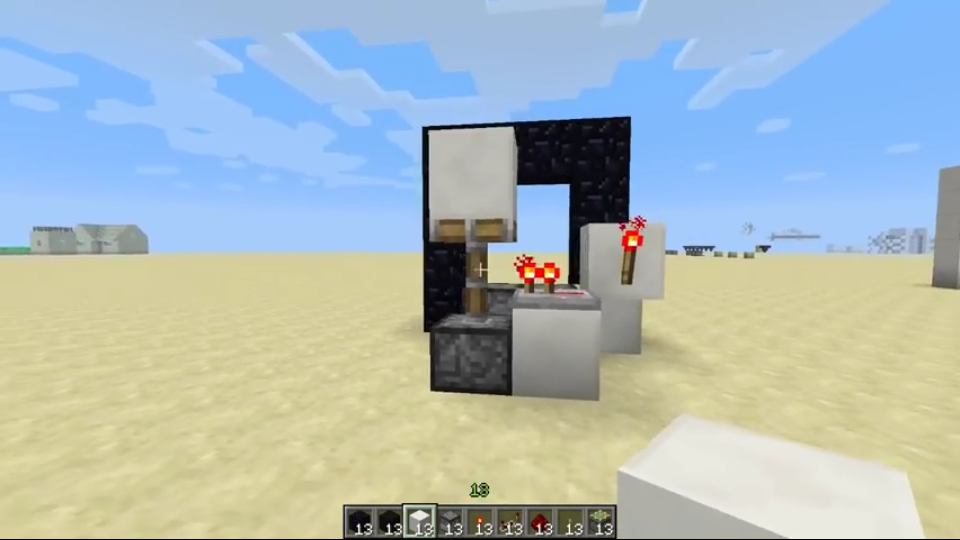
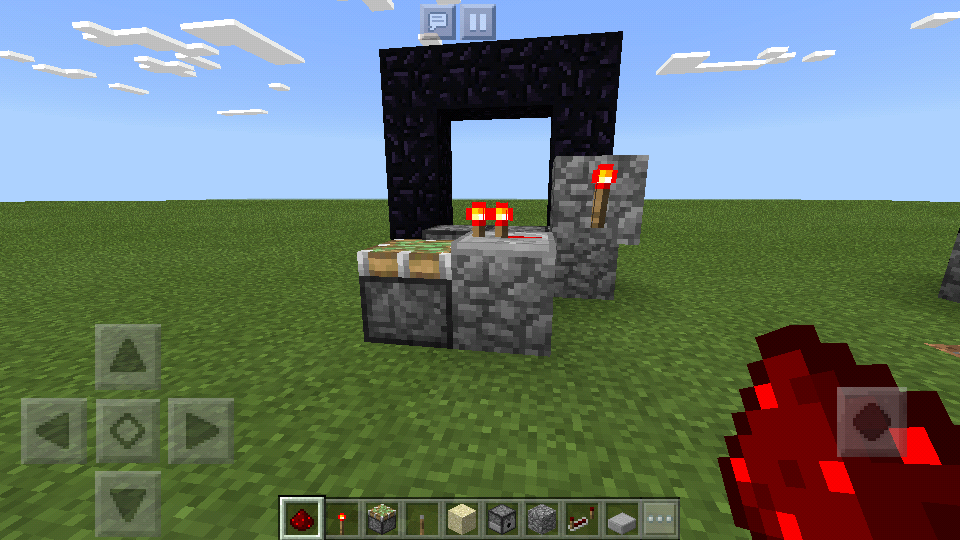
Afeta 1.12.1
Add a "buttons" tag.
I noticed that the buttons are also very unstable about ticking time: they emit a charge above or below (19 or 21 for stone buttons, 29 or 31 for wood buttons). They rarely execute the exact value of ticks (which is 20 for stone buttons, and 30 for wooden buttons).
This error causes a series of breaks in Minecraft Bedrock's redstone, which is perhaps the most damaging to the game's engineering.
As of update 1.16, chickens born by the ejector (on the chicken farm) were disappearing when I walked away.

KopperXP please do not post comments simply asking someone to look at your issue. First, this doesn't do anything (no one gets notice). Second, there are many many many issues being managed with different priority, so it will take an unknown amount of time for a moderator to get to your issue.
KopperXP Does this problem happen on your device everytime and even if you start a new world? I could not reproduce at first, but have now experienced this once (I tapped an item in inventory, it selected. Then I tapped anempty hotbar slot and it became selected too (I expected the item to move to that slot, it did not) So I tapped the selected slot again and the item moved. It is not yet clear to me what is causing this bug to start happening, if you could investigate when it starts happening (presuming it doesn't happen all the time in every world you play) and post back, that would be helpful.
![[Mod] bemoty](../../../data/avatars/users/50554.png)
KopperXP 1.2.0.22 is already marked as affected.
KopperXP This is completely unrelated, please don't refer to your own bug reports in the comments of others like this; it won't make the developers fix them any sooner.
![[Mod] GoldenHelmet](../../../data/avatars/users/18951.svg)
@KopperXP I checked with an NBT viewer and chickens hatched from eggs shot by dispensers do have persistence. I also tested and they did not despawn like naturally-spawned other mobs. If you are sure that they are despawning in your world and it wasn't, say, another player that killed them, then please make a new report just for that issue. A video or world save that shows the issue would help immensely in confirming a report, if you decide to make one.
This happens to me too!
Yes! I also discovered that!
Thanks!
Sansung - Android Galaxy Gran Duos - Jelly Bean - 4.2.2
What does this button do?
I also have this problem, besides the other.
@gatharian
Wither volume really is low, just like a normal mob. In Minecraft PC, we can hear them about 50 blocks.
Tested and really ... It's bugged.
There is no sound, therefore it will be necessary to download the songs, so the game does not weigh so much.
Verdade...
:O
Edit the problem and enter the information for your device.
This resembles a texture ...
This is a mistake, but it did. Exist since 1.8.
It is useful.
Did you wait or soon close the game after seeing that it turned black?
There are some errors in to login end Xbox Live, but we must be patient and wait for the load to finish.
In minecraft PC does not work like that?
If it is ... It's not a mistake.
Check how your controls and sensitivity are correct set. Also check your FPS, the lag can be the cause of these failures.
Chat is not the only way to block players from destroying the world. When creating a world, select 'Visitor', and all players who enter will not be able to enter with anything.
As for lags, it is better to decrease options that improve graphics, as well as clear the phone's RAM.
What is these shadows in the water?
Maybe you're right ...
The same thing happens with hostile mobs: the same ones still chase after him dead (If he does not click to revive).
To find out what you actually got, take a print of the purchase history from which you purchased the product.
About buying and not showing may be related to your account: It may be secondary or out of your device. You will need it to recover them ...
From time to time, Xbox Live changes some of its terms of security and privacy. Just to be sure, take a look at your Xbox settings.
If it is not related to this, it may be related to the small maintenance that the game does.
Finally, access your Realm settings and check multiplayer related options. There must be something disabled or misconfigured.
Try to interact with the error to see if it returns to normal.
Often this is normal because the files are loading (abnormal is taking too long).
This world is likely to be old, before 1.2. In the new world the error probably does not exist anymore. Is it something so horrible?
This is part of Minecraft Java, but it is very useful in some situations. Let the block stay in infinite drop even in Minecraft PC! Please.
In mine it works normally. False - Particles | True - Without particles
I'm sorry to say, but it will not pre-empt a new update. Your worlds have been corrupted by the default settings of 1.2... Start again, as soon as you leave the official version of now there will be no such problematic changes ...
It's sad, I lost some worlds, but fixing something inside the game will not do any good if it's already corrupted. :/
It will not be good to wait.
I was told that about 3 times. Do not put multiple errors in a comment. This makes it difficult to analyze the team. Create new tickets for each error in more detail.
In this Print, I see that you are using the version prior to the current one. Download current version: 1.2.0.22 to see if the bug is fixed.
If you are referring to Jukebox for not playing the discs, please be aware that you will need to download the songs. The game would weigh heavily if it was connected to the Apk.
This error needs to be fixed! It is very useful in Minecraft PC and Pocket Edition would be a great achievement!
When are you going to analyze this suggestion?
Sorry.
Sorry
;-;
Can any moderator check this error, please?
Can any moderator check this error, please?
Oh, thanks...
What about this error?
Oh, sorry about that ... It's that sometimes it takes too long xD, I will not do it anymore.
As for explaining how it works I'll take several prints and show the error to make it easier to understand.
Both methods should work. Either by clicking on the item, or by clicking on a 'slot' of the 'hotbar'.
The error can still be found in 1.2.0.22. It needs to be fixed soon ...
This error is also stressful!
The error is involved in the entire inventory. Not just the vineyards.
Details do not go unnoticed by users... xD
@rplatham
The error started around Beta 4 or 5 of the game. When they were about to add the + (Expand inventory) tab. There began to be this error and similar flaws, anyway. I hoped they would solve it, even though it was a super visible bug and I commend it. But...
It should also be related in some way to the new animations of moving items from one 'Slot' to another.
From what I've analyzed, the error only works with Creative mode categories. Does not affect the Survival.
I think I managed to understand, try to understand:
When we select any item from the inventory and put it in a 'slot' of the hotbar, it is as if the 'Slot' with the item did not exist, so it does not put anything in the place. When we select a 'Slot' from the Hotbar and we pass an item, it is as if it happened, then the change occurs.
Not the best explanation, but I'm still trying to figure out what could cause the error.
Text updated. Try playing it by following the steps. This happens with all categories of the creative mode. (Pocket Mode)
[...]
Confirmed by my...
Use /tp ~+0.2 ~ ~ .
Confirmed in 1.2.0.22...
Bug fixed! Thanks!
Bug Fixed! Thanks.
Fix the bug! Please...
[...]
For some reason the mistake happens to me!
This is Hangry bug!
Fix please!
Anyway, this difference really messed me down. ;(
Gamertags:
KopperXP
LucasCoelho90
TailoredTie5750
OneNeto Gomes
Maybe the problem is in Ream himself, because the bug appears when we use some point and only corrects when everyone reentered ... Example:? . !
Thank you very much.
I hate this bug!
Affect 1.2.9!
Affect 1.2.9
Affect 1.2.10.1
Affect 1.2.13.5
Affect my device: Samsung Galaxy Gran Prime - 5.1.1 - LollyPop - 1GB ROM - Root Actived.
Affect 1.2.13.6
Fixed in 1.2.14.3
Affect 1.2.14.2 and 1.2.11.4
It's strange to say ... But it looks like the bug was 70% fixed in version 1.5.0.7. The problem only remains in the Main Menu that goes blank when we leave the world.

That's exactly what I did! : D
But it's still a bug for not removing the water ... Is not it?
Ready...
I hate this bug... ;-;
Still affects 1.6.0.8 ... T.T
Still affects 1.5.2.1 ... T.T
In fact ... The bug affects ALL blocks with more than just water.
Haha, did not think of a function to relate a ticket to two platforms. : D
Anyway ...
Nothing is truly infinite. The worlds have a limit of 9 million blocks.
It's not a bug (you'll never be able to do this in survival, so do not bother yourself so much ...)
This happens because of your connection status and the way the world has been set up. (Enable the world's Multiplayer mode).
This is actually not quite a bug, the detail also exists in Java, and I did not even remember that it existed ... Just do not spread this ninja localization technique. : D
Are they still in the "games" folder? (If you play in External mode).
In this case, only the realm owner decides who will play. Because he needs to add the players to the access list. O reino era seu?
Happens to me too! Except in my case, the whole computer crashes and I have to close the game by the Task Manager.
I believe it happens because it lowers all cache content of the Store and servers at the same time, generating a tremendous lag and crashing the game ... (Images).
You can close this instance!
It's true. The bug affects all versions ... and then we have to use resistance effect or slow fall to not kill everyone.
Affects 1.12.1
In 1.12.1, after testing the bug again I noticed that there was a "fix": an aspect that allows entities to be inside blocks if we try to suffocate them, however, when invoking an entity using commands, there seems to be a search for own command to find an "empty" place.
This error is still valid, although disabled.
Is there any more specific place to report translation errors?
This error affects multiple platforms.
...And I totally agree that it is very annoying, I felt there was something wrong, but I didn't know what it was until I compared it more closely with Java.
I'm glad I'm not the only one to have noticed that.
Affects the official 1.16.0.
After watching some videos, I concluded that the bug started at 1.5 (Aquatic Update).
It also affects the official 1.16.
@GoldenHelmet thank you. I did new tests and apparently everything is normal. It had happened in the realm, if it happens again, I will try it.