 Missingno_26
- missingno_26
- missingno_26
- Europe/Paris
- Yes
- No
![[Mojang] Jeb (Jens Bergensten)](../../../data/assets/gravatar/jeb.jpeg)
![[Mojang] Grum (Erik Broes)](../../../data/assets/gravatar/grum.png)
 MC-30953MC-31129MC-36941











I got this crash report I have never seen before :
Notes :
"Testure" is a world created around 1.4.
I was testing a custom texture for Coal Block when the crash happened but I don't think it's related since it's not the first Coal blocks I've placed ...
The texture pack I was using was vanilla. It only uses vanilla animation and is 16x.
I was using the last available version of the laucher (0.7.1)---- Minecraft Crash Report ----
// Would you like a cupcake?Time: 06/05/13 07:24
Description: Exception in server tick loopjava.lang.NullPointerException
at akg.f(SourceFile:197)
at gw.m(SourceFile:689)
at net.minecraft.server.MinecraftServer.a(SourceFile:880)
at bha.a(SourceFile:199)
at me.b(SourceFile:94)
at net.minecraft.server.MinecraftServer.r(SourceFile:435)
at bha.r(SourceFile:125)
at net.minecraft.server.MinecraftServer.run(SourceFile:341)
at gr.run(SourceFile:584)A detailed walkthrough of the error, its code path and all known details is as follows:
---------------------------------------------------------------------------------------– System Details –
Details:
Minecraft Version: 13w18c
Operating System: Windows XP (x86) version 5.1
Java Version: 1.7.0_11, Oracle Corporation
Java VM Version: Java HotSpot(TM) Client VM (mixed mode), Oracle Corporation
Memory: 58742352 bytes (56 MB) / 273711104 bytes (261 MB) up to 1037959168 bytes (989 MB)
JVM Flags: 1 total; -Xmx1G
AABB Pool Size: 8053 (450968 bytes; 0 MB) allocated, 7607 (425992 bytes; 0 MB) used
Suspicious classes: No suspicious classes found.
IntCache: cache: 0, tcache: 0, allocated: 1, tallocated: 63
Profiler Position: N/A (disabled)
Vec3 Pool Size: 1150 (64400 bytes; 0 MB) allocated, 1136 (63616 bytes; 0 MB) used
Player Count: 1 / 8; [je['Missingno_26'/711, l='Testures', x=199,79, y=64,00, z=268,87]]
Type: Integrated Server (map_client.txt)
Is Modded: Probably not. Jar signature remains and both client + server brands are untouched.
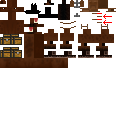
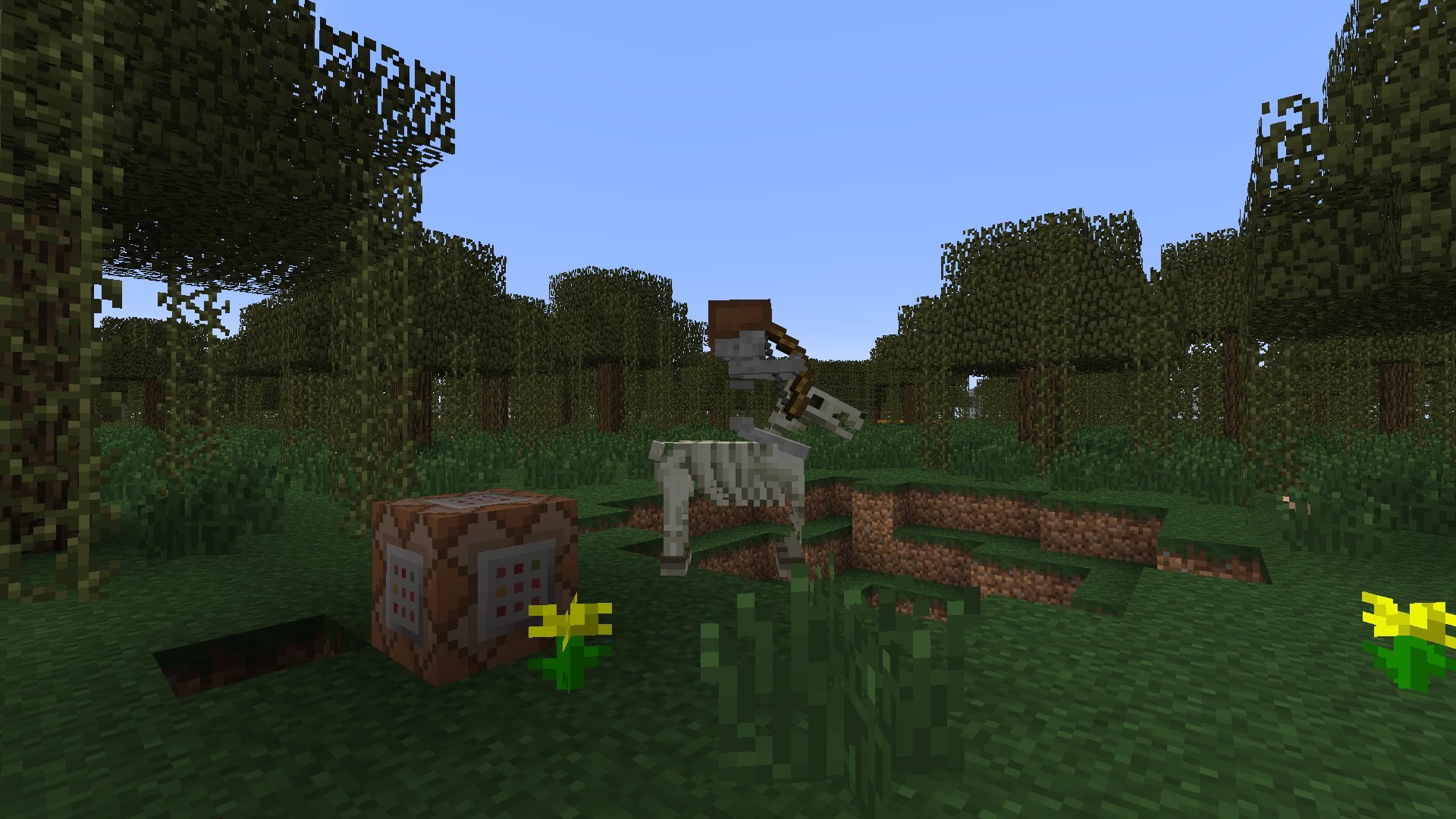
Bottom part of some types of horses' harness is misplaced
I guess it's here since Horses were implemented.
I've tested this with 13w18c.
See attached pictures, they are self-explanatory.I guess it's here since Horses were implemented.
Here is the list of horses that have this problem :
_chestnut
_brown
_darkbrown
_skeleton
I've tested this with 13w18c.
See attached pictures, they are self-explanatory.
By using the /summon command, you can now summon entities that can't be forced to despawn whatsoever.
Try for exemple : /summon Bat ~ ~ ~
{Invulnerable:1,PersistenceRequired:1}Bats don't despawn when difficulty is set to peaceful, the "PersistenceRequired" tag prevents them to despawn when far away from players and the "Invulnerable" tag prevents them to take any damage.
(Note : I'm not sure about void damage but it doesn't matter since Bats can fly and thus can't be forced to fall into the void)By using the /summon command, you can now summon entities that can't be forced to despawn whatsoever.
Try for exemple :
{Invulnerable:1,PersistenceRequired:1}
/summon Bat ~ ~ ~Bats don't despawn when difficulty is set to peaceful, the "PersistenceRequired" tag prevents them to despawn when far away from players and the "Invulnerable" tag prevents them to take any damage.
(Note : I'm not sure about void damage but it doesn't matter since Bats can fly and thus can't be forced to fall into the void)
By using the /summon command, you can now summon entities that can't be forced to despawn whatsoever.
Try for exemple :
{Invulnerable:1,PersistenceRequired:1}/summon Bat ~ ~ ~Bats don't despawn when difficulty is set to peaceful, the "PersistenceRequired" tag prevents them to despawn when far away from players and the "Invulnerable" tag prevents them to take any damage.
(Note : I'm not sure about void damage but it doesn't matter since Bats can fly and thus can't be forced to fall into the void)By using the /summon command, you can now summon entities that can't be forced to despawn whatsoever.
Try for exemple : [code]/summon Bat ~ ~ ~
{Invulnerable:1,PersistenceRequired:1}[/code]
Bats don't despawn when difficulty is set to peaceful, the "PersistenceRequired" tag prevents them to despawn when far away from players and the "Invulnerable" tag prevents them to take any damage.
(Note : I'm not sure about void damage but it doesn't matter since Bats can fly and thus can't be forced to fall into the void)
By using the /summon command, you can now summon entities that can't be forced to despawn whatsoever.
Try for exemple : [code]/summon Bat ~ ~ ~
{Invulnerable:1,PersistenceRequired:1}[/code]
Bats don't despawn when difficulty is set to peaceful, the "PersistenceRequired" tag prevents them to despawn when far away from players and the "Invulnerable" tag prevents them to take any damage.
(Note : I'm not sure about void damage but it doesn't matter since Bats can fly and thus can't be forced to fall into the void)By using the /summon command, you can now summon entities that can't be forced to despawn whatsoever.
Try for exemple : /summon Bat ~ ~ ~
{Invulnerable:1,PersistenceRequired:1}Bats don't despawn when difficulty is set to peaceful, the "PersistenceRequired" tag prevents them to despawn when far away from players and the "Invulnerable" tag prevents them to take any damage.
(Note : I'm not sure about void damage but it doesn't matter since Bats can fly and thus can't be forced to fall into the void)
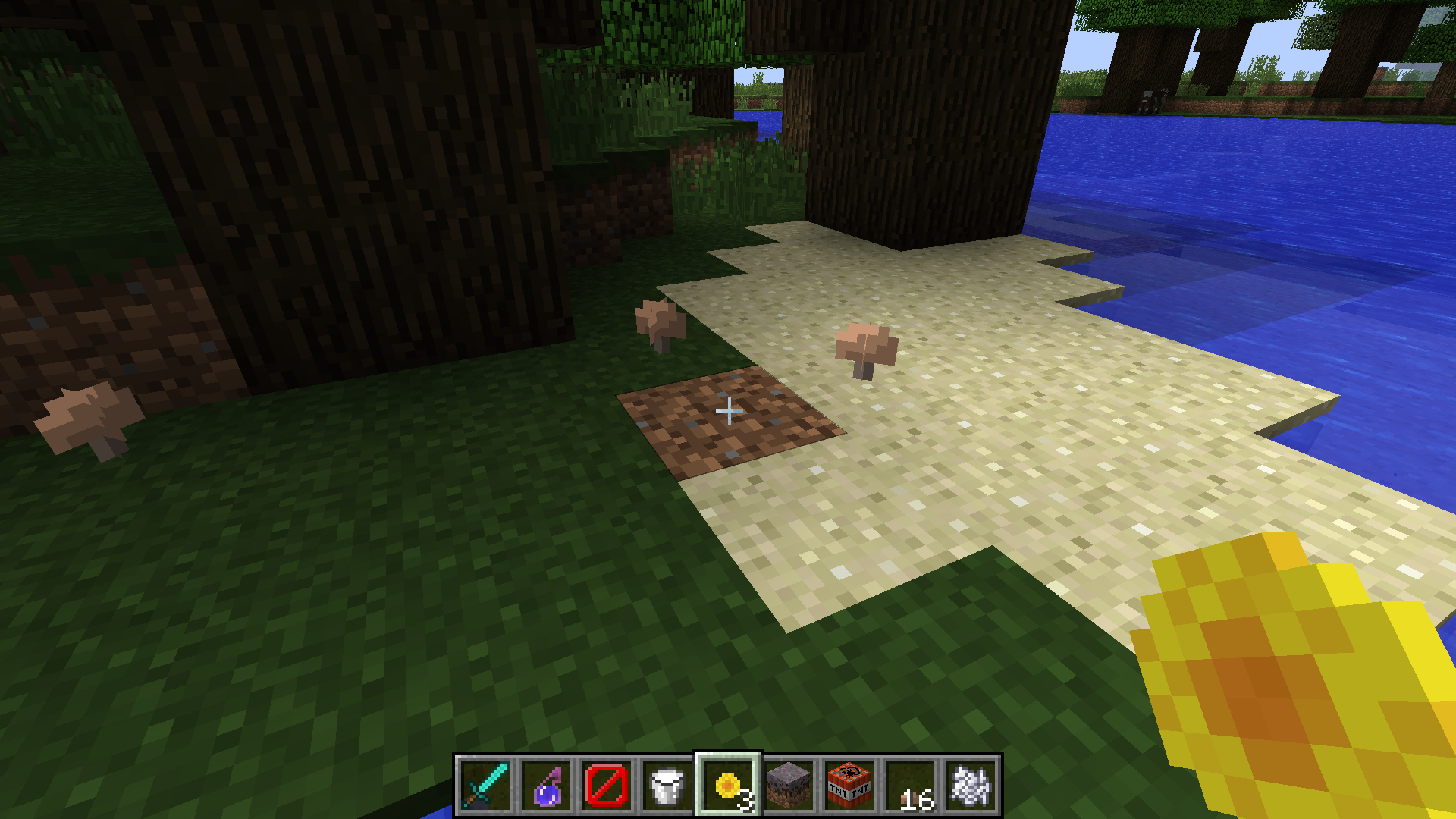
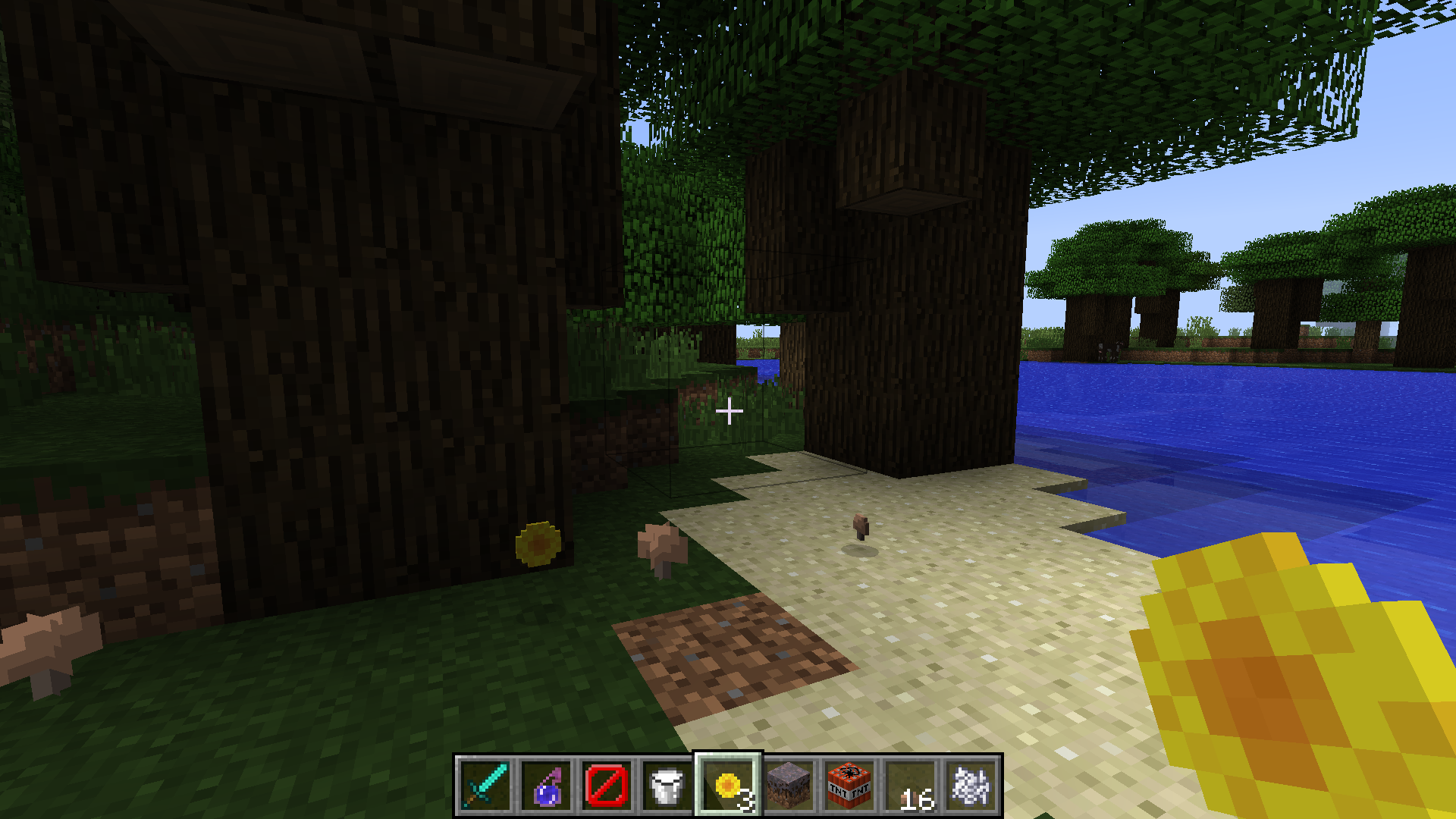
Sometimes, vines are generated where jungle wood logs should be.
Steps to reproduce :
_Explore a jungle...Sometimes, vines are generated where jungle wood logs should be.
Steps to reproduce :
_Explore a jungle or grow a Jungle Tree.
I'm not sure if I'm the one doing something wrong, but everytime I tried to use a field that require a short tag, it seems ignored while the rest work just fine.
Here is an exemple :
{ powered:0 }
<code>setblock ~ ~ ~ minecraft:mob_spawner 0 destroy {
MaxSpawnDelay:1,
RequiredPlayerRange:1,
EntityId:Creeper,
SpawnData:
,
{ powered:0 }
SpawnPotentials:[
{
Type:Creeper,
Weight:2,
Properties:},
{ powered:1 }
{
Type:Creeper,
Weight:1,
Properties:}
]
}</code>Note : Since the chat can't handle more than 256 characters, you have to put this code into a command block and activate it with redstone to make it work.
This code is supposed to replace the command block by a custom spawner which spawn at first a normal creeper (because of "EntityId:Creeper" and "SpawnData:
{powered:0}" and then randomly a normal or a charged creeper with weights of 2 and 1 respectively.
This part works fine but "RequiredPlayerRange:1" and " MaxSpawnDelay:1" seem ignored : the spawner keeps its normal range of activation and the delay between each spawning is default.
I'm not sure if I'm the one doing something wrong, but everytime I tried to use a field that require a short tag, it seems ignored while the rest work just fine.
Here is an exemple :
{ powered:0 }
<i>setblock ~ ~ ~ minecraft:mob_spawner 0 destroy {
MaxSpawnDelay:1,
RequiredPlayerRange:1,
EntityId:Creeper,
SpawnData:
,
{ powered:0 }
SpawnPotentials:[
{
Type:Creeper,
Weight:2,
Properties:},
{ powered:1 }
{
Type:Creeper,
Weight:1,
Properties:}
]
}</i>Note : Since the chat can't handle more than 256 characters, you have to put this code into a command block and activate it with redstone to make it work.
This code is supposed to replace the command block by a custom spawner which spawn at first a normal creeper (because of "EntityId:Creeper" and "SpawnData:
{powered:0}" and then randomly a normal or a charged creeper with weights of 2 and 1 respectively.
This part works fine but "RequiredPlayerRange:1" and " MaxSpawnDelay:1" seem ignored : the spawner keeps its normal range of activation and the delay between each spawning is default.
I'm not sure if I'm the one doing something wrong, but everytime I tried to use a field that require a short tag, it seems ignored while the rest work just fine.
Here is an exemple :
{ powered:0 }
<i>setblock ~ ~ ~ minecraft:mob_spawner 0 destroy {
MaxSpawnDelay:1,
RequiredPlayerRange:1,
EntityId:Creeper,
SpawnData:
,
{ powered:0 }
SpawnPotentials:[
{
Type:Creeper,
Weight:2,
Properties:},
{ powered:1 }
{
Type:Creeper,
Weight:1,
Properties:}
]
}</i>Note : Since the chat can't handle more than 256 characters, you have to put this code into a command block and activate it with redstone to make it work.
This code is supposed to replace the command block by a custom spawner which spawn at first a normal creeper (because of "EntityId:Creeper" and "SpawnData:
{powered:0}" and then randomly a normal or a charged creeper with weights of 2 and 1 respectively.
This part works fine but "RequiredPlayerRange:1" and " MaxSpawnDelay:1" seem ignored : the spawner keeps its normal range of activation and the delay between each spawning is default.
I'm not sure if I'm the one doing something wrong, but everytime I tried to use a field that require a short tag, it seems ignored while the rest work just fine.
Here is an exemple :
{ powered:0 }
setblock ~ ~ ~ minecraft:mob_spawner 0 destroy {
MaxSpawnDelay:1,
RequiredPlayerRange:1,
EntityId:Creeper,
SpawnData:
,
{ powered:0 }
SpawnPotentials:[
{
Type:Creeper,
Weight:2,
Properties:},
{ powered:1 }
{
Type:Creeper,
Weight:1,
Properties:}
]
}Note : Since the chat can't handle more than 256 characters, you have to put this code into a command block and activate it with redstone to make it work.
This code is supposed to replace the command block by a custom spawner which spawn at first a normal creeper (because of "EntityId:Creeper" and "SpawnData:
{powered:0}" and then randomly a normal or a charged creeper with weights of 2 and 1 respectively.
This part works fine but "RequiredPlayerRange:1" and " MaxSpawnDelay:1" seem ignored : the spawner keeps its normal range of activation and the delay between each spawning is default.
I'm not sure if I'm the one doing something wrong, but everytime I tried to use a field that require a short tag, it seems ignored while the rest work just fine.
Here is an exemple :
{ powered:0 }
setblock ~ ~ ~ minecraft:mob_spawner 0 destroy {
MaxSpawnDelay:1,
RequiredPlayerRange:1,
EntityId:Creeper,
SpawnData:
,
{ powered:0 }
SpawnPotentials:[
{
Type:Creeper,
Weight:2,
Properties:},
{ powered:1 }
{
Type:Creeper,
Weight:1,
Properties:}
]
}Note : Since the chat can't handle more than 256 characters, you have to put this code into a command block and activate it with redstone to make it work.
This code is supposed to replace the command block by a custom spawner which spawn at first a normal creeper
{powered:0}
(because of "EntityId:Creeper" and "SpawnData:" and then randomly a normal or a charged creeper with weights of 2 and 1 respectively.
This part works fine but "RequiredPlayerRange:1" and " MaxSpawnDelay:1" seem ignored : the spawner keeps its normal range of activation and the delay between each spawning is default.
I'm not sure if I'm the one doing something wrong, but everytime I tried to use a field that require a short tag, it seems ignored while the rest work just fine.
Here is an exemple :
{ powered:0 }
setblock ~ ~ ~ minecraft:mob_spawner 0 destroy {
MaxSpawnDelay:1,
RequiredPlayerRange:1,
EntityId:Creeper,
SpawnData:
,
{ powered:0 }
SpawnPotentials:[
{
Type:Creeper,
Weight:2,
Properties:},
{ powered:1 }
{
Type:Creeper,
Weight:1,
Properties:}
]
}Note : Since the chat can't handle more than 256 characters, you have to put this code into a command block and activate it with redstone to make it work.
This code is supposed to replace the command block by a custom spawner which spawn at first a normal creeper
{powered:0}
(because of "EntityId:Creeper" and "SpawnData:" and then randomly a normal or a charged creeper with weights of 2 and 1 respectively.
This part works fine but "RequiredPlayerRange:1" and " MaxSpawnDelay:1" seem ignored : the spawner keeps its normal range of activation and the delay between each spawning is default.
I'm not sure if I'm the one doing something wrong, but everytime I tried to use a field that require a short tag, it seems ignored while the rest work just fine.
Here is an exemple :
{ powered:0 }
setblock ~ ~ ~ minecraft:mob_spawner 0 destroy {
MaxSpawnDelay:1,
RequiredPlayerRange:1,
EntityId:Creeper,
SpawnData:
,
{ powered:0 }
SpawnPotentials:[
{
Type:Creeper,
Weight:2,
Properties:},
{ powered:1 }
{
Type:Creeper,
Weight:1,
Properties:}
]
}Note : Since the chat can't handle more than 256 characters, you have to put this code into a command block and activate it with redstone to make it work.
This code is supposed to replace the command block by a custom spawner which spawn at first a normal creeper (because of "EntityId:Creeper" and "SpawnData:
{powered:0}" and then randomly a normal or a charged creeper with weights of 2 and 1 respectively.
This part works fine but "RequiredPlayerRange:1" and " MaxSpawnDelay:1" seem ignored : the spawner keeps its normal range of activation and the delay between each spawning is default.
I'm not sure if I'm the one doing something wrong, but everytime I tried to use a field that require a short tag, it seems ignored while the rest work just fine.
Here is an exemple :
{ powered:0 }
setblock ~ ~ ~ minecraft:mob_spawner 0 destroy {
MaxSpawnDelay:1,
RequiredPlayerRange:1,
EntityId:Creeper,
SpawnData:
,
{ powered:0 }
SpawnPotentials:[
{
Type:Creeper,
Weight:2,
Properties:},
{ powered:1 }
{
Type:Creeper,
Weight:1,
Properties:}
]
}Note : Since the chat can't handle more than 256 characters, you have to put this code into a command block and activate it with redstone to make it work.
This code is supposed to replace the command block by a custom spawner which spawn at first a normal creeper (because of "EntityId:Creeper" and "SpawnData:
{powered:0}") and then randomly a normal or a charged creeper with weights of 2 and 1 respectively.
This part works fine but "RequiredPlayerRange:1" and " MaxSpawnDelay:1" seem ignored : the spawner keeps its normal range of activation and the delay between each spawning is default.
I'm not sure if I'm the one doing something wrong, but everytime I tried to use a field that require a short tag, it seems ignored while the rest work just fine.
Here is an exemple :
{ powered:0 }
setblock ~ ~ ~ minecraft:mob_spawner 0 destroy {
MaxSpawnDelay:1,
RequiredPlayerRange:1,
EntityId:Creeper,
SpawnData:
,
{ powered:0 }
SpawnPotentials:[
{
Type:Creeper,
Weight:2,
Properties:},
{ powered:1 }
{
Type:Creeper,
Weight:1,
Properties:}
]
}Note : Since the chat can't handle more than 256 characters, you have to put this code into a command block and activate it with redstone to make it work.
This code is supposed to replace the command block by a custom spawner which spawn at first a normal creeper (because of "EntityId:Creeper" and "SpawnData:
{powered:0}") and then randomly a normal or a charged creeper with weights of 2 and 1 respectively.
This part works fine but "RequiredPlayerRange:1" and " MaxSpawnDelay:1" seem ignored : the spawner keeps its normal range of activation and the delay between each spawning is default.
I'm not sure if I'm the one doing something wrong, but everytime I tried to use a field that require a short tag, it seems ignored while the rest work just fine.
Here is an exemple :
{ powered:0 }
setblock ~ ~ ~ minecraft:mob_spawner 0 destroy {
MaxSpawnDelay:1,
RequiredPlayerRange:1,
EntityId:Creeper,
SpawnData:
,
{ powered:0 }
SpawnPotentials:[
{
Type:Creeper,
Weight:2,
Properties:},
{ powered:1 }
{
Type:Creeper,
Weight:1,
Properties:}
]
}Note : Since the chat can't handle more than 256 characters, you have to put this code into a command block and activate it with redstone to make it work.
This code is supposed to replace the command block by a custom spawner which spawn at first a normal creeper
{powered:0}
(because of "EntityId:Creeper" and "SpawnData:") and then randomly a normal or a charged creeper with weights of 2 and 1 respectively.
This part works fine but "RequiredPlayerRange:1" and " MaxSpawnDelay:1" seem ignored : the spawner keeps its normal range of activation and the delay between each spawning is default.
I'm not sure if I'm the one doing something wrong, but everytime I tried to use a field that require a short tag, it seems ignored while the rest work just fine.
Here is an exemple :
{ powered:0 }
setblock ~ ~ ~ minecraft:mob_spawner 0 destroy {
MaxSpawnDelay:1,
RequiredPlayerRange:1,
EntityId:Creeper,
SpawnData:
,
{ powered:0 }
SpawnPotentials:[
{
Type:Creeper,
Weight:2,
Properties:},
{ powered:1 }
{
Type:Creeper,
Weight:1,
Properties:}
]
}Note : Since the chat can't handle more than 256 characters, you have to put this code into a command block and activate it with redstone to make it work.
This code is supposed to replace the command block by a custom spawner which spawn at first a normal creeper
{powered:0}
(because of "EntityId:Creeper" and "SpawnData:") and then randomly a normal or a charged creeper with weights of 2 and 1 respectively.
This part works fine but "RequiredPlayerRange:1" and " MaxSpawnDelay:1" seem ignored : the spawner keeps its normal range of activation and the delay between each spawning is default.
I'm not sure if I'm the one doing something wrong, but everytime I tried to use a field that require a short tag, it seems ignored while the rest work just fine.
Here is an exemple :
{ powered:0 }
setblock ~ ~ ~ minecraft:mob_spawner 0 destroy {
MaxSpawnDelay:1,
RequiredPlayerRange:1,
EntityId:Creeper,
SpawnData:
,
{ powered:0 }
SpawnPotentials:[
{
Type:Creeper,
Weight:2,
Properties:},
{ powered:1 }
{
Type:Creeper,
Weight:1,
Properties:}
]
}Note : Since the chat can't handle more than 256 characters, you have to put this code into a command block and activate it with redstone to make it work.
This code is supposed to replace the command block by a custom spawner which spawn at first a normal creeper
{powered:0}
(because of "EntityId:Creeper" and "SpawnData:
") and then randomly a normal or a charged creeper with weights of 2 and 1 respectively.This part works fine but "RequiredPlayerRange:1" and " MaxSpawnDelay:1" seem ignored : the spawner keeps its normal range of activation and the delay between each spawning is default.
Fields needing a "short" tag are ignored when used in commands such as /setblock [nevermind : seems intended]
I have found some ... weird looking blocks while playing around with the new setblock command. There might be more :
/setblock ~ ~ ~ minecraft:cocoa DATA (replace DATA by any number between 12 and 15 inclusive)
/setblock ~ ~ ~ minecraft:pumpkin_stem DATA (replace DATA by any number between 8 and 15 inclusive)
/setblock ~ ~ ~ minecraft:melon_stem DATA (replace DATA by any number between 8 and 15 inclusive)
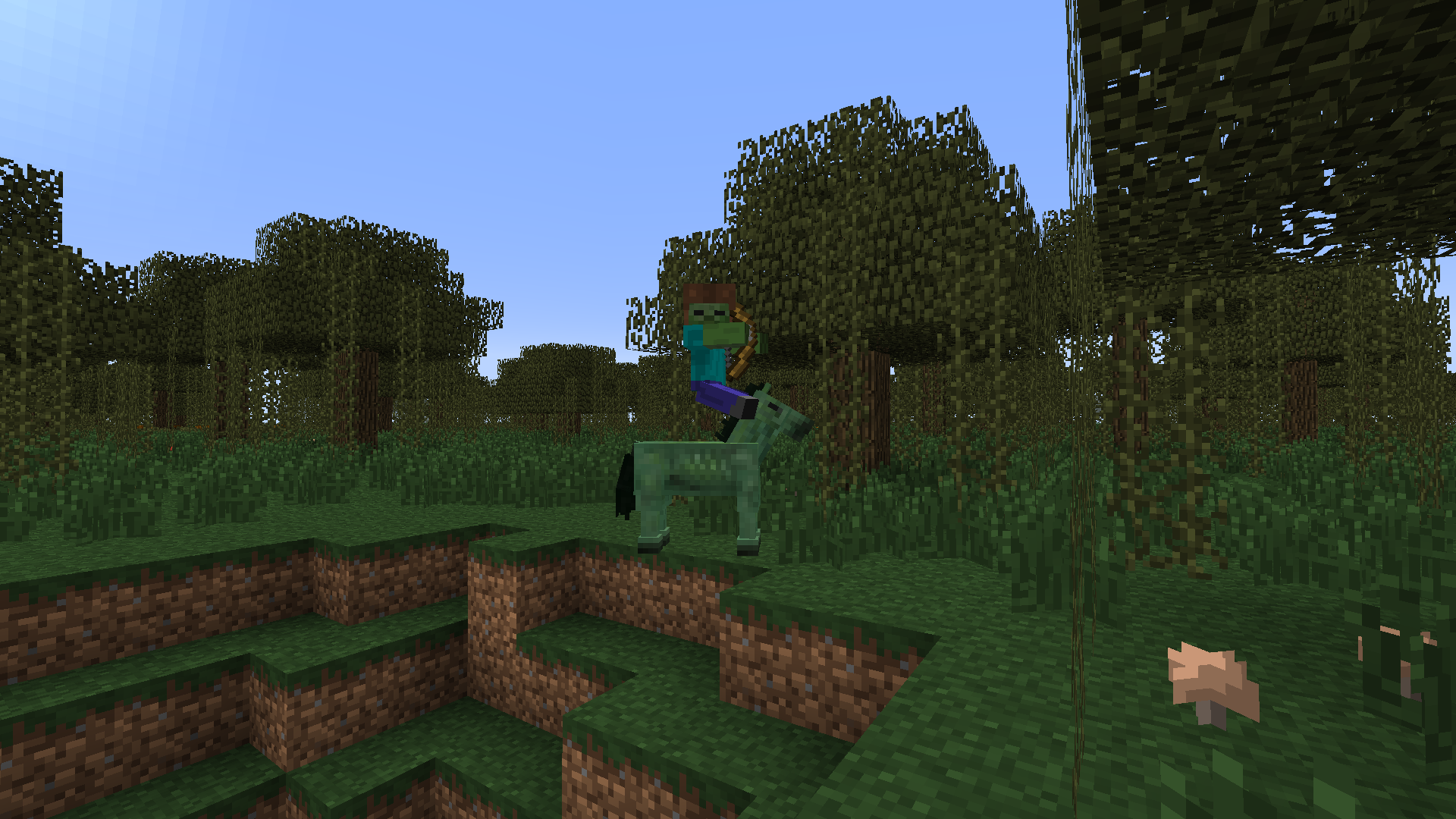
Zombie and PigZombie entities are displayed too high when riding another entity making them look like they float above them.
Note : Giants too but It may be unrelated since this mob hasn't been worked on for a long time.
Zombie and PigZombie entities are displayed too high when riding another entity making them look like they float above them.
Note 1 : Enderman
Note 2 : Giants too but It may be unrelated since this mob hasn't been worked on for a long time.
Zombie
andPigZombie entities are displayed too high when riding another entity making them look like they float above them.Note 1 : Enderman
Note 2 : Giants too but It may be unrelated since this mob hasn't been worked on for a long time.Zombie PigZombie and Enderman entities are displayed too high when riding another entity making them look like they float above them.
Note 1 : Giants too but It may be unrelated since this mob hasn't been worked on for a long time.
Zombie, PigZombie and Enderman entities are displayed too high when riding another entity making them look like they float above them.
Note 1 : Giants too but It may be unrelated since this mob hasn't been worked on for a long time.
Zombies and Zombie Pigmenfloat above ridden entitiesSome mobs float above ridden entities
Zombie, PigZombie and Enderman
entitiesare displayed too high when riding another entity making them look like they float above them.Note 1 : Giants too but It may be unrelated since this mob hasn't been worked on for a long time.
Zombie, PigZombie and, to a lesser degree, Enderman are displayed too high when riding another entity making them look like they float above them.
Note 1 : Giants too but It may be unrelated since this mob hasn't been worked on for a long time.
The code below is supposed to spawn a powered Creeper, then Zombies holding 2 pieces of Lapis-Lazuli, geared with 10 pumpkin helmets at once facing to their right, a
slightly damaged leather tunic and undamaged leather boots and leather pants :setblock ~ ~ ~ minecraft:mob_spawner 0 replace { EntityId:Creeper, SpawnData:{powered:1}, SpawnPotentials:[ {Type:Zombie,Weight:1,Properties:{ Equipment:[ {id:351,Count:2,Damage:4}, {id:301,Count:1,Damage:0}, {id:300,Count:1,Damage:0}, {id:299,Count:1,Damage:1}, {id:86,Count:10,Damage:1} ], DropChances:[1.0f,1.0f,1.0f,1.0f,1.0f], CanPickUpLoot:0, PersistenceRequired:1 }} ], Delay:0, SpawnCount:1, RequiredPlayerRange:16, SpawnRange:6, MaxNearbyEntities:1, MinSpawnDelay:0, MaxSpawnDelay:1 }DropChances is set to force these Zombies to drop all their gear when killed.
However, when killed, even by drowning or any other mean that doesn't affect the durbility of the armor, here is what I got :
_some Rotten Flesh (as expected)
_10 pumpkins with unusual data value (as expected)
_2 pieces of Lapis-Lazuli (as expected)
_Fairly damaged Leather Boots, Leather Pants and Leather Tunic (I expected untouched boots and pants andslightly damaged tunic)Note : the damage on this pieces of dropped armor seems to be often the same but not always. May be related to
MC-36927The code below is supposed to spawn a powered Creeper, then Zombies holding 2 pieces of Lapis-Lazuli, geared with 10 pumpkin helmets at once facing to their right, a highly damaged leather tunic and undamaged leather boots and leather pants :
setblock ~ ~ ~ minecraft:mob_spawner 0 replace { EntityId:Creeper, SpawnData:{powered:1}, SpawnPotentials:[ {Type:Zombie,Weight:1,Properties:{ Equipment:[ {id:351,Count:2,Damage:4}, {id:301,Count:1,Damage:0}, {id:300,Count:1,Damage:0}, {id:299,Count:1,Damage:76}, {id:86,Count:10,Damage:1} ], DropChances:[1.0f,1.0f,1.0f,1.0f,1.0f], CanPickUpLoot:0, PersistenceRequired:1 }} ], Delay:0, SpawnCount:1, RequiredPlayerRange:16, SpawnRange:6, MaxNearbyEntities:1, MinSpawnDelay:0, MaxSpawnDelay:1 }DropChances is set to force these Zombies to drop all their gear when killed.
However, when killed, even by drowning or any other mean that doesn't affect the durbility of the armor, here is what I got :
_some Rotten Flesh (as expected)
_10 pumpkins with unusual data value (as expected)
_2 pieces of Lapis-Lazuli (as expected)
_Fairly damaged Leather Boots, Leather Pants and Leather Tunic (I expected untouched boots and pants and nearly worn out tunic. Please note that the dropped Leather Tunic is actually less damaged than expected)Note : the damage on this pieces of dropped armor seems to be often the same but not always. May be related to
MC-36927
The code below is supposed to spawn a powered Creeper, then Zombies holding 2 pieces of Lapis-Lazuli, geared with 10 pumpkin helmets at once facing to their right, a highly damaged leather tunic and undamaged leather boots and leather pants :
setblock ~ ~ ~ minecraft:mob_spawner 0 replace { EntityId:Creeper, SpawnData:{powered:1}, SpawnPotentials:[ {Type:Zombie,Weight:1,Properties:{ Equipment:[ {id:351,Count:2,Damage:4}, {id:301,Count:1,Damage:0}, {id:300,Count:1,Damage:0}, {id:299,Count:1,Damage:76}, {id:86,Count:10,Damage:1} ], DropChances:[1.0f,1.0f,1.0f,1.0f,1.0f], CanPickUpLoot:0, PersistenceRequired:1 }} ], Delay:0, SpawnCount:1, RequiredPlayerRange:16, SpawnRange:6, MaxNearbyEntities:1, MinSpawnDelay:0, MaxSpawnDelay:1 }DropChances is set to force these Zombies to drop all their gear when killed.
However, when killed, even by drowning or any other mean that doesn't affect the durbility of the armor, here is what I got :
_some Rotten Flesh (as expected)
_10 pumpkins with unusual data value (as expected)
_2 pieces of Lapis-Lazuli (as expected)
_Fairly damaged Leather Boots, Leather Pants and Leather Tunic (I expected untouched boots and pants and nearly worn out tunic. Please note that the dropped Leather Tunic is actually less damaged than expected)Note : the damage on this pieces of dropped armor seems to be often the same but not always. May be related to
MC-36927The code below is supposed to spawn a powered Creeper, then Zombies holding 2 pieces of Lapis-Lazuli, geared with 10 pumpkin helmets at once facing to their right, a highly damaged leather tunic and undamaged leather boots and leather pants :
setblock ~ ~ ~ minecraft:mob_spawner 0 replace { EntityId:Creeper, SpawnData:{powered:1}, SpawnPotentials:[ {Type:Zombie,Weight:1,Properties:{ Equipment:[ {id:351,Count:2,Damage:4}, {id:301,Count:1,Damage:0}, {id:300,Count:1,Damage:0}, {id:299,Count:1,Damage:76}, {id:86,Count:10,Damage:1} ], DropChances:[1.0f,1.0f,1.0f,1.0f,1.0f], CanPickUpLoot:0, PersistenceRequired:1 }} ], Delay:0, SpawnCount:1, RequiredPlayerRange:16, SpawnRange:6, MaxNearbyEntities:1, MinSpawnDelay:0, MaxSpawnDelay:1 }DropChances is set to force these Zombies to drop all their gear when killed.
However, when killed, even by drowning or any other mean that doesn't affect the durbility of the armor, here is what I got :
_some Rotten Flesh (as expected)
_10 pumpkins with unusual data value (as expected)
_2 pieces of Lapis-Lazuli (as expected)
_Moderately damaged Leather Boots, Leather Pants and Leather Tunic (I expected untouched boots and pants and nearly worn out tunic. Please note that the dropped Leather Tunic is actually less damaged than expected)Note : the damage on this pieces of dropped armor seems to be often the same but not always. May be related to
MC-36927
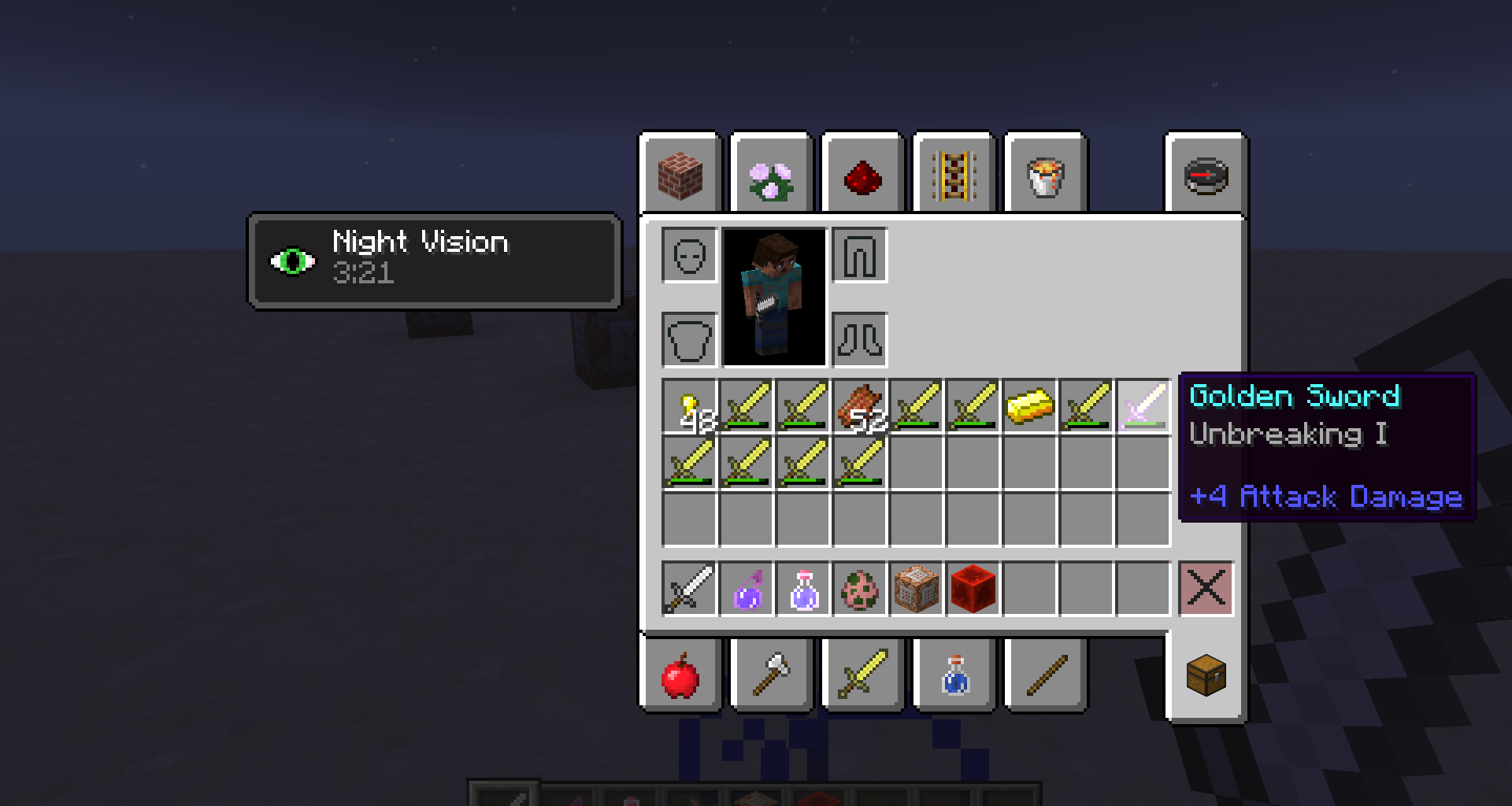
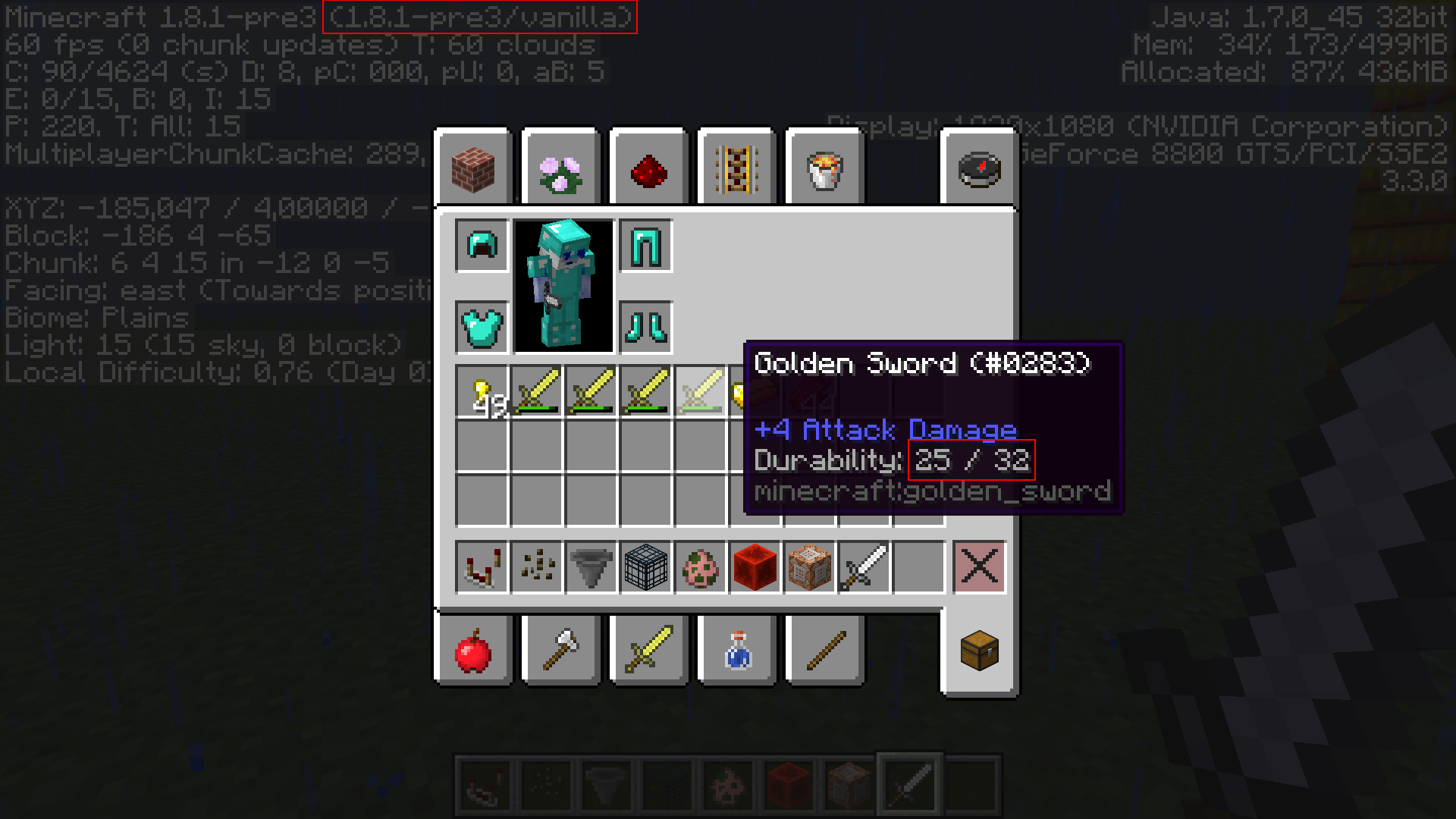
I spawned a bunch of Zombie Pigmen (about maybe a hundred), then I killed them and noticed that each dropped golden swords have the same durability of 26 hits. (see picture "Durability").
I did the same with Skeletons (about maybe fifty) and as you can see in picture "Correct", here, the randomness in the durability of dropped gear works fine.
EDIT : still a concern in 1.8.1-pre3. See new picture
Windows XP but I don't think it matters
Durability of Golden Swords occasionally dropped by Zombie Pigmen is not random (always 25)
I spawned a bunch of Zombie Pigmen (about maybe a hundred), then I killed them and noticed that each dropped golden swords have the same durability of 2
6hits. (see picture "Durability").
I did the same with Skeletons (about maybe fifty) and as you can see in picture "Correct", here, the randomness in the durability of dropped gear works fine.
EDIT : still a concern in 1.8.1-pre3. See new pictureI spawned a bunch of Zombie Pigmen (about maybe a hundred), then I killed them and noticed that each dropped golden swords have the same durability of 25 hits. (see picture "Durability").
I did the same with Skeletons (about maybe fifty) and as you can see in picture "Correct", here, the randomness in the durability of dropped gear works fine.
EDIT : still a concern in 1.8.1-pre3. See new picture
stillAConcern-1.8.1pre3.png
Most of the light emiting blocks that takes up a full block are too permissive with sunlight.
Steps to reproduce :
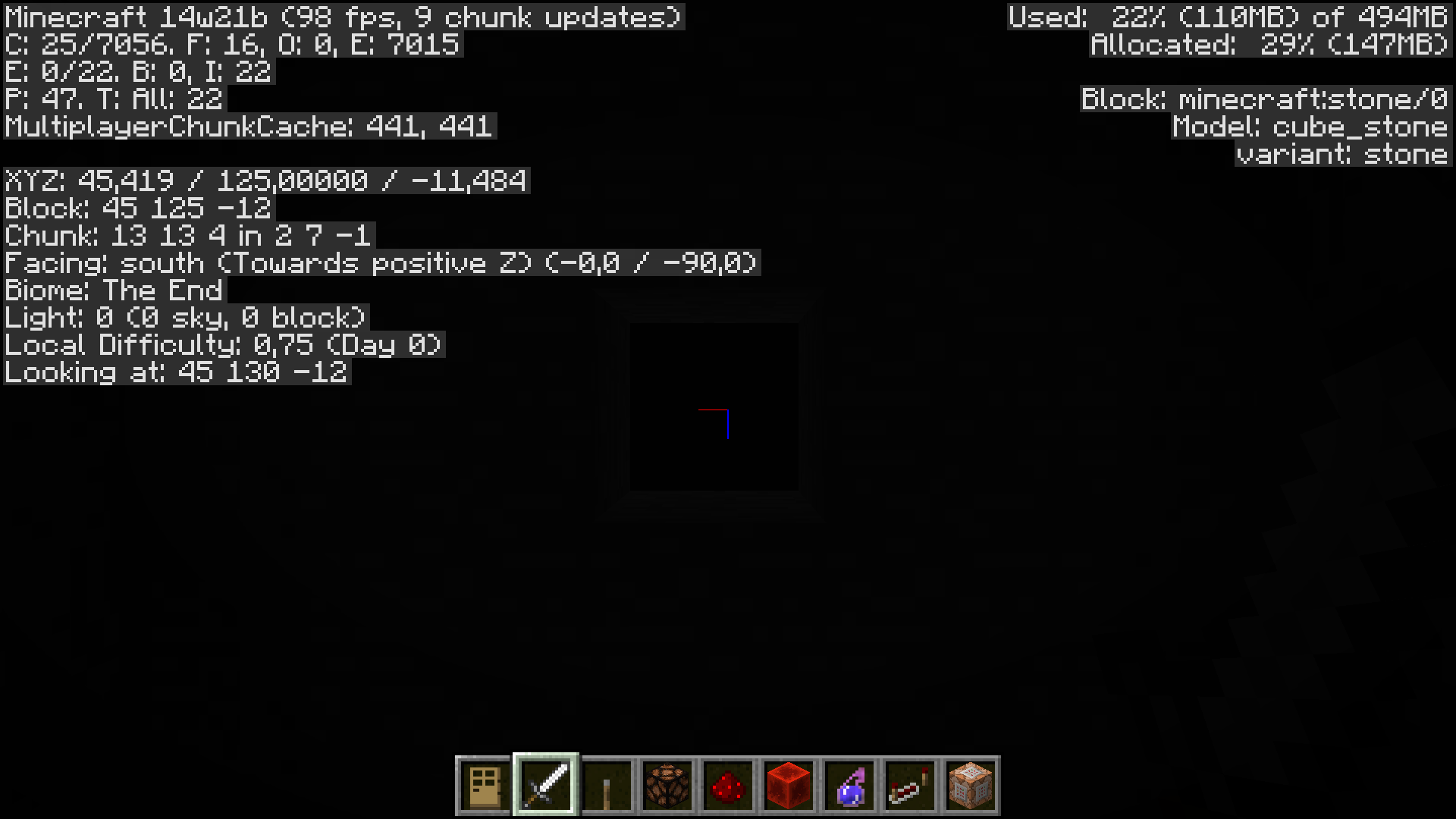
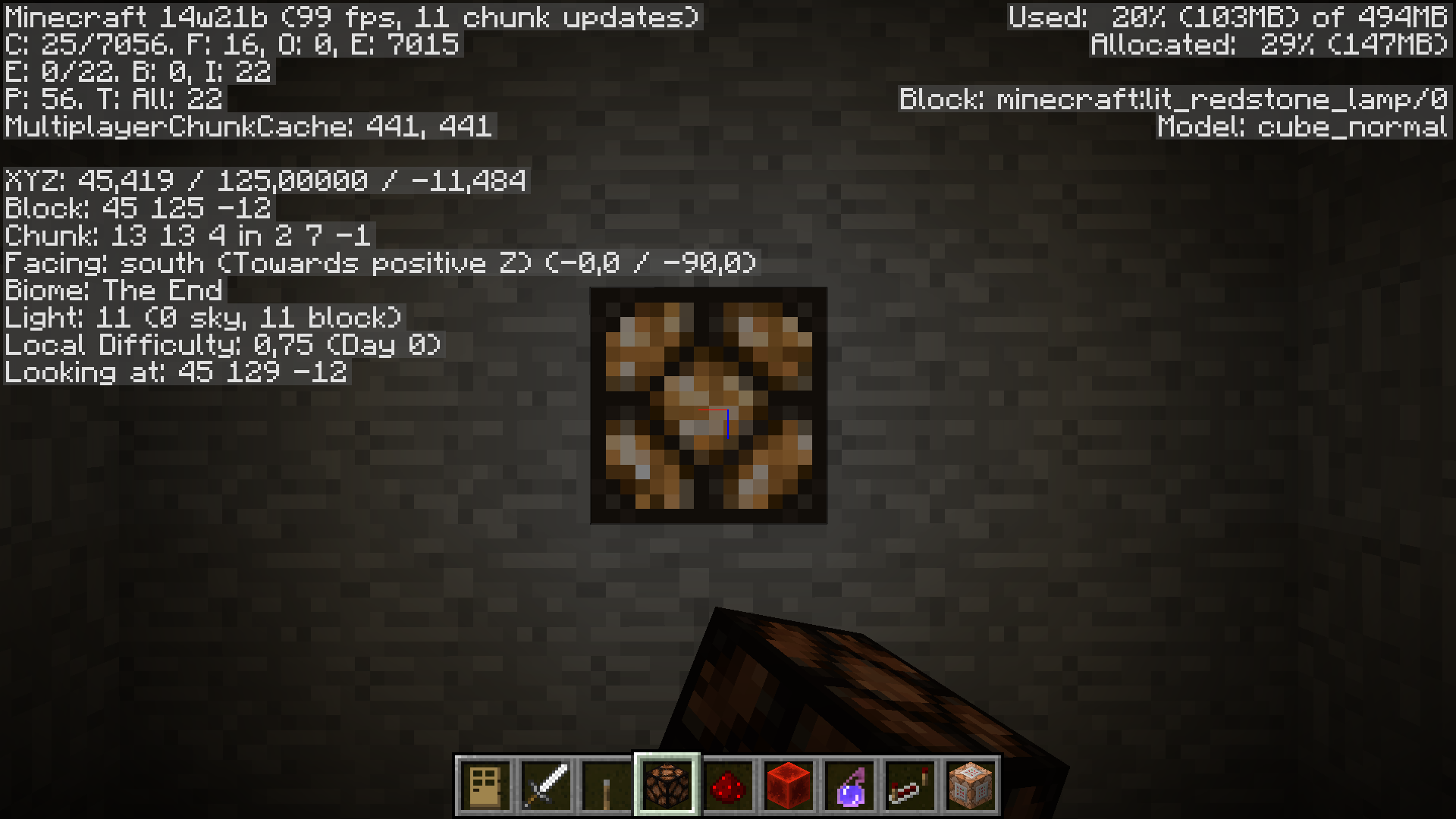
-create a completely dark room with a redstone lamp on the ceiling (for exemple) and put a solid block above it (see picture 1)-power the redstone lamp (see picture 2)
- get inside the room (and cover the hole in the ceiling : it was just here to show you the redstone lamp) and observe the light level (see picture 3)
Here is our first problem : with this solid block on top of the redstone lamp, there is no way skylight can pass at all, but as you can see :
"Light 11 (7 sky,11 block)"-now, break the redstone lamp and the observe the light level : (see picture 4)
this time, it's correct : "Light 0 (0 sky,0 block)"-replace the redstone lamp and observe the light level agin : (see picture 5)
"Light 11 (0 sky,11 block)"
The exact same configuration results in differents light levels, definitly a bug.Moreover, if you just try to right click repeatedly the redstone block when the light level is "Light 11 (7 sky,11 block)", it may end up updating to "Light 11 (0 sky,11 block)" by itself, which is not the sign of an intended behavior.
Glowstone and Jack-o-lantern work the same, minus the fact that they don't require redstone power. (see picture 6)
(I searched for tag "sunlight" to make sure this bug is not a duplicate)
Most of the light emiting blocks that takes up a full block are too permissive with sunlight.
Steps to reproduce :
-create a completely dark room with a redstone lamp on the ceiling (for exemple) and put a solid block above it (see picture 1)-power the redstone lamp (see picture 2)
- get inside the room (and cover the hole in the ceiling : it was just here to show you the redstone lamp) and observe the light level (see picture 3)
Here is our first problem : with this solid block on top of the redstone lamp, there is no way skylight can pass at all, but as you can see :
"Light 11 (7 sky,11 block)"-now, break the redstone lamp and the observe the light level : (see picture 4)
this time, it's correct : "Light 0 (0 sky,0 block)"-replace the redstone lamp and observe the light level agin : (see picture 5)
"Light 11 (0 sky,11 block)"
The exact same configuration results in differents light levels, definitly a bug.Moreover, if you just try to right click repeatedly the redstone block when the light level is "Light 11 (7 sky,11 block)", it may end up updating to "Light 11 (0 sky,11 block)" by itself, which is not the sign of an intended behavior.
Glowstone and Jack-o-lantern work the same, minus the fact that they don't require redstone power. (see picture 6)
(even through these screenshots
(I searched for tag "sunlight" to make sure this bug is not a duplicate)
Most of the light emiting blocks that takes up a full block are too permissive with sunlight.
Steps to reproduce :
-create a completely dark room with a redstone lamp on the ceiling (for exemple) and put a solid block above it (see picture 1)-power the redstone lamp (see picture 2)
- get inside the room (and cover the hole in the ceiling : it was just here to show you the redstone lamp) and observe the light level (see picture 3)
Here is our first problem : with this solid block on top of the redstone lamp, there is no way skylight can pass at all, but as you can see :
"Light 11 (7 sky,11 block)"-now, break the redstone lamp and the observe the light level : (see picture 4)
this time, it's correct : "Light 0 (0 sky,0 block)"-replace the redstone lamp and observe the light level agin : (see picture 5)
"Light 11 (0 sky,11 block)"
The exact same configuration results in differents light levels, definitly a bug.Moreover, if you just try to right click repeatedly the redstone block when the light level is "Light 11 (7 sky,11 block)", it may end up updating to "Light 11 (0 sky,11 block)" by itself, which is not the sign of an intended behavior.
Glowstone and Jack-o-lantern work the same, minus the fact that they don't require redstone power. (see picture 6)
(even through these screenshots
(I searched for tag "sunlight" to make sure this bug is not a duplicate)Most of the light emiting blocks that takes up a full block are too permissive with sunlight.
Steps to reproduce :
-create a completely dark room with a redstone lamp on the ceiling (for exemple) and put a solid block above it (see picture 1)-power the redstone lamp (see picture 2)
- get inside the room (and cover the hole in the ceiling : it was just here to show you the redstone lamp) and observe the light level (see picture 3)
Here is our first problem : with this solid block on top of the redstone lamp, there is no way skylight can pass at all, but as you can see :
"Light 11 (7 sky,11 block)"-now, break the redstone lamp and the observe the light level : (see picture 4)
this time, it's correct : "Light 0 (0 sky,0 block)"-replace the redstone lamp and observe the light level agin : (see picture 5)
"Light 11 (0 sky,11 block)"
The exact same configuration results in differents light levels, definitly a bug.Moreover, if you just try to right click repeatedly the redstone block when the light level is "Light 11 (7 sky,11 block)", it may end up updating to "Light 11 (0 sky,11 block)" by itself, which is not the sign of an intended behavior.
Glowstone and Jack-o-lantern work the same, minus the fact that they don't require redstone power. (see picture 6)
(even through these screenshots show : "Biome : The End", i'm in fact in an overworld generated with the custom generation settings recently implemented.)
(I searched for tag "sunlight" to make sure this bug is not a duplicate)
Most of the light emiting blocks that takes up a full block are too permissive with sunlight.
Steps to reproduce :
-create a completely dark room with a redstone lamp on the ceiling (for exemple) and put a solid block above it (see picture 1)-power the redstone lamp (see picture 2)
- get inside the room (and cover the hole in the ceiling : it was just here to show you the redstone lamp) and observe the light level (see picture 3)
Here is our first problem : with this solid block on top of the redstone lamp, there is no way skylight can pass at all, but as you can see :
"Light 11 (7 sky,11 block)"-now, break the redstone lamp and the observe the light level : (see picture 4)
this time, it's correct : "Light 0 (0 sky,0 block)"-replace the redstone lamp and observe the light level agin : (see picture 5)
"Light 11 (0 sky,11 block)"
The exact same configuration results in differents light levels, definitly a bug.Moreover, if you just try to right click repeatedly the redstone block when the light level is "Light 11 (7 sky,11 block)", it may end up updating to "Light 11 (0 sky,11 block)" by itself, which is not the sign of an intended behavior.
Glowstone and Jack-o-lantern work the same, minus the fact that they don't require redstone power. (see picture 6)
(even through these screenshots show : "Biome : The End", i'm in fact in an overworld generated with the custom generation settings recently implemented.)
(I searched for tag "sunlight" to make sure this bug is not a duplicate)Most of the light emiting blocks that takes up a full block are too permissive with sunlight.
Steps to reproduce :
- create a completely dark room with a redstone lamp on the ceiling (for exemple) and put a solid block above it (see picture 1)
- power the redstone lamp (see picture 2)
- get inside the room (and cover the hole in the ceiling : it was just here to show you the redstone lamp) and observe the light level (see picture 3)
Here is our first problem : with this solid block on top of the redstone lamp, there is no way skylight can pass at all, but as you can see :
"Light 11 (7 sky,11 block)"
- now, break the redstone lamp and the observe the light level : (see picture 4)
this time, it's correct : "Light 0 (0 sky,0 block)"
- replace the redstone lamp and observe the light level agin : (see picture 5)
"Light 11 (0 sky,11 block)"
The exact same configuration results in differents light levels, definitly a bug.Moreover, if you just try to right click repeatedly the redstone block when the light level is "Light 11 (7 sky,11 block)", it may end up updating to "Light 11 (0 sky,11 block)" by itself, which is not the sign of an intended behavior.
Glowstone and Jack-o-lantern work the same, minus the fact that they don't require redstone power. (see picture 6)
(even through these screenshots show : "Biome : The End", i'm in fact in an overworld generated with the custom generation settings recently implemented.)
(I searched for tag "sunlight" to make sure this bug is not a duplicate)
Well, I agree that it sounds like a bug but, who knows ? Maybe it's intended ! The problem with these snapshots is that nobody knows if a feature is intended or not.
I've created an issue report about how two wool blocks provide only one carpet (MC-13954) but because of that, my topic sound more like a feature request than an issue report ...
Maybe Mojang should be more specific about the bugs they are aware of when posting a new snapshot ?
Or should we continue to create issue reports for features we PERSONALLY think are issues ?
I'm kind of confused ...
I've experimented this too.
worse than that, even when you don't move, Ghast miss you all the time. They aim above your head ! While I'm writing this, minecraft is running with a Ghast shooting at me in the overworld ... I don't ear any hurting sound.
5 minutes later : I'm surronded by fire with full health ...
(I'm playing 13w16a but it's there for ages.)
I can confirm this for 13w18b. It happened to me when I was smashing some zombie pigmen.
You're right, I figured out it only happens with some types of horses. I'll make further tests.
Yup, but in this case, wooden pressure plates should too, right ?
I can confirm this issue.
Valid point. I edit the description.
added 13w37b to affected versions
I can confirm this for 13w37a and b. And it's not the only problem :
MC-31115It ... works ! ... Well, nevermind, then .
.
How do I inform the moderators about this ?
Did you use a SpawnData tag ? Please provide us your code to make it clearer.
I managed to fix it !
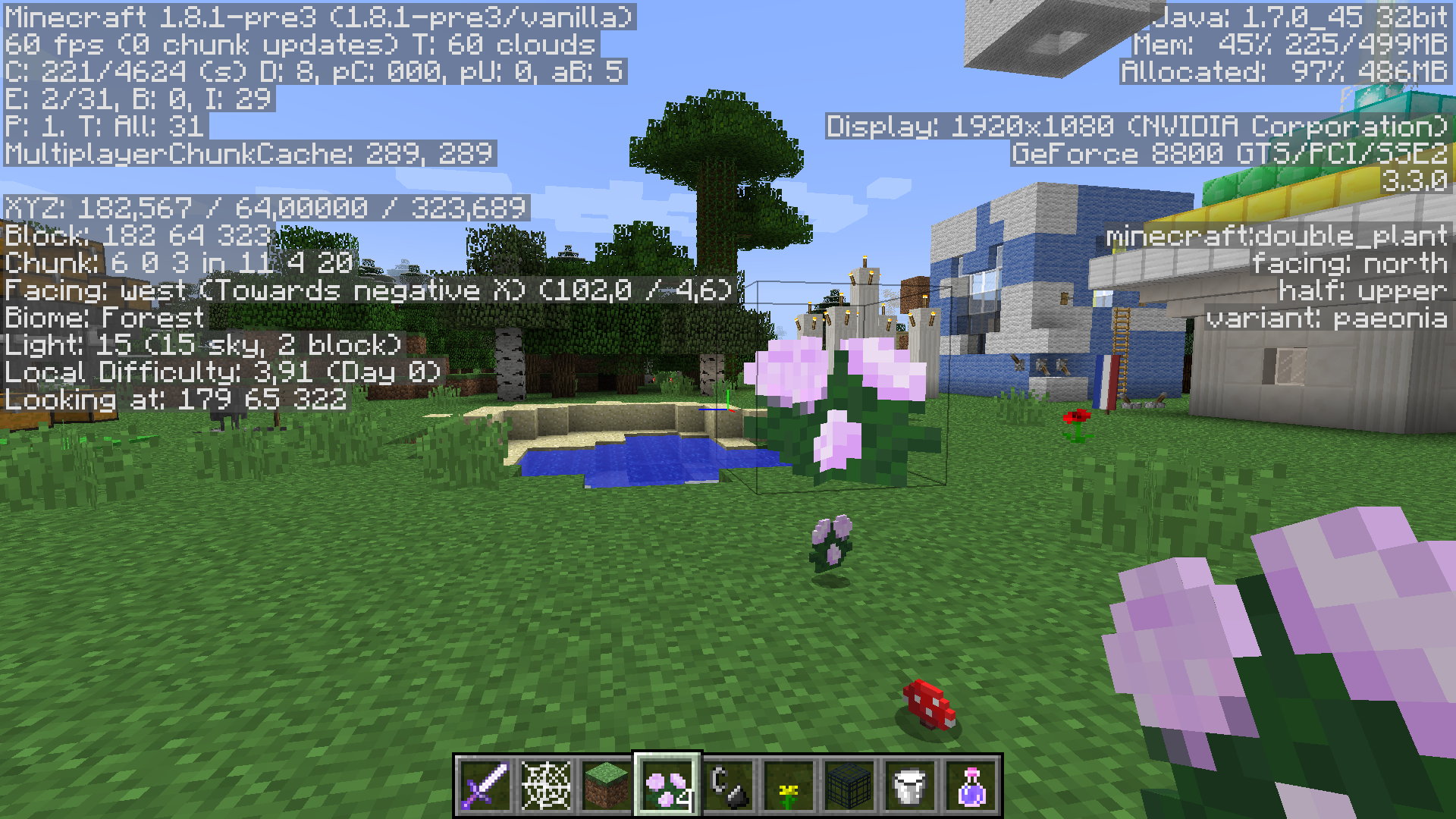
Rename all the textures named "doublePlant_X" in your assets/minecraft/textures/blocks folder to "double_plant_X".
Example : "doublePlant_grass_top" -> "double_plant_grass_top"
Et Voila
yup, definitely happened to me too
/summon Chicken ~ ~ ~ {Riding:{id:Chicken}}You're welcome !
It seems like many attributes don't work for many mobs. followRange doesn't work for Giants for exemple
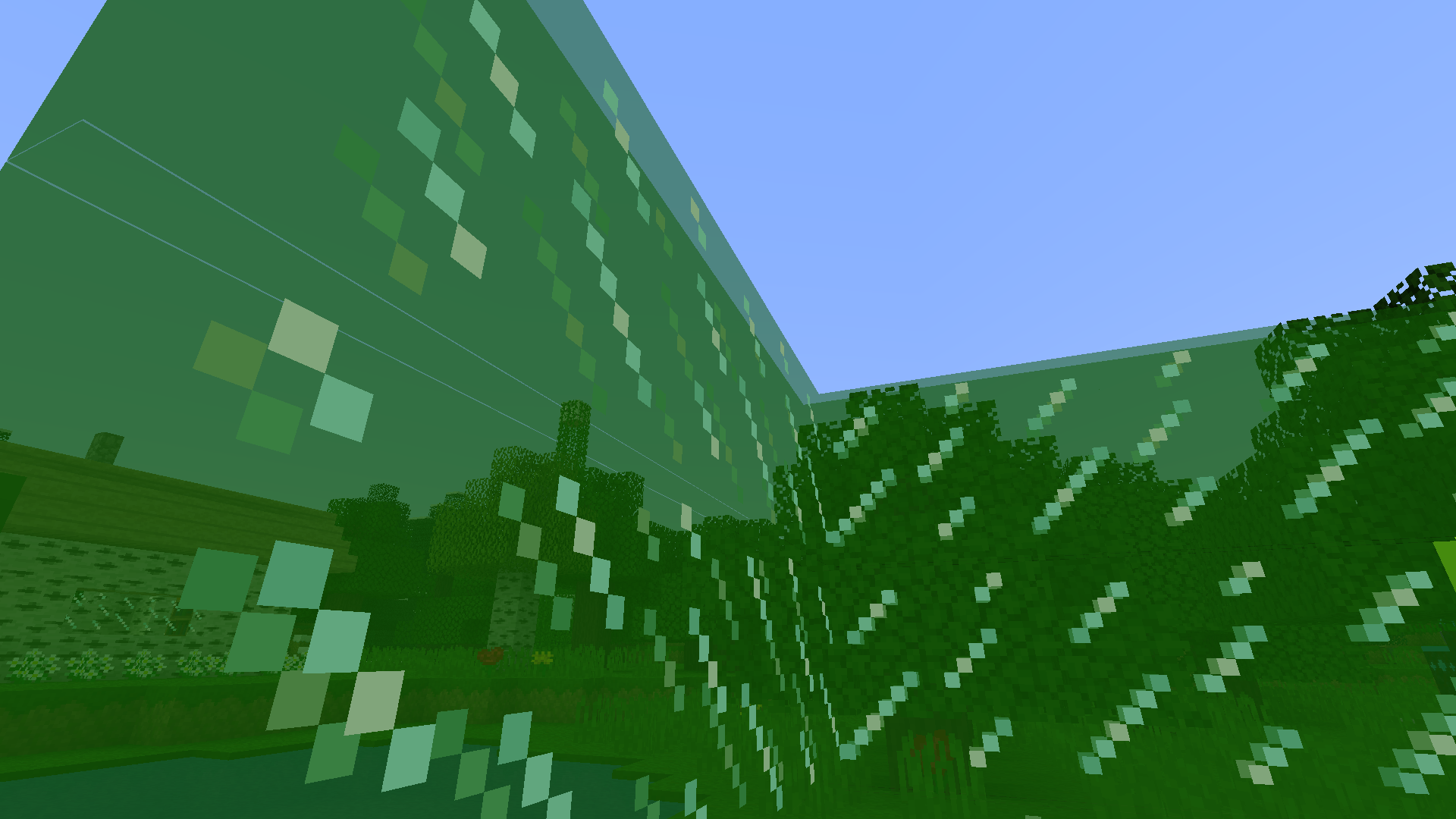
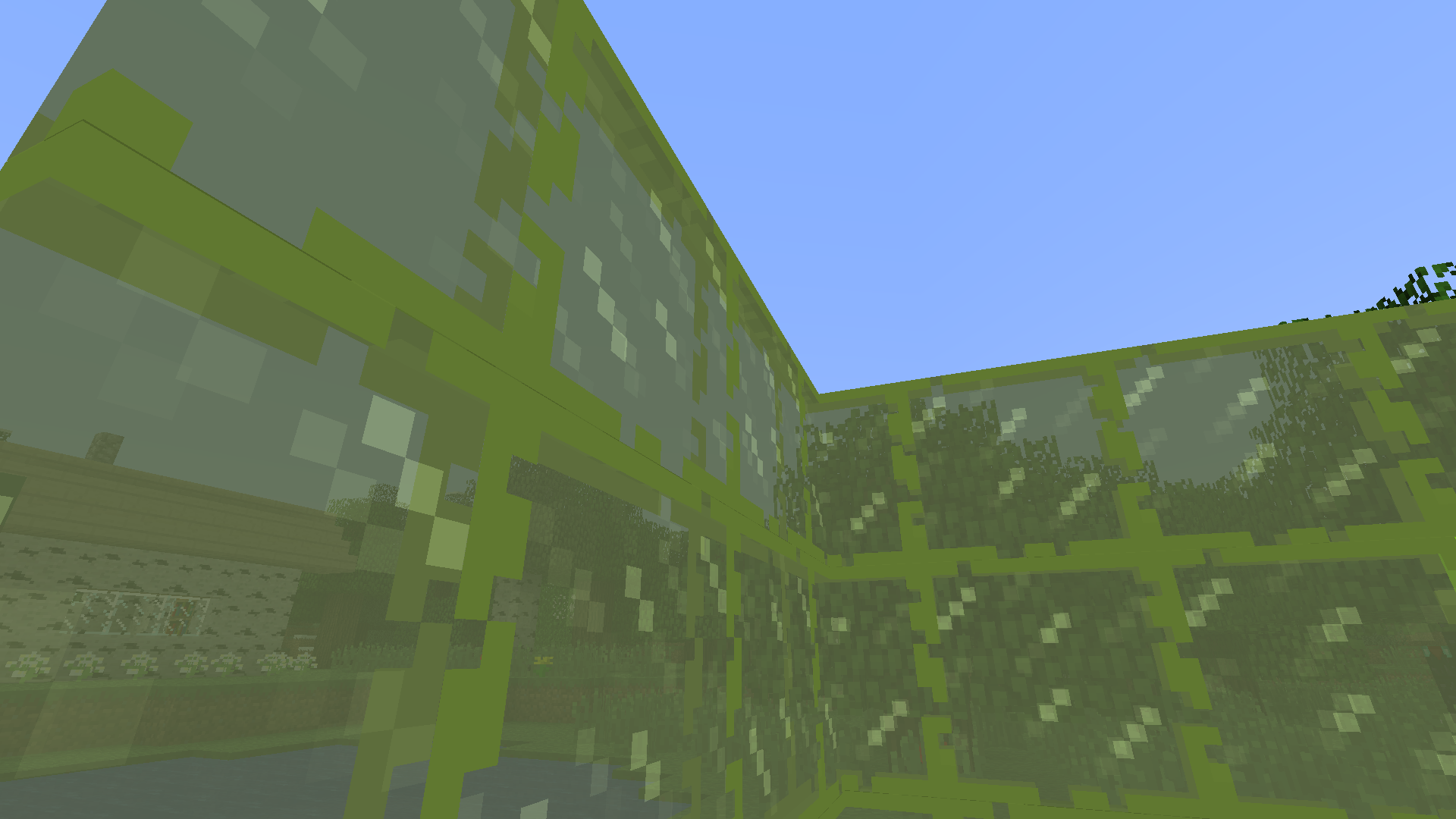
ressource packs won't change anything ! See second picture. There is a gap between the textures and i'm pretty sure it's unintended. I mean, why would you want small gaps between textures ?
These pictures were taken in fancy setting
updated affected version ... sadly :/
It works ! Thanks, good sir !
Here is how to summon Dinnerbone if you want further explanations :
summon Zombie ~ ~1 ~ {DropChances:[1.0f,0f,0f,0f,0f],Equipment:[{id:387,Count:1,tag:{title:How to get DropChances to work,author:Dinnerbone,pages:[Just use java floats instead of java ints and don't forget to put a "count" tag to each held piece of equipment with a value greater than 0!]}},{},{},{},{id:397,Count:1,Damage:3,tag:{SkullOwner:Dinnerbone}}],CustomName:Dinnerbone,CustomNameVisible:0}... unless sheeps still eat grass to regrow their wool without turning grass into dirt nor destroy tallgrass (see my first expectation)
OK. Fair enough.
I edited the code so it will gear them up with a nearly worn out leather tunic instead (like this one : /give @p 199 1 76) and guess what ? The dropped tunic is actually less damaged than it should be. Your argument is invalid
Well, Grassless Dirt looks identical to Dirt despite having a different behavior ...
At least, a different label for each data value would be nice.
Fixed for a while. You can close it, moderators
Still there but only visible with ressource packs that make textures called "glass_pane_top_COLOR" invisible.
It is.
Updated !
What ? How, Ezekiel ?
Yup. This did work, Skylinerw. Thank you very much. You can close this issue, moderators
This gets my vote !
I got this error too while testing a javascript programm I made to generate codes with actual random values. Glad to see it is not my programm's fault ^^
I don't think this issue is a duplicate of
MC-5927, it doesn't explain why redstone lamp behave that way.Since this strange behavior is still present in 14w21b, I suggest to reopen.
can confirm for 14w21b
Intended for now, I guess.
An easy way to avoid this behavior would be to prevent players from opening/closing door if they stand where it's supposed to open/close.
still present in 14w21b but the top is not invisible anymore
I can confirm for 14w31a : http://www.pixenli.com/images/1406/1406877372077529300.png
It is. see new picture.
Updated again.
it is.
Updated
I Have been looking around in an infinite jungle from a customized vanilla world for about 15 minutes and coun't find one instance of the bug.
Seems fixed to me