 Mr.Pufferfish
- MisterButter
- JIRAUSER752436
- Europe/Stockholm
- Yes
- No
 MCPE-170320
 BDS-18329
 REALMS-11294

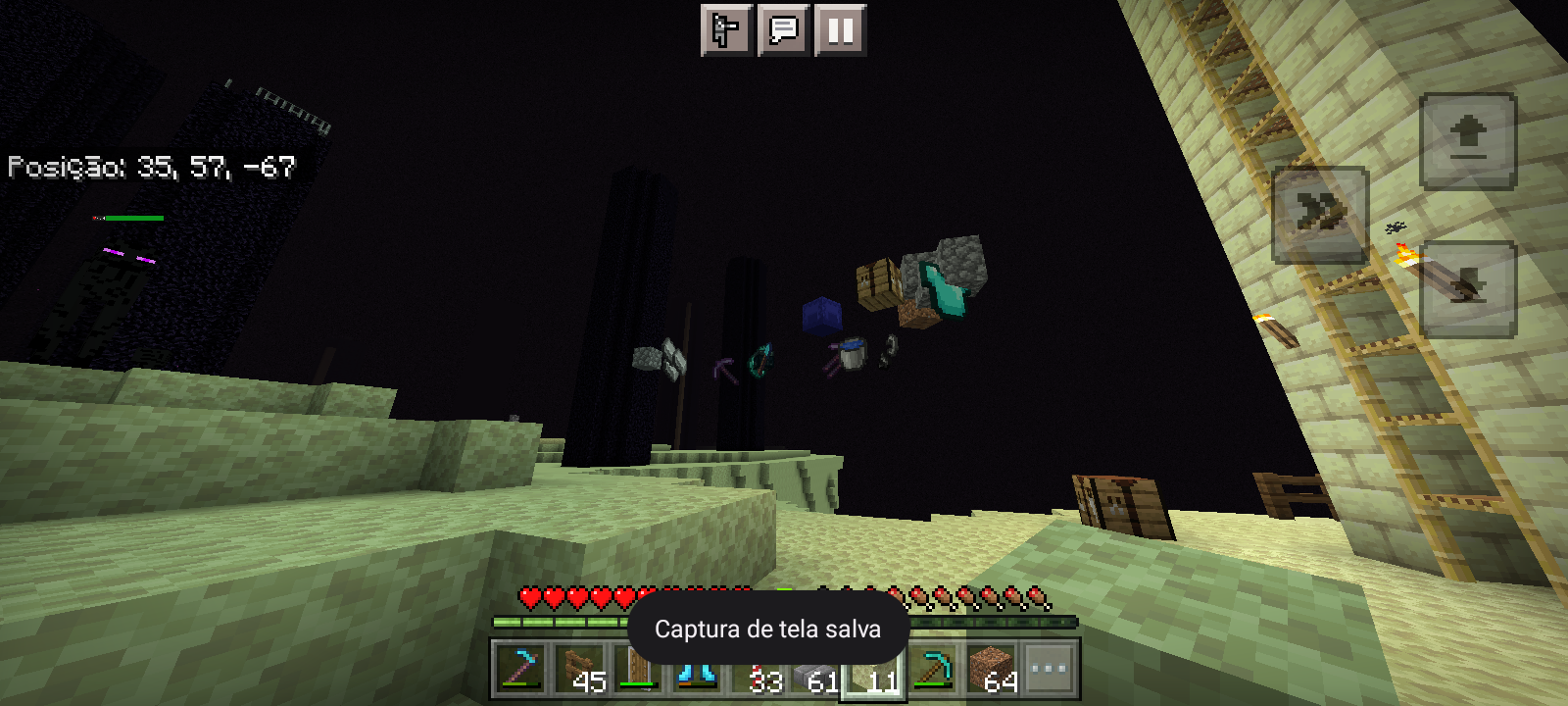

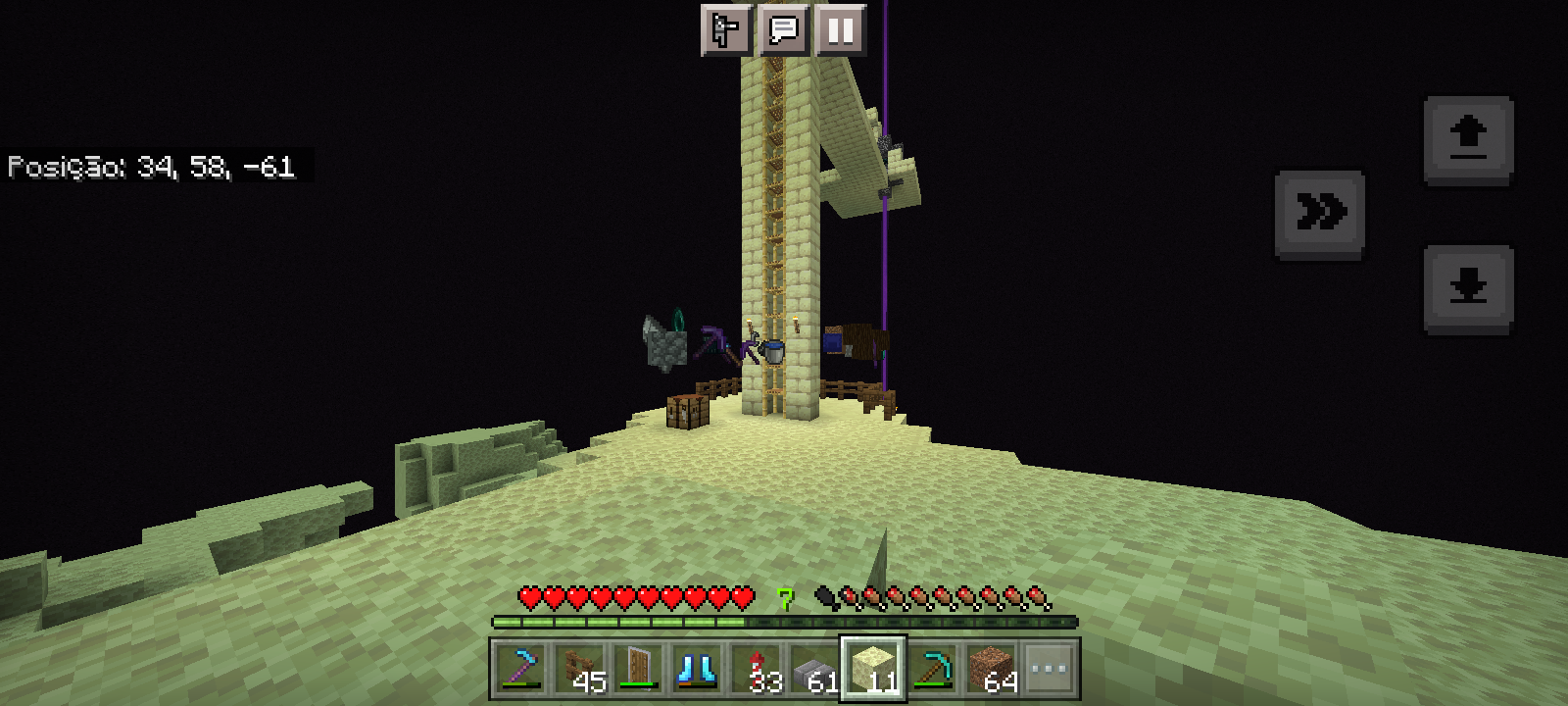
A parity issue betweentheBedrock and Javaedition of Minecraft. Character no longer sneaks and crawlsunderBlocks when using a trapdoor loweredParity issue between Minecraft Bedrock and Java. Character sneaks when passing under lowered trapdoors or active down pistons
Affects 1.20.10.23
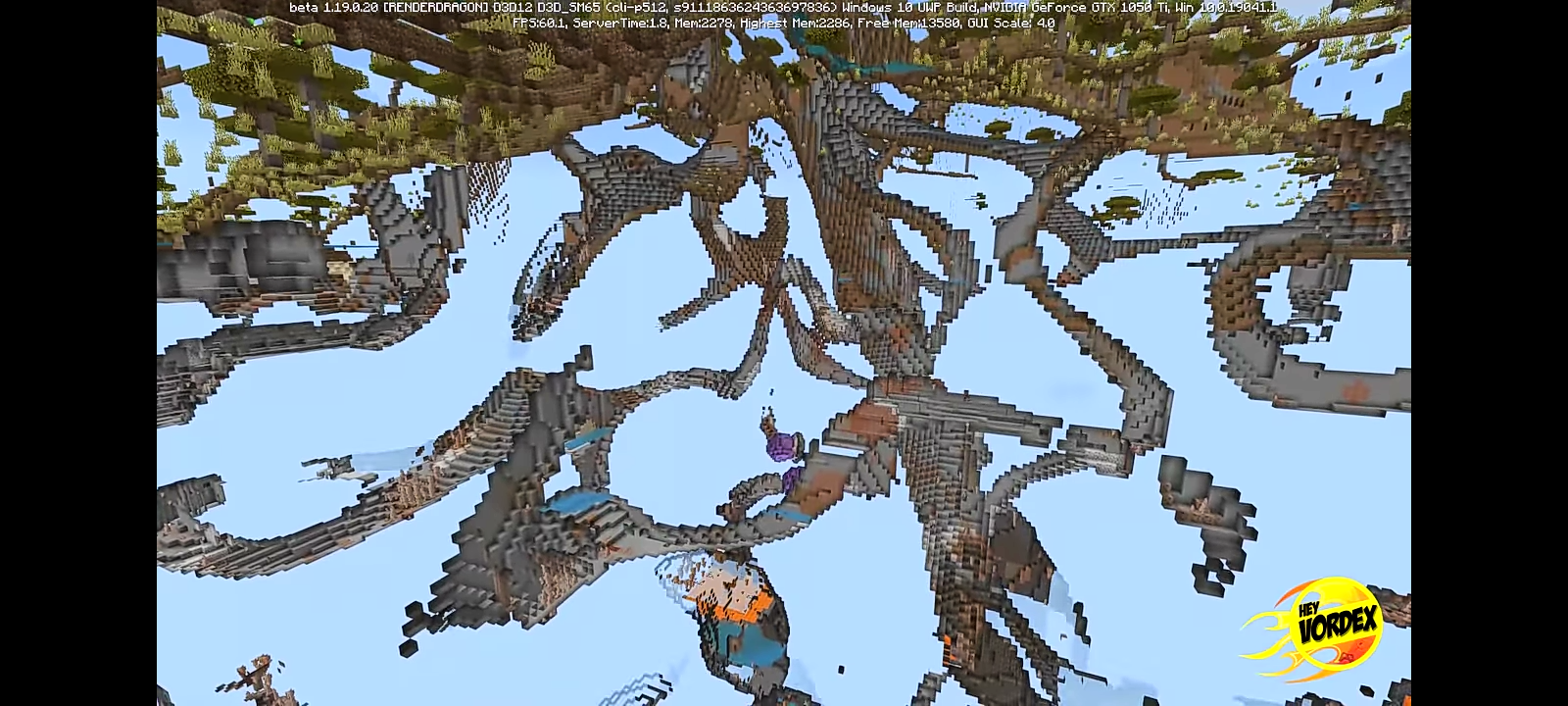
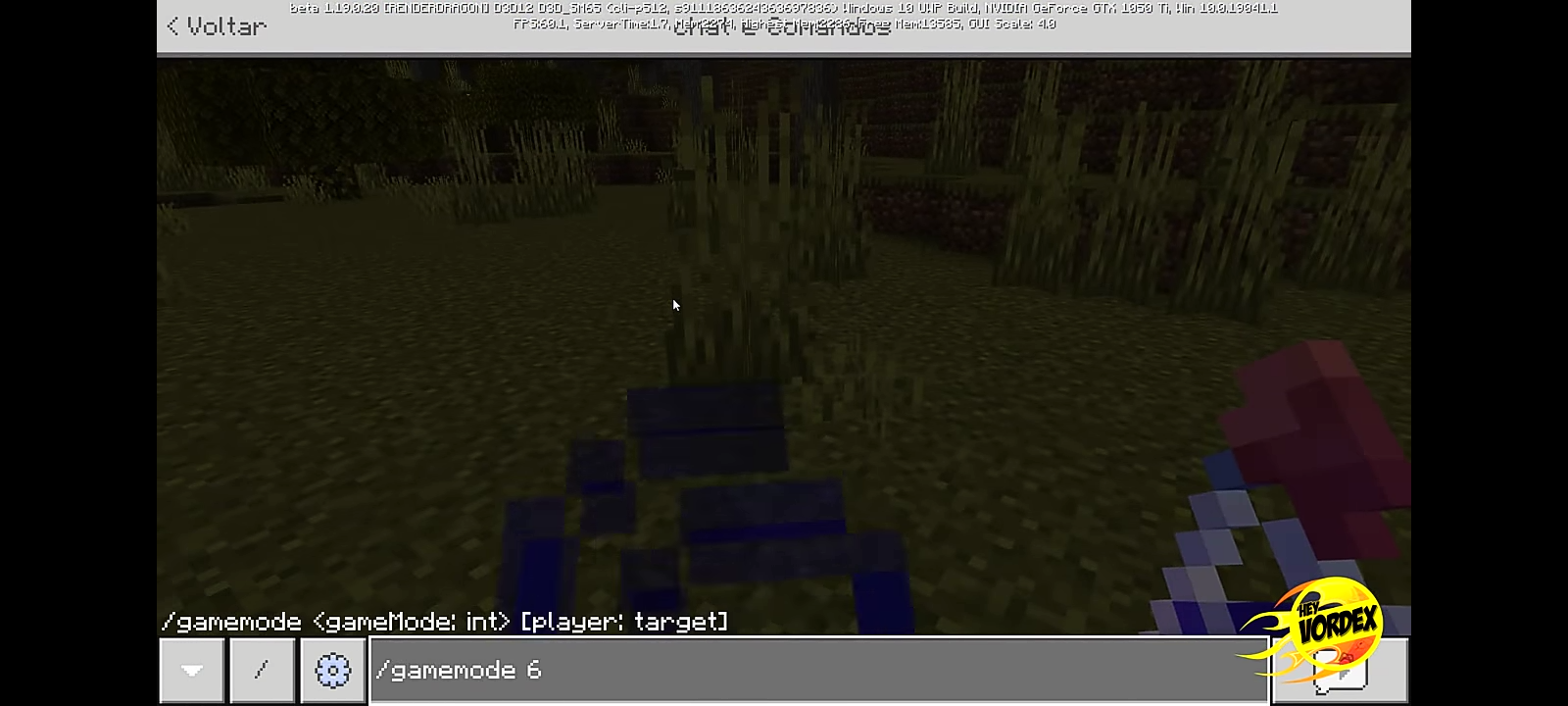
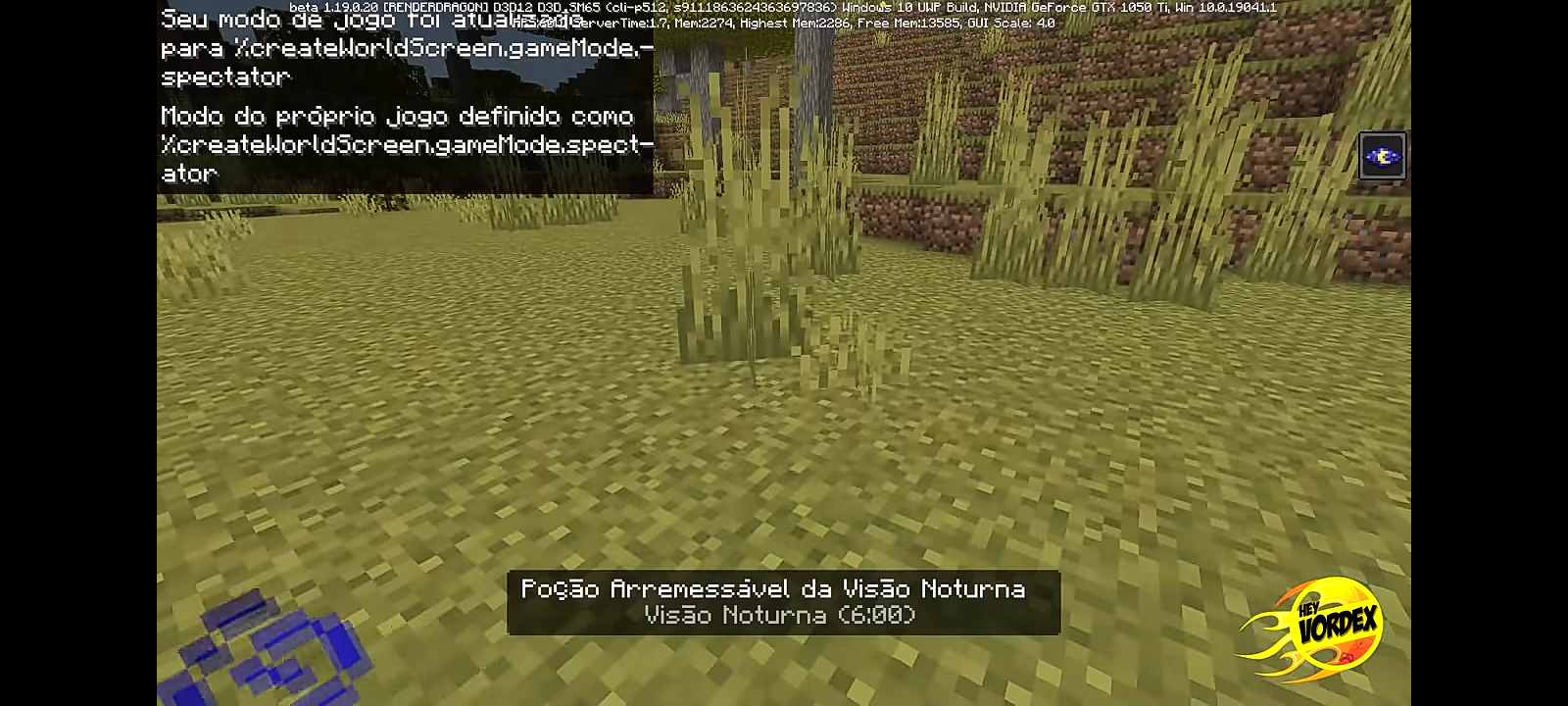
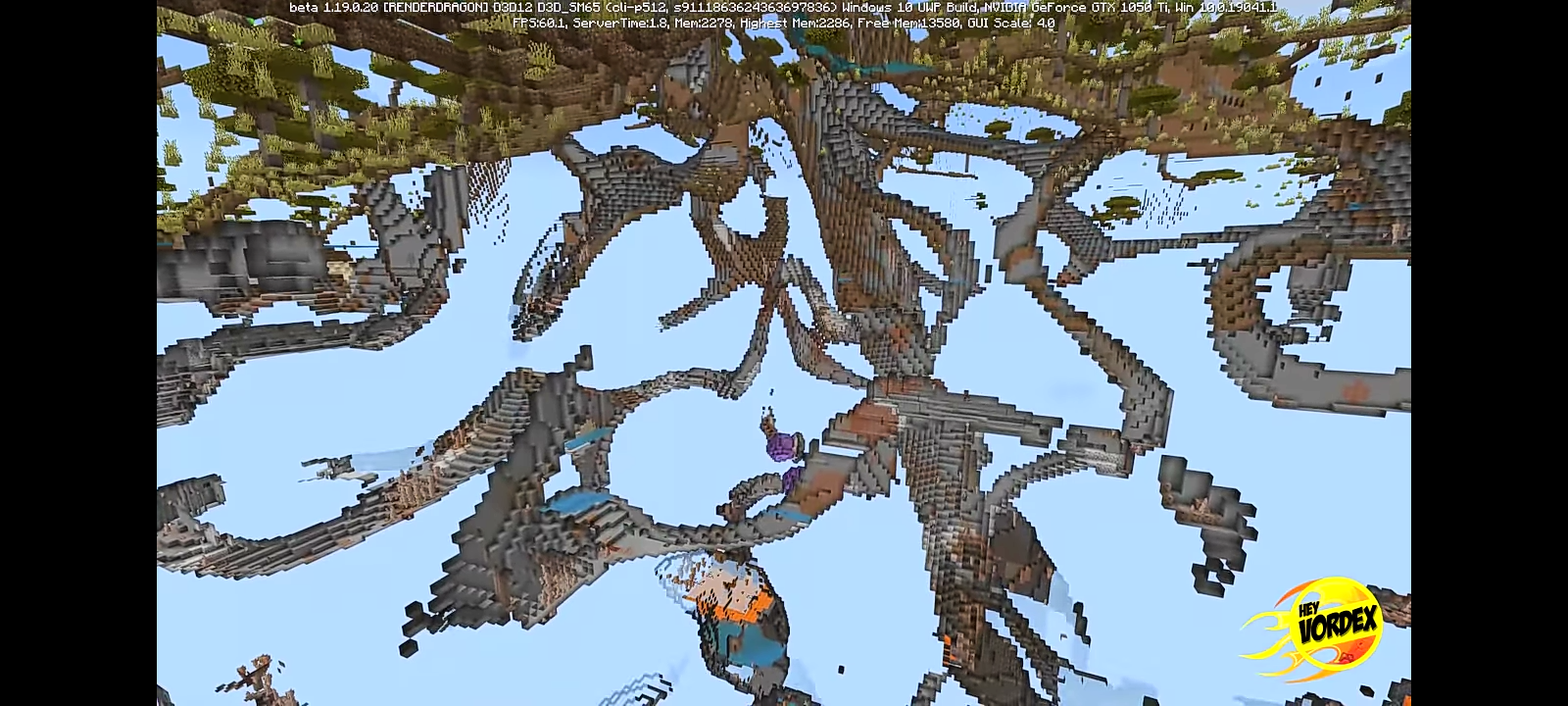
Unlike the Java version of the game, Minecraft no longer has a quick trigger represented by numbers in the commands to activate the game's Spectator mode
In Minecraft Bedrock beta 1.19.0.20, it was possible to activate Spectator mode through the command "/gamemode 6", but it was removed later in updates, now needing to write the entire command to change game modeUnlike the Java version of the game, Minecraft Bedrock no longer has a quick trigger represented by numbers in the commands to activate the game's Spectator mode
In Minecraft Bedrock beta 1.19.0.20, it was possible to activate Spectator mode through the command "/gamemode 6", but it was removed later in updates, now needing to write the entire command to change game mode
MinecraftBedrock lacks quick triggers for spectator modeMinecraft no longer has quick triggers for spectator mode
This problem causes delay for the player using the D-pad, since he cannot crouch or stand up whenever he wants, needing to double-click the same button
This problem causes delay for the player using the D-pad, since he cannot crouch or stand up whenever he wants, needing to double-click the same button, when only one click could be given to perform the action . If the player is not fast enough, the game will not understand the action.
Summary
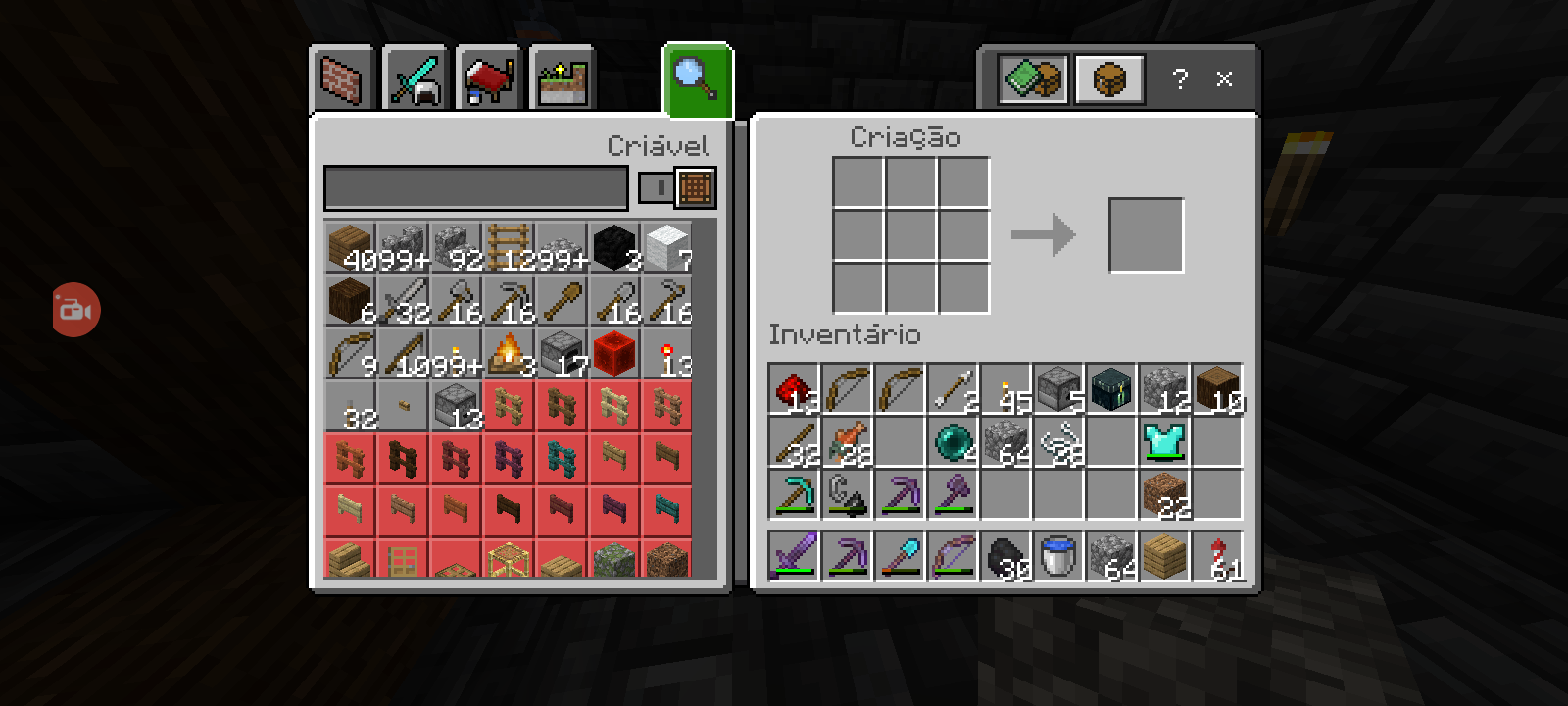
In realms, when the recipe is used to create dispensers, even having all the necessary items, it will appear as if the player did not have
Steps to Reproduce:
1. Launch the game
2. Enter a Realms world
3. Open the crafting table
4. Search for "dispenser"
5. Look for "dispenser" in the magnifying glass
Observed Results:
The item will appear as not being able to be made, even though you have all the necessary items. When touching the dispenser on the screen, the game will make all the recipe for the item, but it will not put the bow in the center of the squares
Expected Results:
The crafting table should make the complete recipe, as desired by the player, placing the bow in the center of the squares
Screenshots/Video atacched:
Yes
Notes:
1. The bug does not work on individual worlds
Summary
In realms, when the recipe is used to create dispensers, even having all the necessary items, it will appear as if the player did not have
Steps to Reproduce:
1. Launch the game
2. Enter a Realms world
3. Open the crafting table
4. Search for "dispenser"
5. Look for "dispenser" in the magnifying glass
Observed Results:
The item will appear as not being able to be made, even though you have all the necessary items. When touching the dispenser on the screen, the game will make all the recipe for the item, but it will not put the bow in the center of the squares
Expected Results:
The crafting table should make the complete recipe, as desired by the player, placing the bow in the center of the squares
Screenshots/Video ata
cched:Yes
Notes:
1. The bug does not work on individual worlds
Summary
In realms, when the recipe is used to create dispensers, even having all the necessary items, it will appear as if the player did not have
Steps to Reproduce:
1. Launch the game
2. Enter a Realms world
3. Open the crafting table
4. Search for "dispenser"
5. Look for "dispenser" in the magnifying glass
Observed Results:
The item will appear as not being able to be made, even though you have all the necessary items. When touching the dispenser on the screen, the game will make all the recipe for the item, but it will not put the bow in the center of the squares
Expected Results:
The crafting table should make the complete recipe, as desired by the player, placing the bow in the center of the squares
Screenshots/Video attached:
Yes
Notes:
1. The bug does not work on individual worlds
Summary:
Upon entering the world, when writing a first command, it will take a long time to appear on the screen
Steps to Play:
- Launch the game
- Create a world with cheats enabled
- Enter the world
- Open the chat
- Enter any type of command
Observed Results:
The command will take time to be developed, as if it were lagged, unlocking and completing only if the player waits some seconds or deletes a character. After that, the next commands will be written fluidly
Expected Results:
Commands working normally, typed fluidly
Videos attached:
Yes
Notes:
1. This delay is not caused by the rendering of the world, it's just because it's the first time you type when entering the world.
2. Even if you haven't reloaded the world, after a while, when you try to type, the delay has a high chance of occurring again
3. Occurs in both individual world and Realms
Summary:
Upon entering the world, when writing a first command, it will take a long time to appear on the screen
Steps to Play:
- Launch the game
- Create a world
with cheats enabled- Enter the world
- Open the chat
- Enter any type of command
Observed Results:
The command will take time to be developed, as if it were lagged, unlocking and completing only if the player waits some seconds or deletes a character. After that, the next commands will be written fluidly
Expected Results:
Commands working normally, typed fluidly
Videos attached:
Yes
Notes:
1. This delay is not caused by the rendering of the world, it's just because it's the first time you type when entering the world.
2. Even if you haven't reloaded the world, after a while, when you try to type, the delay has a high chance of occurring again
3. Occurs in both individual world and Realms
Java.mp4
Speed difference when crawling and using riptide parityCamera speed difference when crawling and using riptide parity
Camera speed difference when crawlingandusing riptide parityCamera speed difference when crawling or using riptide parity
Steps to
reproduce:
- Make a 1x1 hollow tube
- Place spring water at one end
- Enter at the other end by sneaking
Results obtained:Upon contact with water, the character will turn completely dark, and if it continues, it will be stuck in the same block, unable to go back.
Steps to Reproduce:
- Make a 1x1 hollow tube
- Place spring water at one end
- Enter at the other end by sneaking
Observed Results:
Upon contact with water, the character will turn completely dark, and if it continues, it will be stuck in the same block, unable to go back.
Expected Results:
The player's color shouldn't change, and the character shouldn't get stuck on the block, being able to go to the water source
Screenshots/Videos Attached: Yes
Summary:
In the new beta update, it is possible to make your character start flying while crawling
, making it difficult to exit the modeSteps to reproduce:
1. Launch minecraft Bedrock Edition with "experimental sneak" enabled
2. Preferably go underground, make a 1x1 tunnel and stay in a hole where you can stand up
3. Place a trapdoor above you and lower it into a crawl state.
4. Quickly jump repeatedly while trying to go to the 1x1 tunnel and enter it.
Results obtained:The player
begins to fly in a crawl state, generating a strange bug, resembling Superman flying.Expected results:
The player should only be able to pass into the 1v1 tunnel or stand
Summary:
In the new beta update, it is possible to make your character start flying while crawling
Steps to reproduce:
1. Launch minecraft Bedrock Edition with "experimental sneak" enabled
2. Preferably go underground, make a 1x1 tunnel and stay in a hole where you can stand up
3. Place a trapdoor above you and lower it into a crawl state.
4. Quickly jump repeatedly while trying to go to the 1x1 tunnel and enter it.
Observed results:
The player starts flying while in the crouched state. Depending on the platform, it can be difficult to exit the mode, needing to change the game mode to disable the option.
Expected results:
The player should only be able to pass into the 1v1 tunnel or stand
Summary:
In the new beta update, it is possible to make your character start flying while crawling
Steps to reproduce:
1. Launch minecraft Bedrock Edition with "experimental sneak" enabled
2. Preferably go underground, make a 1x1 tunnel and stay in a hole where you can stand up
3. Place a trapdoor above you and lower it into a crawl state.
4. Quickly jump repeatedly while trying to go to the 1x1 tunnel and enter it.
Observed
results:The player
starts flying while in the crouchedstate. Depending on the platform, it can be difficult to exit the mode, needing to change the game mode to disable the option.Expected
results:The player should only be able to pass into the 1v1 tunnel or stand
Summary:
In the new beta update, it is possible to make your character start flying while crawling
Steps to reproduce:
1. Launch minecraft Bedrock Edition with "experimental sneak" enabled
2. Preferably go underground, make a 1x1 tunnel and stay in a hole where you can stand up
3. Place a trapdoor above you and lower it into a crawl state.
4. Quickly jump repeatedly while trying to go to the 1x1 tunnel and enter it.
Observed Results:
The player begins to fly in a crawl state. Depending on the platform, it can be difficult to exit the mode, needing to change the game mode to disable the option.
Expected Results:
The player should only be able to pass into the 1v1 tunnel or stand
Summary:
In the new beta update, it is possible to make your character start flying while crawling
Steps to reproduce:
1. Launch minecraft Bedrock Edition with "experimental sneak" enabled
2. Preferably go underground, make a 1x1 tunnel and stay in a hole where you can stand up
3. Place a trapdoor above you and lower it into a crawl state.
4. Quickly jump repeatedly while trying to go to the 1x1 tunnel and enter it.
Observed Results:
The player begins to fly in a crawl state. Depending on the platform, it can be difficult to exit the mode, needing to change the game mode to disable the option.
Expected Results:
The player should only be able to pass into the 1
v1 tunnel or standSummary:
In the new beta update, it is possible to make your character start flying while crawling
Steps to reproduce:
1. Launch minecraft Bedrock Edition with "experimental sneak" enabled
2. Preferably go underground, make a 1x1 tunnel and stay in a hole where you can stand up
3. Place a trapdoor above you and lower it into a crawl state.
4. Quickly jump repeatedly while trying to go to the 1x1 tunnel and enter it.
Observed Results:
The player begins to fly in a crawl state. Depending on the platform, it can be difficult to exit the mode, needing to change the game mode to disable the option.
Expected Results:
The player should only be able to pass into the 1x1 tunnel or stand
Summary:
In the new beta update, it is possible to make your character start flying while crawling
Steps to reproduce:
1. Launch minecraft Bedrock Edition with "experimental sneak" enabled
2. Preferably go underground, make a 1x1 tunnel and stay in a hole where you can stand up
3. Place a trapdoor above you and lower it into a crawl state.
4. Quickly jump repeatedly while trying to go to the 1x1 tunnel and enter it.
Observed Results:
The player begins to fly in a crawl state. Depending on the platform, it can be difficult to exit the mode, needing to change the game mode to disable the option.
Expected Results:
The player should
only be able to pass into the 1x1 tunnel or standSummary:
In the new beta update, it is possible to make your character start flying while crawling
Steps to reproduce:
1. Launch minecraft Bedrock Edition with "experimental sneak" enabled
2. Preferably go underground, make a 1x1 tunnel and stay in a hole where you can stand up
3. Place a trapdoor above you and lower it into a crawl state.
4. Quickly jump repeatedly while trying to go to the 1x1 tunnel and enter it.
Observed Results:
The player begins to fly in a crawl state. Depending on the platform, it can be difficult to exit the mode, needing to change the game mode to disable the option.
Expected Results:
The player should be able to fly in this state with ease, but as far as we can see, it is difficult to enter and exit the state on the cell phone, requiring multiple attempts.
Player can fly whilein crawlstateIt's hard to stop flying crawling
It's hard to stop flyingcrawlingIt's hard to start or stop crawling
Summary:
In the new beta update, it is possible to make your character start flying while crawling
Steps to reproduce:
1. Launch minecraft Bedrock Edition with "experimental sneak" enabled
2. Preferably go underground, make a 1x1 tunnel and stay in a hole where you can stand up
3. Place a trapdoor above you and lower it into a crawl state.
4. Quickly jump repeatedly while trying to go to the 1x1 tunnel and enter it.
Observed Results:
The player begins to fly in a crawl state. Depending on the platform, it can be difficult to exit the mode, needing to change the game mode to disable the option.
Expected Results:
The player should be able to fly in this state with ease, but as far as we can see, it is difficult to enter and exit the state on the cell phone, requiring multiple attempts.
Notes: It took me many tries to get out of that state. I only got it when I closed and reopened the game
It's still possible to craft barrels with sticksin 1.20.10.20
Summary:
The crouch button does not visually correspond to the touch when crawling, which can cause player confusion due to not knowing the character's state
Steps to Reproduce:
- Launch Minecraft
- Enter a world with experimental crouch enabled
- Do a 1x1 entrance and enter it and try to crouch
Observed Results:
When clicking on the crouch button, the button will not respond visually, but functionally. The player will sneak over blocks or fail to sneak, but the player will not know this.
Expected Results:
The button should correspond visually, being visible for the player to know its current state
Notes:
The bug occurs on all touch controls
Images/Video attached:
Yes
Summary:
The crouch button does not visually correspond to the touch when crawling, which can cause player confusion due to not knowing the character's state
Steps to Reproduce:
- Launch Minecraft
- Enter a world with experimental crouch enabled
- Do a 1x1 entrance and enter it and try to crouch
Observed Results:
When clicking on the crouch button, the button will not respond visually, but functionally. The player will sneak over blocks or fail to sneak, but the player will not know this.
Expected Results:
The button should
correspond visually, being visible for the player to know its current stateNotes:
The bug occurs on all touch controls
Images/Video attached:
Yes
Summary:
The crouch button does not visually correspond to the touch when crawling, which can cause player confusion due to not knowing the character's state
Steps to Reproduce:
- Launch Minecraft
- Enter a world with experimental crouch enabled
- Do a 1x1 entrance and enter it and try to crouch
Observed Results:
When clicking on the crouch button, the button will not respond visually, but functionally. The player will sneak over blocks or fail to sneak, but the player will not know this.
Expected Results:
The crouch button should visually match when the player is in a crawl state, changing according to the player's click
Notes:
The bug occurs on all touch controls
Images/Video attached:
Yes
Summary:
The crouch button does not visually correspond to the touch when crawling, which can cause player confusion due to not knowing the character's state
Steps to Reproduce:
- Launch Minecraft
- Enter a world with experimental crouch enabled
Do a 1x1 entrance and enter it and try to crouchObserved Results:
When clicking on the crouch button, the button will not respond visually, but functionally. The player will sneak over blocks or fail to sneak, but the player will not know this.
Expected Results:
The crouch button should visually match when the player is in a crawl state, changing according to the player's click
Notes:
The bug occurs on all touch controls
Images/Video attached:
Yes
Summary:
The crouch button does not visually correspond to the touch when crawling, which can cause player confusion due to not knowing the character's state
Steps to Reproduce:
- Launch Minecraft mobile
- Enter a world with experimental crouch enabled
- Make a pipe with 1x1 inlet
- Press the crouch button and try to fall into a hole, just like the video
Observed Results:
When clicking on the crouch button, the button will not respond visually, but functionally. The player will sneak over blocks or fail to sneak, but the player will not know this.
Expected Results:
The crouch button should visually match when the player is in a crawl state, changing according to the player's click
Notes:
The bug occurs on all touch controls
Images/Video attached:
Yes
Summary:
The crouch button does not visually correspond to the touch when crawling, which can cause player confusion due to not knowing the character's state
Steps to Reproduce:
- Launch Minecraft mobile
- Enter a world with experimental crouch enabled
- Make a pipe with 1x1 inlet
- Press the crouch button and try to fall into a hole, just like the video
Observed Results:
When clicking on the crouch button, the button will not respond visually, but functionally. The player will sneak over blocks or fail to sneak, but the player will not know this.
Expected Results:
The crouch button should visually match when the player is in a crawl state, changing according to the player's click
Notes:
The bug occurs on all touch controls
Images/Video attached:
Yes
Summary:
The crouch button does not visually correspond to the touch when crawling, which can cause player confusion due to not knowing the character's state
Steps to Reproduce:
- Launch Minecraft mobile
- Enter a world with experimental crouch enabled
- Make a pipe with 1x1 inlet
- Press the crouch button and try to fall into a hole, just like the video
Observed Results:
When clicking on the crouch button, the button will not respond visually, but functionally. The player will sneak over blocks or fail to sneak, but the player will not know this.
Expected Results:
The crouch button should visually match when the player is in a crawl state, changing according to the player's click
Notes:
The bug occurs on all touch controls. In the video, pay attention to the moments I press to crouch
Images/Video attached:
Yes
Crouch button does not match when crawling or sneaking
Summary:
The crouch button does not visually correspond to the touch when crawling or sneaking, which can cause player confusion due to not knowing the character's state
Steps to Reproduce:
- Launch Minecraft mobile
- Enter a world with experimental crouch enabled
- Make a pipe with 1x1 inlet Or a 1.5 block tall structure
- Press the crouch button and try to fall into a hole, just like the video
Observed Results:
When clicking on the crouch button, the button will not respond visually, but functionally. The player will sneak over blocks or fail to sneak, but the player will not know this.
Expected Results:
The crouch button should visually match when the player is in a crawl or sneaking state, changing according to the player's click
Notes:
The bug occurs on all touch controls. In the video, pay attention to the moments I press to crouch
Images/Video attached:
Yes
Summary:
The crouch button does not visually correspond to the touch when crawling or sneaking, which can cause player confusion due to not knowing the character's state
Steps to Reproduce:
- Launch Minecraft mobile
- Enter a world with experimental crouch enabled
- Make a pipe with 1x1 inlet Or a 1.5 block tall structure
- Press the crouch button and try to fall into a hole, just like the video
Observed Results:
When clicking on the crouch button, the button will not respond visually, but functionally. The player will sneak over blocks or fail to sneak, but the player will not know this.
Expected Results:
The crouch button should visually match when the player is in a crawl or sneaking state, changing according to the player's click
Notes:
The bug occurs on all touch controls. In the video, pay attention to the moments I press to crouch
Images/Video attached:
Yes
Notes: Due to the visual bug, when entering a 1 on 1 location, pressing crouch and trying to change the trapdoor state, the trapdoor may not move due to the player being crouched, which can confuse the player into thinking the game doesn't match. This can be seen in the first video
Summary:
The crouch button does not visually correspond to the touch when crawling or sneaking, which can cause player confusion due to not knowing the character's state
Steps to Reproduce:
- Launch Minecraft mobile
- Enter a world with experimental crouch enabled
- Make a pipe with 1x1 inlet Or a 1.5 block tall structure
- Press the crouch button and try to fall into a hole, just like the video
Observed Results:
When clicking on the crouch button, the button will not respond visually, but functionally. The player will sneak over blocks or fail to sneak, but the player will not know this.
Expected Results:
The crouch button should visually match when the player is in a crawl or sneaking state, changing according to the player's click
Notes:
The bug occurs on all touch controls. In the video, pay attention to the moments I press to crouch
Images/Video attached:
Yes
Notes: Due to the visual bug, when entering a 1 on 1 location, pressing crouch and trying to change the trapdoor state, the trapdoor may not move due to the player being crouched, which can confuse the player into thinking the game doesn't match. This can be seen in the first video
Summary:
The crouch button does not visually correspond to the touch when crawling or sneaking, which can cause player confusion due to not knowing the character's state
Steps to Reproduce:
- Launch Minecraft mobile
- Enter a world with experimental crouch enabled
- Make a pipe with 1x1 inlet Or a 1.5 block tall structure
- Press the crouch button and try to fall into a hole, just like the last video
Observed Results:
When clicking on the crouch button, the button will not respond visually, but functionally. The player will sneak over blocks or fail to sneak, but the player will not know this.
Expected Results:
The crouch button should visually match when the player is in a crawl or sneaking state, changing according to the player's click
Notes:
The bug occurs on all touch controls. In the video, pay attention to the moments I press to crouch
Images/Video attached:
Yes
Notes: Due to the visual bug, when entering a 1 on 1 location, pressing crouch and trying to change the trapdoor state, the trapdoor may not move due to the player being crouched, which can confuse the player into thinking the game doesn't match. This can be seen in the first video
Summary:
The crouch button does not visually correspond to the touch when crawling or sneaking, which can cause player confusion due to not knowing the character's state
Steps to Reproduce:
- Launch Minecraft mobile
- Enter a world with experimental crouch enabled
- Make a pipe with 1x1 inlet Or a 1.5 block tall structure
- Press the crouch button and try to fall into a hole, just like the last video
Observed Results:
When clicking on the crouch button, the button will not respond visually, but functionally. The player will sneak over blocks or fail to sneak, but the player will not know this.
Expected Results:
The crouch button should visually match when the player is in a crawl or sneaking state, changing according to the player's click
Notes:
The bug occurs on all touch controls. In the video, pay attention to the moments I press to crouch
Images/Video attached:
Yes
Notes:
Due to the visual bug, when entering a 1 on 1 location, pressing crouch and trying to change the trapdoor state, the trapdoor may not move due to the player being crouched, which can confuse the player into thinking the game doesn't match. This can be seen in thefirst videoSummary:
The crouch button does not visually correspond to the touch when crawling or sneaking, which can cause player confusion due to not knowing the character's state
Steps to Reproduce:
- Launch Minecraft mobile
- Enter a world with experimental crouch enabled
- Make a pipe with 1x1 inlet Or a 1.5 block tall structure
- Press the crouch button and try to fall into a hole, just like the last video
Observed Results:
When clicking on the crouch button, the button will not respond visually, but functionally. The player will sneak over blocks or fail to sneak, but the player will not know this.
Expected Results:
The crouch button should visually match when the player is in a crawl or sneaking state, changing according to the player's click
Notes:
The bug occurs on all touch controls. In the video, pay attention to the moments I press to crouch
Images/Video attached:
Yes
Notes: Due to the visual bug, when entering a 1 on 1 location, pressing crouch and trying to change the trapdoor state, the trapdoor may not move due to the player being crouched, which can confuse the player into thinking the game doesn't match. This can be seen in the last video
Summary:
The crouch button does not visually correspond to the touch when crawling or sneaking, which can cause player confusion due to not knowing the character's state
Steps to Reproduce:
- Launch Minecraft mobile
- Enter a world with experimental crouch enabled
- Make a pipe with 1x1 inlet Or a 1.5 block tall structure
- Press the crouch button and try to fall into a hole, just like the last video
Observed Results:
When
clicking onthe crouch button, the button will not respondvisually, but functionally. The player will sneak over blocks or fail to sneak, but the player will not know this.Expected Results:
The crouch button should visually match when the player is in a crawl or sneaking state, changing according to the player's click
Notes:
The bug occurs on all touch controls. In the video, pay attention to the moments I press to crouch
Images/Video attached:
Yes
Notes: Due to the visual bug, when entering a 1 on 1 location, pressing crouch and trying to change the trapdoor state, the trapdoor may not move due to the player being crouched, which can confuse the player into thinking the game doesn't match. This can be seen in the last video
Summary:
The crouch button does not visually correspond to the touch when crawling or sneaking, which can cause player confusion due to not knowing the character's state
Steps to Reproduce:
- Launch Minecraft mobile
- Enter a world with experimental crouch enabled
- Make a pipe with 1x1 inlet Or a 1.5 block tall structure
- Press the crouch button and try to fall into a hole, just like the last video
Observed Results:
When already crouching or crawling, when pressing the crouch button, the button will not respond. This measure serves to know whether or not the player will fall from a block when he goes to its edge, something that is better seen in the videos below, where I don't know if my character will or will not fall from the block
Expected Results:
The crouch button should visually match when the player is in a crawl or sneaking state, changing according to the player's click
Notes:
The bug occurs on all touch controls. In the video, pay attention to the moments I press to crouch
Images/Video attached:
Yes
Notes: Due to the visual bug, when entering a 1 on 1 location, pressing crouch and trying to change the trapdoor state, the trapdoor may not move due to the player being crouched, which can confuse the player into thinking the game doesn't match. This can be seen in the last video
Summary:
The crouch button does not visually correspond to the touch when crawling or sneaking, which can cause player confusion due to not knowing the character's state
Steps to Reproduce:
- Launch Minecraft mobile
- Enter a world with experimental crouch enabled
- Make a pipe with 1x1 inlet Or a 1.5 block tall structure
- Press the crouch button and try to fall into a hole, just like the last video
Observed Results:
When already crouching or crawling, when pressing the crouch button, the button will not respond
. This measure serves to know whether or not the player will fall from a block when he goes to its edge, something that is better seen in the videos below, where I don't know if my character will or will not fall from the blockExpected Results:
The crouch button should visually match when the player is in a crawl or sneaking state, changing according to the player's click
Notes:
The bug occurs on all touch controls. In the video, pay attention to the moments I press to crouch
Images/Video attached:
Yes
Notes: Due to the visual bug, when entering a 1 on 1 location, pressing crouch and trying to change the trapdoor state, the trapdoor may not move due to the player being crouched, which can confuse the player into thinking the game doesn't match. This can be seen in the last video
Summary:
The crouch button does not visually correspond to the touch when crawling or sneaking, which can cause player confusion due to not knowing the character's state
Steps to Reproduce:
- Launch Minecraft mobile
- Enter a world with experimental crouch enabled
- Make a pipe with 1x1 inlet Or a 1.5 block tall structure
- Press the crouch button and try to fall into a hole, just like the last video
Observed Results:
When already crouching or crawling, when pressing the crouch button, the button will not respond visually, but functionally
. This measure serves to know whether or not the player will fall from a block when he goes to its edge, something that is better seen in the videos below, where I don't know if my character will or will not fall from the block
Expected Results:
The crouch button should visually match when the player is in a crawl or sneaking state, changing according to the player's click
Notes:
The bug occurs on all touch controls. In the video, pay attention to the moments I press to crouch
Images/Video attached:
Yes
Notes: Due to the visual bug, when entering a 1 on 1 location, pressing crouch and trying to change the trapdoor state, the trapdoor may not move due to the player being crouched, which can confuse the player into thinking the game doesn't match. This can be seen in the last video
Summary:
The crouch button does not visually correspond to the touch when crawling or sneaking, which can cause player confusion due to not knowing the character's state
Steps to Reproduce:
- Launch Minecraft mobile
- Enter a world with experimental crouch enabled
- Make a pipe with 1x1 inlet Or a 1.5 block tall structure
- Press the crouch button and try to fall into a hole, just like the last video
Observed Results:
When already crouching or crawling, when pressing the crouch button, the button will not respond visually, but functionally
. This measure serves to know whether or not the player will fall from a block when he goes to its edge, something that is better seen in the videos below, where I don't know if my character will or will not fall from the block
Expected Results:
The crouch button should visually match when the player is in a crawl or sneaking state, changing according to the player's click
Notes:
The bug occurs on all touch controls. In the video, pay attention to the moments I press to crouch
Images/Video attached:
Yes
Notes: Due to the visual bug, when entering a 1 on 1 location, pressing crouch and trying to change the trapdoor state, the trapdoor may not move due to the player being crouched, which can confuse the player into thinking the game doesn't match. This can be seen in the last video
Summary:
The crouch button does not visually correspond to the touch when crawling or sneaking, which can cause player confusion due to not knowing the character's state
Steps to Reproduce:
- Launch Minecraft mobile
- Enter a world with experimental crouch enabled
- Make a pipe with 1x1 inlet Or a 1.5 block tall structure
- Press the crouch button and try to fall into a hole, just like the last video
Observed Results:
When already crouching or crawling, when pressing the crouch button, the button will not respond visually, but functionally. This measure serves to know whether or not the player will fall from a block when he goes to its edge, something that is better seen in the videos below, where I don't know if my character will or will not fall from the block
Expected Results:
The crouch button should visually match when the player is in a crawl or sneaking state, changing according to the player's click
Notes:
The bug occurs on all touch controls. In the video, pay attention to the moments I press to crouch
Images/Video attached:
Yes
Notes: Due to the visual bug, when entering a 1 on 1 location, pressing crouch and trying to change the trapdoor state, the trapdoor may not move due to the player being crouched, which can confuse the player into thinking the game doesn't match. This can be seen in the last video
Crouch button does not match when crawling or sneaking in mobile devices
Summary:
The crouch button does not visually correspond to the touch when crawling or sneaking, which can cause player confusion due to not knowing the character's state
Steps to Reproduce:
- Launch Minecraft mobile
- Enter a world with experimental crouch enabled
- Make a pipe with 1x1 inlet Or a 1.5 block tall structure
Press the crouch button and try to fall intoa hole, just like the last videoObserved Results:
When already crouching or crawling, when
pressingthe crouch button, the button will not respond visually, but functionally. This measureservesto know whether or not the player will fall from a block when he goes to its edge,something that is better seenin thevideos below, where I don't know if my character will orwillnotfallfrom the blockExpected Results:
The crouch button should visually match when the player is in a crawl or sneaking state, changing according to the player's click
Notes:
The bug occurs on all touch controls. In the video, pay attention to the moments I press to crouch
Images/Video attached:
Yes
Notes:
Due to the visual bug,when entering a 1 on 1 location, pressing crouch and trying to change the trapdoor state, the trapdoor may not move due to the player being crouched, which can confuse the player into thinking the game doesn't match. This can be seen in the last videoSummary:
The crouch button does not visually correspond to the touch when crawling or sneaking, which can cause player confusion due to not knowing the character's state.
Steps to Reproduce:
- Launch Minecraft mobile
- Make a tube one block high and one block wide, or crouch below 1.5 blocks high.
- Enter the tube, using a trapdoor or alternative method.
- Make a hole in the block in front, then press the crouch button and try to fall into the hole.
Observed Results:
When you are already crouching or crawling, when you open the crouch button, the button will not respond visually, but functionally. This measure is used to know whether or not the player will fall from a block when he goes to its edge, however, this does not work in this case, changing the player's state, without him knowing whether he will fall or not.
Apparently this also works when the "hold to crouch" option is also disabled.
Expected Results:
The crouch button should visually match when the player is in a crawl or sneaking state, changing according to the player's click
Notes:
The bug occurs on all touch controls.
I advice to look at the moments that i press to crouch. The button will not change visually.In the video, I have the "hold to crouch" option disabled.
Images/Video attached:
Yes
Notes:
Due to the button visual bug, my interaction with blocks is also affected. I can't interact with blocks like trapdoor, by crouching.
Affects 1.20
Affects 1.20.10.21
Summary:
The crouch button does not visually correspond to the touch when crawling or sneaking, which can cause player confusion due to not knowing the character's state.
Steps to Reproduce:
- Launch Minecraft mobile
- Make a tube one block high and one block wide, or crouch below 1.5 blocks high.
- Enter the tube, using a trapdoor or alternative method.
- Make a hole in the block in front, then press the crouch button and try to fall into the hole.
Observed Results:
When you are already crouching or crawling, when you open the crouch button, the button will not respond visually, but functionally. This measure is used to know whether or not the player will fall from a block when he goes to its edge, however, this does not work in this case, changing the player's state, without him knowing whether he will fall or not.
Apparently this also works when the "hold to crouch" option is also disabled.
Expected Results:
The crouch button should visually match when the player is in a crawl or sneaking state, changing according to the player's click
Notes:
The bug occurs on all touch controls.
I advice to look at the moments that i press to crouch. The button will not change visually.In the video, I have the "hold to crouch" option disabled.
Images/Video attached:
Yes
Notes:
Due to the button visual bug, my interaction with blocks is also affected. I can't interact with blocks like trapdoor, by crouching.Summary:
The crouch button does not visually correspond to the touch when crawling or sneaking, which can cause player confusion due to not knowing the character's state.
Steps to Reproduce:
- Launch Minecraft mobile
- Make a tube one block high and one block wide, or crouch below 1.5 blocks high.
- Enter the tube, using a trapdoor or alternative method.
- Make a hole in the block in front, then press the crouch button and try to fall into the hole.
Observed Results:
When you are already crouching or crawling, when you open the crouch button, the button will not respond visually, but functionally. This measure is used to know whether or not the player will fall from a block when he goes to its edge, however, this does not work in this case, changing the player's state, without him knowing whether he will fall or not.
Apparently this also works when the "hold to crouch" option is also disabled.
Expected Results:
The crouch button should visually match when the player is in a crawl or sneaking state, changing according to the player's click
Notes:
The bug occurs on all touch controls.
I advice to look at the moments that i press to crouch. The button will not change visually.In the video, I have the "hold to crouch" option disabled.
Images/Video attached:
Yes
Notes:
Due to the button visual bug, my interaction with blocks is also affected. I can't interact with blocks like trapdoor, by crouching.
Summary:
The crouch button does not visually correspond to the touch when crawling or sneaking, which can cause player confusion due to not knowing the character's state.
Steps to Reproduce:
- Launch Minecraft mobile
- Make a tube one block high and one block wide, or crouch below 1.5 blocks high.
- Enter the tube, using a trapdoor or alternative method.
- Make a hole in the block in front, then press the crouch button and try to fall into the hole.
Observed Results:
When you are already crouching or crawling, when you open the crouch button, the button will not respond visually, but functionally. This measure is used to know whether or not the player will fall from a block when he goes to its edge, however, this does not work in this case, changing the player's state, without him knowing whether he will fall or not.
Apparently this also works when the "hold to crouch" option is also disabled.
Expected Results:
The crouch button should visually match when the player is in a crawl or sneaking state, changing according to the player's click
Notes:
The bug occurs on all touch controls.
I advice to look at the moments that i press to crouch. The button will not change visually.In the video, I have the "hold to crouch" option disabled.
Images/Video attached:
Yes
Notes:
Due to the button visual bug, my interaction with blocks is also affected. I can't interact with blocks like trapdoor, by crouching.Summary:
The crouch button does not visually correspond to the touch when crawling or sneaking, which can cause player confusion due to not knowing the character's state.
Steps to Reproduce:
- Launch Minecraft mobile
- Make a tube one block high and one block wide, or crouch below 1.5 blocks high.
- Enter the tube, using a trapdoor or alternative method.
- Make a hole in the block in front, then press the crouch button and try to fall into the hole.
Observed Results:
When you are already crouching or crawling, when you open the crouch button, the button will not respond visually, but functionally. This measure is used to know whether or not the player will fall from a block when he goes to its edge, however, this does not work in this case, changing the player's state, without him knowing whether he will fall or not.
Apparently this also works when the "hold to crouch" option is also disabled.
Expected Results:
The crouch button should visually match when the player is in a crawl or sneaking state, changing according to the player's click
Notes:
The bug occurs on all touch controls.
I advice to look at the moments that i press to crouch in the videos. The button will not change visually, but my avatar will do actions, according to it´s state
In the video, I have the "hold to crouch" option disabled.
Images/Video attached:
Yes
Notes:
Due to the button visual bug, my interaction with blocks is also affected. I can't interact with blocks like trapdoor, by crouching.
I'm sorry, but I made a mistake with the video files. The correct ones are those listed by the number 1 in the name. I would like a moderator to remove those who do not have that number
Summary:
Tried to increase creep speed using pants enchanted with swift sneak ||| in the pants, but the velocity did not change, being a parity error
Steps to Reproduce:
- Launch Minecraft Bedrock Edition with trial crouch activated
- Choose some pants, enchant them with Swift Sneak and wear the pants
- Enter a 1x1 height space
Observed Results:
The game will not match the enchantment in the same way as the Java version of the game, as if there is no enchantment at all, making the character walk at normal speed instead of going faster
Expected Results:
Just like the Java version, the character should crawl faster
Screenshots/Video Attached: Yes
Summary:
Tried to increase crawl speed using pants enchanted with swift sneak ||| in the pants, but the velocity did not change, being a parity error
Steps to Reproduce:
- Launch Minecraft Bedrock Edition with trial crouch activated
- Choose some pants, enchant them with Swift Sneak and wear the pants
- Enter a 1x1 height space
Observed Results:
The game will not match the enchantment in the same way as the Java version of the game, as if there is no enchantment at all, making the character walk at normal speed instead of going faster
Expected Results:
Just like the Java version, the character should crawl fasterScreenshots/Video Attached: Yes
Summary:
Tried to increase crawl speed using pants enchanted with swift sneak ||| in the pants, but the velocity did not change, being a parity error
Steps to Reproduce:
- Launch Minecraft Bedrock Edition with trial crouch activated
- Choose some pants, enchant them with Swift Sneak and wear the pants
- Enter a 1x1 height space
Observed Results:
The game will not match the enchantment in the same way as the Java version of the game, as if there is no enchantment at all, making the character walk at normal speed instead of going faster
Expected Results:
The character should crawl faster when using the enchanted pants, just like the java version
Screenshots/Video Attached: Yes
Affects 1.20.15 hotfix and 1.20.30.22 preview
Reply from [Mod] Umija5895M:
Please do not add lots of "Affects..." comments as it just clutters the report and hides information.
To request that new affected versions be added, please use the Mojira Discord.
(please delete these comments after reading)
Affects 1.20.10.21
Affects 1.20.10.23
Affects 1.20
Affects 1.20.10.24 and 1.20.1
Affects 1.20.10 hotfix
Affects 1.20.20.23 preview
Affects 1.20.12 hotfix and 1.20.20.22 preview
Affects 1.20.20.21 preview
Affects 1.20.40.20 preview
Affects 1.20.20.20
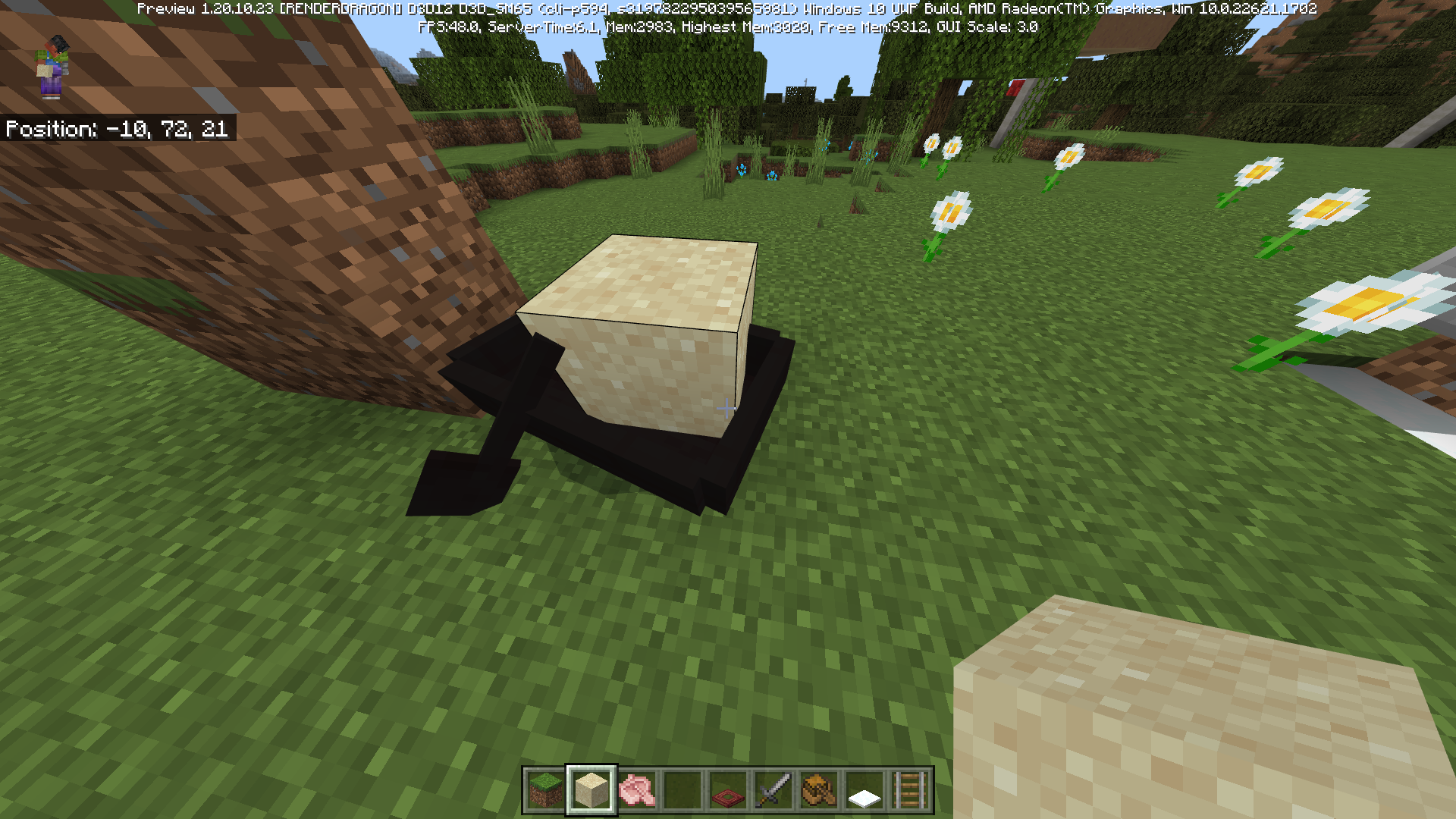
Affects 1.20.20.23 preview
Affects 1.20.12 hotfix and 1.20.20.22 preview
Affects 1.20.20.21 preview
Affects 1.20.10 hotfix
Affects 1.20.10.24 and 1.20.1
Affects 1.20
Affects 1.19.83 and 1.20.10.20
Affects 1.20.20.21 preview
Affects 1.20.12 hotfix and 1.20.20.22 preview
Affects 1.20.20.23 preview
Affects 1.20.30.22 preview and 1.20.15 hotfix
Affects 1.20.10.21
Affects 1.20.10.23
Affects 1.20.20.20
Affects 1.20.40.20 preview
Affects 1.20
Affects 1.20.10 hotfix
Affects 1.20.51 hotfix and 1.20.70.20 preview
Affects 1.20.10.24 and 1.20.1
Windows 11
Itembrightnessparity issueItem glint parity issue
Summary:
I was doing some testing in the game, until I noticed a difference in the brightness of the Java and Bedrock versions, where the Bedrock version seems to be even better
Steps to Reproduce:
- Launch Minecraft Java and Bedrock Edition
- Go to video settings in Java and
videosettings in Bedrock- Put the same glint strength settings on both versions and compare enchanted items
Observed Results:
Versions show differences in brightness level on items when at the same level. If you set it to 100%, you may notice that the of the Java glint version is much weaker than the Bedrock version.
Expected Results:
The glint of items in the Java version should be equal to the brightness of the Bedrock version, being able to achieve stronger tones and the same speed, according to the percentage
Screenshots/Videos Attached: Yes
Notes:
Summary:
I was doing some testing in the game, until I noticed a difference in the brightness of the Java and Bedrock versions, where the Bedrock version seems to be even better
Steps to Reproduce:
- Launch Minecraft Java and Bedrock Edition
- Go to video settings in Java and accessibility settings in Bedrock
- Put the same glint strength settings on both versions and compare enchanted items
Observed Results:
Versions show differences in brightness level on items when at the same level. If you set it to 100%, you may notice that the of the Java glint version is much weaker than the Bedrock version.
Expected Results:
The glint of items in the Java version should be equal to the brightness of the Bedrock version, being able to achieve stronger tones and the same speed, according to the percentage
Screenshots/Videos Attached: Yes
Notes:
Enchantment glint is much brighterin Bedrock EditionGlint enchant are different in Bedrock and Java Edition
Carpet parityproblemCarpet parity issue
Summary:
In Minecraft Java version, it is possible for the player to pass under a slab, giving a total of 0.5 blocks high, as long as there are layers of snow forming an entire block below the player, Something not possible in Bedrock Edition
Steps to Reproduce:
1. Launch Minecraft Java and Bedrock Edition
2. Create a world with "experimental short crouch" enabled
3. Make a structure with layers of snow forming a block on the ground and place a slab on top of a block
4. Use a Trapdoor to crawl and try to pass under the slab
Observed Results:
Unlike the Java edition of Minecraft, the player will not sink into the snow while crawling on the snow, making the character unable to go under the slab
Expected Results:
On snow-like blocks, the player should sink slightly and be able to pass under slabs.
Screenshots/Video Attached: Yes
Notes: So far, I've tested it with soul dirt, soul sand, honey block, slime block, and layers of snow forming a block. It only worked with soul sand. In java edition it works with soul snow and sand layers
Summary:
In Minecraft Java version, it is possible for the player to pass under a slab, giving a total of 0.5 blocks high, as long as there are layers of snow forming an entire block below the player, Something not possible in Bedrock Edition
Steps to Reproduce:
1. Launch Minecraft Java and Bedrock Edition
2. Create a world with "experimental short crouch" enabled
3. Make a structure with layers of snow forming a block on the ground and place a slab on top of a block
4. Use a Trapdoor to crawl and try to pass under the slab
Observed Results:
Unlike the Java edition of Minecraft, the player will not sink into the snow while crawling on the snow, making the character unable to go under the slab
Expected Results:
On snow-like blocks, the player should sink slightly and be able to pass under slabs.
Screenshots/Video Attached: Yes
Notes:
So far, I've tested it with souldirt, soul sand, honey block, slime block, and layers of snow forming a block. It only worked with soul sand. In java edition it works with soul snow and sand layersSummary:
In Minecraft Java version, it is possible for the player to pass under a slab, giving a total of 0.5 blocks high, as long as there are layers of snow forming an entire block below the player, Something not possible in Bedrock Edition
Steps to Reproduce:
1. Launch Minecraft Java and Bedrock Edition
2. Create a world with "experimental short crouch" enabled
3. Make a structure with layers of snow forming a block on the ground and place a slab on top of a block
4. Use a Trapdoor to crawl and try to pass under the slab
Observed Results:
Unlike the Java edition of Minecraft, the player will not sink into the snow while crawling on the snow, making the character unable to go under the slab
Expected Results:
On snow-like blocks, the player should sink slightly and be able to pass under slabs.
Screenshots/Video Attached: Yes
Notes: So far, I've tested it with soul soil, soul sand, honey block, slime block, and layers of snow forming a block. It only worked with soul sand. In java edition it works with soul snow and sand layers
Summary:
In Minecraft Java version, it is possible for the player to pass under a slab, giving a total of 0.5 blocks high, as long as there are layers of snow forming an entire block below the player, Something not possible in Bedrock Edition
Steps to Reproduce:
1. Launch Minecraft Java and Bedrock Edition
2. Create a world with "experimental short crouch" enabled
3. Make a structure with layers of snow forming a block on the ground and place a slab on top of a block
4. Use a Trapdoor to crawl and try to pass under the slab
Observed Results:
Unlike the Java edition of Minecraft, the player will not sink into the snow while crawling on the snow, making the character unable to go under the slab
Expected Results:
On snow-like blocks, the player should sink slightly and be able to pass under slabs.
Screenshots/Video Attached: Yes
Notes: So far, I've tested it with soul soil, soul sand, honey block, slime block, and layers of snow forming a block. It only worked with soul sand. In java edition it works with soul s
nowand sandlayersSummary:
In Minecraft Java version, it is possible for the player to pass under a slab, giving a total of 0.5 blocks high, as long as there are layers of snow forming an entire block below the player, Something not possible in Bedrock Edition
Steps to Reproduce:
1. Launch Minecraft Java and Bedrock Edition
2. Create a world with "experimental short crouch" enabled
3. Make a structure with layers of snow forming a block on the ground and place a slab on top of a block
4. Use a Trapdoor to crawl and try to pass under the slab
Observed Results:
Unlike the Java edition of Minecraft, the player will not sink into the snow while crawling on the snow, making the character unable to go under the slab
Expected Results:
On snow-like blocks, the player should sink slightly and be able to pass under slabs.
Screenshots/Video Attached: Yes
Notes: So far, I've tested it with soul soil, soul sand, honey block, slime block, and layers of snow forming a block. It only worked with soul sand. In java edition it works with soul sand and snow layers
Affects 1.20.30.22 preview and 1.20.15 hotfix
Affects 1.20.20.21 preview
Affects 1.20.20.23 preview
Affects 1.20.10.21 and 1.19.83
Affects 1.20.10.24 and 1.20.1
Affects 1.20.20.20
Affects 1.20.10.23
Affects 1.20.40.20 preview
Affects 1.20.10 hotfix
Summary:
With the release of the new update 1.20, I created a new world and enabled the "short sneak experimental" and went to test it. It is still possible to crouch below 1.5 blocks, but it is no longer possible to crawl, being that it was possible to crawl during the betas
Summary:
With the release of the new update 1.20, I created a new world and enabled the "short sneak experimental" and went to test it. It is still possible to crouch below 1.5 blocks, but it is no longer possible to crawl, being that it was possible to crawl during the betas
Steps to Reproduce:
1. Launch Minecraft
2. Create a world with "short sneak experimental" enabled
3. In the world, put a trapdoor in your legs and lift it up
Observed Results:
Player can no longer crawl
Expected Results:
During the betas, features were added to make the player able to crawl, similar to the Java edition, something that should have been available in the experiment.
Screenshots/Videos Attached: Yes
Summary:
With the release of the new update 1.20, I created a new world and enabled the "short sneak experimental" and went to test it. It is still possible to crouch below 1.5 blocks, but it is no longer possible to crawl, being that it was possible to crawl during the betas
Steps to Reproduce:
1. Launch Minecraft
2. Create a world with "short sneak experimental" enabled
3. In the world, put a trapdoor in your legs and lift it up
Observed Results:
Player can no longer crawl
Expected Results:
During the betas, features were added to make the player able to crawl, similar to the Java edition, something that should have been available in the experiment.
Screenshots/Videos Attached: Yes
Notes: It is still possible to crawl like it used to, using a bucket of water to make the player duck and start crawling at the same speed as they run.
it´s not possible to see more commands with scrollIt´s not possible to see more commands with scroll
Summary:
A parity problem, when writing commands, you can´t go up or down your screen, making it hard to write commands
Observed Results:
- Launch Minecraft Bedrock Edition
- Open chat and write a command (preferably gamerule)
try go up and downObserved Results:
In Minecraft Bedrock Edition, you´ll can´t find other commands. You´ll have to find them for letters or use /help command
Expected Results:
Just like Minecraft Java Edition, you should be able to use scroll and find all the commands you can use
Screenshots/Videos Attached: Yes
Notes: The problem occurs in all Minecraft Bedrock Edition devices
Summary:
A parity problem, when writing commands, you can´t go up or down your screen, making it hard to write commands
Observed Results:
- Launch Minecraft Bedrock Edition
- Open chat and write a command (preferably gamerule)
- Try go up and down
Observed Results:
In Minecraft Bedrock Edition, you´ll can´t find other commands. You´ll have to find them for letters or use /help command
Expected Results:
Just like Minecraft Java Edition, you should be able to use scroll and find all the commands you can use
Screenshots/Videos Attached: Yes
Notes: The problem occurs in all Minecraft Bedrock Edition devices
Summary:
A parity problem, when writing commands, you can´t go up or down your screen, making it hard to write commands
Observed Results:
- Launch Minecraft Bedrock Edition
- Open chat and write a command (preferably gamerule)
- Try go up and down
Observed Results:
In Minecraft Bedrock Edition, you
´llcan´t find other commands. You´ll have to find them for letters or use /help commandExpected Results:
Just like Minecraft Java Edition, you should be able to use scroll and find all the commands you can use
Screenshots/Videos Attached: Yes
Notes: The problem occurs in all Minecraft Bedrock Edition devices
Summary:
A parity problem, when writing commands, you can´t go up or down your screen, making it hard to write commands
Observed Results:
- Launch Minecraft Bedrock Edition
- Open chat and write a command (preferably gamerule)
- Try go up and down
Observed Results:
In Minecraft Bedrock Edition, you can´t find other commands by using scroll. You´ll have to find them for letters or use /help command, just like the video
Expected Results:
Just like Minecraft Java Edition, you should be able to use scroll and find all the commands you can use
Screenshots/Videos Attached: Yes
Notes: The problem occurs in all Minecraft Bedrock Edition devices
Summary:
A parity problem, when writing commands, you can´t go up or down your screen, making it hard to write commands
Observed Results:
- Launch Minecraft Bedrock Edition
- Open chat and write a command (preferably gamerule)
- Try go up and down with scroll
Observed Results:
In Minecraft Bedrock Edition, you can´t find other commands by using scroll. You´ll have to find them for letters or use /help command, just like the video
Expected Results:
Just like Minecraft Java Edition, you should be able to use scroll and find all the commands you can use
Screenshots/Videos Attached: Yes
Notes: The problem occurs in all Minecraft Bedrock Edition devices
Affects 1.20.10 hotfix
Summary:
In Minecraft Bedrock Edition, when you are in creative gamemode with a elytra equipped, by pressing the space key, you will start to go upward while steve do flying animation
How to Reproduce:
1. Launch Minecraft Bedrock Edition
2. Go to creative gamemode
3. Equip elytra
4. Start flying in creative gamemode style
5. Press twice key space to stop flying
6. Hold space key
Observed Results:
As soon as you
press key twice andstart holdingthe button, the character will start tofly with elytra andgo upwards in a straight lineExpected Reults:
The character shouldn´t do this. Steve is supposed to just fall in the floor
Screenshots/Videos Attached: Yes
Summary:
In Minecraft Bedrock Edition, when you are in creative gamemode with a elytra equipped, by pressing the space key, you will start to go upward while steve do flying animation
How to Reproduce:
1. Launch Minecraft Bedrock Edition
2. Go to creative gamemode
3. Equip elytra
4. Start flying in creative gamemode style
5. Press twice key space to stop flying
6. Hold space key
Observed Results:
As soon as you stop flying in creative gamemode style, the caracter will start to fly automatically with elytra. In this state, if you start to hold the button, the character will start to go upwards in a straight line with elytra
Expected Reults:
The character shouldn´t do this. Steve is supposed to just fall in the floor
Screenshots/Videos Attached: Yes
Summary:
In Minecraft Bedrock Edition, when you are in creative gamemode with a elytra equipped, by pressing the space
key, you will start to go upward while steve do flying animationHow to Reproduce:
1. Launch Minecraft Bedrock Edition
2. Go to creative gamemode
3. Equip elytra
4. Start flying in creative gamemode style
5. Press twice key space to stop flying
6. Hold space
keyObserved Results:
As soon as you stop flying in creative gamemode style, the caracter will start to fly automatically with elytra. In this state, if you start to hold
the button, the character will start to go upwards in a straight line with elytraExpected Reults:
The character shouldn´t do this. Steve is supposed to just fall in the floor
Screenshots/Videos Attached: Yes
Summary:
In Minecraft Bedrock Edition, when you are in creative gamemode with a elytra equipped, by pressing the key space, you will start to go upward while steve do flying animation
How to Reproduce:
1. Launch Minecraft Bedrock Edition
2. Go to creative gamemode
3. Equip elytra
4. Start flying in creative gamemode style
5. Press twice key space to stop flying
6. Hold key space
Observed Results:
As soon as you stop flying in creative gamemode style, the caracter will start to fly automatically with elytra. In this state, if you start to hold key space, the character will start to go upwards in a straight line with elytra
Expected Reults:
The character shouldn´t do this. Steve is supposed to just fall in the floor
Screenshots/Videos Attached: Yes
Affects 1.20.40.20 preview
Summary:
When Ty
aping a text or a command, the player is unable to choose the exactly part he wants to edit the textSteps to Reproduce:
- Launch Minecraft Pocket Edition
- Open chat and write something
- Touch where you want to edit
Observed Results:
The player can't change the where in the text he wants to edit. If he try the part that he want, the virtual keyboard will close or nothing will happen
Expected Results:
Just like other apps, mobile players should click and choose the where he wants to edit
Screenshots/Videos Attached: Yes
Notes: There is an intentional error in "gamemode" writting. I tried to click the where i want to edit, but Minecraft doesn't respond
Summary:
When Typing a text or a command, the player is unable to choose the exactly part he wants to edit the text
Steps to Reproduce:
- Launch Minecraft Pocket Edition
- Open chat and write something
- Touch where you want to edit
Observed Results:
The player can't change the where in the text he wants to edit. If he try the part that he want, the virtual keyboard will close or nothing will happen, forcing the player to delete the text to type again
Expected Results:
Just like other apps, mobile players should click and choose the where he wants to edit
Screenshots/Videos Attached: Yes
Notes: There is an intentional error in "gamemode" writting. I tried to click the where i want to edit, but Minecraft doesn't respond
Summary:
When Typing a text or a command, the player is unable to choose the exactly part he wants to edit the text
Steps to Reproduce:
- Launch Minecraft Pocket Edition
- Open chat and
write something- Touch where you want to edit
Observed Results:
The player can't change the where in the text he wants to edit. If he try the part that he want, the virtual keyboard will close or nothing will happen, forcing the player to delete the text to type again
Expected Results:
Just like other apps, mobile players should click and choose the where he wants to edit
Screenshots/Videos Attached: Yes
Notes: There is an intentional error in "gamemode" writting. I tried to click the where i want to edit, but Minecraft doesn't respond
Summary:
When Typing a text or a command, the player is unable to choose the exactly part he wants to edit the text
Steps to Reproduce:
- Launch Minecraft Pocket Edition
- Open chat and type something
- Touch in the screen where you want to edit
Observed Results:
The player can't change the where in the text he wants to edit. If he try the part that he want, the virtual keyboard will close or nothing will happen, forcing the player to delete the text to type again
Expected Results:
Just like other apps, mobile players should click and choose the where he wants to edit
Screenshots/Videos Attached: Yes
Notes: There is an intentional error in "gamemode" writting. I tried to click the where i want to edit, but Minecraft doesn't respond
Summary:
When Typing a text or a command, the player is unable to choose the exactly part he wants to edit the text
Steps to Reproduce:
- Launch Minecraft Pocket Edition
- Open chat and type something
- Touch in the screen where you want to edit
Observed Results:
The player can't change the where in the text he wants to edit. If he try the part that he want, the virtual keyboard will close or nothing will happen, forcing the player to delete the text to type again
Expected Results:
Just like other apps, mobile players should click and choose the where they wants to edit
Screenshots/Videos Attached: Yes
Notes: There is an intentional error in "gamemode" writting. I tried to click the where i want to edit, but Minecraft doesn't respond
Summary:
When Typing a text or a command, the player is unable to choose the exactly part he wants to edit the text
Steps to Reproduce:
- Launch Minecraft Pocket Edition
- Open chat and type something
- Touch in the screen where you want to edit
Observed Results:
The player can't change the where in the text he wants to edit. If he try the part that he want, the virtual keyboard will close or nothing will happen, forcing the player to delete the text to type again
Expected Results:
Just like other apps, mobile players should click and choose the where they wants to edit
Screenshots/Videos Attached: Yes
Notes:
There is an intentional error in "gamemode" writting. I triedto click the where i want to edit, but Minecraft doesn't respondSummary:
When Typing a text or a command, the player is unable to choose the exactly part he wants to edit the text
Steps to Reproduce:
- Launch Minecraft Pocket Edition
- Open chat and type something
- Touch in the screen where you want to edit
Observed Results:
The player can't change the where in the text he wants to edit. If he try the part that he want, the virtual keyboard will close or nothing will happen, forcing the player to delete the text to type again
Expected Results:
Just like other apps, mobile players should click and choose the where they wants to edit
Screenshots/Videos Attached: Yes
Notes: The "gammemode" error in the video is intentional. I was trying to click the where i want to edit, but Minecraft doesn't respond
Summary:
When Typing a text or a command, the player is unable to choose the exactly part he wants to edit the text
Steps to Reproduce:
- Launch Minecraft Pocket Edition
- Open chat and type something
- Touch in the screen where you want to edit
Observed Results:
The player can't change the where in the text he wants to edit. If he try the part that he want, the virtual keyboard will close or nothing will happen, forcing the player to delete the text to type again
Expected Results:
Just like other apps, mobile players should click and choose the where they wants to edit
Screenshots/Videos Attached: Yes
Notes: The "gammemode" error in the video is intentional. I was trying to click
thewhere i want to edit, but Minecraft doesn't respond
Summary:
When Typing a text or a command, the player is unable to choose the exactly part he wants to edit the text
Steps to Reproduce:
- Launch Minecraft Pocket Edition
- Open chat and type something
- Touch in the screen where you want to edit
Observed Results:
The player can't change the where in the text he wants to edit. If he try the part that he want, the virtual keyboard will close or nothing will happen, forcing the player to delete the text to type again if whe wants to fix an entire text and spent time in the process
Expected Results:
Just like other apps, mobile players should click and choose the where they wants to edit
Screenshots/Videos Attached: Yes
Notes: The "gammemode" error in the video is intentional. I was trying to click where i want to edit, but Minecraft doesn't respond
Summary:
When Typing a text or a command, the player is unable to choose the exactly part he wants to edit the text
Steps to Reproduce:
- Launch Minecraft Pocket Edition
- Open chat and type something
- Touch in the screen where you want to edit
Observed Results:
The player can't change the where in the text he wants to edit. If he try the part that he want, the virtual keyboard will close or nothing will happen, forcing the player to delete the text to type again if whe wants to fix an entire text and spent time in the process
Expected Results:
Just like other apps, mobile players should click and choose the where they wants to edit, in order to save time and avoid spented time
Screenshots/Videos Attached: Yes
Notes: The "gammemode" error in the video is intentional. I was trying to click where i want to edit, but Minecraft doesn't respond
Summary:
When Typing a text or a command, the player is unable to choose the exactly part he wants to edit the text
Steps to Reproduce:
- Launch Minecraft Pocket Edition
- Open chat and type something
- Touch in the screen where you want to edit
Observed Results:
The player can't change the where in the text he wants to edit. If he try the part that he want, the virtual keyboard will close or nothing will happen, forcing the player to delete the text to type again if whe wants to fix an entire text and spent time in the process
Expected Results:
Just like other apps, mobile players should click and choose the where they wants to edit, in order to save time and avoid spented time
Screenshots/Videos Attached: Yes
Notes: The "gammemode" error in the video is intentional. I was trying to click where i want to edit, but Minecraft doesn't respond. This happens in signs too
Summary:
When Typing a text or a command, the player is unable to choose the exactly part he wants to edit the text
Steps to Reproduce:
- Launch Minecraft Pocket Edition
- Open chat and type something
- Touch in the screen where you want to edit
Observed Results:
The player can't change the where in the text he wants to edit. If he try the part that he want, the virtual keyboard will close or nothing will happen, forcing the player to delete the text to type again if
whe wants to fix an entire text and spent time in the processExpected Results:
Just like other apps, mobile players should click and choose the where they wants to edit, in order to save time and avoid spented time
Screenshots/Videos Attached: Yes
Notes: The "gammemode" error in the video is intentional. I was trying to click where i want to edit, but Minecraft doesn't respond. This happens in signs too
Summary:
When Typing a text or a command, the player is unable to choose the exactly part that he wants to edit the text
Steps to Reproduce:
- Launch Minecraft Pocket Edition
- Open chat and type something
- Touch in the screen where you want to edit
Observed Results:
The player can't change the where in the text he wants to edit. If he try the part that he want, the virtual keyboard will close or nothing will happen, forcing the player to delete the text to type again if he wants to fix an entire text and spent time in the process
Expected Results:
Just like other apps, mobile players should click and choose the where they wants to edit, in order to save time and avoid spented time
Screenshots/Videos Attached: Yes
Notes: The "gammemode" error in the video is intentional. I was trying to click where i want to edit, but Minecraft doesn't respond. This happens in signs too
Summary:
When Typing a text or a command, the player is unable to choose the exactly part that he wants to edit the text
Steps to Reproduce:
- Launch Minecraft Pocket Edition
- Open chat and type something
- Touch in the screen where you want to edit
Observed Results:
The player can't change the where in the text he wants to edit. If he try the part that he want, the virtual keyboard will close or nothing will happen, forcing the player to delete the text to type again if he wants to fix an entire text and spent time in the process
Expected Results:
Just like other apps, mobile players should click and choose
thewhere they wantsto edit, in order to save time and avoid spented timeScreenshots/Videos Attached: Yes
Notes: The "gammemode" error in the video is intentional. I was trying to click where i want to edit, but Minecraft doesn't respond. This happens in signs too
Summary:
When Typing a text or a command, the player is unable to choose the exactly part that he wants to edit the text
Steps to Reproduce:
- Launch Minecraft Pocket Edition
- Open chat and type something
- Touch in the screen where you want to edit
Observed Results:
The player can't change the where in the text he wants to edit. If he try the part that he want, the virtual keyboard will close or nothing will happen, forcing the player to delete the text to type again if he wants to fix an entire text and spent time in the process
Expected Results:
Just like other apps, mobile players should be able to click and choose where they want to edit, in order to save time and avoid time spent
Screenshots/Videos Attached: Yes
Notes: The "gammemode" error in the video is intentional. I was trying to click where i want to edit, but Minecraft doesn't respond. This happens in signs too
Summary:
When launched by a crossbow, it´s possible to notice that the Bedrock firework is slower than the Java Edition
Steps to Reproduce:
- Launch Minecraft Bedrock Edition
- Fit a
n crossbow with firework- Launch the firework
Observed Results:
Compared with Java Edition firework, the Bedrock one seens to be much lower than the Java Edition, seen artificial
Expected Results:
The speed of Bedrock Edition firework´s should be the same as Java Edition
Summary:
When launched by a crossbow, it´s possible to notice that the Bedrock firework is slower than the Java Edition
Steps to Reproduce:
- Launch Minecraft Bedrock Edition
- Fit a firework on a crossbow
- Launch the firework
Observed Results:
Compared with Java Edition firework, the Bedrock one seens to be much lower than the Java Edition, seen artificial
Expected Results:
The speed of Bedrock Edition firework´s should be the same as Java Edition
Summary:
When launched by a crossbow, it´s possible to notice that the Bedrock firework is slower than the Java Edition
Steps to Reproduce:
- Launch Minecraft Bedrock Edition
- Fit a firework on a crossbow
- Launch the firework
Observed Results:
Compared with Java Edition firework, the Bedrock one seens to be much lower than the Java Edition, seen artificial
Expected Results:
The speed of Bedrock Edition firework´s should be the same as Java Edition
Notes: The firework in Bedrock Edition is launched by the chest, complementing the awkward feeling of artificial thing
Summary:
When launched by a crossbow, it´s possible to notice that the Bedrock firework is slower
than the Java EditionSteps to Reproduce:
- Launch Minecraft Bedrock Edition
- Fit a firework on a crossbow
- Launch the firework
Observed Results:
Compared with Java Edition firework, the Bedrock one seens to be much lower than the Java Edition, seen artificialExpected Results:
The speed ofBedrockEdition firework´sshould be the same as Java EditionNotes: The firework in Bedrock Edition is launched by the chest, complementing the awkward feeling of artificial thing
Summary:
When launched by a crossbow, it´s possible to notice that the Bedrock´s firework is slower and delayed compared to Java Edition, making it looks like artificial
Steps to Reproduce:
- Launch Minecraft Bedrock Edition
- Fit a firework on a crossbow
- Launch the firework
Observed Results:
When launched, the firework is slower and appears to come out of the chest, unlike The Java Edition
Expected Results:
Bedrock edition firework speed should be the same as Java Edition, as ell as launch time
Firework on crossbowis slowerin Bedrock EditionFirework on crossbow seens artificial in Bedrock Edition
Summary:
When launched by a crossbow, it´s possible to notice that the Bedrock´s firework is slower and delayed compared to Java Edition, making it looks like artificial
Steps to Reproduce:
- Launch Minecraft Bedrock Edition
- Fit a firework on a crossbow
- Launch the firework
Observed Results:
When launched, the firework is slower and appears to come out of the chest, unlike The Java Edition
Expected Results:
Bedrock
edition firework speed should be the same as Java Edition, as ell as launch timeSummary:
When launched by a crossbow, it´s possible to notice that the Bedrock´s firework is slower and delayed compared to Java Edition, making it looks like artificial
Steps to Reproduce:
- Launch Minecraft Bedrock Edition
- Fit a firework on a crossbow
- Launch the firework
Observed Results:
When launched, the firework is slower and appears to come out of the chest, unlike The Java Edition
Expected Results:
Bedrock Edition firework speed should be the same as Java Edition, as well as launch time
Summary:
When launched by a crossbow, it´s possible to notice that the Bedrock´s firework is slower and delayed compared to Java Edition, making it looks like artificial
Steps to Reproduce:
- Launch Minecraft Bedrock Edition
- Fit a firework on a crossbow
- Launch the firework
Observed Results:
When launched, the firework is slower and appears to come out of the chest, unlike The Java Edition
Expected Results:
Bedrock Edition firework speed should be the same as Java Edition, as well as launch time
Screenshots/Videos Attached: Yes
Summary:
When launched by a crossbow, it´s possible to notice that the Bedrock´s firework is slower and delayed compared to Java Edition, making it looks like artificial
Steps to Reproduce:
- Launch Minecraft Bedrock Edition
- Fit a firework on a crossbow
- Launch the firework
Observed Results:
When launched, the firework is slower and appears to come out of the
chest, unlike The Java EditionExpected Results:
Bedrock Edition firework speed should be the same as Java Edition, as well as launch time
Screenshots/Videos Attached: Yes
Summary:
When launched by a crossbow, it´s possible to notice that the Bedrock´s firework is slower and delayed compared to Java Edition, making it looks like artificial
Steps to Reproduce:
- Launch Minecraft Bedrock Edition
- Fit a firework on a crossbow
- Launch the firework
Observed Results:
When launched, the firework is slower and appears to come out of the jaw, unlike The Java Edition
Expected Results:
Bedrock Edition firework speed should be the same as Java Edition, as well as launch time
Screenshots/Videos Attached: Yes
Summary:
When launched by a crossbow, it´s possible to notice that the Bedrock´s firework is slower and delayed compared to Java Edition, making it looks like artificial
Steps to Reproduce:
- Launch Minecraft Bedrock Edition
- Fit a firework on a crossbow
- Launch the firework
Observed Results:
When launched, the firework is slower and appears to come out of the jaw, unlike The Java Edition
Expected Results:
Bedrock Edition´s firework speed should be the same as Java Edition, as well as launch time
Screenshots/Videos Attached: Yes
Fixed in 1.20.10.23
Summary:
After making the joystick transparent, when playing the game, as soon as you touch the screen, the circle that shows where you break blocks appears around your finger that you are using to walk
Steps to Reproduce:
- Change the Android joystick
- Make joystick always transparent
- Walk
Observed Results:
The circle that indicates where you are breaking/placing blocks will appear around your finger. The idea of disappearing the joystick serves to not disturb the vision, but the circle appears, disturbing at the same way. The circle comes out of your left finger and moves to the right when breaking blocks, but as soon as you release your finger, the circle goes back to your left finger
Expected Results:
With the disappearance of the joystick, the Player should gain more space for the vision, but the white circle gets in the way. There should be a way to turn this off.

Mr.Pufferfish Already have marked the affects versions
![[Mod] EVGENSYPERPRO](../../../data/avatars/users/92853.png)
Mr.Pufferfish, version 1.20.20.23 was added to the report 3 days ago. Please check "Affects Version/s:" before commenting "Affects 1.20.X", as this only creates spam.
This "tug of war" system was made just to better show how the bug works. This bug occurs normally, requiring only a piston to push several blocks at once
This persists in Minecraft Bedrock Edition version 1.19.0.81
In Minecraft Java Edition, the player can use the elytra and fireworks to fly underwater, but doesn't work on bedrock
The boat and the anvil should stay stable, or at the very least, the entity should break down and revert back to being an item.
I just put videos showing examples. The Bedrock Edition boat does not function as a rigid platform, but acts as if it is not there, making items and players walk across it. The boat should be like the Java edition, in which the player can climb and stay on top, as well as items
About the video called "Bedrock Jumping boat", I show that it is possible to stay on top of the boat, however, it is a bit unstable, since the player must keep jumping to stay on top of the boat, or the player will cross over and fall
Years have passed and the java version's frame item still hasn't been "fixed" which indicates it has become a feature.The trailer for the "Very Scary Update" version showed torches behind item frames, with some block in the frame, making the torch appear to be being held
Affects 1.20.10.21
Fixed in 1.20.10.21
Affects 1.20.10.21
Fixed in 1.20.10.21
The player can now easily exit this mode
Affects 1.20.10.21
Affects 1.20.10.21
Affects 1.20.10.21
Affects 1.20.10.21
Affects 1.20.10.21
Affects 1.20.10.21
Affects 1.20
Affects 1.20
Affects 1.20
Affects 1.20
Affects 1.20
Can no longer craft barrels from wooden blocks, only sticks
Affects 1.20
Affects 1.20
Affects 1.20
Affects 1.20
Affects 1.20
Affects 1.20.0
Affects 1.20.10.23
Affects 1.20.10.23
Affects 1.20.10.23
When sand falls into the boat, there is a risk of it turning black.
Affects 1.20.10.23
Affects 1.20.10.23
Affects 1.20.10.23
Steps to Reproduce:
1. Launch Minecraft Bedrock Edition
2. Try open chat and try to write something
Observed Results:
There are chances of the bug occuring and disabling players to write commands, cause there is no virtual keyboard{}
Expected Results:
The chat should open normally
Notes: This is a unexpected bug that occurs sometimes, not everytime. This bug occurs more on mobile devices
Affects 1.20.10.23
I think mojang should add this as part of the touch settings, for the mobile player to choose whether the character will climb while walking forward or not
Notes: It is possible to stand on top of the boat, as long as you keep jumping on top of it.
Affects 1.20.10.23 and 1.20
Affects 1.20.10.24 and 1.20.1
Affects 1.20.10.24 and 1.20.1
Affects 1.20.10.24 and 1.20.1
Affects 1.20.10.24 and 1.20.1
Affects 1.20.10.24 and 1.20.1
Affects 1.20.10.24 and 1.20.1
Fixed in 1.20.20.20
Fixed in 1.20.20.20
Affects 1.20.20.20
Affects 1.20.20.20
Affects 1.20.20.20
Fixed in 1.20.20.20
Affects 1.20.20.20
When the boat is on land and an entity block falls on it, the block remains and the boat turns black
Affects 1.20.20.20
Affects 1.20.20.20
it would be good to be an option in the game, to enable and desable the dark screen
Affects 1.20.1 and 1.20.20.20 preview
Affects 1.20.1 hotfix
Affects 1.20.20.20 preview and 1.20.1 hotfix
I think this should be an option to enable and desable
The area where the water source can be caught with a bucket in Minecraft Java is equal to the entire block. In Minecraft Bedrock, that same area is much smaller when you're inside it, Only managing to collect water with a bucket if you approach the surface, which is annoying for mobile players, who must try multiple times
Affects 1.20.1
Affects 1.20.10 hotfix
Affects 1.20.10 hotfix
Affects 1.20.10 hotfix
Affects 1.20.10 hotfix
Affects 1.20.10 hotfix
Affects 1.20.10 hotfix
Affects 1.20.10 hotfix
Affects 1.20.10 hotfix
Affects 1.20.10 hotfix
Affects 1.20.10 hotfix
Affects 1.20.10 hotfix
Affects 1.20.10 hotfix
Affects 1.20.10 hotfix
Affects 1.20.10 hotfix
Affects 1.20.10 hotfix
Affects 1.20.10 hotfix
when you get close, the mod will attack you, but after walking away from it a few blocks, it will forget your presence and won't chase you
Affects 1.20.10 hotfix
Affects 1.20.10 hotfix
Affects 1.20.10 hotfix
Affects 1.20.20.21 preview
Affects 1.20.20.21 preview
Affects 1.20.20.21 preview
Affects 1.20.20.21 preview
Affects 1.20.20.21 preview
Affects 1.20.10 hotfix and 1.20.20.21 preview
Affects 1.20.12 hotfix and 1.20.20.22 preview
Affects 1.20.12 hotfix and 1.20.20.22 preview
Affects 1.20.12 hotfix and 1.20.20.22 preview
Affects 1.20.12 hotfix and 1.20.20.22 preview
Affects 1.20.12 hotfix and 1.20.20.22 preview
Affects 1.20.12 hotfix and 1.20.20.22 preview
Affects 1.20.12 hotfix and 1.20.20.22 preview
Affects 1.20.12 hotfix and 1.20.20.22 preview
Affects 1.20.12 hotfix and 1.20.20.22 preview
Affects 1.20.12 hotfix and 1.20.20.22 preview
Affects 1.20.12 hotfix and 1.20.20.22 preview
Affects 1.20.12 hotfix and 1.20.20.22 preview
Affects 1.20.12 hotfix and 1.20.20.22 preview
Affects 1.20.12 hotfix and 1.20.20.22 preview
Affects 1.20.12 hotfix and 1.20.20.22 preview
Affects 1.20.20.23 preview
Affects 1.20.20.23 preview
Affects 1.20.20.23 preview. i play in a android device, and no, i don´t use any experimental toggle
Affects 1.20.20.23 preview
Affects 1.20.20.23 preview
Affects 1.20.20.23 preview
Affects 1.20.20.23 preview
Affects 1.20.20.23 preview
Affects 1.20.30.20 preview
Affects 1.20.30.22 preview and 1.20.15 hotfix
Affects 1.20.30.22 preview and 1.20.15 hotfix
Affects 1.20.30.22 preview and 1.20.15 hotfix
Affects 1.20.30.22 preview and 1.20.15 hotfix
Affects 1.20.30.22 preview and 1.20.15 hotfix
Affects 1.20.30.22 preview and 1.20.15 hotfix
Reply from [Mod] Umija5895M:
Please do not add more "Affects..." comments as it just clutters the report and hides information.
To request that new affected versions be added, please use the Mojira Discord.
(please delete this comment after reading)
Affects 1.20.30.22 preview and 1.20.15 hotfix
Affects 1.20.30.22 preview and 1.20.15 hotfix
Affects 1.20.30.22 preview and 1.20.15 hotfix
Affects 1.20.30.22 preview and 1.20.15 hotfix
Affects 1.20.30.22 preview and 1.20.15 hotfix
Affects 1.20.15 hotfix and 1.20.30.22 preview
Affects 1.20.30.22 preview and 1.20.15 hotfix
Affects 1.20.15 hotfix and 1.20.30.22 preview
Affects 1.20.40.20 preview
Affects 1.20.40.20 preview
Affects 1.20.40.20 preview
Affects 1.20.40.20 preview
Affects 1.20.40.20 preview
Affects 1.20.40.20 preview
Affects 1.20.51 hotfix and 1.20.70.20 preview
Affects 1.20.51 hotfix and 1.20.70.20 preview
Affects 1.20.51 hotfix and 1.20.70.20 preview
Affects 1.20.51 hotfix and 1.20.70.20 preview
Affects 1.20.51 hotfix and 1.20.70.20 preview
Affects 1.20.51 hotfix and 1.20.70.20 preview
Affects 1.20.51 hotfix and 1.20.70.20 preview
Affects 1.20.51 hotfix and 1.20.70.20 preview
Affects 1.20.51 hotfix and 1.20.70.20 preview
Affects 1.20.51 hotfix and 1.20.70.20 preview
Affects 1.20.51 hotfix and 1.20.70.20 preview
Affects 1.20.51 hotfix and 1.20.70.20 preview
Affects 1.20.51 hotfix and 1.20.70.20 preview
Affects 1.20.51 hotfix and 1.20.70.20 preview
I took this test on both my cell phone and computer. Updated drivers, use regular headphone
The headphones are common, small, unbranded, and the cell phone is the Poco X5 Pro
The post you said doesn't show the way my Minecraft works. It appears that the sound technology when turning the head is not working correctly, as just by turning the head on the other hand, the sounds behind you diminish a lot. I observed this on my cell phone and computer, both using headphones
Yes
Can confirm
My device: Poco X5 Pro l - MIUI 14
Yes. It does
No
Affects 1.20.60 hotfix
Affects 1.20.62 hotfix and 1.20.70.24 preview
Affects 1.20.62 hotfix and 1.20.70.24 preview
Affects 1.20.62 hotfix and 1.20.70.24 preview
Affects 1.20.62 hotfix and 1.20.70.24 preview
Affects 1.20.62 hotfix and 1.20.70.24 preview
Affects 1.20.62 hotfix and 1.20.70.24 preview
Affects 1.20.62 hotfix and 1.20.70.24 preview
Reply from [Mod] Umija5895M:
Please use the Mojira Discord to request adding Affects Versions. Comments like this add unnecessary clutter and hide more important information.
(Delete these comments after reading)
Affects 1.20.62 hotfix and 1.20.70.24 preview
Affects 1.20.62 hotfix and 1.20.70.24 preview
Affects 1.20.62 hotfix and 1.20.70.24 preview
Affects 1.20.62 hotfix and 1.20.70.24 preview
Affects 1.20.62 hotfix and 1.20.70.24 preview
Affects 1.20.62 hotfix and 1.20.70.24 preview
Affects 1.20.62 hotfix and 1.20.70.24 preview
Affects 1.20.62 hotfix and 1.20.70.24 preview
Affects 1.20.62 hotfix and 1.20.70.24 preview
Affects 1.20.62 hotfix and 1.20.70.24 preview
Affects 1.20.62 hotfix and 1.20.70.24 preview
Affects 1.20.62 hotfix and 1.20.70.24 preview
Affects 1.20.62 hotfix
That does
It's a singleplayer world. The first account describes what happens in my world, but not exactly... In my case, this happens rarely, when I open Minecraft for the first time, after turning on my cell phone.
For those who are having this difficulty, you can add the skin with the app "skin pack maker". With it you can add a list of skins and import them directly into Minecraft
At most, I would switch from one account to another (as I have two minecraft accounts), but I would always come back from the same point
This happens all the time, not just when it is serious.
Affects 1.20.80
I am currently experiencing this problem. My only world, which I've been playing for months, is in realms, and I can barely access it without internet. It takes around 300mb. Game on Android 14 (MIUI 14), from Poco X5 Pro. My internet is wifi, 4g
Update: The same thing happened while I was trying to download the map on my computer, Windows 11
I managed to partially fix this bug, but I recommend being careful as this could lead to another bug
Basically, if your world is in realms, when you play, you will normally unlock your achievements. The problem is that many players (including me) are going through the REALMS-474 ( https://bugs.mojang.com/browse/REALMS-474 ), which does not allow you to download your world back, because for some reason, the game says it gives an error when downloading, allowing you to play only in realms, having to pay
Affects 1.21.21 hotfix
Affects 1.21.21 hotfix