 N1xht
N1xht
- N1xht
- JIRAUSER716617
- Europe/Stockholm
- Yes
- No
 MCPE-155665




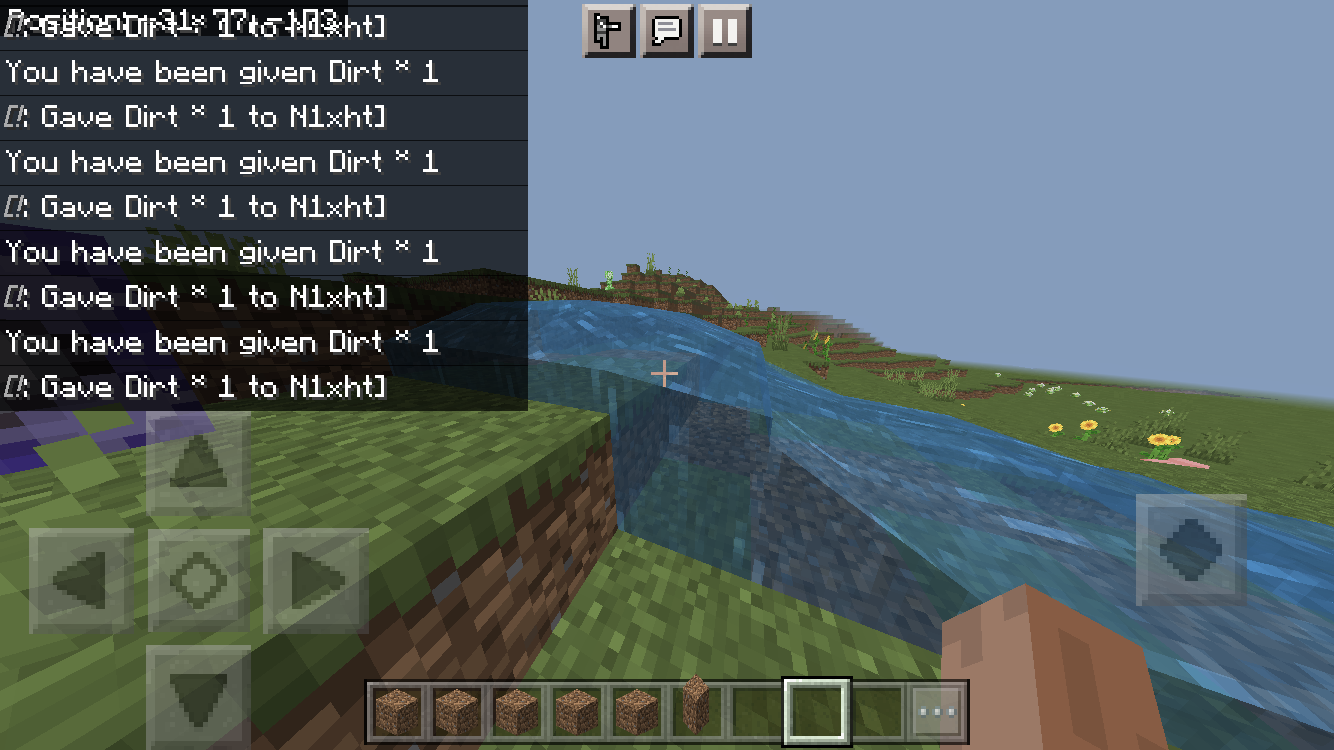

Can confirm in 1.18.31.
On hard difficulty piglin brutes do 7.5 hearts of damage.
They need to do 9.5 hearts of damage like on Java edition.
On hard difficulty piglin brutes do 7.5 hearts of damage.
They need to do 9.5 hearts of damage like on Java edition.
Steps to Reproduce:
- Set your difficulty to hard. (/difficulty h)
- Set your gamemode to survival. (/gamemode s @s)
- Summon a piglin brute. (/summon piglin_brute)
Observed Results:
The piglin brute does 7.5 hearts of damage.
Expected Results:
The piglin brute needs to do 9.5 hearts of damage like on Java edition.
On hard difficulty piglin brutes do 7.5 hearts of damage.
They need to do 9.5 hearts of damage like on Java edition.
Steps to Reproduce:
- Set your difficulty to hard. (/difficulty h)
- Set your gamemode to survival. (/gamemode s
@s)- Summon a piglin brute. (/summon piglin_brute)
Observed Results:
The piglin brute does 7.5 hearts of damage.
Expected Results:
The piglin brute needs to do 9.5 hearts of damage like on Java edition.
You can’t summon fireballs.
Steps to Reproduce:
- Create a new world.
- Activate cheats.
- Summon a fireball. (/summon fireball){}
Observed Results:
You can’t summon a fireball.
Expected Results:
You can summon a fireball.
You can’t summon fireballs.
Steps to Reproduce:
- Create a new world.
- Activate cheats.
- Summon a fireball. (/summon fireball)
Observed Results:
You can’t summon a fireball.
Expected Results:
You can summon a fireball.
You can’t wash illager banners like on Java Edition.
Steps to Reproduce:
- Try to wash an illager banner. (see picture)
Observed Results:
It doesn’t work.
Expected Results:{}
It works.
Can confirm. After I have updated to 1.19 the game was (and is) unplayable.
Zombies with tools/weapons are not affected by the weakness effect.Steps to Reproduce:
- Summon a zombie. (/summon zombie)
- Give him a sword. (/replaceitem entity @e[type=zombie] slot.weapon.mainhand 0 diamond_sword)
- Give him weakness. (/effect @e[type=zombie] weakness 1000 255
- Let him hit you.
Observed Results:
He damages you.
Expected Results:
He can’t damage you.
Notes:
You can use every tool/weapon you want.
(Affected tools/weapons:
Swords, tridents, axes, pickaxes, shovels, hoes)I only tested this with: zombies, husks, wither skeletons, skeletons (I gave him an axe) and drowned.
Some mobs with tools/weapons are not affected by the weakness effect.
Steps to Reproduce:
- Summon a zombie. (/summon zombie)
- Give him a sword. (/replaceitem entity @e[type=zombie] slot.weapon.mainhand 0 diamond_sword)
- Give him weakness. (/effect @e[type=zombie] weakness 1000 255
- Let him hit you.
Observed Results:
He damages you.
Expected Results:
He can’t damage you.
Notes:
You can use every tool/weapon you want.
(Affected tools/weapons:
Swords, tridents, axes, pickaxes, shovels, hoes)I only tested this with: zombies, husks, wither skeletons, skeletons (I gave him an axe) and drowned.
Some mobs with tools/weapons are not affected by the weakness effect.
Steps to Reproduce:
- Summon a zombie. (/summon zombie)
- Give him a sword. (/replaceitem entity @e[type=zombie] slot.weapon.mainhand 0 diamond_sword)
- Give him weakness. (/effect @e[type=zombie] weakness 1000 255
- Let him hit you.
Observed Results:
He damages you.
Expected Results:
He can’t damage you.
Notes:
You can use every tool/weapon you want.
(Affected tools/weapons:
Swords, tridents, axes, pickaxes, shovels, hoes)I only tested this with
:zombies, husks, wither skeletons, skeletons (I gave him an axe) and drowned.
Some mobs with tools/weapons are not affected by the weakness effect.
Steps to Reproduce:
- Summon a zombie. (/summon zombie)
- Give him a sword. (/replaceitem entity @e[type=zombie] slot.weapon.mainhand 0 diamond_sword)
- Give him weakness. (/effect @e[type=zombie] weakness 1000 255
- Let him hit you.
Observed Results:
He damages you.
Expected Results:
He can’t damage you.
Notes:
You can use every tool/weapon you want.
(Affected tools/weapons:
Swords, tridents, axes, pickaxes, shovels, hoes)I only tested this with zombies, husks, wither skeletons, skeletons (I gave him an axe) and drowned.
Affects 1.19.10
You can break minecarts/boats in spectator mode.
Steps to Reproduce:
- Set your gamemode to creative. (/gamemode c)
- Place minecarts and boats.{}
- Set your gamemode to spectator. (/gamemode spectator)
- Hit them until they break.
Observed Results:
You can break them in spectator mode.
Expected Results:
You shouldn’t be able to break them.
Notes:
Not only normal minecarts and boats are affected. You can also break minecarts with chests, tnt, hopper minecarts and boats with chests.
You can break minecarts/boats in spectator mode.
Steps to Reproduce:
- Set your gamemode to creative. (/gamemode c)
- Place minecarts and boats.
- Set your gamemode to spectator. (/gamemode spectator)
- Hit them until they break.
Observed Results:
You can break them in spectator mode.
Expected Results:
You shouldn’t be able to break them.
Notes:
Not only normal minecarts and boats are affected. You can also break minecarts with chests, tnt, hopper minecarts and boats with chests.
Affects 1.19.30.22 Preview
You can’t use shears to stop kelp/whines from growing. This was added to Java Edition in Snapshot 21w37a:
- Using shears on the tip of a Cave Vine, Twisting Vine, Weeping Wine or Kelp now causes it to stop growing
Steps to Reproduce:
- Place kelp and these vines.
- Get shears and try to use them on the tip of the kelp and the vines.
Observed Results:
It doesn’t work.
Expected Results:
You should be able to use shears to stop kelp/whines from growing.
You can’t use shears to stop kelp/whines from growing. This was added to Java Edition in Snapshot 21w37a:
- Using shears on the tip of a Cave Vine, Twisting Vine, Weeping Wine or Kelp now causes it to stop growing
Steps to Reproduce:
- Place kelp and these vines.
- Get shears and try to use them on the tip of the kelp and the vines.
- Wait until they grow.
Observed Results:
It doesn’t work.
Expected Results:
You should be able to use shears to stop kelp/whines from growing.
You can’t use shears to stop kelp/whines from growing. This was added to Java Edition in Snapshot 21w37a:
- Using shears on the tip of a Cave Vine, Twisting Vine, Weeping Wine or Kelp now causes it to stop growing
Steps to Reproduce:
- Place kelp and these vines.
- Get shears and try to use them on the tip of the kelp and the vines.
- Wait until they grow.
Observed Results:
It doesn’t work.
Expected Results:
You should be able to use shears to stop kelp/whines from growing.
![[Mod] EVGENSYPERPRO](../../../data/avatars/users/92853.png)
N1xht, don't worry. This has already been reported in the new report MCPE-152553. This issue is now addressed in the said report.
Can confirm in 1.18.30.
Can confirm in 1.18.31. My render distance went down from 32 to 10 chunks.
Can confirm in 1.18.31.
Can confirm in 1.18.31.
Works as Intended
Minecraft 1.18.30:
MCPE-113191)Affects 1.18.31
Can confirm in 1.18.31. (on iOS)
Affects 1.18.31.
Affects 1.18.31.
Affects 1.18.31.
Affects 1.18.31.
Affects 1.18.31 and 1.19.0.20 Beta/Preview.
Affects 1.18.31.
Affects 1.18.31.
Affects 1.18.31.
Affects 1.18.31.
Affects 1.18.31
Affects 1.18.31
Affects 1.18.31
Affects 1.18.31
Affects 1.18.31
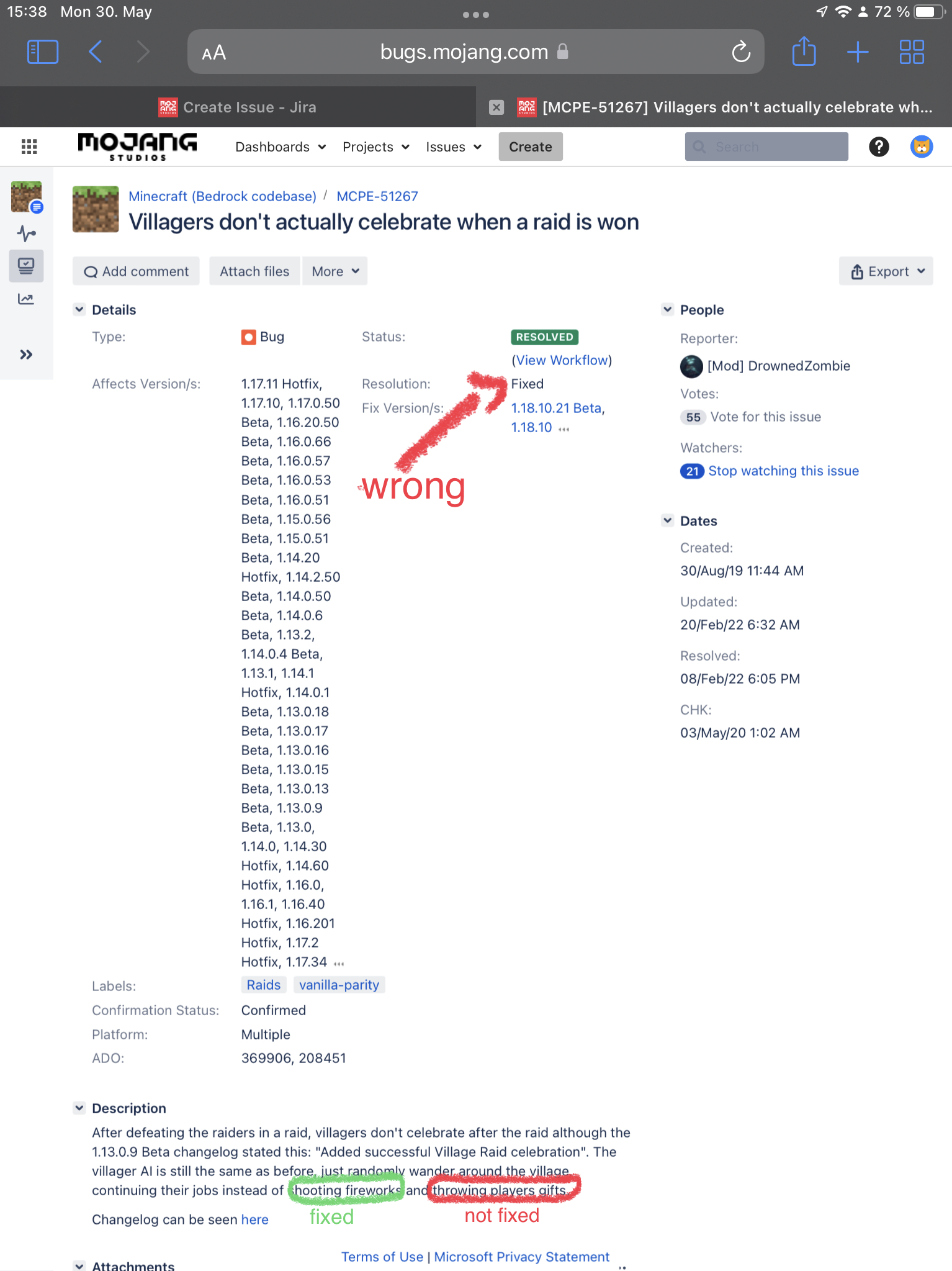
Affects 1.18.31. => Not fixed. They don’t give you gifts, they only shoot fireworks.
Is duplicated by
MCPE-156500.Affects 1.18.31.
Affects 1.19.10.21 Preview
Affects 1.19.0. The game is unplayable, you can’t join enjoy 1.19!
Affects 1.19.0
Can confirm.
Can confirm. After I have updated to 1.19 the game was (and is) unplayable. (Before 1.18 I had a render distance of 32 chunks. Everything worked fine. In 1.18 i only had a render distance of 10 chunks. Relates to
MCPE-143378. Everything worked fine. (I also used an app to set my render distance to 32 chunks and everything worked fine. Minecraft > games > com.mojang > minecraftpe > options. Set gfx_viewdistance to 512.) Now the game is unplayable even with 5 chunks of render distance. The game freezes for like 30 seconds whenever I use commands.Can confirm in 1.19.0
Didn’t happen in my flat world on iOS.
Can confirm in 1.19.0.
Affects 1.19.10.22
Can confirm in 1.19.0.
Duplicates
MCPE-143378Duplicates
MCPE-156737Affects 1.19.0
Is duplicated by
MCPE-157227Work as Intended
Duplicates
MCPE-156737Duplicates MCPE-52675
Is duplicated by
MCPE-157707Affects 1.19.10.23 Preview
Solution to fix the chat lag (when you type “/“ in chat): type /kill @e. It worked for me but when I relogged I needed to do it again.
Affects 1.19.0
Affects 1.19.10.23 Preview
I just found the same bug:
Duplicates MCPE-114249
Duplicates
MCPE-153524Duplicates
MCPE-153525(Duplicates MCPE-154229)
This bug report is invalid. There are 2 bugs in this report.
We only accept bug reports in English. Invalid.
Even walking is too fast. Chunks load very very slow.
Please only report 1 issue. Invalid.
If you want this bug to be fixed, please vote for
MCPE-156737.Today my game started to crash when I try to open my flat world.
I didn’t see it in the 1.19.10.24 Preview changelog, so it probably affects 1.19.10.24 Preview.
I didn’t see it in the 1.19.10.24 Preview changelog, so it probably affects 1.19.10.24 Preview.
Invalid…
Works as Intended…
This was fixed in 1.19.10.20 Preview.
Affects 1.19.2
You never get Minecoins after completing achievements. Works as Intended.
Affects 1.19.2
Works as Intended
Affects 1.19.10
Affects 1.19.10
This isn‘t completely fixed. I can‘t use spectator mode because chunks load too slow.
Affects 1.19.10. Before 1.18 everything was normal. Render distance: 32 chunks. Now i can only set my render distance to 10 chunks.
Please do not make two bug reports. The moderators see every single bug report, you don’t need to make two.
Affects 1.19.10
Affects 1.19.10
Affects 1.19.10
Can confirm in 1.19.20, this issue isn’t fixed.
Affects 1.19.20 and 1.19.30.21 Preview.
Affects 1.19.20
Affects 1.19.30.22 Preview
Affects 1.19.30.22 Preview
Affects 1.19.30.22 Preview
Affects 1.19.20
Affects 1.19.30.22 Preview
Affects 1.19.21
Affects 1.19.30.22 Preview
Affects 1.19.21
Affects 1.19.30.22 Preview
Affects 1.19.21
Affects 1.19.21
Affects 1.19.30.23 Preview
Affects 1.19.22 Hotfix
Affects 1.19.40.20 Preview
Affects 1.19.22 Hotfix
Affects 1.19.40.20 Preview
Affects 1.19.22 Hotfix
Affects 1.19.40.20 Preview
Affects 1.19.22 Hotfix
Affects 1.19.40.20 Preview
Affects 1.19.40.20 Preview
Affects 1.19.40.20 Preview
Affects 1.19.22 Hotfix
Affects 1.19.40.20 Preview