 Vasil Bochev
- necril
- necril
- Europe/Sofia
- Yes
- No
 MC-129
![[Mojang] Searge (Michael Stoyke)](../../../data/assets/gravatar/searge.png)









Iron Golem AIbugIron Golem AI Pathfinding Bug
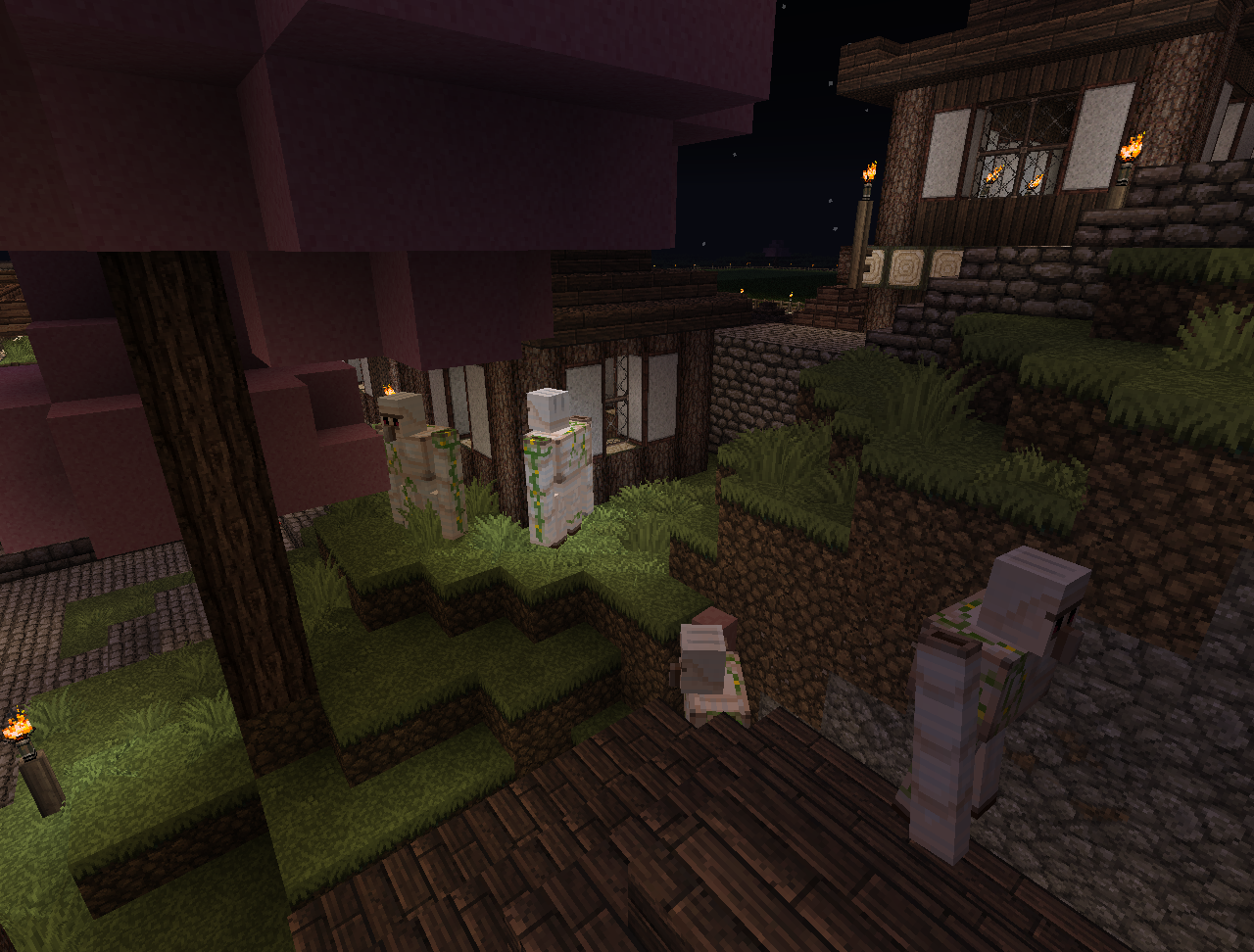
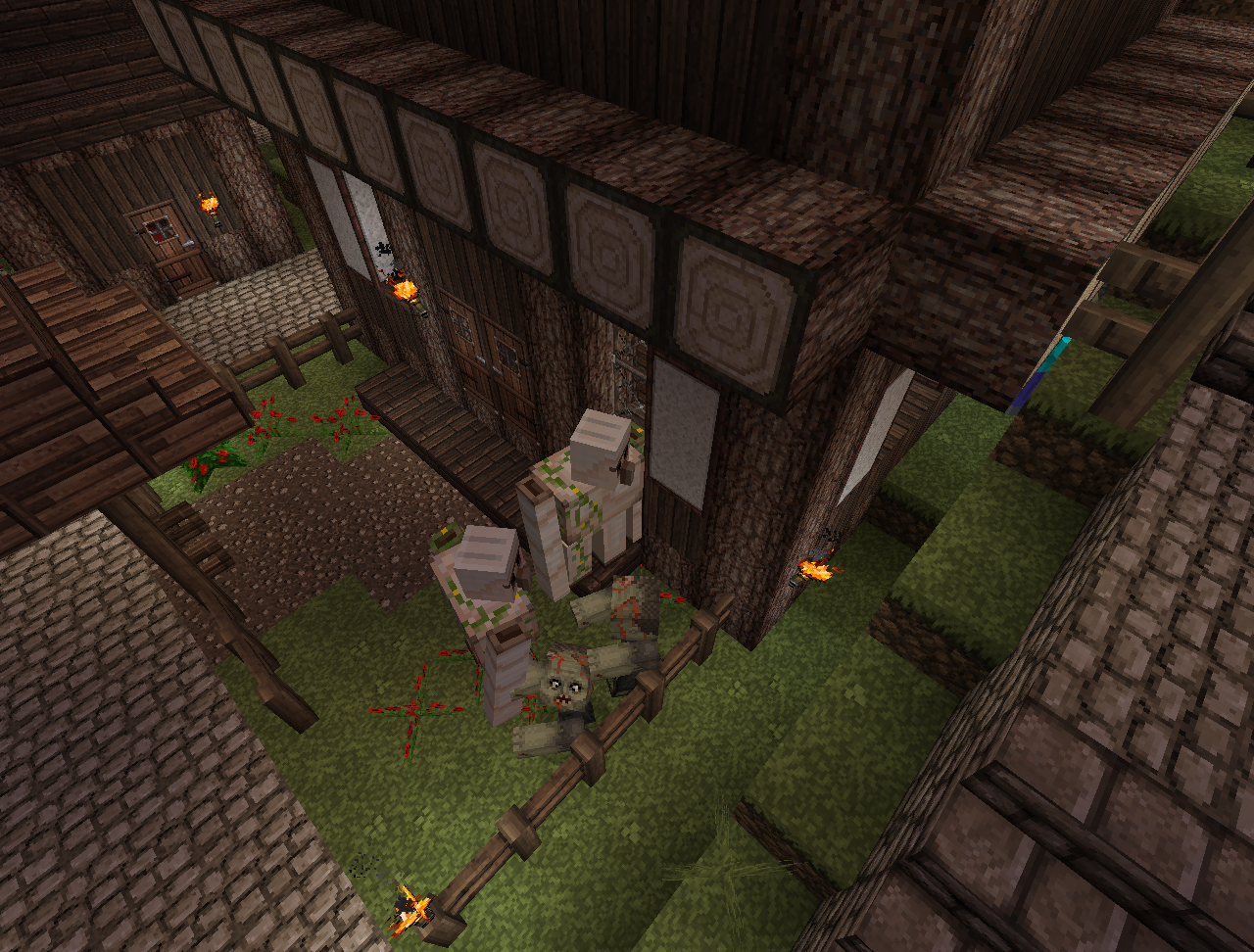
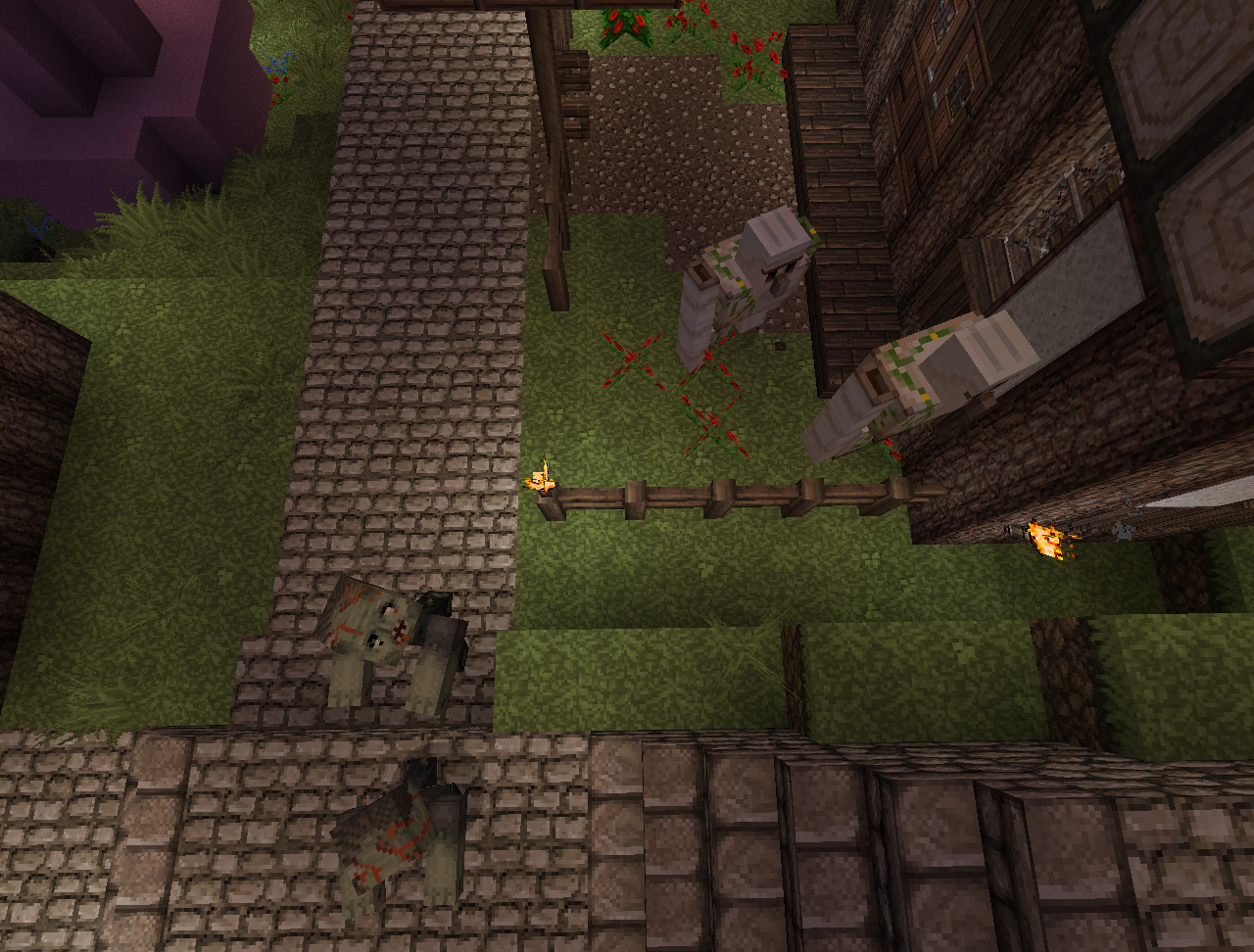
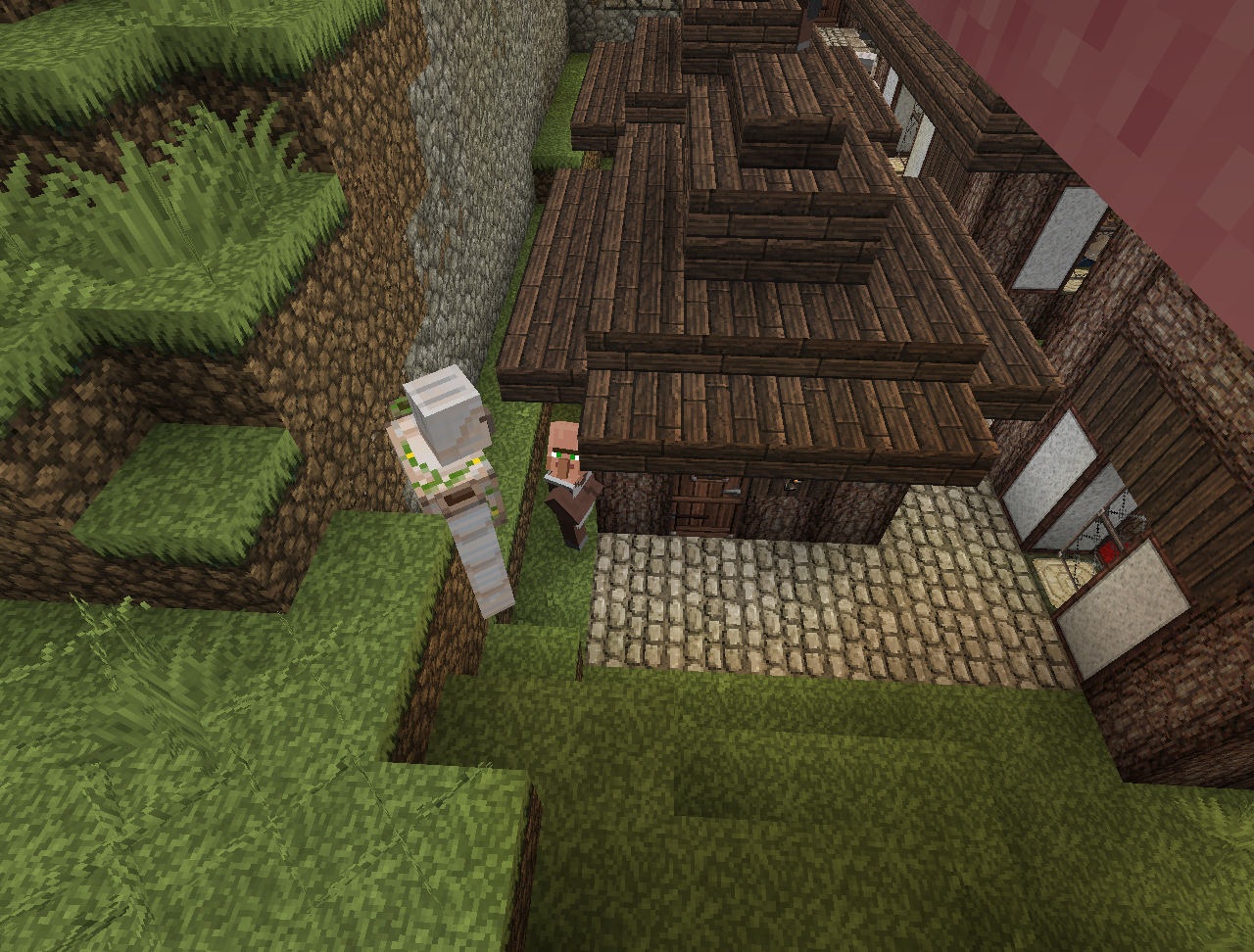
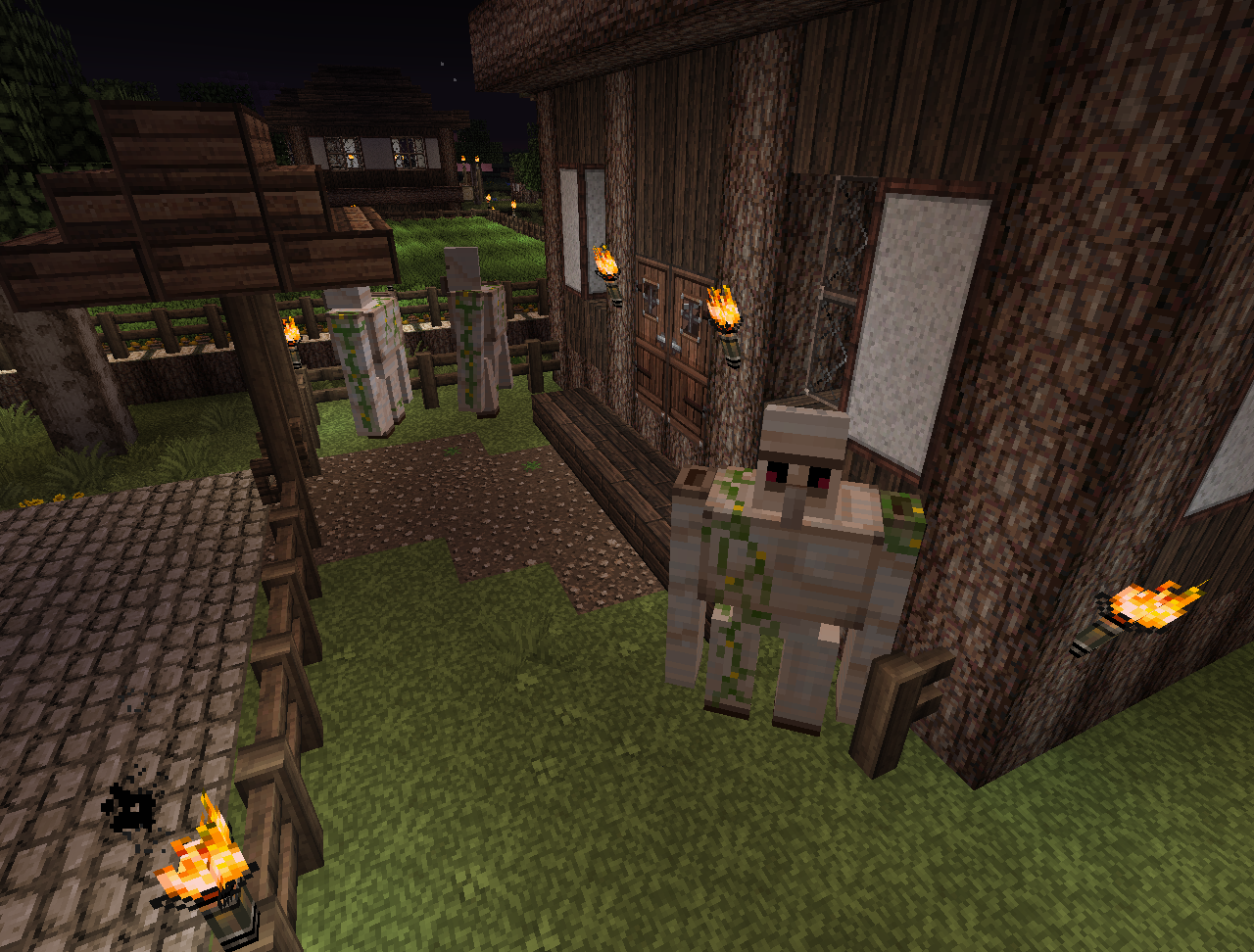
Here's an example of a golem trying to walk through a house and a villager trying to go next to the golem.
What I expected to happen was...:
Golems would walk around narrow passages/go around each other.What actually happened was...:
Golems would walk continuously in one direction regardless of the fact that they cannot pass because it is too narrow/there is another golem.Steps to Reproduce:
1. Make a dense settlement
2. Wait for one or more golems to spawn or make some
3. Observe them walking intoOn the 1st screenshot the left golem wants to go right but the one to the right wants to go left and they just bump each other indefinitely. The 3rd golem is just walking against the wall.
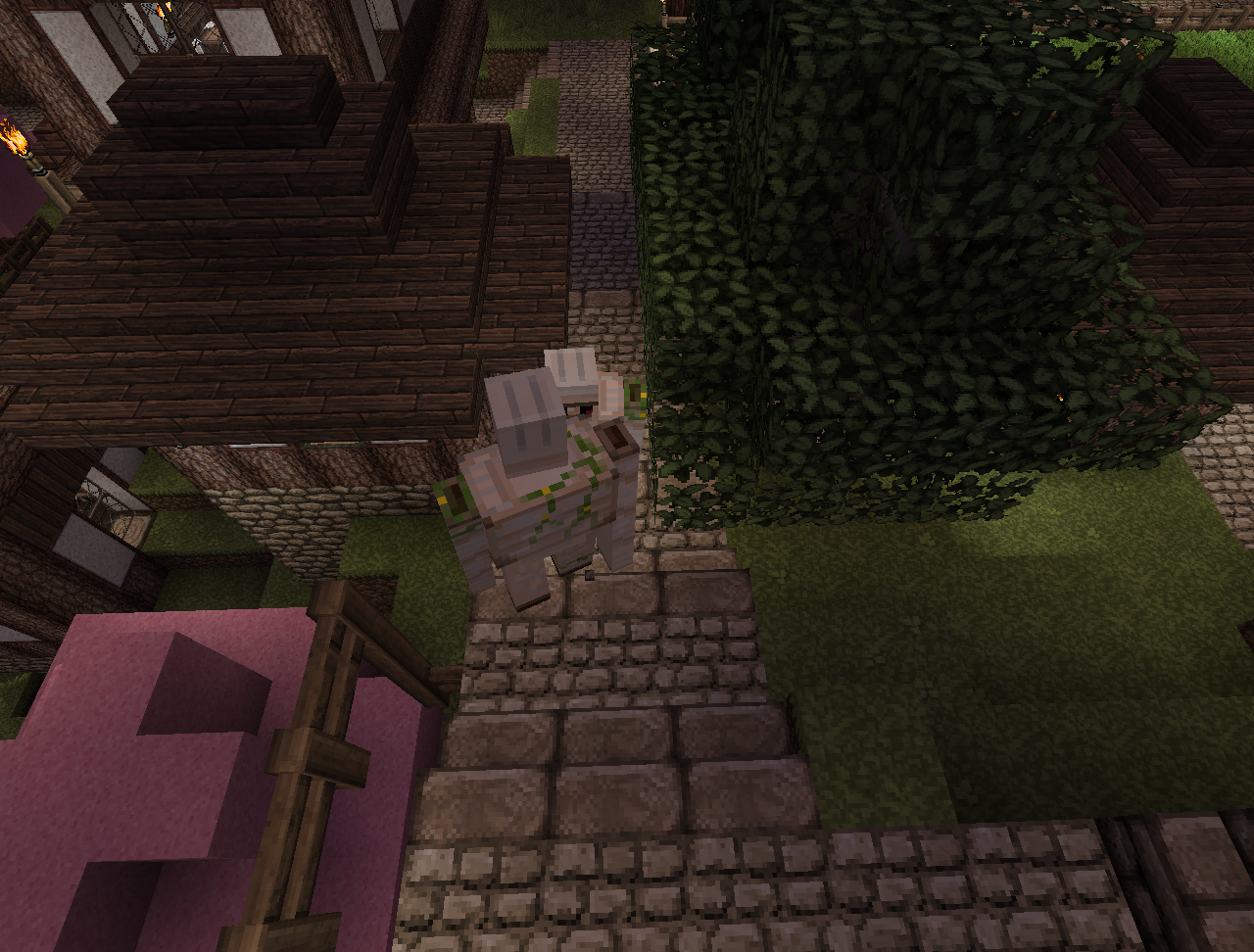
On the 2nd screenshot the right golem wants to go next to the house, but the one under the tree is admiring it and doesn't bulge.
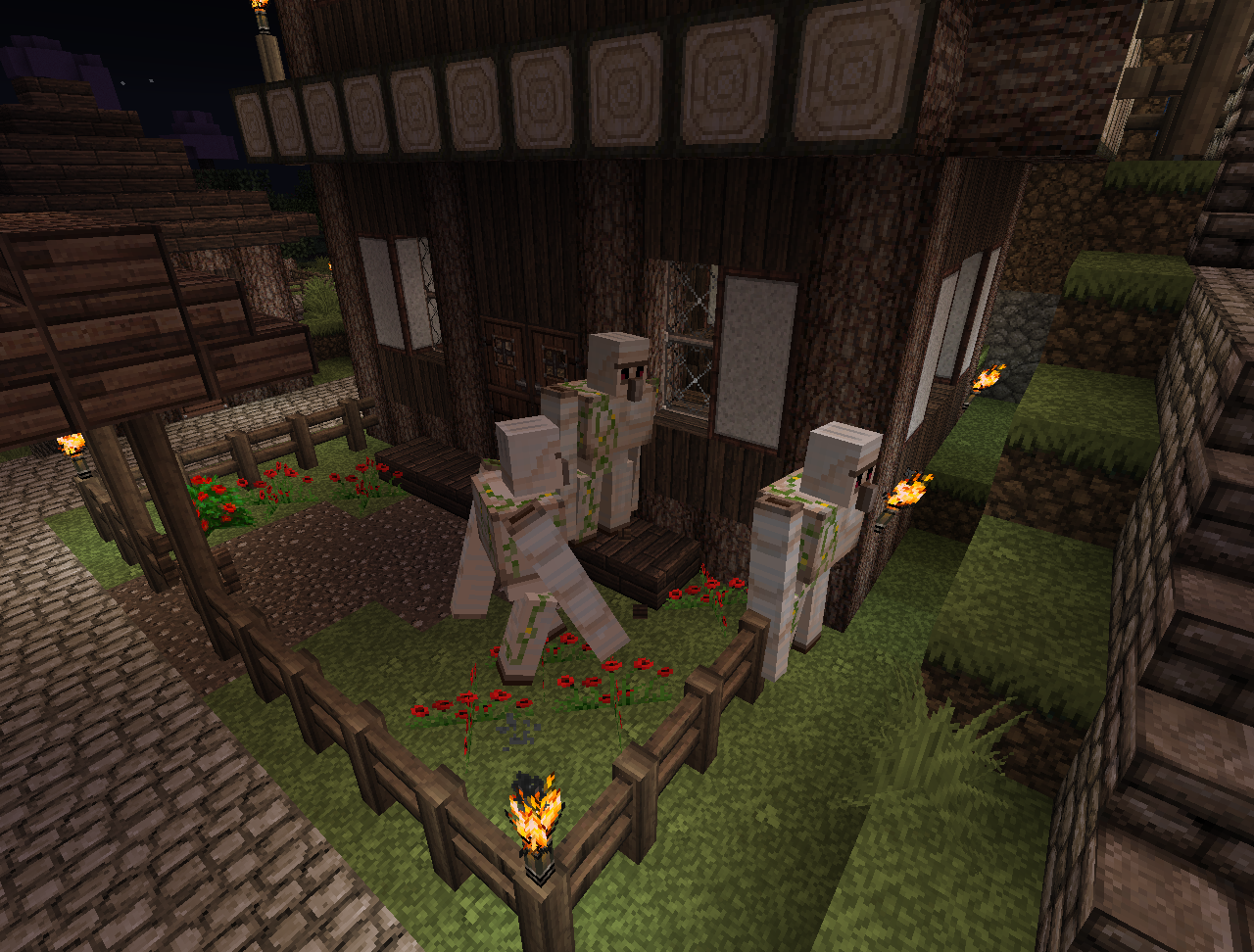
On the 3rd the two golems are trying to walk in opposite directions through each other.
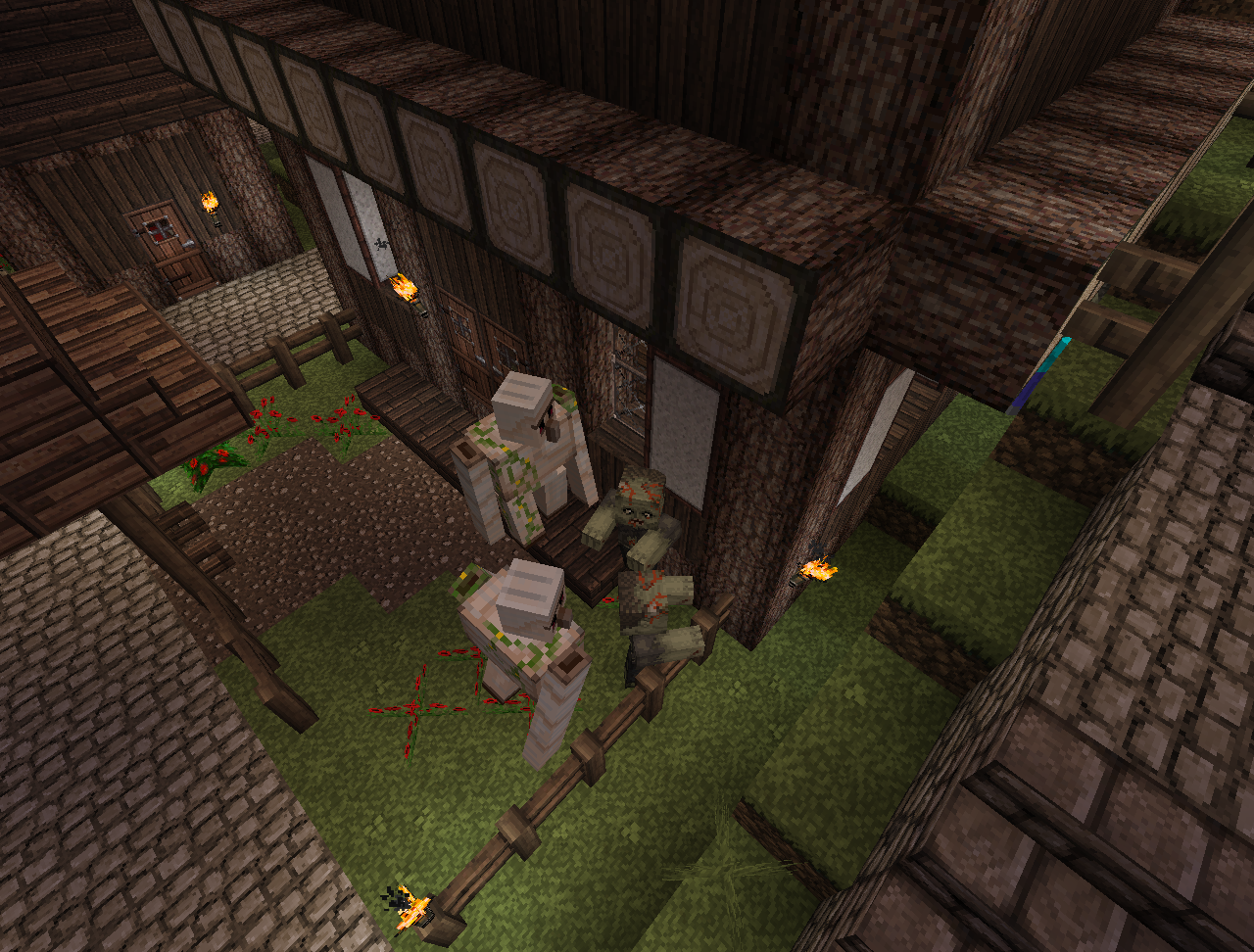
On the 4th the three golems cannot cross the fence and just keep bumping into it (they spawned there, the town is big enough to support 20+ golems)
On the 5th it's an example of a golem trying to walk through a house and a villager trying to go next to the golem.
On the 6th there are 3 golems trying to walk through the fence without realizing that there is an opening on the other side. About 30-40 sec later, they turned around and successfully walked out.
NOTICE FOR MODS
I will be unable to play Minecraft for several months so if you could transfer the report to some other user, it'd be great.What I expected to happen was...:
Golems would walk around narrow passages/go around each other.What actually happened was...:
Golems would walk continuously in one direction regardless of the fact that they cannot pass because it is too narrow/there is another golem.Steps to Reproduce:
1. Make a dense settlement
2. Wait for one or more golems to spawn or make some
3. Observe them walking intoOn the 1st screenshot the left golem wants to go right but the one to the right wants to go left and they just bump each other indefinitely. The 3rd golem is just walking against the wall.
On the 2nd screenshot the right golem wants to go next to the house, but the one under the tree is admiring it and doesn't bulge.
On the 3rd the two golems are trying to walk in opposite directions through each other.
On the 4th the three golems cannot cross the fence and just keep bumping into it (they spawned there, the town is big enough to support 20+ golems)
On the 5th it's an example of a golem trying to walk through a house and a villager trying to go next to the golem.
On the 6th there are 3 golems trying to walk through the fence without realizing that there is an opening on the other side. About 30-40 sec later, they turned around and successfully walked out.
NOTE:
Since people don't really read much regarding what is comming in 1.5 I will make it a little bit more clear for all:1.5 will bring a NEW way of rendering the game, which is completely different from what we have currently. It will be lighter, faster and less glitchy in addition to the fact that it will be able to support animated textures, coloured light and much MUCH more. This bug is thus OBSOLETE.
Sometimes, quite often, chunks are not loaded visually in a line.
What I expected to happen was...:
Chunks to be displayed properly in Multiplayer.What actually happened was...:
All chunks in a line are invisible until you get very close to them, then just the closest chunk gets displayed. Mobs ON the chunks are shown and navigate properly. Mobs IN the chunk are not, hence the chunk is not transparent (should it be visualized properly).Steps to Reproduce:
Unfortunately I can't find a pattern in which this happens but it's not rare. Reloging normally fixes the issue.
NOTE:
Since people don't really read much regarding what is comming in 1.5 I will make it a little bit more clear for all:1.5 will bring a NEW way of rendering the game, which is completely different from what we have currently. It will be lighter, faster and less glitchy in addition to the fact that it will be able to support animated textures, coloured light and much MUCH more. This bug is thus OBSOLETE.
Sometimes, quite often, chunks are not loaded visually in a line.
What I expected to happen was...:
Chunks to be displayed properly in Multiplayer.What actually happened was...:
All chunks in a line are invisible until you get very close to them, then just the closest chunk gets displayed. Mobs ON the chunks are shown and navigate properly. Mobs IN the chunk are not, hence the chunk is not transparent (should it be visualized properly).Steps to Reproduce:
Unfortunately I can't find a pattern in which this happens but it's not rare. Reloging normally fixes the issue._________________________________________________________________________________________________________________________________________
_________________________________________________________________________________________________________________________________________
NOTE:
Since people don't really read much regarding what is comming in 1.5 I will make it a little bit more clear for all:1.5 will bring a NEW way of rendering the game, which is completely different from what we have currently. It will be lighter, faster and less glitchy in addition to the fact that it will be able to support animated textures, coloured light and much MUCH more. This bug is thus OBSOLETE.
_________________________________________________________________________________________________________________________________________
_________________________________________________________________________________________________________________________________________
Sometimes, quite often, chunks are not loaded visually in a line.What I expected to happen was...:
Chunks to be displayed properly in Multiplayer.What actually happened was...:
All chunks in a line are invisible until you get very close to them, then just the closest chunk gets displayed. Mobs ON the chunks are shown and navigate properly. Mobs IN the chunk are not, hence the chunk is not transparent (should it be visualized properly).Steps to Reproduce:
Unfortunately I can't find a pattern in which this happens but it's not rare. Reloging normally fixes the issue.
_______________________________________________________________________________________________________
__________________________________
_________________________________________________________________________________________________________________________________________
NOTE:
Since people don't really read much regarding what is comming in 1.5 I will make it a little bit more clear for all:1.5 will bring a NEW way of rendering the game, which is completely different from what we have currently. It will be lighter, faster and less glitchy in addition to the fact that it will be able to support animated textures, coloured light and much MUCH more. This bug is thus OBSOLETE.
_________________________________________________________________________________________________________________________________________
_________________________________________________________________________________________________________________________________________
Sometimes, quite often, chunks are not loaded visuallyin a line.What I expected to happen was...:
Chunks to be displayed properly in Multiplayer.What actually happened was...:
All chunks in a line are invisible until you get very close to them, then just the closest chunk gets displayed. Mobs ON the chunks are shown and navigate properly. Mobs IN the chunk are not, hence the chunk is not transparent (should it be visualized properly).Steps to Reproduce:
Unfortunately I can't find a pattern in which this happens but it's not rare. Reloging normally fixes the issue._______________________________________________________________________________________________________
NOTE:
Since people don't really read much regarding what is comming in 1.5 I will make it a little bit more clear for all:1.5 will bring a NEW way of rendering the game, which is completely different from what we have currently. It will be lighter, faster and less glitchy in addition to the fact that it will be able to support animated textures, coloured light and much MUCH more. This bug is thus OBSOLETE.
_____________________________________________________________________________________________________
NOTE 2:
Well the new rendering system, as I understood it, has been placed and the bug still persists so I'll call it VALID once more...
_____________________________________________________________________________________________________Sometimes, quite often, chunks are not loaded visually in a line.
What I expected to happen was...:
Chunks to be displayed properly in Multiplayer.What actually happened was...:
All chunks in a line are invisible until you get very close to them, then just the closest chunk gets displayed. Mobs ON the chunks are shown and navigate properly. Mobs IN the chunk are not, hence the chunk is not transparent (should it be visualized properly).Steps to Reproduce:
Unfortunately I can't find a pattern in which this happens but it's not rare. Reloging normally fixes the issue.
_____________________________________________________________________________________________________
__
NOTE:
Since people don't really read much regarding what is comming in 1.5 I will make it a little bit more clear for all:1.5 will bring a NEW way of rendering the game, which is completely different from what we have currently. It will be lighter, faster and less glitchy in addition to the fact that it will be able to support animated textures, coloured light and much MUCH more. This bug is thus OBSOLETE.
_____________________________________________________________________________________________________
NOTE 2:
Well the new rendering system, as I understood it, has been placed and the bug still persists so I'll call it VALID once more...
_____________________________________________________________________________________________________Sometimes, quite often, chunks are not loaded visually in a line.
What I expected to happen was...:
Chunks to be displayed properly in Multiplayer.What actually happened was...:
All chunks in a line are invisible until you get very close to them, then just the closest chunk gets displayed. Mobs ON the chunks are shown and navigate properly. Mobs IN the chunk are not, hence the chunk is not transparent (should it be visualized properly).Steps to Reproduce:
Unfortunately I can't find a pattern in which this happens but it's not rare. Reloging normally fixes the issue._____________________________________________________________________________________________________
NOTE:
Since people don't really read much regarding what is comming in 1.5 I will make it a little bit more clear for all:1.5 will bring a NEW way of rendering the game, which is completely different from what we have currently. It will be lighter, faster and less glitchy in addition to the fact that it will be able to support animated textures, coloured light and much MUCH more. This bug is thus OBSOLETE.
_____________________________________________________________________________________________________
NOTE 2:
Well the new rendering system, as I understood it, has been placed and the bug still persists so I'll call it VALID once more...
_____________________________________________________________________________________________________NOTE 3:
I'll keep it open for as long as it's valid
_____________________________________________________________________________________________________Sometimes, quite often, chunks are not loaded visually in a line.
What I expected to happen was...:
Chunks to be displayed properly in Multiplayer.What actually happened was...:
All chunks in a line are invisible until you get very close to them, then just the closest chunk gets displayed. Mobs ON the chunks are shown and navigate properly. Mobs IN the chunk are not, hence the chunk is not transparent (should it be visualized properly).Steps to Reproduce:
Unfortunately I can't find a pattern in which this happens but it's not rare. Reloging normally fixes the issue.

_____________________________________________________________________________________________________
NOTE:
Since people don't really read much regarding what is comming in 1.5 I will make it a little bit more clear for all:1.5 will bring a NEW way of rendering the game, which is completely different from what we have currently. It will be lighter, faster and less glitchy in addition to the fact that it will be able to support animated textures, coloured light and much MUCH more. This bug is thus OBSOLETE.
_____________________________________________________________________________________________________
NOTE 2:
Well the new rendering system, as I understood it, has been placed and the bug still persists so I'll call it VALID once more...
_____________________________________________________________________________________________________NOTE 3:
I'll keep it open for as long as it's valid
_____________________________________________________________________________________________________Sometimes, quite often, chunks are not loaded visually in a line.
What I expected to happen was...:
Chunks to be displayed properly in Multiplayer.What actually happened was...:
All chunks in a line are invisible until you get very close to them, then just the closest chunk gets displayed. Mobs ON the chunks are shown and navigate properly. Mobs IN the chunk are not, hence the chunk is not transparent (should it be visualized properly).Steps to Reproduce:
Unfortunately I can't find a pattern in which this happens but it's not rare. Reloging normally fixes the issue.
Sometimes, quite often, chunks are not loaded visually in a line.
What I expected to happen was...:
Chunks to be displayed properly in Multiplayer.What actually happened was...:
All chunks in a line are invisible until you get very close to them, then just the closest chunk gets displayed. Mobs ON the chunks are shown and navigate properly. Mobs IN the chunk are not, hence the chunk is not transparent (should it be visualized properly).Steps to Reproduce:
Unfortunately I can't find a pattern in which this happens but it's not rare. Reloging normally fixes the issue.EDIT:
As of 13w04a in the Overworld the bug appears less often than before but in the Nether it is still quite common.
Sometimes, quite often, chunks are not loaded visually in a line.
What I expected to happen was...:
Chunks to be displayed properly in Multiplayer.What actually happened was...:
All chunks in a line are invisible until you get very close to them, then just the closest chunk gets displayed. Mobs ON the chunks are shown and navigate properly. Mobs IN the chunk are not, hence the chunk is not transparent (should it be visualized properly).Steps to Reproduce:
Unfortunately I can't find a pattern in which this happens but it's not rare. Reloging normally fixes the issue.EDIT:
As of 13w04a in the Overworld the bug appears less often than before but in the Nether it is still quite common.
Аs of 13w05b it is even more rare but sometimes it does happen and the holes remain until you get near them.
Sometimes, quite often, chunks are not loaded visually in a line.
What I expected to happen was...:
Chunks to be displayed properly in Multiplayer.What actually happened was...:
All chunks in a line are invisible until you get very close to them, then just the closest chunk gets displayed. Mobs ON the chunks are shown and navigate properly. Mobs IN the chunk are not, hence the chunk is not transparent (should it be visualized properly).Steps to Reproduce:
Unfortunately I can't find a pattern in which this happens but it's not rare. Reloging normally fixes the issue.EDIT:
As of 13w04a in the Overworld the bug appears less often than before but in the Nether it is still quite common.
Аs of 13w05b it is even more rare but sometimes it does happen and the holes remain until you get near them.
As of 13w07a it is more common than in 06 or 05
!!Unable to render embedded object: File (NOTICE TO MODS) not found.!!
I will be unable to play Minecraft for several months so if you could transfer the report to some other user, it'd be great.Sometimes, quite often, chunks are not loaded visually in a line.
What I expected to happen was...:
Chunks to be displayed properly in Multiplayer.What actually happened was...:
All chunks in a line are invisible until you get very close to them, then just the closest chunk gets displayed. Mobs ON the chunks are shown and navigate properly. Mobs IN the chunk are not, hence the chunk is not transparent (should it be visualized properly).Steps to Reproduce:
Unfortunately I can't find a pattern in which this happens but it's not rare. Reloging normally fixes the issue.EDIT:
As of 13w04a in the Overworld the bug appears less often than before but in the Nether it is still quite common.
Аs of 13w05b it is even more rare but sometimes it does happen and the holes remain until you get near them.
As of 13w07a it is more common than in 06 or 05
!!Unable to render embedded object: File (NOTICE
TOMODS) not found.!!
I will be unable to play Minecraft for several months so if you could transfer the report to some other user, it'd be great.Sometimes, quite often, chunks are not loaded visually in a line.
What I expected to happen was...:
Chunks to be displayed properly in Multiplayer.What actually happened was...:
All chunks in a line are invisible until you get very close to them, then just the closest chunk gets displayed. Mobs ON the chunks are shown and navigate properly. Mobs IN the chunk are not, hence the chunk is not transparent (should it be visualized properly).Steps to Reproduce:
Unfortunately I can't find a pattern in which this happens but it's not rare. Reloging normally fixes the issue.EDIT:
As of 13w04a in the Overworld the bug appears less often than before but in the Nether it is still quite common.
Аs of 13w05b it is even more rare but sometimes it does happen and the holes remain until you get near them.
As of 13w07a it is more common than in 06 or 05!!Unable to render embedded object: File (NOTICE FOR MODS) not found.!!
I will be unable to play Minecraft for several months so if you could transfer the report to some other user, it'd be great.Sometimes, quite often, chunks are not loaded visually in a line.
What I expected to happen was...:
Chunks to be displayed properly in Multiplayer.What actually happened was...:
All chunks in a line are invisible until you get very close to them, then just the closest chunk gets displayed. Mobs ON the chunks are shown and navigate properly. Mobs IN the chunk are not, hence the chunk is not transparent (should it be visualized properly).Steps to Reproduce:
Unfortunately I can't find a pattern in which this happens but it's not rare. Reloging normally fixes the issue.EDIT:
As of 13w04a in the Overworld the bug appears less often than before but in the Nether it is still quite common.
Аs of 13w05b it is even more rare but sometimes it does happen and the holes remain until you get near them.
As of 13w07a it is more common than in 06 or 05
!
!Unable to render embedded object: File (NOTICE FOR MODS) not found.!!
I will be unable to play Minecraft for several months so if you could transfer the report to some other user, it'd be great.Sometimes, quite often, chunks are not loaded visually in a line.
What I expected to happen was...:
Chunks to be displayed properly in Multiplayer.What actually happened was...:
All chunks in a line are invisible until you get very close to them, then just the closest chunk gets displayed. Mobs ON the chunks are shown and navigate properly. Mobs IN the chunk are not, hence the chunk is not transparent (should it be visualized properly).Steps to Reproduce:
Unfortunately I can't find a pattern in which this happens but it's not rare. Reloging normally fixes the issue.EDIT:
As of 13w04a in the Overworld the bug appears less often than before but in the Nether it is still quite common.
Аs of 13w05b it is even more rare but sometimes it does happen and the holes remain until you get near them.
As of 13w07a it is more common than in 06 or 05
!Unable to render embedded object: File (NOTICE FOR MODS) not found.!
I will be unable to play Minecraft for several months so if you could transfer the report to some other user, it'd be great.Sometimes, quite often, chunks are not loaded visually in a line.
What I expected to happen was...:
Chunks to be displayed properly in Multiplayer.What actually happened was...:
All chunks in a line are invisible until you get very close to them, then just the closest chunk gets displayed. Mobs ON the chunks are shown and navigate properly. Mobs IN the chunk are not, hence the chunk is not transparent (should it be visualized properly).Steps to Reproduce:
Unfortunately I can't find a pattern in which this happens but it's not rare. Reloging normally fixes the issue.EDIT:
As of 13w04a in the Overworld the bug appears less often than before but in the Nether it is still quite common.
Аs of 13w05b it is even more rare but sometimes it does happen and the holes remain until you get near them.
As of 13w07a it is more common than in 06 or 05NOTICE FOR MODS
I will be unable to play Minecraft for several months so if you could transfer the report to some other user, it'd be great.Sometimes, quite often, chunks are not loaded visually in a line.
What I expected to happen was...:
Chunks to be displayed properly in Multiplayer.What actually happened was...:
All chunks in a line are invisible until you get very close to them, then just the closest chunk gets displayed. Mobs ON the chunks are shown and navigate properly. Mobs IN the chunk are not, hence the chunk is not transparent (should it be visualized properly).Steps to Reproduce:
Unfortunately I can't find a pattern in which this happens but it's not rare. Reloging normally fixes the issue.EDIT:
As of 13w04a in the Overworld the bug appears less often than before but in the Nether it is still quite common.
Аs of 13w05b it is even more rare but sometimes it does happen and the holes remain until you get near them.
As of 13w07a it is more common than in 06 or 05
NOTICE FOR MODS
I will be unable to play Minecraft for several months so if you could transfer the report to some other user, it'd be great.Sometimes, quite often, chunks are not loaded visually in a line.
What I expected to happen was...:
Chunks to be displayed properly in Multiplayer.What actually happened was...:
All chunks in a line are invisible until you get very close to them, then just the closest chunk gets displayed. Mobs ON the chunks are shown and navigate properly. Mobs IN the chunk are not, hence the chunk is not transparent (should it be visualized properly).Steps to Reproduce:
Unfortunately I can't find a pattern in which this happens but it's not rare. Reloging normally fixes the issue.EDIT:
As of 13w04a in the Overworld the bug appears less often than before but in the Nether it is still quite common.
Аs of 13w05b it is even more rare but sometimes it does happen and the holes remain until you get near them.
As of 13w07a it is more common than in 06 or 05
Sometimes, quite often, chunks are not loaded visually in a line.
What I expected to happen was...:
Chunks to be displayed properly in Multiplayer.What actually happened was...:
All chunks in a line are invisible until you get very close to them, then just the closest chunk gets displayed. Mobs ON the chunks are shown and navigate properly. Mobs IN the chunk are not, hence the chunk is not transparent (should it be visualized properly).Steps to Reproduce:
Unfortunately I can't find a pattern in which this happens but it's not rare. Reloging normally fixes the issue.EDIT:
As of 13w04a in the Overworld the bug appears less often than before but in the Nether it is still quite common.
Аs of 13w05b it is even more rare but sometimes it does happen and the holes remain until you get near them.
As of 13w07a it is more common than in 06 or 05
As of 1.5 still present; Windows 8 64x bit
Sometimes, quite often, chunks are not loaded visually in a line.
What I expected to happen was...:
Chunks to be displayed properly in Multiplayer.What actually happened was...:
All chunks in a line are invisible until you get very close to them, then just the closest chunk gets displayed. Mobs ON the chunks are shown and navigate properly. Mobs IN the chunk are not, hence the chunk is not transparent (should it be visualized properly).Steps to Reproduce:
Unfortunately I can't find a pattern in which this happens but it's not rare. Reloging normally fixes the issue.EDIT:
As of 13w04a in the Overworld the bug appears less often than before but in the Nether it is still quite common.
Аs of 13w05b it is even more rare but sometimes it does happen and the holes remain until you get near them.
As of 13w07a it is more common than in 06 or 05
As of 1.5 still present; Windows 8 64x bit
As of 13w17a it is still present BUT more rare than before.
Sometimes, quite often, chunks are not loaded visually in a line.
What I expected to happen was...:
Chunks to be displayed properly in Multiplayer.What actually happened was...:
All chunks in a line are invisible until you get very close to them, then just the closest chunk gets displayed. Mobs ON the chunks are shown and navigate properly. Mobs IN the chunk are not, hence the chunk is not transparent (should it be visualized properly).Steps to Reproduce:
Unfortunately I can't find a pattern in which this happens but it's not rare. Reloging normally fixes the issue.EDIT:
As of 13w04a in the Overworld the bug appears less often than before but in the Nether it is still quite common.
Аs of 13w05b it is even more rare but sometimes it does happen and the holes remain until you get near them.
As of 13w07a it is more common than in 06 or 05
As of 1.5 still present; Windows 8 64x bit
As of 13w17aitisstill present BUT more rare than before.Sometimes, quite often, chunks are not loaded visually in a line.
What I expected to happen was...:
Chunks to be displayed properly in Multiplayer.What actually happened was...:
All chunks in a line are invisible until you get very close to them, then just the closest chunk gets displayed. Mobs ON the chunks are shown and navigate properly. Mobs IN the chunk are not, hence the chunk is not transparent (should it be visualized properly).Steps to Reproduce:
Unfortunately I can't find a pattern in which this happens but it's not rare. Reloging normally fixes the issue.EDIT:
As of 13w23b it still persists.
Sometimes, quite often, chunks are not loaded visually in a line.
What I expected to happen was...:
Chunks to be displayed properly in Multiplayer.What actually happened was...:
All chunks in a line are invisible until you get very close to them, then just the closest chunk gets displayed. Mobs ON the chunks are shown and navigate properly. Mobs IN the chunk are not, hence the chunk is not transparent (should it be visualized properly).Steps to Reproduce:
Unfortunately I can't find a pattern in which this happens but it's not rare. Reloging normally fixes the issue.EDIT:
As of 13w23b it still persists.
EDIT 2:
13w38a,b,c have the bug showing up VERY often in Amplified.
Sometimes, quite often, chunks are not loaded visually in a line.
What I expected to happen was...:
Chunks to be displayed properly in Multiplayer.What actually happened was...:
All chunks in a line are invisible until you get very close to them, then just the closest chunk gets displayed. Mobs ON the chunks are shown and navigate properly. Mobs IN the chunk are not, hence the chunk is not transparent (should it be visualized properly).Steps to Reproduce:
Unfortunately I can't find a pattern in which this happens but it's not rare. Reloging normally fixes the issue.EDIT:
As of 13w23b it still persists.
EDIT 2:
13w38a,b,c have the bug showing up VERY often in Amplified.
What I expected to happen was...:
Golems would attack zombies.What actually happened was...:
Instead they kept walking into a wall. Even if the zombies attack villagers.Steps to Reproduce:
1. Make golem/s
2. Make zombies (if there are villagers near them they will attack)
3. The golems do nothing.On the screenshots I used 2 golems that were naturally spawned and made some zombies near them. The zombies were bumping into the wall for a while (there was a villager near them) and 4-5sec later they found out that there is a way around the wall and just walked away. The golems went on bumping into the wall.
EDIT: As of 1.4.5 there is little difference. At times they respond instantly to new monsters, at times it takes them up to 30sec to notice them.
What I expected to happen was...:
Golems would attack zombies.What actually happened was...:
Instead they kept walking into a wall. Even if the zombies attack villagers.Steps to Reproduce:
1. Make golem/s
2. Make zombies (if there are villagers near them they will attack)
3. The golems do nothing.On the screenshots I used 2 golems that were naturally spawned and made some zombies near them. The zombies were bumping into the wall for a while (there was a villager near them) and 4-5sec later they found out that there is a way around the wall and just walked away. The golems went on bumping into the wall.
EDIT: As of 1.4.5 there is little difference. At times they respond instantly to new monsters, at times it takes them up to 30sec to notice them.
As of 13w06a they seem more responsive but after a while they just walk away again or pick a target somewhere far off rather than the closest one. I spawned 2 golems and a horde of zombies; they killed most but at the end they just wandered away.
NOTICE FOR MODS
I will be unable to play Minecraft for several months so if you could transfer the report to some other user, it'd be great.What I expected to happen was...:
Golems would attack zombies.What actually happened was...:
Instead they kept walking into a wall. Even if the zombies attack villagers.Steps to Reproduce:
1. Make golem/s
2. Make zombies (if there are villagers near them they will attack)
3. The golems do nothing.On the screenshots I used 2 golems that were naturally spawned and made some zombies near them. The zombies were bumping into the wall for a while (there was a villager near them) and 4-5sec later they found out that there is a way around the wall and just walked away. The golems went on bumping into the wall.
EDIT: As of 1.4.5 there is little difference. At times they respond instantly to new monsters, at times it takes them up to 30sec to notice them.
As of 13w06a they seem more responsive but after a while they just walk away again or pick a target somewhere far off rather than the closest one. I spawned 2 golems and a horde of zombies; they killed most but at the end they just wandered away.
I want to specify that this happens at depth lower than the one which creates the fog near the Void so it IS possible for this to happen only at those depths. I have not experienced this issue in higher elevated caves.
What I expected to happen was...:
The light from lightning during thunderstorms would not illuminate closed spaces.What actually happened was...:
During a thunderstorm the flashes illuminateddeep caves.Steps to Reproduce:
1.Go in a deep cave or under layer 20 (I think this was the fog level)
2. /weather Thunder
3. Watch the world and listen for the thunder. The light in the environment will flash brighter, with every thunder.
4* (optional): Try the same with some torches some blocks away, in order to have dim light.What I expected to happen was...:
The light from lightning during thunderstorms would not illuminate closed spaces.What actually happened was...:
During a thunderstorm the flashes illuminated closed spaces.Steps to Reproduce:
1. Make a room or go in a cave
2. /weather Thunder
3. Watch the world and listen for the thunder. The light in the environment will flash brighter, with every thunder even though there is NO way that lighting from the outside world can get in.
4* (optional): Try the same with some torches some blocks away, in order to have dim light. I have observed it with Glowstone and Torches; the flashes are MUCH brighter than the twinkling of the light emmited by the light sources.
NOTICE FOR MODS
I will be unable to play Minecraft for several months so if you could transfer the report to some other user, it'd be great.What I expected to happen was...:
The light from lightning during thunderstorms would not illuminate closed spaces.What actually happened was...:
During a thunderstorm the flashes illuminated closed spaces.Steps to Reproduce:
1. Make a room or go in a cave
2. /weather Thunder
3. Watch the world and listen for the thunder. The light in the environment will flash brighter, with every thunder even though there is NO way that lighting from the outside world can get in.
4* (optional): Try the same with some torches some blocks away, in order to have dim light. I have observed it with Glowstone and Torches; the flashes are MUCH brighter than the twinkling of the light emmited by the light sources.
The bug is not resolved. It is still valid in 1.6.2!
When creating a "Customized" world type it can take up to several minutes for the world to start generating. The loading screen takes 1-2 minutes to go through and then since there is no terrain, the game drops you to the floor of the world slowly.
After the world does start to load up, it sends you to the surface and the "Time" starts looping. There is lag and it takes a couple of more minutes of low FPS, screen tearing and blocks restoring themselves to actually be able to play. During that time the sun clearly jumps back every time the game "updates" the world (1-2 times per minute). These world types are virtually unplayable.
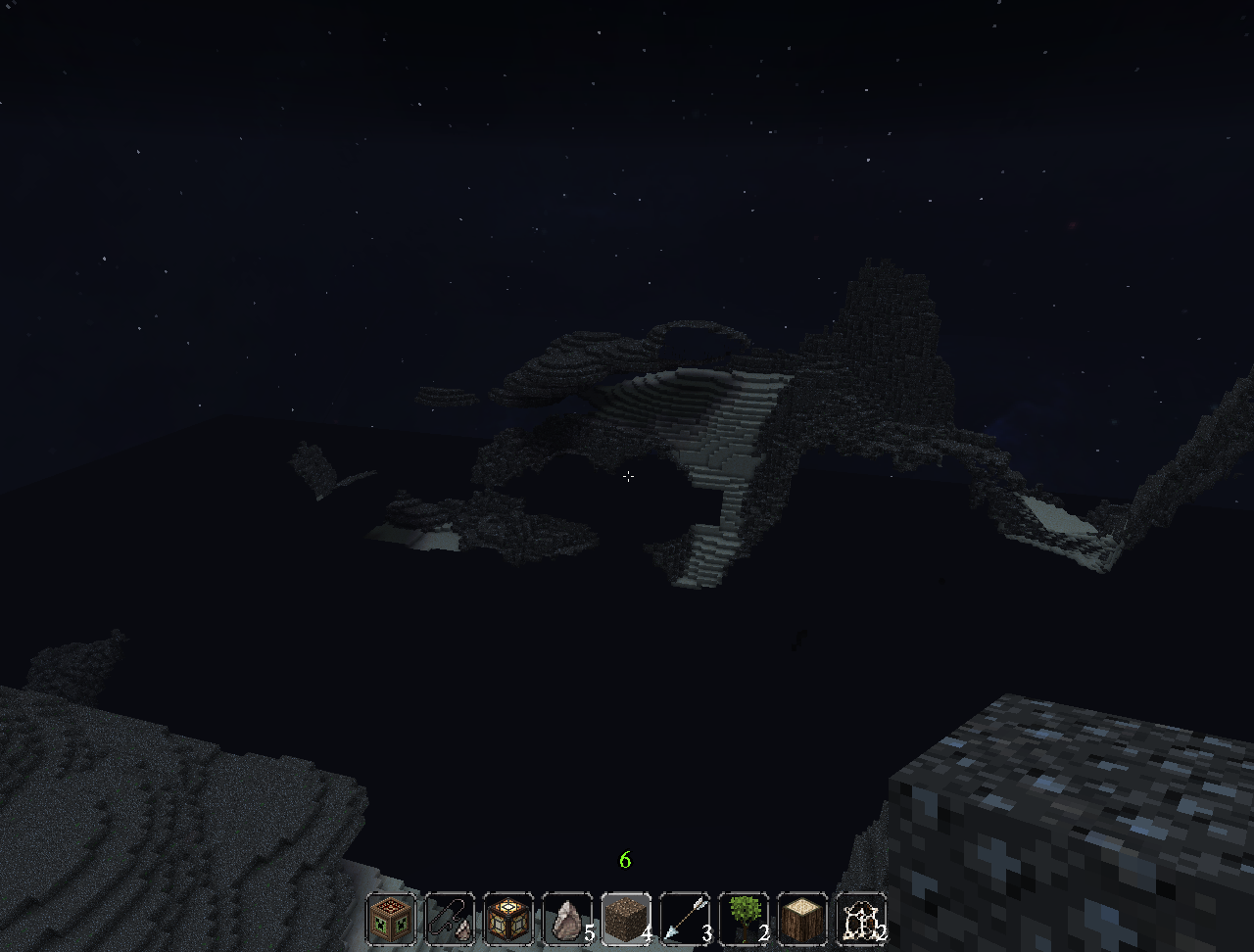
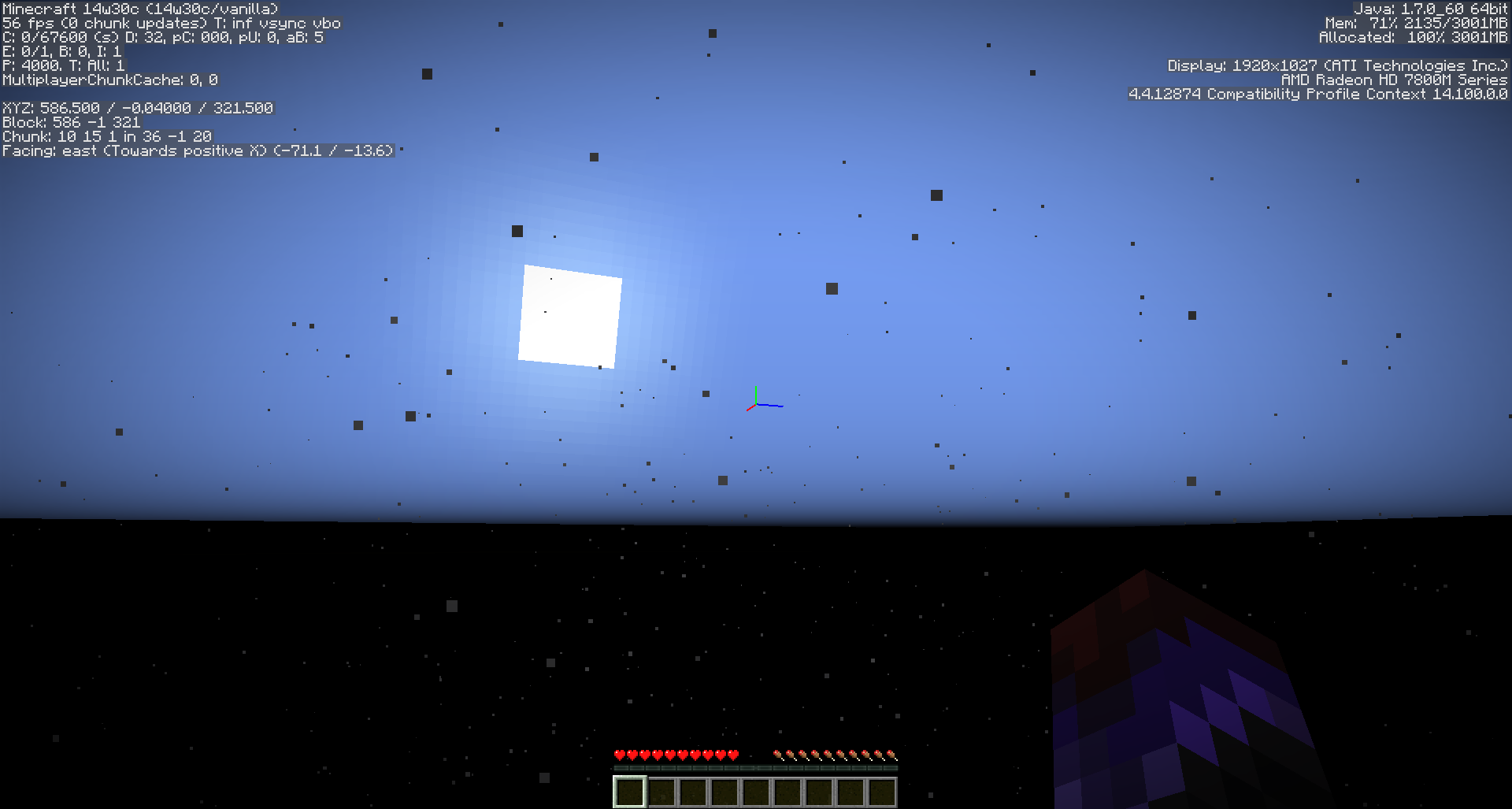
In the first screenshot you can see that the game dropped me to the bottom of the world.
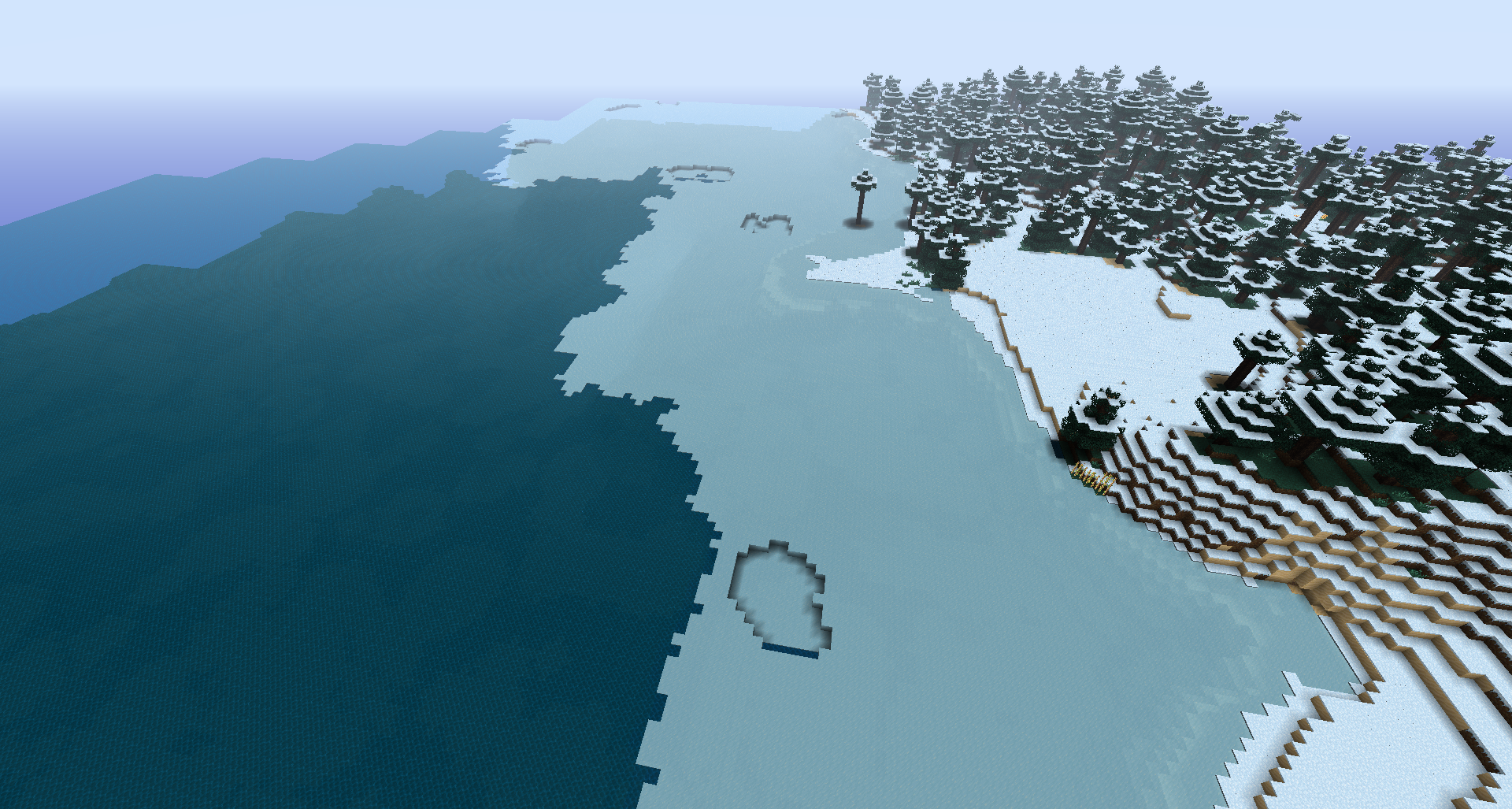
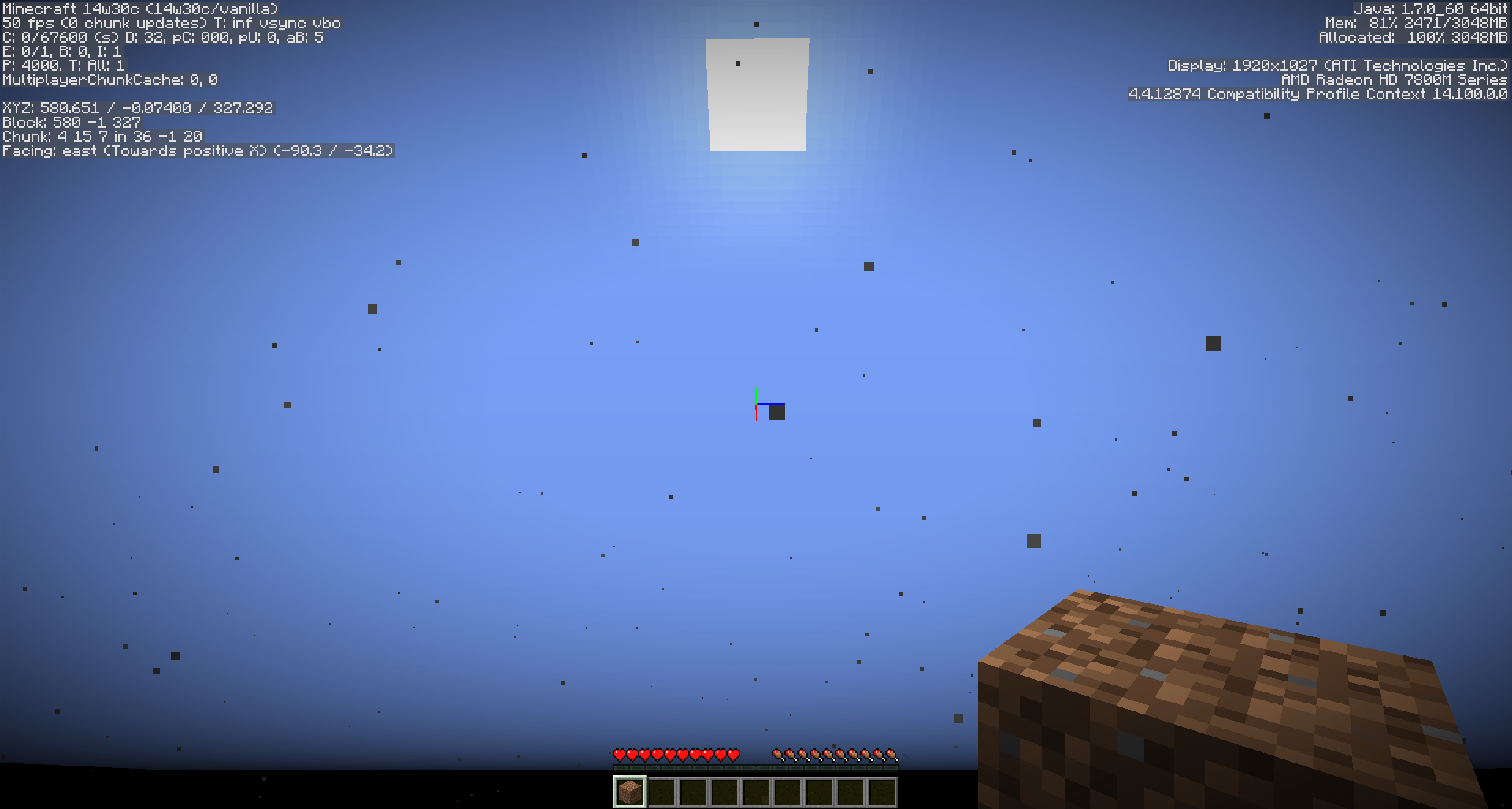
In the second screenshot you can see how much time has passed without the world generating itself.
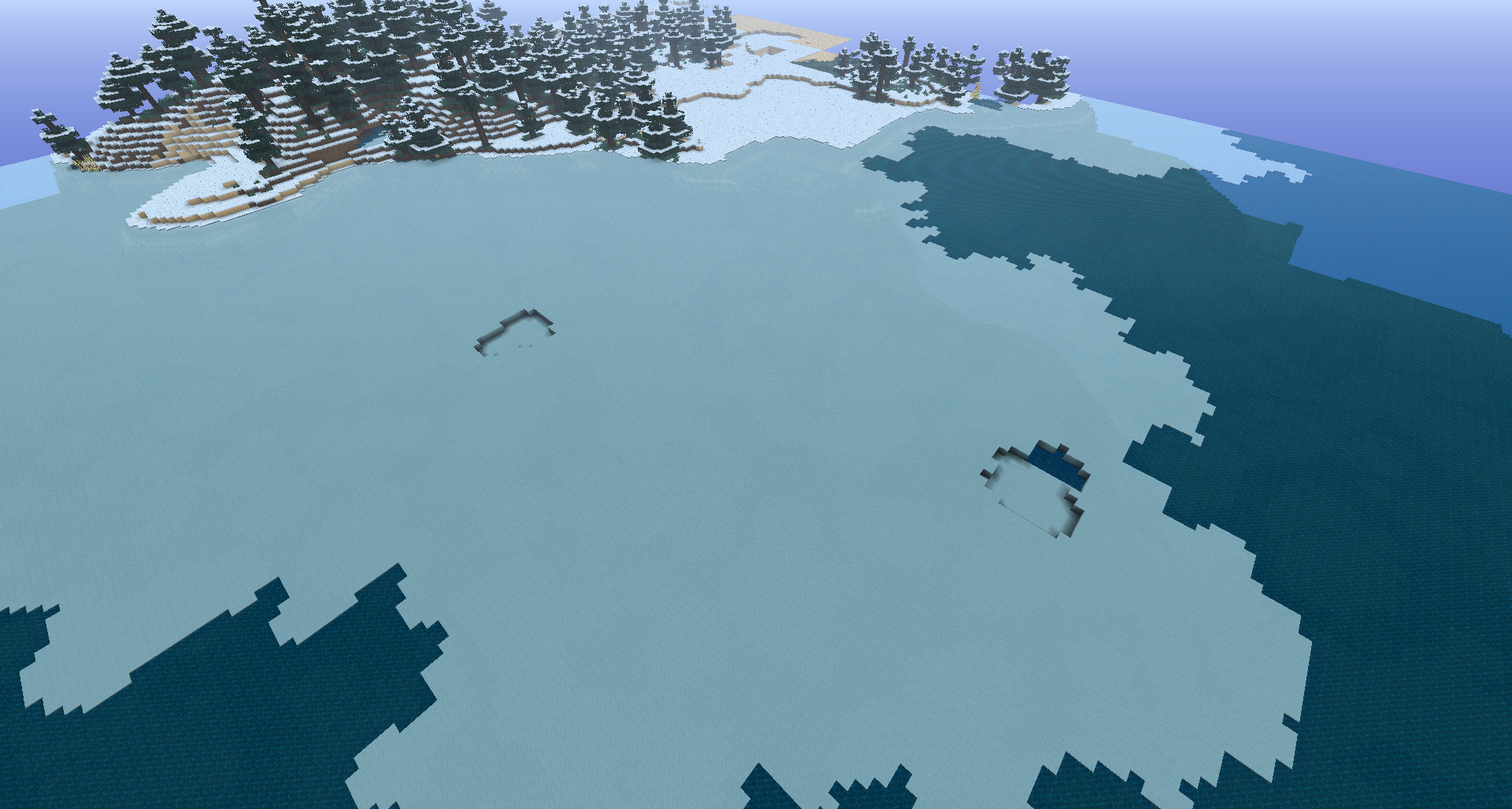
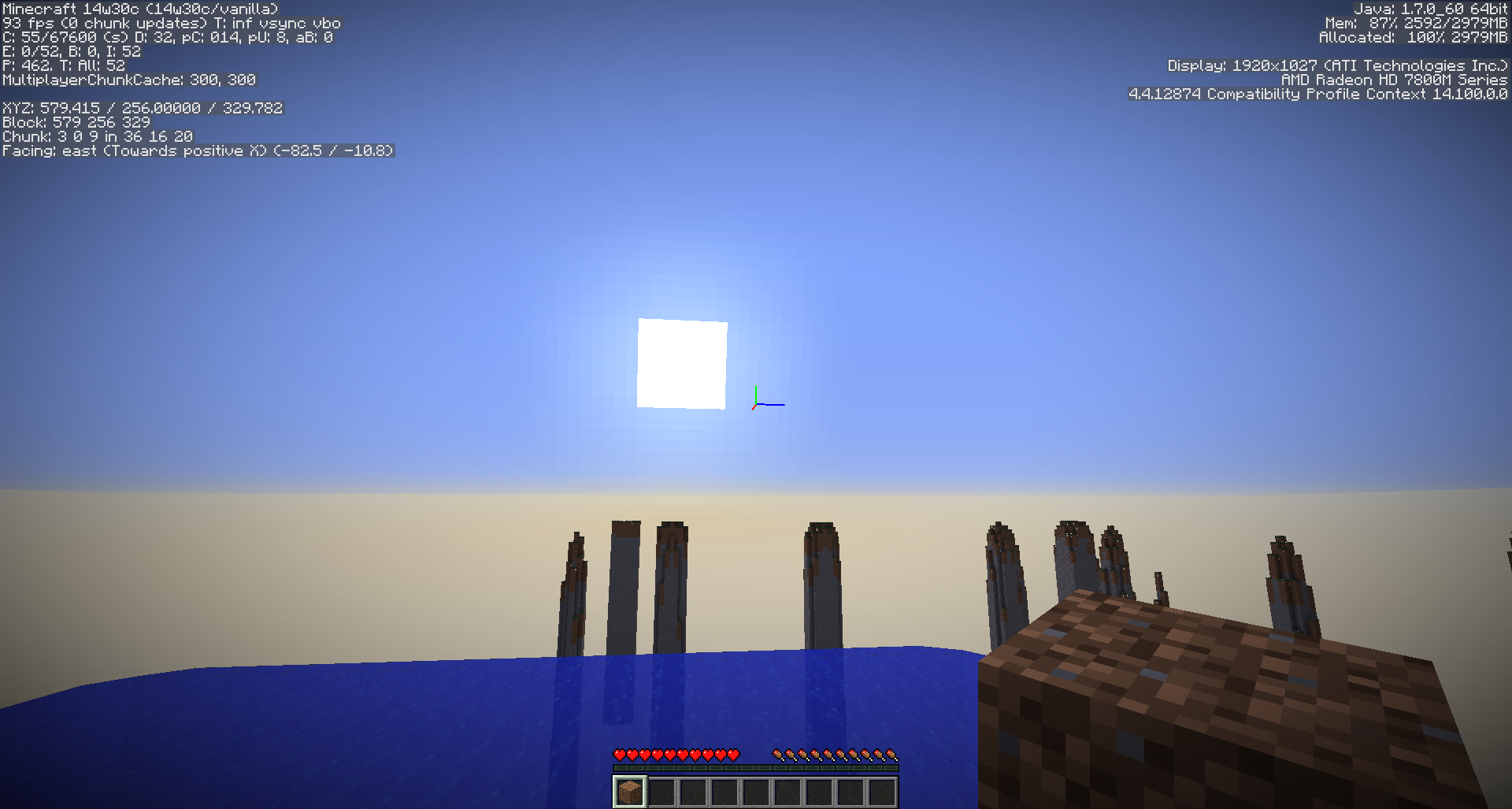
In the 3rd screenshot you can see that the world finally generated itself and the sun jumped back to "Morning", where it's expected to be considering the world generation.
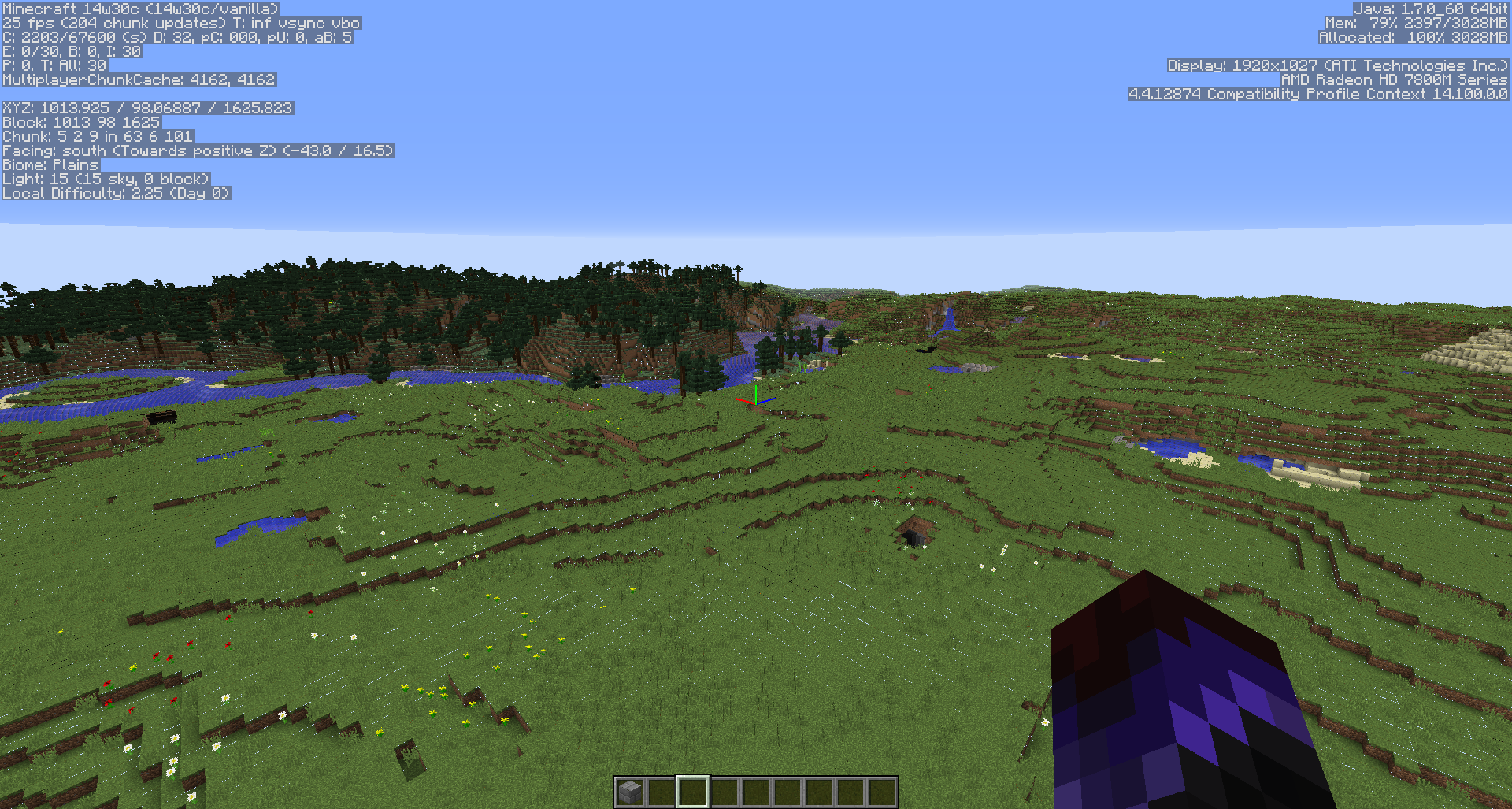
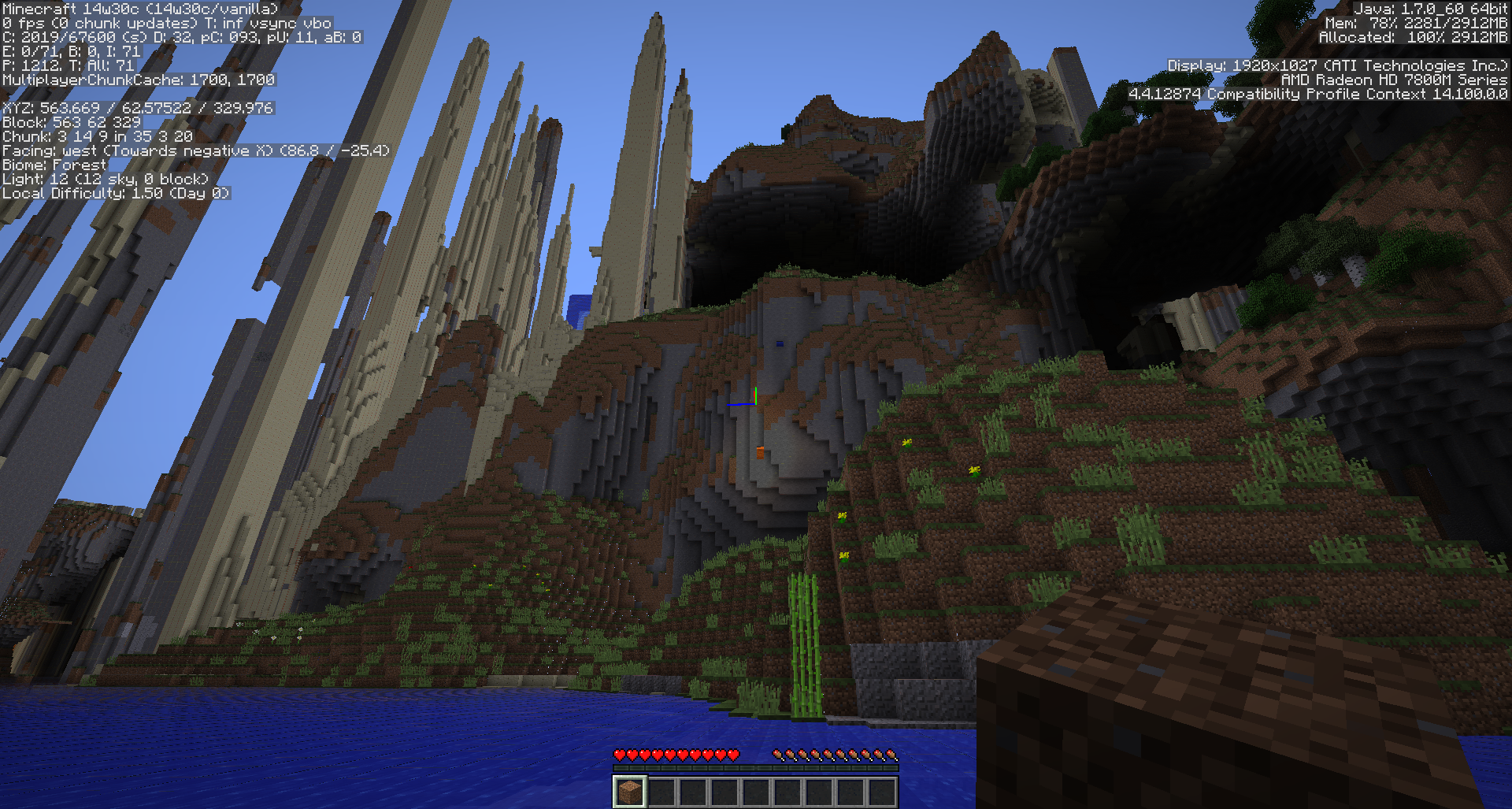
In the 4th screenshot you can see that the game hasn't finished loading yet as liquid cycles haven't finished and there is a water sping and a lava spring that are not
When creating a "Customized" world type it can take up to several minutes for the world to start generating. The loading screen takes 1-2 minutes to go through and then since there is no terrain, the game drops you to the floor of the world slowly.
After the world does start to load up, it sends you to the surface and the "Time" starts looping. There is lag and it takes a couple of more minutes of low FPS, screen tearing and blocks restoring themselves to actually be able to play. During that time the sun clearly jumps back every time the game "updates" the world (1-2 times per minute). These world types are virtually unplayable.
In the first screenshot you can see that the game dropped me to the bottom of the world.
In the second screenshot you can see how much time has passed without the world generating itself.
In the 3rd screenshot you can see that the world finally generated itself and the sun jumped back to "Morning", where it's expected to be considering the world generation.
In the 4th screenshot you can see that the game hasn't finished loading yet as liquid cycles haven't finished and there is a water sping and a lava spring that are not processed yet.
This all comes with screen-freezing for a second or so every 3-4 seconds.
When creating a "Customized" world type it can take up to several minutes for the world to start generating. The loading screen takes 1-2 minutes to go through and then since there is no terrain, the game drops you to the floor of the world slowly.
After the world does start to load up, it sends you to the surface and the "Time" starts looping. There is lag and it takes a couple of more minutes of low FPS, screen tearing and blocks restoring themselves to actually be able to play. During that time the sun clearly jumps back every time the game "updates" the world (1-2 times per minute). These world types are virtually unplayable.
In the first screenshot you can see that the game dropped me to the bottom of the world.
In the second screenshot you can see how much time has passed without the world generating itself.
In the 3rd screenshot you can see that the world finally generated itself and the sun jumped back to "Morning", where it's expected to be considering the world generation.
In the 4th screenshot you can see that the game hasn't finished loading yet as liquid cycles haven't finished and there is a water spring and a lava spring that are not processed yet.
This all comes with screen-freezing for a second or so every 3-4 seconds.
When creating a "Customized" world type it can take up to several minutes for the world to start generating. The loading screen takes 1-2 minutes to go through and then since there is no terrain, the game drops you to the floor of the world slowly.
After the world does start to load up, it sends you to the surface and the "Time" starts looping. There is lag and it takes a couple of more minutes of low FPS, screen tearing and blocks restoring themselves to actually be able to play. During that time the sun clearly jumps back every time the game "updates" the world (1-2 times per minute). These world types are virtually unplayable.
In the first screenshot you can see that the game dropped me to the bottom of the world.
In the second screenshot you can see how much time has passed without the world generating itself.
In the 3rd screenshot you can see that the world finally generated itself and the sun jumped back to "Morning", where it's expected to be considering the world generation.
In the 4th screenshot you can see that the game hasn't finished loading yet as liquid cycles haven't finished and there is a water spring and a lava spring that are not processed yet.
This all comes with screen-freezing for a second or so every 3-4 seconds.
Edit: Even after hours, the worlds are extremely laggy and the game takes 20-25s to acknowledge that a block has been placed/removed and it can only process one at a time. Even if I place several blocks, or destroy several, only the first one will be processed, the others will return to their original state (not placed or just undestroyed).
When creating a "Customized" world type it can take up to several minutes for the world to start generating. The loading screen takes 1-2 minutes to go through and then since there is no terrain, the game drops you to the floor of the world slowly.
After the world does start to load up, it sends you to the surface and the "Time" starts looping. There is lag and it takes a couple of more minutes of low FPS, screen tearing and blocks restoring themselves to actually be able to play. During that time the sun clearly jumps back every time the game "updates" the world (1-2 times per minute). These world types are virtually unplayable.
In the first screenshot you can see that the game dropped me to the bottom of the world.
In the second screenshot you can see how much time has passed without the world generating itself.
In the 3rd screenshot you can see that the world finally generated itself and the sun jumped back to "Morning", where it's expected to be considering the world generation.
In the 4th screenshot you can see that the game hasn't finished loading yet as liquid cycles haven't finished and there is a water spring and a lava spring that are not processed yet.
This all comes with screen-freezing for a second or so every 3-4 seconds.
Edit: Even after hours, the worlds are extremely laggy and the game takes 20-25s to acknowledge that a block has been placed/removed and it can only process one at a time. Even if I place several blocks, or destroy several, only the first one will be processed, the others will return to their original state (not placed or just undestroyed).
Edit 2: The more I play the more I think that it's related to world generation all together. I went exploring on an old world and chucks started loading very very slowly after I reached the place where new chunks had to be made. The loading rate was ~10 chunks per 5 seconds. Even when I got back to my spawn location, the world went on loading with this slow speed and was lagging a lot.
Customized worlds load slowlyTerrain generation causes very slow chunk loading
When creating a "Customized" world typeit can take up to several minutes for the world to start generating. The loadingscreen takes 1-2 minutes to go through and then since there is no terrain, the game drops you to the floor of the world slowly.After the world does start to load up, it sends you to the surface and the "Time" starts looping. There is lag and it takes a couple of more minutes of low FPS, screen tearing and blocks restoring themselves to actually be able to play. During that time the sun clearly jumps back every time the game "updates" the world (1-2 times per minute). These world types are virtually unplayable.
In the first screenshot you can see that the game dropped me to the bottom of the world.
In the second screenshot you can see how much time has passed without the world generating itself.
In the 3rd screenshot you can see that the world finally generated itself and the sun jumped back to "Morning", where it's expected to be considering the world generation.
In the 4th screenshot you can see that the game hasn't finished loading yet as liquid cycles haven't finished and there is a water spring and a lava spring that are not processed yet.
This all comes with screen-freezing for a second or so every 3-4 seconds.
Edit: Even after hours, the worlds are extremely laggy and the game takes 20-25s to acknowledge that a block has been placed/removed and it can only process one at a time. Even if I place several blocks, or destroy several, only the first one will be processed, the others will return to their original state (not placed or just undestroyed).
Edit 2: The more I play the more I think that it's related to world generation all together. I went exploring on an old world and chucks started loading very very slowly after I reached the place where new chunks had to be made. The loading rate was ~10 chunks per 5 seconds. Even when I got back to my spawn location, the world went on loading with this slow speed and was lagging a lot.
I originally saw it when creating a "Customized" world type but it has been happening across all my worlds, regardless of when they were made.
On "Customized" it can take up to several minutes for the world to start generating. The loading screen takes 1-2 minutes to go through and then since there is no terrain, the game drops you to the floor of the world slowly. After the world does start to load up, it sends you to the surface and the "Time" starts looping. There is lag and it takes a couple of more minutes of low FPS, screen tearing and blocks restoring themselves to actually be able to play. During that time the sun clearly jumps back every time the game "updates" the world (1-2 times per minute). These world types are virtually unplayable.
In the first screenshot you can see that the game dropped me to the bottom of the world.
In the second screenshot you can see how much time has passed without the world generating itself.
In the 3rd screenshot you can see that the world finally generated itself and the sun jumped back to "Morning", where it's expected to be considering the world generation.
In the 4th screenshot you can see that the game hasn't finished loading yet as liquid cycles haven't finished and there is a water spring and a lava spring that are not processed yet.
This all comes with screen-freezing for a second or so every 3-4 seconds.
Edit: Even after hours, the worlds are extremely laggy and the game takes 20-25s to acknowledge that a block has been placed/removed and it can only process one at a time. Even if I place several blocks, or destroy several, only the first one will be processed, the others will return to their original state (not placed or just undestroyed).
Edit 2: The more I play the more I think that it's related to world generation all together. I went exploring on an old world and chucks started loading very very slowly after I reached the place where new chunks had to be made. The loading rate was ~10 chunks per 5 seconds. Even when I got back to my spawn location, the world went on loading with this slow speed and was lagging a lot.
I originally saw it when creating a "Customized" world type but it has been happening across all my worlds, regardless of when they were made.
On "Customized" it can take up to several minutes for the world to start generating. The loading screen takes 1-2 minutes to go through and then since there is no terrain, the game drops you to the floor of the world slowly. After the world does start to load up, it sends you to the surface and the "Time" starts looping
. There is lag and it takes a couple of more minutes of low FPS, screen tearingand blocks restoring themselves to actually be able to play. During that time the sun clearly jumps back every time the game "updates" the world (1-2 times per minute). These world types are virtually unplayable.In the first screenshot you can see that the game dropped me to the bottom of the world.
In the second screenshot you can see how much time has passed without the world generating itself.
In the 3rd screenshot you can see that the world finally generated itself and the sun jumped back to "Morning", where it's expected to be considering the world generation.
In the 4th screenshot you can see that the game hasn't finished loading yet as liquid cycles haven't finished and there is a water spring and a lava spring that are not processed yet.
This all comes with screen-freezing for a second or so every 3-4 seconds.
Edit:Even after hours, the worlds are extremely laggy and the game takes 20-25s to acknowledge that a block has been placed/removed and it can only process one at a time. Even if I place several blocks, or destroy several, only the first one will be processed, the others will return to their original state (not placed or just undestroyed).Edit
2: The more I play the more I think that it's related to world generation all together. I went exploring on an old world and chucks started loading very very slowly after I reached the place where new chunks had to be made. The loading rate was ~10 chunks per 5 seconds. Even when I got back to my spawn location, the world went on loading with this slow speed and was lagging a lot.I originally saw it when creating a "Customized" world type but it has been happening across all my worlds, regardless of when they were made.
On "Customized" it can take up to several minutes for the world to start generating. The loading screen takes 1-2 minutes to go through and then since there is no terrain, the game drops you to the floor of the world slowly. After the world does start to load up, it sends you to the surface and the "Time" starts looping (it is lagging). There is screen tearing and it takes a couple of more minutes of low FPS and blocks restoring themselves to actually be able to play. During that time the sun clearly jumps back every time the game "updates" the world (1-2 times per minute). These world types are virtually unplayable.
In the first screenshot you can see that the game dropped me to the bottom of the world.
In the second screenshot you can see how much time has passed without the world generating itself.
In the 3rd screenshot you can see that the world finally generated itself and the sun jumped back to "Morning", where it's expected to be considering the world generation.
In the 4th screenshot you can see that the game hasn't finished loading yet as liquid cycles haven't finished and there is a water spring and a lava spring that are not processed yet.
This all comes with screen-freezing for a second or so every 3-4 seconds.
Even after hours, the worlds are extremely laggy and the game takes 20-25s to acknowledge that a block has been placed/removed and it can only process one at a time. Even if I place several blocks, or destroy several, only the first one will be processed, the others will return to their original state (not placed or just undestroyed).
Edit : The more I play the more I think that it's related to world generation all together. I went exploring on an old world and chucks started loading very very slowly after I reached the place where new chunks had to be made. The loading rate was ~10 chunks per 5 seconds. Even when I got back to my spawn location, the world went on loading with this slow speed and was lagging a lot.
This shows how much time has passed and there is still no world around me.
The world did eventually load and the sun jumped back to match the actual expected time.
Here it is clearly visible that the world is not completely loaded yet, as the game hasn't even run the cycles for liquids.
I originally saw it when creating a "Customized" world type but it has been happening across all my worlds, regardless of when they were made.
On "Customized" it can take up to several minutes for the world to start generating. The loading screen takes 1-2 minutes to go through and then since there is no terrain, the game drops you to the floor of the world slowly. After the world does start to load up, it sends you to the surface and the "Time" starts looping (it is lagging). There is screen tearing and it takes a couple of more minutes of low FPS and blocks restoring themselves to actually be able to play. During that time the sun clearly jumps back every time the game "updates" the world (1-2 times per minute). These world types are virtually unplayable.
In the first screenshot you can see that the game dropped me to the bottom of the world.
In the second screenshot you can see how much time has passed without the world generating itself.
In the 3rd screenshot you can see that the world finally generated itself and the sun jumped back to "Morning", where it's expected to be considering the world generation.
In the 4th screenshot you can see that the game hasn't finished loading yet as liquid cycles haven't finished and there is a water spring and a lava spring that are not processed yet.
This all comes with screen-freezing for a second or so every 3-4 seconds.
Even after hours, the worlds are extremely laggy and the game takes 20-25s to acknowledge that a block has been placed/removed and it can only process one at a time. Even if I place several blocks, or destroy several, only the first one will be processed, the others will return to their original state (not placed or just undestroyed).
I have allocated 3GB of RAM for Minecraft (out of 8) but the amount of RAM doesn't seem to affect anything.
Edit : The more I play the more I think that it's related to world generation all together. I went exploring on an old world and chucks started loading very very slowly after I reached the place where new chunks had to be made. The loading rate was ~10 chunks per 5 seconds. Even when I got back to my spawn location, the world went on loading with this slow speed and was lagging a lot.
I originally saw it when creating a "Customized" world type but it has been happening across all my worlds, regardless of when they were made.
On "Customized" it can take up to several minutes for the world to start generating. The loading screen takes 1-2 minutes to go through and then since there is no terrain, the game drops you to the floor of the world slowly. After the world does start to load up, it sends you to the surface and the "Time" starts looping (it is lagging). There is screen tearing and it takes a couple of more minutes of low FPS and blocks restoring themselves to actually be able to play. During that time the sun clearly jumps back every time the game "updates" the world (1-2 times per minute). These world types are virtually unplayable.
In the first screenshot you can see that the game dropped me to the bottom of the world.
In the second screenshot you can see how much time has passed without the world generating itself.
In the 3rd screenshot you can see that the world finally generated itself and the sun jumped back to "Morning", where it's expected to be considering the world generation.
In the 4th screenshot you can see that the game hasn't finished loading yet as liquid cycles haven't finished and there is a water spring and a lava spring that are not processed yet.
This all comes with screen-freezing for a second or so every 3-4 seconds.
Even after hours, the worlds are extremely laggy and the game takes 20-25s to acknowledge that a block has been placed/removed and it can only process one at a time. Even if I place several blocks, or destroy several, only the first one will be processed, the others will return to their original state (not placed or just undestroyed).
I have allocated 3GB of RAM for Minecraft (out of 8) but the amount of RAM doesn't seem to affect anything.
Edit : The more I play the more I think that it's related to world generation all together. I went exploring on an old world and chucks started loading very very slowly after I reached the place where new chunks had to be made. The loading rate was ~10 chunks per 5 seconds. Even when I got back to my spawn location, the world went on loading with this slow speed and was lagging a lot.
When I relog into the world, the already generated chunks load properly.
I originally saw it when creating a "Customized" world type but it has been happening across all my worlds, regardless of when they were made.
On "Customized" it can take up to several minutes for the world to start generating. The loading screen takes 1-2 minutes to go through and then since there is no terrain, the game drops you to the floor of the world slowly. After the world does start to load up, it sends you to the surface and the "Time" starts looping (it is lagging). There is screen tearing and it takes a couple of more minutes of low FPS and blocks restoring themselves to actually be able to play. During that time the sun clearly jumps back every time the game "updates" the world (1-2 times per minute). These world types are virtually unplayable.
In the first screenshot you can see that the game dropped me to the bottom of the world.
In the second screenshot you can see how much time has passed without the world generating itself.
In the 3rd screenshot you can see that the world finally generated itself and the sun jumped back to "Morning", where it's expected to be considering the world generation.
In the 4th screenshot you can see that the game hasn't finished loading yet as liquid cycles haven't finished and there is a water spring and a lava spring that are not processed yet.
This all comes with screen-freezing for a second or so every 3-4 seconds.
Even after hours, the worlds are extremely laggy and the game takes 20-25s to acknowledge that a block has been placed/removed and it can only process one at a time. Even if I place several blocks, or destroy several, only the first one will be processed, the others will return to their original state (not placed or just undestroyed).
I have allocated 3GB of RAM for Minecraft (out of 8) but the amount of RAM doesn't seem to affect anything.
Edit : The more I play the more I think that it's related to world generation all together. I went exploring on an old world and chucks started loading very very slowly after I reached the place where new chunks had to be made. The loading rate was ~10 chunks per 5 seconds. Even when I got back to my spawn location, the world went on loading with this slow speed and was lagging a lot.
When I relog into the world, the already generated chunks load properly.
Edit: If you Save and Exit while the world is in this state it can take up to 30sec of no response before the game actually gets you to the Main Menu screen.
Windows 8.1 64x
Java 64x (more info in the screenshots)
I originally saw it when creating a "Customized" world type but it has been happening across all my worlds, regardless of when they were made.
On "Customized" it can take up to several minutes for the world to start generating. The loading screen takes 1-2 minutes to go through and then since there is no terrain, the game drops you to the floor of the world slowly. After the world does start to load up, it sends you to the surface and the "Time" starts looping (it is lagging). There is screen tearing and it takes a couple of more minutes of low FPS and blocks restoring themselves to actually be able to play. During that time the sun clearly jumps back every time the game "updates" the world (1-2 times per minute). These world types are virtually unplayable.
In the first screenshot you can see that the game dropped me to the bottom of the world.
In the second screenshot you can see how much time has passed without the world generating itself.
In the 3rd screenshot you can see that the world finally generated itself and the sun jumped back to "Morning", where it's expected to be considering the world generation.
In the 4th screenshot you can see that the game hasn't finished loading yet as liquid cycles haven't finished and there is a water spring and a lava spring that are not processed yet.
This all comes with screen-freezing for a second or so every 3-4 seconds.
Even after hours, the worlds are extremely laggy and the game takes 20-25s to acknowledge that a block has been placed/removed and it can only process one at a time. Even if I place several blocks, or destroy several, only the first one will be processed, the others will return to their original state (not placed or just undestroyed).
I have allocated 3GB of RAM for Minecraft (out of 8) but the amount of RAM doesn't seem to affect anything.
Edit : The more I play the more I think that it's related to world generation all together. I went exploring on an old world and chucks started loading very very slowly after I reached the place where new chunks had to be made. The loading rate was ~10 chunks per 5 seconds. Even when I got back to my spawn location, the world went on loading with this slow speed and was lagging a lot.
When I relog into the world, the already generated chunks load properly.
Edit 2: If you Save and Exit while the world is in this state it can take up to 30sec of no response before the game actually gets you to the Main Menu screen.
Edit 3: If you go on playing in the world at some point it gets so... I dunno what... (clugged?) that even already generated terrain takes 1-2 minutes to start rendering while terrain that you've left behind is always dropped instantly as intended.
I originally saw it when creating a "Customized" world type but it has been happening across all my worlds, regardless of when they were made.
On "Customized" it can take up to several minutes for the world to start generating. The loading screen takes 1-2 minutes to go through and then since there is no terrain, the game drops you to the floor of the world slowly. After the world does start to load up, it sends you to the surface and the "Time" starts looping (it is lagging). There is screen tearing and it takes a couple of more minutes of low FPS and blocks restoring themselves to actually be able to play. During that time the sun clearly jumps back every time the game "updates" the world (1-2 times per minute). These world types are virtually unplayable.
In the first screenshot you can see that the game dropped me to the bottom of the world.
In the second screenshot you can see how much time has passed without the world generating itself.
In the 3rd screenshot you can see that the world finally generated itself and the sun jumped back to "Morning", where it's expected to be considering the world generation.
In the 4th screenshot you can see that the game hasn't finished loading yet as liquid cycles haven't finished and there is a water spring and a lava spring that are not processed yet.
This all comes with screen-freezing for a second or so every 3-4 seconds.
Even after hours, the worlds are extremely laggy and the game takes 20-25s to acknowledge that a block has been placed/removed and it can only process one at a time. Even if I place several blocks, or destroy several, only the first one will be processed, the others will return to their original state (not placed or just undestroyed).
I have allocated 3GB of RAM for Minecraft (out of 8) but the amount of RAM doesn't seem to affect anything.
Edit : The more I play the more I think that it's related to world generation all together. I went exploring on an old world and chucks started loading very very slowly after I reached the place where new chunks had to be made. The loading rate was ~10 chunks per 5 seconds. Even when I got back to my spawn location, the world went on loading with this slow speed and was lagging a lot.
When I relog into the world, the already generated chunks load properly.Edit
2: If youSave and Exit while the world is in this state it can take up to 30sec of no response before the game actually gets you to the Main Menu screen.Edit
3:If you go on playing in the world at some point it gets so... I dunno what... (clugged?) that even already generated terrain takes 1-2 minutes to start rendering while terrain that you've left behind is always dropped instantly as intended.I originally saw it when creating a "Customized" world type but it has been happening across all my worlds, regardless of when they
were made.On "Customized" it can take up to several minutes for the world to start generating. The loading screen takes 1-2 minutes to go through and then since there is no terrain, the game drops you to the floor of the world slowly. After the world does start to load up, it sends you to the surface and the "Time" starts looping (it is lagging). There is screen tearing and it takes a couple of more minutes of low FPS and blocks restoring themselves to actually be able to play. During that time the sun clearly jumps back every time the game "updates" the world (1-2 times per minute). These world types are virtually unplayable.
In the first screenshot you can see that the game dropped me to the bottom of the world.
In the second screenshot you can see how much time has passed without the world generating itself.
In the 3rd screenshot you can see that the world finally generated itself and the sun jumped back to "Morning", where it's expected to be considering the world generation.
In the 4th screenshot you can see that the game hasn't finished loading yet as liquid cycles haven't finished and there is a water spring and a lava spring that are not processed yet.
This all comes with screen-freezing for a second or so every 3-4 seconds.
Even after hours, the worlds are extremely laggy and the game takes 20-25s to acknowledge that a block has been placed/removed and it can only process one at a time. Even if I place several blocks, or destroy several, only the first one will be processed, the others will return to their original state (not placed or just undestroyed).
I have allocated 3GB of RAM for Minecraft (out of 8) but the amount of RAM doesn't seem to affect anything.
Edit : The more I play the more I think that it's related to world generation all together. I went exploring on an old world and chucks started loading very very slowly after I reached the place where new chunks had to be made. The loading rate was ~10 chunks per 5 seconds. Even when I got back to my spawn location, the world went on loading with this slow speed and was lagging a lot.
When I relog into the world, the already generated chunks load properly.
Edit 2: If you Save and Exit while the world is in this state it can take up to 30sec of no response before the game actually gets you to the Main Menu screen.
Edit 3: If you go on playing in the world at some point it gets so... I dunno what... (clugged?) that even already generated terrain takes 1-2 minutes to start rendering while terrain that you've left behind is always dropped instantly as intended.
Edit 4: Still valid for the latest snapshot under Windows 19, 64 bit, with latest java update.
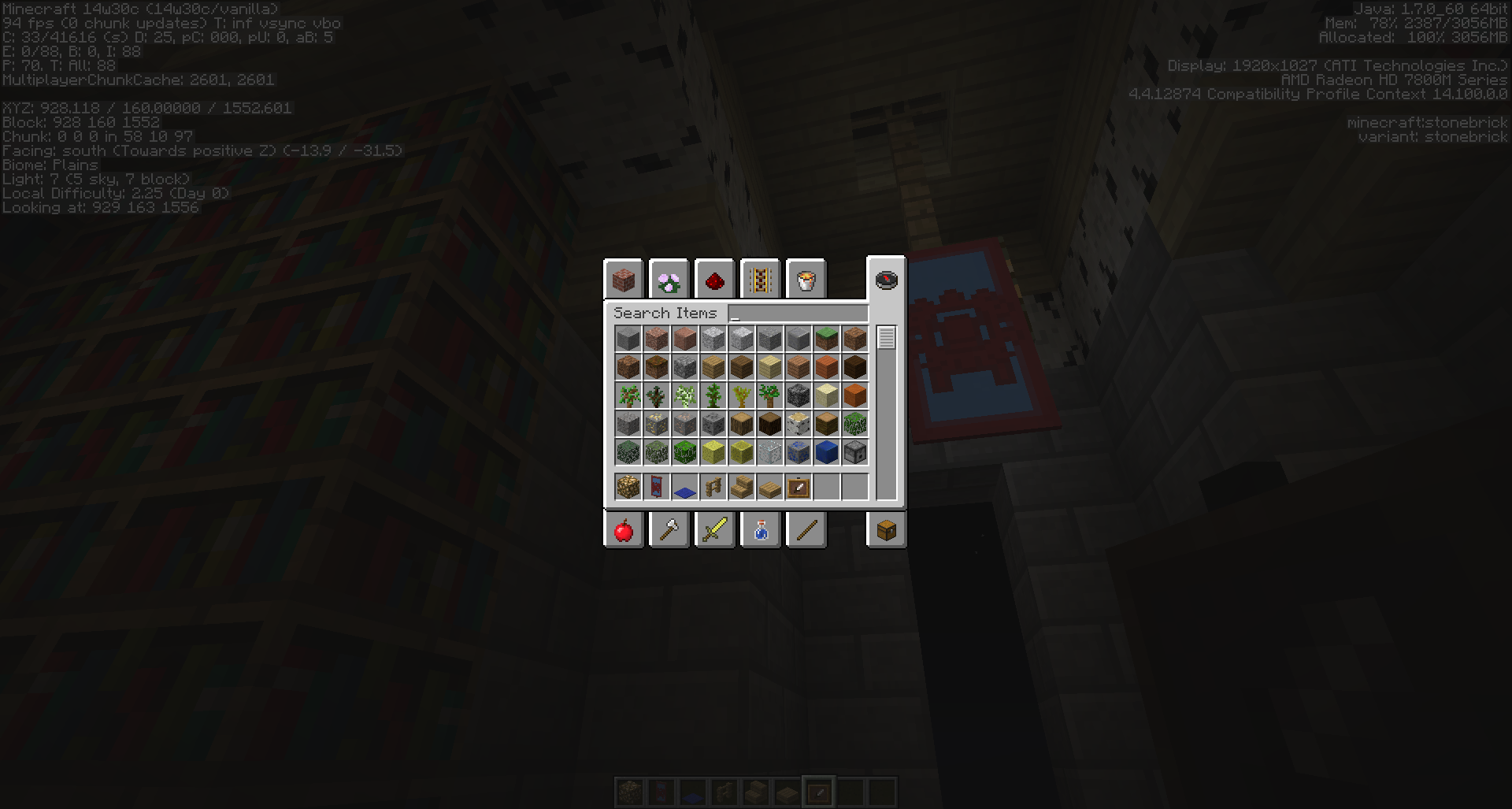
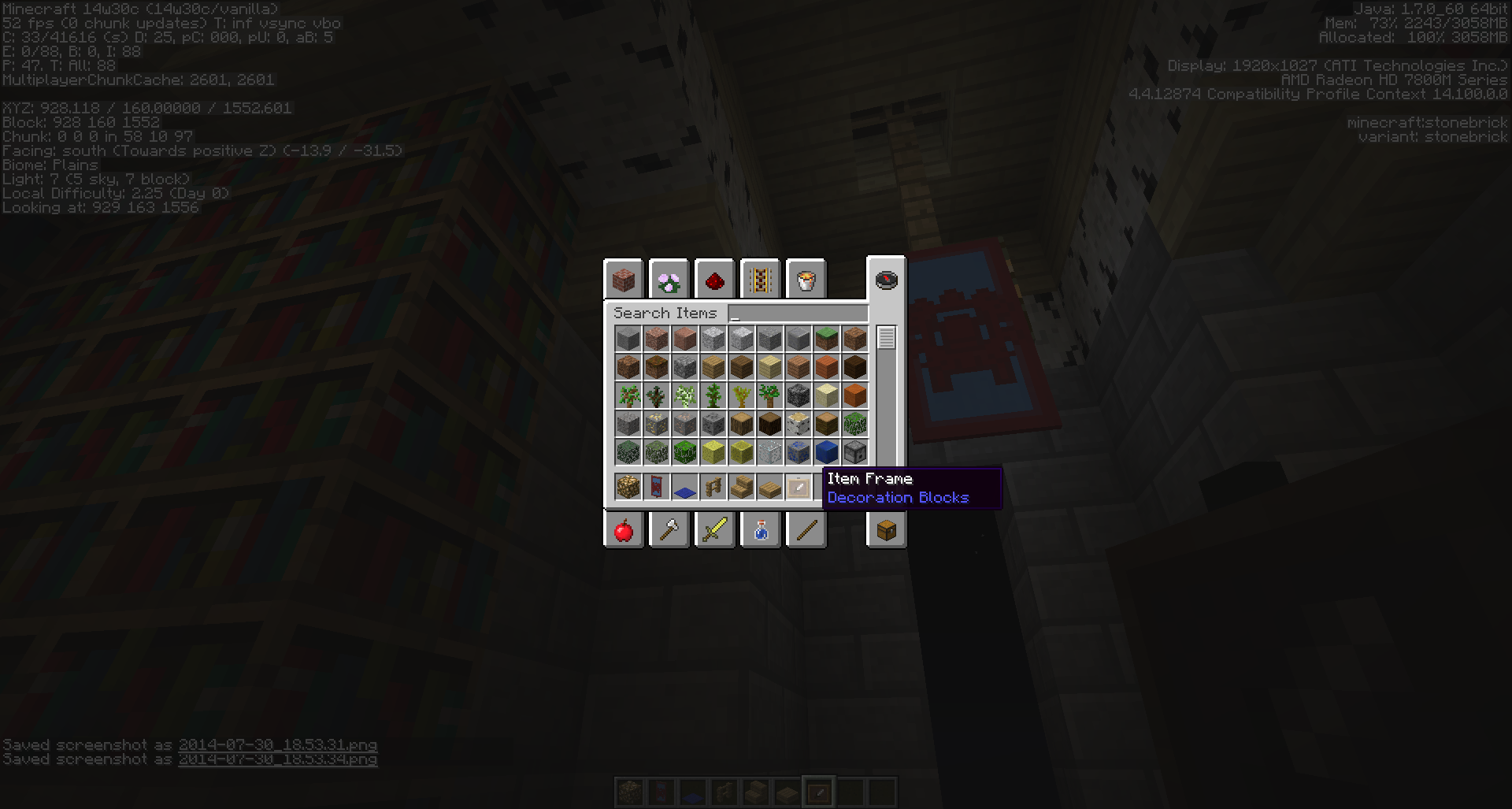
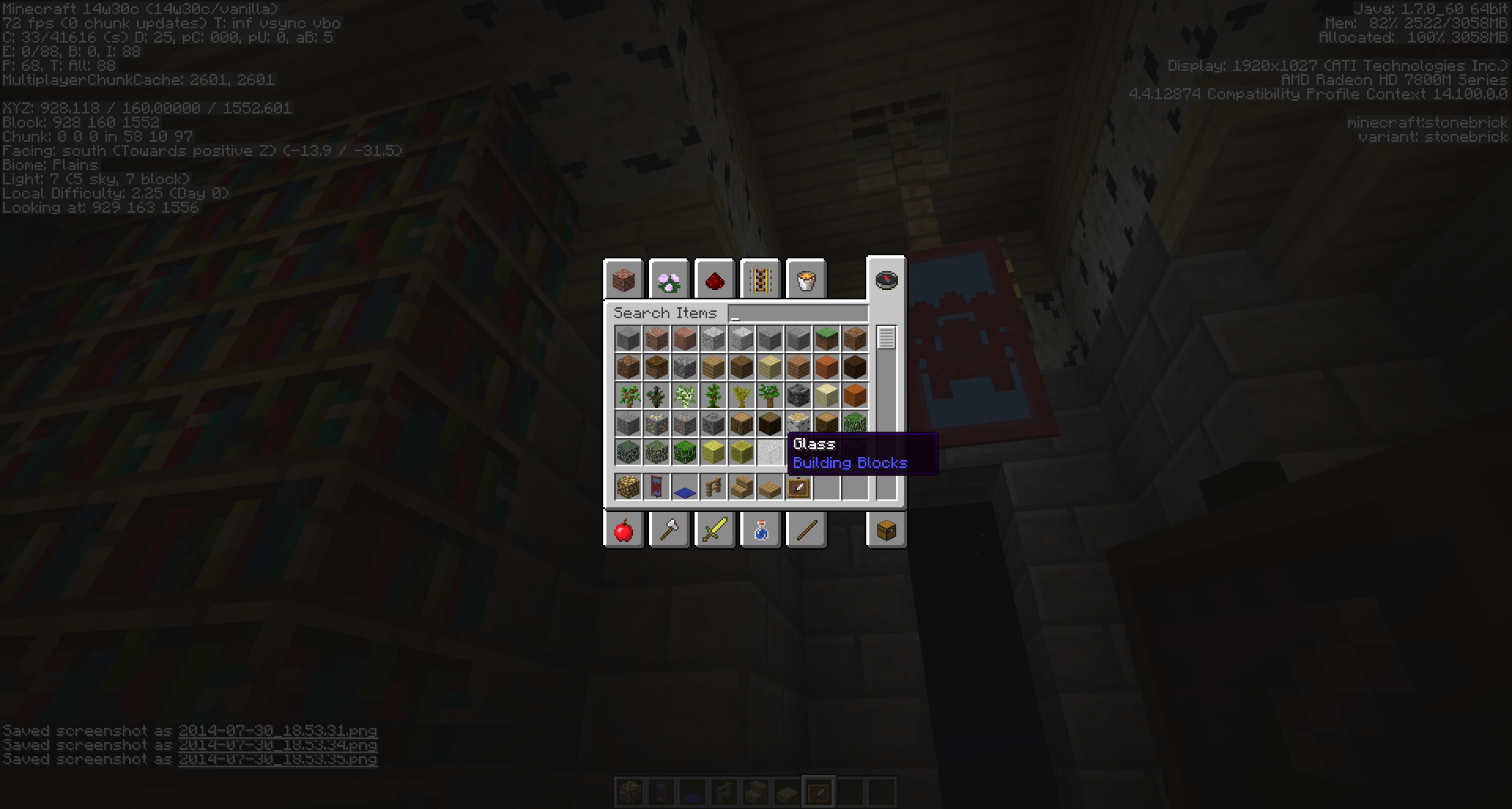
Banners darken when a tooltip is displayed.
1) Place a banner
2) Open inventory
3) Mouse over any item
4) The banner darkensHere are some screenshots of the bug. The first one is a banner without any tooltips showing.
It's barely noticeable on the screenshots but ingame the difference is quite obvious.
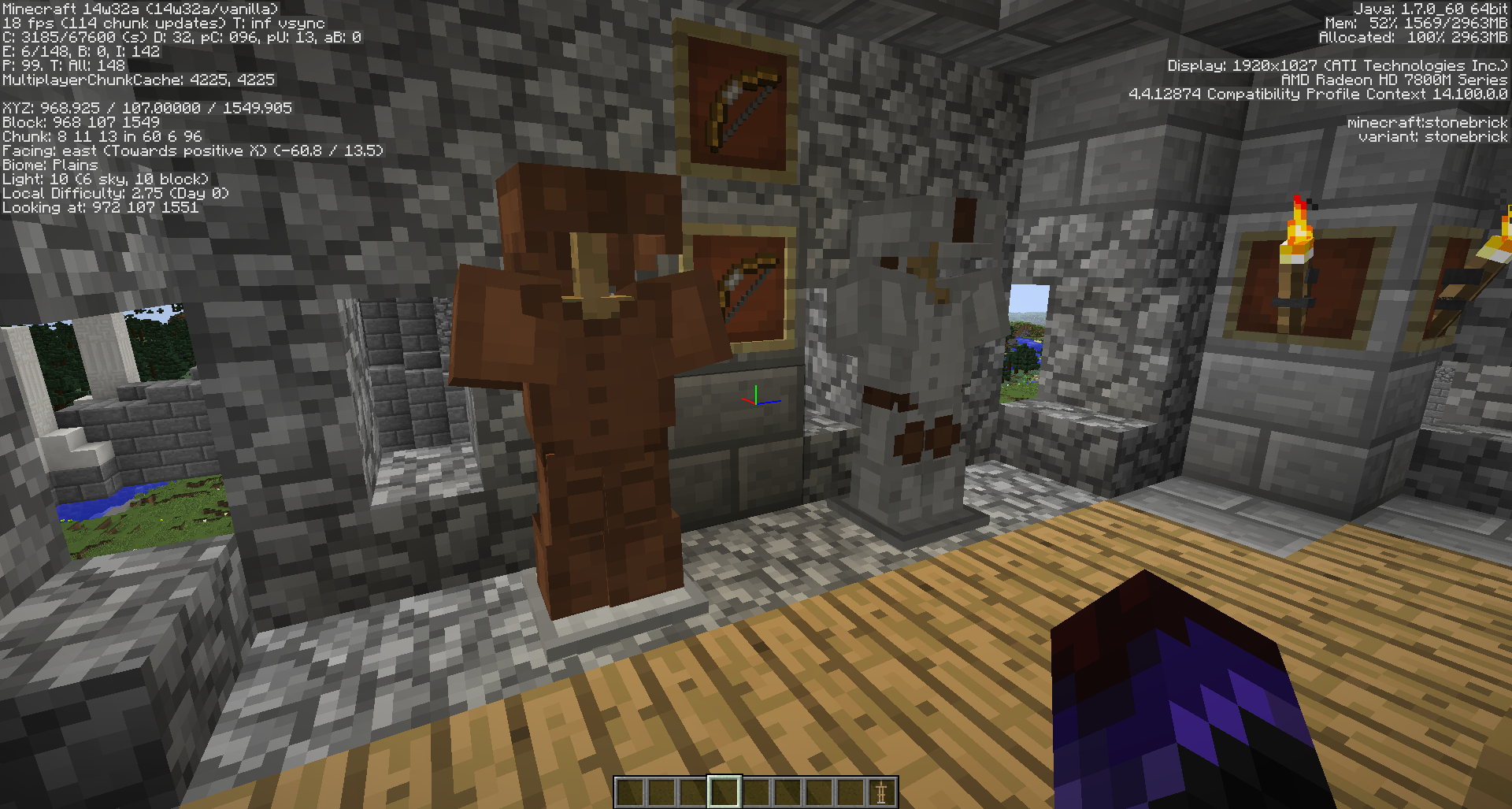
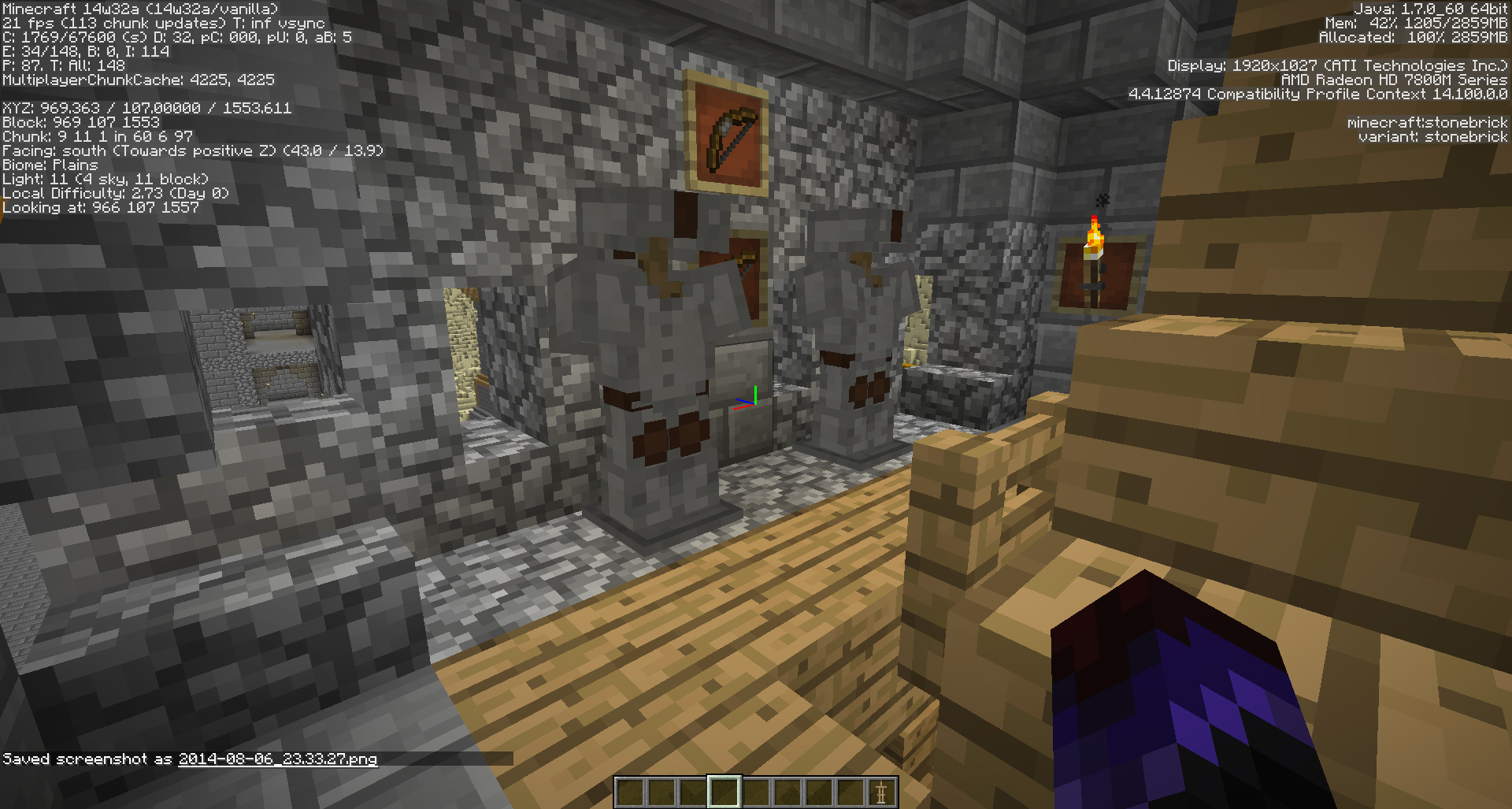
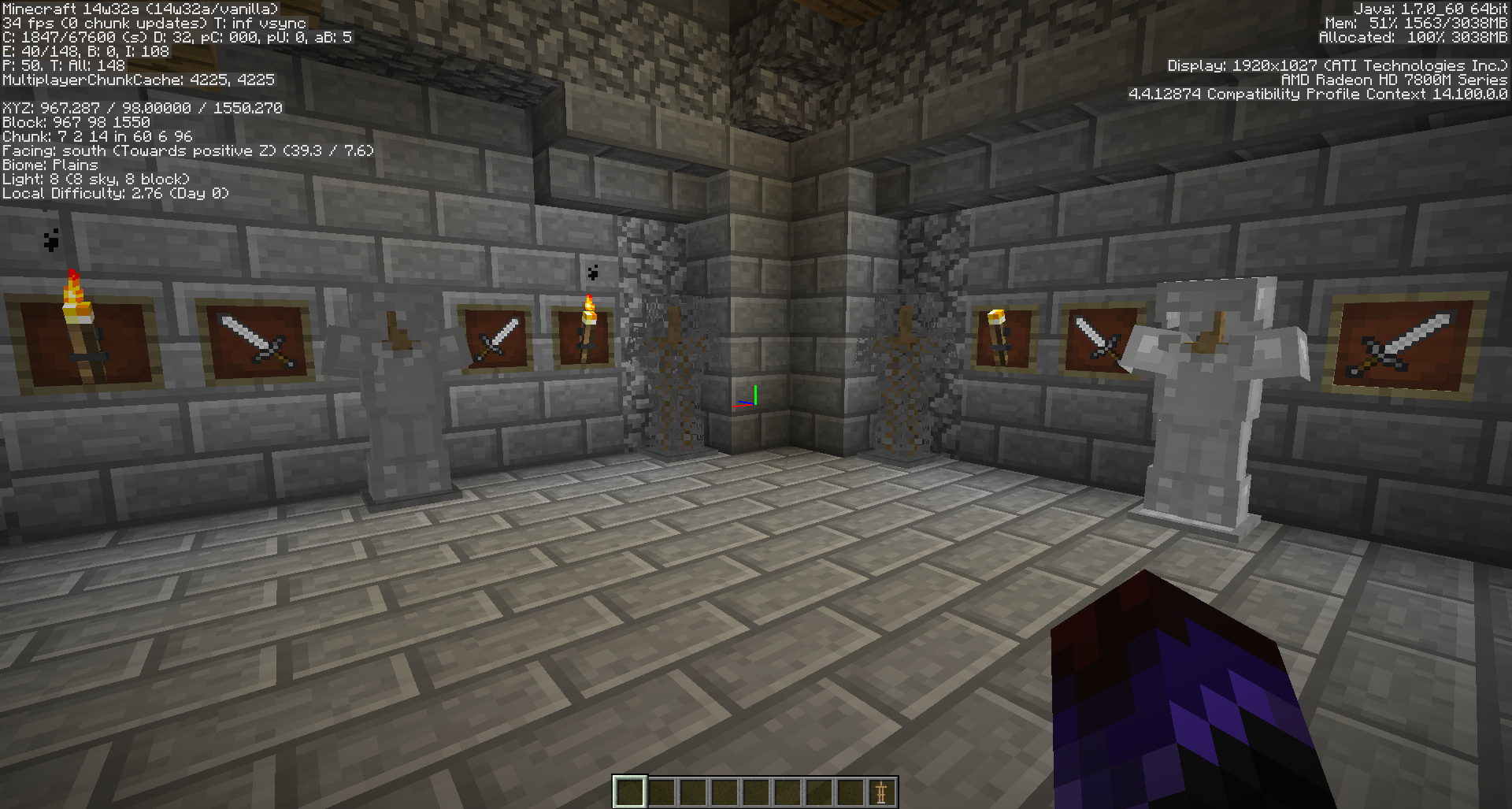
Armour stands (as well as item frames and similar entities) change colour and lighting as you move around them. Leather armour loses all colour.
1. Place Armor Stand
2. Place any armor on the Stand
3. Move around and any entities present will start changing their light level and colourIn the last 2 screens you can see 2 Iron armours with different lighting as well as one Item frame which is illuminated as if from every direction. On the first of those two the item frame is not illuminated.
It's still happening in 14w33c
What I expected:
When in Creative mode when you mouseover an item/block from the list (or anywhere in the inventory) and press 1-9 the item gets moved with a full stack to the according button position.What happened:
When I press 1-9 a stack is sent/moved but when I place the block, it depletes (even a full stack) and the block/item in the inventory and the world gets replaced with the previous block that was there AND the moved block also reappears in the old position.Example:
2 is Stone Brick Stairs, 1 is Stone Bricks.
Mouseover 2 and press 1
The Stone Bricks move to 1 and the Stone Brick Stairs moves to 2
Place the Stone Brick Stairs (1)
Stone Brick Stairs get placed but they are immediately replaced with Stone Bricks (previously 2) in the world and in the inventory, the Stone Brick Stairs also revert back to Stone Bricks so in the inventory you have Stone Bricks in 1 and 2This bug was present in older version of the snapshots as well.
What I expected:
When in Creative mode when you mouseover an item/block from the list (or anywhere in the inventory) and press 1-9 the item gets moved with a full stack to the according button position.What happened:
When I press 1-9 a stack is sent/moved but when I place the block, it depletes (even a full stack) and the block/item in the inventory and the world gets replaced with the previous block that was there AND the moved block also reappears in the old position.Example:
2is Stone Brick Stairs,1is Stone Bricks.
Mouseover2and press1
The Stone Bricks move to1and the Stone Brick Stairs moves to2
Place the Stone Brick Stairs (1)
Stone Brick Stairs get placed but they are immediately replaced with Stone Bricks (previously 2) in the world and in the inventory, the Stone Brick Stairs also revert back to Stone Bricks so in the inventory you have Stone Bricks in1and2This bug was present in older version of the snapshots as well.
What I expected:
When in Creative mode when you mouseover an item/block from the list (or anywhere in the inventory) and press 1-9 the item gets moved with a full stack to the according button position.What happened:
When I press 1-9 a stack is sent/moved but when I place the block, it depletes (even a full stack) and the block/item in the inventory and the world gets replaced with the previous block that was there AND the moved block also reappears in the old position.Example:
(2) is Stone Brick Stairs, (1) is Stone Bricks.
Mouseover (2) and press (1)
The Stone Bricks move to (1) and the Stone Brick Stairs moves to (2)
Place the Stone Brick Stairs (1)
Stone Brick Stairs get placed but they are immediately replaced with Stone Bricks (previously 2) in the world and in the inventory, the Stone Brick Stairs also revert back to Stone Bricks so in the inventory you have Stone Bricks in (1) and (2)This bug was present in older version of the snapshots as well.
![[Mod] Michael Wobst](../../../data/avatars/users/37868.png)
Vasil Bochev: Don't force anisotropic filtering on Minecraft.
The F3 thing doesn't work for me.
Wouldn't it be a bit better if houses are the arrays, instead of the doors, and the space in the houses determining how many villagers can be in them? This way you will have "families" so as to say, instead of a-social villagers
That or a simply minimum depth of the pool as a requirement.
Actually all mobs and villagers can climb ladders, but only up, not down.
Any ladders from what I can tell. Some of the ones that I observed were placed by me. I don't think there is a difference between spawned ladders and placed ladders.
Most likely your mouse; I used to have this issue too; it is very unlikely that the game would do this, try with a different mouse.
It makes little sense to me how tick updates will have anything to do with the placing command. But even if this is the case, I have never had this issue with a mouse that works fine (like it does now). Maybe it's something else. Dunno, it's just my opinion.
I didn't mean to say that it is a hardware problem. As for the storage bug, that I haven't seen ever nor heard of it before.
I'll check it and update accordingly.
Same deal here; fine in Vanilla textures but swapped in any texture pack.
I will need to test it out again and will post update maybe tomorrow; I have exams to study for at the moment.
I saw that in places very far away from sunlight. Both closed spaces made by me and deep in cave networks
Actually, in that direction there wasn't anything, and if they had locked on the target, they'd have moved to it. There is plenty of space for them to walk out. Either way, they should pick the nearest target, it kind of makes more sense. To me at least
I have tried everything. Nothing has helped so far.
Yes, i just figured that out...but weren't mobs spawned by eggs supposed to bypass this setting? I'm not sure but i think this was the case.
I see. Even so, as the guy who reported
MC-379said, it is misleading.Unfortunately I deleted the world before I saw this...but I think that coordinates are irrelevant considering that the engine allows for water bodies to be generated IN water bodies.
Well unless the world generator has been changed...I see no reason why this should have changed.
I do not know if it is valid for MC at all, at the moment. If I am not wrong I reported this bug during the summer of 2012...or early winter at it's best. I had all but forgotten about it. I cannot provide a world and I think that a world is irrelevant as if the bug still exists it will work on any world.
Well, then I guess it is fixed. Even so, the report is ancient
But if the generator creates dirt in mid air, then that is a bug on it's own...
Well that seals that then.
I noticed the same problem...some potion effects do not work at all on mobs. Absorption and extra health are among those as well.
It is still an issue...
Very clearly seen... They fade over in long distance.
How exactly are villages generated underwater with giant air bubbles above them "Working as intended" when the generator clearly doesn't produce foliage and anything else that should be generated in the same conditions?
The amount of blocks is the same in every world. Air blocks are blocks nonetheless. Even so, making a world completely unplayable... those must be some special blocks or something.
Resolved as of 14w31a
Working as intended? It's really crappy, even for Creative, to have to get new items from the list... not to mention that losing an entire stack with one click...
Wat?
Confimred for 12w32a, b, c, and d
Valid as of 14w32d
It's not a bug. It's actually helpful if you've crafted a specific tool with enchants and name. If you have such a tool and suddenly replace it with pick block it'd be rather... unsettling.
I get the following when the problem appears:
[18:41:15] [Server thread/INFO]: Preparing start region for level 0
[18:41:16] [Server thread/INFO]: Changing view distance to 32, from 10
[18:41:16] [Server thread/INFO]: Nectaril[local:E:2a7e4345] logged in with entity id 7 at (1759.2420703674322, 182.19270656530824, 3340.572802817696)
[18:41:16] [Server thread/INFO]: Nectaril joined the game
[18:41:23] [Server thread/WARN]: Can't keep up! Did the system time change, or is the server overloaded? Running 6788ms behind, skipping 135 tick(s)
[18:42:11] [Server thread/WARN]: Can't keep up! Did the system time change, or is the server overloaded? Running 35162ms behind, skipping 703 tick(s)
[18:42:16] [Server thread/WARN]: Can't keep up! Did the system time change, or is the server overloaded? Running 4959ms behind, skipping 99 tick(s)
[18:51:42] [Client thread/INFO]: Warning: Clientside chunk ticking took 1478 ms
[19:04:23] [Server thread/INFO]: Nectaril lost connection: TextComponent{text='Disconnected', siblings=[], style=Style{hasParent=false, color=null, bold=null, italic=null, underlined=null, obfuscated=null, clickEvent=null, hoverEvent=null, insertion=null}}
[19:04:23] [Server thread/INFO]: Nectaril left the game
[19:04:23] [Server thread/INFO]: Stopping singleplayer server as player logged out
[19:04:23] [Server thread/INFO]: Saving and pausing game...
[19:04:23] [Server thread/INFO]: Saving chunks for level 'Heroes'/Overworld
This line: [18:51:42] [Client thread/INFO]: Warning: Clientside chunk ticking took 1478 ms
and the ones before it are when the game was falling back so much that I could fly out of render distance even at 32 chunks max render distance. Just flying into the nothingness. At some point it stopped saying that it can't keep up. Even so I could see that it was lagging because it was drawing chunks as if I were at one of my previous positions in the world.
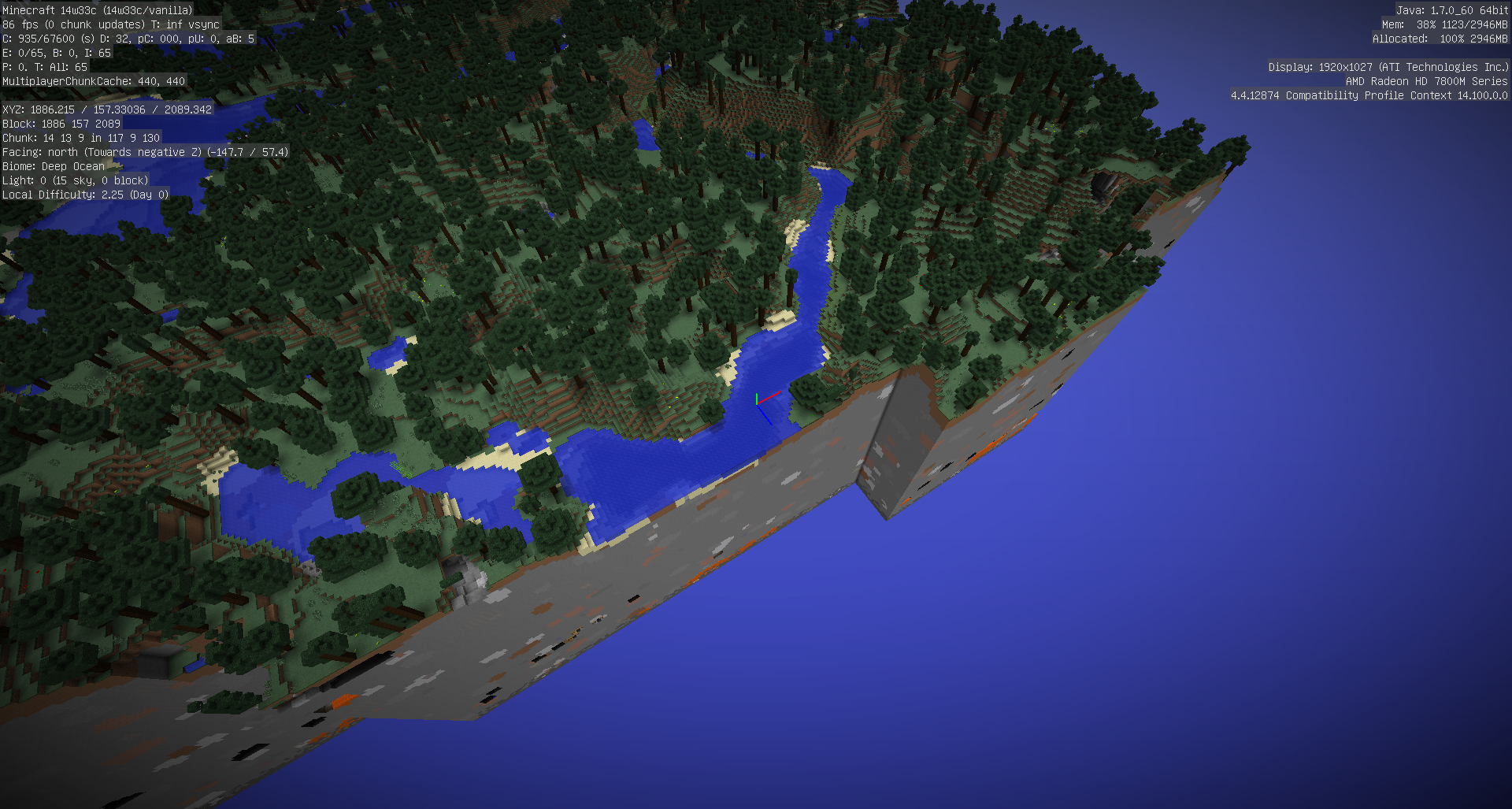
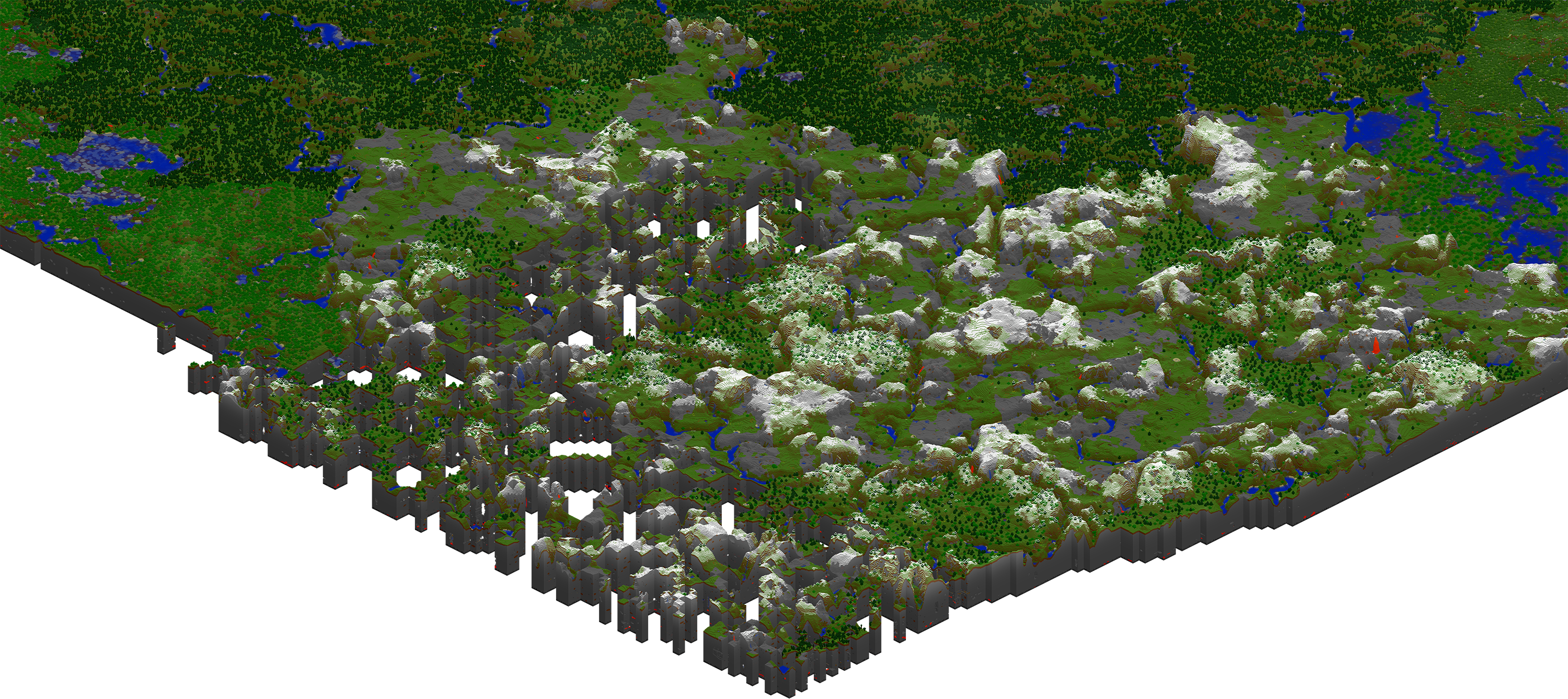
I added a map render that shows what happens to the terrain if you just fly through and leave the game before it finishes actually rendering the terrain (after it's generated). That fly to > generate > render process can take up to 10 minutes.
Edit: In addition to the map I also discovered that the missing chunks don't get properly populated when they are finally generated. So far what I've noticed is that they miss snow coverage. Trees seems to be ok.
Well nothing is changed since then so they still can't climb down ladders. Unless they were never supposed to. Though it makes you wonder why can they climb up. Must be that aim for going sky-high xD
Still valid as of 15w51b T_T