 SaveTheBedrock
- SaveTheBedrock
- JIRAUSER754611
- Europe/Stockholm
- Yes
- No
 REALMS-11337
 MCPE-179556MCPE-179735MCPE-179743









In the attached video, you can see me attempting to swap a dirt block with a diamond block in my inventory. I want these items to switch places. It works at a slow speed, as you can observe, but not when done a bit faster. When I try to rapidly swap the items,
they simply do not respond or, as shown in certain parts of the video, teleport to my first inventory slot. This bug causes nobody on my realm, including myself, to want to organize their inventories or chests, resulting in complete chaos and a loss of knowledge regarding the location of specific items. Consequently, nobody can find their building materials, which significantly hampers the gameplay experience. This bug completely ruins the overall gaming experience
In the attached video, you can see me attempting to swap a dirt block with a diamond block in my inventory. I want these items to switch places. It works at a slow speed, as you can observe, but not when done a bit faster. When I try to rapidly swap the items, they simply do not respon d or, as shown in certain parts of the video, teleport to my first inventory slot. This bug causes nobody on my realm, including myself, to want to organize their inventories or chests, resulting in complete chaos and a loss of knowledge regarding the location of specific items. Consequently, nobody can find their building materials, which significantly hampers the gameplay experience. This bug completely ruins the overall gaming experience
The video demonstrates the following: 1. It worked a few times. 2. It failed many more times. 3. How the item is teleported downward.
In the attached video, you can see me attempting to swap a dirt block with a diamond block in my inventory. I want these items to switch places. It works at a slow speed, as you can observe, but not when done a bit faster. When I try to rapidly swap the items, they simply do not respon d or, as shown in certain parts of the video, teleport to my first inventory slot. This bug causes nobody on my realm, including myself, to want to organize their inventories or chests, resulting in complete chaos and a loss of knowledge regarding the location of specific items. Consequently, nobody can find their building materials, which significantly hampers the gameplay experience. This bug completely ruins the overall gaming experience
In the attached video, you can see me attempting to swap a dirt block with a diamond block in my inventory. I want these items to switch places. It works at a slow speed, as you can observe, but not when done a bit faster. When I try to rapidly swap the items, they simply do not respon d or, as shown in certain parts of the video, teleport to my first inventory slot. This bug causes nobody on my realm, including myself, to want to organize their inventories or chests, resulting in complete chaos and a loss of knowledge regarding the location of specific items. Consequently, nobody can find their building materials, which significantly hampers the gameplay experience. This bug completely ruins the overall gaming experience
The video demonstrates the following: 1. It worked a few times. 2. It failed many more times. 3. How the item is teleported downward.
In the attached video, you can see me attempting to swap a dirt block with a diamond block in my inventory. I want these items to switch places. It works at a slow speed, as you can observe, but not when done a bit faster. When I try to rapidly swap the items, they simply do not respond or, as shown in certain parts of the video, teleport to my first inventory slot. This bug causes nobody on my realm, including myself, to want to organize their inventories or chests, resulting in complete chaos and a loss of knowledge regarding the location of specific items. Consequently, nobody can find their building materials, which significantly hampers the gameplay experience. This bug completely ruins the overall gaming experience
The video demonstrates the following: 1. It worked a few times. 2. It failed many more times. 3. How the item is teleported downward.
In the attached video, you can see me attempting to swap a dirt block with a diamond block in my inventory. I want these items to switch places. It works at a slow speed, as you can observe, but not when done a bit faster. When I try to rapidly swap the items, they simply do not respond or, as shown in certain parts of the video, teleport to my first inventory slot. This bug causes nobody on my realm, including myself, to want to organize their inventories or chests, resulting in complete chaos and a loss of knowledge regarding the location of specific items. Consequently, nobody can find their building materials, which significantly hampers the gameplay experience. This bug completely ruins the overall gaming experience
The video demonstrates the following: 1. It worked a few times. 2. It failed many more times. 3. How the item is teleported downward.Edit:
Example of how it would be better:
In the old Minecraft PlayStation versions (I'll call them Legacy Edition), this bug did not exist. Therefore, sorting the inventory was really smooth, and it never caused any problems for anyone.
(When I then switched to the Bedrock version, this was the very first bug that caught my attention, and one that bothers me and (surely others) then and now.)
I can't say much about it, except that this has happened on my realm for the second time. Additionally, I had trouble joining my realm before I noticed this.
Here are the steps I followed that led to the bug reappearing:
- I terraformed a large area.
- I made it completely flat.
- Then I went traveling and explored the world for about 3 hours.
- When I returned, I found this bug.
I can't say much about it, except that this has happened on my realm for the second time. Additionally, I had trouble joining my realm before I noticed this.
Here are the steps I followed that led to the bug reappearing:
- I terraformed a large area.
- I made it completely flat.
- Then I went traveling and explored the world for about 3 hours.
- When I returned, I found this bug.
I can't say much about it, except that this has happened on my realm for the second time. Additionally, I had trouble joining my realm before I noticed this.
Here are the steps I followed that led to the bug reappearing:
- I terraformed a large area.
- I made it completely flat.
- Then I went traveling and explored the world for about 3 hours.
- When I returned, I found this bug.
Here are the steps I followed that led to the bug reappearing:
- I terraformed a large area.
- I made it completely flat.
- Then I went traveling and explored the world for about 3 hours.
- When I returned, I found this bug.
I can't say much about it, except that this has happened on my realm for the second time. Additionally, I had trouble joining my realm before I noticed this.
Here are the steps I followed that led to the bug reappearing:
- I terraformed a large area.
- I made it completely flat.
- Then I went traveling and explored the world for about 3 hours.
- When I returned, I found this bug.
Here are the steps I followed that led to the bug reappearing:
- I terraformed a large area.
- I made it completely flat.
- Then I went traveling and explored the world for about 3 hours.
- When I returned, I found this bug.
I can't say much about it, except that this has happened on my realm for the second time. Additionally, I had trouble joining my realm before I noticed this.
Here are the steps I followed that led to the bug reappearing:
- I terraformed a large area.
- I made it completely flat.
- Then I went traveling and explored the world for about 3 hours.
- When I returned, I found this bug.
So far, it seems to only occur with chunks that are entirely flat on the surface. I have never experienced anything like chests or beacons being deleted along with it—I assume this cannot happen. However, this is just a guess.


I can't say much about it, except that this has happened on my realm for the second time. Additionally, I had trouble joining my realm before I noticed this.
Here are the steps I followed that led to the bug reappearing:
- I terraformed a large area.
- I made it completely flat.
- Then I went traveling and explored the world for about 3 hours.
- When I returned, I found this bug.
So far, it seems to only occur with chunks that are entirely flat on the surface. I have never experienced anything like chests or beacons being deleted along with it—I assume this cannot happen. However, this is just a guess.
I can't say much about it, except that this has happened on my realm for the second time. Additionally, I had trouble joining my realm before I noticed this.
- Here are the steps I followed that led to the bug reappearing:
- I terraformed a large area.
- I made it completely flat.
- Then I went traveling and explored the world for about 3 hours.
- When I returned, I found this bug.
So far, it seems to only occur with chunks that are entirely flat on the surface. I have never experienced anything like chests or beacons being deleted along with it—I assume this cannot happen. However, this is just a guess.
- I was not able to reproduce this bug on a local copy of the realm world. (With Commands)
- I play with a Ps5 on the Realm.
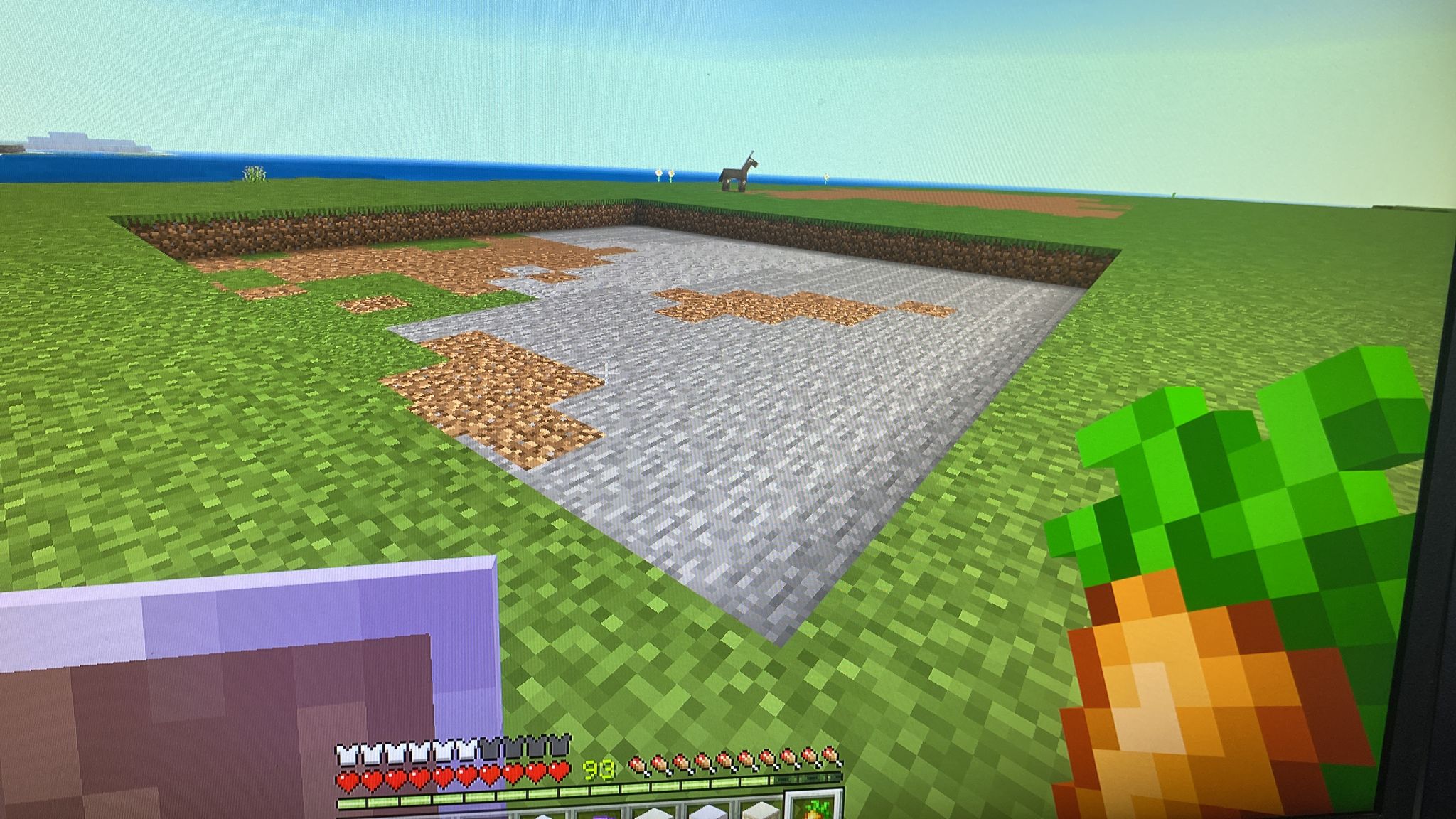
I was only able to observe how the layer at height 64 was deleted.
Observed:
A layer of a seemingly random chunk was deleted.
Expected:
The layer didn't disappear; it remains as I left it after terraforming.
I can't say much about it, except that this has happened on my realm for the second time. Additionally, I had trouble joining my realm before I noticed this.
- Here are the steps I followed that led to the bug reappearing:
- I terraformed a large area.
- I made it completely flat.
- Then I went traveling and explored the world for about 3 hours.
- When I returned, I found this bug.
So far, it seems to only occur with chunks that are entirely flat on the surface. I have never experienced anything like chests or beacons being deleted along with it—I assume this cannot happen. However, this is just a guess.
- I was not able to reproduce this bug on a local copy of the realm world. (With Commands)
- I play with a Ps5 on the Realm.
I was only able to observe how the layer at height 64 was deleted.
Observed:
A layer of a seemingly random chunk was deleted.
Expected:
The layer didn't disappear; it remains as I left it after terraforming.
I can't say much about it, except that this has happened on my realm for the second time. Additionally, I had trouble joining my realm before I noticed this.
- Here are the steps I followed that led to the bug reappearing:
- I terraformed a large area.
- I made it completely flat.
- Then I went traveling and explored the world for about 3 hours.
- When I returned, I found this bug.
So far, it seems to only occur with chunks that are entirely flat on the surface. I have never experienced anything like chests or beacons being deleted along with it—I assume this cannot happen. However, this is just a guess.
- I was not able to reproduce this bug on a local copy of the realm world. (With Commands)
- I play with a Ps5 on the Realm.
- I was only able to observe how the layer at height 64 was deleted.
Observed:
A layer of a seemingly random chunk was deleted.
Expected:
The layer didn't disappear; it remains as I left it after terraforming.
I can't say much about it, except that this has happened on my realm for the second time. Additionally, I had trouble joining my realm before I noticed this.
- Here are the steps I followed that led to the bug reappearing:
- I terraformed a large area.
- I made it completely flat.
- Then I went traveling and explored the world for about 3 hours.
- When I returned, I found this bug.
So far, it seems to only occur with chunks that are entirely flat on the surface. I have never experienced anything like chests or beacons being deleted along with it—I assume this cannot happen. However, this is just a guess.
- I was not able to reproduce this bug on a local copy of the realm world. (With Commands)
- I play with a Ps5 on the Realm.
- I was only able to observe how the layer at height 64 was deleted.
Observed:
A layer of a seemingly random chunk was deleted.
Expected:
The layer didn't disappear; it remains as I left it after terraforming.
I can't say much about it, except that this has happened on my realm for the second time. Additionally, I had trouble joining my realm before I noticed this.
- Here are the steps I followed that led to the bug reappearing:
- I terraformed a large area.
- I made it completely flat.
- Then I went traveling and explored the world for about 3 hours.
- When I returned, I found this bug.
So far, it seems to only occur with chunks that are entirely flat on the surface. I have never experienced anything like chests or beacons being deleted along with it—I assume this cannot happen. However, this is just a guess.
- I was not able to reproduce this bug on a local copy of the realm world. (With Commands)
- I play with a Ps5 on the Realm.
- I was only able to observe how the layer at height 64 was deleted.
The bug often occurs for me as follows:
Flatten a large area in a Realm. Make the area so that, when standing on it, you are at height 65. Leave the Realm. Rejoin the Realm. You will find deleted layers in some places. Alternatively, you can leave the chunks, go on a short journey, and then return. The same result will occur.These are the ways I have unintentionally been able to reproduce the bug so far.
Observed:
A layer of a seemingly random chunk was deleted.
Expected:
The layer didn't disappear; it remains as I left it after terraforming.
I can't say much about it, except that this has happened on my realm for the second time. Additionally, I had trouble joining my realm before I noticed this.
- Here are the steps I followed that led to the bug reappearing:
- I terraformed a large area.
- I made it completely flat.
- Then I went traveling and explored the world for about 3 hours.
- When I returned, I found this bug.
So far, it seems to only occur with chunks that are entirely flat on the surface. I have never experienced anything like chests or beacons being deleted along with it—I assume this cannot happen. However, this is just a guess.
- I was not able to reproduce this bug on a local copy of the realm world. (With Commands)
- I play with a Ps5 on the Realm.
- I was only able to observe how the layer at height 64 was deleted.
The bug often occurs for me as follows:
Flatten a large area in a Realm. Make the area so that, when standing on it, you are at height 65. Leave the Realm. Rejoin the Realm. You will find deleted layers in some places. Alternatively, you can leave the chunks, go on a short journey, and then return. The same result will occur.These are the ways I have unintentionally been able to reproduce the bug so far.
Observed:
A layer of a seemingly random chunk was deleted.
Expected:
The layer didn't disappear; it remains as I left it after terraforming.
I can't say much about it, except that this has happened on my realm for the second time. Additionally, I had trouble joining my realm before I noticed this.
- Here are the steps I followed that led to the bug reappearing:
- I terraformed a large area.
- I made it completely flat.
- Then I went traveling and explored the world for about 3 hours.
- When I returned, I found this bug.
So far, it seems to only occur with chunks that are entirely flat on the surface. I have never experienced anything like chests or beacons being deleted along with it—I assume this cannot happen. However, this is just a guess.
- I was not able to reproduce this bug on a local copy of the realm world. (With Commands)
- I play with a Ps5 on the Realm.
- I was only able to observe how the layer at height 64 was deleted.
The bug often occurs for me as follows:
Flatten a large area in a Realm. Make the area so that, when standing on it, you are at height 65. Leave the Realm. Rejoin the Realm. You will find deleted layers in some places. Alternatively, you can leave the chunks, go on a short journey, and then return. The same result will occur.These are the ways I have unintentionally been able to reproduce the bug so far.
Observed:
A layer of a seemingly random chunk was deleted.
Expected:
The layer didn't disappear; it remains as I left it after terraforming.
I can't say much about it, except that this has happened on my realm for the second time. Additionally, I had trouble joining my realm before I noticed this.
- Here are the steps I followed that led to the bug reappearing:
- I terraformed a large area.
- I made it completely flat.
- Then I went traveling and explored the world for about 3 hours.
- When I returned, I found this bug.
So far, it seems to only occur with chunks that are entirely flat on the surface. I have never experienced anything like chests or beacons being deleted along with it—I assume this cannot happen. However, this is just a guess.
What I found out:
- I was not able to reproduce this bug on a local copy of the realm world. (With Commands)
- I play with a Ps5 on the Realm.
- I was only able to observe how the layer at height 64 was deleted.
The bug often occurs for me as follows:
Flatten a large area in a Realm. Make the area so that, when standing on it, you are at height 65. Leave the Realm. Rejoin the Realm. You will find deleted layers in some places. Alternatively, you can leave the chunks, go on a short journey, and then return. The same result will occur.These are the ways I have unintentionally been able to reproduce the bug so far.
Observed:
A layer of a seemingly random chunk was deleted.
Expected:
The layer didn't disappear; it remains as I left it after terraforming.
I can't say much about it, except that this has happened on my realm for the second time. Additionally, I had trouble joining my realm before I noticed this.
- Here are the steps I followed that led to the bug reappearing:
- I terraformed a large area.
- I made it completely flat.
- Then I went traveling and explored the world for about 3 hours.
- When I returned, I found this bug.
So far, it seems to only occur with chunks that are entirely flat on the surface. I have never experienced anything like chests or beacons being deleted along with it—I assume this cannot happen. However, this is just a guess.
What I found out:
- I was not able to reproduce this bug on a local copy of the realm world. (With Commands)
- I play with a Ps5 on the Realm.
- I was only able to observe how the layer at height 64 was deleted.
The bug often occurs for me as follows:
Flatten a large area in a Realm. Make the area so that, when standing on it, you are at height 65. Leave the Realm. Rejoin the Realm. You will find deleted layers in some places. Alternatively, you can leave the chunks, go on a short journey, and then return. The same result will occur.These are the ways I have unintentionally been able to reproduce the bug so far.
Observed:
A layer of a seemingly random chunk was deleted.
Expected:
The layer didn't disappear; it remains as I left it after terraforming.
I can't say much about it, except that this has happened on my realm for the second time. Additionally, I had trouble joining my realm before I noticed this.
- Here are the steps I followed that led to the bug reappearing:
- I terraformed a large area.
- I made it completely flat.
- Then I went traveling and explored the world for about 3 hours.
- When I returned, I found this bug.
So far, it seems to only occur with chunks that are entirely flat on the surface. I have never experienced anything like chests or beacons being deleted along with it—I assume this cannot happen. However, this is just a guess.
Informations:
- I was not able to reproduce this bug on a local copy of the realm world. (With Commands)
- I play with a Ps5 on the Realm.
- I was only able to observe how the layer at height 64 was deleted.
The bug often occurs for me as follows:
Flatten a large area in a Realm. Make the area so that, when standing on it, you are at height 65. Leave the Realm. Rejoin the Realm. You will find deleted layers in some places. Alternatively, you can leave the chunks, go on a short journey, and then return. The same result will occur.These are the ways I have unintentionally been able to reproduce the bug so far.
Observed:
A layer of a seemingly random chunk was deleted.
Expected:
The layer didn't disappear; it remains as I left it after terraforming.
I can't say much about it, except that this has happened on my realm for the second time. Additionally, I had trouble joining my realm before I noticed this.
- Here are the steps I followed that led to the bug reappearing:
- I terraformed a large area.
- I made it completely flat.
- Then I went traveling and explored the world for about 3 hours.
- When I returned, I found this bug.
So far, it seems to only occur with chunks that are entirely flat on the surface. I have never experienced anything like chests or beacons being deleted along with it—I assume this cannot happen. However, this is just a guess.
Informations:
- I was not able to reproduce this bug on a local copy of the realm world. (With Commands)
- I play with a Ps5 on the Realm.
- I was only able to observe how the layer at height 64 was deleted.
The bug often occurs for me as follows:
Flatten a large area in a Realm. Make the area so that, when standing on it, you are at height 65. Leave the Realm. Rejoin the Realm. You will find deleted layers in some places. Alternatively, you can leave the chunks, go on a short journey, and then return. The same result will occur.These are the ways I have unintentionally been able to reproduce the bug so far.
Observed:
A layer of a seemingly random chunk was deleted.
Expected:
The layer didn't disappear; it remains as I left it after terraforming.
I can't say much about it, except that this has happened on my realm for the second time. Additionally, I had trouble joining my realm before I noticed this.
Here are the steps I followed that led to the bug reappearing:
- I terraformed a large area.
- I made it completely flat.
- Then I went traveling and explored the world for about 3 hours.
- When I returned, I found this bug.
So far, it seems to only occur with chunks that are entirely flat on the surface. I have never experienced anything like chests or beacons being deleted along with it—I assume this cannot happen. However, this is just a guess.
Informations:
- I was not able to reproduce this bug on a local copy of the realm world. (With Commands)
- I play with a Ps5 on the Realm.
- I was only able to observe how the layer at height 64 was deleted.
The bug often occurs for me as follows:
Flatten a large area in a Realm. Make the area so that, when standing on it, you are at height 65. Leave the Realm. Rejoin the Realm. You will find deleted layers in some places. Alternatively, you can leave the chunks, go on a short journey, and then return. The same result will occur.These are the ways I have unintentionally been able to reproduce the bug so far.
Observed:
A layer of a seemingly random chunk was deleted.
Expected:
The layer didn't disappear; it remains as I left it after terraforming.
Hey,
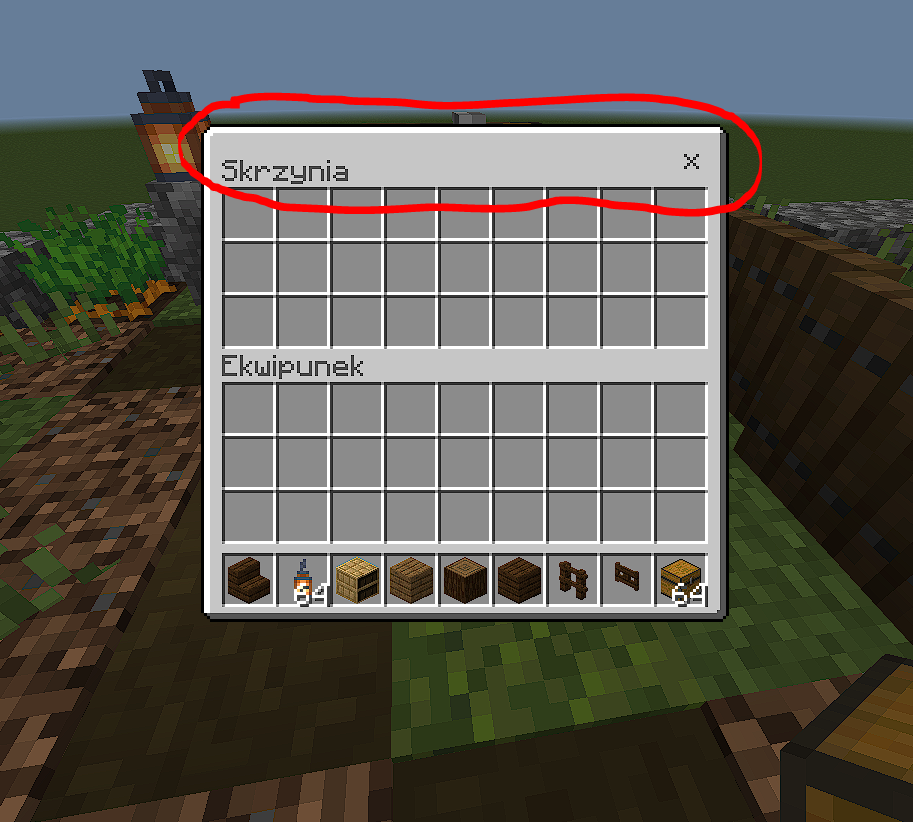
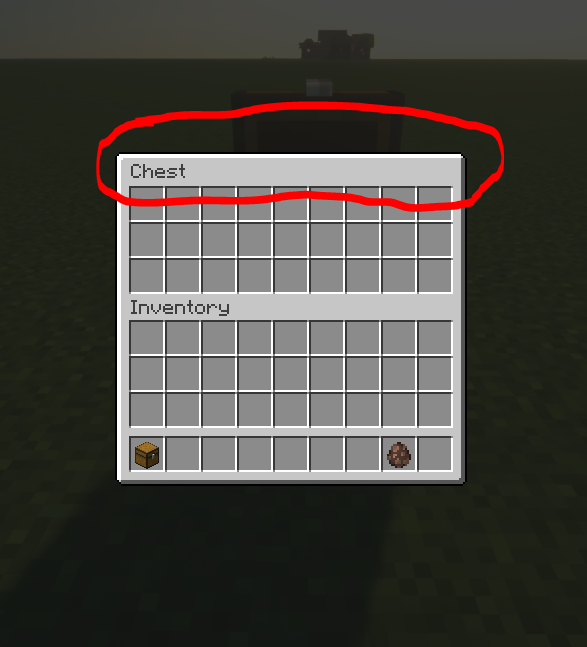
also, in the bottom image, you can see this sudden "hole" on a flat surface, which I've circled in red. This particular hole measures 16 by 16 blocks, indicating that it appeared within a single chunk. This has happened to me twice now on my Survival Realm. The issue seems to arise when I flatten large areas. Additionally, before I noticed this hole, I had difficulties joining my Realm. It took an eternity to load, and the connection was eventually dropped. After about 30 minutes of trying, I finally managed to join. That's when I discovered this hole within a chunk.
Update: This error sometimes occurs when I leave and join the realm.
image-2023-06-19-14-04-01-607.png
Hey,
also, in the bottom image, you can see this sudden "hole" on a flat surface, which I've circled in red. This particular hole measures 16 by 16 blocks, indicating that it appeared within a single chunk. This has happened to me twice now on my Survival Realm. The issue seems to arise when I flatten large areas. Additionally, before I noticed this hole, I had difficulties joining my Realm. It took an eternity to load, and the connection was eventually dropped. After about 30 minutes of trying, I finally managed to join. That's when I discovered this hole within a chunk.
Update: This
errorsometimes occurs when I leave and join the realm.Hey,
also, in the bottom image, you can see this sudden "hole" on a flat surface, which I've circled in red. This particular hole measures 16 by 16 blocks, indicating that it appeared within a single chunk. This has happened to me twice now on my Survival Realm. The issue seems to arise when I flatten large areas. Additionally, before I noticed this hole, I had difficulties joining my Realm. It took an eternity to load, and the connection was eventually dropped. After about 30 minutes of trying, I finally managed to join. That's when I discovered this hole within a chunk.
Update: This bug sometimes occurs when I leave and join the realm.
When you open a
boxand close it, you can't open another box for a very short period of time. It's about half a second. This bug has been ruining the gaming experience for years.When you open a chest and close it, you can't open another box for a very short period of time. It's about half a second. This bug has been ruining the gaming experience for years.
Hello,
The further away you get from the coordinates (0,0) in your world, the more the player's camera lags. I've attached some videos showing how the camera behaves at distances of 100,000, 300,000, and 500,000 blocks away. No worries about the video quality. I had to lower it to be able to submit them here. It's also noticeable that the third-person camera is the first to start experiencing this bug.
You can reproduce the bug in your world by following these steps: Create a world with cheats enabled and teleport yourself approximately 500,000 blocks in one direction. You'll notice that walking starts to feel choppy. It's like constantly hitting an invisible wall that moves a pixel forward each time you touch it, causing you to hit it again and again. If you switch to third-person perspective and look down at your character (as shown in the video), you'll see that the camera doesn't move smoothly anymore but rather jitters to get to the 'right' position.
This bug gets worse the farther you move away from the center of the world. Eventually, you may even find yourself unable to move at all.
Because of major updates that regularly come into the game, you're forced to travel long distances, whether to discover a new biome or simply explore the world for structures with good loot.
Mojang, this is driving me to despair. I'm dead serious about this. Either way, there's a lot of traveling involved. As players, we're given this unbelievably vast game world, but we can only use about 1% of it. This spoils the fun for me, my friends, and surely for other players too. Plus, it's incredibly depressing to always remember that most of your survival world will remain hidden.Mojang, this is driving me to despair. I'm dead serious about this.
Edit:
Now that I've published the post, I realize that the bugs in the videos I created are hardly visible due to the necessary low video quality. That's why I recommend taking another look at the bugs in your own world.
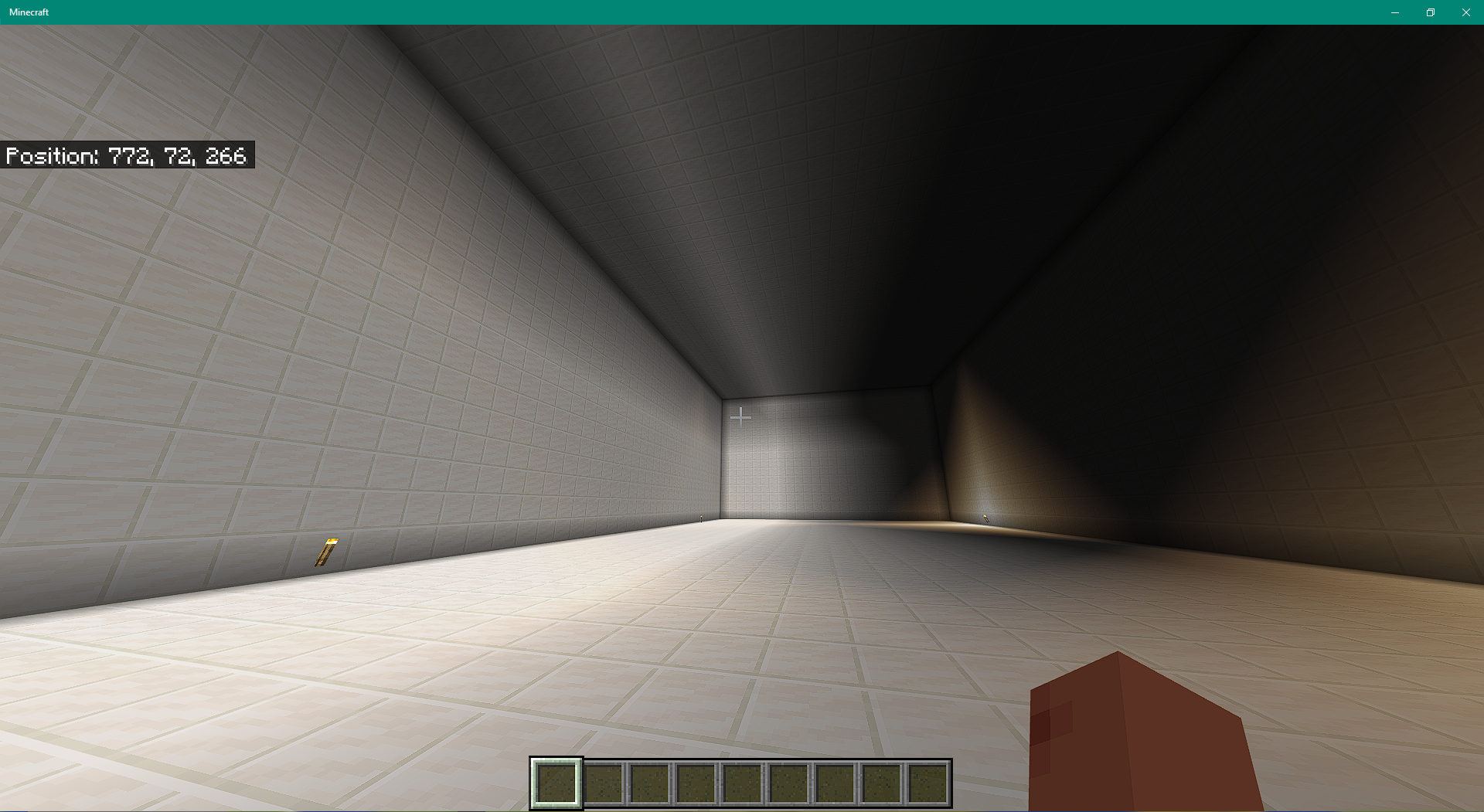
In my Survival Realm world, I've built a relatively large hall. Around the hall, there are rooms that are approximately 20 x 10 x 7 blocks in size. It keeps happening that lighting glitches occur in these rooms. For instance, the small rooms are completely bright, even though there are only a few torches there, which could never illuminate the space that much. And in the large hall, it often happens that, for example, half of the hall is completely lit up, even though there are sometimes no torches there at all
As soon as I leave the realm and rejoin or unload and then reload the chunks, the lighting bugs disappear completely. However, sometimes they reappear after re-entering the realm.
I know there's already a bug report regarding the lighting issues, but it was marked as resolved even though the lighting bugs persist. I'm not sure how else to highlight that the bug is still present besides making this new post here.
In my Survival Realm world, I've built a relatively large hall. Around the hall, there are rooms that are approximately 20 x 10 x 7 blocks in size. It keeps happening that lighting glitches occur in these rooms. For instance, the small rooms are completely bright, even though there are only a few torches there, which could never illuminate the space that much. And in the large hall, it often happens that, for example, half of the hall is completely lit up, even though there are sometimes no torches there at all
As soon as I leave the realm and rejoin or unload and then reload the chunks, the lighting bugs disappear completely. However, sometimes they reappear after re-entering the realm.
I know there's already a bug report regarding the lighting issues, but it was marked as resolved even though the lighting bugs persist. I'm not sure how else to highlight that the bug is still present besides making this new post here.
I have attached the affected world below. I've set my render distance to 21 chunks. I'm not sure if the lighting bugs appear there when teleporting, but so far, they always appeared for me when I walked towards the hall from a bit farther away, causing the chunks to load.
In my Survival Realm world, I've built a relatively large hall. Around the hall, there are rooms that are approximately 20 x 10 x 7 blocks in size. It keeps happening that lighting glitches occur in these rooms. For instance, the small rooms are completely bright, even though there are only a few torches there, which could never illuminate the space that much. And in the large hall, it often happens that, for example, half of the hall is completely lit up, even though there are sometimes no torches there at all
As soon as I leave the realm and rejoin or unload and then reload the chunks, the lighting bugs disappear completely. However, sometimes they reappear after re-entering the realm.
I know there's already a bug report regarding the lighting issues, but it was marked as resolved even though the lighting bugs persist. I'm not sure how else to highlight that the bug is still present besides making this new post here.
I have attached the affected world below. I've set my render distance to 21 chunks. I'm not sure if the lighting bugs appear there when teleporting, but so far, they always appeared for me when I walked towards the hall from a bit farther away, causing the chunks to load.
In my Survival Realm world, I've built a relatively large hall. Around the hall, there are rooms that are approximately 20 x 10 x 7 blocks in size. It keeps happening that lighting glitches occur in these rooms. For instance, the small rooms are completely bright, even though there are only a few torches there, which could never illuminate the space that much. And in the large hall, it often happens that, for example, half of the hall is completely lit up, even though there are sometimes no torches there at all
As soon as I leave the realm and rejoin or unload and then reload the chunks, the lighting bugs disappear completely. However, sometimes they reappear after re-entering the realm.
I know there's already a bug report regarding the lighting issues, but it was marked as resolved even though the lighting bugs persist. I'm not sure how else to highlight that the bug is still present besides making this new post here.
I have attached the affected world below. I've set my render distance to 21 chunks. I'm not sure if the lighting bugs appear there when teleporting, but so far, they always appeared for me when I walked towards the hall from a bit farther away, causing the chunks to load.
The screenshot shows how one half of the hall is completely brightly lit without any apparent reason. Sometimes, the bug also occurs on the second side.
In my Survival Realm world, I've built a relatively large hall. Around the hall, there are rooms that are approximately 20 x 10 x 7 blocks in size. It keeps happening that lighting glitches occur in these rooms. For instance, the small rooms are completely bright, even though there are only a few torches there, which could never illuminate the space that much. And in the large hall, it often happens that, for example, half of the hall is completely lit up, even though there are sometimes no torches there at all
As soon as I leave the realm and rejoin or unload and then reload the chunks, the lighting bugs disappear completely. However, sometimes they reappear after re-entering the realm.
I know there's already a bug report regarding the lighting issues, but it was marked as resolved even though the lighting bugs persist. I'm not sure how else to highlight that the bug is still present besides making this new post here.
I recreated the bug in a new world with the same seed.
I have attached the affected world below. I've set my render distance to 21 chunks. I'm not sure if the lighting bugs appear there when teleporting, but so far, they always appeared for me when I walked towards the hall from a bit farther away, causing the chunks to load.
The screenshot shows how one half of the hall is completely brightly lit without any apparent reason. Sometimes, the bug also occurs on the second side.
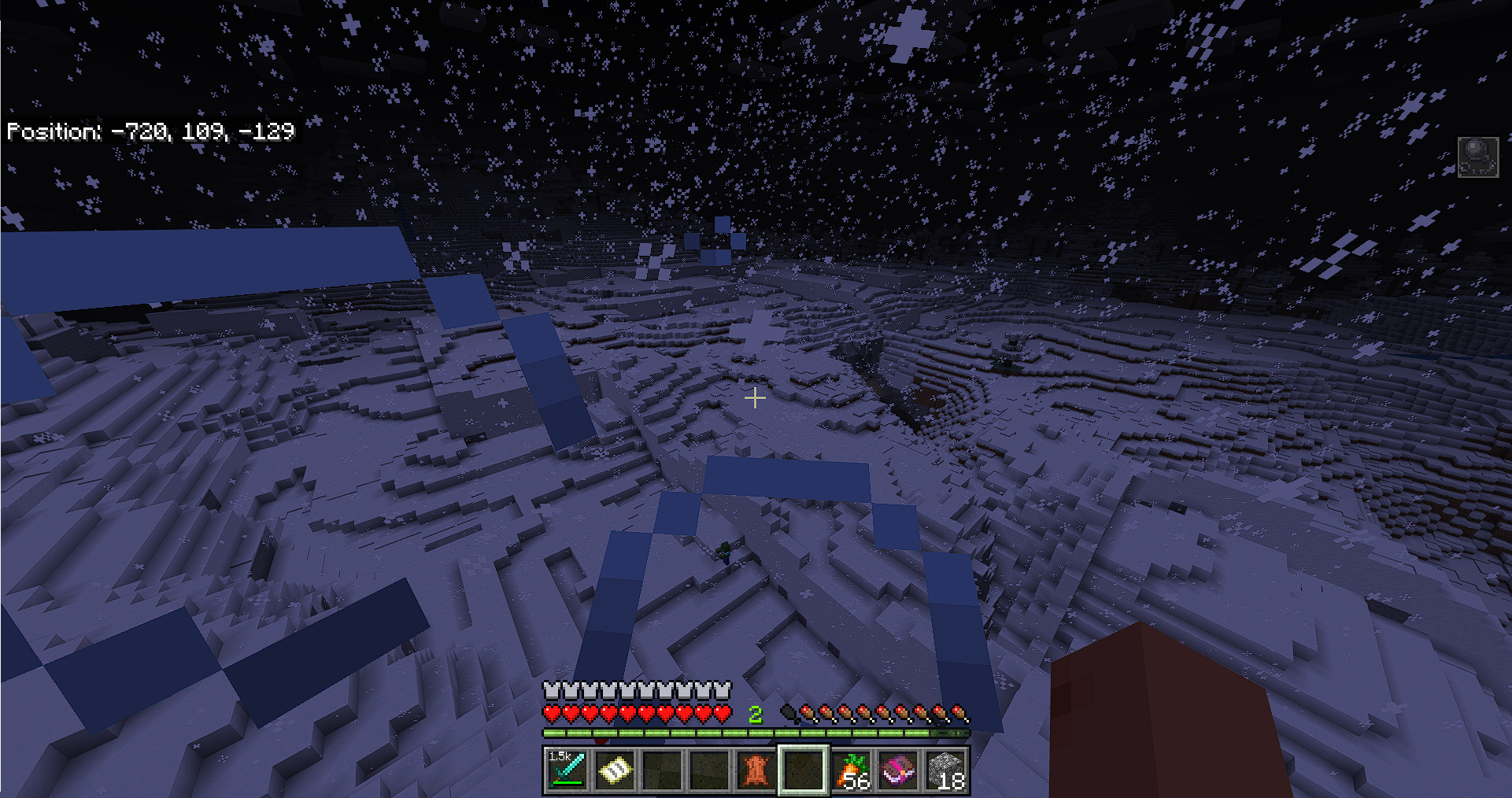
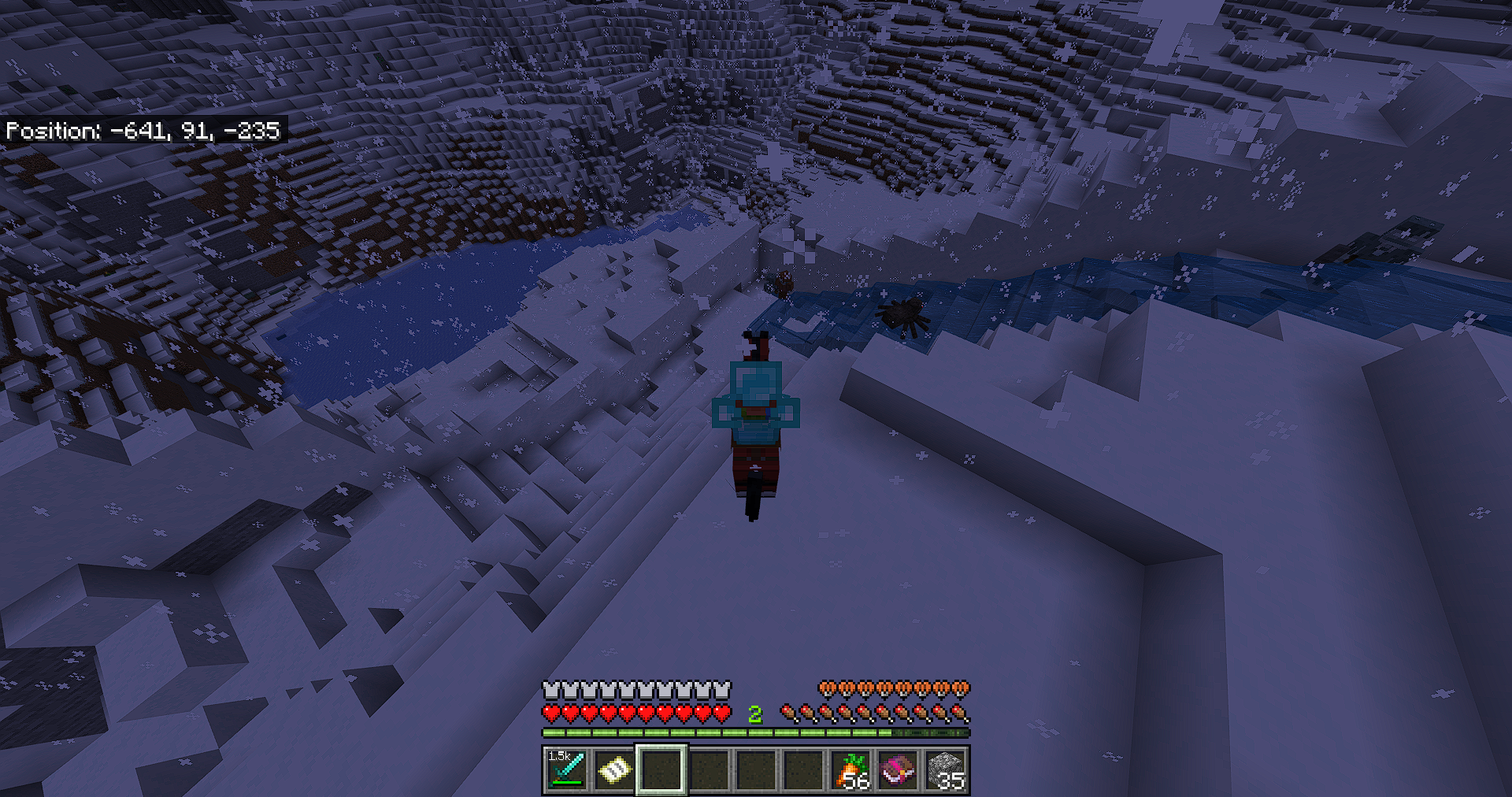
Acursedworld generation on Realms destroys Realm worldsA broken world generation on Realms destroys Realm worlds
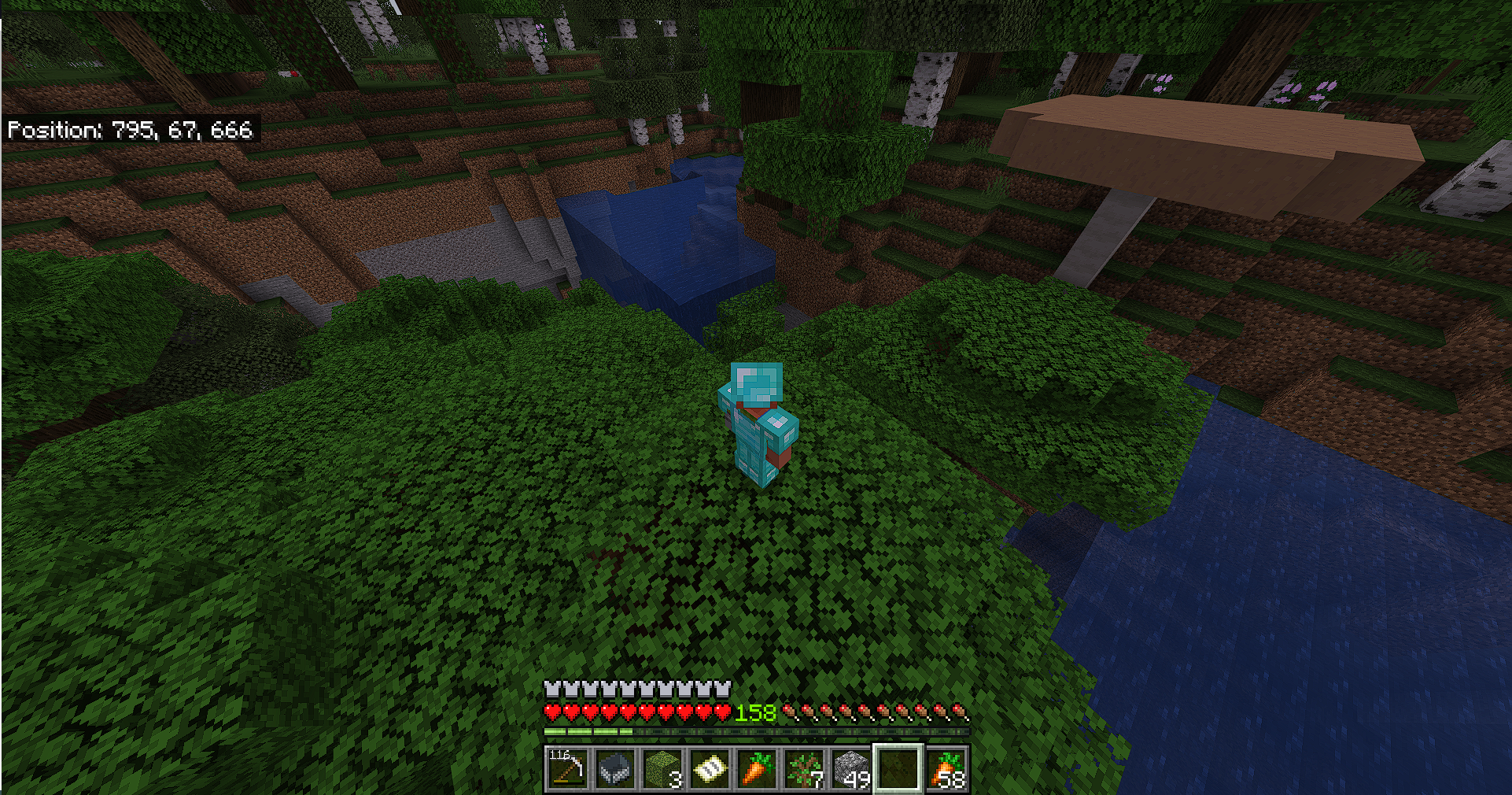
To replicate the bug, create a Realm world, give yourself an Elytra with enough rockets, and fly around the world. After some time, you'll encounter partially or completely wrongly generated tree halves, air bubbles under the ocean, water generated randomly in the area, and chunks generated at the wrong height.
Mostly, these generation errors manifest by loading chunks, then suddenly and inexplicably unloading, followed by reloading incorrect chunks. This issue is particularly noticeable in snowy biomes with high mountains.
I believe this has something to do with the Realm server's inability to keep up with the speed of Elytra flight, resulting in completely incorrect generation of things
To replicate the bug, create a Realm world, give yourself an Elytra with enough rockets, and fly around the world. After some time, you'll encounter partially or completely wrongly generated tree halves, air bubbles under the ocean, water generated randomly in the area, and chunks generated at the wrong height.
Mostly, these generation errors manifest by loading chunks, then suddenly and inexplicably unloading, followed by reloading incorrect chunks. This issue is particularly noticeable in snowy biomes with high mountains.
I believe this has something to do with the Realm server's inability to keep up with the speed of Elytra flight, resulting in completely incorrect generation of things
Edit:
Sorry, but no matter how much I try, I can't reproduce the bug anymore. While the chunks load slowly, causing me to repeatedly get stuck on an invisible wall while flying with the Elytra until the chunks are loaded, I couldn't reproduce the bug even after hours of trying. The only bugs I've encountered are
MCPE-162424and, after a while, flying in one direction also triggersMCPE-65298. I reported this bug here some time ago, it's possible that it was fixed by chance. Anyway, I'm no longer able to reproduce the bugs.
Sometimes, the camera, items, and the rain – possibly other things too – start behaving oddly. In the video, you can see the items trembling when selected, the rain stuttering, and the camera jerking around when starting or stopping a sprint.
Reproduce:
Unfortunately, even after hours of experimenting, I couldn't really find a way to force this bug. The only method to encounter this bug is to walk around, jump, start and stop sprinting. After a while, the bug will appear.
informations:
- The bug occurs in both Creative Mode AND Survival Mode.
- The bug happens in regular worlds as well as on Realms.
- There's no practical way to get rid of this bug except to wait for it to disappear on its own, which can take several seconds.
The video should be playable now.
Sometimes, the camera, items, and the rain – possibly other things too – start behaving oddly. In the video, you can see the items trembling when selected, the rain stuttering, and the camera jerking around when starting or stopping a sprint.
Reproduce:
Unfortunately, even after hours of experimenting, I couldn't really find a way to force this bug. The only method to encounter this bug is to walk around, jump, start and stop sprinting. After a while, the bug will appear.
informations:
- The bug occurs in both Creative Mode AND Survival Mode.
- The bug happens in regular worlds as well as on Realms.
- There's no practical way to get rid of this bug except to wait for it to disappear on its own, which can take several seconds.
- I experienced this bug on the PS4, PS5, and PC versions.
The video should be playable now.
Sometimes, the camera, items, and the rain – possibly other things too – start behaving oddly. In the video, you can see the items trembling when selected, the rain stuttering, and the camera jerking around when starting or stopping a sprint.
Reproduce:
Unfortunately, even after hours of experimenting, I couldn't really find a way to force this bug. The only method to encounter this bug is to walk around, jump, start and stop sprinting. After a while, the bug will appear.
informations:
- The bug occurs in both Creative Mode AND Survival Mode.
- The bug happens in regular worlds as well as on Realms.
- There's no practical way to get rid of this bug except to wait for it to disappear on its own, which can take several seconds.
- I experienced this bug on the PS4, PS5, and PC versions.
The video should be playable now.
Update:
I have since realized that this bug not only occurs with the camera, items, and rain but with every animation. This bug has been occurring more frequently lately. I have experienced the bug several times already within 5 minutes. The camera bouncing makes me feel very dizzy, which makes the game very exhausting for me.
Updated explanation: It happens that, without any discernible reason, all animations start to jitter. They oscillate back and forth. This bug comes and goes in entirely random situations.
I will attach more clips soon as I have the opportunity to do so.
Cameras, items, and rain bouncing sometimes.All animations in the game sometimes start to bounce.
Sometimes, the camera, items, and the rain – possibly other things too – start behaving oddly. In the video, you can see the items trembling when selected, the rain stuttering, and the camera jerking around when starting or stopping a sprint.
Reproduce:
Unfortunately, even after hours of experimenting, I couldn't really find a way to force this bug. The only method to encounter this bug is to walk around, jump, start and stop sprinting. After a while, the bug will appear.
informations:
- The bug occurs in both Creative Mode AND Survival Mode.
- The bug happens in regular worlds as well as on Realms.
- There's no practical way to get rid of this bug except to wait for it to disappear on its own, which can take several seconds.
- I experienced this bug on the PS4, PS5, and PC versions.
The video should be playable now.
Update:
I have since realized that this bug not only occurs with the camera, items, and rain but with every animation. This bug has been occurring more frequently lately. I have experienced the bug several times already within 5 minutes. The camera bouncing makes me feel very dizzy, which makes the game very exhausting for me.
Updated explanation: It happens that, without any discernible reason, all animations start to jitter. They oscillate back and forth. This bug comes and goes in entirely random situations.
I will attach more clips soon as I have the opportunity to do so.
Sometimes, the camera, items, and the rain – possibly other things too – start behaving oddly. In the video, you can see the items trembling when selected, the rain stuttering, and the camera jerking around when starting or stopping a sprint.
Reproduce:
Unfortunately, even after hours of experimenting, I couldn't really find a way to force this bug. The only method to encounter this bug is to walk around, jump, start and stop sprinting. After a while, the bug will appear.
informations:
- The bug occurs in both Creative Mode AND Survival Mode.
- The bug happens in regular worlds as well as on Realms.
- There's no practical way to get rid of this bug except to wait for it to disappear on its own, which can take several seconds.
- I experienced this bug on the PS4, PS5, and PC versions.
Here is a new piece of information:{}
- The bug usually starts to appear more frequently when you join a server, such as CubeCraft. The bug begins to appear already on the server, but it also shows up in your own worlds.
The only way to get rid of the bug, at least temporarily (for about a week), is to reinstall Minecraft and delete all the game data in the process. I have done this several times, which, of course, resulted in losing all my Minecraft worlds, except for my important realm world, thankfully. However, the fact that one has to lose all their Minecraft worlds just to be able to play the game normally cannot be the goal.
Update:
I have since realized that this bug not only occurs with the camera, items, and rain but with every animation. This bug has been occurring more frequently lately. I have experienced the bug several times already within 5 minutes. The camera bouncing makes me feel very dizzy, which makes the game very exhausting for me.
Updated explanation: It happens that, without any discernible reason, all animations start to jitter. They oscillate back and forth. This bug comes and goes in entirely random situations.
I will attach more clips soon as I have the opportunity to do so.
Sometimes, the camera, items, and the rain – possibly other things too – start behaving oddly. In the video, you can see the items trembling when selected, the rain stuttering, and the camera jerking around when starting or stopping a sprint.
Reproduce:
Unfortunately, even after hours of experimenting, I couldn't really find a way to force this bug. The only method to encounter this bug is to walk around, jump, start and stop sprinting. After a while, the bug will appear.
informations:
- The bug occurs in both Creative Mode AND Survival Mode.
- The bug happens in regular worlds as well as on Realms.
- There's no practical way to get rid of this bug except to wait for it to disappear on its own, which can take several seconds.
- I experienced this bug on the PS4, PS5, and PC versions.
Here is a new piece of information:{}
- The bug usually starts to appear more frequently when you join a server, such as CubeCraft. The bug begins to appear already on the server, but it also shows up in your own worlds.
The only way to get rid of the bug, at least temporarily (for about a week), is to reinstall Minecraft and delete all the game data in the process. I have done this several times, which, of course, resulted in losing all my Minecraft worlds, except for my important realm world, thankfully. However, the fact that one has to lose all their Minecraft worlds just to be able to play the game normally cannot be the goal.
Update:
I have since realized that this bug not only occurs with the camera, items, and rain but with every animation. This bug has been occurring more frequently lately. I have experienced the bug several times already within 5 minutes. The camera bouncing makes me feel very dizzy, which makes the game very exhausting for me.
Updated explanation: It happens that, without any discernible reason, all animations start to jitter. They oscillate back and forth. This bug comes and goes in entirely random situations.
I will attach more clips soon as I have the opportunity to do so.
Sometimes, the camera, items, and the rain – possibly other things too – start behaving oddly. In the video, you can see the items trembling when selected, the rain stuttering, and the camera jerking around when starting or stopping a sprint.
Reproduce:
Unfortunately, even after hours of experimenting, I couldn't really find a way to force this bug. The only method to encounter this bug is to walk around, jump, start and stop sprinting. After a while, the bug will appear.
informations:
- The bug occurs in both Creative Mode AND Survival Mode.
- The bug happens in regular worlds as well as on Realms.
- There's no practical way to get rid of this bug except to wait for it to disappear on its own, which can take several seconds.
- I experienced this bug on the PS4, PS5, and PC versions.
Here is a new piece of information:{}
- The bug usually starts to appear more frequently when you join a server, such as CubeCraft. The bug begins to appear already on the server, but it also shows up in your own worlds.
- The only way to get rid of the bug, at least temporarily (for about a week), is to reinstall Minecraft and delete all the game data in the process. I have done this several times, which, of course, resulted in losing all my Minecraft worlds, except for my important realm world, thankfully. However, the fact that one has to lose all their Minecraft worlds just to be able to play the game normally cannot be the goal.
Update:
I have since realized that this bug not only occurs with the camera, items, and rain but with every animation. This bug has been occurring more frequently lately. I have experienced the bug several times already within 5 minutes. The camera bouncing makes me feel very dizzy, which makes the game very exhausting for me.
Updated explanation: It happens that, without any discernible reason, all animations start to jitter. They oscillate back and forth. This bug comes and goes in entirely random situations.
I will attach more clips soon as I have the opportunity to do so.
Sometimes, the camera, items, and the rain – possibly other things too – start behaving oddly. In the video, you can see the items trembling when selected, the rain stuttering, and the camera jerking around when starting or stopping a sprint.
Reproduce:
Unfortunately, even after hours of experimenting, I couldn't really find a way to force this bug. The only method to encounter this bug is to walk around, jump, start and stop sprinting. After a while, the bug will appear.
informations:
- The bug occurs in both Creative Mode AND Survival Mode.
- The bug happens in regular worlds as well as on Realms.
- There's no practical way to get rid of this bug except to wait for it to disappear on its own, which can take several seconds.
- I experienced this bug on the PS4, PS5, and PC versions.
Here is a new piece of information:{}
- The bug usually starts to appear more frequently when you join a server, such as CubeCraft. The bug begins to appear already on the server, but it also shows up in your own worlds.
- The only way to get rid of the bug, at least temporarily (for about a week), is to reinstall Minecraft and delete all the game data in the process. I have done this several times, which, of course, resulted in losing all my Minecraft worlds, except for my important realm world, thankfully. However, the fact that one has to lose all their Minecraft worlds just to be able to play the game normally cannot be the goal.
Update:
I have since realized that this bug not only occurs with the camera, items, and rain but with every animation. This bug has been occurring more frequently lately. I have experienced the bug several times already within 5 minutes. The camera bouncing makes me feel very dizzy, which makes the game very exhausting for me.
Updated explanation: It happens that, without any discernible reason, all animations start to jitter. They oscillate back and forth. This bug comes and goes in entirely random situations.
I will attach more clips soon as I have the opportunity to do so.
Sometimes, the camera, items, and the rain – possibly other things too – start behaving oddly. In the video, you can see the items trembling when selected, the rain stuttering, and the camera jerking around when starting or stopping a sprint.
Reproduce:
Unfortunately, even after hours of experimenting, I couldn't really find a way to force this bug. The only method to encounter this bug is to walk around, jump, start and stop sprinting. After a while, the bug will appear.
informations:
- The bug occurs in both Creative Mode AND Survival Mode.
- The bug happens in regular worlds as well as on Realms.
- There's no practical way to get rid of this bug except to wait for it to disappear on its own, which can take several seconds.
- I experienced this bug on the PS4, PS5, and PC versions.
Here is a new piece of information:
- The bug usually starts to appear more frequently when you join a server, such as CubeCraft. The bug begins to appear already on the server, but it also shows up in your own worlds.
- The only way to get rid of the bug, at least temporarily (for about a week), is to reinstall Minecraft and delete all the game data in the process. I have done this several times, which, of course, resulted in losing all my Minecraft worlds, except for my important realm world, thankfully. However, the fact that one has to lose all their Minecraft worlds just to be able to play the game normally cannot be the goal.
Update:
I have since realized that this bug not only occurs with the camera, items, and rain but with almost every animation. This bug has been occurring more frequently lately. I have experienced the bug several times already within 5 minutes. The camera bouncing makes me feel very dizzy, which makes the game very exhausting for me.
Updated explanation: It happens that, without any discernible reason, all animations start to jitter. They oscillate back and forth. This bug comes and goes in entirely random situations.
I will attach more clips soon as I have the opportunity to do so.
Sometimes, the camera, items, and the rain – possibly other things too – start behaving oddly. In the video, you can see the items trembling when selected, the rain stuttering, and the camera jerking around when starting or stopping a sprint.
Reproduce:
Unfortunately, even after hours of experimenting, I couldn't really find a way to force this bug. The only method to encounter this bug is to walk around, jump, start and stop sprinting. After a while, the bug will appear.
informations:
- The bug occurs in both Creative Mode AND Survival Mode.
- The bug happens in regular worlds as well as on Realms.
- There's no practical way to get rid of this bug except to wait for it to disappear on its own, which can take several seconds.
- I experienced this bug on the PS4, PS5, and PC versions.
Here is a new piece of information:
- The bug usually starts to appear more frequently when you join a server, such as CubeCraft. The bug begins to appear already on the server, but it also shows up in your own worlds.
- The only way to get rid of the bug, at least temporarily (for about a week), is to reinstall Minecraft and delete all the game data in the process. I have done this several times, which, of course, resulted in losing all my Minecraft worlds, except for my important realm world, thankfully. However, the fact that one has to lose all their Minecraft worlds just to be able to play the game normally cannot be the goal.
Update:
I have since realized that this bug not only occurs with the camera, items, and rain but with almost every animation. This bug has been occurring more frequently lately. I have experienced the bug several times already within 5 minutes. The camera bouncing makes me feel very dizzy, which makes the game very exhausting for me.
Updated explanation: It happens that, without any discernible reason, all animations start to jitter. They oscillate back and forth. This bug comes and goes in entirely random situations.
I will attach more clips soon as I have the opportunity to do so.
Update 2:
Today, I experienced the following situation: On the PS4 edition on the PS5, while playing on a Realm, I approached a Beacon that distributed the speed effect to players. At the moment I received the effect, and my FOV (field of view) increased due to the speed effect, the bug appeared. This was the first time I could observe that something triggered the bug. I deleted my game just 5 days ago, also deleted all game data, and completely reinstalled the game because this temporarily makes the bug disappear. But now, after 5 days, I unfortunately have to repeat the process.
Sometimes, the camera, items, and the rain – possibly other things too – start behaving oddly. In the video, you can see the items trembling when selected, the rain stuttering, and the camera jerking around when starting or stopping a sprint.
Reproduce:
Unfortunately, even after hours of experimenting, I couldn't really find a way to force this bug. The only method to encounter this bug is to walk around, jump, start and stop sprinting. After a while, the bug will appear.
informations:
- The bug occurs in both Creative Mode AND Survival Mode.
- The bug happens in regular worlds as well as on Realms.
- There's no practical way to get rid of this bug except to wait for it to disappear on its own, which can take several seconds.
- I experienced this bug on the PS4, PS5, and PC versions.
Here is a new piece of information:
- The bug usually starts to appear more frequently when you join a server, such as CubeCraft. The bug begins to appear already on the server, but it also shows up in your own worlds.
- The only way to get rid of the bug, at least temporarily (for about a week), is to reinstall Minecraft and delete all the game data in the process. I have done this several times, which, of course, resulted in losing all my Minecraft worlds, except for my important realm world, thankfully. However, the fact that one has to lose all their Minecraft worlds just to be able to play the game normally cannot be the goal.
Update:
I have since realized that this bug not only occurs with the camera, items, and rain but with almost every animation. This bug has been occurring more frequently lately. I have experienced the bug several times already within 5 minutes. The camera bouncing makes me feel very dizzy, which makes the game very exhausting for me.
Updated explanation: It happens that, without any discernible reason, all animations start to jitter. They oscillate back and forth. This bug comes and goes in entirely random situations.
I will attach more clips soon as I have the opportunity to do so.
Update 2:
Today, I experienced the following situation: On the PS4 edition on the PS5, while playing on a Realm, I approached a Beacon that distributed the speed effect to players. At the moment I received the effect, and my FOV (field of view) increased due to the speed effect, the bug appeared. This was the first time I could observe that something triggered the bug. I deleted my game just 5 days ago, also deleted all game data, and completely reinstalled the game because this temporarily makes the bug disappear. But now, after 5 days, I unfortunately have to repeat the process.
Update 3:
Today, the bug appeared when I joined my friend. His world lagged a bit; I stayed on it for about 10 minutes and then went to my realm. The bug appeared on the realm. I had to reinstall the game twice to get rid of this bug.
Sometimes, the camera, items, and the rain – possibly other things too – start behaving oddly. In the video, you can see the items trembling when selected, the rain stuttering, and the camera jerking around when starting or stopping a sprint.
Reproduce:
Unfortunately, even after hours of experimenting, I couldn't really find a way to force this bug. The only method to encounter this bug is to walk around, jump, start and stop sprinting. After a while, the bug will appear.
informations:
- The bug occurs in both Creative Mode AND Survival Mode.
- The bug happens in regular worlds as well as on Realms.
- There's no practical way to get rid of this bug except to wait for it to disappear on its own, which can take several seconds.
- I experienced this bug on the PS4, PS5, and PC versions.
Here is a new piece of information:
- The bug usually starts to appear more frequently when you join a server, such as CubeCraft. The bug begins to appear already on the server, but it also shows up in your own worlds.
- The only way to get rid of the bug, at least temporarily (for about a week), is to reinstall Minecraft and delete all the game data in the process. I have done this several times, which, of course, resulted in losing all my Minecraft worlds, except for my important realm world, thankfully. However, the fact that one has to lose all their Minecraft worlds just to be able to play the game normally cannot be the goal.
Update:
I have since realized that this bug not only occurs with the camera, items, and rain but with almost every animation. This bug has been occurring more frequently lately. I have experienced the bug several times already within 5 minutes. The camera bouncing makes me feel very dizzy, which makes the game very exhausting for me.
Updated explanation: It happens that, without any discernible reason, all animations start to jitter. They oscillate back and forth. This bug comes and goes in entirely random situations.
I will attach more clips soon as I have the opportunity to do so.
Update 2:
Today, I experienced the following situation: On the PS4 edition on the PS5, while playing on a Realm, I approached a Beacon that distributed the speed effect to players. At the moment I received the effect, and my FOV (field of view) increased due to the speed effect, the bug appeared. This was the first time I could observe that something triggered the bug. I deleted my game just 5 days ago, also deleted all game data, and completely reinstalled the game because this temporarily makes the bug disappear. But now, after 5 days, I unfortunately have to repeat the process.
Update 3:
Today, the bug appeared when I joined my friend. His world lagged a bit; I stayed on it for about 10 minutes and then went to my realm. The bug appeared on the realm. I had to reinstall the game twice to get rid of this bug.
Update 4:
I have noticed the following: If the bug has been absent for a long time (days), and then it reappears, I can already sense minutes in advance that the bug is about to appear again. I suspect this is because the camera movement animation keeps speeding up over time. It feels to me as if more and more tension is building up in the camera, until the bug eventually appears, possibly due to an overload. By overload, I mean—or rather suspect—that some variable in the game code, which influences the camera movement, keeps increasing until it becomes so large that the game can no longer play the animation properly.
Sometimes, the camera, items, and the rain – possibly other things too – start behaving oddly. In the video, you can see the items trembling when selected, the rain stuttering, and the camera jerking around when starting or stopping a sprint.
Reproduce:
Unfortunately, even after hours of experimenting, I couldn't really find a way to force this bug. The only method to encounter this bug is to walk around, jump, start and stop sprinting. After a while, the bug will appear.
informations:
- The bug occurs in both Creative Mode AND Survival Mode.
- The bug happens in regular worlds as well as on Realms.
- There's no practical way to get rid of this bug except to wait for it to disappear on its own, which can take several seconds.
- I experienced this bug on the PS4, PS5, and PC versions.
Here is a new piece of information:
- The bug usually starts to appear more frequently when you join a server, such as CubeCraft. The bug begins to appear already on the server, but it also shows up in your own worlds.
- The only way to get rid of the bug, at least temporarily (for about a week), is to reinstall Minecraft and delete all the game data in the process. I have done this several times, which, of course, resulted in losing all my Minecraft worlds, except for my important realm world, thankfully. However, the fact that one has to lose all their Minecraft worlds just to be able to play the game normally cannot be the goal.
Update:
I have since realized that this bug not only occurs with the camera, items, and rain but with almost every animation. This bug has been occurring more frequently lately. I have experienced the bug several times already within 5 minutes. The camera bouncing makes me feel very dizzy, which makes the game very exhausting for me.
Updated explanation: It happens that, without any discernible reason, all animations start to jitter. They oscillate back and forth. This bug comes and goes in entirely random situations.
I will attach more clips soon as I have the opportunity to do so.
Update 2:
Today, I experienced the following situation: On the PS4 edition on the PS5, while playing on a Realm, I approached a Beacon that distributed the speed effect to players. At the moment I received the effect, and my FOV (field of view) increased due to the speed effect, the bug appeared. This was the first time I could observe that something triggered the bug. I deleted my game just 5 days ago, also deleted all game data, and completely reinstalled the game because this temporarily makes the bug disappear. But now, after 5 days, I unfortunately have to repeat the process.
Update 3:
Today, the bug appeared when I joined my friend. His world lagged a bit; I stayed on it for about 10 minutes and then went to my realm. The bug appeared on the realm. I had to reinstall the game twice to get rid of this bug.
Update 4:
I have noticed the following: If the bug has been absent for a long time (days), and then it reappears, I can already sense minutes in advance that the bug is about to appear again. I suspect this is because the camera movement animation keeps speeding up over time. It feels to me as if more and more tension is building up in the camera, until the bug eventually appears, possibly due to an overload. By overload, I mean—or rather suspect—that some variable in the game code, which influences the camera movement, keeps increasing until it becomes so large that the game can no longer play the animation properly.
Update 5:
I played version 1.21.50.29 for a few hours and was not affected by the bug. It’s possible that this is one of those phases where the bug temporarily disappears and might reappear at a later time, but at least during the few hours I played, I couldn’t find it. It could be that the bug is no longer present in version 1.21.50.29.
The Bug
In my world, coordinates written on an item using an anvil are censored.
Informations
- This bug also appears in chat and in books.
- This bug makes it incredibly difficult to
nearly impossible tonote down or share coordinates with other players.- The bug occurs on the PS4, PS5, and Windows versions.
- The bug occurs in regular worlds and Realms.
Reproduce
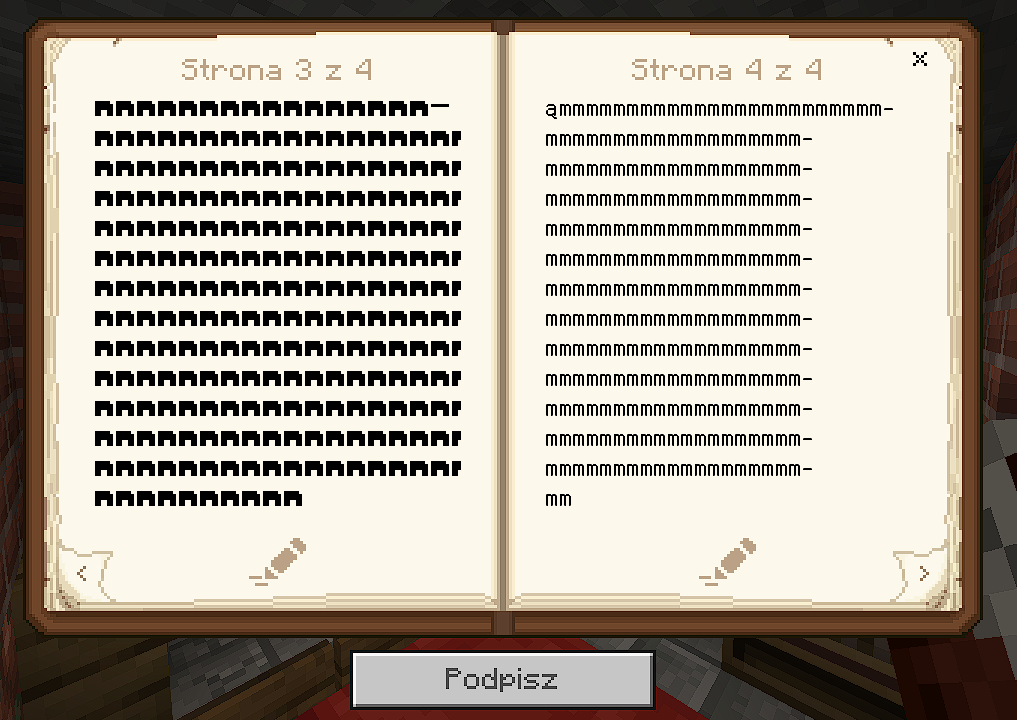
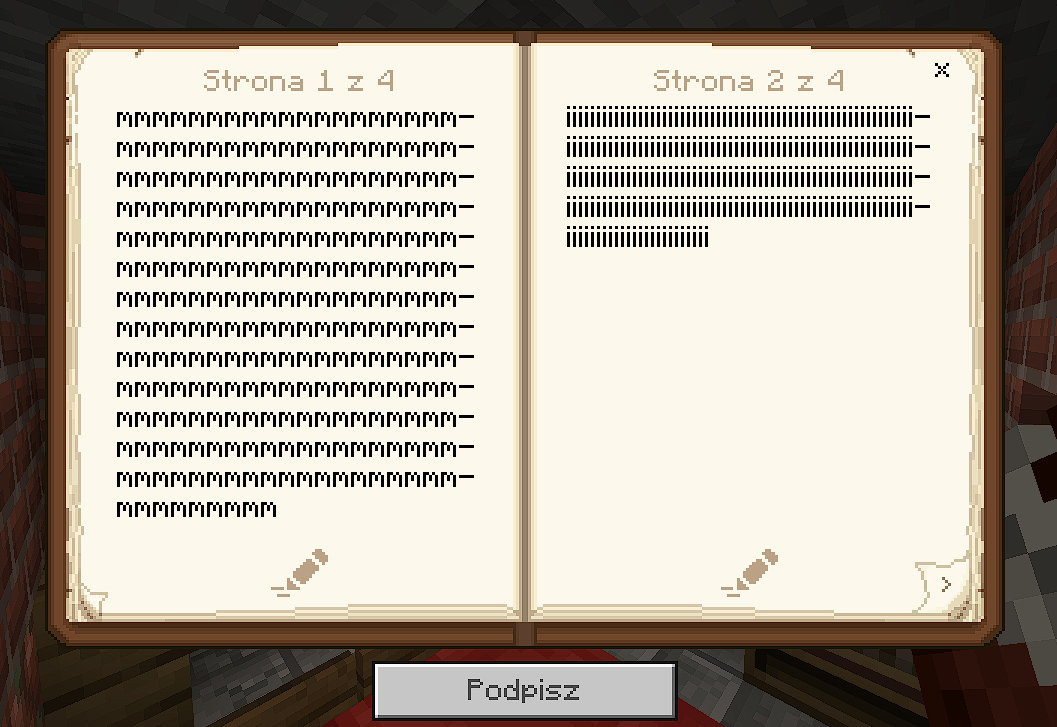
Grab an anvil, a piece of paper, and name that paper something like '1111 11 1111 N 111'. I noticed that the text only gets censored once you add the 'N'; for example, using the letter 'A' doesn't trigger any censorship.
You'll notice that the text is censored in the typical manner, using the '#####' characters.
When you look at the sun, the sun gets bigger. The animation for that isn't smooth. You can see how the shine around the sun gets a very high saturation. In the video, you can see this, but it's of very bad quality. So please create a new world and test it for yourself. Look from the side at the sun and move the camera in the direction of the sun.
Edit:
A better explanation, as some may not understand the issue: When you aim the camera from the side towards the sun, you can see how the colors change abruptly. I have attached a second video where hopefully everyone can see what is meant.
When you look at the sun, the sun gets bigger. The animation for that isn't smooth. You can see how the shine around the sun gets a very high saturation. In the video, you can see this, but it's of very bad quality. So please create a new world and test it for yourself. Look from the side at the sun and move the camera in the direction of the sun.
Edit:
A better explanation, as some may not understand the issue: When you aim the camera from the side towards the sun, you can see how the colors change abruptly. It also looks like a cut, after the sun suddenly gets brighter. I have attached a second video where hopefully everyone can see what is meant.
When you look at the sun, the sun gets bigger. The animation for that isn't smooth. You can see how the shine around the sun gets a very high saturation. In the video, you can see this, but it's of very bad quality. So please create a new world and test it for yourself. Look from the side at the sun and move the camera in the direction of the sun.
Edit:
A better explanation, as some may not understand the issue: When you aim the camera from the side towards the sun, you can see how the colors change abruptly. It also looks like a cut, after the sun suddenly gets brighter. I have attached a second video where hopefully everyone can see what is meant.No, the bug report
MCPE-180015does not describe the same issue.Steps to Reproduce:
Look directly at the sun with the camera. Then, pan the camera to the left or right until the sun reaches its "standard size." Then slowly look back towards the sun. Observed Results: At a certain point, the sun suddenly becomes significantly brighter, without a smooth transition. This makes it appear as if a second sun texture has been overlaid on the old one, causing the light rays to abruptly appear brighter without a transition, as the two textures overlap. Expected Results: The sun should have a smooth transition without sudden changes in color. PS: If I had the choice, I would completely remove this feature (the sun enlarging) from the game. Because 1. It can be confusing, 2. It leads to errors like this, 3. Since this feature does not exist in Java, which makes the sky in general have a better effect.
When you look at the sun, the sun gets bigger. The animation for that isn't smooth. You can see how the shine around the sun gets a very high saturation. In the video, you can see this, but it's of very bad quality. So please create a new world and test it for yourself. Look from the side at the sun and move the camera in the direction of the sun.
Edit:
A better explanation, as some may not understand the issue: When you aim the camera from the side towards the sun, you can see how the colors change abruptly. It also looks like a cut, after the sun suddenly gets brighter. I have attached a second video where hopefully everyone can see what is meant.No, the bug report
MCPE-180015does not describe the same issue.Steps to Reproduce:
Look directly at the sun with the camera. Then, pan the camera to the left or right until the sun reaches its "standard size." Then slowly look back towards the sun. Observed Results: At a certain point, the sun suddenly becomes significantly brighter, without a smooth transition. This makes it appear as if a second sun texture has been overlaid on the old one, causing the light rays to abruptly appear brighter without a transition, as the two textures overlap. Expected Results:The sun should have a smooth transition without sudden changes in color. PS: If I had the choice, I would completely remove this feature (the sun enlarging) from the game. Because 1. It can be confusing, 2. It leads to errors like this, 3. Since this feature does not exist in Java, which makes the sky in general have a better effect.When you look at the sun, the sun gets bigger. The animation for that isn't smooth. You can see how the shine around the sun gets a very high saturation. In the video, you can see this, but it's of very bad quality. So please create a new world and test it for yourself. Look from the side at the sun and move the camera in the direction of the sun.
Edit:
A better explanation, as some may not understand the issue: When you aim the camera from the side towards the sun, you can see how the colors change abruptly. It also looks like a cut, after the sun suddenly gets brighter. I have attached a second video where hopefully everyone can see what is meant.No, the bug report
MCPE-180015does not describe the same issue.Steps to Reproduce:
Look directly at the sun with the camera. Then, pan the camera to the left or right until the sun reaches its "standard size." Then slowly look back towards the sun.
Observed Results:
At a certain point, the sun suddenly becomes significantly brighter, without a smooth transition. This makes it appear as if a second sun texture has been overlaid on the old one, causing the light rays to abruptly appear brighter without a transition, as the two textures overlap.
Expected Results:
The sun should have a smooth transition without sudden changes in color. PS: If I had the choice, I would completely remove this feature (the sun enlarging) from the game. Because 1. It can be confusing, 2. It leads to errors like this, 3. Since this feature does not exist in Java, which makes the sky in general have a better effect.
When you look at the sun, the sun gets bigger. The animation for that isn't smooth. You can see how the shine around the sun gets a very high saturation. In the video, you can see this, but it's of very bad quality. So please create a new world and test it for yourself. Look from the side at the sun and move the camera in the direction of the sun.
Edit:
A better explanation, as some may not understand the issue: When you aim the camera from the side towards the sun, you can see how the colors change abruptly. It also looks like a cut, after the sun suddenly gets brighter. I have attached a second video where hopefully everyone can see what is meant.No, the bug report
MCPE-180015does not describe the same issue.Steps to Reproduce:
Look directly at the sun with the camera. Then, pan the camera to the left or right until the sun reaches its "standard size." Then slowly look back towards the sun.
Observed Results:
At a certain point, the sun suddenly becomes significantly brighter, without a smooth transition. This makes it appear as if a second sun texture has been overlaid on the old one, causing the light rays to abruptly appear brighter without a transition, as the two textures overlap.
Expected Results:
The sun should have a smooth transition without sudden changes in color. PS: If I had the choice, I would completely remove this feature (the sun enlarging) from the game. Because 1. It can be confusing, 2. It leads to errors like this, 3. Since this feature does not exist in Java, which makes the sky in general have a better effect.
When you look at the sun, the sun gets bigger. The animation for that isn't smooth. You can see how the shine around the sun gets a very high saturation. In the video, you can see this, but it's of very bad quality. So please create a new world and test it for yourself. Look from the side at the sun and move the camera in the direction of the sun.
Edit:
A better explanation, as some may not understand the issue: When you aim the camera from the side towards the sun, you can see how the colors change abruptly. It also looks like a cut, after the sun suddenly gets brighter. I have attached a second video where hopefully everyone can see what is meant.No, the bug report
MCPE-180015does not describe the same issue.Steps to Reproduce:
Look directly at the sun with the camera. Then, pan the camera to the left or right until the sun reaches its "standard size." Then slowly look back towards the sun.
Observed Results:
At a certain point, the sun suddenly becomes significantly brighter, without a smooth transition. This makes it appear as if a second sun texture has been overlaid on the old one, causing the light rays to abruptly appear brighter without a transition, as the two textures overlap.
Expected Results:
The sun should have a smooth transition without sudden changes in color. PS: If I had the choice, I would completely remove this feature (the sun enlarging) from the game. Because 1. It can be confusing, 2. It leads to errors like this, 3. Since this feature does not exist in Java, which makes the sky in general have a better effect.
When you look at the sun, the sun gets bigger. The animation for that isn't smooth. You can see how the shine around the sun gets a very high saturation. In the video, you can see this, but it's of very bad quality. So please create a new world and test it for yourself. Look from the side at the sun and move the camera in the direction of the sun.
Edit:
A better explanation, as some may not understand the issue: When you aim the camera from the side towards the sun, you can see how the colors change abruptly. It also looks like a cut, after the sun suddenly gets brighter. I have attached a second video where hopefully everyone can see what is meant.No, the bug report
MCPE-180015does not describe the same issue.Steps to Reproduce:
Look directly at the sun with the camera. Then, pan the camera to the left or right until the sun reaches its "standard size." Then slowly look back towards the sun.
Observed Results:
At a certain point, the sun suddenly becomes significantly brighter, without a smooth transition. This makes it appear as if a second sun texture has been overlaid on the old one, causing the light rays to abruptly appear brighter without a transition, as the two textures overlap.
Expected Results:
The sun should have a smooth transition without sudden changes in color. PS: If I had the choice, I would completely remove this feature (the sun enlarging) from the game. Because 1. It can be confusing, 2. It leads to errors like this, 3. Since this feature does not exist in Java, which makes the sky in general have a better effect.
When you look at the sun, the sun gets bigger. The animation for that isn't smooth. You can see how the shine around the sun gets a very high saturation. In the video, you can see this, but it's of very bad quality. So please create a new world and test it for yourself. Look from the side at the sun and move the camera in the direction of the sun.
Edit:
A better explanation, as some may not understand the issue: When you aim the camera from the side towards the sun, you can see how the colors change abruptly. It also looks like a cut, after the sun suddenly gets brighter. I have attached a second video where hopefully everyone can see what is meant.No, the bug report
MCPE-180015does not describe the same issue.Steps to Reproduce:
Look directly at the sun with the camera. Then, pan the camera to the left or right until the sun reaches its "standard size." Then slowly look back towards the sun.
Observed Results:
At a certain point, the sun suddenly becomes significantly brighter, without a smooth transition. This makes it appear as if a second sun texture has been overlaid on the old one, causing the light rays to abruptly appear brighter without a transition, as the two textures overlap.
Expected Results:
The sun should have a smooth transition without sudden changes in color.
PS: If I had the choice, I would completely remove this feature (the sun enlarging) from the game. Because 1. It can be confusing, 2. It leads to errors like this, 3. Since this feature does not exist in Java, which makes the sky in general have a better effect.
When you look at the sun, the sun gets bigger. The animation for that isn't smooth. You can see how the shine around the sun gets a very high saturation. In the video, you can see this, but it's of very bad quality. So please create a new world and test it for yourself. Look from the side at the sun and move the camera in the direction of the sun.
Edit:
A better explanation, as some may not understand the issue: When you aim the camera from the side towards the sun, you can see how the colors change abruptly. It also looks like a cut, after the sun suddenly gets brighter. I have attached a second video where hopefully everyone can see what is meant.No, the bug report
MCPE-180015does not describe the same issue.Steps to Reproduce:
Look directly at the sun with the camera. Then, pan the camera to the left or right until the sun reaches its "standard size." Then slowly look back towards the sun. Like in the Video 0324(1).mp4
Observed Results:
At a certain point, the sun suddenly becomes significantly brighter, without a smooth transition. This makes it appear as if a second sun texture has been overlaid on the old one, causing the light rays to abruptly appear brighter without a transition, as the two textures overlap.
Expected Results:
The sun should have a smooth transition without sudden changes in color.
PS: If I had the choice, I would completely remove this feature (the sun enlarging) from the game. Because 1. It can be confusing, 2. It leads to errors like this, 3. Since this feature does not exist in Java, which makes the sky in general have a better effect.
The Bug:
I have attached two videos. In one, you can see how smoothly you can swap the positions of the two items in the chest, if you play on PC. In the other video, you can see that this is not possible at the same speed on consoles.
Result:
Sorting the inventory in PVP minigames can be very stressful because you have to consciously sort it slower than you could. Sometimes it even takes a moment to realize that due to the bug, the items didn't go into the desired slots, so you have to open the inventory again and sort the items for the second time. Sometimes, you have to repeat this process three times, all while losing valuable time.
But even in regular survival mode, this is a problem when you have an unsorted inventory and want to sort it. This bug significantly slows down the sorting process. I hope I could somewhat explain how prevalent this bug is in the game and how much it affects many players.
Example of how it would be better:
In the old Minecraft PlayStation versions (I'll call them Legacy Edition), this bug did not exist. Therefore, sorting the inventory was really smooth, and it never caused any problems for anyone.
(When I then switched to the Bedrock version, this was the very first bug that caught my attention, and one that bothers me and (surely others) then and now.)
On the PC, a freesscreen appears every 9 to 11 seconds. The freesscreen lasts approximately 1 second. This means that every 9 to 11 seconds, the game freezes for about 1 second. Freesscreens also appear on my Playstation 5. However, these freesscreens are less frequent but last longer. I would estimate that within 10 minutes, AT LEAST 1 freesscreen occurs, which then lasts 2 to 4 seconds.
These are just freesscreens that appear without any apparent reason. I'm casually walking around on my realm: freesscreen. I'm playing a minigame on Hive: freesscreen. I'm walking around on a super flat, empty map: freesscreen. I'm afk, not doing anything: Freesscreen. I don't even think it's worth clipping. After all, everyone here probably knows what a freesscreen is, and besides, there isn't even a recognizable reason for the freesscreens that one could clip.
This bug can be marked as resolved. I will create two separate, more detailed reports for the two bugs mentioned here.
Screen freezes are everywhereThis bug can be marked as resolved. I will create two separate, more detailed reports for the two bugs mentioned here.
Out of nowhere, everything is broken. As soon as I try to join a server, it says it's connecting to the server, but then it drops out and I end up in the server menu. The same thing happens when I try to join a Realm. When I attempt to enable multiplayer in my own world, the same thing occurs. My multiplayer friend and I both encountered this problem simultaneously, without any apparent reason.I use the Version 1.20.72 on my Playstation, but this site says to me that this version doesn´t exist.
This report can be marked as completed. The multiplayer problem did not stem from Minecraft itself, but rather from the PlayStation servers, which were down.
Information beforehand:
- I am aware that this bug exists on PlayStation. I have no way to check if this bug also exists on Xbox, etc.
- I know that this bug is not only appearing on my PlayStation, as this issue exists in my friend's Minecraft + I have been able to find a video on YouTube where I spotted this bug.
The Bug:
It frequently occurs that there is a screen freeze. I have attached two videos below in which you can see the bug.
Information beforehand:
- I am aware that this bug exists on PlayStation. I have no way to check if this bug also exists on Xbox, etc.
- I know that this bug is not only appearing on my PlayStation, as this issue exists in my friend's Minecraft + I have been able to find a video on YouTube where I spotted this bug.
The Bug:
It frequently occurs that there is a screen freeze. I have attached two videos below in which you can see the bug.
Repruduce:
There is no way to reproduce this bug. It happens in completely random situations, without any discernible pattern. I could create a superflat world with nothing in it, yet this screen freeze would still occur. The screen freeze always lasts for exactly the same duration.
However, since I have already seen this bug on YouTube, and it appears to be widespread, I assume the best way to reproduce the bug is simply to create a world and wait for the bug to appear.
affects 1.20.81
Reply from [Mod] Umija5895M:
Please use the Mojira Discord to request adding Affects Versions. Comments like this add unnecessary clutter and hide more important information.
(Delete this entire comment after reading)
Omg, the bug appears every 60 seconds, THE GAME IS UNPLAYABLE. Why isn't there any communication between Mojang and the community?? The game is unplayable, and Mojang just shows us the middle finger.
If the bed is
5blocks above the villager, and there is a path to this bed, the villager can link to the bed and reach it at night. However, if the bed is6blocks above the villager, the villager cannot connect to the bed, even if the bed is accessible. However, there are two interesting additional pieces of information:If the villager happens to reach the bed by chance, then the villager will link to it. And: If the villager is already linked to the bed, then he will have no problem reaching the bed to go to sleep, no matter how high the bed is.
Steps to Reproduce:
Build the bed
5blocks above the villager, and set the time to midnight. Make sure the bed is accessible via stairs or similar. You will find that the villager links to the bed and goes to it to sleep.Now build the bed
6blocks above the villager, and set the time to midnight. Make sure the bed is accessible via stairs or similar. You will find that the villager does not link to the bed.
If the bed is 4 blocks above the villager, and there is a path to this bed, the villager can link to the bed and reach it at night. However, if the bed is 5 blocks above the villager, the villager cannot connect to the bed, even if the bed is accessible. However, there are two interesting additional pieces of information:
If the villager happens to reach the bed by chance, then the villager will link to it. And: If the villager is already linked to the bed, then he will have no problem reaching the bed to go to sleep, no matter how high the bed is.
Steps to Reproduce:
Build the bed 4 blocks above the villager, and set the time to midnight. Make sure the bed is accessible via stairs or similar. You will find that the villager links to the bed and goes to it to sleep.
Now build the bed 5 blocks above the villager, and set the time to midnight. Make sure the bed is accessible via stairs or similar. You will find that the villager does not link to the bed.
If the bed is 4 blocks above the villager, and there is a path to this bed, the villager can link to the bed and reach it at night. However, if the bed is 5 blocks above the villager, the villager cannot connect to the bed, even if the bed is accessible. However, there are two interesting additional pieces of information:
If the villager happens to reach the bed by chance, then the villager will link to it. And: If the villager is already linked to the bed, then he will have no problem reaching the bed to go to sleep, no matter how high the bed is.
Steps to Reproduce:
Build the bed 4 blocks above the villager, and set the time to midnight. Make sure the bed is accessible via stairs or similar. You will find that the villager links to the bed and goes to it to sleep.
Now build the bed 5 blocks above the villager, and set the time to midnight. Make sure the bed is accessible via stairs or similar. You will find that the villager does not link to the bed.
Villagers cannot link to beds or workstations that are 5 blocks above or below them.
Steps to Repruduce:
Build a floor that is at least 4 blocks in the air. Now spawn a Villager on this block. Make sure that the Villager cannot escape. Now build 3 blocks there from the floor on which the Villager is located. On these 3 blocks, place a workstation, e.g. a smithing table or a bed, so that the workstation or the bed is the 4th block.
You will notice that the Villager can connect to the working block or the bed.
Now dismantle the working station or bed. Build another dirt block instead. Now place the working station or bed on this block so that the bed or working station is the 5th block. You will notice that the Villager can no longer connect.
This also occurs if you place the Workingstation or a bed 5 blocks BELOW the floor on which the Villager is standing.
Expected Result:
The Villager connects to the working station or bed.
Observed Result:
The Villager does not connect to the bed or working station.
I will add pictures as soon as possible to clarify the problem.Translated with DeepL.com (free version)
Villagers cannot link to beds or workstations that are 5 blocks above or below them.
Steps to Repruduce:
Build a floor that is at least 4 blocks in the air. Now spawn a Villager on this block. Make sure that the Villager cannot escape. Now build 3 blocks there from the floor on which the Villager is located. On these 3 blocks, place a workstation, e.g. a smithing table or a bed, so that the workstation or the bed is the 4th block.
You will notice that the Villager can connect to the working block or the bed.
Now dismantle the working station or bed. Build another dirt block instead. Now place the working station or bed on this block so that the bed or working station is the 5th block. You will notice that the Villager can no longer connect.
This also occurs if you place the Workingstation or a bed 5 blocks BELOW the floor on which the Villager is standing.
Expected Result:
The Villager connects to the working station or bed.
Observed Result:
The Villager does not connect to the bed or working station.
I will add pictures as soon as possible to clarify the problem.Translated with DeepL.com (free version)
Villagers cannot link to beds or workstations that are 5 blocks above or below them.
Steps to Repruduce:
Build a floor that is at least 4 blocks in the air. Now spawn a Villager on this block. Make sure that the Villager cannot escape. Now build 3 blocks there from the floor on which the Villager is located. On these 3 blocks, place a workstation, e.g. a smithing table or a bed, so that the workstation or the bed is the 4th block.
You will notice that the Villager can connect to the working block or the bed.
Now dismantle the working station or bed. Build another dirt block instead. Now place the working station or bed on this block so that the bed or working station is the 5th block. You will notice that the Villager can no longer connect.
This also occurs if you place the Workingstation or a bed 5 blocks BELOW the floor on which the Villager is standing.
Expected Result:
The Villager connects to the working station or bed.
Observed Result:
The Villager does not connect to the bed or working station.
I will add pictures as soon as possible to clarify the problem.
Villagers cannot link to beds or workstations that are 5 blocks above or below them.
Steps to Repruduce:
Build a floor that is at least 4 blocks in the air. Now spawn a Villager on this block. Make sure that the Villager cannot escape. Now build 3 blocks there from the floor on which the Villager is located. On these 3 blocks, place a workstation, e.g. a smithing table or a bed, so that the workstation or the bed is the 4th block.
You will notice that the Villager can connect to the working block or the bed.
Now dismantle the working station or bed. Build another dirt block instead. Now place the working station or bed on this block so that the bed or working station is the 5th block. You will notice that the Villager can no longer connect.
This also occurs if you place the Workingstation or a bed 5 blocks BELOW the floor on which the Villager is standing.
Expected Result:
The Villager connects to the working station or bed.
Observed Result:
The Villager does not connect to the bed or working station.
I discovered this bug when I started a large project involving villagers. This bug ruins the project. I believe this is a critical bug that should be fixed so that players can do more with the villagers.
Villagers cannot link to beds or workstations that are 5 blocks above or below them.
Steps to Repruduce:
Build a floor that is at least 4 blocks in the air. Now spawn a Villager on this block. Make sure that the Villager cannot escape. Now build 3 blocks there from the floor on which the Villager is located. On these 3 blocks, place a workstation, e.g. a smithing table or a bed, so that the workstation or the bed is the 4th block.
You will notice that the Villager can connect to the working blockor the bed.
Now dismantle the working station or bed. Build another dirt block instead. Now place the working station or bed on this block so that the bed or working station is the 5th block. You will notice that the Villager can no longer connect.
This also occurs if you place the Workingstation or a bed 5 blocks BELOW the floor on which the Villager is standing.
Expected Result:
The Villager connects to the working station or bed.
Observed Result:
The Villager does not connect to the bed or working station.
I discovered this bug when I started a large project involving villagers. This bug ruins the project. I believe this is a critical bug that should be fixed so that players can do more with the villagers.
Villagers cannot link to beds or workstations that are 5 blocks above or below them.
Steps to Repruduce:
Build a floor that is at least 4 blocks in the air. Now spawn a Villager on this block. Make sure that the Villager cannot escape. Now build 3 blocks there from the floor on which the Villager is located. On these 3 blocks, place a workstation, e.g. a smithing table or a bed, so that the workstation or the bed is the 4th block.
You will notice that the Villager can connect to the workstation or the bed.
Now dismantle the working station or bed. Build another dirt block instead. Now place the working station or bed on this block so that the bed or working station is the 5th block. You will notice that the Villager can no longer connect.
This also occurs if you place the Workingstation or a bed 5 blocks BELOW the floor on which the Villager is standing.
Expected Result:
The Villager connects to the working station or bed.
Observed Result:
The Villager does not connect to the bed or working station.
I discovered this bug when I started a large project involving villagers. This bug ruins the project. I believe this is a critical bug that should be fixed so that players can do more with the villagers.
Villagers cannot link to beds or workstations that are 5 blocks above or below them.
Steps to Repruduce:
Build a floor that is at least 4 blocks in the air. Now spawn a Villager on this block. Make sure that the Villager cannot escape. Now build 3 blocks there from the floor on which the Villager is located. On these 3 blocks, place a workstation, e.g. a smithing table or a bed, so that the workstation or the bed is the 4th block.
You will notice that the Villager can connect to the workstation or the bed.
Now dismantle the working station or bed. Build another dirt block instead. Now placetheworkingstation or bed on this block so that the bed or workingstation is the 5th block. You will notice that the Villager can no longer connect.
This also occurs if you place the Workingstation or a bed 5 blocks BELOW the floor on which the Villager is standing.
Expected Result:
The Villager connects to the working station or bed.
Observed Result:
The Villager does not connect to the bed or working station.
I discovered this bug when I started a large project involving villagers. This bug ruins the project. I believe this is a critical bug that should be fixed so that players can do more with the villagers.
Villagers cannot link to beds or workstations that are 5 blocks above or below them.
Steps to Repruduce:
Build a floor that is at least 4 blocks in the air. Now spawn a Villager on this block. Make sure that the Villager cannot escape. Now build 3 blocks there from the floor on which the Villager is located. On these 3 blocks, place a workstation, e.g. a smithing table or a bed, so that the workstation or the bed is the 4th block.
You will notice that the Villager can connect to the workstation or the bed.
Now dismantle the working station or bed. Build another dirt block instead. Now place a workstation or bed on this block so that the bed or workstation is the 5th block. You will notice that the Villager can no longer connect.
This also occurs if you place the Workingstation or a bed 5 blocks BELOW the floor on which the Villager is standing.
Expected Result:
The Villager connects to the working station or bed.
Observed Result:
The Villager does not connect to the bed or working station.
I discovered this bug when I started a large project involving villagers. This bug ruins the project. I believe this is a critical bug that should be fixed so that players can do more with the villagers.
Villagers cannot link to beds or workstations that are 5 blocks above or below them.
Steps to Repruduce:
Build a floor that is at least 4 blocks in the air. Now spawn a Villager on this block. Make sure that the Villager cannot escape. Now build 3 blocks there from the floor on which the Villager is located. On these 3 blocks, place a workstation, e.g. a smithing table or a bed, so that the workstation or the bed is the 4th block.
You will notice that the Villager can connect to the workstation or the bed.
Now dismantle the working station or bed. Build another dirt block instead. Now place a workstation or bed on this block so that the bed or workstation is the 5th block. You will notice that the Villager can no longer connect.
This also occurs if you place the Workingstation or a bed 5 blocks BELOW the floor on which the Villager is standing.
Expected Result:
The Villager connects to the working station or bed.
Observed Result:
The Villager does not connect to the bed or workingstation.
I discovered this bug when I started a large project involving villagers. This bug ruins the project. I believe this is a critical bug that should be fixed so that players can do more with the villagers.
Villagers cannot link to beds or workstations that are 5 blocks above or below them.
Steps to Repruduce:
Build a floor that is at least 4 blocks in the air. Now spawn a Villager on this block. Make sure that the Villager cannot escape. Now build 3 blocks there from the floor on which the Villager is located. On these 3 blocks, place a workstation, e.g. a smithing table or a bed, so that the workstation or the bed is the 4th block.
You will notice that the Villager can connect to the workstation or the bed.
Now dismantle the working station or bed. Build another dirt block instead. Now place a workstation or bed on this block so that the bed or workstation is the 5th block. You will notice that the Villager can no longer connect.
This also occurs if you place the Workingstation or a bed 5 blocks BELOW the floor on which the Villager is standing.
Expected Result:
The Villager connects to the working station or bed.
Observed Result:
The Villager does not connect to the bed or workstation.
I discovered this bug when I started a large project involving villagers. This bug ruins the project. I believe this is a critical bug that should be fixed so that players can do more with the villagers
.Villagers cannot link to beds or workstations that are 5 blocks above or below them.
Steps to Repruduce:
Build a floor that is at least 4 blocks in the air. Now spawn a Villager on this block. Make sure that the Villager cannot escape. Now build 3 blocks there from the floor on which the Villager is located. On these 3 blocks, place a workstation, e.g. a smithing table or a bed, so that the workstation or the bed is the 4th block.
You will notice that the Villager can connect to the workstation or the bed.
Now dismantle the working station or bed. Build another dirt block instead. Now place a workstation or bed on this block so that the bed or workstation is the 5th block. You will notice that the Villager can no longer connect.
This also occurs if you place the Workingstation or a bed 5 blocks BELOW the floor on which the Villager is standing.
Expected Result:
The Villager connects to the working station or bed.
Observed Result:
The Villager does not connect to the bed or workstation.
I discovered this bug when I started a large project involving villagers. This bug ruins the project. I believe this is a critical bug that should be fixed so that players can do more with the villagers,
I understand that there must be a maximum distance at which Villagers can connect with Working Stations. But max 4 blocks up or down is far too little. Villagers can connect to any working station or bed that is at their height as long as it is within 16 blocks. I think it would make sense to make a 16 block range up and down as well.
Villagers cannot link to beds or workstations that are 5 blocks above or below them.
Steps to Repruduce:
Build a floor that is at least 4 blocks in the air. Now spawn a Villager on this block. Make sure that the Villager cannot escape. Now build 3 blocks there from the floor on which the Villager is located. On these 3 blocks, place a workstation, e.g. a smithing table or a bed, so that the workstation or the bed is the 4th block.
You will notice that the Villager can connect to the workstation or the bed.
Now dismantle the working station or bed. Build another dirt block instead. Now place a workstation or bed on this block so that the bed or workstation is the 5th block. You will notice that the Villager can no longer connect.
This also occurs if you place the Workingstation or a bed 5 blocks BELOW the floor on which the Villager is standing.
Expected Result:
The Villager connects to the working station or bed.
Observed Result:
The Villager does not connect to the bed or workstation.
I discovered this bug when I started a large project involving villagers. This bug ruins the project. I believe this is a critical bug that should be fixed so that players can do more with the villagers,
I understand that there must be a maximum distance at which Villagers can connect with Working Stations or Bed. But max 4 blocks up or down is far too little. Villagers can connect to any working station or bed that is at their height as long as it is within 16 blocks. I think it would make sense to make a 16 block range up and down as well.
Villagers cannot link to beds or workstations that are 5 blocks above or below them.
Steps to Repruduce:
Build a floor that is at least 4 blocks in the air. Now spawn a Villager on this block. Make sure that the Villager cannot escape. Now build 3 blocks there from the floor on which the Villager is located. On these 3 blocks, place a workstation, e.g. a smithing table or a bed, so that the workstation or the bed is the 4th block.
You will notice that the Villager can connect to the workstation or the bed.
Now dismantle the working station or bed. Build another dirt block instead. Now place a workstation or bed on this block so that the bed or workstation is the 5th block. You will notice that the Villager can no longer connect.
This also occurs if you place the Workingstation or a bed 5 blocks BELOW the floor on which the Villager is standing.
Expected Result:
The Villager connects to the working station or bed.
Observed Result:
The Villager does not connect to the bed or workstation.
I discovered this bug when I started a large project involving villagers. This bug ruins the project. I believe this is a critical bug that should be fixed so that players can do more with the villagers,
I understand that there must be a maximum distance at which Villagers can connect with Working Stations or Bed. But max 4 blocks up or down is far too little. Villagers can connect to any working station or bed that is at their height as long as it is within 16 blocks. I think it would make sense to make a 16 block range up and down as well.
Villagers cannot link to beds or workstations that are 5 blocks above or below them.
Steps to Repruduce:
Build a floor that is at least 4 blocks in the air. Now spawn a Villager on this block. Make sure that the Villager cannot escape. Now build 3 blocks there from the floor on which the Villager is located. On these 3 blocks, place a workstation, e.g. a smithing table or a bed, so that the workstation or the bed is the 4th block.
You will notice that the Villager can connect to the workstation or the bed.
Now dismantle the working station or bed. Build another dirt block instead. Now place a workstation or bed on this block so that the bed or workstation is the 5th block. You will notice that the Villager can no longer connect.
This also occurs if you place the Workingstation or a bed 5 blocks BELOW the floor on which the Villager is standing.
Expected Result:
The Villager connects to the working station or bed.
Observed Result:
The Villager does not connect to the bed or workstation.Note:
Note: If the villager is already linked to the bed or the workstation because they have been at the level of the respective block before, then the villager will also find the way to the bed or the workstation. However, this is strictly only if they are already linked to the bed or the workstation.
I discovered this bug when I started a large project involving villagers. This bug ruins the project. I believe this is a critical bug that should be fixed so that players can do more with the villagers,I understand that there must be a maximum distance at which Villagers can connect with Working Stations or Bed. But max 4 blocks up or down is far too little. Villagers can connect to any working station or bed that is at their height as long as it is within 16 blocks. I think it would make sense to make a 16 block range up and down as well.
Villagers cannot link to beds or workstations that are 5 blocks above or below them.
Steps to Repruduce:
Build a floor that is at least 4 blocks in the air. Now spawn a Villager on this block. Make sure that the Villager cannot escape. Now build 3 blocks there from the floor on which the Villager is located. On these 3 blocks, place a workstation, e.g. a smithing table or a bed, so that the workstation or the bed is the 4th block.
You will notice that the Villager can connect to the workstation or the bed.
Now dismantle the working station or bed. Build another dirt block instead. Now place a workstation or bed on this block so that the bed or workstation is the 5th block. You will notice that the Villager can no longer connect.
This also occurs if you place the Workingstation or a bed 5 blocks BELOW the floor on which the Villager is standing.
Expected Result:
The Villager connects to the working station or bed.
Observed Result:
The Villager does not connect to the bed or workstation.Note:
Note:If the villager is already linked to the bed or the workstation because they have been at the level of the respective block before, then the villager will also find the way to the bed or the workstation. However, this is strictly only if they are already linked to the bed or the workstation.
I discovered this bug when I started a large project involving villagers. This bug ruins the project. I believe this is a critical bug that should be fixed so that players can do more with the villagers,I understand that there must be a maximum distance at which Villagers can connect with Working Stations or Bed. But max 4 blocks up or down is far too little. Villagers can connect to any working station or bed that is at their height as long as it is within 16 blocks. I think it would make sense to make a 16 block range up and down as well.
Villagers cannot link to beds or workstations that are 5 blocks above or below them.
Steps to Repruduce:
Build a floor that is at least 4 blocks in the air. Now spawn a Villager on this block. Make sure that the Villager cannot escape. Now build 3 blocks there from the floor on which the Villager is located. On these 3 blocks, place a workstation, e.g. a smithing table or a bed, so that the workstation or the bed is the 4th block.
You will notice that the Villager can connect to the workstation or the bed.
Now dismantle the working station or bed. Build another dirt block instead. Now place a workstation or bed on this block so that the bed or workstation is the 5th block. You will notice that the Villager can no longer connect.
This also occurs if you place the Workingstation or a bed 5 blocks BELOW the floor on which the Villager is standing.
Expected Result:
The Villager connects to the working station or bed.
Observed Result:
The Villager does not connect to the bed or workstation.Note:
If the villager is already linked to the bed or the workstation because they have been at the level of the respective block before, then the villager will also find the way to the bed or the workstation. However, this is strictly only if they are already linked to the bed or the workstation.
I discovered this bug when I started a large project involving villagers. This bug ruins the project. I believe this is a critical bug that should be fixed so that players can do more with the villagers,I understand that there must be a maximum distance at which Villagers can connect with Working Stations or Bed. But max 4 blocks up or down is far too little. Villagers can connect to any working station or bed that is at their height as long as it is within 16 blocks. I think it would make sense to make a 16 block range up and down as well.
Villagers cannot link to beds or workstations that are 5 blocks above or below them.
Steps to Repruduce:
Build a floor that is at least 4 blocks in the air. Now spawn a Villager on this block. Make sure that the Villager cannot escape. Now build 3 blocks there from the floor on which the Villager is located. On these 3 blocks, place a workstation, e.g. a smithing table or a bed, so that the workstation or the bed is the 4th block.
You will notice that the Villager can connect to the workstation or the bed.
Now dismantle the working station or bed. Build another dirt block instead. Now place a workstation or bed on this block so that the bed or workstation is the 5th block. You will notice that the Villager can no longer connect.
This also occurs if you place the Workingstation or a bed 5 blocks BELOW the floor on which the Villager is standing.
Expected Result:
The Villager connects to the working station or bed.
Observed Result:
The Villager does not connect to the bed or workstation.Note:
If the villager is already linked to the bed or the workstation because they have previously been on the level of the respective block, then the villager will also find the way to the bed or the workstation, no matter how high or low the block is. However, this is strictly only if they are already linked to the bed or the workstation.
I discovered this bug when I started a large project involving villagers. This bug ruins the project. I believe this is a critical bug that should be fixed so that players can do more with the villagers,I understand that there must be a maximum distance at which Villagers can connect with Working Stations or Bed. But max 4 blocks up or down is far too little. Villagers can connect to any working station or bed that is at their height as long as it is within 16 blocks. I think it would make sense to make a 16 block range up and down as well.
If you increase the GUI size to -3 and then restart the game, the GUI size is reset to -2, while the size slider still displays the number -3. You need to set the size to -2 and then back to -3 for the -3 size to be applied again.
If you increase the GUI size to -3 and then restart the game, the GUI size is reset to -2, while the size slider still displays the number -3. You need to set the size to -2 and then back to -3 for the -3 size to be applied again.
I experienced this bug on the Windows 10 Edition. I also encountered the bug on the PS5 in the PS4 version of Minecraft, and on the PS5 in the PS5 Edition preview.
[Bot] Arisa, no, it is not the same bug...
Reproduce:
Create a Realm, break blocks, kill monsters, etc. Then check your stats.
Expected:
The actions performed on the Realm are included in the stats.
Observed:
The actions performed on the Realm are not included in the stats.
Just noticed:
The stats are not being updated for me at all – regardless of what world I play on. Numbers are displayed, but they do not correspond to the truth/are not updated.
The stats are not affected byplayingon the Realm.Stats are not affected by Playing

SaveTheBedrock Evgen He's Already added the latest version Yesterday, No need to request and please see the "Affects Versions" List here.
![[Mod] Jarl-Penguin](../../../data/avatars/users/92849.png)
SaveTheBedrock Are you playing on a PlayStation 5? If so (and this is a question to laco as well), is this still an issue in the PS5-specific Preview?
SaveTheBedrock Please use Mojira discord instead of using comment, Which adds unnecessary clutters and spamming (You can delete all these left after reading)
The New one: bugs.mojang.com/browse/
MCPE-171842because it says: platform = Windows... The same Bug exists on the Playstation
It concerns version 1.20.50 on my realm
Affects 1.20.50
Affects 1.20.51
Affects 1.20.51
@noisynatobot
Yes, I'm familiar with that bug too, I've reported it here:
REALMS-11611
Affects 1.20.62.... Why? This bug makes a huge part of the world unplayable. Why does this bug still exist?
Affects 1.20.62
its also affects letters like ł, ą, ę, ż, ę, ń ź, ć
affects 1.20.62
affects 1.20.62
I still get random Falldamge for no reason, on my Realm, so, affects 1.20.62
Affects 1.20.71
Affects 1.20.71
I wonder if in the 1.25 update, one will be forced to enter these bugged areas to load new chunks, as additional new structures can/must be found there.
Affects 1.20.71
affects 1.20.71
Does anyone know a way to bypass this bug?
"KKK" gets censored, which is sad because those are my initials...
affects 1.20.72
affects 1.20.72
affects 1.20.72
affects 1.20.72
Affects 1.20.72
Additionally, it gets worse if you use certain letters like 'ą', because then the font changes, making everything weirder.
I don't believe that the bug occurs during auto-saving, as it happened to me in multiplayer mode on a server. I think there is no auto-saving on servers, but I'm not sure.
affects 1.20.73
It's getting worse and worse. A few days ago, the freezes only occurred every few hours. But now they happen every 2 minutes; the game is almost unplayable.
Wow, wow, wow, hold on, folks. The new "Realm Stories" (1.20.80) don't have this bug! There, characters like ł, ą, ś are displayed in the normal Minecraft font! However, this only applies to the Realm Stories, in the rest of the game the characters are still displayed poorly. That means the correct characters are already in the game, and since they are now partially integrated into the game, does that mean they will be added to the rest of the game soon?
That's also why the Realm Stories look so good! The ugly font that usually ruins everything isn't there!
I'm a bit excited and hope that the rest of the game will soon receive this uniform font as well.
affects 1.20.80
Oh man, that this bug is still there. I reinstall my Minecraft regularly now, as the bug occurs less frequently after reinstalling. However, it then happens more and more often. This bug makes me dizzy....
Affects 1.21.0 and 1.21.10.23.
affects 1.21.0, and its getting worse, because the render breaks take longer and longer...
Jarl Penguin, yes, I'm playing on the PS5 Standard Edition. After 6 in-game days of playtime in the Minecraft PS5 Preview, this bug hasn't appeared a single time.
I dream of a world where I can play my favorite game in my native language, so that I understand everything without the text constantly changing and sometimes becoming difficult to read.
This bug occurs disproportionately often with full shulker boxes.
Affects 1.21.20.21
affects 1.21.20.21
affects 1.20.2
h12cag, Are you talking about the Minecraft PS5 preview?
Umija5895M,
It's about mobs getting onto rails, which can disrupt minecarts traveling on them. In the Java Edition, it's programmed into the mob AI that monsters cannot enter rails. However, in the Bedrock Edition, this feature is unfortunately not present, which results in redstone circuits breaking or long rail stretches not being able to be automated.
OcelotOnesie,
I experienced this bug on the Windows 10 Edition. I also encountered the bug on the PS5 in the PS4 version of Minecraft, and on the PS5 in the PS5 version preview.
Day 12 of having to delete Minecraft, delete the game data, reinstall the game, and reconfigure all the settings in order to play Minecraft normally. 👍
I just saw that the old console edition of Minecraft had a working font. So the Bedrock update was really a downgrade. Let's see how long it will take until I can properly play the game in my native language...
affects 1.21.3
X1Crafts,
Is it for the Mojang-Team possible to change it so that Bedrock has more of these bits?
affects 1.21.3
affects 1.21.3
Well, I have this bug. My friends have this bug, the guy who reported this bug here has this bug, and the 9 other people who voted for this bug probably have it too. So, it's a pretty widespread bug. A game-breaking bug that forces me to reinstall my game every 5 days. Why isn’t this game-breaking bug being fixed? My only hope at the moment seems to be that somehow, by chance, this bug won’t be present in the native PS5 edition. And what if it’s still there? It seems like no one cares that the game freezes every few minutes. And then, updates fix over 100 bugs, most of which hardly affect anyone, but bugs like this one are acceptable for Mojang? Who sets the bug prioritization there? This is unacceptable.
KejuGorenk, let me test it...
KejuGorenk, yh u right, Sorry
can confirm
I don't know how the bug-fix system is set up here, so I don't know if anyone here can help me further. But can someone PLEASE give me a small status update on how things are currently looking with this bug? Is it possible to roughly estimate when this bug will be fixed?
Today I reinstalled the game to get rid of another bug. After reinstalling, this bug appeared very noticeably
So, Mojang is adding a (very nice and cool looking) new biome, which is relatively rare. This means we'll need to travel long distances to find it. Mojang, hello? There’s a bug that ruins the game experience if you go too far from the spawn point—in an ADVENTURE game. And now you're forcing us to travel those distances, but won't fix the bugs that prevent us from doing it? Does anyone at Mojang even play Minecraft Bedrock Edition? Are they aware of this nonsense?
Why can't I upload more clips? I specifically made some clips showing the bug, and I can only upload half of them. Why?
Reply from [Mod] Umija5895M:
There is a limit on the total number of attachments because often the attachments don't really show anything "new" or significantly different from what is already there. It is much more helpful to have a concise, but complete, list of specific steps that someone can follow to reproduce the bug.
I did some math and found out that only 0.067% of the Minecraft Bedrock world is normally playable.
Request to reopen this bug report: After every update that adds new structures or biomes, players have to travel farther from spawn to experience the new features. Players with older survival worlds are already forced to explore areas affected by this bug to find new content, which significantly diminishes the gameplay experience. Keep in mind that with each update, players must travel even deeper into these areas, further impacting gameplay. Also, consider how quickly these areas can be reached through the Nether. A five-minute trip, set up a portal, and you're in an unplayable overworld. This bug also affects both large, official servers and small private servers with many structures and regions. Public Survival servers, where long-distance travel is essential, are particularly affected. Please reopen this bug report.
it does not work on pc either
What’s the point of this native version of Minecraft on the PS5 if you can’t use the promised 120 FPS?
[MCQA] v-kkunytskyi, I played version 1.21.50.29 for a few hours and was not affected by the bug. It’s possible that this is one of those phases where the bug temporarily disappears and might reappear at a later time, but at least during the few hours I played, I couldn’t find it. It could be that the bug is no longer present in version 1.21.50.29.
I would like to emphasize once again that this bug occurs particularly often when moving full Shulker boxes in the inventory or picking them up from the ground. At least, that's how it is on my realm.
Yes! This would make the game look 100 times better and cleaner!
We need that
Well, it happend again. It Happens everytime u terraform a large area.
Request to Reopen:
I encountered the bug again after a very long time. Here are the steps I followed that led to the bug reappearing:
So far, it seems to only occur with chunks that are entirely flat on the surface. I have never experienced anything like chests or beacons being deleted along with it—I assume this cannot happen. However, this is just a guess.
[Mod] Umija5895M,
@SmartAngel
No, it also happened to me several times with grass blocks.
I’m surprised that you could encounter this bug at other heights. For me, it always occurs exactly at Y64—never above, never below.
[MCQA] v-kkunytskyi,
The bug is still present in the main edition of the game. Is that intentional? If so: Is there an estimate on when the bug fix will reach the main version of the game?
Nevertheless: It happens to me most often with shulker boxes. To reproduce it, simply fill around 20 shulker boxes with blocks, then break them in survival mode with a pickaxe and pick them up. Usually, the bug occurs with several shulker boxes at once. If not, try again. It won't take long
Thanks to this bug, I had to restart my game multiple times just to equip the new cape on my secondary character. :/
Note: If you are also experiencing this bug (on the PS5 edition), it might help to reinstall the game once in the morning and once in the evening. However, this will delete all packs downloaded from servers and worlds – so you will need to download them again when joining the server or world.
This works for me. At the moment, it is the only way for me to play the game.
I don’t know if this method also works on other devices, and I wouldn’t recommend trying it, as there is a risk of losing worlds.
How about this approach: If a villager has a workstation or a bed they want to reach, they first try to get to the target block directly. If this is not possible (for example, because of a wall), they then look for a door nearby. If a door is found, the villager calculates whether they could get closer to the target block from the door than they could by taking the normal route. If this is possible, they head to the door and then follow the calculated path from there to the target block.
@Kolveman,
I can confirm, but I think this is just a small fraction of the pathfinding bug