 Sokaren
- seeker3000
- seeker3000
- America/Chicago
- Yes
- No
 MC-102437


















Computer{
Computer Type: Laptop
OS: Windows 7
Java Version: 1.8.0
Processor: "AMD E-450 APU with Radeon(tm) HD Graphics" (x2[aka 'dual core'])
RAM: 4GB (ram given to minecraft ~2.75GB)
Screen Res.: 1366x768
}World&mc settings{
World type: default
structures: true
Graphics: fast
Render Distance: 4 Chunks
Smooth Lighting: Minimum
Max Framerate: Unlimited
3D Anaglyph: off
View Bobbing: on
GUI Scale: Large
Attack Indicator: Crosshair
Brightness: Moody
Clouds: off
Particles: all
Fullscreen: on
Use VSync: off
Mipmap Levels: off
Use VBOs: off
Entity Shadows: offComputer{
Computer Type: Laptop
OS: Windows 7 Java Version: 1.8.0 Processor: "AMD E-450 APU with Radeon(tm) HD Graphics" (x2[aka 'dual core']) RAM: 4GB (ram given to minecraft ~2.75GB) Screen Res.: 1366x768
}World&mc settings{
World type: default
structures: true Graphics: fast
Render Distance: 4 Chunks Smooth Lighting: Minimum Max Framerate: Unlimited 3D Anaglyph: off View Bobbing: on GUI Scale: Large Attack Indicator: Crosshair Brightness: Moody Clouds: off Particles: all Fullscreen: on Use VSync: off Mipmap Levels: off Use VBOs: off Entity Shadows: off
}
Computer{
Computer Type: Laptop
OS: Windows 7 Java Version: 1.8.0 Processor: "AMD E-450 APU with Radeon(tm) HD Graphics" (x2[aka 'dual core'])RAM: 4GB (ram given to minecraft ~2.75GB) Screen Res.: 1366x768
}World&mc settings{
World type: default
structures: true Graphics: fast
Render Distance: 4 Chunks Smooth Lighting: Minimum Max Framerate: Unlimited 3D Anaglyph: off View Bobbing: on GUI Scale: Large Attack Indicator: Crosshair Brightness: Moody Clouds: off Particles: all Fullscreen: on Use VSync: off Mipmap Levels: off Use VBOs: off Entity Shadows: off
}Computer{
Computer Type: Laptop
OS: Windows 7 Java Version: 1.8.0 Processor: "AMD E-450 APU with Radeon(tm) HD Graphics" (x2[aka 'dual core']) RAM: 4GB (ram given to minecraft ~2.75GB) Screen Res.: 1366x768
}World&mc settings{
World type: default
structures: true Graphics: fast
Render Distance: 4 Chunks Smooth Lighting: Minimum Max Framerate: Unlimited 3D Anaglyph: off View Bobbing: on GUI Scale: Large Attack Indicator: Crosshair Brightness: Moody Clouds: off Particles: all Fullscreen: on Use VSync: off Mipmap Levels: off Use VBOs: off Entity Shadows: off
}
Computer{
Computer Type: Laptop
OS: Windows 7 (x64) Java Version: 1.8.0 Processor: "AMD E-450 APU with Radeon(tm) HD Graphics" (x2[aka 'dual core']) RAM: 4GB (ram given to minecraft ~2.75GB) Screen Res.: 1366x768
}World&mc settings{
World type: default
structures: true Graphics: fast
Render Distance: 4 Chunks Smooth Lighting: Minimum Max Framerate: Unlimited 3D Anaglyph: off View Bobbing: on GUI Scale: Large Attack Indicator: Crosshair Brightness: Moody Clouds: off Particles: all Fullscreen: on Use VSync: off Mipmap Levels: off Use VBOs: off Entity Shadows: off
}
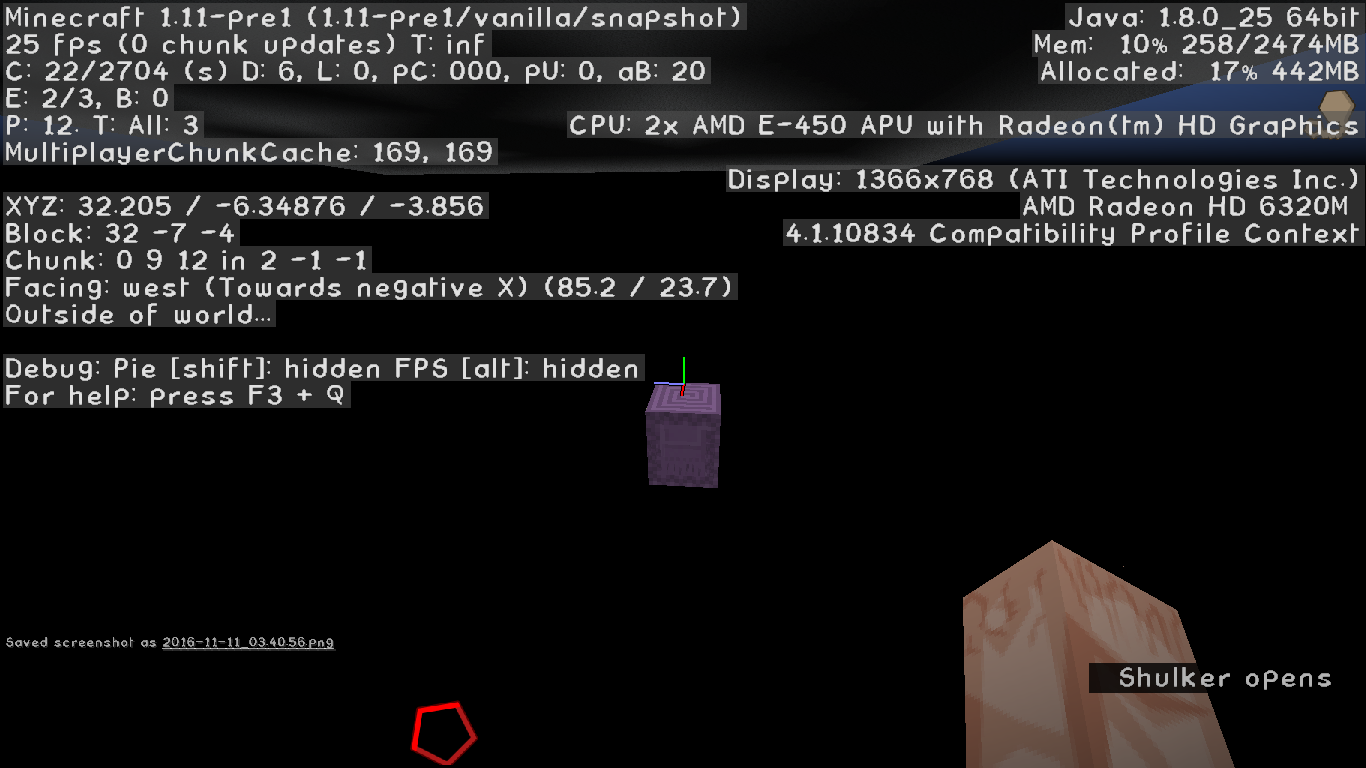
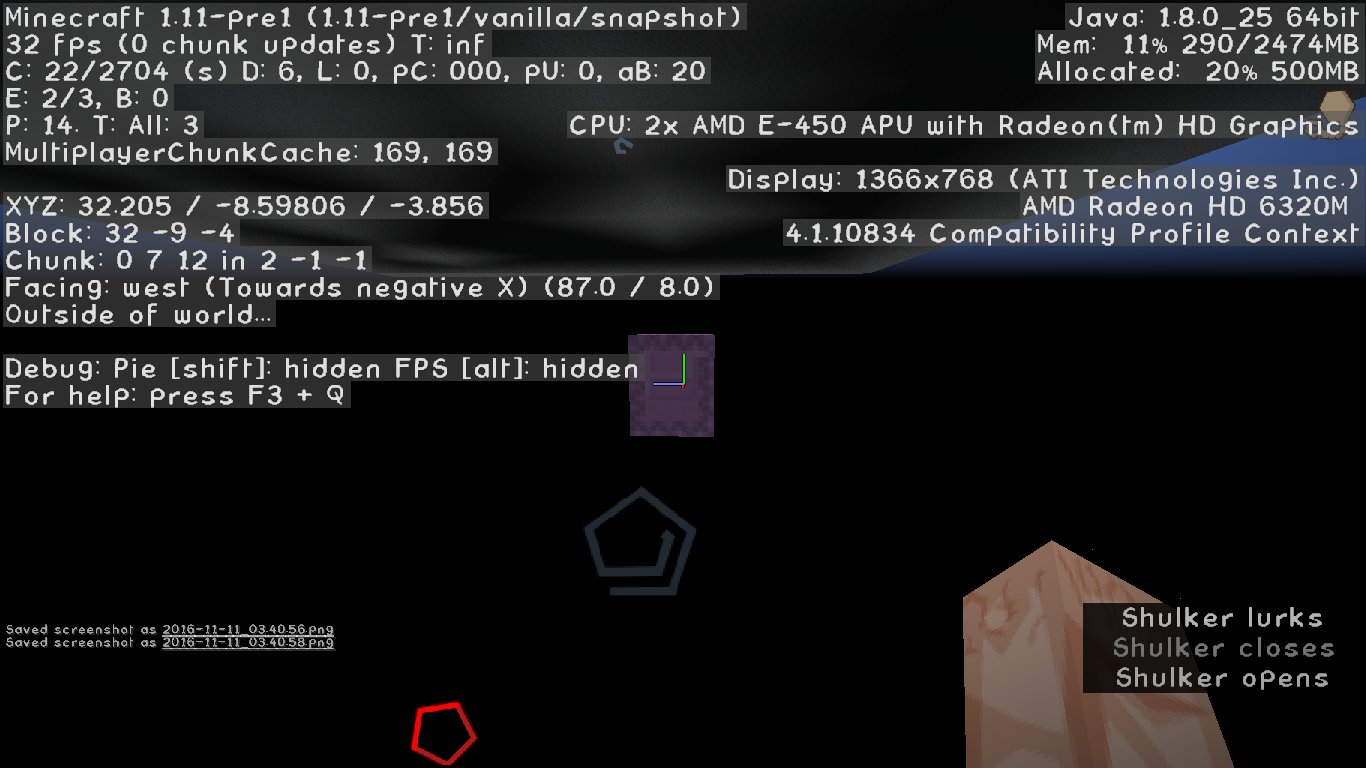
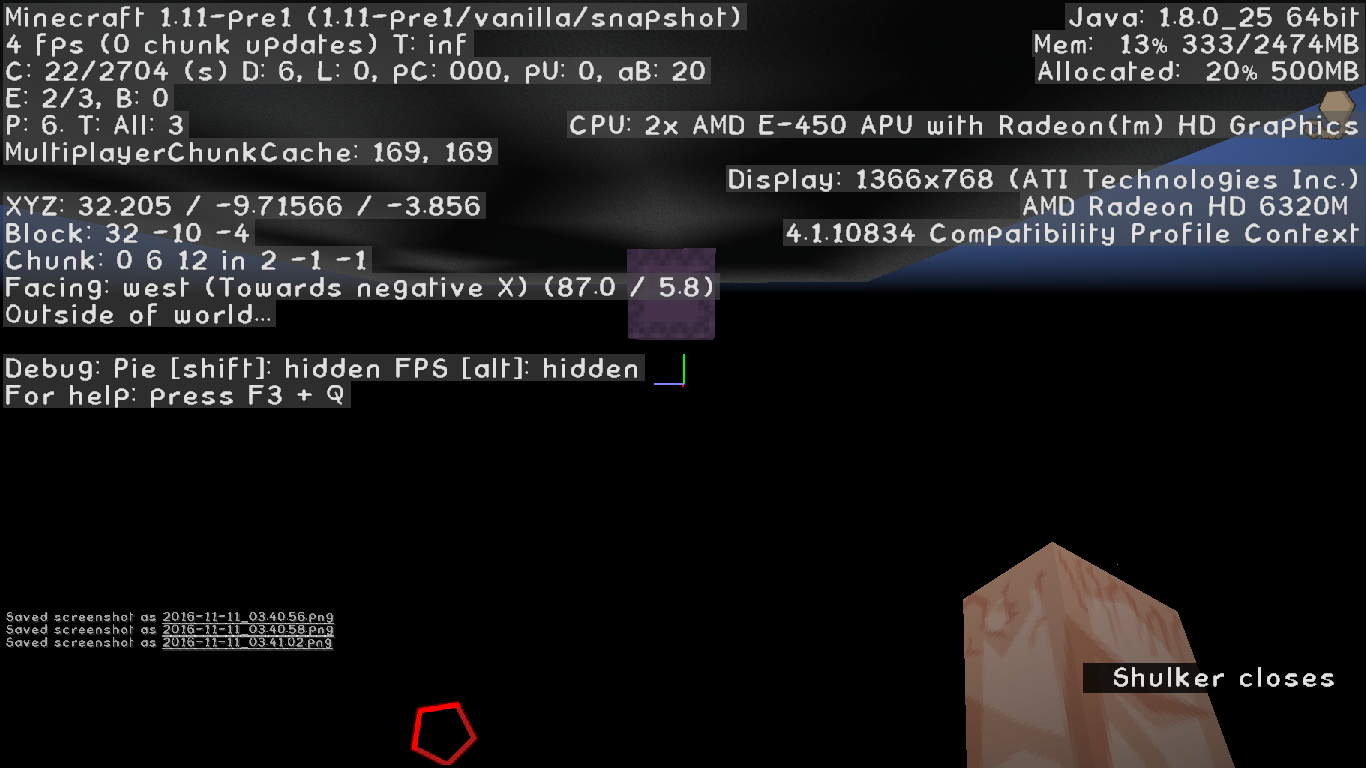
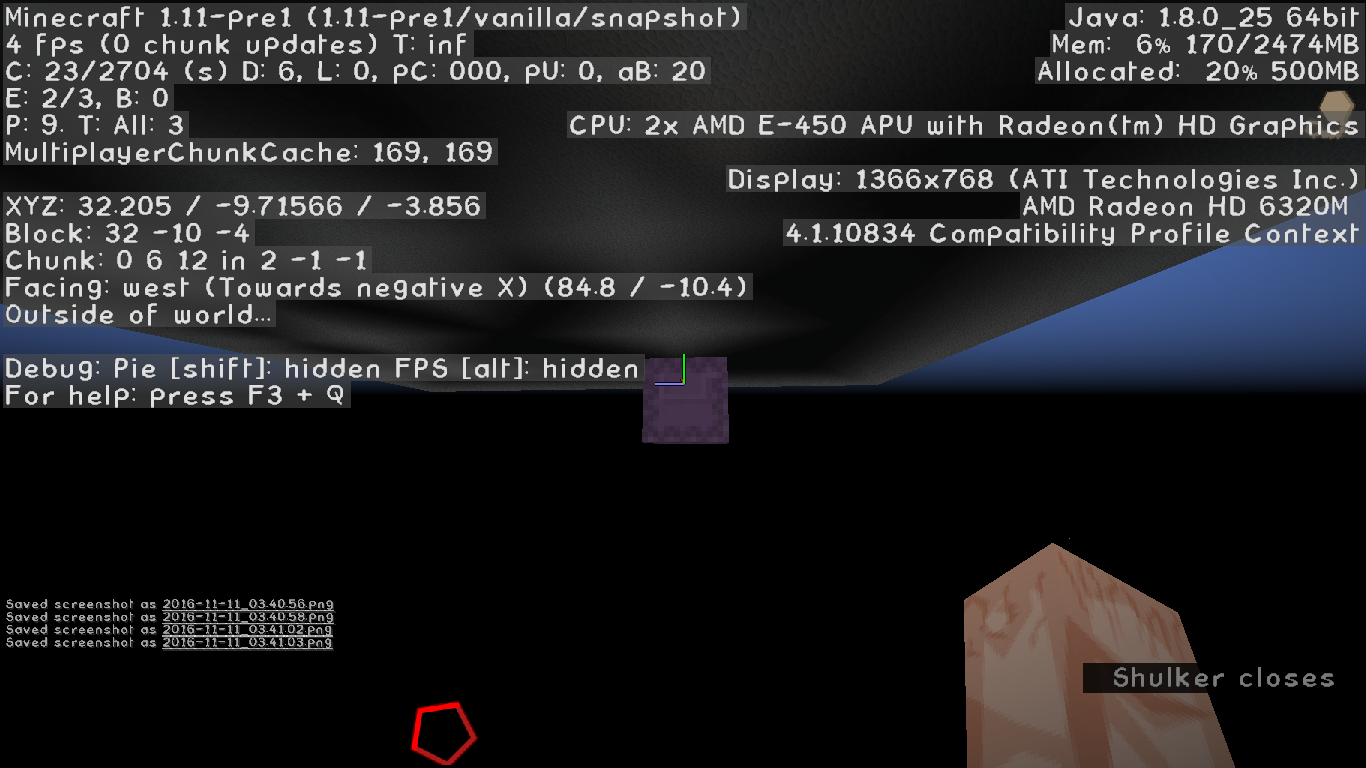
E
very time i try to look at the invisible(air) blocks inside a 32x32x32 structure it crashes. nothing else but a default world with no mobs spawning and no daylight cycle all i do is set the corner blocks down to make a 32x32x32 cube and click the "show invisible blocks" button and it crashes.Description: Rendering Block Entity java.nio.BufferOverflowException at java.nio.DirectByteBuffer.put(DirectByteBuffer.java:331) at bnp.b(SourceFile:65) at bnp.d(SourceFile:413) at bod.a(SourceFile:2176) at bqk.a(SourceFile:151) at bqk.a(SourceFile:113) at bqk.a(SourceFile:16) at bqb.a(SourceFile:127) at bqb.a(SourceFile:115) at bod.a(SourceFile:662) at bnv.a(SourceFile:1266) at bnv.b(SourceFile:1171) at bnv.a(SourceFile:1018) at bct.au(SourceFile:987) at bct.a(SourceFile:392) at net.minecraft.client.main.Main.main(SourceFile:124)EDIT: I am able to click the button but it still crashes after a few seconds. and not just minecraft but the launcher as well and i cant find the crash report in my minecraft folder.
Every time i try to look at the invisible(air) blocks inside a 32x32x32 structure it crashes. nothing else but a default world with no mobs spawning and no daylight cycle all i do is set the corner blocks down to make a 32x32x32 cube and click the "show invisible blocks" button and it crashes. -----------------------------------------------------------------------------------| Description: Rendering Block Entity java.nio.BufferOverflowException at java.nio.DirectByteBuffer.put(DirectByteBuffer.java:331) at bnp.b(SourceFile:65) at bnp.d(SourceFile:413) at bod.a(SourceFile:2176) at bqk.a(SourceFile:151) at bqk.a(SourceFile:113) at bqk.a(SourceFile:16) at bqb.a(SourceFile:127) at bqb.a(SourceFile:115) at bod.a(SourceFile:662) at bnv.a(SourceFile:1266) at bnv.b(SourceFile:1171) at bnv.a(SourceFile:1018) at bct.au(SourceFile:987) at bct.a(SourceFile:392) at net.minecraft.client.main.Main.main(SourceFile:124) ----------------------------------------------------------------------------------------|
EDIT: I am able to click the button but it still crashes after a few seconds. and not just minecraft but the launcher as well and i cant find the crash report in my minecraft folder.
Every time i try to look at the invisible(air) blocks inside a 32x32x32 structure it crashes. nothing else but a default world with no mobs spawning and no daylight cycle all i do is set the corner blocks down to make a 32x32x32 cube and click the "show invisible blocks" button and it crashes. -----------------------------------------------------------------------------------| Description: Rendering Block Entity java.nio.BufferOverflowException at java.nio.DirectByteBuffer.put(DirectByteBuffer.java:331) at bnp.b(SourceFile:65) at bnp.d(SourceFile:413) at bod.a(SourceFile:2176) at bqk.a(SourceFile:151) at bqk.a(SourceFile:113) at bqk.a(SourceFile:16) at bqb.a(SourceFile:127) at bqb.a(SourceFile:115) at bod.a(SourceFile:662) at bnv.a(SourceFile:1266) at bnv.b(SourceFile:1171) at bnv.a(SourceFile:1018) at bct.au(SourceFile:987) at bct.a(SourceFile:392) at net.minecraft.client.main.Main.main(SourceFile:124)----------------------------------------------------------------------------------------|
EDIT: I am able to click the button but it still crashes after a few seconds. and not just minecraft but the launcher as well and i cant find the crash report in my minecraft folder.
Every time i try to look at the invisible(air) blocks inside a 32x32x32 structure it crashes. nothing else but a default world with no mobs spawning and no daylight cycle all i do is set the corner blocks down to make a 32x32x32 cube and click the "show invisible blocks" button and it crashes. -----------------------------------------------------------------------| Description: Rendering Block Entity java.nio.BufferOverflowException at java.nio.DirectByteBuffer.put(DirectByteBuffer.java:331) at bnp.b(SourceFile:65) at bnp.d(SourceFile:413) at bod.a(SourceFile:2176) at bqk.a(SourceFile:151) at bqk.a(SourceFile:113) at bqk.a(SourceFile:16) at bqb.a(SourceFile:127) at bqb.a(SourceFile:115) at bod.a(SourceFile:662) at bnv.a(SourceFile:1266) at bnv.b(SourceFile:1171) at bnv.a(SourceFile:1018) at bct.au(SourceFile:987) at bct.a(SourceFile:392) at net.minecraft.client.main.Main.main(SourceFile:124)-----------------------------------------------------------------------|
EDIT: I am able to click the button but it still crashes after a few seconds. and not just minecraft but the launcher as well and i cant find the crash report in my minecraft folder.
Every time i try to look at the invisible(air) blocks inside a 32x32x32 structure it crashes. nothing else but a default world with no mobs spawning and no daylight cycle all i do is set the corner blocks down to make a 32x32x32 cube and click the "show invisible blocks" button and it crashes. -------------------------------------------------------------------| Description: Rendering Block Entity java.nio.BufferOverflowException at java.nio.DirectByteBuffer.put(DirectByteBuffer.java:331) at bnp.b(SourceFile:65) at bnp.d(SourceFile:413) at bod.a(SourceFile:2176) at bqk.a(SourceFile:151) at bqk.a(SourceFile:113) at bqk.a(SourceFile:16) at bqb.a(SourceFile:127) at bqb.a(SourceFile:115) at bod.a(SourceFile:662) at bnv.a(SourceFile:1266) at bnv.b(SourceFile:1171) at bnv.a(SourceFile:1018) at bct.au(SourceFile:987) at bct.a(SourceFile:392) at net.minecraft.client.main.Main.main(SourceFile:124) ------------------------------------------------------------------|EDIT: I am able to click the button but it still crashes after a few seconds. and not just minecraft but the launcher as well and i cant find the crash report in my minecraft folder.
------------------------------- Every time i try to look at the invisible(air) blocks inside a 32x32x32 structure it crashes. nothing else but a default world with no mobs spawning and no daylight cycle all i do is set the corner blocks down to make a 32x32x32 cube and click the "show invisible blocks" button and it crashes.
Description: Rendering Block Entity

java.nio.BufferOverflowException
	at java.nio.DirectByteBuffer.put(DirectByteBuffer.java:331)
	at bnp.b(SourceFile:65)
	at bnp.d(SourceFile:413)
	at bod.a(SourceFile:2176)
	at bqk.a(SourceFile:151)
	at bqk.a(SourceFile:113)
	at bqk.a(SourceFile:16)
	at bqb.a(SourceFile:127)
	at bqb.a(SourceFile:115)
	at bod.a(SourceFile:662)
	at bnv.a(SourceFile:1266)
	at bnv.b(SourceFile:1171)
	at bnv.a(SourceFile:1018)
	at bct.au(SourceFile:987)
	at bct.a(SourceFile:392)
	at net.minecraft.client.main.Main.main(SourceFile:124)
EDIT: I am able to click the button but it still crashes after a few seconds. and not just minecraft but the launcher as well and i cant find the crash report in my minecraft folder.
------------------------------- Every time i try to look at the invisible(air) blocks inside a 32x32x32 structure it crashes. nothing else but a default world with no mobs spawning and no daylight cycle all i do is set the corner blocks down to make a 32x32x32 cube and click the "show invisible blocks" button and it crashes.
Description: Rendering Block Entity

java.nio.BufferOverflowException
	at java.nio.DirectByteBuffer.put(DirectByteBuffer.java:331)
	at bnp.b(SourceFile:65)
	at bnp.d(SourceFile:413)
	at bod.a(SourceFile:2176)
	at bqk.a(SourceFile:151)
	at bqk.a(SourceFile:113)
	at bqk.a(SourceFile:16)
	at bqb.a(SourceFile:127)
	at bqb.a(SourceFile:115)
	at bod.a(SourceFile:662)
	at bnv.a(SourceFile:1266)
	at bnv.b(SourceFile:1171)
	at bnv.a(SourceFile:1018)
	at bct.au(SourceFile:987)
	at bct.a(SourceFile:392)
	at net.minecraft.client.main.Main.main(SourceFile:124)
EDIT: I am able to click the button but it still crashes after a few seconds. and not just minecraft but the launcher as well and i cant find the crash report in my minecraft folder.
------------------------------- Every time i try to look at the invisible(air) blocks inside a 32x32x32 structure it crashes. nothing else but a default world with no mobs spawning and no daylight cycle all i do is set the corner blocks down to make a 32x32x32 cube and click the "show invisible blocks" button and it crashes.
Description: Rendering Block Entity java.nio.BufferOverflowException at java.nio.DirectByteBuffer.put(DirectByteBuffer.java:331) at bnp.b(SourceFile:65) at bnp.d(SourceFile:413) at bod.a(SourceFile:2176) at bqk.a(SourceFile:151) at bqk.a(SourceFile:113) at bqk.a(SourceFile:16) at bqb.a(SourceFile:127) at bqb.a(SourceFile:115) at bod.a(SourceFile:662) at bnv.a(SourceFile:1266) at bnv.b(SourceFile:1171) at bnv.a(SourceFile:1018) at bct.au(SourceFile:987) at bct.a(SourceFile:392) at net.minecraft.client.main.Main.main(SourceFile:124)EDIT: I am able to click the button but it still crashes after a few seconds. and not just minecraft but the launcher as well and i cant find the crash report in my minecraft folder.
]-------------------------------[
Every time i try to look at the invisible(air) blocks inside a 32x32x32 structure it crashes. nothing else but a default world with no mobs spawning and no daylight cycle all i do is set the corner blocks down to make a 32x32x32 cube and click the "show invisible blocks" button and it crashes.Description: Rendering Block Entity java.nio.BufferOverflowException at java.nio.DirectByteBuffer.put(DirectByteBuffer.java:331) at bnp.b(SourceFile:65) at bnp.d(SourceFile:413) at bod.a(SourceFile:2176) at bqk.a(SourceFile:151) at bqk.a(SourceFile:113) at bqk.a(SourceFile:16) at bqb.a(SourceFile:127) at bqb.a(SourceFile:115) at bod.a(SourceFile:662) at bnv.a(SourceFile:1266) at bnv.b(SourceFile:1171) at bnv.a(SourceFile:1018) at bct.au(SourceFile:987) at bct.a(SourceFile:392) at net.minecraft.client.main.Main.main(SourceFile:124)
EDIT: as of I am able to click the button but it still crashes after a few seconds. and not just minecraft but the launcher as well and i cant find the crash report in my minecraft folder.
]-------------------------------[
Every time i try to look at the invisible(air) blocks inside a 32x32x32 structure it crashes. nothing else but a default world with no mobs spawning and no daylight cycle all i do is set the corner blocks down to make a 32x32x32 cube and click the "show invisible blocks" button and it crashes.Description: Rendering Block Entity java.nio.BufferOverflowException at java.nio.DirectByteBuffer.put(DirectByteBuffer.java:331) at bnp.b(SourceFile:65) at bnp.d(SourceFile:413) at bod.a(SourceFile:2176) at bqk.a(SourceFile:151) at bqk.a(SourceFile:113) at bqk.a(SourceFile:16) at bqb.a(SourceFile:127) at bqb.a(SourceFile:115) at bod.a(SourceFile:662) at bnv.a(SourceFile:1266) at bnv.b(SourceFile:1171) at bnv.a(SourceFile:1018) at bct.au(SourceFile:987) at bct.a(SourceFile:392) at net.minecraft.client.main.Main.main(SourceFile:124)
EDIT: as of '16w21a' I am able to click the button but it still crashes after a few seconds. and not just minecraft but the launcher as well and i cant find the crash report in my minecraft folder.
]-------------------------------[
Every time i try to look at the invisible(air) blocks inside a 32x32x32 structure it crashes. nothing else but a default world with no mobs spawning and no daylight cycle all i do is set the corner blocks down to make a 32x32x32 cube and click the "show invisible blocks" button and it crashes.Description: Rendering Block Entity java.nio.BufferOverflowException at java.nio.DirectByteBuffer.put(DirectByteBuffer.java:331) at bnp.b(SourceFile:65) at bnp.d(SourceFile:413) at bod.a(SourceFile:2176) at bqk.a(SourceFile:151) at bqk.a(SourceFile:113) at bqk.a(SourceFile:16) at bqb.a(SourceFile:127) at bqb.a(SourceFile:115) at bod.a(SourceFile:662) at bnv.a(SourceFile:1266) at bnv.b(SourceFile:1171) at bnv.a(SourceFile:1018) at bct.au(SourceFile:987) at bct.a(SourceFile:392) at net.minecraft.client.main.Main.main(SourceFile:124)
[EDIT]:As of Versions 1.10+ This is no longer an issue
{--------------------------------------------------------------------------------------}
EDIT: as of '16w21a' I am able to click the button but it still crashes after a few seconds. and not just minecraft but the launcher as well and i cant find the crash report in my minecraft folder.
]-------------------------------[
Every time i try to look at the invisible(air) blocks inside a 32x32x32 structure it crashes. nothing else but a default world with no mobs spawning and no daylight cycle all i do is set the corner blocks down to make a 32x32x32 cube and click the "show invisible blocks" button and it crashes.Description: Rendering Block Entity java.nio.BufferOverflowException at java.nio.DirectByteBuffer.put(DirectByteBuffer.java:331) at bnp.b(SourceFile:65) at bnp.d(SourceFile:413) at bod.a(SourceFile:2176) at bqk.a(SourceFile:151) at bqk.a(SourceFile:113) at bqk.a(SourceFile:16) at bqb.a(SourceFile:127) at bqb.a(SourceFile:115) at bod.a(SourceFile:662) at bnv.a(SourceFile:1266) at bnv.b(SourceFile:1171) at bnv.a(SourceFile:1018) at bct.au(SourceFile:987) at bct.a(SourceFile:392) at net.minecraft.client.main.Main.main(SourceFile:124)
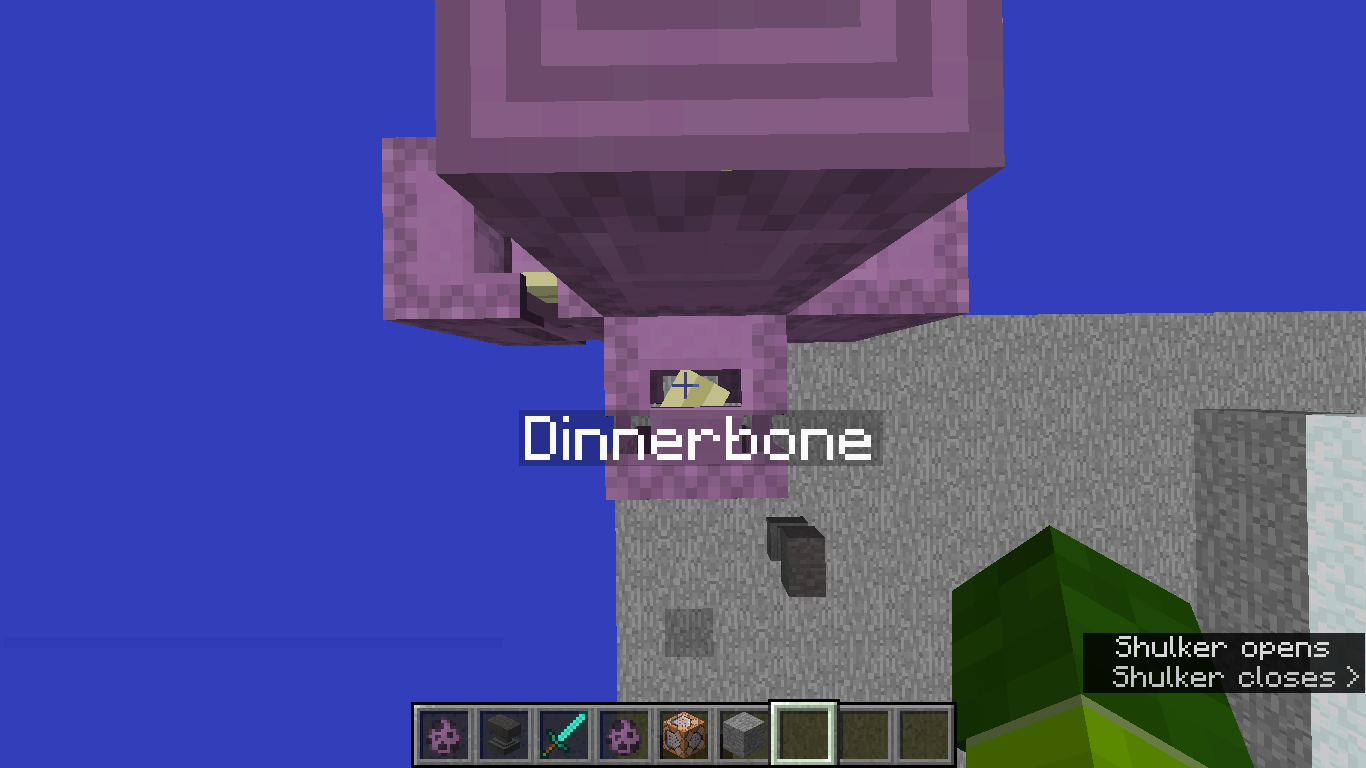
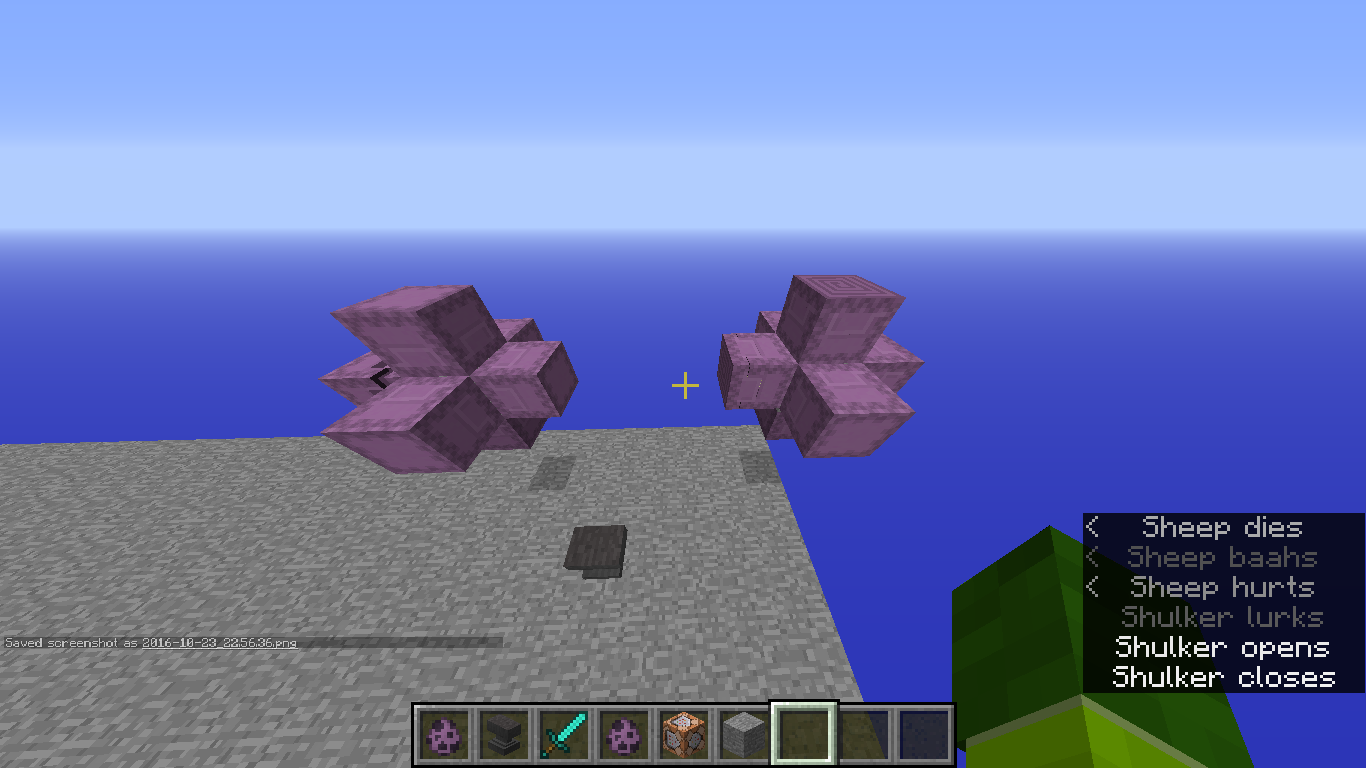
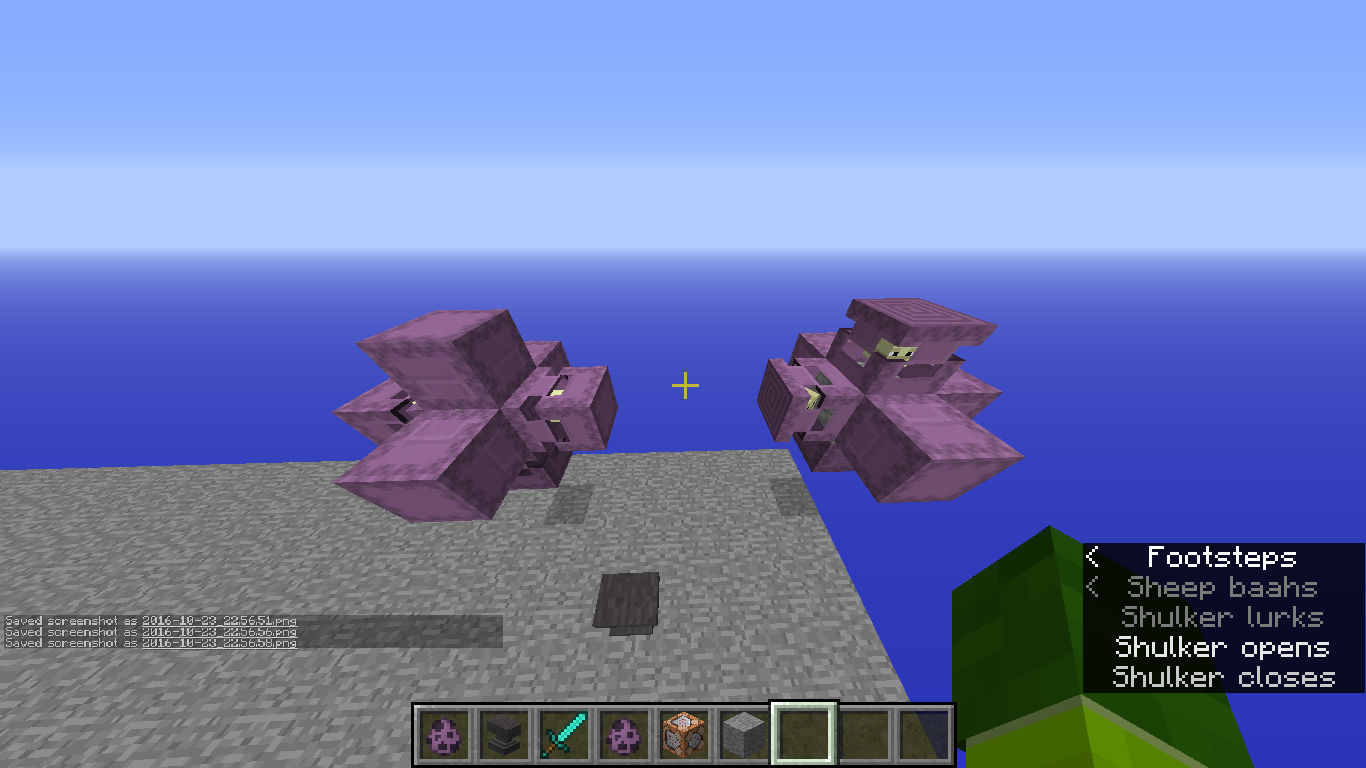
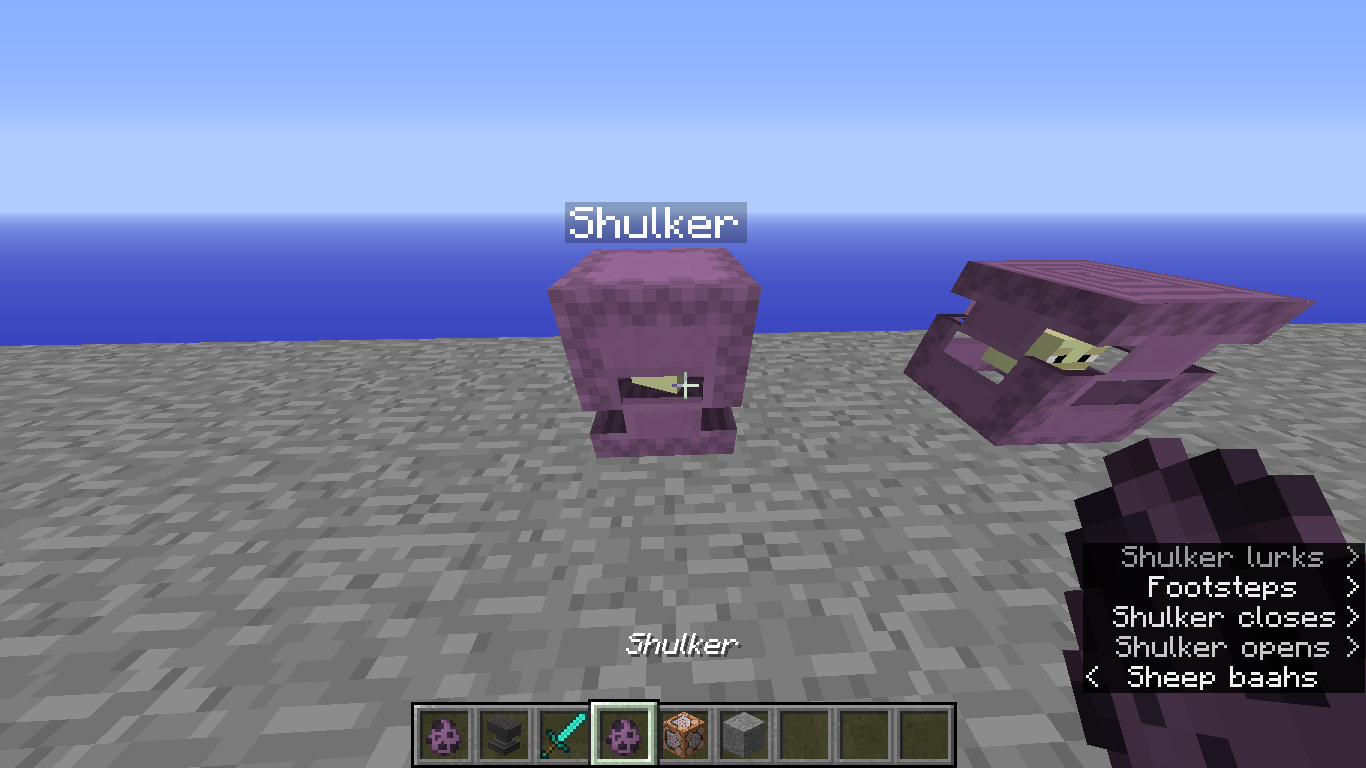
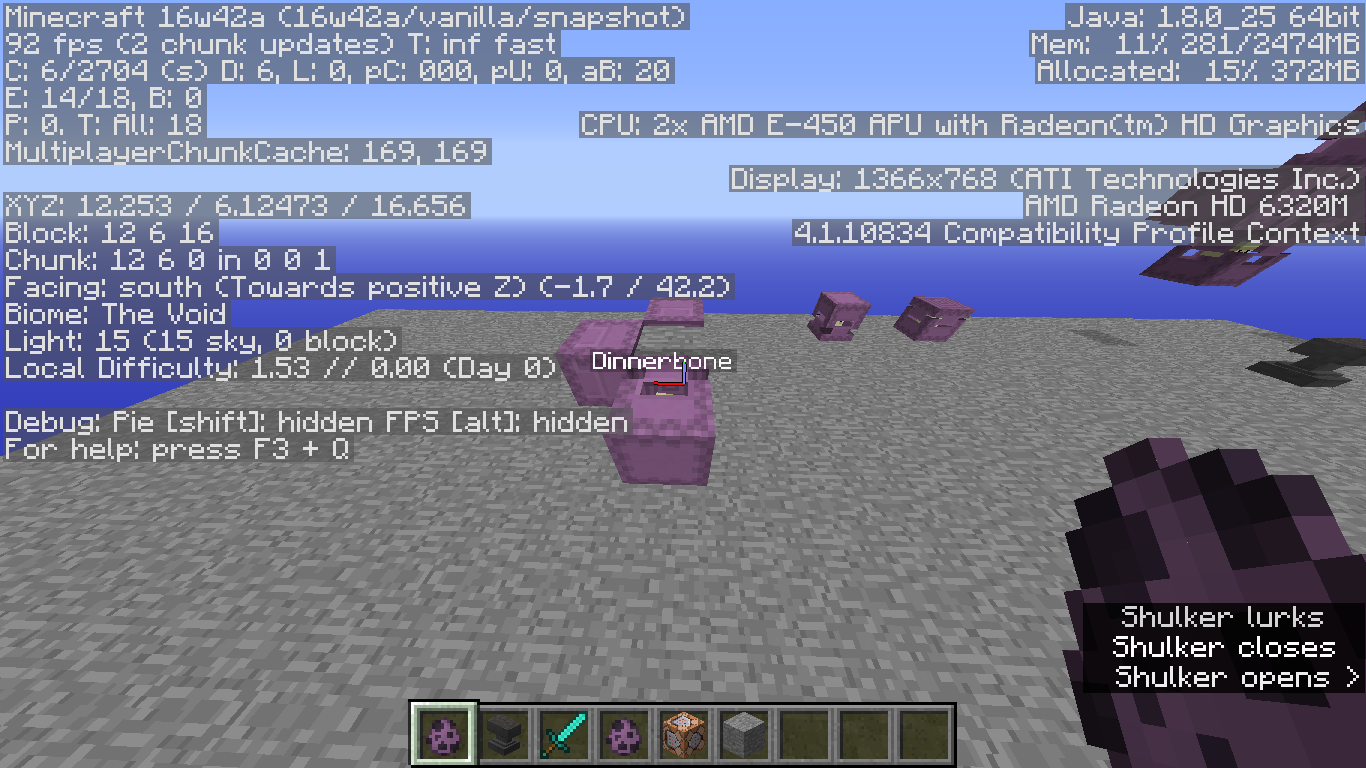
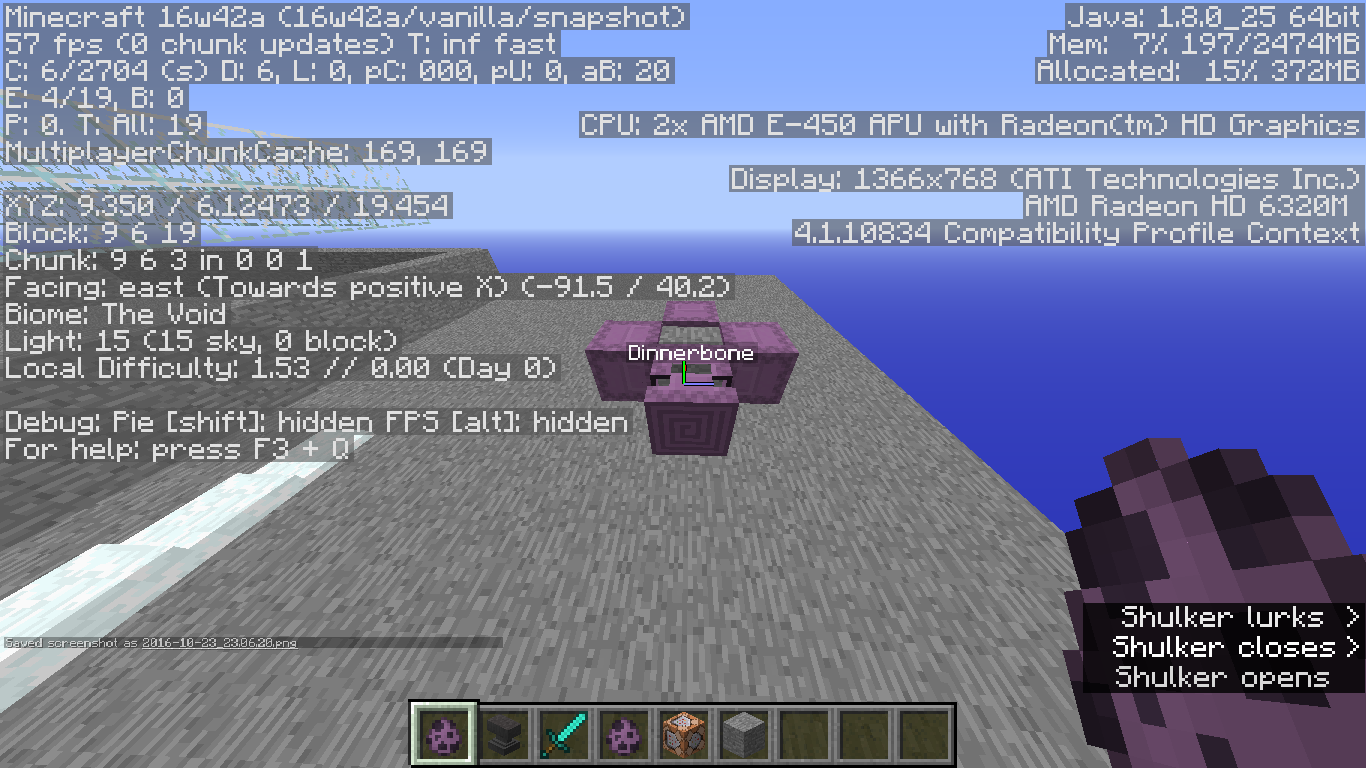
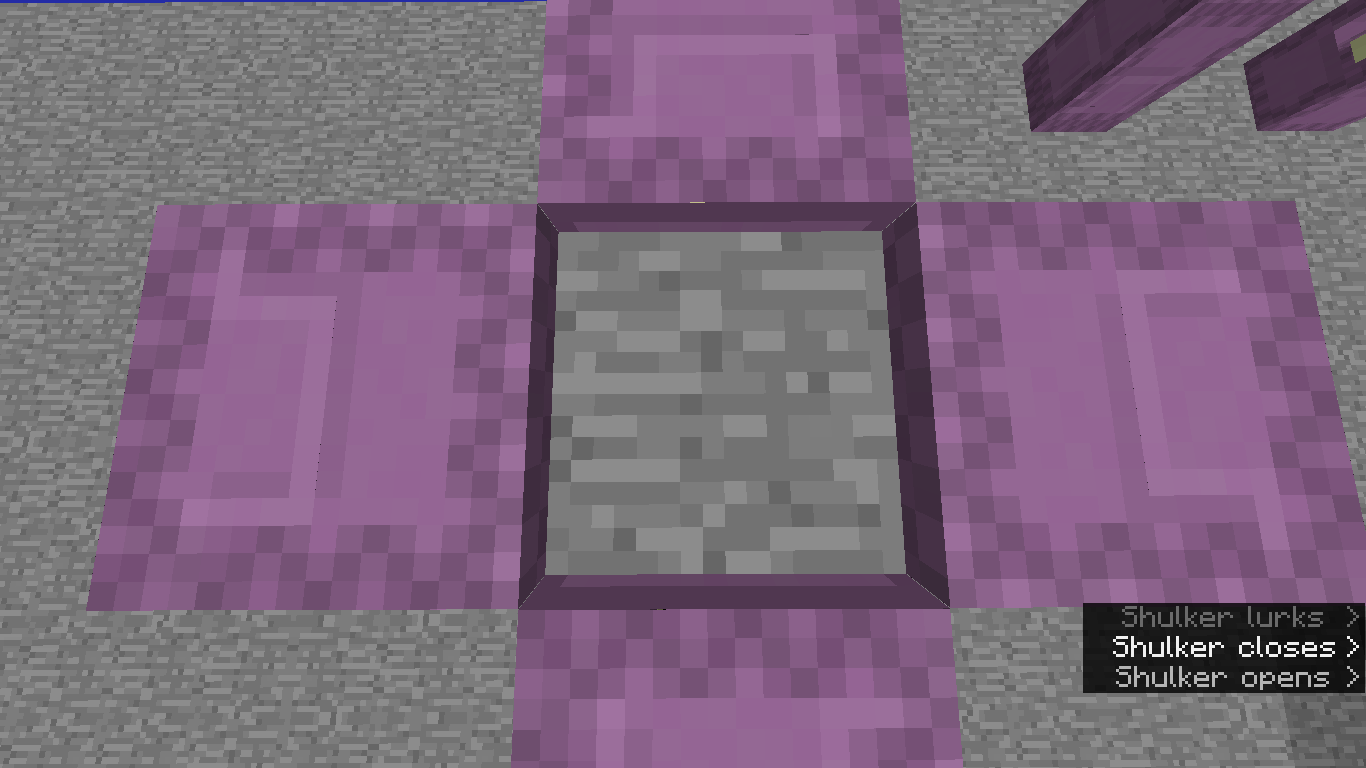
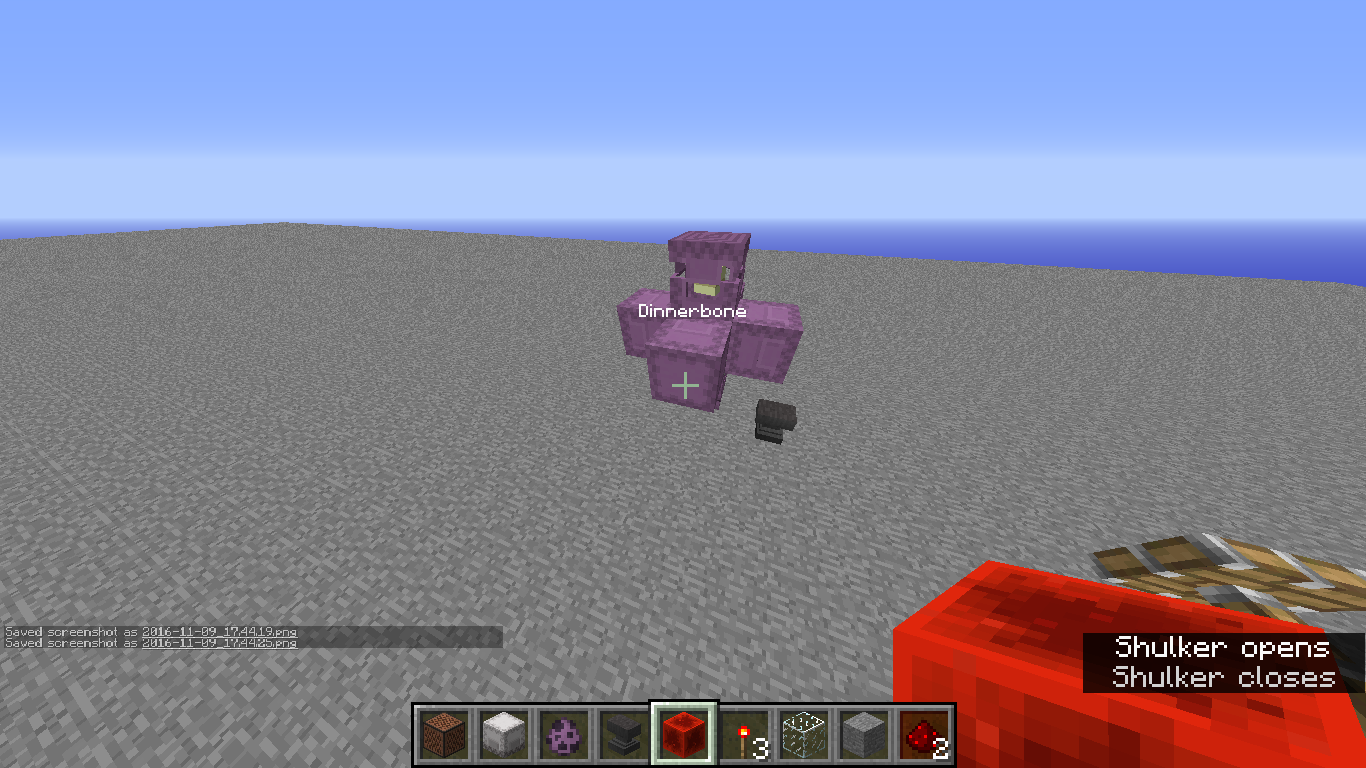
Every time i go to place a Shulker named "Dinnerbone" or "Grumm" on the north or south facing sides it renders somewhat normally except its not 'upside down'*, and on any side its rendered almost 2 pixels higher*.
**On its local axis.
*Idk if the 2 pixels higher is intentional or not.
Every time i go to place a Shulker named "Dinnerbone" or "Grumm" on the north or south facing sides it renders somewhat normally except its not 'upside down'*, and on any side its rendered almost 2 pixels higher*.
**On its local axis.
*Idk if the 2 pixels higher is intentional or not.Every time i go to place a Shulker named "Dinnerbone" or "Grumm" on the north or south facing sides it renders somewhat normally except its not 'upside down'~, and on any side its rendered almost 2 pixels higher*.
~On its local axis.
*Idk if the 2 pixels higher is intentional or not.
Slight Bug whennaming a Shulker Dinnerbone or Grumm.Slight Bug when placing a Shulker named Dinnerbone or Grumm.
Every time i go to place a Shulker named "Dinnerbone" or "Grumm" on the north or south facing sides it renders somewhat normally except its not 'upside down'~, and on any side its rendered almost 2 pixels higher*.
~On its local axis.
*Idk if the 2 pixels higher is intentional or not.
This affects 1.9+
Every time i go to place a Shulker named "Dinnerbone" or "Grumm" on the north or south facing sides it renders somewhat normally except its not 'upside down'~, and on any side i
ts rendered almost 2 pixels higher*.~On its local axis.
*Idk if the 2 pixels higher is intentional or not.
This affects 1.9+Every time i go to place a Shulker named "Dinnerbone" or "Grumm" on the north or south facing sides it renders somewhat normally except its not 'upside down'~, and placed on any side of a block the Shulker is rendered almost 2 pixels higher*.
~On its local axis.
*Idk if the 2 pixels higher is intentional or not.
This affects 1.9+
Computer Type:
Laptop
OS: Windows 7(x64)Java Version: 1.8.0 Processor: "AMD E-450 APU with Radeon(tm) HD Graphics" (x2[aka 'dual core']) RAM: 4GB (ram given to minecraft ~2.5GB)Screen Res.: 1366x768 Computer Type: Desktop
OS: Windows 10 (x64) Java Version: 1.8.0** Processor: "AMD FX(tm)-6350 Six-Core Processor 3.90 GHz" Graphics Card: "NVIDIA GeForce GTX 1060 6GB (GP106) @ 253 MHz" RAM: 8GB (ram given to minecraft 6GB) Screen Res.: 1920x1080
- I don't know if this matters anymore
Computer Type: Desktop
OS: Windows 10 (x64) Java Version: 1.8.0** Processor: "AMD FX(tm)-6350 Six-Core Processor 3.90 GHz" Graphics Card: "NVIDIA GeForce GTX 1060 6GB (GP106) @ 253 MHz" RAM: 8GB (ram given to minecraft 6GB) Screen Res.: 1920x1080
- I don't know if this matters anymore
Computer Type: Desktop
OS: Windows 10 (x64) Java Version: 1.8.0(**) Processor: "AMD FX(tm)-6350 Six-Core Processor 3.90 GHz" Graphics Card: "NVIDIA GeForce GTX 1060 6GB (GP106) @ 253 MHz" RAM: 8GB (ram given to minecraft 6GB) Screen Res.: 1920x1080 (**) I don't know if this matters anymore
Computer Type: Desktop
OS: Windows 10 (x64) Java Version: 1.8. 0(**)Processor: "AMD FX(tm)-6350 Six-Core Processor 3.90 GHz" Graphics Card: "NVIDIA GeForce GTX 1060 6GB (GP106) @ 253 MHz" RAM: 8GB (ram given to minecraft 6GB) Screen Res.: 1920x1080 (**) I don't know if this matters anymore
Computer Type: Desktop
OS: Windows 10 (x64) Java Version: 1.8.1(**) Processor: "AMD FX(tm)-6350 Six-Core Processor 3.90 GHz" Graphics Card: "NVIDIA GeForce GTX 1060 6GB (GP106) @ 253 MHz" RAM: 8GB (ram given to minecraft 6GB) Screen Res.: 1920x1080 (**) I don't know if this matters anymore
Computer Type: Desktop
OS: Windows 10 (x64) Java Version: 1.8.1(**) Processor: "AMD FX(tm)-6350 Six-Core Processor 3.90 GHz" Graphics Card: "NVIDIA GeForce GTX 1060 6GB (GP106) @ 253 MHz" RAM: 8GB (ram given to minecraft 6GB)Screen Res.: 1920x1080 (**) I don't know if this matters anymore
Computer Type: Desktop
OS: Windows 10 (x64) Java Version: 1.8.1(**) Processor: "AMD FX(tm)-6350 Six-Core Processor 3.90 GHz" Graphics Card: "NVIDIA GeForce GTX 1060 6GB (GP106) @ 253 MHz" RAM: 16GB (ram given to minecraft 6GB) Screen Res.: 1920x1080 (**) I don't know if this matters anymore
Computer Type: Desktop
OS: Windows 10 (x64) Java Version: 1.8.1(**) Processor: "AMD FX(tm)-6350 Six-Core Processor 3.90 GHz" Graphics Card: "NVIDIA GeForce GTX 1060 6GB (GP106) @ 253 MHz" RAM: 1 6GB (ram given to minecraft 6GB)Screen Res.: 1920x1080 (**) I don't know if this matters anymore
Computer Type: Desktop
OS: Windows 10 (x64) Java Version: 1.8.1(**) Processor: "AMD FX(tm)-6350 Six-Core Processor 3.90 GHz" Graphics Card: "NVIDIA GeForce GTX 1060 6GB (GP106) @ 253 MHz" RAM: 12GB (ram given to minecraft 6GB) Screen Res.: 1920x1080 (**) I don't know if this matters anymore
Computer Type: Desktop
OS: Windows 10 (x64) Java Version: 1.8.1(**) Processor: "AMD FX(tm)-6350 Six-Core Processor 3.90 GHz" Graphics Card: "NVIDIA GeForce GTX 1060 6GB (GP106) @ 253 MHz" RAM: 1 2GB (ram given to minecraft6GB)Screen Res.: 1920x1080 (**) I don't know if this matters anymore
Computer Type: Desktop
OS: Windows 10 (x64) Java Version: 1.8.1(**) Processor: "AMD FX(tm)-6350 Six-Core Processor 3.90 GHz" Graphics Card: "NVIDIA GeForce GTX 1060 6GB (GP106) @ 253 MHz" RAM: 16GB (ram given to minecraft 7-11GB) Screen Res.: 1920x1080 (**) I don't know if this matters anymore

Every time i go to place a Shulker named "Dinnerbone" or "Grumm" on the north or south facing sides it renders somewhat normally except its not 'upside down'~, and placed on any side of a block the Shulker is rendered almost 2 pixels higher*.
~On its local axis.
*Idk if the 2 pixels higher is intentional or not.
This affects 1.9+
Code Analysis
The method responsible for rotating an entity named "Dinnerbone" or "Grumm", net.minecraft.client.renderer.entity.RenderLivingBase.rotateCorpse(T entityLiving, float p_77043_2_, float p_77043_3_, float partialTicks), will render the entity 2 pixels higher than it's actual height.
GlStateManager.translate(0.0F, entityLiving.height + 0.1F, 0.0F);The reason the Shulker appears that it is not flipped is because the code does not take the Shulkers rotation into consideration.
Every time i go to place a Shulker named "Dinnerbone" or "Grumm" on the north or south facing sides it renders somewhat normally except its not 'upside down'~, and placed on any side of a block the Shulker is rendered almost 2 pixels higher*.
To clarify on the Top, Bottom, East, and West sides of a block the shulker named Dinnerbone or grumm will be flipped 'Upside down' , however only on the North and South sides of a block it fails to flip it 'upside down'
~On its local axis.
*Idk if the 2 pixels higher is intentional or not.
This affects 1.9+
Code Analysis
The method responsible for rotating an entity named "Dinnerbone" or "Grumm", net.minecraft.client.renderer.entity.RenderLivingBase.rotateCorpse(T entityLiving, float p_77043_2_, float p_77043_3_, float partialTicks), will render the entity 2 pixels higher than it's actual height.
GlStateManager.translate(0.0F, entityLiving.height + 0.1F, 0.0F);The reason the Shulker appears that it is not flipped is because the code does not take the Shulkers rotation into consideration.
Every time i go to place a Shulker named "Dinnerbone" or "Grumm" on the north or south facing sides it renders somewhat normally except its not 'upside down'~, and placed on any side of a block the Shulker is rendered almost 2 pixels higher*.
To clarify on the Top, Bottom, East, and West sides of a block the shulker named Dinnerbone or grumm will be flipped 'Upside down' , however only on the North and South sides of a block it fails to flip it 'upside down'
~On its local axis.
*Idk if the 2 pixels higher is intentional or not.
This affects 1.9+
Code Analysis
The method responsible for rotating an entity named "Dinnerbone" or "Grumm", net.minecraft.client.renderer.entity.RenderLivingBase.rotateCorpse(T entityLiving, float p_77043_2_, float p_77043_3_, float partialTicks), will render the entity 2 pixels higher than it's actual height.
GlStateManager.translate(0.0F, entityLiving.height + 0.1F, 0.0F);The reason the Shulker appears that it is not flipped is because the code does not take the Shulkers rotation into consideration.
(It's worse, now all sides are effected instead of the previous 2)
Every time i go to place a Shulker named "Dinnerbone" or "Grumm" on every side (not the top or bottom) it renders somewhat normally except its not upside down, and the Shulker is rendered almost 2 pixels higher*.
I thought it would be to where the bottom textureof the shulker would show up on the opposite side its supposed to, what i got is only the shulkers placed on the top & bottom flipping correctly.*Idk if the 2 pixels higher is intentional or not.
This affects 1.9+
(I'm going to leave this in but I'm sure this code is now outdated.)
Code Analysis
The method responsible for rotating an entity named "Dinnerbone" or "Grumm", net.minecraft.client.renderer.entity.RenderLivingBase.rotateCorpse(T entityLiving, float p_77043_2_, float p_77043_3_, float partialTicks), will render the entity 2 pixels higher than it's actual height.
GlStateManager.translate(0.0F, entityLiving.height + 0.1F, 0.0F);The reason the Shulker appears that it is not flipped is because the code does not take the Shulkers rotation into consideration.
(It's worse, now all sides are effected instead of the previous 2)
Every time i go to place a Shulker named "Dinnerbone" or "Grumm" on every side (not the top or bottom) it renders somewhat normally except its not upside down, and the Shulker is rendered almost 2 pixels higher*.
I thought it would be to where the bottom textureof theshulker would show up on the opposite side its supposed to, what i got is only the shulkers placed on the top & bottom flipping correctly.*Idk if the 2 pixels higher is intentional or not.
This affects 1.9+
(I'm going to leave this in but I'm sure this code is now outdated.)
Code Analysis
The method responsible for rotating an entity named "Dinnerbone" or "Grumm", net.minecraft.client.renderer.entity.RenderLivingBase.rotateCorpse(T entityLiving, float p_77043_2_, float p_77043_3_, float partialTicks), will render the entity 2 pixels higher than it's actual height.
GlStateManager.translate(0.0F, entityLiving.height + 0.1F, 0.0F);The reason the Shulker appears that it is not flipped is because the code does not take the Shulkers rotation into consideration.
(It's worse, now all sides are effected instead of the previous 2)
Every time i go to place a Shulker named "Dinnerbone" or "Grumm" on every side (not the top or bottom) it renders somewhat normally except its not upside down, and the Shulker is rendered almost 2 pixels higher*.
I thought it would be to where the bottom texture of the Shulker would show up on the opposite side its supposed to, what i got is only the shulkers placed on the top & bottom flipping correctly.*Idk if the 2 pixels higher is intentional or not.
This affects 1.9+
(I'm going to leave this in but I'm sure this code is now outdated.)
Code Analysis
The method responsible for rotating an entity named "Dinnerbone" or "Grumm", net.minecraft.client.renderer.entity.RenderLivingBase.rotateCorpse(T entityLiving, float p_77043_2_, float p_77043_3_, float partialTicks), will render the entity 2 pixels higher than it's actual height.
GlStateManager.translate(0.0F, entityLiving.height + 0.1F, 0.0F);The reason the Shulker appears that it is not flipped is because the code does not take the Shulkers rotation into consideration.
(It's worse, now all sides are effected instead of the previous
2)
Every time i go to place a Shulker named "Dinnerbone" or "Grumm" on every side (not the top or bottom) it renders somewhat normally except its not upside down, and the Shulker is rendered almost 2 pixels higher*.
I thought it would be to where the bottom texture of the Shulker would show up on the opposite side its supposed to, what i got is only the shulkers placed on the top & bottom flipping correctly.*Idk if the 2 pixels higher is intentional or not.
This affects 1.9+
(I'm going to leave this in but I'm sure this code is now outdated.)
Code Analysis
The method responsible for rotating an entity named "Dinnerbone" or "Grumm", net.minecraft.client.renderer.entity.RenderLivingBase.rotateCorpse(T entityLiving, float p_77043_2_, float p_77043_3_, float partialTicks), will render the entity 2 pixels higher than it's actual height.
GlStateManager.translate(0.0F, entityLiving.height + 0.1F, 0.0F);The reason the Shulker appears that it is not flipped is because the code does not take the Shulkers rotation into consideration.
(It's worse, now all sides except the top and bottom are effected instead of the previous top, bottom, east, and west sides working)
Every time i go to place a Shulker named "Dinnerbone" or "Grumm" on every side (not the top or bottom) it renders somewhat normally except its not upside down, and the Shulker is rendered almost 2 pixels higher*.
I thought it would be to where the bottom texture of the Shulker would show up on the opposite side its supposed to, what i got is only the shulkers placed on the top & bottom flipping correctly.*Idk if the 2 pixels higher is intentional or not.
This affects 1.9+
(I'm going to leave this in but I'm sure this code is now outdated.)
Code Analysis
The method responsible for rotating an entity named "Dinnerbone" or "Grumm", net.minecraft.client.renderer.entity.RenderLivingBase.rotateCorpse(T entityLiving, float p_77043_2_, float p_77043_3_, float partialTicks), will render the entity 2 pixels higher than it's actual height.
GlStateManager.translate(0.0F, entityLiving.height + 0.1F, 0.0F);The reason the Shulker appears that it is not flipped is because the code does not take the Shulkers rotation into consideration.
2019-09-30_20.02.29.png
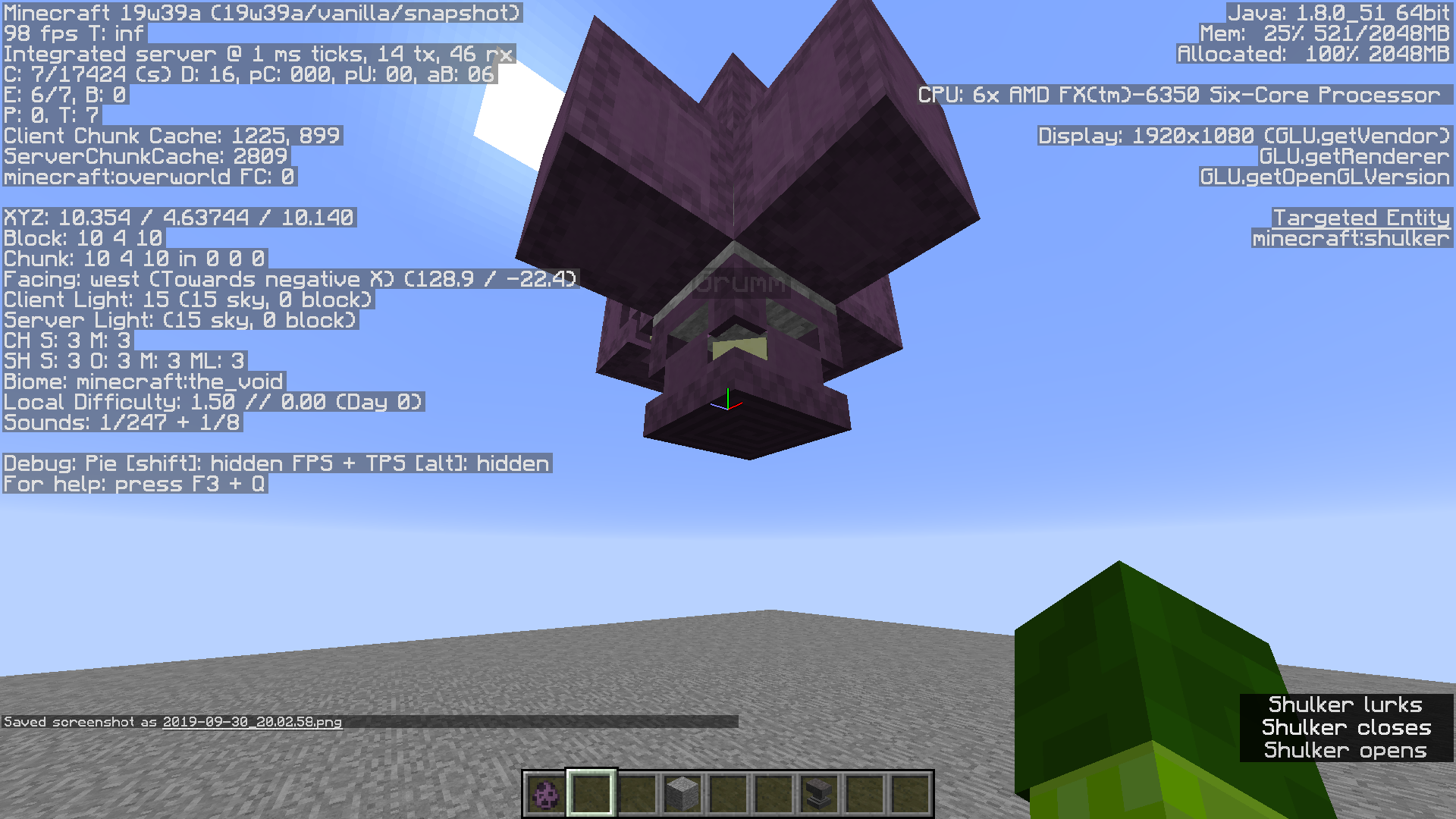


(It's worse, now all sides except the top and bottom are effected instead of the previous top, bottom, east, and west sides working)
Every time i go to place a Shulker named "Dinnerbone" or "Grumm" on every side (not the top or bottom) it renders somewhat normally except its not upside down, and the Shulker is rendered almost 2 pixels higher*.
I thought it would be to where the bottom texture of the Shulker would show up on the opposite side its supposed to, what i got is only the shulkers placed on the top & bottom flipping correctly.
*Idk if the2 pixels higheris intentional or not.This affects 1.9+
(I'm going to leave this in but I'm sure this code is now outdated.)
Code Analysis
The method responsible for rotating an entity named "Dinnerbone" or "Grumm", net.minecraft.client.renderer.entity.RenderLivingBase.rotateCorpse(T entityLiving, float p_77043_2_, float p_77043_3_, float partialTicks), will render the entity 2 pixels higher than it's actual height.
GlStateManager.translate(0.0F, entityLiving.height + 0.1F, 0.0F);The reason the Shulker appears that it is not flipped is because the code does not take the Shulkers rotation into consideration.
(It's worse, now all sides except the
top and bottomeast & west are effected instead of the previous top, bottom sides working)
Every time i go to place a Shulker named "Dinnerbone" or "Grumm" on every side (not the top or bottom) it renders somewhat normally except its not upside down,and the Shulker is
rendered almost 2 pixels higher.(Now is isn't)
I thought it would be to where the bottom texture of the Shulker would show up on the opposite side its supposed to, what i got is only the shulkers placed on thetop & bottomeast & west flipping correctly.This affects 1.9+
(I'm sure this code is now outdated. [as a note someone else added this code] )
Code Analysis
The method responsible for rotating an entity named "Dinnerbone" or "Grumm", net.minecraft.client.renderer.entity.RenderLivingBase.rotateCorpse(T entityLiving, float p_77043_2_, float p_77043_3_, float partialTicks), will render the entity 2 pixels higher than it's actual height.
GlStateManager.translate(0.0F, entityLiving.height + 0.1F, 0.0F);The reason the Shulker appears that it is not flipped is because the code does not take the Shulkers rotation into consideration.
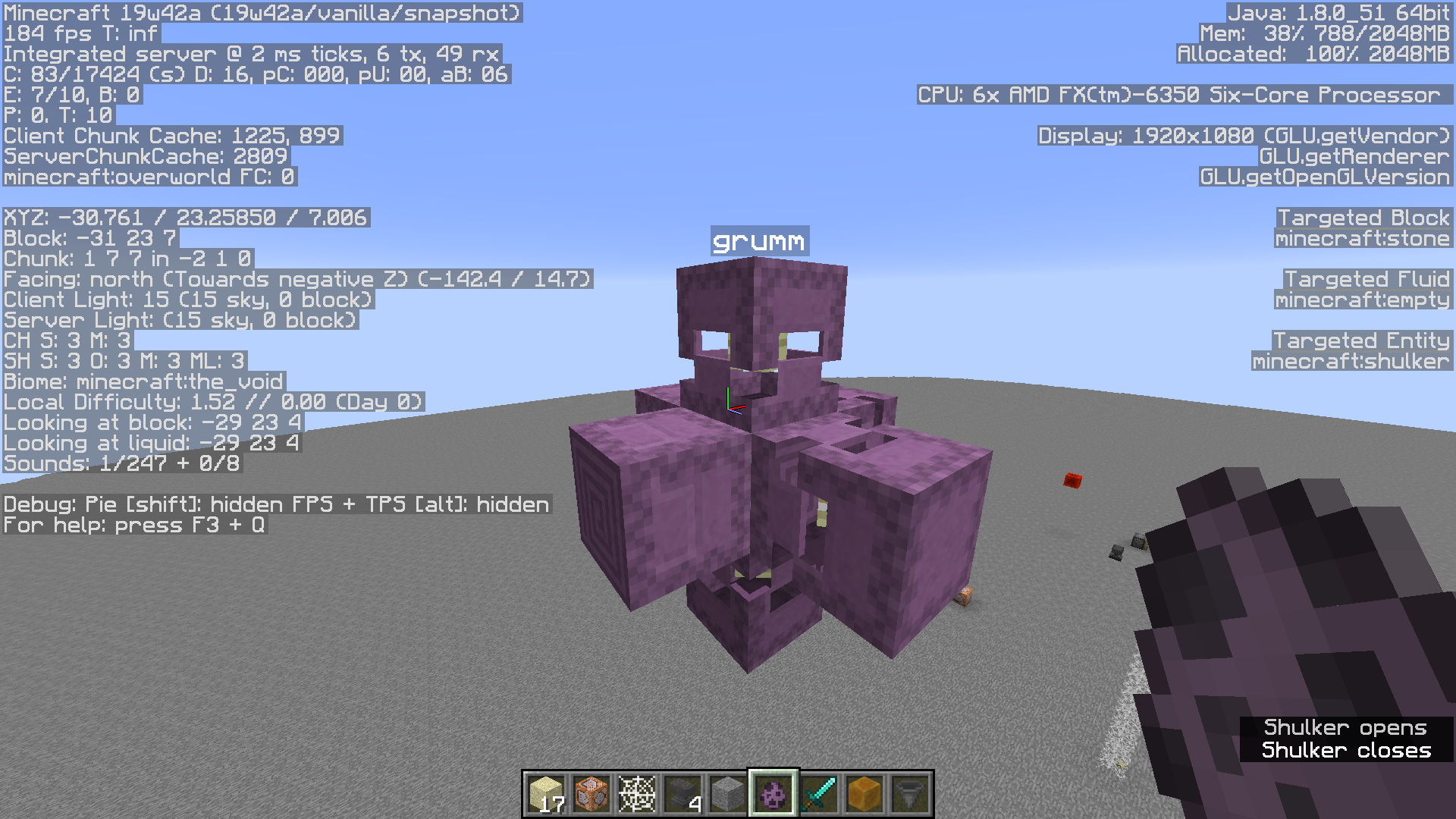
(It's worse, now all sides except the
top and bottomeast & west are effected instead of the previous top, bottom sides working)
Every time i go to place a Shulker named "Dinnerbone" or "Grumm" on every side (not the top or bottom) it renders somewhat normally except its not upside down,and the Shulker is
rendered almost 2 pixels higher.(Now is isn't)
I thought it would be to where the bottom texture of the Shulker would show up on the opposite side its supposed to, what i got is only the shulkers placed on thetop & bottomeast & west flipping correctly.This affects 1.9+
(I'm sure this code is now outdated. [as a note someone else added this code] )
Code Analysis
The method responsible for rotating an entity named "Dinnerbone" or "Grumm", net.minecraft.client.renderer.entity.RenderLivingBase.rotateCorpse(T entityLiving, float p_77043_2_, float p_77043_3_, float partialTicks), will render the entity 2 pixels higher than it's actual height.
GlStateManager.translate(0.0F, entityLiving.height + 0.1F, 0.0F);The reason the Shulker appears that it is not flipped is because the code does not take the Shulkers rotation into consideration.
(It's worse, now all sides except the
top and bottomeast & west are effected instead of the previous top, bottom sides working)
Every time i go to place a Shulker named "Dinnerbone" or "Grumm" on every side (not the top or bottom) it renders somewhat normally except its not upside down,and the Shulker is
rendered almost 2 pixels higher.(Now is isn't)
I thought it would be to where the bottom texture of the Shulker would show up on the opposite side its supposed to, what i got is only the shulkers placed on the top & bottom east & west flipping correctly.This affects 1.9+
(I'm sure this code is now outdated. [as a note someone else added this code] )
Code Analysis
The method responsible for rotating an entity named "Dinnerbone" or "Grumm", net.minecraft.client.renderer.entity.RenderLivingBase.rotateCorpse(T entityLiving, float p_77043_2_, float p_77043_3_, float partialTicks), will render the entity 2 pixels higher than it's actual height.
GlStateManager.translate(0.0F, entityLiving.height + 0.1F, 0.0F);The reason the Shulker appears that it is not flipped is because the code does not take the Shulkers rotation into consideration.
(It's worse, now all sides except the
top and bottomeast & west are effected instead of the previoustop,bottomsidesworking)
Every time i go to place a Shulker named "Dinnerbone" or "Grumm" on every side (notthetopor bottom) it renders somewhat normally except its not upside down,and the Shulker is
rendered almost 2 pixels higher.(Now is isn't)
I thought it would be to where the bottom texture of the Shulker would show up on the opposite side its supposed to, what i got is only the shulkers placed on the top & bottom east & west flipping correctly.This affects 1.9+
(I'm sure this code is now outdated. [as a note someone else added this code] )
Code Analysis
The method responsible for rotating an entity named "Dinnerbone" or "Grumm", net.minecraft.client.renderer.entity.RenderLivingBase.rotateCorpse(T entityLiving, float p_77043_2_, float p_77043_3_, float partialTicks), will render the entity 2 pixels higher than it's actual height.
GlStateManager.translate(0.0F, entityLiving.height + 0.1F, 0.0F);The reason the Shulker appears that it is not flipped is because the code does not take the Shulkers rotation into consideration.
Every time i go to place a Shulker named "Dinnerbone" or "Grumm" on every side (not the top or bottom) it renders somewhat normally except its not upside down.
I thought it would be to where the bottom texture of the Shulker would show up on the opposite side its supposed to, what i got is only the shulkers placed on the top & bottom east & west flipping correctly.This affects 1.9+
Code Analysis
The method responsible for rotating an entity named "Dinnerbone" or "Grumm", net.minecraft.client.renderer.entity.RenderLivingBase.rotateCorpse(T entityLiving, float p_77043_2_, float p_77043_3_, float partialTicks), will render the entity 2 pixels higher than it's actual height.
GlStateManager.translate(0.0F, entityLiving.height + 0.1F, 0.0F);The reason the Shulker appears that it is not flipped is because the code does not take the Shulkers rotation into consideration.
Every time i go to place a Shulker named "Dinnerbone" or "Grumm" on every side (not the top or bottom) it renders somewhat normally except its not upside down.
I thought it would be to where the bottom texture of the Shulker would show up on the opposite side its supposed to, what i got is only the shulkers placed on the top & bottom east & west flipping correctly.This affects 1.9+
the code below is probably outdated
Code Analysis
The method responsible for rotating an entity named "Dinnerbone" or "Grumm", net.minecraft.client.renderer.entity.RenderLivingBase.rotateCorpse(T entityLiving, float p_77043_2_, float p_77043_3_, float partialTicks), will render the entity 2 pixels higher than it's actual height.
GlStateManager.translate(0.0F, entityLiving.height + 0.1F, 0.0F);The reason the Shulker appears that it is not flipped is because the code does not take the Shulkers rotation into consideration.
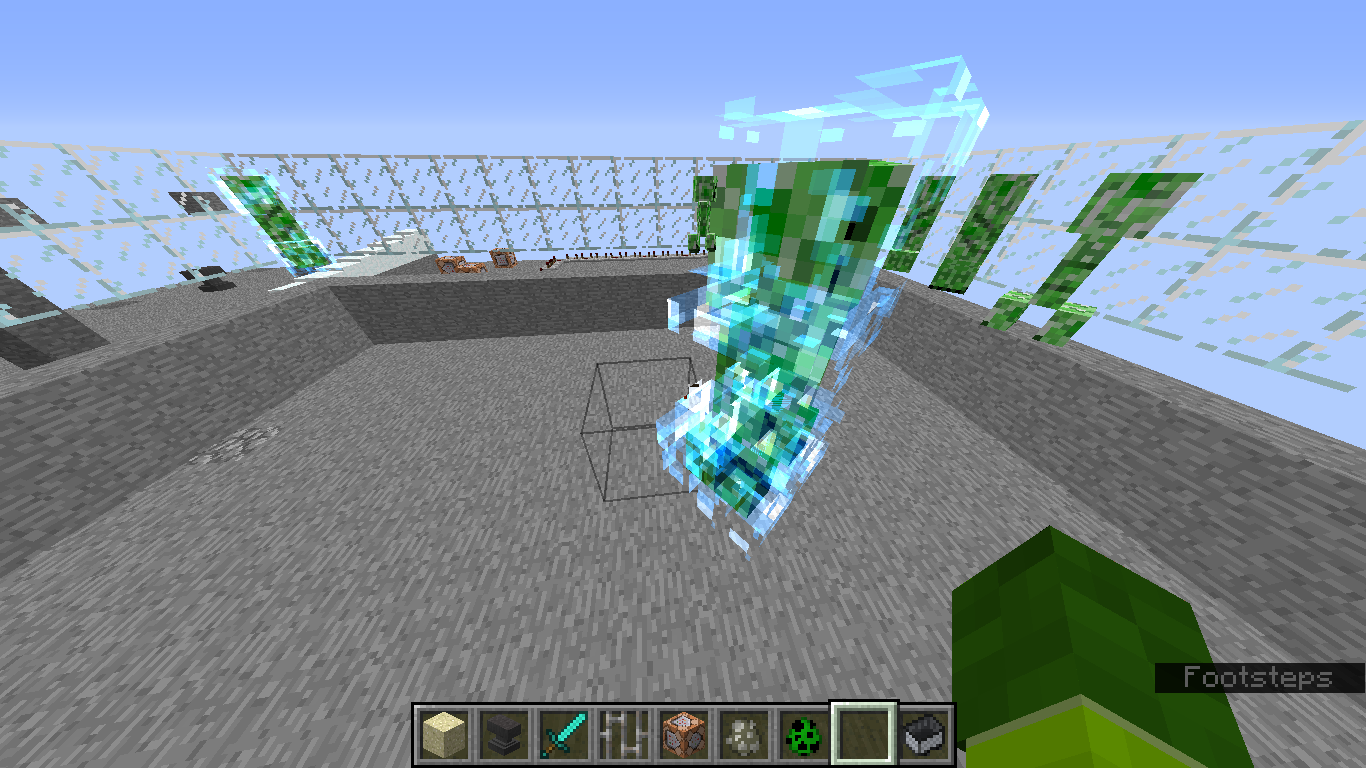
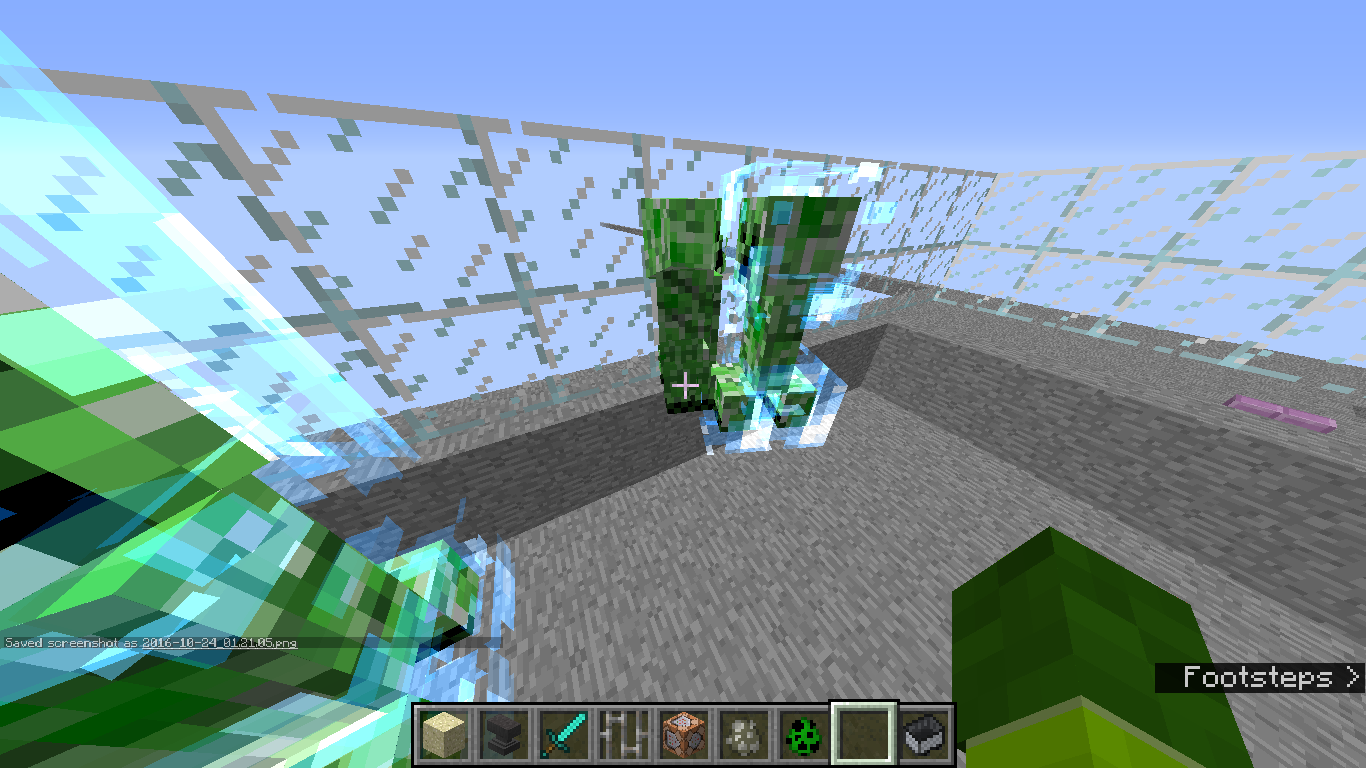
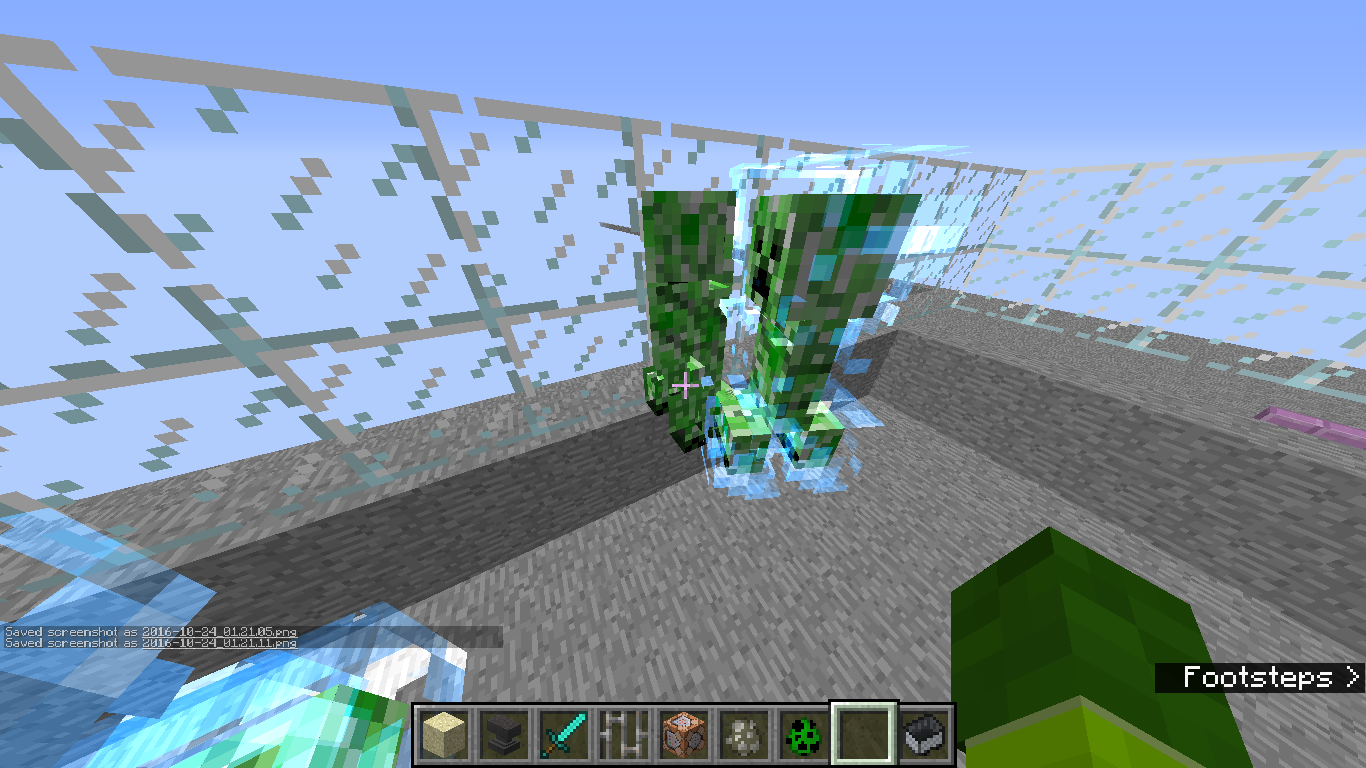
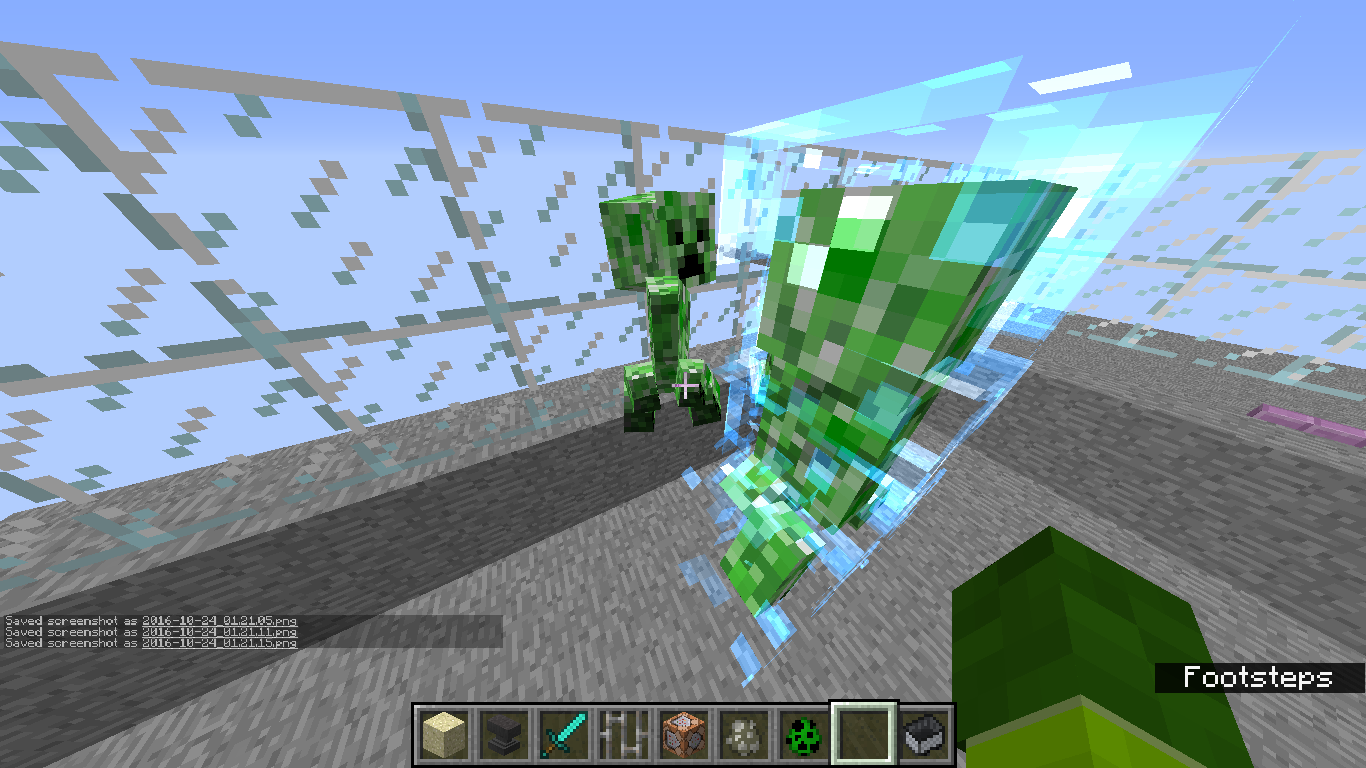
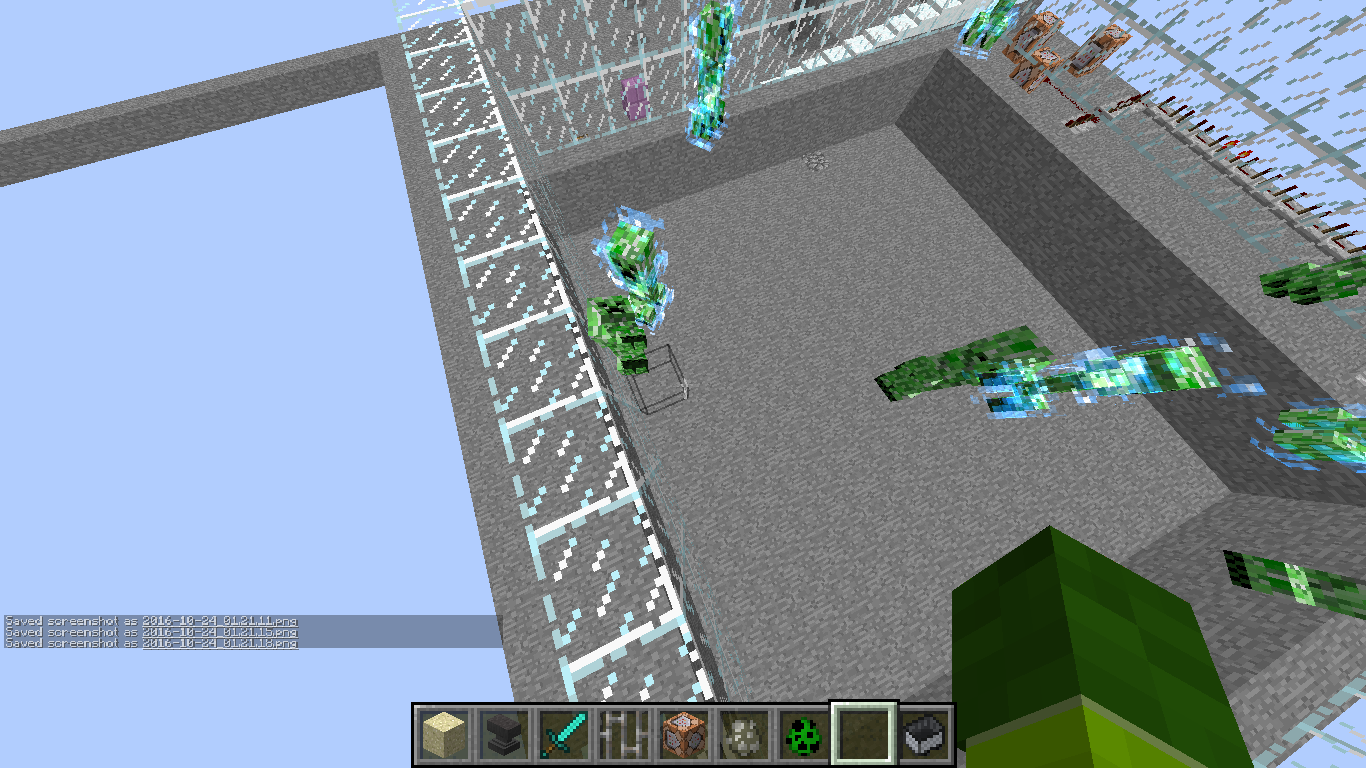
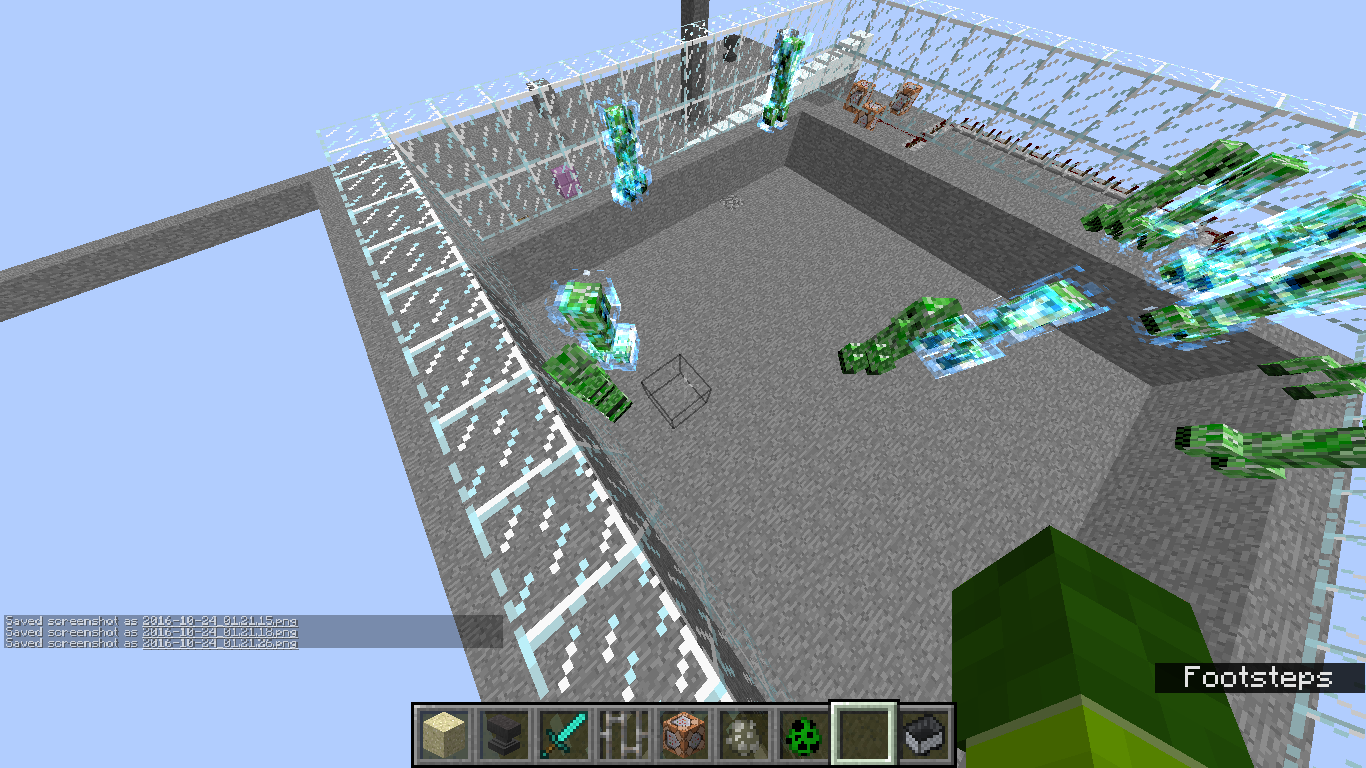
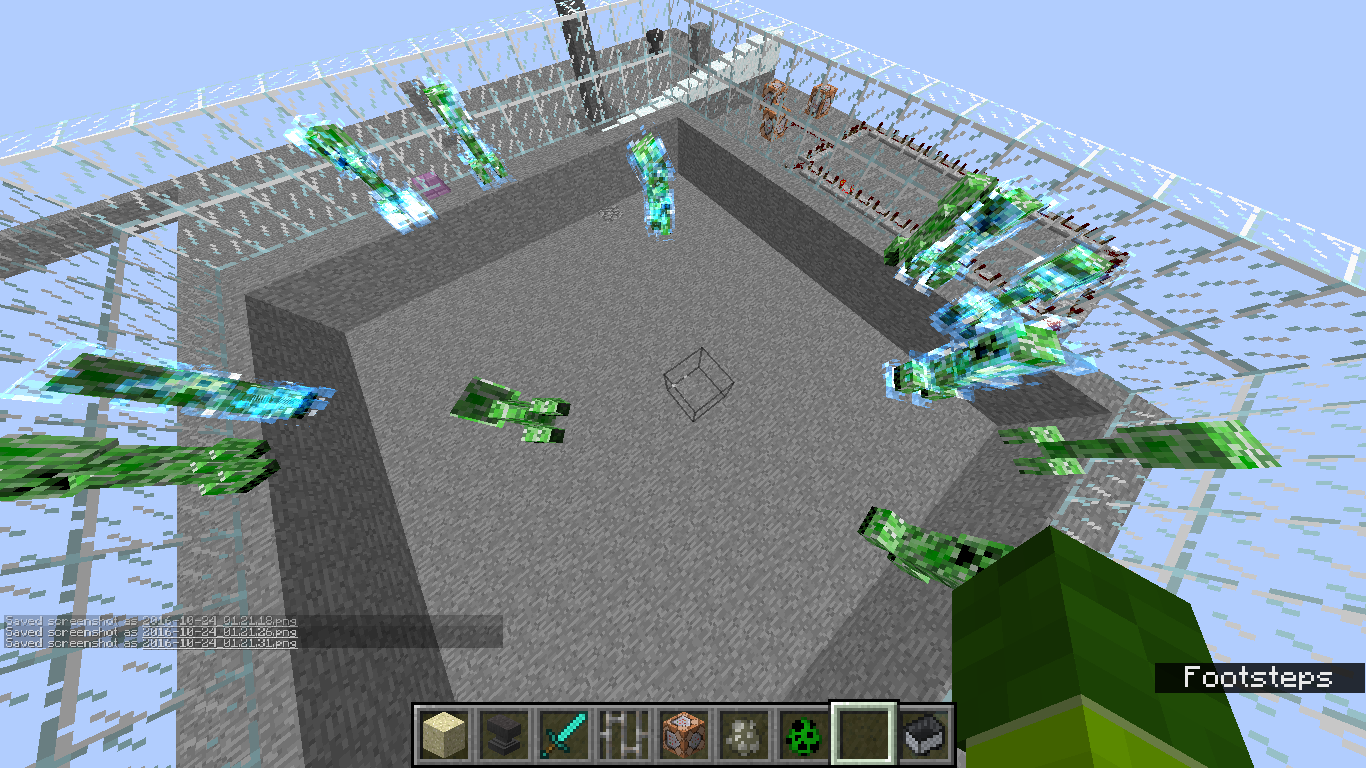
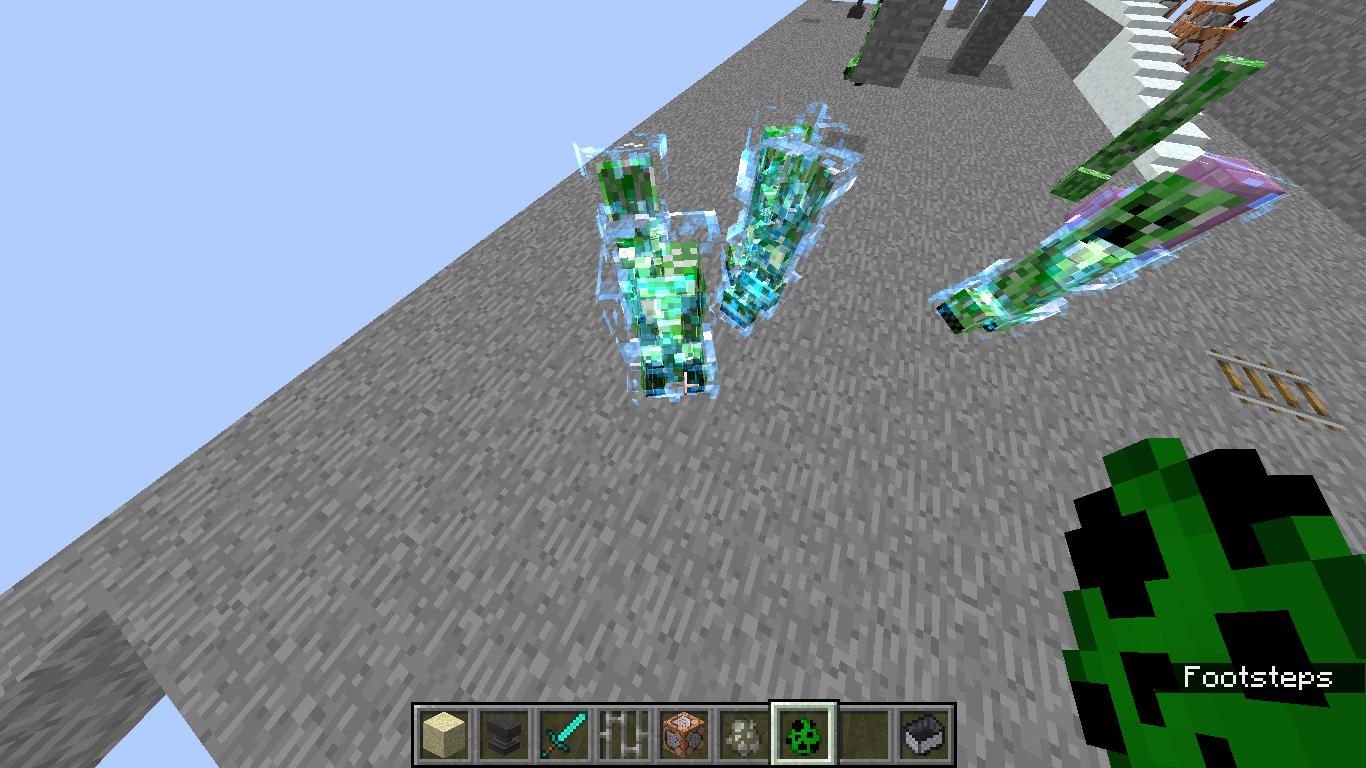
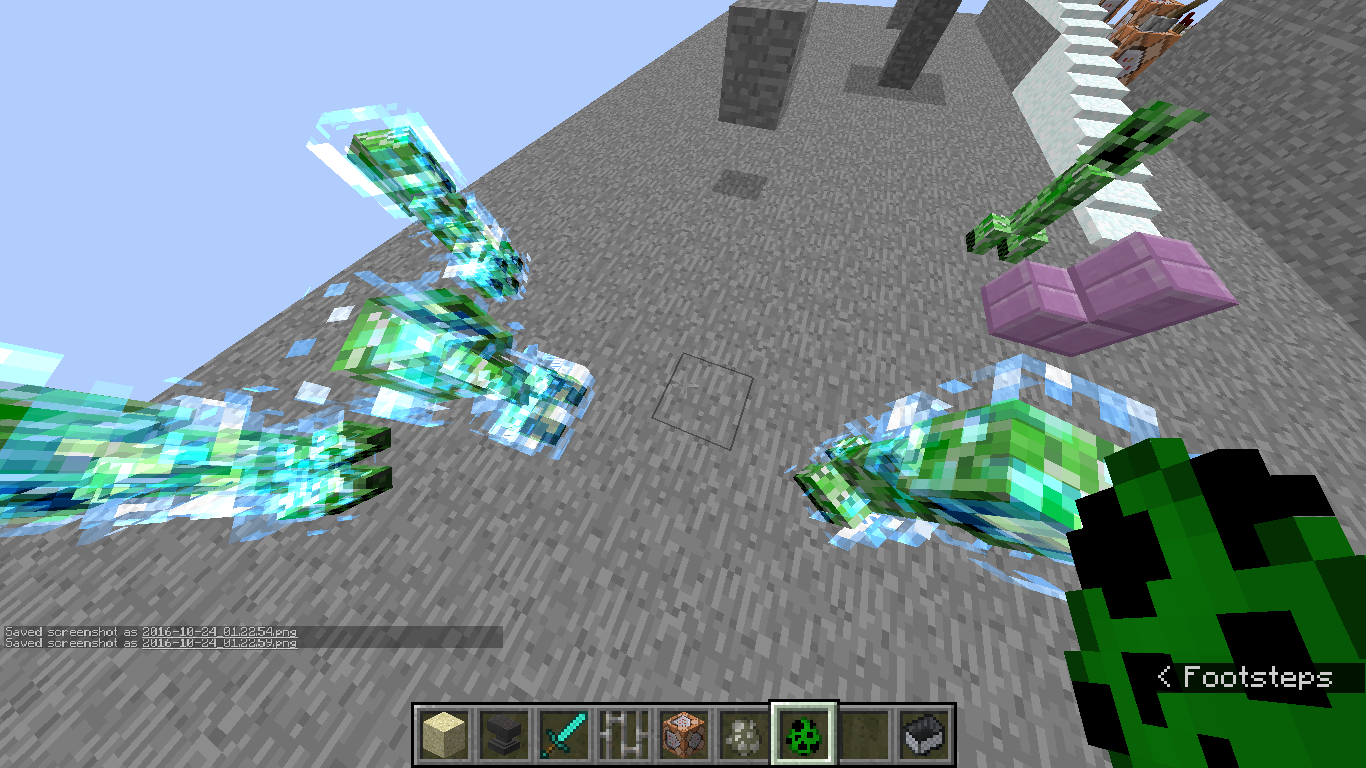
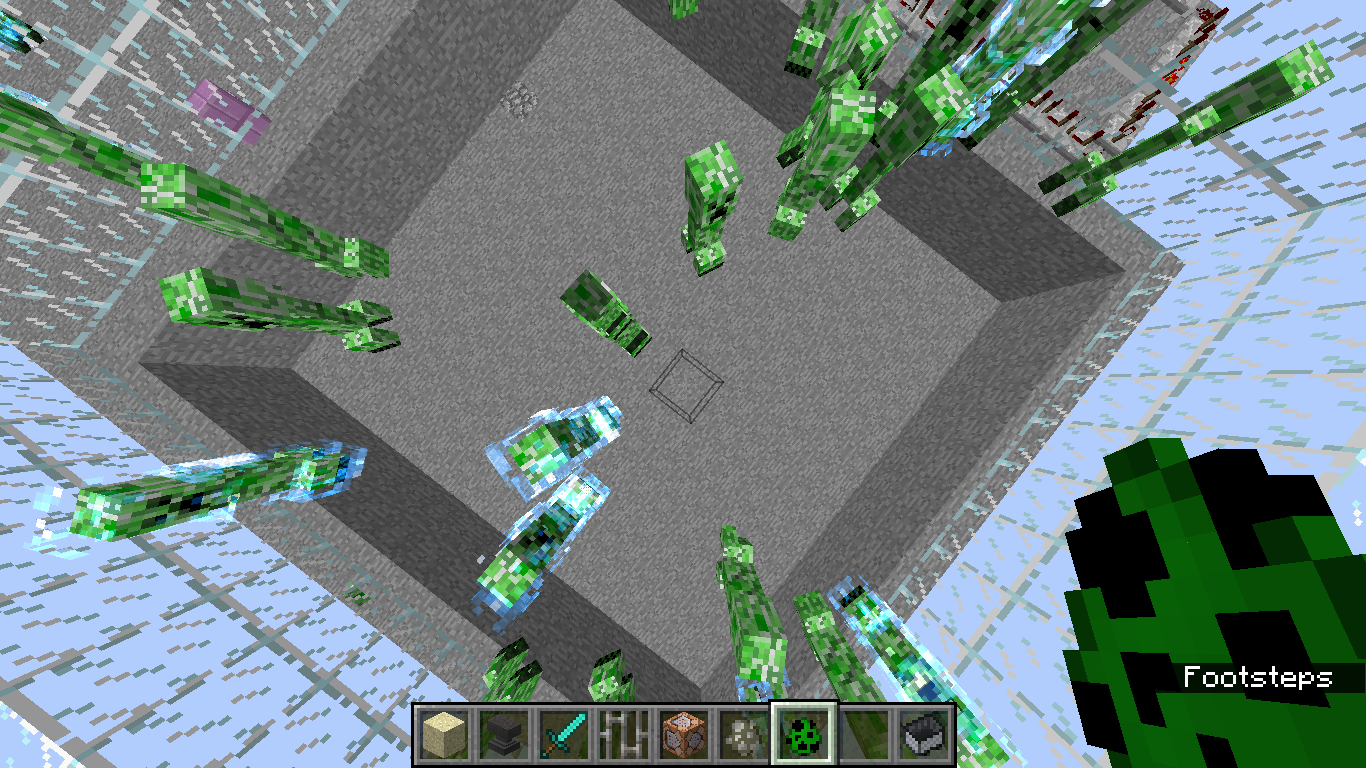
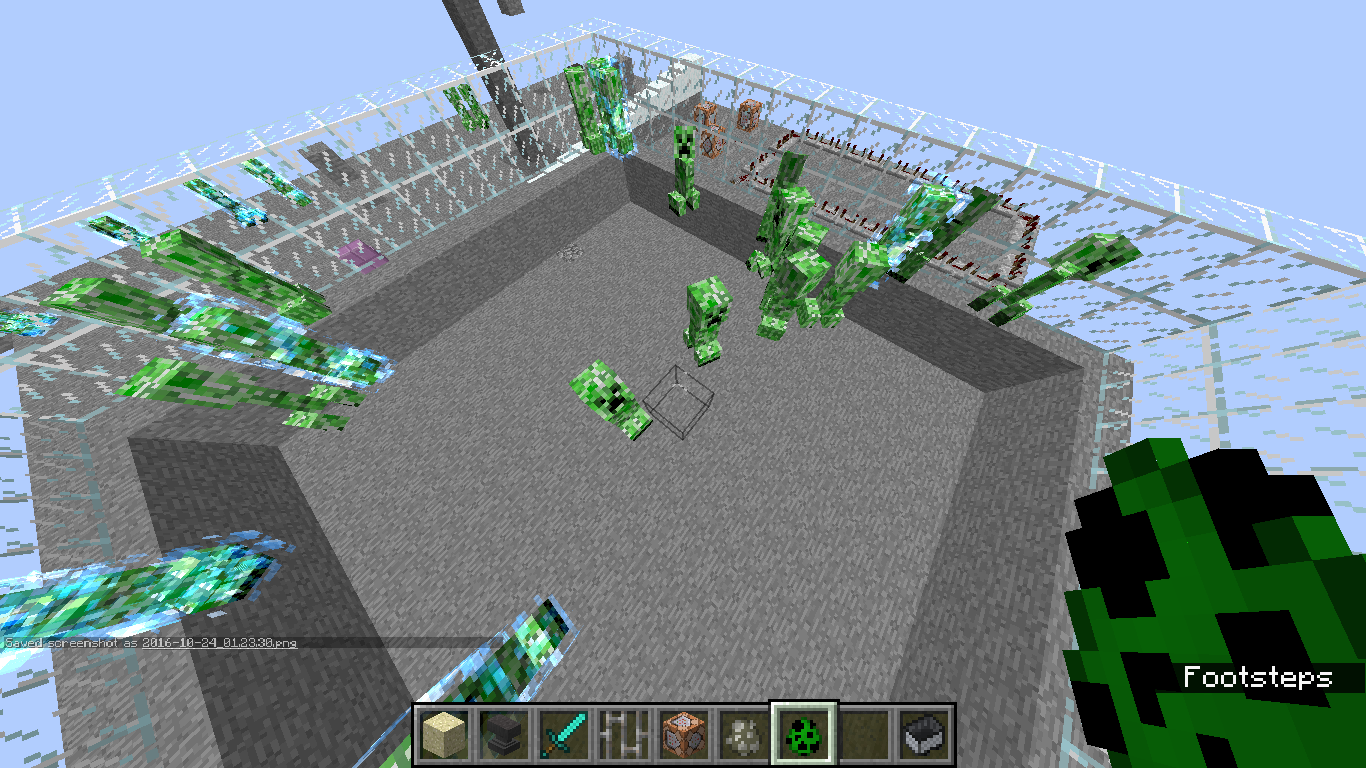
Just Weird. its like the textures are rendering wrong or something, or the model messed up idk its just weird.
To Recreate:
1. Spawn creepers or find some.
2. summon a lightning bolt.
3. put out fire to keep them from dying.
4. weird creepers galore.happens every time for me.
its hard to describe so look at the screenshots to see what i mean.
Computer Type:
Laptop
OS: Windows 7(x64)Java Version: 1.8.0 Processor: "AMD E-450 APU with Radeon(tm) HD Graphics" (x2[aka 'dual core']) RAM: 4GB (ram given to minecraft ~2.5GB)Screen Res.: 1366x768 Computer Type: Desktop
OS: Windows 10 (x64) Java Version: 1.8.0** Processor: "AMD FX(tm)-6350 Six-Core Processor 3.90 GHz" Graphics Card: "NVIDIA GeForce GTX 1060 6GB (GP106) @ 253 MHz" RAM: 8GB (ram given to minecraft 6GB) Screen Res.: 1920x1080
- I don't know if this matters anymore
Computer Type: Desktop
OS: Windows 10 (x64) Java Version: 1.8.0** Processor: "AMD FX(tm)-6350 Six-Core Processor 3.90 GHz" Graphics Card: "NVIDIA GeForce GTX 1060 6GB (GP106) @ 253 MHz" RAM: 8GB (ram given to minecraft 6GB) Screen Res.: 1920x1080
- I don't know if this matters anymore
Computer Type: Desktop
OS: Windows 10 (x64) Java Version: 1.8.0** Processor: "AMD FX(tm)-6350 Six-Core Processor 3.90 GHz" Graphics Card: "NVIDIA GeForce GTX 1060 6GB (GP106) @ 253 MHz" RAM: 8GB (ram given to minecraft 6GB) Screen Res.: 1920x1080
- I don't know if this matters anymore
Computer Type: Desktop
OS: Windows 10 (x64) Java Version: 1.8.0** Processor: "AMD FX(tm)-6350 Six-Core Processor 3.90 GHz" Graphics Card: "NVIDIA GeForce GTX 1060 6GB (GP106) @ 253 MHz" RAM: 8GB (ram given to minecraft 6GB) Screen Res.: 1920x1080
- I don't know if this matters anymore
Computer Type: Desktop
OS: Windows 10 (x64) Java Version: 1.8.0** Processor: "AMD FX(tm)-6350 Six-Core Processor 3.90 GHz" Graphics Card: "NVIDIA GeForce GTX 1060 6GB (GP106) @ 253 MHz" RAM: 8GB (ram given to minecraft 6GB) Screen Res.: 1920x1080
- I don't know if this matters anymore
Computer Type: Desktop
OS: Windows 10 (x64) Java Version: 1.8.0(**) Processor: "AMD FX(tm)-6350 Six-Core Processor 3.90 GHz" Graphics Card: "NVIDIA GeForce GTX 1060 6GB (GP106) @ 253 MHz" RAM: 8GB (ram given to minecraft 6GB) Screen Res.: 1920x1080 (**) I don't know if this matters anymore
Computer Type: Desktop
OS: Windows 10 (x64) Java Version: 1.8.0(**) Processor: "AMD FX(tm)-6350 Six-Core Processor 3.90 GHz" Graphics Card: "NVIDIA GeForce GTX 1060 6GB (GP106) @ 253 MHz" RAM: 8GB (ram given to minecraft 6GB)Screen Res.: 1920x1080 (**) I don't know if this matters anymore
Computer Type: Desktop
OS: Windows 10 (x64) Java Version: 1.8.0(**) Processor: "AMD FX(tm)-6350 Six-Core Processor 3.90 GHz" Graphics Card: "NVIDIA GeForce GTX 1060 6GB (GP106) @ 253 MHz" RAM: 12GB (ram given to minecraft 6GB) Screen Res.: 1920x1080 (**) I don't know if this matters anymore
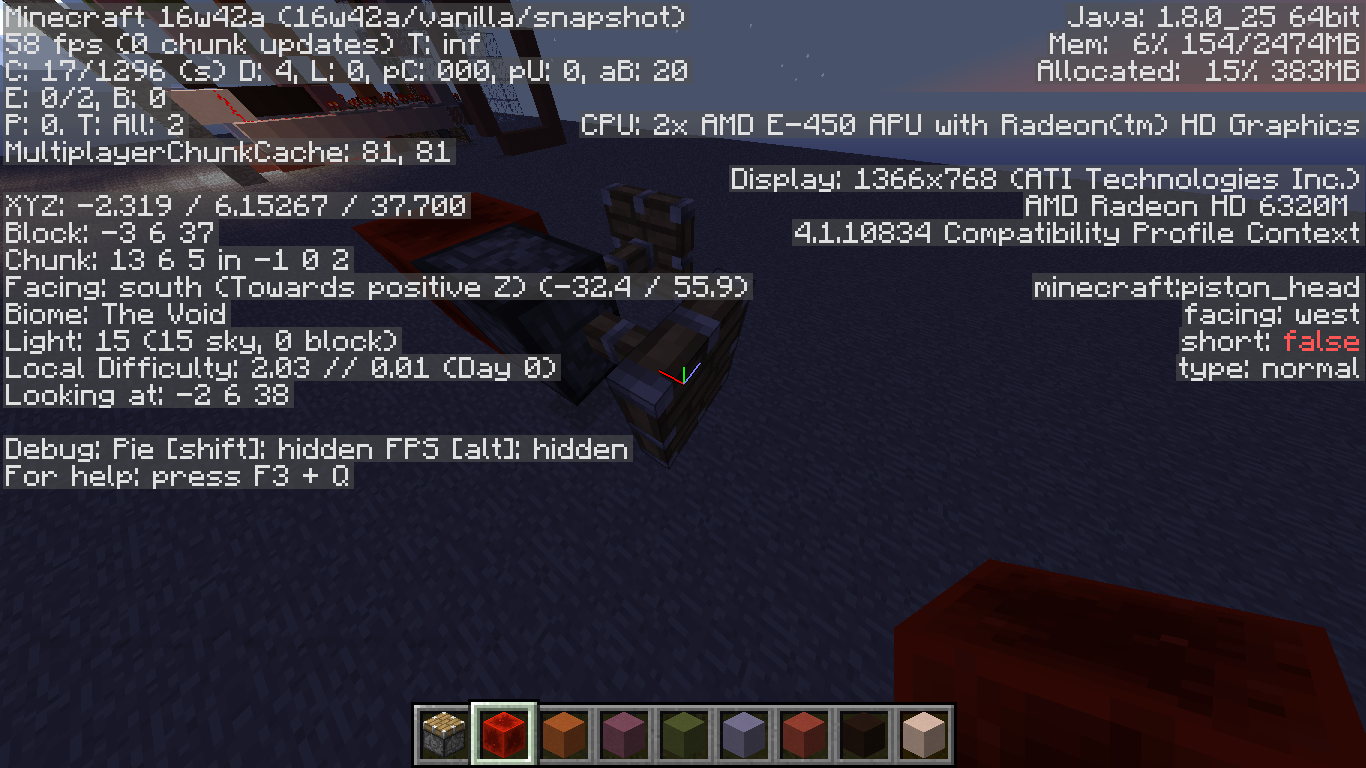
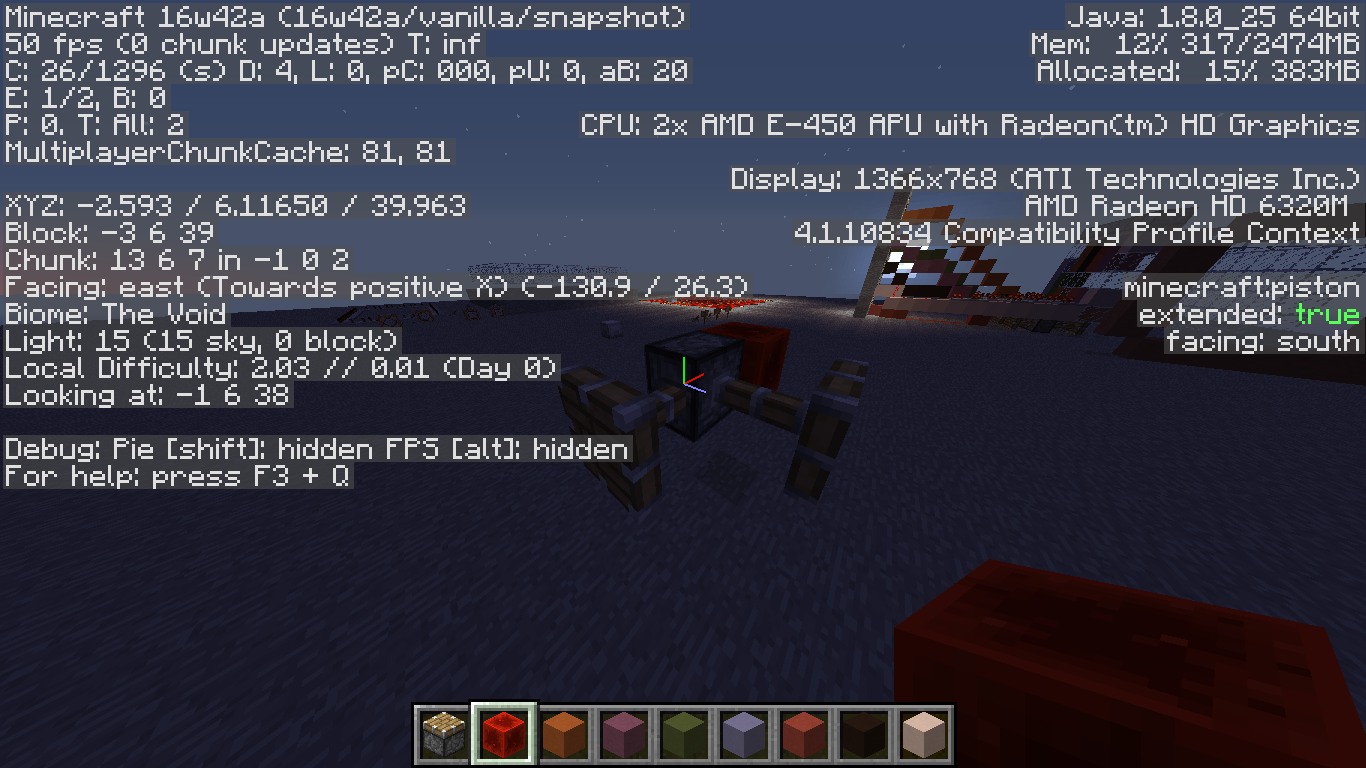
Found this bug with /setblock and (Sticky)pistons.
Steps to reproduce:
1. place a redstone block anywhere.
2. place a temp block for where your pistons are going to go.
3. use /setblock x y z minecraft:piston 0 (Note that you must use the new version of this to recreate it in 17w47b as theres no more "piston 0") at the temp blocks x,y,z.
4. do step 3 again (at the same x,y,z) but change the '0' to 1,2,3,4, or 5
when you do this you'll end up with a piston with 5 heads destroying any one of them will destroy the whole thing.
i was trying to use the /setblock for a 2 story maze and i ran into this, was expecting the previous piston(and piston head) to be replaced, not become a multi-headed piston. kinda broke my maze.
Found this bug with /setblock and (Sticky)pistons.
Steps to reproduce:
1. place a redstone block anywhere.
2. place a temp block for where your pistons are going to go.
3. use /setblock x y z minecraft:piston 0 (Note that you must use the new version of this command to recreate it in 17w47b as theres no more "piston 0") at the temp blocks x,y,z.
4. do step 3 again (at the same x,y,z) but change the '0' to 1,2,3,4, or 5
when you do this you'll end up with a piston with 5 heads destroying any one of them will destroy the whole thing.
i was trying to use the /setblock for a 2 story maze and i ran into this, was expecting the previous piston(and piston head) to be replaced, not become a multi-headed piston. kinda broke my maze.
Found this bug with /setblock and (Sticky)pistons.
Steps to reproduce:
1. place a redstone block anywhere.
2. place a temp block for where your pistons are going to go.
3. use /setblock x y z minecraft:piston 0 (Note that you must use the new version of this command to recreate it in 17w47b as theres no more "piston 0") at the temp blocks x,y,z.
4. do step 3 again (at the same x,y,z) but changethe '0' to 1,2,3,4, or 5
when you do this you'll end up with a piston with 5 heads destroying any one of them will destroy the whole thing.
i was trying to use the /setblock for a 2 story maze and i ran into this, was expecting the previous piston(and piston head) to be replaced, not become a multi-headed piston. kinda broke my maze.Found this bug with /setblock and (Sticky)pistons.
Steps to reproduce:
1. place a redstone block anywhere.
2. place a temp block next to the redstone block for where your pistons are going to go.
3. use /setblock x y z minecraft:piston[facing=up] at the temp blocks x,y,z.
4. do step 3 again (at the same x,y,z) but change 'up' to east, west, north, south or down
when you do this you'll end up with a piston with 5 heads destroying any one of them will destroy the whole thing.
i was trying to use the /setblock for a 2 story maze and i ran into this, was expecting the previous piston(and piston head) to be replaced, not become a multi-headed piston. kinda broke my maze.
Computer Type: Desktop
OS: Windows 10 (x64) Java Version: 1.8.0(**) Processor: "AMD FX(tm)-6350 Six-Core Processor 3.90 GHz" Graphics Card: "NVIDIA GeForce GTX 1060 6GB (GP106) @ 253 MHz" RAM: 1 2GB (ram given to minecraft6GB)Screen Res.: 1920x1080 (**) I don't know if this matters anymore
Computer Type: Desktop
OS: Windows 10 (x64) Java Version: 1.8.0(**) Processor: "AMD FX(tm)-6350 Six-Core Processor 3.90 GHz" Graphics Card: "NVIDIA GeForce GTX 1060 6GB (GP106) @ 253 MHz" RAM: 16GB (ram given to minecraft 7-11GB) Screen Res.: 1920x1080 (**) I don't know if this matters anymore
Well i was playing around with command blocks and i ran into this.
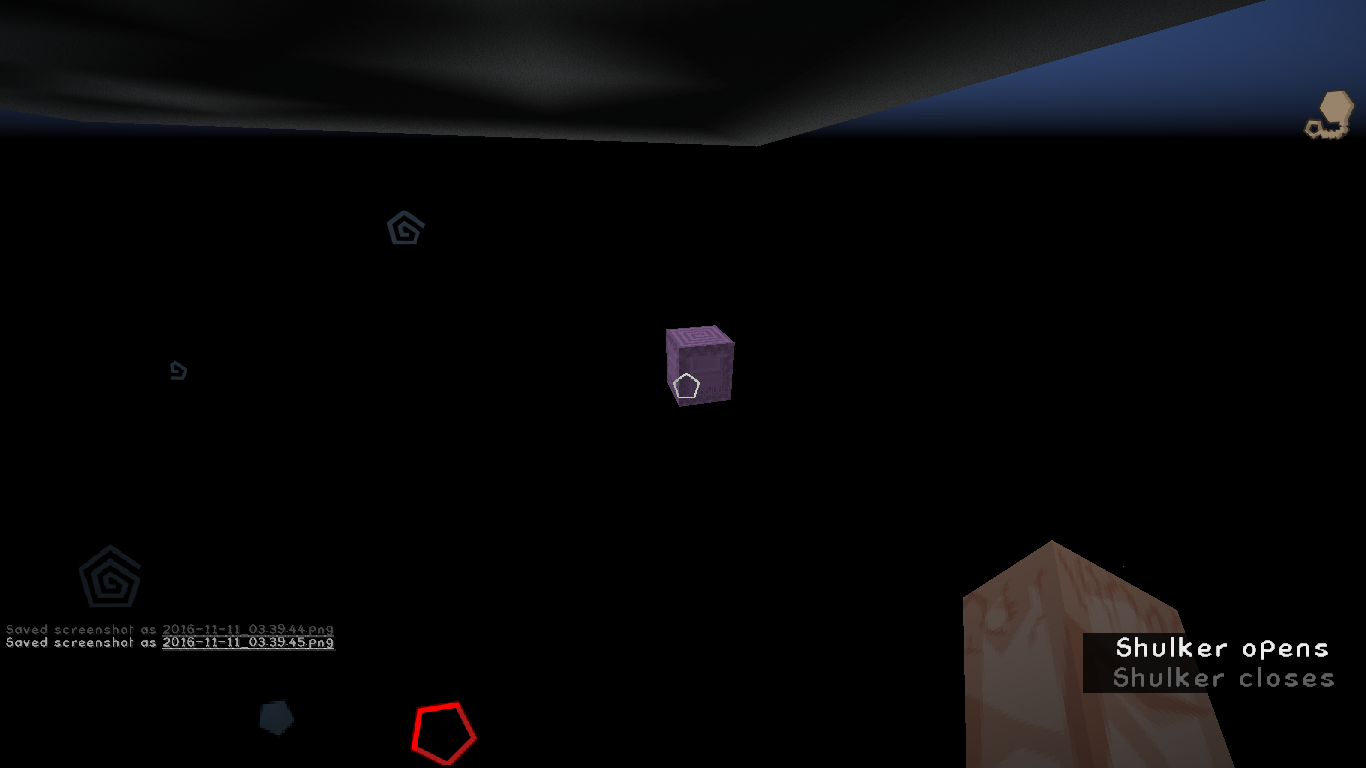
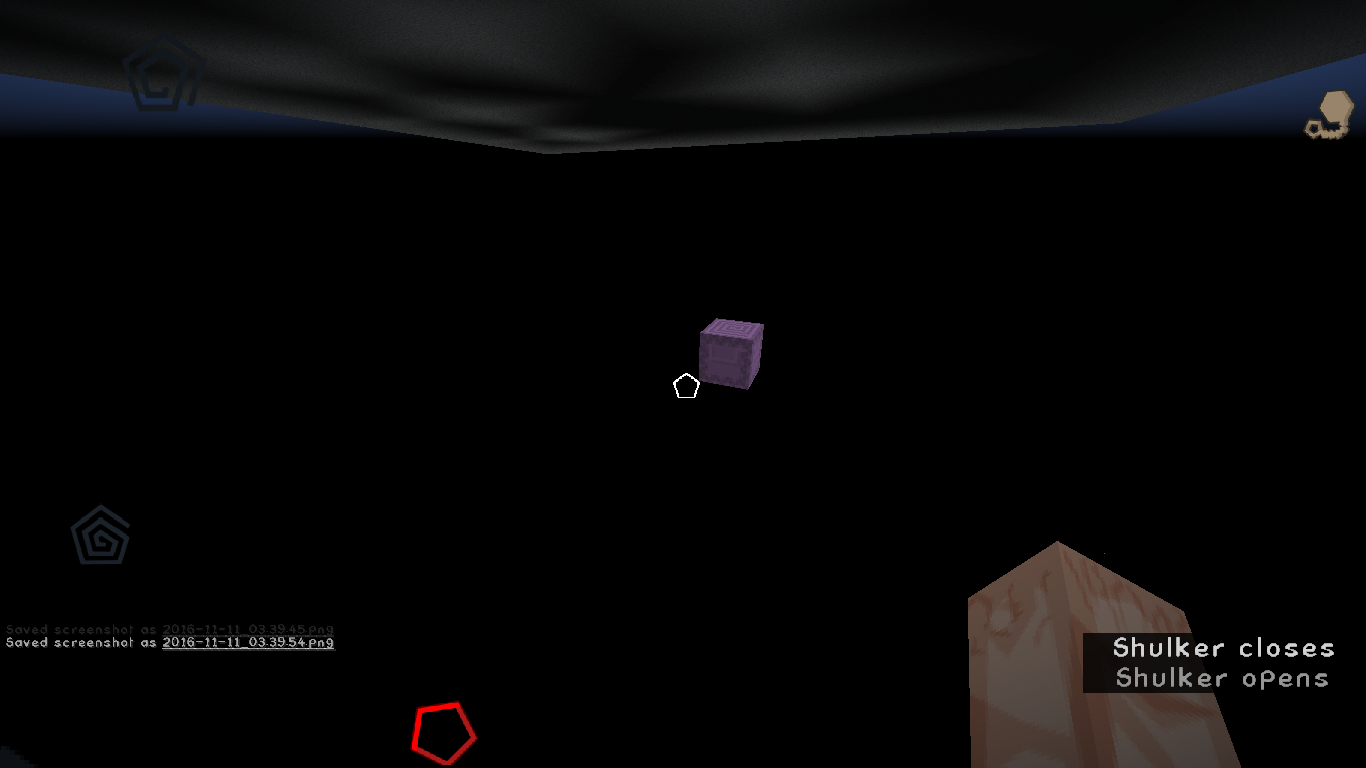
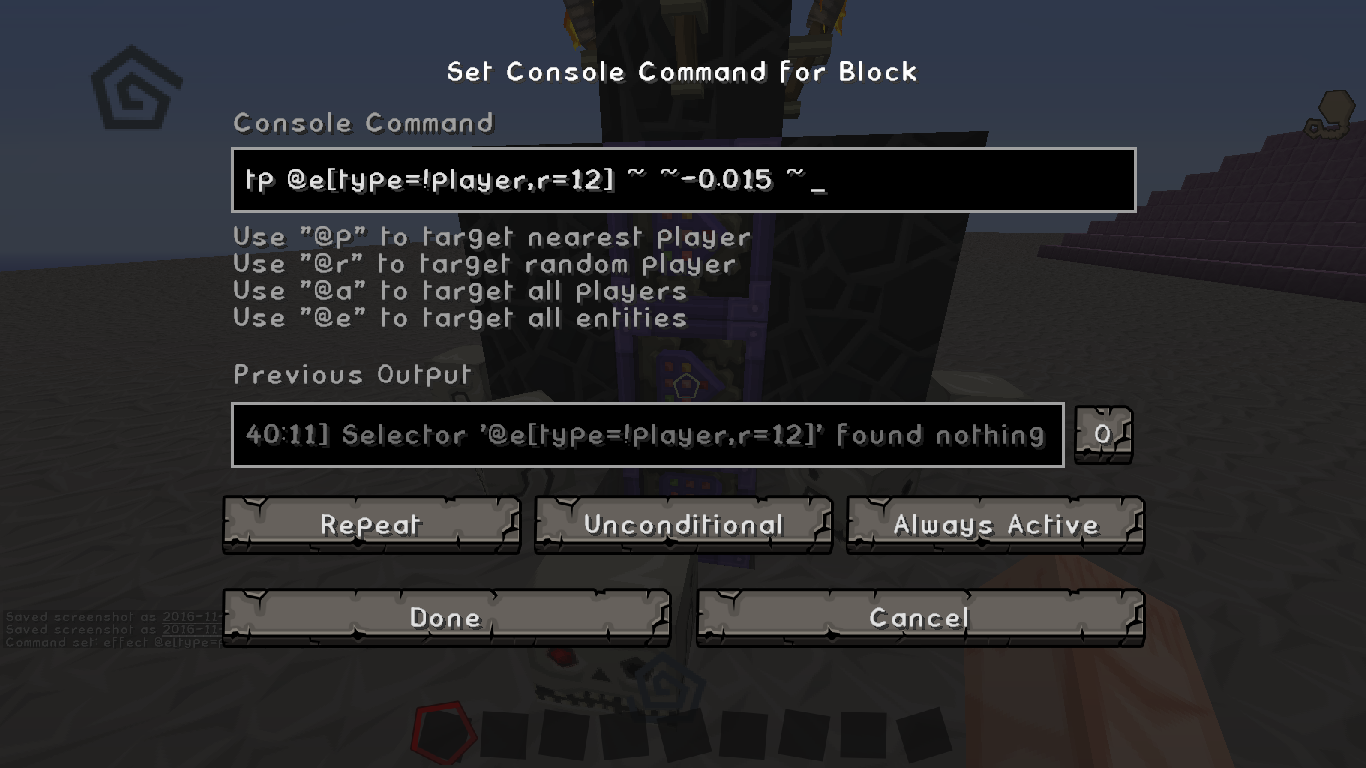
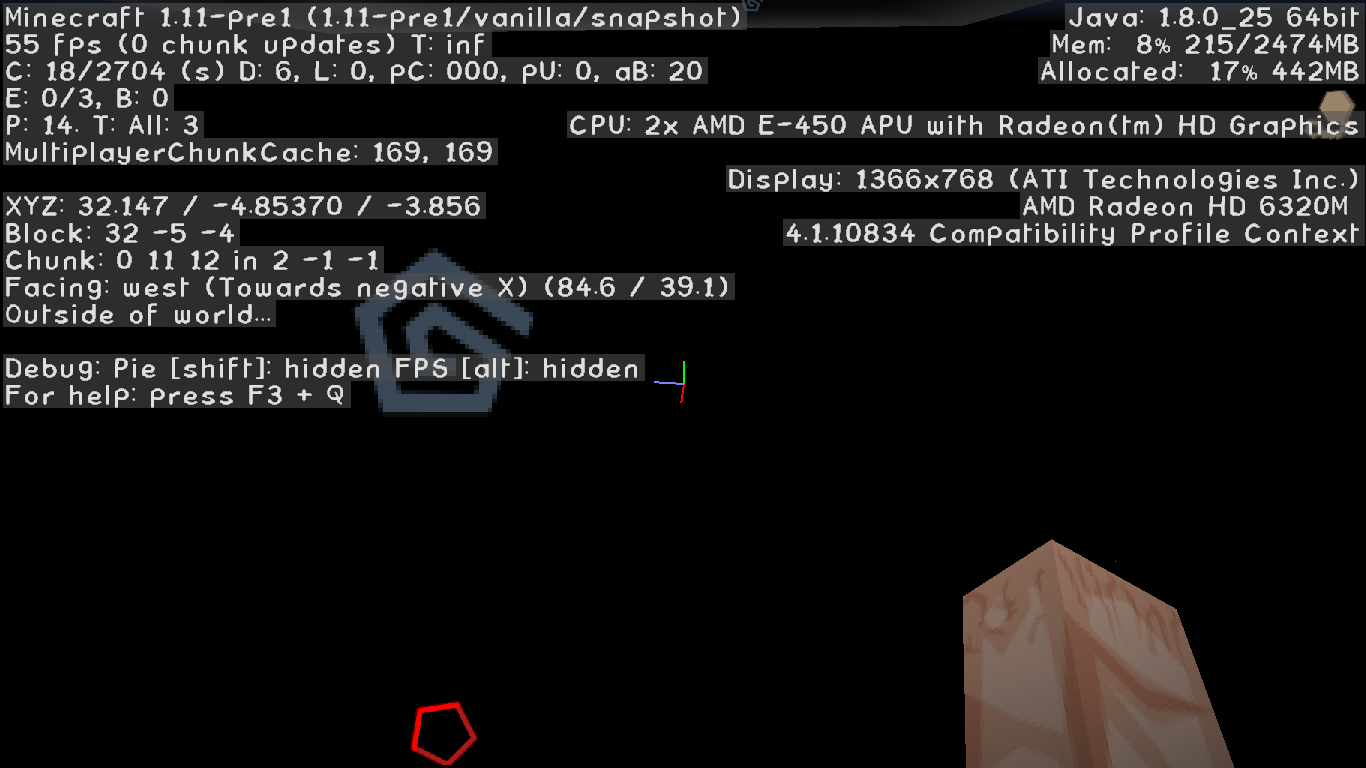
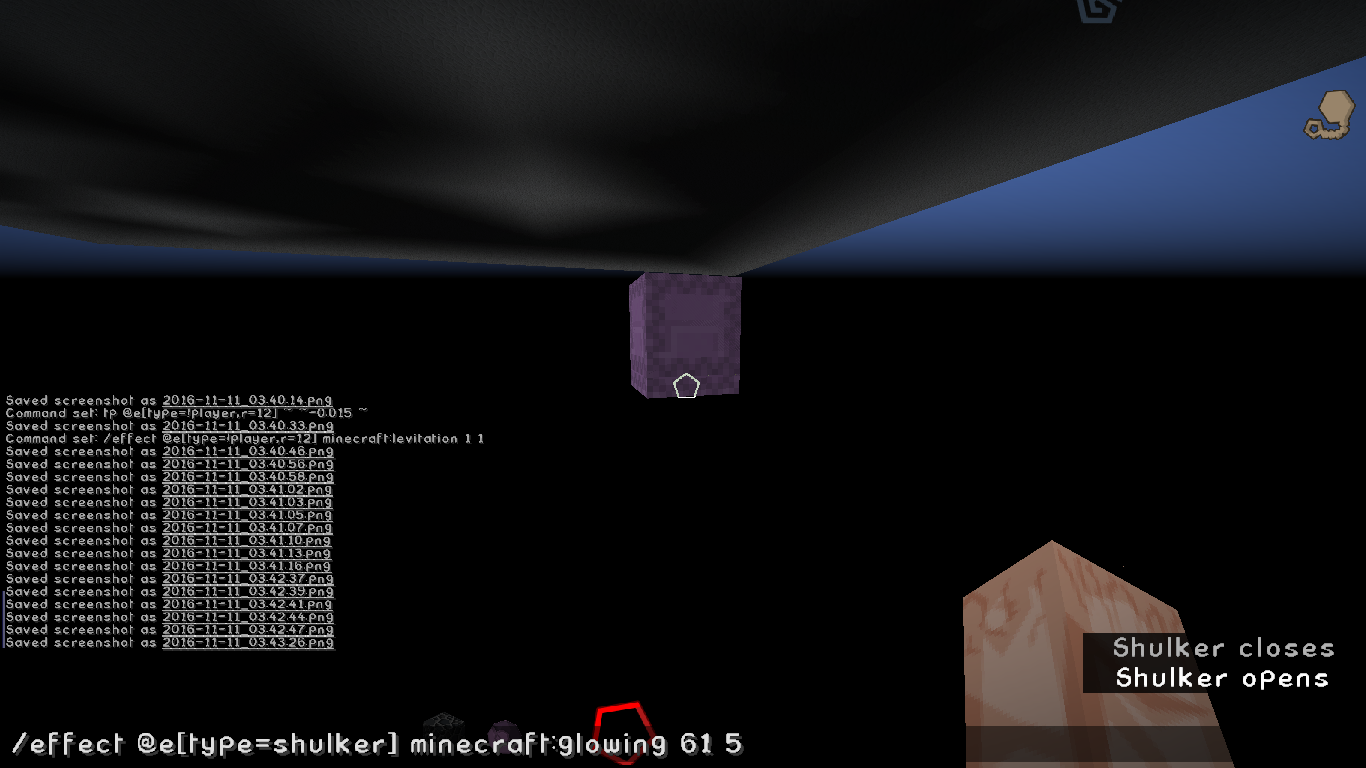
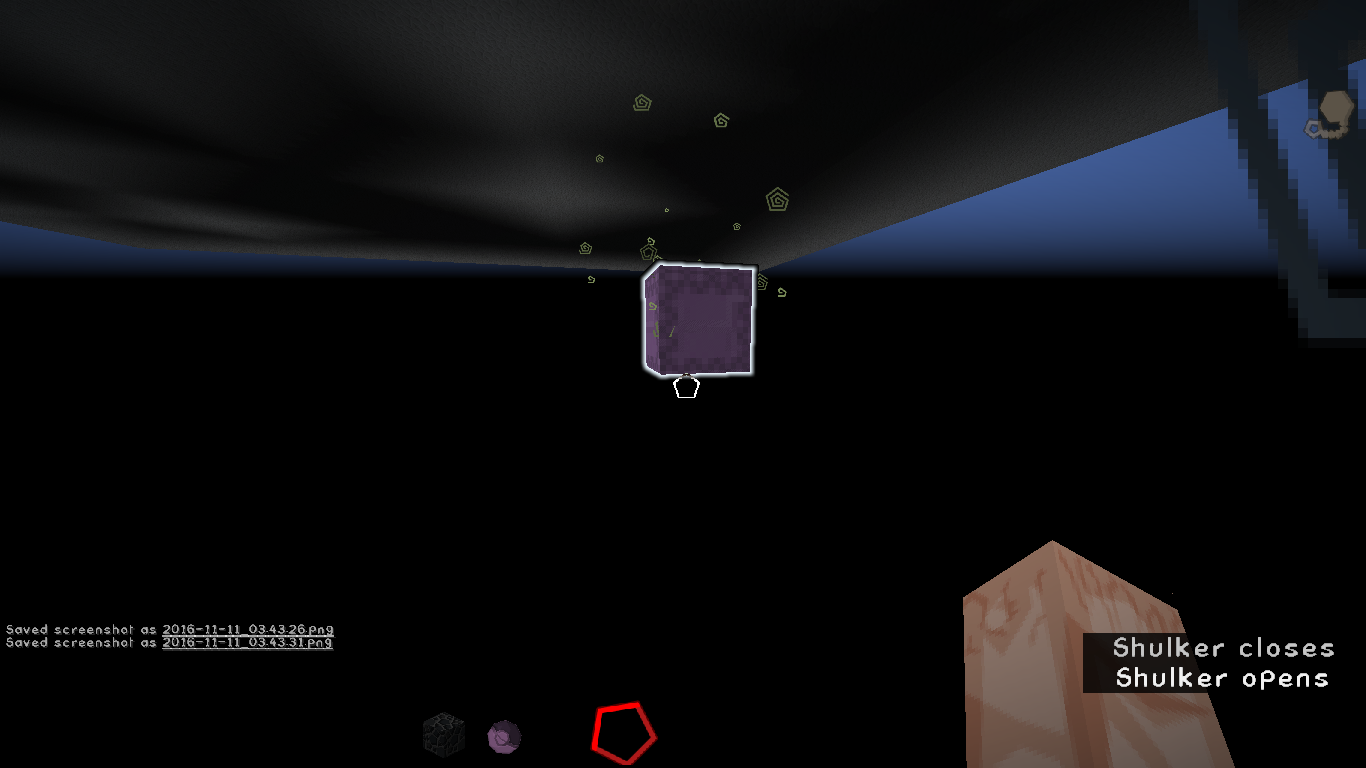
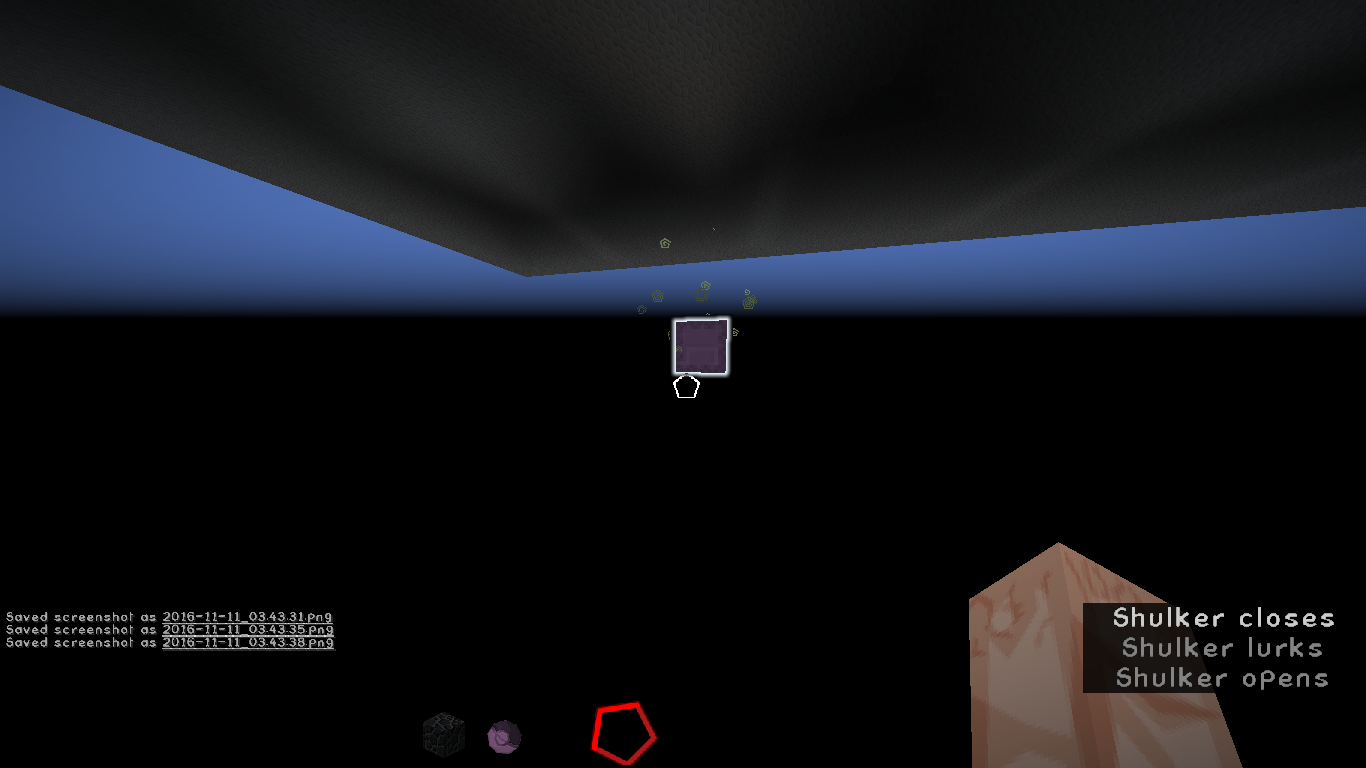
While teleporting a entity ~ ~-0.015 ~ I noticed that the shulker randomly teleported until i put a repeating command block down then i noticed that they just froze in midair below the min. block placing height (y<0) then they all went to one spot (and to my knowledge, completely ignoring the entity shove max rule)
Steps to recreate(Wold=Superflat[Void])
1. Place 2 repeating(always active) Command blocks with the commands
1.1 /tp @e[type=!player,r=12] ~ ~-0.015 ~
1.2 /effect @e[type=!player,r=12] minecraft:levitation 1 1
2. Spawn a Shulker and then look for it below y:0
EDIT:
all you really need it the teleporting command block as i have recently testedi really expected them to teleport to the under side or away or them just die. not the floating shulkers i got.
(Btw that 3rd command block you see is just one that gives the players slowness)
Computer Type:
Laptop
OS: Windows 7(x64)Java Version: 1.8. 0Processor: "AMD E-450 APU with Radeon(tm) HD Graphics" (x2[aka 'dual core']) RAM: 4GB (ram given to minecraft ~2.5GB)Screen Res.: 1366x768Computer Type: Desktop
OS: Windows 10 (x64) Java Version: 1.8.1(**) Processor: "AMD FX(tm)-6350 Six-Core Processor 3.90 GHz" Graphics Card: "NVIDIA GeForce GTX 1060 6GB (GP106) @ 253 MHz" RAM: 12GB (ram given to minecraft 6GB) Screen Res.: 1920x1080 (**) I don't know if this matters anymore
The bug
While teleporting an entity ~ ~-0.015 ~ I noticed that the shulker randomly teleported until I put a repeating command block down. Then I noticed that they just froze in midair below the minimum block placing height (y<0) then they all went to one spot (and to my knowledge, completely ignoring entity collision) .
Steps to recreate
- Create a "The Void" superflat world
- Place 2 repeating (always active) command blocks with the following commands
/tp @e[type=shulker] ~ ~-0.015 ~and
/tp @e[type=shulker] ~ ~-0.015 ~- Spawn a Shulker and then look for it below y = 0
The bug
While teleporting an entity ~ ~-0.015 ~ I noticed that the shulker randomly teleported until I put a repeating command block down. Then I noticed that they just froze in midair below the minimum block placing height (y<0) then they all went to one spot (and to my knowledge, completely ignoring entity collision) .
Steps to recreate
- Create a "The Void" superflat world
- Place 2 repeating (always active) command blocks with the following commands
/tp @e[type=shulker] ~ ~-0.015 ~and
/tp@e[type=shulker]~ ~-0.015 ~- Spawn a Shulker and then look for it below y = 0
The bug
While teleporting an entity ~ ~-0.015 ~ I noticed that the shulker randomly teleported until I put a repeating command block down. Then I noticed that they just froze in midair below the minimum block placing height (y<0) then they all went to one spot (and to my knowledge, completely ignoring entity collision) .
Steps to recreate
- Create a "The Void" superflat world
- Place 2 repeating (always active) command blocks with the following commands
/tp @e[type=shulker] ~ ~-0.015 ~and
/effect @e[type=shulker] minecraft:levitation 1 1- Spawn a Shulker and then look for it below y = 0
The bug
While teleporting an entity ~ ~-0.015 ~ I noticed that the shulker randomly teleported until I put a repeating command block down. Then I noticed that they just froze in midair below the minimum block placing height (y<0) then they all went to one spot (and to my knowledge, completely ignoring entity collision) .
Steps to recreate
- Create a "The Void" superflat world
- Place
2repeating (always active) command blockswith the following commands/tp @e[type=shulker] ~ ~-0.015 ~and
/effect @e[type=shulker] minecraft:levitation 1 1- Spawn a Shulker and then look for it below y = 0
The bug
While teleporting an entity ~ ~-0.015 ~ I noticed that the shulker randomly teleported until I put a repeating command block down. Then I noticed that they just froze in midair below the minimum block placing height (y<0) then they all went to one spot (and to my knowledge, completely ignoring entity collision) .
Steps to recreate
- Create a "The Void" superflat world
- Place 1 repeating (always active) command block with the following command
/tp @e[type=shulker] ~ ~-0.015 ~- Spawn a Shulker and then look for it below y = 0
The bug
While teleporting an entity ~ ~-0.015 ~ I noticed that the shulker randomly teleported until I put a repeating command block down. Then I noticed that they just froze in midair below the minimum block placing height (y<0) then they all went to one spot (and to my knowledge, completely ignoring entity collision) .
Steps to recreate
- Create a "The Void" superflat world
- Place 1 repeating (always active) command block with the following command
/tp @e[type=shulker] ~ ~-0.015 ~- Spawn a Shulker and then look for it below y = 0
Warning
Due to the broken nature of relative coordinates i cannot say how this bug is affecting the game(1.13 snaps) as i cannot reproduce constant results, every time i'v tried so far i'v gotten a different result each time. (will update when i can gather constant results)
The bug
While teleporting an entity ~ ~-0.015 ~ I noticed that the shulker randomly teleported until I put a repeating command block down. Then I noticed that they just froze in midair below the minimum block placing height (y<0) then they all went to one spot (and to my knowledge, completely ignoring entity collision) .
Steps to recreate
- Create a "The Void" superflat world
- Place 1 repeating (always active) command block with the following command
/tp @e[type=shulker] ~ ~-0.015 ~- Spawn a Shulker and then look for it below y = 0
Warning
Due to the broken nature of relative coordinates i cannot say how this bug is affecting the game(1.13 snaps) as i cannot reproduce constant results, every time i'v tried so far i'v gotten a different result each time. (will update when i can gather constant results)
The bug
While teleporting an entity ~ ~-0.015 ~ I noticed that the shulker randomly teleported until I put a repeating command block down. Then I noticed that they just froze in midair below the minimum block placing height (y<0) then they all went to one spot (and to my knowledge, completely ignoring entity collision) .
Steps to recreate
- Create a "The Void" superflat world
- Place 1 repeating (always active) command block with the following command
/tp @e[type=shulker] ~ ~-0.015 ~- Spawn a Shulker and then look for it below y = 0
Warning
Due to the broken nature of
MC-121934i cannot say how this bug is affecting the game(1.13 snaps) as i cannot reproduce constant results, every time i'v tried so far i'v gotten a different result each time. (will update when i can gather constant results)
The bug
While teleporting an entity ~ ~-0.015 ~ I noticed that the shulker randomly teleported until I put a repeating command block down. Then I noticed that they just froze in midair below the minimum block placing height (y<0) then they all went to one spot (and to my knowledge, completely ignoring entity collision) .
Steps to recreate
- Create a "The Void" superflat world
- Place 1 repeating (always active) command block with the following command
/tp @e[type=shulker] ~ ~-0.015 ~- Spawn a Shulker and then look for it below y = 0
Warning
Due to the broken nature of
MC-121934(it doesn't exactly relate but the commands i use are executing to all entities at the same time instead of each entity for itself) i cannot say how this bug is affecting the game(1.13 snaps) as i cannot reproduce constant results, every time i'v tried so far i'v gotten a different result each time. (will update when i can gather constant results)
The bugWhile teleporting an entity ~ ~-0.015 ~ I noticed that the shulker randomly teleported until I put a repeating command block down. Then I noticed that they just froze in midair below the minimum block placing height (y<0) then they all went to one spot (and to my knowledge, completely ignoring entity collision) .
How to reproduce
- Create a "The Void" superflat world
- Place a repeating (always active) command block with the following command
/tp @e[type=shulker] ~ ~-0.015 ~- Spawn a Shulker and then look for it below y = 0
Warning
Due to the broken nature of
MC-121934(it doesn't exactly relate but the commands i use are executing to all entities at the same time instead of each entity for itself) i cannot say how this bug is affecting the game(1.13 snaps) as i cannot reproduce constant results, every time i'v tried so far i'v gotten a different result each time. (will update when i can gather constant results)
The bug
While teleporting an entity ~ ~-0.015 ~ I noticed that the shulker randomly teleported until I put a repeating command block down. Then I noticed that they just froze in midair below the minimum block placing height (y<0) then they all went to one spot (and to my knowledge, completely ignoring entity collision) .
How to reproduce
Create a "The Void" superflat worldPlace a repeating (always active) command block with the following command/tp @e[type=shulker] ~ ~-0.015 ~
Spawn a Shulker and then look for it below y = 0EDIT
After some more testing it seems this bug has been fixed in the newest 1.13 snapshots
The bug
While teleporting an entity ~ ~-0.015 ~ I noticed that the shulker randomly teleported until I put a repeating command block down. Then I noticed that they just froze in midair below the minimum block placing height (y<0) then they all went to one spot (and to my knowledge, completely ignoring entity collision) .
How to reproduce
Create a "The Void" superflat worldPlace a repeating (always active) command block with the following command/tp @e[type=shulker] ~ ~-0.015 ~
Spawn a Shulker and then look for it below y = 0EDIT
After some more testing it seems this bug has been fixed in the newest 1.13 snapshots and pre-releases
{ I will tell you this right now this is a really rare glitch I'v only gotten it to happen twice (2/~300[+-10]) }
===
=. It's Basically Gliding Infinitely with an elytra but your able to touch the ground, But when you do its like sliding on ice, and hit walls (and will not hurt) but you take damage as if you are walking on the ground (aka falling 4+ blocks no matter how slow you look like your falling once you hit the ground you'll take damage) , Plus the elytra's durability does not go down, And you'll stay in 'Elytra mode' until you die or take it off,unless you have the Curse of Binding enchantment on the elytra in survival.
Steps to recreate:
1. Set up a way so that you teleport while you are gliding with an elytra.
2. meet the requirements so that you teleport while you are gliding.
3. if this doesn't work try putting snow around where you teleport to. (that's what i teleported to anyways)
Its really rare so if you don't run into it don't worry It still exists..
So when i try this command block chain
1(Repeating): /entitydata @e[type=area_effect_cloud]{Radius:0.25f,DurationOnUse:0,Invulnerable:1b,Particle:"hugeexplosion",ReapplicationDelay:20,RadiusPerTick:-0.05f,RadiusOnUse:0f} 2: /testfor @e[type=area_effect_cloud] comparator to next block 3: /execute @e[type=area_effect_cloud] ~ ~ ~ /playsound minecraft:entity.generic.explode ambient @a ~ ~ ~ 2 0.74 repeater to next command block 4: /execute @e[type=creeper] ~ ~ ~ /playsound minecraft:entity.generic.explode ambient @a ~ ~ ~ 2 0.44 5: /execute @e[type=area_effect_cloud] ~ ~ ~ /fill ~-4 ~-4 ~-4 ~4 ~4 ~4 minecraft:air 0 replace minecraft:glass 6: /kill @e[type=area_effect_cloud]for some reason All relative coordinates are being relative to the command block, instead of the entities I specified.
So when i try this command block chain
1(Repeating): /entitydata @e[type=area_effect_cloud]{Radius:0.25f,DurationOnUse:0,Invulnerable:1b,Particle:"hugeexplosion",ReapplicationDelay:20,RadiusPerTick:-0.05f,RadiusOnUse:0f} 2: /testfor @e[type=area_effect_cloud] comparator to next block 3: /execute @e[type=area_effect_cloud] ~ ~ ~ /playsound minecraft:entity.generic.explode ambient @a ~ ~ ~ 2 0.74 repeater to next command block 4: /execute @e[type=creeper] ~ ~ ~ /playsound minecraft:entity.generic.explode ambient @a ~ ~ ~ 2 0.44 5: /execute @e[type=area_effect_cloud] ~ ~ ~ /fill ~-4 ~-4 ~-4 ~4 ~4 ~4 minecraft:air 0 replace minecraft:glass 6: /kill @e[type=area_effect_cloud]for some reason All relative coordinates are being relative to the command block, instead of the entities I specified.
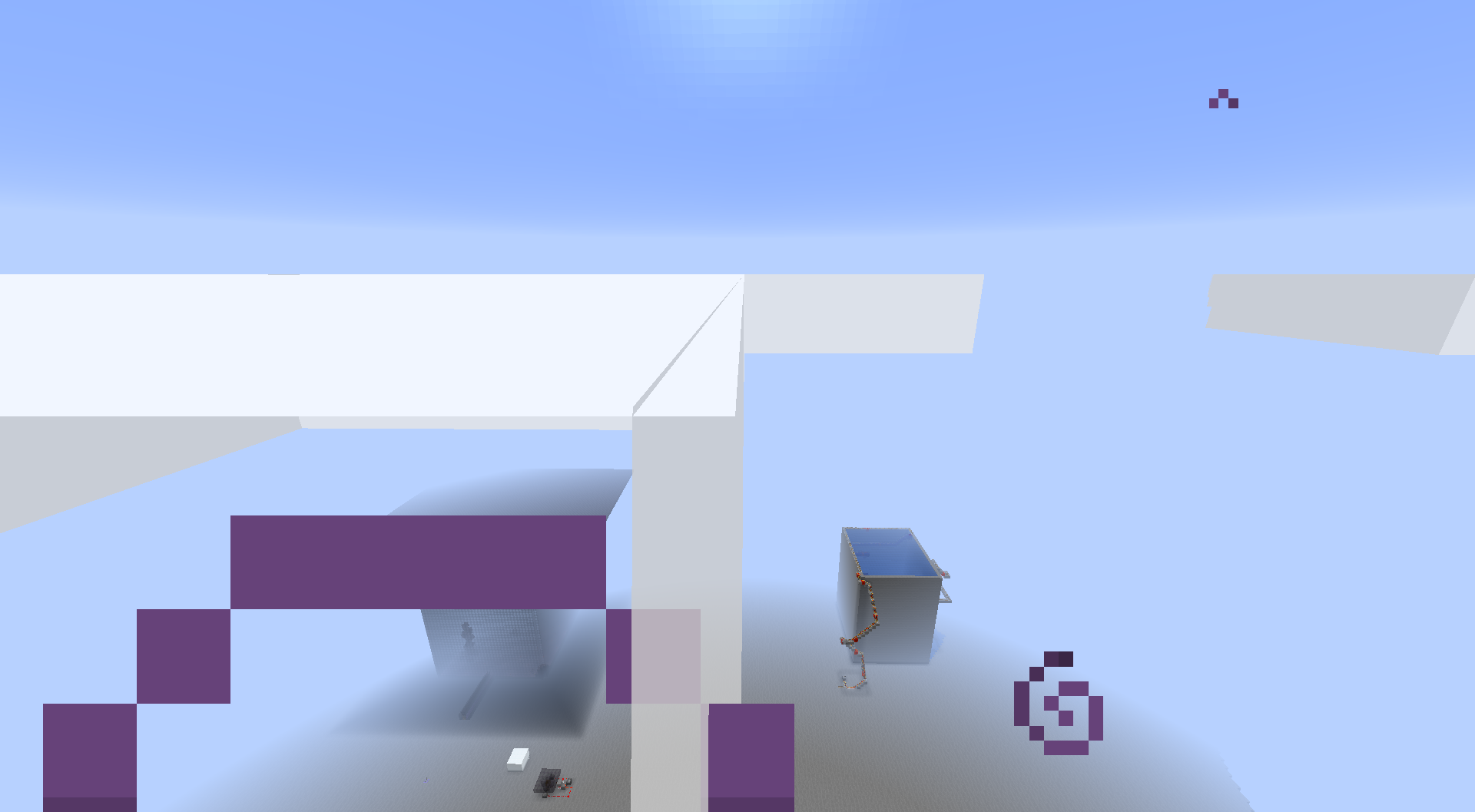
before and after the commands executed images are below.
So when i try this command block chain
1(Repeating): /entitydata @e[type=area_effect_cloud]{Radius:0.25f,DurationOnUse:0,Invulnerable:1b,Particle:"hugeexplosion",ReapplicationDelay:20,RadiusPerTick:-0.05f,RadiusOnUse:0f} 2: /testfor @e[type=area_effect_cloud] comparator to next commend block 3: /execute @e[type=area_effect_cloud] ~ ~ ~ /playsound minecraft:entity.generic.explode ambient @a ~ ~ ~ 2 0.74 repeater to next command block 4: /execute @e[type=creeper] ~ ~ ~ /playsound minecraft:entity.generic.explode ambient @a ~ ~ ~ 2 0.44 5: /execute @e[type=area_effect_cloud] ~ ~ ~ /fill ~-4 ~-4 ~-4 ~4 ~4 ~4 minecraft:air 0 replace minecraft:glass 6: /kill @e[type=area_effect_cloud]for some reason All relative coordinates are being relative to the command block, instead of the entities I specified.
before and after the commands executed images are below.
So when i try this command block chain
1(Repeating): /entitydata @e[type=area_effect_cloud]{Radius:0.25f,DurationOnUse:0,Invulnerable:1b,Particle:"hugeexplosion",ReapplicationDelay:20,RadiusPerTick:-0.05f,RadiusOnUse:0f} 2: /testfor @e[type=area_effect_cloud] comparator to next commend block 3: /execute @e[type=area_effect_cloud] ~ ~ ~ /playsound minecraft:entity.generic.explode ambient @a ~ ~ ~ 2 0.74 repeater to next command block 4: /execute @e[type=creeper] ~ ~ ~ /playsound minecraft:entity.generic.explode ambient @a ~ ~ ~ 2 0.44 5: /execute @e[type=area_effect_cloud] ~ ~ ~ /fill ~-4 ~-4 ~-4 ~4 ~4 ~4 minecraft:air 0 replace minecraft:glass 6: /kill @e[type=area_effect_cloud]for some reason All relative coordinates are being relative to the command block, instead of the entities I specified.
before and after the commands executed images are below.So when i try this command block chain
1(Repeating): /entitydata @e[type=area_effect_cloud]{Radius:0.25f,DurationOnUse:0,Invulnerable:1b,Particle:"hugeexplosion",ReapplicationDelay:20,RadiusPerTick:-0.05f,RadiusOnUse:0f} 2: /testfor @e[type=area_effect_cloud] comparator to next command block 3: /execute @e[type=area_effect_cloud] ~ ~ ~ /playsound minecraft:entity.generic.explode ambient @a ~ ~ ~ 2 0.74 repeater to next command block 4: /execute @e[type=creeper] ~ ~ ~ /playsound minecraft:entity.generic.explode ambient @a ~ ~ ~ 2 0.44 5: /execute @e[type=area_effect_cloud] ~ ~ ~ /fill ~-4 ~-4 ~-4 ~4 ~4 ~4 minecraft:air 0 replace minecraft:glass 6: /kill @e[type=area_effect_cloud]for some reason All relative coordinates are being relative to the command block, instead of the entities I specified.
before and after the commands executed images are below.
So when i try this command block chain
1(Repeating): /entitydata @e[type=area_effect_cloud]{Radius:0.25f,DurationOnUse:0,Invulnerable:1b,Particle:"hugeexplosion",ReapplicationDelay:20,RadiusPerTick:-0.05f,RadiusOnUse:0f} 2: /testfor @e[type=area_effect_cloud]comparator to next command block3: /execute @e[type=area_effect_cloud] ~ ~ ~ /playsound minecraft:entity.generic.explode ambient @a ~ ~ ~ 2 0.74repeater to next command block 4: /execute @e[type=creeper] ~ ~ ~ /playsound minecraft:entity.generic.explode ambient @a ~ ~ ~ 2 0.44 5: /execute @e[type=area_effect_cloud] ~ ~ ~ /fill ~-4 ~-4 ~-4 ~4 ~4 ~4 minecraft:air 0 replace minecraft:glass 6: /kill @e[type=area_effect_cloud]for some reason All relative coordinates are being relative to the command block, instead of the entities I specified.
before and after the commands executed images are below.So when i try this command block chain
1(Repeating): /entitydata @e[type=area_effect_cloud]{Radius:0.25f,DurationOnUse:0,Invulnerable:1b,Particle:"hugeexplosion",ReapplicationDelay:20,RadiusPerTick:-0.05f,RadiusOnUse:0f} 2: /testfor @e[type=area_effect_cloud] 3: /execute @e[type=area_effect_cloud] ~ ~ ~ /playsound minecraft:entity.generic.explode ambient @a ~ ~ ~ 2 0.74 comparator to next command block 4: /execute @e[type=creeper] ~ ~ ~ /playsound minecraft:entity.generic.explode ambient @a ~ ~ ~ 2 0.44 repeater to next command block 5: /execute @e[type=area_effect_cloud] ~ ~ ~ /fill ~-4 ~-4 ~-4 ~4 ~4 ~4 minecraft:air 0 replace minecraft:glass 6: /kill @e[type=area_effect_cloud]for some reason All relative coordinates are being relative to the command block, instead of the entities I specified.
before and after the commands executed images are below.
So when i try this command block chain
1(Repeating): /entitydata @e[type=area_effect_cloud]{Radius:0.25f,DurationOnUse:0,Invulnerable:1b,Particle:"hugeexplosion",ReapplicationDelay:20,RadiusPerTick:-0.05f,RadiusOnUse:0f} 2: /testfor @e[type=area_effect_cloud] 3: /execute @e[type=area_effect_cloud] ~ ~ ~ /playsound minecraft:entity.generic.explode ambient @a ~ ~ ~ 2 0.74 comparator to next command block 4: /execute @e[type=creeper] ~ ~ ~ /playsound minecraft:entity.generic.explode ambient @a ~ ~ ~ 2 0.44 repeater to next command block 5: /execute @e[type=area_effect_cloud] ~ ~ ~ /fill ~-4 ~-4 ~-4 ~4 ~4 ~4 minecraft:air 0 replace minecraft:glass 6: /kill @e[type=area_effect_cloud]for some reason All relative coordinates are being relative to the command block, instead of the entities I specified.
before and after the commands executed images are below.
EDIT: one last thing my world's RandomTickSpeed is set to 60000 so grow grass fast.
So when i try this command block chain
1(Repeating): /entitydata @e[type=area_effect_cloud]{Radius:0.25f,DurationOnUse:0,Invulnerable:1b,Particle:"hugeexplosion",ReapplicationDelay:20,RadiusPerTick:-0.05f,RadiusOnUse:0f} 2: /testfor @e[type=area_effect_cloud] 3: /execute @e[type=area_effect_cloud] ~ ~ ~ /playsound minecraft:entity.generic.explode ambient @a ~ ~ ~ 2 0.74 comparator to next command block 4: /execute @e[type=creeper] ~ ~ ~ /playsound minecraft:entity.generic.explode ambient @a ~ ~ ~ 2 0.44 repeater to next command block 5: /execute @e[type=area_effect_cloud] ~ ~ ~ /fill ~-4 ~-4 ~-4 ~4 ~4 ~4 minecraft:air 0 replace minecraft:glass 6: /kill @e[type=area_effect_cloud]for some reason All relative coordinates are being relative to the command block, instead of the entities I specified.
before and after the commands executed images are below.
EDIT: one last thing my world's RandomTickSpeed is set to 60000 so I can grow grass fast.
So when i try this command block chain
1(Repeating): /entitydata @e[type=area_effect_cloud]{Radius:0.25f,DurationOnUse:0,Invulnerable:1b,Particle:"hugeexplosion",ReapplicationDelay:20,RadiusPerTick:-0.05f,RadiusOnUse:0f} 2: /testfor @e[type=area_effect_cloud] 3: /execute @e[type=area_effect_cloud] ~ ~ ~ /playsound minecraft:entity.generic.explode ambient @a ~ ~ ~ 2 0.74 comparator to next command block 4: /execute @e[type=creeper] ~ ~ ~ /playsound minecraft:entity.generic.explode ambient @a ~ ~ ~ 2 0.44 repeater to next command block 5: /execute @e[type=area_effect_cloud] ~ ~ ~ /fill ~-4 ~-4 ~-4 ~4 ~4 ~4 minecraft:air 0 replace minecraft:glass 6: /kill @e[type=area_effect_cloud]for some reason All relative coordinates are being relative to the command block, instead of the entities I specified.
before and after the commands executed images are below.
EDIT: one last thing my world's RandomTickSpeed is set to 60000 so I can grow grass fast.(Don't Know If This Matters)


Sokaren, Wiki says what changed, but it doesn't say what Mojang intended to change. Official information about changes in MC can be seen on mojang.com, and there is nothing about it.

@Sokaren: Please stop constantly editing your posts. 19 people are receiving an email each time you do. The preview feature exists for a reason.
Sokaren, it says
Fix Version/s:
Future Version - 1.13+
which means that is fixed for the next snapshot

It looks like it works fine in 16w20a
Umm... i'm pretty sure they stated clearly in the 16w20a snapshot that "Removed Crafting recipe for endstone bricks" go look at [EDIT].
EDIT: actually it's said here http://minecraft.gamepedia.com/1.10#Blocks_2
And if you really think about it, it's a incentive to go and look for the end city's, and makes the block more valuable. So if you play on servers you better head back to your 1.9 servers and craft as much as you can before you cant anymore.
Yes i know that, BUT If you think about it Crafting Recipes DO NOT "Accidentally" Go Missing, so until you see [bug] Fixed it's most likely the truth. and still it makes sens since they'd be as valuable as dirt with the crafting recipe, and i don't see castles or dungeons made of dirt. and there are somthing i'v seen changed but where never in the changelog at https://mojang.com .
(See my bug report[It crashes my game and yet this one that Does Not. got more votes])
Please make sure the issue is not already reported before posting a new ticket.EDIT:sorry if i sounded angry but i'v seen these kind of things befor.
EDIT2: And who knows maby they'll add the a new recipe like
.# = end stone
& = stone bricks
hmm... maby just maby
Sorry i did not look at the files thanks for pointing that out.
but well have to wait and see i guess.
just like the bug i reported but that may just be a w.i.p side affect.
i just saw that on my last post after i edited it, sorry.
Well Shields cant block something if your facing the wrong way, that's like trying to block an arrow that was fired from the right by shielding to the left. If its inside you then 1. Why would u be there 2. Shields block something coming towards it, it doesn't help if its already past the shield.
Now on the other hand say a skeleton was firing at you and a zombie comes up behind you and hits you right before an arrow does and then the arrow hits you, if then you take 100% damage from the zombie & the arrow then i can see a bug otherwise i don't see a problem here.
Edit: on another note it might be a hitbox issue.
Edit0: Or the Zombies have learned to put their arms around a shield.
P.S.
Why are you inside a creeper in the first place?
Never has happened to me that is all i'm saying. the only thing that has negated my shield is the /kill command.(And stuff from behind me)
by the way What do you mean by "poor graphical shield alignment"? that sounds like a rendering issue more than anything.
Edit: Just finished 128 Shields and nothing.
Well... i see some things that might invalidate this:
1. It is still technically in a container, therefore you didn't drop it you dropped the container
2. Fixing it to remove the item from the box would cause tremendous amount of lag on servers with hundreds to thousands of people(otherwise they would just not let the item in boxes).
3. this could also affect chests. making the item have to be on you at all times or it would disappear.
4. and i'v heard that you have to drop the item and as i stated before, 'It is still technically in a container, therefore you didn't drop it you dropped the container'
now unless the devs think otherwise i think its acting as it should and was intended.
Ok thx i'll remember that.
If that's so then why does my player return to normal when i re-log onto the world?
Works Fine for me. put it in took it out (in every order or those actions you can do) and it retained all the items and name.
oh well until i see a reason to update this i'll let it die.
 thx for letting me know.
No This is not an issue anymore, it was fixed in 1.10+.
[edit]:Still a bit laggy though, but not as much.(from 0.25 frames/sec. to 1-2 frames/sec)
sorry i tried my best before posting but i guess i didn't look hard enough
It might be you computer try checking somethings out and see if you can fix it cause it works fine for me.
EDIT:Then again i'm on Win. 10
Umm...... have you checked you 'remot host' aka router/internet 95.99% of the time it just bad/crowded internet connections(However i have on a 1.01% basis found it was a slight bug in that specific version, and 3% of the time its mojang's servers down for maintenance but it just showed the wrong message) but yeah All most any time you see that massage its something to do with your Router.
Still Happens in 17w47b tho ... i'll wait and see if this 'fix' is in the next snap
this is only a guess but maybe one's the 'Entrance' and the others the 'Exit', as you yourself can make custom end gateways. another possibility is that there's a technical state for them that we the players cannot access and is purely for the game.
hey at least we can port resource packs over more easily..... oh wait they're broken atm. but meh. not that it really matters they can name the textures what they want.
as is stated above they won't fix this, as the Debug Stick is meant to be used to test things out with out having to fulfill the requirements (ex. placing 9 glass planes down) to see how they look/behave. and as the name of the item suggests, it is meant for Debugging, most of what you do with it you might not be able to do without it. so if any bugs require you to use the Debug Stick, then it most likely wont be fixed... unless it crashes of course then Mojang might want to fix that.
I'm pretty sure this has popped up again in the 1.13 snapshots
Works as Intended Carpets aren't meant to stay in air and any placement in air will result in it being destroyed after a block update next to it. if you wish to test this out go and make a super flat world with carpet above air and hit one, it should cascade along a line of carpets.(EDIT):As of late in these snapshots trying to make the above world now results in a crash as all of the dropped entities are too much for Minecraft to handle.This is just speculation but Mojang might want Carpet in minecraft to be like the stuff irl where usually its on top of something else (ex concrete, rough unsanded wood, ect.). but as i said this is speculation (as they don't conform around stairs or slabs yet. lol)Please re-titled you bug report as it is misleading at the moment
Something like "Carpets don't drop their items when pushed over air" should work.
It's probably to do with how structure blocks work they most likely update all blocks when placed so that things like Fire and torches light up when cloned/placed via structure block.
my guess is that right now due to worlds with custom terrain from 1.12 can have dungeons almost everywhere it may break the command.
Please be More Specific in your exact problem, and could you attach the crash log too.
This may be connected to MC-125007
Please wait up to a day for you name to change. also make sure minecraft is closed when making a new name, if minecraft was open restart it. if this still persists please report this elsewhere as this is not due to minecraft itself.
From my adventures in trying to figure out how the jigsaw block works, this is normal, as when looking at the structure file itself the jigsaw block is set to "Turn into [minecraft:air]". so assuming that's literal i'd say this works as intended.
EDIT:
a way that might fix this is using the structure void block in some way.
EDIT:
plus if it was set to anything else it would still look weird.
You're right except that shulkers on Certain walls DO flip but on others Don't.
see 2016-10-23_23.19.29.png
it should also be noted that while it does seem to work as intended i think this could be a problem for future entities.
and no, the way to fix this would be to flip everything on its local Y axis like this and as stated before this does not seem to work as intended as the shulkers Do flip only on the east/west & up/down directions but not the north/south directions, which if it flips on one it only seems logical for it to do it the other way, even though this is an easter egg technically in minecraft, if they were to use the code for this somewhere else it will cause problems.
PS: I drew this in haste as so to show what i meant by local axis
Could you clarify the problem please?
EDIT: Nevermind turns out this is a duplicate bugreport.
easy fix: just add "https://feedbackloginppe.azurewebsites.net/*" to you avast exceptions the main reason avast blocks this is because Microsofts web hosting platform 'azure websites' is commonly used by phishers and malware distributors, however this leads to good sites being blocked too.
can confirm, though it seems to be as a result of the clouds being render like this everywhere

yeah this W.a.i.
could you attach a crash log so we can help you?
without a log we cant do much.
while this is a bug I can see the issues that will arise from fixing it.
bending around blocks could make many more bugs and drop performance.
the best short term solution would be to break the lead and reel in the rod if it collides with a block,
but even that could drop performance.
this would also greatly effect servers.
so until I see otherwise I would say this W.a.i.
ps.
Not to mention make transporting things via lead and fishing in the wild extremely annoying if say a sheep walked between you and the mob your after breaking the lead/reeling in the rod, and you would have to store all creatures in a box room or you risk having all your animals loose.
there is nothing in minecrafts code that would delete your worlds without you pressing delete.
unless you deleted them they should be there so...
I have questions.
1) have you recentaly changed/upgraded your laptop/pc?
2) have you had you computer repaired by a third party recently?
3) have you uninstalled minecraft?
4) were these worlds made on this computer?
5) has your operating system updated recently? (this is a stretch)
6) were these worlds made in the same directory in which minecraft currently resides.
7) has anyone besides you had access to the computer.
if you answered yes to 5 or 7 there is a good chance they're gone.
if you answered yes to 1, 2 or 3 there is a small chance they're gone.
if you answered yes to 4 or 6 they just need to be moved to the current minecraft directory.
sadly the more time that passes after a world is deleted the less likely it is you can recover it,
you might also want to check the drive space left on the drive your worlds are stored on.
fixing this would be an overhaul of a few major systems on how things work/programming in exceptions to code that could introduce more bugs then its worth.
paintings are entities as are item frames, easy lazy fix? you can no longer harm entities in creative.
not lazy fix? adding dozens if not hundreds of lines of code to check at which entities you're swinging at and then prevent you from breaking the 2 out of like 50+ entities.
i wouldn't know without a log file or a timed video but it does sound like the game saving.
also do note that this is a snapshot and not a full release, therefore there is expected performance drops for some snapshots while they change/add things. please keep reporting things like this, but also remember that mojang can't catch everything in the first stages of an update.
could you give us you're settings and computer specs(cpu, gpu, ect.).
also are you running any resource packs or shaders?
this sounds more like an os/hard ware issue.
is you're dive full?
there is not enough information here for this to be a proper report.
please attach screenshots or logs, and better define the problem you are having.
until then this will probably be marked as Invalid/Awaiting response
Ps.
the comment 'lol' does not help
this is why I hate apple.
that has to suck
I mean there's no way to fix this without shrinking the model of the 'fallingblock' entity making falling sand look slightly weird when it lands/starts falling.
and even then during certain situations it will still start z-fighting.
ps. as of now I can think of no way to completely remove z-fighting without mojang doing an overhaul somewhere in the rendering code.
works fine for me, did you run the command right?
something like this:
this feels more like a feature request then a bug as the summon command
contains the co-ords of what you're summoning
x0 y5 z0
to effect the point of where its summoned would negate the co-ords and you might as well just run a similar command like
plus in order to change it to go to the lightning rod would require it to first goto the co-ords specified check for a lightning rod then change the coords to the lightning rod's if one is there.
this would heavily effect anyone using this for atmosphere in a map as one misplaced lightning rod would ruin a perfectly made scripted moment.