 Thijmen F
- Zapper49
- zapper49
- Europe/Stockholm
- Yes
- No
 MC-44501
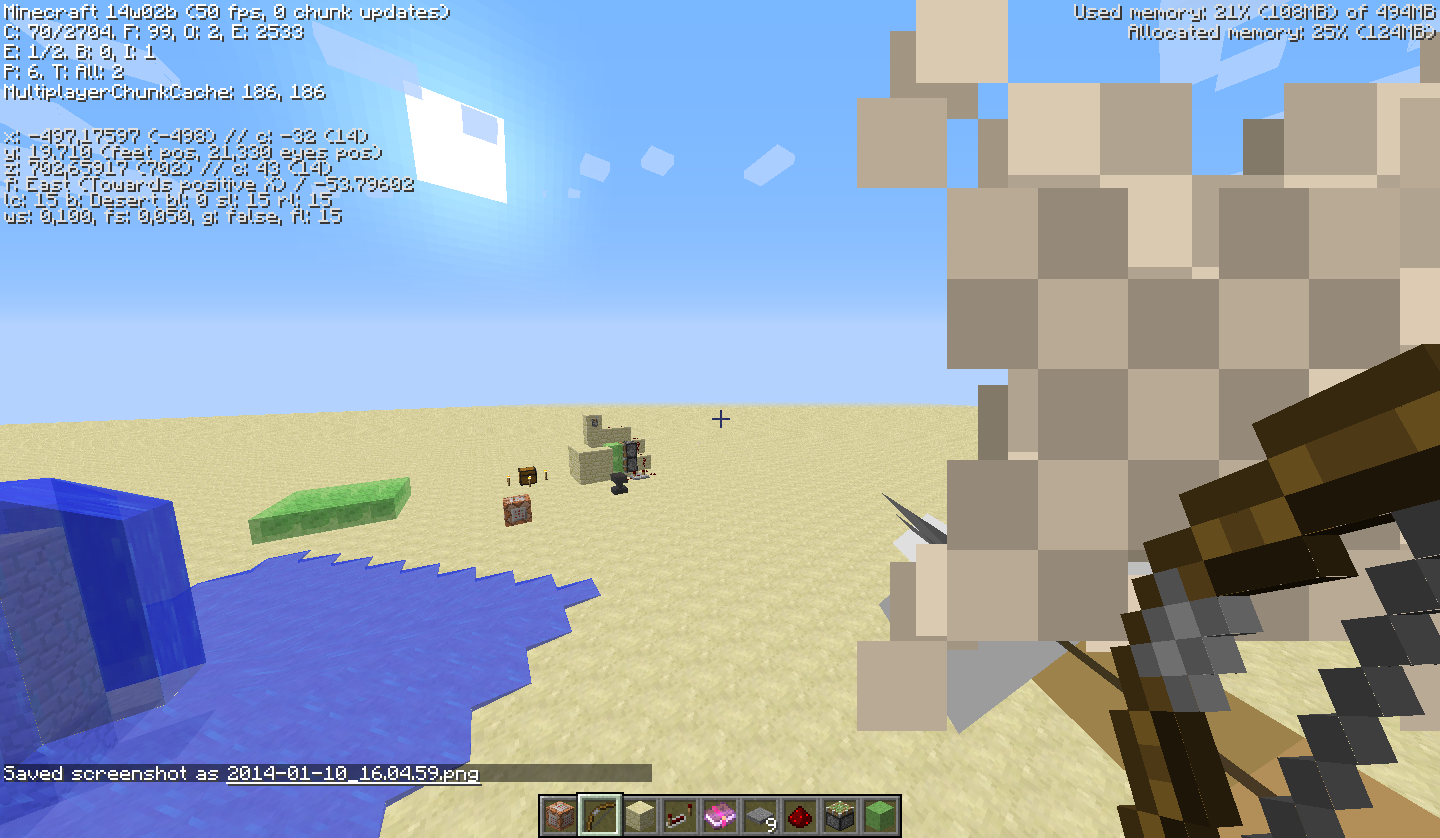
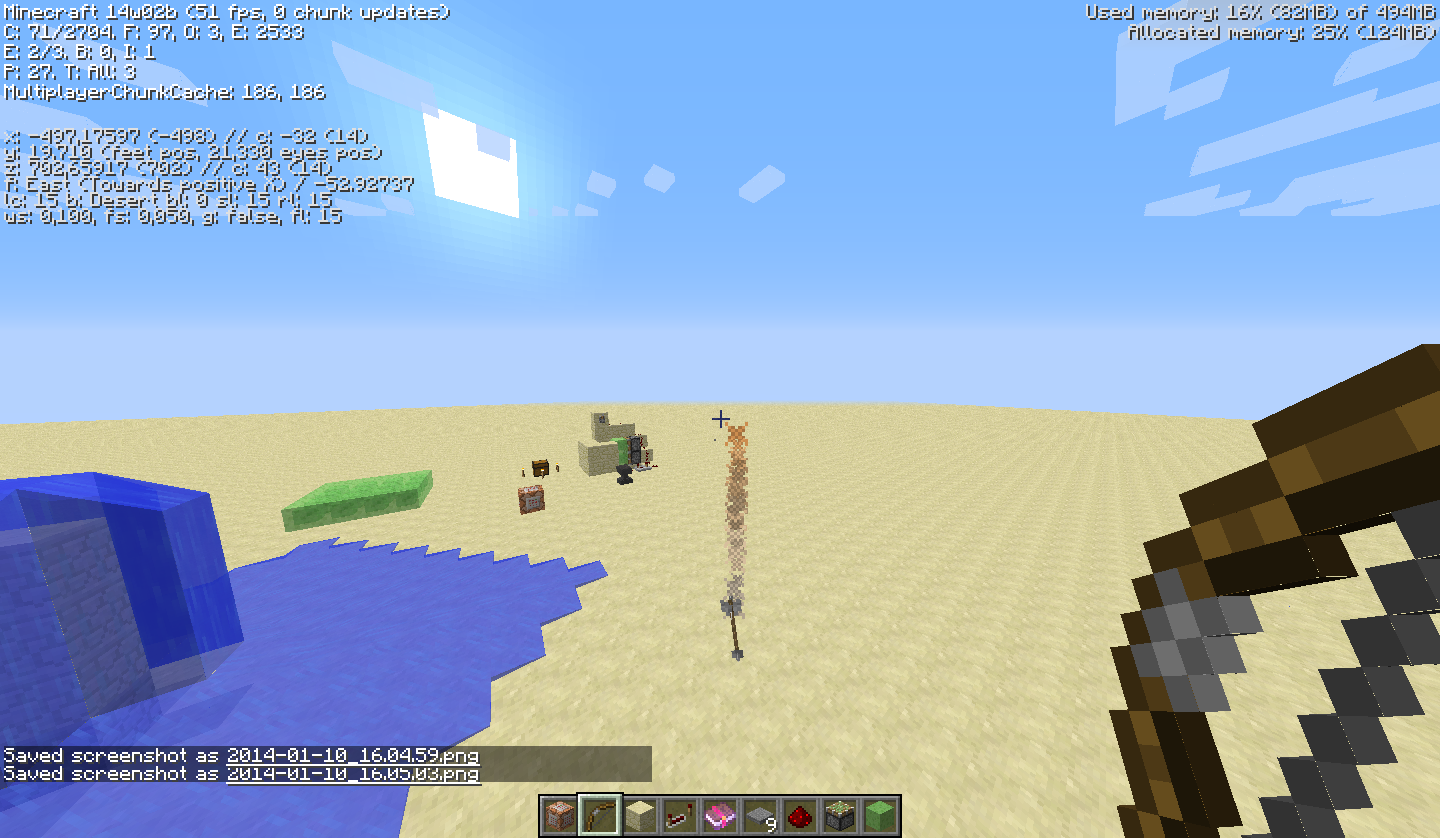







When i shoot an arrow in creative mode, the arrows instantly goes down when about 1,5 blocks away from me, then dissapear, and re-appear on the place where they land normally. In the screenshots you can see better what happens. This happens both in creative and survival mode.
When i shoot an arrow in creative mode, the arrows instantly goes down when about 1,5 blocks away from me, then dissapear, and re-appear on the place where they land normally. In the screenshots you can see better what happens. This happens both in creative and survival mode.
*update: This issue has als be posted here some time ago for Minecraft 1.4 and 1.6.
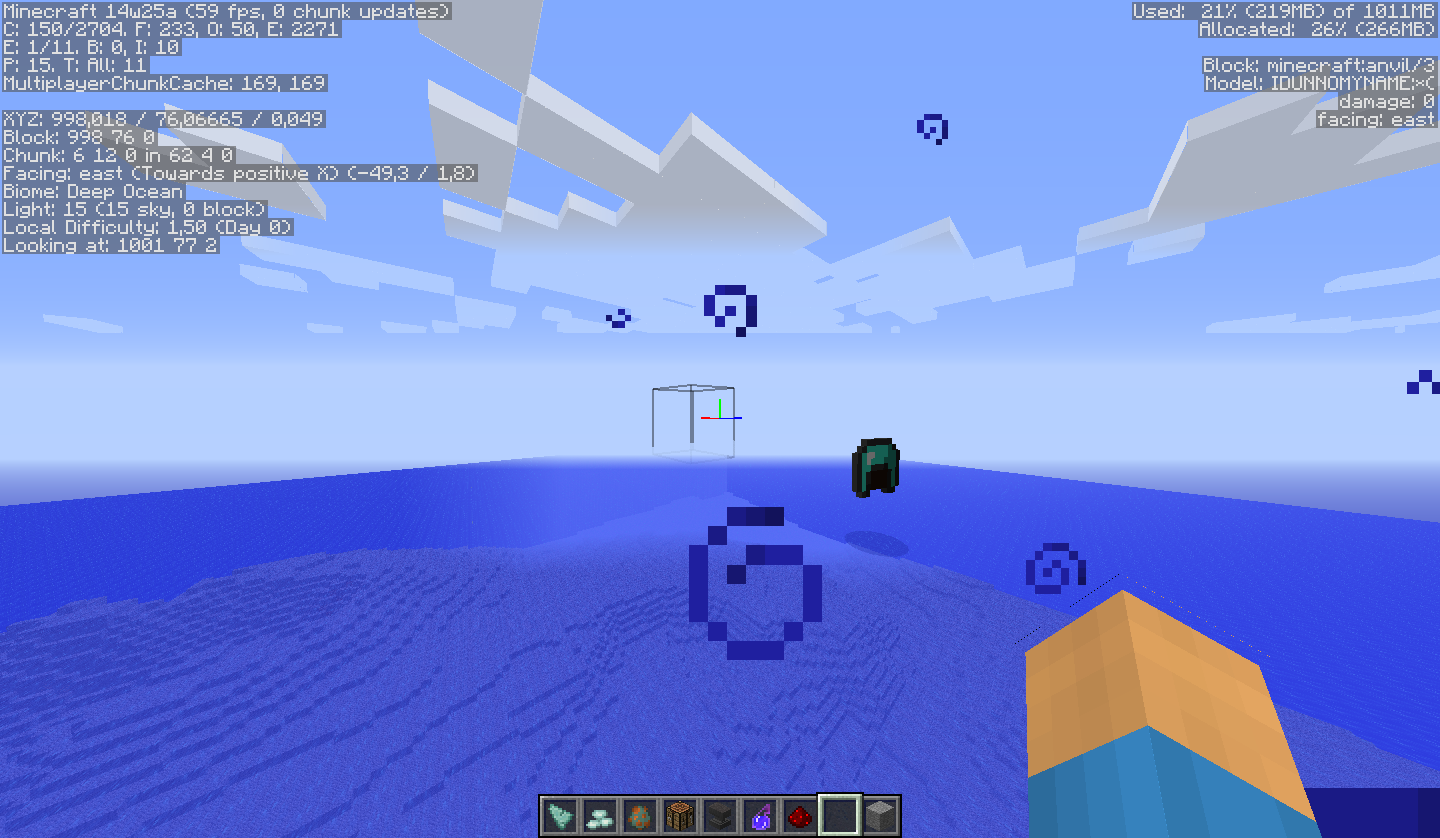
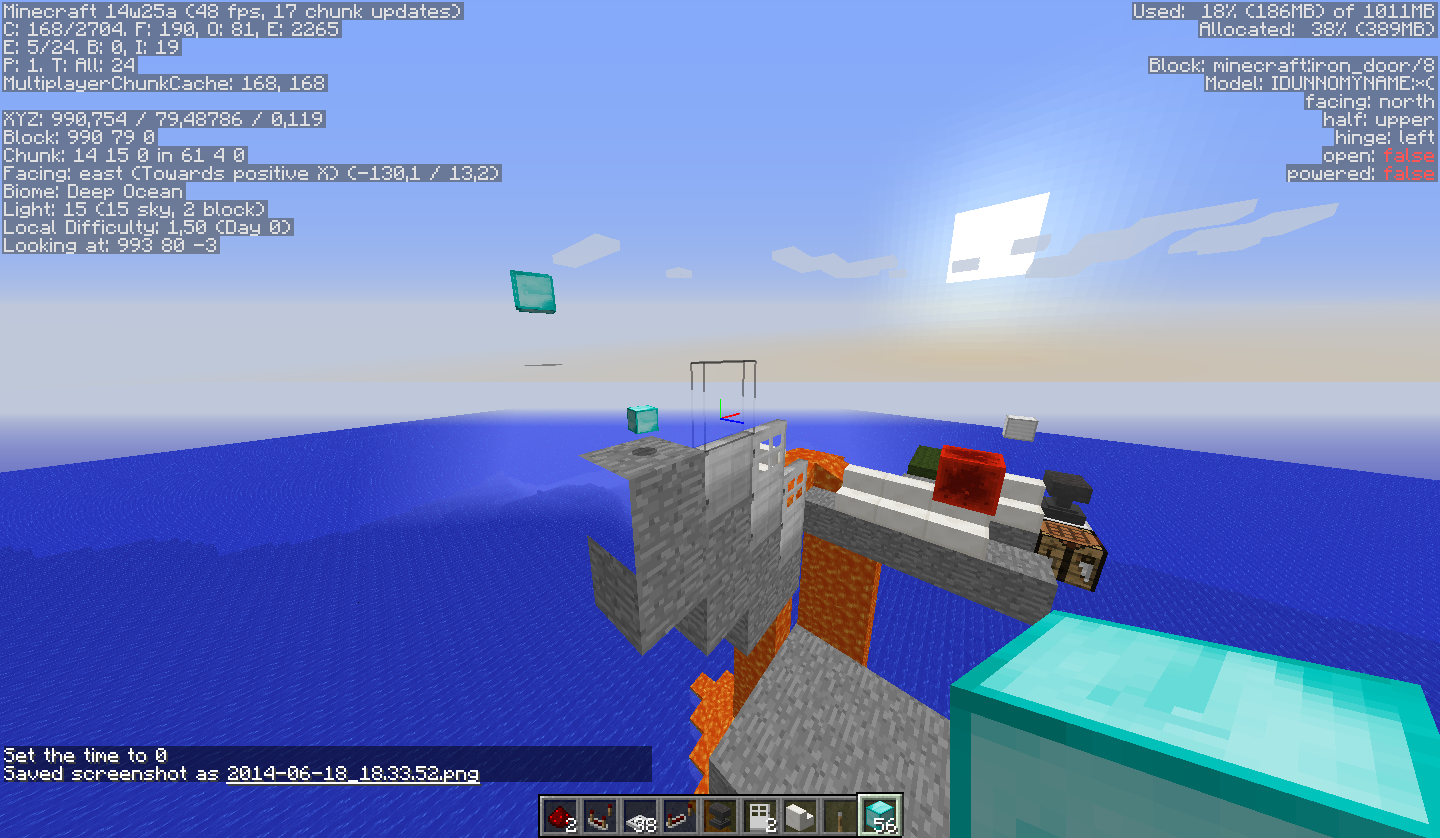
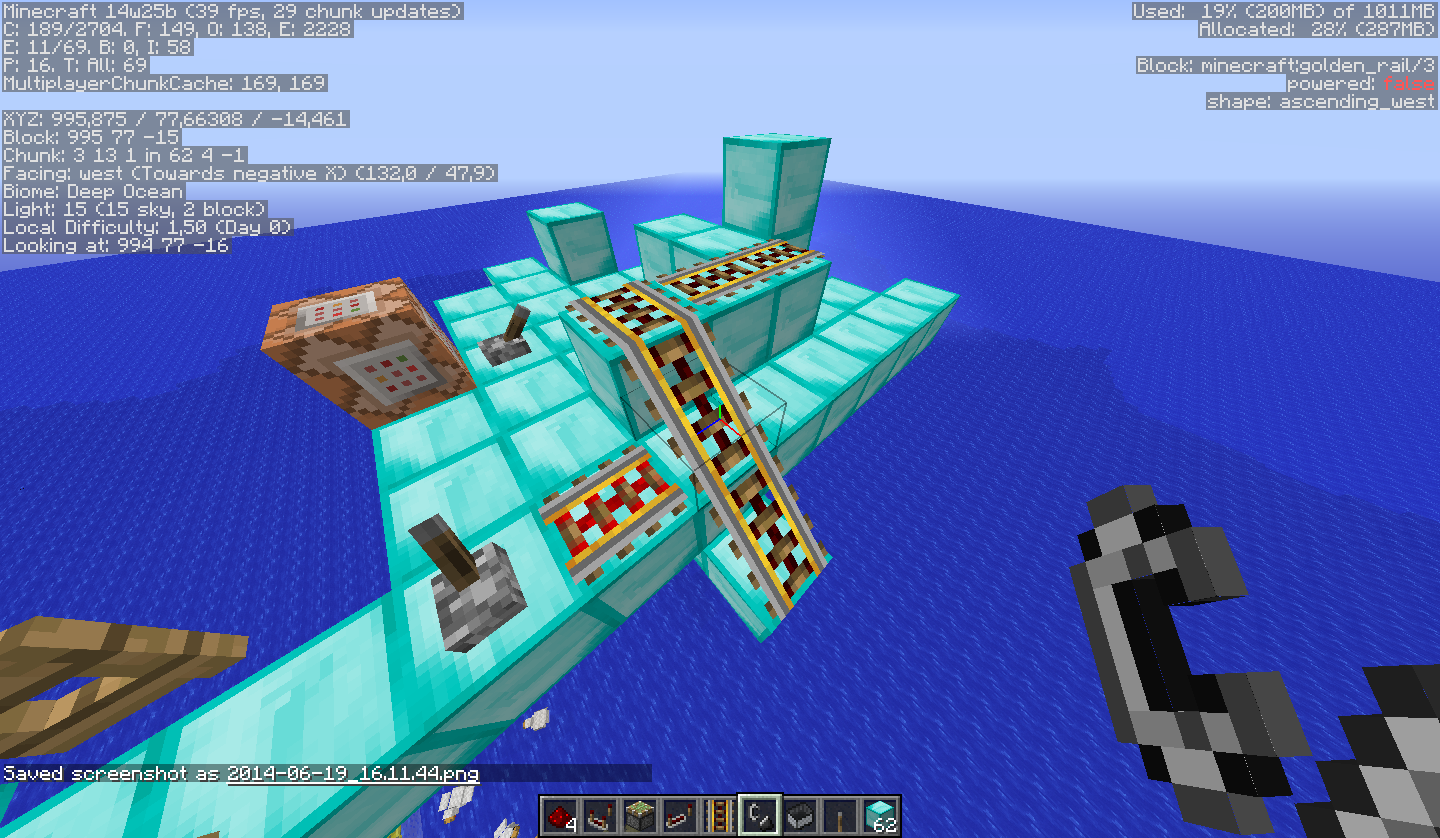
When I was trying to test issues created by others i needed to place a block above the ocean. I did /setblock ~ ~ ~ minecraft:iron_block. The block as invisible. And the blocks placed next to it too. I tested if the potion of night vision was the problem, but without that potion effect they were still invisible.
On the F3 screen on the right side they showed the model name as: IDUNNOMYNAME.
When I was trying to test issues created by others i needed to place a block above the ocean. I did /setblock ~ ~ ~ minecraft:iron_block. The block as invisible. And the blocks placed next to it too. I tested if the potion of night vision was the problem, but without that potion effect they were still invisible.
On the F3 screen on the right side they showed the model name as: IDUNNOMYNAME.
EDIT: when i leaved and joined my world everything was normal again. Even when i tried to reproduce it with the setblock and stuff.
When I was trying to test issues created by others i needed to place a block above the ocean. I did /setblock ~ ~ ~ minecraft:iron_block. The block as invisible. And the blocks placed next to it too. I tested if the potion of night vision was the problem, but without that potion effect they were still invisible.
On the F3 screen on the right side they showed the model name as: IDUNNOMYNAME.
EDIT: when i leaved and joined my world everything was normal again. Even when i tried to reproduce it with the setblock and stuff.
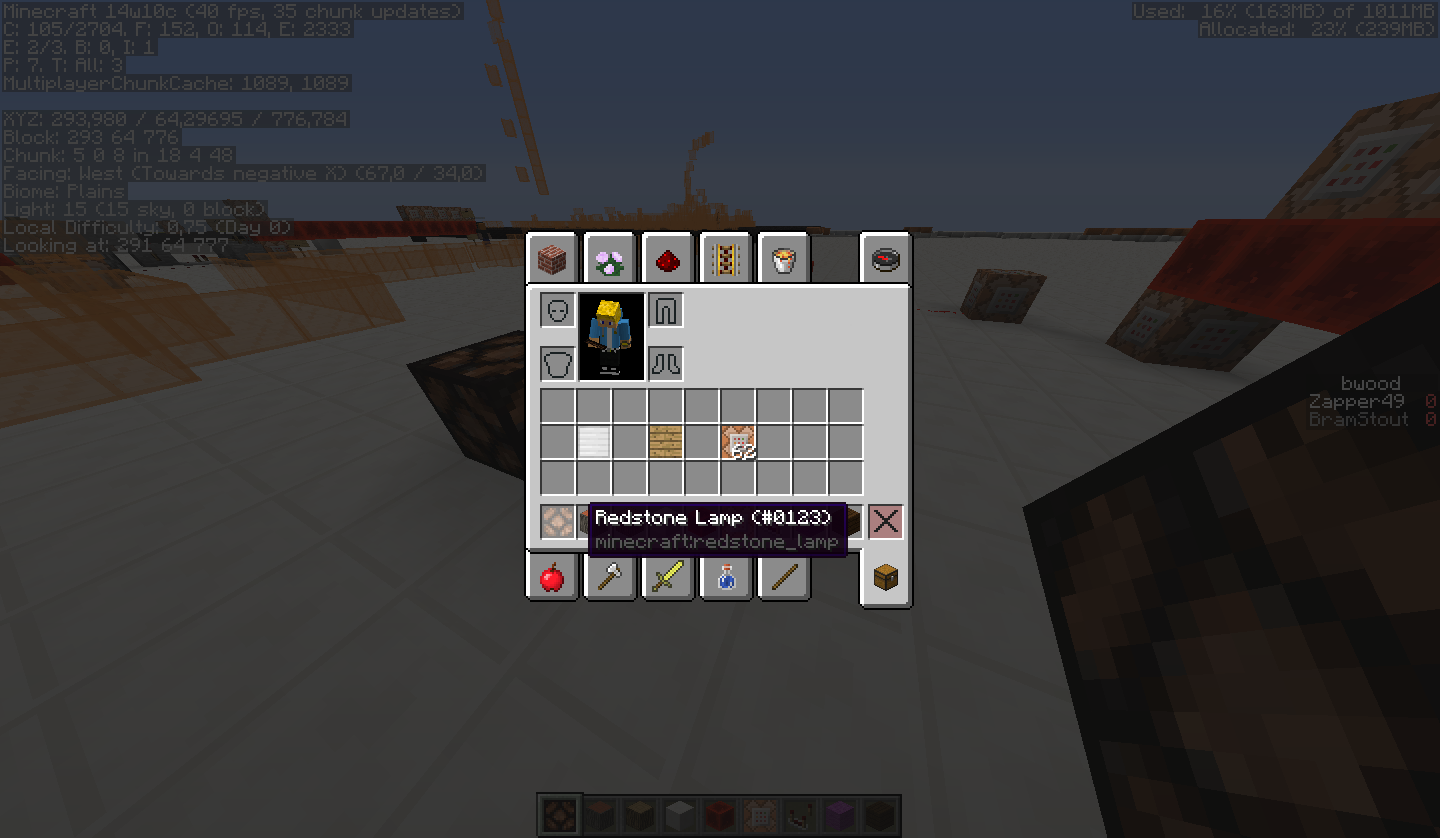
EDIT EDIT: got it again above a certain y level. see 3th screenshot.
When I was trying to test issues created by others i needed to place a block above the ocean. I did /setblock ~ ~ ~ minecraft:iron_block. The block as invisible. And the blocks placed next to it too. I tested if the potion of night vision was the problem, but without that potion effect they were still invisible.
On the F3 screen on the right side they showed the model name as: IDUNNOMYNAME.
EDIT: when i leaved and joined my world everything was normal again. Even when i tried to reproduce it with the setblock and stuff.
EDIT EDIT: got it again above a certain y level. see 3th screenshot.
EDIT EDIT EDIT: it happens in chunks with no blocks in it.
When I was trying to test issues created by others i needed to place a block above the ocean. I did /setblock ~ ~ ~ minecraft:iron_block. The block as invisible. And the blocks placed next to it too. I tested if the potion of night vision was the problem, but without that potion effect they were still invisible.
On the F3 screen on the right side they showed the model name as: IDUNNOMYNAME.
EDIT: when i leaved and joined my world everything was normal again. Even when i tried to reproduce it with the setblock and stuff.
EDIT EDIT: got it again above a certain y level. see 3th screenshot.
EDIT EDIT EDIT: it happens in chunks with no blocks in it.
again edit: still happening in 14w25b. But status says resolved?
When I was trying to test issues created by others i needed to place a block above the ocean. I did /setblock ~ ~ ~ minecraft:iron_block. The block as invisible. And the blocks placed next to it too. I tested if the potion of night vision was the problem, but without that potion effect they were still invisible.
On the F3 screen on the right side they showed the model name as: IDUNNOMYNAME.
EDIT: when i leaved and joined my world everything was normal again. Even when i tried to reproduce it with the setblock and stuff.
EDIT EDIT: got it again above a certain y level. see 3th screenshot.
EDIT EDIT EDIT: it happens in chunks with no blocks in it.
again edit: still happen
ingin 14w25b.But status says resolved?When I was trying to test issues created by others i needed to place a block above the ocean. I did /setblock ~ ~ ~ minecraft:iron_block. The block as invisible. And the blocks placed next to it too. I tested if the potion of night vision was the problem, but without that potion effect they were still invisible.
On the F3 screen on the right side they showed the model name as: IDUNNOMYNAME.
EDIT: when i leaved and joined my world everything was normal again. Even when i tried to reproduce it with the setblock and stuff.
EDIT EDIT: got it again above a certain y level. see 3th screenshot.
EDIT EDIT EDIT: it happens in chunks with no blocks in it.
again edit: still happens in 14w25b. And by the way, I dont think this is a duplicate, because where this should be a duplicate from are other issues, or am I wrong?
When I was trying to test issues created by others i needed to place a block above the ocean. I did /setblock ~ ~ ~ minecraft:iron_block. The block as invisible. And the blocks placed next to it too. I tested if the potion of night vision was the problem, but without that potion effect they were still invisible.
How to reproduce:
Build blocks in an empty chunk. Build a pillar high up. When reaching an empty chunk, the blocks will dissapear.On the F3 screen on the right side they showed the model name as: IDUNNOMYNAME.
EDIT: when i leaved and joined my world everything was normal again. Even when i tried to reproduce it with the setblock and stuff.
EDIT EDIT: got it again above a certain y level. see 3th screenshot.
EDIT EDIT EDIT: it happens in chunks with no blocks in it.
again edit: still happens in 14w25b. And by the way, I dont think this is a duplicate, because where this should be a duplicate from are other issues, or am I wrong?
{NoAI:1} Does not work for EnderDragon and LightningBolt entity
I was trying to make minecraft sculptures and art with
{NoAI:1}mobs, like sethbling did. When I tried to spawn an EnderDragon with NoAI, he just flew away and did what an enderdragon normally does.
No screenshots needed...
Oh and I used
/summon EnderDragon ~ ~ ~ {NoAI:1}to spawn him. Seems correct.
EDIT: It doesn't work for LightningBolt too, but maybe that is intended.

{NoAI:1} Does not work for EnderDragonand LightningBoltentity
I was trying to make minecraft sculptures and art with
{NoAI:1}mobs, like sethbling did. When I tried to spawn an EnderDragon with NoAI, he just flew away and did what an enderdragon normally does.
No screenshots needed...
Oh and I used
/summon EnderDragon ~ ~ ~ {NoAI:1}to spawn him. Seems correct.
EDIT: It doesn't work for LightningBolt too, but maybe that is intended.
I was trying to make minecraft sculptures and art with
{NoAI:1}mobs, like sethbling did. When I tried to spawn an EnderDragon with NoAI, he just flew away and did what an enderdragon normally does.
No screenshots needed...
Oh and I used
/summon EnderDragon ~ ~ ~ {NoAI:1}to spawn him. Seems correct.
EDIT: It doesn't work for LightningBolt too, but maybe that is intended.
And also not for Potions, Items and Arrows...
This big I discovered seems to exist for a very long time.
When you click "Add Server" in the server list (the multiplayer button)
And fill in some fields like the title or the IP:PORT adress,
they will clear to default when resizingandmaximizing the window.I found the bug in 1.8.9 and it appears to still be in the latest snapshot (15w51b)
This big I discovered seems to exist for a very long time.
When you click "Add Server" in the server list (the multiplayer button)
And fill in some fields like the title or the IP:PORT adress,
they will clear to default when resizing or maximizing the window.I found the bug in 1.8.9 and it appears to still be in the latest snapshot (15w51b)
After an upgrade a Minecraft 1.12.2 server to Minecraft 1.13.2, the server will not start.
The upgrade consisted of copying only the server.properties and world f
ile, and re-creating all other files (e.g. whitelist, ops, eula.txt freshly by the 1.13.2 server.jar).The server could not start. It would begin loading, but upon "Preparing level "MyTown"" (mytown is my world name) it crashed due to a com.google.gson.JsonParseException.
A snippet:
[...] [22:50:58] [Server thread/INFO]: Default game type: SPECTATOR [22:50:58] [Server thread/INFO]: Generating keypair [22:50:58] [Server thread/INFO]: Starting Minecraft server on [removed] [22:50:58] [Server thread/INFO]: Using epoll channel type [22:50:59] [Server thread/INFO]: Preparing level "MyTown" [22:50:59] [Server thread/ERROR]: Encountered an unexpected exception com.google.gson.JsonParseException: com.google.gson.stream.MalformedJsonException: Use JsonReader.setLenient(true) to accept malformed JSON at line 1 column 1 path $ at xj.a(SourceFile:499) ~[server.jar:?] [...] at so.d(SourceFile:249) ~[server.jar:?] at net.minecraft.server.MinecraftServer.run(SourceFile:566) [server.jar:?] at java.lang.Thread.run(Thread.java:748) [?:1.8.0_181] Caused by: com.google.gson.stream.MalformedJsonException: Use JsonReader.setLenient(true) to accept malformed JSON at line 1 column 1 path $ [...]Changing various things, such as removing playerdata, nbt datastructures, etc from the world folder did not change a thing. (in fact, I even removed everything except for the level.dat and chunk files as a test)
As a last test I decided to change the `generator settings` and `level-type` settings to empty and DEFAULT respectivily, and everything worked again. Except for that my World didn't generate new chunks according to the flat-customized world type anymore.
After an upgrade a Minecraft 1.12.2 server to Minecraft 1.13.2, the server will not start.
The upgrade consisted of copying only the server.properties and world folder, and re-creating all other files (e.g. whitelist, ops, eula.txt freshly by the 1.13.2 server.jar).
The server could not start. It would begin loading, but upon "Preparing level "MyTown"" (mytown is my world name) it crashed due to a com.google.gson.JsonParseException.
A snippet:
[...] [22:50:58] [Server thread/INFO]: Default game type: SPECTATOR [22:50:58] [Server thread/INFO]: Generating keypair [22:50:58] [Server thread/INFO]: Starting Minecraft server on [removed] [22:50:58] [Server thread/INFO]: Using epoll channel type [22:50:59] [Server thread/INFO]: Preparing level "MyTown" [22:50:59] [Server thread/ERROR]: Encountered an unexpected exception com.google.gson.JsonParseException: com.google.gson.stream.MalformedJsonException: Use JsonReader.setLenient(true) to accept malformed JSON at line 1 column 1 path $ at xj.a(SourceFile:499) ~[server.jar:?] [...] at so.d(SourceFile:249) ~[server.jar:?] at net.minecraft.server.MinecraftServer.run(SourceFile:566) [server.jar:?] at java.lang.Thread.run(Thread.java:748) [?:1.8.0_181] Caused by: com.google.gson.stream.MalformedJsonException: Use JsonReader.setLenient(true) to accept malformed JSON at line 1 column 1 path $ [...]Changing various things, such as removing playerdata, nbt datastructures, etc from the world folder did not change a thing. (in fact, I even removed everything except for the level.dat and chunk files as a test)
As a last test I decided to change the `generator settings` and `level-type` settings to empty and DEFAULT respectivily, and everything worked again. Except for that my World didn't generate new chunks according to the flat-customized world type anymore.

Disabling Advanced OpenGL solves this issue (Options -> Video Settings -> Advanced OpenGL -> Off)
Or just simply press F3+A to reload the nearest chunks.
If you don't have that option in your video settings, please check your .minecraft/options.txt for the entry
advancedOpengl:false
If it's true, change it to false (Quit Minecraft, edit this file, restart Minecraft)
Affected:
ATI Radeon HD 4300/4500 Series GL version 3.3.11653 Compatibility Profile Context, ATI Technologies Inc. Thijmen F
ATI Radeon X1600 OpenGL Engine GL version 2.0 ATI-1.5.48, ATI Technologies Inc. Simons Mith
Nvidia GTX 460 with latest drivers (337.88) [Mod] Torabi
AMD Radeon HD 6800 Series , Driver version: 9.12.0.0 & Driver version: 14.100.0.0 Marcono1234
GeForce GTX 660M/PCIe/SSE2 GL version 4.4.0, NVIDIA Corporation Kyle
Not affected:
AMD Radeon HD 6700 Series GL version 4.4.12874 Compatibility Profile Context 14.100.0.0, ATI Technologies Inc. (AMD Catalyst 14.4, have no Advanced OpenGL switch) Kumasasa
pillar up from the bottom of the sea all the way up. keep stacking until the blocks turn invisible (about two blocks above water)
This is cancelled when mipmapping is turned on/off

@Thijmen F: Update to AMD Catalyst 14.4
@Simons Mith: Update your graphics card drivers by updating OS X: Download the free update for OS X from the Mac App Store
They do, but it takes a while. For me it worked and they harvested a random bone-mealed crop after a few mins...
Tested it. happens for me too.
Main error:
{name=axis, clazz=class dv, values=[X, Y, Z]}java.lang.IllegalArgumentException: Cannot set property ayi
as it does not exist!
for me too.
got this error:
{name=axis, clazz=class dv, values=[X, Y, Z]}java.lang.IllegalArgumentException: Cannot set property ayi
as it does not exist!
for me too.
for me too
I didnt have that problem, when i get an empty map from my creative inventory and when i right click it to make a map, it just shows up like normal.
Maybe it is a bug near
MC-57064For me too.
Duplicate. there are many reports of this. Dunno wich is the original
confirmed. I posted it too:
MC-57064https://bugs.mojang.com/browse/MC-57064
This is because you placed it in a chunk without any other blocks. Its not when you place on a lantern, it is when you place in an empty chunk.
try it again in the latest snapshot. High chance that its fixed
My normal fps: 30
Underwater: 3
for me too.
But this is a duplicate, I saw this reported yesterday too.
This is because it is a new blocks-empty chunk. Not because of sandstone.
Reported here yesterday: https://bugs.mojang.com/browse/MC-57064
Isnt this the same problem?
MC-57064Its not about the y level, its about the chunks. Blocks in a new chunk without blocks will be invisible. And its still in 14w25b
There are much reports about this. Its not the problem of the y level, but when you place a block in an empty chunk, it wont display. https://bugs.mojang.com/browse/MC-57064
https://bugs.mojang.com/browse/MC-57064 Duplicate. Not about the y level but its about chunks.
Its not about the y level, but about the chunks. empty chunks will render no blocks even when you place some blocks in them. https://bugs.mojang.com/browse/MC-57064
duplicate of mine i think
MC-57064You better named him stoned
happend for me too.
MC-57064duplicatehttps://bugs.mojang.com/browse/MC-57064 duplicate. has nothing to do with barrier its just with empty chunks
are you sure you did not misspelled the command?
@
KumosasaKumasasa I did build someblocks in an empty chunk, so i couldnt see them. When I was in that chunk I made the Force Crash. This is the log:for me too. I have 64 FPS. (also before the snapshot) But the tick rate is ultra slow.
Minecraft is not created to work with older versions. You should never open a world with a lower version than before. And always, make a backup for snapshots
This is a bug tracker, not a suggestion tracker
Thats because your t/s (ticks per second) is lower than 20. That makes everything in minecraft slower, except your fps. I have got that problem too...
@Tomaz Voros
holy **** thank you.
I got 2 ticks / sec with true and 20 ticks /sec with false!
You helped my alot
its Cops and Crims on hypixel, isn't it? ;D
Could be a problem on their side, because its not the vanilla minecraft, but a "modded" server.
They removed much maps, because they won't work in 1.8.
I can confirm this too. My friend hosting a server got his internet bugged at that moment, and when i rejoined I was able to see my avatar, kill it and it "left the game" after some time. Funny.
Confirmed.
confirmed by me
Confirmed, and it happens because a fence is a 'useable block' which means it can be right clicked. This is also the case with iron doors.
> Please recreate the superflat world in single player and copy the resulting string to the generator-settings in server.properties
I am having the same issue and did exactly this, it resolved nothing.
Noteable:
After every start of the server when I copied the exact string from "Re-create world" and pasting it in server.properties, some `:` characters in for example `generator-settings=3;minecraft:stone;-1;` are replaced by `\:`, as seen `generator-settings=3;minecraft\:stone;-1;` here.
Perhaps this is amongst the core of this issue?