Any block in any empty chunk section (16x16x16) is invisible on some graphics cards
Disabling Advanced OpenGL solves this issue (Options -> Video Settings -> Advanced OpenGL -> Off)
Or just simply press F3+A to reload the nearest chunks.
If you don't have that option in your video settings, please check your .minecraft/options.txt for the entry
advancedOpengl:false
If it's true, change it to false (Quit Minecraft, edit this file, restart Minecraft)
Affected:
ATI Radeon HD 4300/4500 Series GL version 3.3.11653 Compatibility Profile Context, ATI Technologies Inc. Thijmen F
ATI Radeon X1600 OpenGL Engine GL version 2.0 ATI-1.5.48, ATI Technologies Inc. Simons Mith
Nvidia GTX 460 with latest drivers (337.88) [Mod] Torabi
AMD Radeon HD 6800 Series , Driver version: 9.12.0.0 & Driver version: 14.100.0.0 Marcono1234
GeForce GTX 660M/PCIe/SSE2 GL version 4.4.0, NVIDIA Corporation Kyle
Not affected:
AMD Radeon HD 6700 Series GL version 4.4.12874 Compatibility Profile Context 14.100.0.0, ATI Technologies Inc. (AMD Catalyst 14.4, have no Advanced OpenGL switch) Kumasasa
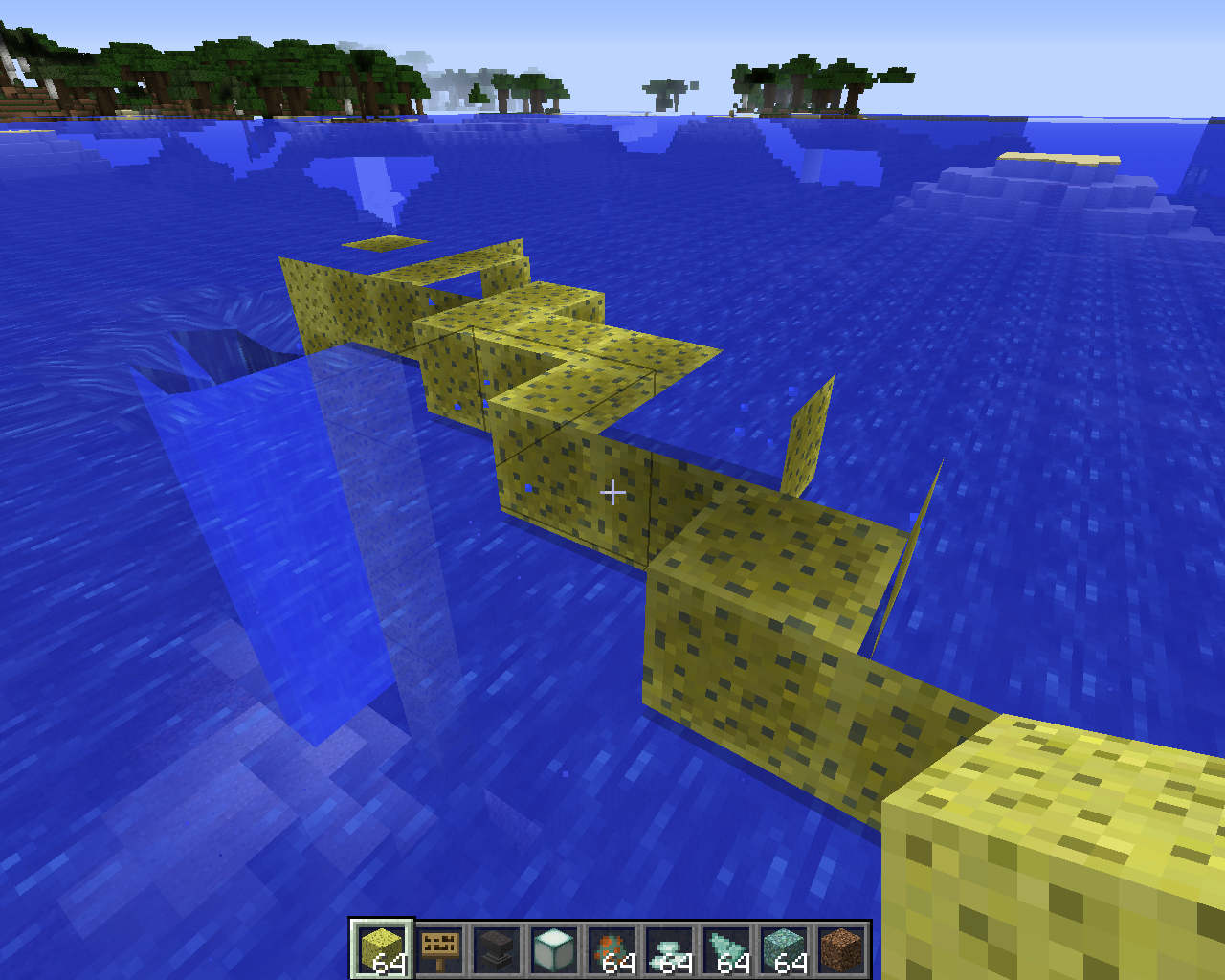
pillar up from the bottom of the sea all the way up. keep stacking until the blocks turn invisible (about two blocks above water)
This is cancelled when mipmapping is turned on/off
Environment
java 8
win 8
vanilla
Linked Issues
testing discovered1
is duplicated by103
 MC-56965rendering blocksDuplicateMC-56983Blocks stop rendering their textures after a while.DuplicateMC-56996Blocks turn invisible if stacked high enoughDuplicateMC-57056Disappearing blocksDuplicateMC-57064Blocks are invisibleDuplicateMC-57089Sea lantern texture disappearing 2 blocks above waterDuplicateMC-57150Any block over y=63 is transparentDuplicateMC-57153Rendering of blocksDuplicateMC-57163Missing Texture on /setblockDuplicateMC-57181Sea Lanterns invisible over y-80DuplicateMC-57275Blocks are invisible when placed inside empty chunkDuplicateMC-57289sea lantern texture glitchDuplicateMC-57360Summery multiple actions that cause game stop renderingDuplicateMC-57427Any block above y:64 becomes invisibleDuplicateMC-57532renderingDuplicateMC-57611Invisible wool or blocks after a certain heightDuplicateMC-57652Blocks below Y=30 are invisibleDuplicateMC-57724Invisible Oak Leaves when stackedDuplicateMC-57832piled chests invisibleDuplicateMC-57864Slime block loses texture to a height of 80 unitsDuplicateMC-57879Placing a sandstone next to another sandstone makes invisible blocksDuplicateMC-57900Inviseble blocksDuplicateMC-57910Placed blocks Dissapear high altitudesDuplicateMC-57944Mycelium Placement bugDuplicateMC-57945barrier block will cause blocks above them to become invisible DuplicateMC-57954Gravel Sand CoarseDirt Dirt and other blocks texture messed up!Please resolve!DuplicateMC-57970block are invisible DuplicateMC-57997Piston BugsDuplicateMC-58053Blocks invisibleDuplicateMC-58089Went to the end,no blocks rendered.DuplicateMC-58101Weird Block glitchDuplicateMC-58135Blocks are transparent when placed on a bottom side half slabDuplicateMC-58143chunks not loading properlyDuplicateMC-58213Hidden Trees saplingsDuplicateMC-58235Trees not rendering in certain chunksDuplicateMC-58252Broken blocks?DuplicateMC-58273Invisible Active redstoneDuplicateMC-58286Building Height Bug.DuplicateMC-58315Resource Pack Textures Randomly Not Showing Up on BlocksDuplicateMC-58396Sugar canes not renderingDuplicateMC-58410map loading and blocking placingDuplicateMC-58447Anvils are invisible, except when underwater.DuplicateMC-58505When playing on snapshot 14w25b, placing a block under Y=16 will make it invisible.DuplicateMC-58529Invisible BlocksDuplicateMC-58541Rendering:DuplicateMC-58625Piston disappears for a second then come backDuplicateMC-58670A part of world disappear and the block you placed on to that piece of land lost its textureDuplicateMC-58682wet sponge bugDuplicateMC-58728Block textures ,When placed turn transparent at height level 97 .DuplicateMC-58751disapering ice block texturesDuplicateMC-58773Chunk errors are very commonDuplicateMC-58792BlocksDuplicateMC-58832A wired rendering issue with blocks that happens here and there when placed down.DuplicateMC-58867piston head invisible and no wireframe after reloading the worldDuplicateMC-58878Glass won't render at a height of Y: 32 in Flat world (just a hitbox there)DuplicateMC-59113Blocks above "Y" 64 on super flat (or maybe others, haven't tried) go invisibleDuplicateMC-59238after some minutes, blocks dont render when placed.DuplicateMC-59289Invisible texturesDuplicateMC-59463Blocks wont render after deathDuplicateMC-59492Item Frame Bug When Places On BlockDuplicateMC-59752Invisible BlocksDuplicateMC-59773Invisible FenceDuplicateMC-59788Invisible BlocksDuplicateMC-59793Block dissapearDuplicateMC-59822Blocks not showing up.DuplicateMC-59895Placing a block in a wall causes strange transparencyDuplicateMC-60071Invisble blocks in new chunksDuplicateMC-60092Building into a new chunk blocks don't renderDuplicateMC-60180Chunk loading bug and leaves rendering bugDuplicateMC-60220Some blocks do not displayDuplicateMC-60360Invisible fire on top of spongesDuplicateMC-60397Bug | Polished AndesiteDuplicateMC-60436Invisible Blocks Issue [X-Ray]DuplicateMC-60611Blocks are rendering transparent! Oh no!DuplicateMC-60622Blocks are invisible in some chunksDuplicateMC-60631See Through WorldDuplicateMC-60672Invisible blocksDuplicateMC-60711When i got the new block Sea Lantern i put it on the ground the i put a random block on top of it a X-Ray glitch happens. DuplicateMC-60713X-Ray GlitchDuplicateMC-60745when Placing block chunks make block go invisible DuplicateMC-60789CloneDuplicateMC-60812Cobble Stone turns invisibleDuplicateMC-60834block are invisible in specific chuncksDuplicateMC-60892Blocks not showing above layer 64 on superflat modeDuplicateMC-61543When pillaring up, at some point all placed blocks render invisibleDuplicateMC-61660Blocks dont render texture glitchDuplicateMC-61694Sometimes,chunks doesn't loadDuplicateMC-61709A Summoned Creeper Exploded and now blocks that I place are InvisibleDuplicateMC-61718GlasDuplicateMC-61842wooden doors can be seen troughtDuplicateMC-61893Glowstone becomes invisible at a certain height limitDuplicateMC-62174can see blocks that arent there with fill air over large areaDuplicateMC-62292Blocks not loading DuplicateMC-62321Grass block bugDuplicateMC-62358Another block glitch (but this one doesn't disappearDuplicateMC-62467Blocks refuse to appear in loaded chunksDuplicateMC-62495xray holesDuplicateMC-62562Block rendering issueDuplicateMC-62570Blocks/chunks not loadDuplicateMC-62619Blocks not rendering DuplicateMC-62751Render fails. Invisible blocks sometimes.DuplicateMC-63101Sticky Piston + SlimeblogDuplicateMC-880631.8 Minecraft Block GlitchDuplicate
relates to3
MC-35881Texture issues: All blocks become black or invisible / transparent with active mipmapping when holding decoration blocks (AMD / ATI "Legacy" driver 3.3.11672 )InvalidMC-56897Chunks Don't Render with advancedOpengl = trueFixedMC-62166Breaking / placing / changing blocks has a delay to disappear / appear Cannot ReproduceAttachments11







Created Issue:
placing sponge two blocks above water will make it invisible
pillar up from the bottom of the sea all the way up. keep stacking until the sponges turn invisible (about two blocks above water)
Environment
java 8
win 8
vanilla
Linked Issues
is duplicated by1
Attachments1
![[Mod] Ezekiel (ezfe)](../../../data/assets/gravatar/ezekielelin.jpeg)
is duplicated by
is duplicated by
is duplicated by
is duplicated by
is duplicated by

is duplicated by
placing sponge two blocksabovewater will make it invisibleBlocks over y=63 are transparent
is duplicated by
is duplicated by
Blocksovery=63aretransparentAny sponge block over Y=63 is invisible on some graphics card
Any sponge block over Y=63 is invisible on some graphics cards
![[Mod] Torabi](../../../data/assets/gravatar/torabi.png)
Anyspongeblock over Y=63 is invisible on some graphics cards
relates to
is duplicated by
Any blockover Y=63is invisible on some graphics cardsAny block in any empty chunk (16x16x16) is invisible on some graphics cards
pillar up from the bottom of the sea all the way up. keep stacking until the sponges turn invisible (about two blocks above water)
pillar up from the bottom of the sea all the way up. keep stacking until the blocks turn invisible (about two blocks above water)
This is cancelled when mipmapping is turned on/off
is duplicated by
relates to
relates to
is duplicated by
is duplicated by
is duplicated by
is duplicated by
relates to
is duplicated by
relates to
is duplicated by
is duplicated by
WorkaroundDisabling Advanced OpenGL solves this issue (Options -> Video Settings -> Advanced OpenGL -> Off)
pillar up from the bottom of the sea all the way up. keep stacking until the blocks turn invisible (about two blocks above water)
This is cancelled when mipmapping is turned on/off
WorkaroundDisabling Advanced OpenGL solves this issue (Options -> Video Settings -> Advanced OpenGL -> Off)
Affected:
ATI Radeon HD 4300/4500 Series GL version 3.3.11653 Compatibility Profile Context, ATI Technologies Inc. Thijmen F
ATI Radeon X1600 OpenGL Engine GL version 2.0 ATI-1.5.48, ATI Technologies Inc. Simons Mith
Nvidia GTX 460 with latest drivers (337.88) [Mod] Torabi
Not affected:
AMD Radeon HD 6700 Series GL version 4.4.12874 Compatibility Profile Context 14.100.0.0, ATI Technologies Inc. (AMD Catalyst 14.4) Kumasasa
pillar up from the bottom of the sea all the way up. keep stacking until the blocks turn invisible (about two blocks above water)
This is cancelled when mipmapping is turned on/off
WorkaroundDisabling Advanced OpenGL solves this issue (Options -> Video Settings -> Advanced OpenGL -> Off)
Affected:
ATI Radeon HD 4300/4500 Series GL version 3.3.11653 Compatibility Profile Context, ATI Technologies Inc. Thijmen F
ATI Radeon X1600 OpenGL Engine GL version 2.0 ATI-1.5.48, ATI Technologies Inc. Simons Mith
Nvidia GTX 460 with latest drivers (337.88) [Mod] Torabi
Not affected:
AMD Radeon HD 6700 Series GL version 4.4.12874 Compatibility Profile Context 14.100.0.0, ATI Technologies Inc. (AMD Catalyst 14.4, have no Advanced OpenGL switch) Kumasasa
pillar up from the bottom of the sea all the way up. keep stacking until the blocks turn invisible (about two blocks above water)
This is cancelled when mipmapping is turned on/off
is duplicated by
is duplicated by
is duplicated by
is duplicated by
WorkaroundDisabling Advanced OpenGL solves this issue (Options -> Video Settings -> Advanced OpenGL -> Off)
Affected:
ATI Radeon HD 4300/4500 Series GL version 3.3.11653 Compatibility Profile Context, ATI Technologies Inc. Thijmen F
ATI Radeon X1600 OpenGL Engine GL version 2.0 ATI-1.5.48, ATI Technologies Inc. Simons Mith
Nvidia GTX 460 with latest drivers (337.88) [Mod] TorabiNot affected:
AMD Radeon HD 6700 Series GL version 4.4.12874 Compatibility Profile Context 14.100.0.0, ATI Technologies Inc. (AMD Catalyst 14.4, have no Advanced OpenGL switch) Kumasasa
pillar up from the bottom of the sea all the way up. keep stacking until the blocks turn invisible (about two blocks above water)
This is cancelled when mipmapping is turned on/offWorkaroundDisabling Advanced OpenGL solves this issue (Options -> Video Settings -> Advanced OpenGL -> Off)
Affected:
ATI Radeon HD 4300/4500 Series GL version 3.3.11653 Compatibility Profile Context, ATI Technologies Inc. Thijmen F
ATI Radeon X1600 OpenGL Engine GL version 2.0 ATI-1.5.48, ATI Technologies Inc. Simons Mith
Nvidia GTX 460 with latest drivers (337.88) [Mod] Torabi
GeForce GTX 660M/PCIe/SSE2 GL version 4.4.0, NVIDIA Corporation Kyle
Not affected:
AMD Radeon HD 6700 Series GL version 4.4.12874 Compatibility Profile Context 14.100.0.0, ATI Technologies Inc. (AMD Catalyst 14.4, have no Advanced OpenGL switch) Kumasasa
pillar up from the bottom of the sea all the way up. keep stacking until the blocks turn invisible (about two blocks above water)
This is cancelled when mipmapping is turned on/off
WorkaroundDisabling Advanced OpenGL solves this issue (Options -> Video Settings -> Advanced OpenGL -> Off)
Affected:
ATI Radeon HD 4300/4500 Series GL version 3.3.11653 Compatibility Profile Context, ATI Technologies Inc. Thijmen F
ATI Radeon X1600 OpenGL Engine GL version 2.0 ATI-1.5.48, ATI Technologies Inc. Simons Mith
Nvidia GTX 460 with latest drivers (337.88) [Mod] Torabi
GeForce GTX 660M/PCIe/SSE2 GL version 4.4.0, NVIDIA CorporationKyleNot affected:
AMD Radeon HD 6700 Series GL version 4.4.12874 Compatibility Profile Context 14.100.0.0, ATI Technologies Inc. (AMD Catalyst 14.4, have no Advanced OpenGL switch) Kumasasa
pillar up from the bottom of the sea all the way up. keep stacking until the blocks turn invisible (about two blocks above water)
This is cancelled when mipmapping is turned on/offWorkaroundDisabling Advanced OpenGL solves this issue (Options -> Video Settings -> Advanced OpenGL -> Off)
Affected:
ATI Radeon HD 4300/4500 Series GL version 3.3.11653 Compatibility Profile Context, ATI Technologies Inc. Thijmen F
ATI Radeon X1600 OpenGL Engine GL version 2.0 ATI-1.5.48, ATI Technologies Inc. Simons Mith
Nvidia GTX 460 with latest drivers (337.88) [Mod] Torabi
AMD Radeon HD 6800 Series , Driver version: 9.12.0.0 & Driver version: 14.100.0.0 Marcono1234
GeForce GTX 660M/PCIe/SSE2 GL version 4.4.0, NVIDIA Corporation Kyle
Not affected:
AMD Radeon HD 6700 Series GL version 4.4.12874 Compatibility Profile Context 14.100.0.0, ATI Technologies Inc. (AMD Catalyst 14.4, have no Advanced OpenGL switch) Kumasasa
pillar up from the bottom of the sea all the way up. keep stacking until the blocks turn invisible (about two blocks above water)
This is cancelled when mipmapping is turned on/off
is duplicated by
is duplicated by
is duplicated by
is duplicated by
is duplicated by
is duplicated by

is duplicated by
WorkaroundDisabling Advanced OpenGL solves this issue (Options -> Video Settings -> Advanced OpenGL -> Off)
If you don't have that option in your video settings, please check your .minecraft/options.txt for the entry
advancedOpengl:falseIf it's true, change it to false (Quit Minecraft, edit this file, restart Minecraft)
Affected:
ATI Radeon HD 4300/4500 Series GL version 3.3.11653 Compatibility Profile Context, ATI Technologies Inc. Thijmen F
ATI Radeon X1600 OpenGL Engine GL version 2.0 ATI-1.5.48, ATI Technologies Inc. Simons Mith
Nvidia GTX 460 with latest drivers (337.88) [Mod] Torabi
AMD Radeon HD 6800 Series , Driver version: 9.12.0.0 & Driver version: 14.100.0.0 Marcono1234
GeForce GTX 660M/PCIe/SSE2 GL version 4.4.0, NVIDIA Corporation Kyle
Not affected:
AMD Radeon HD 6700 Series GL version 4.4.12874 Compatibility Profile Context 14.100.0.0, ATI Technologies Inc. (AMD Catalyst 14.4, have no Advanced OpenGL switch) Kumasasa
pillar up from the bottom of the sea all the way up. keep stacking until the blocks turn invisible (about two blocks above water)
This is cancelled when mipmapping is turned on/off
is duplicated by
is duplicated by
is duplicated by
is duplicated by
relates to
is duplicated by
testing discovered
relates to

Any block in any empty chunk (16x16x16) is invisible on some graphics cardsAny block in any empty chunk (16x256x16) is invisible on some graphics cards
Any block in any empty chunk (16x256x16) is invisible on some graphics cardsAny block in any empty chunk section (16x16x16) is invisible on some graphics cards
WorkaroundDisabling Advanced OpenGL solves this issue (Options -> Video Settings -> Advanced OpenGL -> Off)
If you don't have that option in your video settings, please check your .minecraft/options.txt for the entry
advancedOpengl:falseIf it's true, change it to false (Quit Minecraft, edit this file, restart Minecraft)
Affected:
ATI Radeon HD 4300/4500 Series GL version 3.3.11653 Compatibility Profile Context, ATI Technologies Inc. Thijmen F
ATI Radeon X1600 OpenGL Engine GL version 2.0 ATI-1.5.48, ATI Technologies Inc. Simons Mith
Nvidia GTX 460 with latest drivers (337.88) [Mod] Torabi
AMD Radeon HD 6800 Series , Driver version: 9.12.0.0 & Driver version: 14.100.0.0 Marcono1234
GeForce GTX 660M/PCIe/SSE2 GL version 4.4.0, NVIDIA Corporation Kyle
Not affected:
AMD Radeon HD 6700 Series GL version 4.4.12874 Compatibility Profile Context 14.100.0.0, ATI Technologies Inc. (AMD Catalyst 14.4, have no Advanced OpenGL switch) Kumasasa
pillar up from the bottom of the sea all the way up. keep stacking until the blocks turn invisible (about two blocks above water)
This is cancelled when mipmapping is turned on/offWorkaroundDisabling Advanced OpenGL solves this issue (Options -> Video Settings -> Advanced OpenGL -> Off)
Or just simply press F3+A to reload the nearest chunks.
If you don't have that option in your video settings, please check your .minecraft/options.txt for the entry
advancedOpengl:falseIf it's true, change it to false (Quit Minecraft, edit this file, restart Minecraft)
Affected:
ATI Radeon HD 4300/4500 Series GL version 3.3.11653 Compatibility Profile Context, ATI Technologies Inc. Thijmen F
ATI Radeon X1600 OpenGL Engine GL version 2.0 ATI-1.5.48, ATI Technologies Inc. Simons Mith
Nvidia GTX 460 with latest drivers (337.88) [Mod] Torabi
AMD Radeon HD 6800 Series , Driver version: 9.12.0.0 & Driver version: 14.100.0.0 Marcono1234
GeForce GTX 660M/PCIe/SSE2 GL version 4.4.0, NVIDIA Corporation Kyle
Not affected:
AMD Radeon HD 6700 Series GL version 4.4.12874 Compatibility Profile Context 14.100.0.0, ATI Technologies Inc. (AMD Catalyst 14.4, have no Advanced OpenGL switch) Kumasasa
pillar up from the bottom of the sea all the way up. keep stacking until the blocks turn invisible (about two blocks above water)
This is cancelled when mipmapping is turned on/off
is duplicated by
is duplicated by
is duplicated by
is duplicated by
is duplicated by
is duplicated by
is duplicated by
is duplicated by
is duplicated by
is duplicated by
is duplicated by
is duplicated by
is duplicated by
is duplicated by
is duplicated by
is duplicated by
is duplicated by
is duplicated by
is duplicated by
is duplicated by

is duplicated by
is duplicated by
is duplicated by
is duplicated by
is duplicated by
is duplicated by

is duplicated by
is duplicated by
is duplicated by
is duplicated by
is duplicated by
is duplicated by
is duplicated by
is duplicated by
is duplicated by
is duplicated by
is duplicated by
is duplicated by
is duplicated by
is duplicated by
is duplicated by
is duplicated by
relates to
is duplicated by
is duplicated by
is duplicated by
NVIDIA GeForce GT 650M is affected as well, I made a video that shows a way to get these invisible blocks on the "Void Testworld" form Sarge(https://twitter.com/SeargeDP/status/484377021301002240) here is the link: http://youtu.be/EdUTxa1fGWA
is duplicated by
is duplicated by
![[Mod] Neko](../../../data/avatars/users/92901.png)
is duplicated by
Duplicate of MC-56917 - If you have not, please use the search function in the future, to see if your bug has already been submitted. If you could not find the original report, please comment with the keywords you searched for.
Duplicate of MC-56917 - If you have not, please use the search function in the future, to see if your bug has already been submitted. If you could not find the original report, please comment with the keywords you searched for.
Duplicate of MC-56917 - If you have not, please use the search function in the future, to see if your bug has already been submitted. If you could not find the original report, please comment with the keywords you searched for.
Duplicate of MC-56917 - If you have not, please use the search function in the future, to see if your bug has already been submitted. If you could not find the original report, please comment with the keywords you searched for.
Duplicate of MC-56917 - If you have not, please use the search function in the future, to see if your bug has already been submitted. If you could not find the original report, please comment with the keywords you searched for.
Duplicate of MC-56917 - If you have not, please use the search function in the future, to see if your bug has already been submitted. If you could not find the original report, please comment with the keywords you searched for.
Duplicate of MC-56917 - If you have not, please use the search function in the future, to see if your bug has already been submitted. If you could not find the original report, please comment with the keywords you searched for.
Duplicate of MC-56917 - If you have not, please use the search function in the future, to see if your bug has already been submitted. If you could not find the original report, please comment with the keywords you searched for.
No need for screenshots.
Experienced this with a Nvidia GTX 460. Updating to the latest drivers (337.88) and disabling "Advanced OpenGL" appears to have fixed this and MC-56917 for me. Here's a crash report anyway.


Broken resource pack? Please switch to the default resource pack, and see if it occurs there.
Otherwise, this is a duplicate of MC-56917
As a workaround for now, turn off Advanced OpenGL.
ESC --> Options --> Video Settings --> Advanced OpenGL: OFF
On some systems the setting advancedOpengl:true is still in the file options.txt despite the setting Advanced OpenGL is missing in the video settings and that setting is used ingame for AMD cards despite only useful for NVidia cards.
http://www.reddit.com/r/Minecraft/comments/1s5umw/minecraft_snapshot_13w49a/cduak3p
Steps to reproduce:
- Start Minecraft 1.6.4
- Switch Advanced OpenGL: On
- Quit 1.6.4
- Start Minecraft 14w25b
- No option is visible, but options.txt still shows as
invertYMouse:false
mouseSensitivity:0.5070422
fov:-0.05
gamma:0.5140845
saturation:0.0
renderDistance:12
guiScale:0
particles:0
bobView:true
anaglyph3d:false
advancedOpengl:true
maxFps:120
fboEnable:true
...
This option is apparently still used in-game, because even users with AMD cards are having issues like MC-56897 and MC-56917.
Most likely caused by MC-56917
Dupe of MC-56917
(14w26c) Alright first I thought this tag should not make a difference as probably they just add new tags per snapshot and don't recreate the whole new options.txt new, but it seems to help when changing it to false for this (MC-56917) bug
Maybe they should really add, like it was suggested on reddit, an auto detect feature
Dupe of MC-56917
Dupe of MC-56917
Dupe of MC-56917
Dupe of MC-56917
Bug is duplicate of MC-56917.
That, and MC-56917 too.
Dupe of MC-56917
and that is MC-56917, in which this is a dupe of.

it is, see MC-56917
same issue as you are having, so it is a duplicate, the hitbox is there, just not the texture, same issue as MC-56917
Dupe of MC-56917
Bug 1: Dupe of MC-56917
Bug 2: Not sure if dupe or not.
Dupe of MC-56917
Duplicate of MC-56917
Affected:
OpenGL: AMD Radeon HD 7800 Series GL version 4.4.12874 Compatibility Profile Context 14.100.0.0, ATI Technologies Inc.
That's completely different to Kieron Richardson's graphics card.
@All: Please disable Advanced OpenGL , see the description of MC-56917 and tell if the problem persists.
Chunks are made out of blocks, so it's one or the other... But if you're saying that most of the blocks (such as the "ground") render, but some blocks don't render even though they're placed on top of other blocks that do, that sounds like MC-56917.
Dupe of MC-56917
Duplicate of MC-56917
Dupe of MC-56917
Duplicate of MC-56917
Duplicate of MC-56917
Dupe of MC-56917
Dupe of MC-56917

Duplicate of MC-56917
Does MC-56917 describe the bug?
Chunks behave weirdly in following ways if they are empty when server is loaded (might be only client):
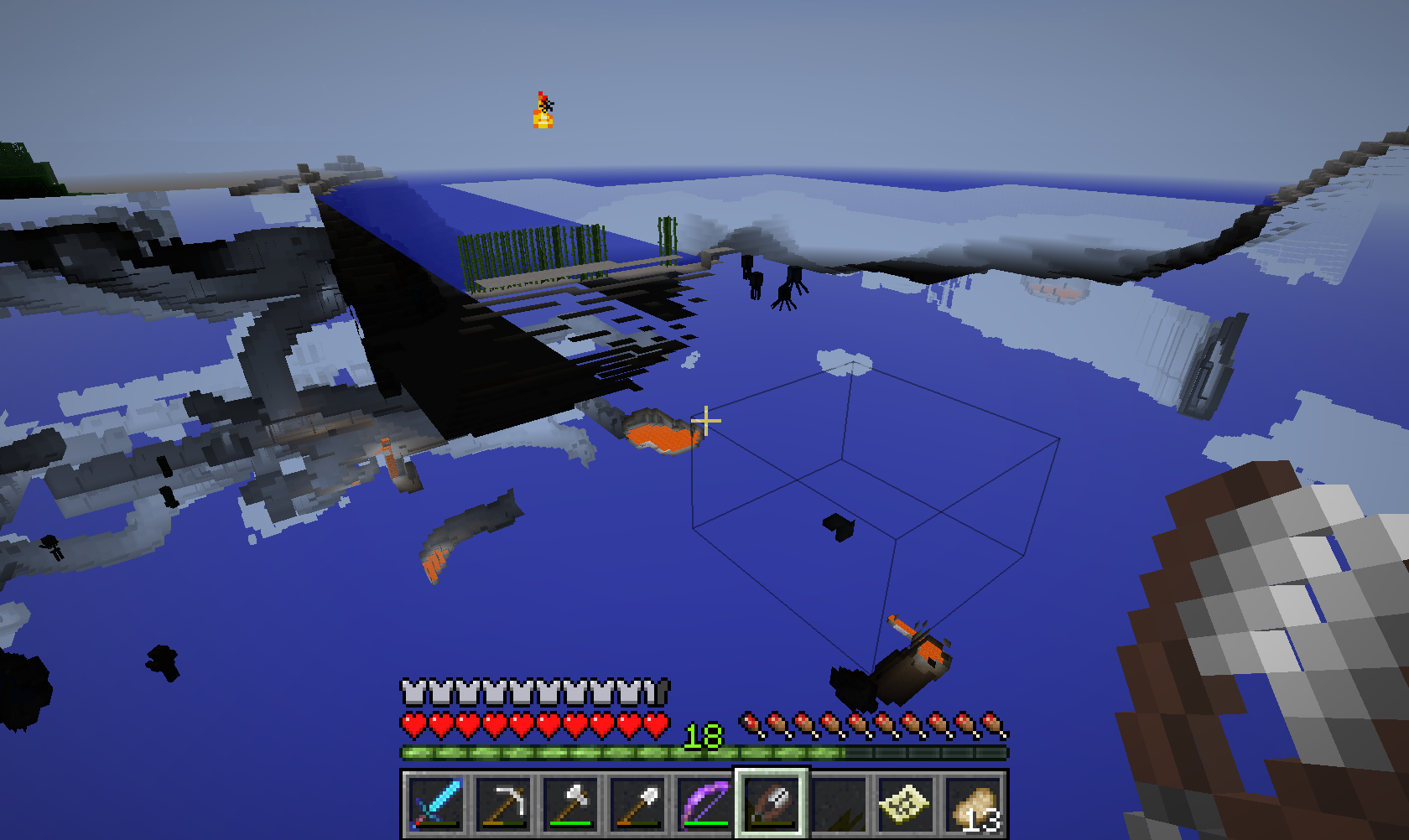
- Blocks placed in these chunks don't render. This also applies to special TE renderers. Bounding box does render as shown in screenshots. It also seems as if these blocks instead of rendering in their own chunks render in nearby chunks that also don't contain any blocks. It only renders them and they are not actually there, so player can pass trough them.
- When player exits and enters the world in one of these chunks his position can't change unless teleported out, camera rotation works fine however.
- If a block is placed in one of these chunks and player exits and enters the world the chunk starts behaving properly even after removing all blocks in it, it still behaves like is should but upon re-entering the game they break again.
- When player enters these chunks, the whole screen gets darker.
- If player teleports himself/herself into block-containing chunks after logging in in one of these chunks, he can move trough them normally, but if he tries to teleport somewhere else in the same empty chunk or another empty one, he/she still can't move.
- When one chunk is fixed by placing blocks in it and exiting and entering the world, all of the vertically parallel chunks seem to get fixed.
- Players slowly fall in these chunks as they do in unloaded ones
I think this has something to with world saving because it gets fixed as soon as some data is stored in the broken chunks. Another thing that lead me to that conclusion is the fact that these chunks seem to be linked somehow in the client as if server is making the client think that they all share the same blocks when they get placed in one of them - they aren't rendered in the correct one, but in all of the other empty chunks they do get rendered. Screen getting darker and players slowly falling in these chunks makes me think that server doesn't even send data about these chunks to client because behaviour seems similar to behaviour you get if you enter unloaded chunks in laggy worlds/servers.
This also seems to be a new bug as I didn't come across these problems few versions back (before 1.9 snapshots).
Steps to replicate:
Create a superflat world with 1 air layer ( 3;minecraft:air;1; ).
All chunks should behave like this and when you enter you will not fall into void as you should, you will just be stuck in mid air because of the weird behaviour.
Picture descriptions:
First picture - Bounding box seems to render properly, but blocks don't.
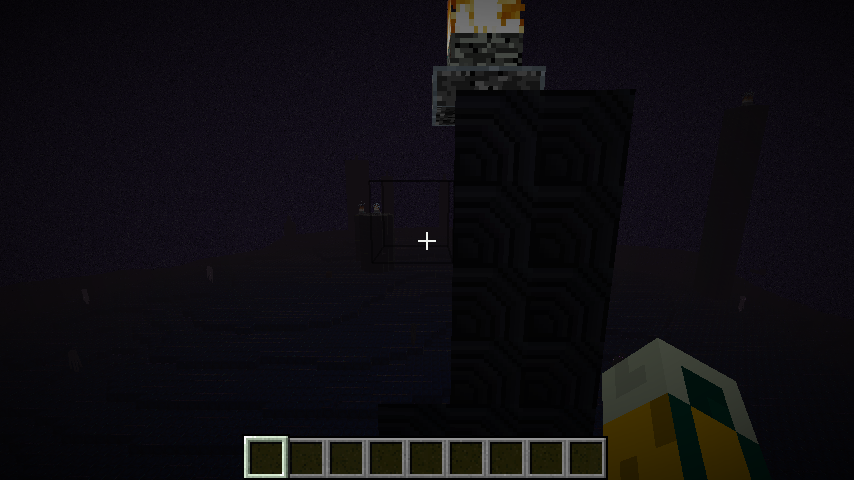
Second & third pictures - Screen gets darker as player enters these chunks.
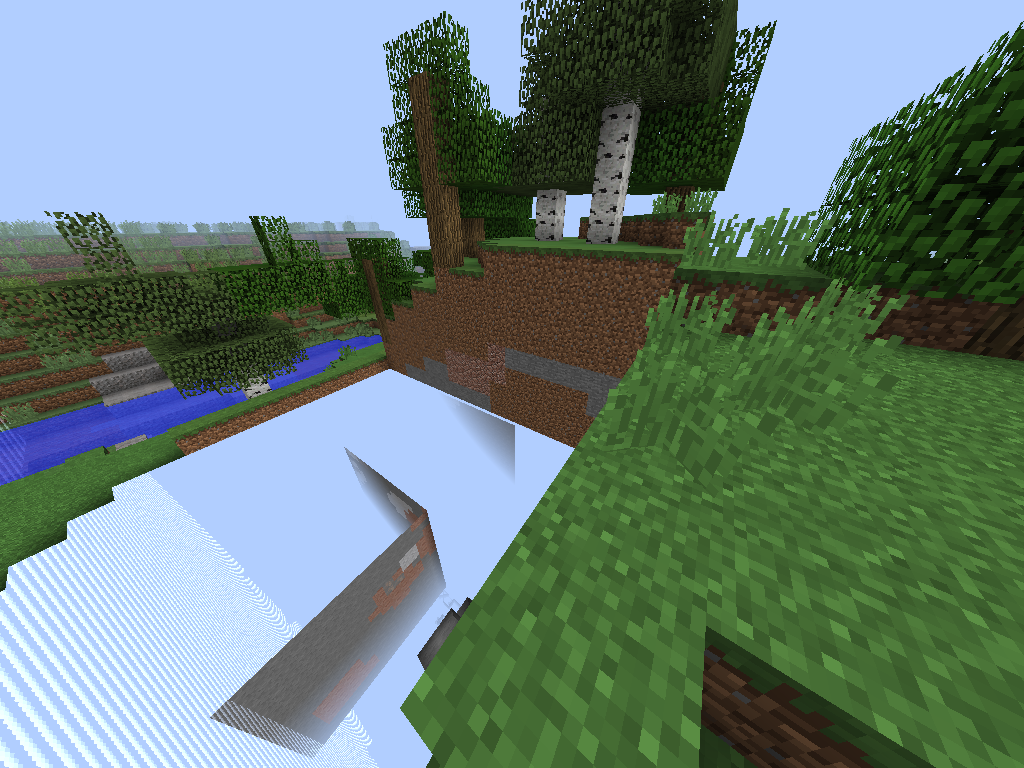
Fourth picture - Surrounding empty chunks seem to render blocks that aren't rendered in the chunks actual blocks were placed in.
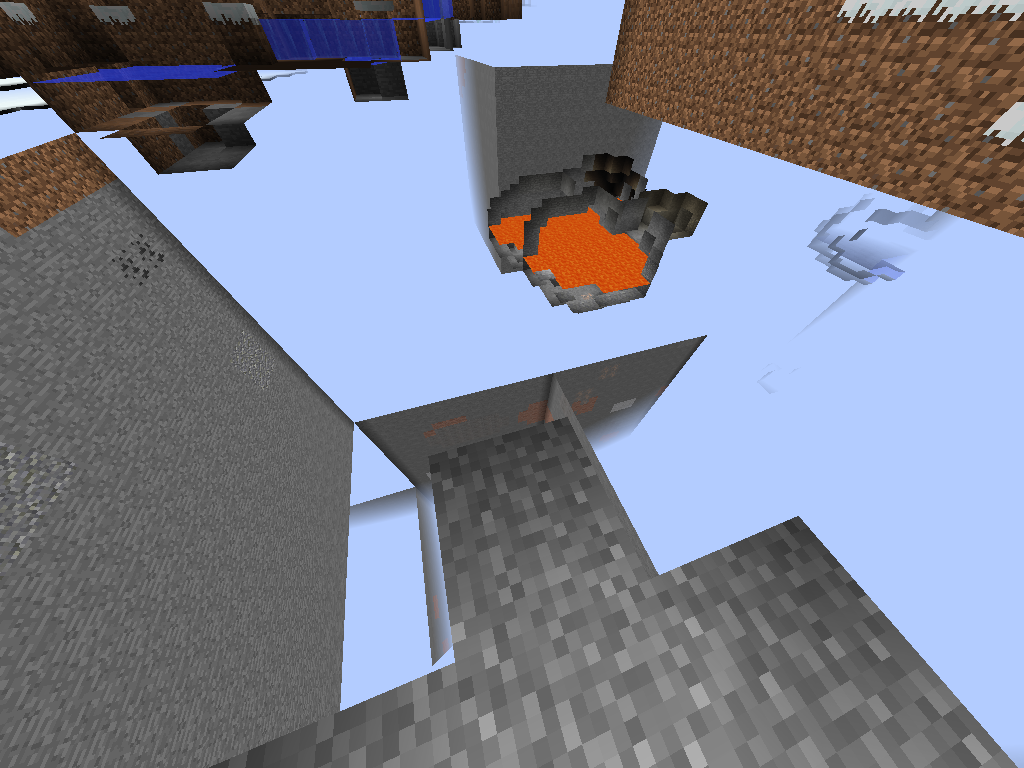
Fifth picture - Blocks are only rendered and player can get trough them, they aren't actually there.
This seems similar to MC-56917, but that seems to apply to cubic chunk rendering (and is closed) and my bug seems to be related to world storage format.
This happened to me, except the water was invisible from the start; without any use of sponges.
Can we change the title and the description to make it more accurate and clear to the developers?
I haven't been able to reproduce this issue, so "Any block over Y=63 is invisible on some graphics cards" would fit this.
Its not about the y level, its about the chunks. Blocks in a new chunk without blocks will be invisible. And its still in 14w25b
Anyone having this issue:
Please force a crash by pressing F3 + C for 10 seconds while in-game and attach the crash report (minecraft/crash-reports/crash-<DATE>-client.txt) here.
@
KumosasaKumasasa I did build someblocks in an empty chunk, so i couldnt see them. When I was in that chunk I made the Force Crash. This is the log:The crash dump is from renderbug2.png
renderbug1.png is a much more extreme example of the same problem. As you can see I'm standing inside my beach hut. That screenshot required me to move 20+ blocks through undrawn terrain, and open and close an invisible door. While in this state I could also open and close chests, access the smelting and crafting UIs, and even sleep.
Seeing occasional glimpses of unrendered views of the underground is something I've long been used to. With recent builds (last month or so) the problem is much more common, and I can now actually walk about inside the unrendered bits. Before, approaching such an area would quite reliably trigger a redraw. Now, I can wait seemingly indefinitely, and only an F3-A will put things right.
Experienced this with a Nvidia GTX 460. Updating to the latest drivers (337.88) and disabling "Advanced OpenGL" appears to have fixed this and
MC-56897for me.Inspired by Torabi, I was going to try disabling 'Advanced OpenGL' too, but where's the setting gone? I swear I used to have it... 'Anisotropic filtering' (which I had off anyway) has also disappeared.
@Thijmen F: Update to AMD Catalyst 14.4
@Simons Mith: Update your graphics card drivers by updating OS X: Download the free update for OS X from the Mac App Store
@Simons Mith: The Anisotropic filtering was removed in 14w25 (too many problems) and the Advanced OpenGL doesn't show on every system (does not show on mine, but don't have this issue)
Where are these settings? I don't find them neither
*Having also this bug with
AMD Radeon HD 6800 Series
(
Driver version: 9.12.0.0)(*Driver version: 14.100.0.0)
Marcono1234 see my comment above:
Your driver version 9.12.0.0 is ancient (the 9 means as of 2009... ), current version is 14.100. Update to AMD Catalyst 14.4: http://support.amd.com/de-de/download/desktop?os=Windows+7+-+64#amd-catalyst-packages
Marcono1234: Quite interesting why you have this issue but my system not. We have nearly the same graphics cards Radeon 6800 / 6700 .
Alright I used
MC-58823and changed it to false, so it the problem really stoped (maybe it was also the last snapshot, but who knows)I have no clue, but after I updated my graphic driver it seems that this isn't happening so often anymore, or not in so many chunks
I tried disabling OpenGL, and it fixes the problem for me too, but it turns my game into a 3fps slideshow. Partly my fault for living in a jungle, but TBH having tried it with the workaround I'd rather live with the bug!
Marcono1234: Why you have the issue but not me: See
MC-58823Thanks to Itouch2 for pointing out this link:
NVIDIA GeForce GT 430 is affected too (driver version 335.23). Pressing F3+A solves the bug for me.
AMD M880G; Radeon HD 4250 is affected as well.
Relates to
MC-58644.This bug also affects Mac OS 10.9.4
NVIDIA GeForce GTX 660M is affected too.
Turning off Advanced Open GL fixed this for me.
This bug also happens to me.
Running Win 7 Ultimate, fully updated.
Gainward GTX 770 Phantom - 4GB version
Intel Core i5-3570k @ 4.2 GHz
16 GB RAM - 8-8-8-24 @ 1833 MHz.
It doesn't happen at a specific Y-level though, and never in the initially loaded chunks when i enter the game, but only in new chunks that are being loaded as i move away from the point of login, regardless if their newly generated or old, the error happens in random spots.
Confirmed, in addition to that, when I fly around in spectator, it's even worse.
Is still still an issue in 14w30c ? (The related
MC-62166is still an issue)Probably it is fixed/removed as
MC-58823is fixed and you don''t have the option "Opengl" anymore