 DaUltraMarine
- ZombieBaby
- zombiebaby
- Europe/London
- Yes
- No
 MC-77054
![[Mojang] Nathan Adams](../../../data/assets/gravatar/dinnerbone.png)
![[Mojang] Cory Scheviak](../../../data/avatars/users/92893.png)

 Low
Low![[Mojang] Chi Wong](../../../data/avatars/users/18941.svg)



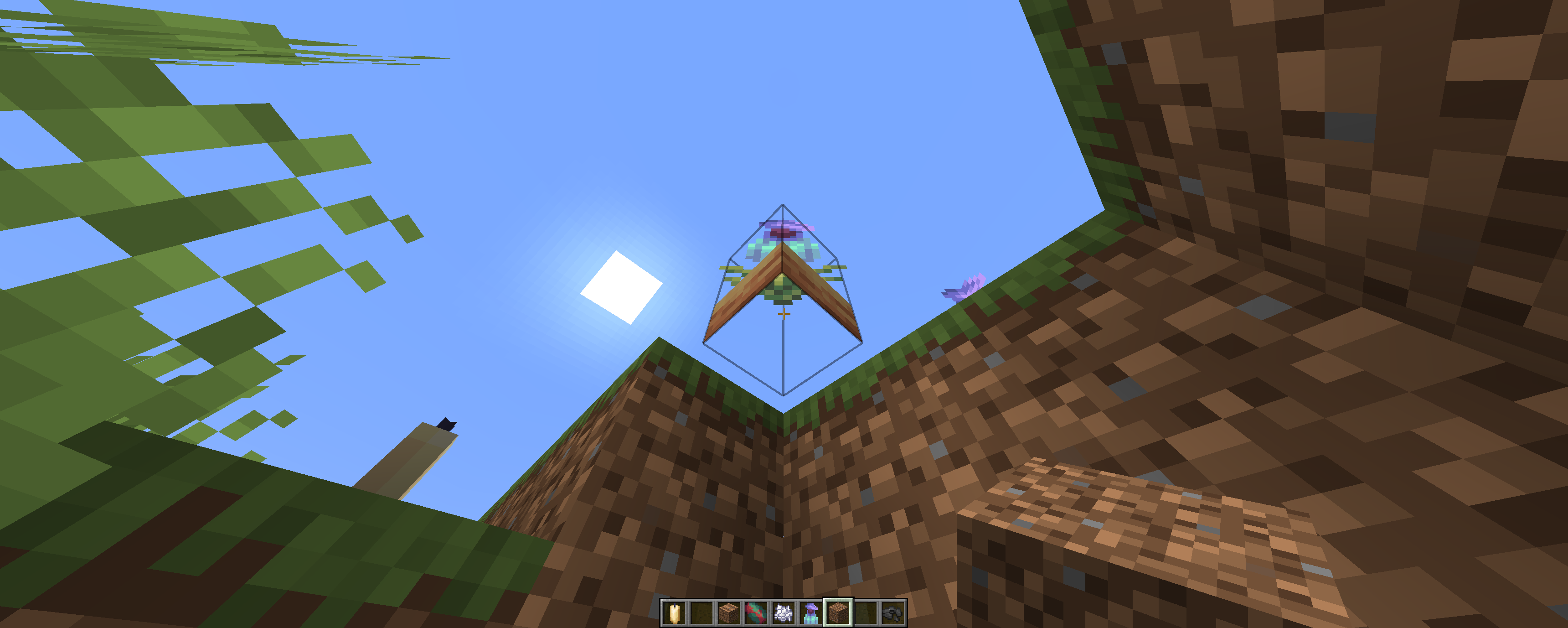
If you'd done a search before posting, you'd have seen that plenty of other people have already posted this and been told this isn't a bug. You now need to jump while in the air to use the Elytra wings.
Put your operating system (Windows 7, Windows XP, OSX) and Java version if you know it here
OS: Windows 10
Java Version - 1.8.0_25
For the purposes of this bug report I will be using the Minecraft advancement tree to explain, overriding the default in a custom folder within the worlds directory. This is reproducible with custom advancements, but I wanted to use the vanilla ones for the sake of making the demonstration clearer.
Parent advancements with their "hidden" field set to "true" will pass this field value on to any and all children advancements within the tab, meaning that even if the parent advancement is completed the children icons will not display until they are also complete.
Specifying "hidden": "false" within these children's .json file does not avoid this issue, limiting options of guiding players down branches of a story once they have discovered an initial secret within a custom map or semi-vanilla survival world.What I expected to happen was...:
When the hidden advancement was unlocked, it's childrens icons would then display as part of the tree due to having no "hidden" field specified within their .json file (therefore defaulting to false in theory).What actually happened was...:
When the hidden advancement was unlocked, it's childrens icons do not show up in the advancements screen despite having no mention of "hidden": "false" within their .json file.Steps to Reproduce:
1. Have an advancement with several children. [Normal.png]
2. In the .json file, make the advancement hidden by adding the "hidden": "true" field and save the file. [Hidden.png]
3. Use /reload in-game to update the .json file for the game.
4. If this advancement is completed, it's children will be hidden from view regardless of if the "hidden": "false" field within their .json files is specified or missing (in which case it should default to false as per the official 1.12 pre-1changes article. [Hidden Tool Complete.png]For the purposes of this bug report I will be using the Minecraft advancement tree to explain, overriding the default in a custom folder within the worlds directory. This is reproducible with custom advancements, but I wanted to use the vanilla ones for the sake of making the demonstration clearer.
Parent advancements with their "hidden" field set to "true" will pass this field value on to any and all children advancements within the tab, meaning that even if the parent advancement is completed the children icons will not display until they are also complete.
Specifying "hidden": "false" within these children's .json file does not avoid this issue, limiting options of guiding players down branches of a story once they have discovered an initial secret within a custom map or semi-vanilla survival world.What I expected to happen was...:
When the hidden advancement was unlocked, it's childrens icons would then display as part of the tree due to having no "hidden" field specified within their .json file (therefore defaulting to false in theory).What actually happened was...:
When the hidden advancement was unlocked, it's childrens icons do not show up in the advancements screen despite having no mention of "hidden": "false" within their .json file.Steps to Reproduce:
1. Have an advancement with several children. [Normal.png]
2. In the .json file, make the advancement hidden by adding the "hidden": "true" field and save the file. [Hidden.png]
3. Use /reload in-game to update the .json file for the game.
4. If this advancement is completed, it's children will be hidden from view regardless of if the "hidden": "false" field within their .json files is specified or missing (in which case it should default to false as per the official 1.12 pre-2 changes article. [Hidden Tool Complete.png]
For the purposes of this bug report I will be using the Minecraft advancement tree to explain, overriding the default in a custom folder within the worlds directory. This is reproducible with custom advancements, but I wanted to use the vanilla ones for the sake of making the demonstration clearer.
Parent advancements with their "hidden" field set to "true" will pass this field value on to any and all children advancements within the tab, meaning that even if the parent advancement is completed the children icons will not display until they are also complete.
Specifying "hidden": "false" within these children's .json file does not avoid this issue, limiting options of guiding players down branches of a story once they have discovered an initial secret within a custom map or semi-vanilla survival world.What I expected to happen was...:
When the hidden advancement was unlocked, it's childrens icons would then display as part of the tree due to having no "hidden" field specified within their .json file (therefore defaulting to false in theory).What actually happened was...:
When the hidden advancement was unlocked, it's childrens icons do not show up in the advancements screen despite having no mention of "hidden": "false" within their .json file.Steps to Reproduce:
1. Have an advancement with several children. [Normal.png]
2. In the .json file, make the advancement hidden by adding the "hidden": "true" field and save the file. [Hidden.png]
3. Use /reload in-game to update the .json file for the game.
4. If this advancement is completed, it's children will be hidden from view regardless of if the "hidden": "false" field within their .json files is specified or missing (in which case it should default to false as per the official 1.12 pre-2changes article. [Hidden Tool Complete.png]For the purposes of this bug report I will be using the Minecraft advancement tree to explain, overriding the default in a custom folder within the worlds directory. This is reproducible with custom advancements, but I wanted to use the vanilla ones for the sake of making the demonstration clearer.
Parent advancements with their "hidden" field set to "true" will pass this field value on to any and all children advancements within the tab, meaning that even if the parent advancement is completed the children icons will not display until they are also complete.
Specifying "hidden": "false" within these children's .json file does not avoid this issue, limiting options of guiding players down branches of a story once they have discovered an initial secret within a custom map or semi-vanilla survival world.What I expected to happen was...:
When the hidden advancement was unlocked, it's childrens icons would then display as part of the tree due to having no "hidden" field specified within their .json file (therefore defaulting to false in theory).What actually happened was...:
When the hidden advancement was unlocked, it's childrens icons do not show up in the advancements screen despite having no mention of "hidden": "false" within their .json file.Steps to Reproduce:
1. Have an advancement with several children. [Normal.png]
2. In the .json file, make the advancement hidden by adding the "hidden": "true" field and save the file. [Hidden.png]
3. Use /reload in-game to update the .json file for the game.
4. If this advancement is completed, it's children will be hidden from view regardless of if the "hidden": "false" field within their .json files is specified or missing (in which case it should default to false as per the official 1.12 pre-release changes article. [Hidden Tool Complete.png]
For the purposes of this bug report I will be using the Minecraft advancement tree to explain, overriding the default in a custom folder within the worlds directory. This is reproducible with custom advancements, but I wanted to use the vanilla ones for the sake of making the demonstration clearer.
Parent advancements with their "hidden" field set to "true" will pass this field value on to any and all children advancements within the tab, meaning that even if the parent advancement is completed the children icons will not display until they are also complete.
Specifying "hidden": "false" within these children's .json file does not avoid this issue, limiting options of guiding players down branches of a story once they have discovered an initial secret within a custom map or semi-vanilla survival world.What I expected to happen was...:
When the hidden advancement was unlocked, it's childrens icons would then display as part of the tree due to having no "hidden" field specified within their .json file (therefore defaulting to false in theory).What actually happened was...:
When the hidden advancement was unlocked, it's childrens icons do not show up in the advancements screen despite having no mention of "hidden": "false" within their .json file.Steps to Reproduce:
1. Have an advancement with several children. [Normal.png]
2. In the .json file, make the advancement hidden by adding the "hidden": "true" field and save the file. [Hidden.png]
3. Use /reload in-game to update the .json file for the game.
4. If this advancement is completed, it's children will be hidden from view regardless of if the "hidden": "false" field within their .json files is specified or missing (in which case it should default to false as per the official 1.12 pre-release changes article. [Hidden Tool Complete.png]For the purposes of this bug report I will be using the Minecraft advancement tree to explain, overriding the default in a custom folder within the worlds directory. This is reproducible with custom advancements, but I wanted to use the vanilla ones for the sake of making the demonstration clearer.
Parent advancements with their "hidden" field set to "true" will pass this field value on to any and all children advancements within the tab, meaning that even if the parent advancement is completed the children icons will not display until they are also complete.
Specifying "hidden": "false" within these children's .json file does not avoid this issue, limiting options of guiding players down branches of a story once they have discovered an initial secret within a custom map or semi-vanilla survival world.What I expected to happen was...:
When the hidden advancement was unlocked, it's childrens icons would then display as part of the tree due to having no "hidden" field specified within their .json file (therefore defaulting to false in theory).What actually happened was...:
When the hidden advancement was unlocked, it's childrens icons do not show up in the advancements screen despite having no mention of "hidden": "false" within their .json file.Steps to Reproduce:
1. Have an advancement with several children.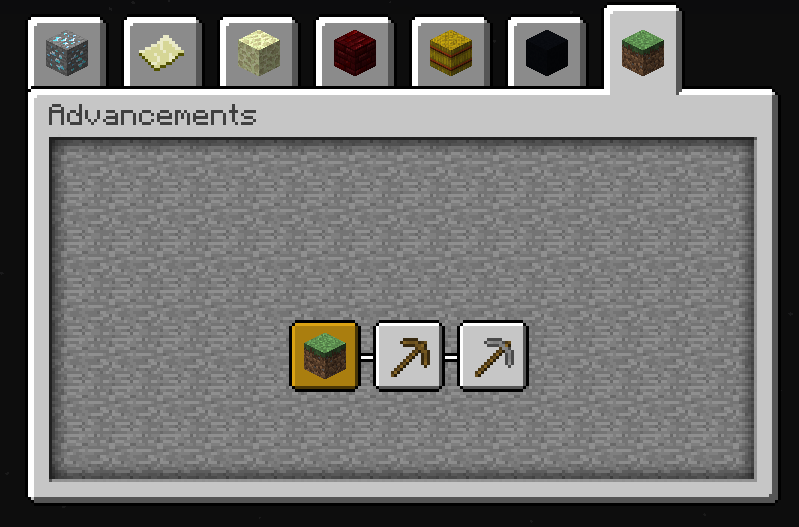
2. In the .json file, make the advancement hidden by adding the "hidden": "true" field and save the file.
3. Use /reload in-game to update the .json file for the game.
4. If this advancement is completed, it's children will be hidden from view regardless of if the "hidden": "false" field within their .json files is specified or missing (in which case it should default to false as per the official 1.12 pre-release changes article.
For the purposes of this bug report I will be using the Minecraft advancement tree to explain, overriding the default in a custom folder within the worlds directory. This is reproducible with custom advancements, but I wanted to use the vanilla ones for the sake of making the demonstration clearer.
Parent advancements with their "hidden" field set to "true" will pass this field value on to any and all children advancements within the tab, meaning that even if the parent advancement is completed the children icons will not display until they are also complete.
Specifying "hidden": "false" within these children's .json file does not avoid this issue, limiting options of guiding players down branches of a story once they have discovered an initial secret within a custom map or semi-vanilla survival world.What I expected to happen was...:
When the hidden advancement was unlocked, it's childrens icons would then display as part of the tree due to having no "hidden" field specified within their .json file (therefore defaulting to false in theory).What actually happened was...:
When the hidden advancement was unlocked, it's childrens icons do not show up in the advancements screen despite having no mention of "hidden": "false" within their .json file.Steps to Reproduce:
1. Have an advancement with several children.
2. In the .json file, make the advancement hidden by adding the "hidden": "true" field and save the file.
3. Use /reload in-game to update the .json file for the game.
4. If this advancement is completed, it's children will be hidden from view regardless of if the "hidden": "false" field within their .json files is specified or missing (in which case it should default to false as per the official 1.12 pre-release changes article.
For the purposes of this bug report I will be using the Minecraft advancement tree to explain, overriding the default in a custom folder within the worlds directory. This is reproducible with custom advancements, but I wanted to use the vanilla ones for the sake of making the demonstration clearer.
Parent advancements with their "hidden" field set to "true" will pass this field value on to any and all children advancements within the tab, meaning that even if the parent advancement is completed the children icons will not display until they are also complete.
Specifying "hidden": "false" within these children's .json file does not avoid this issue, limiting options of guiding players down branches of a story once they have discovered an initial secret within a custom map or semi-vanilla survival world.What I expected to happen was...:
When the hidden advancement was unlocked, it's childrens icons would then display as part of the tree due to having no "hidden" field specified within their .json file (therefore defaulting to false in theory).What actually happened was...:
When the hidden advancement was unlocked, it's childrens icons do not show up in the advancements screen despite having no mention of "hidden": "false" within their .json file.Steps to Reproduce:
1. Have an advancement (custom or overriding default) in a tree with several children.
2. In the .json file, make the advancement hidden by adding the "hidden": "true" field and save the file.
3. Use /reload in-game to update the .json file for the game.
4. If this advancement is completed, it's children will be hidden from view regardless of if the "hidden": "false" field within their .json files is specified or missing (in which case it should default to false as per the official 1.12 pre-release changes article.
For the purposes of this bug report I will be using the Minecraft advancement tree to explain, overriding the default in a custom folder within the worlds directory. This is reproducible with custom advancements, but I wanted to use the vanilla ones for the sake of making the demonstration clearer.
Parent advancements with their "hidden" field set to "true" will pass this field value on to any and all children advancements within the tab, meaning that even if the parent advancement is completed the children icons will not display until they are also complete.
Specifying "hidden": "false" within these children's .json file does not avoid this issue, limiting options of guiding players down branches of a story once they have discovered an initial secret within a custom map or semi-vanilla survival world.What I expected to happen was...:
When the hidden advancement was unlocked, it's childrens icons would then display as part of the tree due to having no "hidden" field specified within their .json file (therefore defaulting to false in theory).What actually happened was...:
When the hidden advancement was unlocked, it's childrens icons do not show up in the advancements screen despite having no mention of "hidden": "false" within their .json file.Steps to Reproduce:
1. Have an advancement (either custom or overriding default in the worldsave) in a tree with several children.
2. In the .json file, make the advancement hidden by adding the "hidden": "true" field and save the file.
3. Use /reload in-game to update the .json file for the game.
4. If this advancement is completed, it's children will be hidden from view regardless of if the "hidden": "false" field within their .json files is specified or missing (in which case it should default to false as per the official 1.12 pre-release changes article.
For the purposes of this bug report I will be using the Minecraft advancement tree to explain, overriding the default in a custom folder within the worlds directory. This is reproducible with custom advancements, but I wanted to use the vanilla ones for the sake of making the demonstration clearer.
Parent advancements with their "hidden" field set to "true" will pass this field value on to any and all children advancements within the tab, meaning that even if the parent advancement is completed the children icons will not display until they are also complete.
Specifying "hidden": "false" within these children's .json file does not avoid this issue, limiting options of guiding players down branches of a story once they have discovered an initial secret within a custom map or semi-vanilla survival world.What I expected to happen was...:
When the hidden advancement was unlocked, it's childrens icons would then display as part of the tree due to having no "hidden" field specified within their .json file (therefore defaulting to false in theory).What actually happened was...:
When the hidden advancement was unlocked, it's childrens icons do not show up in the advancements screen despite having no mention of "hidden": "false" within their .json file.Steps to Reproduce:
1. Have an advancement (either custom or overriding default in the worldsave) in a tree with several children.
2. In the .json file, make the advancement hidden by adding the "hidden": "true" field and save the file.
3. Use /reload in-game to update the .json file for the game.
4. If this advancement is completed, it's children will be hidden from view regardless of if the "hidden": "false" field within their .json files is specified or missing (in which case it should default to false as per the official 1.12 pre-release changes article.For the purposes of this bug report I will be using the Minecraft advancement tree to explain, overriding the default in a custom folder within the worlds directory. This is reproducible with custom advancements, but I wanted to use the vanilla ones for the sake of making the demonstration clearer.
Parent advancements with their "hidden" field set to "true" will pass this field value on to any and all children advancements within the tab, meaning that even if the parent advancement is completed the children icons will not display until they are also complete.
Specifying "hidden": "false" within these children's .json file does not avoid this issue, limiting options of guiding players down branches of a story once they have discovered an initial secret within a custom map or semi-vanilla survival world.What I expected to happen was...:
When the hidden advancement was unlocked, it's childrens icons would then display as part of the tree due to having no "hidden" field specified within their .json file (therefore defaulting to false in theory).What actually happened was...:
When the hidden advancement was unlocked, it's childrens icons do not show up in the advancements screen despite having no mention of "hidden": "false" within their .json file.Steps to Reproduce:
1. Have an advancement (either custom or overriding default in the worldsave) in a tree with several children.
2. In the .json file, make the advancement hidden by adding the "hidden": "true" field and save the file.
3. Use /reload in-game to update the .json file for the game.
4. If this advancement is completed, it's children will be hidden from view regardless of if the "hidden": "false" field within their .json files is specified or missing (in which case it should default to false as per the official 1.12 pre-release changes article.
For the purposes of this bug report I will be using the Minecraft advancement tree to explain, overriding the default in a custom folder within the worlds directory. This is reproducible with custom advancements, but I wanted to use the vanilla ones for the sake of making the demonstration clearer.
Parent advancements with their "hidden" field set to "true" will pass this field value on to any and all children advancements within the tab, meaning that even if the parent advancement is completed the children icons will not display until they are also complete.
Specifying "hidden": "false" within these children's .json file does not avoid this issue, limiting options of guiding players down branches of a story once they have discovered an initial secret within a custom map or semi-vanilla survival world.What I expected to happen was...:
When the hidden advancement was unlocked, it's childrens icons would then display as part of the tree due to having no "hidden" field specified within their .json file (therefore defaulting to false in theory).What actually happened was...:
When the hidden advancement was unlocked, it's childrens icons do not show up in the advancements screen despite having no mention of "hidden": "false" within their .json file.Steps to Reproduce:
1. Have an advancement (either custom or overriding default in the worldsave) in a tree with several children.
2. In the .json file, make the advancement hidden by adding the "hidden": "true" field and save the file.
3. Use /reload in-game to update the.json file for the game.
4. If this advancement is completed, it's children will be hidden from view regardless of if the "hidden": "false" field within their .json files is specified or missing (in which case it should default to false as per the official 1.12 pre-release changes article.For the purposes of this bug report I will be using the Minecraft advancement tree to explain, overriding the default in a custom folder within the worlds directory. This is reproducible with custom advancements, but I wanted to use the vanilla ones for the sake of making the demonstration clearer.
Parent advancements with their "hidden" field set to "true" will pass this field value on to any and all children advancements within the tab, meaning that even if the parent advancement is completed the children icons will not display until they are also complete.
Specifying "hidden": "false" within these children's .json file does not avoid this issue, limiting options of guiding players down branches of a story once they have discovered an initial secret within a custom map or semi-vanilla survival world.What I expected to happen was...:
When the hidden advancement was unlocked, it's childrens icons would then display as part of the tree due to having no "hidden" field specified within their .json file (therefore defaulting to false in theory).What actually happened was...:
When the hidden advancement was unlocked, it's childrens icons do not show up in the advancements screen despite having no mention of "hidden": "false" within their .json file.Steps to Reproduce:
1. Have an advancement (either custom or overriding default in the worldsave) in a tree with several children.
2. In the .json file, make the advancement hidden by adding the "hidden": "true" field and save the file.
3. Use the /reload command in-game to update the advancmemt with the new "hidden" field line.
4. If this advancement is completed, it's children will be hidden from view regardless of if the "hidden": "false" field within their .json files is specified or missing (in which case it should default to false as per the official 1.12 pre-release changes article.
For the purposes of this bug report I will be using the Minecraft advancement tree to explain, overriding the default in a custom folder within the worlds directory. This is reproducible with custom advancements, but I wanted to use the vanilla ones for the sake of making the demonstration clearer.
Parent advancements with their "hidden" field set to "true" will pass this field value on to any and all children advancements within the tab, meaning that even if the parent advancement is completed the children icons will not display until they are also complete.
Specifying "hidden": "false" within these children's .json file does not avoid this issue, limiting options of guiding players down branches of a story once they have discovered an initial secret within a custom map or semi-vanilla survival world.What I expected to happen was...:
When the hidden advancement was unlocked, it's childrens icons would then display as part of the tree due to having no "hidden" field specified within their .json file (therefore defaulting to false in theory).What actually happened was...:
When the hidden advancement was unlocked, it's childrens icons do not show up in the advancements screen despite having no mention of "hidden": "false" within their .json file.Steps to Reproduce:
1. Have an advancement (either custom or overriding default in the worldsave) in a tree with several children.
2. In the .json file, make the advancement hidden by adding the "hidden": "true" field and save the file.
3. Use the /reload command in-game to update the advancmemt with the new "hidden" field line.
4. If this advancement is completed, it's children will be hidden from view regardless of if the "hidden": "false" field within their .json files is specified or missing (in which case it should default to false as per the official 1.12 pre-release changes article.For the purposes of this bug report I will be using the Minecraft advancement tree to explain, overriding the default in a custom folder within the worlds directory. This is reproducible with custom advancements, but I wanted to use the vanilla ones for the sake of making the demonstration clearer.
Parent advancements with their "hidden" field set to "true" will pass this field value on to any and all children advancements within the tab, meaning that even if the parent advancement is completed the children icons will not display until they are also complete.
Specifying "hidden": "false" within these children's .json file does not avoid this issue, limiting options of guiding players down branches of a story once they have discovered an initial secret within a custom map or semi-vanilla survival world.What I expected to happen was...:
When the hidden advancement was unlocked, it's childrens icons would then display as part of the tree due to having no "hidden" field specified within their .json file (therefore defaulting to false in theory).What actually happened was...:
When the hidden advancement was unlocked, it's childrens icons do not show up in the advancements screen despite having no mention of "hidden": "false" within their .json file.Steps to Reproduce:
1. Have an advancement (either custom or overriding default in the worldsave) in a tree with several children.
2. In the .json file, make the advancement hidden by adding the "hidden": "true" field and save the file.
3. Use the /reload command in-game to update the advancement with the new "hidden":"true" field line.
4. If this advancement is completed, it's children will be hidden from view regardless of if the "hidden": "false" field within their .json files is specified or missing (in which case it should default to false as per the official 1.12 pre-release changes article.
Advancements will inherit "hidden": "true" field from their parent
Advancementswillinherit "hidden": "true" field from their parent
For the purposes of this bug report I will be using the Minecraft 'story' advancement tree to explain, overriding the default in a custom folder within the worlds directory. This is reproducible with custom advancements, but I wanted to use the vanilla ones for the sake of making the demonstration clearer.
Parent advancements with their "hidden" field set to "true" will pass this field value on to any and all children advancements within the tab, meaning that even if the parent advancement is completed the children icons will not display until they are also complete.
Specifying "hidden": "false" within these children's .json file does not avoid this issue, limiting options of guiding players down branches of a story once they have discovered an initial secret within a custom map or semi-vanilla survival world.What I expected to happen was...:
When the hidden advancement was unlocked, it's childrens icons would then display as part of the tree due to having no "hidden" field specified within their .json file (therefore defaulting to false in theory).What actually happened was...:
When the hidden advancement was unlocked, it's childrens icons do not show up in the advancements screen despite having no mention of "hidden": "false" within their .json file.Steps to Reproduce:
1. Have an advancement (either custom or overriding default in the worldsave) in a tree with several children.
2. In the .json file, make the advancement hidden by adding the "hidden": "true" field and save the file.
3. Use the /reload command in-game to update the advancement with the new "hidden":"true" field line.
4. If this advancement is completed, it's children will be hidden from view regardless of if the "hidden": "false" field within their .json files is specified or missing (in which case it should default to false as per the official 1.12 pre-release changes article.
For the purposes of this bug report I will be using the Minecraft 'story' advancement tree to explain, overriding the default in a custom folder within the worlds directory. This is reproducible with custom advancements, but I wanted to use the vanilla ones for the sake of making the demonstration clearer.
Parent advancements with their "hidden" field set to "true" will pass this field value on to any and all children advancements within the tab, meaning that even if the parent advancement is completed the children icons will not display until they are also complete.
Specifying "hidden": "false" within these children's .json file does not avoid this issue, limiting options of guiding players down branches of a story once they have discovered an initial secret within a custom map or semi-vanilla survival world.What I expected to happen was...:
When the hidden advancement was unlocked, it's childrens icons would then display as part of the tree due to having no "hidden" field specified within their .json file (therefore defaulting to false in theory).What actually happened was...:
When the hidden advancement was unlocked, it's childrens icons do not show up in the advancements screen despite having no mention of "hidden": "false" within their .json file.Steps to Reproduce:
1. Have an advancement (either custom or overriding default in the worldsave) in a tree with several children.
2. In the .json file, make the advancement hidden by adding the "hidden": "true" field and save the file.
3. Use the /reload command in-game to update the advancement with the new "hidden":"true" field line.
4. If this advancement is completed, it's children will be hidden from view regardless of if the "hidden": "false" field within their .json files is specified or missing (in which case it should default to false as per the official 1.12 pre-release changes article).
For the purposes of this bug report I will be using the Minecraft 'story' advancement tree to explain, overriding the default in a custom folder within the worlds directory. This is reproducible with custom advancements, but I wanted to use the vanilla ones for the sake of making the demonstration clearer.
Parent advancements with their "hidden" field set to "true" will pass this field value on to any and all children advancements within the tab, meaning that even if the parent advancement is completed the children icons will not display until they are also complete.
Specifying "hidden": "false" within these children's .json file does not avoid this issue, limiting options of guiding players down branches of a story once they have discovered an initial secret within a custom map or semi-vanilla survival world.What I expected to happen was...:
When the hidden advancement was unlocked, it's childrens icons would then display as part of the tree due to having no "hidden" field specified within their .json file (therefore defaulting to false in theory).What actually happened was...:
When the hidden advancement was unlocked, it's childrens icons do not show up in the advancements screen despite having no mention of "hidden": "false" within their .json file.Steps to Reproduce:
1. Have an advancement (either custom or overriding default in the worldsave) in a tree with several children.
2. In the .json file, make the advancement hidden by adding the "hidden": "true" field and save the file.
3. Use the /reload command in-game to update the advancement with the new "hidden":"true" field line.
4. If this advancement is completed, it's children will be hidden from view regardless of if the "hidden": "false" field within their .json files is specified or missing (in which case it should default to false as per the official 1.12 pre-release changes article).For the purposes of this bug report I will be using the Minecraft 'story' advancement tree to explain, overriding the default in a custom folder within the worlds directory. This is reproducible with custom advancements, but I wanted to use the vanilla ones for the sake of making the demonstration clearer.
Parent advancements with their "hidden" field set to "true" will pass this field value on to any and all children advancements within the tab, meaning that even if the parent advancement is completed the children icons will not display until they are also complete.
Specifying "hidden": "false" within these children's .json file does not avoid this issue, limiting options of guiding players down branches of a story once they have discovered an initial secret within a custom map or semi-vanilla survival world.What I expected to happen was...:
When the hidden advancement was unlocked, it's childrens icons would then display as part of the tree due to having no "hidden" field specified within their .json file (therefore defaulting to false in theory).What actually happened was...:
When the hidden advancement was unlocked, it's childrens icons do not show up in the advancements screen despite having no mention of "hidden": "false" within their .json file.Steps to Reproduce:
1. Have an advancement (either custom or overriding default in the worldsave) in a tree with several children.
2. In the .json file, make the advancement hidden by adding the "hidden": "true" field and save the file.
3. Use the /reload command in-game to update the advancement with the new "hidden":"true" field line.
4. If this advancement is completed, it's children will be hidden from view regardless of if the "hidden": "false" field within their .json files is specified or missing (in which case it should default to false as per the official 1.12 pre-release changes article).
For the purposes of this bug report I will be using the Minecraft 'story' advancement tree to explain, overriding the default in a custom folder within the worlds directory. This is reproducible with custom advancements, but I wanted to use the vanilla ones for the sake of making the demonstration clearer.
Parent advancements with their "hidden" field set to "true" will pass this field value on to any and all children advancements within the tab, meaning that even if the parent advancement is completed the children icons will not display until they are also complete.
Specifying "hidden": "false" within these children's .json file does not avoid this issue, limiting options of guiding players down branches of a story once they have discovered an initial secret within a custom map or semi-vanilla survival world.What I expected to happen was...:
When the hidden advancement was unlocked, it's childrens icons would then display as part of the tree due to having no "hidden" field specified within their .json file (therefore defaulting to false in theory). A hidden advancement not achieved by a player should also not show it's children (as is the current working implementation)What actually happened was...:
When the hidden advancement was unlocked, it's childrens icons do not show up in the advancements screen despite having no mention of "hidden": "false" within their .json file.Steps to Reproduce:
1. Have an advancement (either custom or overriding default in the worldsave) in a tree with several children.
2. In the .json file, make the advancement hidden by adding the "hidden": "true" field and save the file.
3. Use the /reload command in-game to update the advancement with the new "hidden":"true" field line.
4. If this advancement is completed, it's children will be hidden from view regardless of if the "hidden": "false" field within their .json files is specified or missing (in which case it should default to false as per the official 1.12 pre-release changes article).
For the purposes of this bug report I will be using the Minecraft 'story' advancement tree to explain, overriding the default in a custom folder within the worlds directory. This is reproducible with custom advancements, but I wanted to use the vanilla ones for the sake of making the demonstration clearer.
Parent advancements with their "hidden" field set to "true" will pass this field value on to any and all children advancements within the tab, meaning that even if the parent advancement is completed the children icons will not display until they are also complete.
Specifying "hidden": "false" within these children's .json file does not avoid this issue, limiting options of guiding players down branches of a story once they have discovered an initial secret within a custom map or semi-vanilla survival world.What I expected to happen was...:
When the hidden advancement was unlocked, it's childrens icons would then display as part of the tree due to having no "hidden" field specified within their .json file (therefore defaulting to false in theory). A hidden advancement not achieved by a player should also not show it's children (as is the current working implementation)What actually happened was...:
When the hidden advancement was unlocked, it's childrens icons do not show up in the advancements screen despite having no mention of "hidden": "false" within their .json file.Steps to Reproduce:
1. Have an advancement (either custom or overriding default in the worldsave) in a tree with several children.
2. In the .json file, make the advancement hidden by adding the "hidden": "true" field and save the file (example that is hidden here is the mine_stone advancement.
3. Use the /reload command in-game to update the advancement with the new "hidden":"true" field line.
4. If this advancement is completed, it's children will be hidden from view regardless of if the "hidden": "false" field within their .json files is specified or missing (in which case it should default to false as per the official 1.12 pre-release changes article).
For the purposes of this bug report I will be using the Minecraft 'story' advancement tree to explain, overriding the default in a custom folder within the worlds directory. This is reproducible with custom advancements, but I wanted to use the vanilla ones for the sake of making the demonstration clearer.
Parent advancements with their "hidden" field set to "true" will pass this field value on to any and all children advancements within the tab, meaning that even if the parent advancement is completed the children icons will not display until they are also complete.
Specifying "hidden": "false" within these children's .json file does not avoid this issue, limiting options of guiding players down branches of a story once they have discovered an initial secret within a custom map or semi-vanilla survival world.What I expected to happen was...:
When the hidden advancement was unlocked, it's childrens icons would then display as part of the tree due to having no "hidden" field specified within their .json file (therefore defaulting to false in theory). A hidden advancement not achieved by a player should also not show it's children (as is the current working implementation)What actually happened was...:
When the hidden advancement was unlocked, it's childrens icons do not show up in the advancements screen despite having no mention of "hidden": "false" within their .json file.Steps to Reproduce:
1. Have an advancement (either custom or overriding default in the worldsave) in a tree with several children.
2. In the .json file,make the advancement hidden by addingthe "hidden": "true" field and save the file (example that is hidden here is the mine_stone advancement.
3. Use the /reload command in-game to update the advancement with the new "hidden":"true" field line.
4. If this advancement is completed, it's children will be hidden from view regardless of if the "hidden": "false" field within their .json files is specified or missing (in which case it should default to false as per the official 1.12 pre-release changes article).
For the purposes of this bug report I will be using the Minecraft 'story' advancement tree to explain, overriding the default in a custom folder within the worlds directory. This is reproducible with custom advancements, but I wanted to use the vanilla ones for the sake of making the demonstration clearer.
Parent advancements with their "hidden" field set to "true" will pass this field value on to any and all children advancements within the tab, meaning that even if the parent advancement is completed the children icons will not display until they are also complete.
Specifying "hidden": "false" within these children's .json file does not avoid this issue, limiting options of guiding players down branches of a story once they have discovered an initial secret within a custom map or semi-vanilla survival world.What I expected to happen was...:
When the hidden advancement was unlocked, it's childrens icons would then display as part of the tree due to having no "hidden" field specified within their .json file (therefore defaulting to false in theory). A hidden advancement not achieved by a player should also not show it's children (as is the current working implementation)What actually happened was...:
When the hidden advancement was unlocked, it's childrens icons do not show up in the advancements screen despite having no mention of "hidden": "false" within their .json file.Steps to Reproduce:
1. Have an advancement (either custom or overriding default in the worldsave) in a tree with several children.
2. In the .json file, add the "hidden": "true" field and save the file (example that is hidden here is the mine_stone advancement).
3. Use the /reload command in-game to update the advancement with the new "hidden":"true" field line.
4. If this advancement is completed, it's children will be hidden from view regardless of if the "hidden": "false" field within their .json files is specified or missing (in which case it should default to false as per the official 1.12 pre-release changes article).
Wandering traderdoes not refreshtradesWandering trader text implies trades refresh
As described in the title.
At no point does the wandering trader ever unlock their old trades again. Note that is not related toMC-143359, this happens regardless of whether you bulk trade.
This may also be preventing any new trades that are meant to unlock from displaying, but that is uncertain at this time.
As described in the title. Wandering traders still use villagers text. Note that is not related to
MC-143359, this happens regardless of whether you bulk trade.
This may also be preventing any new trades that are meant to unlock from displaying, but that is uncertain at this time.
As described in the title. Wandering traders still use villagers text. Note that is not related to
MC-143359, this happens regardless of whether you bulk trade.
This may also be preventing any new trades that are meant to unlock from displaying, but that is uncertain at this time.
As described in the title. Wandering traders still use the villagers text "Trade something else to unlock!" even though their trades can never restock.
As described in the title. Wandering traders still use the villagers text "
Trade something else to unlock!" even though their trades can never restock.As described in the title. Wandering traders still use the villagers text "Villagers restock up to two times a day" even though their trades can never restock.
@[Mod] Neko apologies for the ping, but I don't think Alexander Egorov's attempt to tag you worked.
Biomes were given y axis support in recent updates, as preparation for 1.16 and beyond. Currently, examples of y level biomes are near non-existent and for almost all cases, biomes still take up the entire chunk. The few cases we've discovered are only a few clusters of blocks, rather than the bounding boxes of biomes.
Examples, using the seed
*-9081470300596806506,* tested in spectator mode.
- The vast majority of nether terrain will only indicate one biome in the F3 menu for the whole y axis, even if those biome is not present above/below a certain height.
- x3, z1337 - flying up and down between y80 and y120 will display several examples of these biome changes, despite little to no variance in the blocks present.
- x13, z1396 - Some of the most notable overlap, biome labels and fog colours change every few blocks between y0 and y200, with the effect most notable between y30-60 and above the nether ceiling.
In the above examples it's also possible to fly above the nether ceiling toward y200 and observe these biome changes, despite no blocks from those biomes being present.
A fix for this is not only important for the Nether update but
cool,+a+wesome,+v+ery+e+xciting updates in the future. Tested on both multiplayer and singleplayer, with multiple clients.Biomes were given y axis support in recent updates, as preparation for 1.16 and beyond. Currently, examples of y level biomes are near non-existent and for almost all cases, biomes still take up the entire chunk. The few cases we've discovered are only a few clusters of blocks, rather than the bounding boxes of biomes.
Examples, using the seed -9081470300596806506, tested in spectator mode.
- The vast majority of nether terrain will only indicate one biome in the F3 menu for the whole y axis, even if those biome is not present above/below a certain height.
- x3, z1337 - flying up and down between y80 and y120 will display several examples of these biome changes, despite little to no variance in the blocks present.
- x13, z1396 - Some of the most notable overlap, biome labels and fog colours change every few blocks between y0 and y200, with the effect most notable between y30-60 and above the nether ceiling.
In the above examples it's also possible to fly above the nether ceiling toward y200 and observe these biome changes, despite no blocks from those biomes being present.
A fix for this is not only important for the Nether update but Cool, Awesome, Very Exciting updates in the future. Tested on both multiplayer and singleplayer, with multiple clients.
As described in title. If you charge the Anchor block on multiplayer, you can hear the charging sound effect, but other players next to you cannot. This is an exception to almost all other blocks in the game, and so very likely a bug.
To reproduce:
- Enter a multiplayer game
- Try to charge a Respawn Anchor with another player within a few blocks of you
- The charging sound will be played for you, but not the other player
As described in title. If you charge the Anchor block on multiplayer, you can hear the charging sound effect, but other players next to you cannot. This is an exception to almost all other blocks in the game, and so very likely a bug.
To reproduce:
- Enter a multiplayer game
- Try to charge a Respawn Anchor with another player within a few blocks of you
- The charging sound will be played for you, but not the other player
As described in title. If you charge the Anchor block on multiplayer, you can hear the charging sound effect, but other players next to you cannot. This is an exception to almost all other blocks in the game, and so very likely a bug.
To reproduce:
- Enter a multiplayer game in any gamemode
- Place a Respawn Anchor
- Try to charge the Respawn Anchor with another player within a few blocks of you
- →
The charging sound will be played for you, but not the other player
Respawnanchor charging cannot be heard by other playersRespawn Anchor charging cannot be heard by other players
As described in title. If you charge the Respawn Anchor block on multiplayer, you can hear the charging sound effect, but other players next to you cannot. This is an exception to almost all other blocks in the game, and so very likely a bug.
To reproduce:
- Enter a multiplayer game in any gamemode
- Place a Respawn Anchor
- Try to charge the Respawn Anchor with another player within a few blocks of you
- →
You cannot set spawnpoint if too far from a bed to sleepAt night, you cannot set spawnpoint if too far from a bed to sleep
As described in the title, if you right click a bed to sleep, but get the 'Your bed is too far away to sleep' message displayed, your respawn point will not be set. This is believed to be a bug, and the respawn point should be set either way - at the very least, the message should be updated if this is intentional.If you right click a bed to sleep during the day, but get the 'Your bed is too far away to sleep' message displayed, your respawn point will not be set. The respawn point should be set either way - at the very least, the message should be updated if this is intentional.
Can confirm in 23w12a
The Bug
When using the /placefeature command to place the sculk vein feature, it only ever generates a tiny 2x1 of sculk vein blocks, almost always towards positive X or positive Z. This doesn't seem to constitute a 'vein', and I would expect more blocks and more variation of placement as a result.Reproduce
/placefeature minecraft:sculk_patch
Observed ResultA tiny 2x1 sculk patch appears, always towards the positive x or z coordinates.
Expected Result
The feature would not be so 'fixed', and have more variation, blocks, and size to it, and also without trending towards positive coordinates.
The Bug
When using the /placefeature command to place the sculk vein feature, it only ever generates a tiny 2x1 of sculk vein blocks, almost always towards positive X or positive Z. This doesn't seem to constitute a 'vein', and I would expect more blocks and more variation of placement as a result.Reproduce
/placefeature minecraft:sculk_patch
Observed ResultA tiny 2x1 sculk patch appears, always towards the positive x or z coordinates.
Expected Result
The feature would not be so 'fixed', and have more variation, blocks, and size to it, and also without trending towards positive coordinates.The Bug
When using the /placefeature command to place the sculk vein feature, it only ever generates a tiny 2x1 of sculk vein blocks, almost always towards positive X or positive Z. This doesn't seem to constitute a 'vein', and I would expect more blocks and more variation of placement as a result.Reproduce
/placefeature minecraft:sculk_patchObserved Result
A tiny 2x1 sculk patch appears, almost always towards the positive x or z coordinates.Expected Result
The feature would not be so 'fixed', and have more variation, blocks, and size to it, and also without trending towards positive coordinates.
The Bug
When using the /placefeature command to place the sculk vein feature, it only ever generates a tiny 2x1 of sculk vein blocks, almost always towards positive X or positive Z. This doesn't seem to constitute a 'vein', and I would expect more blocks and more variation of placement as a result.Reproduce
/placefeature minecraft:sculk_patchObserved Result
A tiny 2x1 sculkpatchappears, almost always towards the positive x or z coordinates.Expected Result
The feature would not be so 'fixed', and have more variation, blocks, and size to it, and also without trending towards positive coordinates.The Bug
When using the /placefeature command to place the sculk vein feature, it only ever generates a tiny 2x1 of sculk vein blocks, almost always towards positive X or positive Z. This doesn't seem to constitute a 'vein', and I would expect more blocks and more variation of placement as a result.Reproduce
/placefeature minecraft:sculk_veinObserved Result
A tiny 2x1 sculk vein appears, almost always towards the positive x or z coordinates.Expected Result
The feature would not be so 'fixed', and have more variation, blocks, and size to it, and also without trending towards positive coordinates.
Breaking a farmland block with a Pitcher Plant on top and viewing the plant from underneath shows no texture for its bottom face.
This may
well be intentional and superseded byMC-261204if that is Confirmed/Fixed,but even so there arelikely to be mapmaking or debug stickreasons for having this textured.Breaking a farmland block with a Pitcher Plant on top and viewing the plant from underneath shows no texture for its bottom face.
This may relate to
MC-261204- but even so, there are good mapmaking reasons for having this textured.

Sorry for the confusion, I did not realize that DaUltraMarine is the reporter and therefor set the Confirmation Status to "Community Consensus". Now tested it myself and therefor set it to "Confirmed".
@DaUltraMarine since you are the reporter you can edit fields like the affected version yourself and do not have to comment on the report.
Confirmed to also happen with the baby zombies and baby zombie pigmen that spawn naturally in 1.6.2 pre-release.
Yep, confirmed this on all my <1.7 worlds once converted to 15w32a. Mustek is there a certain site you want us to upload an example world to? Attatchments here are limited to 10mb which is far too small for any of the example worlds I have that face this issue.
The Elytra now needs you to press space again in the air to activate it.
Not confirmed for 1.9 pre3... You need to jump while in the air to deploy Elytra wings now. A quick search on the bugtracker would have shown plenty of people have posted this before without knowing that Mojang tweaked them.
Confirmed for Minecraft 1.12 Pre-Release 2
Issue also occurs for me, when the game is changed to windowed borderless or F11 is pressed. Only way I was able to continue interacting with the game was launching at the default size, and then manually expanding the edges.
Also still experiencing this on pre7, if anything the problem is worse. Converting a 1.12 world, conversion time took several minutes, took about 5 minutes before the game managed to drop down from 2000-3000ms to 15-20ms tps. After waiting for that to calm down, I still can't Elytra fly across our spawn area without freezes, fps drops, chunks not loading towards the edge, and eventually a crash. This has crippled performance of our server world to the point that it's unplayable now. [Mojang] Searge (Michael Stoyke) Matthew
After a little more testing I can echo Early Reflections's comments and findings. As a server admin the way things are currently handled is going to cause absolute chaos for our server, we cannot explain to players that massive dips in performance might be because people are reloading 1.12 areas in 1.13 for the first time since the update, and even then it might just be the generally worse performance. Do we just need to wait/hope for a mod to find this and mark it as 'not fixed'? Can't even get other community members voting for it while it's marked as fixed!
Worth noting that as Early Reflections and I seem to be experiencing, even after this conversion is done in areas, performance still isn't close to what 1.12.2 offers in the same areas, and I at least am getting frame drops and stutters in some areas where issues never existed before.
Still an issue in 1.13 pre-8.
This seems to relate to or be a duplicate of
MC-132135Is this the same as, or relates to
MC-132135?Worth tagging the mods here? Does that make a difference?
Also confirming for pre10.
It's not perfect, but the F3 menu now shows the ms taken to complete a tick, you can extrapolatie it from that. EDIT: I had no idea about /debug start, Early Reflections suggestion is miles better.
Can you confirm whether the world conversion/optimization also converted the Nether/End? Nether should be easiest to confirm through performance.
Can confirm the 'how to reproduce' doesn't work in major version 1.13. To the best of my testing, this has been fixed.
Can also confirm that this seems to be fixed in 1.13. Flew 5000 blocks loading new chunks, Minecraft never used more than 40-60% of 1GB allocated RAM.
Can confirm this is still an issue in major version 1.13, using the same example that PythonGB gave above.
Sounds like it's linked to
MC-132135in some shape or form. Did you use the 'optimize world' feature before loading?Sorry to revive this, but what exactly is the difference between
MC-135453andMC-123363?Confirmed for 18w43b
This is also linked to: https://bugs.mojang.com/browse/MC-137452
This is also linked to: https://bugs.mojang.com/browse/MC-137452
Confirmed for 18w46a
Confirmed for 18w47a
Confirmed to still be in 18w50a
Ah, I misunderstood and didn't even think to look at the status, apologies.
Thanks, I've only just seen their spawning rules via docm's findings. While their flawed design is another problem completely, I've updated the ticket to reflect the core issue.
Can also confirm for 19w08a, seems to be worsening compared to previous snapshots.
@[Mod] Neko Apologies for the ping, but as you can't view your profile from Alexander Egorov's ping, it looked like it might not have worked
Confirmed for 1.14.2 Pre-Release 2
Confirmed for 1.14.1 and 1.14.2 Pre-Release 2
[Mojang] Bartosz Bok I can consistently reproduce the issue for End Cities by trying to get the advancement in a City that has already been generated and/or the advancement triggered by someone else. This also applies for 'The City at the End of the Game', not just custom advancements.
Maybe it's already fixed as a side effect on your branch, but you said you couldn't find anything wrong with End Cities. Those were just reproduction steps for their issue in 1.14 if you wanted to test it further.EDIT: Well, not entirely sure what 1.14 version that world was generated on, made a fresh one now and also can't reproduce it for End Cities.
Still in 1.14.2
I'm inclined to disagree - these y level biomes examples are so rare it took a team of us over an hour to find an example, and even then certainly doesn't align with any observable edges for biomes like you'd typically see in any other biome in the game. Even if they intentionally fuzz, the examples listed above show no real pattern to their placement, and certainly should not be random blocks, or groups of blocks within other biomes. We've heard that vertical biomes are not finished, and I would strongly argue that until proven otherwise, this is a valid bug report to track issues with an incomplete feature.
I didn't state that this was a cave update. The issue aims to highlight that the vast majority of new nether terrain does not seem to have y level biomes, and the parts that do, don't seem to have correct boundings.
Duplicate: https://bugs.mojang.com/browse/MC-170849
@nighter @[Mojang] Adrian Östergård could we get some clarification as to why this is a 'won't fix'? If I'm honest, without this being fixed it seems like y level biomes may as well not exist, for all the difference it makes to the game.
Ulraf has confirmed in his Sunday stream that he believes this to be a bug, posting this message with his consent.
Related issue:
MC-170990Chains are now waterloggable as of 20w18a
The bugtracker is not a place for suggestions, as you seem to be aware. Take this to the official feedback site as your request is just going to be ignored here.
Relates to
MC-104900- can you verify if this is still an issue in the latest snapshot?I mean sculk_vein, sorry! Fixed the references above.
goshdang it, despite reminding everyone else of this week in week out, I didn't enable the 1.20 pack first can someone please close?
Yes.. As per the issue description: