 MC-109094
Block breaking animation is darker on the sides of some blocks than on the tops
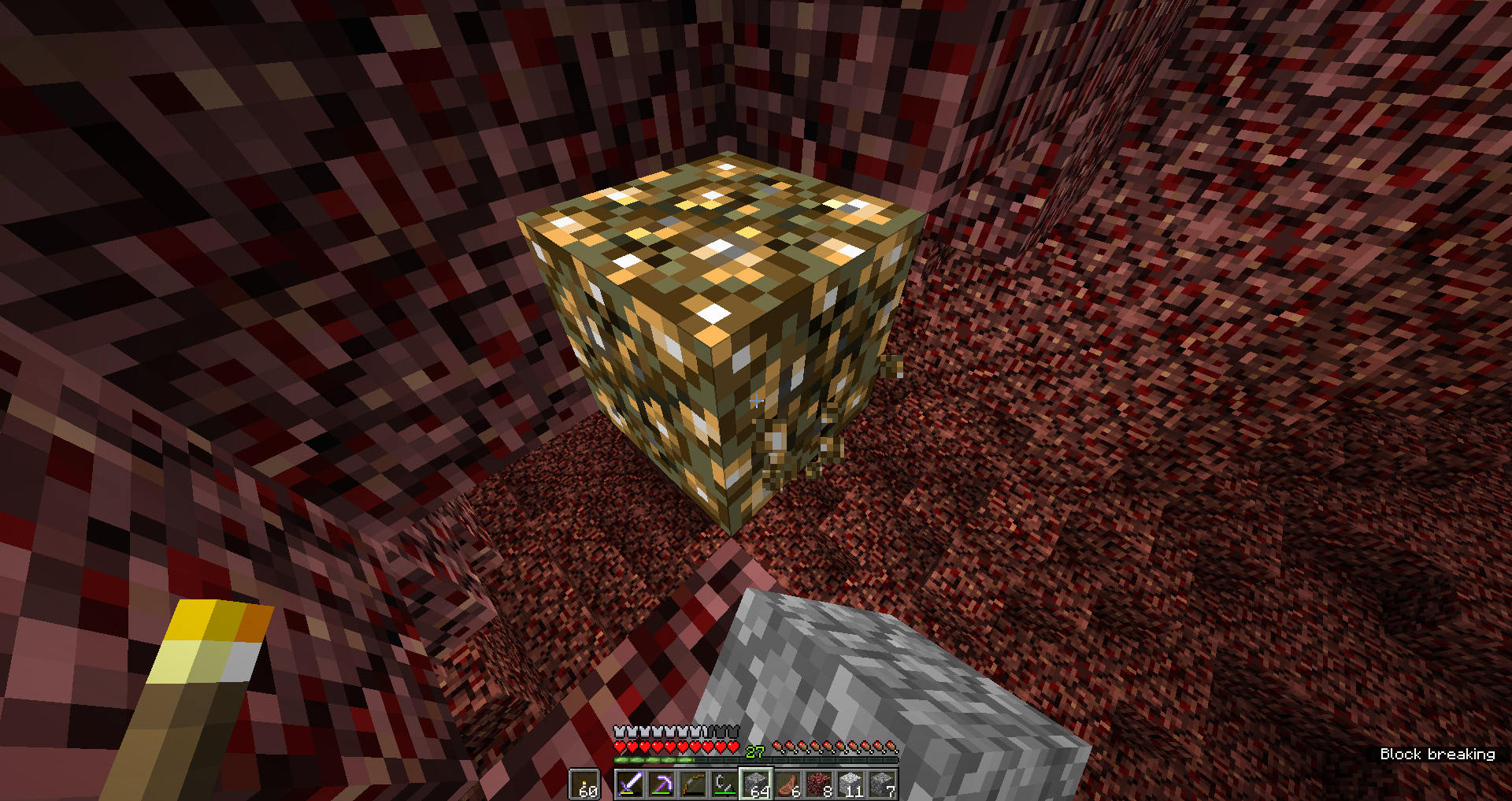
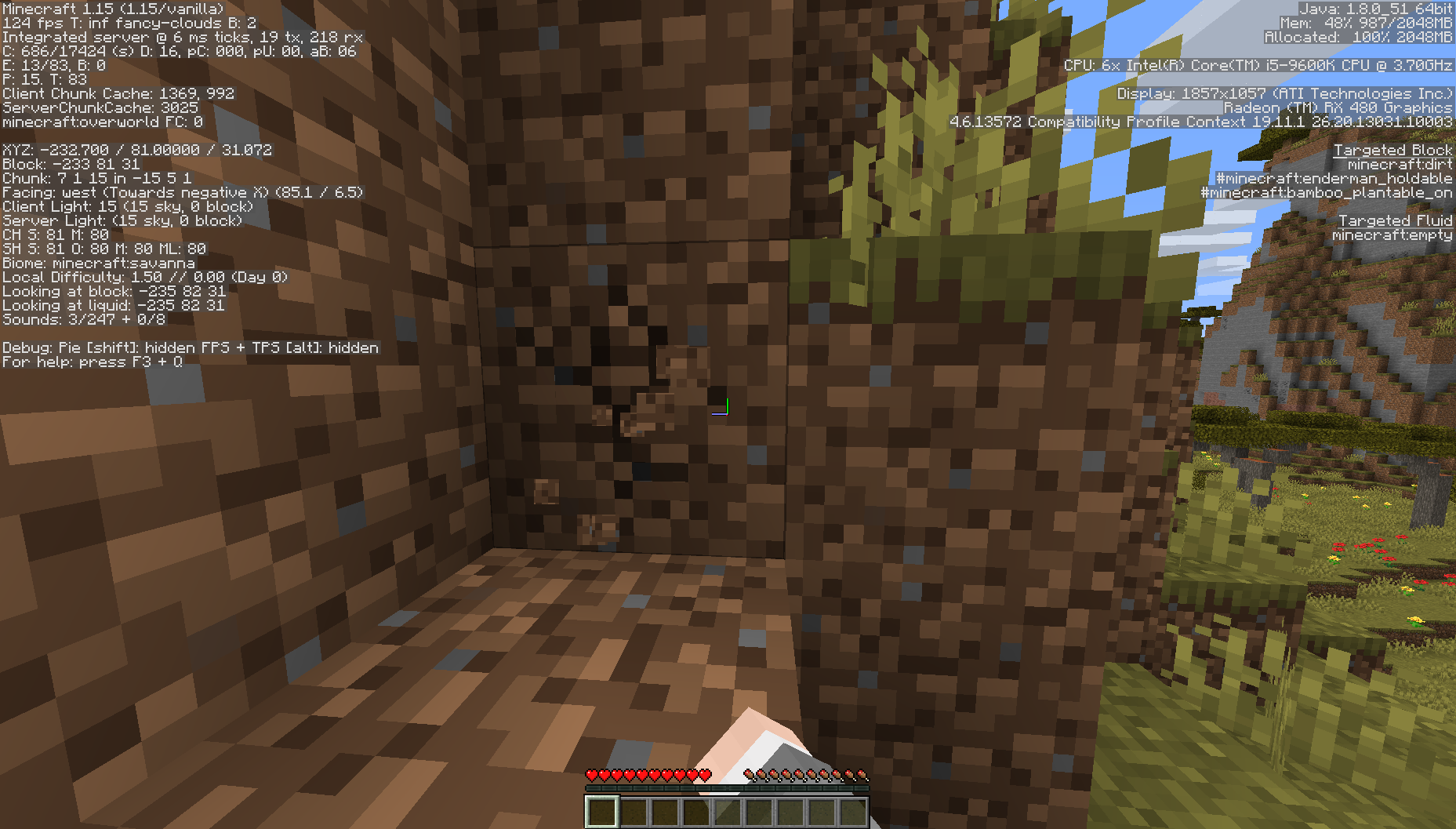
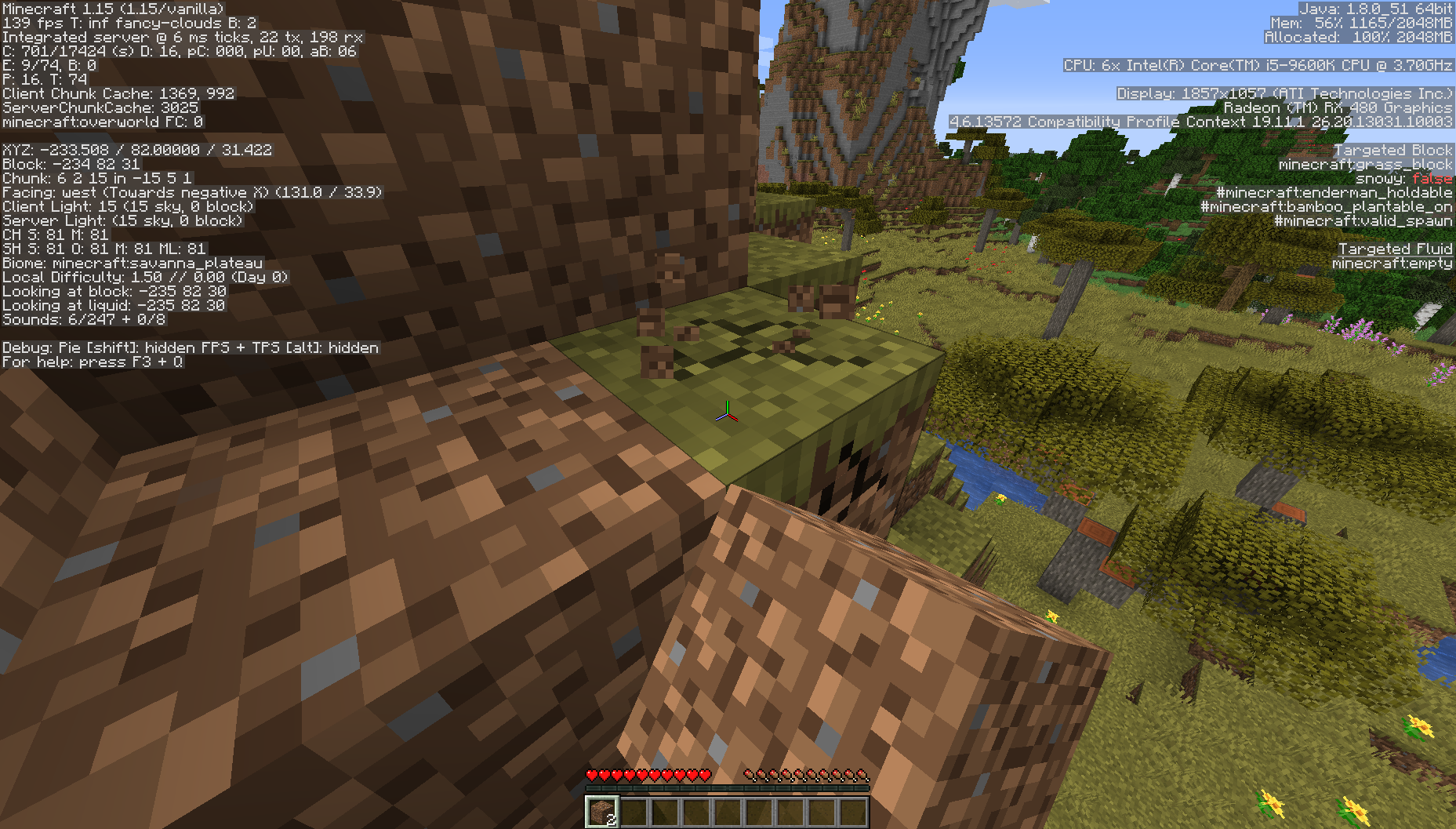
The breaking animation's texture is much darker on the sides of affected blocks than the tops.
Linked Issues
 Normal


Created Issue:
Redstone ore's breaking texture on the sides of the block is opaque
Sorry for the weird wording of the summary, I couldn't think of a shorter way to say it.
Seen in the screenshot below, on the sides of the redstone ore, the breaking animation's texture's pixels are all completely opaque, as opposed to the pixels on the top of the block, which have some transparency.
As far as I know, this bug is only present on redstone ore.
Environment
OS: Windows 10 Home Edition (x64)
CPU: Intel Core i5-6500
GPU: AMD Radeon RX 480 (driver 16.10.1)
Java: 1.8.0_101 (x64)
Launcher: 1.6.61
JVM Arguments: -Xmx1G -XX:+UseConcMarkSweepGC -XX:+CMSIncrementalMode -XX:-UseAdaptiveSizePolicy -Xmn128M
Game Directory: D:\Users\Lewis\AppData\Roaming\.minecraft\directories[16w42a] Vanilla
Attachments1
Sorry for the weird wording of the summary, I couldn't think of a shorter way to say it.
Seen in the screenshot below, on the sides of the redstone ore, the breaking animation's texture's pixels are all completely opaque, as opposed to the pixels on the top of the block, which have some transparency.
As far as I know, this bug is only present on redstone ore.
Edit: Also happens with glowstone.

Redstone ore'sbreakingtextureon the sides of the block is opaqueSome blocks' breaking animation on the sides of the block is opaque
Some blocks' breaking animation on the sides of the block isopaqueSome blocks' breaking animation on the sides of the block is less transparent than the top
Some blocks'breaking animationon the sides of the block is less transparent than the topBlock breaking animation inconsistencies
S
orry for the weird wording of the summary, I couldn't think of a shorter way to say it.Seen in the screenshot below, on the sides of the redstone ore, the breaking animation's texture's pixels are all completely opaque, as opposed to the pixels on the top of the block, which have some transparency.
As far as I know, this bug is only present on redstone ore.
Edit: Also happens with glowstone.
Seen in the screenshots below, on the sides of the redstone ore and glowstone, the breaking animation's texture is much darker on the sides of affected blocks than the tops.
Seen in the screenshots below, on the sides of the redstone ore and glowstone, the breaking animation's texture is much darker on the sides of affected blocks than the tops.The breaking animation's texture is much darker on the sides of affected blocks than the tops.
OS: Windows 10 Home Edition (x64)
CPU: Intel Core i5-6500
GPU: AMD Radeon RX 480(driver 16.10.1)
Java: 1.8.0_101 (x64)
Launcher: 1.6.61
JVM Arguments: -Xmx1G -XX:+UseConcMarkSweepGC -XX:+CMSIncrementalMode -XX:-UseAdaptiveSizePolicy -Xmn128M
Game Directory: D:\Users\Lewis\AppData\Roaming\.minecraft\directories[16w42a] VanillaOS: Windows 10 Home Edition (x64)
GPU: AMD Radeon RX 480
Java: Bundled

![[Mojang] Nathan Adams](../../../data/assets/gravatar/dinnerbone.png)
Block breaking animation inconsistenciesBlock breaking animation is darker on the sides of some blocks than on the tops
![[Mod] Michael Wobst](../../../data/avatars/users/37868.png)
is duplicated by
relates to
![[Mod] Chandler](../../../data/assets/gravatar/triwonder81.png)
![[Helper] Jack McKalling](../../../data/avatars/users/92859.png)
OS: Windows 10 Home Edition (x64)
GPU: AMD Radeon RX 480
Java: Bundled

is duplicated by
![[Bot] Arisa](../../../data/avatars/users/43007.png)
![[Mojang] Adrian Östergård](../../../data/assets/gravatar/nighter.jpeg)
![[Mod] markderickson](../../../data/avatars/users/18946.svg)
Affects 16w43a.
You can update the affected versions yourself too if you're the reported (which it is in this case).
@FVbico
Thanks, didn't know that .
.
Also affects all blocks with a PureBDCraft rescourse pack.
Can confirm in 20w51a.
Can confirm in 21w03a.
Can confirm in 21w05b.
Can confirm in 21w06a.
Can confim in 21w10a