 HalfOfAKebab
- HalfOfAKebab
- halfofakebab
- Europe/London
- Yes
- No
 MC-94265
 MCL-7885
 Low
Low

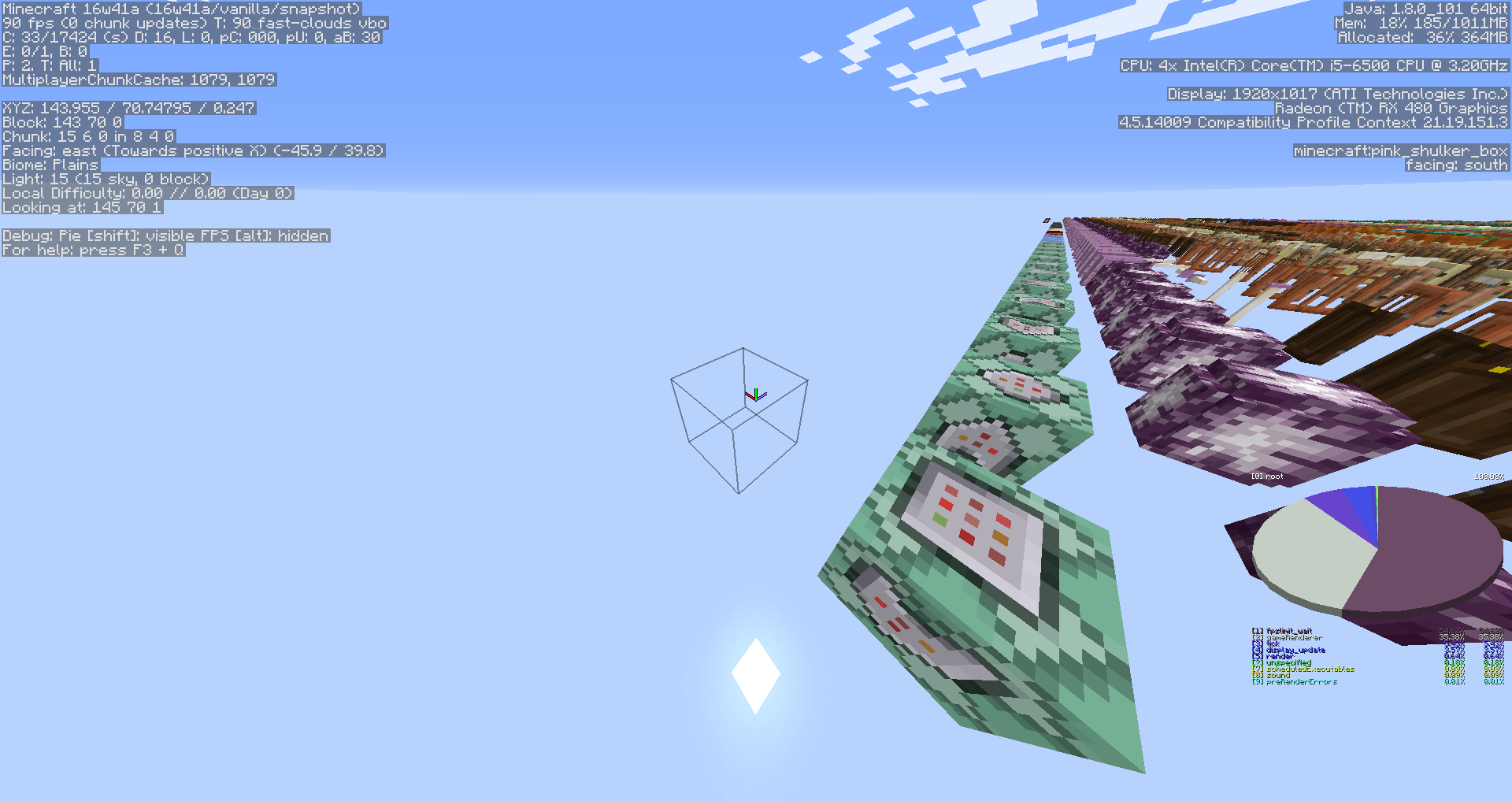







Horses randomly jitter and spin around, regardless of player interaction.
* Edit: * I think this bug is present with all mobs, as the same thing is happening with sheep.
Horses randomly jitter and spin around, regardless of player interaction.
*Edit:
*I think this bug is present with all mobs, as the same thing is happening with sheep.
OS: Windows 10
CPU: Intel Core i5-6500
GPU: AMD Radeon RX 480 (driver 16.10.1)
Java: 1.8.0_101 (x64)
Launcher: 1.6.61
JVM Arguments: -Xmx1G -XX:+UseConcMarkSweepGC -XX:+CMSIncrementalMode -XX:-UseAdaptiveSizePolicy -Xmn128M
Game Directory: D:\Users\Lewis\AppData\Roaming\.minecraft\directories[16w41a] VanillaOS: Windows 10
CPU: Intel Core i5-6500
GPU: AMD Radeon RX 480 (driver 16.10.1)
Java: 1.8.0_101 (x64)
Launcher: 1.6.61
JVM Arguments: -Xmx1G -XX:+UseConcMarkSweepGC -XX:+CMSIncrementalMode -XX:-UseAdaptiveSizePolicy -Xmn128M
Game Directory: D:\Users\Lewis\AppData\Roaming\.minecraft\directories[16w41a] Vanilla
OS: Windows 10
CPU: Intel Core i5-6500
GPU: AMD Radeon RX 480 (driver 16.10.1)
Java: 1.8.0_101 (x64)
Launcher: 1.6.61
JVM Arguments: -Xmx1G -XX:+UseConcMarkSweepGC -XX:+CMSIncrementalMode -XX:-UseAdaptiveSizePolicy -Xmn128M
Game Directory: D:\Users\Lewis\AppData\Roaming\.minecraft\directories[16w41a] Vanilla
OS: Windows 10
CPU: Intel Core i5-6500
GPU: AMD Radeon RX 480 (driver 16.10.1)
Java: 1.8.0_101 (x64)
Launcher: 1.6.61
JVM Arguments: -Xmx1G -XX:+UseConcMarkSweepGC -XX:+CMSIncrementalMode -XX:-UseAdaptiveSizePolicy -Xmn128M
Game Directory: D:\Users\Lewis\AppData\Roaming\.minecraft\directories[16w41a] Vanilla
OS: Windows 10
CPU: Intel Core i5-6500
GPU: AMD Radeon RX 480 (driver 16.10.1)
Java: 1.8.0_101 (x64)
Launcher: 1.6.61
JVM Arguments: -Xmx1G -XX:+UseConcMarkSweepGC -XX:+CMSIncrementalMode -XX:-UseAdaptiveSizePolicy -Xmn128M
Game Directory: D:\Users\Lewis\AppData\Roaming\.minecraft\directories[16w41a] VanillaOS: Windows 10
CPU: Intel Core i5-6500
GPU: AMD Radeon RX 480 (driver 16.10.1)
Java: 1.8.0_101 (x64)
Launcher: 1.6.61
JVM Arguments: -Xmx1G -XX:+UseConcMarkSweepGC -XX:+CMSIncrementalMode -XX:-UseAdaptiveSizePolicy -Xmn128M
Game Directory: D:\Users\Lewis\AppData\Roaming\.minecraft\directories
[16w41a] Vanilla
OS: Windows 10
CPU: Intel Core i5-6500
GPU: AMD Radeon RX 480 (driver 16.10.1)
Java: 1.8.0_101 (x64)
Launcher: 1.6.61
JVM Arguments: -Xmx1G -XX:+UseConcMarkSweepGC -XX:+CMSIncrementalMode -XX:-UseAdaptiveSizePolicy -Xmn128M
Game Directory: D:\Users\Lewis\AppData\Roaming\.minecraft\directories
[16w41a] VanillaOS: Windows 10
CPU: Intel Core i5-6500
GPU: AMD Radeon RX 480 (driver 16.10.1)
Java: 1.8.0_101 (x64)
Launcher: 1.6.61
JVM Arguments: -Xmx1G -XX:+UseConcMarkSweepGC -XX:+CMSIncrementalMode -XX:-UseAdaptiveSizePolicy -Xmn128M
Game Directory: D:\Users\Lewis\AppData\Roaming\.minecraft\directories[16w41a] Vanilla
2016-10-14_17.10.14.png
Sorry for the weird wording of the summary, I couldn't think of a shorter way to say it.
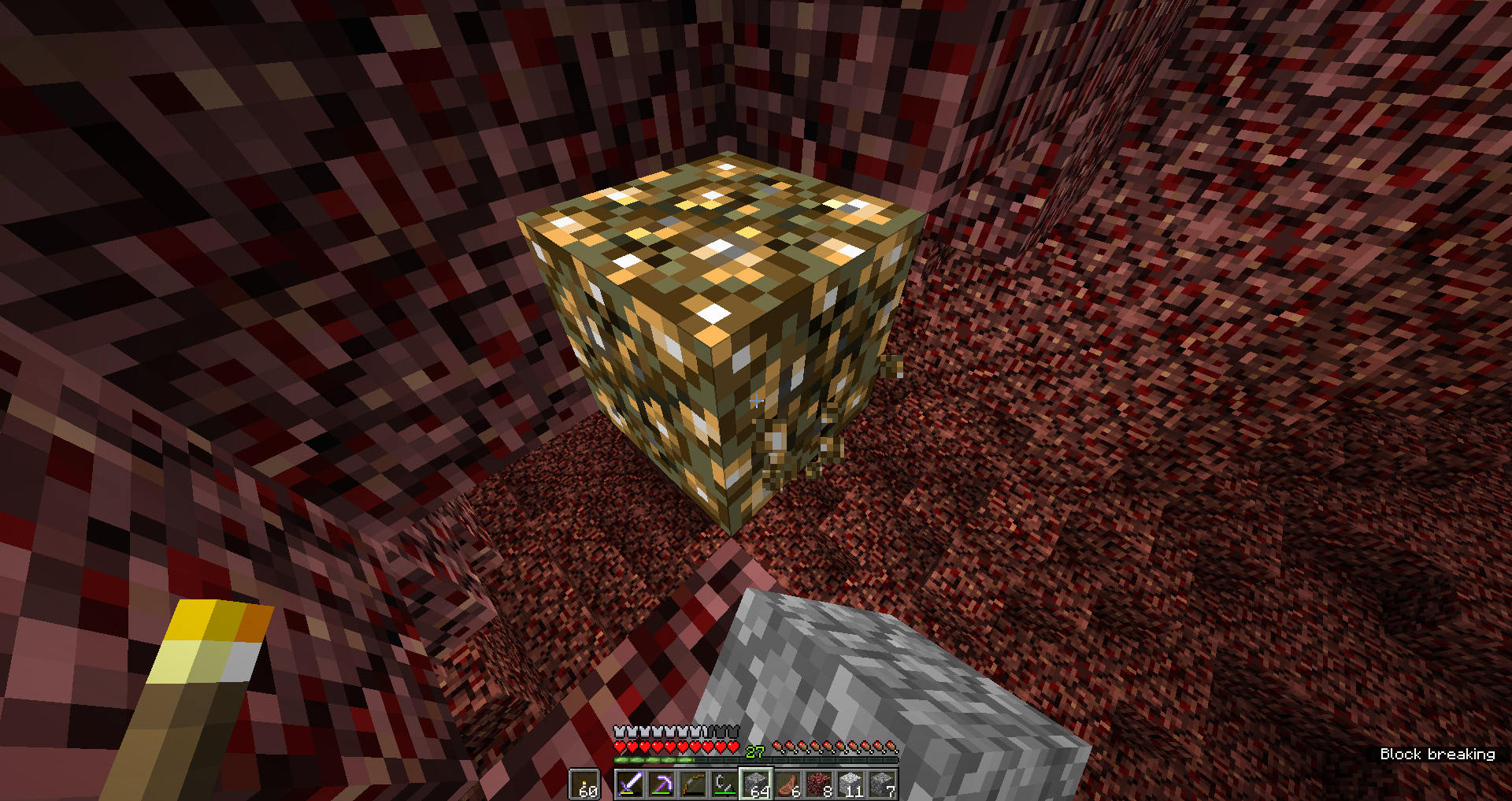
Seen in the screenshot below, on the sides of the redstone ore, the breaking animation's texture's pixels are all completely opaque, as opposed to the pixels on the top of the block, which have some transparency.
As far as I know, this bug is only present on redstone ore.
Edit: Also happens with glowstone.
Redstone ore'sbreakingtextureon the sides of the block is opaqueSome blocks' breaking animation on the sides of the block is opaque
Some blocks' breaking animation on the sides of the block isopaqueSome blocks' breaking animation on the sides of the block is less transparent than the top
Some blocks'breaking animationon the sides of the block is less transparent than the topBlock breaking animation inconsistencies
S
orry for the weird wording of the summary, I couldn't think of a shorter way to say it.Seen in the screenshot below, on the sides of the redstone ore, the breaking animation's texture's pixels are all completely opaque, as opposed to the pixels on the top of the block, which have some transparency.
As far as I know, this bug is only present on redstone ore.
Edit: Also happens with glowstone.
Seen in the screenshots below, on the sides of the redstone ore and glowstone, the breaking animation's texture is much darker on the sides of affected blocks than the tops.
Seen in the screenshots below, on the sides of the redstone ore and glowstone, the breaking animation's texture is much darker on the sides of affected blocks than the tops.The breaking animation's texture is much darker on the sides of affected blocks than the tops.
OS: Windows 10 Home Edition (x64)
CPU: Intel Core i5-6500
GPU: AMD Radeon RX 480(driver 16.10.1)
Java: 1.8.0_101 (x64)
Launcher: 1.6.61
JVM Arguments: -Xmx1G -XX:+UseConcMarkSweepGC -XX:+CMSIncrementalMode -XX:-UseAdaptiveSizePolicy -Xmn128M
Game Directory: D:\Users\Lewis\AppData\Roaming\.minecraft\directories[16w42a] VanillaOS: Windows 10 Home Edition (x64)
GPU: AMD Radeon RX 480
Java: Bundled
Block breaking animation inconsistenciesBlock breaking animation is darker on the sides of some blocks than on the tops
Issues with Beta 1.3andBeta 1.3_01 in the launcherIssues with Beta 1.3, Beta 1.3_01, Beta 1.7.1 in the launcher
There are some issues with the launcher's distributions of some versions. The version listed as "b1.3a" in the launcher is actually b1.3_01, and the version listed as "b1.3b" in the launcher is actually b1.3. "b1.3" is not listed in the launcher.
The launcher also lists "b1.7_01" as a version, however b1.7_01 never existed. This JAR is just b1.7.
Issues with Beta 1.3, Beta 1.3_01, Beta 1.7.1in the launcher
There are some issues with the launcher's distributions of some versions. The version listed as "b1.3a" in the launcher is actually b1.3_01, and the version listed as "b1.3b" in the launcher is actually b1.3. "b1.3" is not listed in the launcher.
The launcher also lists "b1.7_01" as a version, however b1.7_01 never existed. This JAR is just b1.7.
There are some issues with the launcher's distributions of some versions. The version listed as
"b1.3a" in the launcher is actually b1.3_01, and the version listed as"b1.3b" in the launcher is actually b1.3. "b1.3" is not listed in the launcher.
Issueswith Beta 1.3, Beta 1.3_01in the launcher
There are some issues with the launcher's distributions of some versions.The version listed as "b1.3b" in the launcher is actually b1.3. "b1.3" is not listed in the launcher.
The version listed as "b1.3b" in the launcher is actually
b1.3. "b1.3" is not listed in the launcher.The version listed as "b1.3b" in the launcher is actually Beta 1.3. "b1.3" is not listed in the launcher.
Issue with Beta1.3 in the launcherBeta 1.3 is listed as "b1.3b", and "b1.3" is not listed at all
The version listed as "b1.3b" in the launcher is actually Beta 1.3. "b1.3" is not listed in the launcher. No version called "Beta 1.3b" exists.
Note: I know there
is another ticket regarding slow scrolling in server and world lists, but they don't mention the controls menu. Also, all of the ones I saw are marked as fixed, but the controls menu specifically is still not fixed.Simply put, for each "click" of mouse wheel up/down, the controls menu barely moves. I have to put my finger back to the front of the scroll wheel after fully scrolling many times before I actually get to the bottom of the page.
This should definitely not be the case. It's much more effective right now to just use the cursor and drag the scrollbar manually.
Note: I know there are other tickets regarding slow scrolling in server and world lists, but they don't mention the controls menu. Also, all of the ones I saw are marked as fixed, but the controls menu specifically is still not fixed.
Simply put, for each "click" of mouse wheel up/down, the controls menu barely moves. I have to put my finger back to the front of the scroll wheel after fully scrolling many times before I actually get to the bottom of the page.
This should definitely not be the case. It's much more effective right now to just use the cursor and drag the scrollbar manually.
*OS: *Windows 10 Home x64
Mouse: UtechSmart Venus 50
Java: BundledOS: Windows 10 Home x64
Mouse: UtechSmart Venus 50
Java: Bundled
"The biggest benefit you'll experience is that fullscreen mode now defaults to borderless windowed, so that snapping in and out of fullscreen mode is very quick!" LWJGL 3, https://minecraft.net/en-us/article/minecraft-snapshot-17w43a
The new borderless fullscreen feature is not actually borderless - it's just regular fullscreen. This results in delayed window switching, inability to screenshot with Prt+Sc and Alt+PrtSc (see attached screenshots), and a 100% chance of crashes when tabbing back into the game (a "not responding" crash; a crash report is not dumped by the game).
In fullscreen mode, there is no way to take a screenshot without using the game's own screenshot functionality (F2). PrtSc and Alt+PrtSc don't work properly, as seen in the screenshots attached to this ticket. Note that these screenshots were taken at the main menu - they do not at all show what was actually being displayed at the time of the screenshots.
OS: Windows 10 Home x64
GPU: AMD/Gigabyte Radeon RX 480 (17.6.1)
CPU: Intel Core i5-6500
Display 1: 1920×1080 @ 60 Hz (HDMI) (used for Minecraft)
Display 2: 1920×1080 @ 60 Hz (DVI-D to HDMI)A DxDiag dump is also attached to this ticket.
Minecraft is using the Java version bundled with the game.
OS: Windows 10 Home x64
GPU: AMD/Gigabyte Radeon RX 480 (17.6.1)
CPU: Intel Core i5-6500
Display 1: 1920×1080 @ 60 Hz (HDMI) (used for Minecraft)
Display 2: 1920×1080 @ 60 Hz (DVI-D to HDMI)
A DxDiag dump is also attached to this ticket.
Minecraft is using the Java version bundled with the game.
OS: Windows 10 Home x64
GPU: AMD/Gigabyte Radeon RX 480 (17.6.1)
CPU: Intel Core i5-6500
Display 1: 1920×1080 @ 60 Hz (HDMI) (used for Minecraft)
Display 2: 1920×1080 @ 60 Hz (DVI-D to HDMI)
A DxDiag dump is also attached to this ticket.
Minecraft is using the Java version bundled with the game.
OS: Windows 10 Home x64
GPU: AMD/Gigabyte Radeon RX 480 (17.6.1)
CPU: Intel Core i5-6500
Display 1: 1920×1080 @ 60 Hz (HDMI) (used for Minecraft)
Display 2: 1920×1080 @ 60 Hz (DVI-D to HDMI)A DxDiag dump is also attached to this ticket.
Minecraft is using the Java version bundled with the game.
"The biggest benefit you'll experience is that fullscreen mode now defaults to borderless windowed, so that snapping in and out of fullscreen mode is very quick!" LWJGL 3, https://minecraft.net/en-us/article/minecraft-snapshot-17w43a
The new borderless fullscreen feature is not actually borderless - it's just regular fullscreen. This results in delayed window switching, inability to screenshot with Prt
+Sc and Alt+PrtSc (see attached screenshots), and a 100% chance of crashes when tabbing back into the game (a "not responding" crash; a crash report is not dumped by the game).In fullscreen mode, there is no way to take a screenshot without using the game's own screenshot functionality (F2). PrtSc and Alt+PrtSc don't work properly, as seen in the screenshots attached to this ticket. Note that these screenshots were taken at the main menu - they do not at all show what was actually being displayed at the time of the screenshots.
"The biggest benefit you'll experience is that fullscreen mode now defaults to borderless windowed, so that snapping in and out of fullscreen mode is very quick!" LWJGL 3, https://minecraft.net/en-us/article/minecraft-snapshot-17w43a
The new borderless fullscreen feature is not actually borderless - it's just regular fullscreen. This results in delayed window switching, inability to screenshot with PrtSc and Alt+PrtSc (see attached screenshots), and a 100% chance of crashes when tabbing back into the game (a "not responding" crash; a crash report is not dumped by the game).
In fullscreen mode, there is no way to take a screenshot without using the game's own screenshot functionality (F2). PrtSc and Alt+PrtSc don't work properly, as seen in the screenshots attached to this ticket. Note that these screenshots were taken at the main menu - they do not at all show what was actually being displayed at the time of the screenshots.
"The biggest benefit you'll experience is that fullscreen mode now defaults to borderless windowed, so that snapping in and out of fullscreen mode is very quick!" https://minecraft.net/en-us/article/minecraft-snapshot-17w43a
The new borderless fullscreen feature is not actually borderless - it's just regular fullscreen. This results in delayed window switching, inability to screenshot with PrtSc and Alt+PrtSc (see attached screenshots), and a 100% chance of crashes when tabbing back into the game (a "not responding" crash; a crash report is not dumped by the game).
In fullscreen mode, there is no way to take a screenshot without using the game's own screenshot functionality (F2). PrtSc and Alt+PrtSc don't work properly, as seen in the screenshots attached to this ticket. Note that these screenshots were taken at the main menu - they do not at all show what was actually being displayed at the time of the screenshots.
"The biggest benefit you'll experience is that fullscreen mode now defaults to borderless windowed, so that snapping in and out of fullscreen mode is very quick!" https://minecraft.net/en-us/article/minecraft-snapshot-17w43a
The new borderless fullscreen feature is not actually borderless - it's just regular fullscreen. This results in delayed window switching, inability to screenshot with PrtSc and Alt+PrtSc (see attached screenshots), and a 100% chance of crash
eswhen tabbing back into the game (a "not responding" crash; a crash report is not dumped by the game).In fullscreen mode, there is no way to take a screenshot without using the game's own screenshot functionality (F2). PrtSc and Alt+PrtSc don't work properly, as seen in the screenshots attached to this ticket. Note that these screenshots were taken at the main menu - they do not at all show what was actually being displayed at the time of the screenshots.
"The biggest benefit you'll experience is that fullscreen mode now defaults to borderless windowed, so that snapping in and out of fullscreen mode is very quick!" https://minecraft.net/en-us/article/minecraft-snapshot-17w43a
The new borderless fullscreen feature is not actually borderless - it's just regular fullscreen. This results in delayed window switching, inability to screenshot with PrtSc and Alt+PrtSc (see attached screenshots), and a 100% chance of a crash when tabbing back into the game (a "not responding" crash; a crash report is not dumped by the game).
In fullscreen mode, there is no way to take a screenshot without using the game's own screenshot functionality (F2). PrtSc and Alt+PrtSc don't work properly, as seen in the screenshots attached to this ticket. Note that these screenshots were taken at the main menu - they do not at all show what was actually being displayed at the time of the screenshots.
OS: Windows 10 Home x64
GPU: AMD/Gigabyte Radeon RX 480 (17.6.1)
CPU: Intel Core i5-6500
Display 1: 1920×1080 @ 60 Hz(HDMI)(used for Minecraft)
Display 2: 1920×1080 @ 60 Hz(DVI-D to HDMI)A DxDiag dump is also attached to this ticket.
Minecraft is using the Java version bundled with the game.
"The biggest benefit you'll experience is that fullscreen mode now defaults to borderless windowed, so that snapping in and out of fullscreen mode is very quick!" https://minecraft.net/en-us/article/minecraft-snapshot-17w43a
The new borderless fullscreen feature is not actually borderless - it's just regular fullscreen. This results in delayed window switching, inability to screenshot with PrtSc and Alt+PrtSc (see attached screenshots), and a 100% chance of a crash when tabbing back into the game (a "not responding" crash; a crash report is not dumped by the game).
In fullscreen mode, there is no way to take a screenshot without using the game's own screenshot functionality (F2). PrtSc and Alt+PrtSc don't work properly, as seen in the screenshots attached to this ticket. Note that these screenshots were taken at the main menu - they do not at all show what was actually being displayed at the time of the screenshots.
"The biggest benefit you'll experience is that fullscreen mode now defaults to borderless windowed, so that snapping in and out of fullscreen mode is very quick!" https://minecraft.net/en-us/article/minecraft-snapshot-17w43a
The new borderless fullscreen feature is not actually borderless - it's just regular fullscreen. This results in delayed window switching, inability to screenshot with PrtSc and Alt+PrtSc (see attached screenshots),
and a 100% chance of a crash when tabbing back into the game (a "not responding" crash; a crash report is not dumped by the game)(fixed!).In fullscreen mode, there is no way to take a screenshot without using the game's own screenshot functionality (F2). PrtSc and Alt+PrtSc don't work properly, as seen in the screenshots attached to this ticket. Note that these screenshots were taken at the main menu - they do not at all show what was actually being displayed at the time of the screenshots.
"The biggest benefit you'll experience is that fullscreen mode now defaults to borderless windowed, so that snapping in and out of fullscreen mode is very quick!" https://minecraft.net/en-us/article/minecraft-snapshot-17w43a
The new borderless fullscreen feature is not actually borderless - it's just regular fullscreen. This results in delayed window switching, inability to screenshot with PrtSc and Alt+PrtSc (see attached screenshots)
,and a 100% chance of a crash when tabbing back into the game (a "not responding" crash; a crash report is not dumped by the game)(fixed!).In fullscreen mode, there is no way to take a screenshot without using the game's own screenshot functionality (F2). PrtSc and Alt+PrtSc don't work properly, as seen in the screenshots attached to this ticket. Note that these screenshots were taken at the main menu - they do not at all show what was actually being displayed at the time of the screenshots.
"The biggest benefit you'll experience is that fullscreen mode now defaults to borderless windowed, so that snapping in and out of fullscreen mode is very quick!" https://minecraft.net/en-us/article/minecraft-snapshot-17w43a
The new borderless fullscreen feature is not actually borderless - it's just regular fullscreen. This results in delayed window switching, inability to screenshot with PrtSc and Alt+PrtSc (see attached screenshots)
, and a 100% chance of a crash when tabbing back into the game (a "not responding" crash; a crash report is not dumped by the game)(fixed!).In fullscreen mode, there is no way to take a screenshot without using the game's own screenshot functionality (F2). PrtSc and Alt+PrtSc don't work properly, as seen in the screenshots attached to this ticket. Note that these screenshots were taken at the main menu - they do not at all show what was actually being displayed at the time of the screenshots.
"The biggest benefit you'll experience is that fullscreen mode now defaults to borderless windowed, so that snapping in and out of fullscreen mode is very quick!" https://minecraft.net/en-us/article/minecraft-snapshot-17w43a
The new borderless fullscreen feature is not actually borderless - it's just regular fullscreen. This results in delayed window switching (in fact, it's even slower than it was in 1.12.2), inability to screenshot with PrtSc and Alt+PrtSc (see attached screenshots)
, and a 100% chance of a crash when tabbing back into the game (a "not responding" crash; a crash report is not dumped by the game)(fixed!).In fullscreen mode, there is no way to take a screenshot without using the game's own screenshot functionality (F2). PrtSc and Alt+PrtSc don't work properly, as seen in the screenshots attached to this ticket. Note that these screenshots were taken at the main menu - they do not at all show what was actually being displayed at the time of the screenshots.
OS: Windows 10 Home x64
GPU: AMD/Gigabyte Radeon RX 480 (17.6.1)
CPU: Intel Core i5-6500
Display 1: 1920×1080 @60 Hz (used for Minecraft)
Display 2: 1920×1080 @ 60 HzA DxDiag dump is also attached to this ticket.
Minecraft is using the Java version bundled with the game.
OS: Windows 10 Home x64
GPU: AMD/Gigabyte Radeon RX 480 (17.6.1)
CPU: Intel Core i5-6500 / Intel Core i5-9600K
Display 1: 1920×1080 @ 120 Hz (used for Minecraft)
Display 2: 1920×1080 @ 60 HzA DxDiag dump is also attached to this ticket.
Minecraft is using the Java version bundled with the game.
OS: Windows 10 Home x64
GPU: AMD/Gigabyte Radeon RX 480 (17.6.1 / 18.11.2)
CPU: Intel Core i5-6500 / Intel Core i5-9600K
Display 1: 1920×1080 @ 120 Hz (used for Minecraft)
Display 2: 1920×1080 @ 60 HzA DxDiag dump is also attached to this ticket.
Minecraft is using the Java version bundled with the game.
OS: Windows 10 Home x64 / Windows 10 Enterprise (LTSC 2018) x64
GPU: AMD/Gigabyte Radeon RX 480 (17.6.1 / 18.11.2)
CPU: Intel Core i5-6500 / Intel Core i5-9600K
Display 1: 1920×1080 @ 120 Hz (used for Minecraft)
Display 2: 1920×1080 @ 60 HzA DxDiag dump is also attached to this ticket.
Minecraft is using the Java version bundled with the game.
"The biggest benefit you'll experience is that fullscreen mode now defaults to borderless windowed, so that snapping in and out of fullscreen mode is very quick!" https://minecraft.net/en-us/article/minecraft-snapshot-17w43a
The new borderless fullscreen feature is not actually borderless - it's just regular fullscreen. This results in delayed window switching (in fact, it's even slower than it was in 1.12.2), inability to screenshot with PrtSc and Alt+PrtSc (see attached screenshots)
, and a 100% chance of a crash when tabbing back into the game (a "not responding" crash; a crash report is not dumped by the game)(fixed!).In fullscreen mode, there is no way to take a screenshot without using the game's own screenshot functionality (F2). PrtSc and Alt+PrtSc don't work properly, as seen in the screenshots attached to this ticket. Note that these screenshots were taken at the main menu - they do not at all show what was actually being displayed at the time of the screenshots.
"The biggest benefit you'll experience is that fullscreen mode now defaults to borderless windowed, so that snapping in and out of fullscreen mode is very quick!" https://minecraft.net/en-us/article/minecraft-snapshot-17w43a
The new borderless fullscreen feature is not actually borderless - it's just regular fullscreen. This results in delayed window switching (in fact, it's even slower than it was in 1.12.2), and the inability to screenshot with PrtSc and Alt+PrtSc (see attached screenshots)
, and a 100% chance of a crash when tabbing back into the game (a "not responding" crash; a crash report is not dumped by the game)(fixed).In fullscreen mode, there is no way to take a screenshot without using the game's own screenshot functionality (F2). PrtSc and Alt+PrtSc don't work properly, as seen in the screenshots attached to this ticket. Note that these screenshots were taken at the main menu - they do not at all show what was actually being displayed at the time of the screenshots.
OS: Windows 10 Home x64 / Windows 10 Enterprise (LTSC 2018)
x64
GPU: AMD/Gigabyte Radeon RX 480 (17.6.1 / 18.11.2)
CPU: Intel Core i5-6500 / Intel Core i5-9600K
Display 1: 1920×1080 @ 120 Hz (used for Minecraft)
Display 2: 1920×1080 @ 60 HzA DxDiag dump is also attached to this ticket.
Minecraft is using the Java version bundled with the game.
OS: Windows 10 Home x64 / Windows 10 Enterprise x64 (LTSC 2018) (1809)
GPU: AMD/Gigabyte Radeon RX 480 (17.6.1 / 18.11.2)
CPU: Intel Core i5-6500 / Intel Core i5-9600K
Display 1: 1920×1080 @ 120 Hz (used for Minecraft)
Display 2: 1920×1080 @ 60 HzA DxDiag dump is also attached to this ticket.
Minecraft is using the Java version bundled with the game.
OS: Windows 10 Home x64 / Windows 10 Enterprise x64 (LTSC 2018) (1809)
GPU: AMD/Gigabyte Radeon RX 480 (17.6.1 / 18.11.2)
CPU: Intel Core i5-6500 / Intel Core i5-9600K
Display 1: 1920×1080 @ 120 Hz(used for Minecraft)
Display 2: 1920×1080 @ 60 HzA DxDiag dump is also attached to this ticket.
Minecraft is using the Java version bundled with the game.
OS: Windows 10 Home x64 / Windows 10 Enterprise x64 (LTSC 2018) (1809)
GPU: AMD/Gigabyte Radeon RX 480 (17.6.1 / 18.11.2)
CPU: Intel Core i5-6500 / Intel Core i5-9600K
Display 1 (used for Minecraft): 1920×1080 @ 120 Hz / 1920×1080 @ 144 Hz
Display 2: 1920×1080 @ 60 HzA DxDiag dump is also attached to this ticket.
Minecraft is using the Java version bundled with the game.
OS: Windows 10 Home x64 / Windows 10 Enterprise x64 (LTSC 2018) (version 1809)
GPU: AMD/Gigabyte Radeon RX 480 (17.6.1 / 18.11.2)
CPU: Intel Core i5-6500 / Intel Core i5-9600K
Display 1 (used for Minecraft): 1920×1080 @ 120 Hz / 1920×1080 @ 144 Hz
Display 2: 1920×1080 @ 60 HzA DxDiag dump is also attached to this ticket.
Minecraft is using the Java version bundled with the game.
"The biggest benefit you'll experience is that fullscreen mode now defaults to borderless windowed, so that snapping in and out of fullscreen mode is very quick!" https://minecraft.net/en-us/article/minecraft-snapshot-17w43a
The new borderless fullscreen feature is not actually borderless
-it's just regular fullscreen. This results in delayed window switching (in fact, it's even slower than it was in 1.12.2),andthe inability to screenshot with PrtSc and Alt+PrtSc (see attached screenshots), and a 100% chance of a crash when tabbing back into the game (a "not responding" crash; a crash report is not dumped by the game)(fixed).In fullscreen mode, there is no way to take a screenshot without using the game's own screenshot functionality (F2). PrtSc and Alt+PrtSc don't work properly, as seen in the screenshots attached to this ticket. Note that these screenshots were taken at the main menu - they do not at all show what was actually being displayed at the time of the screenshots.
"The biggest benefit you'll experience is that fullscreen mode now defaults to borderless windowed, so that snapping in and out of fullscreen mode is very quick!" https://minecraft.net/en-us/article/minecraft-snapshot-17w43a
The new borderless fullscreen feature is not actually borderless, it's just regular fullscreen. This results in delayed window switching (in fact, it's even slower than it was in 1.12.2), the inability to screenshot with PrtSc and Alt+PrtSc (see attached screenshots)
, and a 100% chance of a crash when tabbing back into the game (a "not responding" crash; a crash report is not dumped by the game)(fixed).In fullscreen mode, there is no way to take a screenshot without using the game's own screenshot functionality (F2). PrtSc and Alt+PrtSc don't work properly, as seen in the screenshots attached to this ticket. Note that these screenshots were taken at the main menu - they do not at all show what was actually being displayed at the time of the screenshots.
"The biggest benefit you'll experience is that fullscreen mode now defaults to borderless windowed, so that snapping in and out of fullscreen mode is very quick!" https://minecraft.net/en-us/article/minecraft-snapshot-17w43a
The new borderless fullscreen feature is not actually borderless, it's just regular fullscreen. This results in delayed window switching (in fact, it's even slower than it was in 1.12.2), the inability to screenshot with PrtSc and Alt+PrtSc (see attached screenshots)
, and a 100% chance of a crash when tabbing back into the game (a "not responding" crash; a crash report is not dumped by the game)(fixed).In fullscreen mode, there is no way to take a screenshot without using the game's own screenshot functionality (F2).
PrtSc and Alt+PrtSc don't work properly, as seen in the screenshots attached to this ticket. Note that these screenshots weretaken at the main menu - they do not at all show what was actually being displayed at the time of the screenshots."The biggest benefit you'll experience is that fullscreen mode now defaults to borderless windowed, so that snapping in and out of fullscreen mode is very quick!" https://minecraft.net/en-us/article/minecraft-snapshot-17w43a
The new borderless fullscreen feature is not actually borderless, it's just regular fullscreen. This results in delayed window switching (in fact, it's even slower than it was in 1.12.2), the inability to screenshot with PrtSc and Alt+PrtSc (see attached screenshots)
, and a 100% chance of a crash when tabbing back into the game (a "not responding" crash; a crash report is not dumped by the game)(fixed).In fullscreen mode, there is no way to take a screenshot without using the game's own screenshot functionality (F2). The Prt Sc key simply copies a black image to the clipboard, rather than an image of what's shown in-game.
"The biggest benefit you'll experience is that fullscreen mode now defaults to borderless windowed, so that snapping in and out of fullscreen mode is very quick!" https://minecraft.net/en-us/article/minecraft-snapshot-17w43a
The new borderless fullscreen feature is not actually borderless, it's just regular fullscreen. This results in delayed window switching (in fact, it's even slower than it was in 1.12.2), the inability to screenshot with PrtSc and Alt+PrtSc (see attached screenshots)
, and a 100% chance of a crash when tabbing back into the game (a "not responding" crash; a crash report is not dumped by the game)(fixed).In fullscreen mode, there is no way to take a screenshot without using the game's own screenshot functionality (F2). The Prt Sc key simply copies a black image to the clipboard, rather than an image of what's shown in-game.
"The biggest benefit you'll experience is that fullscreen mode now defaults to borderless windowed, so that snapping in and out of fullscreen mode is very quick!" https://minecraft.net/en-us/article/minecraft-snapshot-17w43a
The new borderless fullscreen feature is not actually borderless, it's just regular fullscreen. This results in delayed window switching (in fact, it's even slower than it was in 1.12.2), the inability to screenshot with PrtSc-, and a 100% chance of a crash when tabbing back into the game (a "not responding" crash; a crash report is not dumped by the game)- (fixed).
In fullscreen mode, there is no way to take a screenshot without using the game's own screenshot functionality (F2). The PrtSc key simply copies a black image to the clipboard, rather than an image of what's shown in-game.
"The biggest benefit you'll experience is that fullscreen mode now defaults to borderless windowed, so that snapping in and out of fullscreen mode is very quick!" https://minecraft.net/en-us/article/minecraft-snapshot-17w43a
The new borderless fullscreen feature is not actually borderless, it's just regular fullscreen. This results in delayed window switching (in fact, it's even slower than it was in 1.12.2), the inability to screenshot with PrtSc
-, and a 100% chance of a crash when tabbing back into the game (a "not responding" crash; a crash report is not dumped by the game)- (fixed).In fullscreen mode, there is no way to take a screenshot without using the game's own screenshot functionality (F2). The PrtSc key simply copies a black image to the clipboard, rather than an image of what's shown in-game.
"The biggest benefit you'll experience is that fullscreen mode now defaults to borderless windowed, so that snapping in and out of fullscreen mode is very quick!" https://minecraft.net/en-us/article/minecraft-snapshot-17w43a
The new borderless fullscreen feature is not actually borderless, it's just regular fullscreen. This results in delayed window switching (in fact, it's even slower than it was in 1.12.2), and the inability to screenshot with PrtSc.
In fullscreen mode, there is no way to take a screenshot without using the game's own screenshot functionality (F2). The PrtSc key simply copies a black image to the clipboard, rather than an image of what's shown in-game.
OS: Windows 10 Home x64 / Windows 10 Enterprise x64 (LTSC 2018) (version 1809)
GPU: AMD/Gigabyte Radeon RX 480 (17.6.1 / 18.11.2) / RTX 2080 SUPER (various driver versions)
CPU: Intel Core i5-6500 / Intel Core i5-9600K
Display 1 (used for Minecraft): 1920×1080 @ 120 Hz / 1920×1080 @ 144 Hz
Display 2: 1920×1080 @ 60 HzA DxDiag dump is also attached to this ticket.
Minecraft is using the Java version bundled with the game.
OS: Windows 10 Home x64 / Windows 10 Enterprise x64 (LTSC 2018) (version 1809)
GPU: AMD/Gigabyte Radeon RX 480 (17.6.1 / 18.11.2) / RTX 2080 SUPER (various driver versions)
CPU: Intel Core i5-6500 / Intel Core i5-9600K
Display 1 (used for Minecraft): 1920×1080 @ 120 Hz / 1920×1080 @ 144 Hz
Display 2: 1920×1080 @ 60 Hz
A DxDiag dump is also attached to this ticket.Minecraft is using the Java version bundled with the game.
OS: Windows 10 Home x64 / Windows 10 Enterprise x64 (LTSC 2018) (version 1809)
GPU: AMD/Gigabyte Radeon RX 480 (17.6.1 / 18.11.2) / RTX 2080 SUPER (various driver versions)
CPU: Intel Core i5-6500 / Intel Core i5-9600K
Display 1 (used for Minecraft): 1920×1080 @ 120 Hz / 1920×1080 @ 144 Hz
Display 2: 1920×1080 @ 60 HzMinecraft is using the Java version bundled with the game.
Axes can break blocks in creative mode, but swords can't
1. Craft a new book. It's a book called "Book".
2. Enchant it. It's an enchanted book called "Enchanted Book".
3. Grindstone it. It's an UNenchanted book called "Enchanted Book".See attachments for a visual explanation.
Seems to be caused by the fix for
MC-148529.
1. Craft a new book. It's a book called "Book".
2. Enchant it. It's an enchanted book called "Enchanted Book".
3. Grindstone it. It's an UNenchanted book called "Enchanted Book".See attachments for a visual explanation.
Seems to be caused by the fix for
MC-148529.(I'm saying this affects 1.14.1 because I can't specifically select Pre-Release 1 for some reason)
Grindstoning an enchanted book without a custom name,names the new (unenchanted) book "Enchanted Book"
1. Craft a new book. It's a book called "Book".
2. Enchant it. It's an enchanted book called "Enchanted Book".
3. Grindstone it. It's an UNenchanted book called "Enchanted Book".See attachments for a visual explanation.
Seems to be caused by the fix for
MC-148529.(I'm saying this affects 1.14.1 because I can't specifically select Pre-Release 1 for some reason)
Pressing Inventory key(default: E)does not close lectern UI
Pressing E usually closes interfaces like chests, furnaces, crafting tables, anvils, etc. However, the lectern cannot be closed like this, and you have to manually click "Done" or "Take Book" to close it. I expected E to do the same thing as the Esc key, which closes this UI (acting as if I had pressed "Done").
Pressing E usually closes interfaces like chests, furnaces, crafting tables, anvils, etc. However, the lectern or (written book UIs) cannot be closed like this, and you have to manually click "Done" or "Take Book" to close it. I expected E to do the same thing as the Esc key, which closes this UI (acting as if I had pressed "Done").
Pressing E usually closes interfaces like chests, furnaces, crafting tables, anvils, etc. However, the lectern or
(written book UIs) cannot be closed like this, and you have to manually click "Done" or "Take Book" to close it. I expected E to do the same thing as the Esc key, which closes this UI (acting as if I had pressed "Done").Pressing E usually closes interfaces like chests, furnaces, crafting tables, anvils, etc. However, the lectern (or written book UIs) cannot be closed like this, and you have to manually click "Done" or "Take Book" to close it. I expected E to do the same thing as the Esc key, which closes this UI (acting as if I had pressed "Done").
Pressing Inventory key does not close lectern or written book UIs
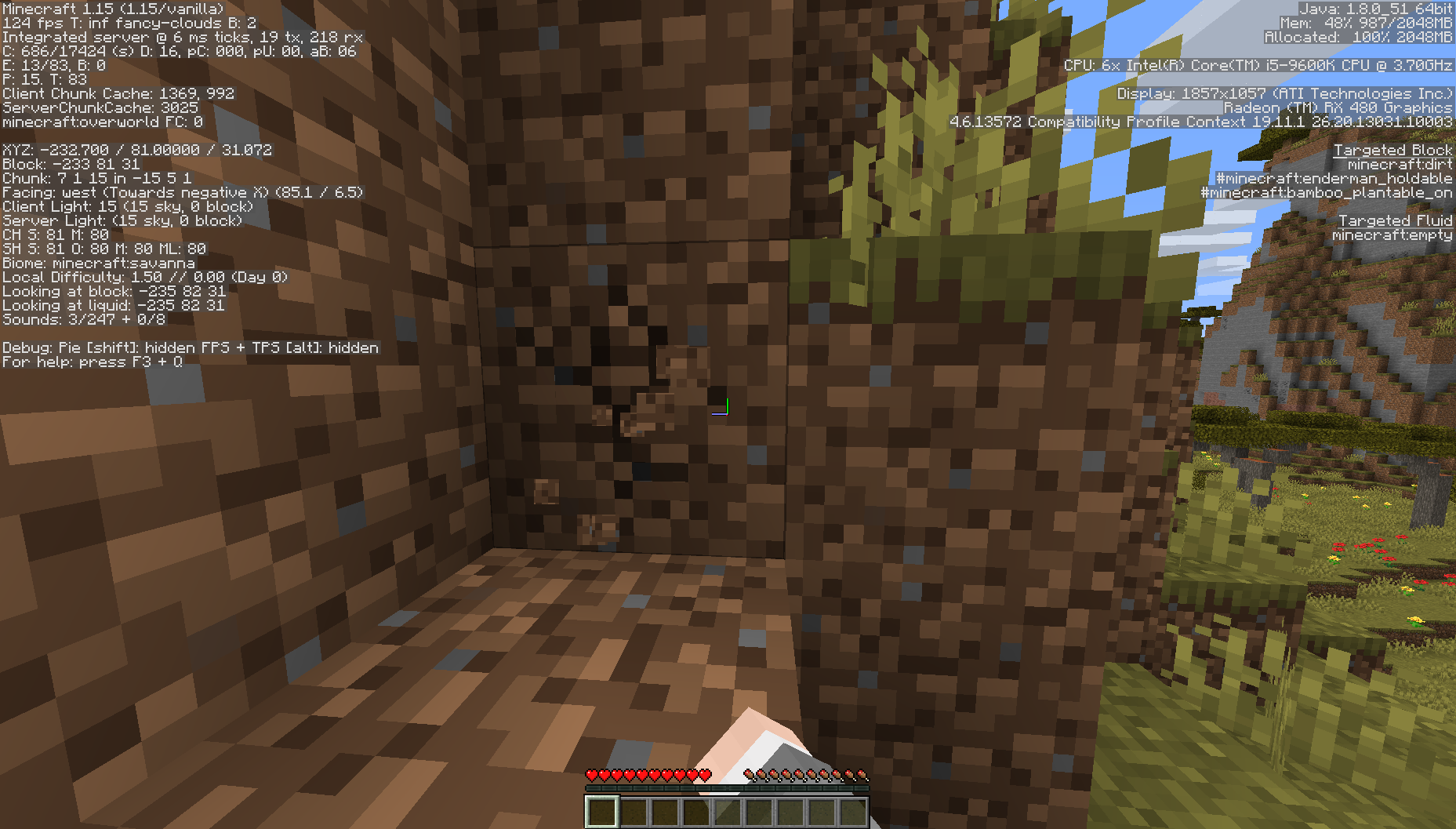
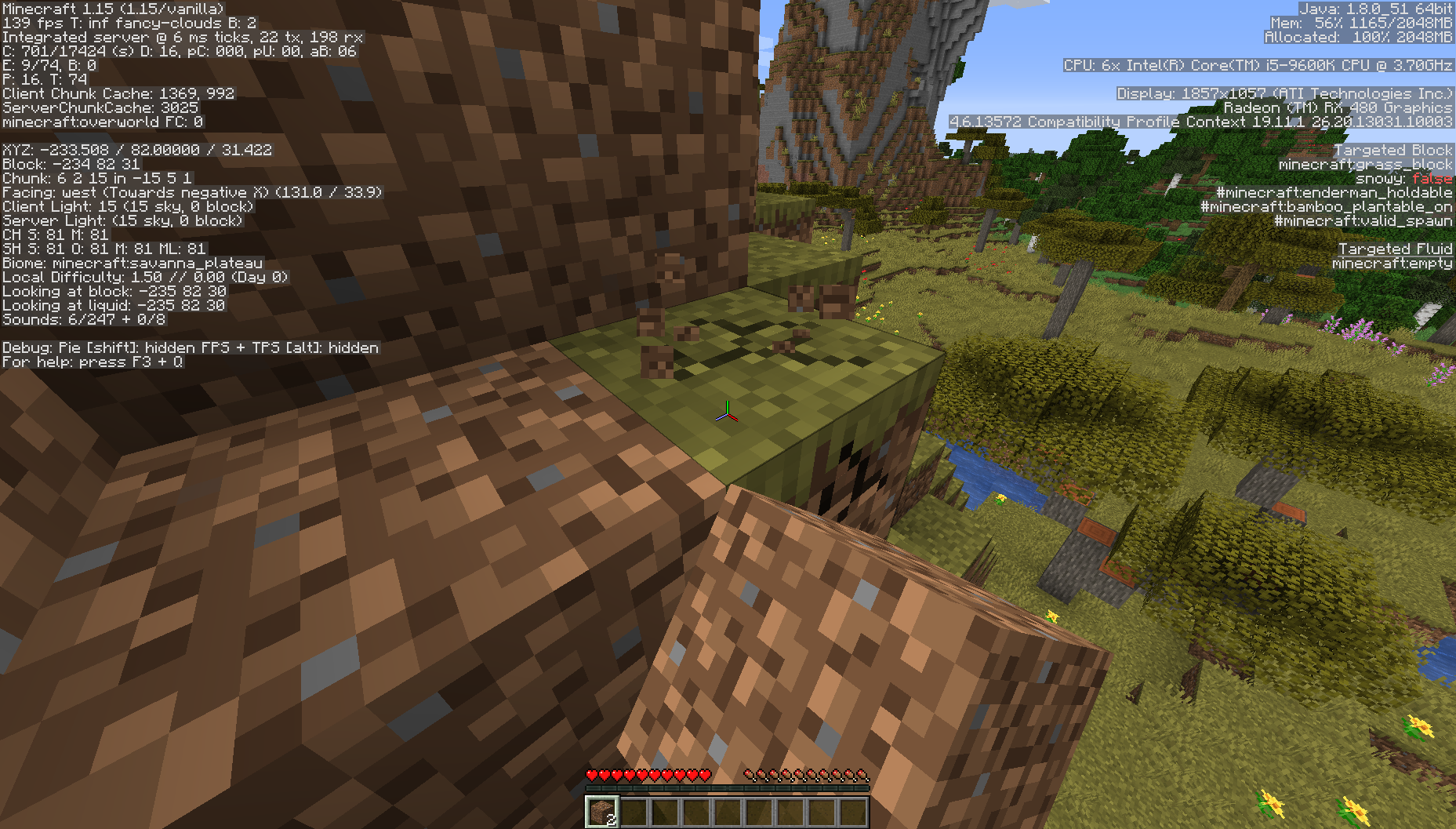
In the attached world, if you open the chest (without moving around or turning the camera), it sounds like it's coming from your right, despite the chest being almost directly in front of you. Move the camera slightly and it sounds normal again.
This seems to be related to distance. Walking around and destroying the trees and grass around you in the attached world (almost 30 million blocks out), you can hear similar things happening.
![[Mod] Neko](../../../data/avatars/users/92901.png)
HalfOfAKebab, that looks like MC-5694.

HalfOfAKebab, 1.11.2 was already marked as affected
Still present in 15w50a.
Present again in 1.9.
Affects 16w39c, but I'm unsure about 16w40a.
This is still happening to me, even after the recent Windows 10 updates. However, I was able to find a workaround. Opening the command prompt as admin and running setx /m J2D_D3D "false" fixed the issue completely with seemingly no side effects.
Seems to be resolved now.
I wouldn't say this is a bug.
Duplicate of
MC-105206.Can you reproduce the problem, or was it just that one time?
Can you attach the full log file, rather than pasting it in the description?
What hardware are you running on? Java version? Versions of related drivers?
I can reproduce this, but only with some data values. The crash seems to be related to the new method of colouring the durability bar, looking at the error:
This corrupts the world. The game crashes with the same error as above when loading the world.
However, results are varied. Sometimes the command simply outputs that it gave the player air, regardless of what item was specified. Sometimes the command works, and gives the player the specified item with an unobtainable data value. And sometimes the command crashes the game and corrupts the world:
• Using /give @p minecraft:golden_hoe 1 40 gave me a golden hoe with -8 durability, as expected (since golden hoes usually have a durability of 32).
• Using /give @p minecraft:golden_hoe 1 50 crashed the game and corrupted the world.
• Using /give @p minecraft:golden_hoe 1 70000 output Given [Air] * 1 to HalfOfAKebab.
Can you upload your crash log file? You can find it in .minecraft\crash-reports.
Working as intended?
I can confirm this. For me, any versions between 1.2.5 and 1.6.4 (but those versions themselves are fine) ignore the custom directory entirely, and just save everything to .minecraft.
Are broken maps fixed now? Or is it just not possible to break them anymore?
I think this bug has returned in as a deadlier strain, so to speak. Since around 16w40a, I've experienced (albeit rarely) a similar bug in survival. Here's a video I stumbled across of this bug occuring: https://www.youtube.com/watch?v=Oupg58gOiZk (skip to 21:49s). This could possibly be a very detrimental bug, as, as you can see in the video, the block you're trying to place is consumed despite not being placed, and the block that is actually placed is not consumed. If this could be consistently reproduced, this could be a very bad duplication bug. For example, we could "try" to place a block of dirt and instead have a block of diamond placed, with the dirt being taken from the hotbar and the block of diamond not, basically turning dirt to diamond.
Affects 16w43a.
Affects 16w43a.
Affects 16w43a. Can also confirm it happens only with en_US.
@FVbico
Thanks, didn't know that .
.
Confirmed for 1.11.2.
However, I wasn't aware this was a bug. I just assumed that whenever this happened, there was an abandoned mineshaft generating (which contain minecarts). However, I have noticed that I can't ever actually hear it, but just the subtitle is shown.
Confirmed for Windows 10 Edition v1.0.2.
Confirmed in 1.12.
Affects 1.12
>I don't see a b1.3a, only b1.3b and b1.3_01.
Ooh, my bad. I'll edit my description.
Affects 17w31a
This is just the obsidian pillars extending down below the island, which happens normally... It's not upside down?
Confirmed.
For me, it only moves 4 diamonds. Then the bug can't be replicated again until I "undo" it by opening and closing my inventory.
Good stuff, I never knew this was a bug, I just thought slime blocks naturally looked stupid. Hoping this gets fixed.
Confirmed.
What was the command you used?
Cannot replicate in 1.12.1-pre1.
Do you have a program called ByteFence installed?
Please attach a launcher log file and a DxDiag dump.
Does the problem still happen after updating your graphics drivers? Download: http://www.intel.com/content/www/us/en/support/graphics-drivers.html.
Make sure you uninstall your old drivers. Guide: http://www.intel.com/support/graphics/sb/CS-034574.htm.
Affects cave spiders in 1.12.1-pre1.
Affects 1.12.1-pre1.
Affects 1.12.1-pre1.
I'm no longer experiencing this problem, however I might just be getting lucky. Anyone else?
Confirmed in 1.12.1-pre1.
Can't confirm for 1.12.1-pre1?
Affect 1.12.1
Affects:
1.11
1.11.1
1.11.2
1.12
1.12.1
You have to install the Xbox app on the Windows Store.
Confirmed for 17w43b.
Same as Bemoty. The creative inventory scroll bar doesn't work for me, but the one in the server list does.
Is this fixed in 17w43a?
Confirmed for 17w43a and 17w43b.
Affects 1.12.2-pre1, 1.12.2-pre2, 1.12.2, 17w43a, 17w43b.
Affects 2.0.1003.
Affects 1.12.2-pre1, 1.12.2-pre2, 17w43a, 17w43b.
Affects 1.12.2-pre1, 1.12.2-pre2, 1.12.2, 17w43a, 17w43b.
Can anyone else confirm/deny? GPU model and driver version might be useful, as well as OS.
Cannot confirm for 1.12.2.
Appears to be fixed in 18w01a, possibly earlier.
Fixed in 18w06a, as customized worlds are removed in this version.
Thinking about it, I suppose this could be working as intended. It would be confusing for a player trying breaking wooden blocks with an axe. But at the same time, it is annoying to accidentally break blocks when misclicking while fighting a mob with an axe.
Affects 1.13-pre2
Affect 1.13-pre2
It's fixed in 1.13-pre5
Resolved. Turns out there were two versions named Beta 1.3, and the launcher calls the second one b1.3b. Found this out long ago but had forgotten that I opened this issue.
It seems like they've changed something between when when I reported this bug and 1.13-pre6, because now trying to take a screenshot results in a different image being produced (see attachments). However, the problem definitely still occurs.
@FVbico: Some languages were ridden of the unicode font, but lots of others still have it (e.g. Arabic and similar-looking languages).
Has anyone tested how this bug works (if at all) in multiplayer?
Affects 1.14
Affects 1.14
Nevermind, duplicate of
MC-93841, couldn't find anything in my first couple searches before creating this issueAffects 1.14 and 1.14.1 Pre-Release 1
Affects 1.14.1 Pre-Release 1
Affects 1.14 and 1.14.1 Pre-Release 2
Affects 1.14.1
Affects 1.14.1
Can confirm for 1.14.1. Like someone else said, it's sometimes so bad that the server crashes, with a best case scenario being 5 full seconds of complete suspension of ticks processing. It's gotten to the point where we've written a datapack to automatically warn everyone on the server when someone walks into a portal.
Worth noting that end portals work almost instantly. It's only nether portals that have this lag.
Affects 1.14.1
Is this actually invalid? Seems like an oversight to me. Dunno why it would be intentional behaviour. If this is re-opened, it affects 1.14 and 1.14-pre4.
No, this bug only allows you do get different types of Protection. You still can't get other mutually-exclusive enchantments like Fortune + Silk Touch, or Infinity + Mending.
What happens when you try? Do you get any errors?
Can confirm
Thirding for reopen ^
Seconding for reopen. This is a problem with the launcher, not the old game version.
@Mods feel free to reassign this to Connor