Mac OS X: can't write accented letters
Since the New Launcher and the new Versions 1.6.1 and 1.6.2, Minecraft can't write:
ä ö ü ^ ´ ß € and other umlauts/keys
Environment
Mac OS X 10.7.5
Java 1.6.0_51
Mac OS X 10.11.4
Java 1.8.0_74
Linked Issues
is duplicated by53
 MC-16360Accented characters not workingDuplicateMC-21031issue with swedish localeDuplicateMC-21473German Umlauts (like ä, ö, ü, ß) cannot be written on OS X VersionDuplicateMC-21484Unable to type å, ä or ö lettersDuplicateMC-21511Issue with letters in minecraftDuplicateMC-21543Cannot type special characters in the chatDuplicateMC-21602Writing in chatDuplicateMC-21925Some key doesn't work properly on a french azerty keyboard DuplicateMC-22382Accented letters (OS X)DuplicateMC-22877ÅÄÖ åäö not working on finnish macsDuplicateMC-22941ä and ö letters doesnt work in mac version.DuplicateMC-23009ÆØÅ don't work in 1.6.1 on Mac OS X 10.8DuplicateMC-23603I can't write the swedish letters åöä in the chat, no one i know that has the mac can do it. Should i do anything och just wait for the new updateDuplicateMC-23761Keyboard letters not workingDuplicateMC-23942Swedish ÅÄÖ dosent work in 1.6DuplicateMC-24208Accent bug on Minecraft Mac since 1.6.1 releaseDuplicateMC-24623Chat issues on Minecraft for MacDuplicateMC-24669ü ä ö ß do not work on a German Mac .DuplicateMC-25548Can't enter £ in chat/client consoleDuplicateMC-26900ÅÄÖ doesent work on Mac OSXDuplicateMC-27117Can't type in the letter Ñ in chat.DuplicateMC-27176Åäö Doesnt work on MacDuplicateMC-27188Letters Å Ä Ö won't work on Mac OS XDuplicateMC-27991Language problemsDuplicateMC-28079Unable to type certain symbols and letters on Mac OS XDuplicateMC-28136Language supportDuplicateMC-28272Language supportDuplicateMC-28321The Swedish letters and characters do not work on Mac OS launcherDuplicateMC-28407French keyboard symbols such as é, à, ù... are not compatible with chatDuplicateMC-28408Alt+ another letter will not work in chat (e.g. √, ß, π, ©, ®...)DuplicateMC-28465Minecraft on Mac OSX doesn't Supports the German Ä, Ü, Ö and ß ?!DuplicateMC-28548Can't type å, ä, ö, ~ and more in chat, signs and bookDuplicateMC-28595Chat-related issues on (at least) MacDuplicateMC-29148Tilde cant be created ingame (on Mac)DuplicateMC-29381Mac Chat IssuesDuplicateMC-29399ÅÄÖ doesn't work on Finnish (and Swedish?) keyboard on Macbook (Pro)DuplicateMC-30562Mac defectDuplicateMC-30656Bug with typing on Mac OS XDuplicateMC-31085The '~' symbol does not work on MacDuplicateMC-31220-DuplicateMC-31235Minecraft not supporting åä and öDuplicateMC-31568i dont can type öäå in mac os xDuplicateMC-31833the Swedish language does not work for the iOS operating system for mac in minecraft.DuplicateMC-32589Can't type in Russian in chatDuplicateMC-32661can't type åäö in chat DuplicateMC-34872Letter Ä doesn´t work.DuplicateMC-35079OSX-German "Umlaute" don't work (äüö) also ~ and alot of other things that worked in the past .DuplicateMC-35093Немогу писать на русском языке у меня mac. English - I can not write in Russian I have mac OS sorry for the mistakes if I have translated the google translatorDuplicateMC-35209BUG on a MAC !!!DuplicateMC-35312MAC OSX language bugDuplicateMC-36518accented words of minecraft for macDuplicateMC-86733Accents ProblemDuplicateMC-97920Accents don't workDuplicate
Attachments2

Created Issue:
Mac OS X: Fullscreen Mode can't write some keys
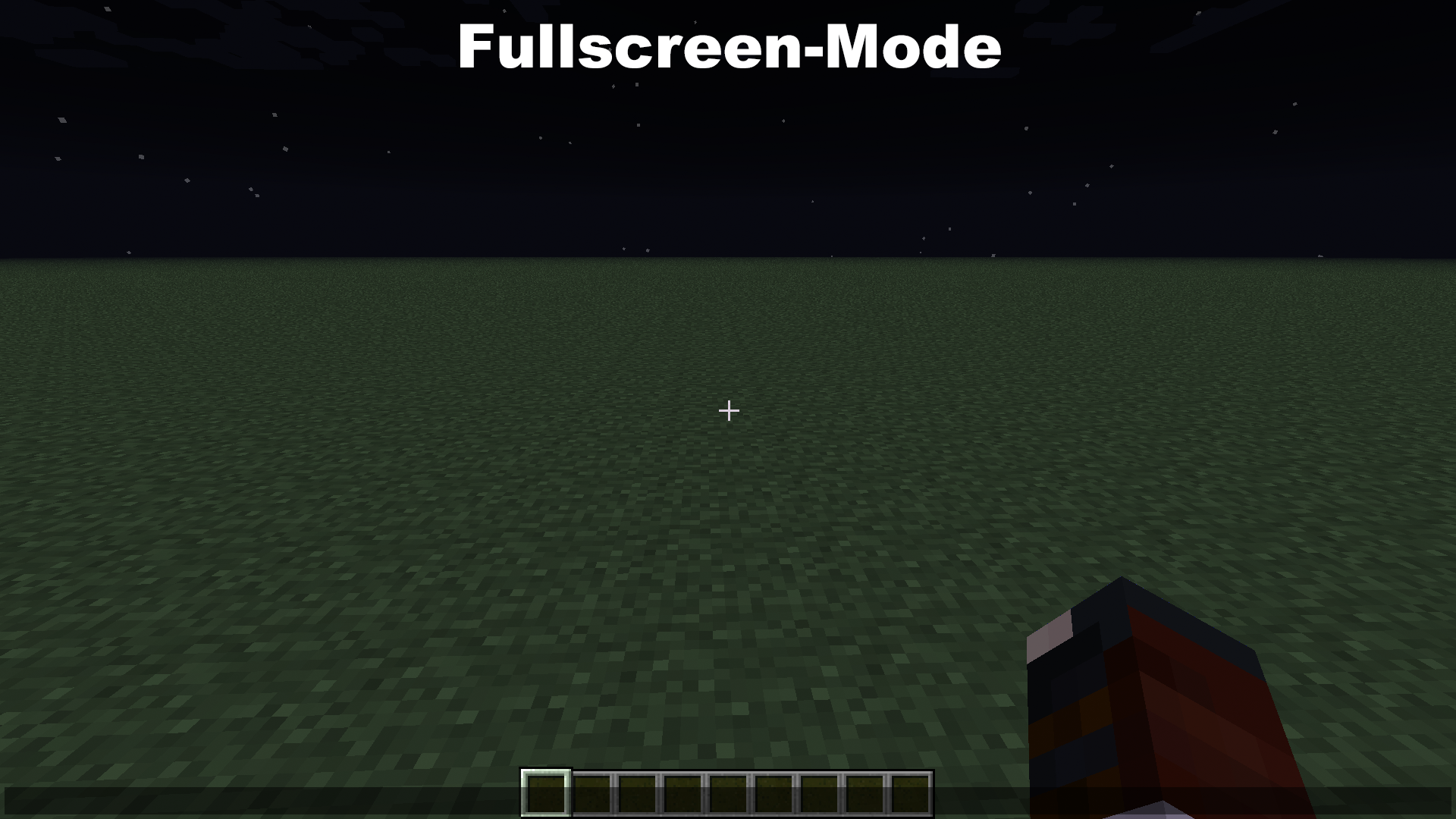
In Minecraft Fullscreen-Mode can't write the Keys:
ä ö ü ^ ´ ß €Environment
Mac OS X 10.7.5
Java 1.6.0_51
Linked Issues
is duplicated by2
Attachments2
- Unresolved
- Open
- Minecraft Launcher - Public
- Unconfirmed
- 1.0.3 1.0.4 1.0.5 Fullscreen MCL
- 1.0.5 1.0.4 1.0.3

 MCL-714 → MC-20440
Mac OS X: Fullscreen Mode can't write some keys / German Umlauts (like ä, ö, ü, ß) cannot be written on OS X Version
is duplicated by

is duplicated by
is duplicated by
is duplicated by
is duplicated by
is duplicated by
is duplicated by

is duplicated by
In Minecraft Fullscreen-Mode can't write the Keys:
ä ö ü ^ ´ ß € and other umlauts/Keys
In Minecraft Fullscreen-Mode can't write the Keys:
ä ö ü ^ ´ ß € and other umlauts/KeysIn Minecraft Fullscreen-Mode can't write the Keys:
ä ö ü ^ ´ ß € and other umlauts/keys
In Minecraft Fullscreen-Mode can't write the Keys:
ä ö ü ^ ´ ß € and other umlauts/keys
In Minecraft Fullscreen-Mode can't write the Keys:
ä ö ü ^ ´ ß € and other umlauts/keysSince the New Launcher and the new Versions 1.6.1 and 1.6.2,
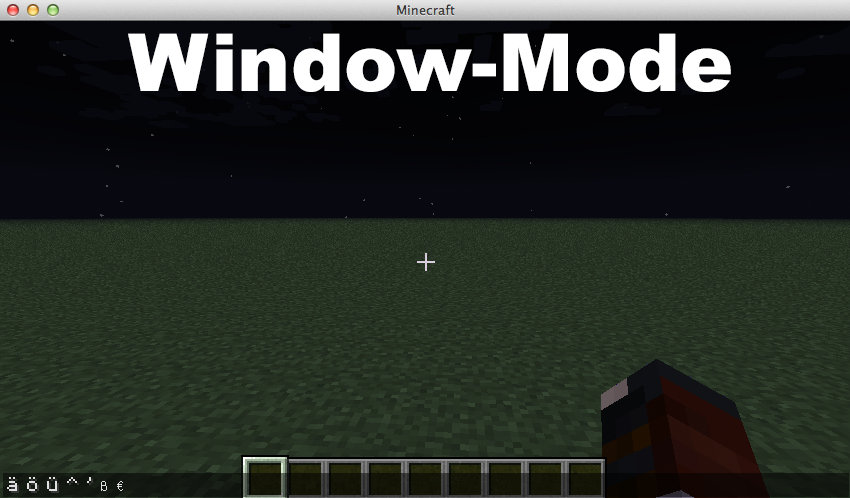
in Minecraft Fullscreen-Mode/Window-Mode can't write:
ä ö ü ^ ´ ß € and other umlauts/keys
is duplicated by
is duplicated by
is duplicated by
is duplicated by
is duplicated by
is duplicated by
is duplicated by
relates to
is duplicated by
relates to
is duplicated by
Mac OS X: Fullscreen Mode can't write some keys / Cyrillic / German Umlauts (like ä, ö, ü, ß) cannot be written on OS X Version
is duplicated by
is duplicated by
is duplicated by
relates to
is duplicated by
is duplicated by
relates to
is duplicated by
is duplicated by
is duplicated by
is duplicated by
is duplicated by
is duplicated by
is duplicated by
is duplicated by
Mac OS X: Fullscreen Mode can't write some keys / Cyrillic / German Umlauts (like ä, ö, ü, ß) cannot be written on OS X VersionMac OS X: can't write accented letters
is duplicated by
is duplicated by
is duplicated by
is duplicated by
MC-31364
is duplicated by
is duplicated by

is duplicated by
is duplicated by
is duplicated by
@Alexander Strelets
That doesn't work for me. Replacing 2.9.0 with 2.8.5 just quits the game after clicking "play". I have a normal MacBook and I'm using OSX 10.6.8.
is duplicated by
is duplicated by
is duplicated by
is duplicated by
is duplicated by
relates to
is duplicated by
is duplicated by
relates to
relates to
relates to
![[Mod] Torabi](../../../data/assets/gravatar/torabi.png)
![[Mod] Ezekiel (ezfe)](../../../data/assets/gravatar/ezekielelin.jpeg)
is duplicated by
Since the New Launcher and the new Versions 1.6.1 and 1.6.2,
in Minecraft Fullscreen-Mode/Window-Mode can't write:
ä ö ü ^ ´ ß € and other umlauts/keysSince the New Launcher and the new Versions 1.6.1 and 1.6.2, Minecraft can't write:
ä ö ü ^ ´ ß € and other umlauts/keys
Mac OS X 10.7.5
Java 1.6.0_51Mac OS X 10.11.4
Java 1.8.0_74

relates to
duplicates
relates to

Duplicate of MC-20440?
Duplicate of MC-20440, please use the search function to see if your bug has already been submitted. Currently over 58% of tickets are being closed as duplicate.
Duplicate of MC-20440, please use the search function to see if your bug has already been submitted. Currently over 58% of tickets are being closed as duplicate.
Duplicate of MC-20440, please use the search function to see if your bug has already been submitted. Currently over 58% of tickets are being closed as duplicate.
Duplicate of MC-20440, please use the search function to see if your bug has already been submitted. Currently over 58% of tickets are being closed as duplicate.
Duplicate of MC-20440, please use the search function to see if your bug has already been submitted. Currently over 58% of tickets are being closed as duplicate.
Duplicate of MC-20440, please use the search function to see if your bug has already been submitted. Currently over 58% of tickets are being closed as duplicate.
Duplicate of MC-20440, please use the search function to see if your bug has already been submitted. Currently over 58% of tickets are being closed as duplicate.
Duplicate of MC-20440, please use the search function to see if your bug has already been submitted. Currently over 58% of tickets are being closed as duplicate.
Duplicate of MC-20440, please use the search function to see if your bug has already been submitted. Currently over 58% of tickets are being closed as duplicate.
Duplicate of MC-20440, please use the search function to see if your bug has already been submitted. Currently over 58% of tickets are being closed as duplicate.
Duplicate of MC-20440, please use the search function to see if your bug has already been submitted. Currently over 58% of tickets are being closed as duplicate.
Duplicate of MC-20440, please use the search function to see if your bug has already been submitted. Currently over 58% of tickets are being resolved as duplicate.
Duplicate of MC-20440, please use the search function to see if your bug has already been submitted. Currently over 58% of tickets are being resolved as duplicate.
22nd Duplicate of MC-20440, please use the search function to see if your bug has already been submitted. Currently over 57% of tickets are being resolved as duplicate.
24th Duplicate of MC-20440, please use the search function to see if your bug has already been submitted. Currently over 57% of tickets are being resolved as duplicate.
Do you mean you cannot put your username and your password in the login dialog or ingame like MC-20440 ?
Duplicate of MC-20440
They work, just not while fullscreen for some reason.
31st Duplicate of MC-20440, please use the search function to see if your bug has already been submitted. Currently over 57% of tickets are being resolved as duplicate.
32nd Duplicate of MC-20440, please use the search function to see if your bug has already been submitted. Currently over 57% of tickets are being resolved as duplicate.
33rd Duplicate of MC-20440, please use the search function to see if your bug has already been submitted. Currently over 57% of tickets are being resolved as duplicate.
Duplicate of MC-3643 and MC-20440, please use the search function to see if your bug has already been submitted. Currently over 56% of tickets are being resolved as duplicate.
Duplicate of MC-20440, please use the search function to see if your bug has already been submitted. Currently over 56% of tickets are being resolved as duplicate.
Related to MC-20440 ?
Is the tilde key a dead key (shows up only after the press of a second char like ~n gives ñ) ? What happens if you press ~ and Space ?
Duplicate of MC-20440, please use the search function to see if your bug has already been submitted. Currently over 57% of tickets are being resolved as duplicate.

MC-20440
It's a LWJGL bug.
Mikkel Caira, this report is a duplicate of MC-20440 and will only be updated there. You should comment there to tell us of any future snapshots/releases that are affected (1.6.3, 1.6.4 and 13w38a have already been added).
Duplicate of MC-20440, please use the search function to see if your bug has already been submitted. Currently over 43% of tickets are being resolved as duplicate.
45th Duplicate of MC-20440- If you have not, please use the search function in the future, to see if your bug has already been submitted. If you could not find the original report, please comment with the keywords you searched for.
46th Duplicate of MC-20440- If you have not, please use the search function in the future, to see if your bug has already been submitted. If you could not find the original report, please comment with the keywords you searched for.
48th Duplicate of MC-20440 - If you have not, please use the search function in the future, to see if your bug has already been submitted. If you could not find the original report, please comment with the keywords you searched for.
50th Duplicate of MC-20440 - If you have not, please use the search function in the future, to see if your bug has already been submitted. If you could not find the original report, please comment with the keywords you searched for.
51st Duplicate of MC-20440 - If you have not, please use the search function in the future, to see if your bug has already been submitted. If you could not find the original report, please comment with the keywords you searched for.

Seems like MC-20440 does this happen in full screen mode only?
Duplicate of MC-20440 – If you have not, please use the search function in the future, to see if your bug has already been submitted.
Duplicate of MC-20440
Confirmation in
MC-21473by [Mod] Anon YmusFor me, it happened in windowed mode.
Same here on OS X 10.8.4 in both, window mode and fullscreen.
May be related to
MC-22033I am having the same problem on mac with icelandic keyboard (the letters: í,ó,ú,ý,é,ð,þ,æ),
for me, Minecraft seems to be unable to detect my keyboard correctly and it is like I just have a US keyboard not icelandic
Works in windows
i have the same problem with my mac in window an fullscreen mode (Mac OS 10.8.4)
Same problem on OS X 10.7.5 window and fullscreen-mode
As mentioned in duplicate
MC-21543(which was reported asMCL-162), this occurs independently of Minecraft version when using the new launcher, and never occurs when using the old launcher, also independently of Minecraft version.Confirmed in Full Screen mode.
It's independent from window mode; AFAIR there was an error message in the console of the first 1.6 launcher like "unknown keycode: 0" or something like that. Unfortunately there's no way to see the error messages with the current launcher / Minecraft version.
This problem hasn't been in 1.5.2
Another Mac OS X keyboard problem is that Ctrl locks if you push the Cmd key, for example when switching the application with Cmd+Tab (function of Alt+Tab in Windows OS). Unlocks by pressing CMD again.
And if you use Ctrl e.g. for jumping the mouse button locks when jumping/swimming up and pressing a mouse button. - Might need an option whether Ctrl+mouse button should count as right mouse button or not, at least in the options.txt.
Java JRE SE 6 from Apple. 1.6.0_51-b11-457 (see Utilities - Java Preferences; for OS X 10.6, since 10.7 there's a JRE from Oracle)
Probably an issue with LWJGL. The old launcher used version 2.4.2, while the new launcher uses 2.9.0.
Replacing the LWJGL libs didn't work for me.
Probably because the new launcher automatically downloads and uses version 2.9.0. You probably have to do more than just replace the files to get it to accept an older version and use it.
I'm not so sure it's the LWJGL library, I did try to change it like Björn, but it had no effect, but with out changing anything, some special characters like ð, þ and æ still work in version 1.5.2, with the newest launcher although it writes the characters like this: ´í ´ú ´ó ´é , with a comma in front of them.
I have the same problem with ä, ü, ö and ß at the desktop view and also at the fullscreen view
Still occurs in 13w36a.
This is really shit that noone of Mojang cares for over two months... Maybe it's the fault of the LWJGL - Keyboard.getEventCharacter() is returning 0 in OS X - but it has to be checked by someone...
It's extremly annoying. Even circumflex => ^ isn't available... The strange part is, that it seems to affect both, the JRE of Apple AND Oracle.
Strange, the circumflex actually does work for me.
@Fenhl Well, that's weird... Doesn't work for me too
I think it's dependent on the keylayout. I'm using an English/International hardware keyboard with a custom keylayout that puts ä on alt-A, ß on alt-S, etc.
Fenhl, I have a keyboard with Nordic layout. When I play 1.5.2 with the new launcher, I can't write æ, ø, å and so on, but if I use another launcher, like MultiMC, I can write æøå. Unfortunately, I haven't found a way for MMC to work with the newest updates. :/
Yes, it's a launcher bug. See this comment.
@Fehnl: Your link leads into the void. What is the ticket number ?
His link leads to this page; I think he tried to link to a folded comment here. => simply read all, aren't that much anyway.
Thanks, got it: https://mojang.atlassian.net/browse/MC-20440?focusedCommentId=91208&page=com.atlassian.jira.plugin.system.issuetabpanels:comment-tabpanel#comment-91208
Relevant LWJGL issue: https://github.com/LWJGL/lwjgl/issues/50
Same problem with OS X 10.8.5 in Windowed AND Fullscreen mode.
Please fix!
It looks like replacing of 2.9.0 with 2.8.5 in version json file is enough to fix the problem. At least on my macbook pro (Max OS X 10.8.5) I've got cyrillic working in chat using this trick.
Is there any reason why do not use lwjgl 2.8.5 on Mac OS X from the box ?
Alexander, do you mind posting instructions on how you did that?
The older version did in fact download, but it seems it's not used and umlaut characters still won't show. Seems like my json-file is overwritten on each launch.
@Alexander Strelets
Wow, thanks, it works! Just replace every "2.9.0" in the json file of a profile with "2.8.5".
@David
What file are you editing?
EDIT. I've tried the /versions/*.json file both the 1.6.4 release and the latest snapshot without any result.
".minecraft/launcher_profiles.json", I imagine. That should work. Anything in .minecraft/versions will be verified and redownloaded if it doesn't match what's on the server.
There are no references to lwjgl in my launcher_profiles.json.
@Christoffer Larsson
Ok, here are details.
BTW, .minecraft/launcher_profiles.json is left unchanged. Standard versions (like 1.6.4) are redownloaded. So this is a reason to create own one (steps 2,3,4.1).
@Christoffer Larsson
I'm editing the file /User/Application Support/minecraft/versions/1.6.4/1.6.4.json
You can apply the fix to any version of the game, this example is just for 1.6.4.
Oh god, thanks to guys that said how to change lwjgl version. I love 'em!
This issue is fixed with the latest nightly builds of LWJGL, so will be fixed as soon as Minecraft is bundled with the newest version of LWJGL.
This issue ( for me - OS X Mavericks ) is already solved in 1.7.2. ... Be happy. ;D
@Marie: Came the solution with Mavericks or with 1.7.2 ?
It's fixed with 1.7.2. In 1.6.2 are no changes.
It has nothing to do with 10.9 Mavericks.
Jep, same for me. 1.6.4 and still no changes, but 1.7.2. fixed it
Problem is fixed in 1.7.2 and OS X 10.9
I still have this issue on 1.7.4 (also tried 1.7.2 and 1.6.4 without success) at Mavericks (10.9.1) and with Java 1.6.0. I have a portuguese keyboard.
I followed @Alexander Strelets steps to make a fixed version, but it didn't even appear on my profile.
I did notice a slight difference when upgrading from 1.6.4 to 1.7.4 because on 1.7.4 the letter ç, æ and å work. However I can't write any letters with acute and grave accents ( ´ ` ), circumflex (^) and tilde (~).
There is also something that always occurred with me, even on the old launcher: The command key doesn't work, I usually have to use Ctrl as a substitute. I always found it weird, but as I never had any problems writing accentuated letters I din't thought It was relevant but now it might help you to know what's wrong.
Is anyone experiencing the same problem? Thank you!
@Joana Croft. I have the exact same problem, except i can't even get ç, æ, or å to work. Like you, it doesn't work for me in 1.7.4, 1.7.2, or 1.6.4.
I'm running OS X 10.8.4, if that makes a difference.
Why is that still not working? I think, this isn't that much hard to put in a command, printing out ~ when alt + n is pressed?
I'm in 1.7.4, OS X Mavericks 10.9.1, German Keyboard.
Please fix this issue! It's very bad for working with commandblock stuff!
Thank you!
Please continue the discussion here:
MC-42171I can't write ~ in Minecraft
Did you read my post?
No, but I voted in
MC-42171This is an issue in 1.9-pre3
Cannot reproduce in 1.9-pre4, with the German keylayout or a custom one. Fixed?
I still cannot write accented characters on my US keyboard. Exceptions that do work are ß and å
Confirmed for 1.9.2 and 16w14a.
Accented characters that require a "combining character" (probably the wrong word) cannot be typed, such as:
However, characters that can be typed in one keystroke can be successfully inserted, such as the c-cedilla (Ç, ç).
Edit: I can't seem to type them in fullscreen mode or windowed mode (OS X 10.11.4)
Confirmed for 1.9.3-pre3.
Confirmed for 1.9.4.
Confirmed for 16w20a.
Confirmed for 16w21a.
Confirmed for 16w21b.
Confirmed for 1.10-pre1.
Confirmed for 1.10-pre2.
Confirmed for 1.10.
I am able to type characters that appear in one go, like option-c for ç. If I set my keyboard to German I can type ü just by hitting that key. However, to type ü using my normal Dutch layout I must hit option-u (which puts an umlaut on the next character) followed by u. In Minecraft the first option-u does nothing and the u just types a u. Likewise, the Unicode hex input (where typing four consecutive hex digits, holding down option for each but not necessarily in between, inserts that code point) doesn't work.
In all of this, fullscreen or windowed doesn't appear to matter in the current version.
Confirmed for 1.10.1.
Based on recent comments, this sounds like a duplicate of
MC-6436.MC-6436is the actual problem I am experiencing. Going by their earlier comments, so is null. We should all head over there. I suspect this bug (MC-20440) as mentioned in the description was fixed a while ago.Also in 16w50a