Block cracking animation appears much darker where there are coinciding planes
May relate to MC-259614.
The bug
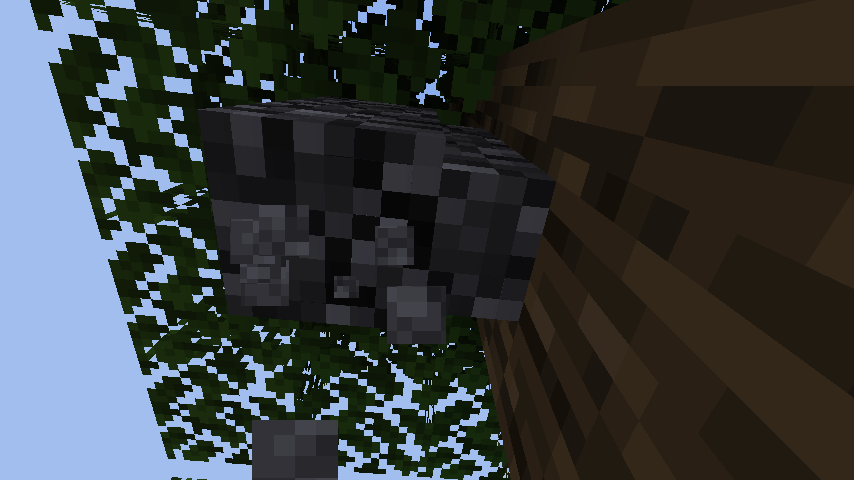
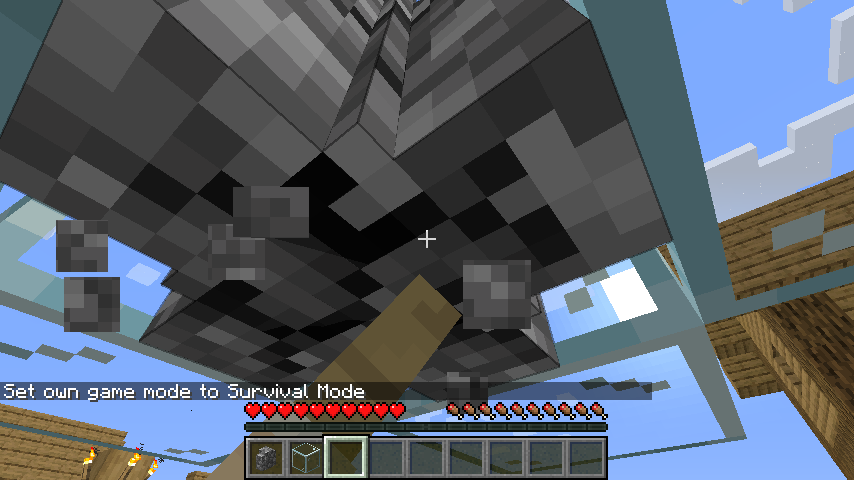
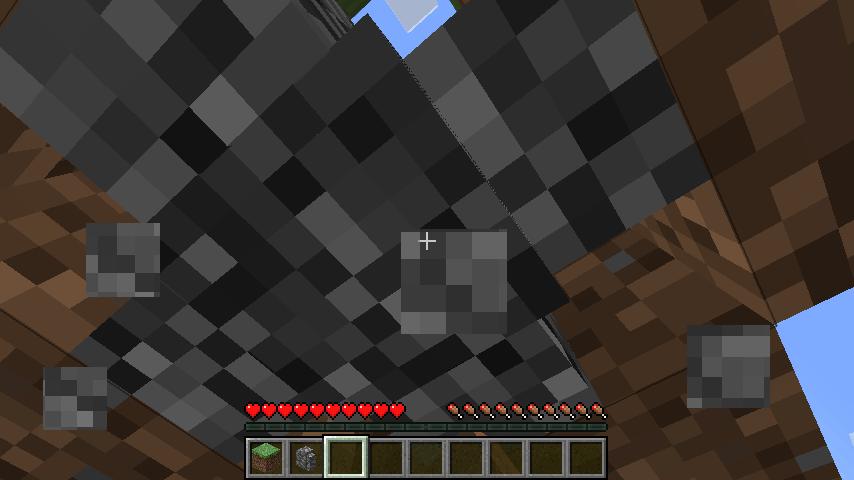
On blocks with coplanar, coinciding faces, the cracking animation is rendered once per plane, resulting in the cracks rendering much darker than they should.
How to reproduce
- Place a wall (all four connections, plus post)
- Get under it
- Start breaking it
- Observe the cracks
Expected results
Normal cracking animation.
Actual results
It looks much darker.
Further notes
Changing the model would get rid of this issue from walls specifically, but would not eliminate it from other custom models, so code changes of some sort will be required.
Linked Issues
relates to4
 MC-166101Enchantment glint is applied to models once for each texture layer
 NormalMC-262933Enchanted objects with coinciding planes exhibit Z-fightingCommunity ConsensusMC-265667Grass block cracking animation is darker on the sidesConfirmedMC-167604Block breaking texture animation is mirrored vertically when viewed facing east or westConfirmed
Attachments8





Created Issue:
Block cracking animation appears much darker where there are coinciding planes
Relates to MC-166101, MC-262933 and MC-265667.
The bug
On blocks with coplanar, coinciding faces, the cracking animation is rendered once per plane, resulting in the cracks rendering much darker than they should.
How to reproduce
- Place a wall (all four connections, plus post
- Get under it
- Start breaking it
- Observe the cracks
Expected results
Normal cracking animation.
Actual results
It looks much darker.
Further notes
Changing the model would get rid of this issue from walls specifically, but would not eliminate it from other custom models, so code changes of some sort will be required.
Attachments2
![[Mod] turbo](../../../data/avatars/users/92867.png)
Relates to MC-166101, MC-262933 and MC-265667.
The bug
On blocks with coplanar, coinciding faces, the cracking animation is rendered once per plane, resulting in the cracks rendering much darker than they should.
How to reproduce
- Place a wall (all four connections, plus post
- Get under it
- Start breaking it
- Observe the cracks
Expected results
Normal cracking animation.
Actual results
It looks much darker.
Further notes
Changing the model would get rid of this issue from walls specifically, but would not eliminate it from other custom models, so code changes of some sort will be required.
May relate to MC-259614.
The bug
On blocks with coplanar, coinciding faces, the cracking animation is rendered once per plane, resulting in the cracks rendering much darker than they should.
How to reproduce
- Place a wall (all four connections, plus post)
- Get under it
- Start breaking it
- Observe the cracks
Expected results
Normal cracking animation.
Actual results
It looks much darker.
Further notes
Changing the model would get rid of this issue from walls specifically, but would not eliminate it from other custom models, so code changes of some sort will be required.
![[Mod] Avoma](../../../data/avatars/users/86198.png)
![[Mojang] Triage Team](../../../data/avatars/users/89842.png)
 Low
Lowrelates to
![[Mod] j_p_smith](../../../data/avatars/users/92851.png)
is duplicated by
![[Bot] Arisa](../../../data/avatars/users/43007.png)
![[Mod] Jiingy](../../../data/avatars/users/91802.png)
When in the process of breaking a block while facing west or east, the 'destroy_stage_[stage]` texture will be mirrored vertically.
Steps to Reproduce:
- Enter survival
- Mine a block with your fist facing east or west
→ The texture is mirrored vertically
 - Repeating the previous step, now facing north or south
→ The texture is correct
Screenshots/Videos:
Correct texture:

Incorrect texture:

Notes:
Related to these block break animation issues:
MC-268537 MC-268176 MC-256390 MC-248178 MC-214624 MC-212087 MC-210369 MC-201203 MC-192927 MC-183923 MC-185597 MC-176559 MC-167836 MC-161926 MC-157404
Discovered while testing MC-269348. Relates to MC-166101, MC-262933, MC-265667 and MC-268537.
The bug
When the book on enchanting tables is doing a page flip animation, the block crack texture will appear twice as dark as it normally does.
How to reproduce
- Punch an enchanting table
- Observe
Expected results
Constant intensity for the cracks on the book.
Actual results
It changes when the pages move.
Would MC-268537 describe your issue? The cracking looks darker because the top and bottom of the shulker box are over eachother.

Relates to MC-265667 and MC-268537. Discovered while testing MC-276756.
The bug
The cracking animation for shulker boxes is more intense on the bottom half of each side of the block than the top half.
How to fix
It may be advisable to have shulker boxes in their closed state be a simple six-sided cube like most other blocks, with dedicated new side, top and bottom texture graphics.
How is this different to MC-268537 and not a case/by-product of it? The intense animation is where the top half and bottom half planes are overlapping.
Testing this in some older versions, in 1.14.4 this appears to cause z-fighting:


1.4.2 does not appear to be affected:

I'm not sure if the model was handled differently at this point. though.
For the specific case of walls, this appears to have been introduced in 15w31a (alongside multipart models). I have yet to test custom models in 1.8 snapshots and release versions.

