 Viradex
- Viradex
- JIRAUSER777123
- Australia/Melbourne
- Yes
- No
 Low
Low MC-271490MC-271542
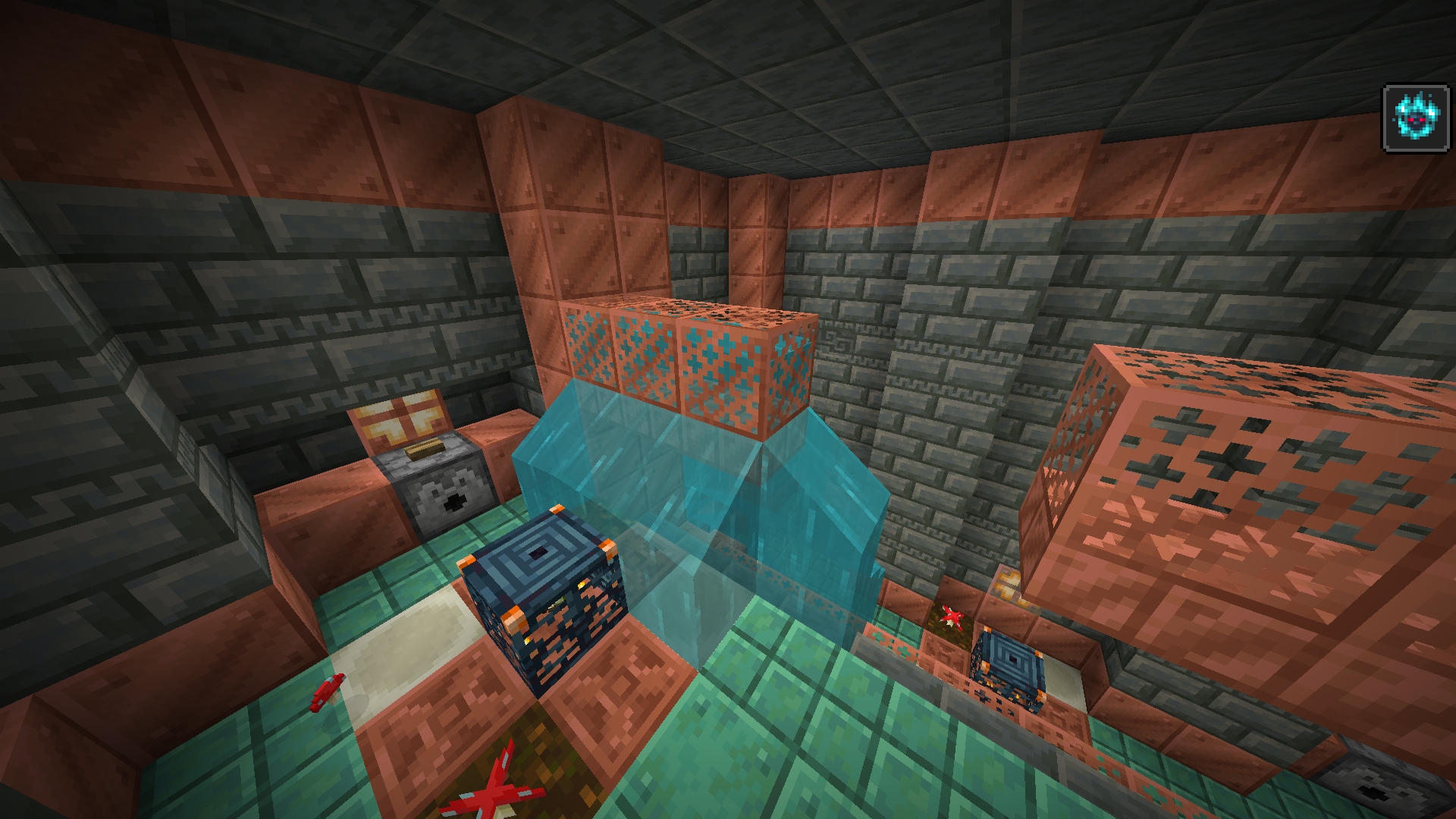


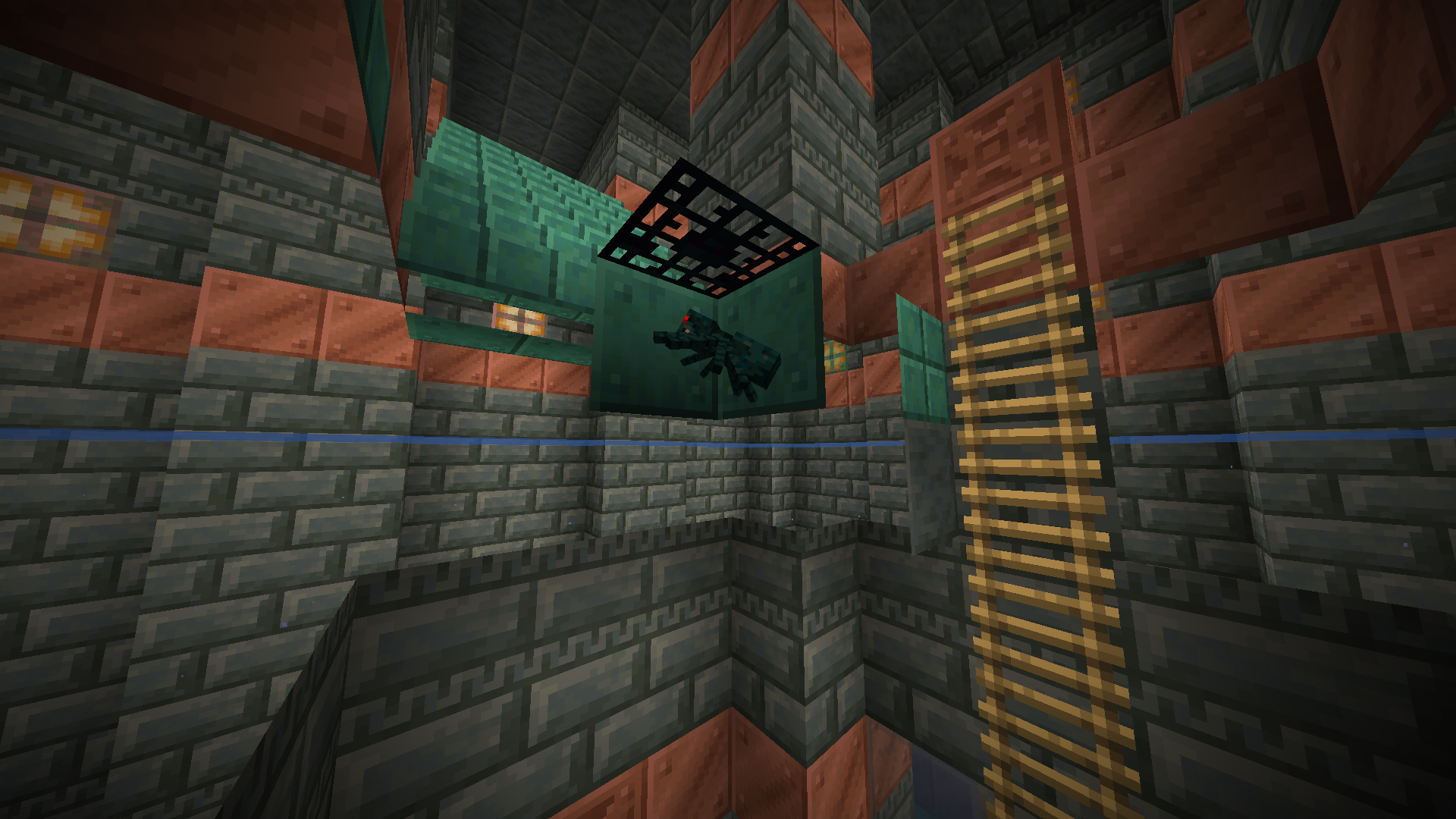
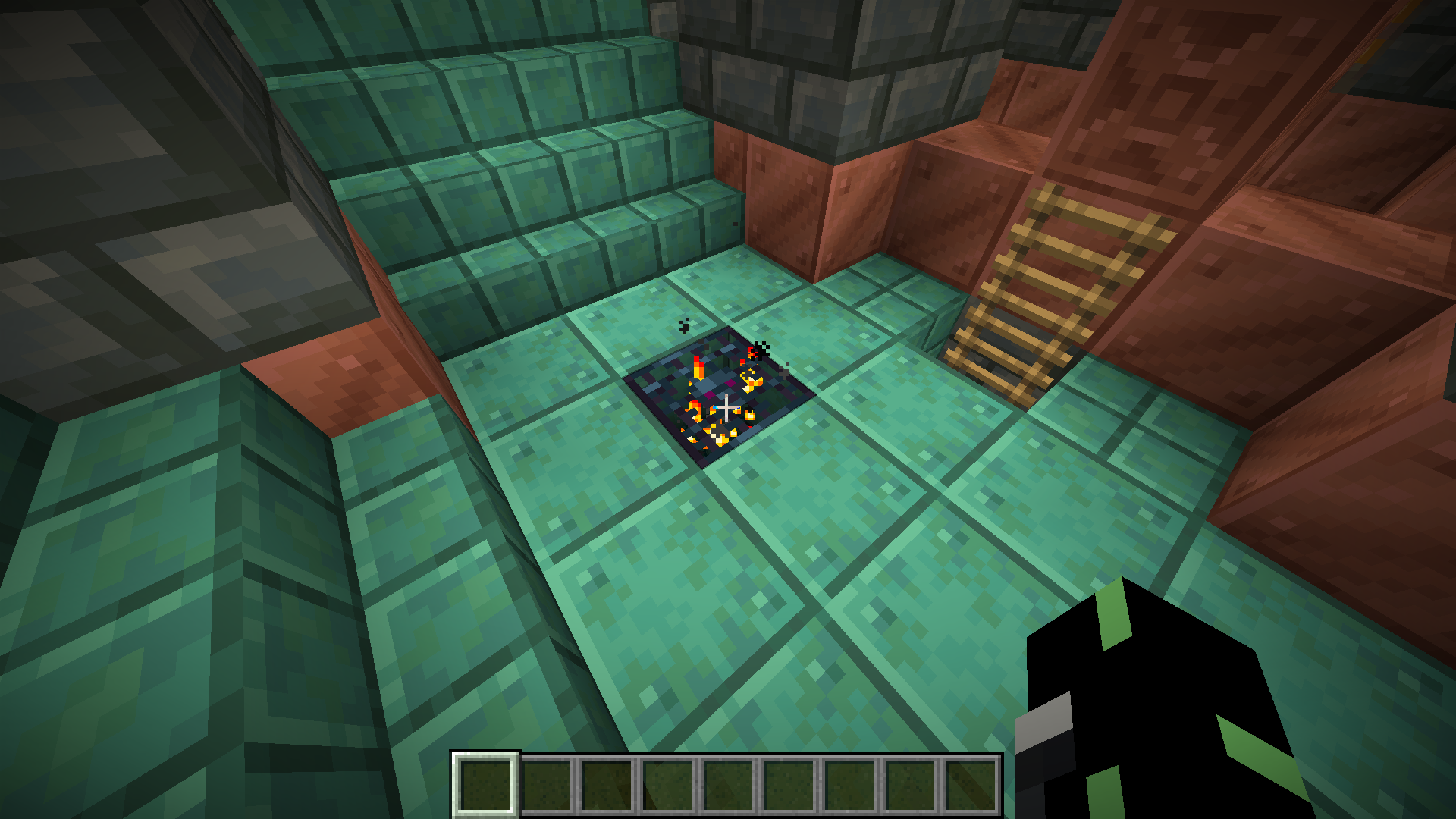
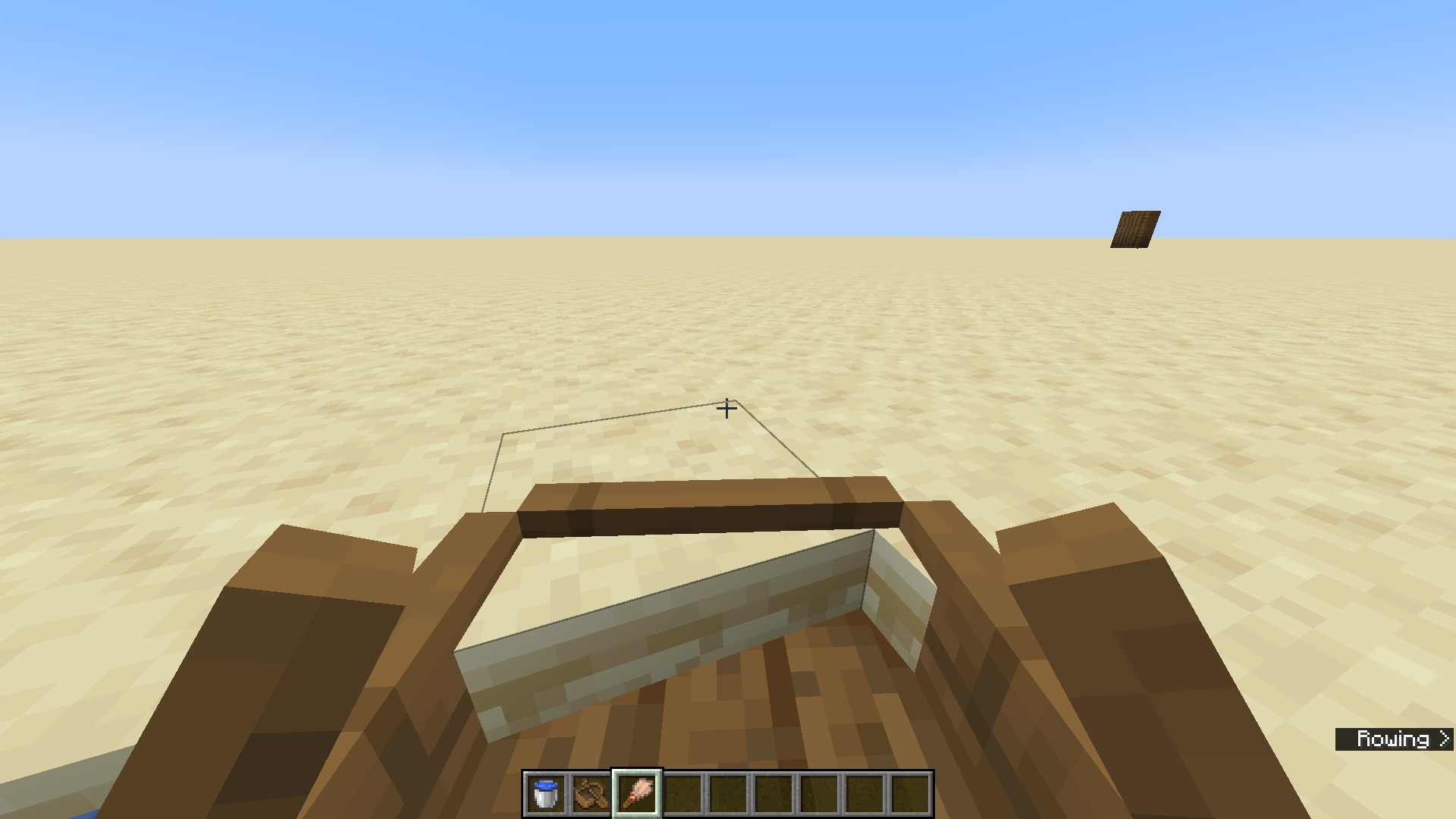












The Bug
When pressing the L key on the keyboard to open the Advancements window while in-game, the game pauses as expected and the advancements window shows, but the music continues playing. However, pressing the Esc key pauses the game and the music, and clicking on Advancements in the pause menu shows the advancements window while the game and music are paused.
Edit: This same issue occurs when flying with an elytra. When pressing the L key while flying with an elytra, the flying noise continuously plays while the advancements window is open. But it does not happen when pressing Esc and then Advancements.
How to Reproduce
- Wait for some music to play or run something like
/playsound minecraft:music.creative music @s ~ ~ ~ 999999.- Press the L key and note that while the game does pause, the music keeps playing.
- Press the Esc key and then the Advancements button, and note that the game pauses and the music does not play.
Expected Behaviour
Music should pause when pressing L to match the behaviour of when pressing Esc and then Advancements.
I just noticed this same issue occurs when flying with an elytra. When pressing the L key while flying with an elytra, the flying noise continuously plays while the advancements window is open. But it does not happen when pressing Esc and then Advancements.
The Bug
When pressing the L key on the keyboard to open the Advancements window while in-game, the game pauses as expected and the advancements window shows, but the music continues playing. However, pressing the Esc key pauses the game and the music, and clicking on Advancements in the pause menu shows the advancements window while the game and music are paused.
Edit: This same issue occurs when flying with an elytra. When pressing the L key while flying with an elytra, the flying noise continuously plays while the advancements window is open. But it does not happen when pressing Esc and then Advancements. This may be caused by the same base issue.
How to Reproduce
- Wait for some music to play or run something like
/playsound minecraft:music.creative music @s ~ ~ ~ 999999.- Press the L key and note that while the game does pause, the music keeps playing.
- Press the Esc key and then the Advancements button, and note that the game pauses and the music does not play.
Expected Behaviour
Music should pause when pressing L to match the behaviour of when pressing Esc and then Advancements.
The Bug
When pressing the L key on the keyboard to open the Advancements window while in-game, the game pauses as expected and the advancements window shows, but the music continues playing. However, pressing the Esc key pauses the game and the music, and clicking on Advancements in the pause menu shows the advancements window while the game and music are paused.
Edit: This same issue occurs when flying with an elytra. When pressing the L key while flying with an elytra, the flying noise continuously plays while the advancements window is open. But it does not happen when pressing Esc and then Advancements. This may be caused by the same base issue.
How to Reproduce
- Wait for some music to play or run something like
/playsound minecraft:music.creative music @s ~ ~ ~ 999999.- Press the L key and note that while the game does pause, the music keeps playing.
- Press the Esc key and then the Advancements button, and note that the game pauses and the music does not play.
Expected Behaviour
Music should pause when pressing L to match the behaviour of when pressing Esc and then Advancements.
The Bug
Note: L can also be any keybind that is set for your instance of Minecraft for opening the Advancements window. As L is the default key used, I am using it here for simplicity.
When pressing the L key on the keyboard to open the Advancements window while in-game, the game pauses as expected and the advancements window shows, but the music continues playing. However, pressing the Esc key pauses the game and the music, and clicking on Advancements in the pause menu shows the advancements window while the game and music are paused.
Edit: This same issue occurs when flying with an elytra. When pressing the L key while flying with an elytra, the flying noise continuously plays while the advancements window is open. But it does not happen when pressing Esc and then Advancements. This may be caused by the same base issue.
How to Reproduce
- Wait for some music to play or run something like
/playsound minecraft:music.creative music @s ~ ~ ~ 999999.- Press the L key and note that while the game does pause, the music keeps playing.
- Press the Esc key and then the Advancements button, and note that the game pauses and the music does not play.
Expected Behaviour
Music should pause when pressing L to match the behaviour of when pressing Esc and then Advancements.
The Bug
Note: L can also be any keybind that is set for your instance of Minecraft for opening the Advancements window. As L is the default key used, I am using it here for simplicity.
When pressing the L key on the keyboard to open the Advancements window while in-game, the game pauses as expected and the advancements window shows, but the music continues playing. However, pressing the Esc key pauses the game and the music, and clicking on Advancements in the pause menu shows the advancements window while the game and music are paused.
Edit: This same issue occurs when flying with an elytra. When pressing the L key while flying with an elytra, the flying noise continuously plays while the advancements window is open. But it does not happen when pressing Esc and then Advancements. This may be caused by the same base issue.
How to Reproduce
- Wait for some music to play or run something like
/playsound minecraft:music.creative music @s ~ ~ ~ 999999.- Press the L key and note that while the game does pause, the music keeps playing.
- Press the Esc key and then the Advancements button, and note that the game pauses and the music do
esnot play.Expected Behavio
urMusic
should pause when pressing Lto match the behaviour of when pressing Esc and then Advancements.The Bug
Note: L can also be any keybind that is set for your instance of Minecraft for opening the Advancements window. As L is the default key used, I am using it here for simplicity.
When pressing the L key on the keyboard to open the Advancements window while in-game, the game pauses as expected and the advancements window shows, but the music continues playing. However, pressing the Esc key pauses the game and the music, and clicking on Advancements in the pause menu shows the advancements window while the game and music are paused.
The same issue occurs when flying with an elytra. When pressing the L key while flying with an elytra, the flying noise continuously plays while the advancements window is open, even though the game is paused, but it does not happen when pressing Esc and then Advancements.
The video shown is recorded on 1.20.5 Release Candidate 2 launched from the official Minecraft Launcher. The same issue occurs on 1.20.4 as well. The video only shows the music issue, not the elytra flying issue, but it works in the same way; follow the instructions below to reproduce.
How to Reproduce
- Open/make a new world in singleplayer.
- Wait for some music to play or run something like
/playsound minecraft:music.creative music @s ~ ~ ~ 999999. For elytra, fly with an elytra and wait for the flying noise to play.- Press the L key to open the Advancements window and note that while the game does pause, the music keeps playing. For elytra, while flying, press the L key and note that the game pauses, but the elytra flying noise continuously plays on loop.
- Press the Esc key and then the Advancements button, and note that the game pauses and the music/elytra sounds do not play.
Expected Behavior
Music/elytra flying sounds should pause when opening the Advancement window in-game using the set keybind to match the behavior of when pressing Esc and then Advancements.
Pressing theLkeyto open Advancementsdoes not pauseanymusiccurrently playing, but pressing Esc and then Advancements doesOpening Advancements using the keybind in-game does not pause music or elytra flying sound
The Bug
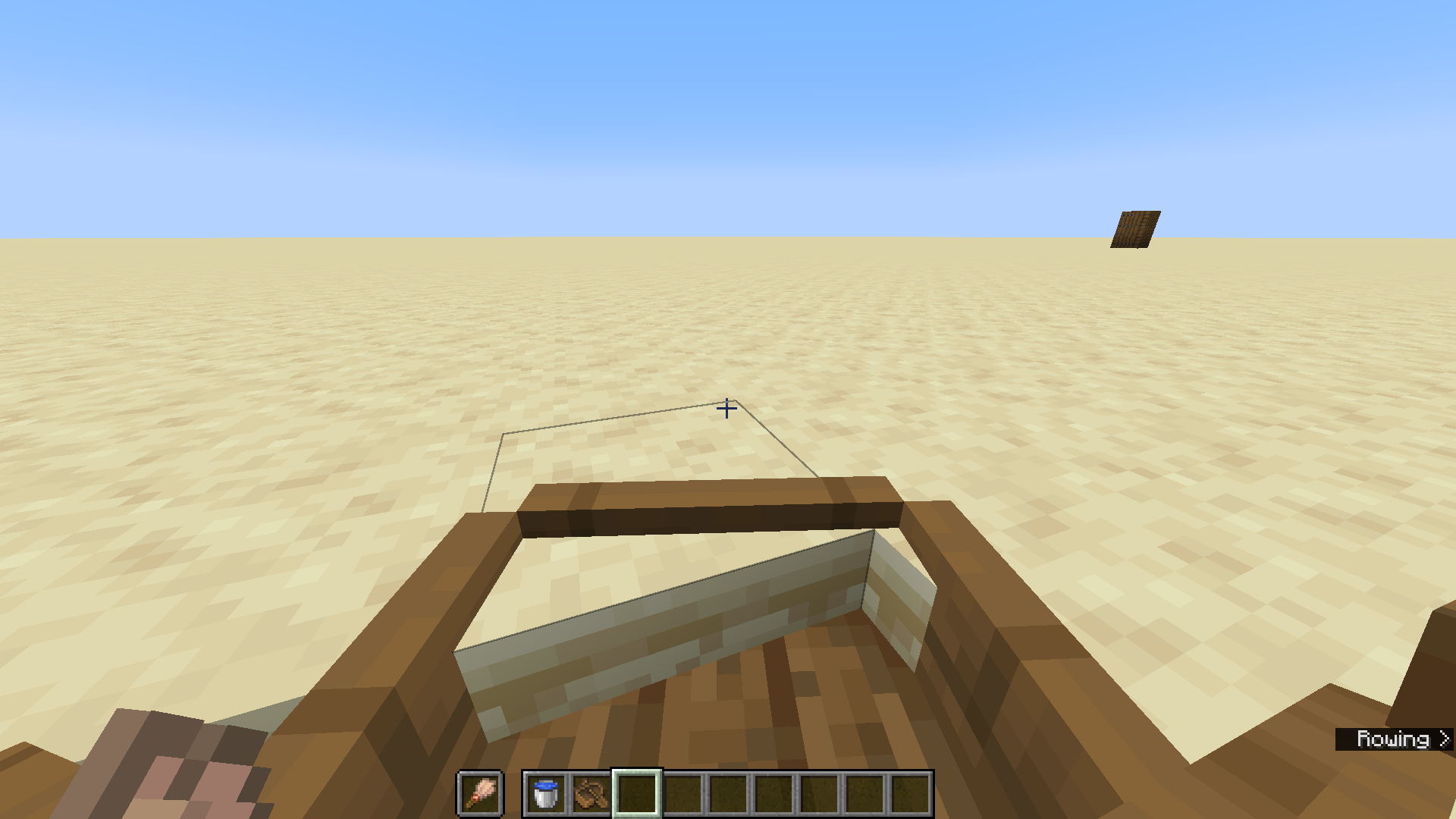
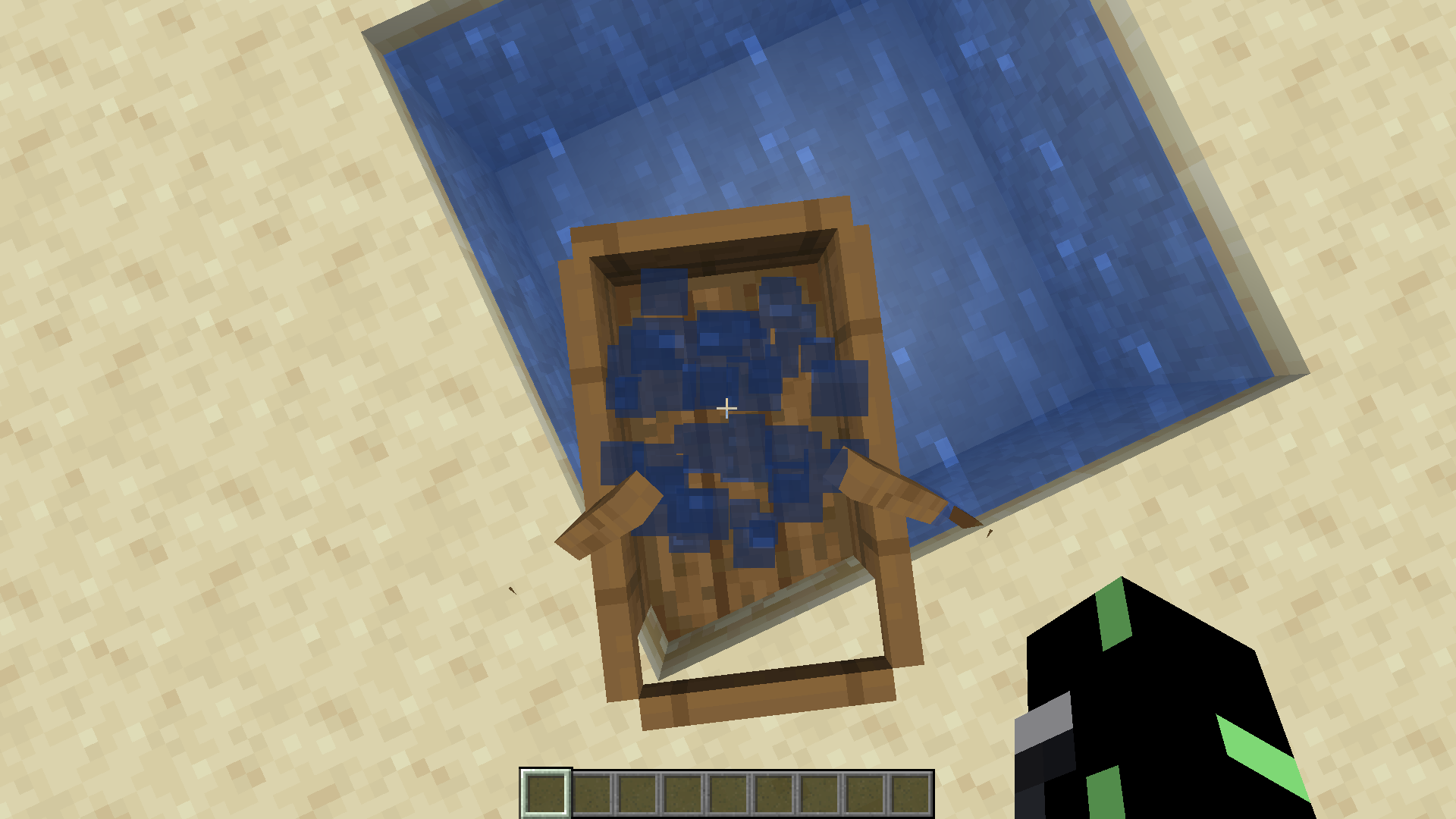
Sponges do not seem to absorb water that is stored in cauldrons. Even though there is no real reason for sponges to soak up water in cauldrons, it does cause some inconsistencies between water placed in the world and water stored in a cauldron. See my video attached.
How To Reproduce
- Make a small area (no larger than a 7x7 area) and fill it with water. Place some cauldrons inside the pool of water and fill them with water.
- Place a dry sponge in the water. Note how the water placed in the world is soaked up, but the water in the cauldrons remains in the cauldron, with no visible differences.
This can also be reproduced by simply filling a cauldron with water and placing it near a dry sponge on the same level. Even if the sponge is touching the cauldron, the water inside of it remains.
Expected Behavior
The water in the cauldron should disappear like with the water source to limit inconsistencies.
See my attached video for a visual example. MC-271199.mp4

Seems to be related to
MC-218888, but it was reported as 'Fixed'.
Yes, I see what you mean. I didn't look at it from that point of view. I apologize if this is an invalid report due to it being a feature request.
The Issue
Turtle eggs can be destroyed by armor stands, despite armor stands being a more decoration item instead of a 'mob' or player. However, not all entities destroy turtle eggs,
anexample of which is ashot arrow.
It would be expected that an armor stand would be incapable of destroying turtle eggs.How To Reproduce
- Place down some turtle eggs, and then place an armor stand on top of those eggs.
- Watch how the turtle eggs slowly break due to the armor stand being on top of them.
- Once the turtle eggs have been destroyed, pick up the armor stand and place down the turtle eggs again, and then shoot an arrow into them using a bow (being careful not to break the eggs yourself while shooting the arrow).
- Note how the eggs do not break with the arrow.
The Issue
Turtle eggs can be destroyed by armor stands, despite armor stands being a more decoration item instead of a 'mob' or player. However, not all entities destroy turtle eggs, examples of which include shot arrows, boats and minecarts.
Therefore, it would be expected that an armor stand would be incapable of destroying turtle eggs.
How To Reproduce
- Place down some turtle eggs, and then place an armor stand on top of those eggs.
- Watch how the turtle eggs slowly break due to the armor stand being on top of them.
- Once the turtle eggs have been destroyed, pick up the armor stand and place down the turtle eggs again, and then shoot an arrow into them using a bow (being careful not to break the eggs yourself while shooting the arrow).
- Note how the eggs do not break with the arrow.
- You can also try placing a boat/minecart over the turtle eggs and noting how they won't break the eggs either.
The Issue
Turtle eggs can be destroyed by armor stands, despite armor stands being a more decoration item instead of a 'mob' or player. However, not all entities destroy turtle eggs, examples of which include shot arrows, boats and minecarts.
Note that if the gamerule mobGriefing is set to false, it prevents this from happening.
Therefore, it would be expected that an armor stand would be incapable of destroying turtle eggs.
How To Reproduce
- Place down some turtle eggs, and then place an armor stand on top of those eggs.
- Watch how the turtle eggs slowly break due to the armor stand being on top of them.
- Once the turtle eggs have been destroyed, pick up the armor stand and place down the turtle eggs again, and then shoot an arrow into them using a bow (being careful not to break the eggs yourself while shooting the arrow).
- Note how the eggs do not break with the arrow.
- You can also try placing a boat/minecart over the turtle eggs and noting how they won't break the eggs either.
The
IssueTurtle
eggs can be destroyed byarmorstands, despitearmor standsbeing a more decoration item instead of a 'mob' or player. However, not all entities destroyturtleeggs, examples of which include shot arrows, boats and minecarts.Note that if the gamerule mobGriefing is set to false, it prevents this from happening.
Therefore, it would be expected that an
armorstand would be incapable of destroyingturtleeggs.How To Reproduce
- Place down some
turtleeggs, and then place anarmorstand on top of those eggs.- Watch how the turtle eggs slowly break due to the armor stand being on top of them.
- Once the turtle eggs have been destroyed, pick up the armor stand and place down the turtle eggs again, and then shoot an arrow into them using a bow (being careful not to break the eggs yourself while shooting the arrow).
- Note how the eggs do not break with the arrow.
- You can also try placing a boat/minecart over the turtle eggs and noting how they won't break the eggs either.
The Bug
Turtle Eggs can be destroyed by Armor Stands, despite them being a more decoration item instead of a 'mob' or player. However, not all entities destroy Turtle Eggs, examples of which include shot arrows, boats and minecarts.
Note that if the gamerule mobGriefing is set to false, it prevents this from happening.
Therefore, it would be expected that an Armor Stand would be incapable of destroying Turtle Eggs.
How To Reproduce
- Place down some Turtle Eggs, and then place an Armor Stand on top of those eggs.
Note how the Turtle Eggs slowly break due to the Armor Stand being on top of them.
Placing a Boat/Minecart over the Turtle Eggs don't break the eggs, nor do shot arrows, or any other non-living entity.
Turtle Eggs canbedestroyed by Armor StandsArmor Stands can destroy Turtle Eggs
The Bug
Turtle Eggs can be destroyed by Armor Stands, despite them being a more decoration item instead of a 'mob' or player. However, not all entities destroy Turtle Eggs, examples of which include shot arrows, boats and minecarts.
Note that if the gamerule mobGriefing is set to false, it prevents this from happening.
Therefore, it would be expected that an Armor Stand would be incapable of destroying Turtle Eggs.
HowTo Reproduce
- Place down some Turtle Eggs, and then place an Armor Stand on top of those eggs.
The Bug
Turtle Eggs can be destroyed by Armor Stands, despite them being a more decoration item instead of a 'mob' or player. However, not all entities destroy Turtle Eggs, examples of which include shot arrows, boats and minecarts.
Note that if the gamerule mobGriefing is set to false, it prevents this from happening.
Therefore, it would be expected that an Armor Stand would be incapable of destroying Turtle Eggs.
Steps To Reproduce
- Place down some Turtle Eggs, and then place an Armor Stand on top of those eggs.
The Bug
Turtle Eggs canbedestroyed by Armor Stands, despitethembeing a more decoration iteminstead ofa'mob' or player. However, not all entities destroyTurtleEggs, examples of which include shot arrows, boats and minecarts.Note that if the gamerule mobGriefing is set to false, it prevents this from happening.
Therefore, it would be expected that an Armor Stand would be incapable of destroying Turtle Eggs.
Steps To Reproduce
- Place down some Turtle Eggs, and then place an Armor Stand on top of those eggs.
The Bug
Armor stands can destroy turtle eggs, despite being a more decoration item than a "mob". However, not all entities destroy turtle eggs, examples of which include shot arrows, boats, and minecarts.
Note that if the gamerule mobGriefing is set to false, it prevents this from happening.
Steps To Reproduce
- Place down some turtle eggs, then place an armor stand on top of those eggs.
- Note how the turtle eggs slowly break due to the armor stand being on top.
Observed Results
The turtle eggs start to break.
Expected Results
Turtle eggs would not break when armor stands were on top of them.

The Bug
Ghasts are only affected by splash potions when it hits their lower half. Even if the potion hits the top half of their hitbox, it does not affect them and the potion splashes nonetheless.
How to Reproduce
- Summon a ghast with no AI using the command below.
/summon ghast ~ ~ ~ {NoAI:1b}
- Get any splash potion (preferably one like poison or harming so that it is easy to tell if the potion affects the ghast or not).
- Splash the potion on the bottom half of the ghast's hitbox (not the tentacles). Note how the potion affects the ghast.
- Splash the potion on the top half of the ghast's hitbox. Note how the potion does NOT affect the ghast.
Expected Result
Ghasts should be affected by potions no matter where on their hitbox the potion lands.
The Bug
Ghasts are only affected by splash potions when it hits their lower half. Even if the potion hits the top half of their hitbox, it does not affect them and the potion splashes nonetheless.
How to Reproduce
- Summon a ghast with no AI using the command below.
/summon ghast ~ ~ ~ {NoAI:1b}
- Get any splash potion (preferably one like poison or harming so that it is easy to tell if the potion affects the ghast or not).
- Splash the potion on the bottom half of the ghast's hitbox (not the tentacles). Note how the potion affects the ghast.
- Splash the potion on the top half of the ghast's hitbox. Note how the potion does NOT affect the ghast.
Expected Result
Ghasts should be affected by potions no matter where on their hitbox the potion lands.
The Bug
Ghasts are only affected by splash potions when it hits their lower half. Even if the potion hits the top half of their hitbox, it does not affect them and the potion splashes nonetheless.
How to Reproduce
- Summon a ghast with no AI using the command: /summon ghast ~ ~ ~ {NoAI:1b}
- Get any splash potion (preferably one like poison or harming so that it is easy to tell if the potion affects the ghast or not).
- Splash the potion on the bottom half of the ghast's hitbox (not the tentacles). Note how the potion affects the ghast.
- Splash the potion on the top half of the ghast's hitbox. Note how the potion does NOT affect the ghast.
Expected Result
Ghasts should be affected by potions no matter where on their hitbox the potion lands.
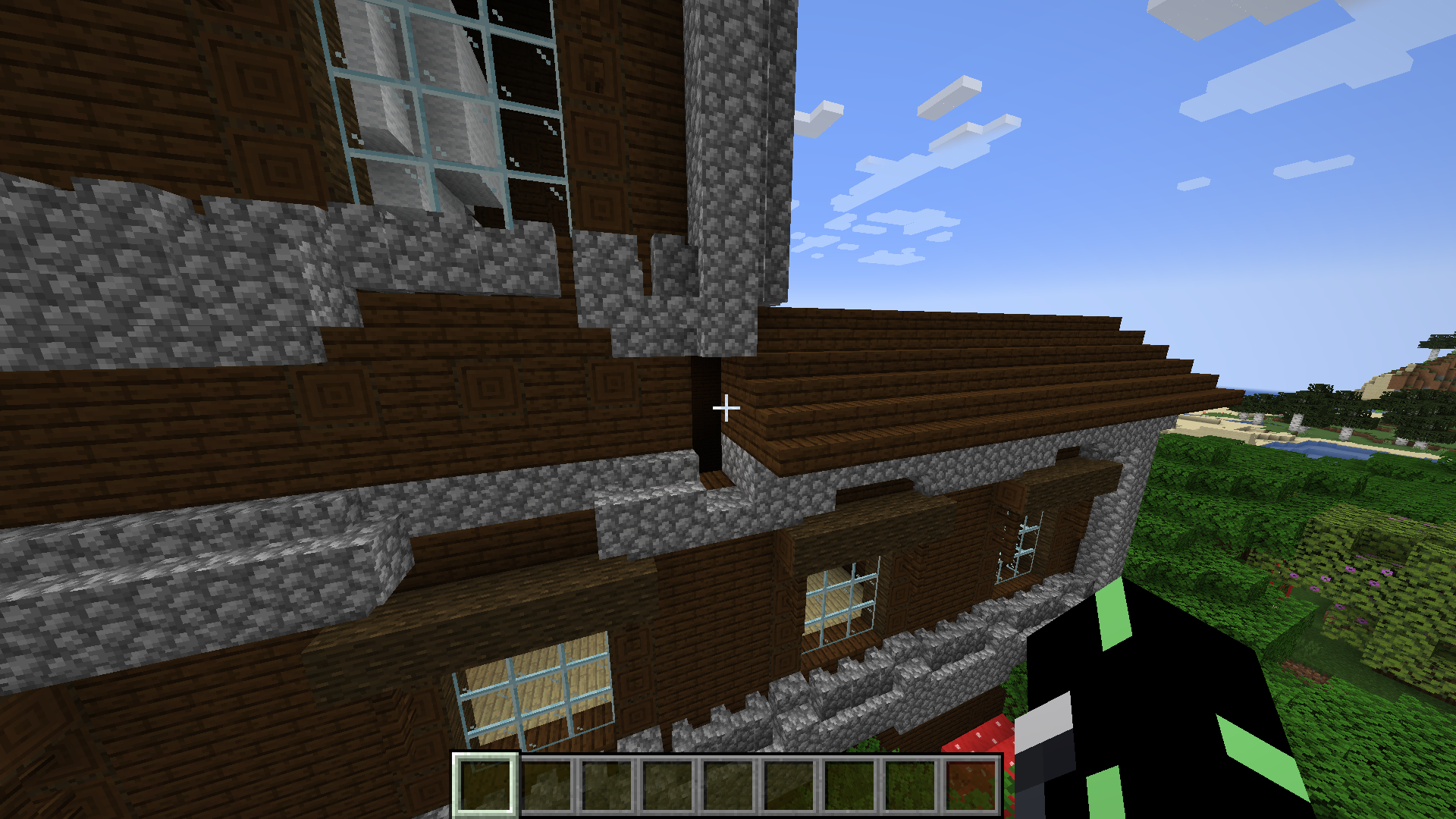
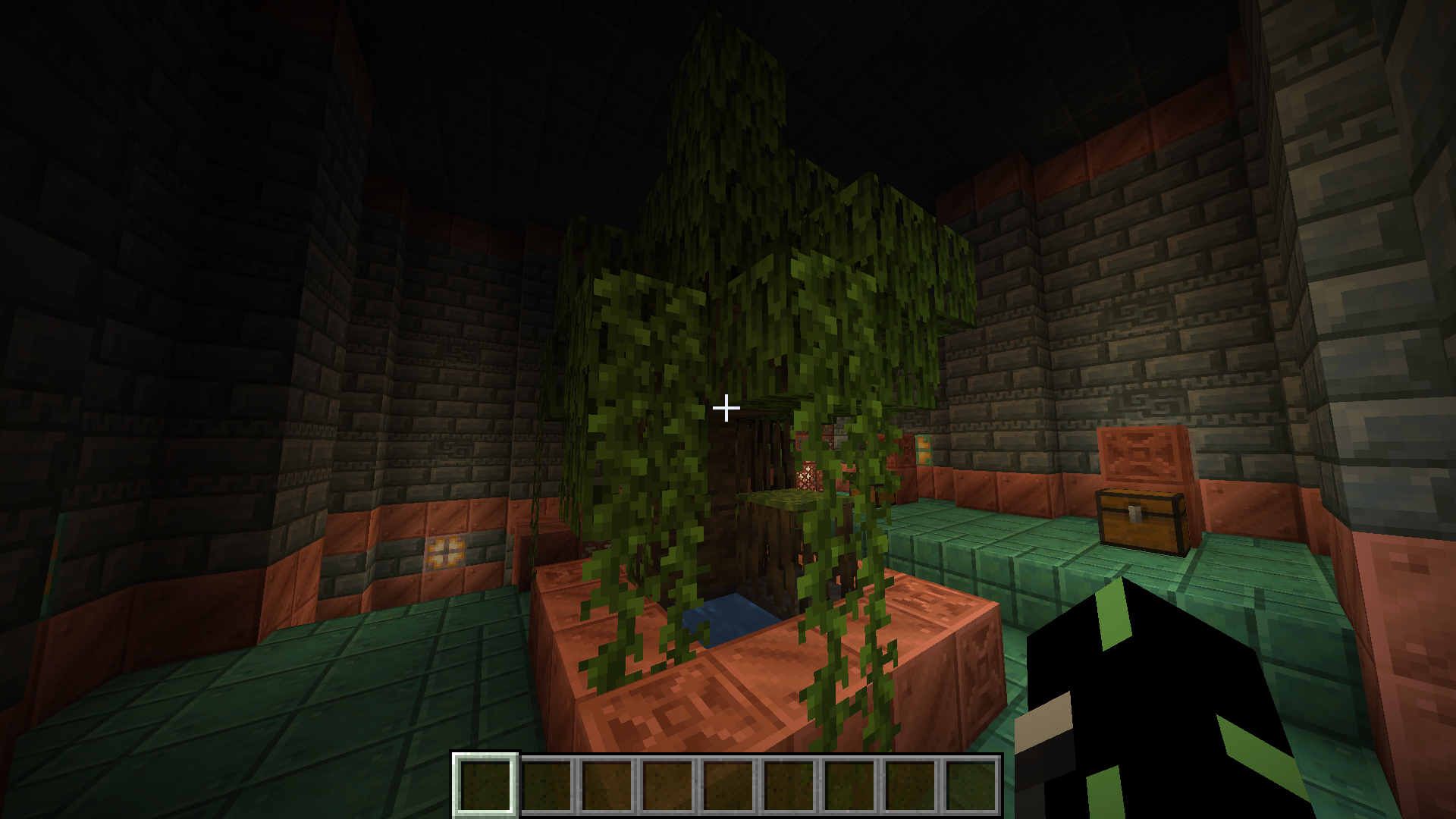
Woodland Mansion generating with holesWoodland Mansion generating with a small hole
The Bug
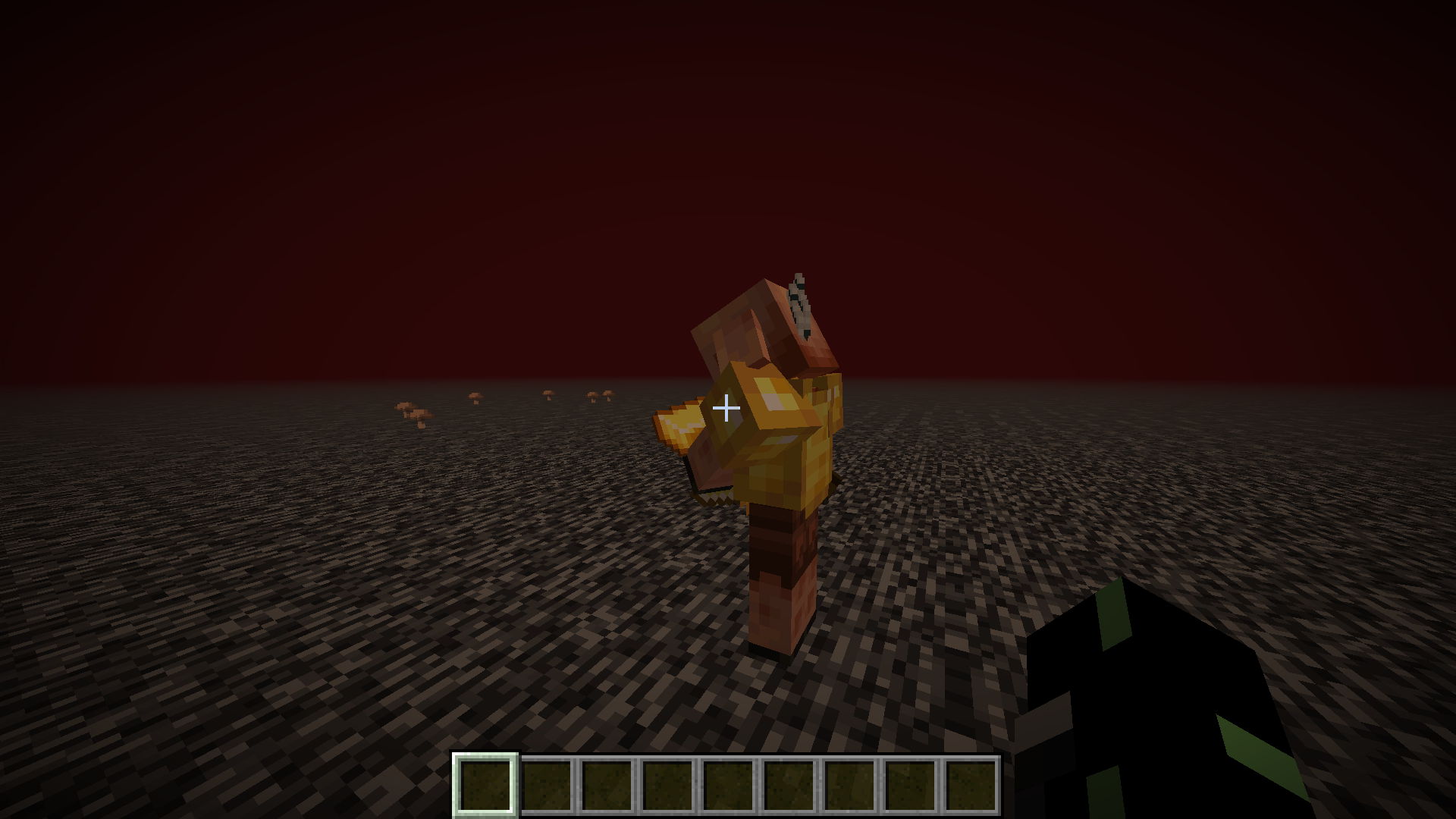
Piglins, when holding a gold ingot in their off-hand, will immediately drop a random item from the bartering loot table and not examine the gold ingot at all. This is unlike when it inspects the gold in its main hand for six seconds before trading a bartering item.
How to Reproduce
Go to the Nether, and run the command below to summon a piglin:
/summon minecraft:piglinOptionally, run the command below to see how the piglin instantly trades the bartering item in one tick:
/tick freeze
Now, run the following command to give the piglin a gold ingot in its off-hand: (Note: this applies to all piglins in your simulation distance)
/item replace entity @e[type=minecraft:piglin] weapon.offhand with minecraft:gold_ingot
If you ran the /tick freeze command earlier, run the command below to see how the piglin instantly trades the bartering item without examining the gold for the usual 6 seconds.
/tick step 1tNote how the piglin instantly trades the gold for a bartering item without examining it.
Expected Result
The piglin would inspect the gold for the usual six seconds before trading the bartering item, even if it is in the piglin's off-hand.
Piglin Insta-Trade.png
The Bug
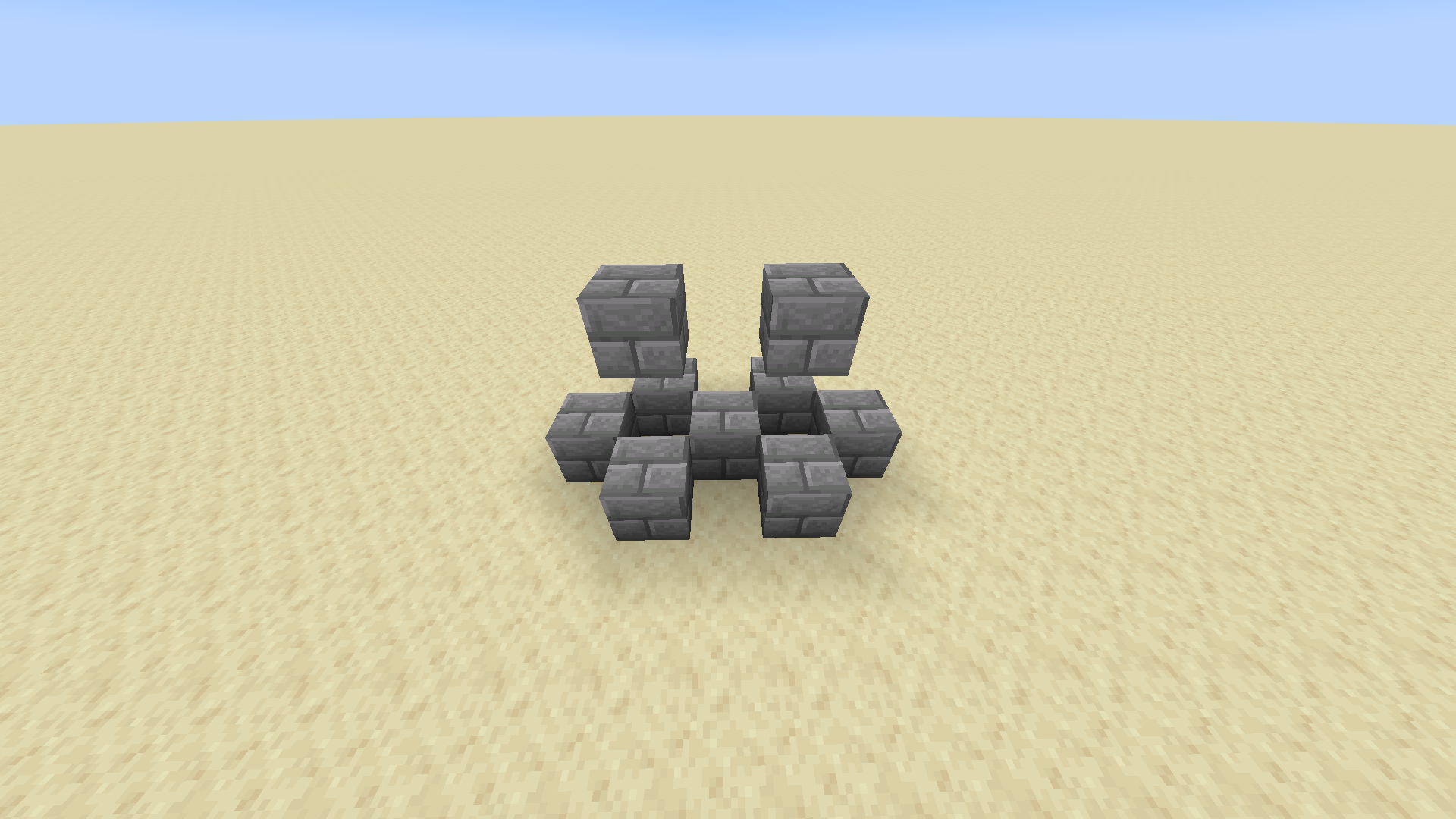
Bees spin when right on top of scaffolding. This usually happens when the bee cannot go anywhere but stay on top of the scaffolding.
See the video attached for a more detailed view.
How to Reproduce
See the image attached.
- Make a scaffolding pillar however long you like, and surround it with glass.
- Extend the glass pillars by two more blocks and then cover the top.
- Summon a bee inside the scaffolding using the /summon command or a spawn egg.
- Note how when the bee rises and lands on the scaffolding, it will spin. See the video attached.
The Bug
Bees spin when right on top of scaffolding. This usually happens when the bee cannot go anywhere but stay on top of the scaffolding.
See the video attached for a more detailed view.
How to Reproduce
See the image attached.
- Make a scaffolding pillar however long you like, and surround it with glass.
- Extend the glass pillars by two more blocks and then cover the top.
- Summon a bee inside the scaffolding using the /summon command or a spawn egg.
- Note how when the bee rises and lands on the scaffolding, it will spin. See the video attached. Note that it can take a few seconds for the bee to land on the scaffolding and start spinning.
The Bug
Bees spin when right on top of scaffolding. This usually happens when the bee cannot go anywhere but stay on top of the scaffolding.
See the video attached for a more detailed view.
How to Reproduce
See the image attached.
- Make a scaffolding pillar however long you like, and surround it with glass.
- Extend the glass pillars by two more blocks and then cover the top.
- Summon a bee inside the scaffolding using the /summon command or a spawn egg.
- Note how when the bee rises and lands on the scaffolding, it will spin. See the video attached.
Note that it can take a few seconds for the bee to land on the scaffolding and start spinning.The Bug
Bees spin when right on top of scaffolding. This usually happens when the bee cannot go anywhere but stay on top of the scaffolding.
See the video attached for a more detailed view.
How to Reproduce
See the image attached.
- Make a scaffolding pillar however long you like, and surround it with glass.
- Extend the glass pillars by two more blocks and then cover the top.
- Summon a bee inside the scaffolding using the /summon command or a spawn egg.
- Note how when the bee rises and lands on the scaffolding, it will spin. See the video attached. It can take a few seconds for the bee to land on the scaffolding and start spinning.
The Bug
Bees spin when right on top of scaffolding. This usually happens when the bee cannot go anywhere
butstay on top of the scaffolding.See the video attached for a more detailed view.
How to Reproduce
See the image attached.
- Make a scaffolding pillar however long you like, and surround it with glass.
- Extend the glass pillars by two more blocks and then cover the top.
- Summon a bee inside the scaffolding using the /summon command or a spawn egg.
- Note how when the bee rises and lands on the scaffolding, it will spin. See the video attached. It can take a few seconds for the bee to land on the scaffolding and start spinning.
The Bug
Bees spin when right on top of scaffolding. This usually happens when the bee cannot go anywhere and can only stay on top of the scaffolding.
See the video attached for a more detailed view.
How to Reproduce
See the image attached.
- Make a scaffolding pillar however long you like, and surround it with glass.
- Extend the glass pillars by two more blocks and then cover the top.
- Summon a bee inside the scaffolding using the /summon command or a spawn egg.
- Note how when the bee rises and lands on the scaffolding, it will spin. See the video attached. It can take a few seconds for the bee to land on the scaffolding and start spinning.
The Bug
Bees spin when right on top of scaffolding. This usually happens when the bee cannot go anywhere and can only stay on top of the scaffolding.
See the video attached for a more detailed view.
How to Reproduce
See the image attached.
- Make a scaffolding pillar however long you like, and surround it with glass.
- Extend the glass pillars by two more blocks and then cover the top.
- Summon a bee inside the scaffolding using the /summon command or a spawn egg.
- Note how when the bee rises and lands on the scaffolding, it will spin. See the video attached. It can take a few seconds for the bee to land on the scaffolding and start spinning.
The Bug
Bees spin when right on top of scaffolding. This usually happens when the bee cannot go anywhere and can only stay on top of the scaffolding.
See the video attached for a more detailed view.
How to Reproduce
See the image attached.
- Make a scaffolding pillar however long you like, and surround it with glass.
- Extend the glass pillars by two more blocks and then cover the top.
- Spawn a bee inside of the scaffolding.
- Note how when the bee rises and lands on the scaffolding, it will spin. See the video attached. Note that it can take a few seconds for the bee to land on the scaffolding and start spinning.
The Bug
Bees spin when right on top of scaffolding. This usually happens when the bee cannot go anywhere and can only stay on top of the scaffolding.
See the video attached for a more detailed view.
How to Reproduce
See the image attached.
- Make a scaffolding pillar however long you like, and surround it with glass.
- Extend the glass pillars by two more blocks and then cover the top.
- Spawn a bee inside of the scaffolding.
- Note how when the bee rises and lands on the scaffolding, it will spin.
See the video attached. Note that it can take a few seconds for the bee to land on the scaffolding and start spinning.
The Bug
Bees spin when right on top of scaffolding. This usually happens when the bee cannot go anywhere and can only stay on top of the scaffolding.
See the video attached for a more detailed view.
How to Reproduce
See the image attached.
- Make a scaffolding pillar however
longyou like, and surround it with glass.- Extend the glass pillars by two more blocks and then cover the top.
- Spawn a bee inside of the scaffolding.
- Note how when the bee rises and lands on the scaffolding, it will spin.
The Bug
Bees spin when right on top of scaffolding. This usually happens when the bee cannot go anywhere and can only stay on top of the scaffolding.
See the video attached for a more detailed view.
How to Reproduce
See the image attached.
- Make a scaffolding pillar however tall you like, and surround it with glass.
- Extend the glass pillars by two more blocks and then cover the top.
- Spawn a bee inside of the scaffolding.
- Note how when the bee rises and lands on the scaffolding, it will spin.
The Bug
Bees spin when right on top of scaffolding. This usually happens when the bee cannot go anywhere and can only stay on top of the scaffolding.
See the video attached for a more detailed view.
How to Reproduce
See the image attached.
- Make a scaffolding pillar however tall you like, and surround it with glass.
- Extend the glass pillars by two more blocks and then cover the top.
- Spawn a bee inside of the scaffolding.
- Note how when the bee rises and lands on the scaffolding, it will spin.
The Bug
Bees spin when right on top of scaffolding. This usually happens when the bee cannot go anywhere and can only stay on top of the scaffolding.
How to Reproduce
See the image and video attached.
- Make a scaffolding pillar however tall you like, and surround it with glass.
- Extend the glass pillars by two more blocks and then cover the top.
- Spawn a bee inside of the scaffolding.
The Bug
Bees spin when right on top of scaffolding. This usually happens when the bee cannot go anywhere and can only stay on
top ofthe scaffolding.How to Reproduce
See the image and video attached.
- Make a scaffolding pillar however tall you like, and surround it with glass.
- Extend the glass pillars by two more blocks and then cover the top.
- Spawn a bee inside of the scaffolding.
The Bug
Bees spin when right on top of scaffolding. This usually happens when the bee cannot go anywhere and can only stay on the scaffolding.
How to Reproduce
See the image and video attached.
- Make a scaffolding pillar however tall you like, and surround it with glass.
- Extend the glass pillars by two more blocks and then cover the top.
- Spawn a bee inside of the scaffolding.
Observed Results
The bee will spin when it lands on the scaffolding.
Expected Results
The bee should not spin while on top of scaffolding.
The Bug
Bees spin when right on top of scaffolding. This usually happens when the bee cannot go anywhere and can only stay on the scaffolding.
Howto ReproduceSee the image and video attached.
- Make a scaffolding pillar however tall you like, and surround it with glass.
- Extend the glass pillars by two more blocks and then cover the top.
- Spawn a bee inside of the scaffolding.
Observed Results
The bee will spin when it lands on the scaffolding.
Expected Results
The bee should not spin while on top of scaffolding.
The Bug
Bees spin when right on top of scaffolding. This usually happens when the bee cannot go anywhere and can only stay on the scaffolding.
Steps to Reproduce
See the image and video attached.
- Make a scaffolding pillar however tall you like, and surround it with glass.
- Extend the glass pillars by two more blocks and then cover the top.
- Spawn a bee inside of the scaffolding.
Observed Results
The bee will spin when it lands on the scaffolding.
Expected Results
The bee should not spin while on top of scaffolding.
The Bug
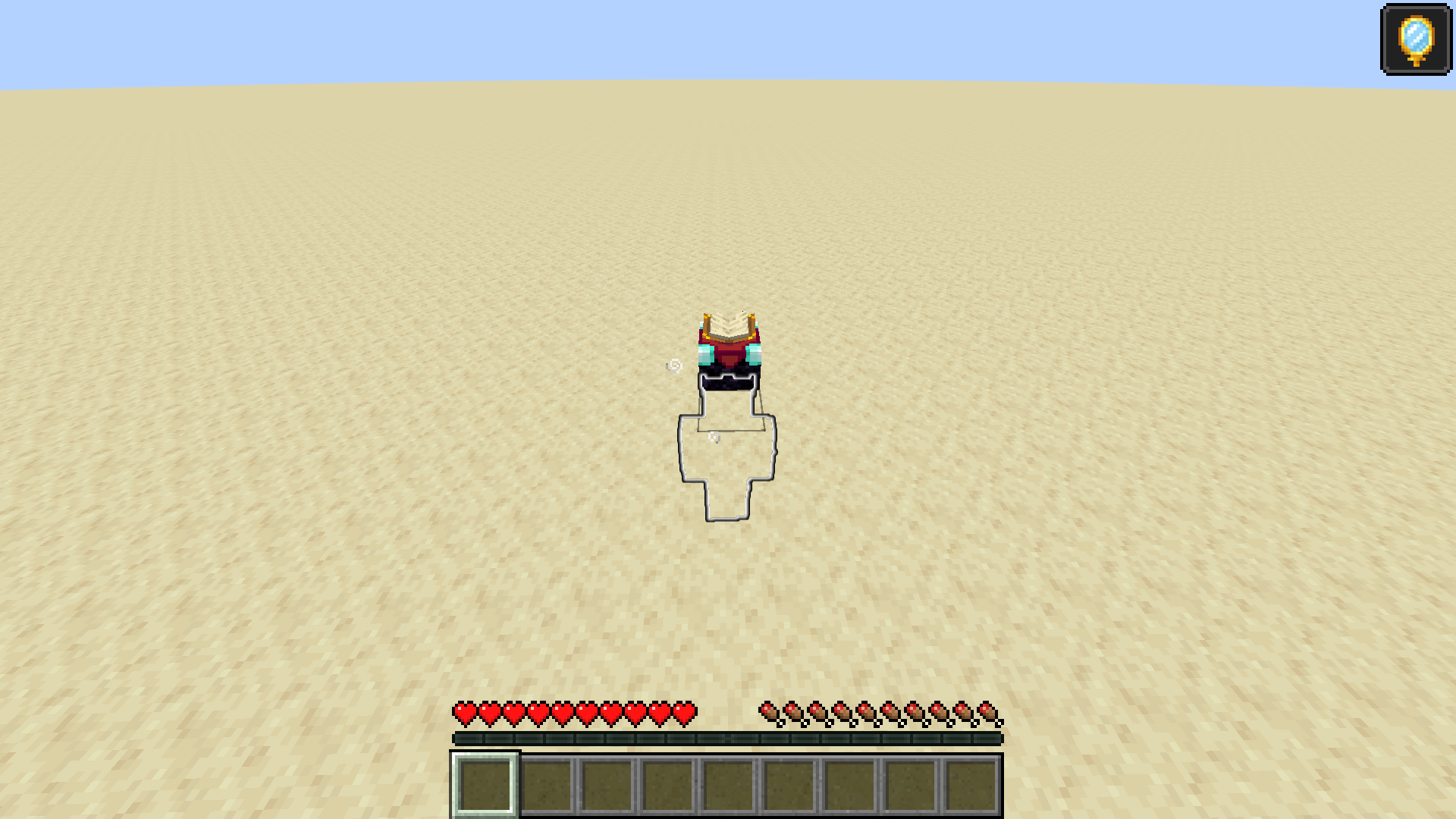
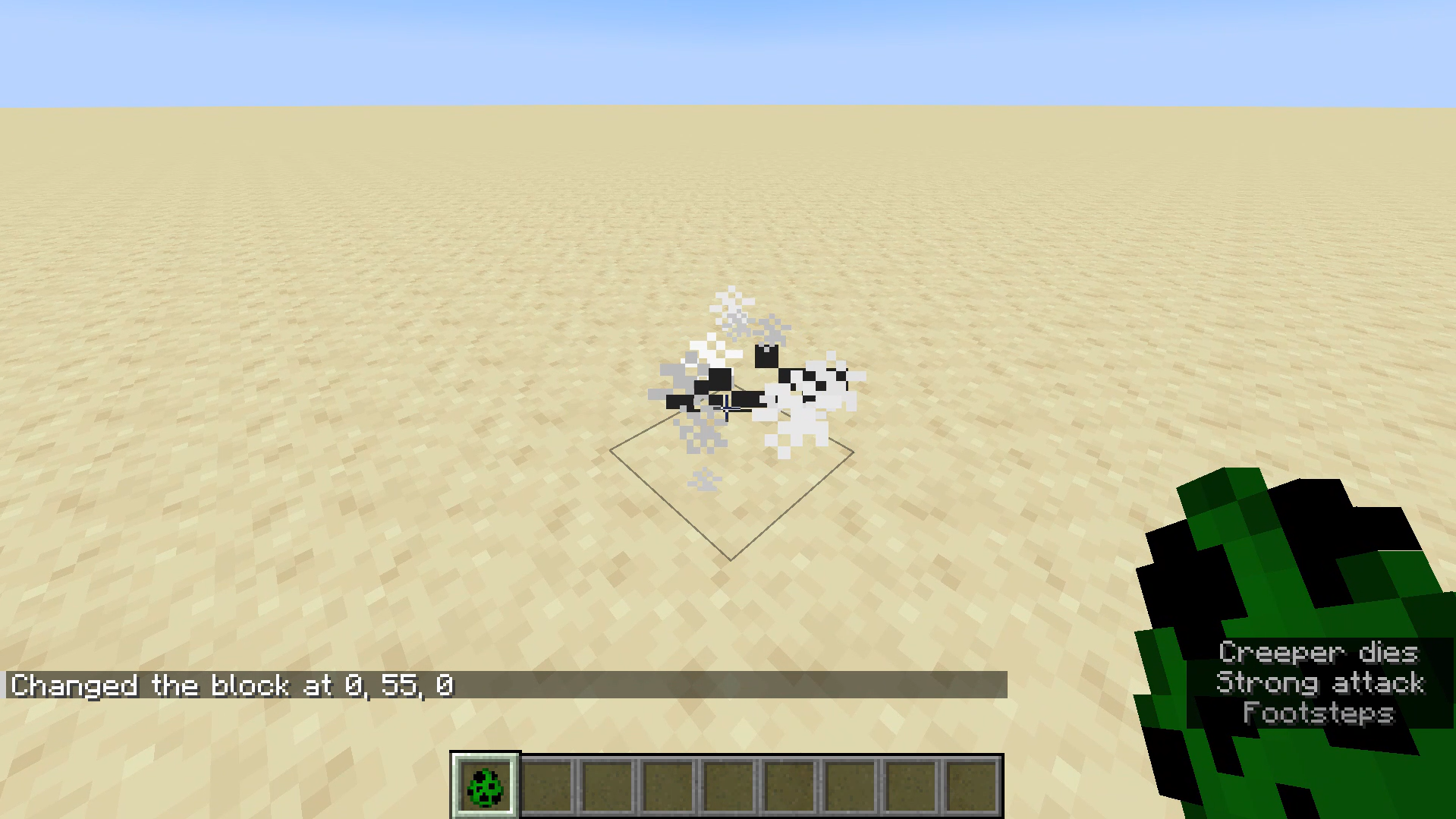
The death particles that emit from a mob once its 'corpse' disappears can sometimes be black inside of white when inside of a block, like suffocating mobs. See the image attached for a visual example.
It would be expected that the particles would either be white or not show at all if inside a block.
How to Reproduce
Note: In my testing sometimes the corpse would escape the block and display normal white particles. Keep trying this method until you get the black particles to show, as shown in the video.
- Dig one block down and inside that hole and spawn a mob (preferably a two-block tall mob such as a creeper).
- Run the command /setblock ~ ~ ~ minecraft:stone.
Kill the mob while it is inthe block. Note how some particles emitted are black.The Bug
The death particles that emit from a mob once its 'corpse' disappears can sometimes be black inside of white when inside of a block, like suffocating mobs. See the image attached for a visual example.
It would be expected that the particles would either be white or not show at all if inside a block.
How to Reproduce
Note: In my testing sometimes the corpse would escape the block and display normal white particles. Keep trying this method until you get the black particles to show, as shown in the video.
- Dig one block down and inside that hole and spawn a mob (preferably a two-block tall mob such as a creeper).
- Run the command /setblock ~ ~ ~ minecraft:stone.
- Optionally run /effect give @s minecraft:strength
- Kill the mob while it is in the block. Note how some particles emitted are black.
The Bug
The death particles that emit from a mob once its 'corpse' disappears can sometimes be black inside of white when inside of a block, like suffocating mobs. See the image attached for a visual example.
It would be expected that the particles would either be white or not show at all if inside a block.
How to Reproduce
Note: In my testing sometimes the corpse would escape the block and display normal white particles. Keep trying this method until you get the black particles to show, as shown in the video.
- Dig one block down and inside that hole and spawn a mob (preferably a two-block tall mob such as a creeper).
- Run the command /setblock ~ ~ ~ minecraft:stone.
- Optionally run /effect give @s minecraft:strength
- Kill the mob while it is in the block. Note how some particles emitted are black.
The Bug
The death particles that emit from a mob once its 'corpse' disappears can sometimes be black inside of white when inside of a block, like suffocating mobs. See the image attached for a visual example.
It would be expected that the particles would either be white or not show at all if inside a block.
How to Reproduce
Note: In my testing sometimes the corpse would escape the block and display normal white particles. Keep trying this method until you get the black particles to show, as shown in the video.
- Dig one block down and inside that hole and spawn a mob (preferably a two-block tall mob such as a creeper).
- Run the command /setblock ~ ~ ~ minecraft:stone.
- Optionally run /effect give @s minecraft:strength 30 9 true to quickly kill the mob.
- Kill the mob while it is in the block. Note how some particles emitted are black.
The Bug
The death particles that emit from a mob once its 'corpse' disappears can sometimes be black inside of white when inside of a block, like suffocating mobs. See the image attached for a visual example.
It would be expected that the particles would either be white or not show at all if inside a block.
How to Reproduce
Note: In my testing sometimes the corpse would escape the block and display normal white particles. Keep trying this method until you get the black particles to show, as shown in the video.
- Dig one block down and inside that hole and spawn a mob (preferably a two-block tall mob such as a creeper).
- Run the command /setblock ~ ~ ~ minecraft:stone.
- Optionally run /effect give @s minecraft:strength 30 9 true to quickly kill the mob.
- Kill the mob while it is in the block. Note how some particles emitted are black.
The Bug
The death particles that emit from a mob once its 'corpse' disappears can sometimes be black inside of white when inside of a block, like suffocating mobs. See the image attached for a visual example.
It would be expected that the particles would either be white or not show at all if inside a block.
How to Reproduce
Note: In my testing sometimes the corpse would escape the block and display normal white particles. Keep trying this method until you get the black particles to show, as shown in the video.
Dig one block down and inside that hole and spawn a mob (preferably a two-block tall mob such as a creeper).
Run the command below to place a block in the mob (or use anyblock, just make sure it is a full non-transparent block):
/setblock ~ ~ ~ minecraft:stone
Optional: Run the command below to quickly kill the mob:
/effect give @s minecraft:strength 30 9 trueKill the mob while it is in the block. Note how some particles emitted are black due to them originating in the solid block.
The Bug
The death particles that emit from a mob once its 'corpse' disappears can sometimes be black inside of white when inside of a block, like suffocating mobs. See the image attached for a visual example.
It would be expected that the particles would either be white or not show at all if inside a block.
How to Reproduce
Note: In my testing sometimes the corpse would escape the block and display normal white particles. Keep trying this method until you get the black particles to show, as shown in the video.
Dig one block down and inside that hole and spawn a mob (preferably a two-block tall mob such as a creeper).
Run the command below to place a block in the mob (or use anyblock, just make sure it is a full non-transparent block):
/setblock ~ ~ ~ minecraft:stone
Optional: Run the command below to quickly kill the mob:
/effect give @s minecraft:strength 30 9 trueKill the mob while it is in the block. Note how some particles emitted are black due to them originating in the solid block.
The Bug
The death particles that emit from a mob once its 'corpse' disappears can sometimes be black inside of white when inside of a block, like suffocating mobs. See the image attached for a visual example.
It would be expected that the particles would either be white or not show at all if inside a block.
How to Reproduce
Note: In my testing sometimes the corpse would escape the block and display normal white particles. Keep trying this method until you get the black particles to show, as shown in the video.
Dig one block down and inside that hole and spawn a mob (preferably a two-block tall mob such as a creeper).
Run the command below to place a block in the mob (or use any block, just make sure it is a full non-transparent block):
/setblock ~ ~ ~ minecraft:stoneOptional: Run the command below to quickly kill the mob:
/effect give @s minecraft:strength 30 9 trueKill the mob while it is in the block. Note how some particles emitted are black due to them originating in the solid block.
The Bug
The death particles that emit from a mob once its 'corpse' disappears can sometimes be black inside of white when inside of a block
,like suffocating mobs. See the image attached for a visual example.It would be expected that the particles would either be white or not show at all if inside a block.
How to Reproduce
Note: In my testing sometimes the corpse would escape the block and display normal white particles. Keep trying this method until you get the black particles to show, as shown in the video.
Dig one block down and inside that hole and spawn a mob (preferably a two-block tall mob such as a creeper).
Run the command below to place a block in the mob (or use any block, just make sure it is a full non-transparent block):
/setblock ~ ~ ~ minecraft:stoneOptional: Run the command below to quickly kill the mob:
/effect give @s minecraft:strength 30 9 trueKill the mob while it is in the block. Note how some particles emitted are black due to t
hemoriginating in the solid block.The Bug
The death particles that emit from a mob once its 'corpse' disappears can sometimes be black inside of white when inside of a block (like suffocating mobs). See the image attached for a visual example.
It would be expected that the particles would either be white or not show at all if inside a block.
How to Reproduce
Note: In my testing sometimes the corpse would escape the block and display normal white particles. Keep trying this method until you get the black particles to show, as shown in the video.
Dig one block down and inside that hole and spawn a mob (preferably a two-block tall mob such as a creeper).
Run the command below to place a block in the mob (or use any block, just make sure it is a full non-transparent block):
/setblock ~ ~ ~ minecraft:stoneOptionally run the command below to quickly kill the mob:
/effect give @s minecraft:strength 30 9 trueKill the mob while it is in the block. Note how some particles emitted are black due to it originating in the solid block.
The Bug
The death particles that emit from a mob once its 'corpse' disappears can sometimes be black inside of white when inside of a block (like suffocating mobs). See the image attached for a visual example.
It would be expected that the particles would either be white or not show at all if inside a block.
How to Reproduce
Note: In my testing sometimes the corpse would escape the block and display normal white particles. Keep trying this method until you get the black particles to show, as shown in the video.
Dig one block down and inside that hole and spawn a mob (preferably a two-block tall mob such as a creeper).
Run the command below to place a block in the mob (or use any block, just make sure it is a full non-transparent block):
/setblock ~ ~ ~ minecraft:stoneOptionally run the command below to quickly kill the mob:
/effect give @s minecraft:strength 30 9 trueKill the mob while it is in the block. Note how some particles emitted are black due to
it originating in the solid block.The Bug
The death particles that emit from a mob once its 'corpse' disappears can sometimes be black inside of white when inside of a block (like suffocating mobs). See the image attached for a visual example.
It would be expected that the particles would either be white or not show at all if inside a block.
How to Reproduce
Note: In my testing sometimes the corpse would escape the block and display normal white particles. Keep trying this method until you get the black particles to show, as shown in the video.
Dig one block down and inside that hole and spawn a mob (preferably a two-block tall mob such as a creeper).
Run the command below to place a block in the mob (or use any block, just make sure it is a full non-transparent block):
/setblock ~ ~ ~ minecraft:stoneOptionally run the command below to quickly kill the mob:
/effect give @s minecraft:strength 30 9 trueKill the mob while it is in the block. Note how some particles emitted are black due to them originating in the solid block.
The Bug
The death particles that emit from a mob once its 'corpse' disappears can sometimes be black ins
ideof white when inside of a block (like suffocating mobs). See the image attached for a visual example.It would be expected that the particles would either be white or not show at all if inside a block.
How to Reproduce
Note: In my testing sometimes the corpse would escape the block and display normal white particles. Keep trying this method until you get the black particles to show, as shown in the video.
Dig one block down and inside that hole and spawn a mob (preferably a two-block tall mob such as a creeper).
Run the command below to place a block in the mob (or use any block, just make sure it is a full non-transparent block):
/setblock ~ ~ ~ minecraft:stoneOptionally run the command below to quickly kill the mob:
/effect give @s minecraft:strength 30 9 trueKill the mob while it is in the block. Note how some particles emitted are black due to them originating in the solid block.
The Bug
The death particles that emit from a mob once its 'corpse' disappears can sometimes be black instead of white when inside of a block (like suffocating mobs). See the image attached for a visual example.
It would be expected that the particles would either be white or not show at all if inside a block.
How to Reproduce
Note: In my testing sometimes the corpse would escape the block and display normal white particles. Keep trying this method until you get the black particles to show, as shown in the video.
Dig one block down and inside that hole and spawn a mob (preferably a two-block tall mob such as a creeper).
Run the command below to place a block in the mob (or use any block, just make sure it is a full non-transparent block):
/setblock ~ ~ ~ minecraft:stoneOptionally run the command below to quickly kill the mob:
/effect give @s minecraft:strength 30 9 trueKill the mob while it is in the block. Note how some particles emitted are black due to them originating in the solid block.
The Bug
The death particles that emit from a mob once its 'corpse' disappears can sometimes be black instead of white when inside of a block (like suffocating mobs). See the image attached for a visual example.
It would be expected that the particles would either be white or not show at all if inside a block.
How to Reproduce
Note: In my testing sometimes the corpse would escape the block and display normal white particles. Keep trying this method until you get the black particles to show, as shown in the video.
Dig one block down and inside that hole and spawn a mob (preferably a two-block tall mob such as a creeper).
Run the command below to place a block in the mob (or use any block, just make sure it is a full non-transparent block):
/setblock ~ ~ ~ minecraft:stoneOptionally run the command below to quickly kill the mob:
/effect give @s minecraft:strength 30 9 trueKill the mob while it is in the block. Note how some particles emitted are black due to them originating in the solid block.
The Bug
The death particles that emit from a mob once its 'corpse' disappears can sometimes be black instead of white when inside of a block (like suffocating mobs). See the image attached for a visual example.
It would be expected that the particles would either be white or not show at all if inside a block.
How to Reproduce
Note: In my testing sometimes the corpse would escape the block and display normal white particles. Keep trying this method until you get the black particles to show, as shown in the video.
Dig one block down and inside that hole and spawn a mob (preferably a two-block tall mob such as a creeper).
Run the command below to place a block in the mob (or use any block, just make sure it is a full non-transparent block):
/setblock ~ ~ ~ minecraft:stoneOptionally run the command below to quickly kill the mob:
/effect give @s minecraft:strength 30 9 trueKill the mob while it is in the block. Note how some particles emitted are black due to them originating in the solid block.
The Bug
The death particles that emit from a mob once its 'corpse' disappears can sometimes be black instead of white when inside of a block (like suffocating mobs). See the image attached for a visual example.
It would be expected that the particles would either be white or not show at all if inside a block.
How to Reproduce
Note: In my testing sometimes the corpse would escape the block and display normal white particles. Keep trying this method until you get the black particles to show, as shown in the video.
Dig one block down and inside that hole and spawn a mob (preferably a two-block tall mob such as a creeper).
Run the command below to place a block in the mob (or use any block, just make sure it is a full non-transparent block):
/setblock ~ ~ ~ minecraft:stoneOptionally run the command below to quickly kill the mob:
/effect give @s minecraft:strength 30 9 trueKill the mob while it is in the block.
Additional Notes
Could be Works As Intended or Won't Fix, due to the age of this bug. From what I can tell, it has existed for probably as long as death particles were a thing.
The Bug
The death particles that emit from a mob once its 'corpse' disappears can sometimes be black instead of white when inside of a block (like suffocating mobs). See the image attached for a visual example.
It would be expected that the particles would either be white or not show at all if inside a block.
How to Reproduce
Note: In my testing sometimes the corpse would escape the block and display normal white particles. Keep trying this method until you get the black particles to show, as shown in the video.
Dig one block down and inside that hole and spawn a mob (preferably a two-block tall mob such as a creeper).Run the command below to place a block in the mob (or use any block, just make sure it is a full non-transparent block):
/setblock ~ ~ ~ minecraft:stoneOptionally run the command below to quickly kill the mob:
/effect give @s minecraft:strength 30 9 trueKill the mob while it is in the block.
Additional Notes
Could be Works As Intended or Won't Fix, due to the age of this bug. From what I can tell, it has existed for probably as long as death particles were a thing.
The Bug
The death particles that emit from a mob once its 'corpse' disappears can sometimes be black instead of white when inside of a block (like suffocating mobs). See the image attached for a visual example.
How to Reproduce
Dig one block down and inside that hole and spawn a mob (preferably a two-block tall mob such as a creeper).
Run the command below to place a block in the mob (or use any block, just make sure it is a full non-transparent block):
/setblock ~ ~ ~ minecraft:stoneOptionally run the command below to quickly kill the mob:
/effect give @s minecraft:strength 30 9 trueKill the mob while it is in the block.
Additional Notes
This is likely Won't Fix, due to the age of this bug.
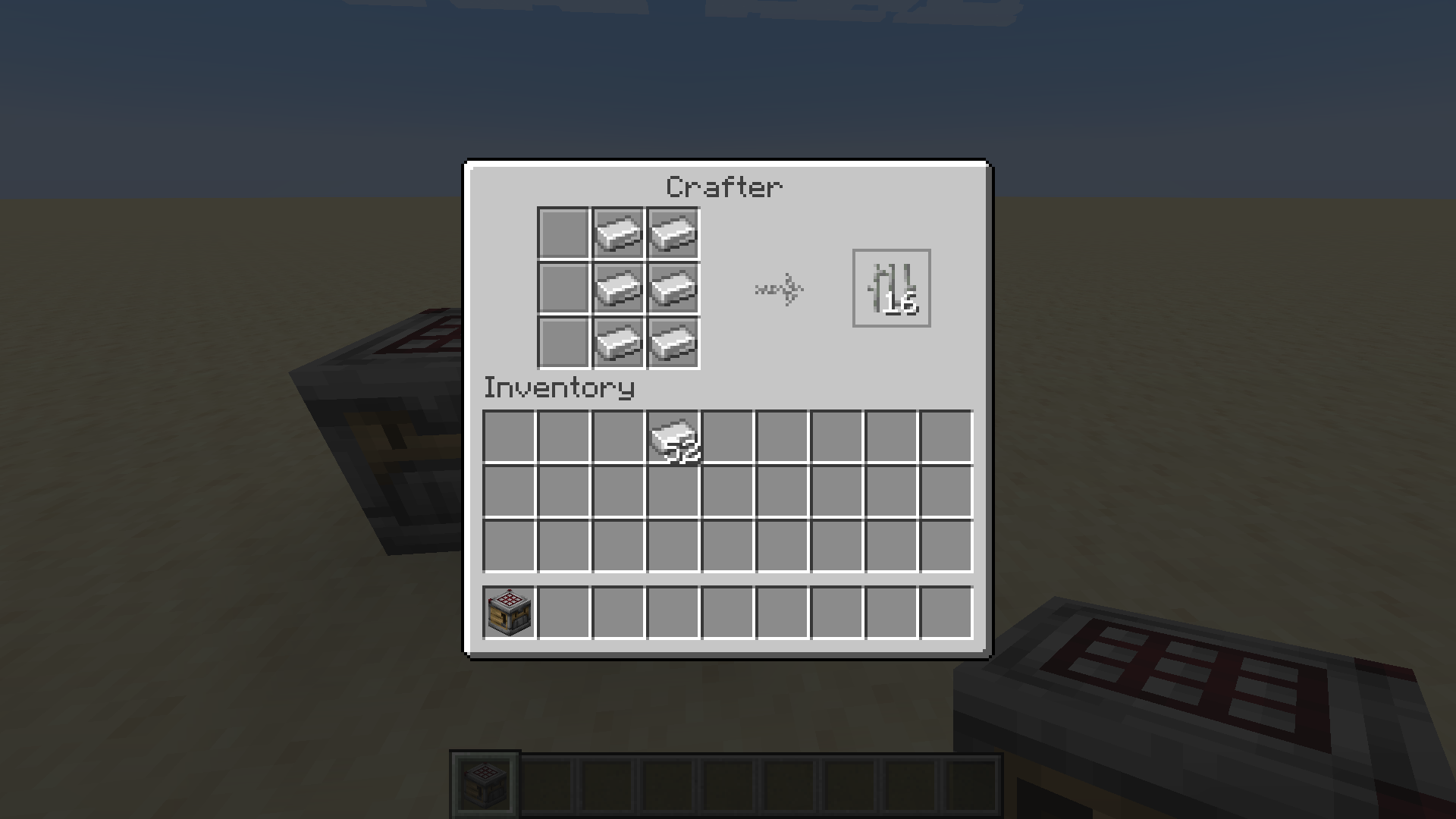
Important note, based on my testing, this duplication glitch only occurs if you don't shift-click the output.
Not all recipes are affected, an example of which is crafting a mineral block.
Also, it seems random what items are used in crafting and what are not.
Also, when crafting a door (of any type), it seems to remove the top four items but keep the bottom two.

The Bug
Witches are given the Glowing effect even when not participating in a raid. Since witches can spawn as a hostile mob in dark areas such as caves and at nighttime, if the player rings a bell and a naturally-spawning witch is nearby, it will get illuminated by the Glowing effect.
It would be expected that only witches who participate in raids are given the Glowing effect, and other witches would be ignored.
How to Reproduce
- Place down a bell, and summon a witch near the bell (within 32 blocks of it) using the /summon command or a spawn egg.
- Ring the bell.
- Note how the witch gets the Glowing effect even though it did not spawn as part of a raid.
The Bug
Witches are given the Glowing effect even when not participating in a raid. Since witches can spawn as a hostile mob in dark areas such as caves and at nighttime, if the player rings a bell and a naturally-spawning witch is nearby, it will get illuminated by the Glowing effect.
It would be expected that only witches who participate in raids are given the Glowing effect, and other witches would be ignored.
How to Reproduce
- Place down a bell, and summon a witch near the bell (within 32 blocks of it) using the /summon command or a spawn egg.
- Ring the bell while the witch is near it.
- Note how the witch gets the Glowing effect even though it did not spawn as part of a raid.
The Bug
Witches are given the Glowing effect even when not participating ina raid. Since witches can spawn as a hostile mob in dark areas such as caves and at nighttime, if the player rings a bell and anaturally-spawning witchis nearby, it will get illuminated by the Glowing effect.It would be expected that only
witches whoparticipate in raids are given the Glowing effect, and otherwitches would be ignored.How to Reproduce
- Place down a bell, and summon a witch near the bell (within 32 blocks of it) using the /summon command or a spawn egg.
- Ring the bell while the
witchis near it.- Note how the
witchgets the Glowing effect even though it did not spawn as part of a raid.The Bug
Mobs that participate in raids are given the Glowing effect even when not participating in one. Since witches can spawn as a 'common' hostile mob in dark areas such as caves and at nighttime, and vindicators/evokers can spawn in woodland mansions, if the player rings a bell and any raid-participating mob is nearby, it will get illuminated by the Glowing effect.
It would be expected that only mobs who actively participate in raids are given the Glowing effect, and others would be ignored.
How to Reproduce
- Place down a bell, and summon a mob that spawns in raids (such as a witch) near the bell (within 32 blocks of it).
- Ring the bell while the mob is near it.
- Note how the mob gets the Glowing effect even though it did not spawn as part of a raid.
Witches get the Glowing effect by a bell when not ina raidMobs that participate in raids get the Glowing effect by a bell when not in one
The Bug
Mobs that participate in raids are given the Glowing effect even when not participating in one. Since witches can spawn as a 'common' hostile mob in dark areas such as caves and at nighttime, and vindicators/evokers can spawn in woodland mansions,if the player rings a bell and any raid-participating mob is nearby, it will get illuminated by the Glowing effect.It would be expected that only mobs who actively participate in raids are given the Glowing effect, and others would be ignored.
How to Reproduce
- Place down a bell, and summon a mob that spawns in raids (such as a witch) near the bell (within 32 blocks of it).
- Ring the bell while the mob is near it.
- Note how the mob gets the Glowing effect even though it did not spawn as part of a raid.
The Bug
If the player rings a bell and any raid-participating mob is nearby, it will get illuminated by the Glowing effect.
The most common occurrence would probably be witches, since witches can spawn as a 'common' hostile mob in dark areas such as caves and at nighttime. Vindicators/evokers can spawn in woodland mansions, allowing them to also get the Glowing effect, but this is much less likely.
It would be expected that only mobs who actively participate in raids are given the Glowing effect, and others would be ignored.
How to Reproduce
- Place down a bell, and summon a mob that spawns in raids (such as a witch) near the bell (within 32 blocks of it).
- Ring the bell while the mob is near it.
The Bug
If the player rings a bell and any raid-participating mob is nearby, it will get illuminated by the Glowing effect.
The most common occurrence would probably be witches
,since witches can spawn as a 'common' hostile mob in dark areas such as caves and at nighttime. Vindicators/evokers can spawn in woodland mansions, allowing themtoalso get theGlowing effect, but this is much less likely.It would be expected that only mobs who actively participate in raids are given the Glowing effect, and others would be ignored.
How to Reproduce
- Place down a bell, and summon a mob that spawns in raids (such as a witch) near the bell (within 32 blocks of it).
- Ring the bell while the mob is near it.
The Bug
If the player rings a bell and any raid-participating mob is nearby, it will get illuminated by the Glowing effect.
The most common occurrence would probably be witches since witches can spawn as a 'common' hostile mob in dark areas such as caves and at nighttime. Vindicators/evokers can spawn in woodland mansions, allowing them also to get the glowing effect, but this is much less likely.
It would be expected that only mobs who actively participate in raids are given the Glowing effect, and others would be ignored.
How to Reproduce
- Place down a bell, and summon a mob that spawns in raids (such as a witch) near the bell (within 32 blocks of it).
- Ring the bell while the mob is near it.
Observed Results
The mob gets the Glowing effect even though it did not spawn as part of a raid.
Expected Results
Mobs that do not spawn as part of a raid do not get the Glowing effect by a bell.
The Bug
Ever since snapshot 24w18a, mobs killed with your fist do not drop any XP or their usual drops at all.
See the videos attached. I do not have any datapacks installed, and both are vanilla unmodified instances.
How to Reproduce
- In 1.20.6, spawn a mob that drops something commonly (like a cow), and kill it with your fist. Note how it drops XP and sometimes drops its usual drops.
- In snapshot 24w18a, spawn a mob again as before and kill it with your fist. Note how it does not drop any XP or drops, no matter how many times you try.
Additional Notes
Found while testing
The Bug
Ever since snapshot 24w18a, mobs killed with your fist do not drop any XP or their usual drops at all.
See the videos attached. I do not have any datapacks installed, and both are vanilla unmodified instances.
How to Reproduce
- In 1.20.6, spawn a mob that drops something commonly (like a cow), and kill it with your fist. Note how it drops XP and sometimes drops its usual drops.
- In snapshot 24w18a, spawn a mob again as before and kill it with your fist. Note how it does not drop any XP or drops, no matter how many times you try.
Additional Notes
Found while testing
The Bug
Ever since snapshot 24w18a, mobs killed with your fist do not drop any XP or their usual drops at all.
See the videos attached. I do not have any datapacks installed, and both are vanilla unmodified instances.
How to Reproduce
- In 1.20.6, spawn a mob that drops something commonly (like a cow), and kill it with your fist. Note how it drops XP and sometimes drops its usual drops.
- In snapshot 24w18a, spawn a mob again as before and kill it with your fist. Note how it does not drop any XP or drops, no matter how many times you try.
Additional Notes
Mobs do not drop anything when killedwith your fist
The Bug
Ever since snapshot 24w18a, mobs killed
with your fistdo not drop any XP or their usual drops at all.See the videos attached. I do not have any datapacks installed, and both are vanilla unmodified instances.
How to Reproduce
- In 1.20.6, spawn a mob that drops something commonly (like a cow), and kill it
with your fist. Note how it drops XP and sometimes drops its usual drops.- In snapshot 24w18a, spawn a mob again as before and kill it
with your fist. Note how it doesnot drop any XP or drops, no matter how many times you try.Additional Notes
The Bug
Ever since snapshot 24w18a, mobs killed do not drop any XP or their usual drops at all.
See the videos attached. I do not have any datapacks installed, and both are vanilla unmodified instances.
How to Reproduce
- In 1.20.6, spawn a mob that drops something commonly (like a cow), and kill it. Note how it drops XP and sometimes drops its usual drops.
- In snapshot 24w18a, spawn a mob again as before and kill it. Note how it does not drop any XP or drops, no matter how many times you try.
Additional Notes
In the videos, I killed the mobs with my fist. This is because I thought that only then would mobs not drop anything. However, they do not drop anything even when killed with a weapon.
The Bug
Ever since snapshot 24w18a, mobs killed do not drop any XP or their usual drops at all.
See the videos attached. I do not have any datapacks installed, and both are vanilla unmodified instances.
How to Reproduce
- In 1.20.6, spawn a mob that drops something commonly (like a cow), and kill it. Note how it drops XP and sometimes drops its usual drops.
- In snapshot 24w18a, spawn a mob again as before and kill it. Note how it does not drop any XP or drops, no matter how many times you try.
Additional Notes
In the videos, I killed the mobs with my fist. This is because I thought that only then would mobs not drop anything. However, they do not drop anything even when killed with a weapon.
I have the Stength effect in the videos to allow quickly killing the mobs. However, I have confirmed that mobs still drop nothing, even without Stength.
The Bug
Ever since snapshot 24w18a, mobs killed do not drop any XP or their usual drops at all.
See the videos attached. I do not have any datapacks installed, and both are vanilla unmodified instances.
How to Reproduce
- In 1.20.6, spawn a mob that drops something commonly (like a cow), and kill it. Note how it drops XP and sometimes drops its usual drops.
- In snapshot 24w18a, spawn a mob again as before and kill it. Note how it does not drop any XP or drops, no matter how many times you try.
Additional Notes
In the videos, I killed the mobs with my fist. This is because I thought that only then would mobs not drop anything. However, they do not drop anything even when killed with a weapon.
I have the Stength effect in the videos to allow quickly kill
ingthe mobs. However, I have confirmed that mobs still drop nothing, even without Stength.The Bug
Ever since snapshot 24w18a, mobs killed do not drop any XP or their usual drops at all.
See the videos attached. I do not have any datapacks installed, and both are vanilla unmodified instances.
How to Reproduce
- In 1.20.6, spawn a mob that drops something commonly (like a cow), and kill it. Note how it drops XP and sometimes drops its usual drops.
- In snapshot 24w18a, spawn a mob again as before and kill it. Note how it does not drop any XP or drops, no matter how many times you try.
Additional Notes
In the videos, I killed the mobs with my fist. This is because I thought that only then would mobs not drop anything. However, they do not drop anything even when killed with a weapon.
I have the Strength effect in the videos to allow me to quickly kill the mobs. However, I have confirmed that mobs still drop nothing, even without Strength.
The Bug
Ever since snapshot 24w18a, mobs killed do not drop any
XPor their usual drops at all.See the videos attached. I do not have any datapacks installed, and both are vanilla unmodified instances.
How to Reproduce
- In 1.20.6, spawn a mob that drops something commonly (like a cow), and kill it. Note how it drops
XPand sometimes drops its usual drops.- In snapshot 24w18a, spawn a mob again as before and kill it. Note how it does not drop any
XPor drops, no matter how many times you try.Additional Notes
In the videos, I killed the mobs with my fist. This is because I thought that only then would mobs not drop anything. However, they do not drop anything even when killed with a weapon.
I have the Strength effect in the videos to allow me to quickly kill the mobs. However, I have confirmed that mobs still drop nothing, even without Strength.
The Bug
Ever since snapshot 24w18a, mobs killed do not drop any experience or their usual drops at all.
See the videos attached. I do not have any datapacks installed, and both are vanilla unmodified instances.
How to Reproduce
- In 1.20.6, spawn a mob that drops something commonly (like a cow), and kill it. Note how it drops experience and sometimes drops its usual drops.
- In snapshot 24w18a, spawn a mob again as before and kill it. Note how it does not drop any experience or drops, no matter how many times you try.
Additional Notes
In the videos, I killed the mobs with my fist. This is because I thought that only then would mobs not drop anything. However, they do not drop anything even when killed with a weapon.
I have the Strength effect in the videos to allow me to quickly kill the mobs. However, I have confirmed that mobs still drop nothing, even without Strength.
The Bug
Ever since snapshot 24w18a, mobs killed do not drop any experience or their usual drops at all.
See the videos attached. I do not have any datapacks installed, and both are vanilla unmodified instances.
How to Reproduce
- In 1.20.6, spawn a mob that drops something commonly (like a cow), and kill it. Note how it drops experience and sometimes drops its usual drops.
- In snapshot 24w18a, spawn a mob again as before and kill it. Note how it does not drop any experience or drops, no matter how many times you try.
Additional Notes
In the videos, I killed the mobs with my fist. This is because I thought that only then would mobs not drop anything. However, they do not drop anything even when killed with a weapon.
I have the Strength effect in the videos to allow me to quickly kill the mobs. However, I have confirmed that mobs still drop nothing, even without Strength.
The Bug
IMPORTANT: For me, this only seems to happen for worlds that are upgraded. Worlds that are created in this snapshot do not have this bug.
Ever since snapshot 24w18a, mobs killed do not drop any experience or their usual drops at all.
See the videos attached. I do not have any datapacks installed, and both are vanilla unmodified instances.
How to Reproduce
- In 1.20.6, spawn a mob that drops something commonly (like a cow), and kill it. Note how it drops experience and sometimes drops its usual drops.
- In snapshot 24w18a, spawn a mob again as before and kill it. Note how it does not drop any experience or drops, no matter how many times you try.
Additional Notes
In the videos, I killed the mobs with my fist. This is because I thought that only then would mobs not drop anything. However, they do not drop anything even when killed with a weapon.
I have the Strength effect in the videos to allow me to quickly kill the mobs. However, I have confirmed that mobs still drop nothing, even without Strength.
The Bug
IMPORTANT: For me, this only seems to happen for worlds that are upgraded. Worlds that are created in this snapshot do not have this bug.
Ever since snapshot 24w18a, mobs killed do not drop any experience or their usual drops at all.
See the videos attached. I do not have any datapacks installed, and both are vanilla unmodified instances.
How to Reproduce
- In 1.20.6, spawn a mob that drops something commonly (like a cow), and kill it. Note how it drops experience and sometimes drops its usual drops.
- In snapshot 24w18a, spawn a mob again as before and kill it. Note how it does not drop any experience or drops, no matter how many times you try.
Additional Notes
In the videos, I killed the mobs with my fist. This is because I thought that only then would mobs not drop anything. However, they do not drop anything even when killed with a weapon.
I have the Strength effect in the videos to allow me to quickly kill the mobs. However, I have confirmed that mobs still drop nothing, even without Strength.
The Bug
Ever since snapshot 24w18a, mobs killed do not drop any experience or their usual drops at all.
See the videos attached. I do not have any datapacks installed, and both are vanilla unmodified instances.
How to Reproduce
- In 1.20.6, spawn a mob that drops something commonly (like a cow), and kill it. Note how it drops experience and sometimes drops its usual drops.
- In snapshot 24w18a, spawn a mob again as before and kill it. Note how it does not drop any experience or drops, no matter how many times you try.
Additional Notes
In the videos, I killed the mobs with my fist. This is because I thought that only then would mobs not drop anything. However, they do not drop anything even when killed with a weapon.
I have the Strength effect in the videos to allow me to quickly kill the mobs. However, I have confirmed that mobs still drop nothing, even without Strength.
The Bug
Edit: *This is an inconsistent bug for me - it only works on a single world for me. World that I used: https://drive.google.com/file/d/1VySia4fPOA6c7Dzz84IfU1Hi-kmspgH_/view?usp=sharing*
Ever since snapshot 24w18a, mobs killed do not drop any experience or their usual drops at all.
See the videos attached. I do not have any datapacks installed, and both are vanilla unmodified instances.
How to Reproduce
- In 1.20.6, spawn a mob that drops something commonly (like a cow), and kill it. Note how it drops experience and sometimes drops its usual drops.
- In snapshot 24w18a, spawn a mob again as before and kill it. Note how it does not drop any experience or drops, no matter how many times you try.
Additional Notes
In the videos, I killed the mobs with my fist. This is because I thought that only then would mobs not drop anything. However, they do not drop anything even when killed with a weapon.
I have the Strength effect in the videos to allow me to quickly kill the mobs. However, I have confirmed that mobs still drop nothing, even without Strength.
The Bug
Edit: *This is an inconsistent bug for me - it only works on a single world for me. World that I used: https://drive.google.com/file/d/1VySia4fPOA6c7Dzz84IfU1Hi-kmspgH_/view?usp=sharing*
Ever since snapshot 24w18a, mobs killed do not drop any experience or their usual drops at all.
See the videos attached. I do not have any datapacks installed, and both are vanilla unmodified instances.
How to Reproduce
- In 1.20.6, spawn a mob that drops something commonly (like a cow), and kill it. Note how it drops experience and sometimes drops its usual drops.
- In snapshot 24w18a, spawn a mob again as before and kill it. Note how it does not drop any experience or drops, no matter how many times you try.
Additional Notes
In the videos, I killed the mobs with my fist. This is because I thought that only then would mobs not drop anything. However, they do not drop anything even when killed with a weapon.
I have the Strength effect in the videos to allow me to quickly kill the mobs. However, I have confirmed that mobs still drop nothing, even without Strength.
The Bug
Edit: This is an inconsistent bug for me - it only works on a single world for me. The world that I used [is here|{*}{*}https://drive.google.com/file/d/1VySia4fPOA6c7Dzz84IfU1Hi-kmspgH_/view?usp=sharing{*}{*}].
Ever since snapshot 24w18a, mobs killed do not drop any experience or their usual drops at all.
See the videos attached. I do not have any datapacks installed, and both are vanilla unmodified instances.
How to Reproduce
- In 1.20.6, spawn a mob that drops something commonly (like a cow), and kill it. Note how it drops experience and sometimes drops its usual drops.
- In snapshot 24w18a, spawn a mob again as before and kill it. Note how it does not drop any experience or drops, no matter how many times you try.
Additional Notes
In the videos, I killed the mobs with my fist. This is because I thought that only then would mobs not drop anything. However, they do not drop anything even when killed with a weapon.
I have the Strength effect in the videos to allow me to quickly kill the mobs. However, I have confirmed that mobs still drop nothing, even without Strength.
The Bug
Edit: This is an inconsistent bug for me - it only works on a single world for me. The world that I used
[is here|{*}{*}https://drive.google.com/file/d/1VySia4fPOA6c7Dzz84IfU1Hi-kmspgH_/view?usp=sharing{*}{*}].Ever since snapshot 24w18a, mobs killed do not drop any experience or their usual drops at all.
See the videos attached. I do not have any datapacks installed, and both are vanilla unmodified instances.
How to Reproduce
- In 1.20.6, spawn a mob that drops something commonly (like a cow), and kill it. Note how it drops experience and sometimes drops its usual drops.
- In snapshot 24w18a, spawn a mob again as before and kill it. Note how it does not drop any experience or drops, no matter how many times you try.
Additional Notes
In the videos, I killed the mobs with my fist. This is because I thought that only then would mobs not drop anything. However, they do not drop anything even when killed with a weapon.
I have the Strength effect in the videos to allow me to quickly kill the mobs. However, I have confirmed that mobs still drop nothing, even without Strength.
The Bug
Edit: This is an inconsistent bug for me - it only works on a single world
for me. The world that I used is here.Ever since snapshot 24w18a, mobs killed do not drop any experience or their usual drops at all.
See the videos attached. I do not have any datapacks installed, and both are vanilla unmodified instances.
How to Reproduce
- In 1.20.6, spawn a mob that drops something commonly (like a cow), and kill it. Note how it drops experience and sometimes drops its usual drops.
- In snapshot 24w18a, spawn a mob again as before and kill it. Note how it does not drop any experience or drops, no matter how many times you try.
Additional Notes
In the videos, I killed the mobs with my fist. This is because I thought that only then would mobs not drop anything. However, they do not drop anything even when killed with a weapon.
I have the Strength effect in the videos to allow me to quickly kill the mobs. However, I have confirmed that mobs still drop nothing, even without Strength.
The Bug
Edit: This is an inconsistent bug for me - it only works on a single world. The world that I used is here.
Ever since snapshot 24w18a, mobs killed do not drop any experience or their usual drops at all.
See the videos attached. I do not have any datapacks installed, and both are vanilla unmodified instances.
How to Reproduce
- In 1.20.6, spawn a mob that drops something commonly (like a cow), and kill it. Note how it drops experience and sometimes drops its usual drops.
- In snapshot 24w18a, spawn a mob again as before and kill it. Note how it does not drop any experience or drops, no matter how many times you try.
Additional Notes
In the videos, I killed the mobs with my fist. This is because I thought that only then would mobs not drop anything. However, they do not drop anything even when killed with a weapon.
I have the Strength effect in the videos to allow me to quickly kill the mobs. However, I have confirmed that mobs still drop nothing, even without Strength.
The Bug
Edit: This is an inconsistent bug for me - it only works on a single world. The world that I used is here. Use this world for testing the bug!
Ever since snapshot 24w18a, mobs killed do not drop any experience or their usual drops at all.
See the videos attached. I do not have any datapacks installed, and both are vanilla unmodified instances.
How to Reproduce
- In 1.20.6, spawn a mob that drops something commonly (like a cow), and kill it. Note how it drops experience and sometimes drops its usual drops.
- In snapshot 24w18a, spawn a mob again as before and kill it. Note how it does not drop any experience or drops, no matter how many times you try.
Additional Notes
In the videos, I killed the mobs with my fist. This is because I thought that only then would mobs not drop anything. However, they do not drop anything even when killed with a weapon.
I have the Strength effect in the videos to allow me to quickly kill the mobs. However, I have confirmed that mobs still drop nothing, even without Strength.
The Bug
Edit: This is an inconsistent bug for me - it only works on a single world. The world that I used is here.
Use this world for testing the bug!Ever since snapshot 24w18a, mobs killed do not drop any experience or their usual drops at all.
See the videos attached. I do not have any datapacks installed, and both are vanilla unmodified instances.
How to Reproduce
- In 1.20.6, spawn a mob that drops something commonly (like a cow), and kill it. Note how it drops experience and sometimes drops its usual drops.
- In snapshot 24w18a, spawn a mob again as before and kill it. Note how it does not drop any experience or drops, no matter how many times you try.
Additional Notes
In the videos, I killed the mobs with my fist. This is because I thought that only then would mobs not drop anything. However, they do not drop anything even when killed with a weapon.
I have the Strength effect in the videos to allow me to quickly kill the mobs. However, I have confirmed that mobs still drop nothing, even without Strength.
The Bug
Edit: This is an inconsistent bug for me - it only works on a single world. The world that I used is here. See my pinned comment below.
Ever since snapshot 24w18a, mobs killed do not drop any experience or their usual drops at all.
See the videos attached. I do not have any datapacks installed, and both are vanilla unmodified instances.
How to Reproduce
- In 1.20.6, spawn a mob that drops something commonly (like a cow), and kill it. Note how it drops experience and sometimes drops its usual drops.
- In snapshot 24w18a, spawn a mob again as before and kill it. Note how it does not drop any experience or drops, no matter how many times you try.
Additional Notes
In the videos, I killed the mobs with my fist. This is because I thought that only then would mobs not drop anything. However, they do not drop anything even when killed with a weapon.
I have the Strength effect in the videos to allow me to quickly kill the mobs. However, I have confirmed that mobs still drop nothing, even without Strength.
Important Note!
Please ignore the instructions in the bug report. For some reason the world in the notice at the top makes all mobs drop no XP nor any drops. This is an upgraded world but I am not sure what upgrade path it was. I could not reproduce this bug except with that specific world.
The world was never opened nor created in a modded version of Minecraft (e.g. Fabric) and never had any datapacks. It was most likely created in 1.20.6.
No matter what I tried, I could not reproduce this issue in any other world, only the one that I attached.
Edit: Spent about an hour trying to reproduce this bug in new worlds with no success. Also seems to relate to
MC-271493.
Yes, I just realized that. This may be because this is an upgraded world.
I will test this further.
Edit: This is a weirdly inconsistent bug. I cannot reproduce it on any world but that world as shown in the video.
The Bug
Edit:
This is an inconsistent bug for me - it only works on a single world. The world that I used is here. See my pinned comment below.Ever since snapshot 24w18a, mobs killed do not drop any experience or their usual drops at all.
See the videos attached. I do not have any datapacks installed, and both are vanilla unmodified instances.
How to Reproduce
- In 1.20.6, spawn a mob that drops something commonly (like a cow), and kill it. Note how it drops experience and sometimes drops its usual drops.
- In snapshot 24w18a, spawn a mob again as before and kill it. Note how it does not drop any experience or drops, no matter how many times you try.
Additional Notes
In the videos, I killed the mobs with my fist. This is because I thought that only then would mobs not drop anything. However, they do not drop anything even when killed with a weapon.
I have the Strength effect in the videos to allow me to quickly kill the mobs. However, I have confirmed that mobs still drop nothing, even without Strength.
The Bug
Edit: Please report this bug as Invalid as I accidentally had doMobLoot as false. Sorry for the inconvenience.
Ever since snapshot 24w18a, mobs killed do not drop any experience or their usual drops at all.
See the videos attached. I do not have any datapacks installed, and both are vanilla unmodified instances.
How to Reproduce
- In 1.20.6, spawn a mob that drops something commonly (like a cow), and kill it. Note how it drops experience and sometimes drops its usual drops.
- In snapshot 24w18a, spawn a mob again as before and kill it. Note how it does not drop any experience or drops, no matter how many times you try.
Additional Notes
In the videos, I killed the mobs with my fist. This is because I thought that only then would mobs not drop anything. However, they do not drop anything even when killed with a weapon.
I have the Strength effect in the videos to allow me to quickly kill the mobs. However, I have confirmed that mobs still drop nothing, even without Strength.
The Bug
Edit: Please report this bug as Invalid as I accidentally had doMobLoot as false. Sorry for the inconvenience.
Ever since snapshot 24w18a, mobs killed do not drop any experience or their usual drops at all.
See the videos attached. I do not have any datapacks installed, and both are vanilla unmodified instances.
How to Reproduce
- In 1.20.6, spawn a mob that drops something commonly (like a cow), and kill it. Note how it drops experience and sometimes drops its usual drops.
- In snapshot 24w18a, spawn a mob again as before and kill it. Note how it does not drop any experience or drops, no matter how many times you try.
Additional NotesIn the videos, I killed the mobs with my fist. This is because I thought that only then would mobs not drop anything. However, they do not drop anything even when killed with a weapon.
I have the Strength effect in the videos to allow me to quickly kill the mobs. However, I have confirmed that mobs still drop nothing, even without Strength.
The Bug
Edit: Please report this bug as Invalid as I accidentally had doMobLoot as false. Sorry for the inconvenience.
Ever since snapshot 24w18a, mobs killed do not drop any experience or their usual drops at all.
See the videos attached. I do not have any datapacks installed, and both are vanilla unmodified instances.
How to Reproduce
In 1.20.6, spawn a mob that drops something commonly (like a cow), and kill it. Note how it drops experience and sometimes drops its usual drops.In snapshot 24w18a, spawn a mob again as before and kill it. Note how it does not drop any experience or drops, no matter how many times you try.
Additional Notes
In the videos, I killed the mobs with my fist. This is because I thought that only then would mobs not drop anything. However, they do not drop anything even when killed with a weapon.
I have the Strength effect in the videos to allow me to quickly kill the mobs. However, I have confirmed that mobs still drop nothing, even without Strength.
The Bug
Edit: Please report this bug as
Invalid as I accidentally had doMobLoot as false.Sorry for the inconvenience.
Ever since snapshot 24w18a, mobs killed do not drop any experience or their usual drops at all.
See the videos attached. I do not have any datapacks installed, and both are vanilla unmodified instances.
How to Reproduce
In 1.20.6, spawn a mob that drops something commonly (like a cow), and kill it. Note how it drops experience and sometimes drops its usual drops.In snapshot 24w18a, spawn a mob again as before and kill it. Note how it does not drop any experience or drops, no matter how many times you try.
Additional Notes
In the videos, I killed the mobs with my fist. This is because I thought that only then would mobs not drop anything. However, they do not drop anything even when killed with a weapon.
I have the Strength effect in the videos to allow me to quickly kill the mobs. However, I have confirmed that mobs still drop nothing, even without Strength.The Bug
Edit: Please report this bug as Invalid as I accidentally had doMobLoot as false. I am very sorry for the inconvenience.
Ever since snapshot 24w18a, mobs killed do not drop any experience or their usual drops at all.
See the videos attached. I do not have any datapacks installed, and both are vanilla unmodified instances.
How to Reproduce
In 1.20.6, spawn a mob that drops something commonly (like a cow), and kill it. Note how it drops experience and sometimes drops its usual drops.In snapshot 24w18a, spawn a mob again as before and kill it. Note how it does not drop any experience or drops, no matter how many times you try.
Additional Notes
In the videos, I killed the mobs with my fist. This is because I thought that only then would mobs not drop anything. However, they do not drop anything even when killed with a weapon.
I have the Strength effect in the videos to allow me to quickly kill the mobs. However, I have confirmed that mobs still drop nothing, even without Strength.
Cannot reproduce either. Do you have any outdated datapacks, such as Vanilla Tweaks' "More Mob Heads"?
The Bug
Renaming a vindicator that has been named 'Johnny' does not reset its behavior of attacking most mobs. It would be expected that vindicators that were renamed from 'Johnny' to another name would stop their behavior due to that name.
This can be fixed by changing the Johnny tag from 1b to 0b whenever it
gets another name.How to Reproduce
- Rename two nametags - one to be Johnny and the other one to be any name other than Johnny.
- Make a setup as shown in the image below; two holes with a block on top to fit two different two-block tall mobs.
- Spawn a vindicator in one of the holes and name it Johnny using the nametag. Look at the vindicator and press F3 + I. Paste it in a Notepad and confirm that the Johnny tag is set to 1b.
- Spawn another mob like a creeper in the other hole, and note how the vindicator tries to attack it.
- Now rename the vindicator to the other name, and note how it still tries to attack the mob. Press F3 + I again and paste it into a Notepad. Note how the Johnny tag is still 1b.
The Bug
Renaming a vindicator that has been named 'Johnny' does not reset its behavior of attacking most mobs. It would be expected that vindicators that were renamed from 'Johnny' to another name would stop their behavior due to that name.
This can be fixed by changing the Johnny tag from 1b to 0b whenever its name changes.
How to Reproduce
- Rename two nametags - one to be Johnny and the other one to be any name other than Johnny.
- Make a setup as shown in the image below; two holes with a block on top to fit two different two-block tall mobs.
- Spawn a vindicator in one of the holes and name it Johnny using the nametag. Look at the vindicator and press F3 + I. Paste it in a Notepad and confirm that the Johnny tag is set to 1b.
- Spawn another mob like a creeper in the other hole, and note how the vindicator tries to attack it.
- Now rename the vindicator to the other name, and note how it still tries to attack the mob. Press F3 + I again and paste it into a Notepad. Note how the Johnny tag is still 1b.
The Bug
Entities who are immune to some/all effects, when targetted by the @e selector, will show as being affected by the effect, without showing any visual differences. Furthermore, if the entity is directly targetted using something like @e[type=minecraft:item], it will (correctly) show an error message saying that the target is immune. See the video attached.
It would be expected that it would not try to affect any mobs that are immune to the effect, and even if it did and failed, it should not count that in the success message.
Instructions to Reproduce
Optionally kill all entities to confirm you are the only entity in the world using /kill @e.
Throw an item in the world.
Run the command below to affect only the items with invisibility:
/effect give @e[type=minecraft:item] minecraft:invisibility 5 0 false
Now, making sure that the only entities that exist in the world are you and the item, run the command:
/effect give @e minecraft:invisibility 5 0 false
You can try this with any other mobs that are unaffected by certain effects, such as the ender dragon, wither, etc. This also occurs with mobs that are immune to the new 1.21 effects, such as slimes to Oozing and silverfish to Infested.
The Bug
Entities who are immune to some/all effects, when targetted by the @e selector, will show as being affected by the effect, without showing any visual differences. Furthermore, if the entity is directly targetted using something like @e[type=minecraft:item], it will (correctly) show an error message saying that the target is immune. See the video attached.
It would be expected that it would not try to affect any mobs that are immune to the effect, and even if it did and failed, it should not count that in the success message.
Instructions to Reproduce
Optionally kill all entities to confirm you are the only entity in the world using /kill @e.
Throw an item in the world.
Run the command below to affect only the items with invisibility:
/effect give @e[type=minecraft:item] minecraft:invisibility 5 0 false
Now, making sure that the only entities that exist in the world are you and the item, run the command:
/effect give @e minecraft:invisibility 5 0 false
You can try this with any other mobs that are unaffected by certain effects, such as the ender dragon, wither, etc. This also occurs with mobs that are immune to the new 1.21 effects, such as slimes to Oozing and silverfish to Infested.
The Bug
Entities who are immune to some/all effects, when targetted by the @e selector, will show as being affected by the effect, without showing any visual differences. Furthermore, if the entity is directly targetted using something like @e[type=minecraft:item], it will (correctly) show an error message saying that the target is immune. See the video attached.
It would be expected that it would not try to affect any mobs that are immune to the effect, and even if it did and failed, it should not count that in the success message.
Instructions to Reproduce
Optionally kill all entities to confirm you are the only entity in the world using /kill @e[type=!player].
Throw an item in the world.
Run the command below to affect only the items with invisibility:
/effect give @e[type=minecraft:item] minecraft:invisibility 5 0 false
Now, making sure that the only entities that exist in the world are you and the item, run the command:
/effect give @e minecraft:invisibility 5 0 false
You can try this with any other mobs that are unaffected by certain effects, such as the ender dragon, wither, etc. This also occurs with mobs that are immune to the new 1.21 effects, such as slimes to Oozing and silverfish to Infested.
The Bug
Entities who are immune to some/all effects, when targetted by the @e selector, will show as being affected by the effect, without showing any visual differences. Furthermore, if the entity is directly targetted using something like @e[type=minecraft:item], it will (correctly) show an error message saying that the target is immune. See the video attached.
It would be expected that it would not try to affect any mobs that are immune to the effect, and even if it did and failed, it should not count that in the success message.
Instructions to Reproduce
Optionally kill all entities to confirm you are the only entity in the world using /kill @e[type=!player].
Throw an item in the world.
Run the command below to affect only the items with invisibility:
/effect give @e[type=minecraft:item] minecraft:invisibility 5 0 false
Now, making sure that the only entities that exist in the world are you and the item, run the command:
/effect give @e minecraft:invisibility 5 0 false
You can try this with any other mobs that are unaffected by certain effects, such as the ender dragon, wither, etc. This also occurs with mobs that are immune to the new 1.21 effects, such as slimes to Oozing and silverfish to Infested.
The Bug
Entities who are immune to some/all effects, when targetted by the @e selector, will show as being affected by the effect, without showing any visual differences. Furthermore, if the entity is directly targetted using something like @e[type=minecraft:item], it will (correctly) show an error message saying that the target is immune. See the video attached.
It would be expected that it would not try to affect any mobs that are immune to the effect, and even if it did and failed, it should not count that in the success message.
Instructions to Reproduce
Optionally kill all entities to confirm you are the only entity in the world using the command:
/kill @e[type=!player]Throw an item in the world.
Run the command below to affect only the items with invisibility:
/effect give @e[type=minecraft:item] minecraft:invisibility 5 0 false
Now, making sure that the only entities that exist in the world are you and the item, run the command:
/effect give @e minecraft:invisibility 5 0 false
You can try this with any other mobs that are unaffected by certain effects, such as the ender dragon, wither, etc. This also occurs with mobs that are immune to the new 1.21 effects, such as slimes to Oozing and silverfish to Infested.
The Bug
Projectiles deflected by a breeze can go through a one-block-thick wall if the player shoots at it from close-up.
See the video attached.
How to Reproduce
Refer to the image attached.
- Build a box that has an inside that is 2x2x2 blocks. The box can be built of any full block, including transparent blocks like glass.
- Summon a breeze with no AI using /summon minecraft:breeze ~ ~ ~ {NoAI:1b} inside of the box on the far front.
- Get a bow and a stack of arrows. Go into Survival mode (or stay in Creative; nothing will change) and shoot at the breeze.
- Note how the arrows will go through the player and the back wall when deflected by the breeze, and land some distance away.
- If you make the back wall two blocks thick, the arrow will not go through it, but it will not hurt the player either if standing close enough to the breeze.
The Bug
Projectiles deflected by a breeze can go through a one-block-thick wall if the player shoots at it from close-up.
See the video attached.
How to Reproduce
Refer to the image attached.
- Build a box that has an inside that is 2x2x2 blocks. The box can be built of any full block, including transparent blocks like glass.
- Summon a breeze with no AI using /summon minecraft:breeze ~ ~ ~ {NoAI:1b} inside of the box on the far front.
- Get a bow and a stack of arrows. Go into Survival mode (or stay in Creative; nothing will change) and shoot at the breeze.
- Note how the arrows will go through the player and the back wall when deflected by the breeze, and land some distance away.
- If you make the back wall two blocks thick, the arrow will not go through it, but it will not hurt the player
eitherif standing close enough to the breeze.The Bug
Projectiles deflected by a breeze can go through a one-block-thick wall if the player shoots at it from close-up.
See the video attached.
How to Reproduce
Refer to the image attached.
- Build a box that has an inside that is 2x2x2 blocks. The box can be built of any full block, including transparent blocks like glass.
- You can also place blocks a few blocks away from the back of the box to see the arrows land on it.
- Summon a breeze with no AI using /summon minecraft:breeze ~ ~ ~ {NoAI:1b} inside of the box on the far front.
- Get a bow and a stack of arrows. Go into Survival mode (or stay in Creative; nothing will change) and shoot at the breeze.
- Note how the arrows will go through the player and the back wall when deflected by the breeze, and land some distance away.
- If you make the back wall two blocks thick, the arrow will not go through it, but it will not hurt the player if standing close enough to the breeze.
Projectiles deflected by a Breeze can go through blocks in certain cases
The Bug
Projectiles deflected by a breeze can go through a one-block-thick wall if the player shoots at it from close-up.
See the video attached.
How to Reproduce
Refer to the image attached.
- Build a box that has an inside that is 2x2x2 blocks. The box can be built of any full block, including transparent blocks like glass.
- You can also place blocks a few blocks away from the back of the box to see the arrows land on it.
- Summon a breeze with no AI using /summon minecraft:breeze ~ ~ ~ {NoAI:1b} inside of the box on the far front.
- Get a bow and a stack of arrows. Go into Survival mode (or stay in Creative; nothing will change) and shoot at the breeze.
- Note how the arrows will go through the player and the back wall when deflected by the breeze, and land some distance away.
- If you make the back wall two blocks thick, the arrow will not go through it, but it will not hurt the player if standing close enough to the breeze.
The Bug
Projectiles deflected by a breeze can go through a one-block-thick wall if the player shoots at it from close-up.
See the video attached.
How to Reproduce
Refer to the image attached.
- Build a box that has an inside that is 2x2x2 blocks. The box can be built of any full block, including transparent blocks like glass. You can also place blocks a few blocks away from the back of the box to see the arrows land on it.
- Summon a breeze with no AI using /summon minecraft:breeze ~ ~ ~ {NoAI:1b} inside of the box on the far front.
- Get a bow and a stack of arrows. Go into Survival mode (or stay in Creative; nothing will change) and shoot at the breeze.
- Note how the arrows will go through the player and the back wall when deflected by the breeze, and land some distance away.
- If you make the back wall two blocks thick, the arrow will not go through it, but it will not hurt the player if standing close enough to the breeze.
The Bug
Projectiles deflected by a breeze can go through a one-block-thick wall if the player shoots at it from close-up.
See the video attached.
How to Reproduce
Refer to the image attached.
- Build a box that has an inside that is 2x2x2 blocks. The box can be built of any full block, including transparent blocks like glass. You can also place blocks a few blocks away from the back of the box to see the arrows land on it.
- Summon a breeze with no AI using /summon minecraft:breeze ~ ~ ~ {NoAI:1b} inside of the box on the far front.
- Get a bow and a stack of arrows. Go into Survival mode (or stay in Creative; nothing will change) and shoot at the breeze.
- Note how the arrows will go through the player and the back wall when deflected by the breeze, and land some distance away.
- If you make the back wall two blocks thick, the arrow will not go through it, but it will not hurt the player if standing close enough to the breeze.
The Bug
Projectiles deflected by a breeze can go through a one-block-thick wall if the player shoots at it from close-up. This bug also works in Survival mode.
See the video attached.
How to Reproduce
Refer to the image attached for the setup.
Build a box that has an inside that has a volume of 23 blocks. The box can be built of any full block, including transparent blocks like glass.
Summon a breeze with no AI using the command below inside of the box on the far front:
/summon minecraft:breeze ~ ~ ~ {NoAI:1b}Get a bow and shoot at the breeze (works in both Survival and Creative).
Note how the arrows will go through the player and the back wall when deflected by the breeze.
If you make the back wall two blocks thick, the arrow will not go through the wall anymore, but it will not hurt the player if standing close enough to the breeze.
The Bug
Projectiles deflected by abreeze can go through a one-block-thick wall if the player shoots at it from close-up. This bug also works in Survival mode.See the video attached.
How to Reproduce
Refer to the image attached for the setup.
Build a box that has an inside that has a volume of 23 blocks. The box can be built of any full block, including transparent blocks like glass.
Summon a breeze with no AI using the command below inside of the box on the far front:
/summon minecraft:breeze ~ ~ ~ {NoAI:1b}Get a bow and shoot at the breeze (works in both Survival and Creative).
Note how the arrows will go through the player and the back wall when deflected by the breeze.
If you make the back wall two blocks thick, the arrow will not go through the wall anymore, but it will not hurt the player if standing close enough to the breeze.
The Bug
Arrows deflected by a Breeze can go through a one-block-thick wall if the player shoots at it from close-up. This bug also works in Survival mode.
See the video attached.
How to Reproduce
Refer to the image attached for the setup.
Build a box that has an inside that has a volume of 23 blocks. The box can be built of any full block, including transparent blocks like glass.
Summon a breeze with no AI using the command below inside of the box on the far front:
/summon minecraft:breeze ~ ~ ~ {NoAI:1b}Get a bow and shoot at the breeze (works in both Survival and Creative).
Note how the arrows will go through the player and the back wall when deflected by the breeze.
If you make the back wall two blocks thick, the arrow will not go through the wall anymore, but it will not hurt the player if standing close enough to the breeze.
Projectiles deflected by a Breeze can go through blocks in certain casesArrows deflected by a Breeze can go through blocks in certain cases
Arrows deflected by a Breezecango through blocks in certain cases
Arrows deflected by a Breeze go through blocksin certain cases
Arrows deflected by a Breeze go through blocks and players
The Bug
Arrows deflected by a Breeze can go through a one-block-thick wall if the player shoots at it from close-up. They can also go through a player without damaging them. This bug also works in Survival mode.
See the video attached.
How to Reproduce
Refer to the image attached for the setup.
Build a box that has an inside that has a volume of 23 blocks. The box can be built of any full block, including transparent blocks like glass.
Summon a breeze with no AI using the command below inside of the box on the far front:
/summon minecraft:breeze ~ ~ ~ {NoAI:1b}Get a bow and shoot at the breeze (works in both Survival and Creative).
Note how the arrows will go through the player and the back wall when deflected by the breeze.
If you make the back wall two blocks thick, the arrow will not go through the wall anymore, but it will not hurt the player if standing close enough to the breeze.
The Bug
Arrows deflected by a Breeze can go through a one-block-thick wall if the player shoots at it from close-up. They can also go through a player without damaging them (if the player is within three blocks of the breeze). This bug also works in Survival mode.
See the video attached.
How to Reproduce
Refer to the image attached for the setup.
Build a box that has an inside that has a volume of 23 blocks. The box can be built of any full block, including transparent blocks like glass.
Summon a breeze with no AI using the command below inside of the box on the far front:
/summon minecraft:breeze ~ ~ ~ {NoAI:1b}Get a bow and shoot at the breeze (works in both Survival and Creative).
Note how the arrows will go through the player and the back wall when deflected by the breeze.
If you make the back wall two blocks thick, the arrow will not go through the wall anymore, but it will not hurt the player if standing close enough to the breeze.
The Bug
Arrows deflected by a Breeze can go through a one-block-thick wall if the player shoots at it from close-up. They can also go through a player without damaging them
(if the player is within three blocks of the breeze). This bug also works in Survival mode.See the video attached.
How to Reproduce
Refer to the image attached for the setup.
Build a box that has an inside that has a volume of 23 blocks. The box can be built of any full block, including transparent blocks like glass.
Summon a breeze with no AI using the command below inside of the box on the far front:
/summon minecraft:breeze ~ ~ ~ {NoAI:1b}Get a bow and shoot at the breeze (works in both Survival and Creative).
Note how the arrows will go through the player and the back wall when deflected by the breeze.
If you make the back wall two blocks thick, the arrow will not go through the wall anymore, but it will not hurt the player if standing close enough to the breeze.
The Bug
Arrows deflected by a Breeze can go through a one-block-thick wall if the player shoots at it from close-up. They can also go through a player without damaging them . This bug also works in Survival mode.
This only works if the blocks/player is within ~3 blocks of the breeze. Otherwise, it will just not go through the block or damage the player, respectively.
See the video attached.
How to Reproduce
Refer to the image attached for the setup.
Build a box that has an inside that has a volume of 23 blocks. The box can be built of any full block, including transparent blocks like glass.
Summon a breeze with no AI using the command below inside of the box on the far front:
/summon minecraft:breeze ~ ~ ~ {NoAI:1b}Get a bow and shoot at the breeze (works in both Survival and Creative).
Note how the arrows will go through the player and the back wall when deflected by the breeze.
If you make the back wall two blocks thick, the arrow will not go through the wall anymore, but it will not hurt the player if standing close enough to the breeze.
The Bug
Arrows deflected by a Breeze can go through a one-block-thick wall if the player shoots at it from close-up. They can also go through a player without damaging them . This bug also works in Survival mode.
This only works if the blocks/player is within ~3 blocks of the breeze. Otherwise,
it will just not go through the block or damage the player, respectively.See the video attached.
How to Reproduce
Refer to the image attached for the setup.
Build a box that has an inside that has a volume of 23 blocks. The box can be built of any full block, including transparent blocks like glass.
Summon a breeze with no AI using the command below inside of the box on the far front:
/summon minecraft:breeze ~ ~ ~ {NoAI:1b}Get a bow and shoot at the breeze (works in both Survival and Creative).
Note how the arrows will go through the player and the back wall when deflected by the breeze.
If you make the back wall two blocks thick, the arrow will not go through the wall anymore, but it will not hurt the player if standing close enough to the breeze.
The Bug
Arrows deflected by a Breeze can go through a one-block-thick wall if the player shoots at it from close-up. They can also go through a player without damaging them . This bug also works in Survival mode.
This only works if the blocks/player is within ~3 blocks of the breeze. Otherwise, the arrow will just not go through the block or it will damage the player, respectively.
See the video attached.
How to Reproduce
Refer to the image attached for the setup.
Build a box that has an inside that has a volume of 23 blocks. The box can be built of any full block, including transparent blocks like glass.
Summon a breeze with no AI using the command below inside of the box on the far front:
/summon minecraft:breeze ~ ~ ~ {NoAI:1b}Get a bow and shoot at the breeze (works in both Survival and Creative).
Note how the arrows will go through the player and the back wall when deflected by the breeze.
If you make the back wall two blocks thick, the arrow will not go through the wall anymore, but it will not hurt the player if standing close enough to the breeze.
Arrows deflected by a Breeze go through blocks andplayersArrows deflected by a Breeze go through blocks and mobs
The Bug
Arrows deflected by a Breeze can go through a one-block-thick wall if the player shoots at it from close-up. They can also go through
aplayer without damaging them . This bug also works in Survival mode.This only works if the blocks/
playeris within ~3 blocks of the breeze. Otherwise, the arrow will just not go through the block or it will damage theplayer, respectively.See the video attached.
How to Reproduce
Refer to the image attached for the setup.
Build a box that has an inside that has a volume of 23 blocks. The box can be built of any full block, including transparent blocks like glass.
Summon a breeze with no AI
using the command belowinside of the box on the far front:/summon minecraft:breeze ~ ~ ~ {NoAI:1b}Get a bow and shoot at the breeze (works in both Survival and Creative).
Note how the arrows will go through the player and the back wall when deflected by the breeze.
If you make the back wall two blocks thick, the arrow will not go through the wall anymore, but it will not hurt the player if standing close enough to the breeze.
The Bug
Arrows deflected by a Breeze can go through a one-block-thick wall if the player shoots at it from close-up. They can also go through players/mobs without damaging them . This bug also works in Survival mode.
This only works if the blocks/mob is within ~3 blocks of the breeze. Otherwise, the arrow will just not go through the block or it will damage the mob, respectively.
See the video attached.
How to Reproduce
Refer to the image attached for the setup.
Build a box that has an inside that has a volume of 23 blocks. The box can be built of any full block, including transparent blocks like glass.
Summon a breeze with no AI inside of the box on the far front:
/summon minecraft:breeze ~ ~ ~ {NoAI:1b}Get a bow and shoot at the breeze (works in both Survival and Creative).
Note how the arrows will go through the player and the back wall when deflected by the breeze.
If you make the back wall two blocks thick, the arrow will not go through the wall anymore, but it will not hurt the player if standing close enough to the breeze.
Arrows deflected by a Breeze go through blocks and players/mobs
Upon further testing, I have found that this applies to mobs the same way as blocks. Arrows will not hit a mob if standing close enough to the breeze, as with blocks.
The Bug
The tree in the entrance in a specific world was generated as a mangrove tree instead of a usual oak tree. This has not been listed in any of the changelogs of 24w18a.
Additionally, other trial chambers in the area seem to have oak trees as usual.
How to Reproduce
- Create a world with the seed -3861993416506352439.
- Use this command to teleport to the tree: /tp @s -407 -7 -374.
- Note how the tree is a mangrove tree instead of an oak tree.
The Bug
The tree in the entrance in a specific world was generated as a mangrove tree instead of a usual oak tree. This has not been listed in any of the changelogs of 24w18a.
Additionally,other trial chambers in the area seem to have oak trees as usual.How to Reproduce
- Create a world with the seed -3861993416506352439.
- Use this command to teleport to the tree: /tp @s -407 -7 -374.
- Note how the tree is a mangrove tree instead of an oak tree.
The Bug
The tree in the entrance in a specific world was generated as a mangrove tree instead of a usual oak tree. This has not been listed in any of the changelogs of 24w18a.
In 1.20.6, the oak tree generates as expected.
Additionally, other trial chambers in the area seem to have oak trees as usual.
How to Reproduce
- Create a world with the seed -3861993416506352439.
- Use this command to teleport to the tree: /tp @s -407 -7 -374.
- Note how the tree is a mangrove tree instead of an oak tree.
The Bug
If the villager trades a totem of undying, and the player holds the item used to buy it and kills it while it offers the totem in its main hand, the totem is consumed and revives the villager. However, when continuing to hold the item needed to buy the totem, the totem does not appear in the villager's main hand again (even after switching your offer and trading with the villager), unless the world is reloaded.
It would be expected that the villager does not consume/use a totem if offering/holding one, or immediately shows the totem in its hand again.
How to Reproduce
Place down a lectern as a jobsite block and mark its coordinates using the 'Targeted Block' coordinates in the F3 debug screen.
Place a command block and a lever next to it, and in the command block, paste in the command below. Replace the <X>, <Y> and <Z> text near the start of the command with the block coordinates of the lectern you took down earlier, respectively. Also, if you are in a dimension other than the Overworld, change that in the jobsite block memory.
/summon minecraft:villager ~ ~1 ~ {Brain: {memories: {"minecraft:job_site": {value: {pos: [I; <X>, <Y>, <Z>], dimension: "minecraft:overworld"}}}}, Health: 20.0f, OnGround: 1b, Offers: {Recipes: [{maxUses: 12, sell: {count: 1, id: "minecraft:totem_of_undying"}, buy: {count: 1, id: "minecraft:emerald"}, priceMultiplier: 0.05f}]}, VillagerData: {profession: "minecraft:librarian", level: 1, type: "minecraft:plains"}}Once the command has been pasted in, flick the lever. A villager should spawn on the top of the command block. Verify that it has the totem of undying trade. (If it does not, make sure that the job site block coordinates are correct in the command.)
Run the command below to be able to trigger the totem of undying in one hit:
/effect give @s minecraft:strength 60 9 trueNow, while holding emeralds in your main hand, punch the villager. Note how the totem is consumed and disappears from the villager's hand.
If you try to switch inventory slots from and back to the totem, the villager will not show another totem in its hand. It does not show the totem again even after trading with it. The only way (I found) to make it show again is to close and re-open the world.
Additional Notes
Related to
MC-255829, however, it is not a duplicate of that issue, as that issue has been fixed, and it is related to the fact that the villager trades air after the totem is used, which is not what this bug report is about.The Bug
If the villager trades a totem of undying, and the player holds the item used to buy it and kills it while it offers the totem in its main hand, the totem is consumed and revives the villager. However, when continuing to hold the item needed to buy the totem, the totem does not appear in the villager's main hand again (even after switching your offer and trading with the villager), unless the world is reloaded.
It would be expected that the villager does not consume/use a totem if offering/holding one, or immediately shows the totem in its hand again.
How to Reproduce
Place down a lectern as a jobsite block and mark its coordinates using the 'Targeted Block' coordinates in the F3 debug screen.
Place a command block and a lever next to it, and in the command block, paste in the command below. Replace the <X>, <Y> and <Z> text near the start of the command with the block coordinates of the lectern you took down earlier, respectively. Also, if you are in a dimension other than the Overworld, change that in the jobsite block memory.
/summon minecraft:villager ~ ~1 ~ {Brain: {memories: {"minecraft:job_site": {value: {pos: [I; <X>, <Y>, <Z>], dimension: "minecraft:overworld"}}}}, Health: 20.0f, OnGround: 1b, Offers: {Recipes: [{maxUses: 12, sell: {count: 1, id: "minecraft:totem_of_undying"}, buy: {count: 1, id: "minecraft:emerald"}, priceMultiplier: 0.05f}]}, VillagerData: {profession: "minecraft:librarian", level: 1, type: "minecraft:plains"}}Once the command has been pasted in, flick the lever. A villager should spawn on the top of the command block. Verify that it has the totem of undying trade. (If it does not, make sure that the job site block coordinates are correct in the command.)
Run the command below to be able to trigger the totem of undying in one hit:
/effect give @s minecraft:strength 60 9 trueNow, while holding emeralds in your main hand, punch the villager. Note how the totem is consumed and disappears from the villager's hand.
If you try to switch inventory slots from and back to the totem, the villager will not show another totem in its hand. It does not show the totem again even after trading with it. The only way (I found) to make it show again is to close and re-open the world.
Additional Notes
Related to
MC-255829, however, it is not a duplicate of that issue, as that issue has been fixed, and it is related to the fact that the villager trades air after the totem is used, which is not what this bug report is about.
The Bug
If the villager trades a totem of undying, and the player holds the item used to buy it and kills it while it offers the totem in its main hand, the totem is consumed and revives the villager. However, when continuing to hold the item needed to buy the totem, the totem does not appear in the villager's main hand again (even after switching your offer and trading with the villager), unless the world is reloaded.
It would be expected that the villager does not consume/use a totem if offering/holding one, or immediately shows the totem in its hand again.
How to Reproduce
Place down a lectern as a jobsite block and mark its coordinates using the 'Targeted Block' coordinates in the F3 debug screen.
Place a command block and a lever next to it, and in the command block, paste in the command below. Replace the <X>, <Y> and <Z> text near the start of the command with the block coordinates of the lectern you took down earlier, respectively. Also, if you are in a dimension other than the Overworld, change that in the jobsite block memory.
/summon minecraft:villager ~ ~1 ~ {Brain: {memories: {"minecraft:job_site": {value: {pos: [I; <X>, <Y>, <Z>], dimension: "minecraft:overworld"}}}}, Health: 20.0f, OnGround: 1b, Offers: {Recipes: [{maxUses: 12, sell: {count: 1, id: "minecraft:totem_of_undying"}, buy: {count: 1, id: "minecraft:emerald"}, priceMultiplier: 0.05f}]}, VillagerData: {profession: "minecraft:librarian", level: 1, type: "minecraft:plains"}}Once the command has been pasted in, flick the lever. A villager should spawn on the top of the command block. Verify that it has the totem of undying trade. (If it does not, make sure that the job site block coordinates are correct in the command.)
Run the command below to be able to trigger the totem of undying in one hit:
/effect give @s minecraft:strength 60 9 trueNow, while holding emeralds in your main hand, punch the villager. Note how the totem is consumed and disappears from the villager's hand.
If you try to switch inventory slots from and back to the totem, the villager will not show another totem in its hand. It does not show the totem again even after trading with it. The only way (I found) to make it show again is to close and re-open the world.
Additional Notes
Related to
MC-255829, however, it is not a duplicate of that issue, as that issue has been fixed, and it is related to the fact that the villager trades air after the totem is used, which is not what this bug report is about.The Bug
If the villager trades a totem of undying, and the player holds the item used to buy it and kills it while it offers the totem in its main hand, the totem is consumed and revives the villager. However, when continuing to hold the item needed to buy the totem, the totem does not appear in the villager's main hand again (even after switching your offer and trading with the villager), unless the world is reloaded.
It would be expected that the villager does not consume/use a totem if offering/holding one, or immediately shows the totem in its hand again.
How to Reproduce
Place down a lectern as a jobsite block and mark its coordinates using the 'Targeted Block' coordinates in the F3 debug screen.
Place a command block and a lever next to it, and in the command block, paste in the command below. Replace the <X>, <Y> and <Z> text near the start of the command with the block coordinates of the lectern you took down earlier, respectively. Also, if you are in a dimension other than the Overworld, change that in the jobsite block memory.
/summon minecraft:villager ~ ~1 ~ {Brain: {memories: {"minecraft:job_site": {value: {pos: [I; <X>, <Y>, <Z>], dimension: "minecraft:overworld"}}}}, Health: 20.0f, OnGround: 1b, Offers: {Recipes: [{maxUses: 12, sell: {count: 1, id: "minecraft:totem_of_undying"}, buy: {count: 1, id: "minecraft:emerald"}, priceMultiplier: 0.05f}]}, VillagerData: {profession: "minecraft:librarian", level: 1, type: "minecraft:plains"}}Once the command has been pasted in, flick the lever. A villager should spawn on the top of the command block. Verify that it has the totem of undying trade. (If it does not, make sure that the job site block coordinates are correct in the command.)
Run the command below to be able to trigger the totem of undying in one hit:
/effect give @s minecraft:strength 60 9 trueNow, while holding emeralds in your main hand, punch the villager. Note how the totem is consumed and disappears from the villager's hand.
If you try to switch inventory slots from and back to the totem, the villager will not show another totem in its hand. It does not show the totem again even after trading with it. The only way (I found) to make it show again is to close and re-open the world.
Additional Notes
Related to
MC-255829, however, it is not a duplicate of that issue, as that issue has been fixed, and it is related to the fact that the villager trades air after the totem is used, which is not what this bug report is about.
The Bug
If the villager trades a totem of undying, and the player holds the item used to buy it and kills it while it offers the totem in its main hand, the totem is consumed and revives the villager. However, when continuing to hold the item needed to buy the totem, the totem does not appear in the villager's main hand again (even after switching your offer and trading with the villager), unless the world is reloaded.
It would be expected that the villager does not consume/use a totem if offering/holding one, or immediately shows the totem in its hand again.
How to Reproduce
Place down a lectern as a jobsite block and mark its coordinates using the 'Targeted Block' coordinates in the F3 debug screen.
Place a command block and a lever next to it, and in the command block, paste in the command below. Replace the <X>, <Y> and <Z> text near the start of the command with the block coordinates of the lectern you took down earlier, respectively. Also, if you are in a dimension other than the Overworld, change that in the jobsite block memory.
/summon minecraft:villager ~ ~1 ~ {Brain: {memories: {"minecraft:job_site": {value: {pos: [I; <X>, <Y>, <Z>], dimension: "minecraft:overworld"}}}}, Health: 20.0f, OnGround: 1b, Offers: {Recipes: [{maxUses: 12, sell: {count: 1, id: "minecraft:totem_of_undying"}, buy: {count: 1, id: "minecraft:emerald"}, priceMultiplier: 0.05f}]}, VillagerData: {profession: "minecraft:librarian", level: 1, type: "minecraft:plains"}}Once the command has been pasted in, flick the lever. A villager should spawn on the top of the command block. Verify that it has the totem of undying trade. (If it does not, make sure that the job site block coordinates are correct in the command.)
Run the command below to be able to trigger the totem of undying in one hit:
/effect give @s minecraft:strength 60 9 trueNow, while holding emeralds in your main hand, punch the villager. Note how the totem is consumed and disappears from the villager's hand.
If you try to switch inventory slots from and back to the totem, the villager will not show another totem in its hand. It does not show the totem again even after trading with it. The only way (I found) to make it show again is to close and re-open the world.
Additional Notes
Related to
MC-255829, however, it is not a duplicate of that issue, as that issue has been fixed, and it is related to the fact that the villager trades air after the totem is used, which is not what this bug report is about.The Bug
If the villager trades a totem of undying, and the player holds the item used to buy it and kills it while it offers the totem in its main hand, the totem is consumed and revives the villager. However, when continuing to hold the item needed to buy the totem, the totem does not appear in the villager's main hand again (even after switching your offer and trading with the villager), unless the world is reloaded.
It would be expected that the villager does not consume/use a totem if offering/holding one, or immediately shows the totem in its hand again.
How to Reproduce
Place down a lectern as a jobsite block and mark its coordinates using the 'Targeted Block' coordinates in the F3 debug screen.
Place a command block and a lever next to it, and in the command block, paste in the command below. Replace the <X>, <Y> and <Z> text near the start of the command with the block coordinates of the lectern you took down earlier, respectively. Also, if you are in a dimension other than the Overworld, change that in the jobsite block memory.
/summon minecraft:villager ~ ~1 ~ {Brain: {memories: {"minecraft:job_site": {value: {pos: [I; <X>, <Y>, <Z>], dimension: "minecraft:overworld"}}}}, Health: 20.0f, OnGround: 1b, Offers: {Recipes: [{maxUses: 12, sell: {count: 1, id: "minecraft:totem_of_undying"}, buy: {count: 1, id: "minecraft:emerald"}, priceMultiplier: 0.05f}]}, VillagerData: {profession: "minecraft:librarian", level: 1, type: "minecraft:plains"}}Once the command has been pasted in, flick the lever. A villager should spawn on the top of the command block. Verify that it has the totem of undying trade. (If it does not, make sure that the job site block coordinates are correct in the command.)
Run the command below to be able to trigger the totem of undying in one hit:
/effect give @s minecraft:strength 60 9 trueNow, while holding emeralds in your main hand, punch the villager. Note how the totem is consumed and disappears from the villager's hand.
If you try to switch inventory slots from and back to the totem, the villager will not show another totem in its hand. It does not show the totem again even after trading with it. The only way (I found) to make it show again is to close and re-open the world.
Additional Notes
Related to
MC-255829, however, it is not a duplicate of that issue, as that issue has been fixed, and it is related to the fact that the villager trades air after the totem is used, which is not what this bug report is about.
The Bug
If
thevillager trades a totem of undying, and the player holds the item used to buy it and kills it while it offers the totem in its main hand, the totem is consumed and revives the villager. However, when continuing to hold the item needed to buy the totem, the totem does not appear in the villager's main hand again (even after switching your offer and trading with the villager), unless the world is reloaded.It would be expected that the villager does not consume/use a totem if offering/holding one, or immediately shows the totem in its hand again.
How to Reproduce
Place down a lectern as a jobsite block and mark its coordinates using the 'Targeted Block' coordinates in the F3 debug screen.
Place a command block and a lever next to it, and in the command block, paste in the command below. Replace the <X>, <Y> and <Z> text near the start of the command with the block coordinates of the lectern you took down earlier, respectively. Also, if you are in a dimension other than the Overworld, change that in the jobsite block memory.
/summon minecraft:villager ~ ~1 ~ {Brain: {memories: {"minecraft:job_site": {value: {pos: [I; <X>, <Y>, <Z>], dimension: "minecraft:overworld"}}}}, Health: 20.0f, OnGround: 1b, Offers: {Recipes: [{maxUses: 12, sell: {count: 1, id: "minecraft:totem_of_undying"}, buy: {count: 1, id: "minecraft:emerald"}, priceMultiplier: 0.05f}]}, VillagerData: {profession: "minecraft:librarian", level: 1, type: "minecraft:plains"}}Once the command has been pasted in, flick the lever. A villager should spawn on the top of the command block. Verify that it has the totem of undying trade. (If it does not, make sure that the job site block coordinates are correct in the command.)
Run the command below to be able to trigger the totem of undying in one hit:
/effect give @s minecraft:strength 60 9 trueNow, while holding emeralds in your main hand, punch the villager. Note how the totem is consumed and disappears from the villager's hand.
If you try to switch inventory slots from and back to the totem, the villager will not show another totem in its hand. It does not show the totem again even after trading with it. The only way (I found) to make it show again is to close and re-open the world.
Additional Notes
Related to
MC-255829, however, it is not a duplicate of that issue, as that issue has been fixed, and it is related to the fact that the villager trades air after the totem is used, which is not what this bug report is about.The Bug
If a villager trades a totem of undying, and the player holds the item used to buy it and kills it while it offers the totem in its main hand, the totem is consumed and revives the villager. However, when continuing to hold the item needed to buy the totem, the totem does not appear in the villager's main hand again (even after switching your offer and trading with the villager), unless the world is reloaded.
It would be expected that the villager does not consume/use a totem if offering/holding one, or immediately shows the totem in its hand again.
How to Reproduce
Place down a lectern as a jobsite block and mark its coordinates using the 'Targeted Block' coordinates in the F3 debug screen.
Place a command block and a lever next to it, and in the command block, paste in the command below. Replace the <X>, <Y> and <Z> text near the start of the command with the block coordinates of the lectern you took down earlier, respectively. Also, if you are in a dimension other than the Overworld, change that in the jobsite block memory.
/summon minecraft:villager ~ ~1 ~ {Brain: {memories: {"minecraft:job_site": {value: {pos: [I; <X>, <Y>, <Z>], dimension: "minecraft:overworld"}}}}, Health: 20.0f, OnGround: 1b, Offers: {Recipes: [{maxUses: 12, sell: {count: 1, id: "minecraft:totem_of_undying"}, buy: {count: 1, id: "minecraft:emerald"}, priceMultiplier: 0.05f}]}, VillagerData: {profession: "minecraft:librarian", level: 1, type: "minecraft:plains"}}Once the command has been pasted in, flick the lever. A villager should spawn on the top of the command block. Verify that it has the totem of undying trade. (If it does not, make sure that the job site block coordinates are correct in the command.)
Run the command below to be able to trigger the totem of undying in one hit:
/effect give @s minecraft:strength 60 9 trueNow, while holding emeralds in your main hand, punch the villager. Note how the totem is consumed and disappears from the villager's hand.
If you try to switch inventory slots from and back to the totem, the villager will not show another totem in its hand. It does not show the totem again even after trading with it. The only way (I found) to make it show again is to close and re-open the world.
Additional Notes
Related to
MC-255829, however, it is not a duplicate of that issue, as that issue has been fixed, and it is related to the fact that the villager trades air after the totem is used, which is not what this bug report is about.
The Bug
If a villager trades a totem of undying, and the player holds the item used to buy it and kills it while it offers the totem in its main hand, the totem is consumed and revives the villager. However, when continuing to hold the item needed to buy the totem, the totem does not appear in the villager's main hand again (even after switching your offer and trading with the villager), unless the world is reloaded.
It would be expected that the villager does not consume/use a totem if offering/holding one, or immediately shows the totem in its hand again.
How to Reproduce
Place
down a lectern as a jobsite block and mark its coordinates usingthe'TargetedBlock' coordinatesin theF3 debug screen.Place a command block and a lever next to it, and in the command block, paste in the command below. Replace the <X>, <Y> and <Z> text near the start of the command with the block coordinates of the lectern you took down earlier, respectively. Also, if you are in a dimension other than the Overworld, change that in the jobsite block memory.
/summon minecraft:villager ~ ~1~ {Brain: {memories:{"minecraft:job_site": {value: {pos: [I; <X>, <Y>, <Z>], dimension: "minecraft:overworld"}}}}, Health: 20.0f, OnGround: 1b, Offers: {Recipes: [{maxUses: 12, sell: {count: 1, id: "minecraft:totem_of_undying"},buy: {count: 1, id: "minecraft:emerald"},priceMultiplier: 0.05f}]}, VillagerData: {profession: "minecraft:librarian",level: 1,type: "minecraft:plains"}}Once the command has been pasted in, flick the lever. A villager should spawn on the top of the command block. Verify that it has the totem of undying trade.
(If it does not, make sure that the job site block coordinates are correct in the command.)Run the command below to be able to trigger the totem of undying in one hit:
/effect give @s minecraft:strength 60 9 trueNow, while holding emeralds in your main hand, punch the villager. Note how the totem is consumed and disappears from the villager's hand.
If you try to switch inventory slots from and back to the totem, the villager will not show another totem in its hand. It does not show the totem again even after trading with it. The only way (I found) to make it show again is to close and re-open the world.
Additional Notes
Related to
MC-255829, however, it is not a duplicate of that issue, as that issue has been fixed, and it is related to the fact that the villager trades air after the totem is used, which is not what this bug report is about.The Bug
If a villager trades a totem of undying, and the player holds the item used to buy it and kills it while it offers the totem in its main hand, the totem is consumed and revives the villager. However, when continuing to hold the item needed to buy the totem, the totem does not appear in the villager's main hand again (even after switching your offer and trading with the villager), unless the world is reloaded.
It would be expected that the villager does not consume/use a totem if offering/holding one, or immediately shows the totem in its hand again.
How to Reproduce
Place a command block and a lever next to it, and in the command block, paste in the command below.
/summon minecraft:villager ~ ~ ~ {VillagerData: {profession: "minecraft:librarian", level: 2, type: "minecraft:plains"}, Offers: {Recipes: [{maxUses: 12, sell: {count: 1, id: "minecraft:totem_of_undying"}, buy: {count: 1, id: "minecraft:emerald"}, priceMultiplier: 0.05f}]}, Health:20.0f}Once the command has been pasted in, flick the lever. A villager should spawn on the top of the command block. Verify that it has the totem of undying trade.
Run the command below to be able to trigger the totem of undying in one hit:
/effect give @s minecraft:strength 60 9 trueNow, while holding emeralds in your main hand, punch the villager. Note how the totem is consumed and disappears from the villager's hand.
If you try to switch inventory slots from and back to the totem, the villager will not show another totem in its hand. It does not show the totem again even after trading with it. The only way (I found) to make it show again is to close and re-open the world.
Additional Notes
Related to
MC-255829, however, it is not a duplicate of that issue, as that issue has been fixed, and it is related to the fact that the villager trades air after the totem is used, which is not what this bug report is about.
The Bug
If a villager trades a totem of undying, and the player holds the item used to buy it and kills it while it offers the totem in its main hand, the totem is consumed and revives the villager. However, when continuing to hold the item needed to buy the totem, the totem does not appear in the villager's main hand again (even after switching your offer and trading with the villager), unless the world is reloaded or the villager is unloaded by going out of its simulation distance.
It would be expected that the villager does not consume/use a totem if offering/holding one, or immediately shows the totem in its hand again.
How to Reproduce
Place a command block and a lever next to it, and in the command block, paste in the command below.
/summon minecraft:villager ~ ~ ~ {VillagerData: {profession: "minecraft:librarian", level: 2, type: "minecraft:plains"}, Offers: {Recipes: [{maxUses: 12, sell: {count: 1, id: "minecraft:totem_of_undying"}, buy: {count: 1, id: "minecraft:emerald"}, priceMultiplier: 0.05f}]}, Health:20.0f}Once the command has been pasted in, flick the lever. A villager should spawn on the top of the command block. Verify that it has the totem of undying trade.
Run the command below to be able to trigger the totem of undying in one hit:
/effect give @s minecraft:strength 60 9 trueNow, while holding emeralds in your main hand, punch the villager. Note how the totem is consumed and disappears from the villager's hand.
If you try to switch inventory slots from and back to the totem, the villager will not show another totem in its hand. It does not show the totem again even after trading with it. The only ways (I found) to make it show again is to close and re-open the world, or unload the villager and reload it by going out of its simulation distance.
Additional Notes
Related to
MC-255829, however, it is not a duplicate of that issue, as that issue has been fixed, and it is related to the fact that the villager trades air after the totem is used, which is not what this bug report is about.
The Bug
If a villager trades a totem of undying, and the player holds the item used to buy it and kills it while it offers the totem in its main hand, the totem is consumed and revives the villager. However, when continuing to hold the item needed to buy the totem, the totem does not appear in the villager's main hand again (even after switching your offer and trading with the villager), unless the world is reloaded or the villager is unloaded by going out of its simulation distance.
It would be expected that the villager does not consume/use a totem if offering/holding one, or immediately shows the totem in its hand again.
How to Reproduce
Place a command block and a lever next to it, and in the command block, paste in the command below.
/summon minecraft:villager ~ ~ ~ {VillagerData: {profession: "minecraft:librarian", level: 2, type: "minecraft:plains"}, Offers: {Recipes: [{maxUses: 12, sell: {count: 1, id: "minecraft:totem_of_undying"}, buy: {count: 1, id: "minecraft:emerald"}, priceMultiplier: 0.05f}]}, Health:20.0f}Once the command has been pasted in, flick the lever. A villager should spawn on the top of the command block. Verify that it has the totem of undying trade.
Run the command below to be able to trigger the totem of undying in one hit:
/effect give @s minecraft:strength 60 9 trueNow, while holding emeralds in your main hand, punch the villager. Note how the totem is consumed and disappears from the villager's hand.
If you try to switch inventory slots from and back to the totem, the villager will not show another totem in its hand. It does not show the totem again even after trading with it. The only ways (I found) to make it show again is to close and re-open the world, or unload the villager and reload it by going out of its simulation distance.
Additional Notes
Related to
MC-255829, however, it is not a duplicate of that issue, as that issue has been fixed, and it is related to the fact that the villager trades air after the totem is used, which is not what this bug report is about.The Bug
If a villager trades a totem of undying, and the player holds the item used to buy it and kills it while it offers the totem in its main hand, the totem is consumed and revives the villager. However, when continuing to hold the item needed to buy the totem, the totem does not appear in the villager's main hand again (even after switching your offer and trading with the villager), unless the world is reloaded or the villager is unloaded by going out of its simulation distance.
It would be expected that the villager does not consume/use a totem if offering/holding one, or immediately shows the totem in its hand again.
How to Reproduce
Place a command block and a lever next to it, and in the command block, paste in the command below.
/summon minecraft:villager ~ ~ ~ {VillagerData: {profession: "minecraft:librarian", level: 2, type: "minecraft:plains"}, Offers: {Recipes: [{maxUses: 12, sell: {count: 1, id: "minecraft:totem_of_undying"}, buy: {count: 1, id: "minecraft:emerald"}, priceMultiplier: 0.05f}]}, Health:20.0f}Once the command has been pasted in, flick the lever. A villager should spawn on the top of the command block. Verify that it has the totem of undying trade.
Run the command below to be able to trigger the totem of undying in one hit:
/effect give @s minecraft:strength 60 9 trueNow, while holding emeralds in your main hand, punch the villager. Note how the totem is consumed and disappears from the villager's hand.
If you try to switch inventory slots from and back to the totem, the villager will not show another totem in its hand. It does not show the totem again even after trading with it. The only ways (I found) to make it show again is to close and re-open the world, or unload the villager and reload it by going out of its simulation distance.
Additional Notes
Related to
MC-255829(fixed issue).
The Bug
If a villager trades a totem of undying, and the player holds the item used to buy it and kills it while it offers the totem in its main hand, the totem is consumed and revives the villager. However, when continuing to hold the item needed to buy the totem, the totem does not appear in the villager's main hand again (even after switching your offer and trading with the villager), unless the world is reloaded or the villager is unloaded by going out of its simulation distance. The totem can also show back up if the villager walks far enough away from the player/loses focus on them, as Jiingy stated.
It would be expected that the villager does not consume/use a totem if offering/holding one, or immediately shows the totem in its hand again.
How to Reproduce
Place a command block and a lever next to it, and in the command block, paste in the command below.
/summon minecraft:villager ~ ~ ~ {VillagerData: {profession: "minecraft:librarian", level: 2, type: "minecraft:plains"}, Offers: {Recipes: [{maxUses: 12, sell: {count: 1, id: "minecraft:totem_of_undying"}, buy: {count: 1, id: "minecraft:emerald"}, priceMultiplier: 0.05f}]}, Health:20.0f}Once the command has been pasted in, flick the lever. A villager should spawn on the top of the command block. Verify that it has the totem of undying trade.
Run the command below to be able to trigger the totem of undying in one hit:
/effect give @s minecraft:strength 60 9 trueNow, while holding emeralds in your main hand, punch the villager. Note how the totem is consumed and disappears from the villager's hand.
If you try to switch inventory slots from and back to the totem, the villager will not show another totem in its hand. It does not show the totem again even after trading with it. The only ways (I found) to make it show again is to close and re-open the world, or unload the villager and reload it by going out of its simulation distance.
Additional Notes
Related to
MC-255829(fixed issue).
The Bug
If a villager trades a totem of undying, and the player holds the item used to buy it and kills it while it offers the totem in its main hand, the totem is consumed and revives the villager. However, when continuing to hold the item needed to buy the totem, the totem does not appear in the villager's main hand again (even after switching your offer and trading with the villager), unless the world is reloaded or the villager is unloaded by going out of its simulation distance. The totem can also show back up if the villager walks far enough away from the player/loses focus on them, as Jiingy stated.
It would be expected that the villager does not consume/use a totem if offering/holding one, or immediately shows the totem in its hand again.
How to Reproduce
Place a command block and a lever next to it, and in the command block, paste in the command below.
/summon minecraft:villager ~ ~ ~ {VillagerData: {profession: "minecraft:librarian", level: 2, type: "minecraft:plains"}, Offers: {Recipes: [{maxUses: 12, sell: {count: 1, id: "minecraft:totem_of_undying"}, buy: {count: 1, id: "minecraft:emerald"}, priceMultiplier: 0.05f}]}, Health:20.0f}Once the command has been pasted in, flick the lever. A villager should spawn on the top of the command block. Verify that it has the totem of undying trade.
Run the command below to be able to trigger the totem of undying in one hit:
/effect give @s minecraft:strength 60 9 trueNow, while holding emeralds in your main hand, punch the villager. Note how the totem is consumed and disappears from the villager's hand.
If you try to switch inventory slots from and back to the totem, the villager will not show another totem in its hand. It does not show the totem again even after trading with it. The only ways (I found) to make it show again is to close and re-open the world, or unload the villager and reload it by going out of its simulation distance.
Additional Notes
Related to
MC-255829(fixed issue).The Bug
If a villager trades a totem of undying, and the player holds the item used to buy it and kills it while it offers the totem in its main hand, the totem is consumed and revives the villager. However, when continuing to hold the item needed to buy the totem, the totem does not appear in the villager's main hand again (even after switching your offer and trading with the villager), unless the world is reloaded or the villager is unloaded by going out of its simulation distance. The totem can also show back up if the villager walks far enough away from the player/loses focus on them, as [Mod] Jiingy stated.
It would be expected that the villager does not consume/use a totem if offering/holding one, or immediately shows the totem in its hand again.
How to Reproduce
Place a command block and a lever next to it, and in the command block, paste in the command below.
/summon minecraft:villager ~ ~ ~ {VillagerData: {profession: "minecraft:librarian", level: 2, type: "minecraft:plains"}, Offers: {Recipes: [{maxUses: 12, sell: {count: 1, id: "minecraft:totem_of_undying"}, buy: {count: 1, id: "minecraft:emerald"}, priceMultiplier: 0.05f}]}, Health:20.0f}Once the command has been pasted in, flick the lever. A villager should spawn on the top of the command block. Verify that it has the totem of undying trade.
Run the command below to be able to trigger the totem of undying in one hit:
/effect give @s minecraft:strength 60 9 trueNow, while holding emeralds in your main hand, punch the villager. Note how the totem is consumed and disappears from the villager's hand.
If you try to switch inventory slots from and back to the totem, the villager will not show another totem in its hand. It does not show the totem again even after trading with it. The only ways (I found) to make it show again is to close and re-open the world, or unload the villager and reload it by going out of its simulation distance.
Additional Notes
Related to
MC-255829(fixed issue).
The Bug
If a villager trades a totem of undying, and the player holds the item used to buy it and kills it while it offers the totem in its main hand, the totem is consumed and revives the villager. However, when continuing to hold the item needed to buy the totem, the totem does not appear in the villager's main hand again (even after switching your offer and trading with the villager), unless the world is reloaded or the villager is unloaded by going out of its simulation distance. The totem can also show back up if the villager walks far enough away from the player/loses focus on them, as [Mod] Jiingy stated.
It would be expected that the villager does not consume/use a totem if offering/holding one, or immediately shows the totem in its hand again.
How to Reproduce
Place a command block and a lever next to it, and in the command block, paste in the command below.
/summon minecraft:villager ~ ~ ~ {VillagerData: {profession: "minecraft:librarian", level: 2, type: "minecraft:plains"}, Offers: {Recipes: [{maxUses: 12, sell: {count: 1, id: "minecraft:totem_of_undying"}, buy: {count: 1, id: "minecraft:emerald"}, priceMultiplier: 0.05f}]}, Health:20.0f}Once the command has been pasted in, flick the lever. A villager should spawn on the top of the command block. Verify that it has the totem of undying trade.
Run the command below to be able to trigger the totem of undying in one hit:
/effect give @s minecraft:strength 60 9 trueNow, while holding emeralds in your main hand, punch the villager. Note how the totem is consumed and disappears from the villager's hand.
If you try to switch inventory slots from and back to the totem, the villager will not show another totem in its hand. It does not show the totem again even after trading with it. The only ways (I found) to make it show again is to close and re-open the world, or unload the villager and reload it by going out of its simulation distance.
Additional Notes
Related to
MC-255829(fixed issue).The Bug
If a villager trades a totem of undying, and the player holds the item used to buy it and kills it while it offers the totem in its main hand, the totem is consumed and revives the villager. However, when continuing to hold the item needed to buy the totem, the totem does not appear in the villager's main hand again (even after switching your offer and trading with the villager), unless the world is reloaded or the villager is unloaded by going out of its simulation distance.
[Mod] Jiingy has also stated in their comment that the totem can additionally show up again if the villager walks far enough away from the player/loses focus on them.
It would be expected that the villager does not consume/use a totem if offering/holding one, or immediately shows the totem in its hand again.
How to Reproduce
Place a command block and a lever next to it, and in the command block, paste in the command below.
/summon minecraft:villager ~ ~ ~ {VillagerData: {profession: "minecraft:librarian", level: 2, type: "minecraft:plains"}, Offers: {Recipes: [{maxUses: 12, sell: {count: 1, id: "minecraft:totem_of_undying"}, buy: {count: 1, id: "minecraft:emerald"}, priceMultiplier: 0.05f}]}, Health:20.0f}Once the command has been pasted in, flick the lever. A villager should spawn on the top of the command block. Verify that it has the totem of undying trade.
Run the command below to be able to trigger the totem of undying in one hit:
/effect give @s minecraft:strength 60 9 trueNow, while holding emeralds in your main hand, punch the villager. Note how the totem is consumed and disappears from the villager's hand.
If you try to switch inventory slots from and back to the totem, the villager will not show another totem in its hand. It does not show the totem again even after trading with it. The only ways (I found) to make it show again is to close and re-open the world, or unload the villager and reload it by going out of its simulation distance.
Additional Notes
Related to
MC-255829(fixed issue).
Killing a villager while itisofferinga Totem of Undying uses the totem anddoes not display anything inits handKilling a villager while it offers a Totem of Undying uses the totem and removes it from its hand
The Bug
If a villager trades a totem of undying, and the player holds the item used to buy it and kills it while it offers the totem in its main hand, the totem is consumed and revives the villager. However, when continuing to hold the item needed to buy the totem, the totem does not appear in the villager's main hand again (even after switching your offer and trading with the villager), unless the world is reloaded or the villager is unloaded by going out of its simulation distance.
[Mod] Jiingy has also stated in their comment that the totem can additionally show up again if the villager walks far enough away from the player/loses focus on them.
It would be expected that the villager does not consume/use a totem if offering/holding one, or immediately shows the totem in its hand again.
How to Reproduce
Place a command block and a lever next to it, and in the command block, paste in the command below.
/summon minecraft:villager ~ ~ ~ {VillagerData: {profession: "minecraft:librarian", level: 2, type: "minecraft:plains"}, Offers: {Recipes: [{maxUses: 12, sell: {count: 1, id: "minecraft:totem_of_undying"}, buy: {count: 1, id: "minecraft:emerald"}, priceMultiplier: 0.05f}]}, Health:20.0f}Once the command has been pasted in, flick the lever. A villager should spawn on the top of the command block. Verify that it has the totem of undying trade.
Run the command below to be able to trigger the totem of undying in one hit:
/effect give @s minecraft:strength 60 9 true
Now, while holding emeralds in your main hand, punch the villager. Note how the totem is consumed and disappears from the villager's hand.If you try to switch inventory slots from and back to the totem, the villager will not show another totem in its hand. It does not show the totem again even after trading with it. The only ways (I found) to make it show again is to close and re-open the world, or unload the villager and reload it by going out of its simulation distance.
Additional Notes
Related to
MC-255829(fixed issue).The Bug
If a villager trades a totem of undying, and the player holds the item used to buy it and kills it while it offers the totem in its main hand, the totem is consumed and revives the villager. However, when continuing to hold the item needed to buy the totem, the totem does not appear in the villager's main hand again (even after switching your offer and trading with the villager), unless the world is reloaded or the villager is unloaded by going out of its simulation distance.
[Mod] Jiingy has also stated in their comment that the totem can additionally show up again if the villager walks far enough away from the player/loses focus on them.
It would be expected that the villager does not consume/use a totem if offering/holding one, or immediately shows the totem in its hand again.
How to Reproduce
Place a command block and a lever next to it, and in the command block, paste in the command below.
/summon minecraft:villager ~ ~ ~ {VillagerData: {profession: "minecraft:librarian", level: 2, type: "minecraft:plains"}, Offers: {Recipes: [{maxUses: 12, sell: {count: 1, id: "minecraft:totem_of_undying"}, buy: {count: 1, id: "minecraft:emerald"}, priceMultiplier: 0.05f}]}, Health:1.0f}Once the command has been pasted in, flick the lever. A villager should spawn on the top of the command block. Verify that it has the totem of undying trade.
Now, while holding emeralds in your main hand, punch the villager. Note how the totem is consumed and disappears from the villager's hand.
If you try to switch inventory slots from and back to the totem, the villager will not show another totem in its hand. It does not show the totem again even after trading with it. The only ways (I found) to make it show again is to close and re-open the world, or unload the villager and reload it by going out of its simulation distance.
Additional Notes
Related to
MC-255829(fixed issue).

![[Mod] turbo](../../../data/avatars/users/92867.png)
Kurtisdede: The reporter of a bug report is responsible for keeping it up to date. This involves updating commands and adding new affected versions. Simply watching the report rot is neither good nor helpful. Viradex improved the quality of the bug report and will probably take better care of it as a new reporter. Ownership retransfer denied.
It launches 1.20.5 Release Candidate 2 for me when I click on "1.20.5-rc2" and launch it from the official Minecraft Launcher.
Also, assuming you had 1.21 experiments disabled (which I did while testing your issue), wolves in the forest spawn as the correct variant (woods wolf) and buried treasure maps show up normally in shipwrecks.
Sometimes treasure maps can show up as empty maps if the shipwreck cannot find a buried treasure.{}
Perhaps share the seed of the issues you were experiencing, as well as the coordinates of the area where the issues occurred?
Not all textures were updated in 1.14, a prominent example being the creeper. Therefore, this is probably more of a feature request.
Sherd is a word that describes pieces of pottery found at archeological sites.
Shards in archeology (usually) describe pieces of glass. Therefore, sherd is the proper terminology.
Can confirm in 1.20.5 rc-2.
Can confirm in 1.20.5 rc-2 (elytra flying noises and music persist when opening the advancements window using the keybind in-game, for example).
Music Bug.mp4
This is a feature request, not a bug. Go to https://feedback.minecraft.net/
Can confirm in 1.20.5 with the 1.21 Experiment Pack enabled.
Can confirm in 1.20.5. This also affects slabs as shown below.
Can confirm in 1.20.5.
Can confirm in 1.20.5. Seed 3057310577815726585 at coordinates 14 -34 302.
Sorry, just found out this is a duplicate of
MC-270575.This only seems to be an issue when the brush is on the left side of the screen. On the right side, it does not show as expected.
Duplicate of
MC-134.Can confirm, but it seems inconsistent for me.
Can confirm in 1.20.5.
Can confirm in 1.20.5.
Do you have any datapacks or mods?
Can confirm.
This may be a datapack issue, as 1.20.5 introduced breaking changes to datapacks so that old pre-1.20.4 ones will most likely not work anymore.
See my video attached for a visual example. MC-271199.mp4
FYI, the Far Lands do not exist in modern Minecraft. They were removed in Beta 1.8 (therefore Beta 1.7.3 was the last version to have the Far Lands).
Duplicate of MC-266435.
Seems to have already been reported in
MC-271095.Edit: That issue has been closed in favor of this one.
This seems to be a lag issue. Specifically, the TPS/MSPT. In the first two screenshots, the debug menu shows the MSPT to be 57.8/50, which can cause lag. For more detailed information: https://minecraft.wiki/w/Tick#Game_tick
But it might just be a bug; not sure
Can you share the world download?
Duplicate of
MC-178342, sorry.Can confirm. This causes the armor to be deleted. MC-271360.mp4
I cannot reproduce this issue in singleplayer, even with Haste I. The bucket produces sounds as expected when picking up water.
Edit: As said in the edit of the bug report, this is almost definitely TPS-related and not possible to reproduce on a singleplayer world (except maybe on low-end devices).
The Vanilla Tweaks 'More Trapdoors' datapack could be causing this issue as 1.20.[5-6] introduced breaking changes to datapacks, so that old ones do not work anymore.
See the mod notice on this report:
MC-269887Seems to be a duplicate of
MC-271398.Can confirm.
Duplicate of MC-36937.
Issues like these should not be reported in this bug tracker.
Duplicate of
MC-271398.Also, note that this occurs in the player's inventory crafting grid as well.
Is this a bug or a suggestion? If it is a suggestion, please post it at https://feedback.minecraft.net!
Seems to be related to
MC-271398.Duplicate of
MC-271398.Yeah unfortunately only bug reports are allowed here, sorry.
Duplicate of
MC-271398.Can confirm.
Cannot reproduce; it shows the expected recipe.
Can confirm.
Already reported in
MC-271398.Duplicates
MC-271398.It's already been reported. All duplication glitches relating to crafting in 24w18a are duplicates of
MC-271398.Duplicate of
MC-271398.Can confirm in 24w18a for the /effect command. Bug.mp4
Related to
MC-271422.Invisible826 - I apologize, I did read the changelogs before posting this issue, but I was more or less searching for 'tree' in the changelog.
This seems to be an intended feature.
Is this related to
MC-271422?This is an intended feature; if the activator rail is active, it will disable hopper minecarts.
This is (maybe) a feature request (especially because of the word 'suggestion' in the title). If so, you can suggest this change on https://feedback.minecraft.net.
Fr_Iacobus - You can vote on that bug report so that it is more likely to get fixed.
Duplicate of
MC-271398. Please search for the issue before reporting it!Can confirm, but this is a duplicate of
MC-271459.Duplicate of
MC-271422.Can confirm as well. I thought this was a fluke on my end, but it does happen 'consistently'.
Duplicate of
MC-271398. Please use the search feature before reporting a bug!Duplicate of
MC-271410.From the names of the mobs and the enchants, I believe this is a mod. Bug reports related to mods are not allowed on this site. Instead, contact the mod developer and inform them of the bug.
Correct me if I am wrong.
Cannot reproduce this issue. Can you try the same thing on an unmodified instance of Minecraft, and add proper steps on how to reproduce this issue? Thanks.
The way I tried to reproduce the issue was by getting 8 normal minecarts from the creative inventory, and placing a decorated pot and filling it with minecarts one by one. However, as expected, it wouldn't accept any more than the first one. The same thing happened in Creative.
Duplicate of
MC-14923.Please search for issues before reporting it to prevent it from duplicating a pre-existing issue.
This duplicates
MC-271398.Works for me.
Run the command below, replacing <playername> with the username of the head:
If this is not what you meant, please update your bug report with more detailed information.
This may be a duplicate of a pre-existing issue, but I was not able to find any issues relating to this one. I made this bug report in case there was no documented issue on this yet.
Cannot reproduce in singleplayer.
This duplicates
MC-271398, which is already reported as 'Fixed' in a future version.The one in the red glazed terracotta is meant to be Ominous variants. The one with the cut copper around it is meant to be normal Vaults. This is Working as Intended.
Duplicate of
MC-249515; resolved as WAI.A datapack could be causing this issue as 1.20.[5-6] introduced breaking changes to datapacks, so that old ones do not work anymore. Please remove/update any outdated datapacks that you may be using.
See the mod notice on this report:
MC-269887.It's already been reported in
MC-271406, set to be fixed in a future update.A datapack could be causing this issue as 1.20.[5-6] introduced breaking changes to datapacks, so that old ones do not work anymore. Please remove/update any outdated datapacks that you may be using.
See the mod notice on this report:
MC-269887.Remove these datapacks (Vanilla Tweaks). Use /datapack disable as [Mod] j_p_smith mentioned or just delete them from the datapacks directory in your world save. 1.20.6 introduced breaking changes to datapacks so that old ones are likely to no longer function.
Yes, this can happen, it may be working as intended.
Do you have any mods or datapacks? If not, please add reproduction steps.
Can confirm.
Having a bit of trouble with my recording software... I'll upload a video when I get it to work.
As [Mod] Greymagic27 mentioned, you need to be using a vanilla (paid, preferably) instance of Minecraft for it to be valid on the bug tracker.
No, sorry. Please resolve this report as Invalid due to it not properly describing a bug. I apologise for the inconvenience.
Can confirm. Doing this with other recipes has weird side-effects. Additionally, reloading the world fixes the issue.
Can confirm, however, this was most likely added to be on par with the fix of
MC-270047in 24w18a.Can confirm in 1.20.6 and 24w19b.
SeaOfPixels Can confirm that it does also occur with the trident, therefore the issue has existed for a while. It seems to be dependent on how big the item is, as Minecraft doesn't appear to make the item disappear, instead just hiding it from view (to the best of its ability).
I got an FPS difference, but not that extreme with 2601 chests - from ~600 FPS to ~550. I think it depends on your computer's RAM, CPU and GPU.
I don't think issues like these are allowed on the bug tracker, sorry.
I am pretty sure this is intentional.
Can confirm, this is inconsistent with skeletons (and variants).
Also, no one has seemed to confirm this, but I can reproduce this bug.
This also works for blocks such as iron bars, fences and walls.
Side note, mods such as Enhanced Block Entities already tries to solve this issue while preserving vanilla animations and mechanics. Not promoting it or anything, but just saying that performance optimizations for these sorts of blocks already exist.
And yes, I can confirm this issue, especially on my old laptop.
Can confirm. However if you move (even indirectly), the FOV effect disappears.
Also, this may be intentional for another reason: you cannot pilot a minecart if it is not on rails, but you can move a boat on land. However, minecarts without supporting rails are used in farm designs such as the enderman farm, so if this does get fixed, it would be easier to make such contraptions.
Did you have the gamerule doTileDrops set to false?
Duplicate of MC-123848.
You might need to contact support; we aren't able to help you much with issues like these.
Possibly a duplicate of
MC-712.Also there is no need to do this with two separate crafters. Simply, for example, putting the recipe for iron bars in a crafter and then switching it to an iron door recipe will still output iron bars.
https://help.minecraft.net/hc/en-us/request/new
Could be related to
MC-271863.[Mod] Avoma Not sure if you meant to, but the report has been resolved as Fixed even though you said in your comment that it is resolved as a duplicate.
Can confirm.
Caterpillar12345 Just wait, usually, the Triage Team will look into it and give it a Mojang Priority.
Cannot reproduce.
Was this world upgraded from any previous version?
Can confirm.
Can confirm in 1.20.6 and 24w19b.
Can confirm.
Try the latest version (1.20.6) and a vanilla instance of Minecraft.
Duplicate of MC-271840.
Possibly a duplicate of
MC-215423, which was resolved as Invalid due to it being a feature request.Only seems to work on my old laptop, I was also unable to reproduce it on my PC. And even then it's still hard to reproduce. Not sure how I encountered this bug. I'll send a video if I can reproduce it.
Try removing any datapacks that you have. To be specific, the More Mob Heads datapack by Vanilla Tweaks is not compatible with 1.20.5+ as of now, and it makes all mobs drop nothing.
Can confirm for 24w19b.
You need to be playing the latest version or snapshot to make sure the bug has been fixed. Outdated versions are not supported.
Cannot reproduce.
Make sure you are playing the latest version (1.20.6), as this was fixed in 24w11a (
MC-172047).It's most likely a lag-related issue. I cannot reproduce it on my PC at all but I can on my laptop (I have the F3 screen up so you can see the CPU and memory). This can be closed if that is the case. Reproduction.mp4
Cannot reproduce (the oak leaf does not drop when breaking it with my fist).
Should I rename this ticket to be more generalized?
Fixing MC-125936 would therefore fix this bug as well.
It's most likely not the same issue BugTracker:
MC-205451 relates to this ticket but is probably not a duplicate. Please correct me if I am wrong, or if this is a duplicate of another issue.
Edit: I don't mean for this to be interpreted as a snarky comment.
Can confirm. As stated in the issue, this only occurs when viewing the tadpole on the left side.
Can confirm in 24w19b.
Is this MC-218156?
This is probably a feature request. Go to https://feedback.minecraft.net/
Can confirm.
Can confirm
Can confirm.
Can confirm.
Cannot reproduce.
Most likely a duplicate of
MC-248933, as even though the piglin head was added in 1.20, fixing this issue would cause inconsistencies between this head and others introduced before 1.15. However it could be valid.Disable VSync in Video Settings.
Okay, I'll add this to the 'related to' list. Thanks!
Can confirm in 24w19b. This is immediately apparent when blocking with a shield.
Can confirm in 24w19b.
Also affects the Bogged.
alooc I did. I cannot reproduce it.
Are the servers themselves down? Try a large server like Hypixel and see if you can join.
Can confirm in 24w19b.
Can you send a video of yourself breaking the leaves with your fist (with the F3 screen displayed)?
Duplicate of
MC-7656(MC-265916).Cannot reproduce.
This is a feature request. Go to https://feedback.minecraft.net/
Do you have any datapacks installed?
Yes, however witches are the most common occurrence, as they are a common hostile mob, unlike vindicators and evokers, which only spawn in mansions. I can update this ticket to include all illager mobs.
[Mod] j_p_smith Yes
Yes, this seems to be a duplicate of MC-268537.
[Mod] Jiingy It does (I just tested it). The same thing happens as described above with arrows.
Also applies to bee stingers. Related to
MC-271980.Can confirm in 24w20a.
Can confirm in 24w20a
I was also unable to reproduce it. Music plays after some time for me. You can relog the world in a deep dark biome and music should play within five minutes in that case.
Can confirm in 24w20a.
Can confirm, however this may be a feature request. These effects are meant to hinder the player in trial chambers.Downgrading is not supported.
True, especially for potions such as Oozing and Weaving, which are used for farms. It would maybe make more sense if the effects were neutral.
[Mod] Michael Wobst I was also unable to reproduce this issue in 24w20a.
Can confirm in 24w20a.
Works as intended. https://www.minecraft.net/en-us/article/minecraft-snapshot-24w18a
Can confirm. It occurs in any trial chamber which has this room.
Can confirm in 24w20a.
[Mod] Jiingy I also cannot reproduce this on the latest release version, 1.20.6, on a singleplayer world (unless I am reproducing it wrong). Respawning leaves me standing on the ground as expected.
These issues are treated as invalid on this big tracker.
Also, the 15 year anniversary cape is on Java and Bedrock.
Duplicate of
MC-108872, which was resolved as Works as Intended.This may be a feature request.
Do they have a full inventory, or do you have the mobGriefing gamerule set to false?
Cannot reproduce.
Pillagers are hostile to any iron golem, and the golem retaliates. Allays cannot retaliate as they are a passive mob, and are therefore defenseless against the pillagers attacking them, if they were to do so. However I'm not sure whether this is a bug or a feature request.
Duplicate of
MC-272043, which will be fixed in a future snapshot.This is a feature request. Go to https://feedback.minecraft.net
Can confirm!
Can confirm in 24w20a and 1.20.6.
Can confirm. For context, this is what the Bedrock Edition raid bar looks like in the most recent release version:
This is intended, and is how redstone works.
Please elaborate; add reproduction steps and a 'what was expected' and 'what happened' to your bug report.
Edit: Is this
MC-265514?Can confirm (this is also a limitation for monster spawners), however it could be a feature request.
This is normal as changing a multiplayer world to a singleplayer world causes player data to not be read as it is stored elsewhere to where player data would usually be in a singleplayer world. This is probably related to level.dat.
This bug report is not valid on this bug tracker. Wait for around 24 hours since the servers are on high load due to so many people redeeming capes.
Did you kill that breeze while it had the Oozing effect? If so,
MC-272043.Duplicate of
MC-105926.Unfortunately, older versions of Minecraft are not supported.
Based on the crash log, this is a duplicate of
MC-272043, which will be fixed in the next snapshot.This is possible only in Creative mode, and is intended.
[Mod] Anthony Cicinelli I was unable to reproduce it too.
BugTracker Weird. For reference, this is a newly-created world for this snapshot, and my Glint Speed is set to 50% and Glint Strength to 75%. But, it may just be that some users don't experience it, not sure.
Edit: Unlikely, but could this depend on the graphics card?
Can confirm in 24w21b.
Never mind, I can confirm now. Not sure what I did to make this happen, though.
BugTracker I can confirm, it happens to me all the time (tested in a superflat world, by the way).
[Mod] Jiingy See my video: How to Reproduce.mp4
I can also confirm in 24w21b
Pretty sure this is working as intended.
Can you reproduce this bug in a vanilla instance of Minecraft?
Also you can attach a video using a file hosting platform such as OneDrive, Google Drive, etc, if it is larger than 10MB.
Can confirm.
Make sure you are not on 24w20a or before, as this was fixed in 24w21a (
MC-272039).I cannot reproduce this bug.
Duplicate of
MC-272311; it will be fixed in a future update.[MCQA] v-weszaj In that case the changelog should be less vague about it. But thanks for the clarification
Duplicate of
MC-257133.[Mod] turbo Yep! I didn't see that issue; sorry.
Edit: Is this MC-154881?
Thanks for the video. I can reproduce it, however the timing is very hard to get right. You need to press a number key that the pickaxe is not on while pressing the Q (drop) key, and the timing can be difficult. MC-272425.mp4
If you cannot reproduce it, save and quit the world, and then try again.
Can you upload a video reproducing this issue?Duplicate of
MC-272311.Confirmed in 24w21b.
Invisible826 Thanks - I'll update this ticket to include warped fungus on a stick
That's a Bedrock version number. Also, Java can't run on tablets, but Bedrock can.
Also this is an invalid issue on this bug tracker, unfortunately. Please contact Support instead.