Cape physics while sprint-flying
The bug
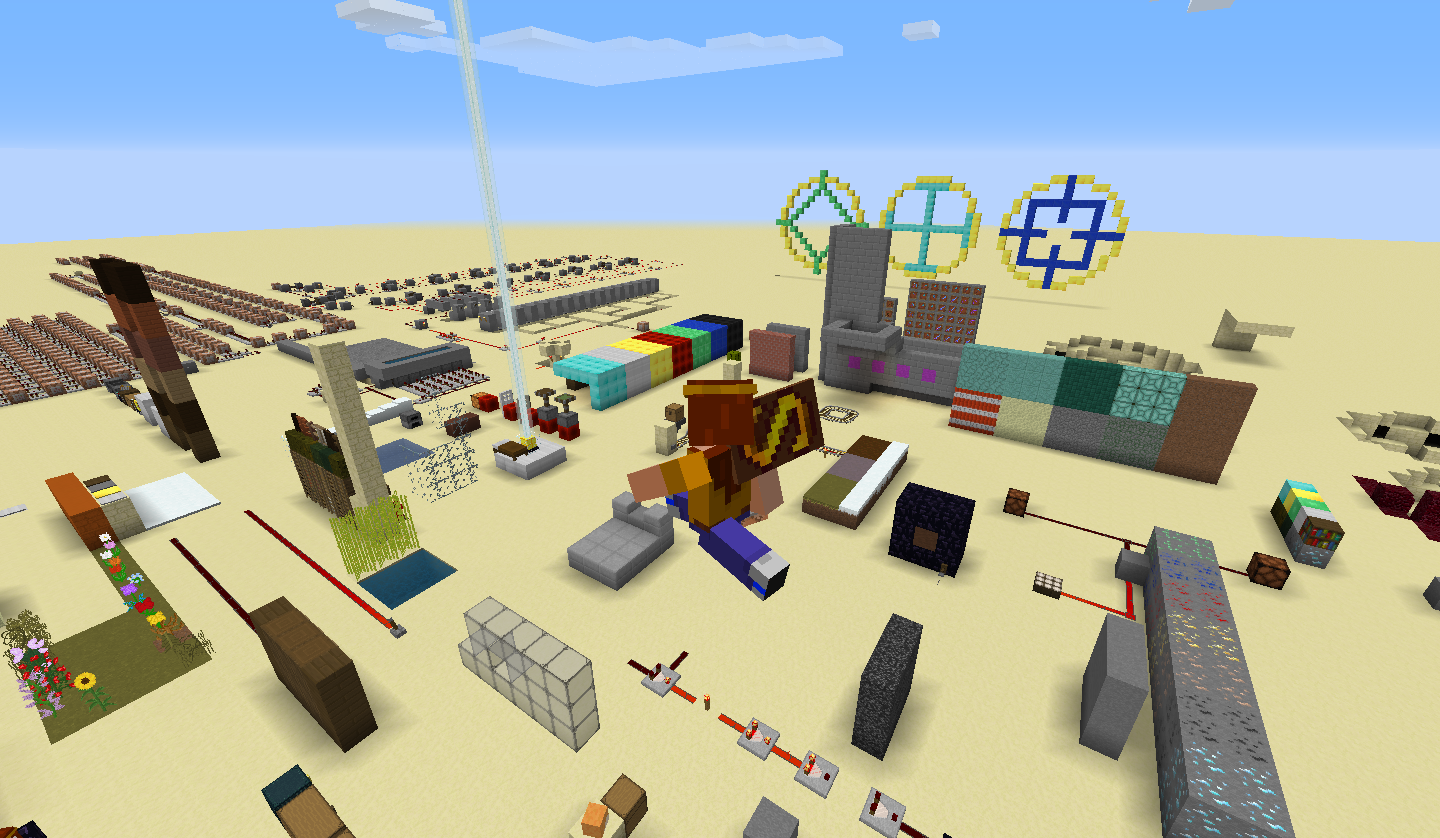
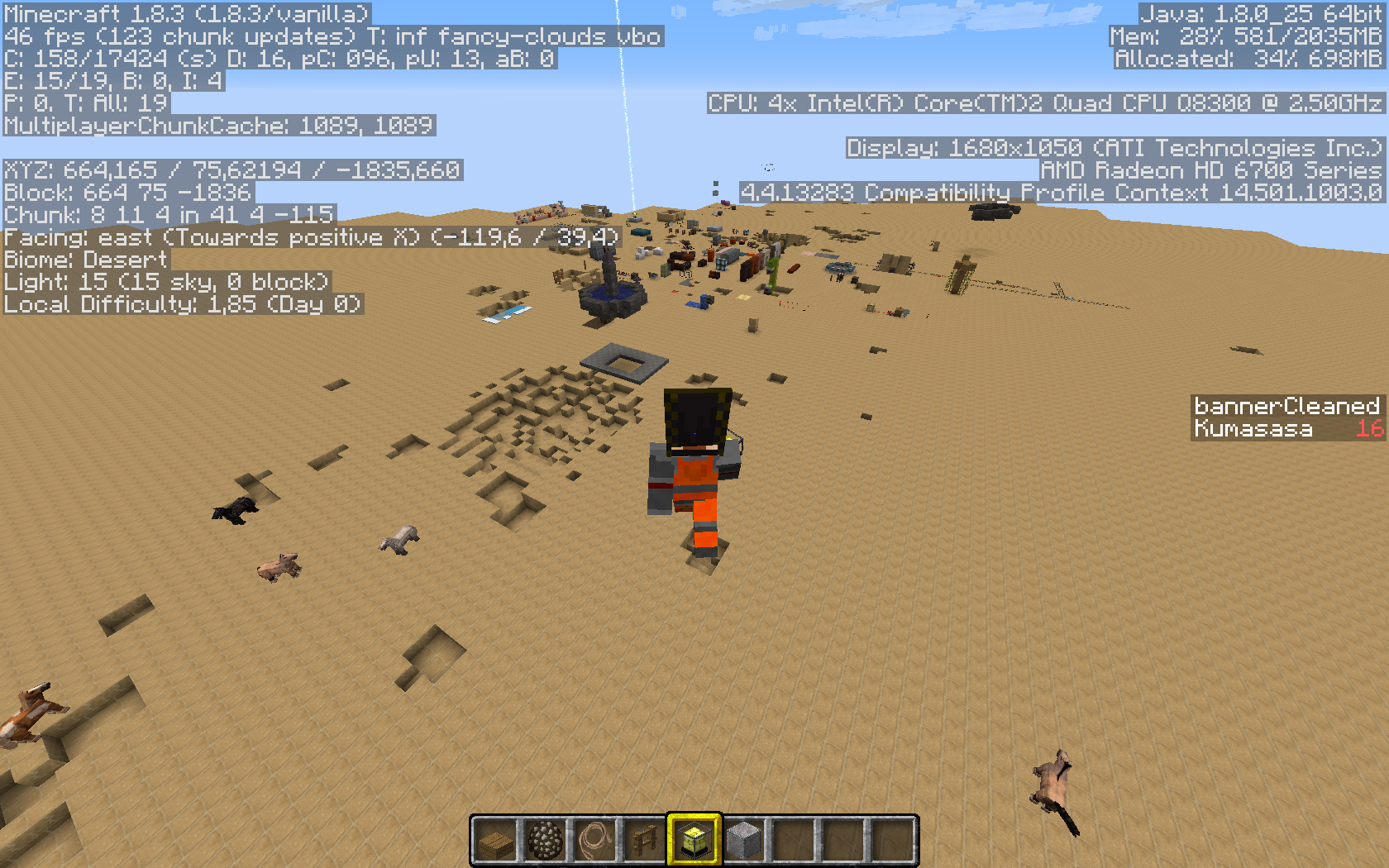
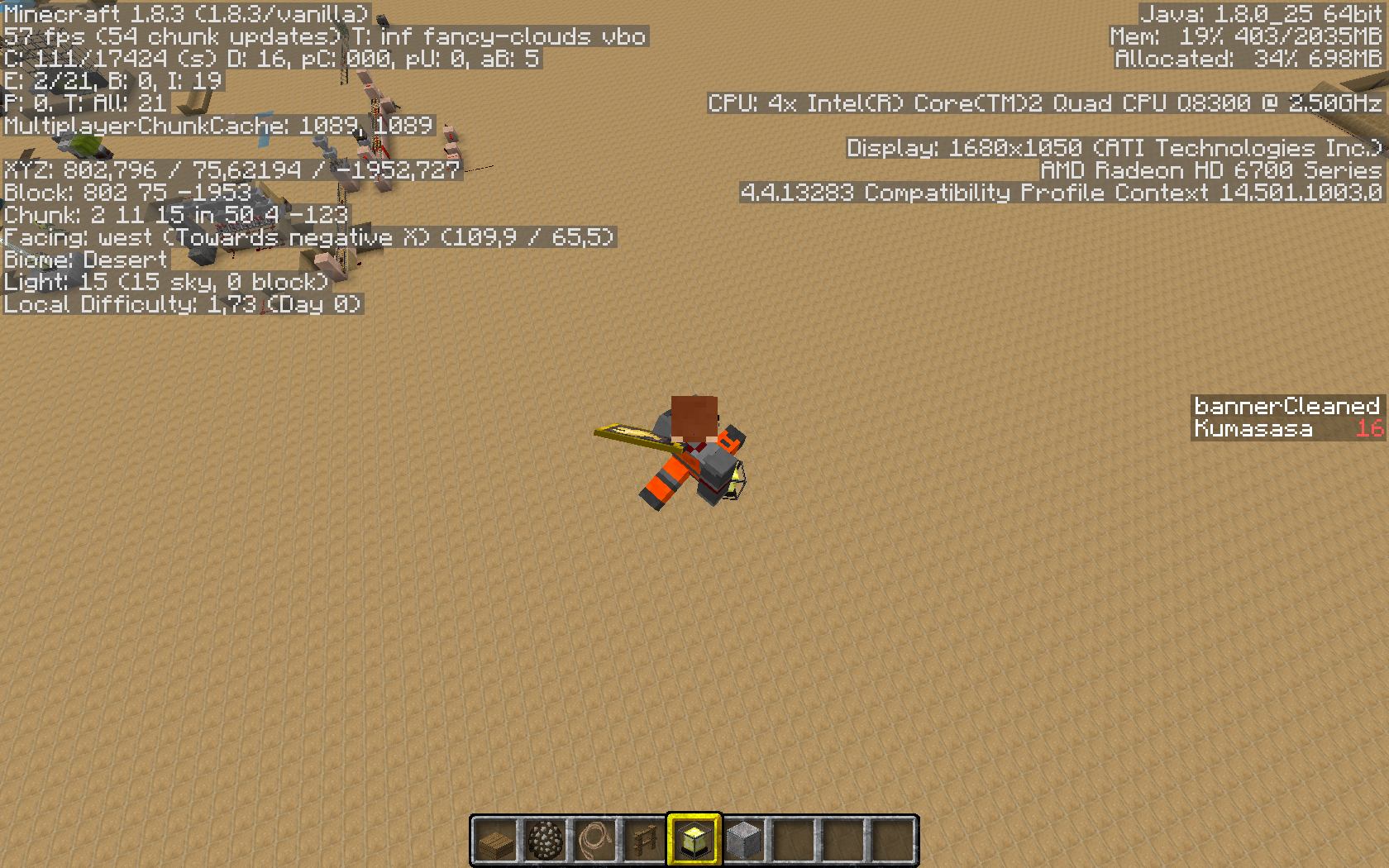
When sprinting and flying at the same time, capes will "trail" behind you at a >90 degree angle, almost completely vertical. When turning, the cape will phase very awkwardly.
This also happens when the player has a high speed effect (however this only occurs outside the vanilla range for the speed effect).
Code analysis
Code analysis by [Mod] bemoty can be found in this comment.
Linked Issues
is duplicated by2
relates to6
 MC-40113Cape Physics Are WeirdWorks As IntendedMC-52178Cape doesn't move down while sneaking / Cape detaches from body while sneakingFixedMC-5037Riding a pig / horse with a cape causes it to not behave as expectedFixedMC-111418Cape angle resets while fallingConfirmedMC-126084Cape render when sprinting underwaterFixedMC-127749Cape is jittering; movement way sharper than in snapshot 18w03bFixed




Created Issue:
Cape Physics While Sprint-Flying
When sprinting and flying at the same time, capes will "trail" behind you at a >90 degree angle, almost completely vertical. When turning, the cape will phase very awkwardly. This also happens when the player has a high speed effect (however this only occurs outside the vanilla range for the speed effect).
Attachments2
When sprinting and flying at the same time, capes will "trail" behind you at a >90 degree angle, almost completely vertical. When turning, the cape will phase very awkwardly. This also happens when the player has a high speed effect (however this only occurs outside the vanilla range for the speed effect).
As the Scrolls cape event has ended, I can no longer test this bug.
When sprinting and flying at the same time, capes will "trail" behind you at a >90 degree angle, almost completely vertical. When turning, the cape will phase very awkwardly. This also happens when the player has a high speed effect (however this only occurs outside the vanilla range for the speed effect).
is duplicated by
is duplicated by
![[Mod] Neko](../../../data/avatars/users/92901.png)
relates to
![[Mod] bemoty](../../../data/avatars/users/50554.png)
dif2.jpg
As the Scrolls cape event has ended, I can no longer test this bug.
When sprinting and flying at the same time, capes will "trail" behind you at a >90 degree angle, almost completely vertical. When turning, the cape will phase very awkwardly. This also happens when the player has a high speed effect (however this only occurs outside the vanilla range for the speed effect).
Code analysis / fix by [Mod] bemoty in this comment .
![[Mod] Michael Wobst](../../../data/avatars/users/37868.png)
As the Scrolls cape event has ended, I can no longer test this bug.
When sprinting and flying at the same time, capes will "trail" behind you at a >90 degree angle, almost completely vertical. When turning, the cape will phase very awkwardly. This also happens when the player has a high speed effect (however this only occurs outside the vanilla range for the speed effect).
Code analysis
/ fixby [Mod] bemoty in this comment.As the Scrolls cape event has ended, I can no longer test this bug.
When sprinting and flying at the same time, capes will "trail" behind you at a >90 degree angle, almost completely vertical. When turning, the cape will phase very awkwardly. This also happens when the player has a high speed effect (however this only occurs outside the vanilla range for the speed effect).
Code analysis by [Mod] bemoty can be found in this comment.
CapePhysicsWhileSprint-FlyingCape physics while sprint-flying
As the Scrolls cape event has ended, I can no longer test this bug.
When sprinting and flying at the same time, capes will "trail" behind you at a >90 degree angle, almost completely vertical. When turning, the cape will phase very awkwardly.This also happens when the player has a high speed effect (however this only occurs outside the vanilla range for the speed effect).
Code analysis by [Mod] bemoty can be found in this comment.
The bug
When sprinting and flying at the same time, capes will "trail" behind you at a >90 degree angle, almost completely vertical. When turning, the cape will phase very awkwardly.
This also happens when the player has a high speed effect (however this only occurs outside the vanilla range for the speed effect).Code analysis
Code analysis by [Mod] bemoty can be found in this comment.
Is this still an issue in the most recent versions (i.e. 1.10.2, or 16w42a) of Minecraft?
 Maria Lemón
relates to
relates to
relates to
![[Mod] markderickson](../../../data/avatars/users/18946.svg)
The bug
When a player named "deadmau5" sneaks or flies with an elytra (and rotates his head), his ears are offset.
How to reproduce
- Copy the latest version folder in the .minecraft\versions directory and append _custom to the copied name, resulting in for example 1.12-pre5_custom
- Delete the .jar file inside the folder
- Append _custom to the version .json file name as well
- Replace the content of the version .json file with the following
{ "id": "#VERSION#_custom", "time": "2038-01-19T03:14:07+00:00", "releaseTime": "2038-01-19T03:14:07+00:00", "type": "snapshot", "minecraftArguments": "--username deadmau5 --version ${version_name} --gameDir ${game_directory} --assetsDir ${assets_root} --assetIndex ${assets_index_name} --uuid 1e18d5ff643d45c8b50943b8461d8614 --accessToken ${auth_access_token} --userType ${user_type} --versionType ${version_type}", "inheritsFrom": "#VERSION#", "jar": "#VERSION#" } - Replace all occurrences of #VERSION# with the version id you created a copy of, for example 1.12-pre5
- Select this version in the launcher and start the game
- Switch to third person view (F5) and sneak
Code analysis
by [Mod] bemoty
The method net.minecraft.client.renderer.entity.layers.LayerDeadmau5Head.doRenderLayer() doesn't check if the to be rendered entity is sneaking. Thus, a simple way to fix the sneaking issue would be to add that specific check, which translates the ears a bit down. (I don't know the exact "sneak-shrink"-value, 0.25F is just an example!)
// ... if(entitylivingbaseIn.isSneaking()) { GlStateManager.translate(0F, 0.25F, 0F); } float f2 = 1.3333334F; GlStateManager.scale(1.3333334F, 1.3333334F, 1.3333334F); this.playerRenderer.getMainModel().renderDeadmau5Head(0.0625F); // ...
The fix I found for the elytra-flying issue is very similar to my proposed fix on MC-75279 – clamping the pitch of the ears does the job. Again, the values (-30F, -60F) are only examples, there may be other, way better values to use here.
// ... float f1 = entitylivingbaseIn.prevRotationPitch + (entitylivingbaseIn.rotationPitch - entitylivingbaseIn.prevRotationPitch) * partialTicks; GlStateManager.pushMatrix(); if(entitylivingbaseIn.isElytraFlying()) { f1 = MathHelper.clamp(f1, -60F, -30F); } // ...
Note: I do not own the username "deadmau5" neither do I know the person owning it personally. The attached screenshots were created by using "deadmau5" as username. The screenshots were taken for testing purposes.

This relates to MC-75279, however that one was fixed in a previous update.
A similar issue is happening when sprinting & "flying" in creative mode underwater.
The cape is doing its usual animation, which doesn't really fit the environment.
See this comment by [Mod] bemoty for a summary of what causes this while flying.
To fix this, the cape renderer would have to make a difference for when the player is in the swimming animation and change the f2 value to keep the cape down to the player's body.
Probably caused by the fix of MC-75279
Confirmed.
I won't be able to test this anymore, if anyone else can confirm they can update the affected versions.
The following is based on a decompiled version of Minecraft 1.12 using MCP 9.40pre-1. (Also, can confirm for Minecraft version 1.12 and 1.12.1)
The method responsible for capes being rendered on players' backs is net.minecraft.client.renderer.entity.layers.LayerCape.doRenderLayer(). In this method, there are a lot of different values which calculate a cape's physics on every game tick. The only two values which are important in this case are float f2 and float f3. f2 is the vertical rotation of the cape which starts from the player's back at 0 (positive Y/positive Pitch). This value has already been clamped by a Mojangster using a simple if-statement, so it can't be lower than zero (negative Y/negative Pitch) and therefore can't glitch through the player character when moving backwards.
if (f2 < 0.0F) { f2 = 0.0F; }f3 is the horizontal rotation of the cape, starting from the center of the players' backs. This value decrements when moving to the right (negative X/negative Yaw) and increments when moving to the left (positive X/positive Yaw). To stop the cape from glitching into the player character or detach from its anchor point, those two values need to be clamped in the between two values where the cape doesn't glitch out. (This also fixes
MC-5037)For f2 I used 0.0F as the minimum value so it doesn't glitch into the players body when the player's moving backwards (I basically just replaced the if-statement here) and 150.0F as the maximum value so it doesn't look like the cape extends from the player's head when the player's sprint-flying. After a few tests, I decided to use 20.0F and -20.0F as the bounds for f3 because it simply looked the best IMO. However, since this is only my opinion and therefore might not apply to everyone, please make sure to alter those values at your convenience.
This is how flying looks like with clamped values.
As always, this might not be the best solution for this issue but it might give one an idea of how it could be fixed.
A few months back, I tested with version 1.8.9 capes to make it more natural and this is one issue I looked at because clamping itself makes the cape have a hard stop which, in my perspective is unnatural, I found that using a logistic function of sorts to "smooth" out the values, though what I have used is a rough function and static numbers are used, it is not production level, but I will throw it out here as information.

"y" as in the output and "x" as in the swing/f2 variable per the comment, "M" as the "max height", the static number of 6 is a sort of speed of how sloped the curve be, I.E 1 is a steeper slope and 10 is a gradual slope.
Here is my used case for my example in version 1.8.9:
There is a flaws in this function, such as "M" the "max height" the more gradual the slope is the "lower" the height is (hence why in my case I used a higher number for the max then my preferred 150).
It will never exceed the "M" value so using a clamp in this case was redundant protection for over 150 and also clamp the value from going under 0.
Test: https://youtu.be/4K0fd63xLdc
I am in any way not a mathematician and this is just from researching, just wanted to put this out to see if someone can improve and perhaps even have it implemented in a similar fashion.