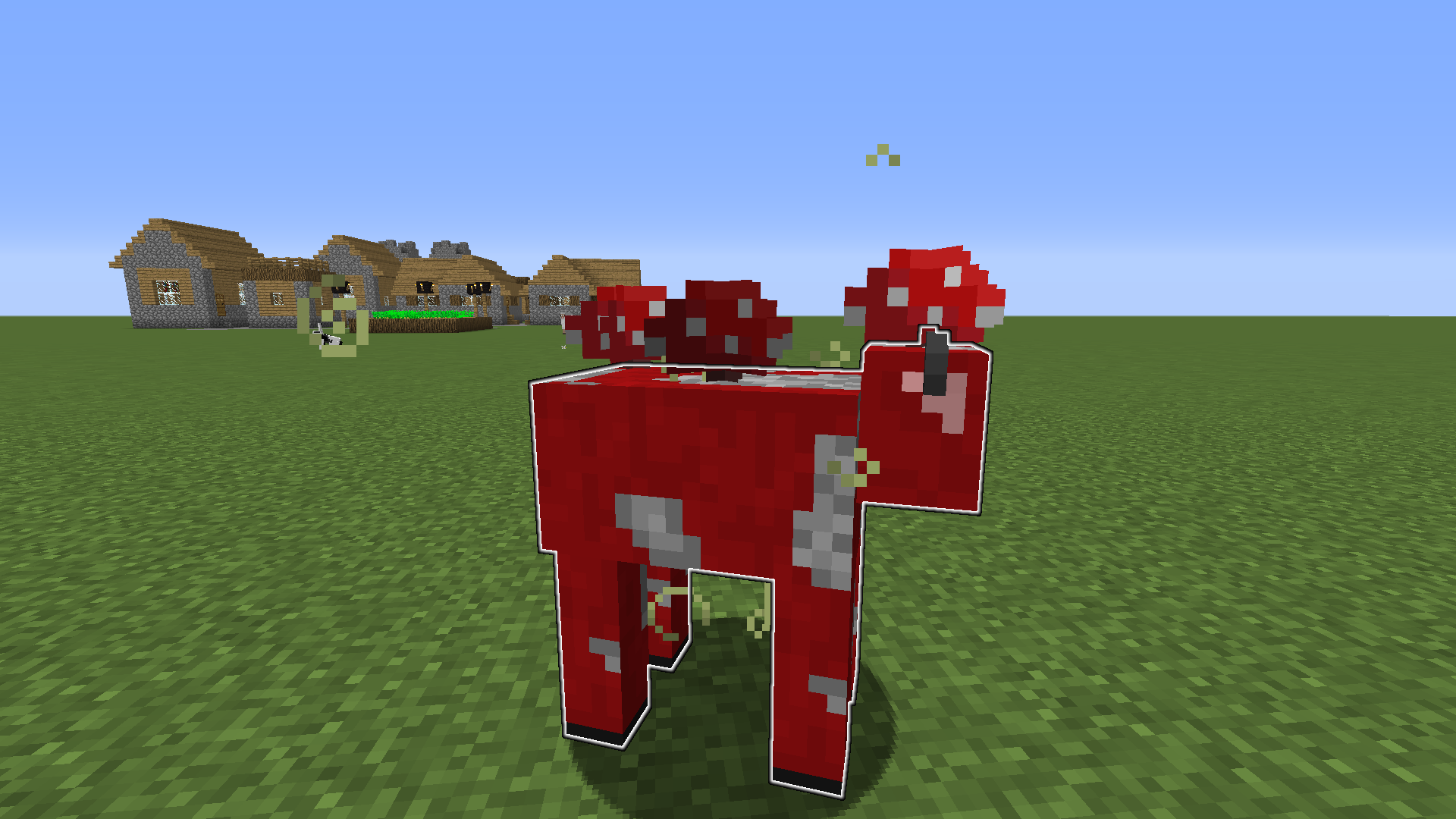
Shape of glow effect is based on mob's base layer
I was Having Fun on superflat and shot some mobs with a spectral arrow
==================================================
This Happened
Linked Issues
is duplicated by9
 MC-83301Spectral Arrows and the Glowing EffectDuplicateMC-83387Mushroom cows DuplicateMC-84482Arrow effect sprectal Slime bugDuplicateMC-84930Slimes and Spectral ArrowsDuplicateMC-86102Helmet outline of mobs or 3rd person players is glowing even when not wearing a helmetDuplicateMC-86860Glow effect outline on mobs draws incorrectlyDuplicateMC-87556Sheep's with wool have the glowing outline of sheared sheepDuplicateMC-184985Glowing Invisible Slimes outline the inner cube instead of outer cubeDuplicateMC-213559Invisible sheep with wool has the same size as a sheared sheep when invisibleDuplicate
relates to5
MC-83143Glowing effect does not have team color around armor or held itemsFixedMC-84404Spiders, endermen, and phantoms don't use team color for glowingFixedMC-218972The glowing effect outline omits parts of entities if the entity is invisibleFixedMC-85709The Enderdragon is incorrect outlined, when it has the Glowing EffectFixedMC-86099The outline of Glowing Guardian's tail is bigger than the tail itselfFixed




![[Mojang] Felix Jones](../../../data/avatars/users/40484.png)
Created Issue:
Slime Glowing Effect
I was Having Fun on superflat and shot a slime with a spectral arrow
==================================================
This HappenedEnvironment
Spectral Arrow Glow On Slimes
Attachments1
Spectral Arrow Glow On Slimes and Sheep
I was Having Fun on superflat and shot a slime and a sheep with a spectral arrow
==================================================
This Happened
Spectral Arrow Glow On
Slimes and SheepSpectral Arrow Glow On Mobs
I was Having Fun on superflat and shot
a slime and a sheepwith a spectral arrow
==================================================
This HappenedI was Having Fun on superflat and shot some mobs with a spectral arrow
==================================================
This Happened
![[Mojang] Grum (Erik Broes)](../../../data/assets/gravatar/grum.png)
![[Mojang] Searge (Michael Stoyke)](../../../data/assets/gravatar/searge.png) [Mojang] Searge (Michael Stoyke)
[Mojang] Searge (Michael Stoyke)
is duplicated by
relates to

Slime GlowingEffectMobs have incorrect outlines with the glowing effect
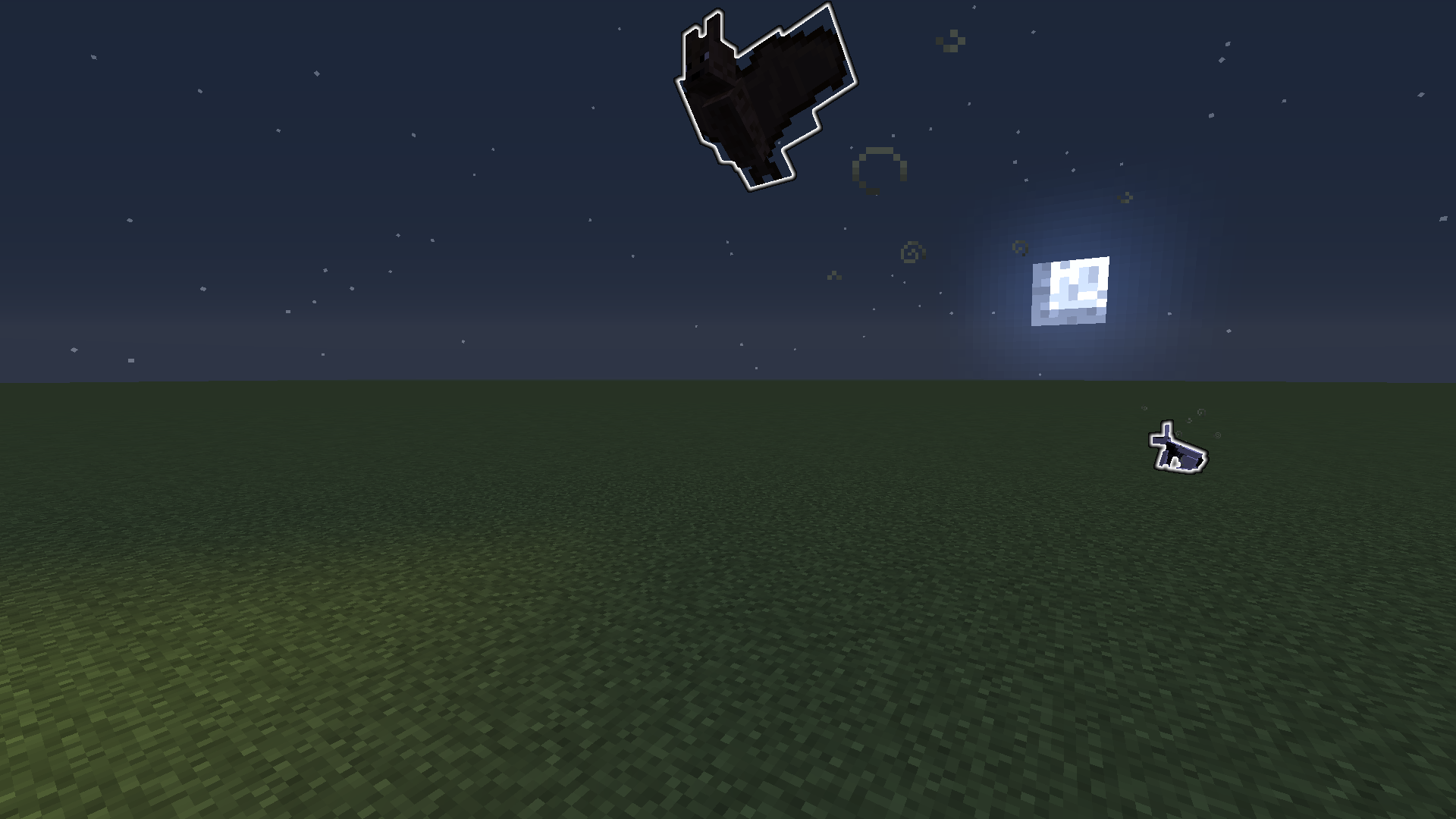
Mobshaveincorrect outlines with the glowing effectShape of glow effect is based on mob's base layer and bats have too large an outline
is duplicated by
is duplicated by
![[Mod] Torabi](../../../data/assets/gravatar/torabi.png)
relates to
is duplicated by
Shape of glow effect is based on mob's base layerand bats have too large an outline
is duplicated by
relates to
relates to
is duplicated by
is duplicated by
relates to
![[Mod] Pokechu22](../../../data/avatars/users/92931.png)
relates to
![[Mod] violine1101](../../../data/avatars/users/92858.png)
is duplicated by
![[Mojang] Adrian Östergård](../../../data/assets/gravatar/nighter.jpeg)
Spectral Arrow Glow On Mobs
![[Mod] tryashtar](../../../data/avatars/users/41963.png)
is duplicated by
![[Mod] Asteraoth](../../../data/avatars/users/92886.png)
relates to
Duplicate of MC-84121 – If you searched the tracker before creating this report, and were unable to find the indicated ticket, please comment with the keywords you searched for so that the original report can be improved.
Thank you for your report!
We're actually already tracking this issue in MC-84121, so I resolved and linked this ticket as a duplicate.
However, that ticket has already been resolved. That means that this is not considered a bug and won't be fixed. Please do not leave a comment on the linked ticket.
If you haven't already, you might like to make use of the search feature in the future to see if the issue has already been reported.
Quick Links:
📓 Issue Guidelines – 💬 Community Support – 📧 Customer Support – ✍️ Feedback and Suggestions – 📖 Game Wiki
![[Bot] Arisa](../../../data/avatars/users/43007.png)
Thank you for your report!
We're tracking this issue in MC-84121, so this ticket is being resolved and linked as a duplicate.
That ticket has already been resolved as Fixed. Please check the Fix Version/s field in that ticket to see in which version this behavior was or will be fixed.
If you haven't already, you might like to make use of the search feature to see if the issue has already been mentioned.
Quick Links:
📓 Bug Tracker Guidelines – 💬 Community Support – 📧 Mojang Support
📓 Project Summary – ✍️ Feedback and Suggestions – 📖 Game Wiki
– I am a bot. This action was performed automatically! Please report any issues on Discord or Reddit
![[Helper] pine1needle](../../../data/avatars/users/41329.png)

MC-84121 is unrelated (that's not related to partial transparency/translucency but rather not highlighting cutout transparency correctly and/or not highlighting all layers of the entity), MC-173834 is also not related, that's full cutout transparency, not partial transparency as it should be highlighting all layers of the iron golem. MC-124109 seems to be related to partial transparency as horses have translucent pixels similar to here, and so this is probably up to Mojang to decide.
However, keep in mind that this partial transparency effect has always been the normal behavior since glowing was introduced. 19w39a was one case where it stopped rendering correctly, and then it was fixed afterword upon release of 1.15 so that partial transparency once again rendered.
The underlying issue is that the glowing buffer should be receiving transparency information as it always has. If the glowing shader itself wanted to ignore this information, then it could just consider alpha as 1.0 whenever greater than 0.0. (I would also say that partial transparency information in the glowing buffer is super useful for reading certain information from the game regarding a texture, and having it unable to be seen would be a detriment to that)
In the end, because behavior has changed from multiple previous versions, I would consider this a bug unless stated otherwise by Mojang directly.
The bug
MC-84121 was fixed in 21w10a. However, if the mob is invisible MC-84121 still occurs. Invisible glowing sheep do not have their wool outlined. Invisible glowing mooshrooms do not have their mushrooms outlined. Invisible glowing slimes only have their inner part outlined. Invisible glowing snow golems do not have their pumpkin outlined.
To reproduce
- Build a wall:
/fill ~ ~ ~ ~ ~5 ~30 minecraft:black_concrete
/summon minecraft:sheep ~ ~ ~ {NoAI:1b,Glowing:1b}/summon minecraft:mooshroom ~ ~ ~ {NoAI:1b,Glowing:1b}/summon minecraft:slime ~ ~ ~ {NoAI:1b,Glowing:1b,Size:3}/summon minecraft:snow_golem ~ ~ ~ {NoAI:1b,Glowing:1b}/effect give @e[type=!minecraft:player,distance=..30] minecraft:invisibility 9999
- Repeat steps 2, 3, 4, and 5.
- Go to the other side of the wall. Notice that the invisible mobs have different outlines than the visible mobs do.
The slime needs to be changed.
The glowing effect relies on the entity's base. Therefor, this may not be a glitch.
The glowing effect requires Everything the entity is holding, including slime mass, which the huge slime seems to have to glow at the inner part which isn't suppose to happen.
The mooshroom's mushroom needs to glow!
The sheep's wool needs to glow until sheared!
Zombies' Items need to glow
Skeleton's Bow and Sword needs to glow
Even though this is probably not a glitch I thought i should report it .
.
Confirmed for 15w39c
For now it's "working as (not) intended".
We have some technical restrictions that prevent us from changing it right now. I'll re-visit this after 1.9 is released, but in 1.9 we will have the outline from the base model without equipment.