 Onnowhere
- onnowhere
- onnowhere
- Europe/Stockholm
- Yes
- No
![[Mojang] Searge (Michael Stoyke)](../../../data/assets/gravatar/searge.png)
 MC-55807MC-56018
 Low
Low![[Mojang] Nathan Adams](../../../data/assets/gravatar/dinnerbone.png)







 WEB-1266


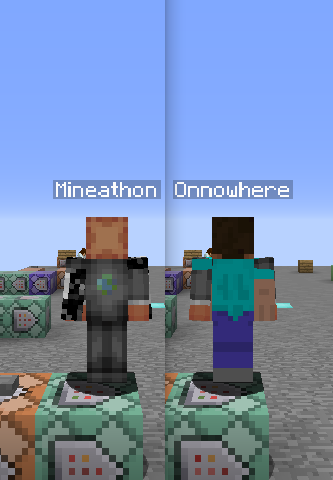
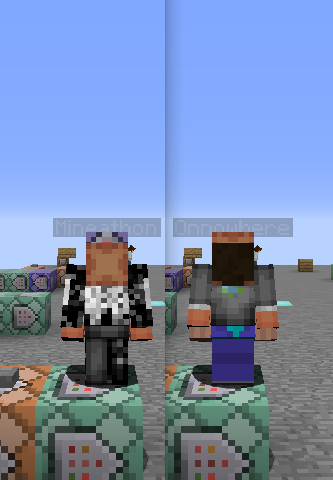
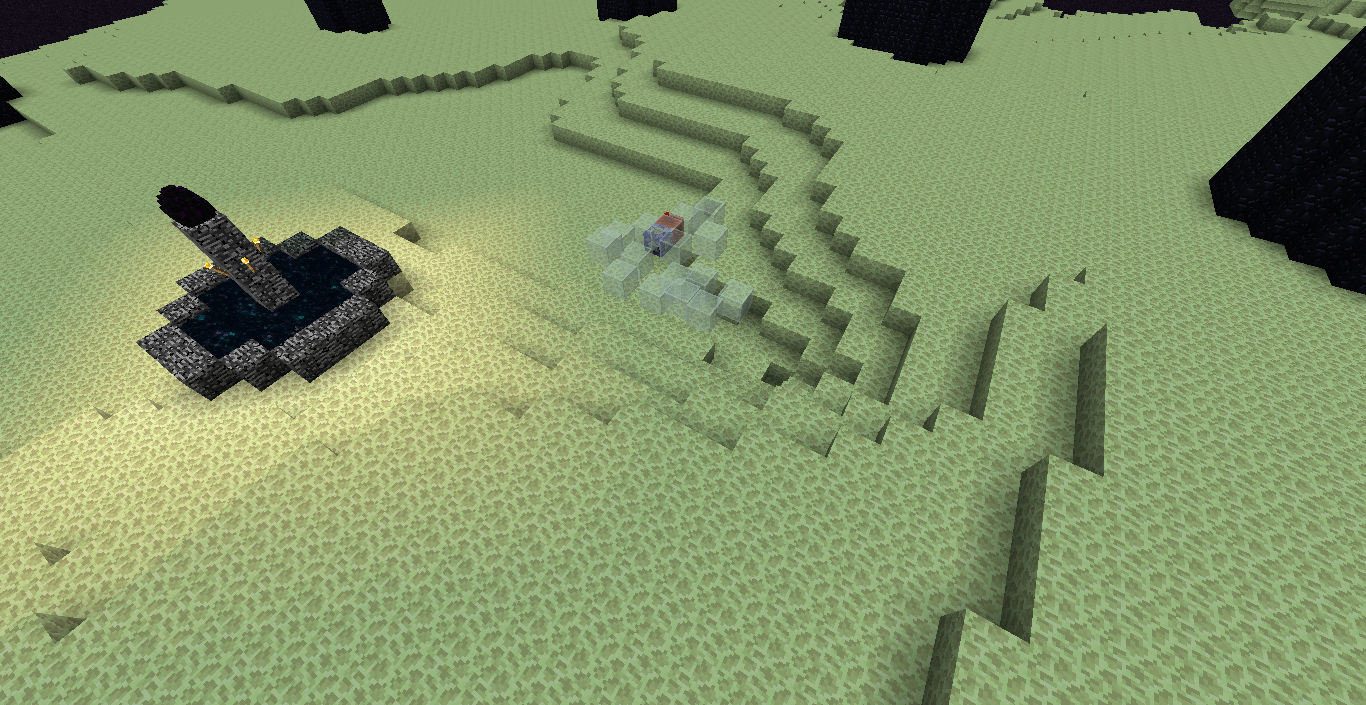


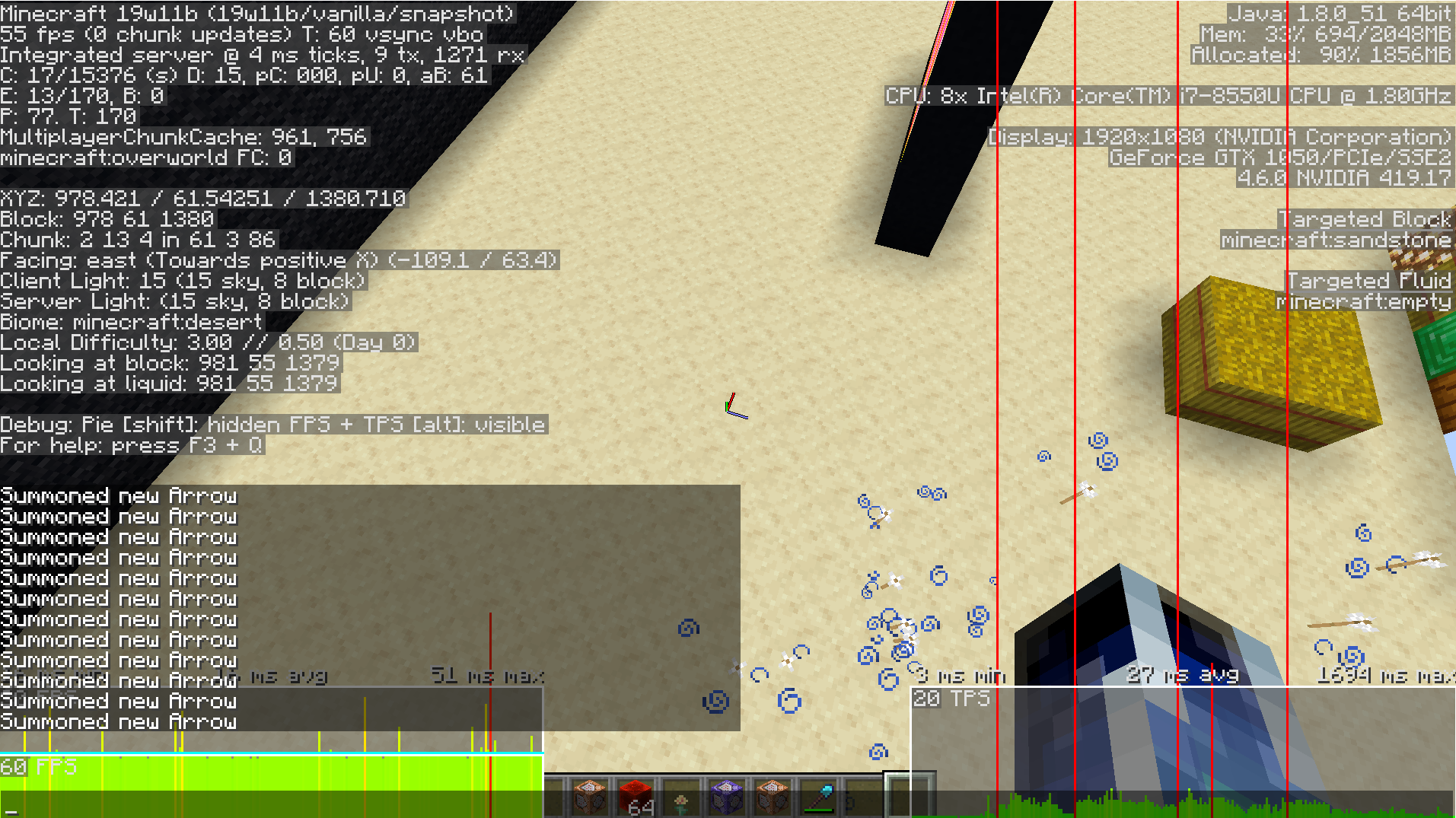
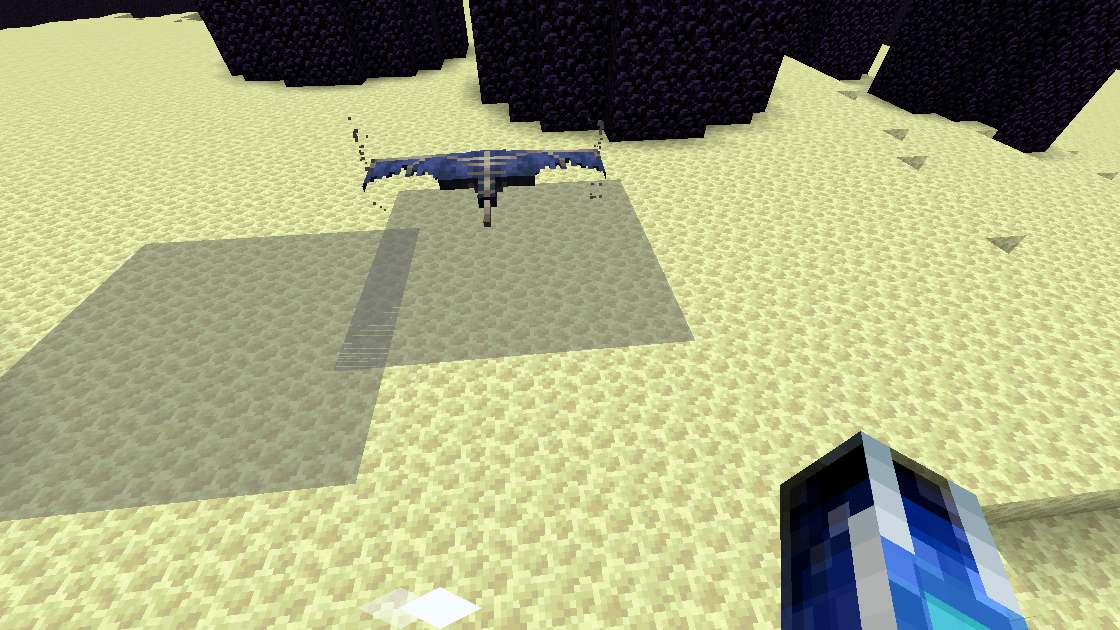
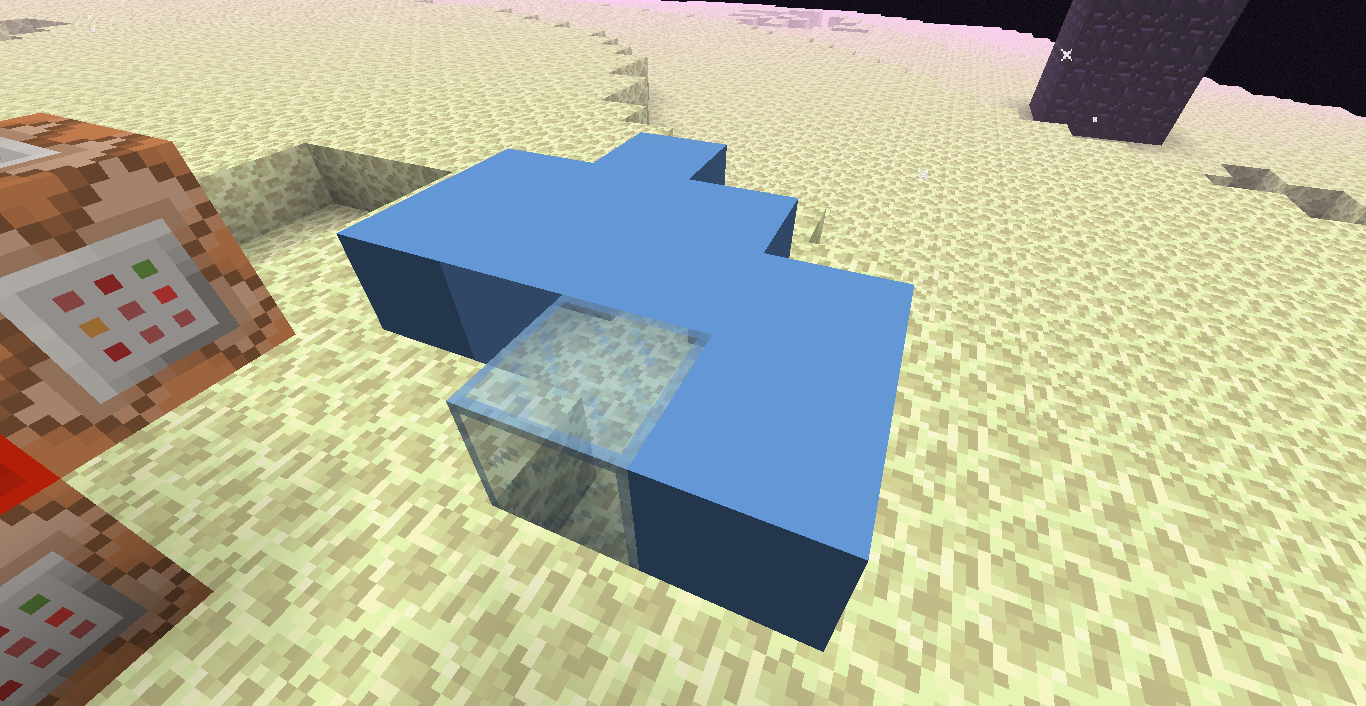
When repeatedly /clone-ing, all blocks in destination are replaced rather than only replacing changed blocks.
Test:
1. Repeatedly do /clone ~ ~1 ~ ~ ~1 ~ ~ ~2 ~
2. Blocks in destination keep replacing even though no new blocks are placed.Making it so that it works like in /fill where it only changes different blocks would also lower lag time when using /clone on a clock.
Using /fill x y z command_block 0 replace [block] doesn't work. Error is: Data parsing failed: Unable to locate name/value separator for string: [block].
Test:
1. Put stone below you
2. /fill ~ ~-1 ~ ~ ~-1 ~ command_block 0 replace stone
3. Error: Data parsing failed: Unable to locate name/value separator for string: stone.compared to
1. Put stone below you
2. /fill ~ ~-1 ~ ~ ~-1 ~ dirt 0 replace stone
3. 1 block replaced
Using /fill x y z command_block 0 replace [block] doesn't work. Error is: Data parsing failed: Unable to locate name/value separator for string: [block].
Test:
1. Put stone below you
2. /fill ~ ~-1 ~ ~ ~-1 ~ command_block 0 replace stone
3. Error: Data parsing failed: Unable to locate name/value separator for string: stone.compared to
1. Put stone below you
2. /fill ~ ~-1 ~ ~ ~-1 ~ dirt 0 replace stone
3. 1 block replaced
Using /fill x y z command_block 0 replace [block] doesn't work. Error is: Data parsing failed: Unable to locate name/value separator for string: [block].
Test:
1. Put stone below you
2. /fill ~ ~-1 ~ ~ ~-1 ~ command_block 0 replace stone
3. Error: Data parsing failed: Unable to locate name/value separator for string: stone.
compared to
1. Put stone below you
2. /fill ~ ~-1 ~ ~ ~-1 ~ dirt 0 replace stone
3. 1 block replaced
Using /fill x y z command_block 0 replace [block] doesn't work. Error is: Data parsing failed: Unable to locate name/value separator for string: [block] .
Test:
1. Put stone below you
2. /fill ~ ~-1 ~ ~ ~-1 ~ command_block 0 replace stone
3. Error: Data parsing failed: Unable to locate name/value separator for string: stone.
compared to
1. Put stone below you
2. /fill ~ ~-1 ~ ~ ~-1 ~ dirt 0 replace stone
3. 1 blockreplacedUsing /fill x y z command_block 0 replace [block] doesn't work. Error is: Data parsing failed: Unable to locate name/value separator for string: [block] .
Test:
1. Put stone below you
2. /fill ~ ~-1 ~ ~ ~-1 ~ command_block 0 replace stone
3. Error: Data parsing failed: Unable to locate name/value separator for string: stone.
compared to
1. Put stone below you
2. /fill ~ ~-1 ~ ~ ~-1 ~ dirt 0 replace stone
3. 1 blocks filled
Using /fill x y z command_block 0 replace [block] doesn't work. Error is: Data parsing failed: Unable to locate name/value separator for string: [block] .
Test:
1. Put stone below you
2. /fill ~ ~-1 ~ ~ ~-1 ~ command_block 0 replace stone
3. Error: Data parsing failed: Unable to locate name/value separator for string: stone.
compared to
1. Put stone below you
2. /fill ~ ~-1 ~ ~ ~-1 ~ dirt 0 replace stone
3. 1 blocks filledUsing /fill x y z command_block 0 replace [block] doesn't work. Error is: Data parsing failed: Unable to locate name/value separator for string: [block] .
Test:
1. Put stone below you
2. /fill ~ ~-1 ~ ~ ~-1 ~ command_block 0 replace stone
3. Data parsing failed: Unable to locate name/value separator for string: stone.Compared to:
1. Put stone below you
2. /fill ~ ~-1 ~ ~ ~-1 ~ dirt 0 replace stone
3. 1 blocks filled
Not completely true. When you do /tp @e, it teleports to all entities from one to the next. In this case, it would function similarly if that happens.
When teleporting an entity to another entity using the @e selector where either entity has other entities of the same name/type does not work. One can reference the command /tp @e to show how teleporting to multiple entities should function, as this would teleport to all entities of the same conditions if that were the case.
Test 1 (type):
1.Summon two pigs: /summon Pig ~ ~ ~
2.This command results in error 'The entity UUID provided is in an invalid format': /tp @e[type=Player] @e[type=Pig]Test 2 (name):
1.Summon two pigs with names:
/summon Pig ~ ~ ~ {CustomName:Bob}2.This command results in error 'The entity UUID provided is in an invalid format': /tp @e[type=Player] @e[name=Bob]
3.This command also results in error 'The entity UUID provided is in an invalid format': /tp @e[name=<your player name>] @e[name=Bob]
name= selector does not function with names containing spaces and/or symbols
When using a selector with name=, if there is a mob with a custom name or username with a space or symbol in it, the player/mob is not able to be found by the selector.
(Note on players with spaces in username - yes there are players with spaces in their names, it is possible - i.e. [space]Bob, or a space before the username)
Test:
{CustomName:Bob Bob,CustomNameVisible:1}
1.Summon entity with CustomName with a space/symbol in it.
{code:xml
/summon Pig ~ ~ ~/summon Pig ~ ~ ~
{CustomName:/,CustomNameVisible:1}2.Use a selector on entity. {code:xml}/tp @e[name=Bob Bob] ~ ~5 ~ /tp @e[name=/] ~ ~5 ~3.Errors:
First command: '@e[name=Bob' is not a valid number – Thinks it is a coordinate value
Second command: The entity UUID provided is in an invalid formatWhen using a selector with name=, if there is a mob with a custom name or username with a space or symbol in it, the player/mob is not able to be found by the selector.
(Note on players with spaces in username - yes there are players with spaces in their names, it is possible - i.e. [space]Bob, or a space before the username)
Test:
1.Summon entity with CustomName with a space/symbol in it./summon Pig ~ ~ ~ {CustomName:Bob Bob,CustomNameVisible:1} /summon Pig ~ ~ ~ {CustomName:/,CustomNameVisible:1}2.Use a selector on entity.
/tp @e[name=Bob Bob] ~ ~5 ~ /tp @e[name=/] ~ ~5 ~3.Errors:
First command: '@e[name=Bob' is not a valid number – Thinks it is a coordinate value
Second command: The entity UUID provided is in an invalid format
name= selector does not function with names containingspaces and/orsymbols
name= Selector does not work with Sym"bols
name= Selector does not work with Sym"bols
When armor stands are placed or summoned with or without a custom name and the player moves out of the chunks and unloads them, then returning to the chunk with the armor stands, the armor stands will be unable to be seen but still be present. Armor stands become visible again upon exiting and reentering the world.
Test:
{CustomName:bob}
1. Place down an armor stand and also summon one to test all possibilities /summon ArmorStand ~ ~ ~2. Move out of the chunk until it unloads.
3. Return to chunk
4. /tp @e[name=Bob] or /tp @e[type=ArmorStand,c=-1] to see that the armor stands are indeed still present but completely invisible.
5. Exit out of the world and enter it again and the armor stands reappear.
When armor stands are placed or summoned with or without a custom name and the player moves out of the chunks and unloads them, then returning to the chunk with the armor stands, the armor stands will be unable to be seen but still be present. Armor stands become visible again upon exiting and reentering the world.
Test:
{CustomName:bob}
1. Place down an armor stand and/or also summon one to test all possibilities /summon ArmorStand ~ ~ ~2. Move out of the chunk until it unloads.
3. Return to chunk
4. Teleport to the armor stand(s) (for example: /tp @e[name=Bob] or /tp @e[type=ArmorStand,c=-1]) to see that the armor stands are indeed still present but completely invisible.
5. Exit out of the world and enter it again and the armor stands reappear.
Armor Stands and Item Frames become invisible when chunk is unloaded and reloaded
When armor stands are placed or summoned with or without a custom name and the player moves out of the chunks and unloads them, then returning to the chunk with the armor stands, the armor stands will be unable to be seen but still be present. Armor stands become visible again upon exiting and reentering the world.
Test:
{CustomName:bob}
1. Place down an armor stand and/or also summon one to test all possibilities /summon ArmorStand ~ ~ ~
2. Move out of the chunk until it unloads.
3.Return to chunk4. Teleport to the armor stand(s) (for example: /tp @e[name=Bob] or /tp @e[type=ArmorStand,c=-1]) to see that the armor stands are indeed still present but completely invisible.
5. Exit out of the world and enter it again and the armor stands reappear.When armor stands are placed or summoned with or without a custom name and the player moves out of the chunks and unloads them, then returning to the chunk with the armor stands, the armor stands will be unable to be seen but still be present. Armor stands become visible again upon exiting and reentering the world.
This is the same with item frames.
Test:
{CustomName:bob}
1. Place down an armor stand and/or also summon one to test all possibilities /summon ArmorStand ~ ~ ~Place down item frames.
2. Move out of the chunk until it unloads.
3. Return to chunk
4. Teleport to the armor stand(s) (for example: /tp @e[name=Bob] or /tp @e[type=ArmorStand,c=-1]) to see that the armor stands are indeed still present but completely invisible.
Teleport to item frames to see that they are present but invisible.5. Exit out of the world and enter it again and the armor stands/item frames reappear.
(Have not yet tested with other entities)
Armor Standsand Item Frames become invisible when chunk is unloaded and reloadedArmor Stand, Paintings, and Item Frames become invisible when chunk is unloaded and reloaded
When armor stands are placed or summoned with or without a custom name and the player moves out of the chunks and unloads them, then returning to the chunk with the armor stands, the armor stands will be unable to be seen but still be present. Armor stands become visible again upon exiting and reentering the world.
This is the same with item frames and paintings.
Test:
{CustomName:bob}
1. Place down an armor stand and/or also summon one to test all possibilities /summon ArmorStand ~ ~ ~Place down item frames and paintings.
2. Move out of the chunk until it unloads. (Maybe try staying idle there for some time if not working)
3. Return to chunk
4. Teleport to the armor stand(s) (for example: /tp @e[name=Bob] or /tp @e[type=ArmorStand,c=-1]) to see that the armor stands are indeed still present but completely invisible.
Teleport to item frames/paintings to see that they are present but invisible.5. Exit out of the world and enter it again and the armor stands/item frames/paintings reappear.
(Have not yet tested with any other entities)
Armor Stand, Paintings,andItem Frames becomeinvisible when chunk is unloaded and reloadedArmor Stand, Paintings, Item Frames, and Signs become Invisible/Glitched when chunk is unloaded and reloaded
When armor stands are placed or summoned with or without a custom name and the player moves out of the chunks and unloads them, then returning to the chunk with the armor stands, the armor stands will be unable to be seen but still be present. Armor stands become visible again upon exiting and reentering the world.
This is the same with item frames and paintings.
Signs when unloaded and then reloaded stay visible even when broken but are 'ghost' signs which are not really there.
Test:
{CustomName:bob}
1. Place down an armor stand and/or also summon one to test all possibilities /summon ArmorStand ~ ~ ~Place down item frames and paintings and signs.
2. Move out of the chunk until it unloads. (Maybe try staying idle there for some time if not working)
3. Return to chunk
4. Teleport to the armor stand(s) (for example: /tp @e[name=Bob] or /tp @e[type=ArmorStand,c=-1]) to see that the armor stands are indeed still present but completely invisible.
Teleport to item frames/paintings to see that they are present but invisible.5. Exit out of the world and enter it again and the armor stands/item frames/paintings reappear.
(Have not yet tested with any other entities)
Armor Stand, Paintings, Item Frames, and SignsbecomeInvisible/Glitchedwhen chunk is unloaded and reloadedArmor Stand, Paintings, Item Frames become invisible when chunk is unloaded and reloaded
When armor stands are placed or summoned with or without a custom name and the player moves out of the chunks and unloads them, then returning to the chunk with the armor stands, the armor stands will be unable to be seen but still be present. Armor stands become visible again upon exiting and reentering the world.
This is the same with item frames and paintings.
Signs when unloaded and then reloaded stay visible even when broken but are 'ghost' signs which are not really there.
Test:
{CustomName:bob}
1. Place down an armor stand and/or also summon one to test all possibilities /summon ArmorStand ~ ~ ~Place down item frames and paintings
and signs.2. Move out of the chunk until it unloads. (Maybe try staying idle there for some time if not working)
3. Return to chunk
4. Teleport to the armor stand(s) (for example: /tp @e[name=Bob] or /tp @e[type=ArmorStand,c=-1]) to see that the armor stands are indeed still present but completely invisible.
Teleport to item frames/paintings to see that they are present but invisible.5. Exit out of the world and enter it again and the armor stands/item frames/paintings reappear.
(Have not yet tested with any other entities)
When armor stands are placed or summoned with or without a custom name and the player moves out of the chunks and unloads them, then returning to the chunk with the armor stands, the armor stands will be unable to be seen but still be present. Armor stands become visible again upon exiting and reentering the world.
This is the same with item frames and paintings.
Test:
{CustomName:bob}
1. Place down an armor stand and/or also summon one to test all possibilities /summon ArmorStand ~ ~ ~Place down item frames and paintings.
2. Move out of the chunk until it unloads. (Maybe try staying idle there for some time if not working)
3. Return to chunk
4. Teleport to the armor stand(s) (for example: /tp @e[name=Bob] or /tp @e[type=ArmorStand,c=-1]) to see that the armor stands are indeed still present but completely invisible.
Teleport to item frames/paintings to see that they are present but invisible.5. Exit out of the world and enter it again and the armor stands/item frames/paintings reappear.
(Have not yet tested with any other entities)
When armor stands are placed or summoned with or without a custom name and the player moves out of the chunks and unloads them, then returning to the chunk with the armor stands, the armor stands will be unable to be seen but still be present. Armor stands become visible again upon exiting and reentering the world.
This is the same with item frames and paintings.
Test:
{CustomName:bob}
1. Place down an armor stand and/or also summon one to test all possibilities /summon ArmorStand ~ ~ ~Place down item frames and paintings.
2. Move out of the chunk until it unloads. (Note that teleporting seems to not always work to cause this to happen) Lowest render distance will help. (Maybe try staying idle there for some time if not working)
3. Return to chunk
4. Teleport to the armor stand(s) (for example: /tp @e[name=Bob] or /tp @e[type=ArmorStand,c=-1]) to see that the armor stands are indeed still present but completely invisible.
Teleport to item frames/paintings to see that they are present but completely invisible.5. Exit out of the world and enter it again and the armor stands/item frames/paintings reappear.
When armor stands are placed or summoned with or without a custom name and the player moves out of the chunks and unloads them, then returning to the chunk with the armor stands, the armor stands will be unable to be seen but still be present. Armor stands become visible again upon exiting and reentering the world.
This is the same with item frames and paintings.
Test:
{CustomName:bob}
1. Place down an armor stand and/or also summon one to test all possibilities /summon ArmorStand ~ ~ ~Place down item frames and paintings.
2. Move out of the chunk until it unloads. (Note
thatteleporting seems to not always work to cause thistohappen) Lowest render distance will help. (Maybe try staying idle there for some time if not working)3. Return to chunk
4. Teleport to the armor stand(s) (for example: /tp @e[name=Bob] or /tp @e[type=ArmorStand,c=-1]) to see that the armor stands are indeed still present but completely invisible.
Teleport to item frames/paintings to see that they are present but completely invisible.5. Exit out of the world and enter it again and the armor stands/item frames/paintings reappear.
When armor stands are placed or summoned with or without a custom name and the player moves out of the chunks and unloads them, then returning to the chunk with the armor stands, the armor stands will be unable to be seen but still be present. Armor stands become visible again upon exiting and reentering the world.
This is the same with item frames and paintings.
Test:
{CustomName:bob}
1. Place down an armor stand and/or also summon one to test all possibilities /summon ArmorStand ~ ~ ~Place down item frames and paintings.
2. Move out of the chunk until it unloads. (Note if you teleport instead of walk/fly, they don't seem to disappear) Lowest render distance will help. (Maybe try staying idle there for some time if not working)
3. Return to chunk
4. Teleport to the armor stand(s) (for example: /tp @e[name=Bob] or /tp @e[type=ArmorStand,c=-1]) to see that the armor stands are indeed still present but completely invisible.
Teleport to item frames/paintings to see that they are present but completely invisible.5. Exit out of the world and enter it again and the armor stands/item frames/paintings reappear.
When armor stands are placed or summoned with or without a custom name and the player moves out of the chunks and unloads them, then returning to the chunk with the armor stands, the armor stands will be unable to be seen but still be present. Armor stands become visible again upon exiting and reentering the world.
This is the same with item frames and paintings.
Test:
{CustomName:bob}
1. Place down an armor stand and/or also summon one to test all possibilities /summon ArmorStand ~ ~ ~Place down item frames and paintings. (Possibly only occurs in spawn chunks)
2. Move out of the chunk until it unloads. (Note if you teleport instead of walk/fly, they don't seem to disappear) Lowest render distance will help. (Maybe try staying idle there for some time if not working)
3. Return to chunk
4. Teleport to the armor stand(s) (for example: /tp @e[name=Bob] or /tp @e[type=ArmorStand,c=-1]) to see that the armor stands are indeed still present but completely invisible.
Teleport to item frames/paintings to see that they are present but completely invisible.5. Exit out of the world and enter it again and the armor stands/item frames/paintings reappear.
Oh this will be so awfully annoying if this isn't fixed ._. Imagine returning to your house to find all of these missing every single time

When armor stands are placed or summoned with or without a custom name and the player moves out of the chunks and unloads them, then returning to the chunk with the armor stands, the armor stands will be unable to be seen but still be present. Armor stands become visible again upon exiting and reentering the world.
This is the same with item frames and paintings.
Test:
{CustomName:bob}
1. Place down an armor stand and/or also summon one to test all possibilities /summon ArmorStand ~ ~ ~Place down item frames and paintings.
(Possibly only occurs in spawn chunks)2. Move out of the chunk until it unloads. (Note if you teleport instead of walk/fly, they don't seem to disappear) Lowest render distance will help. (Maybe try staying idle there for some time if not working)
3. Return to chunk
4. Teleport to the armor stand(s) (for example: /tp @e[name=Bob] or /tp @e[type=ArmorStand,c=-1]) to see that the armor stands are indeed still present but completely invisible.
Teleport to item frames/paintings to see that they are present but completely invisible.5. Exit out of the world and enter it again and the armor stands/item frames/paintings reappear.
When armor stands are placed or summoned with or without a custom name and the player moves out of the chunks and unloads them, then returning to the chunk with the armor stands, the armor stands will be unable to be seen but still be present. Armor stands become visible again upon exiting and reentering the world.
This is the same with item frames and paintings.
(Possibly only occurs in spawn chunks)
Test:
{CustomName:bob}
1. Place down an armor stand and/or also summon one to test all possibilities /summon ArmorStand ~ ~ ~Place down item frames and paintings.
2. Move out of the chunk until it unloads. (Note if you teleport instead of walk/fly, they don't seem to disappear) Lowest render distance will help. (Maybe try staying idle there for some time if not working)
3. Return to chunk
4. Teleport to the armor stand(s) (for example: /tp @e[name=Bob] or /tp @e[type=ArmorStand,c=-1]) to see that the armor stands are indeed still present but completely invisible.
Teleport to item frames/paintings to see that they are present but completely invisible.5. Exit out of the world and enter it again and the armor stands/item frames/paintings reappear.
When armor stands are placed or summoned with or without a custom name and the player moves out of the chunks and unloads them, then returning to the chunk with the armor stands, the armor stands will be unable to be seen but still be present. Armor stands become visible again upon exiting and reentering the world.
This is the same with item frames and paintings.
Oddly, I tested this with putting one armor stand at the exact point I spawned in a new world. Then I moved 100 blocks away and placed another and kept doing this. At some point, if I move too far out then fly back to spawn, the original ones are visible still. However, it seems if I only fly a smaller distance away and return it goes invisible.
(Possibly only occurs in spawn chunks)
Additional Revised Test Steps:
1. Spawn a new world, preferably superflat, and at the exact point you spawn, place an armor stand. Record those coordinates.
2. Travel exactly 100 blocks in any direction, and remember those coordinates. Place another armor stand there.
3. Return exactly 100 blocks back in the direction of the first armor stand to find that it is gone.
4. Travel exactly 100 blocks back to the second armor stand to find that it too is gone.
5. Test with travelling more than 100 blocks from spawn, placing armor stands every 100 blocks. You may find that upon returning to the first armor stand, they are all still visible.
Test:
{CustomName:bob}
1. Place down an armor stand and/or also summon one to test all possibilities /summon ArmorStand ~ ~ ~Place down item frames and paintings.
2. Move out of the chunk until it unloads. (Note if you teleport instead of walk/fly, they don't seem to disappear) Lowest render distance will help. (Maybe try staying idle there for some time if not working)
3. Return to chunk
4. Teleport to the armor stand(s) (for example: /tp @e[name=Bob] or /tp @e[type=ArmorStand,c=-1]) to see that the armor stands are indeed still present but completely invisible.
Teleport to item frames/paintings to see that they are present but completely invisible.5. Exit out of the world and enter it again and the armor stands/item frames/paintings reappear.
When armor stands are placed or summoned with or without a custom name and the player moves out of the chunks and unloads them, then returning to the chunk with the armor stands, the armor stands will be unable to be seen but still be present. Armor stands become visible again upon exiting and reentering the world.
This is the same with item frames and paintings.
Oddly, I tested this with putting one armor stand at the exact point I spawned in a new world. Then I moved 100 blocks away and placed another and kept doing this. At some point, if I move too far out then fly back to spawn, the original ones are visible still. However, it seems if I only fly a smaller distance away and return it goes invisible.
(Possibly only occurs in spawn chunks)
Additional Revised Test Steps:
1. Spawn a new world, preferably superflat, and at the exact point you spawn, place an armor stand. Record those coordinates. Set your render distance to smallest (2).
2. Travel exactly 100 blocks in any direction, and remember those coordinates. Place another armor stand there.
3. Return exactly 100 blocks back in the direction of the first armor stand to find that it is gone.
4. Travel exactly 100 blocks back to the second armor stand to find that it too is gone.
5. Test with travelling more than 100 blocks from spawn, placing armor stands every 100 blocks. You may find that upon returning to the first armor stand, they are all still visible.
Test:
{CustomName:bob}
1. Place down an armor stand and/or also summon one to test all possibilities /summon ArmorStand ~ ~ ~Place down item frames and paintings.
2. Move out of the chunk until it unloads. (Note if you teleport instead of walk/fly, they don't seem to disappear) Lowest render distance will help. (Maybe try staying idle there for some time if not working)
3. Return to chunk
4. Teleport to the armor stand(s) (for example: /tp @e[name=Bob] or /tp @e[type=ArmorStand,c=-1]) to see that the armor stands are indeed still present but completely invisible.
Teleport to item frames/paintings to see that they are present but completely invisible.5. Exit out of the world and enter it again and the armor stands/item frames/paintings reappear.
When armor stands are placed or summoned with or without a custom name and the player moves out of the chunks and unloads them, then returning to the chunk with the armor stands, the armor stands will be unable to be seen but still be present. Armor stands become visible again upon exiting and reentering the world.
This is the same with item frames and paintings.
Oddly, I tested this with putting one armor stand at the exact point I spawned in a new world. Then I moved 100 blocks away and placed another and kept doing this. At some point, if I move too far out then fly back to spawn, the original ones are visible still. However, it seems if I only fly a smaller distance away and return it goes invisible.
(Possibly only occurs in spawn chunks)
Additional Revised Test Steps:
1. Spawn a new world, preferably superflat, and at the exact point you spawn, place an armor stand. Record those coordinates. Set your render distance to smallest (2).
2. Travel exactly 100 blocks in any direction, and remember those coordinates. Place another armor stand there.
3. Return exactly 100 blocks back in the direction of the first armor stand to find that it is gone.
4. Travel exactly 100 blocks back to the second armor stand to find that it too is gone.
5. Test with travelling more than 100 blocks from spawn, placing armor stands every 100 blocks. You may find that upon returning to the first armor stand, they are all still visible.
Test:
{CustomName:bob}
1. Place down an armor stand and/or also summon one to test all possibilities /summon ArmorStand ~ ~ ~Place down item frames and paintings.
2. Move out of the chunk until it unloads. (Note if you teleport instead of walk/fly, they don't seem to disappear) Lowest render distance will help. (Maybe try staying idle there for some time if not working)
3. Return to chunk
4. Teleport to the armor stand(s) (for example: /tp @e[name=Bob] or /tp @e[type=ArmorStand,c=-1]) to see that the armor stands are indeed still present but completely invisible.
Teleport to item frames/paintings to see that they are present but completely invisible.5. Exit out of the world and enter it again and the armor stands/item frames/paintings reappear.
When armor stands are placed or summoned with or without a custom name and the player moves out of the chunks and unloads them, then returning to the chunk with the armor stands, the armor stands will be unable to be seen but still be present. Armor stands become visible again upon exiting and reentering the world.
This is the same with item frames and paintings.
Oddly, I tested this with putting one armor stand at the exact point I spawned in a new world. Then I moved 100 blocks away and placed another and kept doing this. At some point, if I move too far out then fly back to spawn, the original ones are visible still. However, it seems if I only fly a smaller distance away and return it goes invisible.
(Possibly only occurs in spawn chunks)
Additional Revised Test Steps:
1. Spawn a new world, preferably superflat, and at the exact point you spawn, place an armor stand. Record those coordinates. Set your render distance to smallest (2).
2. Travel exactly 100 blocks in any direction, and remember those coordinates. Place another armor stand there.
3. Return exactly 100 blocks back in the direction of the first armor stand to find that it is gone.
4. Travel exactly 100 blocks back to the second armor stand to find that it too is gone.
5. Test with travelling more than 100 blocks from spawn, placing armor stands every 100 blocks. You may find that upon returning to the first armor stand,
they are allstill visible.Test:
{CustomName:bob}
1. Place down an armor stand and/or also summon one to test all possibilities /summon ArmorStand ~ ~ ~Place down item frames and paintings.
2. Move out of the chunk until it unloads. (Note if you teleport instead of walk/fly, they don't seem to disappear) Lowest render distance will help. (Maybe try staying idle there for some time if not working)
3. Return to chunk
4. Teleport to the armor stand(s) (for example: /tp @e[name=Bob] or /tp @e[type=ArmorStand,c=-1]) to see that the armor stands are indeed still present but completely invisible.
Teleport to item frames/paintings to see that they are present but completely invisible.5. Exit out of the world and enter it again and the armor stands/item frames/paintings reappear.
When armor stands are placed or summoned with or without a custom name and the player moves out of the chunks and unloads them, then returning to the chunk with the armor stands, the armor stands will be unable to be seen but still be present. Armor stands become visible again upon exiting and reentering the world.
This is the same with item frames and paintings.
Oddly, I tested this with putting one armor stand at the exact point I spawned in a new world. Then I moved 100 blocks away and placed another and kept doing this. At some point, if I move too far out then fly back to spawn, the original ones are visible still. However, it seems if I only fly a smaller distance away and return it goes invisible.
(Possibly only occurs in spawn chunks)
Additional Revised Test Steps:
1. Spawn a new world, preferably superflat, and at the exact point you spawn, place an armor stand. Record those coordinates. Set your render distance to smallest (2).
2. Travel exactly 100 blocks in any direction, and remember those coordinates. Place another armor stand there.
3. Return exactly 100 blocks back in the direction of the first armor stand to find that it is gone.
4. Travel exactly 100 blocks back to the second armor stand to find that it too is gone.
5. Test with travelling more than 100 blocks from spawn, placing armor stands every 100 blocks. You may find that upon returning to the first armor stand, it is still visible, but then repeating step 1 to 4 causes it to disappear again.
Test:
{CustomName:bob}
1. Place down an armor stand and/or also summon one to test all possibilities /summon ArmorStand ~ ~ ~Place down item frames and paintings.
2. Move out of the chunk until it unloads. (Note if you teleport instead of walk/fly, they don't seem to disappear) Lowest render distance will help. (Maybe try staying idle there for some time if not working)
3. Return to chunk
4. Teleport to the armor stand(s) (for example: /tp @e[name=Bob] or /tp @e[type=ArmorStand,c=-1]) to see that the armor stands are indeed still present but completely invisible.
Teleport to item frames/paintings to see that they are present but completely invisible.5. Exit out of the world and enter it again and the armor stands/item frames/paintings reappear.
Still in 1.8 pre-release. Mods please PLEASE can you update this to unresolved?
Still in 1.8 pre-release. Mods please PLEASE can you guys update this to unresolved, because it isn't resolved...?
When armor stands are placed or summoned with or without a custom name and the player moves out of the chunks and unloads them, then returning to the chunk with the armor stands, the armor stands will be unable to be seen but still be present. Armor stands become visible again upon exiting and reentering the world.
This is the same with item frames and paintings.
Oddly, I tested this with putting one armor stand at the exact point I spawned in a new world. Then I moved 100 blocks away and placed another and kept doing this. At some point, if I move too far out then fly back to spawn, the original ones are visible still. However, it seems if I only fly a smaller distance away and return it goes invisible.
(Possibly only occurs in spawn chunks)
Additional Revised Test Steps:
1. Spawn a new world, preferably superflat so that it is easier to see, and at the exact point you spawn, place an armor stand. Record those coordinates. Set your render distance to smallest (2).
2. Travel exactly 100 blocks in any direction, and remember those coordinates. Place another armor stand there.
3. Return exactly 100 blocks back in the direction of the first armor stand to find that it is gone.
4. Travel exactly 100 blocks back to the second armor stand to find that it too is gone.
5. Test with travelling more than 100 blocks from spawn, placing armor stands every 100 blocks. You may find that upon returning to the first armor stand, it is still visible, but then repeating step 1 to 4 causes it to disappear again.
Test:
{CustomName:bob}
1. Place down an armor stand and/or also summon one to test all possibilities /summon ArmorStand ~ ~ ~Place down item frames and paintings.
2. Move out of the chunk until it unloads. (Note if you teleport instead of walk/fly, they don't seem to disappear) Lowest render distance will help. (Maybe try staying idle there for some time if not working)
3. Return to chunk
4. Teleport to the armor stand(s) (for example: /tp @e[name=Bob] or /tp @e[type=ArmorStand,c=-1]) to see that the armor stands are indeed still present but completely invisible.
Teleport to item frames/paintings to see that they are present but completely invisible.5. Exit out of the world and enter it again and the armor stands/item frames/paintings reappear.
When armor stands are placed or summoned with or without a custom name and the player moves out of the chunks
and unloads them, then returning to the chunk with the armor stands, the armor stands will be unable to be seen but still be present. Armor stands become visible again upon exiting and reentering the world.This is the same with item frames and paintings.
Oddly, I tested this with putting one armor stand at the exact point I spawned in a new world. Then I moved 100 blocks away and placed another and kept doing this. At some point, if I move too far out then fly back to spawn, the original ones are visible still. However, it seems if I only fly a smaller distance away and return it goes invisible.
(Possibly only occurs in spawn chunks)
AdditionalRevised Test Steps:1. Spawn a new world, preferably superflat so that it is easier to see, and at the exact point you spawn, place an armor stand. Record those coordinates. Set your render distance to smallest (2).
2. Travel exactly 100 blocks in any direction, and remember those coordinates. Place another armor stand there.
3. Return exactly 100 blocks back in the direction of the first armor stand to find that it is gone.
4. Travel exactly 100 blocks back to the second armor stand to find that it too is gone.
5. Test with travelling more than 100 blocks from spawn, placing armor stands every 100 blocks. You may find that upon returning to the first armor stand, it is still visible, but then repeating step 1 to 4 causes it to disappear again.
Test:
{CustomName:bob}
1. Place down an armor stand and/or also summon one to test all possibilities /summon ArmorStand ~ ~ ~Place down item frames and paintings.
2. Move out of the chunk until it unloads. (Note if you teleport instead of walk/fly, they don't seem to disappear) Lowest render distance will help. (Maybe try staying idle there for some time if not working)
3. Return to chunk
4. Teleport to the armor stand(s) (for example: /tp @e[name=Bob] or /tp @e[type=ArmorStand,c=-1]) to see that the armor stands are indeed still present but completely invisible.
Teleport to item frames/paintings to see that they are present but completely invisible.5. Exit out of the world and enter it again and the armor stands/item frames/paintings reappear.
When armor stands are placed or summoned with or without a custom name within a constantly loaded chunk and the player moves out of the chunks, then returning to the chunk with the armor stands, the armor stands will be unable to be seen but still be present. Armor stands become visible again upon exiting and reentering the world.
This is the same with item frames and paintings.
Oddly, I tested this with putting one armor stand at the exact point I spawned in a new world. Then I moved 100 blocks away and placed another and kept doing this. At some point, if I move too far out then fly back to spawn, the original ones are visible still. However, it seems if I only fly a smaller distance away and return it goes invisible.
(Possibly only occurs in spawn chunks)
Revised Test Steps (Use this to see what happens clearer):
1. Spawn a new world, preferably superflat so that it is easier to see, and at the exact point you spawn, place an armor stand. Record those coordinates. Set your render distance to smallest (2).
2. Travel exactly 100 blocks in any direction, and remember those coordinates. Place another armor stand there.
3. Return exactly 100 blocks back in the direction of the first armor stand to find that it is gone.
4. Travel exactly 100 blocks back to the second armor stand to find that it too is gone.
5. Test with travelling more than 100 blocks from spawn, placing armor stands every 100 blocks. You may find that upon returning to the first armor stand, it is still visible, but then repeating step 1 to 4 causes it to disappear again.
Test:
{CustomName:bob}
1. Place down an armor stand and/or also summon one to test all possibilities /summon ArmorStand ~ ~ ~Place down item frames and paintings.
2. Move out of the chunk until it unloads. (Note if you teleport instead of walk/fly, they don't seem to disappear) Lowest render distance will help. (Maybe try staying idle there for some time if not working)
3. Return to chunk
4. Teleport to the armor stand(s) (for example: /tp @e[name=Bob] or /tp @e[type=ArmorStand,c=-1]) to see that the armor stands are indeed still present but completely invisible.
Teleport to item frames/paintings to see that they are present but completely invisible.5. Exit out of the world and enter it again and the armor stands/item frames/paintings reappear.
Armor Stand, Paintings, Item Frames become invisible when chunk is unloaded and reloadedArmor Stand, Paintings, Item Frames become invisible when constantly loaded chunk is left
Armor Stand, Paintings, Item Frames become invisible when constantly loaded chunkis leftArmor Stand, Paintings, Item Frames become invisible when player leaves a constantly loaded chunk
Armor Stand, Paintings, Item Frames become invisible when player leaves aconstantly loaded chunkArmor Stand, Paintings, Item Frames in always loaded chunk become invisible when player leaves and returns
When armor stands are placed or summoned with or without a custom name within a constantly loaded chunk and the player moves out of the chunks, then returning to the chunk with the armor stands, the armor stands will be unable to be seen but still be present. Armor stands become visible again upon exiting and reentering the world.
This is the same with item frames and paintings.
Oddly, I tested this with putting one armor stand at the exact point I spawned in a new world. Then I moved 100 blocks away and placed another and kept doing this. At some point, if I move too far out then fly back to spawn, the original ones are visible still. However, it seems if I only fly a smaller distance away and return it goes invisible.
(Possibly only occurs in spawn chunks)
Revised Test Steps (Use this to see what happens clearer):
1. Spawn a new world, preferably superflat so that it is easier to see, and at the exact point you spawn, place an armor stand. Record those coordinates. Set your render distance to smallest (2).
2. Travel exactly 100 blocks in any direction, and remember those coordinates. Place another armor stand there.
3. Return exactly 100 blocks back in the direction of the first armor stand to find that it is gone.
4. Travel exactly 100 blocks back to the second armor stand to find that it too is gone.
5. Test with travelling more than 100 blocks from spawn, placing armor stands every 100 blocks. You may find that upon returning to the first armor stand, it is still visible, but then repeating step 1 to 4 causes it to disappear again.
Test:
{CustomName:bob}
1. Place down an armor stand and/or also summon one to test all possibilities /summon ArmorStand ~ ~ ~Place down item frames and paintings.
2. Move out of the chunk until it unloads. (Note if you teleport instead of walk/fly, they don't seem to disappear) Lowest render distance will help. (Maybe try staying idle there for some time if not working)
3. Return to chunk
4. Teleport to the armorstand(s) (for example: /tp @e[name=Bob] or /tp @e[type=ArmorStand,c=-1]) to see that the armor stands are indeed still present but completely invisible.
Teleport to item frames/paintings to see that they are present but completely invisible.
5.Exit out of the worldand enter it again and the armor stands/item frames/paintings reappear.When armor stands are placed or summoned with or without a custom name within a constantly loaded chunk and the player moves out of the chunks, then returning to the chunk with the armor stands, the armor stands will be unable to be seen but still be present. Armor stands become visible again upon exiting and reentering the world.
This is the same with item frames and paintings.
Oddly, I tested this with putting one armor stand at the exact point I spawned in a new world. Then I moved 100 blocks away and placed another and kept doing this. At some point, if I move too far out then fly back to spawn, the original ones are visible still. However, it seems if I only fly a smaller distance away and return it goes invisible.
(Possibly only occurs in spawn chunks)
Revised Test Steps (Use this to see what happens clearer):
1. Spawn a new world, preferably superflat so that it is easier to see, and at the exact point you spawn, place an armor stand. Record those coordinates. Set your render distance to smallest (2).
2. Travel exactly 100 blocks in any direction, and remember those coordinates. Place another armor stand there.
3. Return exactly 100 blocks back in the direction of the first armor stand to find that it is gone.
4. Travel exactly 100 blocks back to the second armor stand to find that it too is gone.
5. Teleport to the armor stand(s) (for example: /tp @e[name=Bob] or /tp @e[type=ArmorStand,c=-1]) to see that the armor stands are indeed still present but completely invisible.
Teleport to item frames/paintings to see that they are present but completely invisible.6. Exit out of the world and enter it again and the armor stands/item frames/paintings reappear.
7. Test with travelling more than 100 blocks from spawn, placing armor stands every 100 blocks. You may find that upon returning to the first armor stand, it is still visible, but then repeating step 1 to 4 causes it to disappear again.
When armor stands are placed or summoned with or without a custom name within a constantly loaded chunk and the player moves out of the chunks, then returning to the chunk with the armor stands, the armor stands will be unable to be seen but still be present. Armor stands become visible again upon exiting and reentering the world.
This is the same with item frames and paintings.
Oddly, I tested this with putting one armor stand at the exact point I spawned in a new world. Then I moved 100 blocks away and placed another and kept doing this. At some point, if I move too far out then fly back to spawn, the original ones are visible still. However, it seems if I only fly a smaller distance away and return it goes invisible.
(Possibly only occurs in spawn chunks)
Revised Test Steps (Use this to see what happens clearer):
1. Spawn a new world, preferably superflat so that it is easier to see, and at the exact point you spawn, place an armor stand. Record those coordinates. Set your render distance to smallest (2).
2. Travel exactly 100 blocks in any direction, and remember those coordinates. Place another armor stand there.
3. Return exactly 100 blocks back in the direction of the first armor stand to find that it is gone.
4. Travel exactly 100 blocks back to the second armor stand to find that it too is gone.
5. Teleport to the armor stand(s) (for example: /tp @e[name=Bob] or /tp @e[type=ArmorStand,c=-1]) to see that the armor stands are indeed still present but completely invisible.
Teleport to item frames/paintings to see that they are present but completely invisible.6. Exit out of the world and enter it again and the armor stands/item frames/paintings reappear.
7. Test with travelling more than 100 blocks from spawn, placing armor stands every 100 blocks. You may find that upon returning to the first armor stand, it is still visible, but then repeating step 1 to 4 causes it to disappear again.
When armor stands are placed or summoned with or without a custom name within a constantly loaded chunk and the player moves out of the chunks, then returning to the chunk with the armor stands, the armor stands will be unable to be seen but still be present. Armor stands become visible again upon exiting and reentering the world.
This is the same with item frames and paintings.
Oddly, I tested this with putting one armor stand at the exact point I spawned in a new world. Then I moved 100 blocks away and placed another and kept doing this. At some point, if I move too far out then fly back to spawn, the original ones are visible still. However, it seems if I only fly a smaller distance away and return it goes invisible.
(Possibly only occurs in spawn chunks)
Test:
1. Spawn a new world, preferably superflat so that it is easier to see, and at the exact point you spawn, place an armor stand. Record those coordinates. Set your render distance to smallest (2).
2. Travel exactly 100 blocks in any direction, and remember those coordinates. Place another armor stand there.
3. Return exactly 100 blocks back in the direction of the first armor stand to find that it is gone.
4. Travel exactly 100 blocks back to the second armor stand to find that it too is gone.
5. Teleport to the armor stand(s) (for example: /tp @e[name=Bob] or /tp @e[type=ArmorStand,c=-1]) to see that the armor stands are indeed still present but completely invisible.
Teleport to item frames/paintings to see that they are present but completely invisible.6. Exit out of the world and enter it again and the armor stands/item frames/paintings reappear.
7. Test with travelling more than 100 blocks from spawn, placing armor stands every 100 blocks. You may find that upon returning to the first armor stand, it is still visible, but then repeating step 1 to 4 causes it to disappear again.
When armor stands are placed or summoned with or without a custom name within a constantly loaded chunk and the player moves out of the chunks, then returning to the chunk with the armor stands, the armor stands will be unable to be seen but still be present. Armor stands become visible again upon exiting and reentering the world.
This is the same with item frames and paintings.
Oddly, I tested this with putting one armor stand at the exact point I spawned in a new world. Then I moved 100 blocks away and placed another and kept doing this. At some point, if I move too far out then fly back to spawn, the original ones are visible still. However, it seems if I only fly a smaller distance away and return it goes invisible.
(Possibly only occurs in spawn chunks)
Test:
1. Spawn a new world, preferably superflat so that it is easier to see, and at the exact point you spawn, place an armor stand. Record those coordinates. Set your render distance to smallest (2).
2. Travel exactly 100 blocks in any direction, and remember those coordinates. Place another armor stand there.
3. Return exactly 100 blocks back in the direction of the first armor stand to find that it is gone.
4. Travel exactly 100 blocks back to the second armor stand to find that it too is gone.
5. Teleport to the armor stand(s) (for example: /tp @e[name=Bob] or /tp @e[type=ArmorStand,c=-1]) to see that the armor stands are indeed still present but completely invisible.
Teleport to item frames/paintings to see that they are present but completely invisible.
6. Exit out of the world and enter it again and the armor stands/item frames/paintings reappear.
7.Test with travelling more than 100 blocks from spawn, placing armor stands every 100 blocks. You may find that upon returning to the first armor stand, it is still visible, but then repeating step 1 to 4 causes it to disappear again.When armor stands are placed or summoned with or without a custom name within a constantly loaded chunk and the player moves out of the chunks, then returning to the chunk with the armor stands, the armor stands will be unable to be seen but still be present. Armor stands become visible again upon exiting and reentering the world.
This is the same with item frames and paintings.
Oddly, I tested this with putting one armor stand at the exact point I spawned in a new world. Then I moved 100 blocks away and placed another and kept doing this. At some point, if I move too far out then fly back to spawn, the original ones are visible still. However, it seems if I only fly a smaller distance away and return it goes invisible.
(Possibly only occurs in spawn chunks)
Test:
1. Spawn a new world, preferably superflat so that it is easier to see, and at the exact point you spawn, place an armor stand. Record those coordinates. Set your render distance to smallest (2).
2. Travel exactly 100 blocks in any direction, and remember those coordinates. Place another armor stand there.
3. Return exactly 100 blocks back in the direction of the first armor stand to find that it is gone.
4. Teleport to the armor stand(s) (for example: /tp @e[name=Bob] or /tp @e[type=ArmorStand,c=-1]) to see that the armor stands are indeed still present but completely invisible.
Teleport to item frames/paintings to see that they are present but completely invisible.5. Travel exactly 100 blocks back to the second armor stand to find that it too is gone.
6. Teleport to the armor stand(s) (for example: /tp @e[name=Bob] or /tp @e[type=ArmorStand,c=-1]) to see that the armor stands are indeed still present but completely invisible.
Teleport to item frames/paintings to see that they are present but completely invisible.7. Exit out of the world and enter it again and the armor stands/item frames/paintings reappear.
8. (Optional) Test with travelling more than 100 blocks from spawn, placing armor stands every 100 blocks. You may find that upon returning to the first armor stand, it is still visible, but then repeating step 1 to 4 causes it to disappear again.
When armor stands are placed or summoned with or without a custom name within a constantly loaded chunk and the player moves out of the chunks, then returning to the chunk with the armor stands, the armor stands will be unable to be seen but still be present. Armor stands become visible again upon exiting and reentering the world.
This is the same with item frames and paintings.
Oddly, I tested this with putting one armor stand at the exact point I spawned in a new world. Then I moved 100 blocks away and placed another and kept doing this. At some point, if I move too far out then fly back to spawn, the original ones are visible still. However, it seems if I only fly a smaller distance away and return it goes invisible.
(Possibly only occurs in spawn chunks)
Test:
1. Spawn a new world, preferably superflat so that it is easier to see, and at the exact point you spawn, place an armor stand. Record those coordinates. Set your render distance to smallest (2).
2. Travel exactly 100 blocks in any direction, and remember those coordinates. Place another armor stand there.
3. Return exactly 100 blocks back in the direction of the first armor stand to find that it is gone.
4. Teleport to the armor stand(s) (for example: /tp @e[name=Bob] or /tp @e[type=ArmorStand,c=-1]) to see that the armor stands are indeed still present but completely invisible.
Teleport to item frames/paintings to see that they are present but completely invisible.5. Travel exactly 100 blocks back to the second armor stand to find that it too is gone.
6. Teleport to the armor stand(s) (for example: /tp @e[name=Bob] or /tp @e[type=ArmorStand,c=-1]) to see that the armor stands are indeed still present but completely invisible.
Teleport to item frames/paintings to see that they are present but completely invisible.7. Exit out of the world and enter it again and the armor stands/item frames/paintings reappear.
8. (Optional) Test with travelling more than 100 blocks from spawn, placing armor stands every 100 blocks. You may find that upon returning to the first armor stand, it is still visible, but then repeating step 1 to 4 causes it to disappear again.
Further Testing:
1. Create chunk loaders and spread them in any way you like. Make sure you make entity loading chunks by surrounding a chunk with 2 layers of chunks.
2. Repeat the very first test's procedures, placing the armor stands/paintings/item frames inside the entity loading chunks.
When armor stands are placed or summoned with or without a custom name within a constantly loaded chunk and the player moves out of the chunks, then returning to the chunk with the armor stands, the armor stands will be unable to be seen but still be present. Armor stands become visible again upon exiting and reentering the world.
This is the same with item frames and paintings.
Oddly, I tested this with putting one armor stand at the exact point I spawned in a new world. Then I moved 100 blocks away and placed another and kept doing this. At some point, if I move too far out then fly back to spawn, the original ones are visible still. However, it seems if I only fly a smaller distance away and return it goes invisible.
(Possibly only occurs in spawn chunks)
Test:
1. Spawn a new world, preferably superflat so that it is easier to see, and at the exact point you spawn, place an armor stand. Record those coordinates. Set your render distance to smallest (2).
2. Travel exactly 100 blocks in any direction, and remember those coordinates. Place another armor stand there.
3. Return exactly 100 blocks back in the direction of the first armor stand to find that it is gone.
4. Teleport to the armor stand(s) (for example: /tp @e[name=Bob] or /tp @e[type=ArmorStand,c=-1]) to see that the armor stands are indeed still present but completely invisible.
Teleport to item frames/paintings to see that they are present but completely invisible.5. Travel exactly 100 blocks back to the second armor stand to find that it too is gone.
6. Teleport to the armor stand(s) (for example: /tp @e[name=Bob] or /tp @e[type=ArmorStand,c=-1]) to see that the armor stands are indeed still present but completely invisible.
Teleport to item frames/paintings to see that they are present but completely invisible.7. Exit out of the world and enter it again and the armor stands/item frames/paintings reappear.
8. (Optional) Test with travelling more than 100 blocks from spawn, placing armor stands every 100 blocks. You may find that upon returning to the first armor stand, it is still visible, but then repeating step 1 to 4 causes it to disappear again.
Further Testing:
1. Create chunk loaders and spread them in any way you like. Make sure you make entity
loading chunks by surrounding a chunk with 2 layers of chunks.2. Repeat the very first test's procedures, placing the armor stands/paintings/item frames inside the entity
loading chunks.When armor stands are placed or summoned with or without a custom name within a constantly loaded chunk (i.e. spawn chunks or entity processing chunks loaded by chunk loaders) and the player moves out of the chunks, then returning to the chunk with the armor stands, the armor stands will be unable to be seen but still be present. Armor stands become visible again upon exiting and reentering the world.
This is the same with item frames and paintings.
Oddly, I tested this with putting one armor stand at the exact point I spawned in a new world. Then I moved 100 blocks away and placed another and kept doing this. At some point, if I move too far out then fly back to spawn, the original ones are visible still. However, it seems if I only fly a smaller distance away and return it goes invisible.
(Possibly only occurs in spawn chunks)
Test:
1. Spawn a new world, preferably superflat so that it is easier to see, and at the exact point you spawn, place an armor stand. Record those coordinates. Set your render distance to smallest (2).
2. Travel exactly 100 blocks in any direction, and remember those coordinates. Place another armor stand there.
3. Return exactly 100 blocks back in the direction of the first armor stand to find that it is gone.
4. Teleport to the armor stand(s) (for example: /tp @e[name=Bob] or /tp @e[type=ArmorStand,c=-1]) to see that the armor stands are indeed still present but completely invisible.
Teleport to item frames/paintings to see that they are present but completely invisible.5. Travel exactly 100 blocks back to the second armor stand to find that it too is gone.
6. Teleport to the armor stand(s) (for example: /tp @e[name=Bob] or /tp @e[type=ArmorStand,c=-1]) to see that the armor stands are indeed still present but completely invisible.
Teleport to item frames/paintings to see that they are present but completely invisible.7. Exit out of the world and enter it again and the armor stands/item frames/paintings reappear.
8. (Optional) Test with travelling more than 100 blocks from spawn, placing armor stands every 100 blocks. You may find that upon returning to the first armor stand, it is still visible, but then repeating step 1 to 4 causes it to disappear again.
Further Testing:
1. Create chunk loaders and spread them in any way you like. Make sure you make entity processing chunks by surrounding a chunk with 2 layers of chunks.
2. Repeat the very first test's procedures, placing the armor stands/paintings/item frames inside the entity processing chunks.
When armor stands are placed or summoned with or without a custom name within a constantly loaded chunk (i.e. spawn chunks or entity processing chunks loaded by chunk loaders) and the player moves out of the chunks, then returning to the chunk with the armor stands, the armor stands will be unable to be seen but still be present. Armor stands become visible again upon exiting and reentering the world.This is the same with item frames and paintings.
Oddly, I tested this with putting one armor stand at the exact point I spawned in a new world. Then I moved 100 blocks away and placed another and kept doing this. At some point, if I move too far out then fly back to spawn, the original ones are visible still. However, it seems if I only fly a smaller distance away and return it goes invisible.
(Possibly only occurs in spawnchunks)Test:
1. Spawn a new world, preferably superflat so that it is easier to see, and at the exact point you spawn, place an armor stand. Record those coordinates. Set your render distance to smallest (2).
2. Travel exactly 100 blocks in any direction, and remember those coordinates. Place another armor stand there.
3. Return exactly 100 blocks back in the direction of the first armor stand to find that it is gone.
4. Teleport to the armor stand(s) (for example: /tp @e[name=Bob] or /tp @e[type=ArmorStand,c=-1]) to see that the armor stands are indeed still present but completely invisible.
Teleport to item frames/paintings to see that they are present but completely invisible.5. Travel exactly 100 blocks back to the second armor stand to find that it too is gone.
6. Teleport to the armor stand(s) (for example: /tp @e[name=Bob] or /tp @e[type=ArmorStand,c=-1]) to see that the armor stands are indeed still present but completely invisible.
Teleport to item frames/paintings to see that they are present but completely invisible.7. Exit out of the world and enter it again and the armor stands/item frames/paintings reappear.
8. (Optional) Test with travelling more than 100 blocks from spawn, placing armor stands every 100 blocks. You may find that upon returning to the first armor stand, it is still visible, but then repeating step 1 to 4 causes it to disappear again.
Further Testing:
1. Create chunk loaders and spread them in any way you like. Make sure you make entity processing chunks by surrounding a chunk with 2 layers of chunks.
2. Repeat the very first test's procedures, placing the armor stands/paintings/item frames inside the entity processing chunks.
Note: This issue can still be reproduced and has been several times. It is still present in the current pre-release (1.8-pre2) and can still be tested easily with the revised test steps I have listed. The test steps I provided when this bug was last tested were more unclear, not specifically mentioning to maintain a low render distance, not specifying a distance to travel away, and not specifying which chunks to conduct the test in. I have included all those now, and hopefully it will be much easier to see.
When armor stands are placed or summoned with or without a custom name within a constantly loaded chunk (i.e. spawn chunks or entity processing chunks loaded by chunk loaders) and the player moves out of the chunks, then returning to the chunk with the armor stands, the armor stands will be unable to be seen but still be present. Armor stands become visible again upon exiting and reentering the world.
This is the same with item frames and paintings.
Oddly, I tested this with putting one armor stand at the exact point I spawned in a new world. Then I moved 100 blocks away and placed another and kept doing this. At some point, if I move too far out then fly back to spawn, the original ones are visible still. However, it seems if I only fly a smaller distance away and return it goes invisible.
Occurs only in constantly loaded chunks
Test:
1. Spawn a new world, preferably superflat so that it is easier to see, and at the exact point you spawn, place an armor stand. Record those coordinates. Set your render distance to smallest (2).
2. Travel exactly 100 blocks in any direction, and remember those coordinates. Place another armor stand there.
3. Return exactly 100 blocks back in the direction of the first armor stand to find that it is gone.
4. Teleport to the armor stand(s) (for example: /tp @e[name=Bob] or /tp @e[type=ArmorStand,c=-1]) to see that the armor stands are indeed still present but completely invisible.
Teleport to item frames/paintings to see that they are present but completely invisible.5. Travel exactly 100 blocks back to the second armor stand to find that it too is gone.
6. Teleport to the armor stand(s) (for example: /tp @e[name=Bob] or /tp @e[type=ArmorStand,c=-1]) to see that the armor stands are indeed still present but completely invisible.
Teleport to item frames/paintings to see that they are present but completely invisible.7. Exit out of the world and enter it again and the armor stands/item frames/paintings reappear.
8. (Optional) Test with travelling more than 100 blocks from spawn, placing armor stands every 100 blocks. You may find that upon returning to the first armor stand, it is still visible, but then repeating step 1 to 4 causes it to disappear again.
Further Testing:
1. Create chunk loaders and spread them in any way you like. Make sure you make entity processing chunks by surrounding a chunk with 2 layers of chunks.
2. Repeat the very first test's procedures, placing the armor stands/paintings/item frames inside the entity processing chunks.
Note: This issue can still be reproduced and has been several times. It is still present in the current pre-release (1.8-pre2) and can still be tested easily with the revised test steps I have listed. The test steps I provided when this bug was last tested were more unclear, not specifically mentioning to maintain a low render distance, not specifying a distance to travel away, and not specifying which chunks to conduct the test in. I have included all those now, and hopefully it will be much easier to see.
When armor stands are placed or summoned with or without a custom name within a constantly loaded chunk (i.e. spawn chunks or entity processing chunks loaded by chunk loaders) and the player moves out of the chunks, then returning to the chunk with the armor stands, the armor stands will be unable to be seen but still be present. Armor stands become visible again upon exiting and reentering the world.
This is the same with item frames and paintings.
Oddly, I tested this with putting one armor stand at the exact point I spawned in a new world. Then I moved 100 blocks away and placed another and kept doing this. At some point, if I move too far out then fly back to spawn, the original ones are visible still. However, it seems if I only fly a smaller distance away and return it goes invisible.
Occurs only in constantly loaded chunks.
Test:
1. Spawn a new world, preferably superflat so that it is easier to see, and at the exact point you spawn, place an armor stand. Record those coordinates. Set your render distance to smallest (2).
2. Travel exactly 100 blocks in any direction, and remember those coordinates. Place another armor stand there.
3. Return exactly 100 blocks back in the direction of the first armor stand to find that it is gone.
4. Teleport to the armor stand(s) (for example: /tp @e[name=Bob] or /tp @e[type=ArmorStand,c=-1]) to see that the armor stands are indeed still present but completely invisible.
Teleport to item frames/paintings to see that they are present but completely invisible.5. Travel exactly 100 blocks back to the second armor stand to find that it too is gone.
6. Teleport to the armor stand(s) (for example: /tp @e[name=Bob] or /tp @e[type=ArmorStand,c=-1]) to see that the armor stands are indeed still present but completely invisible.
Teleport to item frames/paintings to see that they are present but completely invisible.7. Exit out of the world and enter it again and the armor stands/item frames/paintings reappear.
8. (Optional) Test with travelling more than 100 blocks from spawn, placing armor stands every 100 blocks. You may find that upon returning to the first armor stand, it is still visible, but then repeating step 1 to 4 causes it to disappear again.
Further Testing:
1. Create chunk loaders and spread them in any way you like. Make sure you make entity processing chunks by surrounding a chunk with 2 layers of chunks.
2. Repeat the very first test's procedures, placing the armor stands/paintings/item frames inside the entity processing chunks.
Note: This issue can still be reproduced and has been several times. It is still present in the current pre-release (1.8-pre2) and can still be tested easily with the revised test steps I have listed. The test steps I provided when this bug was last tested were more unclear, not specifically mentioning to maintain a low render distance, not specifying a distance to travel away, and not specifying which chunks to conduct the test in. I have included all those now, and hopefully it will be much easier to see.
When armor stands are placed or summoned with or without a custom name within a constantly loaded chunk (i.e. spawn chunks or entity processing chunks loaded by chunk loaders) and the player moves out of the chunks, then returning to the chunk with the armor stands, the armor stands will be unable to be seen but still be present. Armor stands become visible again upon exiting and reentering the world.
This is the same with item frames and paintings.
Oddly, I tested this with putting one armor stand at the exact point I spawned in a new world. Then I moved 100 blocks away and placed another and kept doing this. At some point, if I move too far out then fly back to spawn, the original ones are visible still. However, it seems if I only fly a smaller distance away and return it goes invisible.
Occurs only in constantly loaded chunks.
Test:
1. Spawn a new world, preferably superflat so that it is easier to see, and at the exact point you spawn, place an armor stand. Record those coordinates. Set your render distance to smallest (2).
2. Travel exactly 100 blocks in any direction, and remember those coordinates. Place another armor stand there.
3. Return exactly 100 blocks back in the direction of the first armor stand to find that it is gone.
4. Teleport to the armor stand(s) (for example: /tp @e[name=Bob] or /tp @e[type=ArmorStand,c=-1]) to see that the armor stands are indeed still present but completely invisible.
Teleport to item frames/paintings to see that they are present but completely invisible.5. Travel exactly 100 blocks back to the second armor stand to find that it too is gone.
6. Teleport to the armor stand(s) (for example: /tp @e[name=Bob] or /tp @e[type=ArmorStand,c=-1]) to see that the armor stands are indeed still present but completely invisible.
Teleport to item frames/paintings to see that they are present but completely invisible.7. Exit out of the world and enter it again and the armor stands/item frames/paintings reappear.
8. (Optional) Test with travelling more than 100 blocks from spawn, placing armor stands every 100 blocks. You may find that upon returning to the first armor stand, it is still visible, but then repeating step 1 to 4 causes it to disappear again.
Further Testing:
1. Create chunk loaders and spread them in any way you like. Make sure you make entity processing chunks by surrounding a chunk with 2 layers of chunks.
2. Repeat the very first test's procedures, placing the armor stands/paintings/item frames inside the entity processing chunks.
Note: This issue can still be reproduced and has been several times. It is still present in the current pre-release (1.8-pre2) and can still be tested easily with the revised test steps I have listed. The test steps I provided when this bug was last tested were more unclear, not specifically mentioning to maintain a low render distance, not specifying a distance to travel away, and not specifying which chunks to conduct the test in. I have included all those now, and hopefully it will be much easier to see.
When armor stands are placed or summoned with or without a custom name within a constantly loaded chunk (i.e. spawn chunks or entity processing chunks loaded by chunk loaders) and the player moves out of the chunks, then returning to the chunk with the armor stands, the armor stands will be unable to be seen but still be present. Armor stands become visible again upon exiting and reentering the world.
This is the same with item frames and paintings.
Occurs only in constantly loaded chunks.
Test:
1. Spawn a new world, preferably superflat so that it is easier to see, and at the exact point you spawn, place an armor stand. Record those coordinates. Set your render distance to smallest (2).
2. Travel exactly 100 blocks in any direction, and remember those coordinates. Place another armor stand there.
3. Return exactly 100 blocks back in the direction of the first armor stand to find that it is gone.
4. Teleport to the armor stand(s) (for example: /tp @e[name=Bob] or /tp @e[type=ArmorStand,c=-1]) to see that the armor stands are indeed still present but completely invisible.
Teleport to item frames/paintings to see that they are present but completely invisible.5. Travel exactly 100 blocks back to the second armor stand to find that it too is gone.
6. Teleport to the armor stand(s) (for example: /tp @e[name=Bob] or /tp @e[type=ArmorStand,c=-1]) to see that the armor stands are indeed still present but completely invisible.
Teleport to item frames/paintings to see that they are present but completely invisible.7. Exit out of the world and enter it again and the armor stands/item frames/paintings reappear.
8. (Optional) Test with travelling more than 100 blocks from spawn, placing armor stands every 100 blocks. You may find that upon returning to the first armor stand, it is still visible, but then repeating step 1 to 4 causes it to disappear again.
Further Testing:
1. Create chunk loaders and spread them in any way you like. Make sure you make entity processing chunks by surrounding a chunk with 2 layers of chunks.
2. Repeat the very first test's procedures, placing the armor stands/paintings/item frames inside the entity processing chunks.
Further Notes: I tested this with putting one armor stand at the exact point I spawned in a new world. Then I moved 100 blocks away and placed another and kept doing this. At some point, if I move too far out then fly back to spawn, the original ones are visible still. However, if I continue and follow the test procedures again and move only 100 blocks out, they disappear again.
Note: This issue can still be reproduced and has been several times. It is still present in the current pre-release (1.8-pre2) and can still be tested easily with the revised test steps I have listed. The test steps I provided when this bug was last tested were more unclear, not specifically mentioning to maintain a low render distance, not specifying a distance to travel away, and not specifying which chunks to conduct the test in. I have included all those now, and hopefully it will be much easier to see.
When armor stands are placed or summoned with or without a custom name within a constantly loaded chunk (i.e. spawn chunks or entity processing chunks loaded by chunk loaders) and the player moves out of the chunks, then returning to the chunk with the armor stands, the armor stands will be unable to be seen but still be present. Armor stands become visible again upon exiting and reentering the world.
This is the same with item frames and paintings.
Occurs only in constantly loaded chunks.
Test:
1. Spawn a new world, preferably superflat so that it is easier to see, and at the exact point you spawn, place an armor stand. Record those coordinates. Set your render distance to smallest (2). (Further testing shows that render distance 2 to 5 all cause this issue if the player moves 100 blocks away and back)
2. Travel exactly 100 blocks in any direction, and remember those coordinates. Place another armor stand there.
3. Return exactly 100 blocks back in the direction of the first armor stand to find that it is gone.
4. Teleport to the armor stand(s) (for example: /tp @e[name=Bob] or /tp @e[type=ArmorStand,c=-1]) to see that the armor stands are indeed still present but completely invisible.
Teleport to item frames/paintings to see that they are present but completely invisible.5. Travel exactly 100 blocks back to the second armor stand to find that it too is gone.
6. Teleport to the armor stand(s) (for example: /tp @e[name=Bob] or /tp @e[type=ArmorStand,c=-1]) to see that the armor stands are indeed still present but completely invisible.
Teleport to item frames/paintings to see that they are present but completely invisible.7. Exit out of the world and enter it again and the armor stands/item frames/paintings reappear.
8. (Optional) Test with travelling more than 100 blocks from spawn, placing armor stands every 100 blocks. You may find that upon returning to the first armor stand, it is still visible, but then repeating step 1 to 4 causes it to disappear again.
Further Testing:
1. Create chunk loaders and spread them in any way you like. Make sure you make entity processing chunks by surrounding a chunk with 2 layers of chunks.
2. Repeat the very first test's procedures, placing the armor stands/paintings/item frames inside the entity processing chunks.
Further Notes: I tested this with putting one armor stand at the exact point I spawned in a new world. Then I moved 100 blocks away and placed another and kept doing this. At some point, if I move too far out then fly back to spawn, the original ones are visible still. However, if I continue and follow the test procedures again and move only 100 blocks out, they disappear again.
Armor Stand, Paintings, Item Frames in always loaded chunk become invisible when player leaves and returnsEntities in always loaded chunk become invisible when player leaves and returns
Entities in always loaded chunks become invisible when player leaves and returns
Entities in always loaded chunks become invisible when player leaves and returnsArmor Stands, Item Frames, and Paintings in always loaded chunks become invisible when player leaves and returns
Armor Stands, Item Frames, and Paintings in always loaded chunks become invisible when player leaves and returnsEntities in always loaded chunks become invisible when player leaves and returns
Note: This issue can still be reproduced and has been several times. It is still present in the current pre-release (1.8-pre2) and can still be tested easily with the revised test steps I have listed. The test steps I provided when this bug was last tested were more unclear, not specifically mentioning to maintain a low render distance, not specifying a distance to travel away, and not specifying which chunks to conduct the test in. I have included all those now, and hopefully it will be much easier to see.
Contents:
1. Armor Stands, Item Frames, and Paintings
- Explanation
- Test
- Further Testing
2. Mobs- Explanation
- Test
- Armor Stands, Item Frames, and Paintings:
When armor stands are placed or summoned with or without a custom name within a constantly loaded chunk (i.e. spawn chunks or entity processing chunks loaded by chunk loaders) and the player moves out of the chunks, then returning to the chunk with the armor stands, the armor stands will be unable to be seen but still be present. Armor stands become visible again upon exiting and reentering the world.
This is the same with item frames and paintings.
Occurs only in constantly loaded chunks.
Test:
1. Spawn a new world, preferably superflat so that it is easier to see, and at the exact point you spawn, place an armor stand. Record those coordinates. Set your render distance to smallest (2). (Further testing shows that render distance 2 to 5 all cause this issue if the player moves 100 blocks away and back)
2. Travel exactly 100 blocks in any direction, and remember those coordinates. Place another armor stand there.
3. Return exactly 100 blocks back in the direction of the first armor stand to find that it is gone.
4. Teleport to the armor stand(s) (for example: /tp @e[name=Bob] or /tp @e[type=ArmorStand,c=-1]) to see that the armor stands are indeed still present but completely invisible.
Teleport to item frames/paintings to see that they are present but completely invisible.5. Travel exactly 100 blocks back to the second armor stand to find that it too is gone.
6. Teleport to the armor stand(s) (for example: /tp @e[name=Bob] or /tp @e[type=ArmorStand,c=-1]) to see that the armor stands are indeed still present but completely invisible.
Teleport to item frames/paintings to see that they are present but completely invisible.7. Exit out of the world and enter it again and the armor stands/item frames/paintings reappear.
8. (Optional) Test with travelling more than 100 blocks from spawn, placing armor stands every 100 blocks. You may find that upon returning to the first armor stand, it is still visible, but then repeating step 1 to 4 causes it to disappear again.
Further Testing:
1. Create chunk loaders and spread them in any way you like. Make sure you make entity processing chunks by surrounding a chunk with 2 layers of chunks.
2. Repeat the very first test's procedures, placing the armor stands/paintings/item frames inside the entity processing chunks.
Further Notes: I tested this with putting one armor stand at the exact point I spawned in a new world. Then I moved 100 blocks away and placed another and kept doing this. At some point, if I move too far out then fly back to spawn, the original ones are visible still. However, if I continue and follow the test procedures again and move only 100 blocks out, they disappear again.
- Mobs
Mobs are also disappearing when the player moves away from them, but the distance the player must move from them is different. From my tests I found them to be disappearing upon moving approximately 60 blocks away and coming back to them. It seems also to only occur in always loaded chunks, but of the lazy chunk variety.
Test:
1. Create a new world, superflat is preferred to see what is occuring. Set your render distance to 2.
2. /summon <mob> ~ ~ ~
{NoAI:1b}2. Move exactly 50 blocks straight in any direction.
3. /summon <mob> ~ ~ ~
{NoAI:1b}4. Move 60 blocks further in the same direction. /summon <mob> ~ ~ ~
{NoAI:1b}5. Move 60 blocks back in the opposite direction to return to second mob. /tp @e[type=<mob>,r=10] to see that it is indeed still there but invisible.
6. Move 60 blocks in the original direction to find that third mob is still there.
7. Move 60 blocks back in the opposite direction to find mob is still invisible. Continue 50 more blocks to first mob to find that it is still there.
8. Exiting and entering the world will make invisible mob visible again. Note: dropped items do not seem to have this problem.
Note: This issue can still be reproduced and has been several times. It is still present in the current pre-release (1.8-pre2) and can still be tested easily with the revised test steps I have listed. The test steps I provided when this bug was last tested were more unclear, not specifically mentioning to maintain a low render distance, not specifying a distance to travel away, and not specifying which chunks to conduct the test in. I have included all those now, and hopefully it will be much easier to see.
Contents:
1. Armor Stands, Item Frames, and Paintings
- Explanation
- Test
- Further Testing
2. Mobs- Explanation
- Test
- Armor Stands, Item Frames, and Paintings:
When armor stands are placed or summoned with or without a custom name within a constantly loaded chunk (i.e. spawn chunks or entity processing chunks loaded by chunk loaders) and the player moves out of the chunks, then returning to the chunk with the armor stands, the armor stands will be unable to be seen but still be present. Armor stands become visible again upon exiting and reentering the world.
This is the same with item frames and paintings.
Occurs only in constantly loaded chunks.
Test:
1. Spawn a new world, preferably superflat so that it is easier to see, and at the exact point you spawn, place an armor stand. Record those coordinates. Set your render distance to smallest (2). (Further testing shows that render distance 2 to 5 all cause this issue if the player moves 100 blocks away and back)
2. Travel exactly 100 blocks in any direction, and remember those coordinates. Place another armor stand there.
3. Return exactly 100 blocks back in the direction of the first armor stand to find that it is gone.
4. Teleport to the armor stand(s) (for example: /tp @e[name=Bob] or /tp @e[type=ArmorStand,c=-1]) to see that the armor stands are indeed still present but completely invisible.
Teleport to item frames/paintings to see that they are present but completely invisible.5. Travel exactly 100 blocks back to the second armor stand to find that it too is gone.
6. Teleport to the armor stand(s) (for example: /tp @e[name=Bob] or /tp @e[type=ArmorStand,c=-1]) to see that the armor stands are indeed still present but completely invisible.
Teleport to item frames/paintings to see that they are present but completely invisible.7. Exit out of the world and enter it again and the armor stands/item frames/paintings reappear.
8. (Optional) Test with travelling more than 100 blocks from spawn, placing armor stands every 100 blocks. You may find that upon returning to the first armor stand, it is still visible, but then repeating step 1 to 4 causes it to disappear again.
Further Testing:
1. Create chunk loaders and spread them in any way you like. Make sure you make entity processing chunks by surrounding a chunk with 2 layers of chunks.
2. Repeat the very first test's procedures, placing the armor stands/paintings/item frames inside the entity processing chunks.
Further Notes: I tested this with putting one armor stand at the exact point I spawned in a new world. Then I moved 100 blocks away and placed another and kept doing this. At some point, if I move too far out then fly back to spawn, the original ones are visible still. However, if I continue and follow the test procedures again and move only 100 blocks out, they disappear again.
- Mobs
Mobs are also disappearing when the player moves away from them, but the distance the player must move from them is different. From my tests I found them to be disappearing upon moving approximately 60 blocks away and coming back to them. It seems also to only occur in always loaded chunks, but of the lazy chunk variety.
Test:
1. Create a new world, superflat is preferred to see what is occuring. Set your render distance to 2.
2. /summon <mob> ~ ~ ~
{NoAI:1b}2. Move exactly 50 blocks straight in any direction.
3. /summon <mob> ~ ~ ~
{NoAI:1b}4. Move 60 blocks further in the same direction. /summon <mob> ~ ~ ~
{NoAI:1b}5. Move 60 blocks back in the opposite direction to return to second mob. /tp @e[type=<mob>,r=10] to see that it is indeed still there but invisible.
6. Move 60 blocks in the original direction to find that third mob is still there.
7. Move 60 blocks back in the opposite direction to find mob is still invisible. Continue 50 more blocks to first mob to find that it is still there.
8. Exiting and entering the world will make invisible mob visible again. Note: dropped items do not seem to have this problem.
Note: This issue can still be reproduced and has been several times. It is still present in the current pre-release (1.8-pre2) and can still be tested easily with the revised test steps I have listed. The test steps I provided when this bug was last tested were more unclear, not specifically mentioning to maintain a low render distance, not specifying a distance to travel away, and not specifying which chunks to conduct the test in. I have included all those now, and hopefully it will be much easier to see.
Contents:
1. Armor Stands, Item Frames, and Paintings
Explanation
Test
Further Testing
2. Mobs
Explanation
Test
- Armor Stands, Item Frames, and Paintings:
When armor stands are placed or summoned with or without a custom name within a constantly loaded chunk (i.e. spawn chunks or entity processing chunks loaded by chunk loaders) and the player moves out of the chunks, then returning to the chunk with the armor stands, the armor stands will be unable to be seen but still be present. Armor stands become visible again upon exiting and reentering the world.
This is the same with item frames and paintings.
Occurs only in constantly loaded chunks.
Test:
1. Spawn a new world, preferably superflat so that it is easier to see, and at the exact point you spawn, place an armor stand. Record those coordinates. Set your render distance to smallest (2). (Further testing shows that render distance 2 to 5 all cause this issue if the player moves 100 blocks away and back)
2. Travel exactly 100 blocks in any direction, and remember those coordinates. Place another armor stand there.
3. Return exactly 100 blocks back in the direction of the first armor stand to find that it is gone.
4. Teleport to the armor stand(s) (for example: /tp @e[name=Bob] or /tp @e[type=ArmorStand,c=-1]) to see that the armor stands are indeed still present but completely invisible.
Teleport to item frames/paintings to see that they are present but completely invisible.5. Travel exactly 100 blocks back to the second armor stand to find that it too is gone.
6. Teleport to the armor stand(s) (for example: /tp @e[name=Bob] or /tp @e[type=ArmorStand,c=-1]) to see that the armor stands are indeed still present but completely invisible.
Teleport to item frames/paintings to see that they are present but completely invisible.7. Exit out of the world and enter it again and the armor stands/item frames/paintings reappear.
8. (Optional) Test with travelling more than 100 blocks from spawn, placing armor stands every 100 blocks. You may find that upon returning to the first armor stand, it is still visible, but then repeating step 1 to 4 causes it to disappear again.
Further Testing:
1. Create chunk loaders and spread them in any way you like. Make sure you make entity processing chunks by surrounding a chunk with 2 layers of chunks.
2. Repeat the very first test's procedures, placing the armor stands/paintings/item frames inside the entity processing chunks.
Further Notes: I tested this with putting one armor stand at the exact point I spawned in a new world. Then I moved 100 blocks away and placed another and kept doing this. At some point, if I move too far out then fly back to spawn, the original ones are visible still. However, if I continue and follow the test procedures again and move only 100 blocks out, they disappear again.
- Mobs
Mobs are also disappearing when the player moves away from them, but the distance the player must move from them is different. From my tests I found them to be disappearing upon moving approximately 60 blocks away and coming back to them. It seems also to only occur in always loaded chunks, but of the lazy chunk variety.
Test:
1. Create a new world, superflat is preferred to see what is occuring. Set your render distance to 2.
2. /summon <mob> ~ ~ ~
{NoAI:1b}2. Move exactly 50 blocks straight in any direction.
3. /summon <mob> ~ ~ ~
{NoAI:1b}4. Move 60 blocks further in the same direction. /summon <mob> ~ ~ ~
{NoAI:1b}5. Move 60 blocks back in the opposite direction to return to second mob. /tp @e[type=<mob>,r=10] to see that it is indeed still there but invisible.
6. Move 60 blocks in the original direction to find that third mob is still there.
7. Move 60 blocks back in the opposite direction to find mob is still invisible. Continue 50 more blocks to first mob to find that it is still there.
8. Exiting and entering the world will make invisible mob visible again. Note: dropped items do not seem to have this problem.
Spawner minecarts always display pigs regardless of mob it is designated to spawn. The pig within the minecart spawner is also offset from the center of the displayed spawner, showing as rotating about an axis located at a corner of the displayed spawner.
Picture displays the pig in lower left corner with entitydata as spawning
{EntityId:"Villager"}.
Spawner Minecarts displaywrong mob and are offsetSpawner Minecarts display offset and incorrect mob
Spawner Minecarts display offsetand incorrect mob
Spawner Minecarts displayoffsetSpawner Minecarts display Offset
Spawner Minecarts displayed mob is Offset
Spawner minecarts always display pigs regardless of mob it is designated to spawn.The pig within the minecart spawner isalsooffset from the center of the displayed spawner, showing as rotating about an axis located at a corner of the displayed spawner.Picture displays the pig in lower left corner with entitydata as spawning
{EntityId:"Villager"}.
The pig within the minecart spawner is offset from the center of the displayed spawner, showing as rotating about an axis located at a corner of the displayed spawner. Spawner minecarts also always display pigs regardless of mob it is designated to spawn.
Picture displays the pig in lower left corner with entitydata as spawning
{EntityId:"Villager"}.
The pig within the minecart spawner is offset from the center of the displayed spawner, showing as rotating about an axis located at a corner of the displayed spawner. Spawner minecarts also always display pigs regardless of mob it is designated to spawn.
Picture displays the pig in lower left corner instead of at the center of the spawner with entitydata as spawning
{EntityId:"Villager"}.
The pig within the minecart spawner is offset from the center of the displayed spawner, showing as rotating about an axis located at a corner of the displayed spawner.
Spawner minecarts also always display pigs regardless of mob it is designated to spawn.Picture displays the pig in lower left corner instead of at the center of the spawner
{EntityId:"Villager"}with entitydata as spawning.
The pig within the minecart spawner is offset from the center of the displayed spawner, showing as rotating about an axis located at a corner of the displayed spawner.
Picture displays the pig in lower left corner instead of at the center of the spawner.
The pig within the minecart spawner is offset from the center of the displayed spawner, showing as rotating about an axis located at a corner of the displayed spawner.
Picture displays the pig in lower left corner instead of at the center of the spawner.
Side note: It is also displaying as a pig rather than the correct mob - See MC-65065
The pig within the minecart spawner is offset from the center of the displayed spawner, showing as rotating about an axis located at a corner of the displayed spawner.
Picture displays the pig in lower left corner instead of at the center of the spawner.
Side note (unrelated to this bug post): It is also displaying as a pig rather than the correct mob - See MC-65065
The pig within the minecart spawner is offset from the center of the displayed spawner, showing as rotating about an axis located at a corner of the displayed spawner.
Picture displays the pig in lower left corner instead of at the center of the spawner.
Side note (unrelated to this bug post): It is also displaying as a pig rather than the correct mob - See MC-65065
The pig within the minecart spawner is offset from the center of the displayed spawner, showing as rotating about an axis located at a corner of the displayed spawner.
Picture displays the pig in lower left corner instead of at the center of the spawner.
Fix/explanation in this comment and this comment.
Spawner Minecarts displayed mob/particles is Offset
Spawner Minecarts displayed mob/particlesis Offset
The pig and particles within the minecart spawner is offset from the center of the displayed spawner, showing as rotating about an axis located at a corner of the displayed spawner.
Picture displays the pig in lower left corner instead of at the center of the spawner.
Fix/explanation in this comment and this comment.

The bug
The pig and particles within the minecart spawner is offset from the center of the displayed spawner, showing as rotating about an axis located at a corner of the displayed spawner.
Code analysisCode analysis by Marcono1234 can be found in this comment and this comment.
The bug
The pig and particles within the minecart spawner is offset from the center of the displayed spawner, showing as rotating about an axis located at a corner of the displayed spawner.
To Reproduce:
- Run {{/summon minecraft:spawner_minecart ~0.5 ~1 ~ {SpawnData:
Unknown macro: {id}}}}
- Notice the particles are offset.
Code analysis
Code analysis by Marcono1234 can be found in this comment and this comment.
The bug
The pig and particles within the minecart spawner is offset from the center of the displayed spawner, showing as rotating about an axis located at a corner of the displayed spawner.
To Reproduce:
- Run
{{/summon minecraft:spawner_minecart ~0.5 ~1 ~ {SpawnData:Unknown macro: {id}}
}}- Notice the particles are offset.
Code analysis
Code analysis by Marcono1234 can be found in this comment and this comment.
The bug
The pig and particles within the minecart spawner is offset from the center of the displayed spawner, showing as rotating about an axis located at a corner of the displayed spawner.
To Reproduce:
- Run /summon minecraft:spawner_minecart ~0.5 ~1 ~ {SpawnData:
Unknown macro: {id}}
- Notice the particles are offset.
Code analysis
Code analysis by Marcono1234 can be found in this comment and this comment.
The bug
The pig and particles within the minecart spawner is offset from the center of the displayed spawner, showing as rotating about an axis located at a corner of the displayed spawner.
To Reproduce:
- Run {{/summon minecraft:spawner_minecart ~0.5 ~1 ~ {SpawnData:
Unknown macro: {id}}
- Notice the particles are offset.
Code analysis
Code analysis by Marcono1234 can be found in this comment and this comment.
The bug
The pig and particles within the minecart spawner is offset from the center of the displayed spawner, showing as rotating about an axis located at a corner of the displayed spawner.
To Reproduce:
- Run {{/summon minecraft:spawner_minecart ~0.5 ~1 ~ {SpawnData:
Unknown macro: {id}}
- Notice the particles are offset.
Code analysis
Code analysis by Marcono1234 can be found in this comment and this comment.
The bug
The pig and particles within the minecart spawner is offset from the center of the displayed spawner, showing as rotating about an axis located at a corner of the displayed spawner.
To Reproduce:
- Run
/summon minecraft:spawner_minecart ~0.5 ~1 ~ {SpawnData:{id:"minecraft:bat"}}- Notice the particles are offset.
Code analysis
Code analysis by Marcono1234 can be found in this comment and this comment.
Summoning a Boat/Minecart/Horse/Pig and giving it any entitydata while riding it will cause it to teleport to the void under x=0 z=0. Riding the entity while looking at its entitydata states there is no entitydata saying "The data tag did not cahnge: {}." What I expected was for the rideable entity to remain where it was but effected by entitydata normally.
Test:
1. Summon Boat, MinecartRideable, Horse (Saddled and Tame), Pig (Saddled)2. Ride one at a time while doing (3.)
3. /entitydata @e[type=type of entity]
{any data tag}4. Be teleported to x=0 z=0 and in the void. (Optional: /tp ~ 60 ~ to survive and look at coords)
5. Try testing for one of the entities you have sent to the void and it might say the entity is not found, even though it is there. (Normally it won't say anything)
Wait, how come when I tp to a coordinate like /tp -1437 56 786, it tells me I tped to x=-1437.5 and z=786.5 but not y=56.5, rather y=56.0? Oh wait I think I get it, the block center is located .5 above the ground.
When putting any two entities into a nether portal from the same dimension consecutively, the game will crash.
To test:
1. Create a nether portal either by obsidian and flint or /setblock portal.
2. Summon/push/drop/teleport any entity into the portal.
3. Summon/push/drop/teleport another entity (same or different) after this quickly (after a time has passed, putting another entity through won't crash the game).
4. Game crash. (See attached crash report)Note: This occurs with players as well. The game will stay stuck on the downloading terrain screen and doesn't seem like it will change. To test:
1. Enter nether portal from overworld.
2. Enter nether portal quickly again from nether.
3. Enter nether portal quickly again from overworld.
4. Stuck on downloading terrain.
Nether Portals Crash Game From Any Two Consecutive Entities Entering Nether
When putting any two entities into a nether portal from the same dimension consecutively, the game will crash.
To test:
1. Create a nether portal either by obsidian and flint or /setblock portal.
2. Summon/push/drop/teleport any entity into the portal.
3. Summon/push/drop/teleport anotherentity(same or different) after this quickly (after a time has passed, putting another entity through won't crash the game).
4. Game crash. (See attached crash report)Note: This occurs with players as well. The game will stay stuck on the downloading terrain screen and doesn't seem like it will change. To test:
1. Enter nether portal from overworld.
2. Enter nether portal quickly again from nether.
3. Enter nether portal quickly again from overworld.
4. Stuck on downloading terrain.When putting any two entities into a nether portal, or into different nether portals, from the same dimension consecutively, the game will crash.
To test:
1a. Create a nether portal either by obsidian and flint or /setblock portal.
1b. Alternatively, create two nether portals and use one entity for each, for the same effect.
2. Summon/push/drop/teleport any entity into the portal.
3. Summon/push/drop/teleport another entity (same or different) after this quickly (after a time has passed, putting another entity through won't crash the game).
4. Game crash. (See attached crash report)Note: This occurs with players as well. The game will stay stuck on the downloading terrain screen and doesn't seem like it will change. To test:
1. Enter nether portal from overworld.
2. Enter nether portal quickly again from nether.
3. Enter nether portal quickly again from overworld.
4. Stuck on downloading terrain.
When putting any two entities into a nether portal, or into different nether portals, from the same dimension consecutively, the game will crash. This isn't limited to a single nether portal, as if the first entity enters a portal, and the second enters another, the game will still crash.
To test:
1a. Create a nether portal either by obsidian and flint or /setblock portal.
1b. Alternatively, create two nether portals and use one entity for each, for the same effect.
2. Summon/push/drop/teleport any entity into the portal.
3. Summon/push/drop/teleport another entity (same or different) after this quickly (after a time has passed, putting another entity through won't crash the game).
4. Game crash. (See attached crash report)Note: This occurs with players as well. The game will stay stuck on the downloading terrain screen and doesn't seem like it will change. To test:
1. Enter nether portal from overworld.
2. Enter nether portal quickly again from nether.
3. Enter nether portal quickly again from overworld.
4. Stuck on downloading terrain.
Falling sand, when several of them exist at once and are either slime blocks or stained glass/panes, display all as non transparent, except for one of them, which does display as transparent. I expected all of them to be transparent or all to be non transparent.
To reproduce:
1. Create a clock that runs
/entitydata @e[type=FallingSand] {Time:1}2. Summon several:
/summon FallingSand ~ ~1 ~ {Block:stained_glass,Time:1,Riding:{id:ArmorStand,NoGravity:1b,Marker:1b,CustomName:test1}}and place them in an array along same y coordinate. (Also try slime blocks)
3. Notice that one of the falling sand is a transparent stained glass/slime block, while the other are not.
4. It appears that raising a non transparent fallingsand riding armor stand 2 blocks above the y coordinate of the other transparent falling sand causes it to become transparent and the original to become non transparent.Picture attachment notes:
2015-02-15_21.38.05.png - Slime block, lower left corner is transparent, while others are not.2015-02-16_02.09.17.png - Stained glass, middle top is transparent
2015-02-16_02.09.47.png - Raised all of them up one block, can clearly see the single transparent glass at the bottom center
2015-02-16_02.10.13.png - Raised the c=-1 armor stand & falling sand 2 blocks up. It became transparent while the original became non transparent.
Falling SandTransparancyIssueFalling Sand does not have uniform transparency/non-transparency
Falling sand, when several of them exist at once and are either slime blocks or stained glass/panes, display all as non transparent, except for one of them, which does display as transparent. I expected all of them to be transparent or all to be non transparent.
To reproduce:
1. Create a clock that runs
/entitydata @e[type=FallingSand] {Time:1}2. Summon several:
/summon FallingSand ~ ~1 ~ {Block:stained_glass,Time:1,Riding:{id:ArmorStand,NoGravity:1b,Marker:1b,CustomName:test1}}and place them in an array along same y coordinate. (Also try slime blocks)
3. Notice that one of the falling sand is a transparent stained glass/slime block, while the other are not.
4. It appears that raising a non transparent fallingsand riding armor stand 2 blocks above the y coordinate of the other transparent falling sand causes it to become transparent and the original to become non transparent.Picture attachment notes:
2015-02-15_21.38.05.png - Slime block, lower left corner is transparent, while others are not.2015-02-16_02.09.17.png - Stained glass, middle top is transparent
2015-02-16_02.09.47.png - Raised all of them up one block, can clearly see the single transparent glass at the bottom center
2015-02-16_02.10.13.png - Raised the c=-1 armor stand & falling sand 2 blocks up. It became transparent while the original became non transparent.
Falling sand, when several of them exist at once and are either slime blocks or stained glass/panes, display all as non transparent, except for one of them, which does display as transparent. I expected all of them to be transparent or all to be non transparent.
To reproduce:
TEST 1 USING PISTON EXTENSIONS TO MAINTAIN FALLING SAND STATE:
0. Remove all other falling sand entities that may be in the world.
1. Fill an area with piston extensions:/fill ~ ~ ~ ~3 ~ ~3 piston_extension2. Summon FallingSand within the area with time 1 as stained glass or slime blocks:
/summon FallingSand ~ ~ ~ {Block:slime,Time:1}3. Notice one stays transparent while others become opaque.
4. Killing the transparent falling sand will cause another one of the slime/stained glass falling sand entities to become transparent.TEST 2 USING FALLING SAND RIDING ARMOR STANDS:
0. Remove all other falling sand entities that may be in the world.
1. Create a clock that runs/entitydata @e[type=FallingSand] {Time:1}2. Summon several:
/summon FallingSand ~ ~1 ~ {Block:stained_glass,Time:1,Riding:{id:ArmorStand,NoGravity:1b,Marker:1b,CustomName:test1}}and place them in an array along same y coordinate. (Also try slime blocks)
3. Notice that one of the falling sand is a transparent stained glass/slime block, while the other are not.
4. It appears that raising a non transparent fallingsand riding armor stand 2 blocks above the y coordinate of the other transparent falling sand causes it to become transparent and the original to become non transparent.Picture attachment notes:
2015-02-15_21.38.05.png - Slime block, lower left corner is transparent, while others are not.2015-02-16_02.09.17.png - Stained glass, middle top is transparent
2015-02-16_02.09.47.png - Raised all of them up one block, can clearly see the single transparent glass at the bottom center
2015-02-16_02.10.13.png - Raised the c=-1 armor stand & falling sand 2 blocks up. It became transparent while the original became non transparent.
Falling sand, when several of them exist at once and are either slime blocks or stained glass/panes, display all as non transparent, except for one of them, which does display as transparent. I expected all of them to be
transparent or all to be non transparent.To reproduce:
TEST 1 USING PISTON EXTENSIONS TO MAINTAIN FALLING SAND STATE:
0. Remove all other falling sand entities that may be in the world.
1. Fill an area with piston extensions:/fill ~ ~ ~ ~3 ~ ~3 piston_extension2. Summon FallingSand within the area with time 1 as stained glass or slime blocks:
/summon FallingSand ~ ~ ~ {Block:slime,Time:1}3. Notice one stays transparent while others become opaque.
4. Killing the transparent falling sand will cause another one of the slime/stained glass falling sand entities to become transparent.TEST 2 USING FALLING SAND RIDING ARMOR STANDS:
0. Remove all other falling sand entities that may be in the world.
1. Create a clock that runs/entitydata @e[type=FallingSand] {Time:1}2. Summon several:
/summon FallingSand ~ ~1 ~ {Block:stained_glass,Time:1,Riding:{id:ArmorStand,NoGravity:1b,Marker:1b,CustomName:test1}}and place them in an array along same y coordinate. (Also try slime blocks)
3. Notice that one of the falling sand is a transparent stained glass/slime block, while the other are not.
4. It appears that raising a non transparent fallingsand riding armor stand 2 blocks above the y coordinate of the other transparent falling sand causes it to become transparent and the original to become non transparent.Picture attachment notes:
2015-02-15_21.38.05.png - Slime block, lower left corner is transparent, while others are not.2015-02-16_02.09.17.png - Stained glass, middle top is transparent
2015-02-16_02.09.47.png - Raised all of them up one block, can clearly see the single transparent glass at the bottom center
2015-02-16_02.10.13.png - Raised the c=-1 armor stand & falling sand 2 blocks up. It became transparent while the original became non transparent.
Falling sand, when several of them exist at once and are either slime blocks or stained glass/panes, display all as non transparent, except for one of them, which does display as transparent. I expected all of them to be uniform in transparency.
To reproduce:
TEST 1 USING PISTON EXTENSIONS TO MAINTAIN FALLING SAND STATE:
0. Remove all other falling sand entities that may be in the world.
1. Fill an area with piston extensions:/fill ~ ~ ~ ~3 ~ ~3 piston_extension2. Summon FallingSand within the area with time 1 as stained glass or slime blocks:
/summon FallingSand ~ ~ ~ {Block:slime,Time:1}3. Notice one stays transparent while others become opaque.
4. Killing the transparent falling sand will cause another one of the slime/stained glass falling sand entities to become transparent.TEST 2 USING FALLING SAND RIDING ARMOR STANDS:
0. Remove all other falling sand entities that may be in the world.
1. Create a clock that runs/entitydata @e[type=FallingSand] {Time:1}2. Summon several:
/summon FallingSand ~ ~1 ~ {Block:stained_glass,Time:1,Riding:{id:ArmorStand,NoGravity:1b,Marker:1b,CustomName:test1}}and place them in an array along same y coordinate. (Also try slime blocks)
3. Notice that one of the falling sand is a transparent stained glass/slime block, while the other are not.
4. It appears that raising a non transparent fallingsand riding armor stand 2 blocks above the y coordinate of the other transparent falling sand causes it to become transparent and the original to become non transparent.Picture attachment notes:
2015-02-15_21.38.05.png - Slime block, lower left corner is transparent, while others are not.2015-02-16_02.09.17.png - Stained glass, middle top is transparent
2015-02-16_02.09.47.png - Raised all of them up one block, can clearly see the single transparent glass at the bottom center
2015-02-16_02.10.13.png - Raised the c=-1 armor stand & falling sand 2 blocks up. It became transparent while the original became non transparent.
Falling sand, when several of them exist at once and are either slime blocks or stained glass/panes, display all as non transparent, except for one of them, which does display as transparent. I expected all of them to be uniform in transparency.
To reproduce:
TEST 1 USING PISTON EXTENSIONS TO MAINTAIN FALLING SAND STATE:
0. Remove all other falling sand entities that may be in the world.
1. Fill an area with piston extensions:/fill ~ ~ ~ ~3 ~ ~3 piston_extension2. Summon FallingSand within the area with time 1 as stained glass or slime blocks:
/summon FallingSand ~ ~ ~ {Block:slime,Time:1}3. Notice one stays transparent while others become opaque.
4. Killing the transparent falling sand will cause another one of the slime/stained glass falling sand entities to become transparent.TEST 2 USING FALLING SAND RIDING ARMOR STANDS:
0. Remove all other falling sand entities that may be in the world.
1. Create a clock that runs/entitydata @e[type=FallingSand] {Time:1}2. Summon several:
/summon FallingSand ~ ~1 ~ {Block:stained_glass,Time:1,Riding:{id:ArmorStand,NoGravity:1b,Marker:1b,CustomName:test1}}and place them in an array along same y coordinate. (Also try slime blocks)
3. Notice that one of the falling sand is a transparent stained glass/slime block, while the other are not.
4. It appears that raising a non transparent fallingsand riding armor stand 2 blocks above the y coordinate of the other transparent falling sand causes it to become transparent and the original to become non transparent.Picture attachment notes:
2015-02-15_21.38.05.png - Slime block, lower left corner is transparent, while others are not.2015-02-16_02.09.17.png - Stained glass, middle top is transparent
2015-02-16_02.09.47.png - Raised all of them up one block, can clearly see the single transparent glass at the bottom center
2015-02-16_02.10.13.png - Raised the c=-1 armor stand & falling sand 2 blocks up. It became transparent while the original became non transparent.
Falling sand, when several of them exist at once and are either slime blocks or stained glass/panes, display all as non transparent, except for one of them, which does display as transparent. I expected all of them to be uniform in state of transparency.
Note: According to Mog (Ryan Holtz) in
MC-34696, "Regular glass works fine because it is alpha tested, not alpha blended. These are two different things. Alpha testing is supported on entities, alpha blending is not." However even though it isn't supported, somehow one falling sand entity stays transparent.To reproduce:
TEST 1 Using Piston Extensions to maintain Falling Sand state:
0. Remove all other falling sand entities that may be in the world.
1. Fill an area with piston extensions:/fill ~ ~ ~ ~3 ~ ~3 piston_extension2. Summon FallingSand within the area with time 1 as stained glass or slime blocks:
/summon FallingSand ~ ~ ~ {Block:slime,Time:1}3. Notice one stays transparent while others become opaque.
4. Killing the transparent falling sand will cause another one of the slime/stained glass falling sand entities to become transparent.TEST 2 Using Falling Sand riding Armor Stands:
0. Remove all other falling sand entities that may be in the world.
1. Create a clock that runs/entitydata @e[type=FallingSand] {Time:1}2. Summon several:
/summon FallingSand ~ ~1 ~ {Block:stained_glass,Time:1,Riding:{id:ArmorStand,NoGravity:1b,Marker:1b,CustomName:test1}}and place them in an array along same y coordinate. (Also try slime blocks)
3. Notice that one of the falling sand is a transparent stained glass/slime block, while the other are not.
4. It appears that raising a non transparent fallingsand riding armor stand 2 blocks above the y coordinate of the other transparent falling sand causes it to become transparent and the original to become non transparent.Picture attachment notes:
2015-02-15_21.38.05.png - Slime block, lower left corner is transparent, while others are not.2015-02-16_02.09.17.png - Stained glass, middle top is transparent
2015-02-16_02.09.47.png - Raised all of them up one block, can clearly see the single transparent glass at the bottom center
2015-02-16_02.10.13.png - Raised the c=-1 armor stand & falling sand 2 blocks up. It became transparent while the original became non transparent.
Falling sand, when several of them exist at once and are either slime blocks or stained glass/panes, display all as non transparent, except for one of them, which does display as transparent. I expected all of them to be uniform in state of transparency.
MC-34696, "Regular glass works fine because it is alpha tested, not alpha blended. These are two different things. Alpha testing is supported on entities, alpha blending is not." However even though it isn't supported, somehow one falling sand entity stays transparent.To reproduce:
TEST 1 Using Piston Extensions to maintain Falling Sand state:
0. Remove all other falling sand entities that may be in the world.
1. Fill an area with piston extensions:/fill ~ ~ ~ ~3 ~ ~3 piston_extension2. Summon FallingSand within the area with time 1 as stained glass or slime blocks:
/summon FallingSand ~ ~ ~ {Block:slime,Time:1}3. Notice one stays transparent while others become opaque.
4. Killing the transparent falling sand will cause another one of the slime/stained glass falling sand entities to become transparent.TEST 2 Using Falling Sand riding Armor Stands:
0. Remove all other falling sand entities that may be in the world.
1. Create a clock that runs/entitydata @e[type=FallingSand] {Time:1}2. Summon several:
/summon FallingSand ~ ~1 ~ {Block:stained_glass,Time:1,Riding:{id:ArmorStand,NoGravity:1b,Marker:1b,CustomName:test1}}and place them in an array along same y coordinate. (Also try slime blocks)
3. Notice that one of the falling sand is a transparent stained glass/slime block, while the other are not.
4. It appears that raising a non transparentfallingsand riding armor stand 2 blocks above the y coordinate of the other transparent falling sand causes it to become transparent and the original to become non transparent.Picture attachment notes:
2015-02-15_21.38.05.png - Slime block, lower left corner is transparent, while others are not.2015-02-16_02.09.17.png - Stained glass, middle top is transparent
2015-02-16_02.09.47.png - Raised all of them up one block, can clearly see the single transparent glass at the bottom center
2015-02-16_02.10.13.png - Raised the c=-1 armor stand & falling sand 2 blocks up. It became transparent while the original became non transparent.
Falling sand, when several of them exist at once and are either slime blocks or stained glass/panes, display all as non transparent, except for one of them, which does display as transparent. I expected all of them to be uniform in state of transparency.
To reproduce:
TEST 1 Using Piston Extensions to maintain Falling Sand state:
0. Remove all other falling sand entities that may be in the world.
1. Fill an area with piston extensions:/fill ~ ~ ~ ~3 ~ ~3 piston_extension2. Summon FallingSand within the area with time 1 as stained glass or slime blocks:
/summon FallingSand ~ ~ ~ {Block:slime,Time:1}3. Notice one stays transparent while others become opaque.
4. Killing the transparent falling sand will cause another one of the slime/stained glass falling sand entities to become transparent.TEST 2 Using Falling Sand riding Armor Stands:
0. Remove all other falling sand entities that may be in the world.
1. Create a clock that runs/entitydata @e[type=FallingSand] {Time:1}2. Summon several:
/summon FallingSand ~ ~1 ~ {Block:stained_glass,Time:1,Riding:{id:ArmorStand,NoGravity:1b,Marker:1b,CustomName:test1}}and place them in an array along same y coordinate. (Also try slime blocks)
3. Notice that one of the falling sand is a transparent stained glass/slime block, while the other are not.
4. It appears that raising a non transparent fallingsand riding armor stand 2 blocks above the y coordinate of the other transparent falling sand causes it to become transparent and the original to become non transparent.
MC-34696, "Regular glass works fine because it is alpha tested, not alpha blended. These are two different things. Alpha testing is supported on entities, alpha blending is not." However even though it is not supported, somehow one falling sand entity stays transparent as shown here.Picture attachment notes:
2015-02-15_21.38.05.png - Slime block, lower left corner is transparent, while others are not.2015-02-16_02.09.17.png - Stained glass, middle top is transparent
2015-02-16_02.09.47.png - Raised all of them up one block, can clearly see the single transparent glass at the bottom center
2015-02-16_02.10.13.png - Raised the c=-1 armor stand & falling sand 2 blocks up. It became transparent while the original became non transparent.
Test 1 using piston extensions to maintain falling state: Top left slime block falling sand is transparent while others are opaque.
Falling sand, when several of them exist at once and are either slime blocks or stained glass/panes, display all as non transparent, except for one of them, which does display as transparent. I expected all of them to be uniform in state of transparency.
To reproduce:
TEST 1 Using Piston Extensions to maintain Falling Sand state:
0. Remove all other falling sand entities that may be in the world.
1. Fill an area with piston extensions:/fill ~ ~ ~ ~3 ~ ~3 piston_extension2. Summon FallingSand within the area with time 1 as stained glass or slime blocks:
/summon FallingSand ~ ~ ~ {Block:slime,Time:1}3. Notice one stays transparent while others become opaque.
4. Killing the transparent falling sand will cause another one of the slime/stained glass falling sand entities to become transparent.TEST 2 Using Falling Sand riding Armor Stands:
0. Remove all other falling sand entities that may be in the world.
1. Create a clock that runs/entitydata @e[type=FallingSand] {Time:1}2. Summon several:
/summon FallingSand ~ ~1 ~ {Block:stained_glass,Time:1,Riding:{id:ArmorStand,NoGravity:1b,Marker:1b,CustomName:test1}}and place them in an array along same y coordinate. (Also try slime blocks)
3. Notice that one of the falling sand is a transparent stained glass/slime block, while the other are not.
4. It appears that raising a non transparent fallingsand riding armor stand 2 blocks above the y coordinate of the other transparent falling sand causes it to become transparent and the original to become non transparent.
MC-34696, "Regular glass works fine because it is alpha tested, not alpha blended. These are two different things. Alpha testing is supported on entities, alpha blending is not." However even though it is not supported, somehow one falling sand entity stays transparent as shown here.Picture attachment notes:
2015-02-15_21.38.05.png - Slime block, lower left corner is transparent, while others are not.2015-02-16_02.09.17.png - Stained glass, middle top is transparent
2015-02-16_02.09.47.png - Raised all of them up one block, can clearly see the single transparent glass at the bottom center
2015-02-16_02.10.13.png - Raised the c=-1 armor stand & falling sand 2 blocks up. It became transparent while the original became non transparent.
- Test 1 using piston extensions to maintain falling state: Top left slime block falling sand is transparent while others are opaque.
Falling sand, when several of them exist at once and are either slime blocks or stained glass/panes, display all as non transparent, except for one of them, which does display as transparent. I expected all of them to be uniform in state of transparency.
To reproduce:
TEST 1 Using Piston Extensions to maintain Falling Sand state:
0. Remove all other falling sand entities that may be in the world.
1. Fill an area with piston extensions:/fill ~ ~ ~ ~3 ~ ~3 piston_extension2. Summon FallingSand within the area with time 1 as stained glass or slime blocks:
/summon FallingSand ~ ~ ~ {Block:slime,Time:1}3. Notice one stays transparent while others become opaque.
4. Killing the transparent falling sand will cause another one of the slime/stained glass falling sand entities to become transparent.TEST 2 Using Falling Sand riding Armor Stands:
0. Remove all other falling sand entities that may be in the world.
1. Create a clock that runs/entitydata @e[type=FallingSand] {Time:1}2. Summon several:
/summon FallingSand ~ ~1 ~ {Block:stained_glass,Time:1,Riding:{id:ArmorStand,NoGravity:1b,Marker:1b,CustomName:test1}}and place them in an array along same y coordinate. (Also try slime blocks)
3. Notice that one of the falling sand is a transparent stained glass/slime block, while the other are not.
4. It appears that raising a non transparent fallingsand riding armor stand 2 blocks above the y coordinate of the other transparent falling sand causes it to become transparent and the original to become non transparent.
MC-34696, "Regular glass works fine because it is alpha tested, not alpha blended. These are two different things. Alpha testing is supported on entities, alpha blending is not." However even though it is not supported, somehow one falling sand entity stays transparent as shown here.Picture attachment notes:
2015-02-15_21.38.05.png - Slime block, lower left corner is transparent, while others are not.2015-02-16_02.09.17.png - Stained glass, middle top is transparent
2015-02-16_02.09.47.png - Raised all of them up one block, can clearly see the single transparent glass at the bottom center
2015-02-16_02.10.13.png - Raised the c=-1 armor stand & falling sand 2 blocks up. It became transparent while the original became non transparent.
- Test 1 using piston extensions to maintain falling state: Top left slime block falling sand is transparent while others are opaque.
Falling sand, when several of them exist at once and are either slime blocks or stained glass/panes, display all as non transparent, except for one of them, which does display as transparent. I expected all of them to be uniform in state of transparency.
To reproduce:
TEST 1 Using Piston Extensions to maintain Falling Sand state:
0. Remove all other falling sand entities that may be in the world.
1. Fill an area with piston extensions:/fill ~ ~ ~ ~3 ~ ~3 piston_extension2. Summon FallingSand within the area with time 1 as stained glass or slime blocks:
/summon FallingSand ~ ~ ~ {Block:slime,Time:1}3. Notice one stays transparent while others become opaque.
4. Killing the transparent falling sand will cause another one of the slime/stained glass falling sand entities to become transparent.TEST 2 Using Falling Sand riding Armor Stands:
0. Remove all other falling sand entities that may be in the world.
1. Create a clock that runs/entitydata @e[type=FallingSand] {Time:1}2. Summon several:
/summon FallingSand ~ ~1 ~ {Block:stained_glass,Time:1,Riding:{id:ArmorStand,NoGravity:1b,Marker:1b,CustomName:test1}}and place them in an array along same y coordinate. (Also try slime blocks)
3. Notice that one of the falling sand is a transparent stained glass/slime block, while the other are not.
4. It appears that raising a non transparent fallingsand riding armor stand 2 blocks above the y coordinate of the other transparent falling sand causes it to become transparent and the original to become non transparent.
MC-34696, "Regular glass works fine because it is alpha tested, not alpha blended. These are two different things. Alpha testing is supported on entities, alpha blending is not." However even though it is not supported, somehow one falling sand entity stays transparent as shown here.Picture attachment notes:
2015-02-15_21.38.05.png - Slime block, lower left corner is transparent, while others are not.2015-02-16_02.09.17.png - Stained glass, middle top is transparent
2015-02-16_02.09.47.png - Raised all of them up one block, can clearly see the single transparent glass at the bottom center
2015-02-16_02.10.13.png - Raised the c=-1 armor stand & falling sand 2 blocks up. It became transparent while the original became non transparent.
2015-02-16_15.32.25.png - Test 1 using piston extensions to maintain falling state: Top left slime block falling sand is transparent while others are opaque.
Falling Sand does not have uniform transparency/non-transparency in the End
(Note: occurs in the End dimension) Falling sand, when several of them exist at once and are either slime blocks or stained glass/panes, display all as non transparent, except for one of them, which does display as transparent. I expected all of them to be uniform in state of transparency.
To reproduce:
TEST 1 Using Piston Extensions to maintain Falling Sand state:
0. Remove all other falling sand entities that may be in the world.
1. Fill an area with piston extensions:/fill ~ ~ ~ ~3 ~ ~3 piston_extension2. Summon FallingSand within the area with time 1 as stained glass or slime blocks:
/summon FallingSand ~ ~ ~ {Block:slime,Time:1}3. Notice one stays transparent while others become opaque.
4. Killing the transparent falling sand will cause another one of the slime/stained glass falling sand entities to become transparent.TEST 2 Using Falling Sand riding Armor Stands:
0. Remove all other falling sand entities that may be in the world.
1. Create a clock that runs/entitydata @e[type=FallingSand] {Time:1}2. Summon several:
/summon FallingSand ~ ~1 ~ {Block:stained_glass,Time:1,Riding:{id:ArmorStand,NoGravity:1b,Marker:1b,CustomName:test1}}and place them in an array along same y coordinate. (Also try slime blocks)
3. Notice that one of the falling sand is a transparent stained glass/slime block, while the other are not.
4. It appears that raising a non transparent fallingsand riding armor stand 2 blocks above the y coordinate of the other transparent falling sand causes it to become transparent and the original to become non transparent.
MC-34696, "Regular glass works fine because it is alpha tested, not alpha blended. These are two different things. Alpha testing is supported on entities, alpha blending is not." However even though it is not supported, somehow one falling sand entity stays transparent as shown here.Picture attachment notes:
2015-02-15_21.38.05.png - Slime block, lower left corner is transparent, while others are not.2015-02-16_02.09.17.png - Stained glass, middle top is transparent
2015-02-16_02.09.47.png - Raised all of them up one block, can clearly see the single transparent glass at the bottom center
2015-02-16_02.10.13.png - Raised the c=-1 armor stand & falling sand 2 blocks up. It became transparent while the original became non transparent.
2015-02-16_15.32.25.png - Test 1 using piston extensions to maintain falling state: Top left slime block falling sand is transparent while others are opaque.
(Note: occurs in the End dimension) Falling_block, when several of them exist at once and are either slime blocks or stained glass/panes, display all as non transparent, except for one of them, which does display as transparent. I expected all of them to be uniform in state of transparency.
Steps to reproduce:
- Remove all other falling sand entities that may be in the world.
- Summon several:
/summon armor_stand ~ ~1 ~ {NoGravity:1b,Tags:["test"],Passengers:[{id:"falling_block",Block:"minecraft:stained_glass",Time:1s}]}and place them in an array along same y coordinate. (Also try slime blocks)
→ Notice that one of the falling sand is a transparent stained glass/slime block, while the other are not.
→ Notice that if you move further away from the falling sand, they appear like actual stained glass, but when you move closer to it, it appears like solid colors.
- It appears that raising a non transparent falling_block riding armor stand 2 blocks above the y coordinate of the other transparent falling_block causes it to become transparent and the original to become non transparent.
MC-34696, "Regular glass works fine because it is alpha tested, not alpha blended. These are two different things. Alpha testing is supported on entities, alpha blending is not." However even though it is not supported, somehow one falling sand entity stays transparent as shown here.Picture attachment notes:
2015-02-15_21.38.05.png - Slime block, lower left corner is transparent, while others are not.2015-02-16_02.09.17.png - Stained glass, middle top is transparent
2015-02-16_02.09.47.png - Raised all of them up one block, can clearly see the single transparent glass at the bottom center
2015-02-16_02.10.13.png - Raised the c=-1 armor stand & falling sand 2 blocks up. It became transparent while the original became non transparent.
2015-02-16_15.32.25.png - Test 1 using piston extensions to maintain falling state: Top left slime block falling sand is transparent while others are opaque.
When testing for stone in slot 0, the command would be
{Slot:0b,id:minecraft:stone,Count:1b}/testforblock ~ ~ ~ {Items:[
]}, however because of partial nbt data, it ignores the other slots, and there does not seem to be a way to check if there is nothing in the other slots rather than ignoring them.When testing for stone in slot 0, the command would be
/testforblock ~ ~ ~ {Items:[{Slot:0b,id:minecraft:stone,Count:1b}]}, however because of partial nbt data, it ignores the other slots, and there does not seem to be a way to check if there is nothing in the other slots rather than ignoring them.
Partial NBT data cannot test for specific empty slots in containers
When testing for stone in slot 0, the command would be
/testforblock ~ ~ ~ dropper -1 {Items:[{Slot:0b,id:minecraft:stone,Count:1b}]}, however because of partial nbt data, it ignores the other slots, and there does not seem to be a way to check if there is nothing in the other slots rather than ignoring them.
When testing for stone in a dropper slot 0, the command would be
/testforblock ~ ~ ~ dropper -1 {Items:[{Slot:0b,id:minecraft:stone,Count:1b}]}, however because of partial nbt data, it ignores the other slots, and there does not seem to be a way to check if there is nothing in the other slots rather than ignoring them.
When testing for stone in a dropper slot 0, the command would be
/testforblock ~ ~ ~ dropper -1 {Items:[{Slot:0b,id:minecraft:stone,Count:1b}]}
, however because of partial nbt data, it ignores the other slots, and there does not seem to be a way to check if there is nothing in the other slots rather than ignoring them.When testing for stone in a dropper slot 0, the command would be
/testforblock ~ ~ ~ dropper -1 {Items:[{Slot:0b,id:minecraft:stone,Count:1b}]}However because of partial nbt data, it ignores the other slots, and there does not seem to be a way to check if there is nothing in the other slots rather than ignoring them.
When testing for stone in a dropper slot 0, the command would be
/testforblock ~ ~ ~ dropper -1 {Items:[{Slot:0b,id:minecraft:stone,Count:1b}]}However because of partial nbt data, it ignores the other slots, and there does not seem to be a way to check if there is nothing in the other slots rather than ignoring them.
Thus if you wanted to test for a dropper with a stone item in slot 1 and empty slots in the other slots, it would be impossible.
When testing for stone in a dropper slot 0, the command would be
/testforblock ~ ~ ~ dropper -1 {Items:[{Slot:0b,id:minecraft:stone,Count:1b}]}However because of partial nbt data, it ignores the other slots, and there does not seem to be a way to check if there is nothing in the other slots rather than ignoring them.
Thus if you wanted to test for a dropper with a stone item in slot 1 and empty slots in the other slots, it would be impossible.
If testforblocks is able to compare a dropper where one has stone in slot 1, to another that has stone in slot 1 plus additional items in other slots and show that they don't match, testforblock then should also be able to test if one dropper has stone in slot 1 and other items in other slots and see that it doesn't match with the data of a dropper with only stone in slot 1.
When testing for stone in a dropper slot 0, the command would be
/testforblock ~ ~ ~ dropper -1 {Items:[{Slot:0b,id:minecraft:stone,Count:1b}]}However because of partial nbt data, it ignores the other slots, and there does not seem to be a way to check if there is nothing in the other slots rather than ignoring them.
Thus if you wanted to test for a dropper with a stone item in slot 1 and empty slots in the other slots, it would be impossible.
If testforblocks is able to compare a dropper where one has stone in slot 1, to another that has stone in slot 1 plus additional items in other slots and show that they don't match, testforblock then should also be able to test if one dropper has stone in slot 1 and other items in other slots and see that it doesn't match with the nbt data of a dropper with only stone in slot 1. Although there should instead be a different tag to test for an empty slot to maintain the partial nbt data feature.
When testing for stone in a dropper slot 0, the command would be
/testforblock ~ ~ ~ dropper -1 {Items:[{Slot:0b,id:minecraft:stone,Count:1b}]}However because of partial nbt data, it ignores the other slots, and there does not seem to be a way to check if there is nothing in the other slots rather than ignoring them.
Thus if you wanted to test for a dropper with a stone item in slot 1 and empty slots in the other slots, it would be impossible.
If testforblocks is able to compare a dropper where one has stone in slot 1, to another that has stone in slot 1 plus additional items in other slots and show that they don't match, testforblock then should also be able to test if one dropper has stone in slot 1 and other items in other slots and see that it doesn't match with the nbt data of a dropper with only stone in slot 1.
Althoughthere shouldinstead be a differenttag to test for an empty slot to maintain the partial nbt data feature.When testing for stone in a dropper slot 0, the command would be
/testforblock ~ ~ ~ dropper -1 {Items:[{Slot:0b,id:minecraft:stone,Count:1b}]}However because of partial nbt data, it ignores the other slots, and there does not seem to be a way to check if there is nothing in the other slots rather than ignoring them.
Thus if you wanted to test for a dropper with a stone item in slot 1 and empty slots in the other slots, it would be impossible.
If testforblocks is able to compare a dropper where one has stone in slot 1, to another that has stone in slot 1 plus additional items in other slots and show that they don't match, testforblock then should also have a way to be able to test if one dropper has stone in slot 1 and other items in other slots and see that it doesn't match with the nbt data of a dropper with only stone in slot 1. So there should be a tag to test for an empty slot to maintain the partial nbt data feature.
When testing for stone in a dropper slot 0, the command would be
/testforblock ~ ~ ~ dropper -1 {Items:[{Slot:0b,id:minecraft:stone,Count:1b}]}However because of partial nbt data, it ignores the other slots, and there does not seem to be a way to check if there is nothing in the other slots rather than ignoring them.
Thus if you wanted to test for a dropper with a stone item in slot 1 and empty slots in the other slots, it would be impossible.
If testforblocks is able to compare a dropper where one has stone in slot 1, to another that has stone in slot 1 plus additional items in other slots and show that they don't match, testforblock then should also have a way
tobe able to test if one dropper has stone in slot 1 and other items in other slots and see that it doesn't match with the nbt data of a dropper with only stone in slot 1.So there should be a tag to test for an empty slot to maintain the partial nbt data feature.When testing for stone in a dropper slot 0, the command would be
/testforblock ~ ~ ~ dropper -1 {Items:[{Slot:0b,id:minecraft:stone,Count:1b}]}However because of partial nbt data, it ignores the other slots, and there does not seem to be a way to check if there is nothing in the other slots rather than ignoring them.
Thus if you wanted to test for a dropper with a stone item in slot 1 and empty slots in the other slots, it would be impossible.
If testforblocks is able to compare a dropper where one has stone in slot 1, to another that has stone in slot 1 plus additional items in other slots and show that they don't match, testforblock then should also have a way and be able to test if one dropper has stone in slot 1 and other items in other slots and see that it doesn't match with the nbt data of a dropper with only stone in slot 1.
When testing for stone in a dropper slot 0, the command would be
/testforblock ~ ~ ~ dropper -1 {Items:[{Slot:0b,id:minecraft:stone,Count:1b}]}However because of partial nbt data, it ignores the other slots, and there does not seem to be a way to check if there is nothing in the other slots rather than ignoring them.
Thus if you wanted to test for a dropper with a stone item in slot 1 and empty slots in the other slots, it would be impossible.
If testforblocks is able to compare a dropper where one has stone in slot 1, to another that has stone in slot 1 plus additional items in other slots and show that they don't match, testforblock then should also have a way and be able to test if one dropper has stone in slot 1 and other items in other slots and see that it doesn't match with the nbt data of a dropper with only stone in slot 1.
If you can test for a zombie with no equipment/container with no items, why can't you test if they have one item/equipment and no equipment/items other than that?
When testing for stone in a dropper slot 0, the command would be
/testforblock ~ ~ ~ dropper -1 {Items:[{Slot:0b,id:minecraft:stone,Count:1b}]}However because of partial nbt data, it ignores the other slots, and there does not seem to be a way to check if there is nothing in the other slots rather than ignoring them.
Thus if you wanted to test for a dropper with a stone item in slot 1 and empty slots in the other slots, it would be impossible.
If testforblocks is able to compare a dropper where one has stone in slot 1, to another that has stone in slot 1 plus additional items in other slots and show that they don't match, testforblock then should also have a way and be able to test if one dropper has stone in slot 1 and other items in other slots and see that it doesn't match with the nbt data of a dropper with only stone in slot 1.
Ifyou can test for a zombie with no equipment/container with no items,why can't youtest if they have one item/equipment and no equipment/items other than that?When testing for stone in a dropper slot 0, the command would be
/testforblock ~ ~ ~ dropper -1 {Items:[{Slot:0b,id:minecraft:stone,Count:1b}]}However because of partial nbt data, it ignores the other slots, and there does not seem to be a way to check if there is nothing in the other slots rather than ignoring them.
Thus if you wanted to test for a dropper with a stone item in slot 1 and empty slots in the other slots, it would be impossible.
If testforblocks is able to compare a dropper where one has stone in slot 1, to another that has stone in slot 1 plus additional items in other slots and show that they don't match, testforblock then should also have a way and be able to test if one dropper has stone in slot 1 and other items in other slots and see that it doesn't match with the nbt data of a dropper with only stone in slot 1.
Basically you can test for a zombie with no equipment/container with no items, then you should be able to test if they have one item/equipment and no equipment/items other than that.
When testing for stone in a dropper slot 0, the command would be
/testforblock ~ ~ ~ dropper -1 {Items:[{Slot:0b,id:minecraft:stone,Count:1b}]}However because of partial nbt data, it ignores the other slots, and there does not seem to be a way to check if there is nothing in the other slots rather than ignoring them.
Thus if you wanted to test for a dropper with a stone item in slot 1 and empty slots in the other slots, it would be impossible.
If testforblocks is able to compare a dropper where one has stone in slot 1, to another that has stone in slot 1 plus additional items in other slots and show that they don't match, testforblock then should also have a way and be able to test if one dropper has stone in slot 1 and other items in other slots and see that it doesn't match with the nbt data of a dropper with only stone in slot 1.
Basically you can test for a zombie with no equipment/container with no items, then you should be able to test if they have one item/equipment and no equipment/items other than that.
Flying into end portalat high speedcauses glitch in endFlying into end portal often causes glitch in end
Flying into an end portal from the overworld in creative can often result in a glitch in the end world where the player is stuck in a void end world with only the sky, glitching between y 48 and 49 where the obsidian platform would have been.
This may take more than one attempt.
The only way to return is to kill yourself and respawn or exit the world and reenter.
Flying into an end portal from the overworld in creative can often result in a glitch in the end world where the player is stuck in a void end world with only the sky, glitching between y 48 and 49 where the obsidian platform would have been.
This may take more than one attempt.
The only way to return is to kill yourself and respawn or exit the world and reenter.
Flying into an end portal from the overworld in creative can often result in a glitch in the end world where the player is stuck in a void end world with only the sky, glitching between y 48 and 49 where the obsidian platform would have been.
This may take more than one attempt. May also occur when not flying and walking/jumping into the portal at angles (not sure exactly how it occurs then)
The only way to return is to kill yourself and respawn or exit the world and reenter.
Flying into an end portal from the overworld in creative can often result in a glitch in the end world where the player is stuck in a void end world with only the sky, glitching between y 48 and 49 where the obsidian platform would have been.
This may take more than one attempt. May also occur when not flying and
walking/jumping into the portal at angles (not sure exactly how it occurs then)The only way to return is to kill yourself and respawn or exit the world and reenter.
Flying into an end portal from the overworld in creative can often result in a glitch in the end world where the player is stuck in a void end world with only the sky, glitching between y 48 and 49 where the obsidian platform would have been.
This may take more than one attempt. May also occur when not flying and sprinting/jumping into the portal at angles (not sure exactly how it occurs then)
The only way to return is to kill yourself and respawn or exit the world and reenter.
Flying into an end portal from the overworld in creative can often result in a glitch in the end world where the player is stuck in a void end world with only the sky, glitching between y 48 and 49 where the obsidian platform would have been.
This may take more than one attempt. May also occur when not flying and walking/shifting/sprinting/jumping into the portal at angles (not sure exactly how/what angle/where it occurs then)
The only way to return is to kill yourself and respawn or exit the world and reenter.
Constant commands running onseveralentities in unloaded chunks causesentities to become 'nonexistant'Constant commands running on entities in unloaded chunks can cause entities to become 'nonexistant'
When several entities have several commands constantly running on each (even in ways that barely cause lag) when the entities are in unloaded chunks, then teleporting away from the chunks and returning, can cause the entities to become nonexistant although they physically are still visible. Killing them will return the error "That entity cannot be found" when the entities are clearly visible. Upon teleporting away to unload the chunks again and returning, or exiting and rejoining world, the entities will have finally gone away from being killed.
To reproduce using the world attached:
1. Teleport out into unloaded chunks:
/tp ~1000 ~ ~2. Summon armor stand that is being affected by commands running in spawn chunks:
/summon ArmorStand ~ ~ ~ {CustomName:CraftingMachineTemp}You will see several other armor stands being spawned.
3. Teleport further out to unload those chunks (try to do this very quickly after spawning armor stand):/tp ~1000 ~ ~4. Teleport back:
/tp ~-1000 ~ ~5. Notice the armor stands can be visually seen. Type
/kill @e[type=ArmorStand]6a. Armor Stands may actually exist and be killed. In this case, return to spawn and retry from step 1.
6b. Error is returned: "That entity cannot be found" Go to step 7
7. Teleport out to unloaded chunks:/tp ~1000 ~ ~, alternatively exit and rejoin world.
8. Return to chunks and kill armor stands again to find that now they do exist again.--steps can also be found in world file
Notes: removing the majority of the other armor stand spawns, even though few of them have commands running constantly on them, appears to lessen the chances of the glitch.
Lowering the amount of commands running also seems to lessen the glitch chance. Current amount is as low as I was able to go on my computer before the glitch would occur less frequently.
Effect of this bug may or may not be related to the computer as even though there was very minimal lag, it still caused this bug.
When several entities have several commands constantly running on each (even in ways that barely cause lag) when the entities are in unloaded chunks, then teleporting away from the chunks and returning, can cause the entities to become nonexistant although they physically are still visible. Killing them will return the error "That entity cannot be found" when the entities are clearly visible. Upon teleporting away to unload the chunks again and returning, or exiting and rejoining world, the entities will have finally gone away from being killed.
To reproduce using the world attached:
1. Teleport out into unloaded chunks:
/tp ~1000 ~ ~2. Summon armor stand that is being affected by commands running in spawn chunks:
/summon ArmorStand ~ ~ ~ {CustomName:CraftingMachineTemp}You will see several other armor stands being spawned.
3. Teleport further out to unload those chunks (try to do this very quickly after spawning armor stand):/tp ~1000 ~ ~4. Teleport back:
/tp ~-1000 ~ ~5. Notice the armor stands can be visually seen. Type
/kill @e[type=ArmorStand]6a. Armor Stands may actually exist and be killed. In this case, return to spawn and retry from step 1.
6b. Error is returned: "That entity cannot be found" Go to step 7
7. Teleport out to unloaded chunks:/tp ~1000 ~ ~, alternatively exit and rejoin world.
8. Return to chunks and kill armor stands again to find that now they do exist again.--steps can also be found in world file
Notes: removing the majority of the other armor stand spawns, even though few of them have commands running constantly on them, appears to lessen the chances of the glitch.
Lowering the amount of commands running also seems to lessen the glitch chance. Current amount is as low as I was able to go on my computer before the glitch would occur less frequently.
Effect of this bug may or may not be related to the computer as even though there was very minimal lag, it still caused this bug.
When several entities have several commands constantly running on each (even in ways that barely cause lag) when the entities are in unloaded chunks, then teleporting away from the chunks and returning, can cause the entities to become nonexistant although they physically are still visible. Killing them will return the error "That entity cannot be found" when the entities are clearly visible. Upon teleporting away to unload the chunks again and returning, or exiting and rejoining world, the entities will have finally gone away from being killed.
To reproduce using the world attached:
(Also see attached video)1. Teleport out into unloaded chunks:
/tp ~1000 ~ ~2. Summon armor stand that is being affected by commands running in spawn chunks:
/summon ArmorStand ~ ~ ~ {CustomName:CraftingMachineTemp}You will see several other armor stands being spawned.
3. Teleport further out to unload those chunks (try to do this very quickly after spawning armor stand):/tp ~1000 ~ ~4. Teleport back:
/tp ~-1000 ~ ~5. Notice the armor stands can be visually seen. Type
/kill @e[type=ArmorStand]6a. Armor Stands may actually exist and be killed. In this case, return to spawn and retry from step 1.
6b. Error is returned: "That entity cannot be found" Go to step 7
7. Teleport out to unloaded chunks:/tp ~1000 ~ ~, alternatively exit and rejoin world.
8. Return to chunks and kill armor stands again to find that now they do exist again.--steps can also be found in world file
Notes: removing the majority of the other armor stand spawns, even though few of them have commands running constantly on them, appears to lessen the chances of the glitch.
Lowering the amount of commands running also seems to lessen the glitch chance. Current amount is as low as I was able to go on my computer before the glitch would occur less frequently.
Effect of this bug may or may not be related to the computer as even though there was very minimal lag, it still caused this bug.
Enabling a /trigger for a player who has not yet been enabled before will set their score for the objective to 0, but seems to not display this on the sidebar scoreboard if the scoreboard is displaying when their trigger is enabled.
To test:
1. /scoreboard objectives add test trigger
2. /scoreboard objectives setdisplay sidebar test
3. /scoreboard players enable @a test
4. notice score does not display on side bar
5. remove scoreboard display /scoreboard objectives setdisplay sidebar
6. put back display /scoreboard objectives setdisplay sidebar test
7. notice score is now 0 for playerEnabling a /trigger for a player who has not yet been enabled before will set their score for the objective to 0, but seems to not display this on the sidebar scoreboard if the scoreboard is displaying when their trigger is enabled.
To test:
1.
/scoreboard objectives add test trigger2. /scoreboard objectives setdisplay sidebar test
3. /scoreboard players enable @a test
4. notice score does not display on side bar
5. remove scoreboard display /scoreboard objectives setdisplay sidebar
6. put back display /scoreboard objectives setdisplay sidebar test
7. notice score is now 0 for player
Enabling a /trigger for a player who has not yet been enabled before will set their score for the objective to 0, but seems to not display this on the sidebar scoreboard if the scoreboard is displaying when their trigger is enabled.
To test:
1.
/scoreboard objectives add test trigger2. /scoreboard objectives setdisplay sidebar test
3. /scoreboard players enable @a test4. notice score does not display on side bar
5. remove scoreboard display/scoreboard objectives setdisplay sidebar
6. put back display /scoreboard objectives setdisplay sidebar test
7. notice score is now 0 for playerEnabling a /trigger for a player who has not yet been enabled before will set their score for the objective to 0, but seems to not display this on the sidebar scoreboard if the scoreboard is displaying when their trigger is enabled.
To test:
1.
/scoreboard objectives add test trigger2.
/scoreboard objectives setdisplay sidebar test3.
/scoreboard players enable @a test4. notice score does not display on side bar
5. remove scoreboard display/scoreboard objectives setdisplay sidebar6. put back display
/scoreboard objectives setdisplay sidebar test7. notice score is now 0 for player
Enabling a /trigger for a player who has not yet been enabled before will set their score for the objective to 0, but seems to not display this on the sidebar scoreboard if the scoreboard is displaying when their trigger is enabled.
To test:
1.
/scoreboard objectives add test trigger2.
/scoreboard objectives setdisplay sidebar test3.
/scoreboard players enable @a test4. notice score does not display on side bar
5. remove scoreboard display/scoreboard objectives setdisplay sidebar6. put back display
/scoreboard objectives setdisplay sidebar test7. notice score is now 0 for player
Enabling a /trigger for a player who has not yet been enabled before will set their score for the objective to 0, but seems to not display this on the sidebar scoreboard if the scoreboard is displaying when their trigger is enabled.
To test:
1.
/scoreboard objectives add test trigger2.
/scoreboard objectives setdisplay sidebar test3.
/scoreboard players enable @a test4. notice score does not display on side bar but player has score of 0
/say @a[score_test_min=0]5. remove scoreboard display
/scoreboard objectives setdisplay sidebar6. put back display
/scoreboard objectives setdisplay sidebar test7. notice score is now displaying as 0 for player
Enabling a /trigger for a player who has not yet been enabled before will set their score for the objective to 0, but seems to not display this on the sidebar scoreboard if the scoreboard is displaying when their trigger is enabled.
To test:
1.
/scoreboard objectives add test trigger2.
/scoreboard objectives setdisplay sidebar test3.
/scoreboard players enable @a test4. notice score does not display on side bar but player has score of 0
/say @a[score_test_min=0]5. remove scoreboard display
/scoreboard objectives setdisplay sidebar6. put back display
/scoreboard objectives setdisplay sidebar test7. notice score is now displaying as 0 for player
Enabling a /trigger for a player who has not yet been enabled before will set their score for the objective to 0, but seems to not display this on the sidebar scoreboard if the scoreboard is displaying when their trigger is enabled.
To test:
1. add scoreboard objective
/scoreboard objectives add test trigger2. set sidebar display
/scoreboard objectives setdisplay sidebar test3. enable trigger
/scoreboard players enable @a test4. notice score does not display on side bar but player has score of 0
/say @a[score_test_min=0]5. remove scoreboard display
/scoreboard objectives setdisplay sidebar6. put back display
/scoreboard objectives setdisplay sidebar test7. notice score is now displaying as 0 for player
Enabling a /trigger for a player who has not yet been enabled before will set their score for the objective to 0, but
seems tonot display this on the sidebar scoreboard if the scoreboard is displaying when their trigger is enabled.To test:
1. add scoreboard objective
/scoreboard objectives add test trigger2. set sidebar display
/scoreboard objectives setdisplay sidebar test3. enable trigger
/scoreboard players enable @a test4. notice score does not display on side bar but player has score of 0
/say @a[score_test_min=0]5. remove scoreboard display
/scoreboard objectives setdisplay sidebar6. put back display
/scoreboard objectives setdisplay sidebar test7. notice score is now displaying as 0 for player
Enabling a /trigger for a player who has not yet been enabled before will set their score for the objective to 0, but does not display this on the sidebar scoreboard if the scoreboard is displaying when their trigger is enabled.
To test:
1. add scoreboard objective
/scoreboard objectives add test trigger2. set sidebar display
/scoreboard objectives setdisplay sidebar test3. enable trigger
/scoreboard players enable @a test4. notice score does not display on side bar but player has score of 0
/say @a[score_test_min=0]5. remove scoreboard display
/scoreboard objectives setdisplay sidebar6. put back display
/scoreboard objectives setdisplay sidebar test7. notice score is now displaying as 0 for player
Enabling a /trigger for a player who has not yet been enabled before will set their score for the objective to 0, but does not display this on the sidebar scoreboard if the scoreboard is displaying when their trigger is enabled.
To test:
1. add scoreboard objective
/scoreboard objectives add test trigger2. set sidebar display
/scoreboard objectives setdisplay sidebar test3. enable trigger
/scoreboard players enable @a test4. notice score does not display on side bar but player has score of 0
/say @a[score_test_min=0]5. remove scoreboard display
/scoreboard objectives setdisplay sidebar6. put back display
/scoreboard objectives setdisplay sidebar test7. notice score is now displaying as 0 for player
Apparently mobs can still track you and hurt you even if you have invisibilty.Test:
1. Summon Zombie
2. Use invisibility splash potion
3. Wait a while or punch zombie and it will follow and damage you
Apparently this was fixed according to
MC-18284but it still is occuring...Mobs can still track you and hurt you even if you have invisibilty.
Test:
1. Summon Zombie
2. Use invisibility splash potion
3. Wait a while or punch zombie and it will follow and damage you
Apparently this was fixed according to
MC-18284but it still is occuring...
Mobs can still track you and hurt you even if you have the invisibilty effect active.
Test:
1. Summon Zombie
2. Use invisibility splash potion
3. Wait a while or punch zombie and it will follow and damage you
Apparently this was fixed according to
MC-18284but it still is occuring...
Mobs can still track you and hurt you even if you have the invisibilty effect active. They will track you regardless of if you hit it before or not, or if it was previously tracking you.
Test:
1. Summon Zombie.
2. Use invisibility splash potion.
3. Wait a while or punch zombie and it will follow and damage you. Notice they can track you even if you do not hit it before.
Apparently this was fixed according to
MC-18284but it still is occuring...
Player "Dismounts" When Mount is Teleported to Unloaded AreaPlayer "Dismounts" When Mount is Teleported to Unrendered Area
Riding a mount, such as a horse, when the horse is teleported to a region unrendered by players causes the player to appear to be dismounted. The player can move away from the mount but will continuously be teleported back to the mount until they sneak to get off of it.
To test:
1. Summon tame and saddled horse
2. Ride horse
3. Teleport horse 10 blocks away
4. Notice still riding horse fine
5. Teleport horse 100 blocks away
6. Notice "dismount" glitch
7. Sneak to end glitch
8. Kill horse to notice horse does not visually die
9. Teleport -100 blocks back to where you were before to see item drops from the dead horse
Riding a mount, such as a horse, when the horse is teleported to a region unrendered by players causes the player to appear to be dismounted. The player can move away from the mount but will continuously be teleported back to the mount until they sneak to get off of it.
To test:
1. Summon tame and saddled horse
2. Ride horse
3. Teleport horse 10 blocks away
4. Notice still riding horse fine
5. Teleport horse 100 blocks away
6. Notice "dismount" glitch
7. Sneak to end glitch
8. Kill horse to notice horse does not visually die
9. Teleport -100 blocks back to where you were before to see item drops from the dead horse. Horse at 100 blocks other way is no longer there visually or physically
Riding a mount, such as a horse, when the horse is teleported to a region unrendered by players causes the player to appear to be dismounted. The player can move away from the mount but will continuously be teleported back to the mount until they sneak to get off of it.
To test:
1. Summon tame and saddled horse
2. Ride horse
3. Teleport horse 10 blocks away
4. Notice still riding horse fine
5. Teleport horse 100 blocks away
6. Notice "dismount" glitch
7. Sneak to end glitch
8. Kill horse to notice horse does not visually die
9. Teleport -100 blocks back to where you were before to see item drops from the dead horse. Horse at 100 blocks other way is no longer there visually or physically because unloaded
Riding a mount, such as a horse, when the horse is teleported to a region unrendered by players causes the player to appear to be dismounted. The player can move away from the mount but will continuously be teleported back to the mount until they sneak to get off of it.
To test:
1. Summon tame and saddled horse
2. Ride horse
3. Teleport horse 10 blocks away
4. Notice still riding horse fine
5. Teleport horse 100 blocks away
6. Notice "dismount" glitch
7. Sneak to end glitch
8. Kill horse to notice horse does not visually die
9. Teleport -100 blocks back to where you were before to see item drops from the dead horse. Horse at 100 blocks other way is no longer there visually or physically because unloadedFor step 3. /spreadplayers will also cause this if the distance from original position is far enough
[please remove this] Clear query for item count does not return entity stat AffectedItems
Setting a player's AffectedItems stat to a score and then running a clear command to test the amount of items of a type in their inventory does not update their score. However, when it is on a command block running the clear command, the result is provided and updated.Test:
1. /stats entity @p set AffectedItems @p scoreobj
2. /scoreboard players set @p scoreobj 0
3. /give @p stone
4. /clear @p stone 0 0
5. Score does not updateTest 2 with block:
1. /stats block X Y Z set AffectedItems @p scoreobj
2. /scoreboard players set @p scoreobj 0
3. /give @p stone
4. /clear @p stone 0 0
5. Score does updatePlease remove this bug report, it appears I made some mistake somewhere i dunno, but it's working fine now.
Setting a player's AffectedItems stat to a score and then running a clear command to test the amount of items of a type in their inventory does not update their score. However, when it is on a command block running the clear command, the result is provided and updated.
Test:
1. /stats entity @p set AffectedItems @p scoreobj
2. /scoreboard players set @p scoreobj 0
3. /give @p stone
4. /clear @p stone 0 0
5. Score does not updateTest 2 with block:
1. /stats block X Y Z set AffectedItems @p scoreobj
2. /scoreboard players set @p scoreobj 0
3. /give @p stone
4. /clear @p stone 0 0
5. Score does update
When in a dimension other than the End, such as the Overworld, an Enderdragon when spawned will stutter as if paused on a nonexistant end portal from the End. Then after a few moments, it moves again for a short distance and pauses again.
To test:
/summon EnderDragon
When in a dimension other than the End, such as the Overworld, an Enderdragon when spawned will stutter as if paused on a nonexistant end portal from the End. Then after a few moments, it moves again for a short distance and pauses again.
To test, summon Ender Dragon in the overworld and observe.
I have no idea what caused this or how it happened, but I will explain the sequence of events that occured before I found and used this gateway.
First, I went to a location around 30000000 ~ 30000000 through teleport. From then I wandered the area, taking a few screenshots. After this I recall returning to the overworld. Then I updated from 15w31b to c and rejoined the world, from which I went back into the End. This time I found a new dragon spawned and so I killed it by setting its HealF to 0. Then I sought out the new gateway that formed and I entered it. About 200 blocks from there I happened across a mysterious gateway that had also spawned there. I teleported in and it took me to, of all places, 29999697 65 29999559. Pretty much right back to where I was at the start of all this.
Here is a screenshot depicting the blockdata and location of this mysterious end gateway that somehow connected to my past location: http://i.imgur.com/iFgo1HW.png
Block data:
{X:29999702,Y:177,Z:29999558}
{x:899,Life:21992L,y:85,ExitPortal:,z:902,id:"EndGateway"}
If anyone has any ideas as to how this happened and whether this is a bug, or perhaps something to do with how minecraft is creating end gateways somehow (I didn't know it made new gateways other than the ones from the main island to the outside islands), please do tell.
I have no idea what caused this or how it happened, but I will explain the sequence of events that occured before I found and used this gateway.
First, I went to a location around 30000000 ~ 30000000 through teleport. From then I wandered the area, taking a few screenshots. After this I recall returning to the overworld. Then I updated from 15w31b to c and rejoined the world, from which I went back into the End. This time I found a new dragon spawned and so I killed it by setting its HealF to 0. Then I sought out the new gateway that formed and I entered it. About 200 blocks from there I happened across a mysterious gateway that had also spawned there. I teleported in and it took me to, of all places, 29999697 65 29999559. Pretty much right back to where I was at the start of all this.
Here is a screenshot depicting the blockdata and location of this mysterious end gateway that somehow connected to my past location: http://i.imgur.com/iFgo1HW.png
Block data:
{X:29999702,Y:177,Z:29999558}
{x:899,Life:21992L,y:85,ExitPortal:,z:902,id:"EndGateway"}
If anyone has any ideas as to how this happened and whetherthis is a bug, or perhaps something to do with how minecraft is creating end gateways somehow (I didn't know it made new gateways other than the ones from the main island to the outside islands), please do tell.I have no idea what caused this or how it happened, but I will explain the sequence of events that occured before I found and used this gateway.
First, I went to a location around 30000000 ~ 30000000 through teleport. From then I wandered the area, taking a few screenshots. After this I recall returning to the overworld. Then I updated from 15w31b to c and rejoined the world, from which I went back into the End. This time I found a new dragon spawned and so I killed it by setting its HealF to 0. Then I sought out the new gateway that formed and I entered it. About 200 blocks from there I happened across a mysterious gateway that had also spawned there. I teleported in and it took me to, of all places, 29999697 65 29999559. Pretty much right back to where I was at the start of all this.
Here is a screenshot depicting the blockdata and location of this mysterious end gateway that somehow connected to my past location: http://i.imgur.com/iFgo1HW.png
Block data:
{X:29999702,Y:177,Z:29999558}
{x:899,Life:21992L,y:85,ExitPortal:,z:902,id:"EndGateway"}
Seeing that the Life tag is 21992, this seems to be about 18 minutes that it has existed. Including the time I was not on the world plus this 18 minutes, this may have coincided with my time at the world edge. Perhaps the gateway was created while I was at the edge, but as to what triggered it, I haven't the slightest clue.
If anyone has any ideas as to how this happened and whether this is a bug, or perhaps something to do with how minecraft is creating end gateways somehow (I didn't know it made new gateways other than the ones from the main island to the outside islands), please do tell.
I have no idea what caused this or how it happened, but I will explain the sequence of events that occured before I found and used this gateway.
First, I went to a location around 30000000 ~ 30000000 through teleport. From then I wandered the area, taking a few screenshots. After this I recall returning to the overworld. Then I updated from 15w31b to c and rejoined the world, from which I went back into the End. This time I found a new dragon spawned and so I killed it by setting its HealF to 0. Then I sought out the new gateway that formed and I entered it. About 200 blocks from there I happened across a mysterious gateway that had also spawned there. I teleported in and it took me to, of all places, 29999697 65 29999559. Pretty much right back to where I was at the start of all this.
Here is a screenshot depicting the blockdata and location of this mysterious end gateway that somehow connected to my past location: http://i.imgur.com/iFgo1HW.png
Block data:
{X:29999702,Y:177,Z:29999558}
{x:899,Life:21992L,y:85,ExitPortal:,z:902,id:"EndGateway"}
Seeing that the Life tag is 21992, this seems to be about 18 minutes that it has existed. Including the time I was not on the world plus this 18 minutes, this may have coincided with my time at the world edge. Perhaps the gateway was created while I was at the edge, but as to what triggered it, I haven't the slightest clue.
If anyone has any ideas as to how this happened and whether this is a bug, or perhaps something to do with how minecraft is creating end gateways somehow (I didn't know it made new gateways other than the ones from the main island to the outside islands), please do tell.
I have no idea what caused this or how it happened, but I will explain the sequence of events that occured before I found and used this gateway.
First, I went to a location around 30000000 ~ 30000000 through teleport. From then I wandered the area, taking a few screenshots. After this I recall returning to the overworld. Then I updated from 15w31b to c and rejoined the world, from which I went back into the End. This time I found a new dragon spawned and so I killed it by setting its HealF to 0. Then I sought out the new gateway that formed and I entered it. About 200 blocks from there I happened across a mysterious gateway that had also spawned there. I teleported in and it took me to, of all places, 29999697 65 29999559. Pretty much right back to where I was at the start of all this.
Here is a screenshot depicting the blockdata and location of this mysterious end gateway that somehow connected to my past location: http://i.imgur.com/iFgo1HW.png
Block data:
{X:29999702,Y:177,Z:29999558}
{x:899,Life:21992L,y:85,ExitPortal:,z:902,id:"EndGateway"}
Seeing that the Life tag is 21992, this seems to be about 18 minutes that it has existed. Including the time I was not on the world plus this 18 minutes, this may have coincided with my time at the world edge. Perhaps the gateway was created while I was at the edge, but as to what triggered it, I haven't the slightest clue.
UPDATE: I visited the exact exit portal location to find another portal there. It is not surrounded by bedrock. I also did not set this here. Currently, I have no idea which portal created which portal. Here is a picture of the second portal: http://i.imgur.com/EASTOD5.png
If anyone has any ideas as to how this happened and whether this is a bug, or perhaps something to do with how minecraft is creating end gateways somehow (I didn't know it made new gateways other than the ones from the main island to the outside islands), please do tell.
I have no idea what caused this or how it happened, but I will explain the sequence of events that occured before I found and used this gateway.
First, I went to a location around 30000000 ~ 30000000 through teleport. From then I wandered the area, taking a few screenshots. After this I recall returning to the overworld. Then I updated from 15w31b to c and rejoined the world, from which I went back into the End. This time I found a new dragon spawned and so I killed it by setting its HealF to 0. Then I sought out the new gateway that formed and I entered it. About 200 blocks from there I happened across a mysterious gateway that had also spawned there. I teleported in and it took me to, of all places, 29999697 65 29999559. Pretty much right back to where I was at the start of all this.
Here is a screenshot depicting the blockdata and location of this mysterious end gateway that somehow connected to my past location: http://i.imgur.com/iFgo1HW.png
Block data:
{X:29999702,Y:177,Z:29999558}
{x:899,Life:21992L,y:85,ExitPortal:,z:902,id:"EndGateway"}
Seeing that the Life tag is 21992, this seems to be about 18 minutes that it has existed. Including the time I was not on the world plus this 18 minutes, this may have coincided with my time at the world edge. Perhaps the gateway was created while I was at the edge, but as to what triggered it, I haven't the slightest clue.
Second portal block data:
{X:900,Y:85,Z:902}
{x:29999702,Life:7665L,y:177,ExitPortal:,z:29999558,id:"EndGateway"}
UPDATE: I visited the exact exit portal location to find another portal there. It is not surrounded by bedrock. I also did not set this here. Currently, I have no idea which portal created which portal. Here is a picture of the second portal: http://i.imgur.com/EASTOD5.png
If anyone has any ideas as to how this happened and whether this is a bug, or perhaps something to do with how minecraft is creating end gateways somehow (I didn't know it made new gateways other than the ones from the main island to the outside islands), please do tell.
I have no idea what caused this or how it happened, but I will explain the sequence of events that occured before I found and used this gateway.
First, I went to a location around 30000000 ~ 30000000 through teleport. From then I wandered the area, taking a few screenshots. After this I recall returning to the overworld. Then I updated from 15w31b to c and rejoined the world, from which I went back into the End. This time I found a new dragon spawned and so I killed it by setting its HealF to 0. Then I sought out the new gateway that formed and I entered it. About 200 blocks from there I happened across a mysterious gateway that had also spawned there. I teleported in and it took me to, of all places, 29999697 65 29999559. Pretty much right back to where I was at the start of all this.
Here is a screenshot depicting the blockdata and location of this mysterious end gateway that somehow connected to my past location: http://i.imgur.com/iFgo1HW.png
Block data:
{X:29999702,Y:177,Z:29999558}
{x:899,Life:21992L,y:85,ExitPortal:,z:902,id:"EndGateway"}
Seeing that the Life tag is 21992, this seems to be about 18 minutes that it has existed. Including the time I was not on the world plus this 18 minutes, this may have coincided with my time at the world edge. Perhaps the gateway was created while I was at the edge, but as to what triggered it, I haven't the slightest clue.
Second portal block data:
{X:900,Y:85,Z:902}
{x:29999702,Life:7665L,y:177,ExitPortal:,z:29999558,id:"EndGateway"}
UPDATE: I visited the exact exit portal location to find another portal there. It is not surrounded by bedrock. I also did not set this here. Currently, I have no idea which portal created which portal. Here is a picture of the second portal: http://i.imgur.com/EASTOD5.png
If anyone has any ideas as to how this happened and whether this is a bug, or perhaps something to do with how minecraft is creating end gateways somehow (I didn't know it made new gateways other than the ones from the main island to the outside islands), please do tell.
I have no idea what caused this or how it happened, but I will explain the sequence of events that occured before I found and used this gateway.
First, I went to a location around 30000000 ~ 30000000 through teleport. From then I wandered the area, taking a few screenshots. After this I recall returning to the overworld. Then I updated from 15w31b to c and rejoined the world, from which I went back into the End. This time I found a new dragon spawned and so I killed it by setting its HealF to 0. Then I sought out the new gateway that formed and I entered it. About 200 blocks from there I happened across a mysterious gateway that had also spawned there. I teleported in and it took me to, of all places, 29999697 65 29999559. Pretty much right back to where I was at the start of all this.
Here is a screenshot depicting the blockdata and location of this mysterious end gateway that somehow connected to my past location: http://i.imgur.com/iFgo1HW.png
Block data:
{X:29999702,Y:177,Z:29999558}
{x:899,Life:21992L,y:85,ExitPortal:,z:902,id:"EndGateway"}
Seeing that the Life tag is 21992, this seems to be about 18 minutes that it has existed. Including the time I was not on the world plus this 18 minutes, this may have coincided with my time at the world edge. Perhaps the gateway was created while I was at the edge, but as to what triggered it, I haven't the slightest clue.
UPDATE: I visited the exact exit portal location to find another portal there. It is not surrounded by bedrock. I also did not set this here. Currently, I have no idea which portal created which portal. Here is a picture of the second portal: http://i.imgur.com/EASTOD5.png
Second portal block data:
{X:900,Y:85,Z:902}
{x:29999702,Life:7665L,y:177,ExitPortal:,z:29999558,id:"EndGateway"}
If anyone has any ideas as to how this happened and whether this is a bug, or perhaps something to do with how minecraft is creating end gateways somehow (I didn't know it made new gateways other than the ones from the main island to the outside islands), please do tell.
I have no idea what caused this or how it happened, but I will explain the sequence of events that occured before I found and used this gateway.
First, I went to a location around 30000000 ~ 30000000 through teleport. From then I wandered the area, taking a few screenshots. After this I recall returning to the overworld. Then I updated from 15w31b to c and rejoined the world, from which I went back into the End. This time I found a new dragon spawned and so I killed it by setting its HealF to 0. Then I sought out the new gateway that formed and I entered it. About 200 blocks from there I happened across a mysterious gateway that had also spawned there. I teleported in and it took me to, of all places, 29999697 65 29999559. Pretty much right back to where I was at the start of all this.
Here is a screenshot depicting the blockdata and location of this mysterious end gateway that somehow connected to my past location: http://i.imgur.com/iFgo1HW.png
Block data:
{X:29999702,Y:177,Z:29999558}
{x:899,Life:21992L,y:85,ExitPortal:,z:902,id:"EndGateway"}
Seeing that the Life tag is 21992, this seems to be about 18 minutes that it has existed. Including the time I was not on the world plus this 18 minutes, this may have coincided with my time at the world edge. Perhaps the gateway was created while I was at the edge, but as to what triggered it, I haven't the slightest clue.
UPDATE: I visited the exact exit portal location to find another portal there. It is not surrounded by bedrock. I also did not set this here. Currently, I have no idea which portal created which portal. Here is a picture of the second portal: http://i.imgur.com/EASTOD5.png
Second portal block data:
{X:900,Y:85,Z:902}
{x:29999702,Life:7665L,y:177,ExitPortal:,z:29999558,id:"EndGateway"}
If anyone has any ideas as to how this happened and whether this is a bug, or perhaps something to do with how minecraft is creating end gateways somehow (I didn't know it made new gateways other than the ones from the main island to the outside islands), please do tell.
Edit: World Download: http://www.filedropper.com/snapshot19 loading world spawns at the second gateway near the world border.
Dragon seems to be occasionally causing crashes when its nbt is edited. So far I found it crashed before once when I edited its Rotation by entitydata as well as through /tp which crashed the moment the command was run from chat. In command blocks on a 20hz clock, I am also editing the dragon motion and DragonPhase tags and these also occasionally cause a crash. Not sure if it occurs with other tags yet. See attached crash report.
Dragon seems to be occasionally causing crashes when its nbt is edited. So far I found it crashed before once when I edited its Rotation by entitydata as well as through /tp which crashed the moment the command was run from chat. In command blocks on a 20hz clock, I am also editing the dragon motion and DragonPhase tags a
nd these also occasionally cause a crash. Not sure if it occurs with other tags yet. See attached crash report.Dragon seems to be occasionally causing crashes when its nbt is edited. So far I found it crashed before once when I edited its Rotation by entitydata as well as through /tp which crashed the moment the command was run from chat. In command blocks on a 20hz clock, I am also editing the dragon motion and DragonPhase tags as well as NoAI and Silent tags and some of these also appear to occasionally cause a crash. Not sure if it occurs with other tags yet. See attached crash report.
Perhaps this is related to
MC-65040due to the death and respawn causing the chunk to unrender for a moment?
When a NoGravity armor stand is summoned, and then a tp or entitydata cmd is run to alter its rotation in the same tick after the summon, the rotation of the entity does not visually update, however the rotation tag in the entity does update.
To test:
1. impulse: /summon ArmorStand ~ ~1 ~
{NoGravity:1b}2a. chain (running from the impulse cmd): /entitydata @e[type=ArmorStand,r=
{Rotation:[90.0f,0.0f]}2]2b. chain (running from the chain cmd): /tp @e[type=ArmorStand,r=
2] ~ ~ ~ 90 ~3. Power the chains and run the impulse cmd. Notice visually, the armor stand is not facing the right direction, however if one looks inside its nbt, its rotation value will have been updated.
When a NoGravity armor stand is summoned, and then a tp or entitydata cmd is run to alter its rotation in the same tick after the summon, the rotation of the entity does not visually update, however the rotation tag in the entity does update.
To test:
1. impulse: /summon ArmorStand ~ ~1 ~
{NoGravity:1b}2a. chain (running from the impulse cmd): /entitydata @e[type=ArmorStand,r=4]
{Rotation:[90.0f,0.0f]}2b. chain (running from the chain cmd): /tp @e[type=ArmorStand,r=4] ~ ~ ~ 90 ~
3. Power the chains and run the impulse cmd. Notice visually, the armor stand is not facing the right direction, however if one looks inside its nbt, its rotation value will have been updated.
When a NoGravity armor stand is summoned, and then a tp or entitydata cmd is run to alter its rotation in the same tick after the summon, the rotation of the entity does not visually update, however the rotation tag in the entity does update.
To test:
1. impulse:
/summon ArmorStand ~ ~1 ~ {NoGravity:1b}
2a. chain(running from the impulse cmd):/entitydata @e[type=ArmorStand,r=4] {Rotation:[90.0f,0.0f]}
2b. chain (running from the chain cmd):
/tp @e[type=ArmorStand,r=4] ~ ~ ~ 90 ~
3. Power the chains and run the impulse cmd. Notice visually, the armor stand is not facing the right direction, however if one looks inside its nbt, its rotation value will have been updated.
When a NoGravity armor stand is summoned, and then a tp or entitydata cmd is run to alter its rotation in the same tick after the summon, the rotation of the entity does not visually update, however the rotation tag in the entity does update.
To test:
1. impulse:
/summon ArmorStand ~ ~1 ~ {NoGravity:1b}
– Then run this into the following two cmds to test both entitydata and teleport
2a. chain (running from the impulse cmd):
/entitydata @e[type=ArmorStand,r=4] {Rotation:[90.0f,0.0f]}
2b. chain (running from the chain cmd):
/tp @e[type=ArmorStand,r=4] ~ ~ ~ 90 ~
3. Power the chains and run the impulse cmd. Notice visually, the armor stand is not facing the right direction, however if one looks inside its nbt, its rotation value will have been updated.
When a NoGravity armor stand is summoned, and then a tp or entitydata cmd is run to alter its rotation in the same tick after the summon, the rotation of the entity does not visually update, however the rotation tag in the entity does update.
To test:
1. impulse:
/summon ArmorStand ~ ~1 ~ {NoGravity:1b}
– Then run this into the following two cmds to test both entitydata and teleport
2a. chain (running from the impulse cmd):
/entitydata @e[type=ArmorStand,r=4] {Rotation:[90.0f,0.0f]}
2b. chain (running from the chain cmd):
/tp @e[type=ArmorStand,r=4] ~ ~ ~ 90 ~
3. Power the chains and run the impulse cmd. Notice visually, the armor stand is not facing the right direction, however if one looks inside its nbt by /entitydata, its rotation value will have been updated.
When a NoGravity armor stand is summoned, and then a tp or entitydata cmd is run to alter its rotation in the same tick after the summon, the rotation of the entity does not visually update, however the rotation tag in the entity does update.
To test:
1. impulse:
/summon ArmorStand ~ ~1 ~ {NoGravity:1b}
– Then run this into the following two cmds to test both entitydata and teleport
2a. chain (running from the impulse cmd):
/entitydata @e[type=ArmorStand,r=4] {Rotation:[90.0f,0.0f]}
2b. chain (running from the chain cmd):
/tp @e[type=ArmorStand,r=4] ~ ~ ~ 90 ~
3. Power the chains and run the impulse cmd. Notice visually, the armor stand is not facing the right direction, however if one looks inside its nbt by /entitydata, its rotation value will have been updated.
4. Try this again using NoGravity:0b to see that the rotation updates, likely because the armor stand is moving and so rotation is being updated.
NoGravity armor stand does not visually updaterotationin same tick as spawnArmor stand does not visually update certain characteristics under some circumstances in same tick as spawn
When a NoGravity armor stand is summoned, and then a tp or entitydata cmd is run to alter its rotation in the same tick after the summon, the rotation of the entity does not visually update, however the rotation tag in the entity does update.
To test:
1. impulse:
/summon ArmorStand ~ ~1 ~ {NoGravity:1b}
– Then run this into the following two cmds to test both entitydata and teleport
2a. chain (running from the impulse cmd):
/entitydata @e[type=ArmorStand,r=4] {Rotation:[90.0f,0.0f]}
2b. chain (running from the chain cmd):
/tp @e[type=ArmorStand,r=4] ~ ~ ~90 ~
3. Power the chains and run the impulse cmd. Notice visually, the armor stand is not facing the right direction, however if one looks inside its nbt by /entitydata, its rotation value will have been updated.
4. Try this again using NoGravity:0b to see that the rotation updates, likely because the armor stand is moving and so rotation is being updated.This appears to occur currently on ArmorItems/HandItmes
When a NoGravity armor stand is summoned, and then a tp or entitydata cmd is run to alter its rotation in the same tick after the summon, the rotation of the entity does not visually update, however the rotation tag in the entity does update.
To test:
1. impulse:
/summon ArmorStand ~ ~1 ~ {NoGravity:1b}
– Then run this into the following two cmds to test both entitydata and teleport
2a. chain (running from the impulse cmd):
/entitydata @e[type=ArmorStand,r=4] {Rotation:[90.0f,0.0f]}
2b. chain (running from the chain cmd):
/tp @e[type=ArmorStand,r=4] ~ ~ ~90 ~
3. Power the chains and run the impulse cmd. Notice visually, the armor stand is not facing the right direction, however if one looks inside its nbt by /entitydata, its rotation value will have been updated.
4. Try updating the armor stand again using the same cmds used in 2a as well as trying
/tp @e[type=ArmorStand,r=4] ~ ~ ~ ~to see that rotation still does not visually update. It only updates once you apply a different value and then switch it back after.
5. Try this again using NoGravity:0b to see that the rotation updates, likely because the armor stand is moving and so rotation is being updated.
This appears to occur currently on ArmorItems/HandIt
mesWhen a NoGravity armor stand is summoned, and then a tp or entitydata cmd is run to alter its rotation in the same tick after the summon, the rotation of the entity does not visually update, however the rotation tag in the entity does update.
To test:
1. impulse:
/summon ArmorStand ~ ~1 ~ {NoGravity:1b}
– Then run this into the following two cmds to test both entitydata and teleport
2a. chain (running from the impulse cmd):
/entitydata @e[type=ArmorStand,r=4] {Rotation:[90.0f,0.0f]}
2b. chain (running from the chain cmd):
/tp @e[type=ArmorStand,r=4] ~ ~ ~90 ~
3. Power the chains and run the impulse cmd. Notice visually, the armor stand is not facing the right direction, however if one looks inside its nbt by /entitydata, its rotation value will have been updated.
4. Try updating the armor stand again using the same cmds used in 2a as well as trying
/tp @e[type=ArmorStand,r=4] ~ ~ ~ ~to see that rotation still does not visually update. It only updates once you apply a different value and then switch it back after.
5. Try this again using NoGravity:0b to see that the rotation updates, likely because the armor stand is moving and so rotation is being updated.
This appears to occur currently on ArmorItems/HandItems and Rotation under certain circumstances.
When a NoGravity armor stand is summoned, and then a tp or entitydata cmd is run to alter its rotation in the same tick after the summon, the rotation of the entity does not visually update, however the rotation tag in the entity does update.
When an armor stand is summoned with hand or armor items, and then updated in the same tick to have air in the slot, the item will remain visually from the summon, but the tag in the entity has no item set.
To test (Rotation issue):
1. impulse:
/summon ArmorStand ~ ~1 ~ {NoGravity:1b}
– Then run this into the following two cmds to test both entitydata and teleport
2a. chain (running from the impulse cmd):
/entitydata @e[type=ArmorStand,r=4] {Rotation:[90.0f,0.0f]}
2b. chain (running from the chain cmd):
/tp @e[type=ArmorStand,r=4] ~ ~ ~90 ~
3. Power the chains and run the impulse cmd. Notice visually, the armor stand is not facing the right direction, however if one looks inside its nbt by /entitydata, its rotation value will have been updated.
4. Try updating the armor stand again using the same cmds used in 2a as well as trying
/tp @e[type=ArmorStand,r=4] ~ ~ ~ ~to see that rotation still does not visually update. It only updates once you apply a different value and then switch it back after.
5. Try this again using NoGravity:0b to see that the rotation updates, likely because the armor stand is moving and so rotation is being updated.
To test (Armor/Hand items issue):
This appears to occur currently on ArmorItems/HandItems and Rotation under certain circumstances.
When a NoGravity armor stand is summoned, and then a tp or entitydata cmd is run to alter its rotation in the same tick after the summon, the rotation of the entity does not visually update, however the rotation tag in the entity does update.
When an armor stand is summoned with hand or armor items, and then updated in the same tick to have air in the slot, the item will remain visually from the summon, but the tag in the entity has no item set.
To test (Rotation issue):
1. impulse:
/summon ArmorStand ~ ~1 ~ {NoGravity:1b}
– Then run this into the following two cmds to test both entitydata and teleport
2a. chain (running from the impulse cmd):
/entitydata @e[type=ArmorStand,r=4] {Rotation:[90.0f,0.0f]}
2b. chain (running from the chain cmd):
/tp @e[type=ArmorStand,r=4] ~ ~ ~90 ~
3. Power the chains and run the impulse cmd. Notice visually, the armor stand is not facing the right direction, however if one looks inside its nbt by /entitydata, its rotation value will have been updated.
4. Try updating the armor stand again using the same cmds used in 2a as well as trying
/tp @e[type=ArmorStand,r=4] ~ ~ ~ ~to see that rotation still does not visually update. It only updates once you apply a different value and then switch it back after.
5. Try this again using NoGravity:0b to see that the rotation update
s, likely because the armor stand is moving and so rotation is being updated.To test (Armor/Hand items issue):
This appears to occur currently on ArmorItems/HandItems and Rotation under certain circumstances.
When a NoGravity armor stand is summoned, and then a tp or entitydata cmd is run to alter its rotation in the same tick after the summon, the rotation of the entity does not visually update, however the rotation tag in the entity does update.
When an armor stand is summoned with hand or armor items, and then updated in the same tick to have air in the slot, the item will remain visually from the summon, but the tag in the entity has no item set.
*To test (Rotation issue):*
1. impulse:
/summon ArmorStand ~ ~1 ~ {NoGravity:1b}
– Then run this into the following two cmds to test both entitydata and teleport
2a. chain (running from the impulse cmd):
/entitydata @e[type=ArmorStand,r=4] {Rotation:[90.0f,0.0f]}
2b. chain (running from the chain cmd):
/tp @e[type=ArmorStand,r=4] ~ ~ ~90 ~
3. Power the chains and run the impulse cmd. Notice visually, the armor stand is not facing the right direction, however if one looks inside its nbt by /entitydata, its rotation value will have been updated.
4. Try updating the armor stand again using the same cmds used in 2a as well as trying
/tp @e[type=ArmorStand,r=4] ~ ~ ~ ~to see that rotation still does not visually update. It only updates once you apply a different value and then switch it back after.
5. Try this again using NoGravity:0b to see that the rotation DOES visually update, likely because the armor stand is moving and so rotation is being updated.
*To test (Armor/Hand items issue):*
1. impulse:
/summon ArmorStand ~ ~1 ~ {ArmorItems:[{},{},{},{id:stone}],HandItems:[{id:stone}]}
– Then run this into the following two cmds to test both entitydata and replaceitem to replace the item with air (this only occurs with removing the item)
2a. chain (running from the impulse cmd):
/entitydata @e[type=ArmorStand,r=4] {ArmorItems:[],HandItems:[]}
2b. chain (running from the chain cmd):
/replaceitem entity @e[type=ArmorStand,r=4] slot.armor.head air
3. Power the chains and run the impulse cmd. Notice visually, the armor stand still retains the items, however if one looks inside its nbt by /entitydata, its armor/hand items will have been updated to have no item.
4. Try updating the armor stand again using the same cmds used in 2a and 2b to see that equipment still does not visually update. It only updates once you apply different items and then switch it back after.
5. Try this again using an item instead of air in 2a/2b to see that the item updates this time, possibly due to different treatment of removing items vs replacing with another item.
Armor stand does not visually updatecertain characteristics under some circumstances in same tick as spawnArmor stand does not visually update under certain conditions in same tick as spawn
This appears to occur currently on ArmorItems/HandItems and Rotation under certain circumstances.
When a NoGravity armor stand is summoned, and then a tp or entitydata cmd is run to alter its rotation in the same tick after the summon, the rotation of the entity does not visually update, however the rotation tag in the entity does update.
When an armor stand is summoned with hand or armor items, and then updated in the same tick to have air in the slot, the item will remain visually from the summon, but the tag in the entity has no item set.
Does not occur with Pose tag.
*To test (Rotation issue):*
1. impulse:
/summon ArmorStand ~ ~1 ~ {NoGravity:1b}
– Then run this into the following two cmds to test both entitydata and teleport
2a. chain (running from the impulse cmd):
/entitydata @e[type=ArmorStand,r=4] {Rotation:[90.0f,0.0f]}
2b. chain (running from the chain cmd):
/tp @e[type=ArmorStand,r=4] ~ ~ ~90 ~
3. Power the chains and run the impulse cmd. Notice visually, the armor stand is not facing the right direction, however if one looks inside its nbt by /entitydata, its rotation value will have been updated.
4. Try updating the armor stand again using the same cmds used in 2a as well as trying
/tp @e[type=ArmorStand,r=4] ~ ~ ~ ~to see that rotation still does not visually update. It only updates once you apply a different value and then switch it back after.
5. Try this again using NoGravity:0b to see that the rotation DOES visually update, likely because the armor stand is moving and so rotation is being updated.
*To test (Armor/Hand items issue):*
1. impulse:
/summon ArmorStand ~ ~1 ~ {ArmorItems:[{},{},{},{id:stone}],HandItems:[{id:stone}]}
– Then run this into the following two cmds to test both entitydata and replaceitem to replace the item with air (this only occurs with removing the item)
2a. chain (running from the impulse cmd):
/entitydata @e[type=ArmorStand,r=4] {ArmorItems:[],HandItems:[]}
2b. chain (running from the chain cmd):
/replaceitem entity @e[type=ArmorStand,r=4] slot.armor.head air
3. Power the chains and run the impulse cmd. Notice visually, the armor stand still retains the items, however if one looks inside its nbt by /entitydata, its armor/hand items will have been updated to have no item.
4. Try updating the armor stand again using the same cmds used in 2a and 2b to see that equipment still does not visually update. It only updates once you apply different items and then switch it back after.
5. Try this again using an item instead of air in 2a/2b to see that the item updates this time, possibly due to different treatment of removing items vs replacing with another item.
This appears to occur currently on ArmorItems/HandItems and Rotation under certain circumstances.
When a NoGravity armor stand is summoned, and then a tp or entitydata cmd is run to alter its rotation in the same tick after the summon, the rotation of the entity does not visually update, however the rotation tag in the entity does update.
When an armor stand is summoned with hand or armor items, and then updated in the same tick to have air in the slot, the item will remain visually from the summon, but the tag in the entity has no item set.
Does not occur with Pose tag.
*To test (Rotation issue):*
1. impulse:
/summon ArmorStand ~ ~1 ~ {NoGravity:1b}
– Then run this into the following two cmds to test both entitydata and teleport
2a. chain (running from the impulse cmd):
/entitydata @e[type=ArmorStand,r=4] {Rotation:[90.0f,0.0f]}
2b. chain (running from the chain cmd):
/tp @e[type=ArmorStand,r=4] ~ ~ ~90 ~
3. Power the chains and run the impulse cmd. Notice visually, the armor stand is not facing the right direction, however if one looks inside its nbt by /entitydata, its rotation value will have been updated.
4. Try updating the armor stand again using the same cmds used in 2a as well as trying
/tp @e[type=ArmorStand,r=4] ~ ~ ~ ~to see that rotation still does not visually update. It only updates once you apply a different value and then switch it back after.
5. Try this again using NoGravity:0b to see that the rotation DOES visually update, likely because the armor stand is moving and so rotation is being updated.
*To test (Armor/Hand items issue):*
1. impulse:
/summon ArmorStand ~ ~1 ~ {ArmorItems:[{},{},{},{id:stone}],HandItems:[{id:stone}]}
– Then run this into the following two cmds to test both entitydata and replaceitem to replace the item with air (this only occurs with removing the item)
2a. chain (running from the impulse cmd):
/entitydata @e[type=ArmorStand,r=4] {ArmorItems:[],HandItems:[]}
2b. chain (running from the chain cmd):
/replaceitem entity @e[type=ArmorStand,r=4] slot.armor.head air
3. Power the chains and run the impulse cmd. Notice visually, the armor stand still retains the items, however if one looks inside its nbt by /entitydata, its armor/hand items will have been updated to have no item.
4. Try updating the armor stand again using the same cmds used in 2a and 2b to see that equipment still does not visually update. It only updates once you apply different items and then switch it back after.
5. Try this again using an item instead of air in 2a/2b to see that the item updates this time, possibly due to different treatment of removing items vs replacing with another item.
This appears to occur currently on ArmorItems/HandItems and Rotation under certain circumstances.
When a NoGravity armor stand is summoned, and then a tp or entitydata cmd is run to alter its rotation in the same tick after the summon, the rotation of the entity does not visually update, however the rotation tag in the entity does update.
When
an armor standany entity is summoned with hand or armor items, and then updated in the same tick to have air in the slot, the item will remain visually from the summon, but the tag in the entity has no item set.Does not occur with Pose tag.
*To test (Rotation issue):*
1. impulse:
/summon ArmorStand ~ ~1 ~ {NoGravity:1b}
– Then run this into the following two cmds to test both entitydata and teleport
2a. chain (running from the impulse cmd):
/entitydata @e[type=ArmorStand,r=4] {Rotation:[90.0f,0.0f]}
2b. chain (running from the chain cmd):
/tp @e[type=ArmorStand,r=4] ~ ~ ~90 ~
3. Power the chains and run the impulse cmd. Notice visually, the armor stand is not facing the right direction, however if one looks inside its nbt by /entitydata, its rotation value will have been updated.
4. Try updating the armor stand again using the same cmds used in 2a as well as trying
/tp @e[type=ArmorStand,r=4] ~ ~ ~ ~to see that rotation still does not visually update. It only updates once you apply a different value and then switch it back after.
5. Try this again using NoGravity:0b to see that the rotation DOES visually update, likely because the armor stand is moving and so rotation is being updated.
*To test (Armor/Hand items issue):*
1. impulse:
/summon ArmorStand ~ ~1 ~ {ArmorItems:[{},{},{},{id:stone}],HandItems:[{id:stone}]}
– Then run this into the following two cmds to test both entitydata and replaceitem to replace the item with air (this only occurs with removing the item)
2a. chain (running from the impulse cmd):
/entitydata @e[type=ArmorStand,r=4] {ArmorItems:[],HandItems:[]}
2b. chain (running from the chain cmd):
/replaceitem entity @e[type=ArmorStand,r=4] slot.armor.head air
3. Power the chains and run the impulse cmd. Notice visually, the armor stand still retains the items, however if one looks inside its nbt by /entitydata, its armor/hand items will have been updated to have no item.
4. Try updating the armor stand again using the same cmds used in 2a and 2b to see that equipment still does not visually update. It only updates once you apply different items and then switch it back after.
5. Try this again using an item instead of air in 2a/2b to see that the item updates this time, possibly due to different treatment of removing items vs replacing with another item.
This appears to occur currently on ArmorItems/HandItems
and Rotationunder certain circumstances.When a NoGravity armor stand is summoned, and then a tp or entitydata cmd is run to alter its rotation in the same tick after the summon, the rotation of the entity does not visually update, however the rotation tag in the entity does update.
When
an armor standany entity is summoned with hand or armor items, and then updated in the same tick to have air in the slot, the item will remain visually from the summon, but the tag in the entity has no item set.Does not occur with Pose tag.
*To test (Rotation issue):*
1. impulse:
/summon ArmorStand ~ ~1 ~ {NoGravity:1b}
– Then run this into the following two cmds to test both entitydata and teleport
2a. chain (running from the impulse cmd):
/entitydata @e[type=ArmorStand,r=4] {Rotation:[90.0f,0.0f]}
2b. chain (running from the chain cmd):
/tp @e[type=ArmorStand,r=4] ~ ~ ~90 ~
3. Power the chains and run the impulse cmd. Notice visually, the armor stand is not facing the right direction, however if one looks inside its nbt by /entitydata, its rotation value will have been updated.
4. Try updating the armor stand again using the same cmds used in 2a as well as trying
/tp @e[type=ArmorStand,r=4] ~ ~ ~ ~to see that rotation still does not visually update. It only updates once you apply a different value and then switch it back after.
5. Try this again using NoGravity:0b to see that the rotation DOES visually update, likely because the armor stand is moving and so rotation is being updated.
*To test (Armor/Hand items issue):*
1. impulse:
/summon ArmorStand ~ ~1 ~ {ArmorItems:[{},{},{},{id:stone}],HandItems:[{id:stone}]}
– Then run this into the following two cmds to test both entitydata and replaceitem to replace the item with air (this only occurs with removing the item)
2a. chain (running from the impulse cmd):
/entitydata @e[type=ArmorStand,r=4] {ArmorItems:[],HandItems:[]}
2b. chain (running from the chain cmd):
/replaceitem entity @e[type=ArmorStand,r=4] slot.armor.head air
3. Power the chains and run the impulse cmd. Notice visually, the armor stand still retains the items, however if one looks inside its nbt by /entitydata, its armor/hand items will have been updated to have no item.
4. Try updating the armor stand again using the same cmds used in 2a and 2b to see that equipment still does not visually update. It only updates once you apply different items and then switch it back after.
5. Try this again using an item instead of air in 2a/2b to see that the item updates this time, possibly due to different treatment of removing items vs replacing with another item.
This appears to occur currently on ArmorItems/HandItems (all entities) and Rotation (armor stand) under certain circumstances.
When a NoGravity armor stand is summoned, and then a tp or entitydata cmd is run to alter its rotation in the same tick after the summon, the rotation of the entity does not visually update, however the rotation tag in the entity does update.
When
an armor standany entity is summoned with hand or armor items, and then updated in the same tick to have air in the slot, the item will remain visually from the summon, but the tag in the entity has no item set.Does not occur with Pose tag.
*To test (Rotation issue):*
1. impulse:
/summon ArmorStand ~ ~1 ~ {NoGravity:1b}
– Then run this into the following two cmds to test both entitydata and teleport
2a. chain (running from the impulse cmd):
/entitydata @e[type=ArmorStand,r=4] {Rotation:[90.0f,0.0f]}
2b. chain (running from the chain cmd):
/tp @e[type=ArmorStand,r=4] ~ ~ ~90 ~
3. Power the chains and run the impulse cmd. Notice visually, the armor stand is not facing the right direction, however if one looks inside its nbt by /entitydata, its rotation value will have been updated.
4. Try updating the armor stand again using the same cmds used in 2a as well as trying
/tp @e[type=ArmorStand,r=4] ~ ~ ~ ~to see that rotation still does not visually update. It only updates once you apply a different value and then switch it back after.
5. Try this again using NoGravity:0b to see that the rotation DOES visually update, likely because the armor stand is moving and so rotation is being updated.
*To test (Armor/Hand items issue):*
1. impulse:
/summon ArmorStand ~ ~1 ~ {ArmorItems:[{},{},{},{id:stone}],HandItems:[{id:stone}]}
– Then run this into the following two cmds to test both entitydata and replaceitem to replace the item with air (this only occurs with removing the item)
2a. chain (running from the impulse cmd):
/entitydata @e[type=ArmorStand,r=4] {ArmorItems:[],HandItems:[]}
2b. chain (running from the chain cmd):
/replaceitem entity @e[type=ArmorStand,r=4] slot.armor.head air
3. Power the chains and run the impulse cmd. Notice visually, the armor stand still retains the items, however if one looks inside its nbt by /entitydata, its armor/hand items will have been updated to have no item.
4. Try updating the armor stand again using the same cmds used in 2a and 2b to see that equipment still does not visually update. It only updates once you apply different items and then switch it back after.
5. Try this again using an item instead of air in 2a/2b to see that the item updates this time, possibly due to different treatment of removing items vs replacing with another item.
This appears to occur currently on ArmorItems/HandItems
(all entities) and Rotation (armor stand)under certain circumstances.When a NoGravity armor stand is summoned, and then a tp or entitydata cmd is run to alter its rotation in the same tick after the summon, the rotation of the entity does not visually update, however the rotation tag in the entity does update.
When
an armor standany entity is summoned with hand or armor items, and then updated in the same tick to have air in the slot, the item will remain visually from the summon, but the tag in the entity has no item set.Does not occur with Pose tag.
*To test (Rotation issue):*
1. impulse:
/summon ArmorStand ~ ~1 ~ {NoGravity:1b}
– Then run this into the following two cmds to test both entitydata and teleport
2a. chain (running from the impulse cmd):
/entitydata @e[type=ArmorStand,r=4] {Rotation:[90.0f,0.0f]}
2b. chain (running from the chain cmd):
/tp @e[type=ArmorStand,r=4] ~ ~ ~90 ~
3. Power the chains and run the impulse cmd. Notice visually, the armor stand is not facing the right direction, however if one looks inside its nbt by /entitydata, its rotation value will have been updated.
4. Try updating the armor stand again using the same cmds used in 2a as well as trying
/tp @e[type=ArmorStand,r=4] ~ ~ ~ ~to see that rotation still does not visually update. It only updates once you apply a different value and then switch it back after.
5. Try this again using NoGravity:0b to see that the rotation DOES visually update, likely because the armor stand is moving and so rotation is being updated.
*To test (Armor/Hand items issue):*
1. impulse:
/summon ArmorStand ~ ~1 ~ {ArmorItems:[{},{},{},{id:stone}],HandItems:[{id:stone}]}
– Then run this into the following two cmds to test both entitydata and replaceitem to replace the item with air (this only occurs with removing the item)
2a. chain (running from the impulse cmd):
/entitydata @e[type=ArmorStand,r=4] {ArmorItems:[],HandItems:[]}
2b. chain (running from the chain cmd):
/replaceitem entity @e[type=ArmorStand,r=4] slot.armor.head air
3. Power the chains and run the impulse cmd. Notice visually, the armor stand still retains the items, however if one looks inside its nbt by /entitydata, its armor/hand items will have been updated to have no item.
4. Try updating the armor stand again using the same cmds used in 2a and 2b to see that equipment still does not visually update. It only updates once you apply different items and then switch it back after.
5. Try this again using an item instead of air in 2a/2b to see that the item updates this time, possibly due to different treatment of removing items vs replacing with another item.
This appears to occur currently on ArmorItems/HandItems and Rotation under certain circumstances.
When a NoGravity armor stand is summoned, and then a tp or entitydata cmd is run to alter its rotation in the same tick after the summon, the rotation of the entity does not visually update, however the rotation tag in the entity does update.
When
an armor standany entity is summoned with hand or armor items, and then updated in the same tick to have air in the slot, the item will remain visually from the summon, but the tag in the entity has no item set.Does not occur with Pose tag.
*To test (Rotation issue):*
1. impulse:
/summon ArmorStand ~ ~1 ~ {NoGravity:1b}
– Then run this into the following two cmds to test both entitydata and teleport
2a. chain (running from the impulse cmd):
/entitydata @e[type=ArmorStand,r=4] {Rotation:[90.0f,0.0f]}
2b. chain (running from the chain cmd):
/tp @e[type=ArmorStand,r=4] ~ ~ ~90 ~
3. Power the chains and run the impulse cmd. Notice visually, the armor stand is not facing the right direction, however if one looks inside its nbt by /entitydata, its rotation value will have been updated.
4. Try updating the armor stand again using the same cmds used in 2a as well as trying
/tp @e[type=ArmorStand,r=4] ~ ~ ~ ~to see that rotation still does not visually update. It only updates once you apply a different value and then switch it back after.
5. Try this again using NoGravity:0b to see that the rotation DOES visually update, likely because the armor stand is moving and so rotation is being updated.
*To test (Armor/Hand items issue):*
1. impulse:
/summon ArmorStand ~ ~1 ~ {ArmorItems:[{},{},{},{id:stone}],HandItems:[{id:stone}]}
– Then run this into the following two cmds to test both entitydata and replaceitem to replace the item with air (this only occurs with removing the item)
2a. chain (running from the impulse cmd):
/entitydata @e[type=ArmorStand,r=4] {ArmorItems:[],HandItems:[]}
2b. chain (running from the chain cmd):
/replaceitem entity @e[type=ArmorStand,r=4] slot.armor.head air
3. Power the chains and run the impulse cmd. Notice visually, the armor stand still retains the items, however if one looks inside its nbt by /entitydata, its armor/hand items will have been updated to have no item.
4. Try updating the armor stand again using the same cmds used in 2a and 2b to see that equipment still does not visually update. It only updates once you apply different items and then switch it back after.
5. Try this again using an item instead of air in 2a/2b to see that the item updates this time, possibly due to different treatment of removing items vs replacing with another item.
Armor standdoes not visually update under certain conditions in same tick as spawnSome nbt does not visually update under certain conditions in same tick as spawn
This appears to occur currently on ArmorItems/HandItems
and Rotationunder certain circumstances.When a NoGravity armor stand is summoned, and then a tp or entitydata cmd is run to alter its rotation in the same tick after the summon, the rotation of the entity does not visually update, however the rotation tag in the entity does update.
When
an armor standany entity is summoned with hand or armor items, and then updated in the same tick to have air in the slot, the item will remain visually from the summon, but the tag in the entity has no item set.Does not occur with Pose tag.
*To test (Rotation issue):*
1. impulse:
/summon ArmorStand ~ ~1 ~ {NoGravity:1b}
– Then run this into the following two cmds to test both entitydata and teleport
2a. chain (running from the impulse cmd):
/entitydata @e[type=ArmorStand,r=4] {Rotation:[90.0f,0.0f]}
2b. chain (running from the chain cmd):
/tp @e[type=ArmorStand,r=4] ~ ~ ~90 ~
3. Power the chains and run the impulse cmd. Notice visually, the armor stand is not facing the right direction, however if one looks inside its nbt by /entitydata, its rotation value will have been updated.
4. Try updating the armor stand again using the same cmds used in 2a as well as trying
/tp @e[type=ArmorStand,r=4] ~ ~ ~ ~to see that rotation still does not visually update. It only updates once you apply a different value and then switch it back after.
5. Try this again using NoGravity:0b to see that the rotation DOES visually update, likely because the armor stand is moving and so rotation is being updated.
*To test (Armor/Hand items issue):*
1. impulse:
/summon ArmorStand ~ ~1 ~ {ArmorItems:[{},{},{},{id:stone}],HandItems:[{id:stone}]}
– Then run this into the following two cmds to test both entitydata and replaceitem to replace the item with air (this only occurs with removing the item)
2a. chain (running from the impulse cmd):
/entitydata @e[type=ArmorStand,r=4] {ArmorItems:[],HandItems:[]}
2b. chain (running from the chain cmd):
/replaceitem entity @e[type=ArmorStand,r=4] slot.armor.head air
3. Power the chains and run the impulse cmd. Notice visually, the armor stand still retains the items, however if one looks inside its nbt by /entitydata, its armor/hand items will have been updated to have no item.
4. Try updating the armor stand again using the same cmds used in 2a and 2b to see that equipment still does not visually update. It only updates once you apply different items and then switch it back after.
5. Try this again using an item instead of air in 2a/2b to see that the item updates this time, possibly due to different treatment of removing items vs replacing with another item.
This appears to occur currently on ArmorItems/HandItems (all entities) and Rotation (armor stand) under certain circumstances.
When a NoGravity armor stand is summoned, and then a tp or entitydata cmd is run to alter its rotation in the same tick after the summon, the rotation of the entity does not visually update, however the rotation tag in the entity does update.
When
an armor standany entity is summoned with hand or armor items, and then updated in the same tick to have air in the slot, the item will remain visually from the summon, but the tag in the entity has no item set.Does not occur with Pose tag.
*To test (Rotation issue):*
1. impulse:
/summon ArmorStand ~ ~1 ~ {NoGravity:1b}
– Then run this into the following two cmds to test both entitydata and teleport
2a. chain (running from the impulse cmd):
/entitydata @e[type=ArmorStand,r=4] {Rotation:[90.0f,0.0f]}
2b. chain (running from the chain cmd):
/tp @e[type=ArmorStand,r=4] ~ ~ ~90 ~
3. Power the chains and run the impulse cmd. Notice visually, the armor stand is not facing the right direction, however if one looks inside its nbt by /entitydata, its rotation value will have been updated.
4. Try updating the armor stand again using the same cmds used in 2a as well as trying
/tp @e[type=ArmorStand,r=4] ~ ~ ~ ~to see that rotation still does not visually update. It only updates once you apply a different value and then switch it back after.
5. Try this again using NoGravity:0b to see that the rotation DOES visually update, likely because the armor stand is moving and so rotation is being updated.
*To test (Armor/Hand items issue):*
1. impulse:
/summon ArmorStand ~ ~1 ~ {ArmorItems:[{},{},{},{id:stone}],HandItems:[{id:stone}]}
– Then run this into the following two cmds to test both entitydata and replaceitem to replace the item with air (this only occurs with removing the item)
2a. chain (running from the impulse cmd):
/entitydata @e[type=ArmorStand,r=4] {ArmorItems:[],HandItems:[]}
2b. chain (running from the chain cmd):
/replaceitem entity @e[type=ArmorStand,r=4] slot.armor.head air
3. Power the chains and run the impulse cmd. Notice visually, the armor stand still retains the items, however if one looks inside its nbt by /entitydata, its armor/hand items will have been updated to have no item.
4. Try updating the armor stand again using the same cmds used in 2a and 2b to see that equipment still does not visually update. It only updates once you apply different items and then switch it back after.
5. Try this again using an item instead of air in 2a/2b to see that the item updates this time, possibly due to different treatment of removing items vs replacing with another item.
The LastOutput line on command blocks sometimes does not show up.
Test:
1. Give command block
2. Place command block
3. Look in command block to see the LastOutput line is not there
4. Input/testfor @p{/code} and run to see now the line appears 5. Input/say @p
{/code}and run to see now the line is gone
The LastOutput line on command blocks sometimes does not show up.
Test:
1. Give command block
2. Place command block
3. Look in command block to see the LastOutput line is not there
4. Input/testfor @pand run to see now the line appears
5. Input/say @pand run to see now the line is gone
The LastOutput line on command blocks sometimes does not show up.
Test:
1. Give command block
2. Place command block
3. Look in command block to see the LastOutput line is not there
4. Input/testfor @pand run to see now the line appears
5. Input/say @pand run to see now the line is gone
The LastOutput line on command blocks sometimes does not show up. Some commands make the line disappear, some make it appear. When cmd block is placed, line does not show. When the output is turned off by switching O to X, the output line shows (however of course without any output).
Test:
1. Give command block
2. Place command block
3. Look in command block to see the LastOutput line is not there
4. Input/testfor @pand run to see now the line appears
5. Input/say @pand run to see now the line is gone
Last Output does not showsometimesLast Output does not show in certain cases
Last Output does not show in command blocks in certain cases
The LastOutput line on command blocks sometimes does not show up. Some commands make the line disappear, some make it appear.
When cmd block is placed, line does not show.When the output is turned off by switching O to X, the output line shows (however of course without any output).Test:
1. Give command block
2. Place command block
3. Look in command block to see the LastOutput line is not there
4. Input/testfor @pand run to see now the line appears
5. Input/say @pand run to see now the line is gone
Certain sounds that used to be able to be played through /playsound from 1.8 and earlier snapshots are missing after the change to the new sound format.
The following sounds are no longer playable in any form (listed by what they are originally called):
- note.pling
- note.bass
- mob.bat.loop
- mob.ghast.affectionate_scream
- mob.wolf.howl
This may have occured as there is no in game event that triggers the sound and thus no sound name to play through /playsound. However, there are other sounds that DO exist still that are not used in game:
- format: new sound name (old sound name)
- entity.zombie.attack_iron_door (mob.zombie.metal)
- entity.silverfish.step (mob.silverfish.step)
- entity.endermite.step (mob.silverfish.step)
- block.anvil.step (no old sound) <- this one uses the stone step sound but still is not used in game
Certain sounds that used to be able to be played through /playsound from 1.8 and earlier snapshots are missing after the change to the new sound format.
The following sounds are no longer playable in any form (listed by what they are originally called):
- note.pling
- note.bass
- mob.bat.loop
- mob.ghast.affectionate_scream
- mob.wolf.howl
This may have occured as there is no in game event that triggers the sound and thus no sound name to play through /playsound. However, there are other sounds that DO exist still that are not used in game:
- format: new sound name (old sound name)
- entity.zombie.attack_iron_door (mob.zombie.metal)
- entity.silverfish.step (mob.silverfish.step)
- entity.endermite.step (mob.silverfish.step)
- block.anvil.step (no old sound) <- this one uses the stone step sound but still is not used in game
Certain sounds that used to be able to be played through /playsound from 1.8 and earlier snapshots are
missingafter the change to the new sound format.The following sounds are no longer playable in any form (listed by what they are originally called):
- note.pling
- note.bass
- mob.bat.loop
- mob.ghast.affectionate_scream
- mob.wolf.howl
This may have occured as there is no in game event that triggers the sound and thus no sound name to play through /playsound. However, there are other sounds that DO exist
still thatare not used in game:
- format: new sound name (old sound name)
- entity.zombie.attack_iron_door (mob.zombie.metal)
- entity.silverfish.step (mob.silverfish.step)
- entity.endermite.step (mob.silverfish.step)
Certain sounds that used to be able to be played through /playsound from 1.8 and earlier snapshots are in game but unplayable after the change to the new sound format due to there being no sound event name that uses the sound.
The following sounds are no longer playable in any form (listed by what they are originally called):
- note.pling
- note.bass
- mob.bat.loop
- mob.ghast.affectionate_scream
- mob.wolf.howl
This may have occured as there is no in game event that triggers the sound and thus no sound name to play through /playsound. However, there are other sounds that DO exist even though they are not used in game:
- format: new sound name (old sound name)
- entity.zombie.attack_iron_door (mob.zombie.metal)
- entity.silverfish.step (mob.silverfish.step)
- entity.endermite.step (mob.silverfish.step)
Certain sounds are missing sound event
Certain sounds are missing sound event name
Certain sounds that used to be able to be played through /playsound from 1.8 and earlier snapshots are in game but unplayable after the change to the new sound format due to there being no sound event name that uses the sound.
The following sounds are no longer playable in any form (listed by what they are originally called):
- note.pling
- note.bass
- mob.bat.loop
- mob.ghast.affectionate_scream
- mob.wolf.howl
- mob.cat.hiss
This may have occured as there is no in game event that triggers the sound and thus no sound name to play through /playsound. However, there are other sounds that DO exist even though they are not used in game:
- format: new sound name (old sound name)
- entity.zombie.attack_iron_door (mob.zombie.metal)
- entity.silverfish.step (mob.silverfish.step)
- entity.endermite.step (mob.silverfish.step)
Certain sounds that used to be able to be played through /playsound from 1.8 and earlier snapshots are in game but unplayable after the change to the new sound format due to there being no sound event name that uses the sound.
The following sounds are no longer playable in any form (listed by what they are originally called):
- note.pling
- note.bass
- mob.bat.loop
- mob.ghast.affectionate_scream
- mob.wolf.howl
- mob.cat.hiss
This may have occured as there is no in game event that triggers the sound and thus no sound name to play through /playsound. However, there are other sounds that DO exist even though they are not used in game:
- format: new sound name (old sound name)
- entity.zombie.attack_iron_door (mob.zombie.metal)
- entity.silverfish.step (mob.silverfish.step)
- entity.endermite.step (mob.silverfish.step)
Certain sounds that used to be able to be played through /playsound from 1.8 and earlier snapshots are in game but unplayable after the change to the new sound format due to there being no sound event name that uses the sound.
The following sounds are no longer playable in any form (listed by what they are originally called):
- note.pling
- note.bass
- mob.bat.loop
- mob.ghast.affectionate_scream
- mob.wolf.howl
- mob.cat.hiss
This may have occurred as there is no in game event that triggers the sound and thus no sound name to play through /playsound. However, there are other sounds that DO exist even though they are not used in game:
- format: new sound name (old sound name)
- entity.zombie.attack_iron_door (mob.zombie.metal)
- entity.silverfish.step (mob.silverfish.step)
- entity.endermite.step (mob.silverfish.step)
Certain sounds that used to be able to be played through /playsound from 1.8 and earlier snapshots are in game but unplayable after the change to the new sound format due to there being no sound event name that uses the sound. The sounds are
The following sounds are no longer playable in any form (listed by what they are originally called):
- note.pling
- note.bass
- mob.bat.loop
- mob.ghast.affectionate_scream
- mob.wolf.howl
- mob.cat.hiss
This may have occurred as there is no in game event that triggers the sound and thus no sound name to play through /playsound. However, there are other sounds that DO exist even though they are not used in game:
- format: new sound name (old sound name)
- entity.zombie.attack_iron_door (mob.zombie.metal)
- entity.silverfish.step (mob.silverfish.step)
- entity.endermite.step (mob.silverfish.step)
Certain sounds that used to be able to be played through /playsound from 1.8 and earlier snapshots are in game but unplayable after the change to the new sound format due to there being no sound event name that uses the sound. The sounds
areThe following sounds are no longer playable in any form (listed by what they are originally called):
- note.pling
- note.bass
- mob.bat.loop
- mob.ghast.affectionate_scream
- mob.wolf.howl
- mob.cat.hiss
This may have occurred as there is no in game event that triggers the sound and thus no sound name to play through /playsound. However, there are other sounds that DO exist even though they are not used in game:
- format: new sound name (old sound name)
- entity.zombie.attack_iron_door (mob.zombie.metal)
- entity.silverfish.step (mob.silverfish.step)
- entity.endermite.step (mob.silverfish.step)
Certain sounds that used to be able to be played through /playsound from 1.8 and earlier snapshots are in game but unplayable after the change to the new sound format due to there being no sound event name that uses the sound. The sounds still exist in the game since they are listed in assets>indexes>1.9.json.
The following sounds are no longer playable in any form (listed by what they are originally called):
- note.pling
- note.bass
- mob.bat.loop
- mob.ghast.affectionate_scream
- mob.wolf.howl
- mob.cat.hiss
This may have occurred as there is no in game event that triggers the sound and thus no sound name to play through /playsound. However, there are other sounds that DO exist even though they are not used in game:
- format: new sound name (old sound name)
- entity.zombie.attack_iron_door (mob.zombie.metal)
- entity.silverfish.step (mob.silverfish.step)
- entity.endermite.step (mob.silverfish.step)
I summoned a leashknot, walked into it and tested for it in a small radius, however it failed to show up. Testing it at a much larger radius, it does end up showing up. Using execute at it to summon an entity results in the entity appearing in the correct place as expected, and only the location selectors like radius or x y z dx dy dz on the leashknot seems to be incorrect. The nbt data of the leashknot shows the same location as it is visually as well.
To test:
1. Summon a Leashknot. Summon it on a fence to keep it in existence.
2. Walk up to it and /testfor @e[type=LeashKnot,r=5]
3. Keep increasing the radius until you can find it again. In my first test, I finally was able to find it at radius = 60. I haven't been able to pinpoint the exact location the bugged selector is finding.
4. Run an entitydata on the leashknot to check the return feedback and notice that the position in its tags is still in fact correct to its actual location.
I summoned a leashknot, walked into it and tested for it in a small radius, however it failed to show up. Testing it at a much larger radius, it does end up showing up. Using execute at it to summon an entity results in the entity appearing in the correct place as expected, and only the location selectors like radius or x y z dx dy dz on the leashknot seems to be incorrect. The nbt data of the leashknot shows the same location as it is visually as well.
To test:
1. Summon a Leashknot. Summon it on a fence to keep it in existence.
2. Walk up to it and /testfor @e[type=LeashKnot,r=5]
3. Keep increasing the radius until you can find it again. In my first test, I finally was able to find it at radius = 60. I haven't been able to pinpoint the exact location the bugged selector is finding.
4. Run an entitydata on the leashknot to check the return feedback and notice that the position in its tags is still in fact correct to its actual location.
5. Run an execute command to, for example, summon an entity at it or say the entity that is in a radius of 2 from it on the leashknot to see that it does indeed run from the correct location still.
I summoned a leashknot, walked into it and tested for it in a small radius, however it failed to show up. Testing it at a much larger radius, it does end up showing up. Using execute at it to summon an entity results in the entity appearing in the correct place as expected, and only the location selectors like radius or x y z dx dy dz on the leashknot seems to be incorrect. The nbt data of the leashknot shows the same location as it is visually as well.
To test:
1. Summon a Leashknot. Summon it on a fence to keep it in existence.
2. Walk up to it and /testfor @e[type=LeashKnot,r=5]
3. Keep increasing the radius until you can find it again. In my first test, I finally was able to find it at radius = 60. I haven't been able to pinpoint the exact location the bugged selector is finding.
4. Run an entitydata on the leashknot to check the return feedback and notice that the position in its tags is still in fact correct to its actual location.
5. Run an execute command to, for example, summon an entity at it or say the entity that is in a radius of 2 from it on the leashknot to see that it does indeed run from the correct location
still.
Leashknot Location Selectors are IncorrectLeashKnot Location Selectors are Incorrect
I summoned a leashknot, walked into it and tested for it in a small radius, however it failed to show up. Testing it at a much larger radius, it does end up showing up. Using execute at it to summon an entity results in the entity appearing in the correct place as expected, and only the location selectors like radius or x y z dx dy dz on the leashknot seems to be incorrect. The nbt data of the leashknot shows the same location as it is visually as well.
To test:
1. Summon a Leashknot. Summon it on a fence to keep it in existence.
2. Walk up to it and /testfor @e[type=LeashKnot,r=5]
3. Keep increasing the radius until you can find it again. In my first test, I finally was able to find it at radius = 60. I haven't been able to pinpoint the exact location the bugged selector is finding.
4. Run an entitydata on the leashknot to check the return feedback and notice that the position in its tags is still in fact correct to its actual location.
5. Run an execute command to, for example, summon an entity at it or say the entity that is in a radius of 2 from it on the leashknot to see that it does indeed run from the correct location.
My results:
LeashKnot location: 0 60 0
LeashKnot data:
{Motion:[0:0.0d,1:0.0d,2:0.0d],FallDistance:0.0f,UUIDMost:-1629746060546258151L,Pos:[0:0.5d,1:60.5d,2:0.5d],UUIDLeast:-6959631846312418399L,Fire:0s,Invulnerable:0b,Air:0s,OnGround:0b,Dimension:0,PortalCooldown:0,Rotation:[0:0.0f,1:0.0f]}First radius findable while standing at 0 60 0: 60
/testfor @e[type=LeashKnot,r=60]
I summoned a leashknot, walked into it and tested for it in a small radius, however it failed to show up. Testing it at a much larger radius, it does end up showing up. Using execute at it to summon an entity results in the entity appearing in the correct place as expected, and only the location selectors like radius or x y z dx dy dz on the leashknot seems to be incorrect. The nbt data of the leashknot shows the same location as it is visually as well.
To test:
1. Summon a Leashknot. Summon it on a fence to keep it in existence.
2. Walk up to it and /testfor @e[type=LeashKnot,r=5]
3. Keep increasing the radius until you can find it again. In my first test, I finally was able to find it at radius = 60. I haven't been able to pinpoint the exact location the bugged selector is finding.
4. Run an entitydata on the leashknot to check the return feedback and notice that the position in its tags is still in fact correct to its actual location.
5. Run an execute command to, for example, summon an entity at it or say the entity that is in a radius of 2 from it on the leashknot to see that it does indeed run from the correct location.
My results:
LeashKnot location: 0 60 0
LeashKnot data:
{Motion:[0:0.0d,1:0.0d,2:0.0d],FallDistance:0.0f,UUIDMost:-1629746060546258151L,Pos:[0:0.5d,1:60.5d,2:0.5d],UUIDLeast:-6959631846312418399L,Fire:0s,Invulnerable:0b,Air:0s,OnGround:0b,Dimension:0,PortalCooldown:0,Rotation:[0:0.0f,1:0.0f]}First radius
findable while standing at 0 60 0: 60/testfor @e[type=LeashKnot,r=60]I summoned a leashknot, walked into it and tested for it in a small radius, however it failed to show up. Testing it at a much larger radius, it does end up showing up. Using execute at it to summon an entity results in the entity appearing in the correct place as expected, and only the location selectors like radius or x y z dx dy dz on the leashknot seems to be incorrect. The nbt data of the leashknot shows the same location as it is visually as well.
To test:
1. Summon a Leashknot. Summon it on a fence to keep it in existence.
2. Walk up to it and /testfor @e[type=LeashKnot,r=5]
3. Keep increasing the radius until you can find it again. In my first test, I finally was able to find it at radius = 60. I haven't been able to pinpoint the exact location the bugged selector is finding.
4. Run an entitydata on the leashknot to check the return feedback and notice that the position in its tags is still in fact correct to its actual location.
5. Run an execute command to, for example, summon an entity at it or say the entity that is in a radius of 2 from it on the leashknot to see that it does indeed run from the correct location.
My results:
LeashKnot location: 0 60 0
LeashKnot data:
{Motion:[0:0.0d,1:0.0d,2:0.0d],FallDistance:0.0f,UUIDMost:-1629746060546258151L,Pos:[0:0.5d,1:60.5d,2:0.5d],UUIDLeast:-6959631846312418399L,Fire:0s,Invulnerable:0b,Air:0s,OnGround:0b,Dimension:0,PortalCooldown:0,Rotation:[0:0.0f,1:0.0f]}First radius searchable while standing at 0 60 0: 60
/testfor @e[type=LeashKnot,r=60]
I summoned a leashknot, walked into it and tested for it in a small radius, however it failed to show up. Testing it at a much larger radius, it does end up showing up. Using execute at it to summon an entity results in the entity appearing in the correct place as expected, and only the location selectors like radius or x y z dx dy dz on the leashknot seems to be incorrect. The nbt data of the leashknot shows the same location as it is visually as well.
To test:
1. Summon a Leashknot. Summon it on a fence to keep it in existence.
2. Walk up to it and /testfor @e[type=LeashKnot,r=5]
3. Keep increasing the radius until you can find it again. In my first test, I finally was able to find it at radius = 60. I haven't been able to pinpoint the exact location the bugged selector is finding.
4. Run an entitydata on the leashknot to check the return feedback and notice that the position in its tags is still in fact correct to its actual location.
5. Run an execute command to, for example, summon an entity at it or say the entity that is in a radius of 2 from it on the leashknot to see that it does indeed run from the correct location.
My results:
LeashKnot location: 0 60 0
LeashKnot data:
{Motion:[0:0.0d,1:0.0d,2:0.0d],FallDistance:0.0f,UUIDMost:-1629746060546258151L,Pos:[0:0.5d,1:60.5d,2:0.5d],UUIDLeast:-6959631846312418399L,Fire:0s,Invulnerable:0b,Air:0s,OnGround:0b,Dimension:0,PortalCooldown:0,Rotation:[0:0.0f,1:0.0f]}First radius searchable while standing at 0 60 0: 60
/testfor @e[type=LeashKnot,r=60]Radius seems to correspond with y value. I determined that the position it was finding must be under y=60, however checking down below vertically from the leashknot with different radius yielded ever more confusing results. r=60 only returned results while I was between y=0 and y=60, but not below y=0 nor above y=60. Checking r=30, I found it only detectable when I was at EXACTLY y=30. I could not get any results below r=30. It seems that radius check is scaled by half on the y axis and it thinks the knot is at y=30 and when you are at 0 30 0, it runs the r=30 as if it was checking r=0.
I summoned a leashknot, walked into it and tested for it in a small radius, however it failed to show up. Testing it at a much larger radius, it does end up showing up. Using execute at it to summon an entity results in the entity appearing in the correct place as expected, and only the location selectors like radius or x y z dx dy dz on the leashknot seems to be incorrect. The nbt data of the leashknot shows the same location as it is visually as well.
To test:
1. Summon a Leashknot. Summon it on a fence to keep it in existence.
2. Walk up to it and /testfor @e[type=LeashKnot,r=5]
3. Keep increasing the radius until you can find it again.
In my first test, I finally was able to find it at radius = 60. I haven't been able to pinpoint the exact location the bugged selector is finding.4. Run an entitydata on the leashknot to check the return feedback and notice that the position in its tags is still in fact correct to its actual location.
5. Run an execute command to, for example, summon an entity at it or say the entity that is in a radius of 2 from it on the leashknot to see that it does indeed run from the correct location.
My results:
LeashKnot location: 0 60 0
LeashKnot data:
{Motion:[0:0.0d,1:0.0d,2:0.0d],FallDistance:0.0f,UUIDMost:-1629746060546258151L,Pos:[0:0.5d,1:60.5d,2:0.5d],UUIDLeast:-6959631846312418399L,Fire:0s,Invulnerable:0b,Air:0s,OnGround:0b,Dimension:0,PortalCooldown:0,Rotation:[0:0.0f,1:0.0f]}First radius searchable while standing at 0 60 0: 60
/testfor @e[type=LeashKnot,r=60]Radius seems to correspond with y value. I determined that the position it was finding must be under y=60, however checking down below vertically from the leashknot with different radius yielded ever more confusing results. r=60 only returned results while I was between y=0 and y=60, but not below y=0 nor above y=60. Checking r=30, I found it only detectable when I was at EXACTLY y=30. I could not get any results below r=30. It seems that radius check is scaled by half on the y axis and it thinks the knot is at y=30 and when you are at 0 30 0, it runs the r=30 as if it was checking r=0.
I summoned a leashknot, walked into it and tested for it in a small radius, however it failed to show up. Testing it at a much larger radius, it does end up showing up. Using execute at it to summon an entity results in the entity appearing in the correct place as expected, and only the location selectors like radius or x y z dx dy dz on the leashknot seems to be incorrect. The nbt data of the leashknot shows the same location as it is visually as well.
It appears that the selector is cutting y values in half, so that if the knot is at 0 180 0, the location where it will search for it is 0 90 0. If you search for a leash knot at 0 180 0, the minimum radius will be the same as the y value so 180. If you search for a leash knot at 0 90 0, the minimum radius will be half the y value so 90. Any radii under 90 cannot find the knot anywhere in the world.
To test:
1. Summon a Leashknot. Summon it on a fence to keep it in existence.
2. Walk up to it and /testfor @e[type=LeashKnot,r=5]
3. Keep increasing the radius until you can find it again. This radius should correspond with the knot's y value. Use the radius you found, and drop down half that distance and then check in that exact spot for a leashknot in half the radius you found. Decreasing the radius below that will no longer yield results no matter where in the world you are.
4. Run an entitydata on the leashknot to check the return feedback and notice that the position in its tags is still in fact correct to its actual location.
5. Run an execute command to, for example, summon an entity at it or say the entity that is in a radius of 2 from it on the leashknot to see that it does indeed run from the correct location.
My results:
LeashKnot location: 0 60 0
LeashKnot data:
{Motion:[0:0.0d,1:0.0d,2:0.0d],FallDistance:0.0f,UUIDMost:-1629746060546258151L,Pos:[0:0.5d,1:60.5d,2:0.5d],UUIDLeast:-6959631846312418399L,Fire:0s,Invulnerable:0b,Air:0s,OnGround:0b,Dimension:0,PortalCooldown:0,Rotation:[0:0.0f,1:0.0f]}First radius searchable while standing at 0 60 0: 60
/testfor @e[type=LeashKnot,r=60]Radius seems to correspond with y value. I determined that the position it was finding must be under y=60, however checking down below vertically from the leashknot with different radius yielded ever more confusing results. r=60 only returned results while I was between y=0 and y=60, but not below y=0 nor above y=60. Checking r=30, I found it only detectable when I was at EXACTLY y=30. I could not get any results below r=30. It seems that radius check is scaled by half on the y axis and it thinks the knot is at y=30 and when you are at 0 30 0, it runs the r=30 as if it was checking r=0.
I summoned a leashknot, walked into it and tested for it in a small radius, however it failed to show up. Testing it at a much larger radius, it does end up showing up. Using execute at it to summon an entity results in the entity appearing in the correct place as expected, and only the location selectors like radius or x y z dx dy dz on the leashknot seems to be incorrect. The nbt data of the leashknot shows the same location as it is visually as well.
It appears that
the selector is cutting y values in half, so thatif the knot is at 0 180 0, the location where it will search for it is 0 90 0. If you search for a leash knot at 0 180 0, the minimum radius will be the same as the y value so 180. If you search for a leash knot at 0 90 0, the minimum radius will be half the y value so 90. Any radii under 90 cannot find the knot anywhere in the world.To test:
1. Summon a Leashknot. Summon it on a fence to keep it in existence.
2. Walk up to it and /testfor @e[type=LeashKnot,r=5]
3. Keep increasing the radius until you can find it again. This radius should correspond with the knot's y value. Use the radius you found, and drop down half that distance and then check in that exact spot for a leashknot in half the radius you found. Decreasing the radius below that will no longer yield results no matter where in the world you are.
4. Run an entitydata on the leashknot to check the return feedback and notice that the position in its tags is still in fact correct to its actual location.
5. Run an execute command to, for example, summon an entity at it or say the entity that is in a radius of 2 from it on the leashknot to see that it does indeed run from the correct location.
My results:
LeashKnot location: 0 60 0
LeashKnot data:
{Motion:[0:0.0d,1:0.0d,2:0.0d],FallDistance:0.0f,UUIDMost:-1629746060546258151L,Pos:[0:0.5d,1:60.5d,2:0.5d],UUIDLeast:-6959631846312418399L,Fire:0s,Invulnerable:0b,Air:0s,OnGround:0b,Dimension:0,PortalCooldown:0,Rotation:[0:0.0f,1:0.0f]}First radius searchable while standing at 0 60 0: 60
/testfor @e[type=LeashKnot,r=60]
Radius seems to correspond with y value.I determined that the position it was finding must be under y=60, however checking down below vertically from the leashknot with different radius yielded ever more confusing results. r=60 only returned results while I was between y=0 and y=60, but not below y=0 nor above y=60. Checking r=30, I found it only detectable when I was at EXACTLY y=30. I could not get any results below r=30. It seems that radius check is scaled by half on the y axis and it thinks the knot is at y=30 and when you are at 0 30 0, it runs the r=30 as if it was checking r=0.I summoned a leashknot, walked into it and tested for it in a small radius, however it failed to show up. Testing it at a much larger radius, it does end up showing up. Using execute at it to summon an entity results in the entity appearing in the correct place as expected, and only the location selectors like radius or x y z dx dy dz on the leashknot seems to be incorrect. The nbt data of the leashknot shows the same location as it is visually as well.
It appears that if the knot is at 0 180 0, the location where it will search for it is 0 90 0. If you search for a leash knot at 0 180 0, the minimum radius will be the same as the y value so 180. If you search for a leash knot at 0 90 0, the minimum radius will be half the y value so 90. Any radii under 90 cannot find the knot anywhere in the world.
From Skylinerw - The radius search range seems to be cut into a quarter of what it should be.
To test:
1. Summon a Leashknot. Summon it on a fence to keep it in existence.
2. Walk up to it and /testfor @e[type=LeashKnot,r=5]
3. Keep increasing the radius until you can find it again. This radius should correspond with the knot's y value. Use the radius you found, and drop down half that distance and then check in that exact spot for a leashknot in half the radius you found. Decreasing the radius below that will no longer yield results no matter where in the world you are.
4. Run an entitydata on the leashknot to check the return feedback and notice that the position in its tags is still in fact correct to its actual location.
5. Run an execute command to, for example, summon an entity at it or say the entity that is in a radius of 2 from it on the leashknot to see that it does indeed run from the correct location.
My results:
LeashKnot location: 0 60 0
LeashKnot data:
{Motion:[0:0.0d,1:0.0d,2:0.0d],FallDistance:0.0f,UUIDMost:-1629746060546258151L,Pos:[0:0.5d,1:60.5d,2:0.5d],UUIDLeast:-6959631846312418399L,Fire:0s,Invulnerable:0b,Air:0s,OnGround:0b,Dimension:0,PortalCooldown:0,Rotation:[0:0.0f,1:0.0f]}First radius searchable while standing at 0 60 0: 60
/testfor @e[type=LeashKnot,r=60]I determined that the position it was finding must be under y=60, however checking down below vertically from the leashknot with different radius yielded ever more confusing results. r=60 only returned results while I was between y=0 and y=60, but not below y=0 nor above y=60. Checking r=30, I found it only detectable when I was at EXACTLY y=30. I could not get any results below r=30. It seems that radius check is scaled by half on the y axis and it thinks the knot is at y=30 and when you are at 0 30 0, it runs the r=30 as if it was checking r=0.
I summoned a leashknot, walked into it and tested for it in a small radius, however it failed to show up. Testing it at a much larger radius, it does end up showing up. Using execute at it to summon an entity results in the entity appearing in the correct place as expected, and only the location selectors like radius or x y z dx dy dz on the leashknot seems to be incorrect. The nbt data of the leashknot shows the same location as it is visually as well.
It appears that if the knot is at 0 180 0, the location where it will search for it is 0 90 0. If you search for a leash knot at 0 180 0, the minimum radius will be the same as the y value so 180. If you search for a leash knot at 0 90 0, the minimum radius will be half the y value so 90. Any radii under 90 cannot find the knot anywhere in the world.
From Skylinerw - The radius search range seems to be cut into a quarter of what it should be. The location of the LeashKnot is correctly centered, but we're only seeing the result of a quarter of the search area, giving the illusion that the coordinates are incorrect.
To test:
1. Summon a Leashknot. Summon it on a fence to keep it in existence.
2. Walk up to it and /testfor @e[type=LeashKnot,r=5]
3. Keep increasing the radius until you can find it again. This radius should correspond with the knot's y value. Use the radius you found, and drop down half that distance and then check in that exact spot for a leashknot in half the radius you found. Decreasing the radius below that will no longer yield results no matter where in the world you are.
4. Run an entitydata on the leashknot to check the return feedback and notice that the position in its tags is still in fact correct to its actual location.
5. Run an execute command to, for example, summon an entity at it or say the entity that is in a radius of 2 from it on the leashknot to see that it does indeed run from the correct location.
My results:
LeashKnot location: 0 60 0
LeashKnot data:
{Motion:[0:0.0d,1:0.0d,2:0.0d],FallDistance:0.0f,UUIDMost:-1629746060546258151L,Pos:[0:0.5d,1:60.5d,2:0.5d],UUIDLeast:-6959631846312418399L,Fire:0s,Invulnerable:0b,Air:0s,OnGround:0b,Dimension:0,PortalCooldown:0,Rotation:[0:0.0f,1:0.0f]}First radius searchable while standing at 0 60 0: 60
/testfor @e[type=LeashKnot,r=60]I determined that the position it was finding must be under y=60, however checking down below vertically from the leashknot with different radius yielded ever more confusing results. r=60 only returned results while I was between y=0 and y=60, but not below y=0 nor above y=60. Checking r=30, I found it only detectable when I was at EXACTLY y=30. I could not get any results below r=30. It seems that radius check is scaled by half on the y axis and it thinks the knot is at y=30 and when you are at 0 30 0, it runs the r=30 as if it was checking r=0.
I summoned a leashknot, walked into it and tested for it in a small radius, however it failed to show up. Testing it at a much larger radius, it does end up showing up. Using execute at it to summon an entity results in the entity appearing in the correct place as expected, and only the location selectors like radius or x y z dx dy dz on the leashknot seems to be incorrect. The nbt data of the leashknot shows the same location as it is visually as well.
It appears that if the knot is at 0 180 0, the location where it will search for it is 0 90 0. If you search for a leash knot at 0 180 0, the minimum radius will be the same as the y value so 180. If you search for a leash knot at 0 90 0, the minimum radius will be half the y value so 90. Any radii under 90 cannot find the knot anywhere in the world.
From Skylinerw - The
radius search range seems to be cut into a quarter of what it should be.The location of the LeashKnot is correctly centered, but we're only seeing the result of a quarter of the search area, giving the illusion that the coordinates are incorrect.To test:
1. Summon a Leashknot. Summon it on a fence to keep it in existence.
2. Walk up to it and /testfor @e[type=LeashKnot,r=5]
3. Keep increasing the radius until you can find it again. This radius should correspond with the knot's y value. Use the radius you found, and drop down half that distance and then check in that exact spot for a leashknot in half the radius you found. Decreasing the radius below that will no longer yield results no matter where in the world you are.
4. Run an entitydata on the leashknot to check the return feedback and notice that the position in its tags is still in fact correct to its actual location.
5. Run an execute command to, for example, summon an entity at it or say the entity that is in a radius of 2 from it on the leashknot to see that it does indeed run from the correct location.
My results:
LeashKnot location: 0 60 0
LeashKnot data:
{Motion:[0:0.0d,1:0.0d,2:0.0d],FallDistance:0.0f,UUIDMost:-1629746060546258151L,Pos:[0:0.5d,1:60.5d,2:0.5d],UUIDLeast:-6959631846312418399L,Fire:0s,Invulnerable:0b,Air:0s,OnGround:0b,Dimension:0,PortalCooldown:0,Rotation:[0:0.0f,1:0.0f]}First radius searchable while standing at 0 60 0: 60
/testfor @e[type=LeashKnot,r=60]I determined that the position it was finding must be under y=60, however checking down below vertically from the leashknot with different radius yielded ever more confusing results. r=60 only returned results while I was between y=0 and y=60, but not below y=0 nor above y=60. Checking r=30, I found it only detectable when I was at EXACTLY y=30. I could not get any results below r=30. It seems that radius check is scaled by half on the y axis and it thinks the knot is at y=30 and when you are at 0 30 0, it runs the r=30 as if it was checking r=0.
I summoned a leashknot, walked into it and tested for it in a small radius, however it failed to show up. Testing it at a much larger radius, it does end up showing up. Using execute at it to summon an entity results in the entity appearing in the correct place as expected, and only the location selectors like radius or x y z dx dy dz on the leashknot seems to be incorrect. The nbt data of the leashknot shows the same location as it is visually as well.
It appears that if the knot is at 0 180 0, the location where it will search for it is 0 90 0. If you search for a leash knot at 0 180 0, the minimum radius will be the same as the y value so 180. If you search for a leash knot at 0 90 0, the minimum radius will be half the y value so 90. Any radii under 90 cannot find the knot anywhere in the world.
From Skylinerw - "The search area is being chopped up into a quarter of what it's supposed to be. See the attached image...The location of the LeashKnot is correctly centered, but we're only seeing the result of a quarter of the search area, giving the illusion that the coordinates are" incorrect.
To test:
1. Summon a Leashknot. Summon it on a fence to keep it in existence.
2. Walk up to it and /testfor @e[type=LeashKnot,r=5]
3. Keep increasing the radius until you can find it again. This radius should correspond with the knot's y value. Use the radius you found, and drop down half that distance and then check in that exact spot for a leashknot in half the radius you found. Decreasing the radius below that will no longer yield results no matter where in the world you are.
4. Run an entitydata on the leashknot to check the return feedback and notice that the position in its tags is still in fact correct to its actual location.
5. Run an execute command to, for example, summon an entity at it or say the entity that is in a radius of 2 from it on the leashknot to see that it does indeed run from the correct location.
My results:
LeashKnot location: 0 60 0
LeashKnot data:
{Motion:[0:0.0d,1:0.0d,2:0.0d],FallDistance:0.0f,UUIDMost:-1629746060546258151L,Pos:[0:0.5d,1:60.5d,2:0.5d],UUIDLeast:-6959631846312418399L,Fire:0s,Invulnerable:0b,Air:0s,OnGround:0b,Dimension:0,PortalCooldown:0,Rotation:[0:0.0f,1:0.0f]}First radius searchable while standing at 0 60 0: 60
/testfor @e[type=LeashKnot,r=60]I determined that the position it was finding must be under y=60, however checking down below vertically from the leashknot with different radius yielded ever more confusing results. r=60 only returned results while I was between y=0 and y=60, but not below y=0 nor above y=60. Checking r=30, I found it only detectable when I was at EXACTLY y=30. I could not get any results below r=30. It seems that radius check is scaled by half on the y axis and it thinks the knot is at y=30 and when you are at 0 30 0, it runs the r=30 as if it was checking r=0.
I summoned a leashknot, walked into it and tested for it in a small radius, however it failed to show up. Testing it at a much larger radius, it does end up showing up. Using execute at it to summon an entity results in the entity appearing in the correct place as expected, and only the location selectors like radius or x y z dx dy dz on the leashknot seems to be incorrect. The nbt data of the leashknot shows the same location as it is visually as well.
It appears that if the knot is at 0 180 0, the location where it will search for it is 0 90 0. If you search for a leash knot at 0 180 0, the minimum radius will be the same as the y value so 180. If you search for a leash knot at 0 90 0, the minimum radius will be half the y value so 90. Any radii under 90 cannot find the knot anywhere in the world.
From Skylinerw - "The search area is being chopped up into a quarter of what it's supposed to be. See the attached image...The location of the LeashKnot is correctly centered, but we're only seeing the result of a quarter of the search area, giving the illusion that the coordinates are
"incorrect.To test:
1. Summon a Leashknot. Summon it on a fence to keep it in existence.
2. Walk up to it and /testfor @e[type=LeashKnot,r=5]
3. Keep increasing the radius until you can find it again. This radius should correspond with the knot's y value. Use the radius you found, and drop down half that distance and then check in that exact spot for a leashknot in half the radius you found. Decreasing the radius below that will no longer yield results no matter where in the world you are.
4. Run an entitydata on the leashknot to check the return feedback and notice that the position in its tags is still in fact correct to its actual location.
5. Run an execute command to, for example, summon an entity at it or say the entity that is in a radius of 2 from it on the leashknot to see that it does indeed run from the correct location.
My results:
LeashKnot location: 0 60 0
LeashKnot data:
{Motion:[0:0.0d,1:0.0d,2:0.0d],FallDistance:0.0f,UUIDMost:-1629746060546258151L,Pos:[0:0.5d,1:60.5d,2:0.5d],UUIDLeast:-6959631846312418399L,Fire:0s,Invulnerable:0b,Air:0s,OnGround:0b,Dimension:0,PortalCooldown:0,Rotation:[0:0.0f,1:0.0f]}First radius searchable while standing at 0 60 0: 60
/testfor @e[type=LeashKnot,r=60]I determined that the position it was finding must be under y=60, however checking down below vertically from the leashknot with different radius yielded ever more confusing results. r=60 only returned results while I was between y=0 and y=60, but not below y=0 nor above y=60. Checking r=30, I found it only detectable when I was at EXACTLY y=30. I could not get any results below r=30. It seems that radius check is scaled by half on the y axis and it thinks the knot is at y=30 and when you are at 0 30 0, it runs the r=30 as if it was checking r=0.
I summoned a leashknot, walked into it and tested for it in a small radius, however it failed to show up. Testing it at a much larger radius, it does end up showing up. Using execute at it to summon an entity results in the entity appearing in the correct place as expected, and only the location selectors like radius or x y z dx dy dz on the leashknot seems to be incorrect. The nbt data of the leashknot shows the same location as it is visually as well.
It appears that if the knot is at 0 180 0, the location where it will search for it is 0 90 0. If you search for a leash knot at 0 180 0, the minimum radius will be the same as the y value so 180. If you search for a leash knot at 0 90 0, the minimum radius will be half the y value so 90. Any radii under 90 cannot find the knot anywhere in the world.
From Skylinerw - "The search area is being chopped up into a quarter of what it's supposed to be. See the attached image...The location of the LeashKnot is correctly centered, but we're only seeing the result of a quarter of the search area, giving the illusion that the coordinates are incorrect."
To test:
1. Summon a Leashknot. Summon it on a fence to keep it in existence.
2. Walk up to it and /testfor @e[type=LeashKnot,r=5]
3. Keep increasing the radius until you can find it again. This radius should correspond with the knot's y value. Use the radius you found, and drop down half that distance and then check in that exact spot for a leashknot in half the radius you found. Decreasing the radius below that will no longer yield results no matter where in the world you are.
4. Run an entitydata on the leashknot to check the return feedback and notice that the position in its tags is still in fact correct to its actual location.
5. Run an execute command to, for example, summon an entity at it or say the entity that is in a radius of 2 from it on the leashknot to see that it does indeed run from the correct location.
My results:
LeashKnot location: 0 60 0
LeashKnot data:
{Motion:[0:0.0d,1:0.0d,2:0.0d],FallDistance:0.0f,UUIDMost:-1629746060546258151L,Pos:[0:0.5d,1:60.5d,2:0.5d],UUIDLeast:-6959631846312418399L,Fire:0s,Invulnerable:0b,Air:0s,OnGround:0b,Dimension:0,PortalCooldown:0,Rotation:[0:0.0f,1:0.0f]}First radius searchable while standing at 0 60 0: 60
/testfor @e[type=LeashKnot,r=60]I determined that the position it was finding must be under y=60, however checking down below vertically from the leashknot with different radius yielded ever more confusing results. r=60 only returned results while I was between y=0 and y=60, but not below y=0 nor above y=60. Checking r=30, I found it only detectable when I was at EXACTLY y=30. I could not get any results below r=30. It seems that radius check is scaled by half on the y axis and it thinks the knot is at y=30 and when you are at 0 30 0, it runs the r=30 as if it was checking r=0.
I summoned a leashknot, walked into it and tested for it in a small radius, however it failed to show up. Testing it at a much larger radius, it does end up showing up. Using execute at it to summon an entity results in the entity appearing in the correct place as expected, and only the location selectors like radius or x y z dx dy dz on the leashknot seems to be incorrect. The nbt data of the leashknot shows the same location as it is visually as well.
It appears that if the knot is at 0 180 0, the location where it will search for it is 0 90 0. If you search for a leash knot at 0 180 0, the minimum radius will be the same as the y value so 180. If you search for a leash knot at 0 90 0, the minimum radius will be half the y value so 90. Any radii under 90 cannot find the knot anywhere in the world.
From Skylinerw - "The search area is being chopped up into a quarter of what it's supposed to be. See the attached image...The location of the LeashKnot is correctly centered, but we're only seeing the result of a quarter of the search area, giving the illusion that the coordinates are incorrect."
To test:
1. Summon a Leashknot. Summon it on a fence to keep it in existence.
2. Walk up to it and /testfor @e[type=LeashKnot,r=5]
3. Keep increasing the radius until you can find it again. This radius should correspond with the knot's y value. Use the radius you found, and drop down half that distance and then check in that exact spot for a leashknot in half the radius you found. Decreasing the radius below that will no longer yield results no matter where in the world you are.
4. Run an entitydata on the leashknot to check the return feedback and notice that the position in its tags is still in fact correct to its actual location.
5. Run an execute command to, for example, summon an entity at it or say the entity that is in a radius of 2 from it on the leashknot to see that it does indeed run from the correct location.
My results:
LeashKnot location: 0 60 0
LeashKnot data:
{Motion:[0:0.0d,1:0.0d,2:0.0d],FallDistance:0.0f,UUIDMost:-1629746060546258151L,Pos:[0:0.5d,1:60.5d,2:0.5d],UUIDLeast:-6959631846312418399L,Fire:0s,Invulnerable:0b,Air:0s,OnGround:0b,Dimension:0,PortalCooldown:0,Rotation:[0:0.0f,1:0.0f]}First radius searchable while standing at 0 60 0: 60
/testfor @e[type=LeashKnot,r=60]I determined that the position it was finding must be under y=60, however checking down below vertically from the leashknot with different radius yielded ever more confusing results. r=60 only returned results while I was between y=0 and y=60, but not below y=0 nor above y=60. Checking r=30, I found it only detectable when I was at EXACTLY y=30. I could not get any results below r=30. It seems that radius check is scaled by half on the y axis and it thinks the knot is at y=30 and when you are at 0 30 0, it runs the r=30 as if it was checking r=0.

Onnowhere: I have for now copied a lot of the info from your report in to the description here and pointed out that the MC-66683 report have some important information. (I hope that you are ok with that?)
I guess that the two reports here have evolved independent of each other, and in both reports it seems that we have come a long way to figure this one out totally. This is good in a way I guess, since it shows how clear this bug is. But it also makes a lot of info spread over the two reports. I will try to go through everything in detail eventually to get it all in here eventually.
As soon as MCP is updated I will have a look at the code, but until then I have some more tests I would like to do.
Since you seem to be investing some time in to testing this, would you be interested in doing some of that testing together?
If so, feel free to contact me on mcblog[at]cyoor.se
StevenNL2000: For now I have updated this report with the most important info from the other report. I will update this more soon to include all the testing that I have done. But since I have quite a lot to do atm, and most of the info is available in this thread or the other, I started by just making sure that the post important parts are noted here. More will have to come later.
While it makes things easier to get things done and will help a lot with the update of our testing, I did not expect to be set as the reporter of this ticket. I usually don't post tickets on my own when I don't have time to keep them up to date, but since I am invested in this one and I feel that I have tested it a lot already I will make sure that I wont let anyone down. 
If anyone have comments on things that needs to be changed or made more clear, make sure to post them here and I will update with those details.
![[Mod] Sonicwave](../../../data/avatars/users/94627.png)
Onnowhere: Try to avoid editing your comment as each edit sends an email to the 26 people watching this issue .

MC-1058 fixed indeed the issue that most entities cannot be seen when on the edge of the screen, but from my testing it seems that only applies to mobs/living entities and normal-sized blocks on ArmorStands.
On an ArmorStand with a large model on headslot though this rendering bug still occurs, both at edge of screen as well as frontal (when you look upwards), depending on block model.
Summon command for dragon head on ArmorStand headslot:
/summon minecraft:armor_stand ~ ~ ~ {ArmorItems:[{},{},{},{id:stone,Count:1}]}
It also affects self-made models, see screenshots and attached test-resourcepack by [Mod] NeunEinser
This bug is important for mapmakers to be fixed before 1.9 release.
Two other things important to mention:
*Do not test on Y = 63* if you want to confirm it.
There is a (confirmed it by testing) bug that renders any entity (or the blocks attached to them) invisible if you're at Y= 63.
I'm not sure if this bug here can relate to it, but I'll leave the according bugpost in here to be safe, maybe you can fix it alongside this bug here:
MC-88176
*Do not test with ArmorStands that have their Marker-tag set to true*
I don't know whether or not it's "works as intended", but even regular-sized blocks vanish at certain perspective angles (sideways as well as looking up) if they're at an ArmorStand with Marker-tag set to 1. (Screenshots attached).
*It would be nice to know if this is intended behaviour* or - at least currently - not fixable, because I could think about some circumstances where it'd be nice to have an ArmorStand with Marker-tag set to true, but without the model/block "vanishing" out of sight of the player, dependant on their perspective.
*If this is maybe even a desired behaviour is up to Mojang and suggestions of the mapmaking community* - So i hope someone could comment on that.
If this is not intended behaviour and fixable, please fix it alongside with this bug.
Onnowhere opened a bugpost for this here on MC-98146
I suspect this might happen with any larger-scaled model, also selfmade models, I couldn't confirm that yet but will do so with according screenshots.
If any modelmakers read this and could test it themself with a largescale model on an ArmorStand headslot to confirm it via a comment and screenshot, I'd be very thankful }=)
Thank you.
Related to MC-97316
97316 rather for discussion about selector "r" and here for "c", to differentiate between both.
Would that be okay Onnowhere?
Should probably mention that c-execution got an directional bias, thus executing it directly at the entity would be more consistent, accurate, easier.
(Correct me if I'm mistaken, you're better at that topic };])
![[Mod] Michael Wobst](../../../data/avatars/users/37868.png)
Onnowhere: reopened and gave the ticket to you. Please update everything and provide proper screenshots and all that.
We have had other tickets that covered texture errors that even got fixed. So I think that's okay.
![[Mod] NeunEinser](../../../data/avatars/users/39263.png)
Onnowhere would it be possible for you to use a different block like upside down stairs that use a different model? Or even an 8 high snow layer? It would be very sad if your project would fail because of a minor change like that.
 I can confirm that this happens even for pistons now, which was not the case before.
Given the current situation, I would not like anyone to try to fix it for pistons specifically, but strictly for armor stands.
Onnowhere I don't know your project, but can you not do it with another block, or, like [Mod] NeunEinser already wrote, with a model/via resource pack? Given the fact that even pistons render Marker-true-AS dark now, I don't know if it would do it similarly for stairs or snow layers though, so how about a glass block which got the texture of being opaque, but the specs of being transparent?
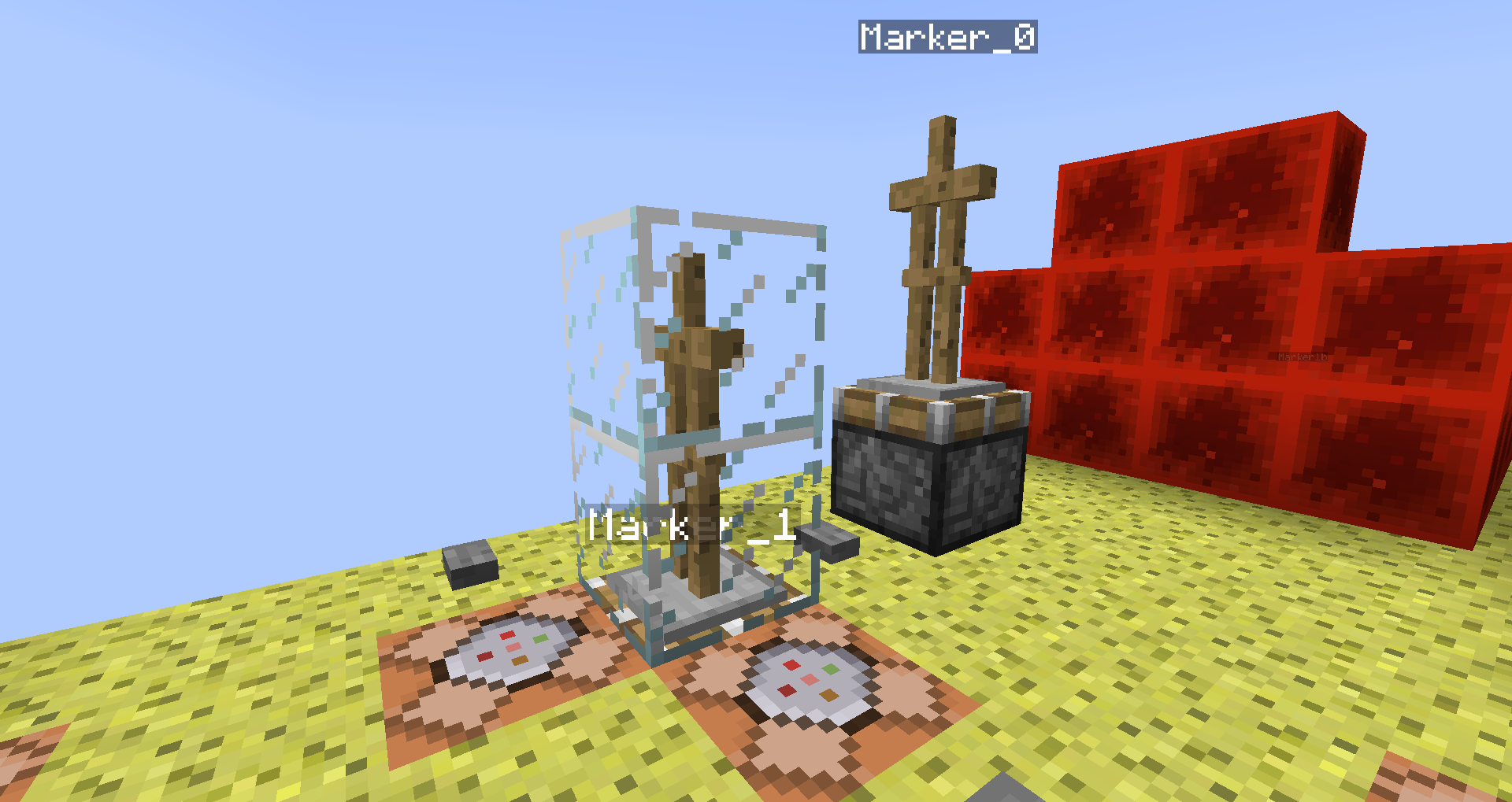 See pic, transparent blocks shouldn't affect Marker-true-AS.

The bug
Omitting or inserting NBT data into a custom spawn egg can still have randomized outcomes.
Details and examples:
- The plain summon-command, e.g. for Zombies, can spawn also Zombies including equipment (armour, weapons, tools) as well as Zombie babies.
Summon-command-example:/summon minecraft:zombie ~ ~ ~
- If you use this summon-command though:
/summon minecraft:zombie ~ ~ ~ {}it will not summon randomized Zombies (e.g. babies or with equipment), only regular adult Zombies without any form of equipment whatsoever.
Iirc this was an issue in previous MC versions, but not anymore (thanks to Panda4994, making me aware)
- (See Searge's comment on
MC-86172: "If you specify a NBT tag, it won't automatically add the default equipment to mobs. In this case you have to specify it in the NBT") to verify it being WaI.) - Plain regular Spawn Eggs from the Creative menu can spawn entities with randomized NBT data (as they apparently should), but if you spawn Zombies with a custom zombie spawn egg, it will also randomize Zombies in swapping equipment (right-handed Zombie becoming left-handed) and even also spawn baby Zombies, even though you e.g. inserted specifically that the Age of the Zombie should only result in an adult type.
Example: Custom Spawn Eggs with defined NBT can still have random outcomes, e.g. a custom spawn egg with:
/give @p zombie_spawn_egg[entity_data={id:"minecraft:zombie"}] 1
can still spawn zombies with equipment

as well as baby zombies

and
- a custom spawn egg with distinct specified equipment can also have random outcomes, e.g.:
/give @p zombie_spawn_egg[entity_data={id:"minecraft:zombie",IsBaby:0b,CustomName:'"example"',HandItems:[{id:"minecraft:bone",count:1},{id:"minecraft:shield",count:1}],ArmorItems:[{id:"minecraft:golden_boots",count:1},{id:"minecraft:golden_leggings",count:1},{id:"minecraft:golden_chestplate",count:1},{id:"minecraft:grass_block",count:1}]}] 1this should only spawn an Adult Zombie with a bone in its right and shield in its left hand (+lapis block on its head, chain chestplate, golden boots).
However, it can also spawn as lefthanded, basically it swaps the bone and shield; this seems to occur with an estimated chance of roughly 10-15%.

But not only the handedness can be affected, it can also spawn a baby Zombie with the same equipment.

And also both can happen at the same time (handedness-swap and baby zombie).
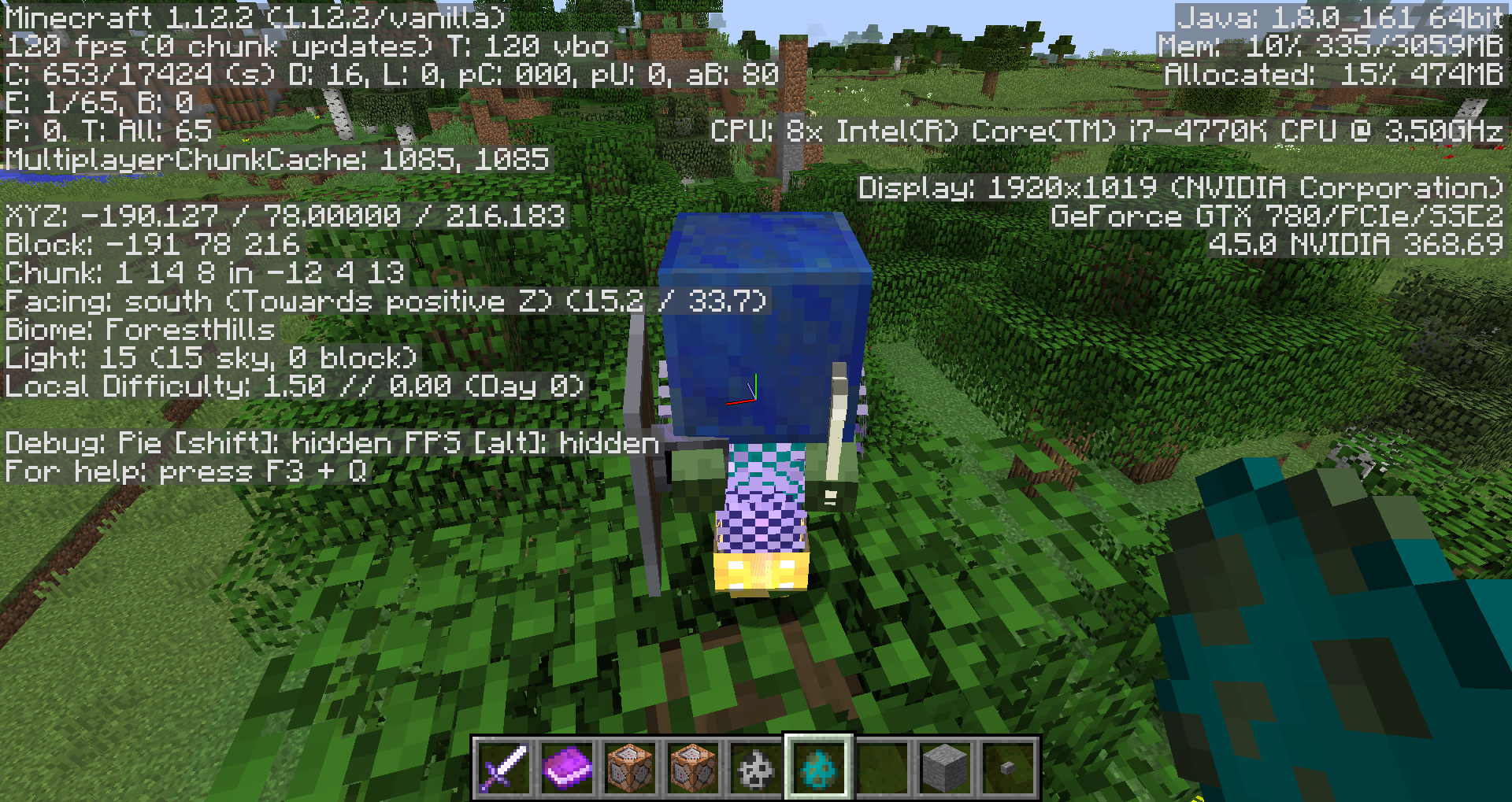
From MC-200002 by Onnowhere: Additionally, spawn eggs with custom nbt may occasionally naturally spawn a passenger. For example, a Strider may occasionally spawn with a baby Strider or Zombified Piglin riding it when using a custom spawn egg for striders.
The same data when used in /summon or a spawner will not spawn the natural passenger on top. This happens with all entities that can have natural passengers, including Spiders and Chickens. This bug relates to MC-85340 but is different in that it does not involve setting the passenger tag itself.
To reproduce:
1. Run the following command to give yourself a custom spawn egg with custom NBT.
/give @p strider_spawn_egg[entity_data={id:"minecraft:strider",CustomName:'"example"'}] 1
2. Use this spawn egg several times and observe that sometimes baby Striders or Zombified Piglins will spawn on top of the Strider.
3. Run the following command several times and observe that the custom NBT restricts the strider from naturally spawning a passenger entity
/summon strider ~ ~ ~ {CustomName:'"example"'}
4. Another example of expected behavior is via a spawner.
/setblock ~ ~ ~ spawner{SpawnData:{entity:{id:"minecraft:strider",CustomName:'"example"'}}} replace
![[Mod] Asteraoth](../../../data/avatars/users/92886.png)
Seems to be better in 19w11b. Onnowhere, would you say that this issue is fixed?
![[Mod] violine1101](../../../data/avatars/users/92858.png)
Onnowhere, then please create a new ticket for that. I consider this bug to be fixed since all other entities no longer are shaded incorrectly.

@Onnowhere, there is sadly a Jira bug which can cause links to get removed when switching between visual and text editor and editing in both (if I recall correctly). This happened with the links of the report, I re-added them now. Please be careful when switching the editor modes.
Onnowhere Sure thing, give me a bit though
Thanks for letting us know, Onnowhere. I will resolve this report as "Cannot Reproduce" then since we don't know for sure if 20w45a really had the intention to fix this specific bug, or only fixed it by accident.
![[Mod] turbo](../../../data/avatars/users/92867.png)
This is not 100% resolved, under a certain amount of transparency, the pixels still stop rendering unlike in game.


Skin file if you want to reproduce this bug:

Original description
Skin preview model won't display transparent pixels (shading)
Also skin rendering changed in recent skins list (missing transparent parts)
Not completely true. When you do /tp @e, it teleports you to all entities from one to the next. In this case, it should function similarly if that happens.
Confirmed for 14w21b. Also see my report MC-55909 as it addresses commands executing at the player with constant teleportation with a similar effect to this. The rubber banding and executing at prev. location appears to occur whenever the player is moving at a fast speed. Effects such as jump boost and speed can be seen to do this. However, with jump boost, even at level 3 only, though the player isn't moving necessarily fast, the rubber banding and executing at prev. location still occurs. Since jump boost and speed effects can be given to the player, this also occurs in survival, not just creative.
Ah, I see why this functions like how it is now. Thanks.
This also occurs with periods, slashes, and other symbols.
This is not a complete duplicate, this is for symbols as well.
A problem that exists with using UUIDs however is that if you do say /kill 1-2-3-4-5 it only kills 1 of the entity not all and the remaining ones cannot be killed if there are summoned multiple with same UUID but with custom name you can kill all with same name. It's for if you want to summon many entities with the same name with a space or symbol, UUID s wouldn't work.
Shoot didn't realize we could change the title. Is there a way to delete this issue, or otherwise close this one. Sorry about that.
Confirmed in 14w21a and b.
This is quite an annoying issue...hope it gets resolved soon.
NOTE!
This also does not work for /setblock.
Something odd is that this occurs with some blocks but not others.
The error always occurs on the second block specified
Here is a sample of non working commands:
/setblock ~ ~-1 ~ command_block 0 replace gold_block
/setblock ~ ~-1 ~ command_block 0 replace air
/setblock ~ ~-1 ~ command_block 0 replace piston_extension
Oddly, this command does work however:
/setblock ~ ~-1 ~ gold_block 0 replace command_block
Edit: Scratch that setblock isn't used for replacing blocks with other blocks.
Also beacons sometimes do this where when I break them the beacon light stays there and when I add colored glass on top the old beacon color glitches with the new appearing color.
Not to mention, this seems to be happening in a way with some entities, like armor stands and item frames, but they go invisible when you unload the chunk...may or may not be a similar issue:
MC-66683Hm...it occured once for whatever reason, even when exiting the world and reloading it, but upon closing mc and reopening it fixed. I wasn't using a resource pack or any mods.
This is also in regards to the offset mob display...............
There, I changed it so that it is no longer related to the pig displayed instead focused on the offset, which was what I was more intending to address.
I can confirm this for 14w32d, though the pig is also off centered now
The glitch is horribly troublesome and annoying, as all of the armor stands and paintings and item frames I place keep going invisible and I keep having to unload and reload the world. I have them used in a map I'm working on, and the map is pretty much useless with this glitch since players can't even see the armor stands if they unload...
Yup, it's happening with me too. I think you should mention that it's happening with all entities summoned in your description. It's easier to see this happening with mobs with the NoAI tag and armor stands with the NoGravity tag.
Duplicate of
MC-66970againI believe it may only occur at the world spawn point. And it happens with all the new worlds I make.
I added an extra bit to the steps, maybe try it now?
Still in 14w34b
Eugene's example shows it really well when you move around with it. I used a command block clock however and in singleplayer.
Attached a video "Mc-66683.mp4": Clear demonstration of the bug using my test in a completely new world in 14w34d
And three other linked issues that relate...please reopen mods and/or try it yourselves too! It's still very much here and annoying as ever.
I found you can also just hook up /tp @a ~ ~ ~ to a clock and that works as well.
MC-55909also kind of addresses the scoreboard/status update I think. It might be trying to update the data of the player at the previous coordinate but there's no player there. Also, this is still in 14w34dStill present in 1.8 pre-release. The problem isn't resolved and has been reproduced several times, including through video and several bug posts, and can be easily redone multiple times following the new steps I wrote using any new world's spawn chunks. Could any mod please try themselves and confirm this to show that this issue is not 'resolved'?
It can be done with any new world. Providing a world download wouldn't really make sense...I could send any of my worlds and they would all do the exact same thing....I mentioned to create a new world in my revised test steps....you could try it yourself too...
Yeah, I mentioned to set your render distance to small in the revised steps. When you make the render larger, you are able to move further away from the armor stands, and somehow if you move far enough, they sort of re-render when you get back. I don't know why. It works for me with every new world I make to test the bug.
Render distance of 2 and moving 100 blocks away always works, at least for me.
Also, sorry about editing my comments so much .
.
I can't fill replace with any tile entities either, like hoppers or chests. The error tells me "Data tag parsing failed: Invalid tag encountered, expected '{' as first char." Is this related or am I doing something wrong?
/fill ~ ~ ~ ~ ~ ~ hopper 0 replace air
Edit: I'm trying the examples now and they tell me this error "expected '{' as first char" instead of the "unable to locate value" error.
Does this have anything to do with how the format says to use [dataTag] at the end rather than specifying a block to replace with?
"/fill <x> <y> <z> <TileName> [dataValue] [oldBlockHandling] [dataTag]"
I tried various things after receiving the error. I thought it meant maybe I need to specify the block using a data tag, but I don't know if that's what it's saying. I tried "/fill ~ ~ ~ ~ ~ ~ hopper 0 replace
{id:minecraft:stone}" but that does nothing and is just a normal replace with no specified block.
Another Edit: I think your right Markus. It seems like using /setblock with replace doesn't work because the replace just means to replace all blocks at the coordinate with the block, rather than replacing a certain block, as you said.
I think I figured out why this isn't working. Those blocks
{command blocks, comparators, hoppers}when used with fill are expecting a dataTag rather than a block to replace, such as /fill ~ ~ ~ ~ ~ ~ command_block 0 replace
{Command:"/say hi"}. And that's overriding the block replacing.
Wait...scratch everything I said... Searge said in
MC-61864that "Replacing blocks with tile entities is not supported, this is due to a limitation in the parsing of commands. It may be changed in the future, but not until after 1.8. This issue should be considered a feature request, not a bug."Sooo nevermind then ._.
Piston extensions are tile entities and maybe this bug is not really the underscore causing the problem but still tile entities like in
MC-61864. Or they fixed the underscore problem and I don't know...It's happened to me many times in 14w34d as well. Music is still playing when music slider is OFF. (Note that I am in creative mode and haven't tested other modes)
Still here in 1.8 pre 2...mods please check this, it's still here an still actually not resolved as ever...
Still here in minecraft pre 1 and pre 2
Still in pre2
Still in pre 2
Still in pre2
I am working on a map that is centered around spawn chunks, and I have chunk loaders spread across the entire map to keep the whole thing loading so that I can always control all the item frames and armor stands that I use to make the map possible. I'm using item frames as a collection mechanic and for decor and using armor stands for decor and creating a 'custom' mob (i.e. Slenderman). With this bug, if players were to play it, they would just be missing many of the item frames/not seeing many of the armor stands since they go invisible, making the map pretty much useless. All the chunks are loading so that means the bug is present in the entire map, not just the spawn chunks, with a low render distance.
Still here in pre 3
Still in 1.8
I have been testing, and it appears this also occurs with mobs, not just armor stands, item frames, and paintings. Dropped items do not seem to be affected though.
I added a mob section to the explanation.
Feel free to link to my
MC-66683report for it's tests and videos and explanations, or copy any info from there into here if you wish to.Confirmed 1.8 release. Can be annoying in cases like for me, where I use them to teleport to a mob, then down a few blocks to align them correctly, but if the mob dies, the armor stand will move down, but it won't despawn, causing it to stay there indefinitely, and potentially causing a large buildup of unused armor stands somewhere far in the void. Also, a better test instruction might be to use the command /say @e[type=ArmorStand] rather than kill, so that it remains there and you can keep testing on it even later.
Still in 1.8. When shot at, arrows bounce off them without affecting them.
Still in 1.8
Still in 1.8.1 pre-1
Still in 1.8.1-pre4. Can be seen in the End world.
Still in 1.8.1-pre 5
Still in 1.8.2-pre1
Hm, well for me it doesn't happen the first time an entity goes through, but rather the second time...
When putting any two entities through a nether portal from the same dimension consecutively within a short period of time, the game will crash. This occurs with players as well when a player quickly travels through the portal to the nether, then back to the overworld, then back through to the nether again, but instead of crashing, the game will stay stuck on the downloading terrain screen. There also does seem to be lots of lag on the first time an entity goes through as well. This isn't limited to a single nether portal, as if the first entity enters a portal, and the second enters another, the game will still crash.
So...why is one of them transparent? The issue I'm trying to address is how they differ, not how they are supposed to be transparent/not transparent. I'll change up the descriptions to better note this.
I'm testing for a container, not a player or entity. Didn't mean for the wording to imply an entity, sorry.
Confirmed 1.8.3
Attached video of glitch in action.
Removed slot tag, still tests positive but now it tests positive when stone is in any slot and there is any item in the dropper in addition to the stone, so doesn't work
I believe it's happening in 1.8.3 for me. I don't think it usually happens but right now when it started playing and I turned it off, it just restarted playing again. It seems to be replaying every time I set the slider to 1 or under I think. Setting it to OFF seems to just replay the music at the level it was before it was turned off.
Affects current version 1.8.3
oh dear, it just happened to me... yesterday they were all there, today I launched mc and they were gone. v. 1.8.3
Still in 1.8.4
It happens when you don't hit it as well. It will eventually begin tracking you regardless of if it previously was following you or if you hit it before.
Still in 1.8.3 and 1.8.4 - Apparently
MC-18284states this was fixed, but that seems not to be the caseWell that's odd, how come
MC-18284was 'fixed' then?I noticed today that it can occur in render distances up to even 8 chunks, and maybe more if condition is right..
What if you add a gamerule to disable nbt items in player inventories? Then a map with the dispensers could still function but players cannot get an nbt block, like it was before 1.8. Although this might be a disadvantage on a server if you want to give players blocks with nbt...
Please delete this bug, it appears I made some mistake somewhere i dunno, but it's working fine now.
Just like
or
/entitydata @e[type=EnderDragon] {Rotation:[10.0f,0.0f]}. Those caused a crash at one point when I activated from chat.
In command blocks, I am also setting Motion tags and DragonPhase tags on 20hz clock in order to alter the actions of the dragon.
This bug is
MC-65040."maybe it is this Issue... but the title is misleading because the entities are not "invisible" but gone until you relog" - This is exactly what we meant in 65040 by 'invisible'.
In the latest snapshots, not sure which one, the entity seems to have disappeared completely?
THANK YOU SEAAAAAAAAAAAAAAAAAAAAAAAARRRRRGEEEEEEEEEEEEEE :DDDDDDDDDDDDDDDDDDDDDD
It has been FIIIIIXXEEEDDD
I know it's because of it being in the same tick, but if the nbt states it is a rotation, I believe the visual should show that rotation as well, even if run in the same tick.
Yes, it's impossible because it may be a bug. If you set NoGravity to 0 again, and run this all in the same tick, the rotation does indeed update, thus NoGravity 1 should be no different. It is DEFINITELY not impossible to make it update in one tick. This isn't an issue of trying to make it update somehow by activating it a tick later in this snapshot, i'm talking about the effect it is having right now which appears as if it is acting like a bug. The issue has nothing to do with it changing too fast and not seeing it turn around visually. The issue instead is that if you spawn it at rotation [0.0f,0.0f] and instantly update it to [90.0f,0.0f], it will display [0.0f,0.0f] instead of [90.0f,0.0f] while the nbt states it is at [90.0f,0.0f]. I'm not trying to address seeing it move between the rotations, just that it should acquire a visual rotation identical to its final determined rotation.
"The output box only gets displayed when there is an output."-> -Certain commands won't display even though they normally should have an output of general information of a successful command run. i.e. /say @a should display that it successfully ran but instead lastoutput line disappears when it is run.To mods or poster of this bug report: Could some information fromMC-89374be included/referenced here?Edit: Ah, nvm, it's because those commands return a last output of nothing or '-' instead.
confirmed 15w41b
Thank you Grum! You've been awesome with all the bug fixes and same to the whole team
This is because the conditional command blocks are a data value of the block, not a block tag (i.e. command_block data:8 is conditional, but command_block data:0 is not), thus since it is not a tag, you can't pick-block it. This is likely done so that minecraft can apply a different texture to the block. A possible solution would be to split all the conditional blocks into a new block type (i.e. conditional_chain_command_block), which would allow it to be pick-block able.
Edit: Also, realizing that stone DOES pick-block on different data values, command blocks probably don't because then you would be able to pick-block specific directions the block faces, which probably isn't desired. So solution would still be to create a new block type for it. But on second thought, that might break current conditional command blocks placed in the world...perhaps make a special case for pick-block to pick only conditional or unconditional blocks out of all the data values? (like if you pick a cmd with data 0 to 7, you get an unconditional block, but 8 to 15 gets a conditional block)
Seems like this is fixed. Currently testing in 15w45a
It seems like this is fixed. Testing in 15w45a atm
No entity seems to be displaying at all anymore (15w45a)
Still in 15w45a
I meant to say tested in 15w45a and it seems to be fixed ^
Confirmed 15w46a
I can't seem to control the pig at all... In 15w46a
Not sure if the mob not displaying is a bug or not, but perhaps if it renders again, the mob might still be in the wrong place...but can't tell that for now
Confirmed 15w49b
Why would this need a screenshot? It's just a leashknot on a fence =p
Look in the assets folder, then check indexes and open the version file you want with a text editor. Search for the term 'sounds.json' then copy the id that follows it. Go back into the assets folder and open the objects folder then search for that id in the file explorer search. Open that file with a text editor to see sounds.json. If you want to manually find the file in objects, take the first two characters in the id and find that folder, then find the file with the full id.
This seems to be fixed now.
Still occurring 15w49b. In the few tests I did, I so far got the following results on render distance 8:
According to
MC-75197, Marker armor stands are still affected by physics and so should be able to be pushed. [Mod] Torabi also noted that the NoGravity tag should be used to prevent physics acting on the armor standBut neither is water and explosions. Water pushes it with force not gravity and explosions do as well. In zero gravity in real life, water or explosions shot at you would still move you, however the armor stand with NoGravity does not. I believe the intention of the NoGravity tag is to prevent physics from interacting on the stand rather than just gravity. Testing this with a shulker, the shulker does seem to move the nogravity armor stand at first, but no matter which direction, eventually the armor stand slingshots back into its original place suggesting that it shouldn't be being moved. Also, armor stands with NoGravity are not affected by Sweep Attacks either.
Still here 16w03a
I've noticed this too. The reason is because the other text lines are empty. It's strange... To make it stay, you have to put at least a space (" ") in the other text lines with the blockdata command.
Shouldn't this still be a bug, since the text still displays until relog. If it doesn't accept it shouldn't the command not run successfully instead? Intended behavior should be something such as just not accepting the command as incorrectly written or displaying it as a blank sign instead of strangely displaying it correctly until you rejoin the world.
Tellraw and title now follow strict json. That means instead of things like
{text:"hi"}you need
{"text":"hi"}. You need quotes around most parts of the command now. Fireballs can be summoned using the direction tag, but you need to specify all the parts of it. i.e. /summon Fireball ~ ~ ~
{direction:[0.0d,0.0d,0.0d]}.
I believe when you reload them it doesn't change the information in the world, just refreshes it for you. So the problem isn't f3+a, it's the info in the world. Why I think this is since f3+a is usable in multiplayer, it can't be directly affecting the world information itself as that's controlled by the server, so it should only be refreshing the information from it for you.
You need to use exact coordinates not relative.
Can confirm. I tested with a giant model being held by a giant, which did disappear when looking upwards. Also happened with the model on an armor stand.
Seems to be related and caused by the same bug though as
MC-96821.Affects the teleport command as well. Can be tested with armor stands. Summon armor stands and then try /tp @e[type=ArmorStand] ~ ~ ~ ~20 ~ to see that the rotation does not update. It seems to only updates once an x, y, or z coordinate is also updated such as /tp @e[type=ArmorStand] ~ ~1 ~ ~20 ~.
Hah, seems like this was partially fixed even though WAI xP. Grass and biome texture related blocks have their correct texture now. (1.9 snapshots)
Edit: unless grass stuff coloring was already fixed in the 1.8 release...can't remember atm
What about considering making r= and c= run from the entity position itself rather than the block location?
ok changed it to focus on c=
yes it is
Can we make this bug report not specific to command block minecarts? It applies to all entity execute selectors. Maybe "Execute selectors are running from middle of block instead of entity position"
What do you mean?
Do a repeat cmd with something like /tp @p 123 25.0 123 with x y z set to a location.
Make sure it is a coordinate that should place you on the ground.
Notice that the camera jitters up and down slightly.
The video attached shows the camera jitter in 1.9 pre-2.
Thank you
Yeah, better to have one combined post with all the selector stuff in it. Thanks gamerguppy =d
This is still in 1.9-pre4. Test: /summon ArmorStand ~ ~ ~ {Marker:1b,Passengers:[
{id:ArmorStand,Marker:0b}]}
The fix seems to have only fixed for marker armor stands riding marker armor stands, but not for various other entities.
Ah, that could make sense
This is not a duplicate. This is regarding /playsound with volumes above 1, and how the slider does not change the volume the sound plays at at all. Not regarding the natural minecraft music playing oddly due to the slider. Natural music is not affected the same was as what I am talking about. For natural music, the sound does seem to change with the slider unlike this where playsound makes the slider not change the volume no matter what. This does not occur only when the slider is OFF. This happens at all slider levels. The volume stays the same no matter what. This occurs with any sound used by playsound command, not just music. Please fix.
The issue here in short is that when you playsound with a very loud sound such as /playsound minecraft:block.note.pling hostile @p ~ ~ ~ 100000, the sound will stay at max volume regardless of the 'hostile' category slider level, for example setting the slider to 1% and playing the sound plays at the same volume as setting it to 100%. This is a bug because the master volume IS able to successfully control the volume of these sounds. You can see that by playing the sound /playsound minecraft:block.note.pling hostile @p ~ ~ ~ 100000 and then adjusting the 'master' slider to see that the volume changes correctly. Thus, all volume sliders other than the master slider cannot adjust the volume of loud sounds.
No lag. Try a command like this: place a block at 0 100 0 and run /tp @a 0 101.0 0 constantly and notice the sometimes occasional jittering. You can see in the video it happening while I was recording with no lag.
Confirmed 1.9-pre4
Hmm this seems to happen more so when there's tick lag in the world or something like it. I switched from a command block heavy world to a fresh super flat world and the issue seems to not really be happening.
Seems fixed! 1.9 pre-1
██╗ ██████╗ ██████╗ ██████╗ ██████╗ ██████╗ ███║██╔═████╗██╔═████╗██╔═████╗██╔═████╗██╔═████╗ ╚██║██║██╔██║██║██╔██║██║██╔██║██║██╔██║██║██╔██║ ██║████╔╝██║████╔╝██║████╔╝██║████╔╝██║████╔╝██║ ██║╚██████╔╝╚██████╔╝╚██████╔╝╚██████╔╝╚██████╔╝ ╚═╝ ╚═════╝ ╚═════╝ ╚═════╝ ╚═════╝ ╚═════╝ .''. .''. *''* :_\/_: . :_\/_: . .:.*_\/_* : /\ : .'.:.'. .''.: /\ : _\(/_ ':'* /\ * : '..'. -=:o:=- :_\/_:'.:::. /)\*''* .|.* '.\'/.'_\(/_'.':'.' : /\ : ::::: '*_\/_* | | -= o =- /)\ ' * '..' ':::' * /\ * |'| .'/.\'. '._____ * __*..* | | : |. |' .---"| _* .-' '-. | | .--'| || | _| | .-'| _.| | || '-__ | | | || | |' | |. | || | | | | || | ___| '-' ' "" '-' '-.' '` |____Dupe of
MC-61864From Searge: "Replacing blocks with tile entities is not supported, this is due to a limitation in the parsing of commands. It may be changed in the future, but not until after 1.8. This issue should be considered a feature request, not a bug."
Try suggesting features to https://www.reddit.com/r/minecraftsuggestions
Thanks lol, do I get a reward? xP Keep up the good work mojang, mojira mods, and all the others who report and comment info. Thanks for tirelessly filtering and fixing issues from We sure have come a long way.
MC-1all the way to MC-100000 and beyond and keeping the game running great!Is this
MC-99378/MC-99189Searched but never found that one sorry xP
Seems like minecraft is loading every single model in the file rather than just the specific model itself?
We really need this fixed in 1.9 before 1.10 or it'll stay consistently screwing with tons of stuff until 1.10 is released . Some things it messes with for example is one of the only method left in 1.9 to keep entities in place without moving, which is putting the entity on something that does not move. With this, that method is no longer usable in non-spawn chunks
Confirmed 1.9.4 NOOOOOOOOOOOOOOOOOOOOOOoooooooooooooooooooooooooooooooooooooooooooooooooooo
This happens whenever the command is run and does not rely on fill/repeat clock. Additionally, you can no longer edit the motion tag of entities like this. The only exception is the MinecartRideable which still functions normally when teleported/motion edited.
This breaks things like invisible seats for flying transport made from command systems (like a flying carpet that you ride) because of reliance on horses or pigs.
CORRECTION: It appears that it increases even if you don't take damage, as long as you fall over 2.1 blocks. Can be tested with feather falling boots. So there is no relation to damage taken to increase fall stat.
So I guess this probably isn't a bug? Should fallOneCm count up while falling like walkOneCm or sprintOneCm after the player falls over 2.1 blocks?
Confirmed for 1.10
Still in 1.10.2
This is because you are missing override predicates in the 'fishing_rod' model. The model needs it to know when to override the fishing_rod model with the fishing_rod_cast model. You can always look in the default resource pack model json to see if anything is incorrect.
This world has a file name containing brackets. If you open this world, the resource pack also provided will not be loaded in the world.
Yes all of the brackets. If any of them exist in the file name, the resource pack won't load.
[ { } ] <- these four
Edited bug report to focus on crash issue involving breeding
Related to
MC-108008Related to
MC-96863No, in 16w39c, by doing this teleport, you are both not placed on the ground (even though the teleport should technically place you on it) thus slightly above it, yet the testfor outputs OnGround:1b, even though you are NOT on the ground. You can also locate the teleport to high in the air and it will still think you are OnGround:1b. Any set X Y Z teleport is at first determined as OnGround:1b even if in the air.
I don't think I have been able to recreate it. Not sure exactly what server conditions caused it in the first place.
As of 1.11, the name for potion entity is now simply 'potion' or 'minecraft:potion'
Yep, I'm stupid idk what I was doing when I wrote that
Confirmed 1.11.2 and 17w06a
Confirmed 17w06a.
I believe this bug report should be reconsidered and reopened. Texture errors have been resolved before, such as
MC-107844This also occurs with Mycelium and Podzol, most noticeably with Podzol as the entire grass side overlay is not the same.
Still in 17w17b
Still an issue, updated
WAI? That's odd, these squashed rectangle shapes aren't in the actual texture itself. Is it perhaps because the layers are angled so they appear squashed? Attached image of the actual end portal texture
Still in pre-5
Huh, players being different heights when sneaking in multiplayer was fixed, but now they're both too low .-.
Still in pre-5
This is an incredibly important issue that affects my project. I've been working on a project that used to rely on seamless double slabs not making marker armor stands go dark pre-1.13. However, in 1.13, this is no longer the case. I have been working on this project since 1.9 in the hopes that it can provide help to map makers come with all the data pack, recipe customization etc. possible in 1.13, however, just due to this bug, it can't be completed. In my case personally, fixing this bug would save an entire project.
My project relies on not replacing common blocks used by players in creative/survival and mimicking different solid blocks like stone or wood based, so I can't. I relied on seamless double slabs as they were less commonly used and there were multiple types to use to mimic actual blocks (stone based, wood based, etc.)
Confirmed 18w02a
/teleport @s ~ ~ ~ 0 90 works, /teleport ~ ~ ~ 0 90 no longer works as it was changed to only accept coordinates due to some ambiguity of teleport tab complete so this was the compromise iirc
I was able to reproduce this crash occasionally with a structure block loading in a structure. Version 18w02a. "Caused by: java.lang.IllegalArgumentException: Cannot get property bcw
{name=rotation, clazz=class java.lang.Integer, values=[0, 1, 2, 3, 4, 5, 6, 7, 8, 9, 10, 11, 12, 13, 14, 15]}as it does not exist in bci
{block=minecraft:furnace, properties=[facing, lit]}" and other errors came from other blocks in different crashes too, such as chests. Uploaded 'small_house.nbt' but make sure to load it WITHOUT entities as the structure file has a lot.
Possibly related to
MC-123363but mine resulted in a crash with furnaces whereasMC-123363specifically stated they do not cause that bugOriginally posted in
MC-110399(related or same issue?) but, I was able to get this crash with furnaces in a structure file:"Caused by: java.lang.IllegalArgumentException: Cannot get property bcw
{name=rotation, clazz=class java.lang.Integer, values=[0, 1, 2, 3, 4, 5, 6, 7, 8, 9, 10, 11, 12, 13, 14, 15]}as it does not exist in bci
{block=minecraft:furnace, properties=[facing, lit]}"
confirmed 18w03b
Yes this occurs in 1.12.2
No this does not occur in 1.12.2
The second command overrides the first one in that you re-used the position of @a[tag=crouched], which means @e[tag=destination] restarts at @a's position then moves 2048 at the end. The relative coordinates refer to the location specified in 'positioned as'.
Instead, if your goal is to relatively move all @e[tag=destination] relative to themselves, do this:
execute positioned as @a[tag=crouched] if block ~-1 ~1 ~5 minecraft:stone_button as @e[tag=destination] at @s run tp @s ~ ~ ~1024execute positioned as @a[tag=crouched] if block ~1 ~1 ~5 minecraft:stone_button as @e[tag=destination] at @s run tp @s ~ ~ ~2048Confirmed up to latest snapshot 18w50a
Confirmed 18w50a
The console spam seems to have stopped (just checked in 18w50a) but I'm not sure if there's perhaps some other syntax you could do to trigger it again. Potentially fixed
Thank you dinnerbone!
As of 19w08a, this bug is still in place despite the new snow texture. See attached image.
New related bug:
MC-144608Dupe of
MC-138396Dupe of MC-129641
Confirmed 19w09a
Apparently this is only happen on a certain test world of mine. I'm currently trying to see what is causing it. I disabled datapacks and resource packs to see if they were the issue but they were not. I attached a picture showing it happening. Still investigating.
I attached my level.dat file. This is the only thing that needs to be in the world file before I open the world, and the bug will happen.
Found the issue, it has to do with how far the world spawn point is from (0,0), quite odd
Thanks! Had no idea it was just arrows in general, that's not good xP
This can be reproduced by summoning a villager with an invalid point of interest.
/summon minecraft:villager ~ ~ ~ {Brain:{memories:{"minecraft:home":{pos:[I;1000,100,1000],dimension:"minecraft:overworld"}}}}Edit: I wish jira would stop reformatting my commands
It's "better" but not really fixed at all. It still spikes the TPS and freezes the TPS until it finishes which sometimes takes several seconds. I attached an updated image.
The reason for this bug is due to `pack.png`. Whenever there is a pack.png file in the packaged resource pack, this bug occurs. Deleting it will prevent crashing.
See the attached resources.zip. Drop it in any world file, then test with pack.png included and then delete the pack.png and try again to see that crashing stops. No other file is included in the RP except the image, mcmeta, and 'assets/minecraft' folder with nothing inside.
Is it possible to add the bit about the 'pack.png' part to the report? I'm assuming since that seems to be what is causing the crash in testing, that's probably also what the crash report refers to in 'Image is not allocated'.
Confirmed 1.14 pre-release 3
These are warnings when Minecraft tries to pass a Uniform variable (that is declared in the program json) to the fsh and vsh programs but either one or both never reference the uniform variable or OpenGL optimized out the variable for being unused. It shouldn't affect shader performance or compilation in any way. Perhaps the fix would be for the Minecraft code to just not output a warning when it fails to send a uniform to a specific shader program? Maybe only output the warning if both vsh and fsh do not use the uniform.
Oh, and also, confirmed 1.14.1
Affects 1.14.2
(also attached a zip of my test world with nothing but a worldborder and a datapack that has a single command in it)
Is this for sure WAI? Seeing as feature parity is sought for, bedrock still has correct square particles in their end texture while Java still has squished rectangles. I would imagine if squished rectangles were sought for, the texture itself should have been made with them instead of squishing the texture in the code.
Confirmed 1.14.3 pre-2
Still in 1.14. On top of that, I appear to have found another issue on top of it where if too many blockstate variant models are used, "ambientocclusion": false is just completely ignored...
Edit: actually it appears when a block model has a missing texture, ambient occlusion false is ignored, not because of too many variants
Can confirm, this also affects glow on partial transparency which has a unique look (such as when resource packs use partial transparent textures to glow with, stained panes and other partial transparent items rendered on entities, and slimes) which in 1.14 worked fine. This breaks a really nice visual feature of the glowing effect.
This affects all parts of the Pose, including arms, legs, chest, and head. I attached a video of this happening by switching in spectator mode and back. Spectator mode causes the armor stand to render correctly because the armor stand is visible again.
Also confirmed 19w40a. This should be updated to include all pose, not just arm
It seems like this is situation, as in it only occurs at certain angles, with a specific amount of entities, and maybe the dimension causes the effect as well. This occurred to me in the end at (8, 128, 8) with several armor stands.
That being said, the commands I use are:
It seems like this is situation, as in it only occurs at certain angles, with a specific amount of entities, and maybe the dimension causes the effect as well. This occurred to me in the end at (8, 128, 8) with several armor stands.
That being said, the commands I use are:
/summon armor_stand ~ ~ ~ {Pose:{Head:[180.0f,0.0f,0.0f]},NoGravity:1b,NoBasePlate:1b,Silent:1b,Invisible:1b,Invulnerable:1b,DisabledSlots:31,ArmorItems:[{},{},{},{id:"minecraft:orange_terracotta",Count:1b}]}and testing with
/execute as @e[type=armor_stand,distance=..3] run data merge entity @s {Invisible:0b}Confirmed 19w40a
This is not fixed on items rendering on entities (i.e. armor stands) and item entities themselves
(Confirmed 19w41a for items)
@violine1101 made
MC-163260Yes it does, thanks for finding that
It is related, but no. This is an issue where non-transparent item models don't render back faces while transparent ones do, thus there is inconsistency in how models are decided on to be rendered. I assume they made a special case for transparent items to be able to render faces from both sides, while other blocks only render from one side.
i.e. if only that bug is fixed, this bug would not be, because the same model would not behave the same on different items inherently (double-sided faces vs non-double sided faces)
Perhaps a way to resolve this would be to allow models to define in json to be rendered as a transparent model/double sided, then models could be rendered in the correct way regardless of item.
It appears items are still affected, but some entities are fixed (not exactly sure which are and which aren't)
This bug should be expanded to encompass all textures that don't support transparency on custom textures. Specifically, items with block models do not support transparency if by default they did not have transparency, whereas in 1.14 all block-items supported transparency.
Perhaps a better name for this bug is Certain textures without transparency by default ignore transparency in custom textures.
Here is a list of all things that are different between 1.14 and
19w42a1.15pre-1 when using my resource pack (see attached RP file) which replaces all block, item, and entity textures with a transparent texture with RGBA values (255.0, 255.0, 255.0, 0.0) which is full white with full transparency.Items:
In 1.14, every item supported transparency, including items with block models where in block form transparency was not supported, whereas in 19w42a, these block-items no longer support transparency. See attached screenshots for inventory and entities with items comparison.
Items with block models in the inventoryItem entities with block modelsEntities wearing or holding items with block modelsBlocks:
In 1.14, most opaque blocks did not support transparency. I will leave it up to mods/mojang to decide whether all blocks should support transparency in their texture, similarly for falling block and minecart custom display block behavior whether they should be transparent or not. For now, I will list all inconsistencies where in 1.14 they support transparency while in 19w42a they do not. See attached screenshots for block comparison.
Minecarts with custom display block (all transparent in 1.14, opaque blocks are not transparent in 19w42a)Signs (standing and wall)ChestsTrapped ChestsEnder ChestsEnd Portals (in 1.14 they appear black, in 19w42a they appear white)End Gateways (in 1.14 they appear black, in 19w42a they appear white)Just wanted to note that your case is part of my comment above. Basically any item that originally used a block model will ignore transparency on any texture it has. However, perhaps a better name for the bug is that 'Certain models with opaque textures by default ignore transparency in custom textures' to be more accurate
Yes, you're right, this might be why. The one with the cape can see the other account skins, but not vice versa
Unfortunately, I didn't realize updateLog existed before updating back to beta to remake my profiles
Perhaps it's best to close this issue since it seems quite un-reproduceable since I don't have any information from before the update and have no way to know exactly what caused it, but I'm not sure how the process should go
This has been fixed in one of the 1.15 snapshots that introduced Blaze3d and/or fixed transparency for falling blocks.