 CDES5
CDES5
- CDES5
- cdes5
- Europe/London
- No
- No
 MC-109412




Windows 10 Version 1607 (build 14393.3
21)
Java 8 update 112Windows 10 Version 1607 (build 14393.351)
Java 8 update 112
16w44a worldsOn 16w44a worlds, some have 1 or 2 broken and some are now fixed.
When using the /locate command it sends you to the wrong place.
*What I expected to happen was...:*
It would given me the correct coordinates.*What actually happened was...:*
It gave me wrong coordinates*Steps to Reproduce:* (If looking for Mineshaft)
1. Type in command bar "/locate Mineshaft"
2. It gives you coordinates, now do "/tp [coordinates] when it says y? use 99 (as 99 is usually land or just above land)
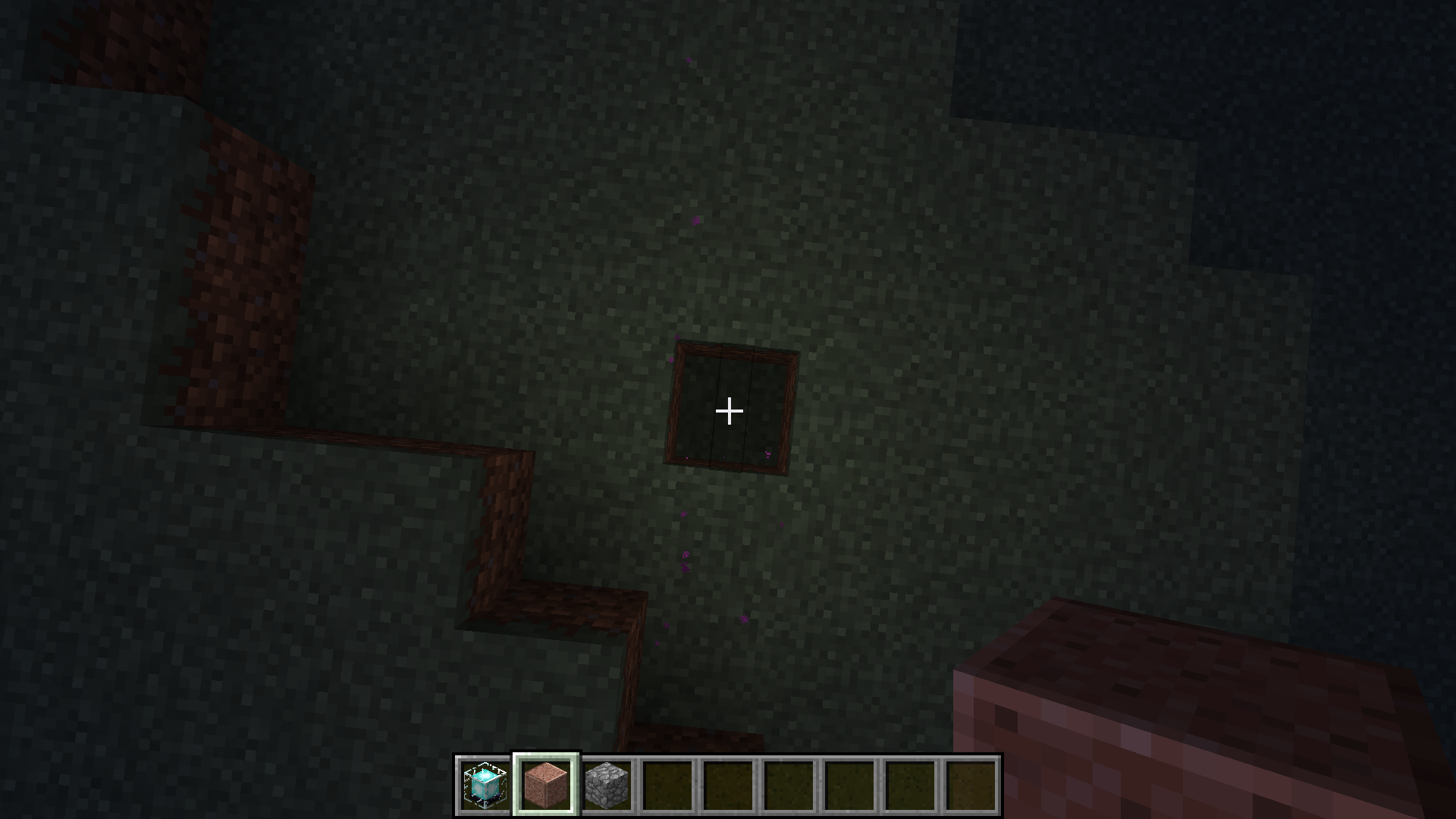
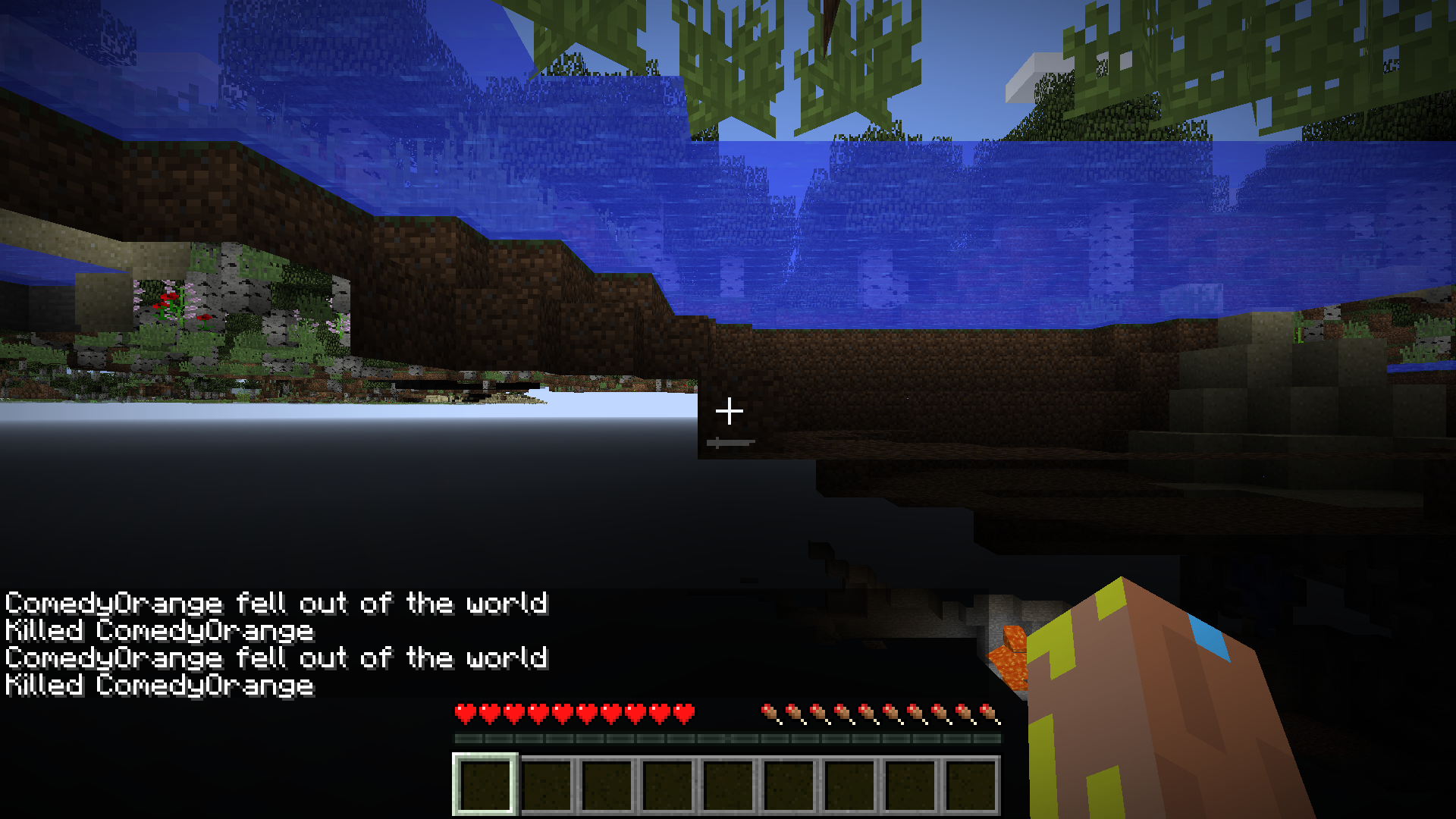
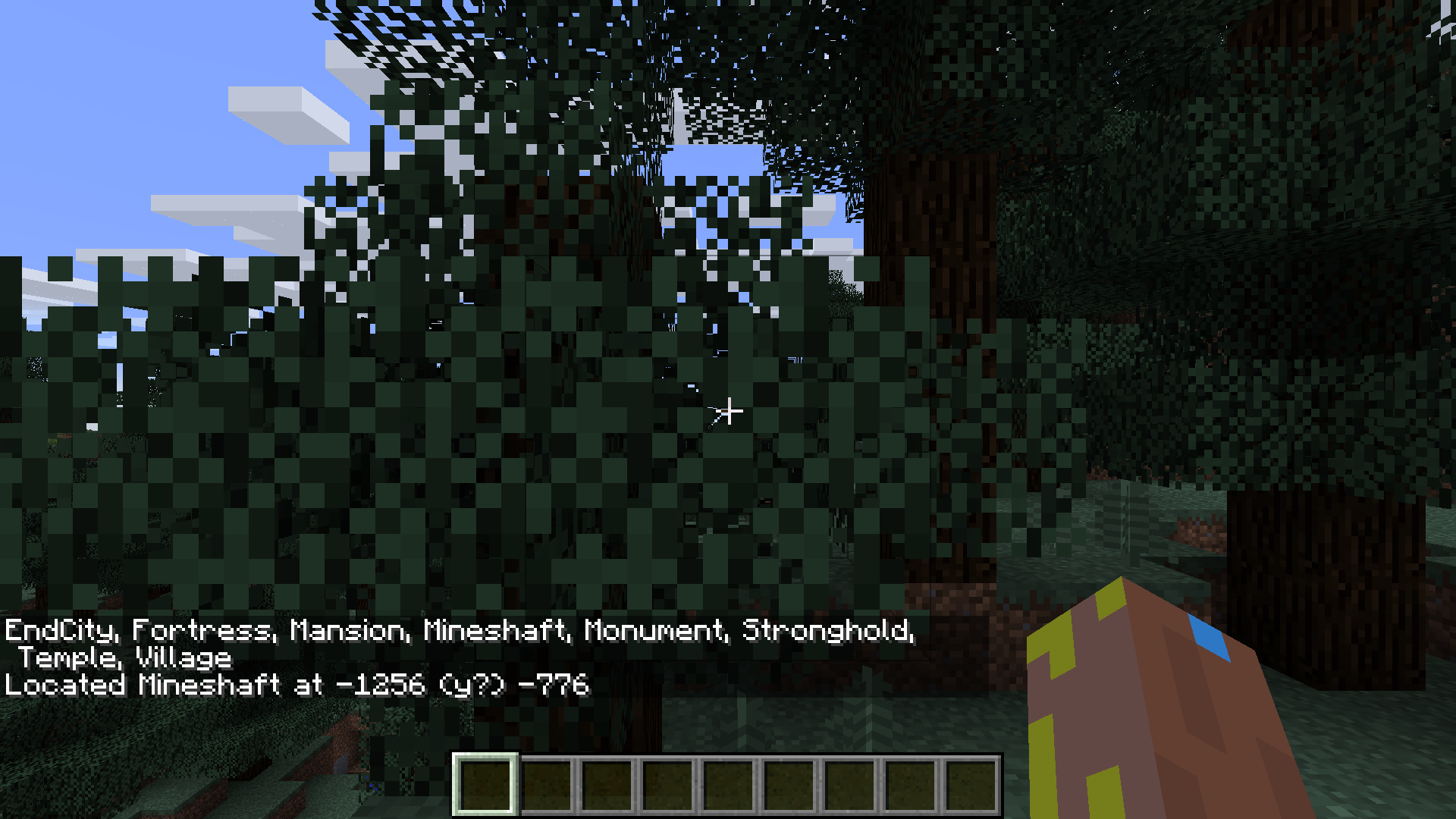
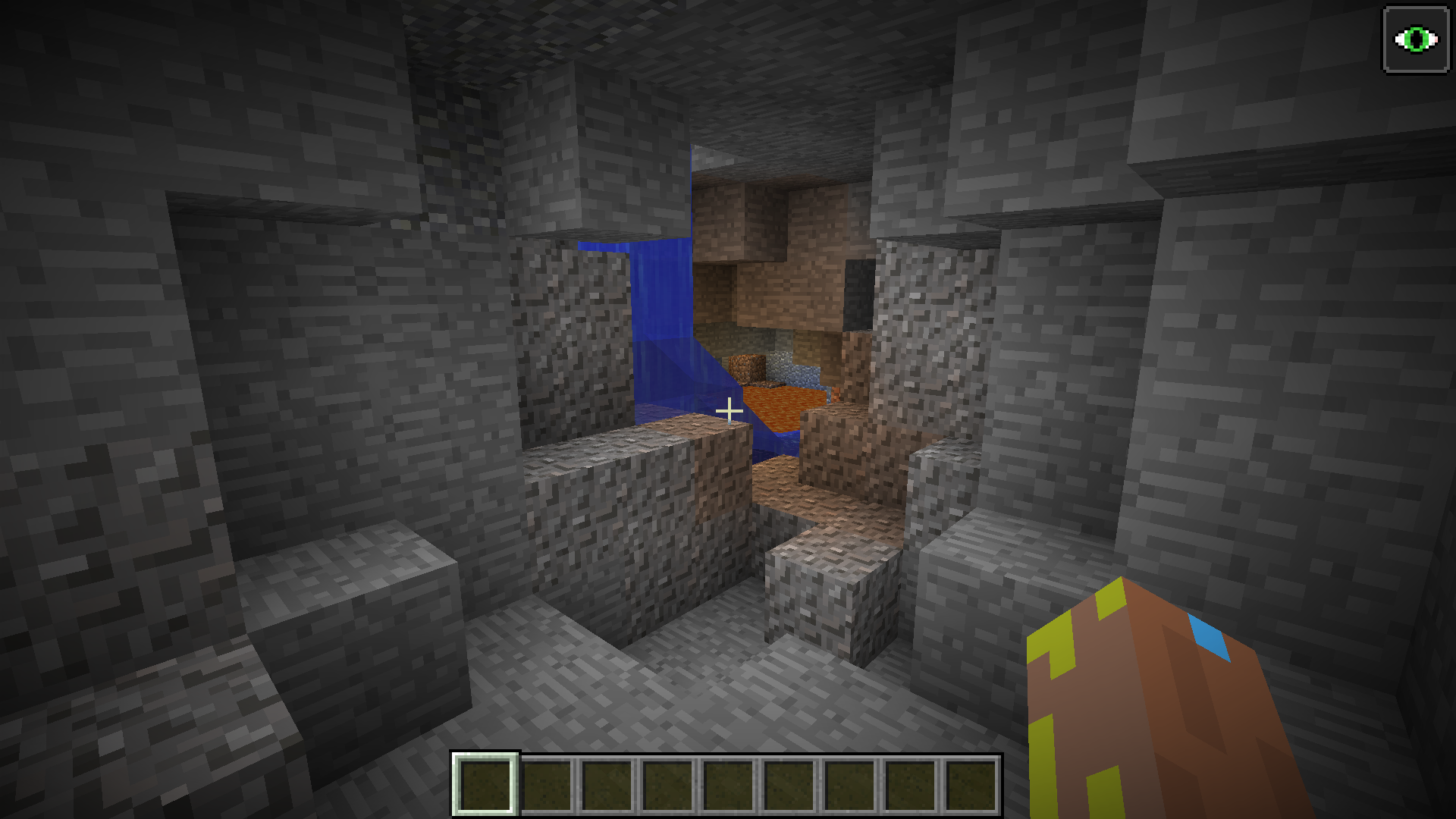
3. *WRONG PLACE!* after digging down as it clearly wasn't upwards it lead me to a place with fire and water all over #NoMineshaft*SCREENSHOTS*
1. After digging down from land
2. After moving around in the hole I dug found fire and water. (NOTE: I placed torches because of near 0 light.)
3. Stronghold?
4. Temple?
5. Stronghold? failure 2
6. Temple working
7-9. Photos courtesy of [Mod] Les3awe
10. 16w42a Mineshaft
16w44a worldsOn 16w44a worlds, some have 1 or 2 broken and some are now fixed.
When using the /locate command it sends you to the wrong place.
*What I expected to happen was...:*
It would given me the correct coordinates.*What actually happened was...:*
It gave me wrong coordinates*Steps to Reproduce:* (If looking for Mineshaft)
1. Type in command bar "/locate Mineshaft"
2. It gives you coordinates, now do "/tp [coordinates] when it says y? use 99 (as 99 is usually land or just above land)
3. *WRONG PLACE!* after digging down as it clearly wasn't upwards it lead me to a place with fire and water all over #NoMineshaft*SCREENSHOTS*
1. After digging down from land
2. After moving around in the hole I dug found fire and water. (NOTE: I placed torches because of near 0 light.)
3. Stronghold?
4. Temple?
5. Stronghold? failure 2
6. Temple working
7-9. Photos courtesy of [Mod] Les3awe
10. 16w42a Mineshaft
16w44a worldsOn 16w44a worlds, some have 1 or 2 broken and some are now fixed.
When using the /locate command it sends you to the wrong place.
*What I expected to happen was...:*
It would given me the correct coordinates.*What actually happened was...:*
It gave me wrong coordinates*Steps to Reproduce:* (If looking for Mineshaft)
1. Type in command bar "/locate Mineshaft"
2. It gives you coordinates, now do "/tp [coordinates] when it says y? use 99 (as 99 is usually land or just above land)
3. *WRONG PLACE!* after digging down as it clearly wasn't upwards it lead me to a place with fire and water all over #NoMineshaft*SCREENSHOTS*
1. After digging down from land
2. After moving around in the hole I dug found fire and water. (NOTE: I placed torches because of near 0 light.)
3. Stronghold?
4. Temple?
5. Stronghold? failure 2
6. Temple working
7-9. Photos courtesy of [Mod] Les3awe
10. 16w42a Mineshaft16w44a worldsOn 16w44a worlds, some have 1 or 2 broken and some are now fixed.
16w43a and lower 1.11 development versionsOn 16w43a and lower 1.11 development versions, some have 1 or 2 broken at least.
When using the /locate command it sends you to the wrong place.
*What I expected to happen was...:*
It would given me the correct coordinates.*What actually happened was...:*
It gave me wrong coordinates*Steps to Reproduce:* (If looking for Mineshaft)
1. Type in command bar "/locate Mineshaft"
2. It gives you coordinates, now do "/tp [coordinates] when it says y? use 99 (as 99 is usually land or just above land)
3. *WRONG PLACE!* after digging down as it clearly wasn't upwards it lead me to a place with fire and water all over #NoMineshaft*SCREENSHOTS*
1. After digging down from land
2. After moving around in the hole I dug found fire and water. (NOTE: I placed torches because of near 0 light.)
3. Stronghold?
4. Temple?
5. Stronghold? failure 2
6. Temple working
7-9. Photos courtesy of [Mod] Les3awe
10. 16w42a Mineshaft
16w44a worldsOn 16w44a worlds, some have 1 or 2 broken and some are now fixed.
1.11-pre1,16w43a and lower 1.11 development versionsOn 1.11-pre1,16w43a and lower 1.11 development versions, some have 1 or 2 broken at least.
When using the /locate command it sends you to the wrong place.
*What I expected to happen was...:*
It would given me the correct coordinates.*What actually happened was...:*
It gave me wrong coordinates*Steps to Reproduce:* (If looking for Mineshaft)
1. Type in command bar "/locate Mineshaft"
2. It gives you coordinates, now do "/tp [coordinates] when it says y? use 99 (as 99 is usually land or just above land)
3. *WRONG PLACE!* after digging down as it clearly wasn't upwards it lead me to a place with fire and water all over #NoMineshaft*SCREENSHOTS*
1. After digging down from land
2. After moving around in the hole I dug found fire and water. (NOTE: I placed torches because of near 0 light.)
3. Stronghold?
4. Temple?
5. Stronghold? failure 2
6. Temple working
7-9. Photos courtesy of [Mod] Les3awe
10. 16w42a Mineshaft
16w44a worldsOn 16w44a worlds, some have 1 or 2 broken and some are now fixed.
1.11-pre1,16w43a and lower 1.11 development versionsOn
1.11-pre1,16w43a and lower 1.11 development versions, some have 1 or 2 broken at least.When using the /locate command it sends you to the wrong place.
*What I expected to happen was...:*
It would given me the correct coordinates.*What actually happened was...:*
It gave me wrong coordinates*Steps to Reproduce:* (If looking for Mineshaft)
1. Type in command bar "/locate Mineshaft"
2. It gives you coordinates, now do "/tp [coordinates] when it says y? use 99 (as 99 is usually land or just above land)
3. *WRONG PLACE!* after digging down as it clearly wasn't upwards it lead me to a place with fire and water all over #NoMineshaft*SCREENSHOTS*
1. After digging down from land
2. After moving around in the hole I dug found fire and water. (NOTE: I placed torches because of near 0 light.)
3. Stronghold?
4. Temple?
5. Stronghold? failure 2
6. Temple working
7-9. Photos courtesy of [Mod] Les3awe
10. 16w42a Mineshaft1.11-pre1,16w44a worldsOn 1.11-pre1,16w44a worlds, some have 1 or 2 broken and some are now fixed.
16w43a and lower 1.11 development versionsOn 16w43a and lower 1.11 development versions, some have 1 or 2 broken at least.
When using the /locate command it sends you to the wrong place.
*What I expected to happen was...:*
It would given me the correct coordinates.*What actually happened was...:*
It gave me wrong coordinates*Steps to Reproduce:* (If looking for Mineshaft)
1. Type in command bar "/locate Mineshaft"
2. It gives you coordinates, now do "/tp [coordinates] when it says y? use 99 (as 99 is usually land or just above land)
3. *WRONG PLACE!* after digging down as it clearly wasn't upwards it lead me to a place with fire and water all over #NoMineshaft*SCREENSHOTS*
1. After digging down from land
2. After moving around in the hole I dug found fire and water. (NOTE: I placed torches because of near 0 light.)
3. Stronghold?
4. Temple?
5. Stronghold? failure 2
6. Temple working
7-9. Photos courtesy of [Mod] Les3awe
10. 16w42a Mineshaft
Windows 10 Version 1607 (build 14393.
351)
Java 8 update 112Windows 10 Version 1607 (build 14393.447)
Java 8 update 112
1.11-pre1,16w44a worldsOn 1.11-pre1,16w44a worlds, some have 1 or 2 broken and some are now fixed.
1.11,16w43a and lower 1.11 development versionsOn 1.11,16w43a and lower 1.11 development versions, some have 1 or 2 broken at least.
When using the /locate command it sends you to the wrong place.
*What I expected to happen was...:*
It would given me the correct coordinates.*What actually happened was...:*
It gave me wrong coordinates*Steps to Reproduce:* (If looking for Mineshaft)
1. Type in command bar "/locate Mineshaft"
2. It gives you coordinates, now do "/tp [coordinates] when it says y? use 99 (as 99 is usually land or just above land)
3. *WRONG PLACE!* after digging down as it clearly wasn't upwards it lead me to a place with fire and water all over #NoMineshaft*SCREENSHOTS*
1. After digging down from land
2. After moving around in the hole I dug found fire and water. (NOTE: I placed torches because of near 0 light.)
3. Stronghold?
4. Temple?
5. Stronghold? failure 2
6. Temple working
7-9. Photos courtesy of [Mod] Les3awe
10. 16w42a Mineshaft
1.11-pre1,16w44a worldsOn 1.11-pre1,16w44a worlds, some have 1 or 2 broken and some are now fixed.
1.11,16w43a and lower 1.11 development versionsOn
1.11,16w43a and lower 1.11 development versions, some have 1 or 2 broken at least.When using the /locate command it sends you to the wrong place.
*What I expected to happen was...:*
It would given me the correct coordinates.*What actually happened was...:*
It gave me wrong coordinates*Steps to Reproduce:* (If looking for Mineshaft)
1. Type in command bar "/locate Mineshaft"
2. It gives you coordinates, now do "/tp [coordinates] when it says y? use 99 (as 99 is usually land or just above land)
3. *WRONG PLACE!* after digging down as it clearly wasn't upwards it lead me to a place with fire and water all over #NoMineshaft*SCREENSHOTS*
1. After digging down from land
2. After moving around in the hole I dug found fire and water. (NOTE: I placed torches because of near 0 light.)
3. Stronghold?
4. Temple?
5. Stronghold? failure 2
6. Temple working
7-9. Photos courtesy of [Mod] Les3awe
10. 16w42a Mineshaft1.11,1.11-pre1,16w44a worldsOn 1.11,1.11-pre1,16w44a worlds, some have 1 or 2 broken and some are now fixed.
16w43a and lower 1.11 development versionsOn 16w43a and lower 1.11 development versions, some have 1 or 2 broken at least.
When using the /locate command it sends you to the wrong place.
*What I expected to happen was...:*
It would given me the correct coordinates.*What actually happened was...:*
It gave me wrong coordinates*Steps to Reproduce:* (If looking for Mineshaft)
1. Type in command bar "/locate Mineshaft"
2. It gives you coordinates, now do "/tp [coordinates] when it says y? use 99 (as 99 is usually land or just above land)
3. *WRONG PLACE!* after digging down as it clearly wasn't upwards it lead me to a place with fire and water all over #NoMineshaft*SCREENSHOTS*
1. After digging down from land
2. After moving around in the hole I dug found fire and water. (NOTE: I placed torches because of near 0 light.)
3. Stronghold?
4. Temple?
5. Stronghold? failure 2
6. Temple working
7-9. Photos courtesy of [Mod] Les3awe
10. 16w42a Mineshaft
1.11,1.11-pre1,16w44a worldsOn 1.11,1.11-pre1,16w44a worlds, some have 1 or 2 broken and some are now fixed.
16w43a and lower 1.11 development versionsOn 16w43a and lower 1.11 development versions, some have 1 or 2 broken at least.
When using the /locate command it sends you to the wrong place.
*What I expected to happen was...:*
It would given me the correct coordinates.*What actually happened was...:*
It gave me wrong coordinates*Steps to Reproduce:* (If looking for Mineshaft)
1. Type in command bar "/locate Mineshaft"
2. It gives you coordinates, now do "/tp [coordinates] when it says y? use 99 (as 99 is usually land or just above land)
3. *WRONG PLACE!* after digging down as it clearly wasn't upwards it lead me to a place with fire and water all over #NoMineshaft*SCREENSHOTS*
1. After digging down from land
2. After moving around in the hole I dug found fire and water. (NOTE: I placed torches because of near 0 light.)
3. Stronghold?
4. Temple?
5. Stronghold? failure 2
6. Temple working
7-9. Photos courtesy of [Mod] Les3awe
10. 16w42a Mineshaft
Locate command gives the Mineshafts location to offset too far
LocateRecord.txt
Chunks past certain point are loaded incorrectly
What I expected to happen was...:
Correctly loaded chunksWhat actually happened was...:
Incorrect chunksSteps to Reproduce:
1. Start world with seed -4805936955243545711
2. Run/tp @a 29999990 128 29999990
/tp @a ~25 ~ ~25
3. Causes slow commands and chunk errorsChunks past certain point are loaded incorrectly
What I expected to happen was...:
Correctly loaded chunksWhat actually happened was...:
Incorrect chunksSteps to Reproduce: (CMD = command block)
1. Start world with seed -4805936955243545711
2. Run
CMD1: /tp @a 29999990 128 29999990
CMD2: /tp @a ~25 ~ ~25
3. Causes slow commands and chunk errors

CDES5 Please stop asking for fixes/assingees, it is only annoying.
![[Mod] Skylinerw](../../../data/assets/gravatar/skylinerw.png)
@CDES5 Look at the resolution, which says "Unresolved". The list of fixed versions is not removed; it states the versions that it was attempted to be fixed. The resolution status is what's important.

CDES5, it was already confirmed by Brian McCulloh
CDES5 please leave these mass questions for version x to the mods/helpers.
The tickets you comment(ed) on have been updated/created during the 1.11 development cycle, so there's no need to ask in the first place.
CDES5 is right, you can only use Invisible tag with armor stands. To make mobs invisible you should apply invisibility potion effect to them.
![[Mod] Neko](../../../data/avatars/users/92901.png)
CDES5, we've told you this before, please leave messages like these for helpers and moderators.
CDES5 Second time: Please leave the "does this still affect xxx" to the mods.helpers, you commented on a 1.11 ticket about 1.11.1 which just released today, please leave it to the mods and stop doing this.
CDES5 third and final time, please stop posting these comments and leave it to the mods/helpers.
CDES5 that'd make the ticket a feature request, changed the title regardless (and linked to a bigger splitting of ids ticket).
![[Mod] violine1101](../../../data/avatars/users/92858.png)
Also, you're using mods. This bug tracker is for the vanilla game only.
CDES5, that's completely irrelevant.

CDES5 I think it is. I tried this bug in Minecraft 17w06a, and it's still works!
This is CDES4 , but I have been locked out. Even resetting password doesn't work.
I can confirm 16w43a but now you don't get the cave as shown in Screenshot 1.
You dig to the Void.
Can somebody change the reporter to CDES5. As I have no access to my account as CDES4. And do the changes here. https://bugs.mojang.com/browse/MC-108801?focusedCommentId=338195&page=com.atlassian.jira.plugin.system.issuetabpanels:comment-tabpanel#comment-338195
@FVbico Great!
@FVbico Thanks Again!!!!!!!!!!!!!!!
Affects Version 16w43a
I got it with Villager.
Relates to
MC-108801which confirms all structures sometimes don't generate.Relates to
MC-109311Any update on a fix?
Affects Version 1.10.2
This is what happens when you revisit the area the fishing line hooks the player.
Affects Version 16w43a
Yes I have tested it when doing work for my own bug
MC-108801Replace Mineshaft with Mansion
*NOTE THIS*
https://bugs.mojang.com/browse/MC-108801?focusedCommentId=335406&page=com.atlassian.jira.plugin.system.issuetabpanels:comment-tabpanel#comment-335406
Duplicate of
MC-29565Minecraft Wiki is an unofficial source.
YAY!!!!!!!!!!!!!!!!!!!!!!!!!!!!!!!!!!!!!
Can somebody confirm fix>?
Change needed:
Fixed Version 16w44a
Abandoned Mineshafts are usually underground, try digging down?
1. It's [Mod] violine1101 not SunCat user-f2760
2. Just checking!!!!!
Can confirm:
Seed: 6190859537362398884
Location when using /locate command: -250 75 50
Location the /locate command gave me: -520 (y?) 280
Is true adding in panel to suggest problems.
Can confirm for Minecraft 16w44a
Quoting Icswolf
May be different JVM Flags on your computer then it will work.
See here:
http://www.minecraftforum.net/forums/support/server-support/2749267-server-lag-and-crashes
Don't know now.
Game output from 16w44a
In 16w44a:
Fortresses no longer spawn?
Can anyone confirm?
Needs closure as WAI
In 16w44a,
Causes error for Strongholds in Screenshot 1
Nonexistent structure being supposedly located in Screenshot 2
Digs to Fire/water cave (which also occurs in
MC-108801) in Screenshot 3/locate never had a Dungeons feature. This is a suggestion. Is it?
[Mod] Les3awe
Yes
Sorry!! My bad!
Fixed 16w44a?
Ok. Good point
Does this affect 16w44a?
Broken on 1.11-pre1 again now.
Affects Version 1.11-pre1
https://bugs.mojang.com/browse/MC-85134?focusedCommentId=341479&page=com.atlassian.jira.plugin.system.issuetabpanels:comment-tabpanel#comment-341479
Can somebody decide which of the above list would be Applicable, if any?
user-f2760 Thanks
AgentM Suggest it on reddit https://www.reddit.com/r/minecraftsuggestions/
Working seed:
Seed: -4192783173190542638
Broke seed:
Seed: -7830978626407556439
Is it Fixed or not?
Works As Intended.
The only thing Vindications don't attack when named Johnny is Evokers and other vindicators.
Affects 1.11
Can confirm 1.11
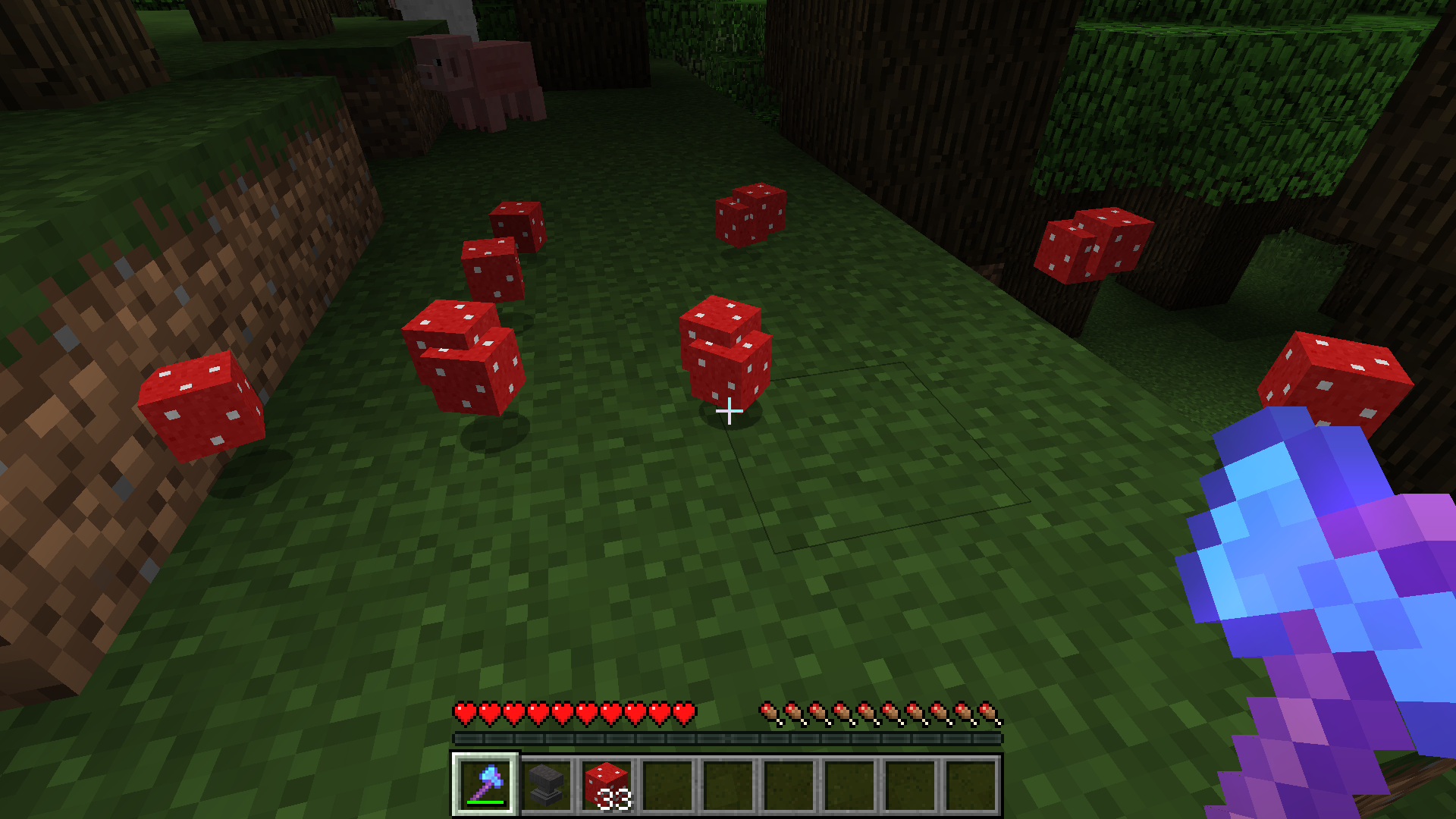
I could obtain Mushroom blocks
Can confirm.
Change Needed:
Status: Resolved to Reopened
Text repair
Since
MC-108801still exists in 1.11 , I guess this does> Can anyone confirm?Remember the /locate Fortress command cannot be used in the Overworld and will show that because it doesn't exist. Can only be used in Nether as it locates Nether Fortresses.
Duplicate of
MC-109831Can confirm.
Affects Version 1.11 from
MC-109475Quote:
Based on 1.11 decompiled using MCP 9.35 rc1
Must affect 1.11
Is this still a problem in Minecraft 1.11?
Is this still a problem in Minecraft 1.11?
Is this still a problem in Minecraft 1.11?
Is this still a problem in Minecraft 1.11?
Is this still a problem in Minecraft 1.11?
Is this still a problem in Minecraft 1.11?
Is this still a problem in Minecraft 1.11?
Is this still a problem in Minecraft 1.11?
Does this problem still affect Minecraft 1.11?
Does this affect Minecraft 1.11?
Does this problem affect Minecraft 1.11?
Does this problem still affect Minecraft 1.11?
Does this problem still affect Minecraft 1.11?
Does this problem still affect Minecraft 1.11?
Does this problem still affect Minecraft 1.11?
Does this problem still affect Minecraft 1.11?
Does this problem still affect Minecraft 1.11?
Does this problem still affect Minecraft 1.11?
Does this problem still affect Minecraft 1.11?
Does this problem affect Minecraft 1.11?
Does this problem still affect Minecraft 1.11?
Does this problem still affect Minecraft 1.11?
Does this problem still affect Minecraft 1.11?
Please answer otherwise will be closed as Incomplete!
Does this problem still affect Minecraft 1.11?
Does this problem still affect Minecraft 1.11?
Does this problem still affect Minecraft 1.11?
Does this problem still affect Minecraft 1.11?
Does this problem still affect Minecraft 1.11?
Does this problem still affect Minecraft 1.11?
Does this problem still affect Minecraft 1.11?
Does this problem still affect Minecraft 1.11?
Does this problem still affect Minecraft 1.11?
Does this problem still affect Minecraft 1.11?
Does this problem still affect Minecraft 1.11?
Does this problem still affect Minecraft 1.11?
Doing checks for all structures problems now.
@Marcono1234 Having problems finding errors with other structures except Mineshafts (the other structures had problems a while ago in 1.11 dev cycle). So I will upload a file called LocateRecord.txt (this is for a record of /locate
MC-108801errors) please edit this file by downloading and reuploading it.This file should be made by typing this:
@Structurename:
FROM username
Seed: seed
Location when using /locate command: [x] [y] [z]
Location the /locate command gave me: [x] 99 [z]
Can confirm except should be fixed by creating minecraft:double_chest. Surely?
Affects Version 16w50a
Affects Version 16w50a
Double chest has chest states including North,West,East and South but to fix it to not have chest states but have it's own states which is probably the best option for this would be to change double chest from chest side-option to double_chest
This is a Java problem not Minecraft
Confirmed 1.11 from
MC-111483Yes Minecraft uses up Java memory. And then overloading Java by clicking multiple times in the Minecraft launcher. Kills Java causing Windows not responding message
Can confirm 16w50a
@Purpur The debug menu only reads the nearest 3 digits for X and Z coordinates. So -0.0001 would be -0.000 according to the debug menu. Commands calculate this fully so would give a response of "Teleported ? to -1.0E-4, 62.0, -1.0E-4" as 0 cannot be - or +
Can confirm.
For the moment a fix should be for Mineshafts as they can be easily found to have a problem.
Affects Version 1.11 16w50a
Best to check with Mods but:
Armor stands are the only entity that take Invisible and some other NBT tags.
Can confirm 16w50a
There are blacked out blocks.
Affects Version 1.11.1 (thgilfodrol's Screenshot)
Does this problem still affect Minecraft 1.11.1?
Does this problem still affect Minecraft 1.11.1?
Can confirm 1.11.1
Does this problem still affect Minecraft 1.11.1?
Can confirm 1.11.1
Just adding adding 1.11.2
P.S (Mods!) Future Version - 1.11.2+ when it should be Future Version - 1.11.3+
Cannot Reproduce.
Can confirm 1.11.2
Can confirm 1.11.2
In 1.11.2, Didn't get spam but 1;
Keeping entity minecraft:chicken that already exists with UUID 6a45f4ce-92e8-4c71-97af-c632182d092d
Does this problem still affect Minecraft 1.11.2?
Can't Reproduce. Make sure you have two wolves tamed with bones. Fed. And Put on lead then disconnect and feed again together.
Relates to
MC-108801Duplicates
MC-95649andMC-44385Please change summary to "Double chest isn't a separate block"
Please remove old environment
Affects Version 1.11.2
Affects Version 1.11.2
Likely affects version 1.11.2 as
MC-1138Likely affects version 1.11.2 as
MC-1138Affects Version 1.11.2
Invalid. You have a missing pack.mcmeta in your standard Minecraft Default resource pack
"The first thing you'll need is a pack.mcmeta file. This lets Minecraft know that the folder is a resource pack and it also allows you to customize the description that appears when you're selecting which resource pack" http://minecraft.gamepedia.com/Tutorials/Creating_a_resource_pack
Does this problem still affect 1.11.2?
Can confirm.
WAI required.