Launcher blanks out on skin option
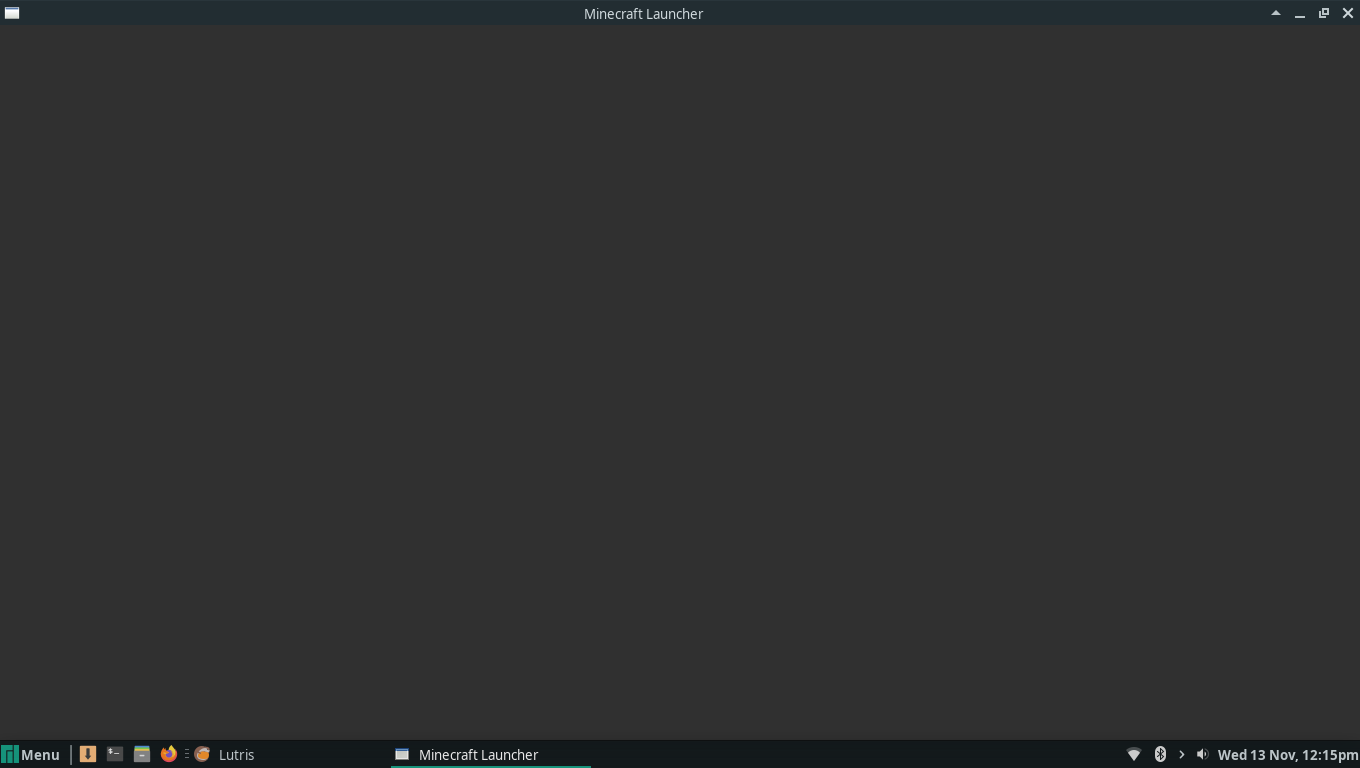
So I just updated the launcher and saw the new 'Skins' option at the top, but when I click on it, the launcher just blanks out and everything turns grey. It shows a few options and 3 loading dots and then nothing:
Environment
OS: Manjaro
Linked Issues
is duplicated by8
 MC-165893No Skin to useDuplicate
 MCL-12567Aba "Skins" do laucher com problema.DuplicateMCL-12589Skins tabs on launcher crashes every timeDuplicateMCL-12633I can't use the skins seccionDuplicateMCL-12652The Skins bar won't workDuplicateMCL-12773The second I click on the skins button in the launcher it bugsDuplicateMCL-12924When i Click to skin tab in launcher,launcher show Black screenDuplicateMCL-13006Clicking on skins tab shows empty UIDuplicate


Created Issue:
Launcher blanks out on skin option
So I just updated the launcher and saw the new 'Skins' option at the top, but when I click on it, the launcher just blanks out and everything turns grey. It shows a few options and 3 loading dots and then nothing:
Environment
OS: Manjaro
Attachments1
![[Mod] violine1101](../../../data/avatars/users/92858.png)
![[Bot] Arisa](../../../data/assets/gravatar/mustek2.png)
So I just updated the launcher and saw the new 'Skins' option at the top, but when I click on it, the launcher just blanks out and everything turns grey. It shows a few options and 3 loading dots and then nothing:
So I just updated the launcher and saw the new 'Skins' option at the top, but when I click on it, the launcher just blanks out and everything turns grey. It shows a few options and 3 loading dots and then nothing:
is duplicated by
is duplicated by
is duplicated by
is duplicated by
is duplicated by
![[Mod] NeunEinser](../../../data/avatars/users/39263.png)
is duplicated by
is duplicated by
![[Mod] Asteraoth](../../../data/avatars/users/92886.png)
is duplicated by
Thank you for your report!
We're actually already tracking this issue in MCL-12546, so I resolved and linked this ticket as a duplicate.
If you would like to add a vote and any extra information to the main ticket it would be appreciated.
If you haven't already, you might like to make use of the search feature in the future to see if the issue has already been reported.
Quick Links:
📓 Issue Guidelines – 💬 Community Support – 📧 Customer Support – 📖 Game Wiki
See MCL-12546.
Thank you for your report!
We're actually already tracking this issue in MCL-12546, so I resolved and linked this ticket as a duplicate.
If you would like to add a vote and any extra information to the main ticket it would be appreciated.
If you haven't already, you might like to make use of the search feature in the future to see if the issue has already been reported.
Quick Links:
📓 Issue Guidelines – 💬 Community Support – 📧 Customer Support – 📖 Game Wiki
Thank you for your report!
We're actually already tracking this issue in MCL-12546, so I resolved and linked this ticket as a duplicate.
If you would like to add a vote and any extra information to the main ticket it would be appreciated.
If you haven't already, you might like to make use of the search feature in the future to see if the issue has already been reported.
Quick Links:
📓 Issue Guidelines – 💬 Community Support – 📧 Customer Support – 📖 Game Wiki
Thank you for your report!
We're actually already tracking this issue in MCL-12546, so I resolved and linked this ticket as a duplicate.
If you would like to add a vote and any extra information to the main ticket it would be appreciated.
If you haven't already, you might like to make use of the search feature in the future to see if the issue has already been reported.
Quick Links:
📓 Issue Guidelines – 💬 Community Support – 📧 Customer Support – 📖 Game Wiki
Thank you for your report!
We're already tracking this issue at MCL-12546, so I will resolve and link this ticket as a duplicate.
If you would like to add a vote and any extra information to the main ticket it would be appreciated.
If you haven't already, you might like to make use of the search feature to see if the issue has already been mentioned.
Quick Links:
📓 Issue Guidelines – 💬 Community Support – 📧 Customer Support – 📖 Game Wiki
Thank you for your report!
We're actually already tracking this issue in MCL-12546, so I resolved and linked this ticket as a duplicate.
If you would like to add a vote and any extra information to the main ticket it would be appreciated.
If you haven't already, you might like to make use of the search feature in the future to see if the issue has already been reported.
Quick Links:
📓 Issue Guidelines – 💬 Community Support – 📧 Customer Support – 📖 Game Wiki

We do not have enough information to find the cause of this issue.
Please attach the full launcher log found in minecraft/launcher_log.txt.
This issue has been temporarily closed as Awaiting Response. Once the requested information has been delivered, the report will be reopened automatically.
Quick Links:
📓 Issue Guidelines – 💬 Community Support – 📧 Customer Support – 📖 Game Wiki
I have attached a log since I'm having the same issue on Arch Linux 5.3.8-arch1-1 with version 2.1.9618-2 when opening the Skins tab (the skins tab appears for a second and then goes to the state described and documented by OP).
22:01:05 is the time in the log where the issue occurs (after clicking the Skins tab). Minecraft launcher has been installed using minecraft-launcher AUR package.
I have same problem on ubuntu (debian).
Have to restart launcher to get it to work again.
Can you post what the launcher prints in the terminal when you do this?
Also, what GPU and GPU drivers are you using?
Attaching the terminal output terminal_output.txt
GPU: AMD Radeon (TM) R9 380 Series
Drivers: Mesa 19.2.3
I am running Debian Bullseye with an AMD Radeon 580x and have the same issue.


log111919.txt
A workaround is to symlink libGLESv2.so.2 as libGLESv2.so and libEGL.so.1 as libEGL.so from your libraries (/usr/lib/x86_64-linux-gnu/) to a swiftshader folder in your minecraft launcher directory (/opt/minecraft-launcher/swiftshader). Seems some paths are a tad off.
https://imgur.com/M1T1y1r
Thanks Nicholas, the solution worked!
any solution?
for windows?
here is my file,launcher_log.txt if they occupy it
Apparently it is a webgl error

@Sakurai Yoshiyama
What are your system specs and have you updated your graphics drivers? I would advise to please lower the amount of comments at a time as well.
+1 for the issue
It doesn't work on my desktop, click the skin tab, the skin tries to load, and then everything disappears, only the blank background stays.
System information: )
)
Operating System: Manjaro Linux
KDE Plasma Version: 5.17.4
KDE Frameworks Version: 5.64.0
Qt Version: 5.13.2
Kernel Version: 5.3.15-1-MANJARO
OS Type: 64-bit
Processors: 4 × Intel® Core™ i3-2100 CPU @ 3.10GHz
Memory: 11,6 GiB of RAM
GPU: AMD Radeon RX570 (Driver: Opensource AMD driver, up to date stable manjaro version
Terminal output:
Hint: nem nyitható meg a megosztott objektumfájl: Nincs ilyen fájl vagy könyvtár means something like Could not open shard object file: No such file or directory.
While on my laptop it works.
Asus K501LB
i3-5010U @ 2.1GHz
Intel HD Graphics 5500
NVIDIA 940M
8GB RAM
Manjaro Cinnamon
Cinnamon 4.4.3
Kernel: 5.3.15-1-MANJARO
After seeing the terminal output, I would think that maybe the AUR package could be broken, but on the other computer somehow works.
I'll subscribe to the issue in jira, so if more information or log or something needed, I should get an email about it and I'll try to help
I just went and helped someone install the Minecraft Launcher though the AUR and the skin option seemed to work when building it for the first time.
Still a problem in 2.1.12464. Minecraft is still looking for libraries in a folder called swiftshader in it's working directory despite it not existing. The difference now is that the launcher no longer blanks out but informs you of your device not supporting WebGL, despite this not being the case. My previous workaround of copying/symlinking libGLESv2 and libEGL to a folder called 'swiftshader' in '/opt/minecraft-launcher' still works.
try makeing the launcher a shortcut then right click it. look for a button that says "Troubleshoot Compatibility" and click it. then click "Try recommended settings". click "Test the program..." and if its not blank and it actually shows up, click the "Next" button and then click the button labeled "Yes, save these settings for this program"
The solution of Nicholas works but not without this block of text repeating over and over in the terminal and created the following in home directory (Xubuntu 20.04 5.4.0-29-generic, OpenGL ES 3.2 Mesa 20.0.4 Video memory: 4096 MB)
Closing as cannot reproduce as the bug hasn't been reported to occur since May 2020. We did work on a couple of changes in the last few months that might have resolved / improved this or similar issues.
If this issue is occurring again, please re-open the bug.