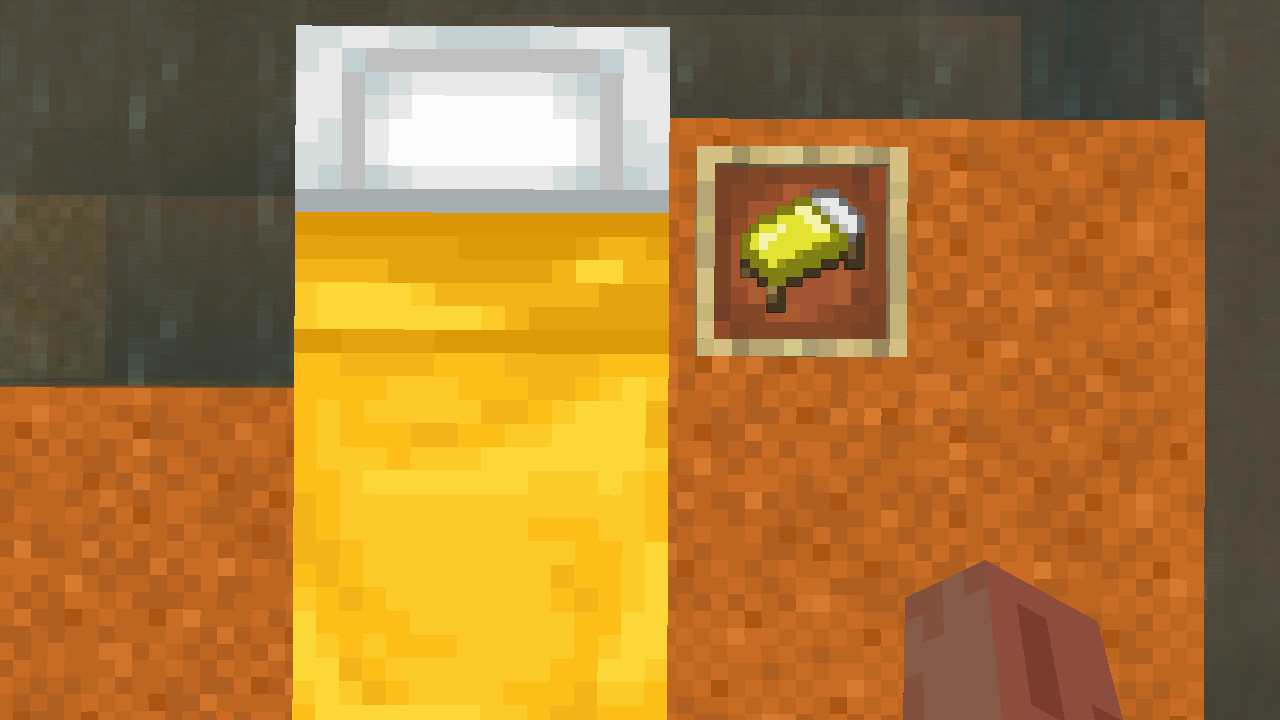
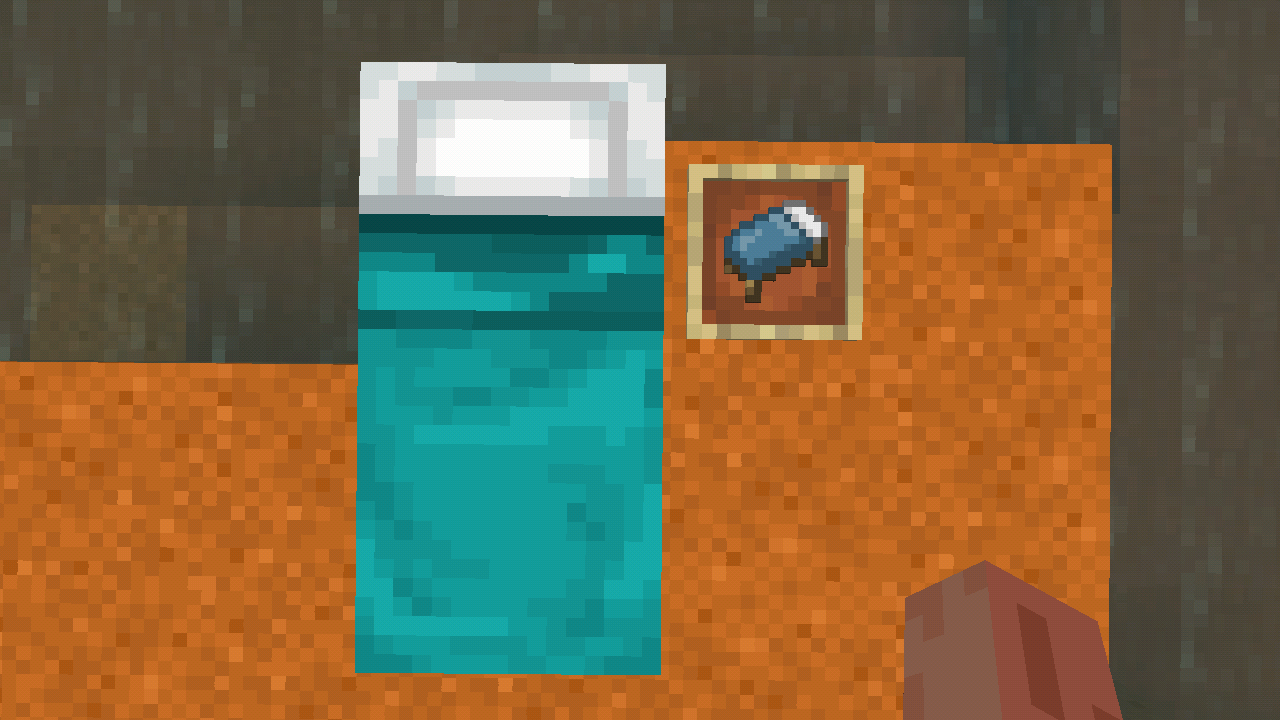
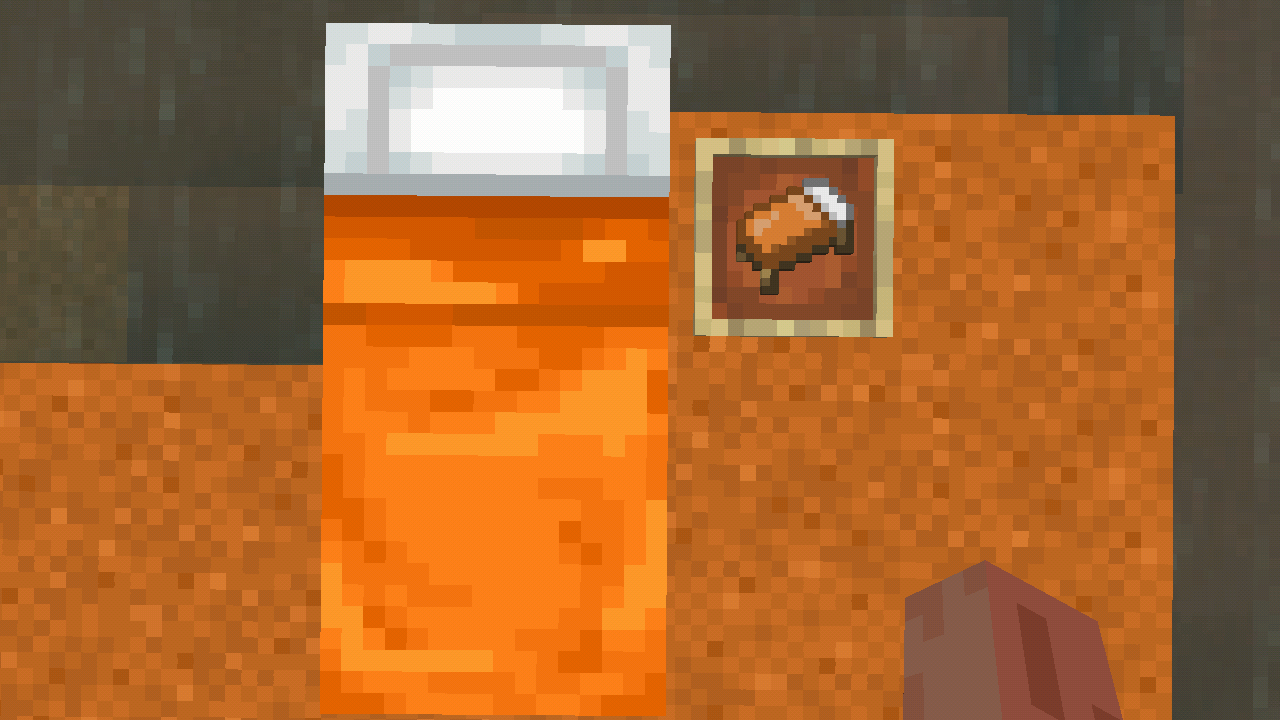
Beds still use the old color palette in the inventory
Steps to Reproduce:
- Give yourself a bed.
- Place it down.
- Compare the color of the placed bed with the inventory model of the same bed.
Observed Results:
The inventory model for the bed still uses the old color palette and does not match with the placed bed's palette.
Expected Results:
The inventory model for the bed uses the updated color palette and matches with the placed bed's palette, similarly to the Legacy Console Edition.
Linked Issues
is duplicated by7
 MCPE-141308Bed icon texture doesn't match the bed color (as block)DuplicateMCPE-141526The bed texture is the wrong colorDuplicateMCPE-156615Bed items colors are outdatedDuplicateMCPE-158101Bed Colors Have Not Been Updated DuplicateMCPE-166033The color of the bed is seriously inconsistent with the color of the item sticker.DuplicateMCPE-172660The placed cyan bed has a different texture (colour) than an item icon. (Java parity)DuplicateMCPE-184463The old colors are still used in the form of the bed itemsDuplicate
Attachments8





- Unresolved
![[Mod] OcelotOnesie](../../../data/avatars/users/43220.png) [Mod] OcelotOnesie
[Mod] OcelotOnesie- 463
- 85
- Confirmed
- 251363
- Multiple
1.19.60.26 Preview - 1.21.51 Hotfix
1.19.60.26 Preview 1.19.60.24 Preview 1.19.10.21 Preview 1.19.10.20 Preview 1.18.33 Hotfix 1.18.32 1.19.0.24 Beta 1.18.0.21 Beta 1.17.30.25 Beta 1.17.11 Hotfix 1.17.20.20 Beta 1.17.0.50 Beta 1.16.220 1.14.2.50 Beta 1.14.0.50 Beta 1.14.0.6 Beta 1.13.2 1.14.0.4 Beta 1.13.1 1.14.1.3 Beta 1.14.1 Hotfix 1.14.0.2 Beta 1.14.0.1 Beta 1.13.0.18 Beta 1.13.0.17 Beta 1.13.0.16 Beta 1.13.0.15 Beta 1.13.0.13 Beta 1.13.0.9 Beta 1.13.0.6 Beta 1.13.0.5 Beta 1.13.0.4 Beta 1.13.0.2 Beta 1.12.1 1.12.0 1.13.0 1.14.0 1.16.40 Hotfix 1.17.2 Hotfix 1.18.2 Hotfix 1.18.31 1.19.2 Hotfix 1.19.51 1.20.1 Hotfix 1.20.60.24 Preview 1.20.51 Hotfix 1.21.2 Hotfix 1.21.51 Hotfix
Created Issue:
Beds still use the old color palette in the inventory
Steps to Reproduce
- Give yourself a bed.
- Place it down.
- Look at the placed bed and the inventory model of the same bed.
Observed Results
The inventory model for beds still use the old color palette and do not match with the placed bed's palette.
Expected Results
The inventory model for beds use the updated color palette and match with the placed bed's palette, similarly to the Legacy Console Edition.
Attachments2
![[Mod] LateLag](../../../data/avatars/users/92884.png)
![[Mojang] Mega_Spud (Jay Wells)](../../../data/avatars/users/92696.png)

Probably Vanilla Parity. (Not saying that the 2d bed textures on Bedrock are intended.)
Steps to Reproduce
- Give yourself a bed.
- Place it down.
Look atthe placed bedandthe inventory model of the same bed.Observed Results
The inventory model for beds still use the old color palette and do not match with the placed bed's palette.
Expected ResultsThe inventory model for beds use the updated color palette and match with the placed bed's palette, similarly to the Legacy Console Edition.
Steps to Reproduce:
- Give yourself a bed.
- Place it down.
- Compare the color of the placed bed with the inventory model of the same bed.
Observed Results:
The inventory model for the bed still uses the old color palette and does not match with the placed bed's palette.Expected Results:
The inventory model for the bed uses the updated color palette and matches with the placed bed's palette, similarly to the Legacy Console Edition.
![[Mod] markderickson](../../../data/avatars/users/18946.svg)
![[Helper] lillybeacon](../../../data/avatars/users/93893.png)
is duplicated by
![[Bot] Arisa](../../../data/avatars/users/43007.png)
is duplicated by
If it helps, i have the texture files here with updated colors here:

Screenshot_2021-11-27-16-11-40.png
On the bug tracker
Here are the textures:
![[MCPE Mod] Celesian](../../../data/avatars/users/81635.png)
is duplicated by
is duplicated by
![[Mod] EVGENSYPERPRO](../../../data/avatars/users/92853.png)
is duplicated by
![[MCQA] Justyna Oleś](../../../data/avatars/users/18934.svg)
is duplicated by
If it can help, i will put the texture files with updated colors here
is duplicated by
I hav a texture that show how the beds would possibly look with the updated colors:
affects 1.20.40, 1.20.41, 1.20.50, 1.20.51, 1.20.60.23 beta and 1.20.60.24 beta.
Duplicate of MCPE-49850
The bed icons textures doesn't have colors that match with the bed as a block
This is very noticeable with yellow and cyan beds
Thank you for your report!
We're tracking this issue in MCPE-49850, so this ticket is being resolved and linked as a duplicate.
If you would like to add a vote and any extra information to the main ticket it would be appreciated.
If you haven't already, you might like to make use of the search feature to see if the issue has already been mentioned.
Quick Links:
📓 Bug Tracker Guidelines – 💬 Community Support – 📧 Mojang Support
📓 Project Summary – ✍️ Feedback and Suggestions – 📖 Game Wiki
– I am a bot. This action was performed automatically! The ticket was resolved by one of our moderators, and I left this message to give more information to you.
Thank you for your report!
We're tracking this issue in MCPE-49850, so this ticket is being resolved and linked as a duplicate.
If you would like to add a vote and any extra information to the main ticket it would be appreciated.
If you haven't already, you might like to make use of the search feature to see if the issue has already been mentioned.
Quick Links:
📓 Bug Tracker Guidelines – 💬 Community Support – 📧 Mojang Support
📓 Project Summary – ✍️ Feedback and Suggestions – 📖 Game Wiki
– I am a bot. This action was performed automatically! The ticket was resolved by one of our moderators, and I left this message to give more information to you.
Thank you for your report!
We're tracking this issue in MCPE-49850, so this ticket is being resolved and linked as a duplicate.
If you would like to add a vote and any extra information to the main ticket it would be appreciated.
If you haven't already, you might like to make use of the search feature to see if the issue has already been mentioned.
Quick Links:
📓 Bug Tracker Guidelines – 💬 Community Support – 📧 Mojang Support
📓 Project Summary – ✍️ Feedback and Suggestions – 📖 Game Wiki
Thank you for your report!
We're tracking this issue in MCPE-49850, so this ticket is being resolved and linked as a duplicate.
If you would like to add a vote and any extra information to the main ticket it would be appreciated.
If you haven't already, you might like to make use of the search feature to see if the issue has already been mentioned.
Quick Links:
📓 Bug Tracker Guidelines – 💬 Community Support – 📧 Mojang Support
📓 Project Summary – ✍️ Feedback and Suggestions – 📖 Game Wiki
Thank you for your report!
We're tracking this issue in MCPE-49850, so this ticket is being resolved and linked as a duplicate.
If you would like to add a vote and any extra information to the main ticket it would be appreciated.
If you haven't already, you might like to make use of the search feature to see if the issue has already been mentioned.
Quick Links:
📓 Bug Tracker Guidelines – 💬 Community Support – 📧 Mojang Support
📓 Project Summary – ✍️ Feedback and Suggestions – 📖 Game Wiki
– I am a bot. This action was performed automatically! The ticket was resolved by one of our moderators, and I left this message to give more information to you.

Duplicate of MCPE-49850
Thank you for your report!
We're tracking this issue in MCPE-49850, so this ticket is being resolved and linked as a duplicate.
If you would like to add a vote and any extra information to the main ticket it would be appreciated.
If you haven't already, you might like to make use of the search feature to see if the issue has already been mentioned.
Quick Links:
📓 Bug Tracker Guidelines – 📧 Mojang Support
📓 Project Summary – ✍️ Feedback and Suggestions – 📖 Game Wiki
Thank you for your report!
We're tracking this issue in MCPE-49850, so this ticket is being resolved and linked as a duplicate.
If you would like to add a vote and any extra information to the main ticket it would be appreciated.
If you haven't already, you might like to make use of the search feature to see if the issue has already been mentioned.
Quick Links:
📓 Bug Tracker Guidelines – 💬 Community Support – 📧 Mojang Support (Technical Issues) – 📧 Microsoft Support (Account Issues)
📓 Project Summary – ✍️ Feedback and Suggestions – 📖 Game Wiki
– I am a bot. This action was performed automatically! The ticket was resolved by one of our moderators, and I left this message to give more information to you.
The new textures are not added at all
Though Java does not need this as the beds are already 3d since 1.12.
@DrownedZombie this is the Bedrock bug tracker/reporter.
Still in 1.16.40
Also they are still in 2D, while in Java they are 3D
Affects 1.17.40.20
I hope they update them to be 3D just like Java edition!