 Alex³
Alex³
- AlexMCool
- alexmcool
- Europe/Stockholm
- Yes
- No
 MC-120170
![[Mojang] Nathan Adams](../../../data/assets/gravatar/dinnerbone.png)
![[Mojang] Bartosz Bok](../../../data/avatars/users/10122.svg)


![[Mojang] Searge (Michael Stoyke)](../../../data/assets/gravatar/searge.png)












Some color names, which are used to color text using JSON, are inconsistent. Most colors have a normal version (blue, green, aqua,
Pred, gray) and a dark version (dark_blue, dark_green, dark_aqua, dark_red, dark_gray). But there are also inconsistent ones:
- yellow -> gold should be yellow -> dark_yellow
- light_purple --> dark
_purple should be purple -> dark_purple or pink -> dark_pinkSome color names, which are used to color text using JSON, are inconsistent. Most colors have a normal version (blue, green, aqua, red, gray) and a dark version (dark_blue, dark_green, dark_aqua, dark_red, dark_gray). But there are also inconsistent ones:
- yellow -> gold should be yellow -> dark_yellow
- light_purple --> dark purple should be purple -> dark_purple or pink -> dark_pink
Some color names, which are used to color text using JSON, are inconsistent. Most colors have a normal version (blue, green, aqua, red, gray) and a dark version (dark_blue, dark_green, dark_aqua, dark_red, dark_gray). But there are also inconsistent ones:
- yellow -> gold should be yellow -> dark_yellow
- light_purple --> dark
purple should be purple -> dark_purple or pink -> dark_pinkSome color names, which are used to color text using JSON, are inconsistent. Most colors have a normal version (blue, green, aqua, red, gray) and a dark version (dark_blue, dark_green, dark_aqua, dark_red, dark_gray). But there are also inconsistent ones:
- yellow -> gold should be yellow -> dark_yellow
- light_purple --> dark_purple should be purple -> dark_purple or pink -> dark_pink
How to reproduce:
team add blue team option blue color blue summon cow ~ ~ ~ {Glowing:1b,Team:"blue"}The cow will have a white outline, instead of blue
(Relogging fixes it)
Running an execute command with rotated as as any entity or player gives the following error:
"An unexpected error occurred trying to execute that command"
/execute rotated as @s run say hi
/execute if entity @s rotated as @s run say hi
will both give that error/execute unless entity @s[tag=hi] rotated as @e[limit=1] run say hi
will give that error if the executor doesn't have the hi tag
How to reproduce:
- Grab a fishing rod
- Cast your fishing rod
- Type this command in chat: /say @e[type=fishing_bobber]
It'll show [PLAYERNAME] entity.minecraft.fishing_bobber instead of the translated version
This can easily be fixed by adding this to the lang file:
entity.minecraft.fishing_bobber=Fishing BobberHow to reproduce:
- Grab a fishing rod
- Cast your fishing rod
- Type this command in chat: /say @e[type=fishing_bobber]
It'll show [PLAYERNAME] entity.minecraft.fishing_bobber instead of the translated version
This can easily be fixed by adding this to the lang file:
"entity.minecraft.fishing_bobber": "Fishing Bobber"
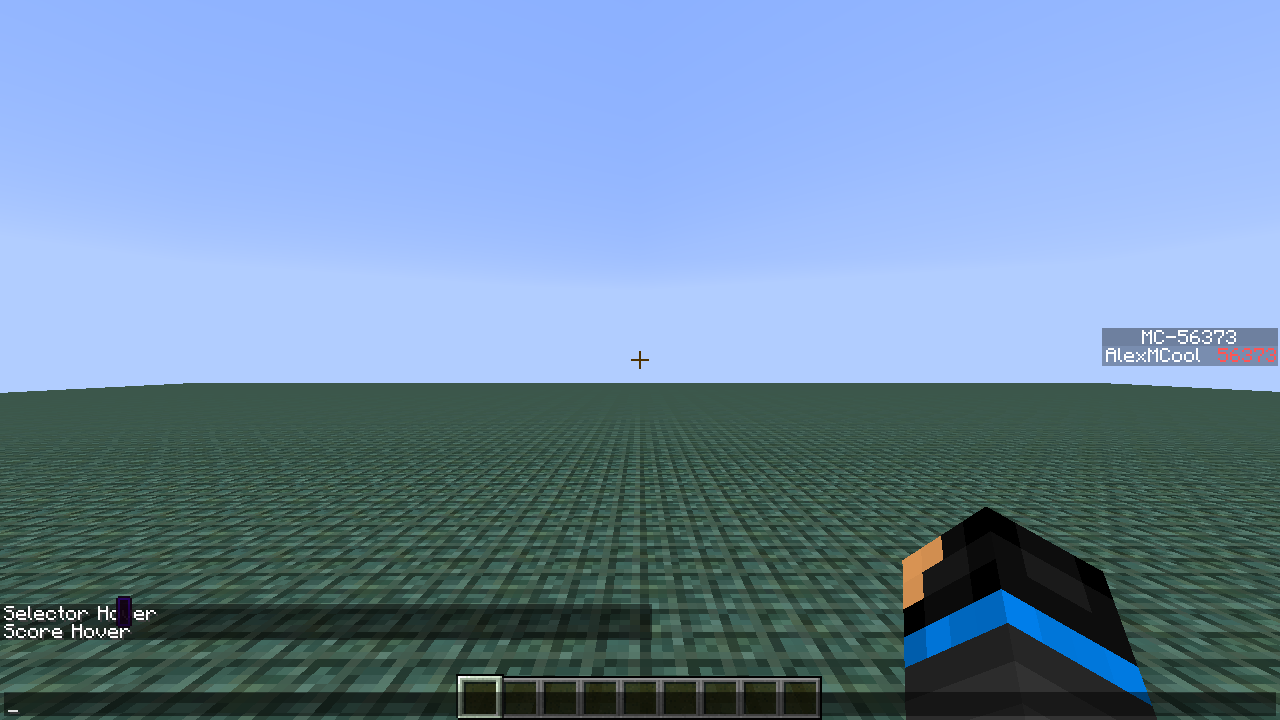
When you have a score component to translate a "%s" argument, the score doesn't update dynamically. It only updates upon
{{/reload}}ing or F3+tHow to reproduce:
- Run these commands:
- Run these command in either a repeating command block or a function:
/tellraw @a [{"translate": "%s", "with": [{"score": {"objective": "test", "name": "*"}}]}]- Now change the score:
/scoreboard players add @s test 10What you will notice: the displayed score won't update until you do /reload or f3+t
When you have a score component to translate a "%s" argument, the score doesn't update dynamically. It only updates upon /reload-ing or F3+t
How to reproduce:
- Run these commands:
- Run these command in either a repeating command block or a function:
/tellraw @a [{"translate": "%s", "with": [{"score": {"objective": "test", "name": "*"}}]}]- Now change the score:
/scoreboard players add @s test 10What you will notice: the displayed score won't update until you do /reload or f3+t
The bug
When you have a score component to translate a "%s" argument, the score doesn't update dynamically. It only updates upon /reload-ing or F3 + t.
How to reproduce
- Run these commands:
/scoreboard objectives add test dummy /scoreboard objectives setdisplay sidebar test /scoreboard players set @s test 1- Run th
esecommand in either a repeating command block or a function:/tellraw @a [{"translate": "%s", "with": [{"score": {"objective": "test", "name": "*"}}]}]- Now change the score:
/scoreboard players add @s test 10→ Notice that the displayed score won't update until you do /reload or F3 + t
The bug
When you have a score component to translate a "%s" argument, the score doesn't update dynamically. It only updates upon /reload-ing or F3 + t.
How to reproduce
- Run these commands:
/scoreboard objectives add test dummy /scoreboard objectives setdisplay sidebar test /scoreboard players set @s test 1- Run this command in either a repeating command block or a function:
/tellraw @a [{"translate": "%s", "with": [{"score": {"objective": "test", "name": "*"}}]}]- Now change the score:
/scoreboard players add @s test 10→ Notice that the displayed score won't update until you do /reload or F3 + t
The bug
When you have a score component to translate a "%s" argument, the score doesn't update dynamically. It only updates upon /reload-ing or F3 + t.
How to reproduce
- Run these commands:
/scoreboard objectives add test dummy /scoreboard objectives setdisplay sidebar test /scoreboard players set @s test 1- Run this command in
either a repeating command block or a function:/tellraw @a [{"translate": "%s", "with": [{"score": {"objective": "test", "name": "*"}}]}]- Now change the score:
/scoreboard players add @s test 10→ Notice that the displayed score won't update until you do /reload or F3 + t
The bug
When you have a score component to translate a "%s" argument, the score doesn't update dynamically. It only updates upon /reload-ing or F3 + t.
How to reproduce
- Run these commands:
/scoreboard objectives add test dummy /scoreboard objectives setdisplay sidebar test /scoreboard players set @s test 1- Run this command in a function which gets executed by the tick tag:
/tellraw @a [{"translate": "%s", "with": [{"score": {"objective": "test", "name": "*"}}]}]- Now change the score:
/scoreboard players add @s test 10→ Notice that the displayed score won't update until you do /reload or F3 + t
→ If you run the same command in a command block, the displayed score gets updated like normal
The bug
When you have a score component to translate a "%s" argument, the score doesn't update dynamically
. It only updates upon/reload-ing or F3 + t.How to reproduce
- Run these commands:
/scoreboard objectives add test dummy /scoreboard objectives setdisplay sidebar test /scoreboard players set @s test 1- Run this command in a function which gets executed by the tick tag:
/tellraw @a [{"translate": "%s", "with": [{"score": {"objective": "test", "name": "*"}}]}]- Now change the score:
/scoreboard players add @s test 10→ Notice that the displayed score won't update until you do /reload or F3 + t
→ If you run the same command in a command block, the displayed score gets updated like normalThe bug
When you have a tellraw command with a score component to translate a "%s" argument, the score doesn't update dynamically if the tellraw command is in a function (which is ran by either a command block or the tick tag). It only updates upon /reload-ing or F3 + t.
How to reproduce
- Run these commands:
/scoreboard objectives add test dummy /scoreboard objectives setdisplay sidebar test /scoreboard players set @s test 1- Run this command in a function which gets executed by the tick tag:
/tellraw @a [{"translate": "%s", "with": [{"score": {"objective": "test", "name": "*"}}]}]- Now change the score:
/scoreboard players add @s test 10→ Notice that the displayed score won't update until you do /reload or F3 + t
→ If you run the same command in a command block, the displayed score gets updated like normal
Score and Selector text components finallize with the result of the first instance the command runs as
The bug
When you have a /tellraw command with a score component to translate a "%s" argument, the score doesn't update dynamically if the /tellraw command is in a function (which is ran by either a command block or the tick tag). It only updates upon /reload-ing or F3 + t.
This issue is blocked byMC-129814How to reproduce
- Run these commands:
/scoreboard objectives add test dummy /scoreboard objectives setdisplay sidebar test /scoreboard players set @s test 1- Run this command in a function which gets executed by the tick tag:
/tellraw @a {"translate":"%s","with":[{"score": {"objective": "test", "name": "*"}}]}- Now change the score:
/scoreboard players add @s test 10→ Notice that the displayed score won't update until you do /reload or F3 + t
→ If you run the same command in a command block, the displayed score gets updated like normal


Can confirm for 15w34a
Confirmed for snapshot 18w03b
This also happens for players's names on a scoreboard, the colour updates ones you've relogged
Yes, /reload changes nothing
Confirmed for 18w03b
@Marcono1234 , yes thats's indeed what I meant
confirmed 18w03b
Confirmed for 18w05a, however farm_land, grass_path, and pistons (and tnt?) aren't updated anymore
confirmed for 18w05a
This can be marked as fixed for 18w06a
Still apparent in 18w06a, it now suggests an extra `,` too
[Mod] redstonehelper Yea I realised it was resolved immediately after I added 18w07b. So I removed that version hoping that it wouldn't send the update through, which it still did (ofc). Which made it look like I changed `affected versions` twice, while I just wanted to revert
Affects 18w10a
Confirmed for 18w14b
This can be closed again, apperently it is influenced by the Advanced Tooltips setting
I ran
/execute as @e[type=armor_stand] run tellraw @a {"translate":"death.attack.generic","with":[{"selector":"@s"}]}in chat with 2 armor stands in loaded chunks, both with a different name. Both messages used the same entity.
Seems related to
MC-124241Does this have anything to do with the following?:
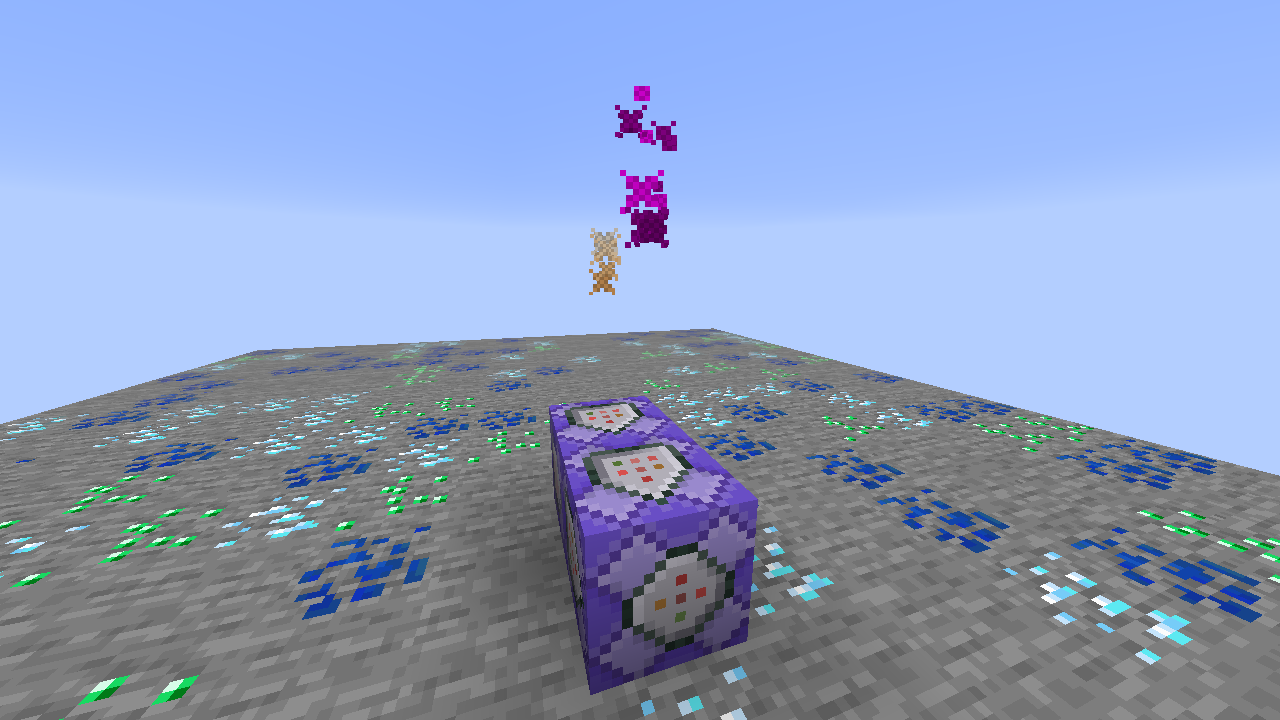
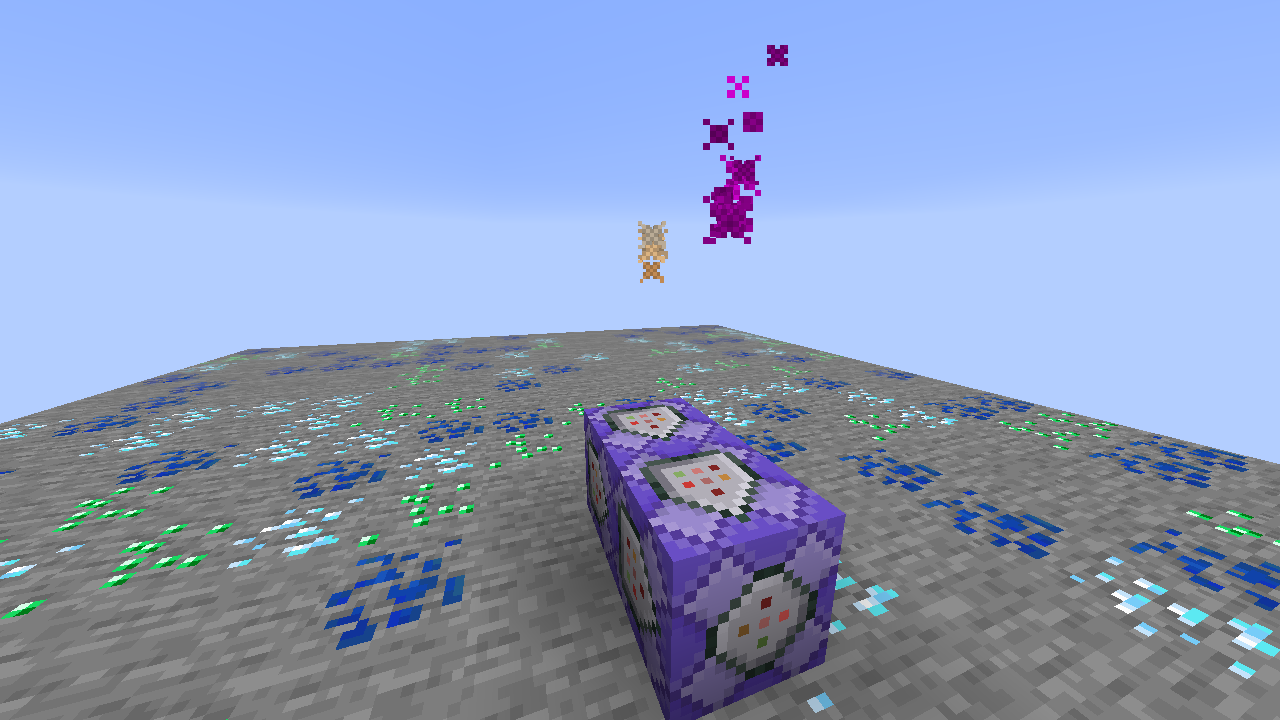
summon minecraft:area_effect_cloud ~ ~ ~ {CustomName: "{\"bold\": true, \"color\": \"blue\", \"text\": \"hi\"}", Tags: ["temp"]} tellraw @s ["", {"selector":"@e[tag=temp]"}] say @e[tag=temp]-> the tellraw command show plain white text
-> the say command has the right formatting
Doesn't only affect the hover effect, all components except plain text seems to be affected:
summon minecraft:area_effect_cloud ~ ~ ~ {CustomName: "{\"bold\": true, \"color\": \"blue\", \"text\": \"hi\"}", Tags: ["temp"]} tellraw @s ["", {"selector":"@e[tag=temp]"}] say @e[tag=temp]-> the tellraw command show plain white text
-> the say command has the right formatting
Seems related to
MC-123813Doesn't only affect team color, all components except plain text seems to be affected:
summon minecraft:area_effect_cloud ~ ~ ~ {CustomName: "{\"bold\": true, \"color\": \"blue\", \"text\": \"hi\"}", Tags: ["temp"]} tellraw @s ["", {"selector":"@e[tag=temp]"}] say @e[tag=temp]-> the tellraw command show plain white text
-> the say command has the right formatting
Seems related to
MC-123813Will it show the team color when there are multiple players online?
summon minecraft:area_effect_cloud ~ ~ ~ {CustomName: "{\"translate\": \"%s\", \"with\": [{\"bold\": true, \"color\": \"blue\", \"text\": \"hi\"}]}", Tags: ["temp"]} tellraw @s ["", {"selector":"@e[tag=temp]"}]eventhough it only finds 1 entity, the formatting works when it's translating text and inserting elements from the "with" list
summon minecraft:area_effect_cloud ~ ~ ~ {CustomName: "{\"translate\": \"%s\", \"with\": [{\"bold\": true, \"color\": \"blue\", \"text\": \"hi\"}]}", Tags: ["temp"]} tellraw @s ["", {"selector":"@e[tag=temp]"}]eventhough it only finds 1 entity, the formatting works when it's translating text and inserting elements from the "with" list
Might be worth noting:
summon minecraft:area_effect_cloud ~ ~ ~ {CustomName: "{\"translate\": \"%s\", \"with\": [{\"bold\": true, \"color\": \"blue\", \"text\": \"hi\"}]}", Tags: ["temp"]} tellraw @s ["", {"selector":"@e[tag=temp]"}]eventhough it only finds 1 entity, the formatting works when it's translating text and inserting elements from the "with" list
Confirmed for 18w16a
The summary/description should be changed to include other text components too (not only hoverEvent)
Confirmed for 18w16a
I think it would make more sense if the 'advanced tooltip' hoverevent (and clickevent) don't work when using the selectors in tellraw. There's no way to disable them when using the selector text component. And if you would want to, you can always add it by adding the hover/clickevents manually.
still present in 18w16a
I found another inconsistency (which hasn't been added to the list yet (unless I'm blind)): the fireworks entity is called fireworks_rocket while the item is called firework_rocket
Confirmed for 18w16a
Hmm, me neither. I must've used the wrong command then I guess.
Confirmed for 18w16a
Confirmed for 18w16a
I cannot seem to reproduce. I tried
/say @e[nbt={Size:3}]in a flat world full of slimes, everything worked as expected
You mean SelectedItem (not plural since it's only 1 item you can have in your selected slot)
The new translation strings that are added are {entity.minecraft.salmon_mob} and {entity.minecraft.cod_mob} while the game looks for {entity.minecraft.salmon} and {entity.minecraft.cod} (
MC-123540). So it isn't fixed for those mobs, it is fixed for tropical fish@Maxim Rait the tps is also very low on peaceful
This is fixed in 18w20b
Kumasasa the thing is, there's nothing harmful about hover events
I don't understand why
MC-124024suggested that hoverEvents should also be disabled in the first placeAffects 18w20b
confirmed for 18w20c
Tested all of those and they all work fine
Still affects 18w21a
Affects 18w21b too
and yeah, it crashes the game rather than just kicking
Affects 18w21b
present in 18w22a
It's because it's looking for the #minecraft:lava fluid tag, if that doesn't exist, this happens
affects 18w22b
affects 18w22c
confirmed for 18w22c
Yeah the summary isn’t correct. It’s not just about flatworlds, it’a about the mob spawning algorythm being really slow. This explains why it’s present in non-superflat worlds with high render distance (more chunks to spawn mobs) and why it doesn’t happen in all biomed (nether/end spawning algorythm might be different). I’ll try to update the summary (and description) tomorrow
affects 1.13-pre1
seems fixed in 1.13pre-1 (probably fixed since the fix of
MC-124686)still present in 1.13pre2
affects 1.13pre3
affects 1.13-pre3
confirmed for 1.13pre-3
confirmed for 1.13pre-3
affect 1.13-pre4
Affects 1.13-pre4
This isn't an issue anymore in 1.13-pre4
This isn't an issue anymore in 1.13-pre4
Affects 1.13-pre4
Affects 1.13-pre4
Affects 1.13-pre4
affects 1.13-pre5
and I think this should be updated; it doesn't crash when you just run it once. It starts to freeze (and eventually) crash if the command is run often. Try putting the function in a 'needs redstone' repeating command block with a comparator attached to it which reads the output of a hopper chain. Then throw an item in the hopper chain (so the comparator turns the command block on for a few ticks), you'll notice the fps gets less and less, and eventually it's crash (if you do this twice in a row, for example)
Affects 1.13-pre5, and yes the summary should probably be updated.
Affects 1.13-pre5. Also this can be more easily tested with this being run in chat while you don't move:
summon armor_stand ~ ~ ~ {NoGravity:1b,Marker:1b,CustomName:"\"c\""} say @e[distance=0]this'll only show your name and not the armor stand's, unless you change it to Marker:0b
Affects 1.13-pre5
confirmed for 1.13-pre5
Affects 1.13-pre5
Affects 1.13-pre5
Affects 1.13-pre5
@Neko no lighting issues aren’t the cause. As shown inthe videos I’m in a world completely filled with bedrock. Also, did you use the datapack’s structure and datapack’s function and not just a random one? Since I can always reproduce it with that datapack. (It’s also shown in the videos)
That’s sl strange. The other people two people that tested the pack before I added it to this ticket were also able to reproduce, and I also probably have run that function around 30 times, and was able to constantly reproduce. Wouldn’t the video be enough of a confirmation?
[Mod] Neko Could you try joining the world, then doing /reload and then executing the function? It seems to be having to do with the DataVersion tag in the structure file. I think it tries to update all the blocks (by scanning through the block list) if the DataVersion value is below a certain value. If it's done that, it loads the structure and remembers the updated version (probably in RAM) and when you load it again, it works. When doing /reload it probably clears the structure from RAM which is why it lags again if you run the function again after /reload
I updated everything, this should now be 100% reproducable
Oh lol, did you make me the reporter?
Affects 1.13-pre5
Affects 1.13-pre6
Affects 1.13-pre6
Affects 1.13-pre6
Affects 1.13-pre6
Affects 1.13-pre6
Affects 1.13-pre6
Affects 1.13-pre6
This has been fixed in 1.13-pre6. Most likely because of the fix for:
MC-123087This affects all right-click actions (like hoeing dirt, stripping wood, making grasspaths, etc)
Me neither, this seems to be fixed in 1.13-pre6
Affects 1.13-pre7
Affects 1.13-pre7
Present in 1.13-pre7
Present in 1.13-pre7
Present in 1.13-pre7
Present in 1.13-pre7
And 1.13-pre8
And 1.13-pre8
And 1.13-pre8
And 1.13-pre8
And 1.13-pre8
And 1.13-pre8
And 1.13-pre9
And 1.13-pre9
And 1.13-pre9
And 1.13-pre9
And 1.13-pre9
And 1.13-pre9
And 1.13
And 1.13
And 1.13
And 1.13
And 1.13
And 1.13
Still affects 1.13
And 18w30a
And 18w30a
And 18w30a
And 18w30a
And 18w30a
@ FVbico, I’d rather see such a response from a Mojang employee. Might as well mark
MC-124458(a bug you reported) as WAI as well then...That’s unfortunate. I just really hate these kind of inconsistencies.
And 18w30b
And 18w30b
And 18w30b
And 18w30b
And 18w30b
And 18w30b
In the first command it seems that you switched as and at, although as doesnt seem neccesary
This is resolved in 18w31a
And 18w31a
And 18w31a
And 18w32a
And 18w33a
And 1.13-pre1
And 1.13.1-pre2
And 1.13.1
Blocked by
MC-137530This seems to be fixed
I feel like the same thing applies there yea, I'll modify this report
And 18w43c
Confirmed for 18w43c
Execute store also doesn’t create non-list tags if they don’t exist.
But I understand that’s list creating upon non-existence can cause a lot of inconsistencies/problems/unintuivities
Wait ignore my previous comment. I got confused with /execute storeing into a list rather than a non-list item (I misremebered the behavior I got in a testworld a few days ago). I agree on your statement that it’s WAI. It probably creates more problems than that it solves.
I constantly make dupes... I need to improve my searching skills :S
And 18w46a
@ Bok, Does that mean the fact that `{}` doesn't work in `/data modify` is a bug?
Ooh, I was using set, that explains why it didn't work. Nevermind me then!
And 18w49a
And 18w50a
It seems like this always happens when an advancement gets revoked in the same tick it got granted. Because this also happens to me with only 1 advancement.
affects 19w02a
and 19w02a
and 19w03a
and 19w03b
and 19w03c
and 19w03c
and up to 19w06a
And 19w07a
And 19w08a
Still in 19w09a
And 19w09a
And 19w11a
And 19w11b
And 19w11b
And 19w12a
And 19w12a
And 19w12b
And 19w12b
And 19w13a
And 19w13a
And 19w13b
And 19w14a
And 19w14a
And 19w14b
And 19w14b
And 1.14pre1
And 1.14pre1
And 1.14-pre2
And 1.14-pre2
And 1.14-pre3
And 1.14-pre3
And 1.14-pre4
And 1.14-pre4
And 1.14-pre5
And 1.14-pre5
And 1.14
And 1.14
That function doesn't work because you're constantly using the same command context for the teleportation. The whole function is run with the same context. So running this: `execute as @a at @s run function example`
example:
would only teleport the player 1 block up since they all use the same origin. To 'update' the position context, you need to use `at @s` before teleporting, so the teleport command uses the new player pos as the context.
so it's not impossible
<3
And 1.14.1-pre2
And 1.14.1-pre2
And 1.14.2-pre3
And 1.14.2-pre3
And 1.14.2-pre4
And 1.14.2
And 1.14.2