 Bilin Tsui
- anterdc99
- JIRAUSER570159
- Asia/Shanghai
- Yes
- No
 MC-212290
![[Mojang] Grum (Erik Broes)](../../../data/assets/gravatar/grum.png)
![[Mojang] Panda](../../../data/avatars/users/41658.png)
 MCPE-145751
 Low
Low![[Mojang] slicedlime](../../../data/assets/gravatar/slicedlime.jpeg)
![[Mojang] Georgii Gavrichev](../../../data/avatars/users/22428.png)
![[Mojang] Felix Jones](../../../data/avatars/users/40484.png)
![[Mojang] Maxime Lebrot](../../../data/avatars/users/18941.svg)


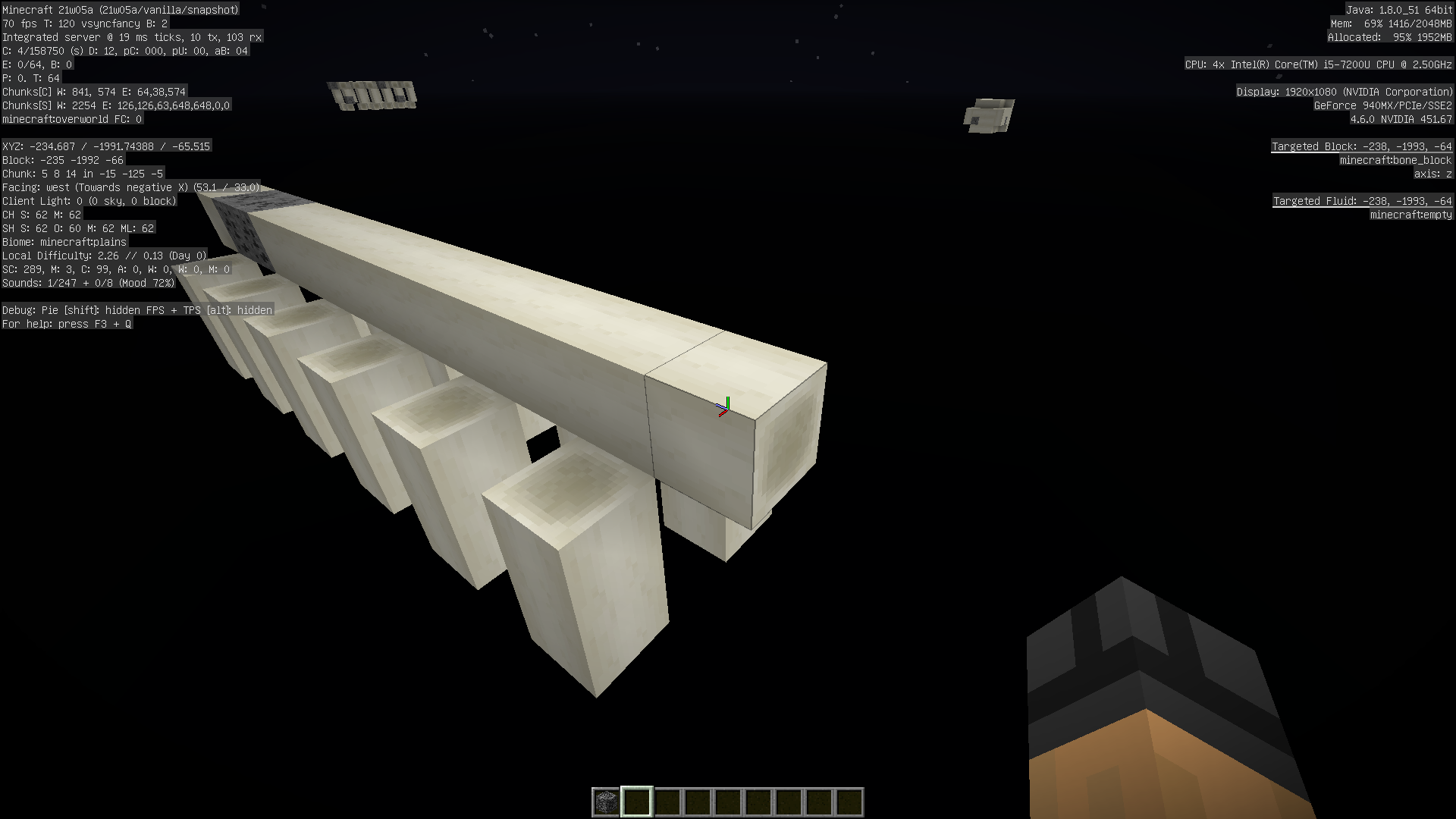









When generate a new world using datapack, set its "min_y" = -1024, and its "max_height" = 3056(the datapack which I'm using is provided).Generating settings which I use:
Game Mode - Creative
Difficulty - Hard
(Others are default setting)After world loaded, using command:
/setblock ~ 1023 ~ minecraft:stoneor
/fill ~ 1023 ~ ~ 1023 ~ minecraft:stonethey worked correctly.
However, when execute command/setblock ~ 1024 ~ minecraft:stoneor
/fill ~ 1024 ~ ~ 1024 ~ minecraft:stonethey don't work.
For "setblock", it says: "Could not set the block", and for "fill", it says: "No blocks were filled".
Even using command/fill ~ 1023 ~ ~ 1024 ~ minecraft:stoneto fill blocks, it only apply on the lower block, and make the higher block a ghost block.
In other situation, if the Y value are higher(I tested Y=1536), the error message will become "An unexpected error occurred trying to execute that command", but if you run command on coordinate which had executed by two types of commands, the error message will become the string I mentioned above.Generate a new world using datapack, set its "min_y" = -1024, and its "max_height" = 3056(the datapack which I'm using is provided).
Generating settings which I use:
Game Mode - Creative
Difficulty - Hard
(Others are default setting)After world loaded, using command:
/setblock ~ 1023 ~ minecraft:stoneor
/fill ~ 1023 ~ ~ 1023 ~ minecraft:stonethey worked correctly.
However, when execute command/setblock ~ 1024 ~ minecraft:stoneor
/fill ~ 1024 ~ ~ 1024 ~ minecraft:stonethey don't work.
For "setblock", it says: "Could not set the block", and for "fill", it says: "No blocks were filled".
Even using command/fill ~ 1023 ~ ~ 1024 ~ minecraft:stoneto fill blocks, it only apply on the lower block, and make the higher block a ghost block.
In other situation, if the Y value are higher(I tested Y=1536), the error message will become "An unexpected error occurred trying to execute that command", but if you run command on coordinate which had executed by two types of commands, the error message will become the string I mentioned above.
The "Serious Dedication" advancement is defined in
<jar file>/data/minecraft/advancements/husbandry/obtain_netherite_hoe.jsonand uses Namespace ID "husbandry/obtain_netherite_hoe" (pretty easy to confirm that by execute "/advancement" command).
But, in<jar file>/assets/minecraft/lang/en_us.json (other languages are the same), using translation key "advancements.husbandry.netherite_hoe.title
" and "advancements.husbandry.netherite_hoe.description" for its name and description.So, this inconsistency is between "husbandry/obtain_*netherite_hoe" and "advancements.husbandry.netherite_hoe.".
The "Serious Dedication" advancement is defined in
<jar file>/data/minecraft/advancements/husbandry/obtain_netherite_hoe.jsonand uses Namespace ID "husbandry/obtain_netherite_hoe" (pretty easy to confirm that by execute "/advancement" command).
But, in<jar file>/assets/minecraft/lang/en_us.json (other languages are the same), using translation key "advancements.husbandry.netherite_hoe.<title/description>" for its name and description.
So, this inconsistency is between "husbandry/*obtain_*netherite_hoe" and "advancements.husbandry.netherite_hoe.<title/description>".
The "Serious Dedication" advancement is defined in
<jar file>/data/minecraft/advancements/husbandry/obtain_netherite_hoe.jsonand uses Namespace ID "husbandry/obtain_netherite_hoe" (pretty easy to confirm that by execute "/advancement" command).
But, in<jar file>/assets/minecraft/lang/en_us.json (other languages are the same), using translation key "advancements.husbandry.netherite_hoe.<title/description>" for its name and description.
So, this inconsistency is between "husbandry/*obtain_*netherite_hoe" and "advancements.husbandry.netherite_hoe.<title/description>".
Inconsistency Namespace ID and translationstringkey of the "Serious Dedication" advancement
Inconsistency Namespace ID and translation keyof the "Serious Dedication"advancementInconsistency Namespace ID and translation key in some advancements
The "Serious Dedication" advancement is defined in<jar file>/data/minecraft/advancements/husbandry/obtain_netherite_hoe.jsonand uses Namespace ID "husbandry/obtain_netherite_hoe" (pretty easy to confirm that by execute "/advancement" command).
But, in<jar file>/assets/minecraft/lang/en_us.json (other languages are the same), using translation key "advancements.husbandry.netherite_hoe.<title/description>" for its name and description.
For example, the "Serious Dedication" advancement is defined in
<jar file>/data/minecraft/advancements/husbandry/obtain_netherite_hoe.jsonand uses Namespace ID "husbandry/obtain_netherite_hoe" (pretty easy to confirm that by execute "/advancement" command).
But, in<jar file>/assets/minecraft/lang/en_us.json (other languages are the same), using translation key "advancements.husbandry.netherite_hoe.<title/description>" for its name and description.
Affected advancements
ID 标题 2 列 A1 Col A2
For example, the "Serious Dedication" advancement is defined in
<jar file>/data/minecraft/advancements/husbandry/obtain_netherite_hoe.jsonand uses Namespace ID "husbandry/obtain_netherite_hoe" (pretty easy to confirm that by execute "/advancement" command).
But, in<jar file>/assets/minecraft/lang/en_us.json (other languages are the same), using translation key "advancements.husbandry.netherite_hoe.<title/description>" for its name and description.
Affected advancements
ID 标题 2列A1Col A2For example, the "Serious Dedication" advancement is defined in
<jar file>/data/minecraft/advancements/husbandry/obtain_netherite_hoe.jsonand uses Namespace ID "husbandry/obtain_netherite_hoe" (pretty easy to confirm that by execute "/advancement" command).
But, in<jar file>/assets/minecraft/lang/en_us.json (other languages are the same), using translation key "advancements.husbandry.netherite_hoe.<title/description>" for its name and description.
Affected advancements
ID Current translation key 列 A1 Col A2
For example, the "Serious Dedication" advancement is defined in
<jar file>/data/minecraft/advancements/husbandry/obtain_netherite_hoe.jsonand uses Namespace ID "husbandry/obtain_netherite_hoe" (pretty easy to confirm that by execute "/advancement" command).
But, in<jar file>/assets/minecraft/lang/en_us.json (other languages are the same), using translation key "advancements.husbandry.netherite_hoe.<title/description>" for its name and description.
Affected advancements
ID Current translation key 列 A1Col A2For example, the "Serious Dedication" advancement is defined in
<jar file>/data/minecraft/advancements/husbandry/obtain_netherite_hoe.jsonand uses Namespace ID "husbandry/obtain_netherite_hoe" (pretty easy to confirm that by execute "/advancement" command).
But, in<jar file>/assets/minecraft/lang/en_us.json (other languages are the same), using translation key "advancements.husbandry.netherite_hoe.<title/description>" for its name and description.
Affected advancements
ID Current translation key Expected translation key husbandry/bred_all_animals advancements.husbandry.breed_all_animals advancements.husbandry.bred_all_animals husbandry/obtain_netherite_hoe advancements.husbandry.netherite_hoe advancements.husbandry.obtain_netherite_hoe Edited: Appended information from Dhranios.
For example, the "Serious Dedication" advancement is defined in<jar file>/data/minecraft/advancements/husbandry/obtain_netherite_hoe.jsonand uses Namespace ID "husbandry/obtain_netherite_hoe" (pretty easy to confirm that by execute "/advancement" command).
But, in<jar file>/assets/minecraft/lang/en_us.json (other languages are the same), using translation key "advancements.husbandry.netherite_hoe.<title/description>" for its name and description.
Affected advancements
ID Current translation key Expected translation key husbandry/bred_all_animals advancements.husbandry.breed_all_animals advancements.husbandry.bred_all_animals husbandry/obtain_netherite_hoe advancements.husbandry.netherite_hoe advancements.husbandry.obtain_netherite_hoe Edited: Appended information from Dhranios.
The "Serious Dedication" advancement is defined in
<jar file>/data/minecraft/advancements/husbandry/obtain_netherite_hoe.jsonand uses Namespace ID "husbandry/obtain_netherite_hoe" (pretty easy to confirm that by execute "/advancement" command).
But, in<jar file>/assets/minecraft/lang/en_us.json (other languages are the same), using translation key "advancements.husbandry.netherite_hoe.<title/description>" for its name and description.
Inconsistency Namespace ID and translation keyin someadvancementsInconsistency Namespace ID and translation key of the "Serious Dedication" advancement
Too large deep warm ocean generated, and no other oceans interact withitToo large deep warm ocean generated, and no other oceans inside of it
Steps to Reproduce:
- Place a comparator besides the jukebox.
- Place redstone on the signal direction of the comparator (with redstone lamp lower)
- Play "Pigstep", and use a block to mark the last lightened redstone lamp.
- Play "otherside" instead, and see the new position of last lightened redstone lamp.
Observed Results:
Redstone signal intensities of "otherside" is same with "Pigstep".
Expected Results:
The intensity level of "otherside" should be 1 level less than the one of "Pigstep". In order to match the level in Java Edition
(14).Steps to Reproduce:
- Place a comparator besides the jukebox.
- Place redstone on the signal direction of the comparator (with redstone lamp lower)
- Play "Pigstep", and use a block to mark the last lightened redstone lamp.
- Play "otherside" instead, and see the new position of last lightened redstone lamp.
Observed Results:
Redstone signal intensities of "otherside" is same with "Pigstep".
Expected Results:
The intensity level of "otherside" should be 1 level less than the one of "Pigstep" (level: 14). In order to match the level in Java Edition.
Steps to Reproduce:
- Place a comparator besides the jukebox.
- Place redstone on the signal direction of the comparator (with redstone lamp lower)
- Play "Pigstep", and use a block to mark the last lightened redstone lamp.
- Play "otherside" instead, and see the new position of last lightened redstone lamp.
Observed Results:
Redstone signal intensities of "otherside" is same with "Pigstep".
Expected Results:
The intensity level of "otherside" should be 1 level less than the one of "Pigstep"
(level: 14). In order to match the level in Java Edition.Steps to Reproduce:
- Place a comparator besides the jukebox.
- Place redstone on the signal direction of the comparator (with redstone lamp lower)
- Play "Pigstep", and use a block to mark the last lightened redstone lamp.
- Play "otherside" instead, and see the new position of last lightened redstone lamp.
Observed Results:
Redstone signal intensities of "otherside" is same with "Pigstep".
Expected Results:
The intensity level of "otherside" should be 1 level less than the one of "Pigstep". In order to match the level in Java Edition (level: 14).
Redstone signal intensities are same when jukebox playing Music Disc "Pigstep" and "otherside"
This issue only occurs while user login into a server, not on a status event.
Since 1.17.1-pre1, the server address padded in the handshake packet while login event is inconsistency with the exact content which user provided in the "server address" textbox, different from previous versions.
For example, if user provided "[::1]", in 1.17 and before, should padded "::1".
But, in 1.17.1-pre1 and later, it padded some address like "0:0:0:0:0:0:0:1". Obviously, the user provided address is resolved to numeric form, then resolved back to the string form.
Even worse, if user using a "fe80" address, the user's computer name will be padded.
Because this change, some reverse proxy server based on the server name will not normally functional.
Note: The packet content via Wireshark in different conditions are provided in screenshot files, for comparsion.
Steps to reproduce:
- Setup a dedicated server, listening on a IPv6 address.
- Starting packet capture using Wireshark (or other tools) on the port which the server listening on.
- Use "[::1]" (or other IPv6 address) to connect to that server.
- See that captured packet (the first packet send by the client, marked PSH).
Observed results:
"0:0:0:0:0:0:0:1" is padded.
Expected results:
"::1" is padded.
This issue only occurs while user login into a server, not on a status event.
Since 1.17.1-pre1, the server address padded in the handshake packet while login event is inconsistency with the exact content which user provided in the "server address" textbox, different from previous versions.
For example, if user provided "[::1]", in 1.17 and before, should padded "::1".
But, in 1.17.1-pre1 and later, it padded some address like "0:0:0:0:0:0:0:1". Obviously, the user provided address is resolved to numeric form, then resolved back to the string form.
Even worse, if user using a "fe80" address, the user's computer name will be padded.
Because this change, some reverse proxy server based on the server name will not normally functional.
Note: The packet content via Wireshark in different conditions are provided in screenshot files, for comparsion.
Steps to reproduce:
- Setup a dedicated server, listening on a IPv6 address.
- Starting packet capture using Wireshark (or other tools) on the port which the server listening on.
- Use "[::1]" (or other IPv6 address) to connect to that server.
- See that captured packet (the first packet send by the client, marked PSH).
Observed results:
"0:0:0:0:0:0:0:1" is padded.
Expected results:
"::1" is padded.
As the title.
This new option don't have its own line in options.txt.
Steps to reproduce:
- Start a clean game, click "Options" then come back to title screen immediately.
- Copy the generated options.txt.
- Change "Allow Server Listening" from ON (default) to OFF, then come back to the title screen, the options.txt will be modified now.
- Restart the game and see if the option is ON or OFF.
Observed results:
- Two options.txt are no any differences.
- The status of the option is reset to ON.
Expected results:
- Two options.txt should have a difference on the corresponding line.
- The status ot the option should be OFF.
As the title.
This new option don't have its own line in options.txt.
Steps to reproduce:
- Start a clean game, click "Options" then come back to title screen immediately.
- Copy the generated options.txt.
- Change "Allow Server Listening" from ON (default) to OFF, then come back to the title screen, the options.txt will be modified now.
- Restart the game and see if the option is ON or OFF.
Observed results:
- Two options.txt are no any differences.
- The status of the option is reset to ON.
Expected results:
- Two options.txt should have a difference on the corresponding line.
- The status ot the option should be OFF.
When I joined a local hosted server (connect to "localhost"), and typing "/placefeature" command,
whenItyped the space behind it, the client crashed.When I joined a local hosted server (connect to "localhost"), and typing "/placefeature" command, then typed the space behind it, the client crashed.
When I joined a local hosted server (connect to "localhost"), and typing "/placefeature" command, then typed the space behind it, the client crashed.
Internal Server(singleplayer) is not affected.
When execute commands, whether it success or not, it returns nothing.
Example:executing"/help"When execute commands, whether it success or not, it returns nothing.
Very simple to reproduce, you can execute "/help" to verify that.
When execute commands, whether it success or not, it returns nothing.
Very simple to reproduce, you can execute "/help" to verify that.
Edit: The in-game chat seems broken too.
Commands feedbacks nothingIn-game chat and commands feedbacks nothing
When execute commands, whether it success or not, it returns nothing.
Very simple to reproduce, you can execute "/help" to verify that.
Edit:
The in-game chatseems broken too.When execute commands, whether it success or not, it returns nothing.
Very simple to reproduce, you can execute "/help" to verify that.
Edit: The in-game chat is broken too due to a wrong auto-generated options.txt, see this diff below:
When execute commands, whether it success or not, it returns nothing.
Very simple to reproduce, you can execute "/help" to verify that.
Edit: The in-game chat is broken too due to a wrong auto-generated options.txt, see this diff below (this issues is caused by the value of "chatScale" is changed from 1.0 to 0.0"):
When execute commands, whether it success or not, it returns nothing.
Very simple to reproduce, you can execute "/help" to verify that.
Edit: The in-game chat is broken too due to a wrong auto-generated options.txt, see this diff below (this issues is caused by the value of "chatScale" is changed from 1.0 to 0.0
"):
When execute commands, whether it success or not, it returns nothing.
Very simple to reproduce, you can execute "/help" to verify that.
Edit: The in-game chat is broken too due to a wrong auto-generated options.txt, see this
diffbelow (this issues is caused by the value of "chatScale" is changed from 1.0 to 0.0):
When execute commands, whether it success or not, it returns nothing.
Very simple to reproduce, you can execute "/help" to verify that.
Edit: The in-game chat is broken too due to a wrong auto-generated options.txt, see this comparision between 22w11a's and 22w12a's below (this issues is caused by the value of "chatScale" is changed from 1.0 to 0.0):
When execute commands, whether it success or not, it returns nothing.
Very simple to reproduce, you can execute "/help" to verify that.
Edit: The in-game chat is broken too due to a wrong auto-generated options.txt, see this comparision between 22w11a's and 22w12a's below (this issues is caused by the value of "chatScale" is changed from 1.0 to 0.0):
When starting a flesh game, the in-game chat is disappeared due to a wrong auto-generated options.txt, you can see this comparision between 22w11a's and 22w12a's below (this issues is caused by the value of "chatScale" is changed from 1.0 to 0.0):
When starting a f
lesh game, the in-game chat is disappeared due to a wrong auto-generated options.txt, you can see this comparision between 22w11a's and 22w12a's below (this issues is caused by the value of "chatScale" is changed from 1.0 to 0.0):
When starting a fresh game, the in-game chat is disappeared due to a wrong auto-generated options.txt, you can see this comparision between 22w11a's and 22w12a's below (this issues is caused by the value of "chatScale" is changed from 1.0 to 0.0):
When starting a fresh game, the in-game chat is disappeared due to a wrong auto-generated options.txt, you can see this comparision between 22w11a's and 22w12a's below (this issue
sis caused by the value of "chatScale" is changed from 1.0 to 0.0):
When starting a fresh game, the in-game chat is disappeared due to a wrong auto-generated options.txt, you can see this comparision between 22w11a's and 22w12a's below (this issue is caused by the default value of "chatScale" is changed from 1.0 to 0.0):
This issues happens since 22w16a, which the version upgrades LWJGL from 3.2.1 to 3.3.1. The later versions also have the same issue.
I know this could be WAI, since the 32-bit warning had added since 1.18.2 Pre-release 1 (which I suggested to remove if really a WAI).
So, have you already decided to remove the support of 32-bit system?
Failed to launcherthe game on 32-bit operating system
This issues happens since 22w16a, which the version upgrades LWJGL from 3.2.1 to 3.3.1. The later versions also have the same issue.
I know this could be WAI, since the 32-bit warning had added since 1.18.2 Pre-release 1 (which I suggested to remove if really a WAI).
So, have you already decided to remove the support of 32-bit system?
This issues happens since 22w16a, which the version upgrades LWJGL from 3.2.1 to 3.3.1. The later versions also have the same issue.
I know this could be WAI, since the 32-bit warning had added since 1.18.2 Pre-release 1 (which I suggested to remove if really a WAI).
So, have you already decided to remove the support of 32-bit system?
This issues happens since 22w16a, which the version upgrades LWJGL from 3.2.1 to 3.3.1. The later versions also have the same issue.
I know this could be WAI, since the 32-bit warning had added since 1.18.2 Pre-release 1 (which I suggested to remove if really a WAI).
So, have you already decided to remove the support of 32-bit system?
Steps to reproduce:{}
- Install a 32-bit operating system. (I installed a Windows 10 21H2 in a VMWare VM to test it)
- Install Minecraft Launcher, and start it.
- Launcher a game (22w16a or later).
Observed results:
The game couldn't be launched. And outputs similar logs as the attached log file.
Expected result:
The game could be launched.
This issues happens since 22w16a, which the version upgrades LWJGL from 3.2.1 to 3.3.1. The later versions also have the same issue.
I know this could be WAI, since the 32-bit warning had added since 1.18.2 Pre-release 1 (which I suggested to remove if really a WAI).
So, have you already decided to remove the support of 32-bit system?
Steps to reproduce:{}
- Install a 32-bit operating system. (I installed a Windows 10 21H2 in a VMWare VM to test it)
- Install Minecraft Launcher, and start it.
- Launcher a game (22w16a or later).
Observed results:
The game couldn't be launched. And outputs similar logs as the attached log file.
Expected result:
The game could be launched.
Windows 10 32-bit (10.0.19044.1682)
Bundled Java (17.0.1/3)
This issues happens since 22w16a, which the version upgrades LWJGL from 3.2.1 to 3.3.1. The later versions also have the same issue.
I know this could be WAI, since the 32-bit warning had added since 1.18.2 Pre-release 1 (which I suggest
edto remove if really a WAI).So, have you already decided to remove the support of 32-bit system?
Steps to reproduce:
- Install a 32-bit operating system. (I installed a Windows 10 21H2 in a VMWare VM to test it)
- Install Minecraft Launcher, and start it.
- Launcher a game (22w16a or later).
Observed results:
The game couldn't be launched. And outputs similar logs as the attached log file.
Expected result:
The game could be launched.
This issues happens since 22w16a, which the version upgrades LWJGL from 3.2.1 to 3.3.1. The later versions also have the same issue.
I know this could be WAI, since the 32-bit warning had added since 1.18.2 Pre-release 1 (
whichI suggest to remove if really a WAI).So, have you already decided to remove the support of 32-bit system?
Steps to reproduce:
- Install a 32-bit operating system. (I installed a Windows 10 21H2 in a VMWare VM to test it)
- Install Minecraft Launcher, and start it.
- Launcher a game (22w16a or later).
Observed results:
The game couldn't be launched. And outputs similar logs as the attached log file.
Expected result:
The game could be launched.
This issues happens since 22w16a, which the version upgrades LWJGL from 3.2.1 to 3.3.1. The later versions also have the same issue.
I know this could be WAI, since the 32-bit warning had added since 1.18.2 Pre-release 1 (I suggest to remove that warning if really a WAI).
So, have you already decided to remove the support of 32-bit system?
Steps to reproduce:
- Install a 32-bit operating system. (I installed a Windows 10 21H2 in a VMWare VM to test it)
- Install Minecraft Launcher, and start it.
- Launcher a game (22w16a or later).
Observed results:
The game couldn't be launched. And outputs similar logs as the attached log file.
Expected result:
The game could be launched.
This issues happens since 22w16a, which the version upgrades LWJGL from 3.2.1 to 3.3.1. The later versions also have the same issue.
I know this could be WAI, since the 32-bit warning had added since 1.18.2 Pre-release 1 (I suggest to remove that warning if really a WAI).
So, have you already decided to remove the support of 32-bit system?
Steps to reproduce:
- Install a 32-bit operating system. (I installed a Windows 10 21H2 in a VMWare VM to test it)
- Install Minecraft Launcher, and start it.
- Launch
era game (22w16a or later).Observed results:
The game couldn't be launched. And outputs similar logs as the attached log file.
Expected result:
The game could be launched.
This issue possibly caused when fixing the
MC-253182.Current Title: Imminent harm - Threat to harm others
Current Description: Someone is threatening to harm themselves in real life or talking about harming themselves in real life.
Obviously, the current description is for Imminent harm - Self-harm or suicide report category.
Diff:
This issue possibly caused when fixing the
MC-253182.Current Title: Imminent harm - Threat to harm others
Current Description: Someone is threatening to harm themselves in real life or talking about harming themselves in real life.
Obviously, the current description is for Imminent harm - Self-harm or suicide report category.
Diff:
This issue possibly caused when fixing the
MC-253182.Current Title: Imminent harm - Threat to harm others
Current Description: Someone is threatening to harm themselves in real life or talking about harming themselves in real life.
Obviously, the current description is for Imminent harm - Self-harm or suicide report category.
See attached files for prove.
This issue possibly caused when fixing
theMC-253182.Current Title: Imminent harm - Threat to harm others
Current Description: Someone is threatening to harm themselves in real life or talking about harming themselves in real life.
Obviously, the current description is for Imminent harm - Self-harm or suicide report category.
See attached files for prove.
This issue possibly caused when fixing
MC-253182.Current Title: Imminent harm - Threat to harm others
Current Description: Someone is threatening to harm themselves in real life or talking about harming themselves in real life.
Obviously, the current description is for Imminent harm - Self-harm or suicide report category.
See attached files for proves.
This issue possibly caused when fixing
MC-253182.
CurrentTitle: Imminent harm - Threat to harm othersCurrent Description: Someone is threatening to harm themselves in real life or talking about harming themselves in real life.
Obviously, the current description is for Imminent harm - Self-harm or suicide report category.
See attached files for proves.
Currently, this screen only shows when the options.txt is not detected.
Since you can't access the language option by this screen without quit it, and maually set language in options.txt is not considered start the game at the first time. As a user of the official launcher, it actually can not display any other languages than English (US) without any advanced tweaks (like JVM arguments). This is obviously not a intended behavior, because these strings is uploaded to Crowdin for translate.
Steps to reproduce:
- Delete options.txt, start the game, this screen will display using English (US).
- Delete options.txt, and add the language line to it (e.g: "lang:zh_cn"), start the game, this screen will not shown.
Expected result: The screen will shown using the specified language.{}
Observed result: The screen will not shown, or shown using English (US).
Currently, this screen only shows when the options.txt is not detected.
Since you can't access the language option by this screen without quit it, and maually set language in options.txt is not considered start the game at the first time. As a user of the official launcher,
itactually can not display any other languages than English (US) without any advanced tweaks (like JVM arguments). This is obviously not a intended behavior, because these strings is uploaded to Crowdin for translate.Steps to reproduce:
- Delete options.txt, start the game, this screen will display using English (US).
- Delete options.txt, and add the language line to it (e.g: "lang:zh_cn"), start the game, this screen will not shown.
Expected result: The screen will shown using the specified language.
Observed result: The screen will not shown, or shown using English (US).
Currently, this screen only shows when the options.txt is not detected.
Since you can't access the language option by this screen without quit it, and maually set language in options.txt is not considered start the game at the first time. As a user of the official launcher, when using this launcher to start the game, the game actually can not display any other languages than English (US) without any advanced tweaks (like JVM arguments). This is obviously not a intended behavior, because these strings is uploaded to Crowdin for translate.
Steps to reproduce:
- Delete options.txt, start the game, this screen will display using English (US).
- Delete options.txt, and add the language line to it (e.g: "lang:zh_cn"), start the game, this screen will not shown.
Expected result: The screen will shown using the specified language.
Observed result: The screen will not shown, or shown using English (US).
Currently, this screen only shows when the options.txt is not detected.
Since you can't access the language option by this screen without quit it, and maually set language in options.txt is not considered start the game at the first time.
Asa user of the official launcher, whenusing this launcher to start the game, the gameactually can not display any other languages than English (US) without any advanced tweaks (like JVM arguments). This is obviously not a intended behavior, because these strings is uploaded to Crowdin for translate.Steps to reproduce:
- Delete options.txt, start the game, this screen will display using English (US).
- Delete options.txt, and add the language line to it (e.g: "lang:zh_cn"), start the game, this screen will not shown.
Expected result: The screen will shown using the specified language.
Observed result: The screen will not shown, or shown using English (US).
Currently, this screen only shows when the options.txt is not detected.
Since you can't access the language option by this screen without quit it, and maually set language in options.txt is not considered start the game at the first time. I'm a user of the official launcher, when a game started with this launcher, it actually can not display any other languages than English (US) without any advanced tweaks (like JVM arguments), it is not friendly to non-English native speaker.
This is obviously not a intended behavior, because these strings is uploaded to Crowdin for translate.
Steps to reproduce:
- Delete options.txt, start the game, this screen will display using English (US).
- Delete options.txt, and add the language line to it (e.g: "lang:zh_cn"), start the game, this screen will not shown.
Expected result: The screen will shown using the specified language.
Observed result: The screen will not shown, or shown using English (US).
Currently, this screen only shows when the options.txt is not detected.
Since you can't access the language option by this screen without quit it, and maually set language in options.txt is not considered start the game at the first time. I'm a user of the official launcher, when a game started
withthis launcher, it actually can not display any other languages than English (US) without any advanced tweaks (like JVM arguments), it is not friendly to non-English native speaker.This is obviously not a intended behavior, because these strings is uploaded to Crowdin for translate.
Steps to reproduce:
- Delete options.txt, start the game, this screen will display using English (US).
- Delete options.txt, and add the language line to it (e.g: "lang:zh_cn"), start the game, this screen will not shown.
Expected result: The screen will shown using the specified language.
Observed result: The screen will not shown, or shown using English (US).
Currently, this screen only shows when the options.txt is not detected.
Since you can't access the language option by this screen without quit it, and maually set language in options.txt is not considered start the game at the first time. I'm a user of the official launcher, when a game started using this launcher, it actually can not display any other languages than English (US) without any advanced tweaks (like JVM arguments), it is not friendly to non-English native speaker.
This is obviously not a intended behavior, because these strings is uploaded to Crowdin for translate.
Steps to reproduce:
- Delete options.txt, start the game, this screen will display using English (US).
- Delete options.txt, and add the language line to it (e.g: "lang:zh_cn"), start the game, this screen will not shown.
Expected result: The screen will shown using the specified language.
Observed result: The screen will not shown, or shown using English (US).
Currently, this screen only shows when the options.txt is not detected.
Since you can't access the language option by this screen without quit it, and maually set language in options.txt is not considered start the game at the first time. I'm a user of the official launcher, when a game started using this launcher, it actually can not display any other languages than English (US) without any advanced tweaks (like JVM arguments), it is not friendly to non-English native speaker.
This is obviously not a intended behavior, because these strings is uploaded to Crowdin for translate.
Steps to reproduce:
- Delete options.txt, start the game, this screen will display using English (US).
- Delete options.txt, and add the language line to it (e.g: "lang:zh_cn"), start the game, this screen will not shown.
Expected result: The screen will shown using the specified language.
Observed result: The screen will not shown, or shown using English (US).
Possibile solutions:
1. Allow the access to the language option without quit this screen, by add a button to the language screen.
2. Make an exception of the "lang" line when detecting options.txt.
3. Detect player's location automatically.
Currently, this screen only shows when the options.txt is not detected.
Since you can't access the language option by this screen without quit it, and maually set language in options.txt is not considered start the game at the first time. I'm a user of the official launcher, when a game started using this launcher, it actually can not display any other languages than English (US) without any advanced tweaks (like JVM arguments), it is not friendly to non-English native speaker.
This is obviously not a intended behavior, because these strings is uploaded to Crowdin for translate.
Steps to reproduce:
- Delete options.txt, start the game, this screen will display using English (US).
- Delete options.txt, and add the language line to it (e.g: "lang:zh_cn"), start the game, this screen will not shown.
Expected result: The screen will shown using the specified language.
Observed result: The screen will not shown, or shown using English (US).
Possibile solutions:
1. Allow the access to the language option without quit this screen
,by add a button to the language screen.2. Make an exception of the "lang" line when detecting options.txt.
3. Detect player's location automatically.
Currently, this screen only shows when the options.txt is not detected.
Since you can't access the language option by this screen without quit it, and maually set language in options.txt is not considered start the game at the first time. I'm a user of the official launcher, when a game started using this launcher, it actually can not display any other languages than English (US) without any advanced tweaks (like JVM arguments), it is not friendly to non-English native speaker.
This is obviously not a intended behavior, because these strings is uploaded to Crowdin for translate.
Steps to reproduce:
- Delete options.txt, start the game, this screen will display using English (US).
- Delete options.txt, and add the language line to it (e.g: "lang:zh_cn"), start the game, this screen will not shown.
Expected result: The screen will shown using the specified language.
Observed result: The screen will not shown, or shown using English (US).
Possibile solutions:
1. Allow the access to the language option without quit this screen by adding a button to the language screen.
2. Make an exception of the "lang" line when detecting options.txt.
3. Detect player's location automatically.
Currently, this screen only shows when the options.txt is not detected.
Since you can't access the language option by this screen without quit it, and maually set language in options.txt is not considered start the game at the first time. I'm a user of the official launcher, when a game started using this launcher, it actually can not display any other languages than English (US) without any advanced tweaks (like JVM arguments), it is not friendly to non-English native speaker.
This is obviously not a intended behavior, because these strings is uploaded to Crowdin for translate.
Steps to reproduce:
- Delete options.txt, start the game, this screen will display using English (US).
- Delete options.txt, and add the language line to it (e.g: "lang:zh_cn"), start the game, this screen will not shown.
Expected result: The screen will shown using the specified language.
Observed result: The screen will not shown, or shown using English (US).
Possibile solutions:
1. Allow the access to the language option without quit this screen by adding a button to the language screen.
2. Make an exception of the "lang" line when detecting options.txt.
3. Detect player's location automatically.
Currently, this screen only shows when the options.txt is not detected.
Since you can't access the language option by this screen without quit it, and maually set language in options.txt is not considered start the game at the first time. I'm a user of the official launcher, when a game started using this launcher, it actually can not display any other languages than English (US) without any advanced tweaks (like JVM arguments), it is not friendly to non-English native speaker.
This is obviously not a intended behavior, because these strings is uploaded to Crowdin for translate.
Steps to reproduce:
- Delete options.txt, start the game, this screen will display using English (US).
- Delete options.txt, and add the language line to it (e.g: "lang:zh_cn"), start the game, this screen will not shown.
Expected result: The screen will shown using the specified language.
Observed result: The screen will not shown, or shown using English (US).
Possibile solutions:
1. Allow the access to the language option without quit this screen by adding a button to the language screen.
2.
Make an exception of the "lang" line when detecting options.txt.()3. Detect player's location automatically.
Currently, this screen only shows when the options.txt is not detected.
Since you can't access the language option by this screen without quit it, and maually set language in options.txt is not considered start the game at the first time. I'm a user of the official launcher, when a game started using this launcher, it actually can not display any other languages than English (US) without any advanced tweaks (like JVM arguments), it is not friendly to non-English native speaker.
This is obviously not a intended behavior, because these strings is uploaded to Crowdin for translate.
Steps to reproduce:
- Delete options.txt, start the game, this screen will display using English (US).
- Delete options.txt, and add the language line to it (e.g: "lang:zh_cn"), start the game, this screen will not shown.
Expected result: The screen will shown using the specified language.
Observed result: The screen will not shown, or shown using English (US).
Possibile solutions:
1. Allow the access to the language option without quit this screen by adding a button to the language screen.
2.
Make an exception of the "lang" line when detecting options.txt.()3. Detect player's location automatically.
Currently, this screen only shows when the options.txt is not detected.
Since you can't access the language option by this screen without quit it, and maually set language in options.txt is not considered start the game at the first time. I'm a user of the official launcher, when a game started using this launcher, it actually can not display any other languages than English (US) without any advanced tweaks (like JVM arguments), it is not friendly to non-English native speaker.
This is obviously not a intended behavior, because these strings is uploaded to Crowdin for translate.
Steps to reproduce:
- Delete options.txt, start the game, this screen will display using English (US).
- Delete options.txt, and add the language line to it (e.g: "lang:zh_cn"), start the game, this screen will not shown.
Expected result: The screen will shown using the specified language.
Observed result: The screen will not shown, or shown using English (US).
Possibile solutions:
1. Allow the access to the language option without quit this screen by adding a button to the language screen.
2. Make an exception of the "lang" line when detecting options.txt.
3. Detect player's location automatically.
Currently, this screen only shows when the options.txt is not detected.
Since you can't access the language option by this screen without quit it, and maually set language in options.txt is not considered start the game at the first time. I'm a user of the official launcher, when a game started using this launcher, it actually can not display any other languages than English (US) without any advanced tweaks (like JVM arguments), it is not friendly to non-English native speaker.
This is obviously not a intended behavior, because these strings is uploaded to Crowdin for translate.
Steps to reproduce:
- Delete options.txt, start the game, this screen will display using English (US).
- Delete options.txt, and add the language line to it (e.g: "lang:zh_cn"), start the game, this screen will not shown.
Expected result: The screen will shown using the specified language.
Observed result: The screen will not shown, or shown using English (US).
Possibile solutions:
1. Allow the access to the language option without quit this screen by adding a button to the language screen.
2. Make an exception of the "lang" line when detecting options.txt.
3. Detect player's location automatically.
Currently, this screen only shows when the options.txt is not detected.
Since you can't access the language option by this screen without quit it, and maually set language in options.txt is not considered start the game at the first time. I'm a user of the official launcher, when a game started using this launcher, it actually can not display any other languages than English (US) without any advanced tweaks (like JVM arguments), it is not friendly to non-English native speaker.
This is obviously not a intended behavior, because these strings is uploaded to Crowdin for translate.
Steps to reproduce:
- Delete options.txt, start the game, this screen will display using English (US).
- Delete options.txt, and add the language line to it (e.g: "lang:zh_cn"), start the game, this screen will not shown.
Expected result: The screen will shown using the specified language.
Observed result: The screen will not shown, or shown using English (US).
Possibile solutions:
1. Allow the access to the language option without quit this screen by adding a button to the language screen.
2. Make an exception of the "lang" line when detecting options.txt. (currently, it can cooperate with "onboardAccessibility" option when a options.txt is fully generated to allow displaying another language, but still inconvient)
3. Detect player's location automatically.
Click any buttons on the Accessibility Onboarding Screen crashedthe gameClick any buttons on the Accessibility Onboarding Screen crashes the game
The texture of Arrow of Fire Resistance and Slow Falling are inconsistent with Java Edition.
In-game screenshot (Java Edition
<->Bedrock Edition):

Despite arrows being different, the potions with the same effect are identical (Java Edition
<->Bedrock Edition):

Also, despite Java Edition don't have Arrow of Decay, but the texture used in Bedrock Edition is different to the texture recreated by colored using configured color in Java Edition. Even the shape of the Arrow of Decay is different with other Tipped Arrows used in Bedrock Edition.
(decayBE <
> decayRecreate <> fireResBE)
The texture of Arrow of Fire Resistance and Slow Falling are inconsistent with Java Edition.
In-game screenshot (Java Edition / Bedrock Edition):
Despite arrows being different, the potions with the same effect are identical (Java Edition / Bedrock Edition):
Also, despite Java Edition don't have Arrow of Decay, but the texture used in Bedrock Edition is different to the texture recreated by colored using configured color in Java Edition. Even the shape of the Arrow of Decay is different with other Tipped Arrows used in Bedrock Edition.
(decayBE / decayRecreate / fireResBE)
The texture of Arrow of Fire Resistance and Slow Falling are inconsistent with Java Edition.
In-game screenshot (Java Edition / Bedrock Edition):
Despite arrows being different, the potions with the same effect are identical (Java Edition / Bedrock Edition):
Also, despite Java Edition don't have Arrow of Decay, but the texture used in Bedrock Edition is different to the texture recreated by colored using configured color in Java Edition. Even the shape of the Arrow of Decay is different with other Tipped Arrows used in Bedrock Edition.
(decayBE / decayRecreate / fireResBE)
The texture of Arrow of Fire Resistance and Slow Falling are inconsistent with Java Edition.
Cropped in-game screenshot (Java Edition / Bedrock Edition):
Despite arrows being different, the potions with the same effect are identical (Java Edition / Bedrock Edition):
Also, despite Java Edition don't have Arrow of Decay, but the texture used in Bedrock Edition is different to the texture recreated by colored using configured color in Java Edition. Even the shape of the Arrow of Decay is different with other Tipped Arrows used in Bedrock Edition.
(decayBE / decayRecreate / fireResBE)
![[Mod] markderickson](../../../data/avatars/users/18946.svg)
Hi Bilin Tsui, thanks for the report! Someone else just reported this a few minutes before you, so we'll be using their report as the parent in tracking this issue. You can take a look at it, or provide additional information, at MC-248195.
![[Mod] Avoma](../../../data/avatars/users/86198.png)
Bilin Tsui, I believe that coal ore being included within the #minecraft:snaps_goat_horn tag is intended according to what was stated in the 22w17a changelog.
GOAT HORN
A Goat Horn drops when a Goat rams a tree or any other hard block that occurs naturally where Goats spawn (Logs, Stone, Packed Ice, Iron Ore, Copper Ore, or Emerald Ore)
I've updated this ticket accordingly to reflect this issue's new information, while also stating the behavior that this report previously concerned in the past. Bilin Tsui, with this being said, all occurrences of this core problem haven't been ignored and have been nicely documented for archival purposes. 
Maybe also affect nether, the end or other customized dimension, but I'm not tested yet.
Yes, I also think they need to solve the problem for real, not just simply change its definition.
Still existed in 21w06a.
Affects 1.17.11 and 1.17.30.22.
Maybe I should revert this ticket back to my original content? If so, these two tickets should be considered to be related with each other.
Not duplicate, because the advancements mentioned in this ticket are not same with the advancements in
MC-237954.And that ticket not mentioned inconsistency with Namespace ID and translation key at all, it just says that two advancements are miscategorized.
Fixed, I tested on a clean 1.18.0.23 installation (on Application/External) with the updated 307.9 MB music pack just now, it can play as normal.
See this: Screenrecorder-2021-10-24-00-58-37-341.mp4
Still exists on 1.18.0.23.
@Lucas Hurst I marked the place which they talking about, and obviously it is completely floating.
Can confirm.
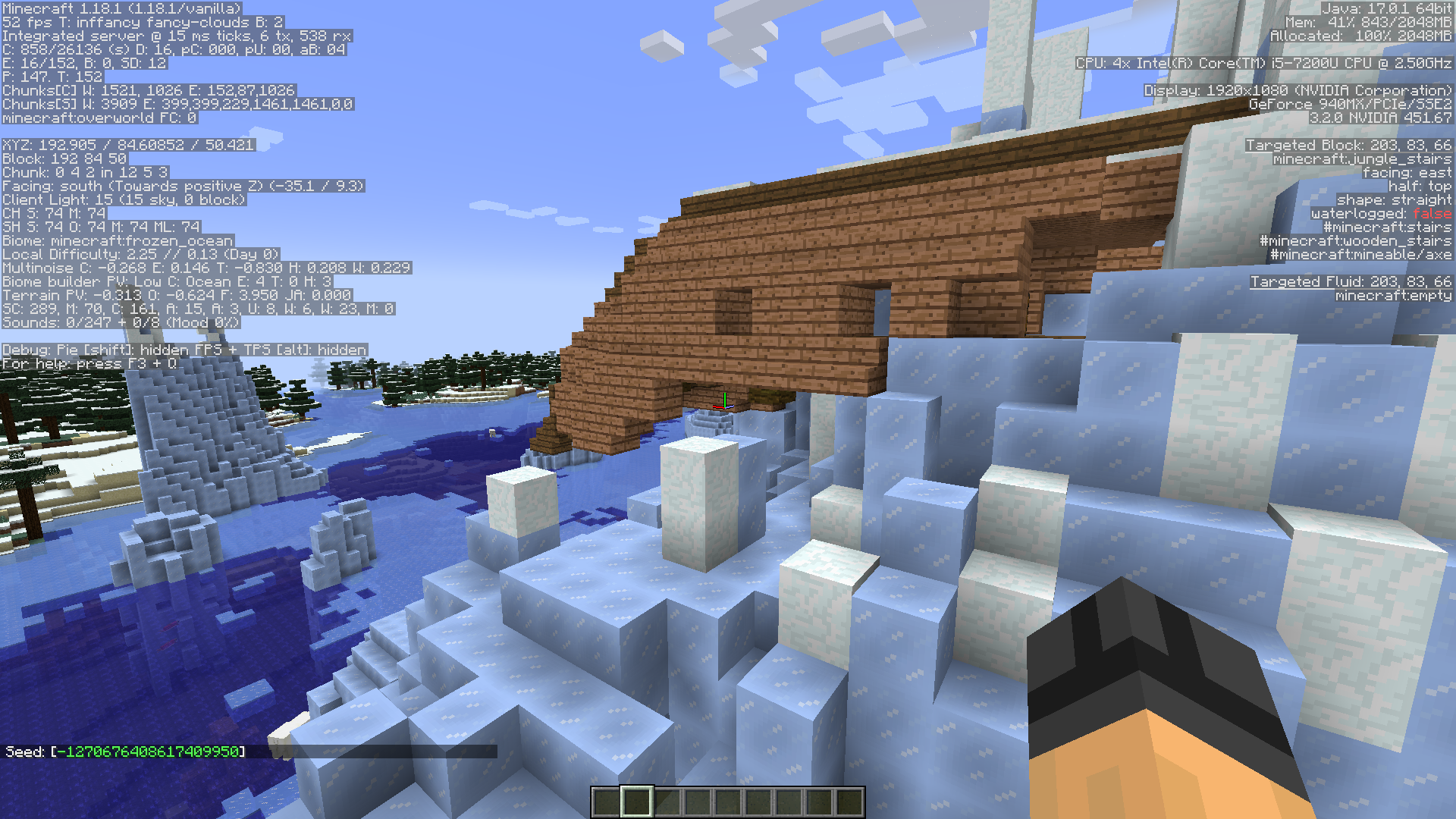
This report is focused on "crop could generated on farmland", not "ruined portal can intersect with village".
Still exists in 1.18.1.

But it's mentioned in slicedlime's video.
Is this a 21w16a bug fixed in 21w17a? It seems like a typo (fix version is "20w17a" currently)
The options.txt is attached.
@Solo Alguien It's seems caused by a wrong auto-generated options.txt, see the differences between 22w11a's and 22w12a's default options.txt below:
Additionally, the "minecraft:coal_ore" is included instead of the "minecraft:copper_ore" in this tag (see "tags/blocks/snaps_goat_horn.json"), it means the goats will rammed into coal ore instead of the copper ore, which is inconsistent with their behavior in Bedrock Edition (1.18.30.26+) and the description in changelog (which mentioned above).
In the latest Bedrock beta (1.19.0.28), the associated description in the changelog is same with 22w17a's, but the warden's ranged attack is affected by difficulty in Bedrock Edition. Seems not a WAI.
Seems this change is made into the string "gui.abuseReport.reason.imminent_harm.description", but not the "gui.abuseReport.reason.self_harm_or_suicide.description" in pre3.
I think its not a good idea to change the title to focus a case while ignoring another case.
Yes, even crashes when using ESC to quit.
Seems resolved now, since the JSON file of this version is updated.
Ref: https://twitter.com/gegybeans/status/1649059466300588034?s=46&t=52yR2vVNtD6L-cStuNZGvA
Seems resolved now, since the JSON file of this version is updated.
Ref: https://twitter.com/gegybeans/status/1649059466300588034?s=46&t=52yR2vVNtD6L-cStuNZGvA