 DragoCubed
- DragoCubed
- dragocubed
- Australia/Melbourne
- Yes
- No
 MCPE-35363MCPE-35373MCPE-35375
 MC-143859MCPE-142358MCPE-142362MCPE-142363
 MCL-23290
 MCD-7657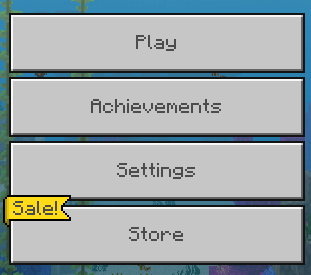


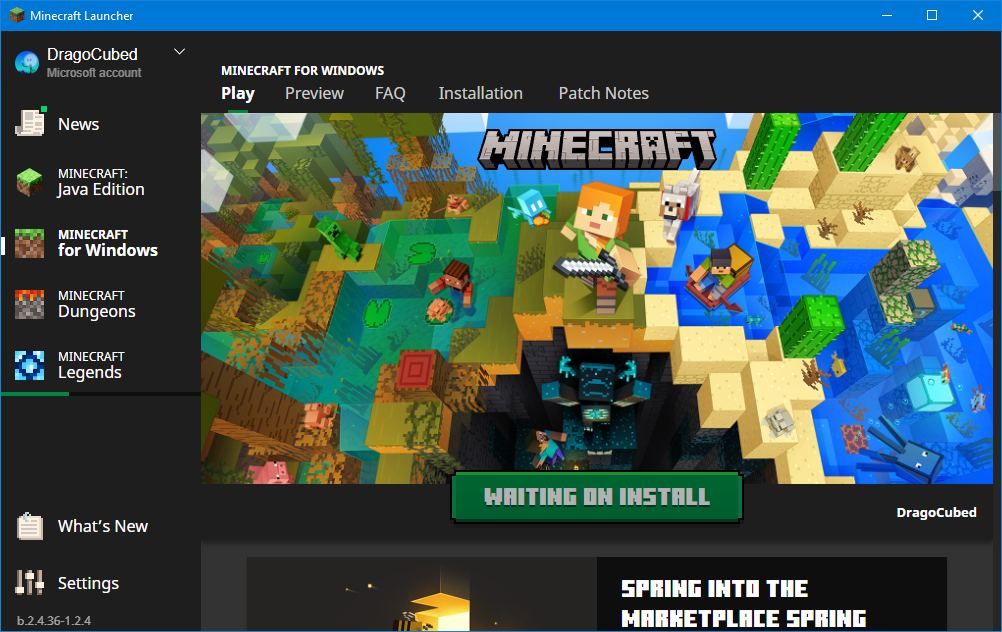
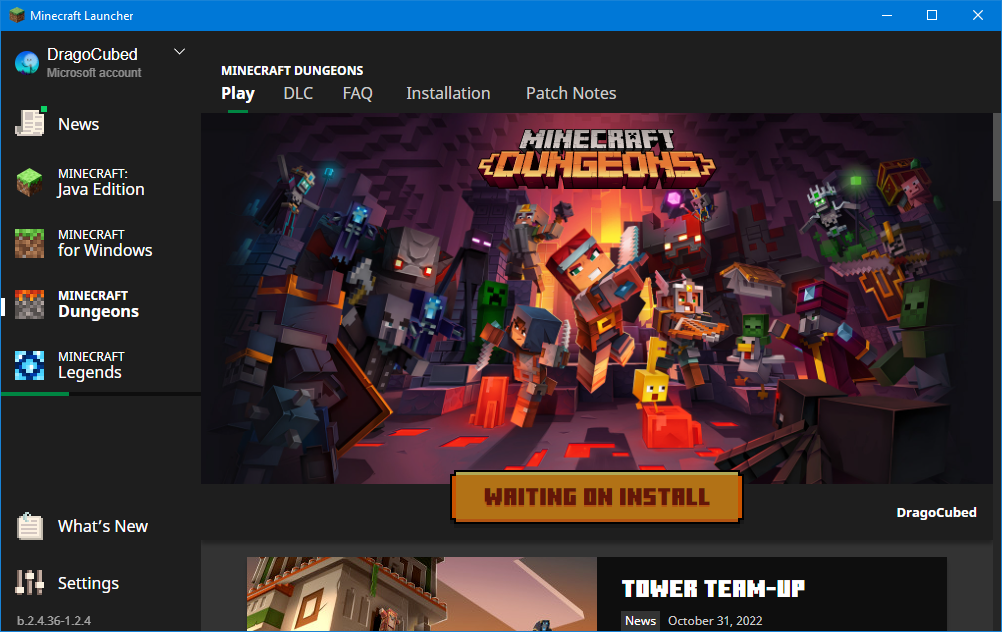
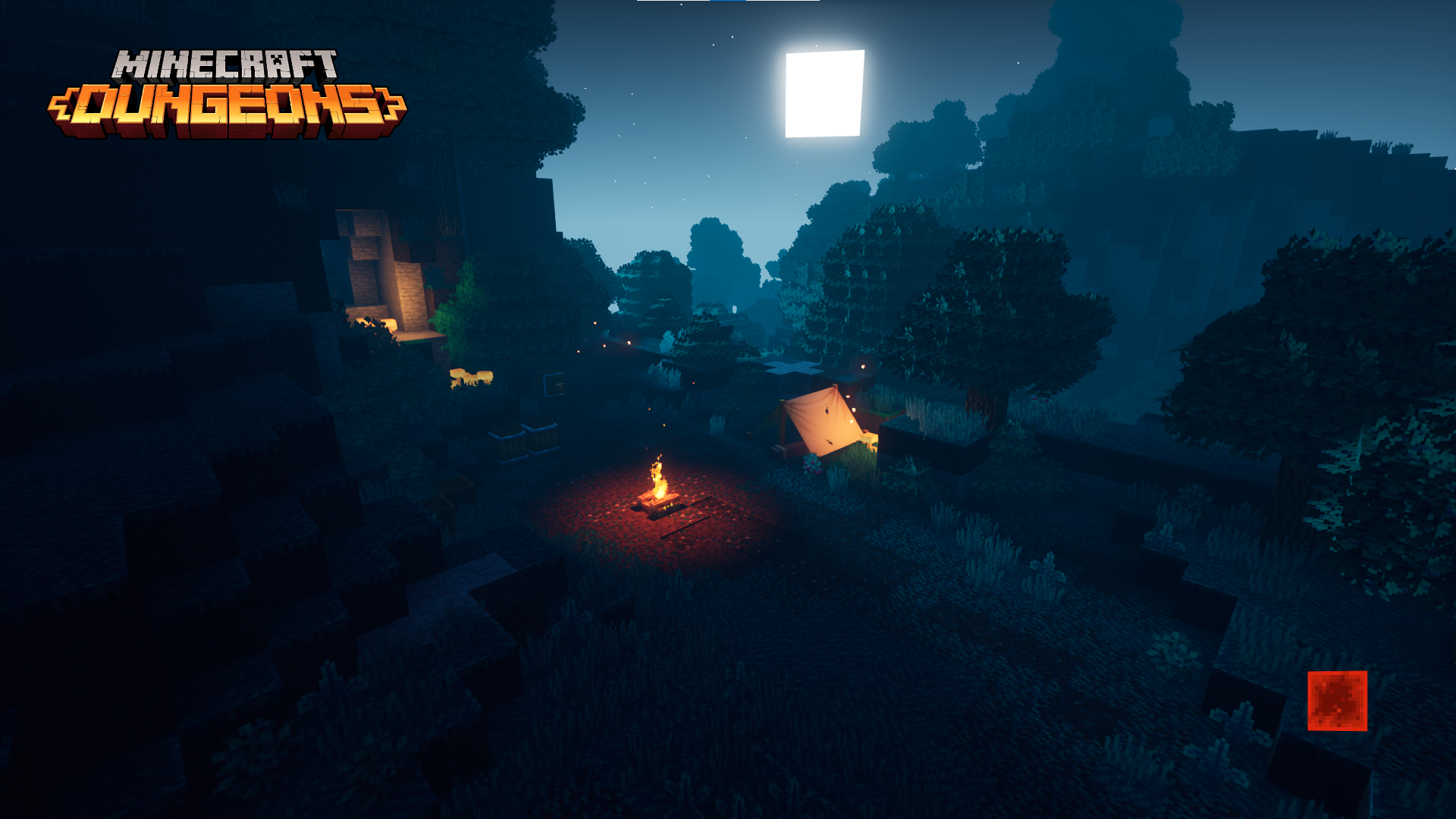
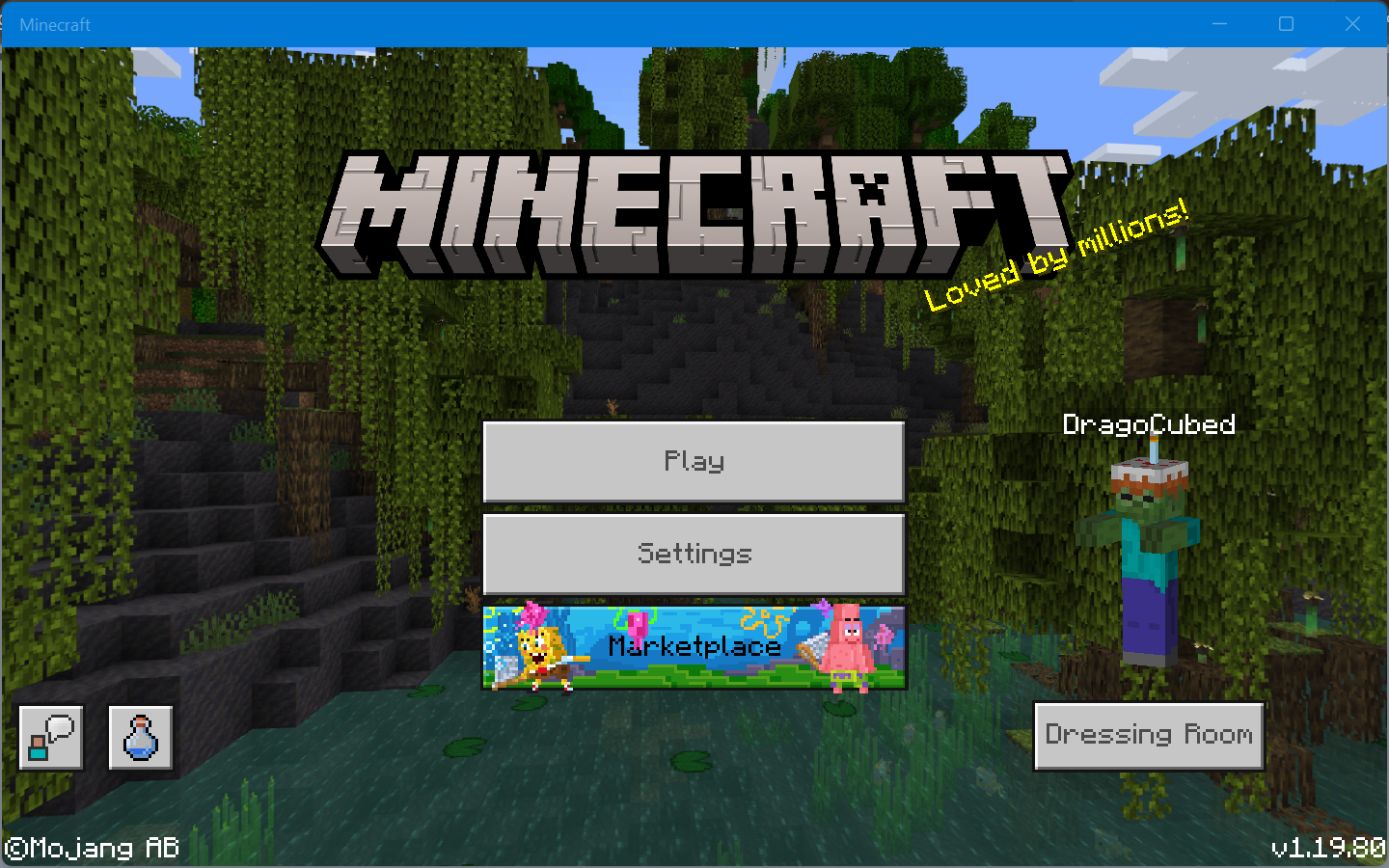

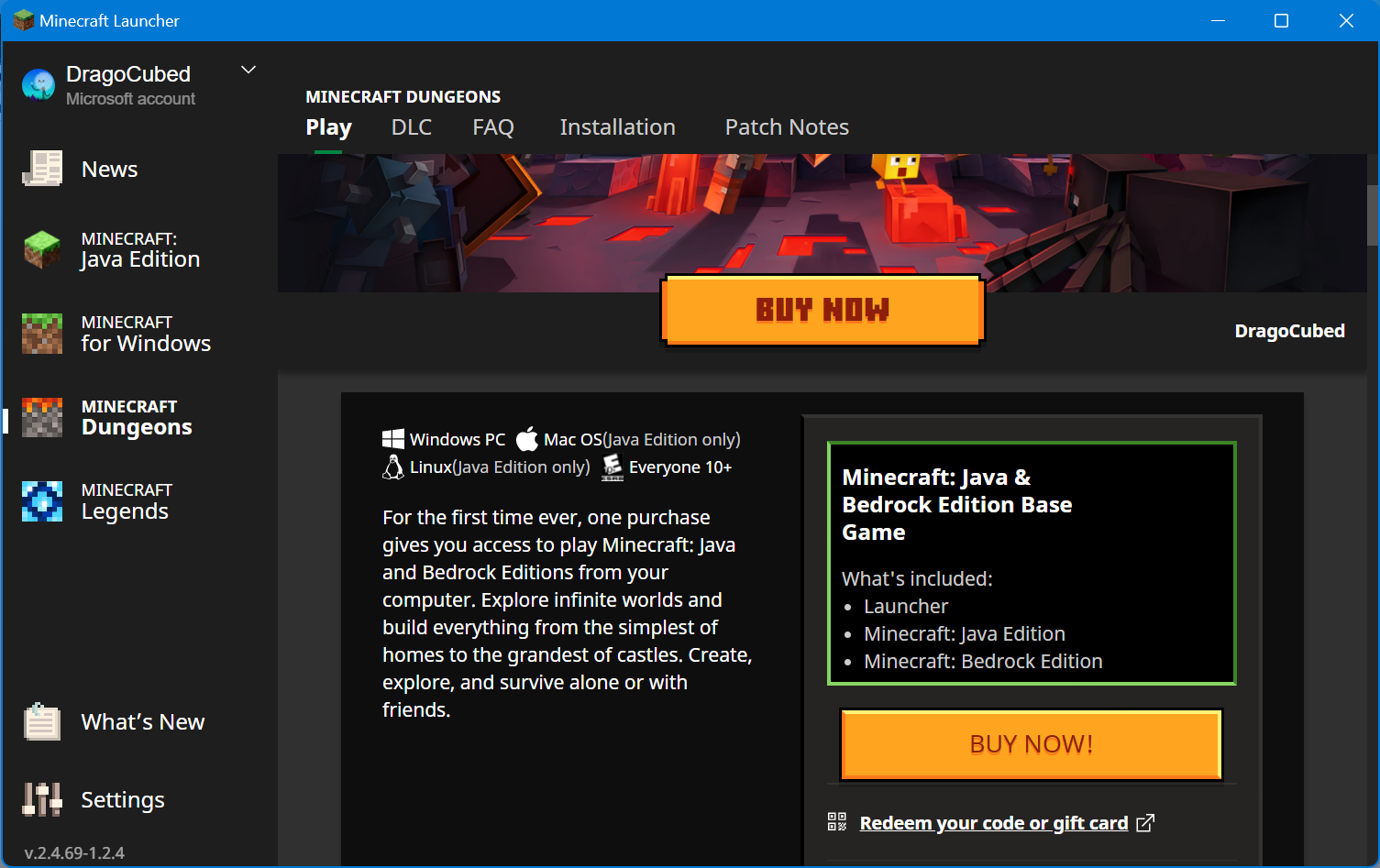
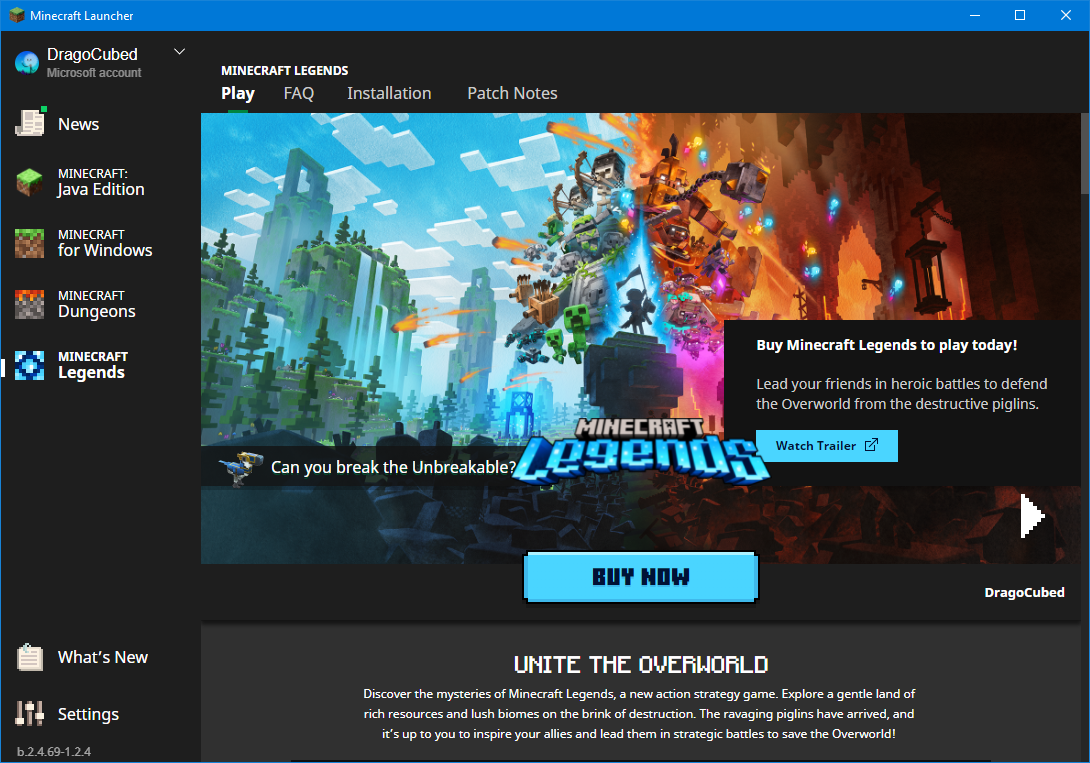
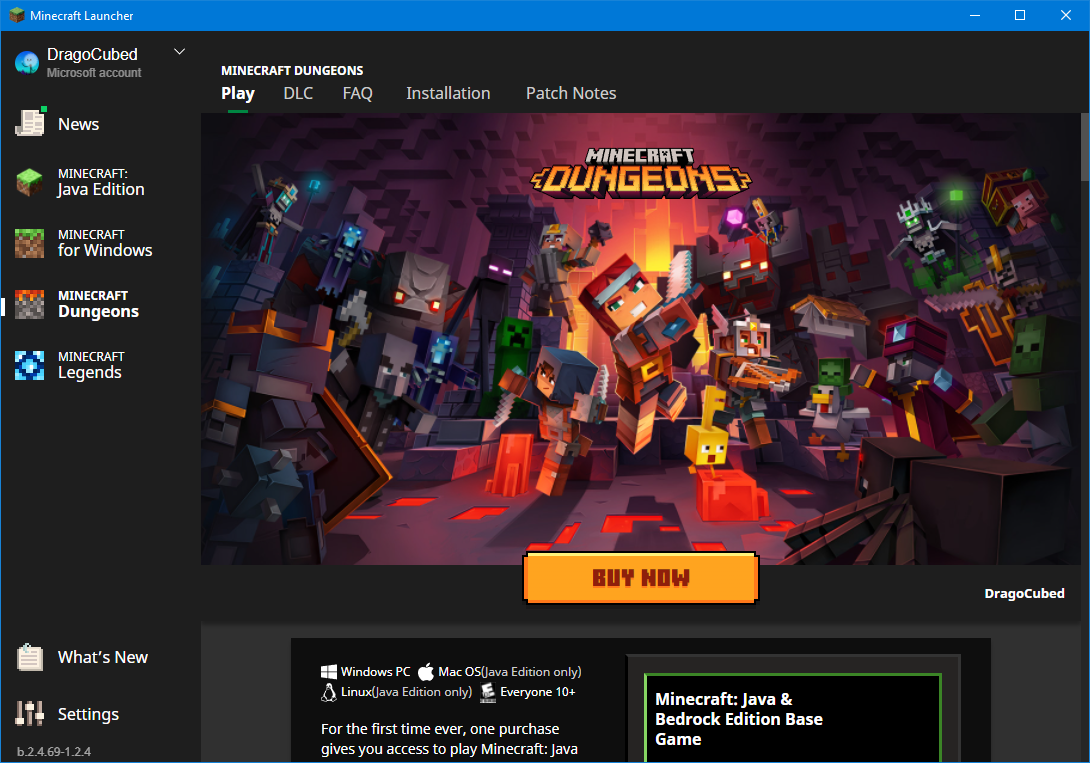
Game does not pause when the menu is brought up
Cannot
tapand hold space bar to continually jump whilst touch controls are being used (for example to control camera, mine, or attack).The other bug reports I have seen in relation to the same issue say that this also applies to other platforms like Android. Those issues were closed as WONTFIX/WAI. Such issues are
MCPE-24240andMCPE-20741. So I'm rather confused as to whether this is a duplicate or notCannot press and hold space bar to continually jump whilst touch controls are being used (for example, to control camera, mine, or attack).
The other bug reports I have seen in relation to the same issue say that this also applies to other platforms like Android. Those issues were closed as WONTFIX/WAI. Such issues are
MCPE-24240andMCPE-20741. So I'm rather confused as to whether this is a duplicate or not
The title basically covers it. I have my Windows 10 laptop with a keyboard, trackpad and touchscreen and when I use both the touchscreen and keyboard I am unable to jump repeatedly by holding down the space bar.Steps to Reproduce:
- Launch Minecraft: Bedrock Edition for Windows 10/11
- Press play
- Press create new
- Press create new world
- Press create
- Tap on screen with finger to switch Minecraft to touchscreen controls
- Hold spacebar
Observed Results:
Player jump onceExpected Results:
Player jumps continuously until the spacebar is released.Environment:
Laptop running Windows 11 with touchpad, keyboard and touchscreen as input devices.
Notes:
The other bug reports I have seen in relation to the same issue say that this also applies to other platforms like Android. Those issues were closed without explanation as WONTFIX/WAI. Such issues are
MCPE-24240andMCPE-20741.
I cannot repeatedly jump using the keyboardwhile usingthetouchscreen to navigate (on my touchscreen laptop)Pressing and holding space bar with touch controls does not jump more than once
Pressing and holding spacebar with touch controls does not jump more than once
This is likely a problem with the UWP: pressing "t" or "/" and typing immediately does not work. I assume this is a problem with the UWP because MS Edge has this problem when pressing "ctrl"+"t" and typing immediately doesn't input any text until a while. FYI UWP stands for Universal Windows Platform.Pressing "t" to start typing a message or "/" to start typing a command and typing immediately does not work.
Pressing "t" to start typing a message or "/" to start typing a command and typing immediately does not work.Details:
Windows 10 22H2 on a device with a keyboard and mouse, without a touchscreen.
Steps to Reproduce:
1. Press 't' to start typing a message or '/' to start typing a command
2. Immediately enter textObserved Results:
Text is cut off by a few secondsExpected Results:
Text typed quickly gets through to the chat box.
Minecraft Dungeons was released before the announcement of the dedicated Minecraft franchise logo. Various materials have the new logo with the franchise logo, but Minecraft Launcher still uses the Minecraft game logo.
The Minecraft website is one place that uses the new Dungeons logo that uses the franchise logo.
https://www.minecraft.net/en-us/about-dungeons
Also affects beta.2.4.2-1.2.4.This issue is particularly striking as MCL switched to the new logo for the base games (Minecraft: JE and Minecraft: BE) two years before being implemented in Minecraft: JE.Minecraft Dungeons was released before the announcement of the dedicated Minecraft franchise logo. Various materials have the new logo with the franchise logo, but Minecraft Launcher still uses the Minecraft game logo.
The Minecraft website is one place that uses the new Dungeons logo that uses the franchise logo.
https://www.minecraft.net/en-us/about-dungeons
Also affects beta.2.4.2-1.2.4.
This issue is particularly striking as MCL switched to the new logo for the base games (Minecraft: JE and Minecraft: BE) two years before being implemented in Minecraft: JE
This issue also affects Mojira and Minecraft Dungeons itself.
Minecraft Dungeons was released before the announcement of the dedicated Minecraft franchise logo. Various materials have the new logo with the franchise logo, but Minecraft Launcher still uses the Minecraft game logo.
The Minecraft website is one place that uses the new Dungeons logo that uses the franchise logo.
https://www.minecraft.net/en-us/about-dungeons
Also affects beta.2.4.2-1.2.4.
This issue is particularly striking as MCL switched to the new logo for the base games (Minecraft: JE and Minecraft: BE) two years before being implemented in Minecraft: JE
This issue also affects Mojira and Minecraft Dungeons itself.
Minecraft Dungeons was released before the announcement of the dedicated Minecraft franchise logo. Various materials have the new Dungeons logo with the Minecraft franchise logo, but Minecraft Launcher still uses the Minecraft game logo.
The Minecraft website is one place that uses the new Dungeons logo that uses the franchise logo.
https://www.minecraft.net/en-us/about-dungeons
Also affects beta.2.4.2-1.2.4.
This issue is particularly striking as MCL switched to the new logo for the base games (Minecraft: JE and Minecraft: BE) two years before being implemented in Minecraft: JE
This issue also affects Mojira and Minecraft Dungeons itself.
See https://bugs.mojang.com/browse/MCL-23290 for rationale
See https://bugs.mojang.com/browse/MCL-23290 for rationale.
This affects not only in-game but also icons, banners and other resources for game packages, such as MSIX (Windows), the Xbox website, the Xbox Game Store listing, and the Microsoft Store listings.
https://www.xbox.com/games/minecraft-dungeons
https://www.xbox.com/games/store/minecraft-dungeons-for-windows/9p8mk4nc0ljb
https://www.microsoft.com/p/minecraft-dungeons-for-windows-launcher/9nb6bvl3mtg4
I've only included a screenshot of the in-game logo as there's too many instances to list and I do not have all of the platforms that Minecraft Dungeons is available on.
See https://bugs.mojang.com/browse/MCL-23290 for rationale.
This affects not only in-game but also icons, banners and other resources for game packages, such as MSIX (Windows), the Xbox website, the Xbox Game Store listing, and the Microsoft Store listings.
https://www.xbox.com/games/minecraft-dungeons
https://www.xbox.com/games/store/minecraft-dungeons-for-windows/9p8mk4nc0ljb
https://www.microsoft.com/p/minecraft-dungeons-for-windows-launcher/9nb6bvl3mtg4
It even affects this very issue tracker.
I've only included a screenshot of the in-game logo as there's too many instances to list and I do not have all of the platforms that Minecraft Dungeons is available on.
See https://bugs.mojang.com/browse/MCL-23290 for rationale.
This affects not only in-game but also icons, banners and other resources for game packages, such as MSIX (Windows), the Xbox website, the Xbox Game Store listing, and the Microsoft Store listings.
https://www.xbox.com/games/minecraft-dungeons
https://www.xbox.com/games/store/minecraft-dungeons-for-windows/9p8mk4nc0ljb
https://www.microsoft.com/p/minecraft-dungeons-for-windows-launcher/9nb6bvl3mtg4
It even affects this very issue tracker.
I've only included a screenshot of the in-game logo as there's too many instances to list and I do not have all of the platforms that Minecraft Dungeons is available on.
See https://bugs.mojang.com/browse/MCL-23290 for rationale.
This affects not only in-game but also icons, banners and other resources for game packages, such as MSIX (Windows), the Xbox website, the Xbox Game Store listing, and the Microsoft Store listings.
https://www.xbox.com/games/minecraft-dungeons
https://www.xbox.com/games/store/minecraft-dungeons-for-windows/9p8mk4nc0ljb
https://www.microsoft.com/p/minecraft-dungeons-for-windows-launcher/9nb6bvl3mtg4
It even affects this very issue tracker. The issue tracker and website have used the new logos for the Minecraft franchise and games since the introduction of the new logos in 2021, but the issue tracker had not updated the logo for Dungeons. Edit: now see the newly opened WEB-6472
I've only included a screenshot of the in-game logo as there's too many instances to list and I do not have all of the platforms that Minecraft Dungeons is available on.
STR:
- Enable the Windows setting to show accent colors on titlebars. Use light mode for apps.
- Make the Minecraft: Bedrock Edition window inactive
Actual behaviour:
Expected behaviour:
Titlebar changes color to make it very clear that window is inactive:
Notes:
This may be an issue across UWP apps on Windows. If that is the case, feel free to close this. Minecraft does not need a custom titlebar - and even if it were to use one, this issue would still be present as UWP apps cannot fully create custom titlebars.
STR:
- Enable the Windows setting to show accent colors on titlebars. Use light mode for apps.
- Make the Minecraft: Bedrock Edition window inactive
Actual behaviour:
Expected behaviour:
Titlebar changes color to make it very clear that window is inactive, aiding accessibility:
Notes:
This may be an issue across UWP apps on Windows. If that is the case, feel free to close this. Minecraft does not need a custom titlebar - and even if it were to use one, this issue would still be present as UWP apps cannot fully create custom titlebars.
I am unable to overscroll, or see overscroll effects using inertial scrolling, using my precision touchpad in menus like the
Create NewWorld GUI, or the Settings.As an Xbox Game Studios title and company, I expect Minecraft to follow Microsoft's own platform's conventions.
I am unable to overscroll, or see overscroll effects using inertial scrolling, using my precision touchpad in menus like the Edit World GUI, or the Settings.
As an Xbox Game Studios title and company, I expect Minecraft to follow Microsoft's own platform's conventions.
This is also applicable to the Minecraft Legends page, and likely other pages. It depends on whether the user has a license to the game of the 'Play' page they are viewing. If they do not, then at least the Windows logo is present. On the Minecraft Legends page, the editions of Minecraft Legends can be seen. On the Minecraft Dungeons page, the editions of Minecraft: Java Edition and Minecraft: Bedrock Edition can be seen. The entire Dungeons page is full of information about those two games instead of Dungeons, which is its own issue which is likely already being tracked here.
I only had a license to Dungeons and Legends through a subscription to Xbox Game Pass for PC but own a license to Minecraft: Java Edition and Minecraft: Bedrock Edition.
As I said before, I was looking for a response. Just marking it as intended doesn't explain why it is so. I also scrolled quite a bit to find one result. I don't know how you managed to find those. @[Mod] tryashtar
I am quite sure that it was added. I believe it was removed to be balanced with phone/tablet users. It's definitely possible in Java Edition.
I've had this happen on the UWP version.
UWP = Windows 10
Edit: You might want to change the summary/title as well.
Someone said "Maybe go into mc settings to change shortcut in menu".
Changing the open chat and and open command keys does not fix this.
I've found that it only happens when you're running/walking towards the block. I believe this has to do with their new collision code.
https://1drv.ms/u/s!AsQmXlZLntjlhUat-EVA7xdK3uPS
Just recorded it. This is me holding sprint, w and space. Judging by the title I would've thought that this bug were different to
MC-133845but apparently that was a dupe of this.and yes i am brand new to ubuntu so please excuse that end.
It's always sad when it's marked as intended lol
Why isn't it available in windowed mode? Everything is rather massive and not being able to change it makes the game hard to play. It also doesn't play well with other aspect ratios. Java Edition still lets us set the GUI scale in both modes too
And sorry about the incredibly late reply. I meant to make a comment but I kept putting it off as I couldn't remember my login details and eventually forgot. I randomly remembered it as I opened Minecraft recently and haven't in a long time
Does another bug need to be filed for the issues that have arisen with 1.17.30 mentioned in the edit?
I think I've been seeing this issue on version 1.17.30 of Minecraft Bedrock Edition for Windows 10.
Why was this marked as Won't Fix? The Minecraft Feedback post was deleted...
That was marked as Won't Fix but there was no clear resolution in the comments. Please reconsider opening this.
Why was this marked as working as intended?
I could not find anything in the 'previously considered suggestions' article linked above in relation to this parity issue.
If this has to do with touch and controller input vs Java Edition's mouse input, might I suggest only making this change to mouse input?
Sorry, was this ever implemented or is that just an automated way of closing "stale" issues? It's like delegating minor parity suggestions (like using the new Minecraft logo for Java Edition, or using raw mouse input on Bedrock Edition) to the feedback site which relies on amassed votes. It's the same black hole as the Feedback Hub, and ironically happened around when Microsoft bought Mojang! This is getting off topic and rambly...
ignore this:
So I should post this on a feature request website because this is going to amass thousands of votes when brand consistency only really benefits Mojang for the most part? It's competing against suggestions like "add backpacks" and "add spectator and hardcore to Bedrock Edition". People post things like this here because they know the odds of being seen by Mojang staff are higher. Systems like Microsoft's Feedback Hub make people feel unheard. Systems like Mozilla's Bugzilla make people feel like they're being listened to - because they are. And at what point do accessibility feature requests get considered? It's the issue of minorities.
Since the closure of the uservoice suggestions page, Mojang no longer accepts parity requests on this bug tracker. I urge those who watch this to follow the post on Minecraft Feedback:
https://feedback.minecraft.net/hc/en-us/community/posts/5671552622989--Bedrock-Hover-on-item-in-inventory-press-number-to-move-item-to-hotbar
Note that the title was really difficult to fit in 75 characters and that there are no tags whatsoever for the edition of Minecraft, platform, etc. It's your regular old Feedback Hub-like black hole where popularity matters. How fitting that it was launched after Microsoft acquired Mojang. We've seen support for ctrl+backspace and other regular commands added recently so though, so I have a slither of hope for some of the issues I've opened in the past.
See this comment for more information: https://bugs.mojang.com/browse/MCPE-38137?focusedCommentId=499356&page=com.atlassian.jira.plugin.system.issuetabpanels:comment-tabpanel#comment-499356
Please reopen this ticket and please add that this affects version 1.18.30.
Please change the resolution status to duplicate of
MCPE-35363If you're watching or have voted for this issue, go here: https://feedback.minecraft.net/hc/en-us/community/posts/360023721831--Java-parity-Spawners-with-pig-inside
If you want Java Edition to follow Bedrock Edition (as per comment #3), go here: https://feedback.minecraft.net/hc/en-us/community/posts/360067062072-Spawners-without-mobs
Minecraft Suggestions post: https://feedback.minecraft.net/hc/en-us/community/posts/360023635552--Bedrock-Parity-Map-color-palette
Follow https://feedback.minecraft.net/hc/en-us/community/posts/5727292093197--BE-Parity-JE-Use-pop-up-animation-to-show-when-items-lose-durability (pending approval)
https://feedback.minecraft.net/hc/en-us/community/posts/360049133152-Replace-Java-Edition-title-texture-with-the-new-one-in-the-launcher
Click and drag doesn't select text at all. Ctrl+x, ctrl+c, ctrl+z and ctrl+y have no effect either.
Follow at
MCPE-117045https://www.minecraft.net/en-us/article/our-icons-are-changing Java Edition now uses the new logo in-game! It's been a long time since Minecraft, the main game, has used the new logo, but now they're announcing it formally for some reason. It also says that they changed the Java Edition logo, when the Minecraft game logo was changed in 2021. Other places confirm that the Java Edition logo is not separate but just adds the 'Java Edition' subtitle. Regardless, this is a nice resolution to this longstanding issue. The new logo can now be found in snapshot 23w14a for Minecraft 1.20. There's a lot of semantics that usually only designers would notice, such as the difference between the Minecraft franchise logo and the Minecraft game logo, and when the subtitle should be added. I'm sure the designers are now pleased.
As a user, I'm glad to see this inconsistency, and what I would consider to be a bug, resolved.
Regardless of whether this is a valid issue or not for MOJIRA, my point is that this inconsistency has been resolved and that the designers are surely happy now that their (2 year old) work is being used. Feel free to close other change requests like MCPE-163383. Thank you!
Edit: I've also made a couple of other such "change requests"/inconsistency issue reports that will need to be closed as invalid.
It wasn't opened as a parity issue between Bedrock Edition and Java Edition. It was opened as an issue of using the incorrect branding assets. The branding assets were changed in multiple places prior to 2023, such as on the Minecraft website and in the Minecraft Launcher. Please note that I'm referring to the Minecraft game logo, and not the franchise logo. The Minecraft website has had up to date logos since 2021. Unfortunately, even if it were a parity issue between Bedrock Edition and Java Edition, the reason that this issue is not a parity issue is because it does not impact gameplay.
Given the community consensus confirmation status, I'll chime in.
The infrequent autosaving is infuriating, but what's even more infuriating is that it crashes silently and that there are seemingly no logs. Most importantly, Minecraft Support didn't seem to know where to find crash logs. At least when Dungeons crashes, UE4 tells you that it did and gives you more information and allows you to report it.
I've got an AMD Radeon RX 6600, am playing on Windows and have access to the game through my subscription to Xbox Game Pass for PC. I'm not sure what else is relevant...
There's seemingly no way for me to reproduce my crashes. I've seen random crashes in both singleplayer and multiplayer. The lack of crash reports makes this all difficult.
Edit: Still been unable to get this resolved with Minecraft Support.
BE-JE parity issues needing to "impact gameplay" [is what a moderator in this issue said|https://old.reddit.com/r/Mojira/comments/10t7o3b/mc240473_closed_as_invalid/j8m95zf/.] I'll take that as an authoritative source.
Two issues were merged into this as duplicates. I don't believe either are duplicates of this.
This issue is exclusive to overscrolling GUIs with touchpads where touchscreens already overscroll.
Another issue is about overscrolling GUIs with touchpads and touchscreens, where overscrolling had not been implemented at all.
Another issue was about the scrolling personality, which involves things like momentum, animation curve, fling animation curve, etc. Part of Windows's scrolling personality is overscroll, yes, but Minecraft: BE has made no attempts to match the scrolling personality but happened to have overscrolling for touchscreens in its non-OreUI GUIs, likely because it's a paradigm on iOS and BE seems to be a port of Pocket Edition. Or perhaps it was never designed with Windows' various form factors in mind from the get-go.
If I were to keep only one issue, it would be the Windows scrolling personality one. But the issue of being unable to overscroll affects more than just Windows, from a quick glance, but I recognise that there are different UI codebases and different platforms, and that was why I did not create one issue with all of these issues..
I did not get the opportunity to further clarify all of this before they were merged, and so I will not create a Reddit post about this.
Sorry I just remembered what happened with a similar issue. As per what violine said, this should be closed as invalid as a "change request"
Sorry I just remembered what happened with a similar issue. As per what violine said, this should be closed as invalid as a "change request"
Sorry I just remembered what happened with a similar issue. As per what violine said, this should be closed as invalid as a "change request"
Don't forget to close the other two issues @Bartlomiej Slodkowski
Fixed with version 2.4.69, as indicated in the launcher changelog.
This is surprising, but good to see. It's contrary to what Violine said, however. I'll see if I can get @Bartlomiej Slodkowski to reopen
MCD-7657, the corresponding issue for the game itself.@Bartlomiej Slodkowski It appears that these three are all valid issues after all as
MCL-23290was included in the changelog of Minecraft Launcher.As additional information to this issue, the Minecraft Realms logo should be updated to use the one that uses the franchise logo. As should the Minecraft Realms Plus logo. It appears that the Minecraft Brand Direction & Creative team (in collaboration with Bold) did not create a new logo for Minecraft Realms Plus when they created their new branding and identity but one can expect that the 'PLUS' would be a subtitle, using their logo system.
Even https://www.minecraft.net/en-us/realms is full of old logos and information.
This issue is still present on Minecraft: Bedrock Edition version 1.19.83.
That's incorrect. The Windows 10 logo should not be used unless referring to Windows 10 specifically. The Windows logo used to be the same as the Windows 10 logo but is now the same as the Windows 11 logo according to the Windows Logo Guidelines
Also no operating system wordmark/logotype is used in that page of Minecraft Launcher. I'm referring exclusively to logomarks, and that's what I assume you meant by logotype - at least in reference to Windows.
Doesn't seem WAI. Just looks like it was overlooked or forgotten and like they cannot be bothered to change it.
Can't say I know much about macOS. They've got a page for what I assume is the old Mac logo with an older version of the Finder icon, but they still have a dedicated macOS wordmark. There doesn't seem to be a logomark for macOS. They don't seem to have very many guidelines.
But I'd say the Windows logo is more important as Minecraft is an Xbox Game Studios franchise.
OpaqueSleet, please discuss the issue itself on the corresponding r/mojira post. TL;DR: one should not expect consistency across Mojang projects on MOJIRA. This was deemed a feature request by the developers of Minecraft Dungeons. 2 days after most of the discussion, a comment by a Mojang Studios employee, SlicedLime, said that it's a feature request because it's not asking them to fix a problem. "there are no given rules about when something is changed in the game (or not), that is strictly a decision we reserve for our own judgement"
I grew tired of waiting ~20 seconds for Minecraft Launcher to start and switched to Prism Launcher. MultiMC, ATLauncher, the Modrinth App and OLauncher are similarly great. Minecraft Launcher used to take ~60 seconds to launch but updates have reduced that. We're truly lucky that we're able to use third party launchers and can mod the game.
Issue is still present but I don't care anymore. I wrote a detailed comment in
MCPE-169976that met silence. No need to do it again here.I'm only seeing two comments here. No one stated whether they could reproduce the issue or what information they felt this issue was missing.
I own Minecraft and have checked my Xbox/Microsoft account settings and have seen this issue occasionally in a couple of launchers, including Minecraft Launcher, but especially with GDLauncher. I haven't seen this issue for a while (several months) now but remain subscribed to know when it's resolved.
Can still reproduce with version 1.20.51. Love that a message was copy-pasted but this wasn't attempted to reproduce. Or better yet, a stale bot.