 Squid Eevee
- koopatroopa9931
- koopatroopa9931
- Europe/London
- Yes
- No
 MCL-331
![[Mojang] Grum (Erik Broes)](../../../data/assets/gravatar/grum.png)
![[Mojang] Gegy](../../../data/avatars/users/10122.svg)
 Normal
![[Mojang] Adrian Östergård](../../../data/assets/gravatar/nighter.jpeg)
 MC-276600

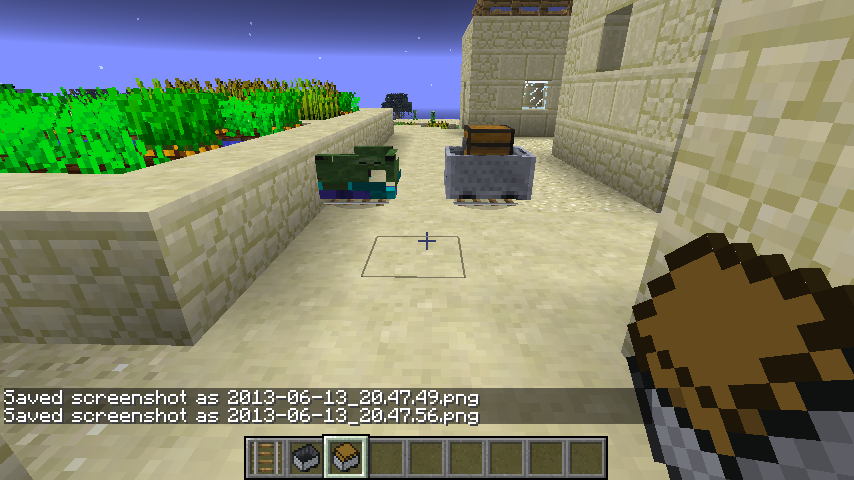

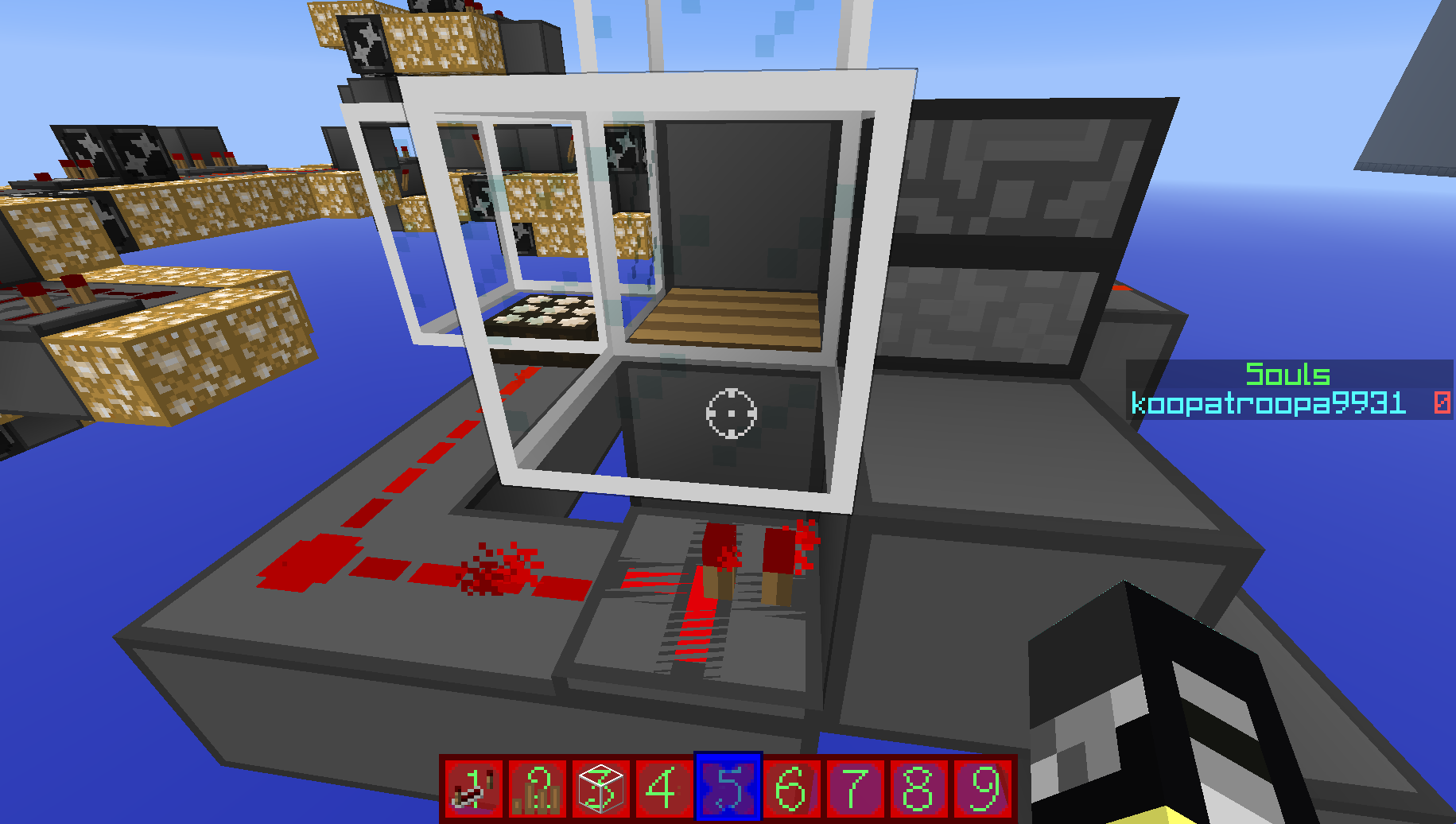
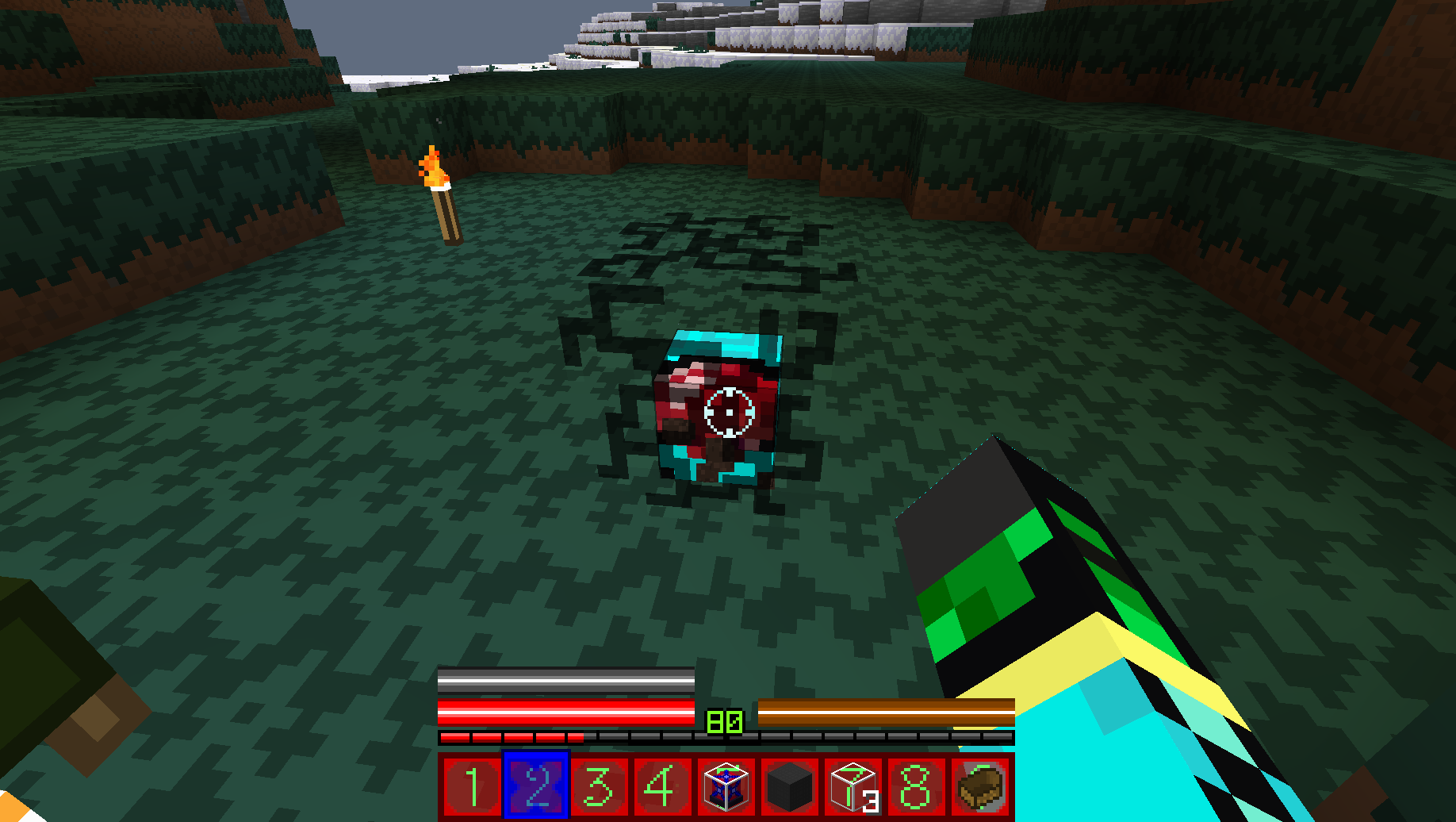
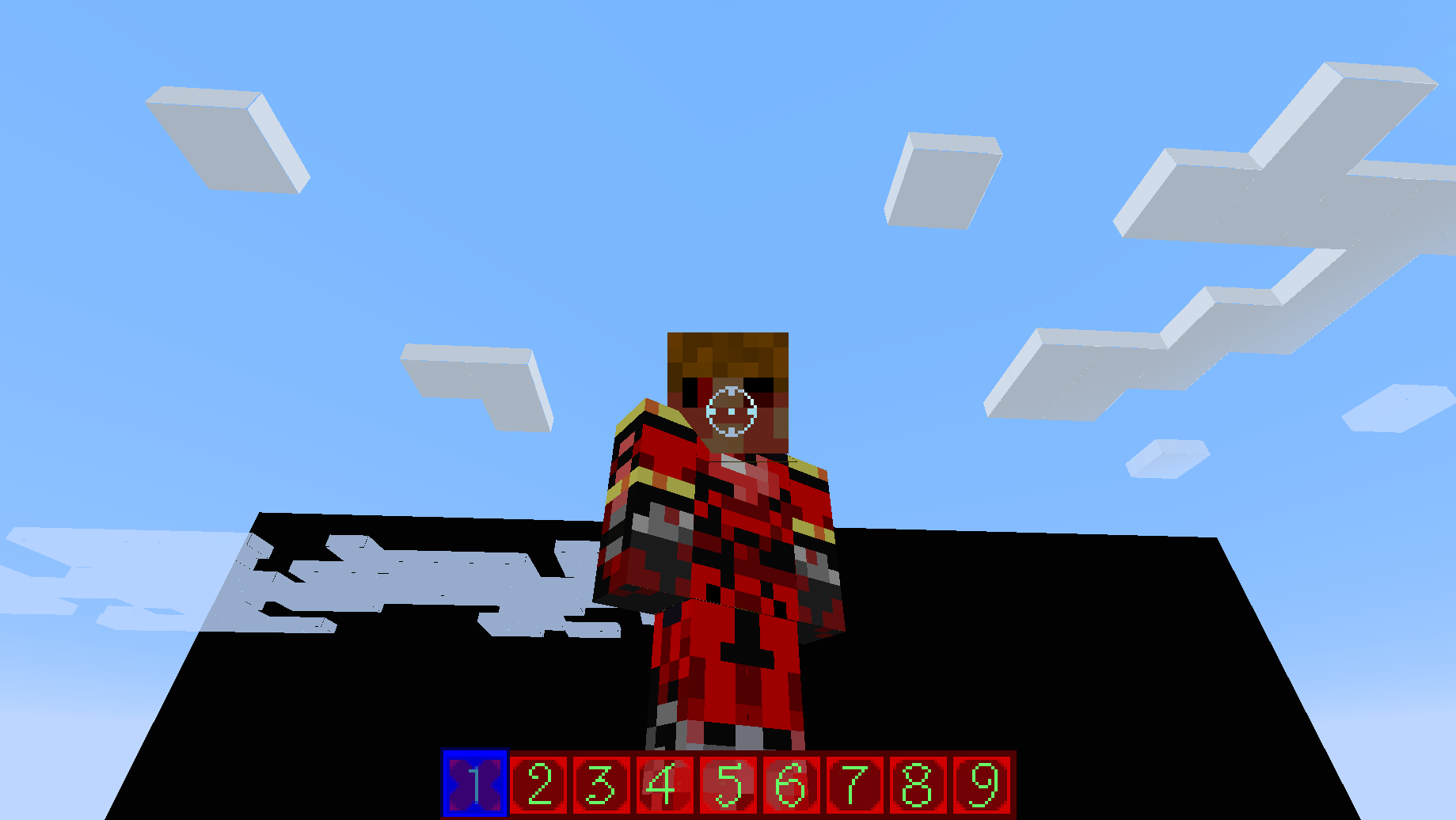


















If a texture has an animation, it completely ignores the timings set on it's .txt file. For me anyway.
Minecart Textures usedifferent textures i.e.Mobs andstitched_terrain.pngMinecart Textures use incorrect textures i.e. Zombies, Creepers and debug_stitched_terrain.png
Placing glass above a repeaterglitches texture.Placing glass above a repeater causes top texture to glitch.
When placing glass above a redstone repeater, the top texture seems to glitch.
UPDATE: Figured out what was wrong. It was just MCPatcher. My bad.
When placing glass above a redstone repeater, the top texture seems to glitch.UPDATE: Figured out what was wrong. It was just MCPatcher. My bad.
UPDATE: Figured out what was wrong. It was just MCPatcher. My bad.
When giving yourself a
doubleblock plant like a sunflower, they use the same block ID, 175and the data value goes up to 5. Giving yourself anydoubleplant with a data value greater than or equal to 6, Minecraft crashes.When giving yourself a 2 block tall plant like a sunflower, they use the same block ID, 175. And the data value goes up to 5 (Peony). Giving yourself any 2 block tall plant with a data value greater than or equal to 6, Minecraft crashes.
Doubleplant crash.2 block tall plant crash.
Not really sure what this is. Sorry for lack of description.
Well, I went into f5 mode when I saw this. Not sure what it is or what causes it, but I would like to know. I was at 56 on the y axis.
Typing ƒ or ∞ on a sign crashes the game.
When typing a florin sign (ƒ) or infinity (∞) on a sign, the game crashes.
Typing ƒ or∞on a sign crashes the game.Typing ƒ, ∞ or œ on a sign crashes the game.
When typing a florin sign (ƒ)
orinfinity (∞) on a sign, the game crashes.When typing a florin sign (ƒ), infinity (∞) or œ on a sign, the game crashes.
Typing ƒ, ∞ orœon a sign crashes the game.Typing ƒ, ∞ œ or π on a sign crashes the game.
When typing a florin sign (ƒ), infinity (∞) or
œon a sign, the game crashes.When typing a florin sign (ƒ), infinity (∞), œ or pi (π) on a sign, the game crashes.
Typing ƒ, ∞ œ orπon a sign crashes the game.Typing ƒ, ∞ œ, π or Ω on a sign crashes the game.
When typing a florin sign (ƒ), infinity (∞), œ
orpi (π) on a sign, the game crashes.When typing a florin sign (ƒ), infinity (∞), œ, pi (π) or Ω on a sign, the game crashes.
Typing ƒ, ∞ œ, π orΩon a sign crashes the game.Typing ƒ, ∞ œ, π, Ω or ≈ on a sign crashes the game.
When typing a florin sign (ƒ), infinity (∞), œ, pi (π) or
Ωon a sign, the game crashes.When typing a florin sign (ƒ), infinity (∞), œ, pi (π), Ω or ≈ on a sign, the game crashes.
Alt+f inputs ƒ, alt+5 inputs ∞, alt+q inputs œ, alt+p inputs π, and alt+z inputs Ω.
Typing ƒ, ∞ œ, π, Ω or≈on a sign crashes the game.Typing ƒ, ∞ œ, π, Ω, ≈ or √ on a sign crashes the game.
When typing a florin sign (ƒ), infinity (∞), œ, pi (π), Ω or
≈on a sign, the game crashes.When typing a florin sign (ƒ), infinity (∞), œ, pi (π), Ω, ≈ or square root (√) on a sign, the game crashes.
Typing ƒ, ∞ œ, π, Ω, ≈ or√on a sign crashes the game.Typing ƒ, ∞ œ, π, Ω, ≈, √ or ≤ and ≥ on a sign crashes the game.
Typing ƒ, ∞ œ, π, Ω, ≈, √ or≤ and≥ on a sign crashes the game.Typing ƒ, ∞ œ, π, Ω, ≈, √, ≤ or ≥ on a sign crashes the game.
When typing a florin sign (ƒ), infinity (∞), œ, pi (π), Ω, ≈
orsquare root (√) on a sign, the game crashes.When typing a florin sign (ƒ), infinity (∞), œ, pi (π), Ω, ≈, square root (√), greater/fewer than or equal to (≤/≥) on a sign, the game crashes.
Typing ƒ, ∞ œ, π, Ω, ≈, √, ≤or ≥on a sign crashes the game.Typing ƒ, ∞ œ, π, Ω, ≈, √, ≤, ≥ and many more symbols on a sign crashes the game.
Typing ƒ, ∞ œ, π, Ω, ≈, √, ≤, ≥ and many more symbols on a sign or in the chat crashes the game.
When typing a florin sign (ƒ), infinity (∞), œ, pi (π), Ω, ≈, square root (√), greater/fewer than or equal to (≤/≥)
on a sign, the game crashes.Description: Updating screen events java.lang.ArrayIndexOutOfBoundsException: 402 at azz.a(SourceFile:473) at azz.a(SourceFile:507) at azz.a(SourceFile:494) at bai.i(SourceFile:476) at bai.e(SourceFile:180) at bai.d(SourceFile:170) at bai.b(SourceFile:99) at bai.a(SourceFile:205) at bau.a(SourceFile:107) at bbw.l(SourceFile:258)When typing a florin sign (ƒ), infinity (∞), œ, pi (π), Ω, ≈, square root (√), greater/fewer than or equal to (≤/≥) and many more signs on a sign or in the chat, the game crashes.
Description: Updating screen events

java.lang.ArrayIndexOutOfBoundsException: 402
	at azz.a(SourceFile:473)
	at azz.a(SourceFile:507)
	at azz.a(SourceFile:494)
	at bai.i(SourceFile:476)
	at bai.e(SourceFile:180)
	at bai.d(SourceFile:170)
	at bai.b(SourceFile:99)
	at bai.a(SourceFile:205)
	at bau.a(SourceFile:107)
	at bbw.l(SourceFile:258)
Wait, why was it removed?
How could coloured chat be used to abuse players?
When using /clear in a commmand block, it ignores the team argument and clears the inventory of all players, regardless of team.
For example:
"/clear @a[Team=Red] lapis_block"Acts like this:
"/clear @a lapis_block"There's usually a delay between clearing Items, but it still clears the item.
When using /clear in a commmand block, it ignores the team argument and clears the inventory of all players, regardless of team.
For example:
"/clear @a[Team=Red] lapis_block"Acts like this:
"/clear @a lapis_block"There's usually a delay between clearing Items, but it still clears the item.
When using /clear in a commmand block, it ignores the team argument and clears the inventory of all players, regardless of team.
For example:
"/clear @a[Team=Red] lapis_block"Acts like this:
"/clear @a lapis_block"
There's usually a delay between clearing Items, but it still clears the item.Actually, if it's a block, it dissapears from your inventory as soon as you try to place it, and it dissapears as soon as it's placed.
When using /clear in a commmand block, it ignores the team argument and clears the inventory of all players, regardless of team.
For example:
"/clear @a[Team=Red] lapis_block"Acts like this:
"/clear @a lapis_block"
There's usually a delay between clearing Items, but it still clears the item.Actually, if it's a block, it dis
sapears from your inventory as soon as you try to place it, and it dissapears as soon as it's placed.When using /clear in a commmand block, it ignores the team argument and clears the inventory of all players, regardless of team.
For example:
"/clear @a[Team=Red] lapis_block"Acts like this:
"/clear @a lapis_block"
There's usually a delay between clearing Items, but it still clears the item.Actually, if it's a block, it disappears from your inventory as soon as you try to place it, and it disappears as soon as it's placed.
When using /clear in a commmand block, it ignores the team argument and clears the inventory of all players, regardless of team.
For example:
/clear @a[Team=Red] lapis_blockActs like this:
/clear @a lapis_block
There's usually a delay between clearing Items, but it still clears the item.Actually, if it's a block, it disappears from your inventory as soon as you try to place it, and it disappears as soon as it's placed.
When using /clear in a commmand block, it ignores the team argument and clears the inventory of all players, regardless of team.
For example:
-/clear @a[Team=Red] lapis_block-
Acts like this:
-/clear @a lapis_block-
There's usually a delay between clearing Items, but it still clears the item.
Actually, if it's a block, it disappears from your inventory as soon as you try to place it, and it disappears as soon as it's placed.
When using /clear in a commmand block, it ignores the team argument and clears the inventory of all players, regardless of team.
For example:
-/clear @a[Team=Red] lapis_block-
Acts like this:-/clear @a lapis_block-
There's usually a delay between clearing Items, but it still clears the item.
Actually, if it's a block, it disappears from your inventory as soon as you try to place it, and it disappears as soon as it's placed.
When using /clear in a command block, it ignores the team argument and clears the inventory of all players, regardless of team.
For example:
/clear @a[Team=Red] lapis_block
Acts like this:
/clear @a lapis_block
There's usually a delay between clearing Items, but it still clears the item.
Actually, if it's a block, it disappears from your inventory as soon as you try to place it, and it disappears as soon as it's placed.
-/clear ignores team arguments.-
-/clear ignores team arguments.-
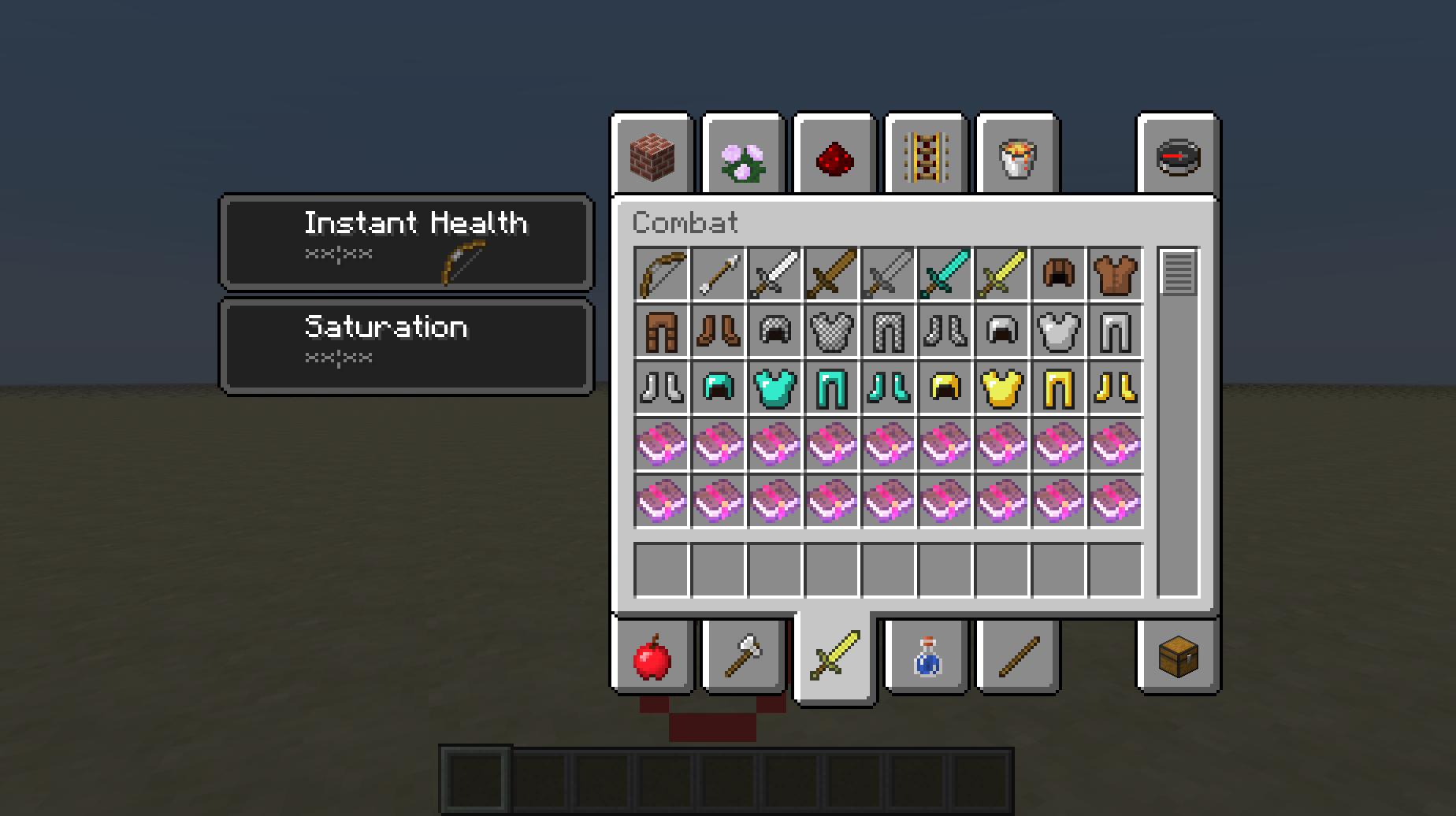
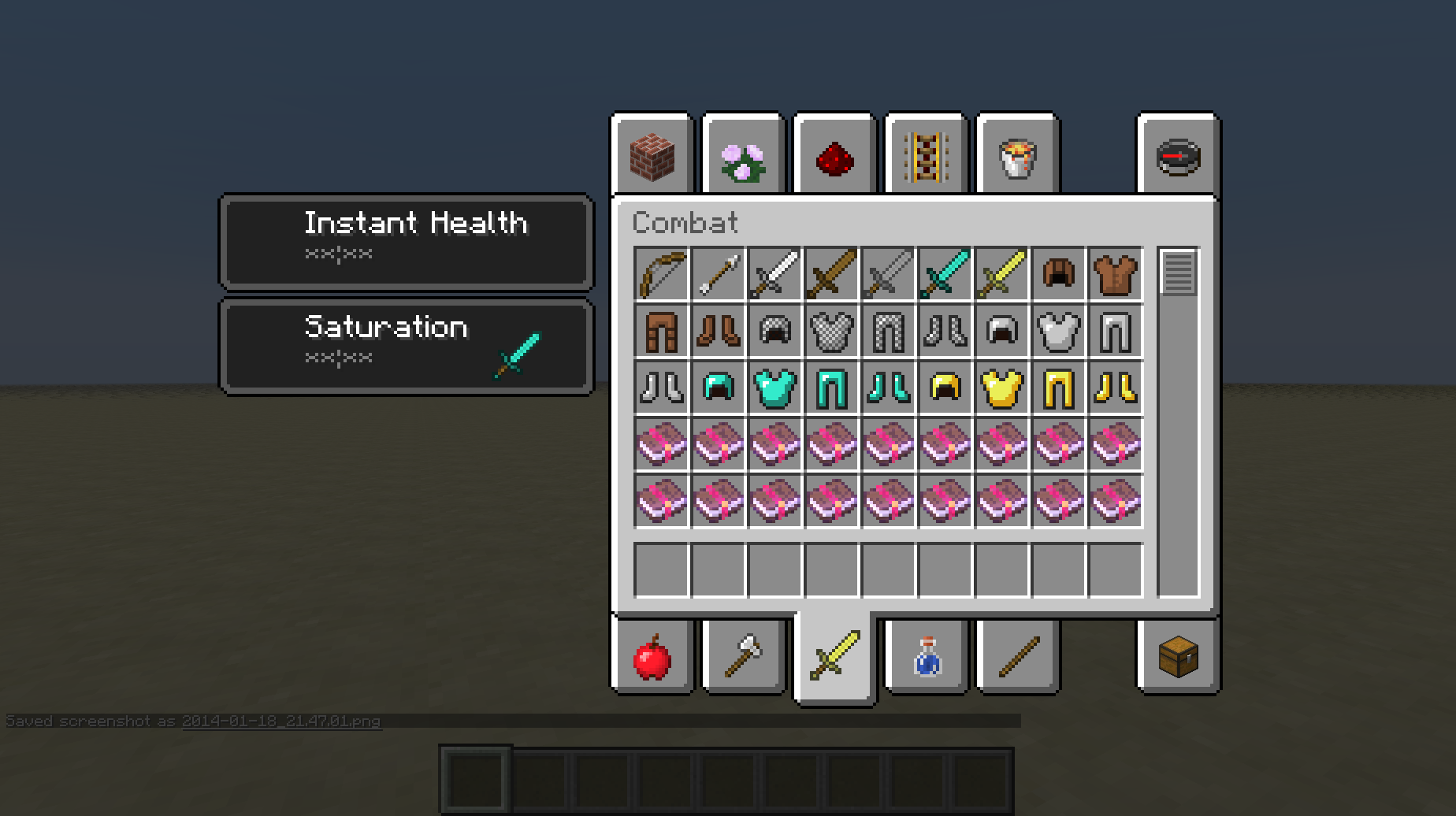
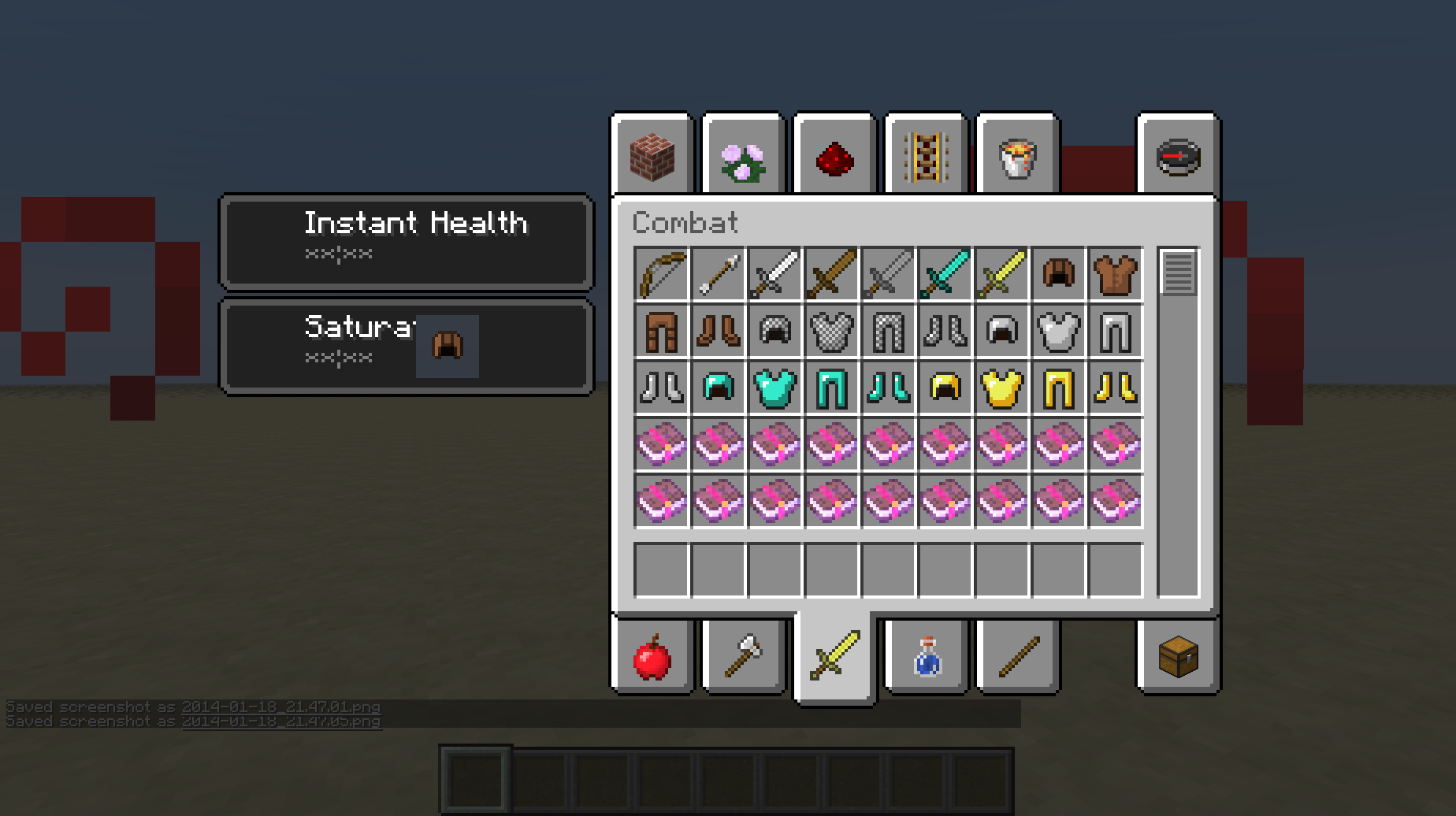
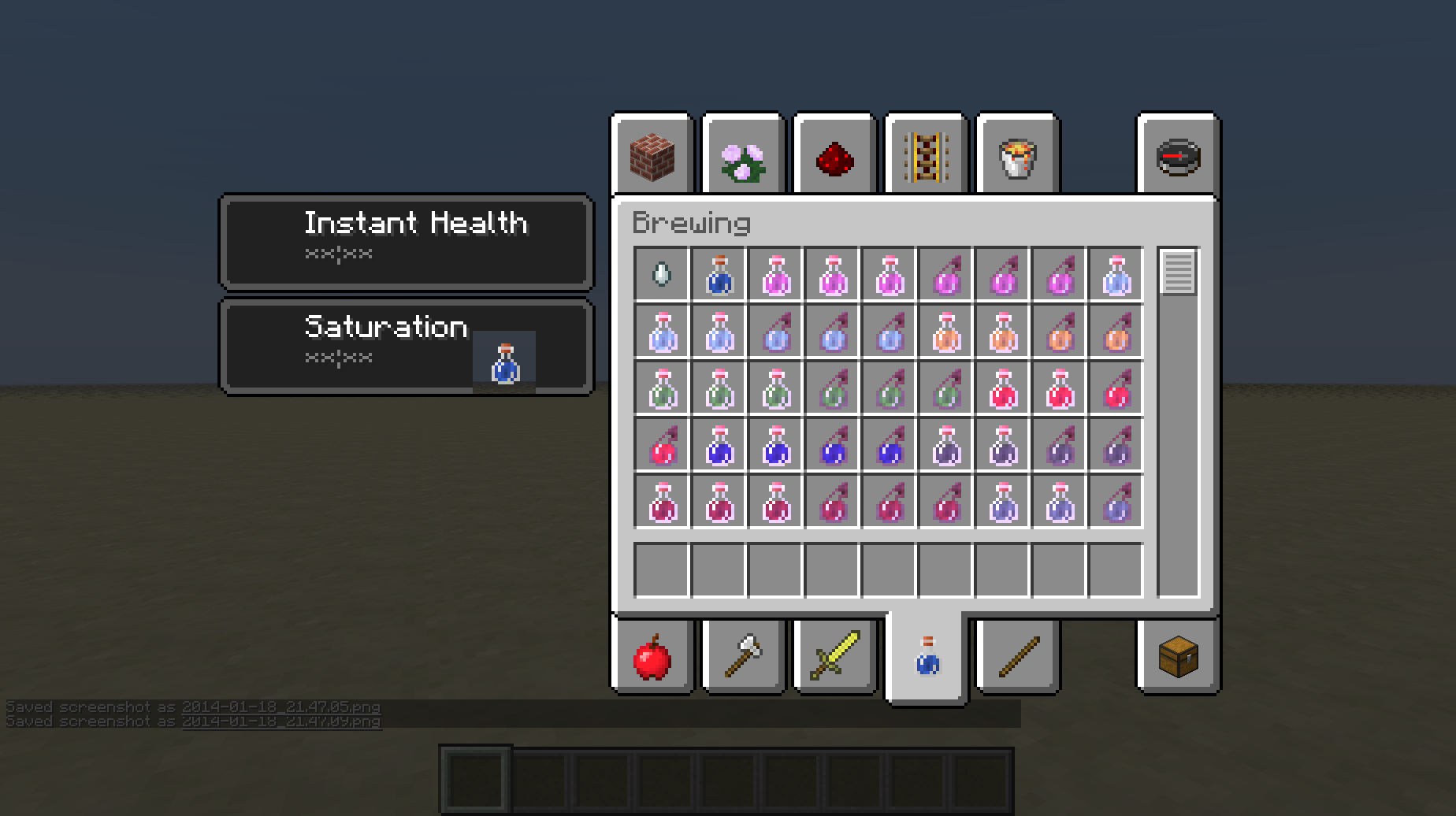
When you select an item like a potion or a piece of leather armour in the inventory (generally any item that has an overlay texture) and hover over a box which tells you what potion effects you have, a 16x16 pixel area of the box is invisible.
When you select an item like a potion or a piece of leather armour in the inventory (generally any item that has an overlay texture) and hover over a box which tells you what potion effects you have, a 16x16 pixel area (the size of the overlay texture) of the box is invisible.
This happens with all commands for me sometimes. For some reason, there's sometimes an invisible character somewhere in the command. The only way to find it is either through trial and error or using a 3rd party NBT editing program to open the command block's NBT data. You'll know when you find one of these when pressing backspace doesn't erase the character you expect it to.
Could you include some pictures or a description please? It's just easier to understand what the bug actually is that way.
This also happens to me. Here's the OS and Graphics card:
OS: Mac OS X Version 10.8.5
Graphics card: ATI Radeon HD 4670
Ok. I thought so.
Sorry.
This doesn't happen with me. The block just pushes me out of it like any other solid block.
This also happens with slimes.
The closest fix for the moment would be to use a resource pack, but it will be fixed in 1.8.
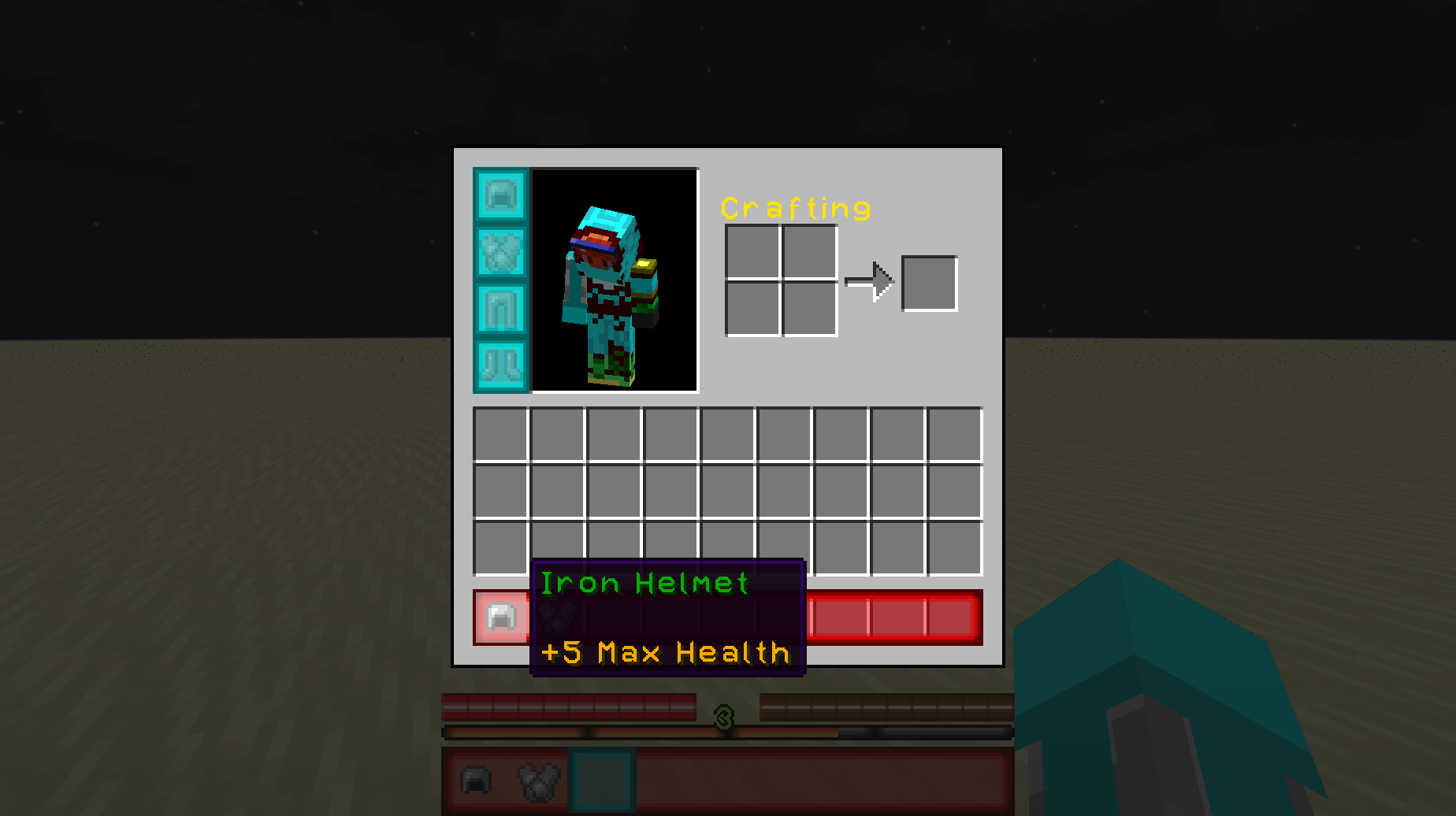
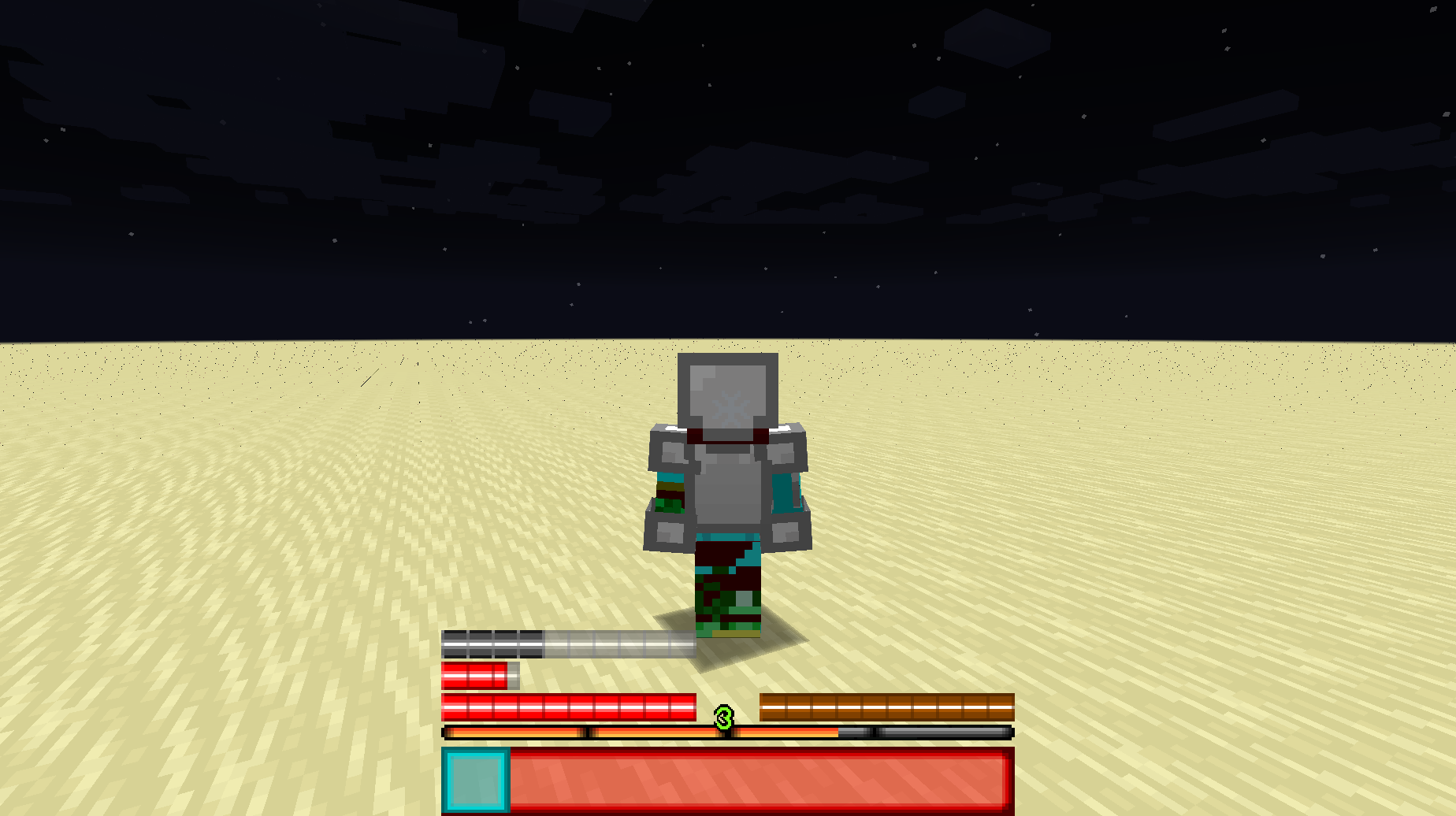
Armor that gives extra health doesn'tstackArmor that gives extra health doesn't add extra health together.
What I expected to happen:
My health would add up to 30health when both the helmet and the chestplate were worn.What actually happened:
My health stayed at 25regardless of the fact that I was wearing both the helmet and the chestplate.Notice how in the screen shots, the health is always 25 no matter what combination of armour I wear.
What I expected to happen:
My health would add up to 30 health when both the helmet and the chestplate were worn.What actually happened:
My health stayed at 25 regardless of the fact that I was wearing both the helmet and the chestplate.Notice how in the screen shots, the health is always 25 no matter what combination of armour I wear.
What I expected to happen:
My health would add up to 30 health when both the helmet and the chestplate were worn.What actually happened:
My health stayed at 25 regardless of the fact that I was wearing both the helmet and the chestplate.Notice how in the screen shots, the health is always 25 no matter what combination of armour I wear.
Commands used:
{Operation:0,UUIDLeast:3,UUIDMost:3,Amount:5.0,AttributeName:generic.maxHealth,Name:Helmet}
Helmet: give @p iron_helmet 1 0 {AttributeModifiers:[]}
{Operation:0,UUIDLeast:3,UUIDMost:3,Amount:5.0,AttributeName:generic.maxHealth,Name:Chestplate}
Chestplate: give @p iron_chestplate 1 0 {AttributeModifiers:[]}
What I expected to happen:
My health would add up to 30 health when both the helmet and the chestplate were worn.What actually happened:
My health stayed at 25 regardless of the fact that I was wearing both the helmet and the chestplate.Notice how in the screen shots, the health is always 25 no matter what combination of armour I wear.
Commands used:
{Operation:0,UUIDLeast:3,UUIDMost:3,Amount:5.0,AttributeName:generic.maxHealth,Name:Helmet}
Helmet: give @p iron_helmet 1 0 {AttributeModifiers:[]}
{Operation:0,UUIDLeast:3,UUIDMost:3,Amount:5.0,AttributeName:generic.maxHealth,Name:Chestplate}
Chestplate: give @p iron_chestplate 1 0 {AttributeModifiers:[]}
What I expected to happen:
My health would add up to 30 health when both the helmet and the chestplate were worn.What actually happened:
My health stayed at 25 regardless of the fact that I was wearing both the helmet and the chestplate.Notice how in the screen shots, the health is always 25 no matter what combination of armour I wear.
Commands used:
/give @p iron_helmet 1 0 {AttributeModifiers:[
{Operation:0,UUIDLeast:3,UUIDMost:3,Amount:5.0,AttributeName:generic.maxHealth,Name:Helmet}]}
/give @p iron_chestplate 1 0 {AttributeModifiers:[
{Operation:0,UUIDLeast:3,UUIDMost:3,Amount:5.0,AttributeName:generic.maxHealth,Name:Chestplate}]}
What I expected to happen:
My health would add up to 30 health when both the helmet and the chestplate were worn.What actually happened:
My health stayed at 25 regardless of the fact that I was wearing both the helmet and the chestplate.Notice how in the screen shots, the health is always 25 no matter what combination of armour I wear.
Commands used:
/give @p iron_helmet 1 0 {AttributeModifiers:[
{Operation:0,UUIDLeast:3,UUIDMost:3,Amount:5.0,AttributeName:generic.maxHealth,Name:Helmet}]}
/give @p iron_chestplate 1 0 {AttributeModifiers:[
{Operation:0,UUIDLeast:3,UUIDMost:3,Amount:5.0,AttributeName:generic.maxHealth,Name:Chestplate}]}
What I expected to happen:
My health would add up to 30 health when both the helmet and the chestplate were worn.What actually happened:
My health stayed at 25 regardless of the fact that I was wearing both the helmet and the chestplate.Notice how in the screen shots, the health is always 25 no matter what combination of armour I wear.
Commands used:
/give @p iron_helmet 1 0 {AttributeModifiers:[
{Operation:0,UUIDLeast:3,UUIDMost:3,Amount:5.0,AttributeName:generic.maxHealth,Name:Helmet}]}
/give @p iron_chestplate 1 0 {AttributeModifiers:[
{Operation:0,UUIDLeast:3,UUIDMost:3,Amount:5.0,AttributeName:generic.maxHealth,Name:Chestplate}]}
Done.
Can't you still push normal trapdoors with pistons?
Player is unable to access block menus when said block is placed at y=255Player is unable to access block menus when said block is placed at y 255
When placing a brewing stand at height 255, the player is unable to open the brewing stand menu. It also happens with any block with a menu at 255, but the brewing stand is the only one that can be placed in survival that I have tested.
Why is § an "illegal" character anyway? It says that on the wiki.
Using an odd number will make the border even. Using an even number gives the barrier an offset of about .3 blocks.
14w17a.png
Still happens in 14w18b.
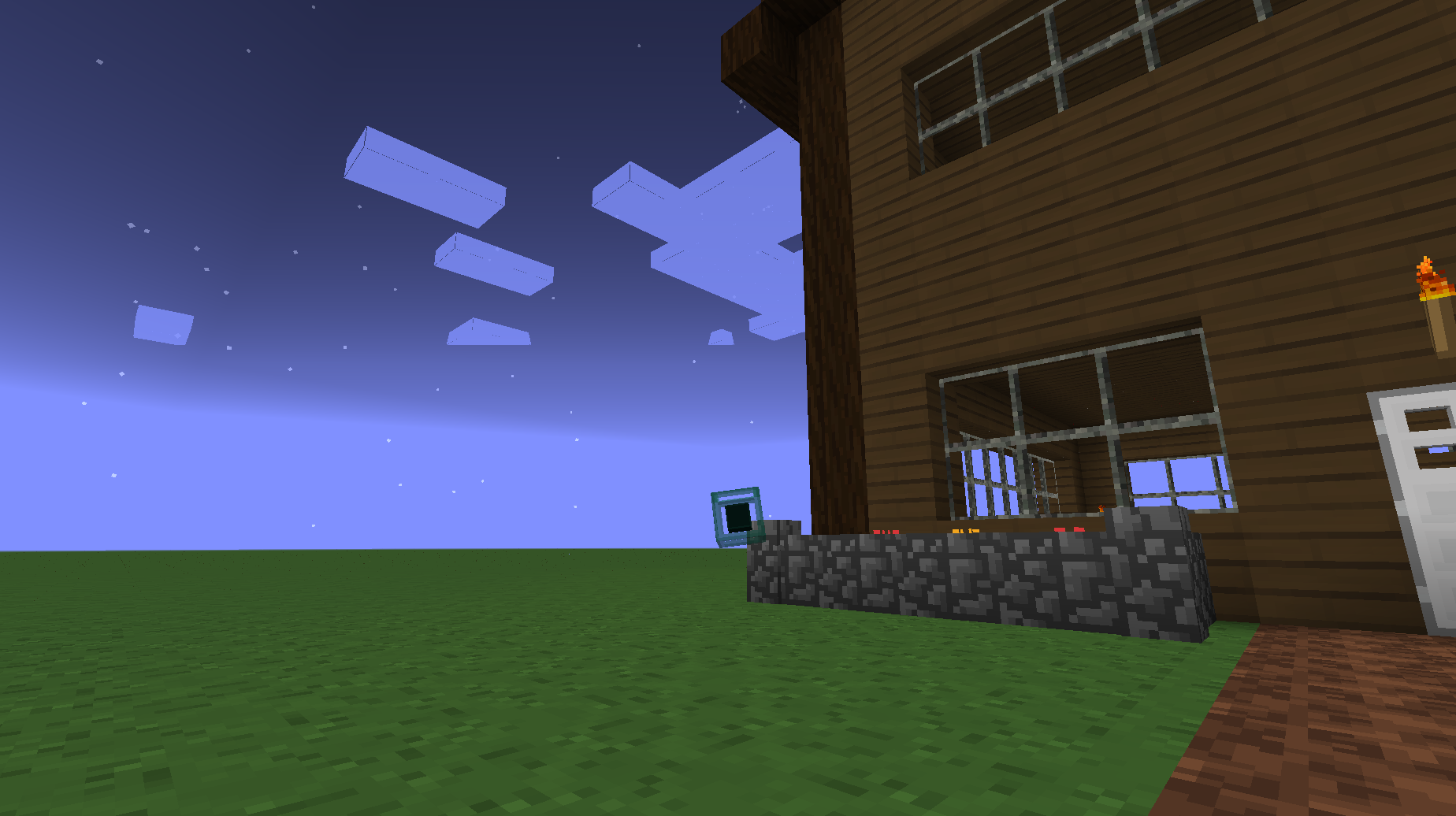
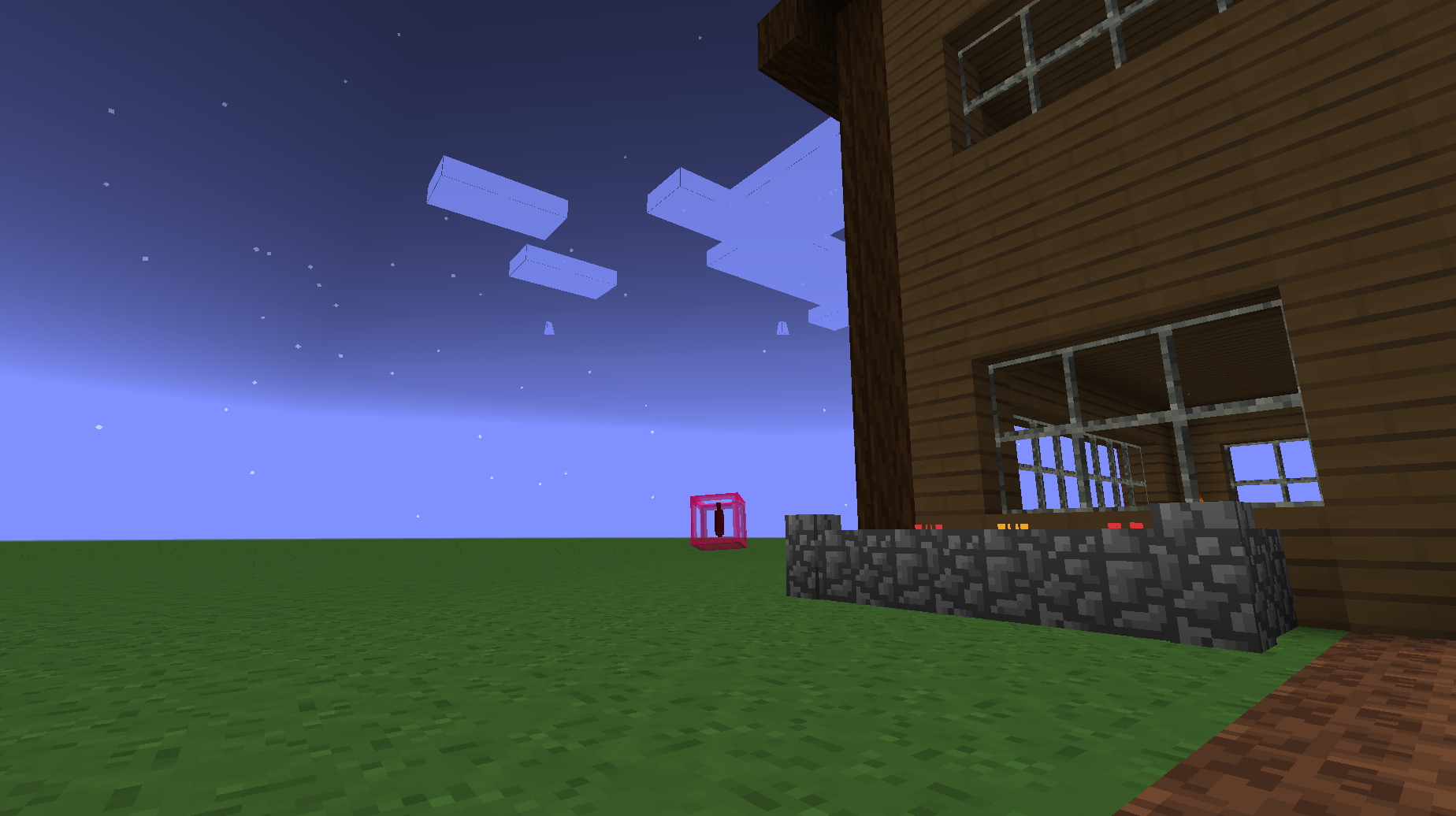
Model transparency obscures inner models.Transparent models make parts inside it invisible.
Transparent modelsmake parts inside it invisible.Transparent textures on a model make parts inside it invisible.
Probably relates to
MC-50129, but I think it might be a different issue.When I was making a model for the ender pearl and eye, the transparent outer part of the model made the inner parts of the model invisible.
Again, this probably relates to
MC-50129but I'm not entirely sure.EDIT - Similar things to
MC-50129happen in the achievement menu, as the inside of the ender eye renders outside the outer cube.
Duplicate of
MC-60093.
When placing a corner stair in specific orientations, one side of the upper half has no texture. As far as I've seen, the corner has to be facing north east or south east.
When placing a corner stair in specific orientations, one side of the upper half has no texture. As far as I've seen, the corner has to be facing north east or south east.
When placing a corner stair in specific orientations, one side of the upper half has no texture. As far as I've seen, the corner has to be facing north east or south east.
Edit - This is a duplicate, go toMC-54575.
When placing a corner stair in specific orientations, one side of the upper half has no texture. As far as I've seen, the corner has to be facing north east or south east.
Edit - This is a duplicate, go toMC-54575.When placing a corner stair in specific orientations, one side of the upper half has no texture. As far as I've seen, the corner has to be facing north east or south east.
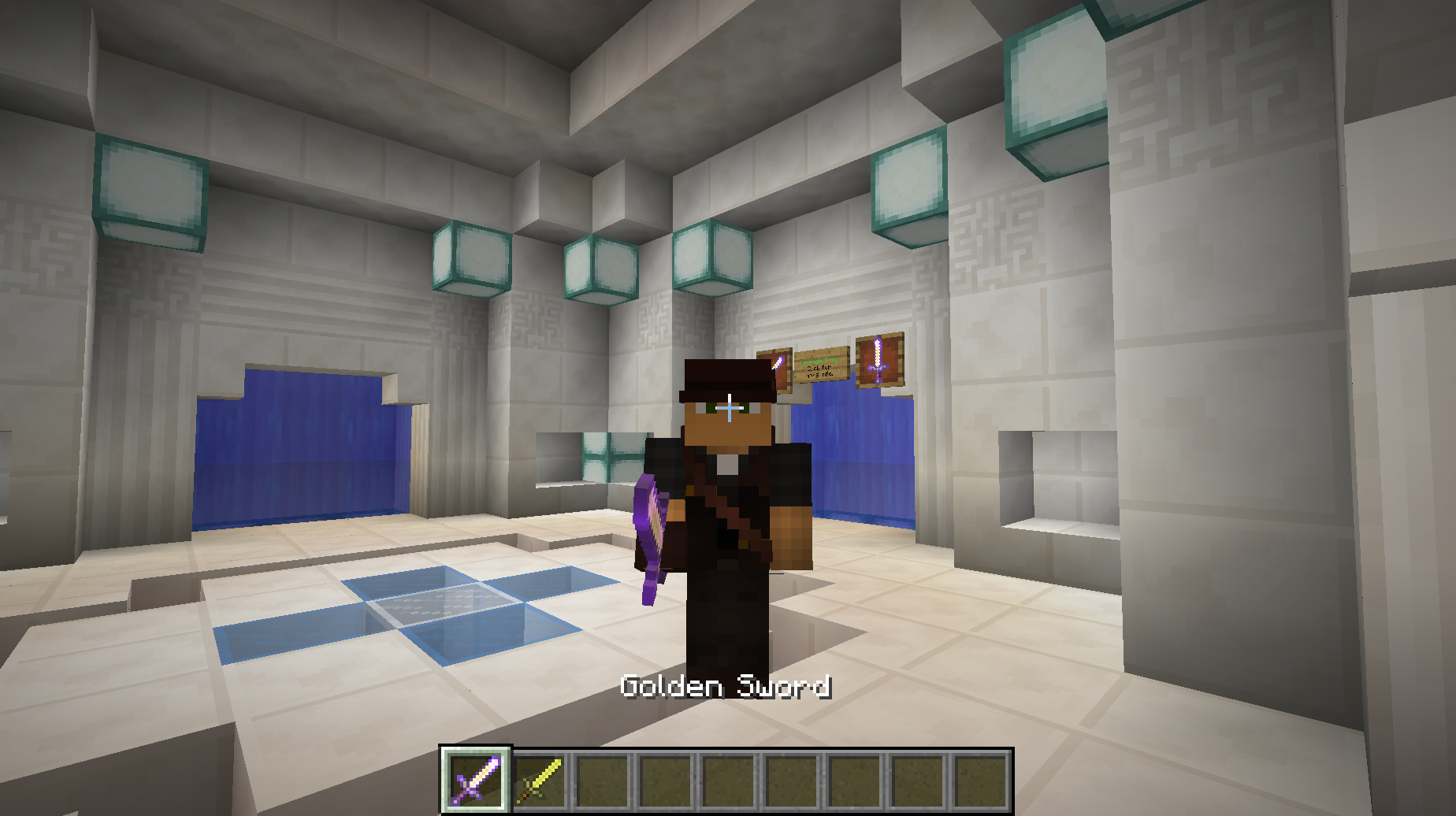
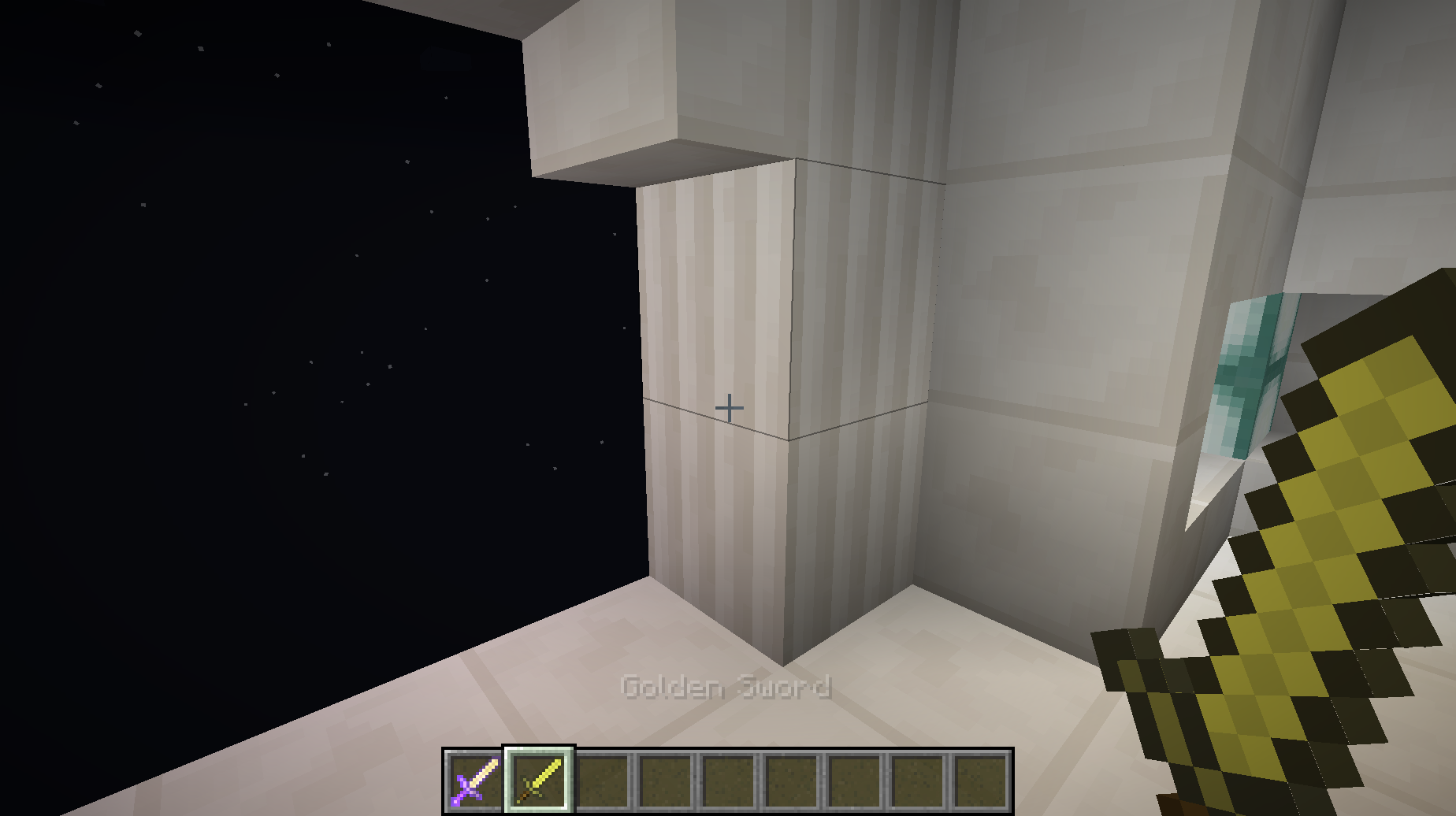
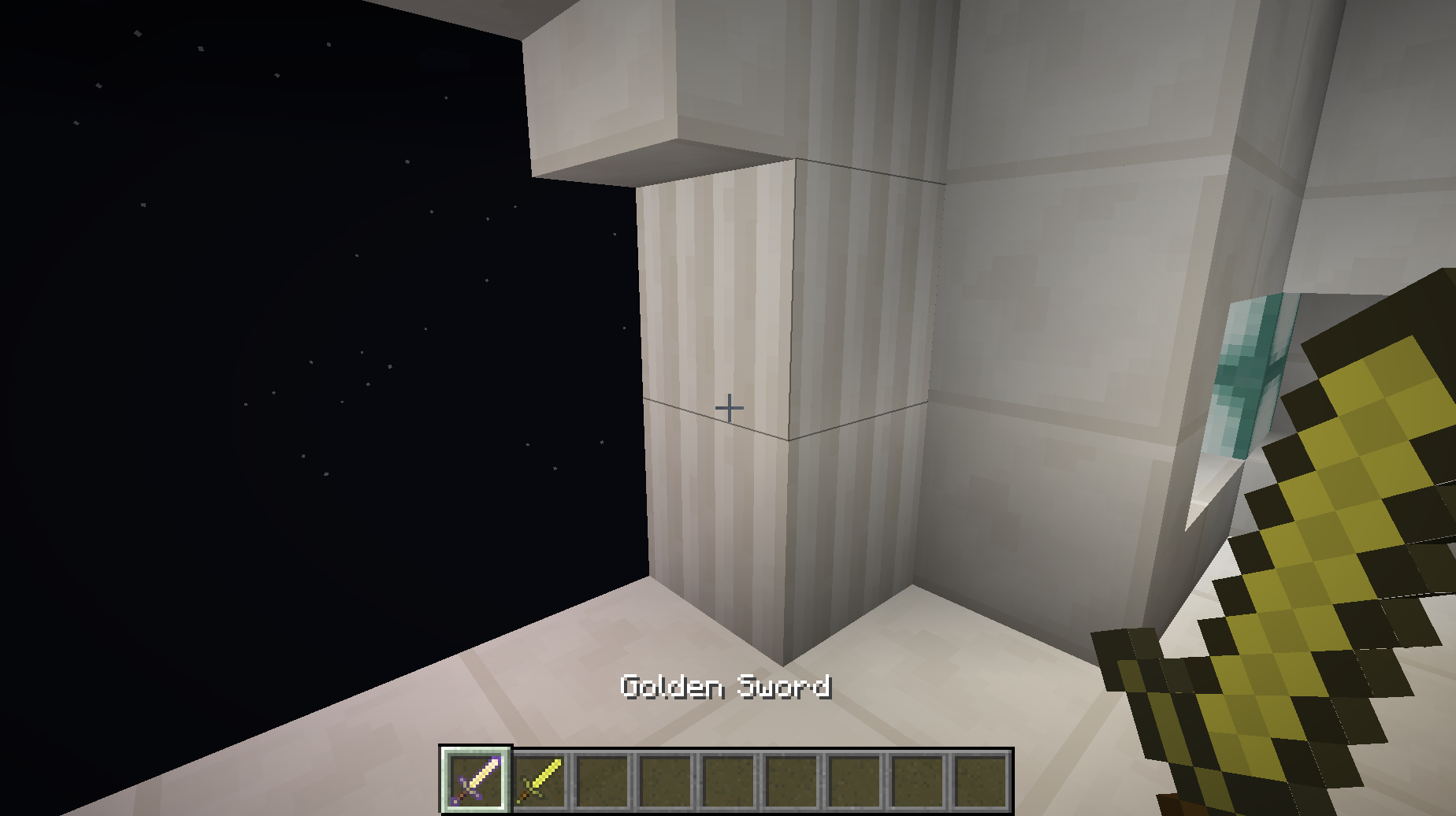
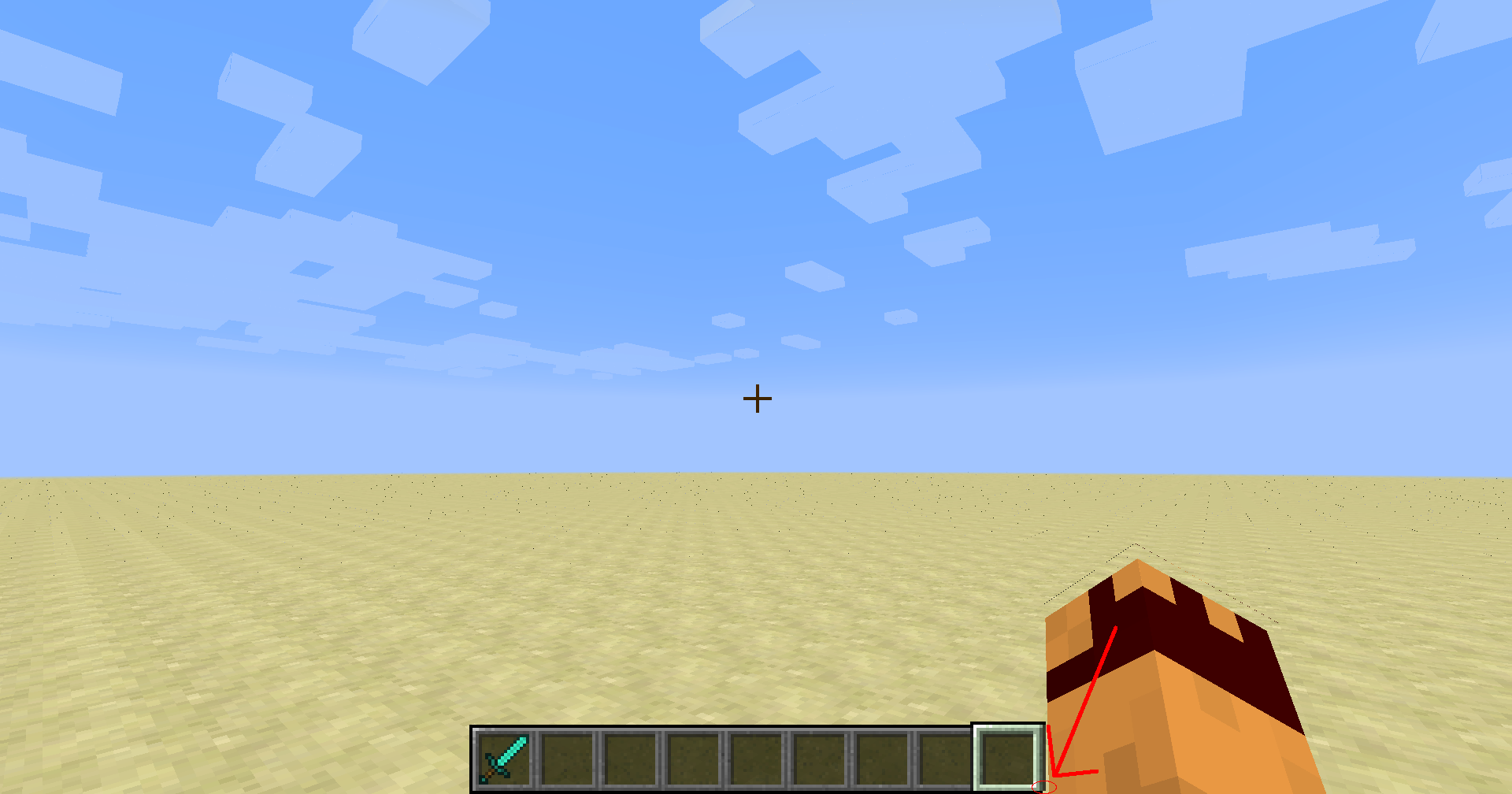
If you have 2 of the same item, one of which in enchanted, switching directly between the two will still look like whichever one you selected first.
In the first image, I am holding an enchanted gold sword.
In the second image, I have swapped from the enchanted one to the normal one without selecting any other hotbar slots.Note that this bug doesn't happen in third person.
If you have 2 of the same item, one of which in enchanted, switching directly between the two will still look like whichever one you selected first.
In the first image, I am holding an enchanted gold sword.
In the second image, I have swapped from the enchanted one to the normal one without selecting any other hotbar slots.Note that this bug doesn't happen in third person.
It also works the other way around, where selecting an unenchanted item then selecting an enchanted item doesn't show the enchanted texture.
The hitbox actually is one layer higher that it should be. When 8 layers are stacked, they have the hitbox of one.
It seems that not unzipping it doesn't work. Unzipping it and putting the folder into the resource pack folder works.
Bottom row of pixels in selected hotbar slot texture don't appear in game.
When I was editing my resource pack, I edited the texture for the selected hotbar slot, but when I went into the game, I saw that the bottom row of textures weren't present. I thought it was a problem with my resource pack, so I switched to default and saw there was the same problem. It's easiest to see with the bottom left and right pixels of the texture when selecting slot 1 or 9, respectively.
When I was editing my resource pack, I edited the texture for the selected hotbar slot, but when I went into the game, I saw that the bottom 2 row of textures weren't present. I thought it was a problem with my resource pack, so I switched to default and saw there was the same problem. It's easiest to see with the bottom left and right pixels of the texture when selecting slot 1 or 9, respectively.
Bottom 2 rows of pixels in selected hotbar slot texture don't appear in game.
When I was editing my resource pack, I edited the texture for the selected hotbar slot, but when I went into the game, I saw that the bottom 2 rows of textures weren't present. I thought it was a problem with my resource pack, so I switched to default and saw there was the same problem. It's easiest to see with the bottom left and right pixels of the texture when selecting slot 1 or 9, respectively.
When I was editing my resource pack, I edited the texture for the selected hotbar slot, but when I went into the game, I saw that the bottom 2 rows of
textures weren't present. I thought it was a problem with my resource pack, so I switched to default and saw there was the same problem. It's easiest to see with the bottom left and right pixels of the texture when selecting slot 1 or 9, respectively.When I was editing my resource pack, I edited the texture for the selected hotbar slot, but when I went into the game, I saw that the bottom 2 rows of pixels weren't present. I thought it was a problem with my resource pack, so I switched to default and saw there was the same problem. It's easiest to see with the bottom left and right pixels of the texture when selecting slot 1 or 9, respectively.
I can confirm that this does effect Minecraft versions 1.8 and up.
When I was editing my resource pack, I edited the texture for the selected hotbar slot, but when I went into the game, I saw that the bottom 2 rows of pixels weren't present. I thought it was a problem with my resource pack, so I switched to default and saw there was the same problem. It's easiest to see with the bottom left and right pixels of the texture when selecting slot 1 or 9, respectively.
Edit 5/09/2015: Looking back at this now, this is a really minor bug. I'm not sure it really matters a whole lot and it's not really that noticeable anyway.
/gamerule keepInventory not functioning as expected/properly.
I can confirm that this does happen with no resource packs.


confirmed, this also seems to happen with lingering potions(lingering water bottle), splash potions(splash water bottle) and normal potions(water bottle)
Squid Eevee He makes a custom potion effect arrow, this is supported, and previously also named the potion (since arrows weren't in yet) to the effect, this way you could obtain, for example, a wither potion
Yes, I was.
Maybe...
I tested it and it only seems to work if the repeater is facing east or west.
It does this with blocks like Redstone repeaters and comparators, snow and torches.
It might be something to do with the fact that the dungeon spawned in the middle of an abandoned mineshaft. I had this problem myself.
Me too. I use it all the time.
Figured out what was wrong. It was just MCPatcher. My bad.
How do I delete bug reports? Or can I not do that?
Ok.
That's supposed to happen.
You could hold Shift and you can fire at the door.
Yes.
That's ok. I didn't know for the longest time either.
That is a dropper.
I just read one about the same "problem". I thought everyone knew!
I have an example, but no pics. As soon as I respawn in an adventure map, I can't hurt the mobs without using a bow.
The bow is a projectile weapon.
Auto magically?
Monster was originally the Human mob WAAAAAY back in the old days of Minecraft. I have no idea what Mob is though.
Power tool is in FTB isn't it?
Don't glistering melons turn awkward potions into regeneration potions?
... That's SUPPOSED to happen.
This helped me out a LOT. Thanks!
There's a specific zone inside the witch hut in which Witches can spawn. You just have to wait for a witch to spawn. And, if it's too high, the grab some blocks and pillar up there. It's not like there's no blocks around you.
The flower item uses the same texture as when it's placed. Both the block texture and item use the same png file, in the same directory.
This problem has been around since drawing back bows and gradually eating food was first implemented. I think, I don't know I started playing in 1.3.2.
I don't even know what to say about this.
An example is /effect @p 8 [duration] 128 This makes the player unable to jump, but resistant to fall damage.
It also happens when you don't hover over an item sometimes.
PLEASE don't be a duplicate.
I'm using a mac.
I'm actually finding more and more symbols that crash upon entering them on a sign.
I'm currently checking for more.
There's too many for me to list. Sorry. There's probably MANY more.
Next time, attach the crash report rather than just pasting what it said in the crash report.
Why is this intended?
Ok.
I thought this would happen, anyway.
I thought this would be useful for mapmaking.
I just hope this isn't a duplicate or an incorrect report.
Ok.
I feel like an idiot.
I seem to be having this problem, at least I think so. I type /weather clear 1000000 to stop rain and thunder, but since 1.7 it starts again in a matter of a Minecraft day or two.
This is true, but what are the odds of 1 end portal failing to spawn, let alone all of them?
This has always "bugged" me (lololol) since many resource packs have chestplates with gloves. Too bad the gloves never appeared in first person.
I'm having this exact same problem and it really annoys me.
Blazes also can't see you.
Works as intended. Spiders have a random chance to spawn with potion like strength, invisiblilty etc.
Use absolute coordinates and add .5 to the end of the x and z coordinates. It's the only advice I can offer.
I accidentally found this with comparators.
Also, why is the end portal 4 blocks long and wide?
If you want a wither skeleton easily, use this command:
/summon Skeleton [x] [y] [z]
{SkeletonType:1}1=Wither 0=Normal
Ids 163-169 are unused data slots, so they have no block/item data assigned to them. Why they're unused is a mystery to me though.
Item ID 117 is the block id for the brewing stand, which was removed alongside ids 26, 71, 64, 91, 118, this list is so long that I won't bother listing them all. The Wiki page can be found here: http://minecraft.gamepedia.com/Data_values
Same thing happens when you use the cinematic camera, but when you turn off the cinematic camera, the shader comes back.
It's water particle effects. For some reason, when using spectator mode to view an entity's perspective, all particle effects are slanted. Kinda like sleeping in a bed with a potion effect, but at a different angle.
Must just be the resource pack.
Could this possibly relate to my problem? My problem is that I use /summon to spawn a zombie with CanPickUpLoot set to 1. It doesn't take anything I give it. I then use an NBT editor and see that it's set to 0. I change it to 1 and reload Minecraft. The zombie still doesn't pick up anything I give it.
That doesn't happen with me. It happens with the nether star in the achievements menu, though.
Confirmed on 14w06b.
Try using the coordinates of the chest, furnace etc rather than using relative coordinates.
Ok. Thanks.
This seems to be happening with any block with a data value >= 1 that isn't like wool or stained glass.
You should be doing this: /summon Item ~ ~ ~ {Item:{id:"minecraft:diamond",Count:1,Damage:0}}
It happened to me when I was trying to play an adventure map. When I tried to trade with any Villager, Minecraft would crash and upon reloading, the items I used to trade were gone, but I didn't get the items from the Villager.
You might want to provide a crash report so we can get more info on what actually caused the crash.
This is an intended feature. It works with the upgraded minecart speed. If you want to fix it, place an unpowered powered rail just before the slope and it should work.
Confirmed for every version from 1.7.4 to 14w11b.
Still affects 14w11b.
Still present in 14w11b.
It happens with my Minecraft as well. Another example I have is if I press tab to view the player list while sprint jumping, the list won't appear until I stop sprinting or stop jumping. What kind of keyboard are you using?
This happens with every block like this (ie: stone with a data value > 6, most blocks with a data value >0 etc.)
Is it wireless?
That might be it then, my keyboard is wireless too. Th3F4114n0n3, is your keyboard wireless?
Broken resource pack possibly. They re-orientated the texture for redstone dust in a line. Instead of going from left to right in the texture, it goes from top to bottom.
I will post an example of the change.
Still present in 14w18b.
I can confirm this for 14w27a.
Also happens with dark oak leaves.
Present in 14w28b.
Where would you add "tintindex"? Because I've tried adding it and it doesn't work and I'm not sure if I added it in the wrong place.
Added fixed version of the resource pack.
Out of date resource pack. The part of widgets.png which has the lock texture is completely white before 1.8.
Yes. Adding cullface did fix the problem. Thanks.
The achievement GUI supports semi transparent textures.
That worked, thanks.
Possibly relates to
MC-59579.Don't mark future versions as affected versions. You don't have access to them yet.
Also, feature requests aren't what this website's for, go to http://www.reddit.com/r/MinecraftSuggestions to do that.
Don't label future versions as affected. You don't have access to them yet.
You need to use ctrl+pick block to get the banner with the colour.
I can confirm this.EDIT: Whenever I try to connect to any server, the game says the authentication are currently down for maintenance.
This works as intended, you're seeing from the mobs point of view, you can't control the mob.
213th duplicate of
MC-66970.Confirmed for 1.8-pre 2 and 1.8-pre 3.
Try using /title nielsie33 title
{"text":"Can use spaces."}I can confirm that this still happens on 1.8.1.
The action bar is used when displaying the name of a song when a jukebox is used. Or is that something else?
It still happens in 1.8.7 as well.
Confirmed for all 1.9 snapshots so far.
The command you're looking for in this case is any of these 3:
{Potion:"minecraft:leaping"}/give @p minecraft:tipped_arrow 1 0
,
{Potion:"minecraft:long_leaping"}/give @p minecraft:tipped_arrow 1 0
,
{Potion:"minecraft:strong_leaping"}or
/give @p minecraft:tipped_arrow 1 0
.
This only works on potions that can be brewed in survival mode. Others you'll have to give a custom name.
Confirmed in 19w11a & b.
Confirmed for 1.15 Pre-release 2.
confirmed for 1.16 Pre-Release 5.
Affects 1.16 Release Candidate 1 and affects all attributes, not just max health.
this still happens in 20w30a
can confirm for 20w51a.
the output log seems to no longer display this error, and playing the sound event using the /playsound command does output 3 different sounds. weirdly, this includes in 21w13a, which is the version i noticed this bug in.
Can confirm in 1.17 Pre-release 2.
can confirm in 1.17.
can confirm in 1.17.
can confirm in 1.17.1.
can confirm in 1.18.2
Can confirm in 23w31a.
can confirm in 24w07a.
can confirm in 24w07a.