 Chloe Idun Anderson
- pizza2004
- pizza2004
- America/Denver
- Yes
- No
 MC-6130
![[Mojang] Cory Scheviak](../../../data/avatars/users/92893.png)



The hopper will only take items out of the container it is directly attached to, making it useless when trying to use it with large chests, requiring a second hopper to drain into the first one. It should recognize the large chest as one container. It also can't pull items out of a large chest, although there's a way around this using a second hopper. No such option exists with to pull items out of a storage minecart and into a large chest however, making this bug very frustrating.
Large numbers of entities in water create a tonof soundthatnearly freezesgame.A large number of sounds nearly freeze the game.
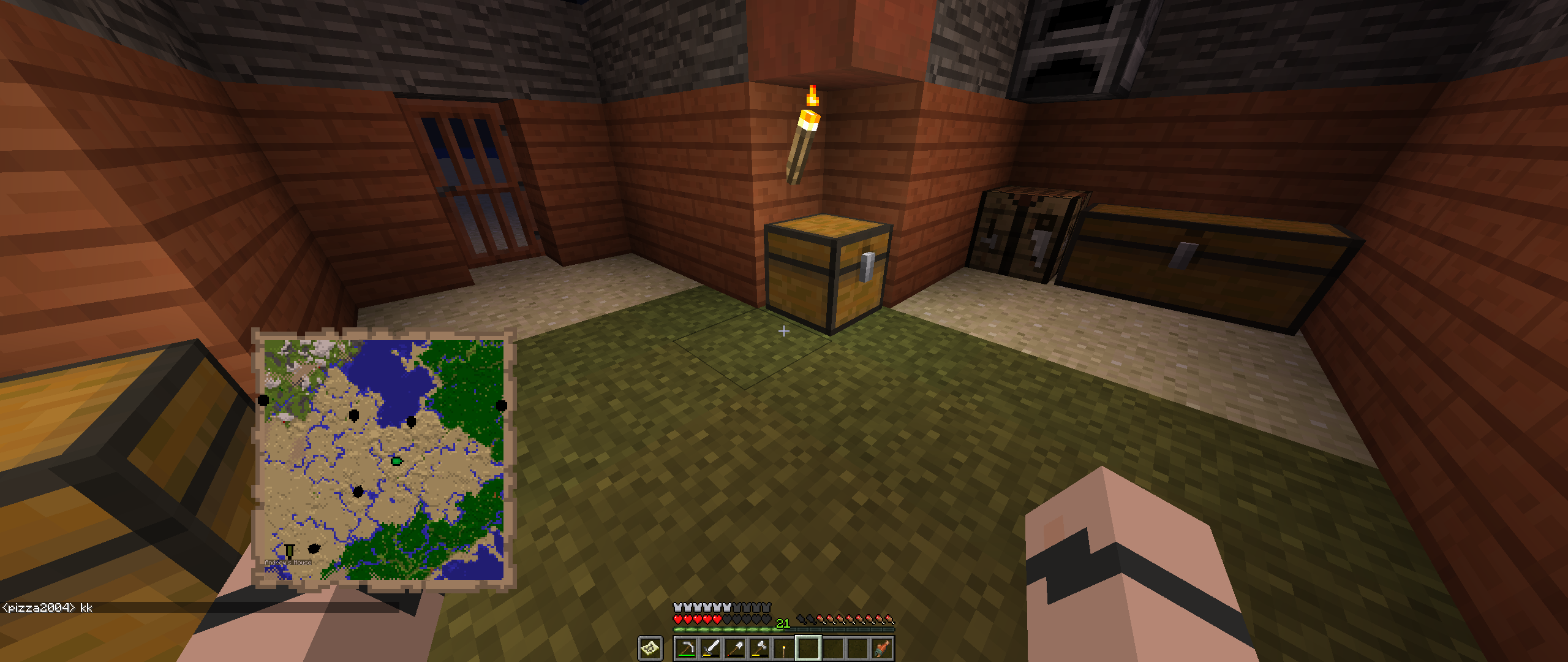
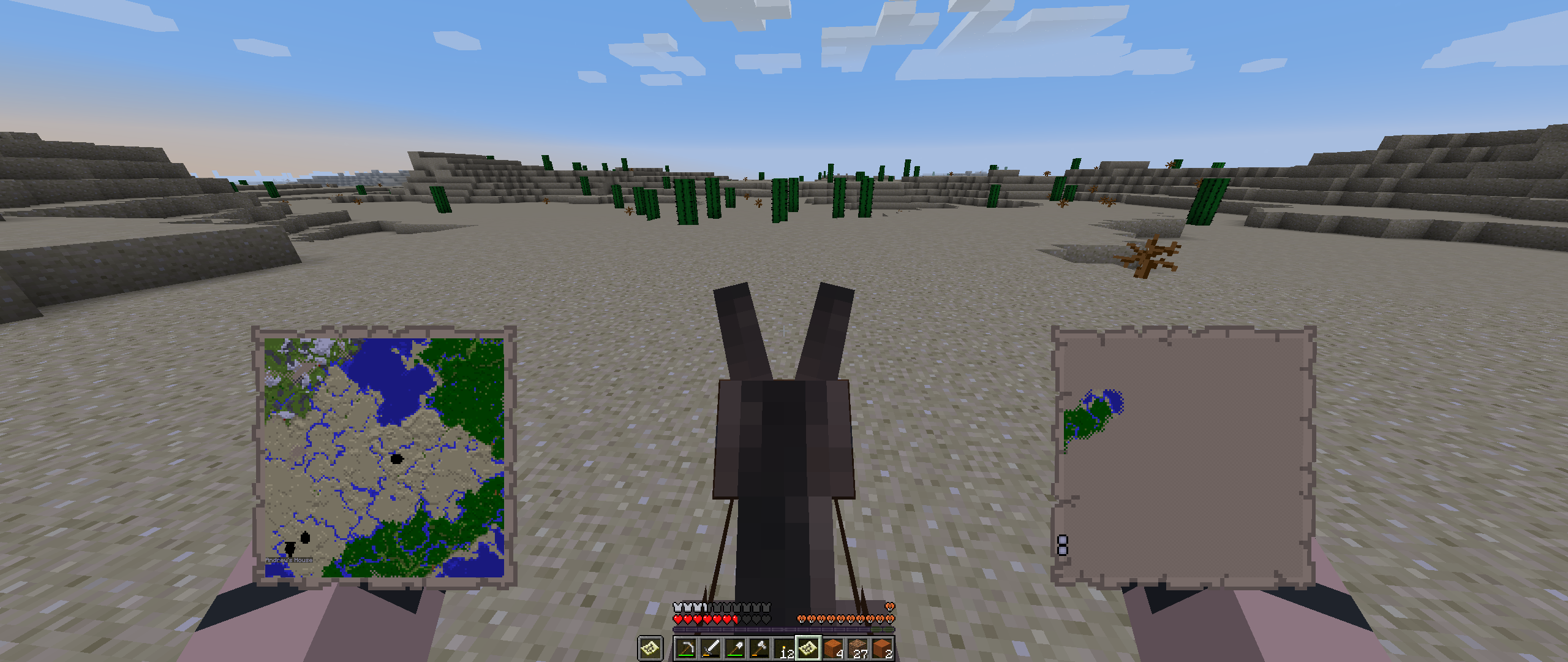
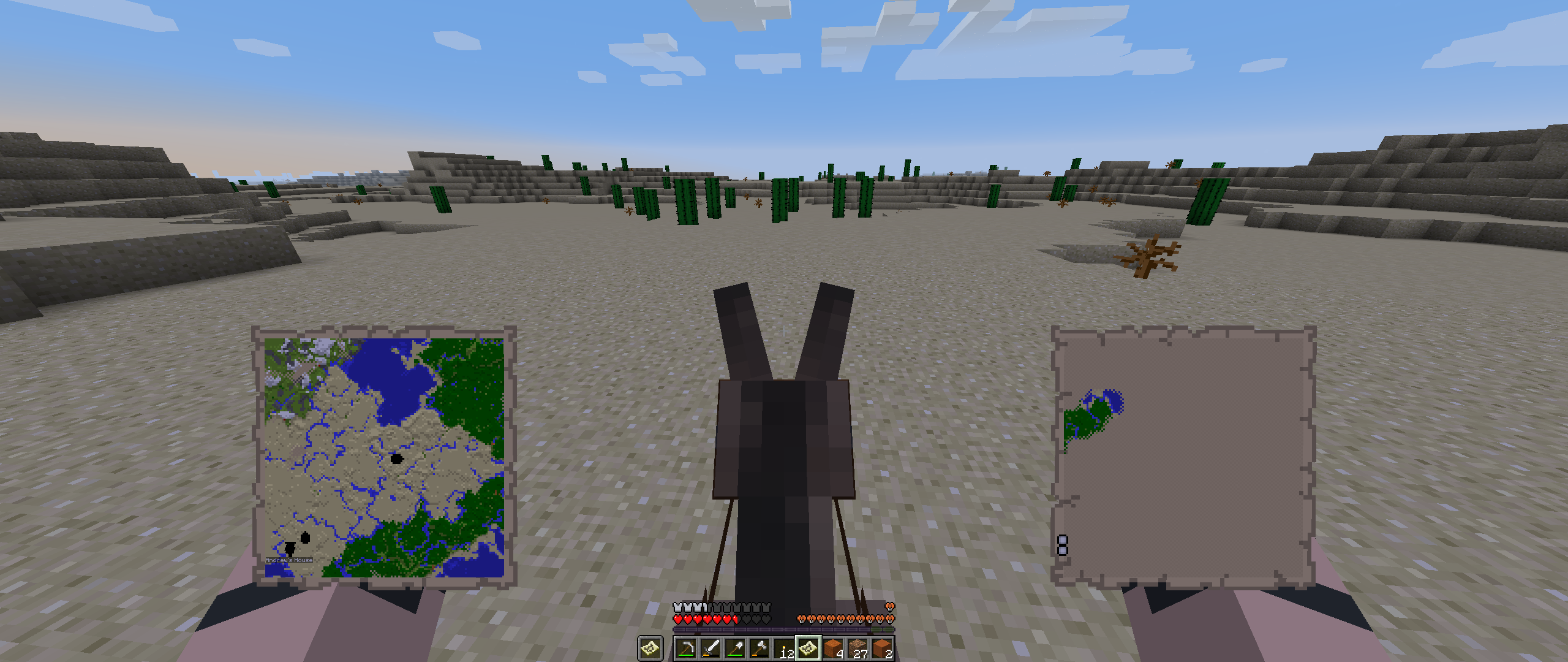
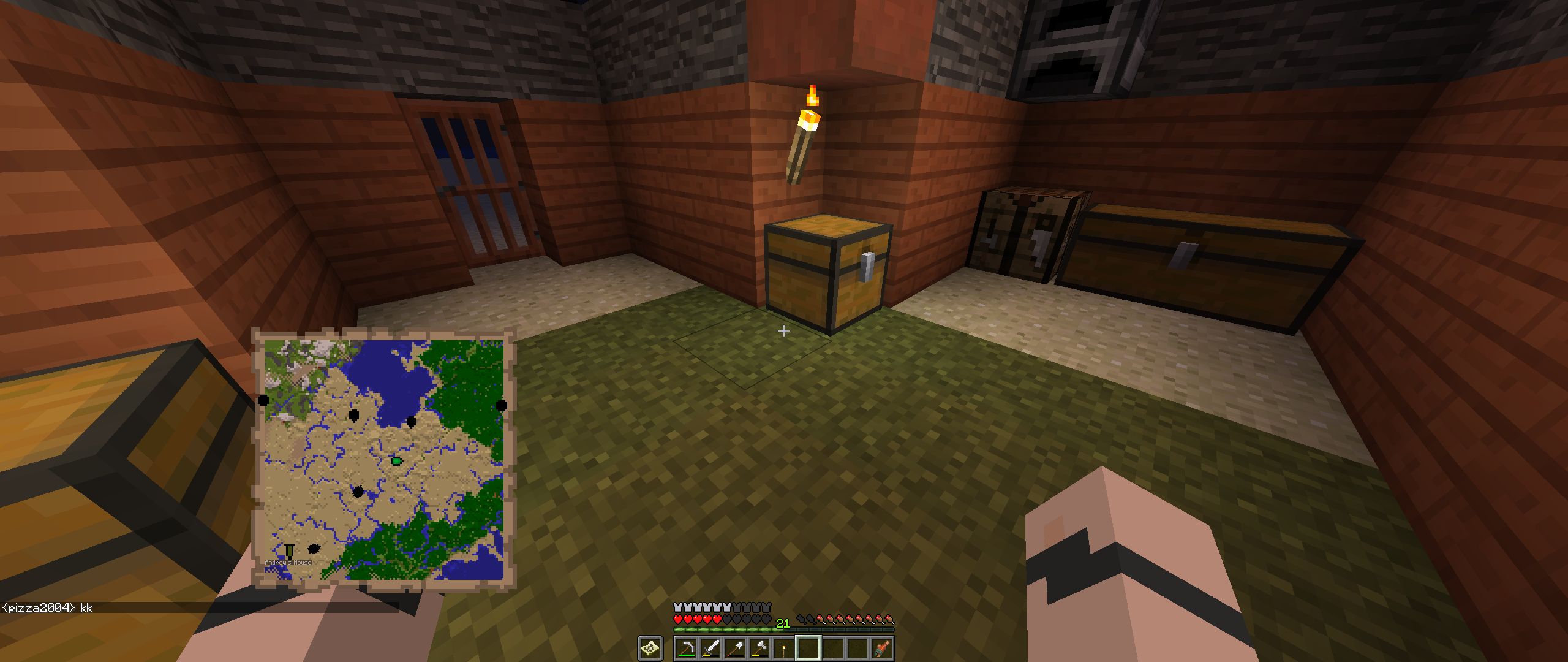
The players holding the same map as me continue to show up on the map after they have disconnected. This also applies to a secondary map that they aren't holding that they are appearing on as well for some reason. I also notice that markers continue to show up on the map for players not holding the map in their hands, but I'm uncertain if that is intended behavior.
@cojomax99
@cojomax99 Just because I see you around fixing bugs with maps, I figured out this one is a lot nastier than I first realized, since it basically means if someone is making a map wall at zoom level 4 there’s a 32 block area at every seam where map frames and banners won’t show up on the map at all.
This bug bothers me to death all the time. I like to sort my inventory from most damaged to least damaged by type of tool by version of tool (as in, ore makeup and kind of tool) and if I accidentally place the wrong tool in a spot I have to do a bunch of nonsense to get them sorted properly. I'm pretty sure the game was just never set up to check the damage value of tools when it is checking to see if you have the same kind of item and you're clicking, so it doesn't think it needs to swap them because they're the same, and it doesn't think it can stack them either, so it just stays in your cursor.
Why not just make the client ignore right clicks after you right click a chest until it gets a response from the server? And, if this is really the cause of the bug they say that causes items not to shift around I imagine it probably affects all containers, so why not just make it do this for all containers.
In other words, the client says, "A chest was just right-clicked." and tries to send the packet to the server, until the server responds the client just ignores all subsequent right clicks.
I have this happen to me with torches all the time. I'll have built a tree farm and I'll put torches around the walls half way up to make sure everything is well lit, and sometimes when the trees grow they replace some of those torches. Tree growing algorithm needs to check the block matrix to see if it says the blocks are anything other than 0, not just something that would let it replace transparent blocks.
It's indeed possible to use a second hopper to drain items out of a large chest by making one hopper drain into the other, however there is no effective way to do the same thing with a double chest. For instance, I have a Minecart system to transport good from the mine to the surface, and when the minecart gets to the top I want it to drain into a large chest, but it can only fill up one side unless I jimmy rig up some sort of contraption to move it back and forth based on which side of the chest has more in it, and I'm not sure if that's even possible. Which to me makes it a bug, because it doesn't interact with the blocks in the way you would expect it to interact.
I can't get the attach screenshot function to work. Anyway, I have a way of making a clock so fast that it basically acts like this torch and stays on all the time. But because the signal propagates to the hopper from this direction and from below I'm unable to make it fire quickly because it keeps the hopper from draining efficiently.
This isn't the same bug at all. This bug causes it to update things behind it. The other 'bug' is useful, I like it, I hope it stays as a feature, this bug causes dispensers not to work when you want to have a system that only fires if it's so full or what have you.
Because my issue was marked as a duplicate of this issue, despite being different, I'm going to put in a request here as well that it be considered a different bug. My issue is basically the same, except it happens behind the comparator as well. This means comparators are useless for checking dispensers because they cause the dispenser to fire rapidly each time they receive any redstone power. My bug only occurs in the latest snapshot (13w03a) and it actually interferes with gameplay, unlike this bug, which is an annoyance at best.
This issue isn't impossible to produce on other graphics cards, but it happens by default on AMD/ATI cards. It's so old that I can remember it being talked about in at least August of 2011. Basically, all that tended to happen before was a few stray pixels, but now, due to some difference in the way ATI does things, the issue is really bad. The guy above me seems to know what he's talking about, click his link.
I don't know that this is a bug. I remember they put a hard cap on the length of messages in multiplayer a while back. I think it was probably to either prevent problems or make it faster in some way.
Same here, still happening for me as well. You should look at what this guys has to say on the matter: https://mojang.atlassian.net/browse/MC-7363
Everyone complaining because they fixed the bug, I don't love it either, but it became necessary. The reason why being that the comparators started doing it to blocks they were supposed to be outputting a signal from, making them completely useless for using with a dispenser to see how full it is. You people need to stop complaining before we even know how they changed it.
What I mean is what I reported in my bug that got called a duplicate of this bug when in Snapshot 13w03a it began to happen behind the comparator as well. This made it so that if you ever powered a dispenser with a comparator hooked up to check how full it was it would fire rapidly, therefore making that functionality useless. I'm sad to say that I've download the snapshot, and while it was certainly improved, it still ticked it to fire around 3 times when I hit the button instead of the once I expect, due to it touching a comparator.
As for providing feedback, what I mean is that saying, "How dare you fix this!" when you don't know what they changed yet is counterproductive. Now that they've released the snapshot you can test for differences and then complain about them, but before the snapshot was released you can't know what's different so complaining solves nothing!
I like moo's idea. I would be sad to see the loss of the new dynamic system.
This is obviously only an idea, and probably not a super effective one, but you could just implement a little script that lets them code the death messages and how they're parsed together in the language files. Nothing too complex, but I think that could work.
Everyone who thinks they're running Minecraft using Java 7 on OSX is most likely wrong. Oracle provided Java 7 on Mac, Apple provided Java 6. There's a difference in the way that Java 7 is installed versus Java 6 that makes it so the Minecraft.app file will not find Java 7 and instead default to the hidden Apple installation of Java 6 that is still on your computer. This is a good thing, as no current version of LWJGL is capable of running Minecraft in Java 7. This is an issue that LWJGL is working to fix, and Mojang even contracted someone to fix the problem, and he started on it. I believe he had a working version that would work with Java 7, but it still used a lot of workarounds instead of fixing the problems, so they've been working on it to fix it so it will run more natively in all versions of Java and that has made it so Minecraft cannot run with Java 7 using the latest version. For anyone wondering, here's the thread with the links to that version that you can use to run Minecraft on OSX more properly: http://lwjgl.org/forum/index.php/topic,4711.html
Even using that version of LWJGL you won't run Java 7 if you use the default launcher. I've modified the .app a little so it'll run Java 7 instead of only using Java 6, and I'm pizza2004 who posted a link to that, here's the same link again: http://www.mediafire.com/?137i1rraix5sd0a
Anyway, I saw Grum mention they'll be releasing a new version of the launcher sometime soon (possibly with 1.5) that will fix some of the problems with the launcher, and I can imagine one of those fixes will be making it run with Java 7 on Mac. They have to wait for LWJGL to mature and a new version to release however, because the most current release doesn't run properly on OSX with Java 7. Please be patient, as Mojang has actually spent money and time working on LWJGL when they have a lot of work to do getting the Modding support up and running and no extra people to assign to fixing a library that isn't their responsibility. I'm kinda disgusted with all of the people here who complain to Mojang because of something that people are actively trying to fix, but perhaps not actively sharing their progress, and perhaps not sharing what progress they do in an obvious and easy to find place.
I think you're missing my point. Installing Java 7 on Mac doesn't automatically make Minecraft run using Java 7. Unless you specifically make an effort to run it with Java 7 it won't (it has nothing to do with the jar file, and if you download the minecraft.jar launcher that I believe someone linked to earlier and run that through terminal then you'll being running it using whatever version of Java your computer considers default, meaning Java 7 if you have that installed, however I can imagine that most of the people here who installed Java 7 are still using the app, which due to the change in Java can't find Java 7 and instead uses Java 6).
The version of Java isn't related to this issue though, this issue stems from Mac OS X code in LWJGL not being updated since they added support for 10.3.x by adding a lot of workarounds. As such, while it has native support on Windows and Linux, it doesn't on Mac, and uses a lot of workarounds to even function.
So, they went back to rewrite LWJGL to work properly on Mac like it does on Windows and Linux, but they only started doing that in August of last year at the earliest, and while they've gotten it fixed to work basically perfectly for Java 6, it won't yet work properly for Java 7 on Mac, and as such they haven't pushed it into the official repo yet.
Basically, no stable version of LWJGL currently has the bug fixes that have been made that fix this issue, but the version in the forum thread I just linked to does, because it has been rewritten to fix issues with Mac OS X and LWJGL. That's the only difference between OS X and the other operating systems that would cause such an issue at the moment. If you'd like to download the version of LWJGL they provide in that thread and attempt to see if it fixes the issue that's fine. Just know that you'll have to use Java 6 because Java 7 currently will not run Minecraft on Mac OS X.
I'm not saying you don't know the issue is LWJGL, I'm saying that they've already made it clear in other places that they're going to update the bundled version of LWJGL in either 1.5 or 1.6, and that when that happens these bugs will go away, but in the mean time I'm providing links to where you can get the in development fixes for OS X LWJGL, and trying to explain why some people are having issues, as I noticed at least one person say they installed Java 7 and it just made Minecraft start crashing.
Hey Matt, I've been testing these for a while, and they just recently switched to only providing the two binaries because all the others have no change from 1.8.5. So just download 1.8.5 and then paste those two files over the top of it and you'll have no problems!
Oh, sorry, I meant 2.8.5, AKA the latest stable release. Silly me, I never actually paid close attention to the version number.
Yeah, the only person actively working to get that OSX version working properly is Kappa, who hasn't been seen since the 20th, and only has Snow Leopard, so he's completely unable to test against Java 7. I checked out the files and hacked at it a lot and was able to get a version of LWJGL that would run with Java 7 (The reason it hangs like that is because it loads LWJGL and LWJGL tries to reference JAWT, and JAWT isn't where it expects because that version of LWJGL was built against Java 6 not 7, and they've completely changed how Java 7 works and where it's located in from Java 6, so it's gonna be a difficult problem to solve) and it had a lot of issues, like needing me to resize the window slightly for any graphics to appear, the graphics being slightly offset from the top right corner creating two black bars and not properly displaying the whole screen in windowed mode (Fullscreen acted normal) and it being slower than a dog for one reason or another, meaning it took at least 2 minutes for a world to load. Use the regular launcher for now, it'll run it in Java 6, which should work, although there might be a slight drop in performance when compared to the old version of LWJGL, I can't tell if that was LWJGL or the snapshots or just my computer not liking being left on 24/7. It works perfectly with Java 6, bar a few OSX features like Lion/Mountain Lion Fullscreen, and Retina Display.
So, for now, you'll have to use the standard launcher in order to run Minecraft, and if you run it from the command line you'll have to specify that it run with Java 6 instead of 7.
You don't have Java 6? That's a horrible idea. Java 6 isn't meant to be deleted off the system. Java 6 obviously won't work as an internet plugin anymore, but the VM should still be there. Unless you manually went into the system folder and deleted it you still have Java 6 though. It won't run at all with Java 7, it gets to the done loading part, hangs for a moment and then crashes with an error about JAWT not being found. If it's just hanging on a black screen without crashing you have to wait for a while, and if it runs then you're using Java 6, not 7. My guess is that unless you installed the JDK of Java 7 it's still running it in Java 6 even with my launcher, although I'm not certain of that. The reason I think that is just that otherwise running the Minecraft launcher jar file that they linked to before my launcher would have definitely run with Java 7 if you had it installed in a way that allows desktop programs to run with Java 7. Meaning it would have crashed and you'd have been unable to run it at all with that launcher, no matter what version of LWJGL you used.
So, basically, you still have Java 6, you just need to wait a while for the program to load now, and you might have Java 7, but only as an internet browser plugin, so the only way to use it would be through a 64 bit internet browser (Chrome won't work because it's only 32 bit.) My main advice is to just let it sit there 'hang'ing for about 5 minutes to see if it loads or crashes.
Deleting Java 6 was a bad idea, as Java 7 isn't meant to replace it, but that's the file that has the Java 6 JDK, so anything else you may have deleted may have in fact been Mac's system file necessary to run any version of Java properly. As you say other stuff still runs that's unlikely. But yeah, Java preferences in the preferences app is an Oracle thing, it can only detect new Oracle versions of Java, and I think technically only the internet plugin at that. I want you to go to application/utilities and run the console app and give us the output when you try to log into Minecraft.
Edit: Yeah, you don't have the Java 7 JDK installed, so Minecraft probably can't even detect Java 7 period. At least, that's my guess.
Are you able to start up Minecraft now at least? Once they get most of the kinks worked out in a way that allows LWJGL to run properly on Java 7 they might be more willing to focus on squashing bugs like this. Either way, LWJGL on Mac (and quite frankly Java in general really) seems to be limited in what it can do. We're only going to see more issues as things migrate from Java 6 to Java 7 and into the harsh environment of things Apple only grudgingly allows on their system rather than actively supporting.
Can we get a confirmation of whether this still happens in 13w10a and an update to the affected version?
Can we get a confirmation of whether this happens in 13w10a and an update to the affected versions?
Can we get a confirmation of whether this happens in 13w10a and an update to the affected versions?
Can we get a confirmation of whether this happens in 13w10a and an update to the affected versions?
Can we get a confirmation of whether this happens in 13w10a and an update to the affected versions?
Can we get a confirmation of whether this happens in 13w10a and an update to the affected versions?
Can we get a confirmation of whether this happens in 13w10a and an update to the affected versions?
Can we get a confirmation of whether this happens in 13w10a and an update to the affected versions?
Can we get a confirmation of whether this happens in 13w10a and an update to the affected versions?
I'd move to say this bug is invalid because it involves the launcher. The reason why the tab key doesn't work on Mac is likely the same reason it didn't work in game either, but maybe they'll have fixed that when they release the new launcher with 1.6.
Anyway, the issue with Java 7 switching to a different item than the password box is an unrelated issue to what was originally reported anyway, so this issue is talking about two problems that are both unrelated to the game.
Can we get a confirmation of whether this happens in 13w10a and an update to the affected versions?
Can we get a confirmation of whether this happens in 13w10a and an update to the affected versions?
Can we get a confirmation of whether this happens in 13w10a and an update to the affected versions?
Can we get a confirmation of whether this happens in 13w10a and an update to the affected versions? If it doesn't affect the current version it should be marked as resolved.
Can we get a confirmation of whether this happens in 13w10a and an update to the affected versions?
Can we get a confirmation of whether this happens in 13w10a and an update to the affected versions?
Can we get a confirmation of whether this happens in 13w10a and an update to the affected versions?
Yeah, sorry, I should keep up to date on this. The reason I was going through like that is just because I created a new filter that displays all the issues that haven't been set to affecting the latest version, which is useful from a sorting standpoint because it allows you to more easily check to see if bugs are still happening without all of the extra issues that have been confirmed on the latest version.
If it's helpful to the mods, here's the filter: https://mojang.atlassian.net/issues/?filter=12603
Can we get a confirmation of whether this happens in 13w10a and an update to the affected versions?
Can we get a confirmation of whether this happens in 13w10a and an update to the affected versions?
Hmm... I suppose that's true. The only problem with that I can see is that bug fixing happens during the snapshots, so if you don't report the bugs and keep them up to date they're not super likely to be fixed in the released version. Either way, my list will just automatically grab the latest released version, so if they release another snapshot it'll check for bugs not being marked as affecting the newer version.
Hooray! Now I won't get 12 emails a day from whiners carrying on about this bug! Any chance of telling us how you fixed it?
With the release of LWJGL 1.9.1 in December 2nd they've implemented proper retina support. http://lwjgl.org/forum/index.php/topic,5084.0.html This is a link that talks about it. It should now be possible to write Minecraft around retina. Namely, make the gui not see retina mode, but the rest of the game (the 3D part, so not the overlay or the HUD) see it as double the resolution and output properly. I'd love to see this in either a version 1.7.5 or version 1.8. Perhaps also add an option to turn retina on and off in the graphics settings for performance reasons, because all the extra pixels could definitely slow the computer down. This is especially relevant because Windows 8 is also going to support Retina/HiDPI modes and LWJGL will probably add the capability to turn that on soon too.
@Bengineer8 Please freaking stop with the repeated editing that comment. I got like 10 emails about this and it's freaking annoying.
@Bengineer8 Nah, I've recently taken to deleting some emails because they're literally just spam, but I usually never even clear my trash. That said, I don't delete anything from JIRA, or anything else like this, so I have 20,000 or 30,000 emails in my account surely. Hold on, I'll send that along.
@Xor Boole Yeah, the issue is that Mojang hasn't activated that variable and then adjusted the code to handle the change properly.
I made another issue because I'm uncertain if it is related, but I also am getting black markers and the only markers on my map (including all character markers) that aren't black are the banner and a marker for a map I placed in the center before the banner. All of the player markers are black, and I am in multiplayer yet every person's marker continues to exist on the map when they leave the game.
For me, any marker on the map that has a named banner is black, except those made before the named banner was added. Also, all people who hold a map remain on the map even after they have left the game until the server is restarted. I also see someone's marker on a second map that I made despite them not holding that same map, and they continue to be on it after they have left the game.
If you compare my first and second screenshots you'll notice the map marker in the center is now black. For a while after the named banner was placed I was still gray while everyone else turned black, and that map marker was still green until we restarted the server, which removed the markers of the people who were disconnected and also turned the green marker black.
I believe that any time someone disconnects and reconnects it was resetting their map marker to black which is why mine stayed gray for the longest (it's my server), and that the culprit is the named banner.
Edit: I tried removing the named banner from the map and the colors of all other markers reappeared, however the markers of people who were disconnected did not disappear so that issue is unrelated.
I found the source of the black icons and determined that the issue is unrelated to this issue.
I am no longer positive this has anything to do with them holding another map, as I’ve seen it happen with people holding no map at all a few times, but it doesn’t consistently happen every time someone does have a different map.
To add to what other people have said, we did have a banner not be saved on the map properly but it only happened once and it was the first time we added a banner. However, I've been rather consistently seeing all kinds of bugs with maps on my server, the most prominent of which are
MC-134273andMC-134274in addition to this one.I also noticed that maps in frames had issues with map markers and possibly the whole map looking darker than normal and I just assumed it was intended so I didn't mention it.
Looks like the stuff when it's in frames might be another bug, namely
MC-130258, although it could be related toMC-72866.I can confirm this still happens in 1.13.
MC-72379 is another map bug I've been encountering lately that makes it difficult to know when you're actually off the edge of the map and it's safe to create a new one. Doing a bunch of maximum zoom maps with reducedDebugInfo means I have to just keep running after my cursor turns into a circle for a while to make sure I'm actually on the new map.
If I’m reading the comments on the first ticket marked as a duplicate of this one, this bug is particularly troublesome because markers don’t appear properly on the last pixel at the edge of the map, and therefore placing a map or banner on -64 would not show a marker on the map for Zoom Level 0 at -64, Zoom Level 1 from -64 to -63, Zoom Level 2 from -64 to -61, Zoom Level 3 from -64 to -57, and Zoom Level 4 from -64 to -49.
Meaning at Zoom Level 4 if you stiched two maps together in picture frames any maps or banners in a /two chunk/ radius wouldn’t be visible on it at the edge of each one, in addition to every player appearing as a circle in that 32 block area at the edge of the two maps.
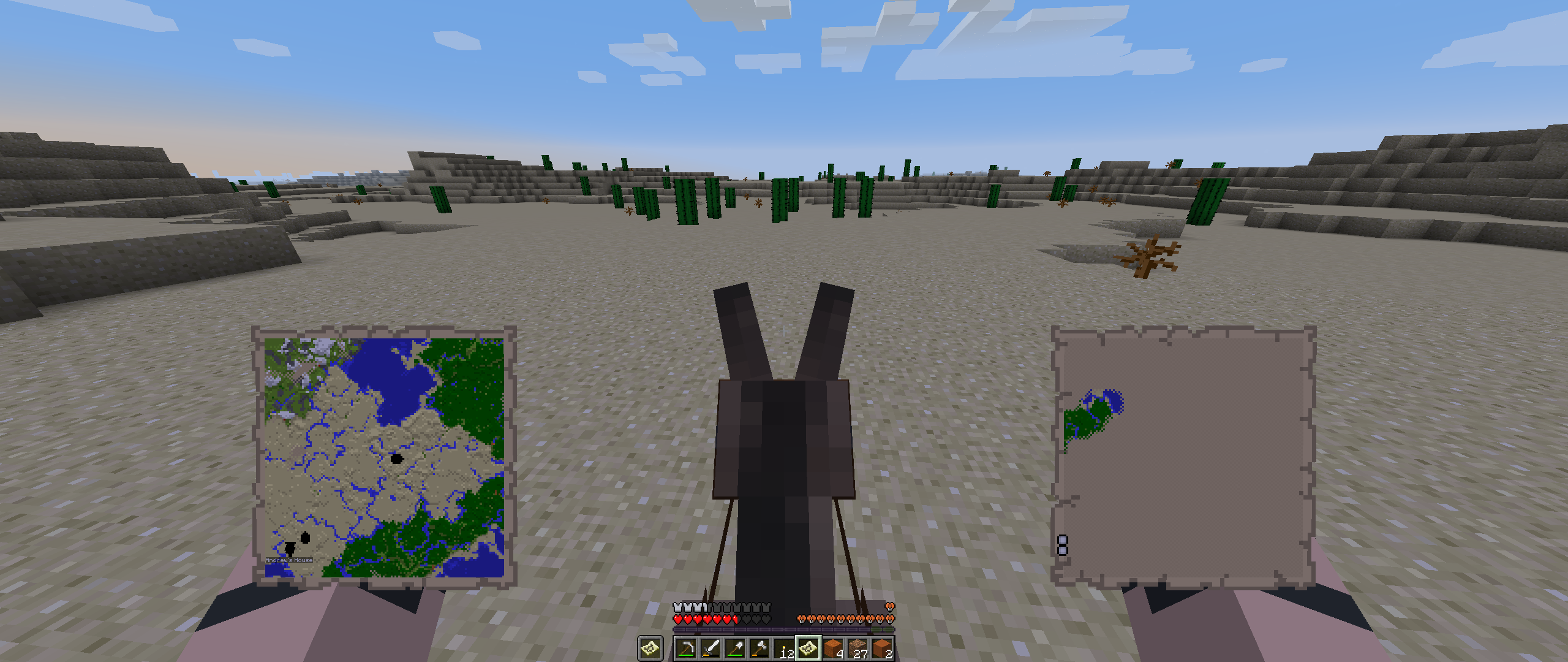
I added a screenshot showing how when in the affected area at the edge of the map neither a banner or a map frame will appear on it at all.
Edit: Someone on Reddit posted about this bug and they had a gif demonstrating the effect on banners and item frames: https://gfycat.com/QuerulousBitesizedDikkops
Edit 2: Someone else on Reddit posted about having fixed the bug themselves in their own mod but doesn't have an account on the bug tracker so here is a link to their comment on Reddit: https://www.reddit.com/r/Minecraft/comments/93h5b4/found_an_interesting_bug_with_maps/e3dodzk/
This should be fixed now.
MC-134273was marked as fixed and it's supposed to be this same issue, so I assumed it was fixed now, as the only place I have to test is my server and I can't update for the snapshots.@Asteraoth You seem to misunderstand. I /know/ the names are predefined, and I specifically acknowledge that in the bug report.
This bug report is about the fact that there are 22 predefined tropical fish names and 22 common variants that spawn 90% of the time in the world, but they are not the same 22 both times.
Namely, those three predefined names all correspond to uncommon variants of fish rather than to one of the 22 common predefined variants.
Really? I've never been able to get it to make any difference on the type of blocks I'm allowed to spawn on, or even just that it spawns me near those types of blocks, since I know spawn has a certain radius. As a test just change the tag to only include Mycelium and the game will still spawn you on grass like always. To me that's not functioning how I would expect it to.